All Activity
- Past hour
-
This is not a place for Android ROMs, only armbian here.
- Today
-

Adding / Modifying Boards - What is the right approach?
Werner replied to Daniel Andersen's topic in Rockchip
You can set conditions on which branch uses which uboot. Like this: https://github.com/armbian/build/blob/9aa6e1e29ec2d397bbe223bebaa93bd13ef79818/config/boards/orangepi5-max.csc#L21 If the BRANCH is edge, then use mainline uboot, specifically this tag. -
I am working on a new version of the Luckfox Core3566 Board and Patches, as well as adding the Orange PI CM4 board to Armbian. Both rely on the Rockchip RK3566. Luckfox Core3566 Starting with the Core3566: The current board is just the vendor u-boot and kernel. It lacks PCIe support, but surely it is helpful to be as near to manufacturer configuration in their patches. My board config on the other side is not supporting the vendor specific patches, but based on a clean u-boot v2025.10 and runs nicely with current and edge kernels and also runs smoothly with nvme storage. The luckfox-core3566 config is currently maintainerless, but maybe users would like to have this vendor kernel version. My question: 1) Would the Armbian rather like to replace the vendor board config with a more future proof board config like mine or 2) Keep both board versions ( like rename config/boards/luckfox-core3566.csc to config/boards/luckfox-core3566_vendor.csc ) and let my variant replace the config/boards/luckfox-core3566.csc as default? 3)rd option would be combine both configs, but I had struggle to do so, as my version is using a different u-boot, using a simplified partition setup etc. Orange Pi cm4 I created a new board configuration to let Orange PI CM4 to work with Armbian as well. It is pretty similar to the bigtreetech cb2, but it's ethernet wiring and pcie powering device config differs from latter. Is it okay to create a MR directly in Github or does it need alignment with Moderators first? Cheers, Daniel PS: Nice to have time to work on embedded arm systems again. I did work on the sunxi based cubieboard and cubietruck back in the days, but job, family and basically life pulled me away from it for such a long time.
-
🦀 Rust PiCalculator on Orange Pi RV2 (riscv64, Armbian Trixie) Compiled and ran a high-precision Pi calculator in Rust on my Orange Pi RV2 (K1X, 8-core @ 1.6 GHz) running Armbian-unofficial Trixie riscv64. The goal: test rustc performance and validate big-integer workloads on RISC-V. ✅ Environment OS: Armbian-unofficial 26.02.0-trunk (Debian Trixie) Kernel: Linux 6.18.5-edge-spacemit Rust: rustc 1.85.0, cargo 1.85.0 (built from source) Display: EZCAP28X @ 1920×1080 Memory: 3.7 GiB RAM, 1.3 GiB used Disk: ext4, 28.96 GiB total GPU: Mesa llvmpipe (LLVM 19.1.7) 🧮 Project: PiCalculator Rust implementation using rug (GMP-backed) to compute 1000 digits of π: rust use rug::{float::Constant, Float}; fn main() { let digits: usize = 1000; let bits: u32 = ((digits as f64) * 3.321928).ceil() as u32 + 10; let pi = Float::with_val(bits, Constant::Pi); let s = pi.to_string_radix(10, Some(digits)); println!("{s}"); } 🧩 Build Notes Needed libgmp-dev and m4 to compile rug cleanly. cargo build --release succeeded without patching. Output verified against known π digits. ⚖️ Performance Comparison Board CPU Time (ms) Real Time (ms) Pi 400 Faster (1.8 GHz, fewer cores) Lower latency RV2 (K1X) Slower per-core, but stable Good throughput Despite having 8 cores, the RV2’s in-order K1X is slower than the Pi 400’s Cortex-A72 for single-threaded math. Still, the build was smooth and the output correct — a great stress test for rustc on riscv64.
-
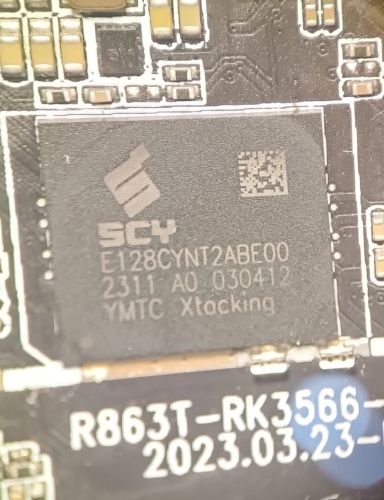
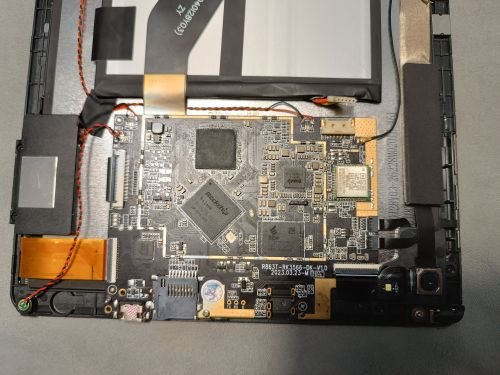
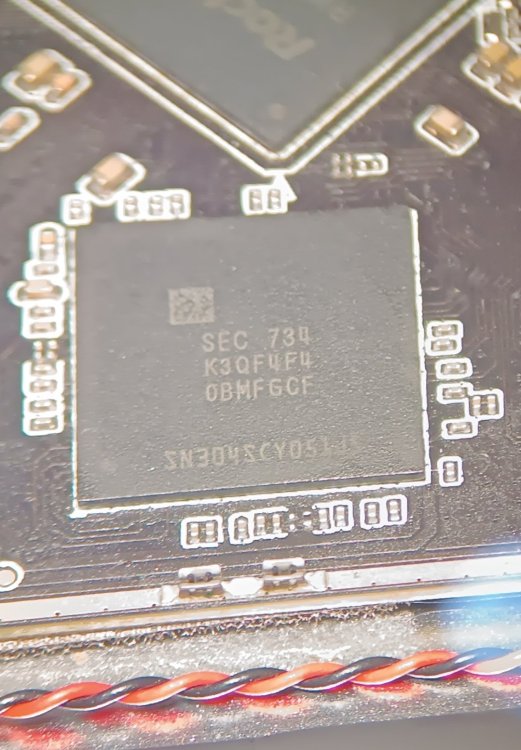
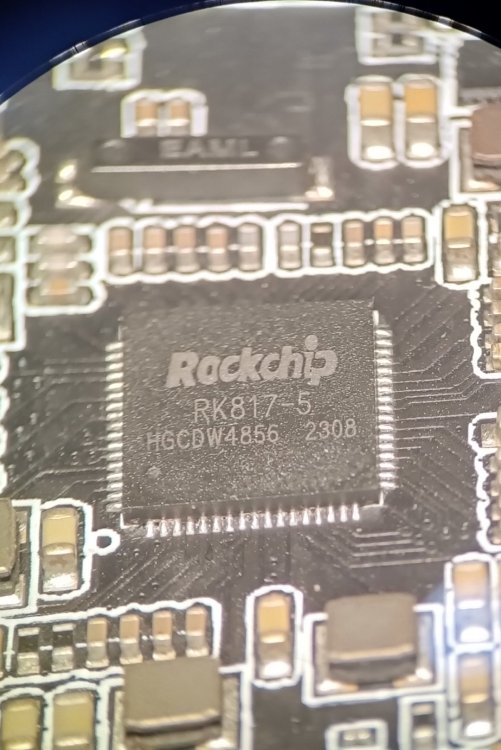
Good afternoon. I have a Rockchip 3566 tablet.oscal pad 70 wifi Is it possible to install Armbian on it? I don't have a device tree (I couldn't find anything at all for the WiFi module except the test report), no drivers, nothing. I've found a related one (the letters at the end are slightly different), but there's a little information. The original Pineta B2 costs 159, plus shipping and taxes...that's 300. But the aforementioned one costs 100 and doesn't require taxes! That's what got me thinking. Prices are in dollars. The bootloader can apparently be unlocked with a simple command (according to Google Assistant!) I need the tablet for learning Linux and watching videos in the browser...will it handle it? Is this even possible for a beginner? Best regards and gratitude... I'm writing using Google Translate, so there may be some inaccuracies... I apologize for that! motherboard R863T-RK3566-DK-V1.0 wifi module wxt42j1001s I don't know what kind of touchscreen and display it has. Will I need to unlock the bootloader? I understand it's probably very difficult...isn't the processor too old for our times? Or is installing Armbian probably not an option, and shouldn't I waste my time on it and buy something else? Thanks from the bottom of my heart to everyone who responded.
-
It looks like mksclient is python code can be patched. Sovol3D forum Enable LED light toggle in Mainsail I followed the steps and was able to get an LED toggle in Mainsail on my SV06 Ace I did loose the touchscreen control of the LED but that's acceptable. I only need the LED when using the Camera to check for Failed prints and previously left the LED on during printing. Now I can save a little electricity😀. To me this also has pertinent implications to the thread. mksclient must be a python blob that can runs on boot. If were willing to tolerate the "black box" close source nature of mksclient, a touch screen supporting build, targeting the OEM electronics, should be possible.
-
@HarleyyyuAs I was typing that I tried another last-ditch kind of solution (because truly you shouldn't substitute device trees) and changed the armbianEnv.txt I added 'overlays=led-conf7' to the end of the file and added 'irqpoll' to the extraargs. I'm going to try huddling them all into a single .img and try to flash it to the onboard disk, thanks for your help, and wish me good luck.
-
@jock your armbian build (Bookworm) plus my modified version of openauto works now, its done by using kmssink for drm overlay plane for video (Added to codebase) and RTAudio patched to use ALSA. Youtube: OpenAuto - RK322x Test run with Hardware Acceleration if you want to try it here's a prebuilt version of it, armhf compiled. Github: OpenAuto RK322x Armbian, openauto-rk322x-v1 i would love to make it run better on our hardware
-
@Dangrain ohhh that makes sense now. If SD boot works, you can just clone the SD card into a raw .img. dd if=/dev/sdX of=working_sd.img bs=4M status=progress (assuming you use linux, ubuntu recommended. Also make sure to check your sdcard path) That image already contains the correct bootloader, partitions, and rootfs. Multitool should be able to flash it to eMCP directly.
-
@HarleyyyuI just want to have a working OS on the eMCP instead of the SD, I've tried many pre built images already but none have worked even when messing with recommended overlays. Only after I've frankenstein'd It, did it work. That's the purpose.
-

Gaming experience with Orange Pi 5 (RK3588) on Armbian
KhanhDTP replied to KhanhDTP's topic in Orange Pi 5
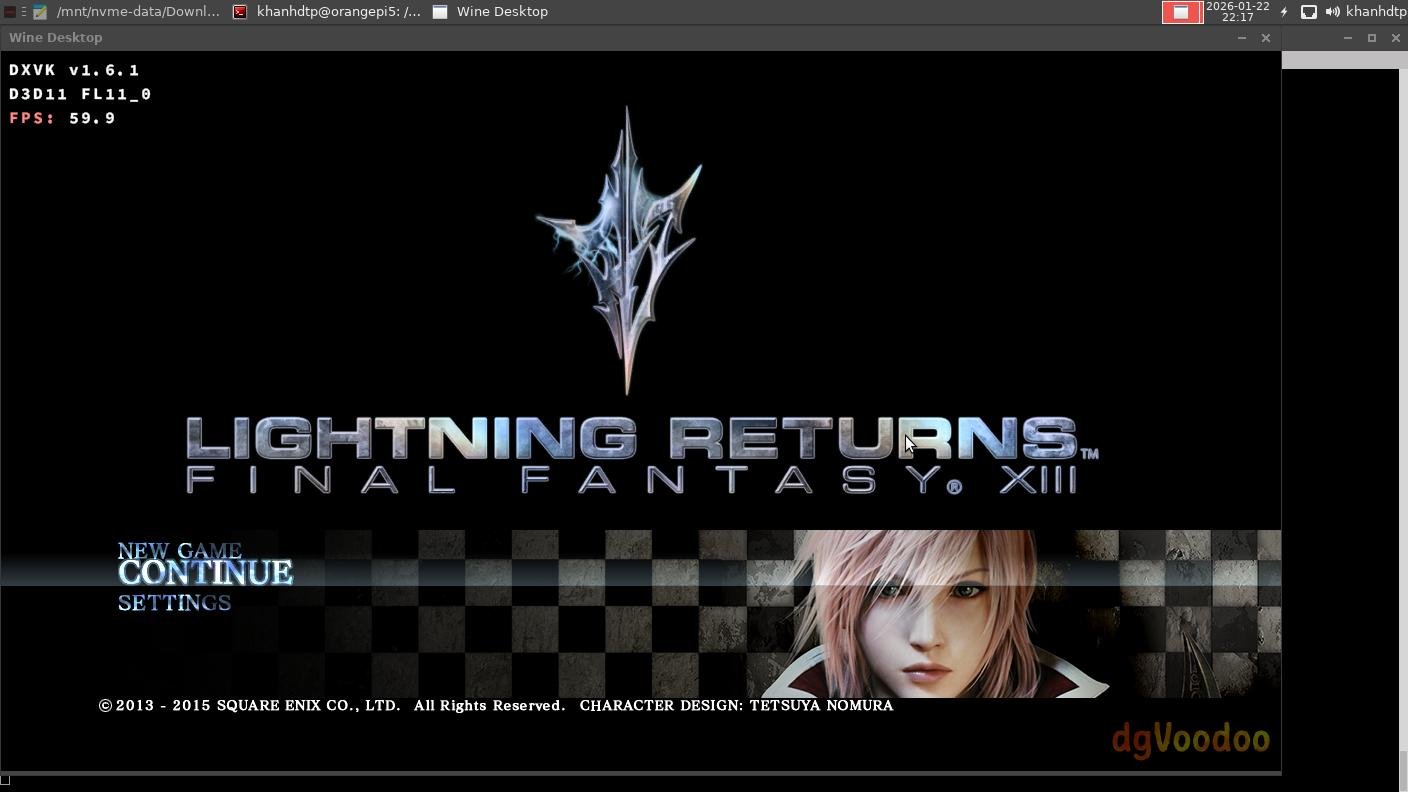
Armbian 25.11.2 Noble XFCE (BSP Kernel: 6.1.115) + PanVk - mesa 26.0 (https://launchpad.net/~ernstp/+archive/ubuntu/mesaaco) + Box64 arm64 v0.4.1 3ec5de03c (https://ryanfortner.github.io/box64-debs/) + proton-10.0-3-amd64-wow64 (https://github.com/Kron4ek/Wine-Builds/releases/download/proton-10.0-3/wine-proton-10.0-3-amd64-wow64.tar.xz) + dgVoodoo2 (https://github.com/dege-diosg/dgVoodoo2/releases) + DXVK-stripped v1.6.1 15~60fps@720p box64 environment variables: FF13 Lightning Returns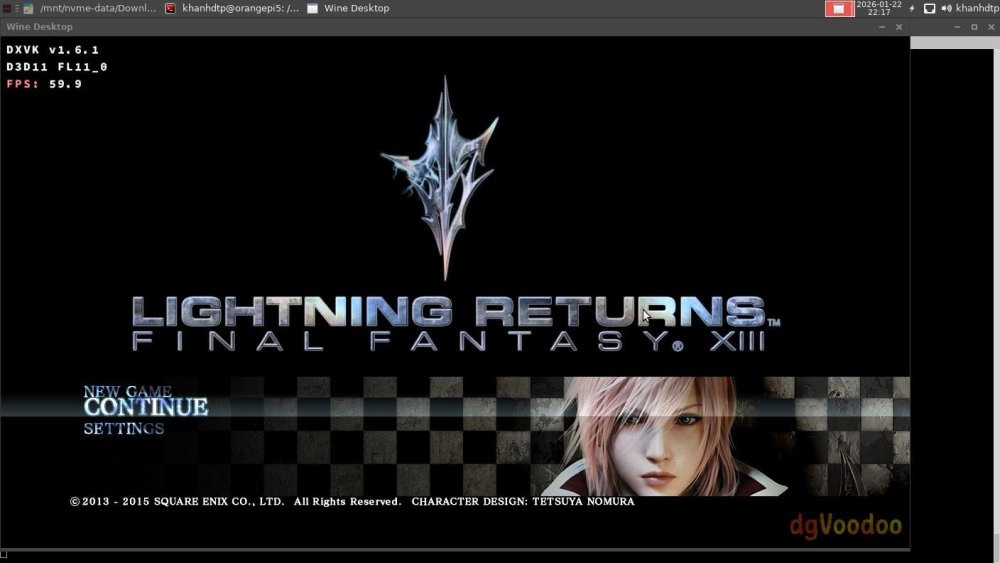
.thumb.jpg.be04e034285866cf517486d593ee31a9.jpg)
.thumb.jpg.59b115f15600f992d501aa546192da3b.jpg)
.thumb.jpg.6ce20c27adc1ded5f8647826463317e7.jpg)
.thumb.jpg.008700cd9544d358d186f9bd43351e3f.jpg)
.thumb.jpg.515ef732a99ffe79630b9cf5b6370428.jpg)
-
@Dangrain for you to be able to flash your "frankenstein'd Image" you need to combine those pieces into one, I don't know how you will do that though. Tell me, What's the purpose of your img? like what are you trying to achieve?
-
Thanks Werner and Gaetano I fear DIY an image exceeds my skils 😉 I tried linux-headers-arm64. Result: kernel downgraded to 6.12 and wrong links in /boot: lrwxrwxrwx 1 root root 30 Dec 29 22:28 Image -> vmlinuz-6.18.2-current-meson64 lrwxrwxrwx 1 root root 27 Jan 23 13:27 uInitrd -> uInitrd-6.12.63+deb13-arm64 Corrected, built ZFS but at the end USB not working. It's not worth the hassle. I ended up installing Armbian_25.8.1_Odroidhc4_bookworm_current_6.12.41_minimal.img Everything seams OK, especially ZFS. Anyway, the link to Armbian_community_26.2.0-trunk.151_Odroidhc4_trixie_current_6.18.2_minimal.img is not there anymore 🙂 Thanks for your time. Chris
-
Ok then i will try with S905W images. Does these boot of an sd card like on the H313 ones ?
-
Thank you
-
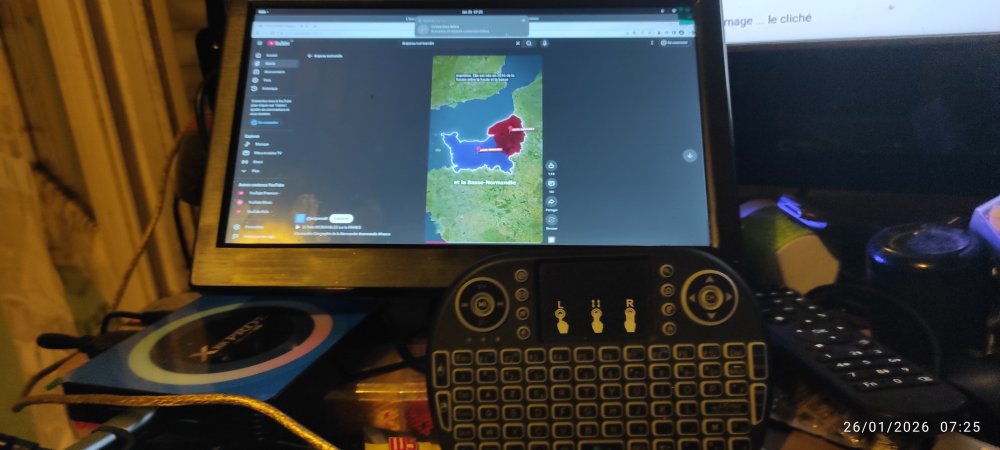
Hello, thk work fine on my X88 pro13 Here is : Armbian_community_26.2.0-trunk.332_Hinlink-ht2_noble_vendor_6.1.115_gnome_desktop.img Armbian_community_26.2.0-trunk.332_Hinlink-ht2_noble_vendor_6.1.115_gnome_desktop.img
-
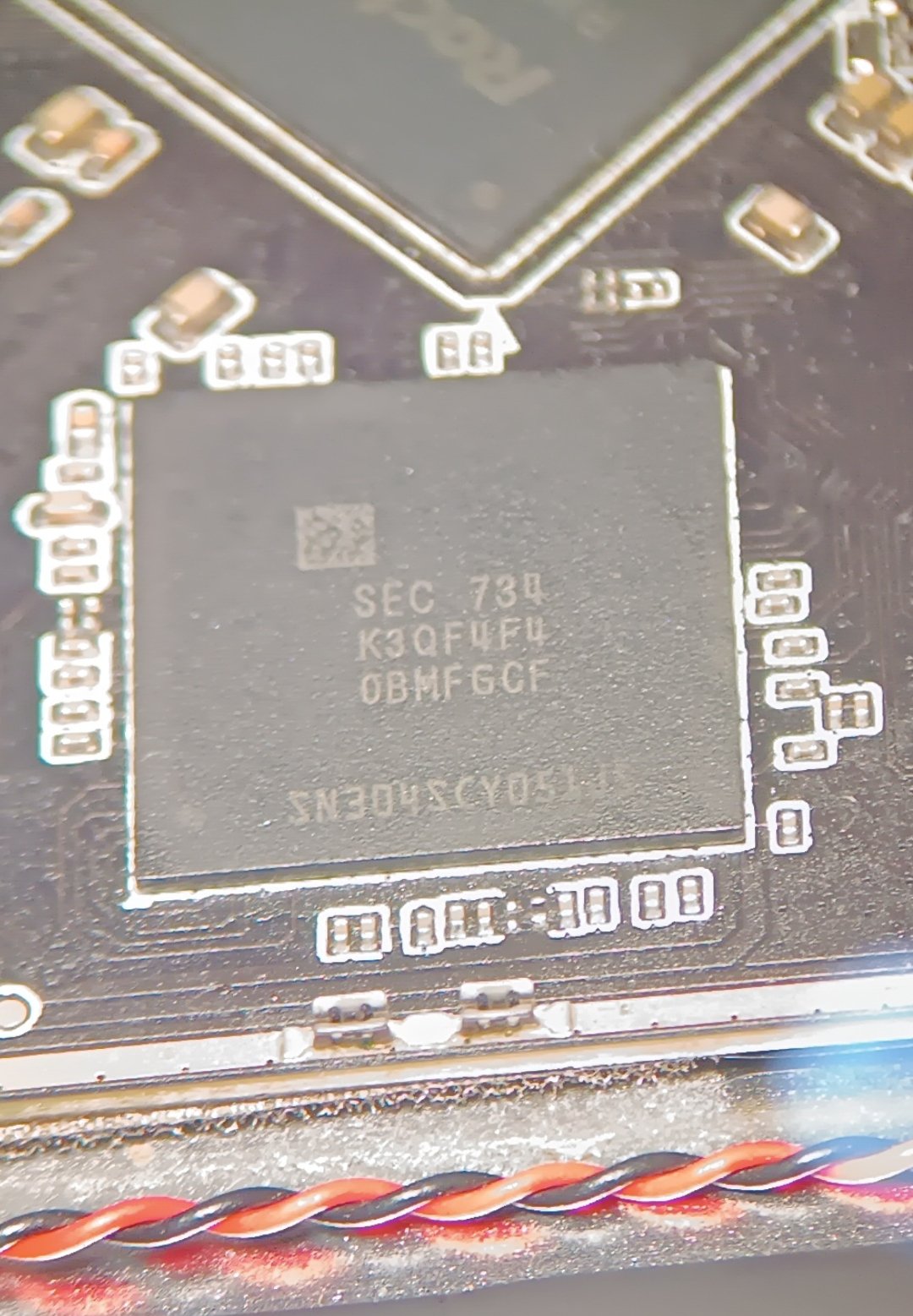
 By any chance, could someone post a link to a working image for Cubox I? I'm trying to find any working Armbian build and there is nothing that works. Thanks!
 -
What model is your device? Got a photo?
-

Gaming experience with Orange Pi 5 (RK3588) on Armbian
heyrict replied to KhanhDTP's topic in Orange Pi 5
@robertojTheoretically it will, as H618 supports OpenGL and Vulkan. But do not expect the same performance as RK3588. This is off the topic here and you'd better ask someone who share the same chip with you. -
Gaming experience with Orange Pi 5 (RK3588) on Armbian
heyrict replied to KhanhDTP's topic in Orange Pi 5
Cool! I own this game as well, just didn't test it as I thought atlus put most their games under DRM. Definitely going to try it later. Also found that some games (probably CPU-intensive ones) work better on hangover compared with box64+proton/wine, if only the game was compatible. -
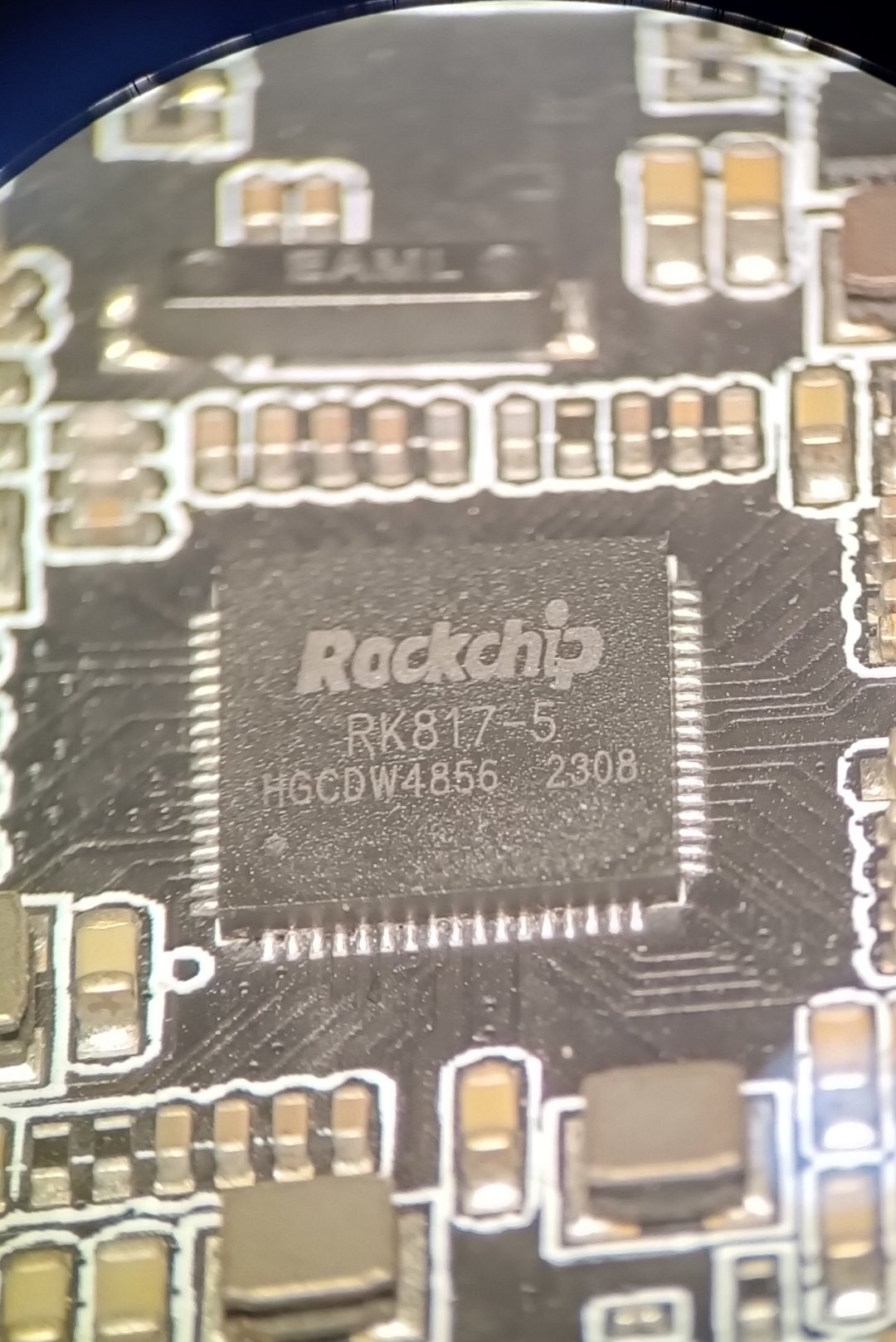
I'm looking for a ROM because this Android box only stops at the logo. However, there's a problem with the PCB board type 3328 but the chip is 3318. How do I find the firmware? Is there anyone here who has it? And I've tried flashing with RK3328 but it still bootloops.
-
Then stick with what you got going on.
-
But, now that I have a running linux on it, is there another way to flash the android image? I mean, I had to open the box, connect uart to see what's going on and short random resistors on the board to get it in usb burn mode and flash the android image - which didn't work as I mentioned before. I was receiving timeout errors, and after that the board became unresponsive (./update identify 7 - timeout). After a bit of research I found out it could be the usb 3.0 port on the device that I used (since I tried switching to usb 2.0, but I got it in mask rom mode only through usb 3.0 port the last time, and after that too, never on usb 2.0). Anyway, the point is - now that I'm booting from usb, I disconnected uart and closed the board back in it's case. It was a mess, and I'd rather not open it up just to install android to it. I mean, can I do it from a running linux? Or can I just run install-aml? At the end of the road, I could just use it as is - it will boot to usb, regardless of the garbage in the emmc. I know I mentioned I wanted to take advantage of the 32gb emmc, but now I'm just happy it's even alive.
- Yesterday
-
@kingbecher Why do you believe this isn't an Amlogic s905w? Those cpus are also cortex-a53. I see Amlogic references throughout the boot log you posted
-
sm1 and g12 share the same common dtsi file. Use that aml flash tool along with --soc=g12a and flash the android img. That should bring you back to where you were. That would be a full recovery.







.jpg.6b80999f6eea2240b8e87b46e39b159e.jpg)
.jpg.5d87bbcd3c29e409d22ec183376cb673.jpg)
.jpg.68069fa56d8deb4c14c3280c7a9cd2b7.jpg)
.jpg.3c86275e3844d4fd9d447abbfc9cea37.jpg)
.jpg.e008780bdc967e8051b551f3ab1dad6b.jpg)