All Activity
- Today
-
@sven-ola there are 3 ways to boot the R2S: 1. Press the boot button before applying power. White USB port connected to a PC. Apply power. It goes into fastboot mode like an android. Theoretically this should let you flash the on-board eMMC. I can successfully put it in fastboot mode but the flashing has not worked. 2. Boot from eMMC 3. Boot from USB. The eMMC has two boot partitions that are fixed size and one large main partition. My project uses the u-boot environment but also does a few minor things. It prioritizes USB if it finds a bootable medium there. It also safely flashes the boot blocks on the eMMC and then the main blocks. It adds some safety checks before flashing. Nothing else.
-
hi, I installed in usb the last version and boot. something wrong happen here, only left these two upgrades, I tried again with backup-img and falied to boot again

-
Hello @lewa_j, there already is a CONFIG_POWERVR_ROGUE=y in the 6.18 kernel. This was required for Wayland and subsequently for Spacemit-GPU-Binary-Support (see https://github.com/armbian/build/pull/9515). What exactly will work additionally with this option (I am not a GPU expert)? Hello @1111Windows, doing "apt-get upgrade" on my GPU demo image this will downgrade the kernel from 6.18.18 to 6.6.99. Probably b/c recently the 6.6.99 was changed "current->legacy" and the 6.18 changed "edge->current". Also, OpiRV2 is not a really / full official Armbian image right now. So we probably need to wait until build pipelines catch up. I'll place a "apt-mark hold linux-image*" on my todo for those images. @maxsub The R2S does not have a NOR flash (or "MTD") that it boots from in the first place? That little project of yours does not look like an Armbian fork ready to be merged in. I may need some time to dig in and understand how it works. Have you considered changing the u-boot enviroment (...that can be save with "env save")?
-
just tested with a clean image, featuring 6.18.y and works just fine. This may be an issue if your setup is quite old, because at some point upstream changes caused Armbian kernel to break IIRC and this was worked around. The warning is persistent but doesn't actually matter. Please verify that a clean system boots normally.
-
hi, when upgrade I found these errors https://paste.armbian.com/utesitikah.sql what else logs do you need? var/log boot.log?
-
hard to tell without any logs whatsoever
-
hi, using rpi5, sometimes swap with rpi400, I have problem with the last upgrade, after reboot kernel does not boot, stuck in starting system. One or two of theses pkg fail. Thanks in advance

-
[ 5.092655] CPU1: failed to come online [ 5.092666] CPU1: failed in unknown state : 0x0 [ 10.217311] CPU2: failed to come online [ 10.217324] CPU2: failed in unknown state : 0x0 [ 15.341948] CPU3: failed to come online [ 15.341961] CPU3: failed in unknown state : 0x0 Yes we're aware of this, since it affects all H5 and H6 devices. We have a few ideas about what could be the cause like added logging (yes, sounds odd but..oh well) or certain ATF version. https://github.com/armbian/build/issues/9555
-
 moved to off-topic since not directly related to armbian.
 -
Hello@sven-ola After flashing the image correctly, I found that running `sudo apt upgrade` to update the system caused the kernel to fail to load; the issue appears to stem from the kernel update. Installing the `linux-image-current-spacemit 26.2.1` update causes the kernel to fail to load. I noticed that the kernel version in the image is 6.18.18-current-spacemit, while the kernel version in the Armbian repository is 6.6.99-current-spacemit. I think this is likely the root of the problem; I should not have used apt to update the kernel. In any case, thank you for porting Armbian to the OrangePi RV2.
-
The R2S has an internal eMMC and a USB port. After debugging the default u-boot scripts I found that it does not boot from USB once you have Armbian installed on eMMC. To reinstall a fresh copy of Armbian or any other OS, you have to use the fastboot based KyTool which does not usually work on a modern Windows PC with USB 3.0 ports. So you could end up in a state where you have to manually interrupt U-boot, or worse if you corrupt the eMMC. I rewrote the u-boot flow on the R2S. I also cleaned up the nand-sata-install and added a lot of safety checks. It will look at USB and boot from there. After that you can safely install to eMMC. Below is the link. Please let me know if it is worth submitting a PR. The changes will not touch anything in the main system, it adds these scripts to /usr/local/lib and /usr/local/sbin. https://github.com/arvindmaxar/u-boot-tools
-
Ok after trying a speeker switcher, switching from cinnimon to the kde version, finnally I tried flashing with the offical armbian flasher, and I tried a bunch of old online solutions that looked similar. Still my headphone doesn't work. I think it is due to armbian thinking the built in sound card is the headphones. But on a positive note the weird unmounting of armbian when my chromebook sleeps or when the lid is closed does not occur on armbian kde. So far kde is more stable than cinnimon.
-
Hello @sven-ola, big thank you for all you work on RV2 support! I was wondering, is it possible to enable CONFIG_DRM_POWERVR for 6.18 and up? I guess more than that is required to actually use it though.
- Yesterday
-
@José Manuel Márquez Luque try these images https://github.com/NickAlilovic/build/releases/tag/20250306
-
@Bob-the-great try these images https://github.com/NickAlilovic/build/releases/tag/20250306
-

Helios64 - Armbian Trixie with linux 6.18 (incl. opp-microvolt patch)
BipBip1981 replied to ebin-dev's topic in Rockchip
Thank a lot ! -
 Hi everyone, I’m working on an RK3568-based platform (Yocto build, Rockchip BSP) and I’ve reached a blocker regarding OP-TEE / Trusted Application (TA) development. Anyone knows how to get RK3568 + Linux + OP-TEE source/build path Rockchip vendor SDK with RK3568 OP-TEE source a repo showing rk3568 + optee_os + TA dev kit for Linux
 -

Industrial android board - RK3288 (possible EVB)
tparys replied to Mauricio Scotton's topic in Rockchip
At a glance, unless you see your board at https://armbian.com/download, chances are that no one else has gotten that board working. Might be better to post under "Other Families" for unsupported board stuff. @Werner may move later ... Might be crashing. Might be redirecting kernel to a different UART. May be worth checking earlycon and console settings in kernel args? You can try to pass break=premount or similar arguments to pause boot and allow you to poke around and see what's going on? -
HI, It looks like you have an RK3518 chip from your photo, and not the 3528? Or was that a typo? In any case I also bought a box from AliExpress. It looks similar to mine with the 3518 chip. If there is a way to extract the ROM Image from my box I can maybe upload it for you somewhere?
-

Making Allwinner H616 run armbian OS
Bob-the-great replied to zcrself's topic in Allwinner CPU Boxes
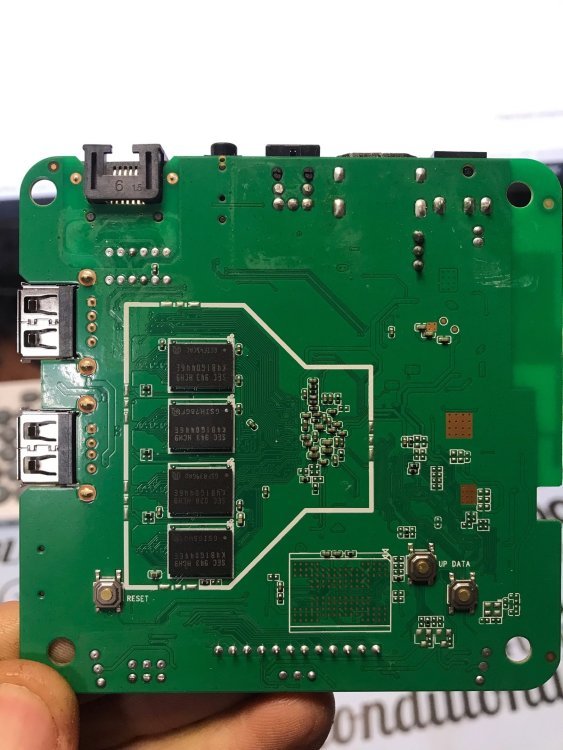
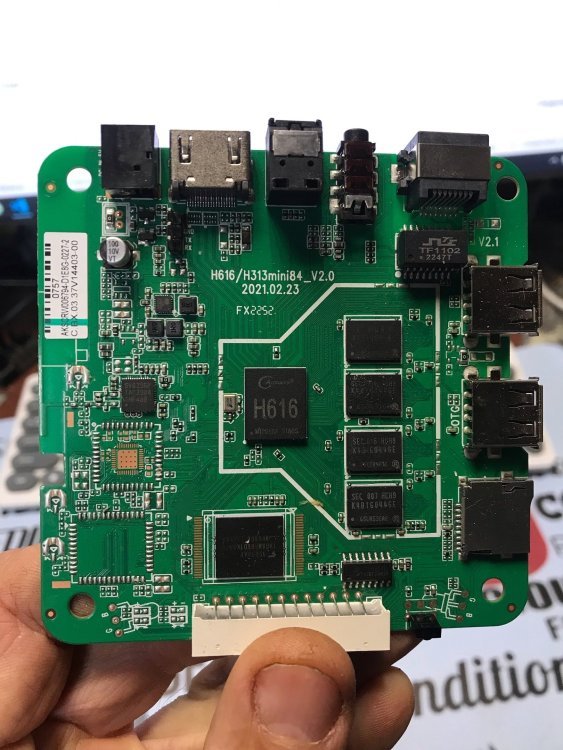
Hay, could u guys tell me how to install a custom ROM for my tv box that's using h616. I'm a absolute bigginer to this But I tried pressing the power button, to get into the downloader mode but looks like that doesn't work -
I tested the new version (Armbian_26.2.0-trunk.591_Orangepi3-lts_forky_current_6.18.18_minimal) in terms of bloototh and it's OK... but there are errors that rule out this image. Namely, the system lacks 4 working processor cores 🙂 ... only one. Something is wrong at startup because the green LED is on and the red LED is constantly flashing/pulsing. Bringing up secondary CPUs ... [ 5.092655] CPU1: failed to come online [ 5.092666] CPU1: failed in unknown state : 0x0 [ 10.217311] CPU2: failed to come online [ 10.217324] CPU2: failed in unknown state : 0x0 [ 15.341948] CPU3: failed to come online [ 15.341961] CPU3: failed in unknown state : 0x0 [ 15.342047] smp: Brought up 1 node, 1 CPU [ 15.342057] SMP: Total of 1 processors activated. [ 15.342063] CPU: All CPU(s) started at EL2 [ 15.342112] CPU features: detected: 32-bit EL0 Support [ 15.342119] CPU features: detected: 32-bit EL1 Support [ 15.342129] CPU features: detected: CRC32 instructions [ 15.342146] CPU features: detected: PMUv3 [ 15.342193] alternatives: applying system-wide alternatives It's some kind of incompatibility: U-Boot / TF-A / kernel .... Similar errors are found in the version uploaded by: armbian imager (minimal / cli / debian - trixie) more information: https://paste.armbian.com/afokonucej command "poweroff" not working ! ? On version: Ubuntu / minimal (cli) there are the same errors regarding CPU...etc ..................................... dmesg | grep "CPU" [ 0.000000] Booting Linux on physical CPU 0x0000000000 [0x410fd034] [ 0.000000] Detected VIPT I-cache on CPU0 [ 0.000000] CPU features: kernel page table isolation forced ON by KASLR [ 0.000000] CPU features: detected: Kernel page table isolation (KPTI) [ 0.000000] CPU features: detected: ARM erratum 845719 [ 0.000000] SLUB: HWalign=64, Order=0-3, MinObjects=0, CPUs=4, Nodes=1 [ 0.000000] rcu: RCU restricting CPUs from NR_CPUS=8 to nr_cpu_ids=4. [ 0.006129] smp: Bringing up secondary CPUs ... [ 5.092344] CPU1: failed to come online [ 5.092356] CPU1: failed in unknown state : 0x0 [ 10.216761] CPU2: failed to come online [ 10.216771] CPU2: failed in unknown state : 0x0 [ 15.341165] CPU3: failed to come online [ 15.341176] CPU3: failed in unknown state : 0x0 [ 15.341242] smp: Brought up 1 node, 1 CPU [ 15.341258] CPU: All CPU(s) started at EL2 [ 15.341291] CPU features: detected: 32-bit EL0 Support [ 15.341297] CPU features: detected: 32-bit EL1 Support [ 15.341309] CPU features: detected: CRC32 instructions [ 16.273971] ledtrig-cpu: registered to indicate activity on CPUs [ 17.351303] sun50i_cpufreq_nvmem: Using CPU speed bin speed0 .........................
-
You may want to check out this thread. There's someone else doing the same with an Orange Pi 5. Might be worth comparing notes with @KhanhDTP
-
Hello, Which armbian you suggest to try out? Thanks h616.txt
-
nanopi-r4s, enp1s0 ethernet device not found after reboot
Werner replied to Junkman's topic in NanoPi R4S
seems like openwrt already figured this and the fix is actually upstream: https://github.com/torvalds/linux/commit/c3fe7071e196e25789ecf90dbc9e8491a98884d7 (also see https://github.com/immortalwrt/immortalwrt/commit/7ef19bb9cd59f5018fc96b01a5465ed84038cfe8) This may tell that one or more Armbian patches make things worse , no clue though which one if any. - Last week
-
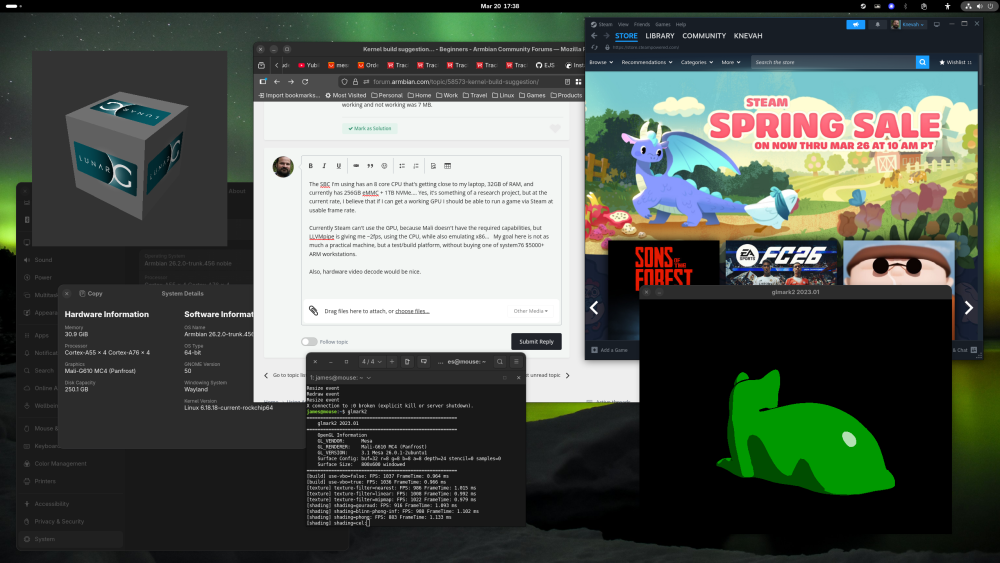
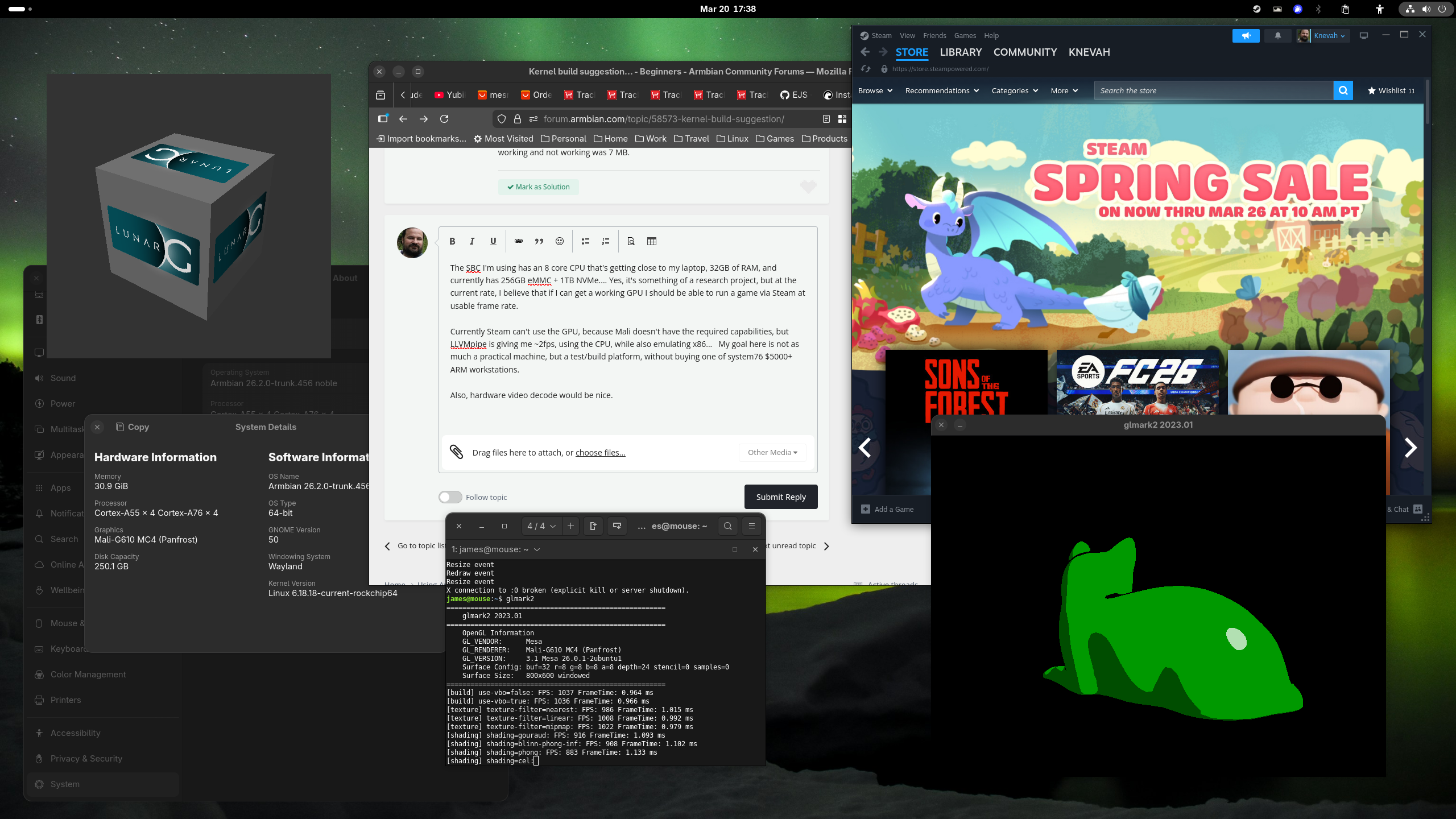
The SBC I'm using has an 8 core CPU that's getting close to my laptop, 32GB of RAM, and currently has 256GB eMMC + 1TB NVMe.... Yes, it's something of a research project, but at the current rate, I believe that if I can get a working GPU I should be able to run a game via Steam at usable frame rate. Currently Steam can't use the GPU, because Mali doesn't have the required capabilities, but LLVMpipe is giving me ~2fps, using the CPU, while also emulating x86... My goal here is not as much a practical machine, but a test/build platform, without buying one of system76 $5000+ ARM workstations. Also, hardware video decode would be nice. It is not weak by any means tho, see attached!