All Activity
- Past hour
-

Efforts to develop firmware for H96 MAX M9 RK3576 TV Box 8G/128G
Hqnicolas replied to Hqnicolas's topic in Rockchip CPU Boxes
There's no armbian community image available to this device, don't flash images from other users, you will need to build your images, for tv-box it's all at your own risk, build your armbian image by applying this custom files use this DTS - Today
-
You need to clear the EMMC and flash the bootloader an easy way to do it, just flash the android update image, it will flash the bootloader. if you are making experiments with this board use this bootloader
-
@ArturHey I Happen to have a backup of multitool on my pc, I have uploaded it to my github page for everyone to download. https://github.com/Harleythetech/RK322x-multitool/releases/tag/rk322x-multitool if you don't need to backup your current operating system you can also just use RKDevelopTool to flash your armbian image to your board. https://github.com/rockchip-linux/rkdeveloptool
-
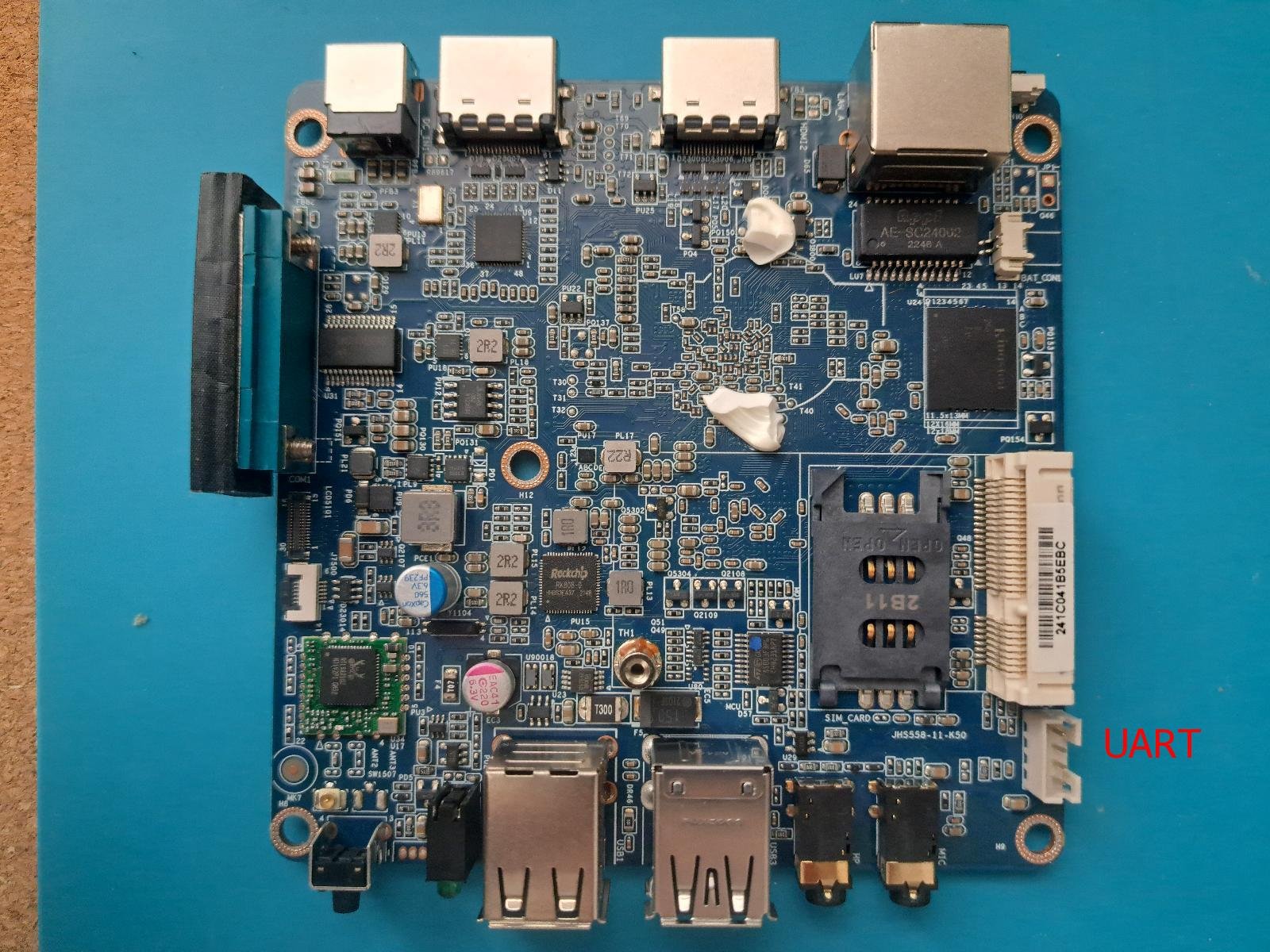
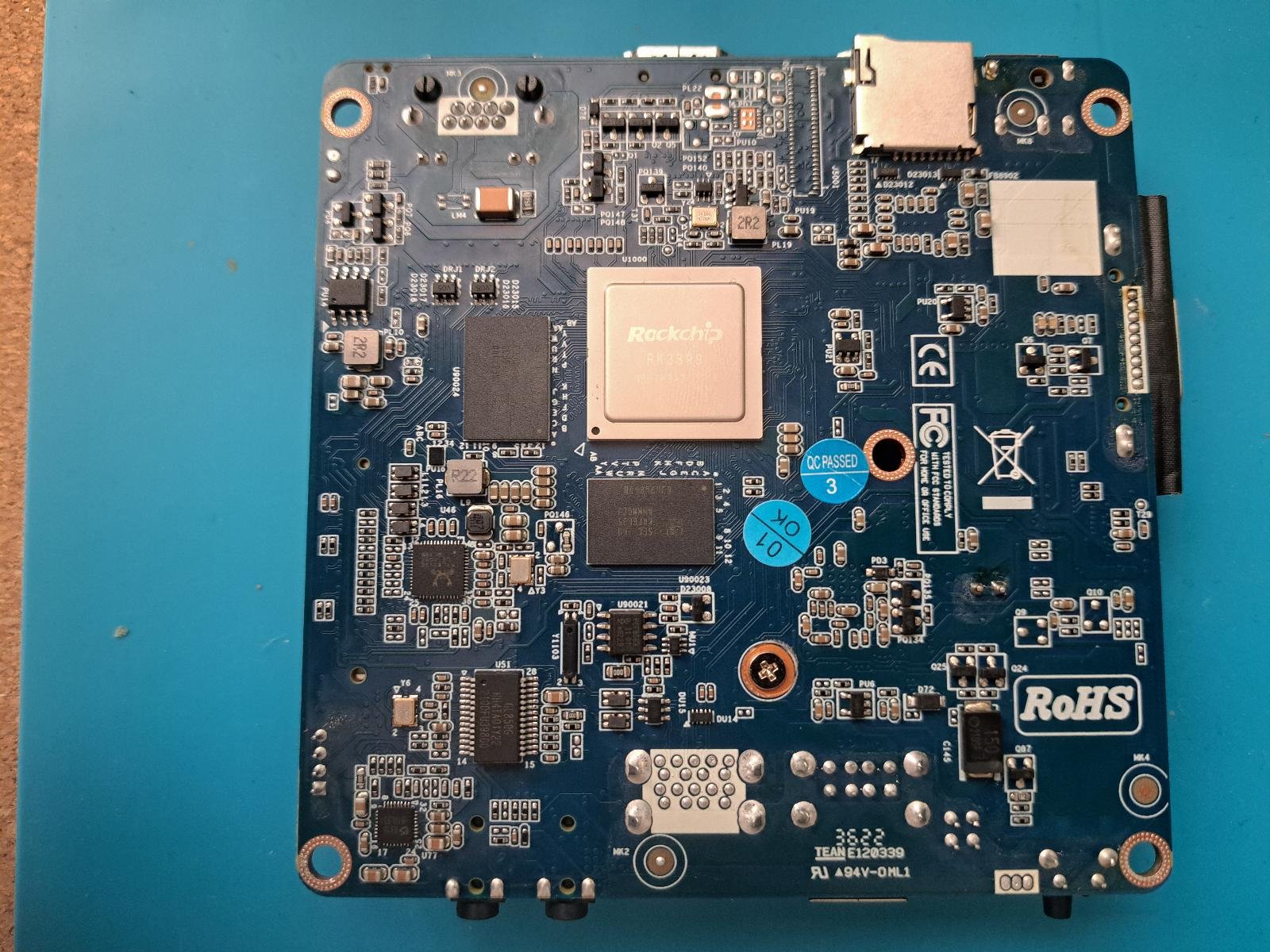
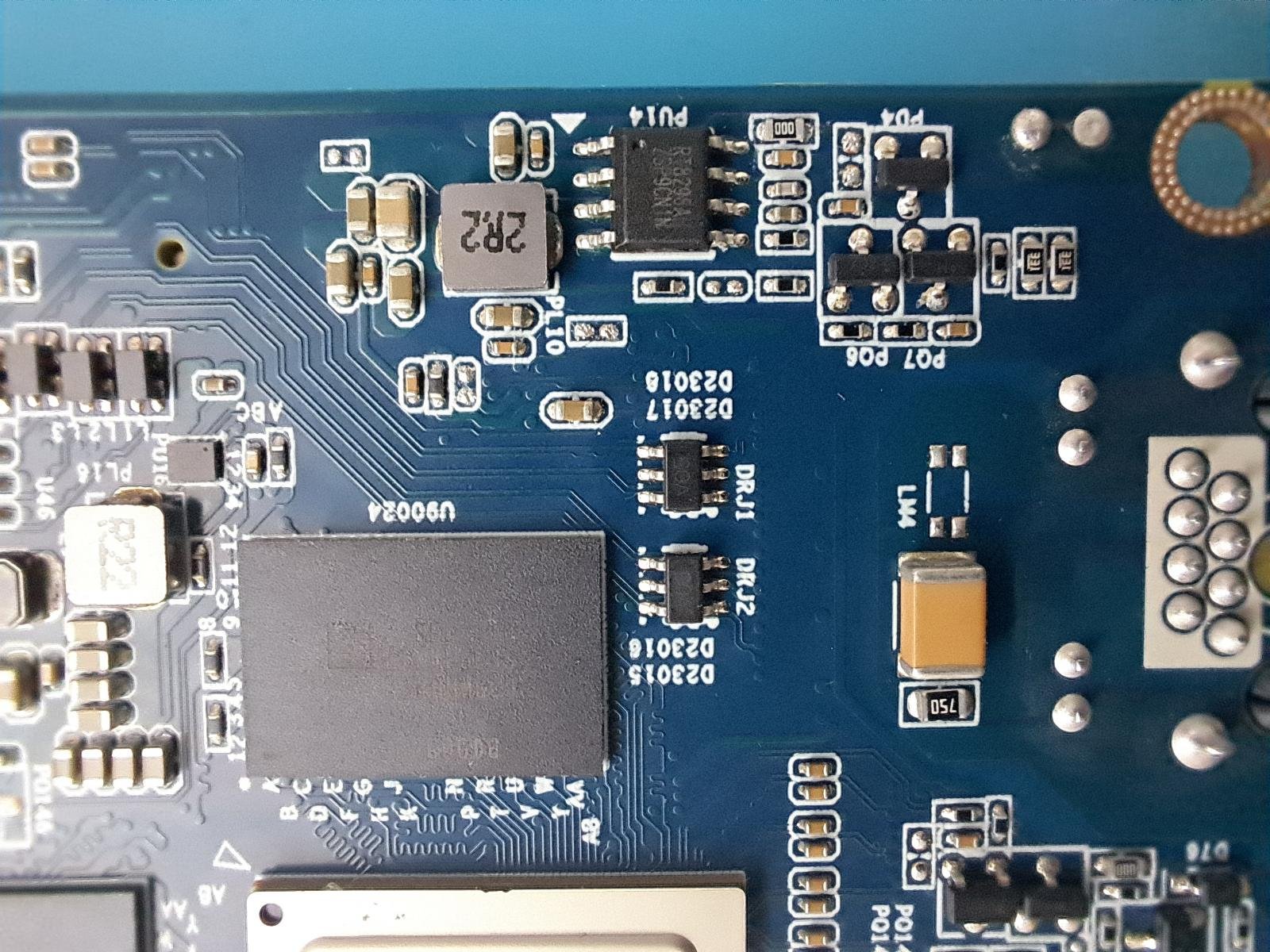
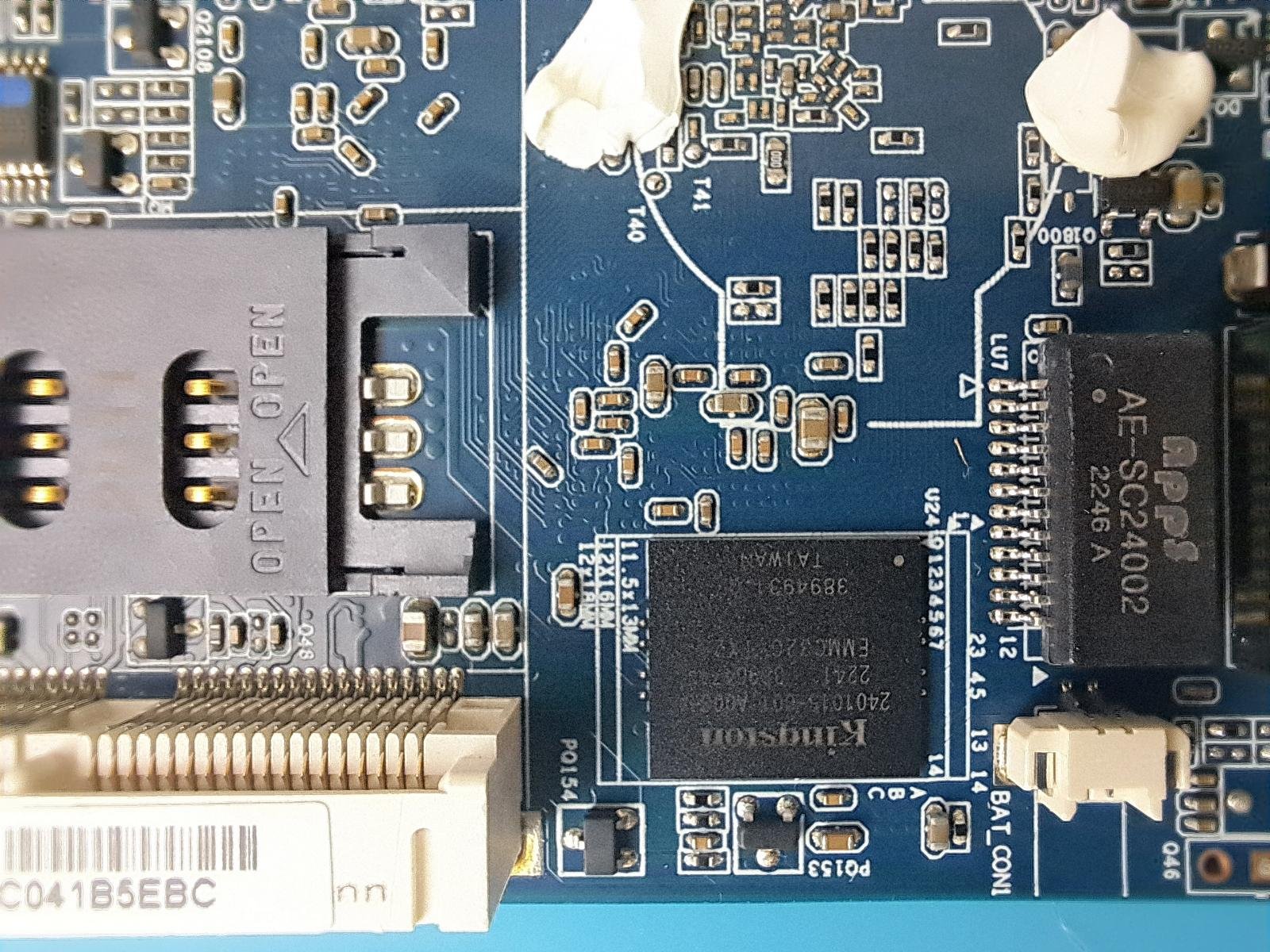
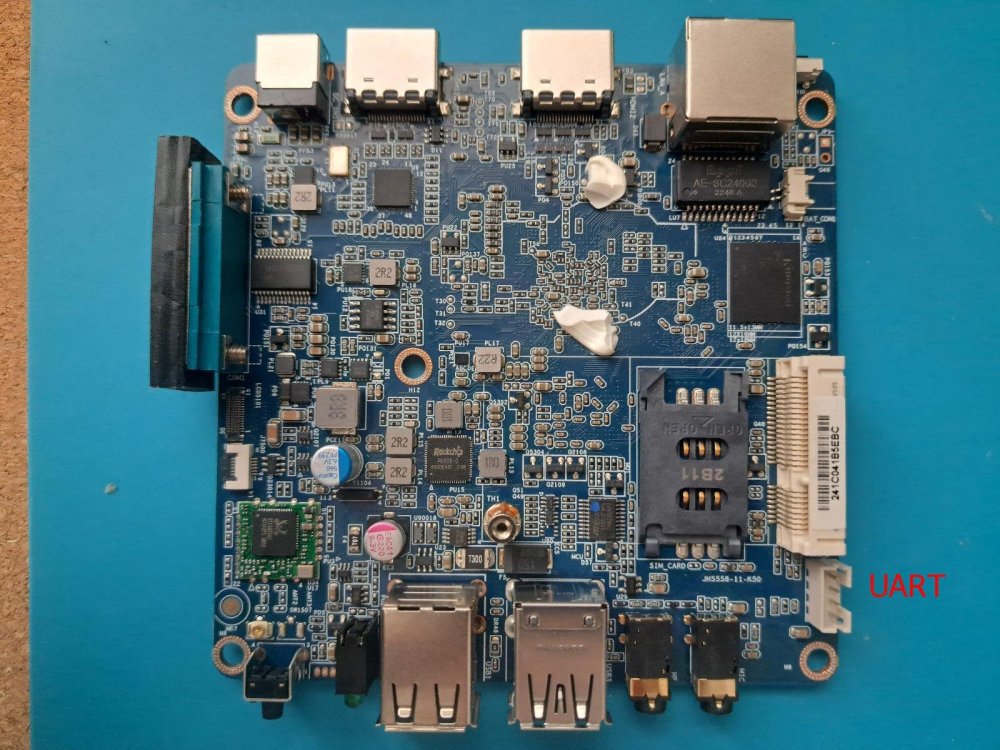
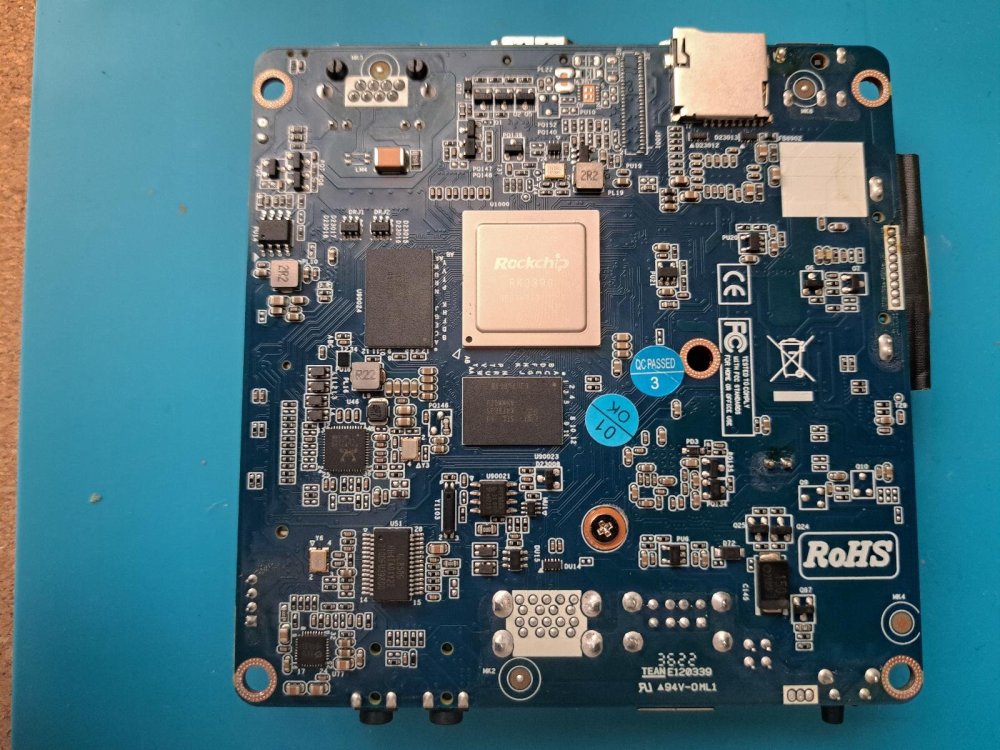
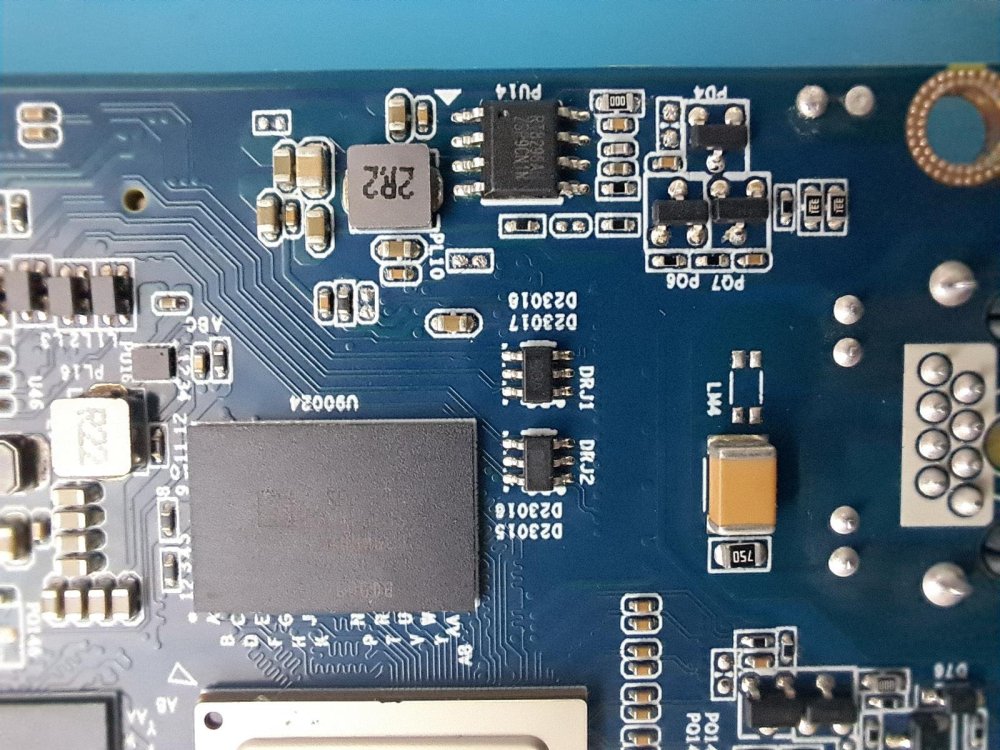
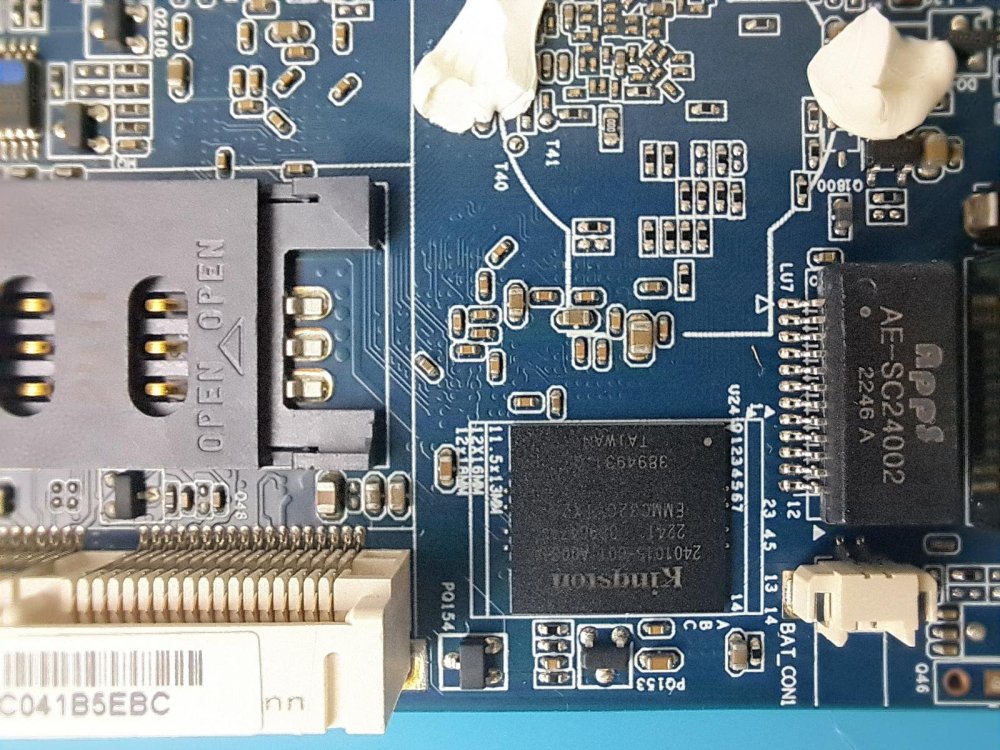
Hi Armbian community I have a Giada DN74 media player and would like to install Armbian on the box. First I try (through SD card) some community maintained images like the Orange Pi RK3399 or the Firefly RK3399, but none of them worked. Some google search teach me the Rockchip SoCs have fixed boot order (SPI->eMMC->SD card), and this cause my boot issue. Then search again how boot from SD card, the only solution which I find is to erase eMMC, so I erase the eMMC using: "rkdeveloptool ef". Unfortunately the box still not want to boot, so I open the box and try to identify the UART to see what is happening during the boot. I find a 4 pin connector (see images) which I assume this is the UART console, have a label "MCU_D" (Micro Controller Units Debug?) and have 3,3V on first pin and GND on the last pin. I try to use this connector whit some USB-to-UART (PL2303 and FT232RL) with multiple baud rate (115200, 1500000) without output. At this point was able still connect the box through USB and recover Android because MaskRom mode work fine. After some reading on https://opensource.rock-chips.com/wiki_Boot_option I deiced to build u-boot using evb-rk3399_defconfig and flash to the eMMC (which wan was a big mistake). I assume the box is try to boot from eMMC, but stuck there because is only u-boot on the eMMC nothing else. Unfortunately still no UART output (maybe is not UART connector) but also no Maskrom mode. If I understand right jock guide Unbrick Part, the only option to recover the box if I short EMMC CLK pin to GND. So my question is somebody could help me identify the eMMC CLK pin? Some extra info: According the rk3399 hardware design guide, I need to find a 22 ohm resistor near to the CLK pin. The eMMC is a Kingstone EMMC32G-TX29, and the manual write different CLK frequency's, I am don't know what I need to look. I have a Fnirsi dst-210 3in1 (sure not the best), which I could use measurements but I do not know how to set the oscilloscope parameters to find the CLK.

-
BTF is hungry for memory, yes. KERNEL_BTF=n and it needs less. On 16Gb+ machine you should be fine. If not memory is eaten away by something else.
-
I got emby installed and working. Made it launch with the ir remote, it was all perfect until I tried to play a video I've set it to use mpv but it seems the emby package has it's own version of mpv and ffmpeg baked in as the versions reported in the mpv.log are different and it fails to use drm, it seems the following errors are the problem. [ 0.028][v][libmpv_render/drmprime] drmprime hwdec requires at least one dmabuf interop backend. [ 0.028][v][libmpv_render] Loading failed. [ 1.422][v][ffmpeg] Unable to open any dma_heap device [ 1.422][e][ffmpeg/video] hevc: Failed to set destination format: S265 1920x1080 [ 1.422][e][ffmpeg/video] hevc: Failed setup for format drm_prime: hwaccel initialisation returned error. When I launch the same file directly in mpv, it plays fine and doesn't have the errors above. The system has mpv version 0.35.1 but emby reports using 0.38.0-dirty. Same with ffmpeg and all the associated lib files, they are all higher versions and I can't find duplicates in the system so I believe they are packaged as part of the emby app so I really doubt it's something I will be able to fix unfortunately. Tried Kodi and that's missing all the acceleration settings. Jellyfin client doesn't work with an emby server anymore. Just to attempt to keep this on topic, I don't suppose there is anything I can config with the image that might resolve the dma_heap errors? edit: I figured out a solution, emby lets you configure an external player. I just set that to /usr/bin/mpv and it works.
-
Issue booting Multitool on RK322x Box (Kingston eMCP) - Red IR Light Only Hi everyone, First of all, thank you for this incredible project. Bringing new life to these generic boxes is vital work. I am struggling to boot the Multitool on an "RPC Plus" TV Box. Here are my hardware specs and the steps I’ve taken so far: Hardware Specs: SoC: Rockchip RK3229. Storage/RAM: 8GB Kingston eMCP (Chip ID: O8EMCP08-ELSCV100). SD Card: 16GB Lexar microSD (Class 10). Board LEDs: POWER, NET, and IR. Since the official download links for the Multitool are currently down (I get a 404 error idk why), I had to compile it myself on a Debian machine using the https://github.com/paolosabatino/armbian-build?tab=readme-ov-file repo and the ./create_image.sh rk322x script. I flashed the 500MB image to a 16GB Lexar card using BalenaEtcher and placed the Armbian minimal forky (6.18.7) image inside the /images folder (file name Armbian_community_26.2.0-trunk.357_Rk322x-box_forky_current_6.18.7_minimal.img.xz). The problem is that the box just won't boot from the SD card. When I hold the reset button and plug the power, the only thing I get is a static red light on the IR LED—no HDMI signal, no activity on the Power or Net LEDs, nothing. Android still boots fine if I pull the card out, so the hardware is okay, but it seems the boot process is hanging. I've tried both the reset and update buttons with different timings but no luck so far. I’m attaching pictures of the board and the chip. Any help to get this thing past the red light would be great. I'm putting the pictures of the board here in case it helps. Thanks! IMG_6826.HEIC IMG_6827.HEIC
-
You can't use emby and the h618 acceleration with ffmpeg-v4l2request... you need to make emby work under Debian, and tell emby to use mpv.
-
 Hi if anyone have interested, this is dtb files and orangepienv file 🙂 allwinner.zip
 - Yesterday
-
I found the problem: [ 2299.766819] Out of memory: Killed process 43216 (pahole) total-vm:8235296kB, anon-rss:4667816kB, file-rss:0kB, shmem-rss:0kB, UID:0 pgtables:12912kB oom_score_adj:0
-
@maxsub: Out-of-RAM may be possible if it simply spits out "killed". My machine has 32 Gb RAM and 16 Gb swap, does not encountered the OOM-killer lately. Until now, but exhausting RAM is probably kernel-dev-hobby 😗
-
pahole is current. The build fails inside the docker-shell when manually invoked as well. Looks like the BTF invocation is getting killed (maybe needs more RAM)? 🐳|🔨] BTF .tmp_vmlinux1.btf.o [🐳|🔨] Killed root@c408bbb4ccde:/armbian# apt show pahole Package: pahole Version: 1.25-0ubuntu3 Priority: optional Section: universe/utils Source: dwarves Origin: Ubuntu Maintainer: Ubuntu Developers <ubuntu-devel-discuss@lists.ubuntu.com> Original-Maintainer: Thomas Girard <thomas.g.girard@free.fr> Bugs: https://bugs.launchpad.net/ubuntu/+filebug Installed-Size: 2012 kB Depends: libbpf1 (>= 1:1.0.0), libc6 (>= 2.38), libdw1t64 (>= 0.157), libelf1t64 (>= 0.142), zlib1g (>= 1:1.1.4) Breaks: dwarves (<< 1.22) Replaces: dwarves (<< 1.22) Homepage: https://git.kernel.org/pub/scm/devel/pahole/pahole.git Download-Size: 275 kB APT-Manual-Installed: no APT-Sources: http://ports.ubuntu.com/ubuntu-ports noble/universe arm64 Packages Description: set of advanced DWARF utilities
-
Hi Gaetano, Maybe the issue is with g_mass_storage rather than OTG USB? "The "dr_mode" property controls whether OTG acts a peripheral or host. By default this is set to OTG mode so you shouldn't need to change anything. In my case I prefer to have OTG set as host for which I have this simple overlay: dts-v1/; /plugin/; /{ compatible = "allwinner,sun4i-a10", "allwinner,sun7i-a20"; fragment@0{ target = <&usb_otg>; __overlay__{ dr_mode = "host"; }; }; }; I find it works ok for reading a USB stick. It could be that you have to instead change dr_mode = "peripheral" but seeing as it shows up as a drive this may not be necessary. What kernel version are you currently? Are there any errors that show up in the logs? sudo dmesg | tail -n 20 There is also usb_f_mass_storage however this would need to be manually added as it is not currently included by default within the list of installed modules (Well at least was not on the last build I ran) Best of luck Ryzer
-
Next idea: run ./compile.sh kernel-config and switch off DEBUG_INFO_BTF. But this should not happen. Also (probably) this BTF stuff now pops up here and there anyhow...
-
The try ./compile.sh docker-shell to start the Armbian compile environment. In the VM, check the pahole package version. If it's missing, you probably need to re-create by removing all from docker images|grep armbian which should be re-created on the next round. <whisper><small><hidden>And if nothing helps, docker system prune --force --all?</hidden></small></whisper> HTH // Sven-Ola
-
@sven-ola I have docker. The build BRANCH=current works but BRANCH=edge errors in the BTF section.
-
Hello @maxsub Compiling without Docker? You probably need apt-get install pahole, since ./compile.sh docker-shell shows: From the relevant kernel Kconfig: HTH // Sven-Ola
-
@sven-ola I did try the BRANCH=edge build and got an ELF error: 🐳|🔨] libbpf: failed to find '.BTF' ELF section in vmlinux.unstripped [🐳|🔨] FAILED: load BTF from vmlinux.unstripped: No data available [🐳|🔨] make[2]: *** [scripts/Makefile.vmlinux:72: vmlinux.unstripped] Error 255 [🐳|🔨] make[2]: *** Deleting file 'vmlinux.unstripped' [🐳|🔨] make[1]: *** [/armbian/cache/sources/linux-kernel-worktree/6.18__spacemit__riscv64/Makefile:1242: vmlinux] Error 2 [🐳|🔨] make: *** [Makefile:248: __sub-make] Error 2
-
Hello @maxsub! Thank you for testing this. Especially on the R2S, since I do not have this device at hand. I am in the final spurt to get this merged into Armbian, but there are one or two rabbits to be hunted down (aka coding quirks). You compiled BRANCH=current and kernel=6.6.99. Can you repeat and recompile with BRANCH=edge, which is the same u-boot but should give you kernel 6.18.7? LG // Sven-Ola
-
can confirm: I installed the latest image `Armbian_25.11.1_Radxa-dragon-q6a_noble_edge_6.18.0-rc6_minimal.img` and wifi works. After an `apt upgrade` wifi doesnt work anymore... Solution: same as on the Rock 5C @just_facking_about type in `sudo dpkg-reconfigure aic8800-usb-dkms` and reboot the device
-
 It's this image from @Nick A github. Armbian-unofficial_25.05.0-trunk_X98h_bookworm_edge_6.12.11_xfce_desktop.img I had to copy over a few firmware files to get wifi/bluetooth working but otherwise it's unchanged.
 -

PocketBeagle 2 - boot issue in currently available images
Andrei Aldea replied to PStinno's topic in BeagleY-AI
Hey Paul! Thanks for flagging this, going to look at it today and send a patch, the name probably got changed in the TI tree relatively recently so hadn't caught it yet. Best, Andrei -
This is fantastic work! Thank you so much. I was able to build from source. Tested it on RV2 and R2S and both work great. Your changes are patched on to the 6.6.99 kernel as far as I can tell. Are these going to be merged upstream and make their way into 6.17? Thanks again for your amazing work.
-
 Thank you for the comment Jock Yes, I know that Trixie's mpv made some changes that made it incompatible with your ffmpeg+v4lrequest package. I tried to compile mpv, and I wasn't sure of how to do it. I asked for help in the mpv github, and someone told me to wait for ffmpeg to merge this function. https://github.com/mpv-player/mpv/pull/14690#issuecomment-3369553163 Recently, I got more suggestions to build ffmpeg for Trixie https://github.com/mpv-player/mpv/pull/14690#issuecomment-3828170966 Boringname... can you specify which Debian version, Linux kernel and graphical desktop (kde, xfce, gnome, plasma, labwc, sway)?
 -

Rock 5b, 16Gb: after some runtime the network hangs
eselarm replied to rolsch's topic in Radxa Rock 5B
I would first check the link, what is on the other side, etc. Also do a flood ping with large enough packages. Or UDP flood, not sure how to do that. Iperf3 might be easier. I have no clue about Radxa OS, never really used it. Maybe also do test boot with mainline based kernel, 6.19 edge I think. And what U-Boot version is used. I use Tianocore EDK2 UEFI v1.1, that might also have effect.