All Activity
- Past hour
-

[Bug]: Ethernet rarely connecting successfully in Orange Pi 3 LTS
c0rnelius replied to iMagz's topic in Allwinner sunxi
Needs testing; https://github.com/armbian/build/pull/9323 - Today
-
Well that was fun. Termux wouldn't load so I found an older version from 2022 thinking that version is older than the box so has a higher chance of working. That also wouldn't open until I went a bit silly and attempted to open it multiple times. Just like Mustafa in Austin Powers, once I attempted to load it 3 times in a row it would show up. Bizarre but I now have a dump of Device.DTB How do I view it properly? I opened it in notepad++ and most of it is gibberish but I can make out a few details that are a bit surprising. Namely - allwinner,h616 arm,sun50iw9p1 The label on this thing says H618 but it appears to be a H616. Where do I go to from here? Edit: I have attached the dtb file and two dumps of the file. One using fdtdump and the other using dtc. It seems the btlpm section has the same values of a device Nick referenced on page 4 of this thread. I don't know if that means anything.... Edit2: I tried "Armbian-unofficial_25.05.0-trunk_Transpeed-8k618-t_bookworm_edge_6.12.11_xfce_desktop.img" this boots ok, ethernet works but again, no wifi/bluetooth. I'm a little surprised every image I've tried so far has mostly worked. I guess these vendors just throw together whatever parts they can get cheap but the core of the units is the same. Thanks. dtsdump.txt fdtdump.txt device.dtb
-
 Nice, congratulations! I wonder why cursor does not show when video is playing by the way: there has always been a patch in the armbian code to support hardware cursor, in fact in X11/Wayland the cursor is handled in hardware and it is perfectly visible and usable when a hardware accelerated video is playing. Also I wonder why you need CMA=256M; normally rk322x VPU has its own MMU that is capable to handle direct to memory access without the need of CMA.
 -
@robertoj the problem is not ffmpeg, which already is works totally fine on debian Trixie (and backwards), the problem is within mpv that changed in v0.4.0 carried by debian Trixie, and at the moment I don't have enough motivation to carry on a custom mpv package for Debian Trixie. You may try with debian forky by the way, but it is a moving target as long as it is still in development.
-
I didn't mention earlier but after I ran the update/upgrade commands I also manually updated the locale file. During the original setup I accidentally selected the wrong locale, I went into armbian config, deselected the wrong one and selected the correct one but the incorrect locale was still being referenced constantly. So I manually removed it from etc/default/locale. I thought this may have been a reason for it no longer booting and not the update/upgrade commands. I'm just explaining that so you understand why I also tried update/upgrade with the x98h image. Turns out it wasn't me messing with the locale that stopped it booting as this image also will not boot now after apt-get update, apt-get upgrade. This image originally booted ok and it seems the ethernet works better. Downloading from the commands listed above took about 20 seconds vs 30 minutes on the vontar image. But wifi/bluetooth still will not work. One other difference is when I select the bluetooth manager app it actually loaded whereas the vontar image would state something about a service not running. The app loaded but had no devices listed. I'll see how I go with termux. The play store doesn't work on it but I was able to sideload a couple of apps.
-

CSC Armbian for RK3318/RK3328 TV box boards
SanchopansA replied to jock's topic in Rockchip CPU Boxes
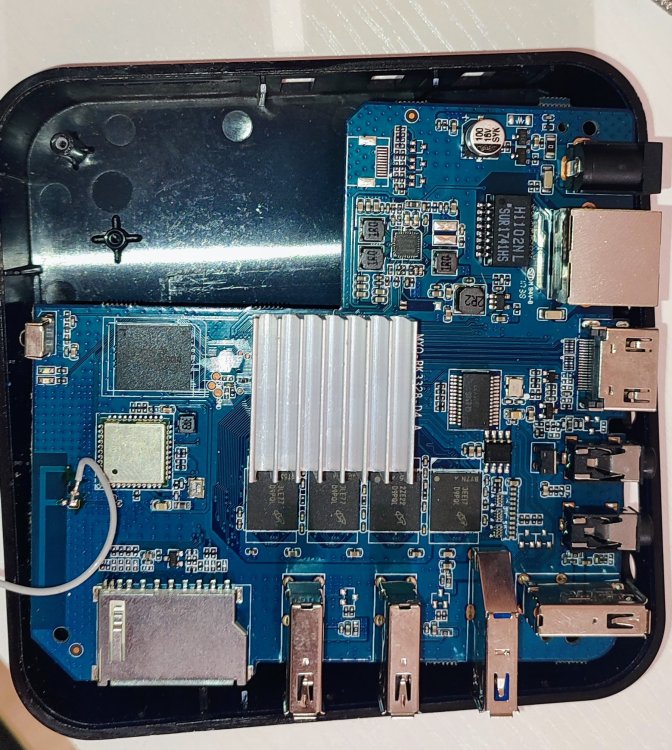
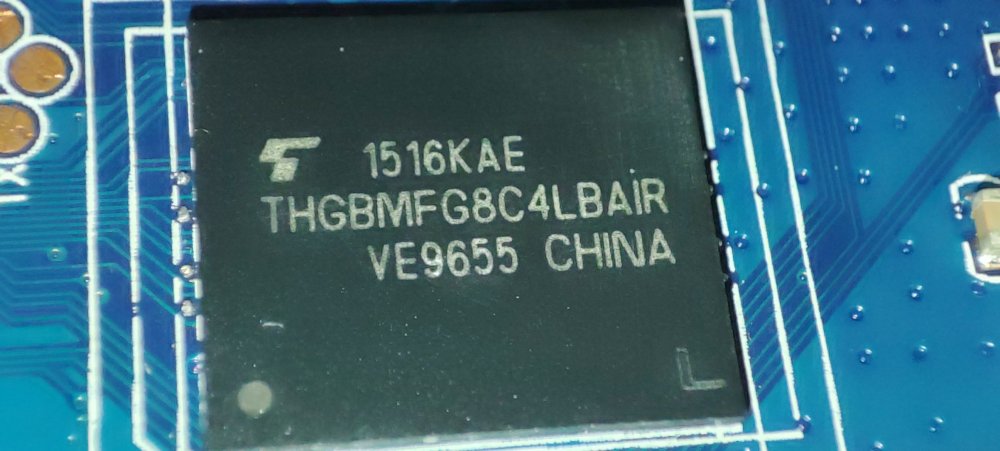
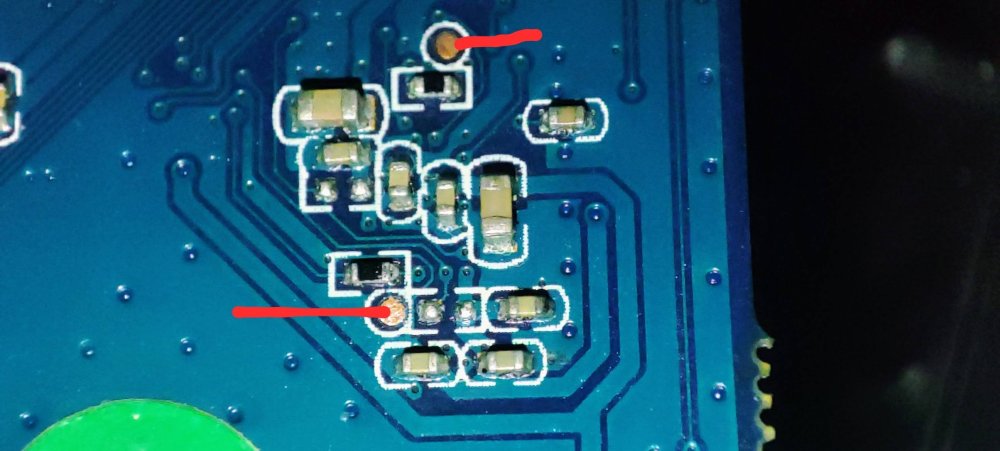
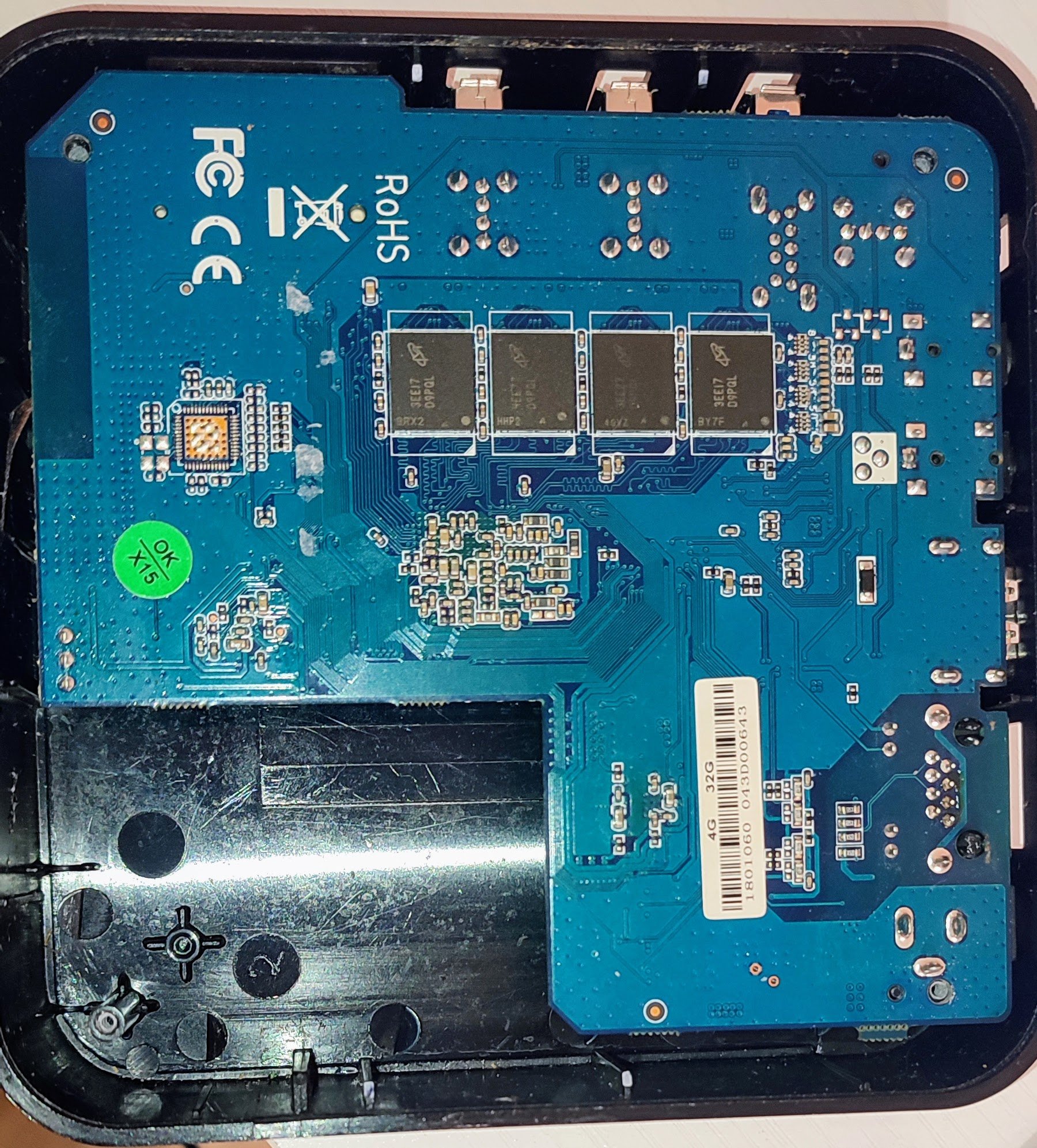
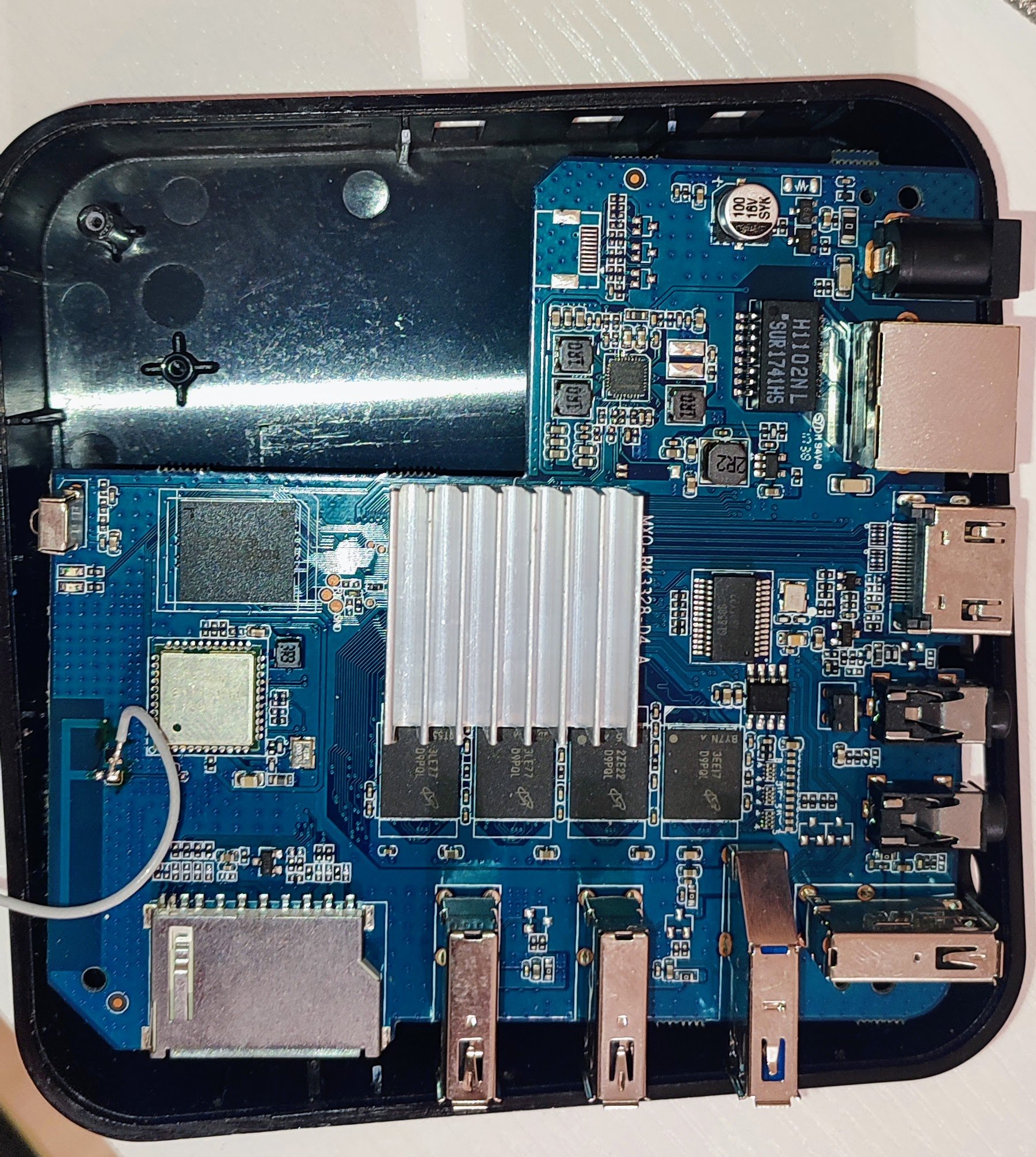
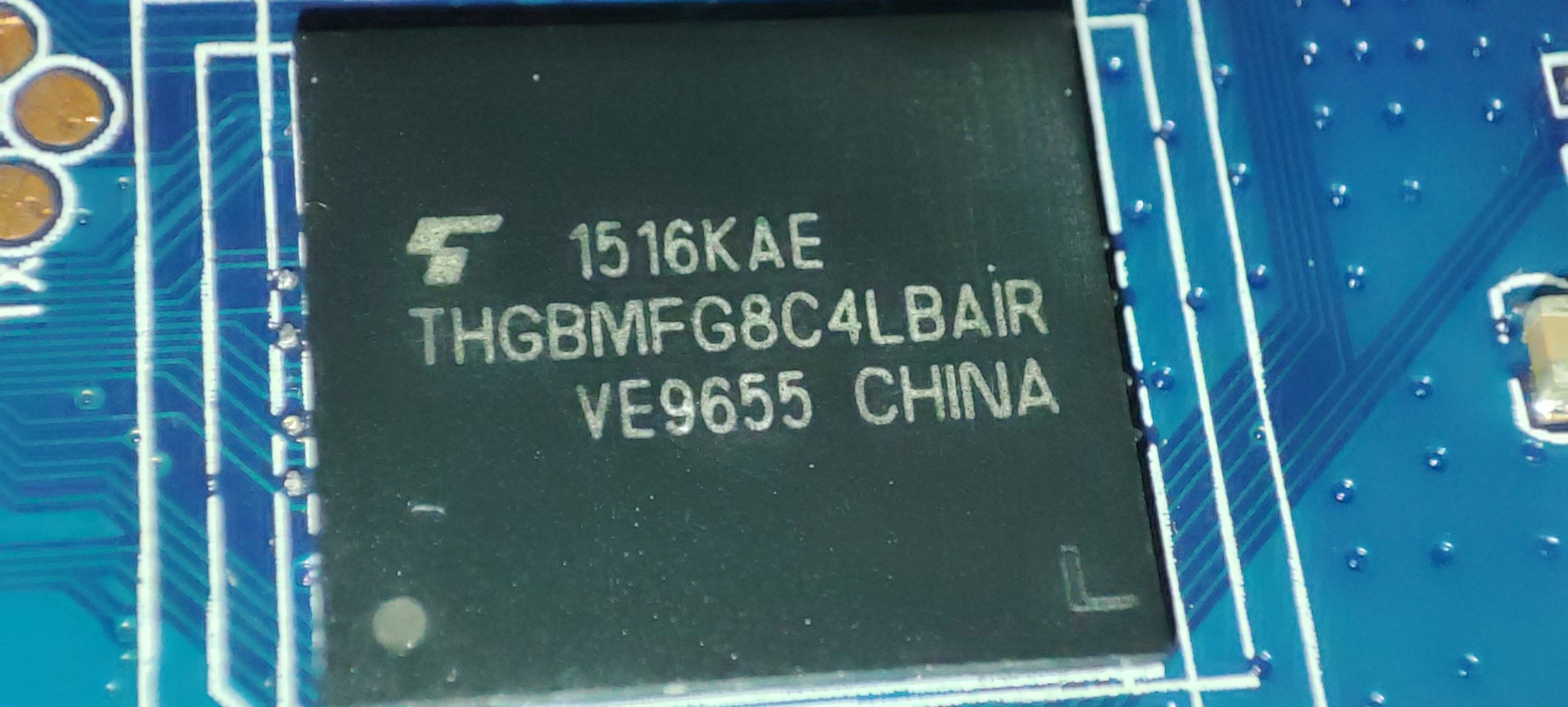
@jock Thank you for your reply. Unfortunately, I can't do it I tried to short it, but it doesn't load from the SD card. I shorted it with a piece of wire. When I do it with USB connected, I see the device is in Maskrom. Here the console output from rkdeveloptool using: root@lensky-lp:~# lsusb Bus 001 Device 001: ID 1d6b:0002 Linux Foundation 2.0 root hub Bus 001 Device 004: ID 10c4:8105 Silicon Labs USB OPTICAL MOUSE Bus 001 Device 005: ID 04ca:707f Lite-On Technology Corp. HP Wide Vision HD Camera Bus 001 Device 006: ID 0bda:b00b Realtek Semiconductor Corp. Realtek Bluetooth 4.2 Adapter Bus 001 Device 008: ID 1ea7:0066 SHARKOON Technologies GmbH [Mediatrack Edge Mini Keyboard] Bus 001 Device 009: ID 2207:320c Fuzhou Rockchip Electronics Company RK3328 in Mask ROM mode Bus 002 Device 001: ID 1d6b:0003 Linux Foundation 3.0 root hub root@lensky-lp:~# rkdeveloptool ld DevNo=1 Vid=0x2207,Pid=0x320c,LocationID=104 Maskrom root@lensky-lp:~# rkdeveloptool td Test Device failed! root@lensky-lp:~# rkdeveloptool ---------------------Tool Usage --------------------- Help: -h or --help Version: -v or --version ListDevice: ld DownloadBoot: db <Loader> UpgradeLoader: ul <Loader> ReadLBA: rl <BeginSec> <SectorLen> <File> WriteLBA: wl <BeginSec> <File> WriteLBA: wlx <PartitionName> <File> WriteGPT: gpt <gpt partition table> WriteParameter: prm <parameter> PrintPartition: ppt EraseFlash: ef TestDevice: td ResetDevice: rd [subcode] ChangeStorage: cs [storage: 1=EMMC, 2=SD, 9=SPINOR] ReadFlashID: rid ReadFlashInfo: rfi ReadChipInfo: rci ReadCapability: rcb PackBootLoader: pack UnpackBootLoader: unpack <boot loader> TagSPL: tagspl <tag> <U-Boot SPL> ------------------------------------------------------- root@lensky-lp:~# rkdeveloptool rid Reading flash ID failed! root@lensky-lp:~# rkdeveloptool cs 2 AMO: ERR_DEVICE_WRITE_FAILED Change Storage failed! root@lensky-lp:~# rkdeveloptool ppt Read GPT failed! Read parameter failed! Not found any partition table! root@lensky-lp:~# rkdeveloptool db /home/lensky/Downloads/For\ RK3328\ devices/RK3328MiniLoaderAll_V2.50.bin Downloading bootloader succeeded. root@lensky-lp:~# rkdeveloptool ppt **********Partition Info(parameter)********** NO LBA Name 00 00002000 uboot 01 00004000 trust 02 00008000 misc 03 0000A000 baseparamer 04 0000A800 resource 05 00012000 kernel 06 00022000 boot 07 00032000 recovery 08 00042000 backup 09 00062000 cache 10 000A2000 metadata 11 000AA000 kpanic 12 000AC000 system 13 003AC000 userdata As you see after boot it looks like the flash is empty. I can't ready any info and there no partitions. But after download bootloader command I see partiosions and can read flash info and chip info. After reboot all is disappear again. This is my board: This is my eMMC chip: I have found YouTube video how to short the clock pin for my board. On the opposite side, I need to short these pins: When I insert the SD card and boot the device, it just lights the red led and nothing more. Is something I do wrong?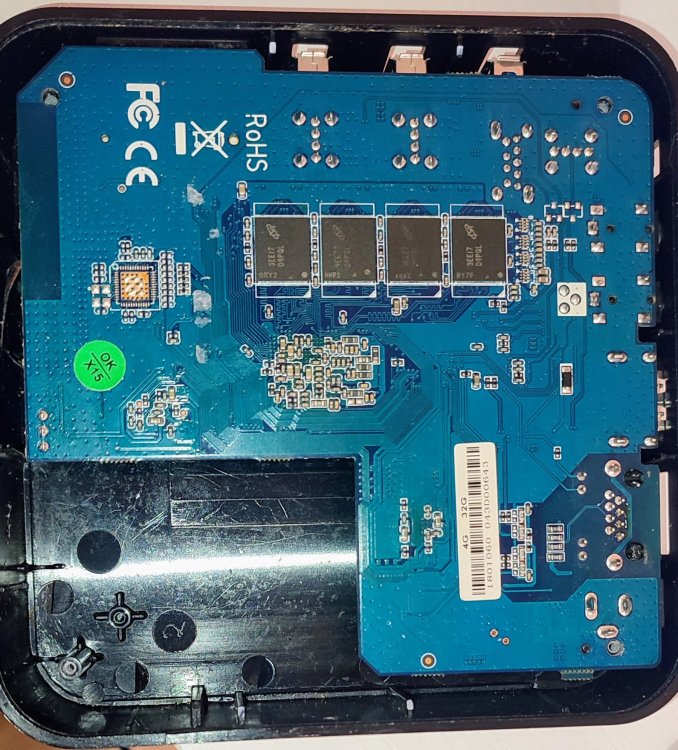
-
I tried apt-get update and apt-get upgrade thinking it might grab what it needs but that was a bad idea as it will not boot at all now. So I may as well start from scratch and try the x98h image. The wifi chip is the same but item 3 on mine is samsung and item 7 is an FD650 which is referenced on that page as a possible alternative. It might be worth noting the units digital clock display was blank using the vontar image, I expect that was due to the chip mismatch. I'll see how the x98h image goes, if that fails I'll look into termux. No wifi isn't the end of the world as I can find a use for it just using ethernet but wifi (and bluetooth) would be nice. Thanks.
-

Gaming experience with Orange Pi 5 (RK3588) on Armbian
KhanhDTP replied to KhanhDTP's topic in Orange Pi 5
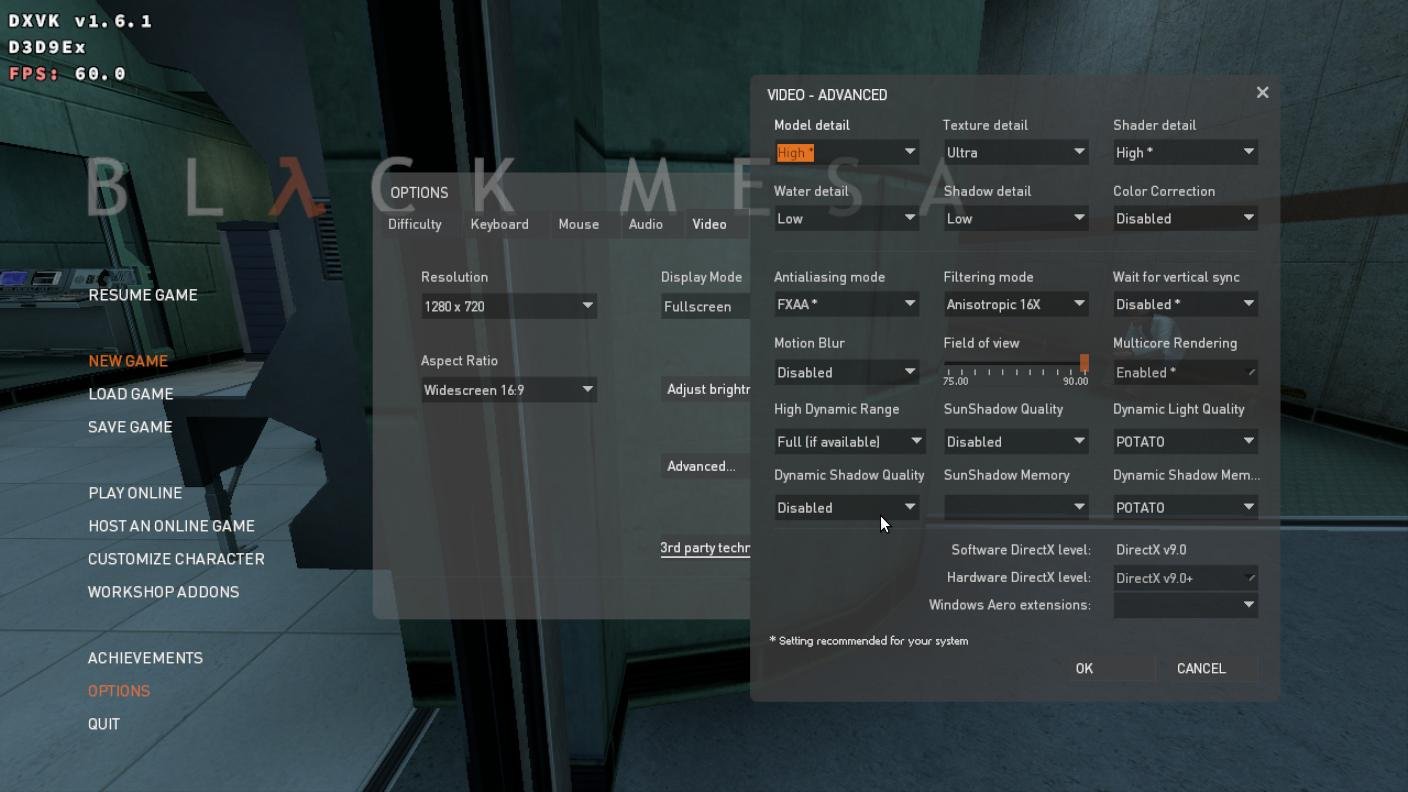
Armbian 25.11.2 Noble XFCE (BSP Kernel: 6.1.115) + PanVk - mesa 26.0 (https://launchpad.net/~ernstp/+archive/ubuntu/mesaaco) + Box64 arm64 v0.4.1 652da4fbc (https://ryanfortner.github.io/box64-debs/) + proton-10.0-3-amd64-wow64 (https://github.com/Kron4ek/Wine-Builds/releases/download/proton-10.0-3/wine-proton-10.0-3-amd64-wow64.tar.xz) + DXVK-stripped v1.6.1 30~60fps@720p (low settings, high texture, no AA) box64 environment variables: Black Mesa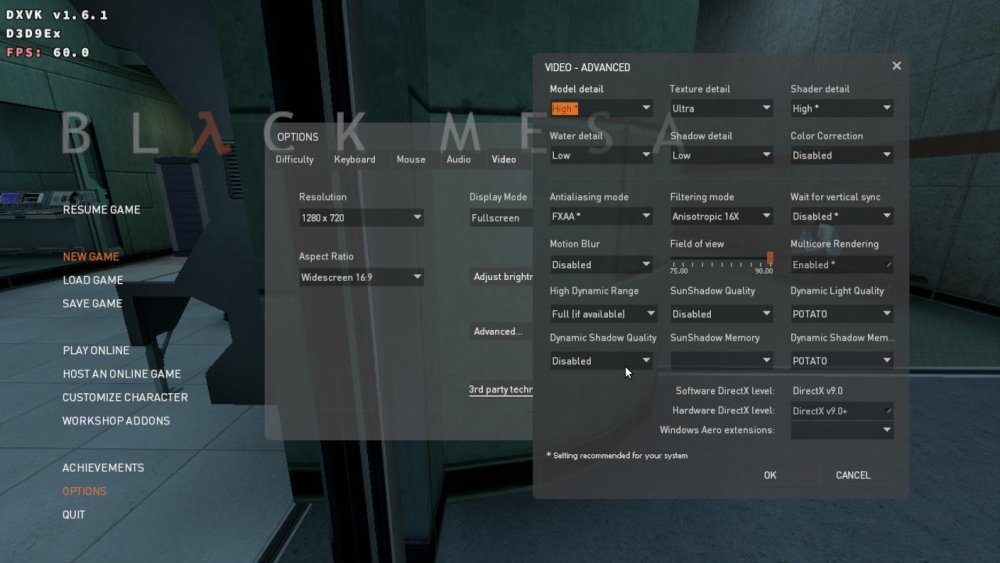
.thumb.jpg.5320f0ed7c0b1a851f264728ab382a01.jpg)
-
If you can get termux app to run in android, you may be able to dump the dtb, which may give you clues as to the compatability of the chip. I have issues with some tv boxes with termux versions, but there are older versions available if the current one in playstore won't load or just doesn't work. su -c 'dd if=/sys/firmware/fdt of=<USB_PATH>/device.dtb' or simply su -c 'cp /sys/firmware/fdt <USB_PATH>/device.dtb' [Change USB_PATH as required, of course] The path /sys/firmware/fdt is correct for accessing the in-memory DTB on most running Linux/Android systems. The link http://nskhuman.ru/allwinner/krugh618.php?np=3 refers to what looks like your box or similar: "The board contains a microcircuit with the designation HK5236F - this is a hybrid microcircuit, its possible analogue is AW869A manufactured by Allwinner. AW869A is a dual-band WiFi6, BT5.2 highly integrated module, supporting WLAN 1*1 IEEE 802.11a/b/g/n/ac/ax and BT 5.2 standard, can realize WLAN/BT, has low power consumption" The links after that text give more info....
-
diy image and you get it immediately
-
Looks like we are getting PCIe and USB 3.0 support soon. https://github.com/armbian/build/pull/9280
-
@BoringName I wonder if this wifi chip is a aic8800. Try booting the x98h image.
-
Gaming experience with Orange Pi 5 (RK3588) on Armbian
KhanhDTP replied to KhanhDTP's topic in Orange Pi 5
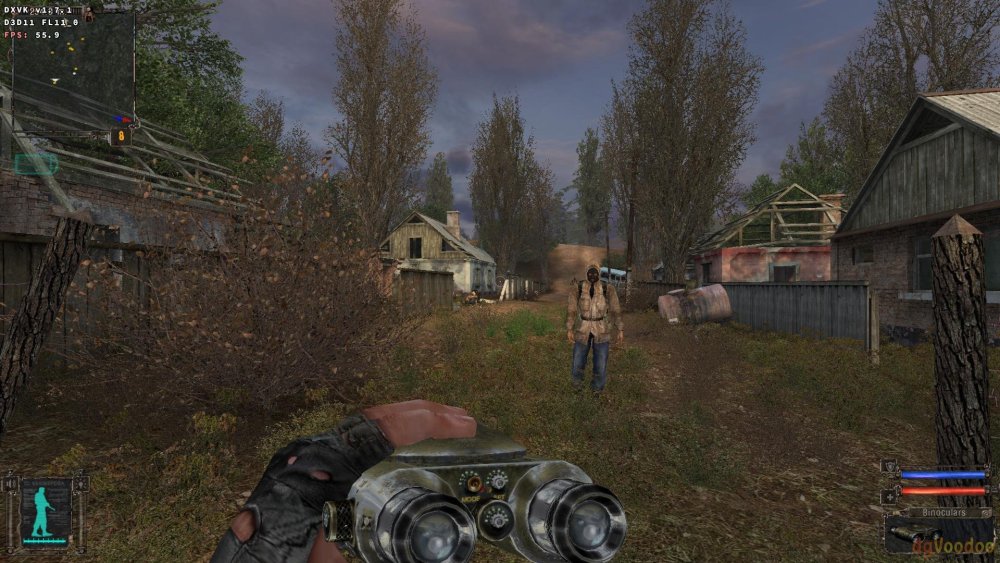
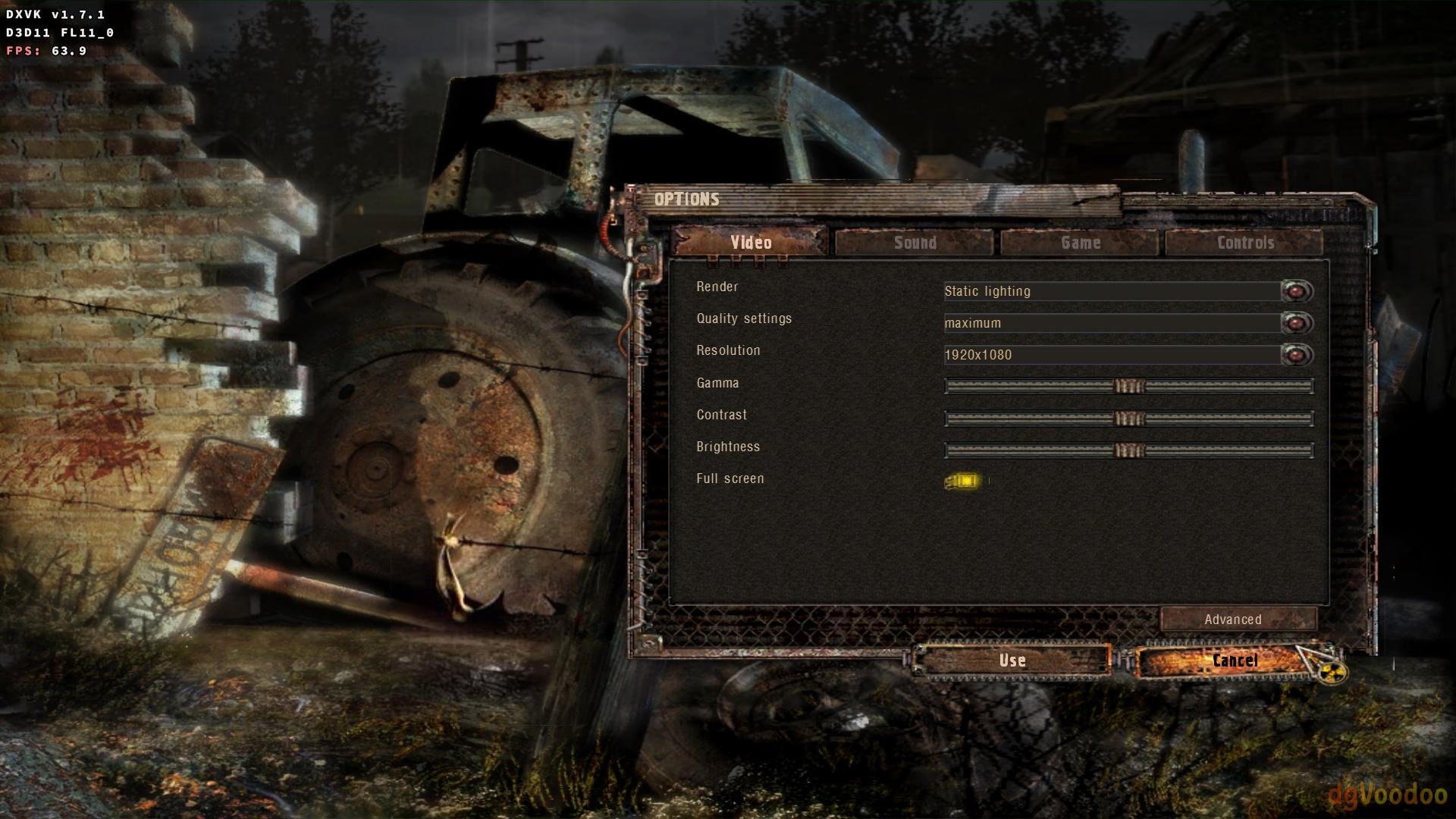
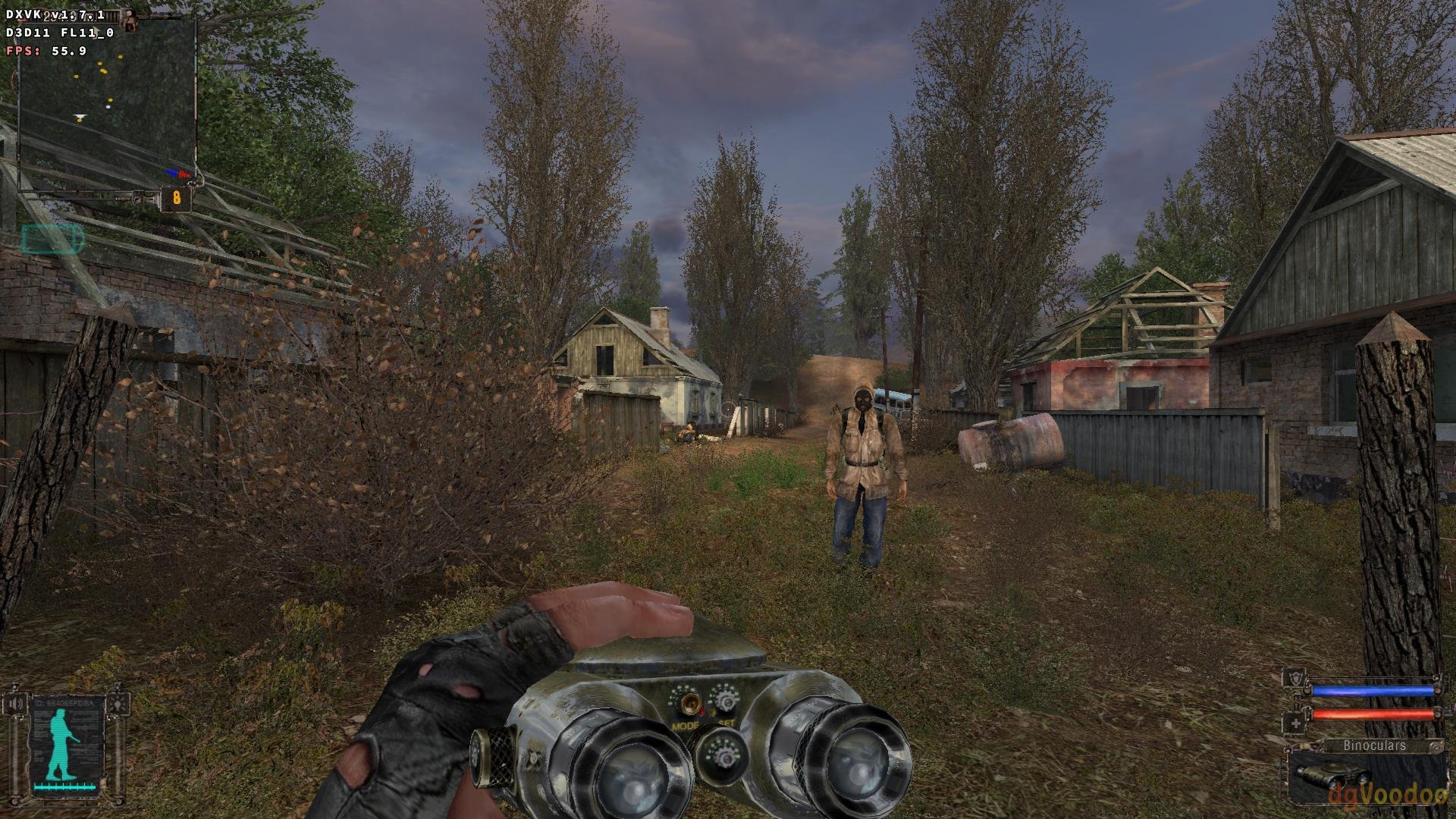
Armbian 25.11.2 Noble XFCE (BSP Kernel: 6.1.115) + PanVk - mesa 26.0 (https://launchpad.net/~ernstp/+archive/ubuntu/mesaaco) + Box64 arm64 v0.4.1 652da4fbc (https://ryanfortner.github.io/box64-debs/) + proton-10.0-3-amd64-wow64 (https://github.com/Kron4ek/Wine-Builds/releases/download/proton-10.0-3/wine-proton-10.0-3-amd64-wow64.tar.xz) + dgVoodoo2 (https://github.com/dege-diosg/dgVoodoo2/releases) + DXVK-stripped v1.7.1 ~60fps@1080p (max settings, static lightning, no AA) box64 environment variables: S.T.A.L.K.E.R. Shadow of Chernobyl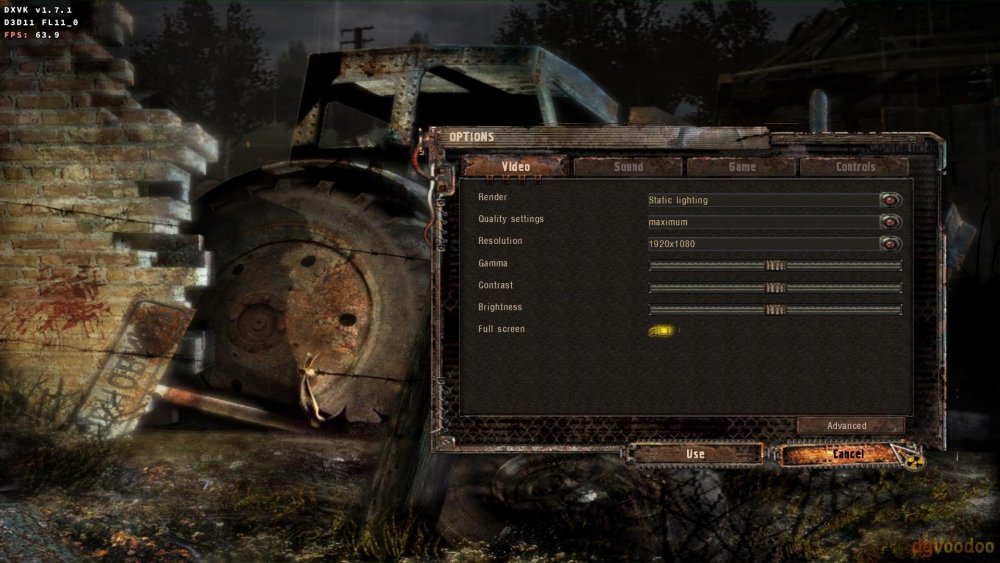
-
This is a great thread. I've had a magcubic android 12 box I've been using for a while just to watch things off a USB when we stay at hotels. It looks like the one in this video but the chip ID's are different. Mine seems to be running with Samsung memory, the clock chip? is FD650 instead of FD6551 and the wifi chip is labelled as HK5236F. Most hotel TV's don't support modern video codecs so this has worked ok. But I want to look at accessing my NAS remotely and this box is a bit of a dud if you want to install your own apps. Play store doesn't work, aurora store doesn't work. Tried sideloading Tailscale and it just crashes. While doing some research I noticed it also seems to be sold under the Vontar brand so I flashed @Nick A "Armbian-unofficial_25.05.0-trunk_Vontar-h618_bookworm_edge_6.12.11_xfce_desktop.img" to an SD card and it booted up. Happy days. It appears to have ethernet but I have not plugged it in yet. No wifi though. I just have 2 questions. 1. Is there any way this can be made to boot from internal storage or do I need to keep the SD card in if I want to run Armbian on it? 2. Is there a driver available for this wifi chip and do I need to mess around updating the boot image or can I just run a command for it? I'm not a regular linux user but I've got a bit of experience messing around. I don't currently have an environment setup to build my own image but I've played around with WSL before so I could probably set something up. Thanks for everyone that has contributed to this. It's good to make use of these boxes considering how cheap they are.
-
Gaming experience with Orange Pi 5 (RK3588) on Armbian
KhanhDTP replied to KhanhDTP's topic in Orange Pi 5
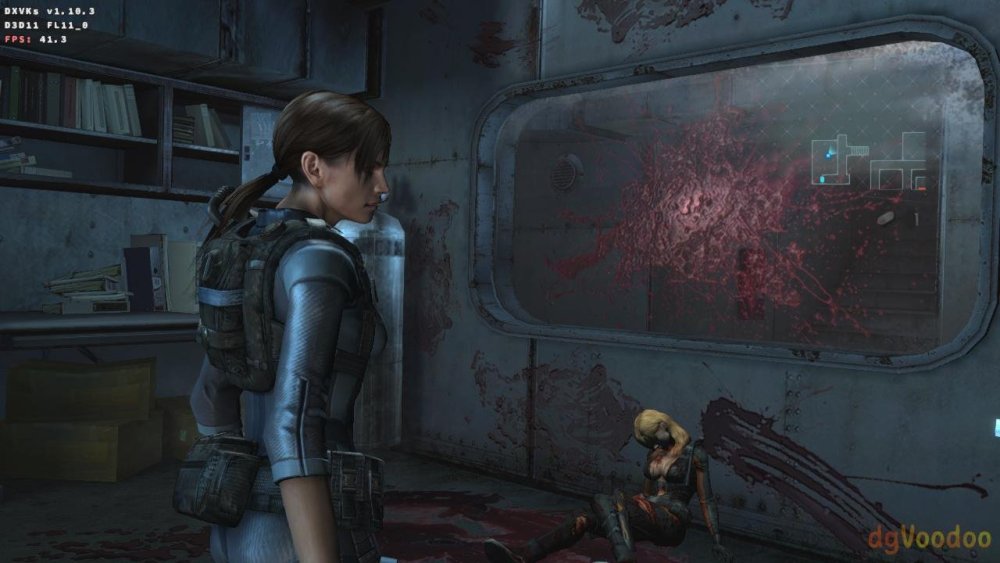
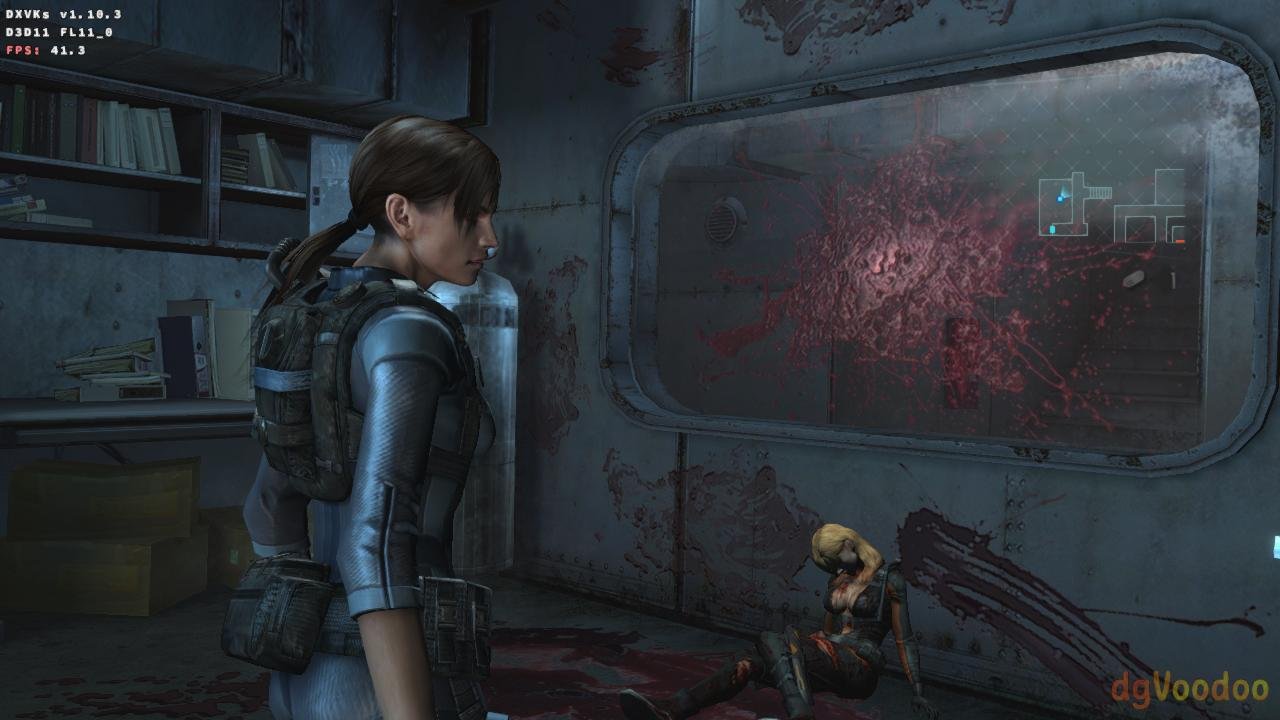
Armbian 25.11.2 Noble XFCE (BSP Kernel: 6.1.115) + PanVk - mesa 26.0 (https://launchpad.net/~ernstp/+archive/ubuntu/mesaaco) + Box64 arm64 v0.4.1 652da4fbc (https://ryanfortner.github.io/box64-debs/) + wine-10.20-staging-tkg-amd64-wow64 (https://github.com/Kron4ek/Wine-Builds/releases/tag/10.20) + dgVoodoo2 (https://github.com/dege-diosg/dgVoodoo2/releases) + DXVK-stripped v1.10.3 ~40fps@720p (low shadow setting, high texture, no AA) box64 environment variables: Resident Evil - Revelations.thumb.jpg.10f19df1865405ec6a270d02ef0a5328.jpg)
-
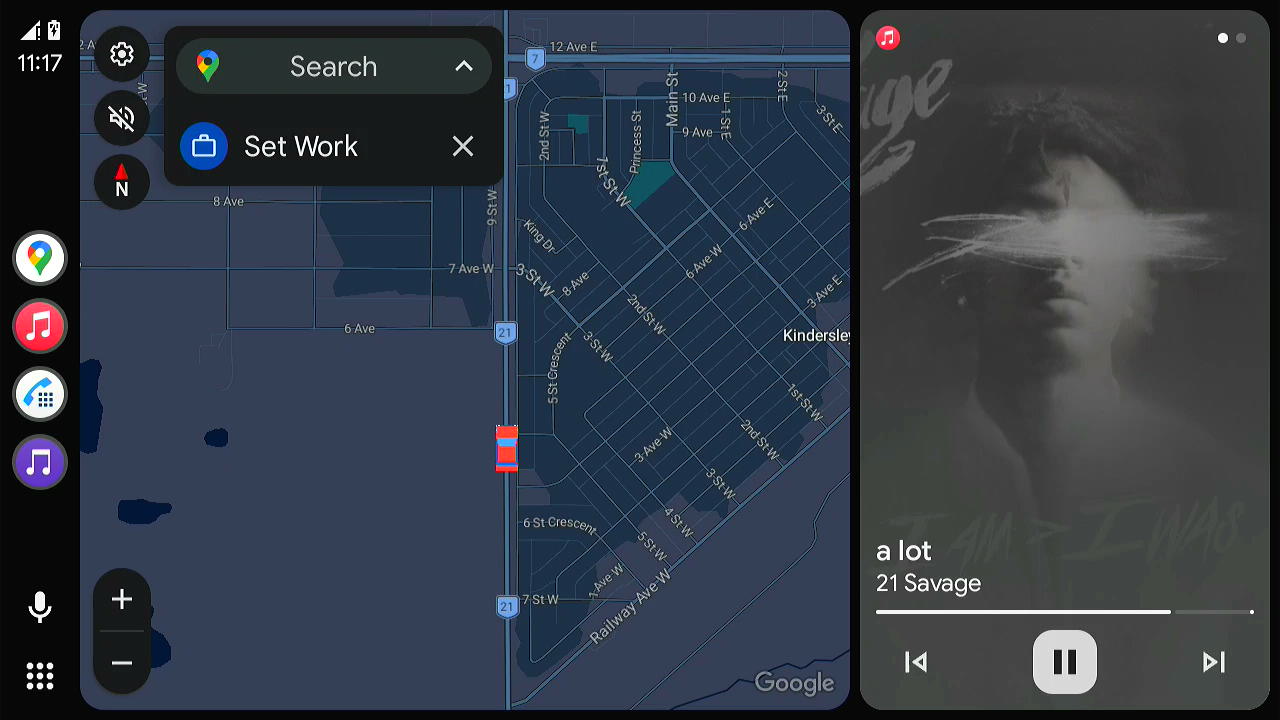
 Inspired by the incredible work @jock and @ilmich have done to make the RK322x platform stable on mainline Linux, I decided to tackle the application side of things. My goal was to turn these "e-waste" TV boxes into fully functional, low-latency Android Auto head units for our cars. This fork of OpenAuto is built as one of my "Is it possible to turn this into that?" projects. It turned out to be one heck of a nightmare to pull off, but at the same time a lot of fun because I can see the potential of these TV Boxes as something you can actually put in your car and turn into a usable head unit! System Requirements Target Device: RK322x TV Box (e.g., MXQ Pro 4K). OS: Armbian Bookworm or Trixie (Kernel 6.1+ recommended). RAM: 1GB recommended. CMA Limit: You MUST set cma=256M in /boot/armbianEnv.txt to prevent VPU crashes at 1080p. FFMPEG Installed: This build requires a specific build of ffmpeg that can be found here. Release: v2.0.0-alpha This release represents a major architectural overhaul. I have removed heavy dependencies (PulseAudio, QtAudio, GStreamer) in favor of a lean, direct-to-hardware pipeline using RtAudio (ALSA) and FFmpeg v4l2_request. Download: https://github.com/Harleythetech/openauto-rk3229-armbian/releases Technical Details Video Engine: Switched from GStreamer to a custom FFmpeg + V4L2-Request backend. Leverages the v4l2drmprime patch set for Zero-Copy rendering. Enables full hardware H.264 decoding on Rockchip stateless decoders. Result: Stable 1080p 60fps stream on a 1GB RAM device. Audio Overhaul: Replaced PulseAudio and QtAudio with RtAudio. This creates a direct, low-latency path to the ALSA hardware driver. Display: Targets linuxfb (Framebuffer) by default instead (eglfs and ffmpeg have issues when you run them together due to DRM master lock) Configuration This release requires a specific ALSA configuration to allow audio mixing (dmix) without PulseAudio. Create/Edit /etc/asound.conf: pcm.!default { type asym playback.pcm "dmix_hdmi" capture.pcm "plug_null" } ctl.!default { type hw card 0 } pcm.plug_null { type plug slave.pcm "null" } pcm.dmix_hdmi { type dmix ipc_key 1024 ipc_perm 0666 slave { pcm { type hw card 0 device 0 } format S16_LE rate 48000 channels 2 period_size 512 buffer_size 4096 } bindings { 0 0 1 1 } } Known Issues Invisible Cursor: The mouse cursor works but is currently invisible when the FFmpeg video backend is active (rendering layer order issue). Backend Fallback: In rare edge cases where DRM initialization fails, the app may incorrectly default to Qt software output. Probably more, i haven't tested it that much Development Status: Active & Seeking Contributors Currently, I am the sole maintainer focusing on the RK322x platform (specifically the RK3229). I am actively looking for developers interested in expanding support to other devices (such as RK3328, RK3399, or Allwinner H3/H6). If you have experience with C++, Qt, or V4L2/DRM and want to help turn these TV boxes into capable head units, contributions are highly welcome! Repository: https://github.com/Harleythetech/openauto-rk3229-armbian Credits: @jock and @ilmich for ffmpeg patches and the csc-armbian-for-rk322x-tv-box-boards opencardev for openauto and aasdk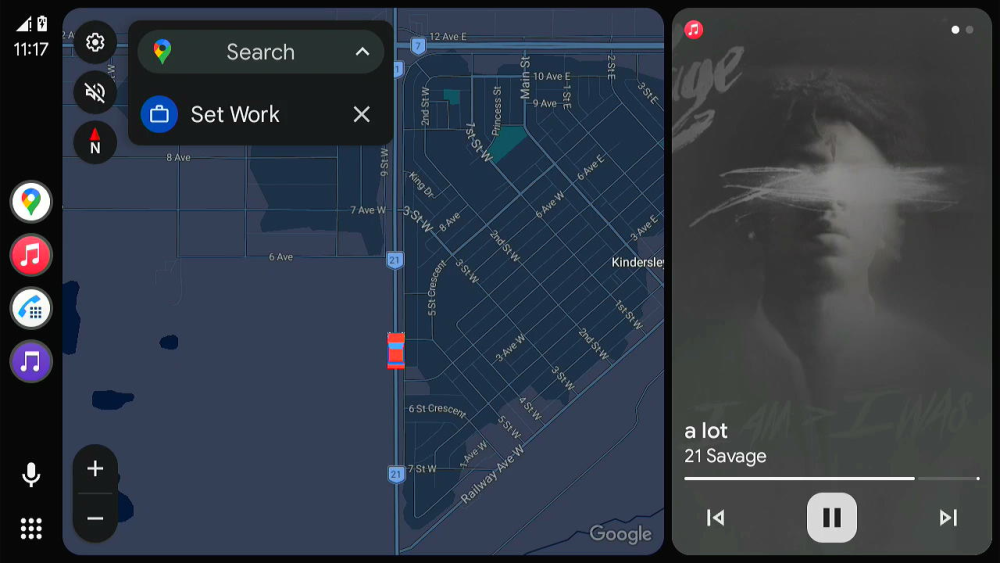
-
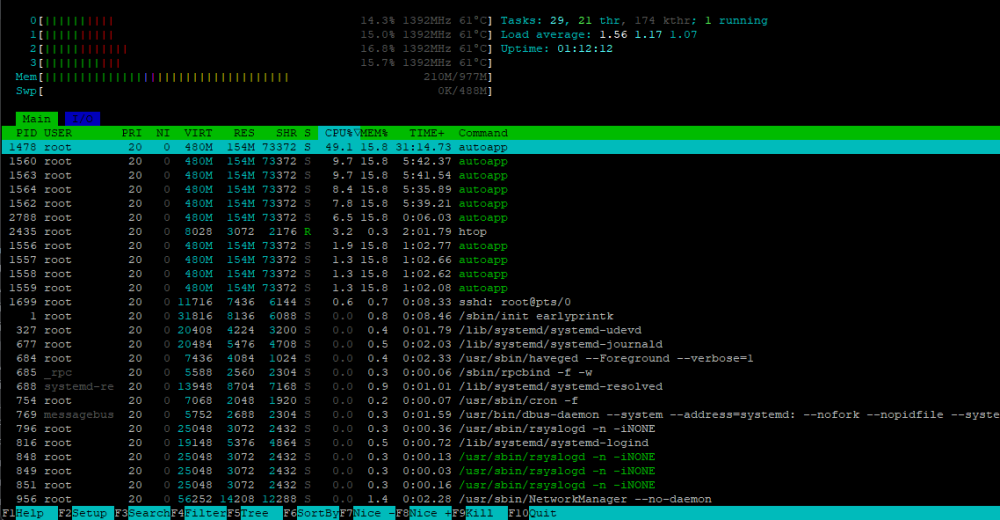
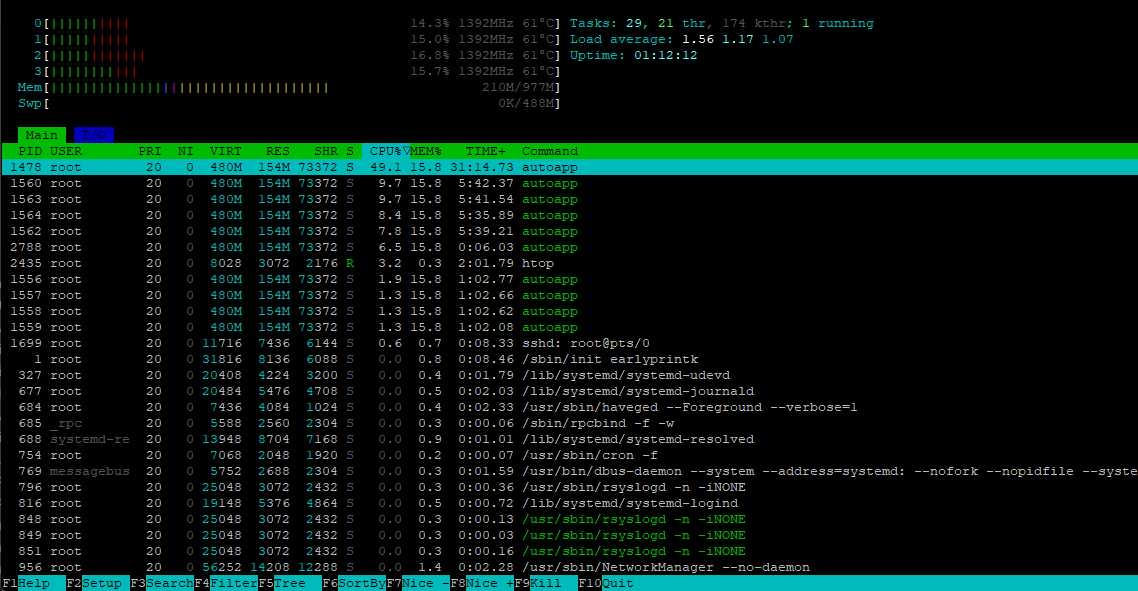
Decided to see how far the LLM have come along and give this another crack. Gemini 3 Flash seems to have got me a few steps forward. It had me add zswap and build a swap file while adjusting some of the U-Boot variables. /boot/armbianEnv.txt additions/changes fdt_addr_r=0x42000000 ramdisk_addr_r=0x42800000 fdt_high=0xffffffff initrd_high=0xffffffff extraargs=zswap.enabled=0 swiotlb=1024 I had to expand the filesystem to use more of the SD card then added a 512M swapfile sudo fallocate -l 512M /mnt/pinecube/swapfile sudo chmod 600 /mnt/pinecube/swapfile sudo mkswap /mnt/pinecube/swapfile It took a solid 5 or so minutes but I got booted. It's very slow but at least I got this far! Just leaving this here for anyone else that may stumble along.
-
Gaming experience with Orange Pi 5 (RK3588) on Armbian
KhanhDTP replied to KhanhDTP's topic in Orange Pi 5
Armbian 25.11.2 Noble XFCE (BSP Kernel: 6.1.115) + PanVk - mesa 26.0 (https://launchpad.net/~ernstp/+archive/ubuntu/mesaaco) + Box64 arm64 v0.4.1 72807b6b9 (https://ryanfortner.github.io/box64-debs/) + proton-10.0-3-amd64-wow64 (https://github.com/Kron4ek/Wine-Builds/releases/download/proton-10.0-3/wine-proton-10.0-3-amd64-wow64.tar.xz) + dgVoodoo2 (https://github.com/dege-diosg/dgVoodoo2/releases) + DXVK-stripped v2.1 30~40fps@720p (low settings, high texture, no AA) box64 environment variables: FlatOut - Ultimate Carnage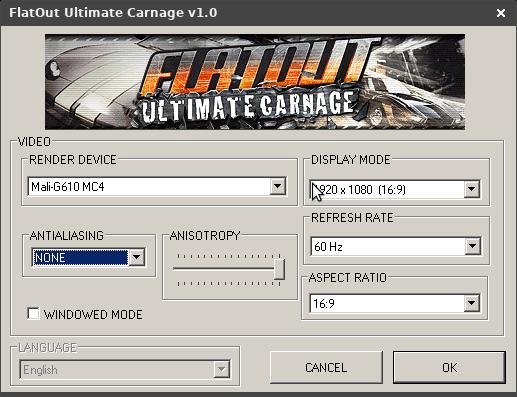
.thumb.jpg.2e7fe8268beceb322ee067dfa82d8127.jpg)
-
That isn't what you use for amlogic tv boxes. Follow the instructions linked from the download page: https://www.armbian.com/amlogic-s9xx-tv-box
-
Hello guys, im trying to install armbian to internal emmc, but armbian-install neither the other file exists, please help, thanks
-
Probably dead, yes. It looks like it is in read-only mode, so you cannot even erase it. Unfortunately for you, the way I designed the armbian boot requires either an empty flash or an installed u-boot that boots from sdcard first. You have three options: 1) hack the armbian boot using the multitool bootloader, but I don't suggest doing so because updates may overwrite the changes 2) remove the eMMC phisically, desoldering it 3) short the eMMC clock pins permanently, similar to what you would do when you want maskrom mode. The board will then always boot from sdcard. See the unbrick paragraph in the first post for some instructions.
- Yesterday
-
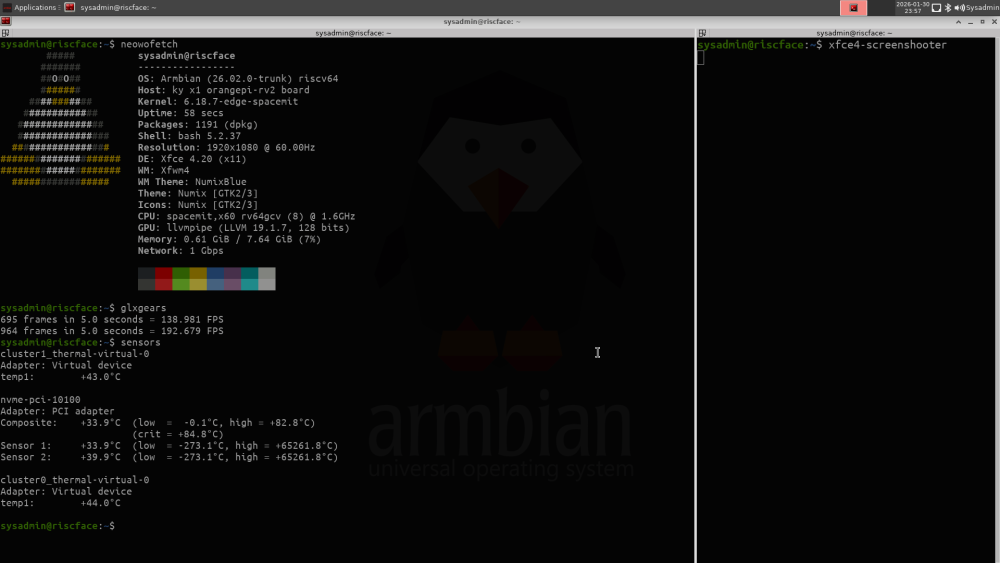
THANK YOU so much for this effort. I no longer regret buying an OrangePi RV2!
-
On the 25.11.1 Noble release, using the 6.12 kernel, there is no package to install the linux-headers for installed kernel. Is there some place to get them so that it is possible to install a kernel module for the provided ubuntu-rockchip kernel?
-
 There was a successful test with Debian Forky in RK3566 I saw some progress and success in the last 2 days. Someone made compiled ffmpeg 8.0+v4l2request and made it work in Debian Forky... which also carries ffmpeg 8.0 https://github.com/mpv-player/mpv/pull/14690#issuecomment-3500141427 Does this mean that I need to use Debian Forky too? (I was staying with Debian Bookworm because H264 hwaccel only worked there) References: https://code.ffmpeg.org/Kwiboo/FFmpeg/src/branch/v4l2request-v3 https://code.ffmpeg.org/FFmpeg/FFmpeg/pulls/20847 https://tracker.debian.org/pkg/ffmpeg
 -
How do you power the bananapi m1? It has 2 microUSB connectors.

.jpg.c1569deb1b49915ff40a02634d1dcf96.jpg)




.jpg.b6242127691e14538185b15fc229a9fd.jpg)

.jpg.7ff265fa416903e9f0daa99e5ab9be31.jpg)