
All Activity
- Past hour
-
Please read the FAQ and installation instructions linked on the download page. https://www.armbian.com/amlogic-s9xx-tv-box/
- Today
-
 thank you for your reply! I reverted to the stock ubuntu for opi5 for now. I will have a new device in my hands in the next days, I will then try this
 -
 hi @spaceship we 'need to start working on it', what that means is that if you search around sufficiently, it is likely u-boot (the bootloader) and linux already supported A733. the task is 'system integration' to build that into Armbian. But as with all things, it means work, to spend hours / days figuring out how to do that and to do so and send a pull request for Armbian to include it. The challenges in life is such that most of us (including me) has very little fragmented time / energy to work on it. Perhaps that if more users 'request' it and support Armbian by way of donations, maybe they'd try to put it together and complete this work. The initial integration is one thing, the trouble is that linux keeps moving and linux 7.0 is about to be real. Hence, say you take what is there now integrate it, and no sooner 7.0 is out, you need to keep maintaining it. Hence, for a more sustainable setup, perhaps is for the community to fund Armbian to do so with donations, and efforts from the side. it is good for the community to support this effort both finanically and efforts from the side, this is to ensure that there is no "influence from a controlling (3rd) party" (possibly including a govt) i.e. no conflict of interest, e.g. to try to embed exploits in it for the govt's or 3rd party purpose, as in that the project is truly open source and inspected to prevent such exploits. but for what is worth, what it takes is a 'project' to get from here to integration e.g. in an 'edge' 7.0 kernel. --- off-topic but related, the security situation affecting commonly used commodity devices sold globally is *bad* https://www.kaspersky.com/about/press-releases/kaspersky-discovers-keenadu-a-multifaceted-android-malware-that-can-come-preinstalled-on-new-devices https://securelist.com/keenadu-android-backdoor/118913/ https://www.tomsguide.com/computing/malware-adware/dangerous-new-keenadu-malware-found-pre-installed-on-cheap-android-phones-and-tablets-how-to-stay-safe https://www.forbes.com/sites/daveywinder/2026/02/17/android-backdoor-pre-installed-on-devices---thousands-already-infected/
 -
Hello NickA, fire-hound from discord here ... You do a tremendous service for us all, keep it up buddy! I loaded your recent build from here: https://github.com/NickAlilovic/build/releases and can confirm it works on my A7A. It correctly detected my Pimorony NVME Base lsblk NAME MAJ:MIN RM SIZE RO TYPE MOUNTPOINTS mtdblock0 31:0 0 8M 0 disk mmcblk0 179:0 0 29.2G 0 disk ├─mmcblk0p1 179:1 0 256M 0 part /boot └─mmcblk0p2 179:2 0 28.6G 0 part /var/lib/containers/storage/overlay /var/log.hdd / zram0 254:0 0 3.9G 0 disk [SWAP] zram1 254:1 0 50M 0 disk /var/log zram2 254:2 0 0B 0 disk nvme0n1 259:0 0 238.5G 0 disk └─nvme0n1p1 259:1 0 238.5G 0 part /srv/dev-disk-by-uuid-b28b2f5c-ee2e-4ded-959e-22bc63051b1d and: screenfetch _,met$$$$$gg. root@radxa-cubie-a7a ,g$$$$$$$$$$$$$$$P. OS: Debian 13 trixie ,g$$P"" """Y$$.". Kernel: aarch64 Linux 6.6.98-vendor-sun60iw2 ,$$P' `$$$. Uptime: 11h 14m ',$$P ,ggs. `$$b: Packages: 661 `d$$' ,$P"' . $$$ Shell: bash 5.2.37 $$P d$' , $$P Disk: 4.9G / 271G (2%) $$: $$. - ,d$$' CPU: ARM Cortex-A55 Cortex-A76 @ 8x 1.794GHz $$\; Y$b._ _,d$P' RAM: 534MiB / 7928MiB Y$$. `.`"Y$$$$P"' `$$b "-.__ `Y$$ `Y$$. `$$b. `Y$$b. `"Y$b._ `"""" So far so good The issues: 1. The typical Armbian image has a module in the armbian-config and radxa's rsetup where one can set up the two leds conveiently to other than full on and heartbeat for the green and blue gpio leds respectively. I find it to be a nuisance to dig for that manually 2. The Ovralys module in armbian-config is returning an error - when entering DTO001 module (Device Tree Overlays) saying: Invalid overlay_prefix that might require deeper digging into the issue i guess? What works: Open Media Vault registers the NVME nicely as additional storage. I suspect booting off that NVME would work for an updated SPI bootloader i could test that if you want me to? If you need any other info or output I stand at Your disposal 😁
-
 You should also consider the bootloader (type and version), in principle you do not need the dtb- package as the dtb files are also in the kernel package (enough when doing own extlinux). U-Boot philosophy is to provide just enough so that the kernel/initrd/DTB can load and started. Audio is not part of that I think. LE certainly used other bootloader and as you already showed has more non-upstreamed patches. See my experience:
 -
 @ag123 what does that mean exactly? I can't stand custom GNU/Linux builds from Orange Pi's company. I have a OPi Zero 3 and few OPi zero 2w, they're awesome with armbian, no issues at all. But now using the OPi Zero 3 as an hostap, i'm noticing that the throughput regarding network io seems to be a bottleneck, i was looking for something cheap and came accross this OPi 4 Pro. Thank you for doing this research.
 -

Looking for help porting to an RK3328-based device
Soupborsh Proton replied to QwertyChouskie's topic in Rockchip CPU Boxes
Hello, I would like to use Armbian on control hub too but without disassembling it. I tried latest renegade image and usb and internet were not working. What is exactly everything I need to change in the image to make the usb at least work? I tried enabling the rk3318-box-led-conf3 in some file I forgot but it did not work, maybe else more needed or I did it wrong. I would be very grateful if you could write what I need to change! I do not want to disassemble since it's legality in FTC rules is ambigous for me. -
 You can try the following: After writing to nvme and spi do NOT reboot but mount the nvme drive to a random directory and check in /boot/armbianEnv.txt if the UUID matches the one from the nvme. If not, correct it (check blkid).
 -
Neither of these is good advice. dd does not verify written data and balena etcher has known issues, hence it is not recommended either. Either use Armbian Imager (https://docs.armbian.com/User-Guide_Getting-Started/) or USBimager (https://gitlab.com/bztsrc/usbimager). Both are known to work.
-
 I don't like my chances of any resolution to this problem but here goes. I'll start off by saying thanks for providing this repository, I recently went on holidays and was able to use my little magcubic box to watch content off my nas remotely. It was mostly great. One issue I have come across is most of my SD content (ripped from DVD) just displays a black screen. I encode it to 10 bit x265 the same as I do for blurays. Blurays at 1080p play fine, the DVD rips at 480p and 576p just display a black screen, audio works. When comparing them with MediaInfo the only real difference (aside from resolution) is the color primaries, transfer characteristics and matrix coefficient tags. Blurays are bt.709 and the DVD rips are bt.601. Also NTSC vs PAL for the blurays. I've also come across some files that I believe I downloaded at some point that are DVD resolutions, 10 bit x265 PAL that play ok. In MediaInfo these files are missing the all the tags mentioned above. I don't know how this is possible... To troubleshoot I've tried converting a non working file to 25 FPS (PAL) and setting the elements above to bt.709 but no dice. I've run mpv from the terminal in verbose mode and tried to compare a working file to non working file and nothing is really standing out. I think ffmpeg is just serving up black frames with v4l2 in certain circumstances, maybe when the color primaries are bt.601. I'm not overly confident the method I used above to set the bt.709 values would actually work. I installed mplayer and this plays the files ok but doesn't have hardware acceleration. This is why I think the issue is ffmpeg and v4l2. Probably not relevant but 2160p content plays (bt.2020). It really struggles with it but it displays an image. Any ideas would be great. At this stage I'm probably going to take a 10 second clip of a non working file and just run it through bunch of different encode settings until I get something that displays and work backwards from there.
 -

Gaming experience with Orange Pi 5 (RK3588) on Armbian
KhanhDTP replied to KhanhDTP's topic in Orange Pi 5
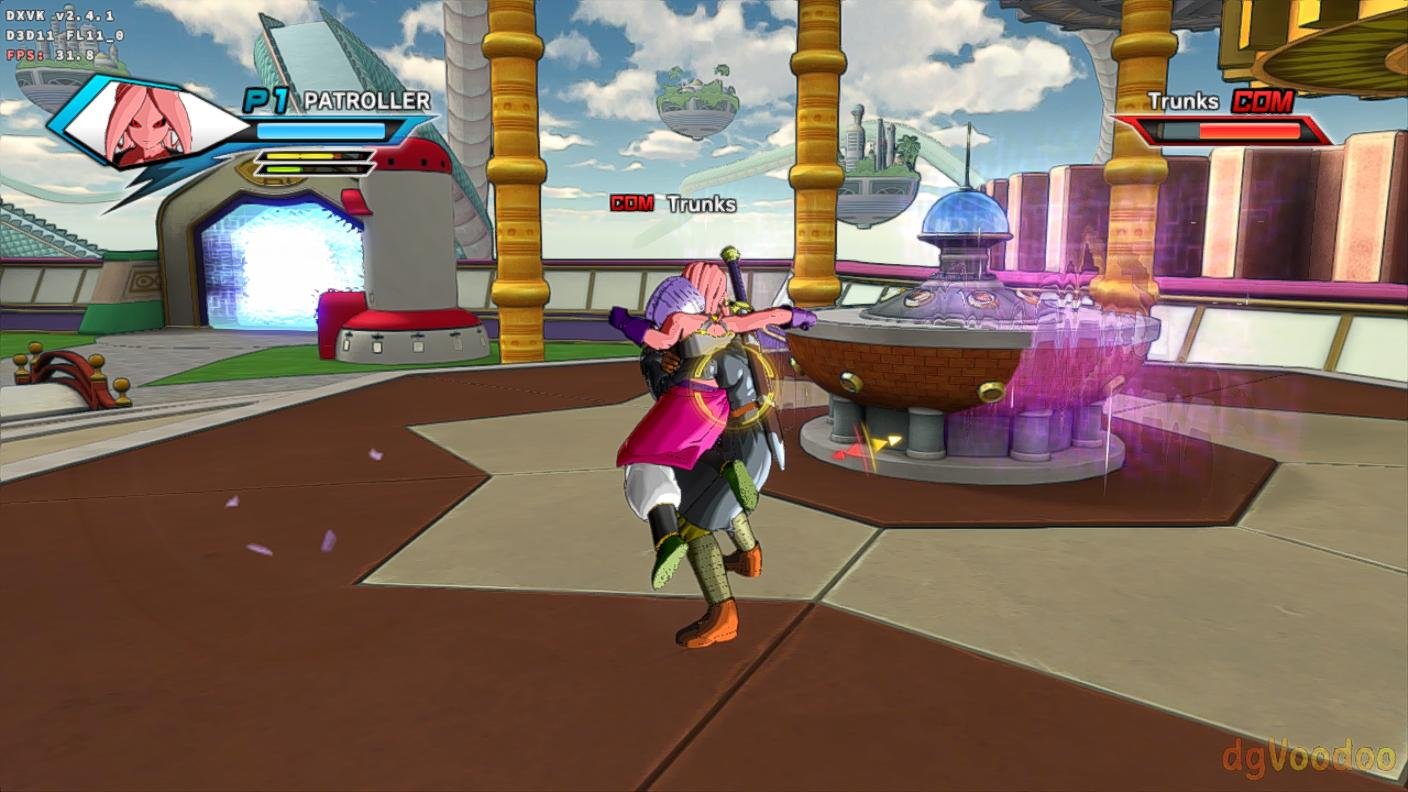
Armbian 25.11.2 Noble XFCE (BSP Kernel: 6.1.115) + PanVk - mesa 26.0 (https://launchpad.net/~ernstp/+archive/ubuntu/mesaaco) + Box64 arm64 v0.4.1 ed9827920 (https://ryanfortner.github.io/box64-debs/) + proton-10.0-4-amd64-wow64 (https://github.com/Kron4ek/Wine-Builds/releases/download/proton-10.0-4/wine-proton-10.0-4-amd64-wow64.tar.xz) + dgVoodoo2 (https://github.com/dege-diosg/dgVoodoo2/releases) + DXVK-stripped v2.4.1 30~40fps@720p (low settings) box64 environment variables: DRAGON BALL XENOVERSE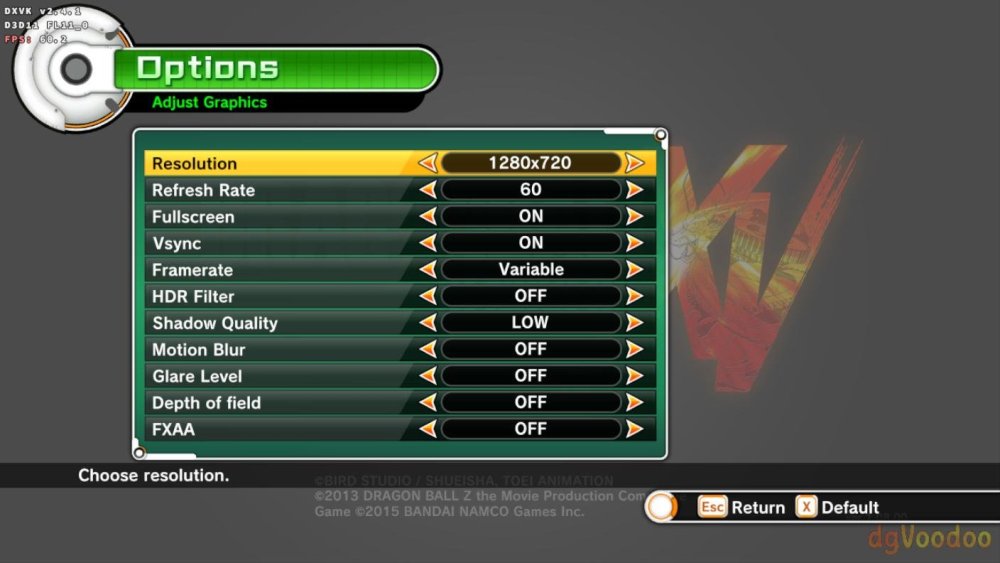
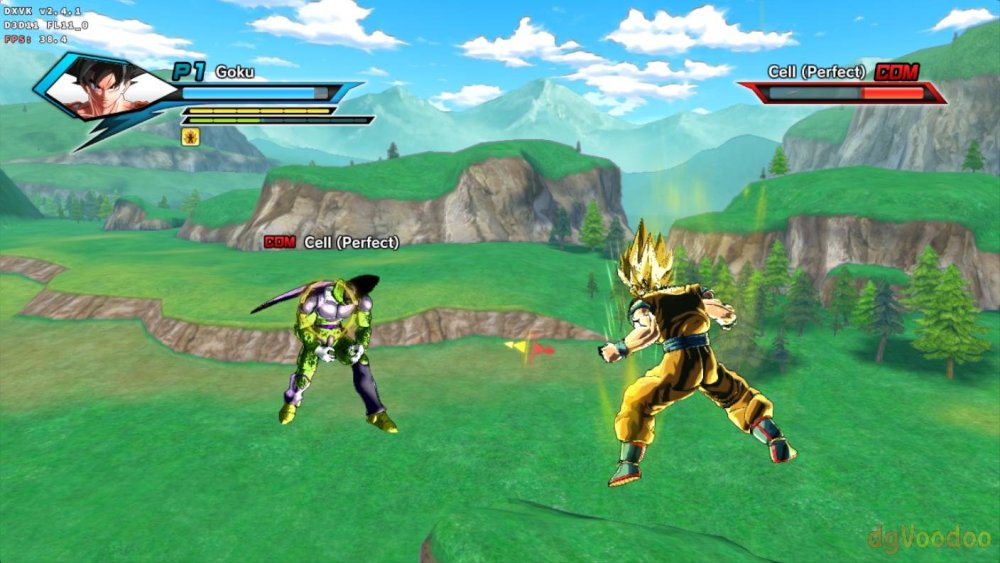
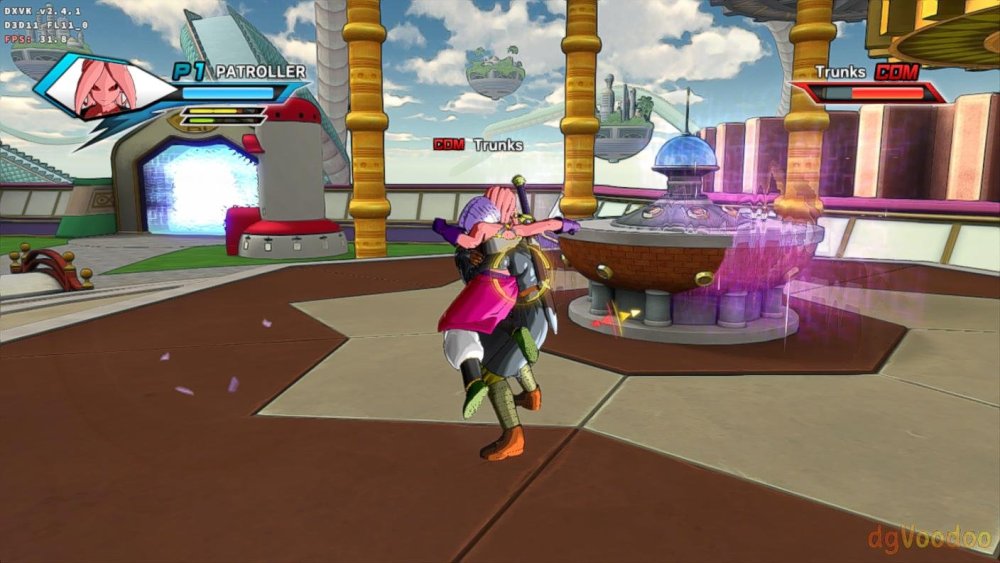
-
i took a look through your repo and used 2025.01 plus the patches in your u-boot-h616 directory and booting from EMMC works now. Thanks for the nudge!
-
Hello everybody. I'm new to this and I would like to install Linux on my BTV X p212 TV box. I saw that there are several versions of systems but I couldn't find them for this specific one and I would like to know if you can help me? Please. Ps: I searched here on the forum, google but I couldn't find it.
- Yesterday
-
Good news: this is merged in Armbian main now, many thanks to @c0rnelius and @Igor for reviewing this. So no more need to grab my fork, just clone Armbian/build:main. I was able to build and quick-test orangepirv2/edge-kernel and this looks fine including Wifi. There are of course unsolved quirks currently. With edge-kernel, Wayland does not work, we need to use Xorg. And with the current bcmdhd Wifi driver, AP mode is not possible. This is caused by outdated file in armbian-firmware for bcmdhd and may be the same on OrangePi5. There is a mechanism to load a different fw_bcm43456c5_ag.bin (the one downloadable from github/xunlong seems to work). LG // Sven-Ola
-
is there a guide for booting opi5 from nvme that works with Armbian 26.2.1 -noble or trixie? The standard way via armbian-install seems broken
-
 I just tried LibreELEC 13 testing builds as they are also running kernel 6.18. Audio seems to work there and I can hear all channels or speakers. I guess LibreELEC includes HDMI audio support patches for RK3588/S and NanoPi R6S that Armbian hasn’t incorporated yet ? The ALSA rockchip-i2s-tdm driver needs to support more than 8 TDM slots or support the HDMI multi-TDM mapping for 5.1 / 7.1. LibreELEC patches
 -
 As it turned out, Orange Pi does not support Power Delivery Negotiations and requires a "dumb" power supply providing 5V 4A. My power supply delivered 2A and then went into protection mode; the board itself had nothing to do with it
 -
Make sure you have ili9486.ko in your ko module folder: modinfo ili9486 Can you use the DTS that I published in: https://forum.armbian.com/topic/47971-driving-the-ili9488-lcd-40-inch-cheap-chinese-clone/#findComment-208446 But change the "compatible" line with waveshare,rpi-lcd-35 , Delete the stuff under the "compatible" line, until the "}vsync-len = <0>;", and replace it with what you had in your DTS. Change these lines, if they are different: spi-max-frequency = <24000000>; rotate = <270>; bgr; fps = <30>; buswidth = <8>; regwidth = <16>; Reference: https://github.com/raspberrypi/linux/blob/rpi-6.12.y/arch/arm/boot/dts/overlays/piscreen-overlay.dts
-
then this topic is not applicable
-
Orange pi 5. In the m.2 slot there is an nvme drive actually.
-
What hardware do you have? What exactly is in the M.2 slot?
-
Gaming experience with Orange Pi 5 (RK3588) on Armbian
KhanhDTP replied to KhanhDTP's topic in Orange Pi 5
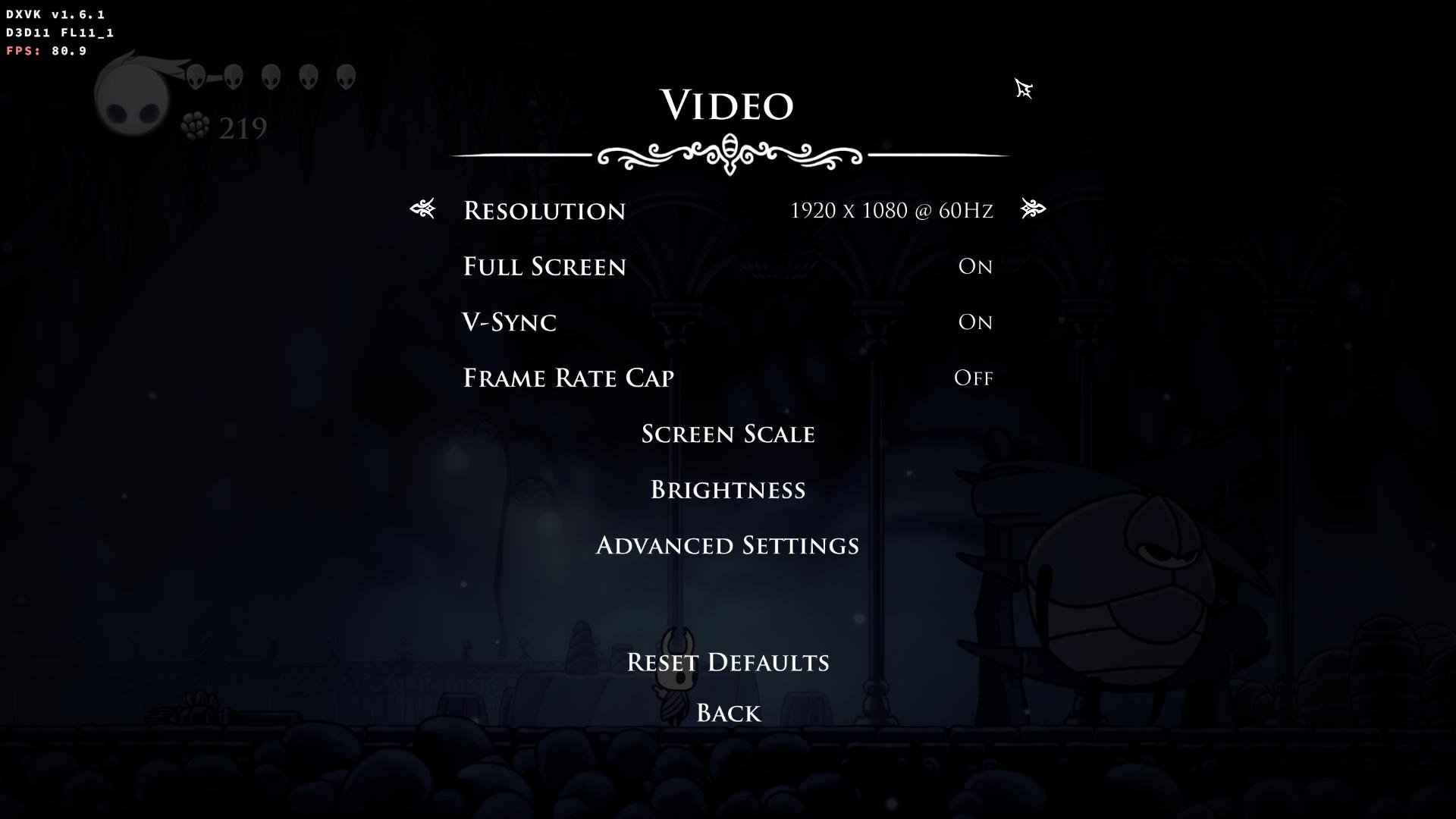
Armbian 25.11.2 Noble XFCE (BSP Kernel: 6.1.115) + PanVk - mesa 26.0 (https://launchpad.net/~ernstp/+archive/ubuntu/mesaaco) + Box64 arm64 v0.4.1 ed9827920 (https://ryanfortner.github.io/box64-debs/) + proton-10.0-4-amd64-wow64 (https://github.com/Kron4ek/Wine-Builds/releases/download/proton-10.0-4/wine-proton-10.0-4-amd64-wow64.tar.xz) + DXVK-stripped v1.6.1 >=60fps@1080p (medium/high settings) box64 environment variables: Hollow Knight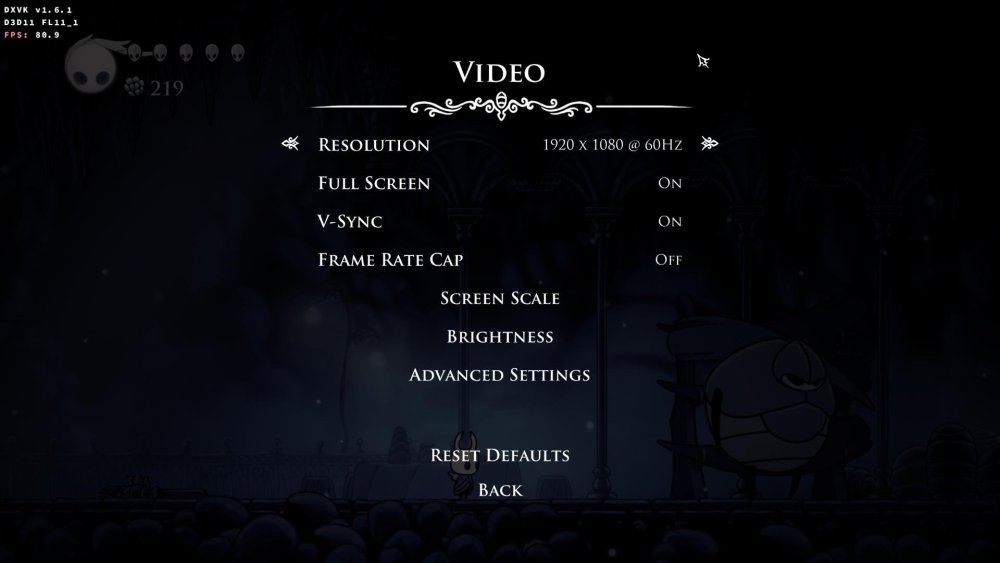
.thumb.jpg.ec671d62d8d5d9be0ed53bcf33bc5b3a.jpg)
-
Gaming experience with Orange Pi 5 (RK3588) on Armbian
KhanhDTP replied to KhanhDTP's topic in Orange Pi 5
Armbian 25.11.2 Noble XFCE (BSP Kernel: 6.1.115) + PanVk - mesa 26.0 (https://launchpad.net/~ernstp/+archive/ubuntu/mesaaco) + Box64 arm64 v0.4.1 ed9827920 (https://ryanfortner.github.io/box64-debs/) + ge-proton10-29 (https://github.com/GloriousEggroll/proton-ge-custom/releases/tag/GE-Proton10-29) (GE-proton is more likely to be segment fault-proof than other wine-proton versions) + dgVoodoo2 (https://github.com/dege-diosg/dgVoodoo2/releases) + DXVK-stripped v2.4.1 ~40fps@720p (medium settings, no AA) box64 environment variables: Fallout New Vegas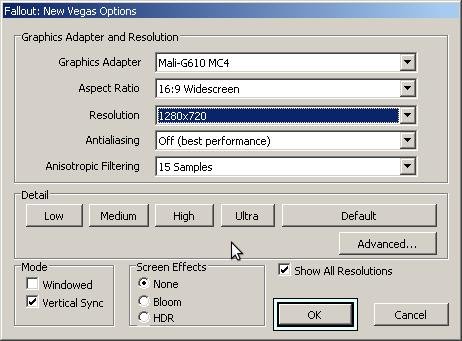
.thumb.jpg.7ded6e0df281a95b18d3cf842bdf6a1b.jpg)
.thumb.jpg.bd1ac014bd6d3828906c34e391ae73ff.jpg)
-
Gaming experience with Orange Pi 5 (RK3588) on Armbian
KhanhDTP replied to KhanhDTP's topic in Orange Pi 5
Armbian 25.11.2 Noble XFCE (BSP Kernel: 6.1.115) + PanVk - mesa 26.0 (https://launchpad.net/~ernstp/+archive/ubuntu/mesaaco) + Box64 arm64 v0.4.1 ed9827920 (https://ryanfortner.github.io/box64-debs/) + ge-proton10-29 (https://github.com/GloriousEggroll/proton-ge-custom/releases/tag/GE-Proton10-29) (GE-proton is more likely to be segment fault-proof than other wine-proton versions) + dgVoodoo2 (https://github.com/dege-diosg/dgVoodoo2/releases) + DXVK-stripped v2.4.1 40~60fps@720p (medium settings, no AA) box64 environment variables: Fallout 3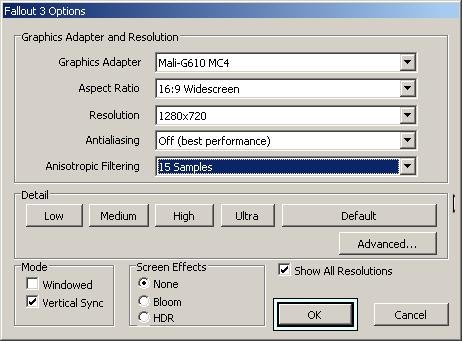
.thumb.jpg.57e04c4b6dbb8d6271b99077a4b45a4a.jpg)
.thumb.jpg.b13da15ad1663c58c1dcdaf905a525e1.jpg)
-
Is this guide still relevant? Armbian-config has a completely different menu now


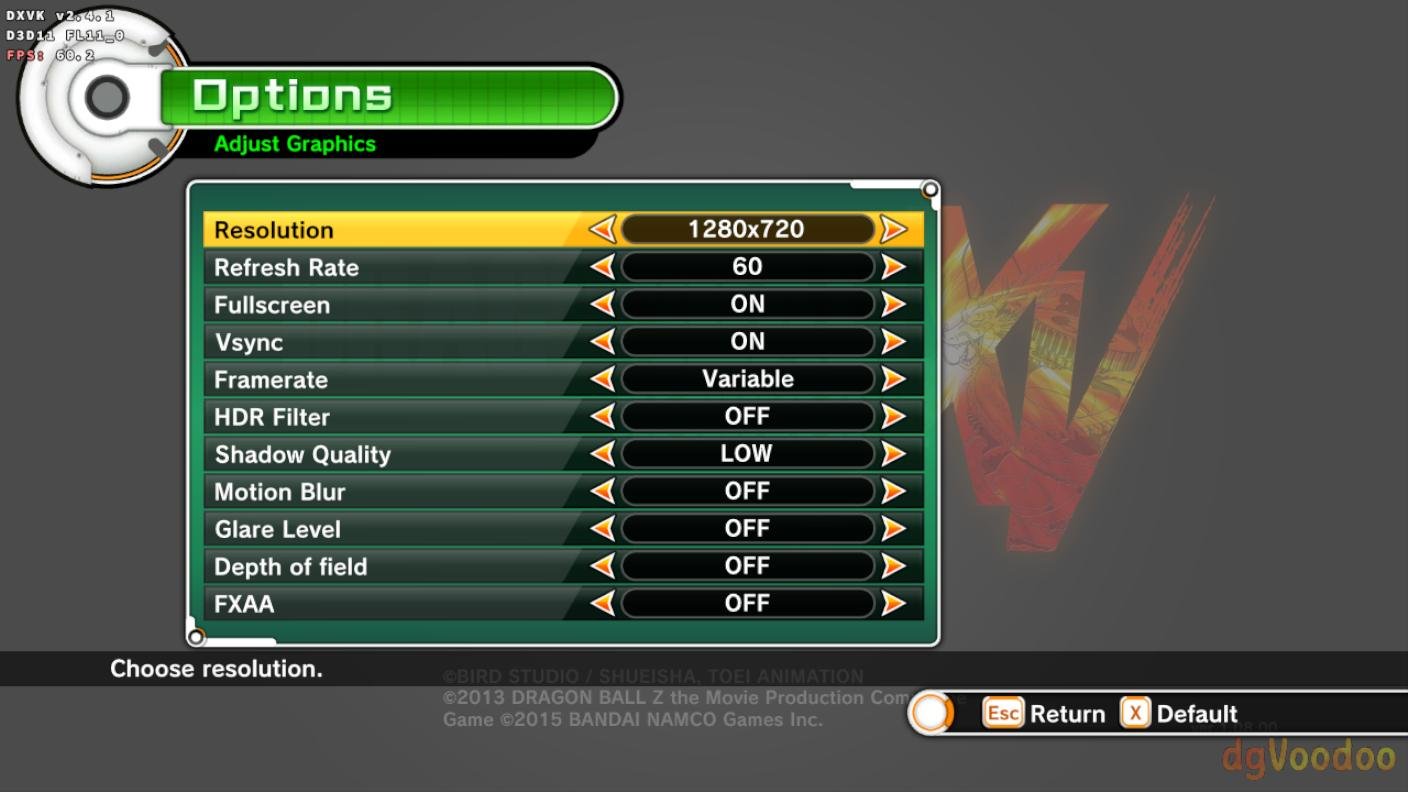
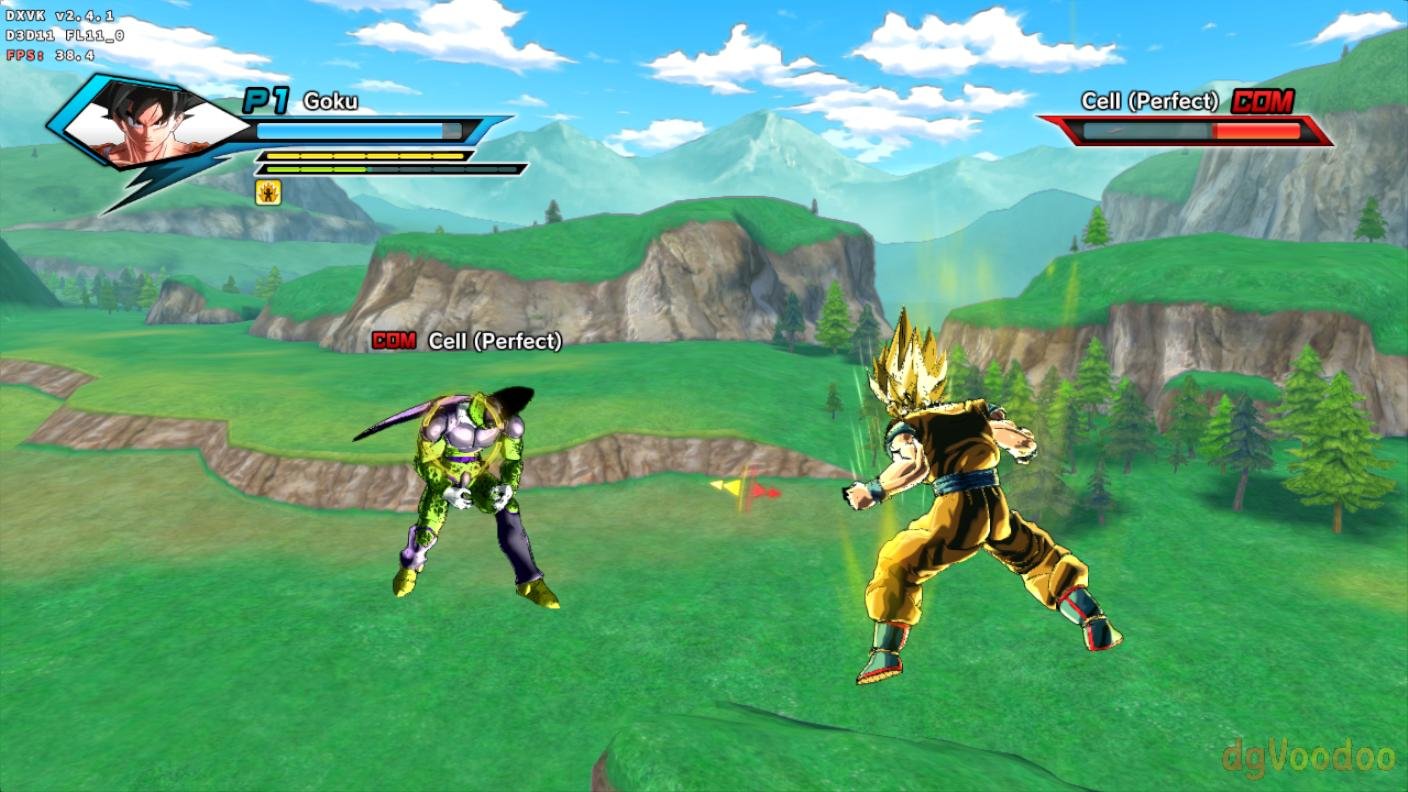




.jpg.be6533a41e18728de9755cadb15784c2.jpg)
.jpg.a7a6d8ce77b06030b64a05bd475456f8.jpg)
.jpg.328179377d68b8ad8e269fb550b0f90a.jpg)
.jpg.20b9d0f0d5ad4184b15b18a5226f43f5.jpg)
.jpg.2b43a914bb91a02f46f33f865d3c216f.jpg)