All Activity
- Past hour
-
.thumb.jpg.20ed26dd68aaee94a94b227bf670a8eb.jpg)
How you can help test upcoming Armbian 26.02 images?
SuperKali replied to Igor's topic in Advanced users - Development
Boards that've tested: NanoPC T6 LTS: Kernel: Vendor (6.1) - Current (6.18) Variant: Desktop - Gnome What was tested: GPU works as expected WI-FI Card works as expected NVME, eMMC, SPI and SD Card works as expected Ethernets: 2x 2.5GbE works as expected HDMI both works as expected AUDIO: HDMI & via jack works as expected HDMI-IN video works as expected NanoPi M5: Kernel: Vendor (6.1) Variant: Desktop - Gnome What was tested: Image not boot, i have to investigate more, The previous image works without any problems. I will check soon and maybe migrate it to mainline uboot @Igor Can you do a double check if your board have the same issue? NanoPi R76S: Kernel: Vendor (6.1) Variant: Desktop - Gnome What was tested: GPU works as expected WI-FI Card works as expected eMMC and SD Card works as expected Ethernets: 2x 2.5GbE works as expected HDMI both works as expected AUDIO: HDMI works as expected - Today
-

How you can help test upcoming Armbian 26.02 images?
robertoj replied to Igor's topic in Advanced users - Development
I have an Orange Pi Zero 3, Opi z2w, Opi z LTS, and Banana Pi M2 Zero. If the OS image is not in your download page, does it mean you don't need help with these boards? I didn't have any problems with opiz3 Armbian.com or self built image ever (last time I tried was 2 months ago). The others: haven't used in 1 year. -
@maxsub no, its hacked. At least from my side. For us, that GPU stuff is closed, patented, tighly licensed and so on. LG // Sven-Ola
-

SV6256P WiFi Now Working on Linux 6.x (Armbian Tested)
Kevin su replied to Kevin su's topic in Allwinner CPU Boxes
@Nick A Yes, I used the MT7601U for a few days, but I wasn’t really satisfied with it. So, with the help of AI, I decided to port the SV6256P anyway—and to my surprise, it actually worked. -
SV6256P WiFi Now Working on Linux 6.x (Armbian Tested)
Kevin su replied to Kevin su's topic in Allwinner CPU Boxes
@jock The driver-related knowledge is vast and quite complicated, with many pitfalls, so porting really requires strong assistance from AI. I don’t have an SSV6051, so I can’t actually complete the porting myself. Btw, the "ssv6x5x-sw.bin" I’m using is the file you posted on the forum. -
So this is built fully from source by patching the xunlong source onto the edge code base? Armbian-unofficial_26.02.0-trunk_Orangepirv2_trixie_edge_6.18.8_minimal+Orangepirv2_1.0.0_ubuntu_noble_desktop_gnome_linux6.6.63.img.xz
-

Efforts to develop firmware for H96 MAX M9 RK3576 TV Box 8G/128G
a.ni replied to Hqnicolas's topic in Rockchip CPU Boxes
I've made some improvements of .dts for H96 MAX M9S, tested on Linux version 6.19.0-edge-rockchip64 (build@armbian) What's new: GPU working USB 3.0 mode working Currently working: both USB ports, incl. USB 3.0 mode GPU (using Panfrost driver) HDMI (audio+video) Ethernet port Wifi (using aic8800 DKMS drivers provided by https://github.com/radxa-pkg/aic8800/releases) Leds Not working: NPU Bluetooth S/PDIF rk3576-evb1-v10-main-h96-v5.dts dmesg-19.0.txt -

-
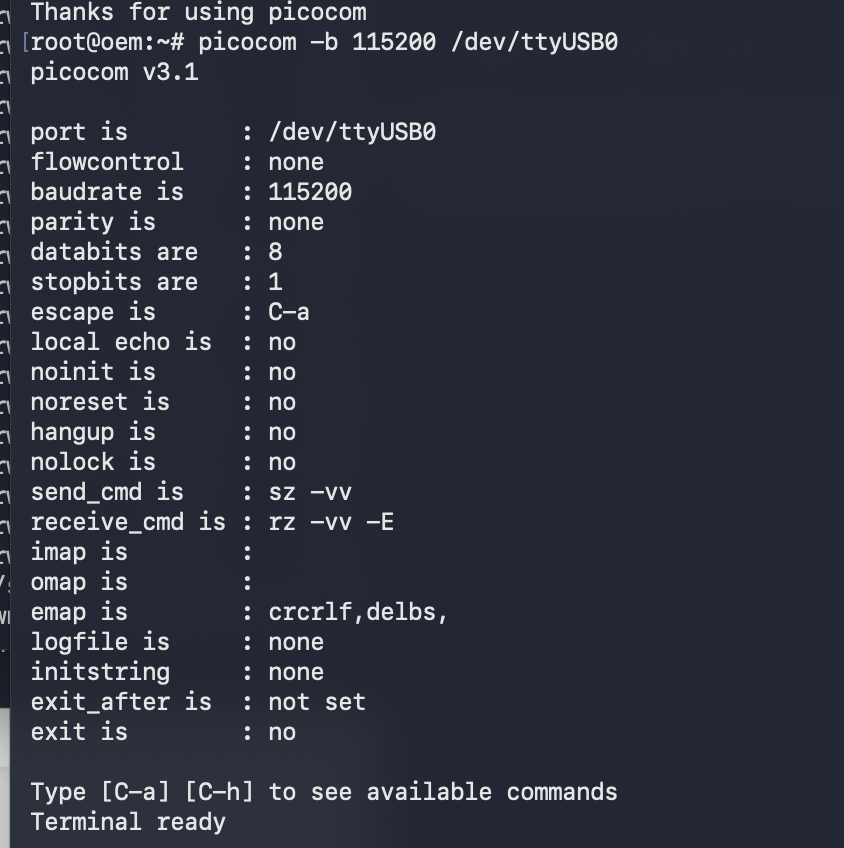
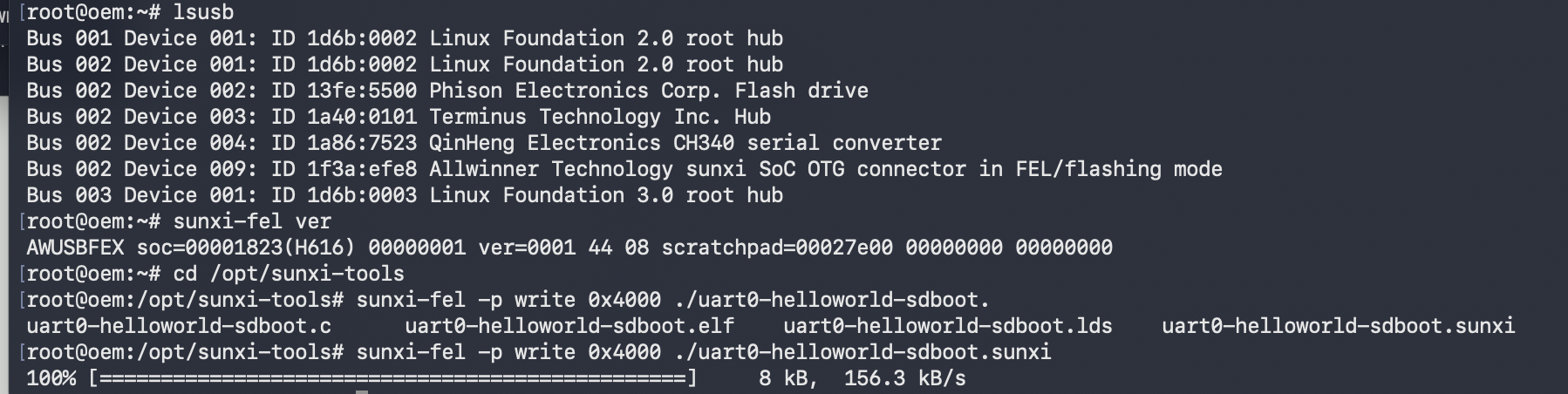
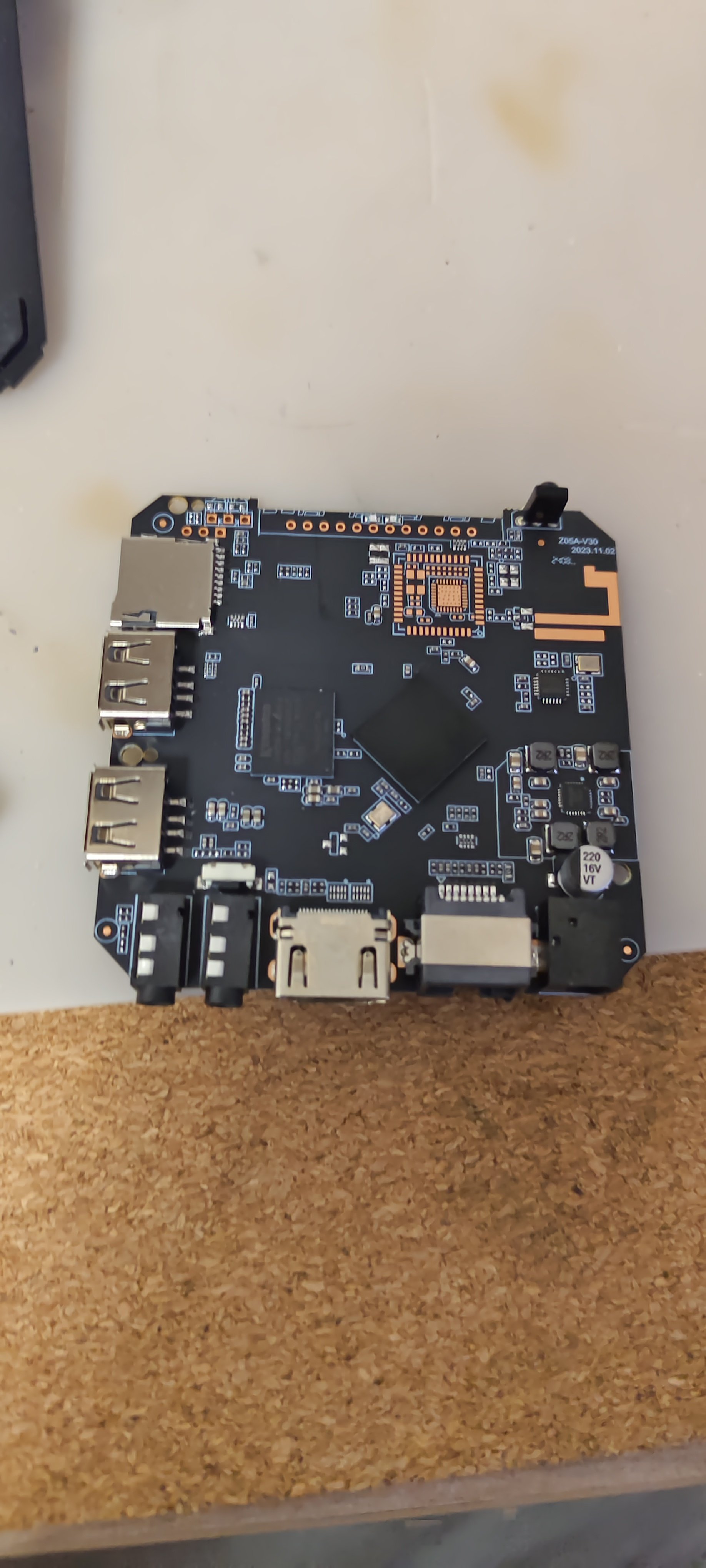
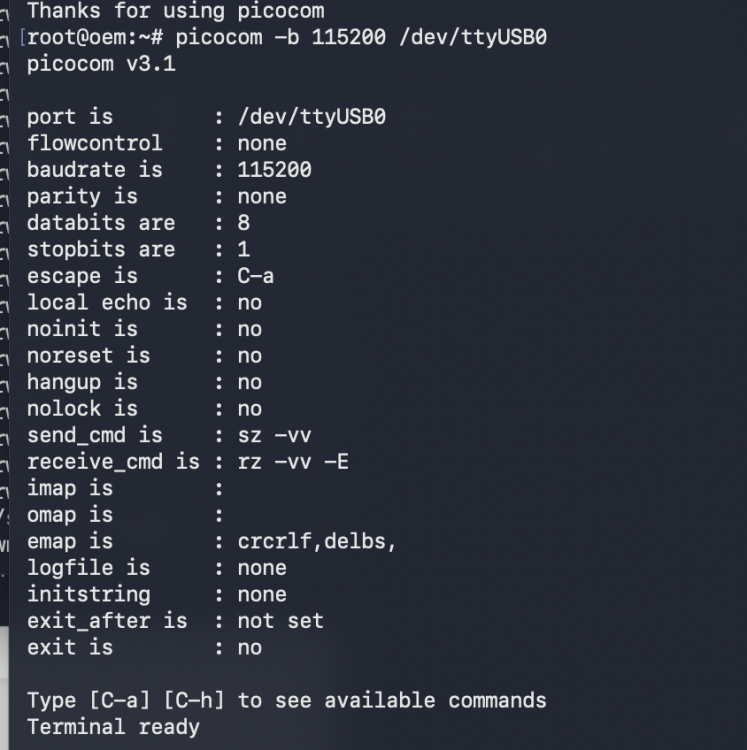
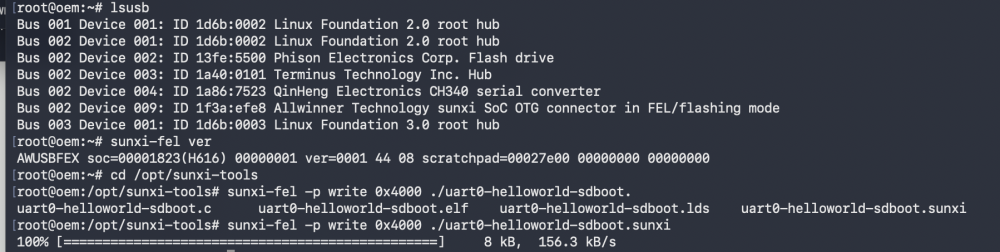
my bricked tvbox into fel mode, Using linux-fexi tools, I tested my usb2ttl on my tvbox , without any output. I do not know why? Test command: https://github.com/linux-sunxi/sunxi-tools sunxi-fel -p write 0x4000 uart0-helloworld-sdboot.sunxi (succeed) sunxi-fel -p exec 0x4000 picocom -b 115200 /dev/ttyUSB0
-
armbian-config submenu STO001
-
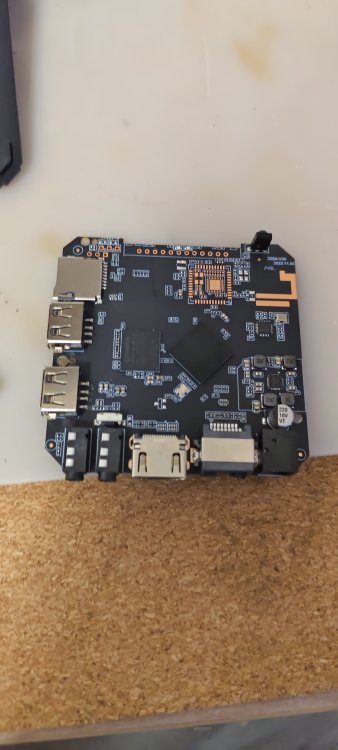
Hello friends, in general, a friend gave me an x96q TV set-top box, I want to install armbian on it and then install klipper and use it on my 3d printer, I'm not good at this, maybe someone can help
-
My USB2TTL is tested on other tvbox such as Amlogic tvbox, works
-
Yeah, don't do that.. At least read "<application> --help" before doing sensitive stuff like that if you are unfamiliar. If that happened to you, and that is the reason you typed that.. For future reference: If you have a root account, you can change to root user with "su root" and enter passwd. You are then root and can add your user back to the groups needed. Or you can use the debian "child safe" way, "adduser <user> <group>" (only works on already existing users and groups) instead of usermod to begin with. But best is you learn usermod, since that will let you utilize that knowledge on pretty much any unix system.
-

SV6256P WiFi Now Working on Linux 6.x (Armbian Tested)
Nick A replied to Kevin su's topic in Allwinner CPU Boxes
@Kevin su Excellent work! Porting the SV6256P driver all the way to kernel 6.12 is a huge achievement. Most users usually just give up and plug in a USB Wi-Fi adapter to avoid the headache of legacy drivers. -
@marcosdsdba
-
What does that mean? What did you do?
-
I have a nice armbian image on an SSD on a rock5b board. I want to copy it to an sd card for cloning on other boards. Does anyone know how this can be done? It doesn't come out via dd
-

SV6256P WiFi Now Working on Linux 6.x (Armbian Tested)
jock replied to Kevin su's topic in Allwinner CPU Boxes
Hello, congratulations for your achievement! I wonder if you had the chance to give a shot to the ssv6051 sibling... the original drivers (one for ssv6051 and another for ssv6x5x) were really a mess that @ilmich and me did a lot of work at the time to cleanup and fix things in the past time. We concentrated against the ssv6051 driver at the time and in fact the ssv6051 driver already works in mainline kernel (it is in the rockchip 32bit patch directory), although it is still quite a mess. Here it is the repository if you want to take a look to the commits. We also started an attempt to do a clean and proper reimplementation of the ssv6xxx driver, but actually never went over firmware loading (the repo is private since it was a heavy WIP, but can share if you have enough will to take a look to that) -
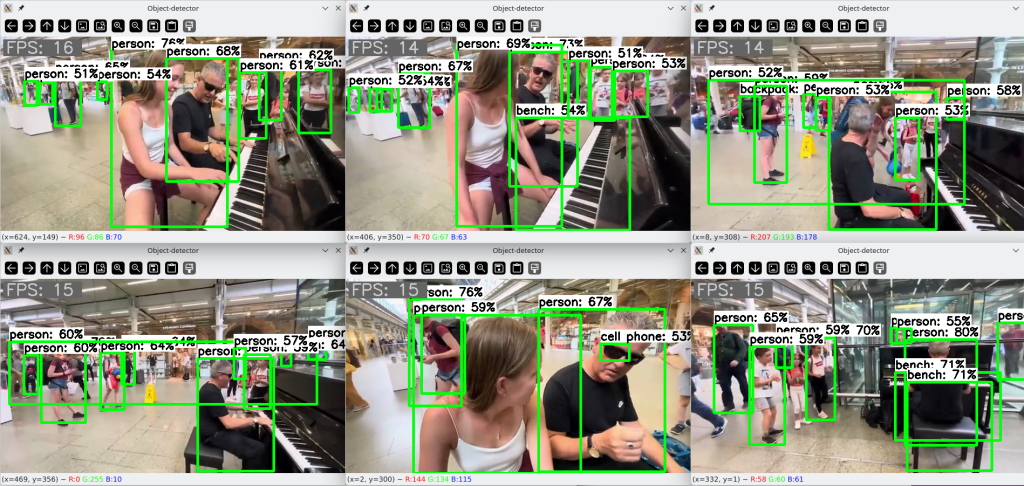
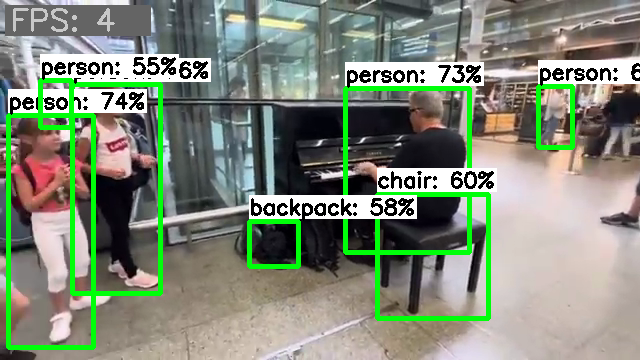
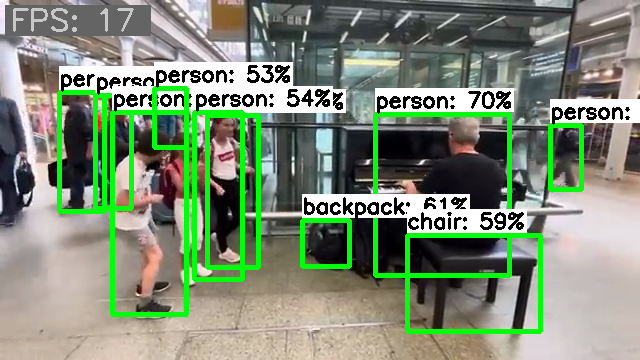
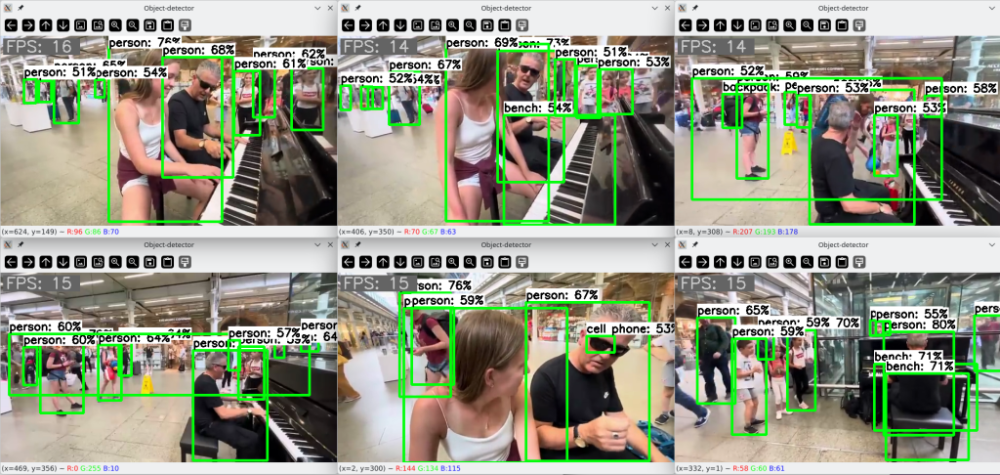
Lately, I've been playing around a bit with computer vision detection. I managed to patch together a PoC script with which I conducted some tests. The results are quite promising. The frame rate is just based on the round trip time of my test script, so it only roughly reflects the inference time. The throughput includes all additional overhead but is sufficiently informative for a relative comparison. Inference on a single CPU core delivers an image throughput of about 4 images: Inference on a single NPU core delivers an image throughput of about 17 images: Inference on eight CPU cores delivers an image throughput of about 21 images. But all eight cores run over 80% during this, and after a short time the fan kicks in. The headroom is also quite limited, for e.g., to perform other tasks concurrently. Running several similar inference tasks concurrently immediately results in a proportional drop in frame rate per task. When six similar inference tasks are executed simultaneously with NPU delegates, they are distributed across the three available NPU cores, and the SoC utilization is moderate enough that the fan doesn't even turn on. The throughput does not degrade and the CPU cores remain available for other tasks as well: For my tests, I used a random video clip. For the inference, I used a model pre-trained with the COCO dataset. With its 4.1MB memory size and its 80 object classes, it delivers surprisingly good results. Using the NPU hardware not only reduces the load on the CPU cores but also provides additional acceleration of processing. But the best part is that only current mainline code is required for use. No dependencies on proprietary implementations or outdated software stacks. It just works out-of-the-box, you just need to know how to use it.
-
That "rvdisplay" string is found in the following files: libVK_IMG.so, libsutu_display.so, and libpvr_dri_support.so. When comparing the OpiRV2 versions of these files with https://gitee.com/spacemit-buildroot/img-gpu-powervr I got 9a640=spacemit vs 9a2d0=rvdisplay. Thus, Xunlong has source code for these (different offsets, rvdisplay is one char longer). So no need to hack Armbian kernel, I presume GPU works if we use *.so from gitee repo. HTH // Sven-Ola
-
@c0rnelius then the GPU probably works, since without GPU e.g the Bianbu first time wizard (language, kbd, timezone, user) needs 20 minutes while uptime reports load=10. I'm damn sure you have noticed an extraslow GUI
-
Yes usermod -aG docker yourusername , then reboot, was what I needed to let the armbian build script continue Warning: if you forget the "a" in -aG, you will get locked out being admin in your own computer Second roadblock: I needed to install qemu as per: https://forum.armbian.com/topic/52127-running-armbian-build-on-x86-64/#findComment-219019 Thank you Werner!
-
I’m really happy to share that I finally managed to port the SV6256P (SSV6X5X) SDIO Wi-Fi driver from the legacy Linux 4.4 kernel to modern kernels. This repository contains my working port for Linux kernel 6.12 and newer, with updated mac80211/cfg80211 integration so the driver can build and run on recent Armbian systems. The chipset is commonly used in many low-cost TV boxes and embedded devices, but the original driver only supported legacy kernels (4.4). Now it’s functional again on modern systems, at least on my tested hardware (Allwinner H616 / X96 Q via SDIO). Repository link: https://github.com/cdhigh/armbian_sv6256p I’m quite excited to finally see this old Wi-Fi chip working on a 6.x kernel 🙂 [ 4.774151] ssv6x5x: importing configuration from /lib/firmware/ssv6x5x-wifi.cfg [ 4.778281] tu_ssv6xxx_sdio_init, probe @(____ptrval____) [ 4.779483] TU_SSV6XXX_SDIO mmc3:0001:1: Probing SDIO bus [ 4.779513] ssv6xxx_set_sdio_clk: set sdio clk 25000000Hz [ 4.799668] TU_SSV6XXX_SDIO mmc3:0001:1: vendor = 0x3030 device = 0x3030 [ 4.825421] TU_SSV6XXX_SDIO mmc3:0001:1: dataIOPort 0x10000 regIOPort 0x10020 [ 4.849181] TU_SSV6XXX_SDIO mmc3:0001:1: dataIOPort 0x10000 regIOPort 0x10020 [ 4.849530] TU_SSV6XXX_SDIO mmc3:0001:1: CHIP ID: SSV6006C0 [ 4.850373] ssv6x5x ops chk: tx=1 start=1 stop=1 config=1 add_if=1 rm_if=1 conf_filter=1 wake_txq=1 [ 4.850402] ssv6x5x chanctx chk: any=1 all=0 emulate=1 add=1 rm=1 chg=1 assign=0 unassign=0 [ 4.850409] ssv6x5x chanctx ops set but not complete [ 4.850424] Attach SSV6006 family HAL function [ 4.858285] MAC address from e-fuse [ 4.858311] EFUSE configuration [ 4.858315] Read efuse chip identity[79000000] ip link show: 6: wlan0: <NO-CARRIER,BROADCAST,MULTICAST,UP> mtu 1500 qdisc noqueue state DOWN mode DORMANT group default qlen 1000 link/ether xx:xx:xx:xx:xx:xx brd ff:ff:ff:ff:ff:ff
-

Cubitruck have the false Time and i can't change this
Coolzero1982 replied to Coolzero1982's topic in Allwinner sunxi
This morning, the difference is not as big as yesterday, but it is still there. Why isn't it synchronized via NTP? sudo date -s “2026-02-10 04:13:00” Tue, Feb 10, 04:13:00 CET 2026 root@cubietruck ~ > date Tue, Feb 10, 06:11:41 CET 2026 -
 I installed Filebrowser via armbian-config but it didn't work. The container was restarting and there was: Using database: /database/filebrowser.db Error: open /database/filebrowser.db: permission denied in the .log file. The developers of Filebrowser explained they introduced some breaking changes and documented the changes that have to be made to avoid that error: - User: File Browser no longer runs as root, but as user with PID 1000 and GID 1000. You can still change this by using Docker's --user flag [https://www.docker.com/blog/understanding-the-docker-user-instruction/]. - Volumes: the volumes with the database and configuration are now aligned with the s6-overlay images. Instead of mounting the files themselves, which leads to frequent issues, you now mount the surrounding directory. Unfortunately, these are breaking changes and will require updates on your side. Assuming you have a database.db, a .filebrowser.json and the data in /data, do the following: 1. Change the path of database in .filebrowser.json to /database/filebrowser.db 2. Rename database.db to filebrowser.db 3. Rename .filebrowser.json to settings.json 4. Put them in the same directory locally, let's say /app/filebrowser/ 5. Change the permissions of both directories: sudo chown -R 1000:1000 /app/filebrowser /data 6. Mount with the flags -v /app/filebrowser:/database -v /app/filebrowser:/config - you can also choose to put them in separate directories, but it is not needed. If you are still getting errors, please make sure that the paths/volumes you are mounting have read-write permission for user 1000:1000. For more up to date information regarding how you should use the Docker image, check filebrowser.org/installation.html#docker [https://filebrowser.org/installation.html#docker] But how exactly to apply those changes after the container already has been created and started via armbian-config?