All Activity
- Past hour
-

H96 Max V58 Rockchip RK3588 Unofficial ARMBIAN
Scrumpper replied to Scrumpper's topic in Rockchip CPU Boxes
@Hqnicolas Thank you for bringing this to my attention :-) I've updated the repo. Lmk if I should do anything else. This was kinda my first fore into making stuff for Armbian. - Yesterday
-

H96 Max V58 Rockchip RK3588 Unofficial ARMBIAN
Hqnicolas replied to Scrumpper's topic in Rockchip CPU Boxes
@Scrumpper Thank you for spending so many tokens on this project. But it looks like you have a closed fork of Armbian. @Werner @Igor On this forum, our focus is sharing information to enable boards to be compiled using the Armbian build. It is not recommended for any user to install or even decompress images obtained from other internet users. You must provide the source code so that other users can compile the system on their own machines. please include this REPO into your context window and ask for claude to make a repo like this for you. https://github.com/hqnicolas/ArmBoardBringUp This is the easiest way to add content to this community. With a repository like this, others will be able to engage in discussions with a more solid foundation. Thank you for sharing files like: MiniLoaderAll.bin https://drive.google.com/file/d/1e5U6_npf6pRbzaRBgW44XXL752UPhGn8/view?usp=sharing rk3588-h96-max-v58.dtb https://drive.google.com/file/d/1SQsldgu0MO4jTU7RuVakBXoYIjdQ6zYj/view?usp=sharing -
Hi, Finally, I made some good progress. I updated the DTS by starting with the DTS from Armbian 26.5.1 for current 6.18.x kernels and then merged the missing NPU and Power Domain nodes from the original DTS provided by @m1zfs. While comparing the original DTS with the current Armbian DTS, I also found that one of the phandle references in the NPU power-domain definition needed to be adjusted to match the phandle numbering used in the current Armbian DTS. After fixing that, the system booted successfully and the NPU was detected correctly. I'm now testing it with rknn_toolkit2 to verify that the NPU is fully functional. root@odroidtest:~# uname -a Linux odroidtest 6.18.35-current-rockchip64 #2 SMP PREEMPT Tue Jun 9 10:28:53 UTC 2026 aarch64 GNU/Linux root@odroidtest:~# root@odroidtest:~# lsmod | grep -E '^(rknpu|dma32_heap)\b' rknpu 94208 0 dma32_heap 12288 0 root@odroidtest:~# root@odroidtest:~# ls -l /dev/rknpu /dev/dri/by-path/platform-fde40000.npu-render /dev/dma_heap/system /dev/dma_heap/dma32 crw------- 1 root root 251, 3 Jul 25 21:19 /dev/dma_heap/dma32 lrwxrwxrwx 1 root root 19 Jul 25 21:19 /dev/dma_heap/system -> /dev/dma_heap/dma32 lrwxrwxrwx 1 root root 13 Jul 25 21:19 /dev/dri/by-path/platform-fde40000.npu-render -> ../renderD128 crw------- 1 root root 10, 261 Jul 25 21:19 /dev/rknpu root@odroidtest:~# root@odroidtest:~# dmesg | grep -i rknpu [ 6.108962] [drm] Initialized rknpu 0.9.8 for fde40000.npu on minor 1 [ 6.110169] RKNPU fde40000.npu: RKNPU: DKMS: /dev/rknpu registered (DMA-BUF import only) [ 6.132583] RKNPU fde40000.npu: RKNPU: SCMI clock 198 MHz [ 6.133433] RKNPU fde40000.npu: RKNPU: devfreq active (SCMI-only, OPP 200-1000 MHz) [ 6.134599] RKNPU fde40000.npu: RKNPU: thermal throttling enabled [ 6.139965] RKNPU fde40000.npu: RKNPU: sram region: [0x00000000fdcc0000, 0x00000000fdccb000), sram size: 0xb000 root@odroidtest:~#
-
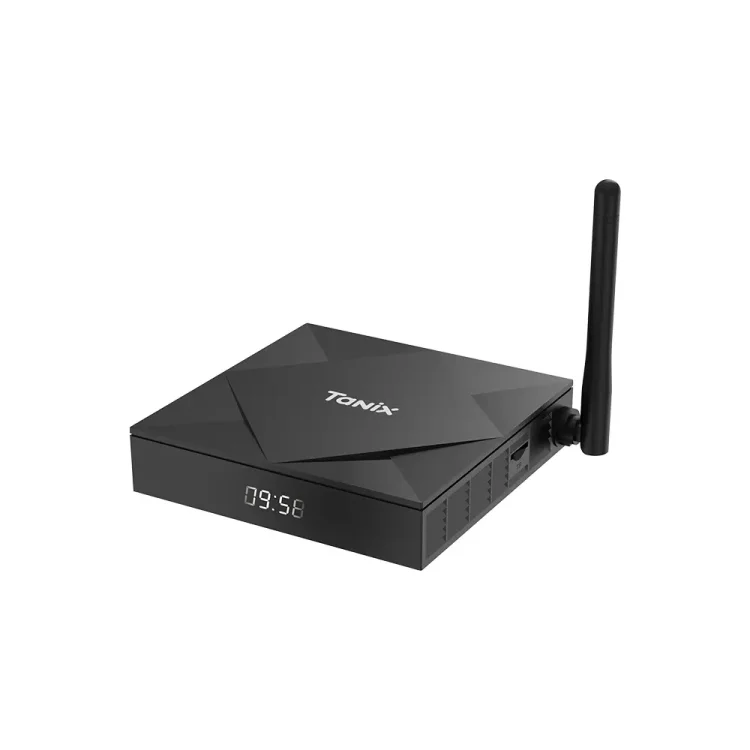
So, For some Months I was trying to Use Latest Armbian on My Tx6S , First I found Nick Avollic's (Nick A) Armbian build that has my tx6s version supported the axp313 one but it was old (I can work with that though) but I wanted something that would support armbian latest.At first I tried to import directly from his repo but as he used miniarch patches it was difficult but somehow with some of ai assistantance I managed to made latest one but it was not on the latest stable kernal I used it for some time than now I thought why not get lastest kernal so After a lot of trail and error I finally managed to get latest Armbian and latest stable kernal working on my Tx6s.Its Also syncable to official armbian without issues . Github What's Working: Ethernet WiFi USB Ir-Receiver What's Not Working: Nothing,Right Now. Untested: Bluetooth (As my TV Box Doest Have Bluetooth So Its not possible for me to test) Downloads: Minimal Server [I do recommended people to build/compile their own image from sources and not to trust any random build on internet. You can build your own image from my forked githubs add-tanix-tx6s-axp313 branch your own image] In my test in CLI I found almost all the things working correctly.I will test the GUI/Desktop Interface later.
-
moved to tvboxes
-
specs: hi3798 ram 1g rom 4g sd/usb boot or emmc boot any help appreciated
-
Currently i need to find someone to be able to make a new driver stack for this box, I had already once ran weston successfully, got emmc boot but i didnt image the system, so it's now gone after i use apt commands(it replaced most of the files). I hope we will be able to fully utilize this box after someone made driver stack or ported drivers that are more compatible, I'll move on and leave this project behind, I will spend some of my free time to work on this, I'll update in the future. Maybe contact me if you want to help working on this. Software rendering works fine(kinda), it got bugs rendering and things on xfce, also fpt(the manufacture) only left some drivers for weston, maybe we can get other drivers for gpu acceleration from somewhere else, i dont really know. That's all i know for now
-
Orange Pi 4A (Allwinner T527 / A523, sun55i-a523) — new mainline image coming in a few days Hi all, A quick heads-up for anyone following the Orange Pi 4A / Allwinner T527 (A523) mainline effort: a new image, v0.3, is coming in the next few days. It's based on mainline Linux 6.18 (longterm) and it's a decent step up from v0.2, so I wanted to give some advance notice. What's new in v0.3: Hardware video decode (VPU): H.264/H.265 decoded on the Cedar VPU — smooth video in the bundled web browser (WebKitGTK), using Allwinner's own cedar + libcedarc stack. GNOME on Wayland (replaces Plasma), accelerated by Panfrost (Mali-G57). The X11 session is intentionally not used — Wayland is much faster on this GPU for both desktop and video. Low-RAM fix: compressed in-RAM swap (zram) is on by default, so the 2 GB board stays responsive under a browser + video instead of freezing. Robustness: the VPU driver now survives a client crashing mid-decode without wedging the board, plus a round of code-audit fixes across the clock, PCIe, DRM, VPU and audio-codec drivers. Everything from before still works: display/KMS, GPU, HDMI + analog audio (headphones with jack detection), Ethernet, WiFi, USB, PCIe/NVMe (not yet tested with a real drive), thermal and cpufreq/DVFS. How it's built: on top of mainline Linux and public community work (linux-sunxi, Armbian and others — credited in the tree), with Allwinner's public documentation and vendor BSP as the hardware reference, plus the project's own patches, each one validated on real hardware. Some of this has been posted to the linux-sunxi / upstream lists and picked up by maintainers. This is a spare-time hobby project, shared as-is (async, no live support). Sources, patches and images are on GitHub — I'll post here again when the release is up: GitHub: https://github.com/ut-slayer/orangepi-4a-mainline Testers and feedback are very welcome. Thanks!
-
I created a fully automated TTN UDP Gateway installer for the Bobcat 300 (G285/G29X). Prerequisite: First install Armbian by following the instructions in the Bobcat-Armbian project: https://github.com/sicXnull/Bobcat-Armbian After Armbian has been installed, use the installer from my repository: https://github.com/AdvdLaar/Bobcat300-TTN Note: This installer is intended for TTN UDP Gateway operation only. It does not install or configure Helium. Features: Automatic detection of G285 and G29X hardware. Selectable TTN region (EU868, US915, AS923, AU915, IN865, RU864, CN470, JP923, KR920). Automatic Gateway EUI generation from the MAC address. No git clone required (downloads the repository as a ZIP using wget). Cleans up previous installations before installing. Verifies the SPI device and required files before continuing. Configures the packet forwarder automatically. Includes a showgatewayinfo.sh utility to display the configured Gateway EUI and TTN server. The installer has been tested on my Bobcat 300 G285 and performs a clean installation on an Armbian system without requiring any manual configuration. Many thanks to sicXnull for making the Armbian port possible. Without that project, this installer would not have been possible. Hopefully this is useful for others who want to convert their Bobcat into a TTN UDP Gateway. Have fun with your TTN gateway. Best regards, Ad
- Last week
-
 Great job. I have the same OPI5+. The fan has 3 pins. Can you tell me how to desolder the wires?
 -
shit. no. of course go mainline if ou can. i even hate systemd. the best i can think of now (not tried yet) is first booting 4.9 to set wakeup if poweroff, then kexec to mainline (but shipped firmware doesn't). i just have wake-on-lan working here. cramfs is obsolent but cool, why uboot loads it? linux can mount it (instead of initramfs, as it could use the 5mb unset with the factory partition table). to quickly setup a cute rootfs, just run: os=/mnt pkg=busybox-binsh if [ ! -f /sbin/apk ]; then service=http://edge.kernel.org arch=aarch64 branch=v3.24 version=3.0.6-r0 wget -T 2 $service/alpine/$branch/main/$arch/apk-tools-static-$version.apk -O - |tar -xzf - -C $os sbin/apk.static /mnt/sbin/apk.static -X $service/alpine/edge/main/ -U --allow-untrusted -p $os --initdb add $pkg $@ else apk -p $os --initdb add $pkg $@ fi #switch_root $os that is my netboot.sh
-

Trying to boot Armbian on LinknLink iSG Box SE
Caleb Gilmour replied to Sancho's topic in Rockchip CPU Boxes
As for wifi, here's what I observe when the device is idle and being pinged from a laptop also on wifi. ``` 64 bytes from 192.168.68.66: icmp_seq=0 ttl=64 time=3182.692 ms 64 bytes from 192.168.68.66: icmp_seq=1 ttl=64 time=2182.085 ms 64 bytes from 192.168.68.66: icmp_seq=2 ttl=64 time=1181.659 ms 64 bytes from 192.168.68.66: icmp_seq=3 ttl=64 time=179.310 ms 64 bytes from 192.168.68.66: icmp_seq=4 ttl=64 time=3475.474 ms 64 bytes from 192.168.68.66: icmp_seq=5 ttl=64 time=2471.529 ms 64 bytes from 192.168.68.66: icmp_seq=6 ttl=64 time=1467.670 ms 64 bytes from 192.168.68.66: icmp_seq=7 ttl=64 time=463.009 ms 64 bytes from 192.168.68.66: icmp_seq=8 ttl=64 time=776.850 ms 64 bytes from 192.168.68.66: icmp_seq=9 ttl=64 time=10.257 ms 64 bytes from 192.168.68.66: icmp_seq=10 ttl=64 time=3492.560 ms 64 bytes from 192.168.68.66: icmp_seq=11 ttl=64 time=2491.066 ms ``` It repeats that fairly consistently, and has lower values when the device is actively doing something, eg: sending out pings to the router. It's like it only processes packets every 4 seconds. Best guess for now is some power management setting buried deep within the kernel and driver. Possibly only affecting my specific setup. -
Trying to boot Armbian on LinknLink iSG Box SE
Caleb Gilmour replied to Sancho's topic in Rockchip CPU Boxes
OK, I figured it out after some more poking: A recent change to afptool seems to be causing some problem. Using a specific older commit `ff93e32479183a3be0c86ff5441297cb8a7336d1` produced an image that upgrade_tool could successfully install and boot. I'll open an issue with afptool-rs but my ability to describe the problem is a bit weak: "something broke" The local workaround is below. Just FYI, not really something I'd PR and expect merged in vs an upstream fix. ``` $ git diff diff --git a/image-tools/repack-afptool-rs.sh b/image-tools/repack-afptool-rs.sh index 85bac3a..13b559e 100755 --- a/image-tools/repack-afptool-rs.sh +++ b/image-tools/repack-afptool-rs.sh @@ -168,7 +168,8 @@ build_patched_afptool() { mkdir -p "$src_dir" rsync -a --delete "$APFTOOL_RS_SRC/" "$src_dir/" elif [[ ! -d "$src_dir/.git" ]]; then - git clone --depth=1 --branch "$src_ref" "$src_url" "$src_dir" + git clone "$src_url" "$src_dir" + (cd "$src_dir" && git checkout ff93e32479183a3be0c86ff5441297cb8a7336d1) fi if ! grep -q 'RK3528_LEGACY' "$src_dir/src/pack.rs"; then ``` -
Trying to boot Armbian on LinknLink iSG Box SE
Caleb Gilmour replied to Sancho's topic in Rockchip CPU Boxes
hi @Sancho, both modes were attempted at various times. I get them mixed up, but one is where `uf` works directly, and the other where MiniLoaderAll.bin needs to be done first. To be precise, `upgrade_tool uf <your-image>` works consistently, and `upgrade_tool uf <locally-built-image>` fails immediately after `Download Firmware Start`. I enabled logging with `upgrade_tool lg`, but not very informative: `ERROR:DownloadImage-->CheckParamPartSize failed` Basically the `parameter` partition. But the problem isn't obvious to me after unpacking both partitions and comparing `partition-metadata.txt`. ``` package-file,package-file,0x00000000,0xffffffff,0x00000800,0x00000001,0x0000009d bootloader,Image/MiniLoaderAll.bin,0x00000000,0xffffffff,0x00001000,0x000000de,0x0006e9c0 -parameter,Image/parameter.txt,0x00002000,0x00000000,0x00070000,0x00000001,0x00000180 +parameter,Image/parameter.txt,0x00002000,0x00000000,0x00070000,0x00000001,0x00000174 uboot,Image/uboot.img,0x00004000,0x00004000,0x00070800,0x00001000,0x00800000 boot,Image/boot.img,0x00080000,0x00008800,0x00870800,0x00020000,0x10000000 -rootfs,Image/rootfs.img,0x039b4fbf,0x00089000,0x10870800,0x0012ce00,0x96700000 +rootfs,Image/rootfs.img,0x039b4fbf,0x00089000,0x10870800,0x00124600,0x92300000 ``` Also attempted: flash original image, then overwrite rootfs partition directly with a WriteLBA. This had a low chance of working, and it was also unsuccessful. I'm happy to try a few more things and report back. I'll try a fresh build and check deeper for differences between the images. -
@AurealNix - Firstly massive kudos to where you've got this board there will be lots of people here quite happy they can get onto a 6.18 kernel .. Well done sir. You 'll be pleased to hear I pulled my ebay listing as a result of what you and Claude achieved. I also signed up to a Claude subscription to save me being so abusive to Gemini when it doesn't meet the standard - thank you! So I just downloaded the headless image and imaged to an M.2 NVMe ... Connected the Serial cable powered on and nothing on the screen I'm afraid. So I armbian-imaged it onto an SD and everything booted fine, lots of text - I logged in and "fdisk -l" only showed my SD card. so I guess that's a negative with the NVMe ... one thing I haven't done is imaged the orangepi-4a 5.x kernel onto the NVMe to see if it boots as it might be that the boot protocol only looks on the SD - will post if I can image the 5.x onto the M.2 and get it to boot later. I've just tried to find a headset cable to test the audio port but only got a headphone cable so can't test yet - and I've seen in your git repo that you have already confirmed the audio port is good so no pressure for me unless you are still in need of testing ? Great stuff and cheers!
-
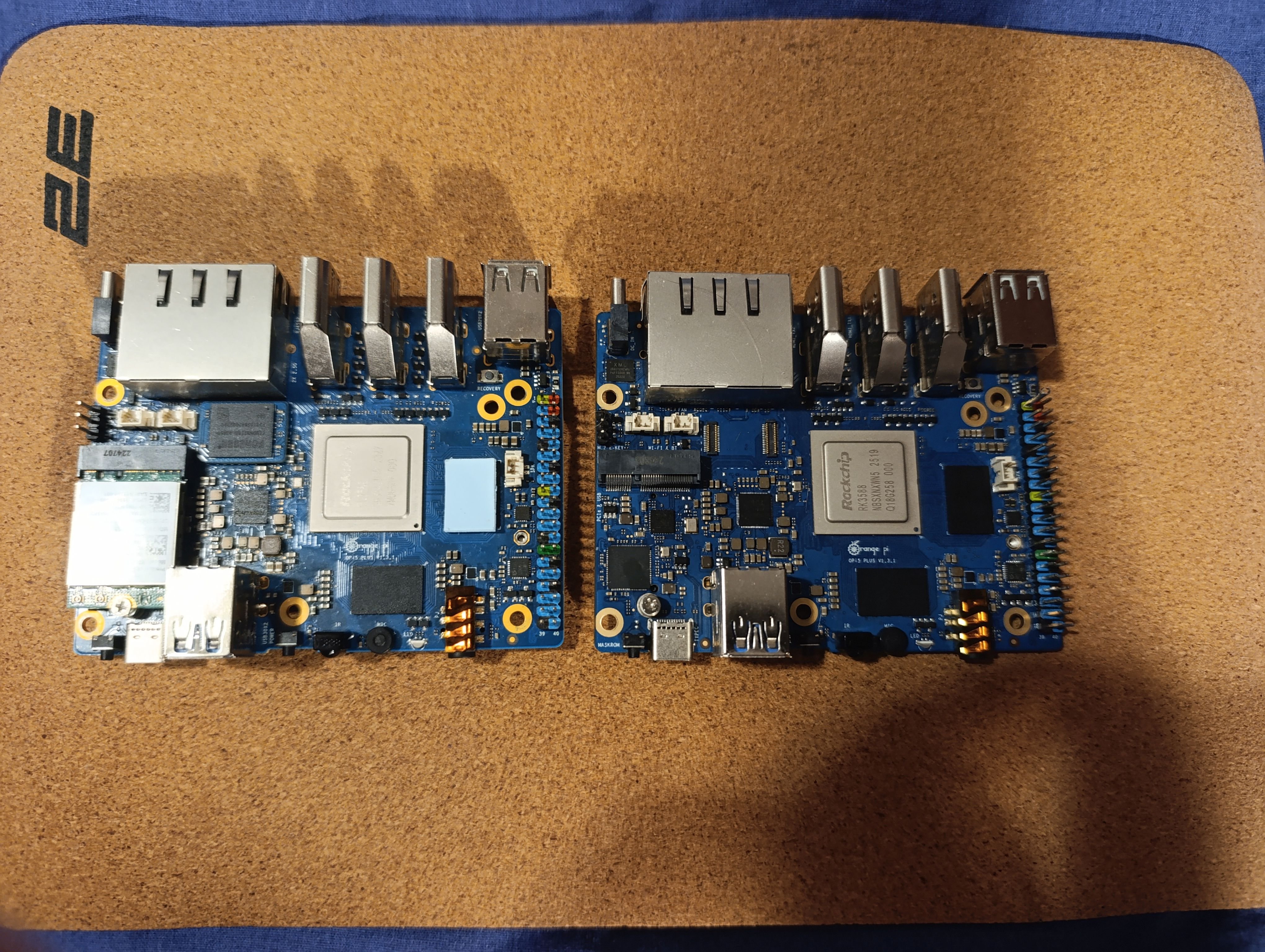
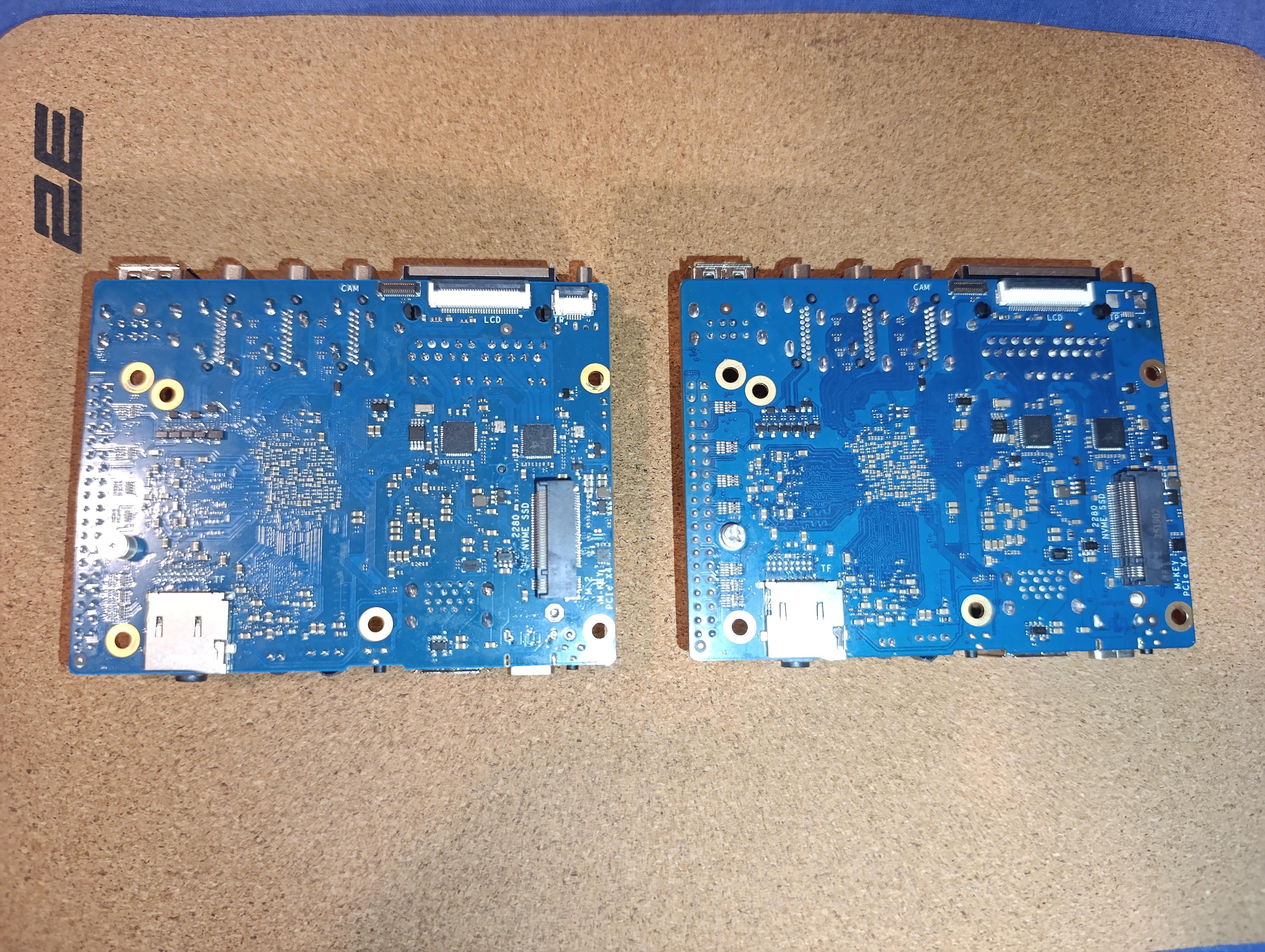
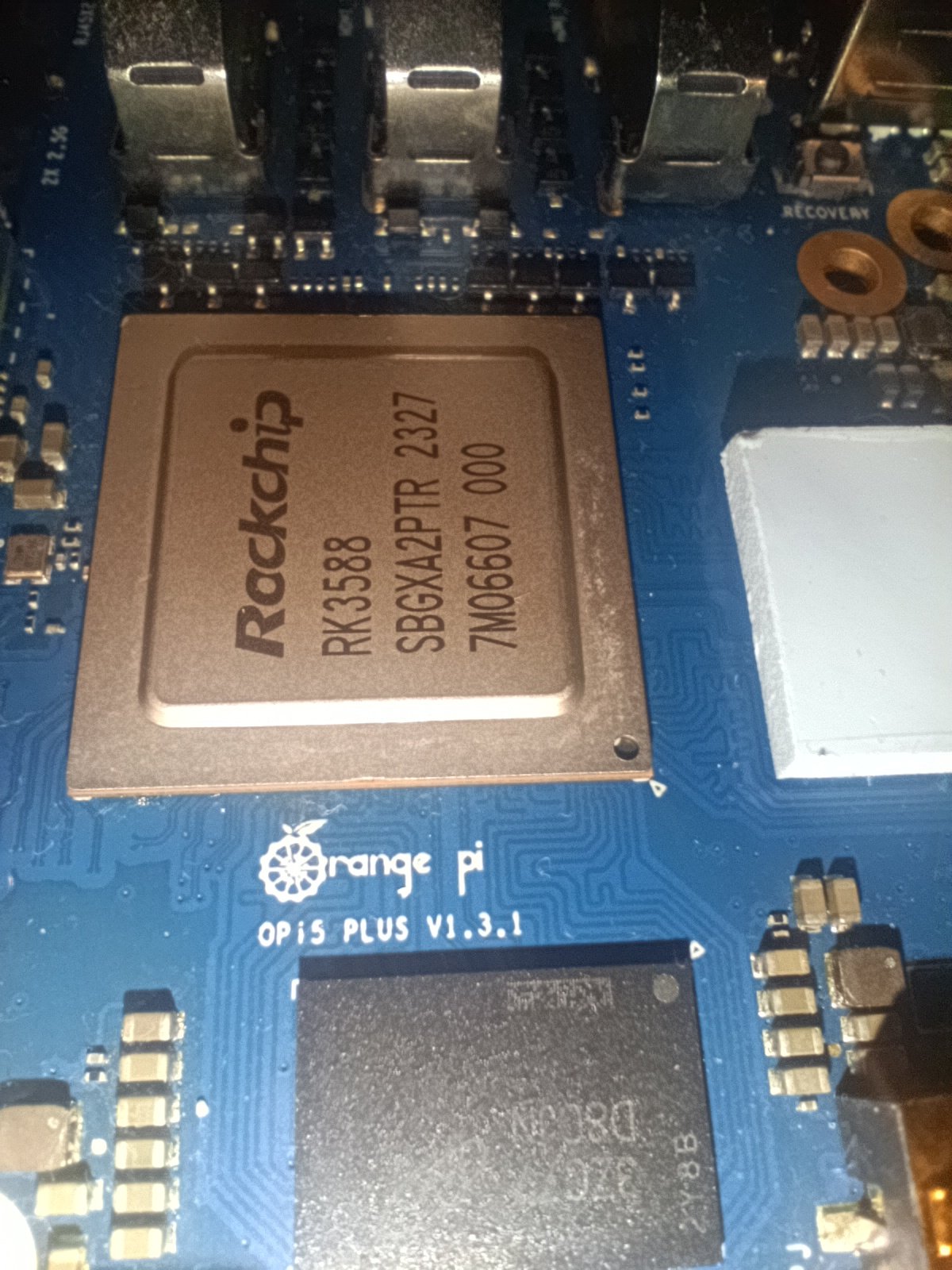
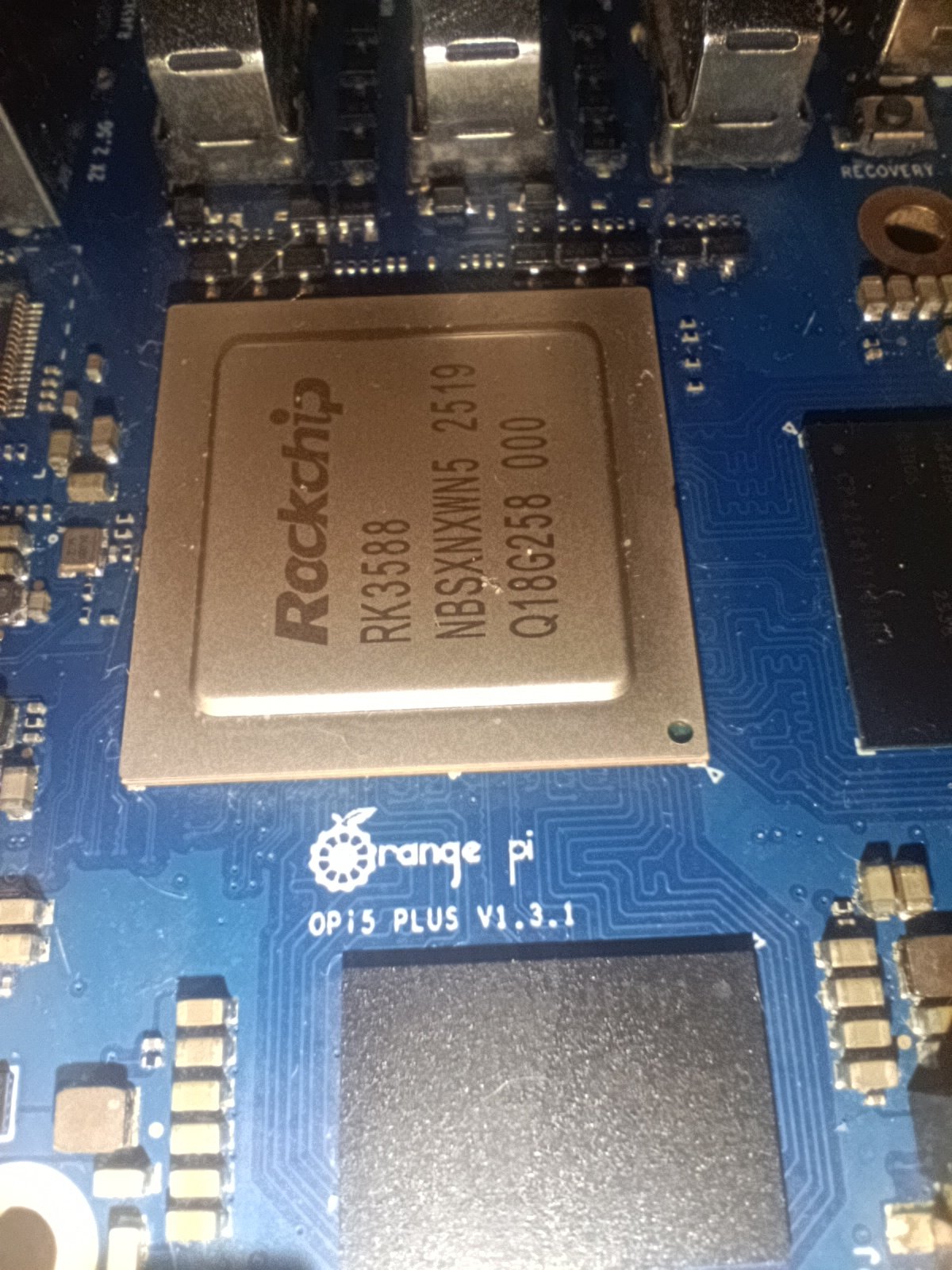
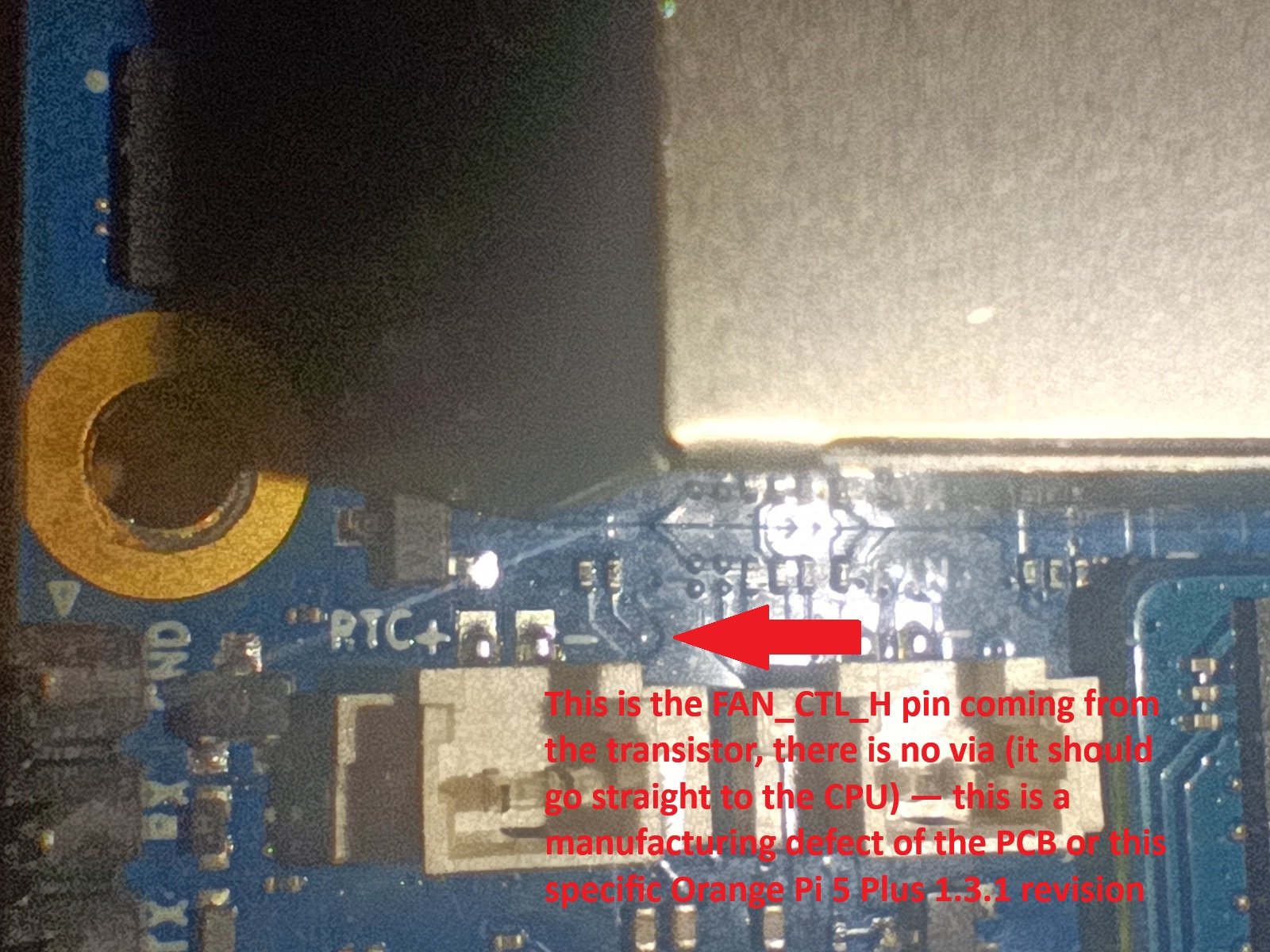
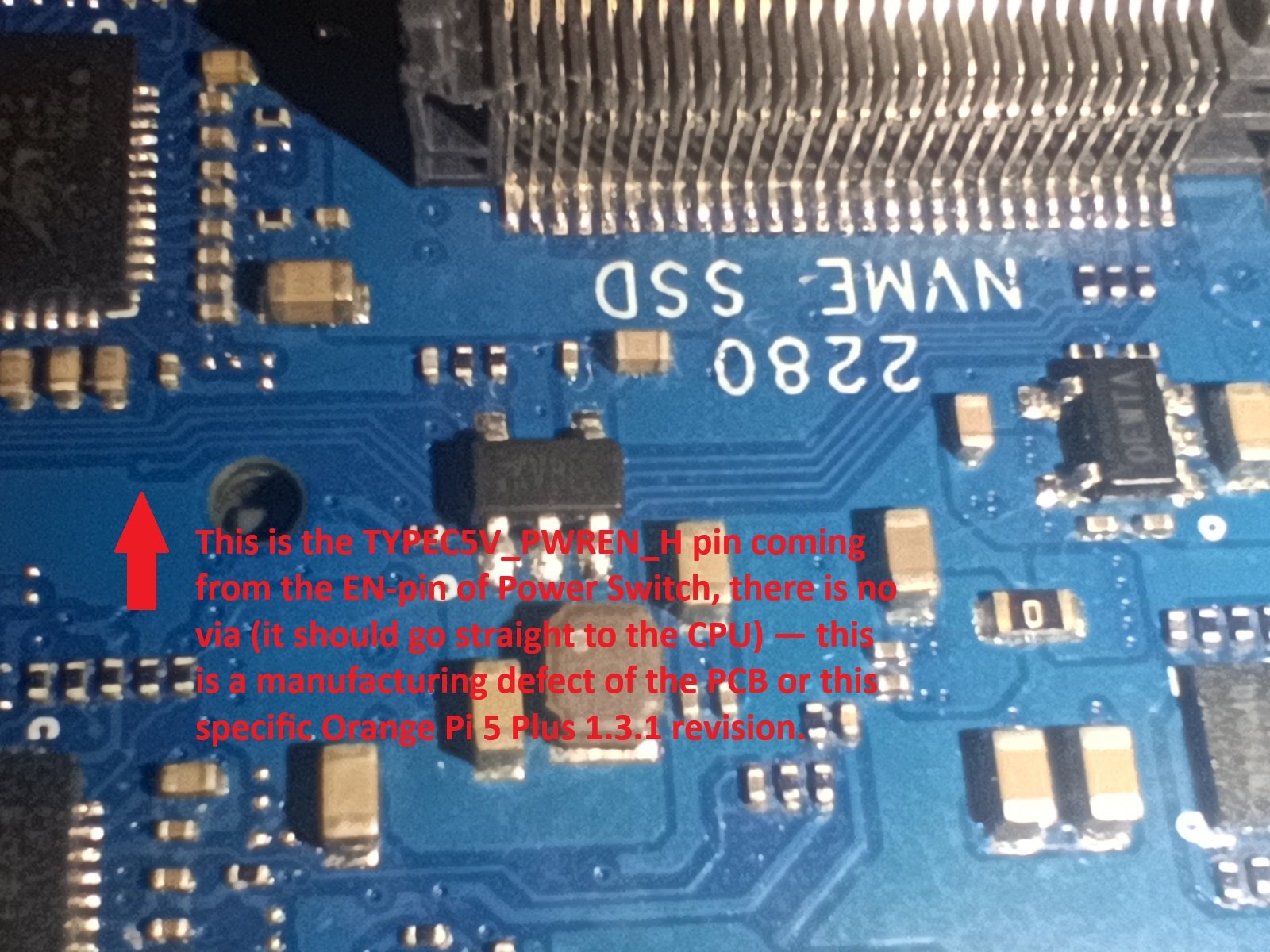
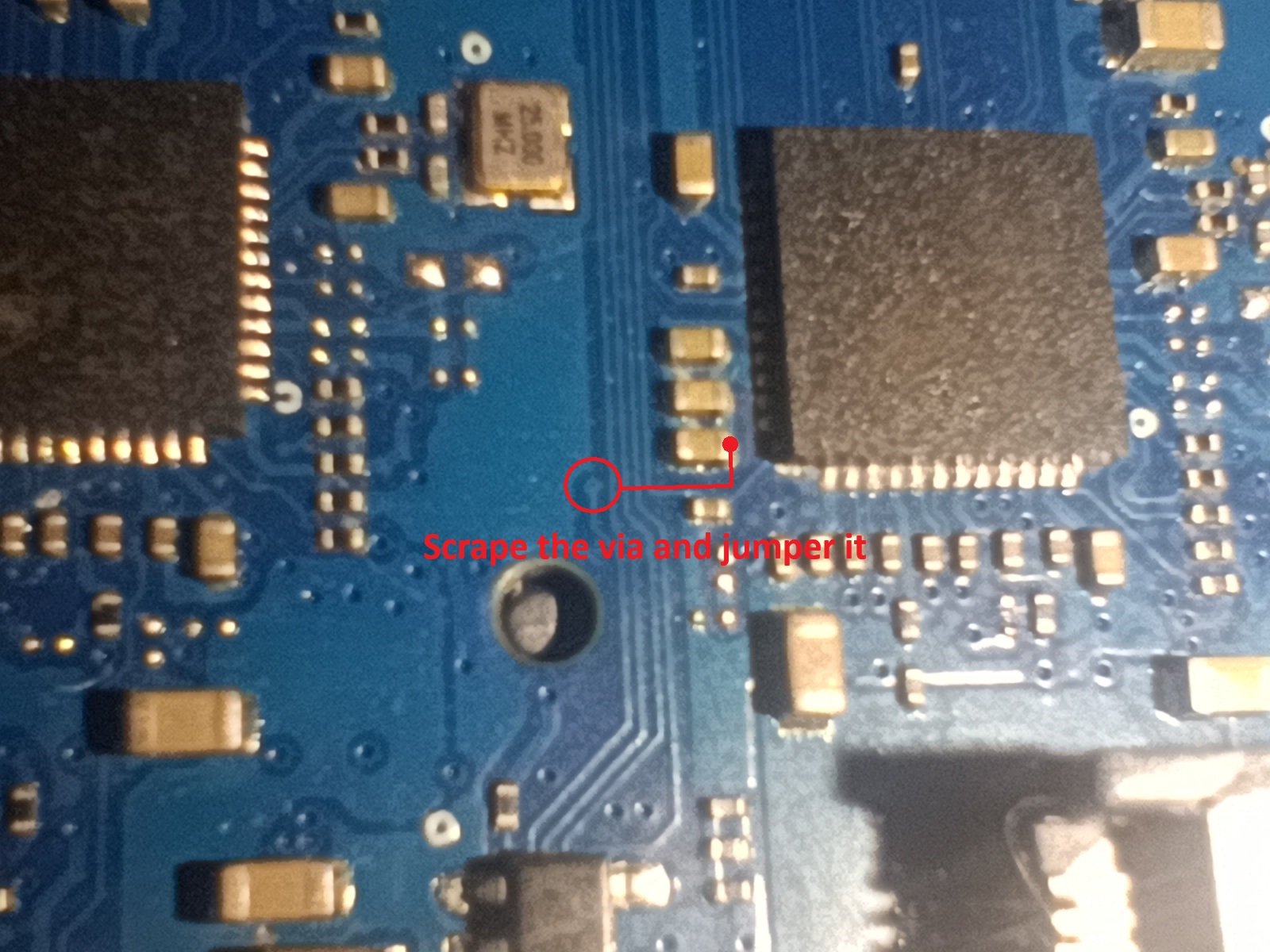
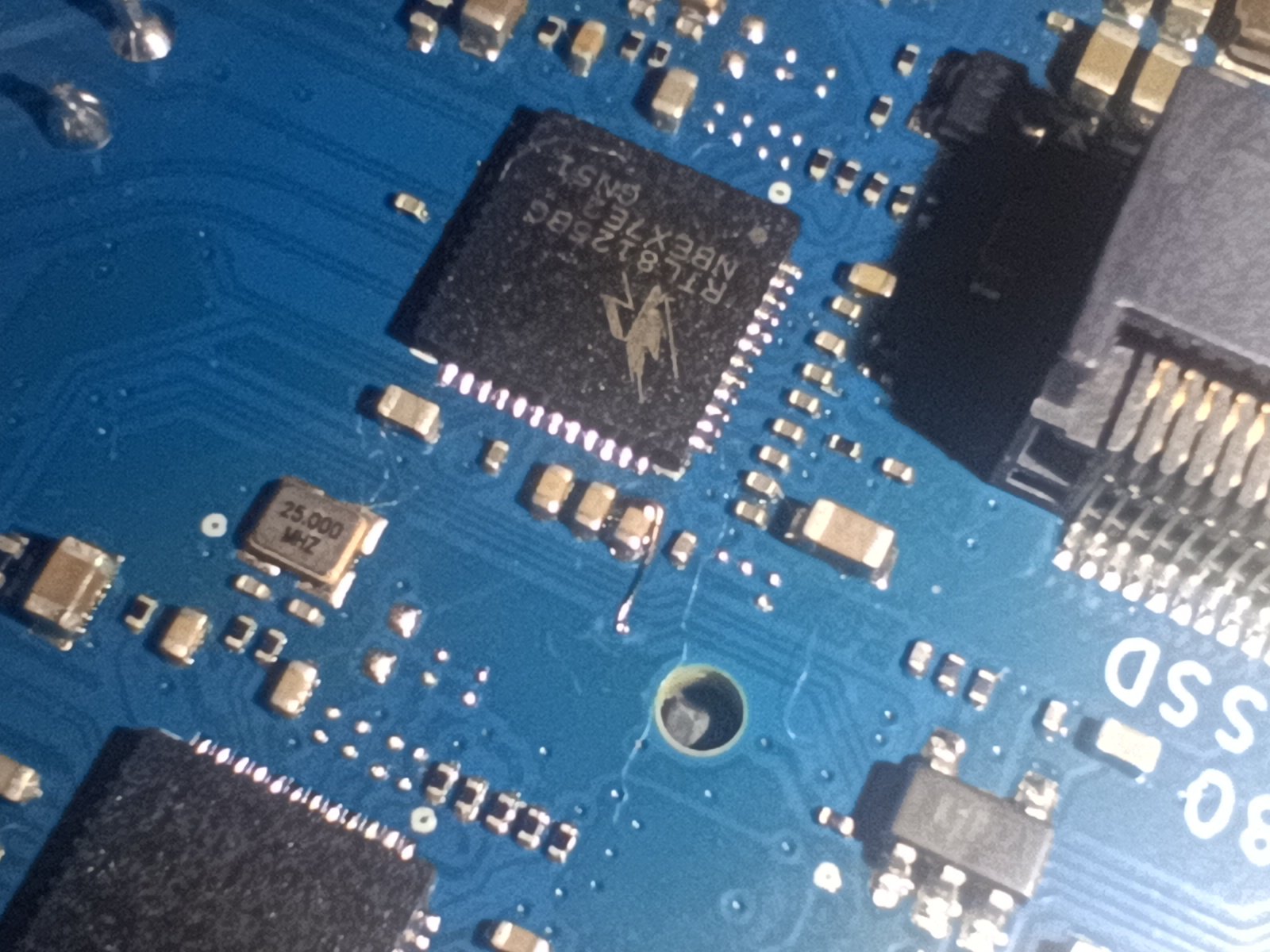
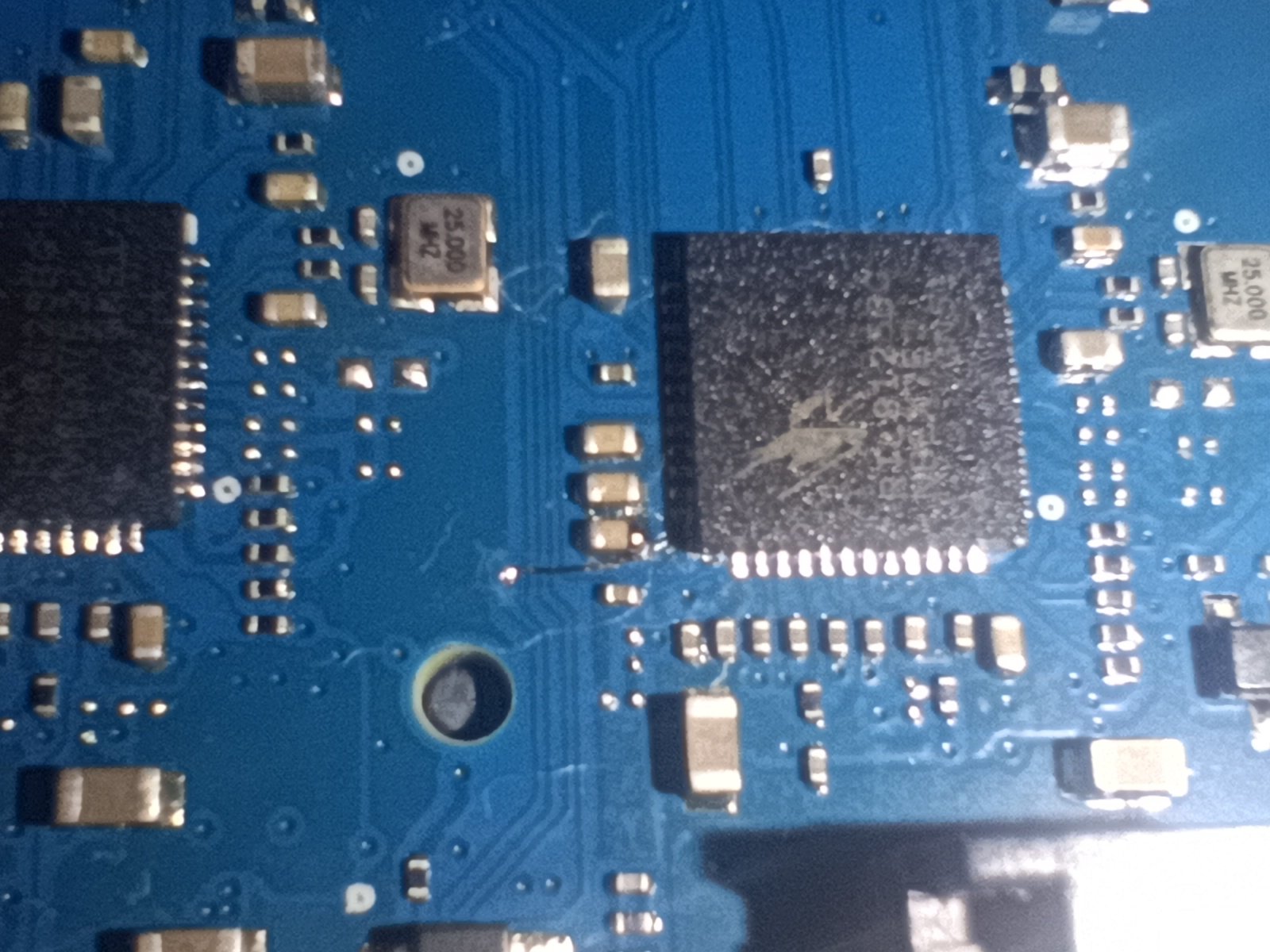
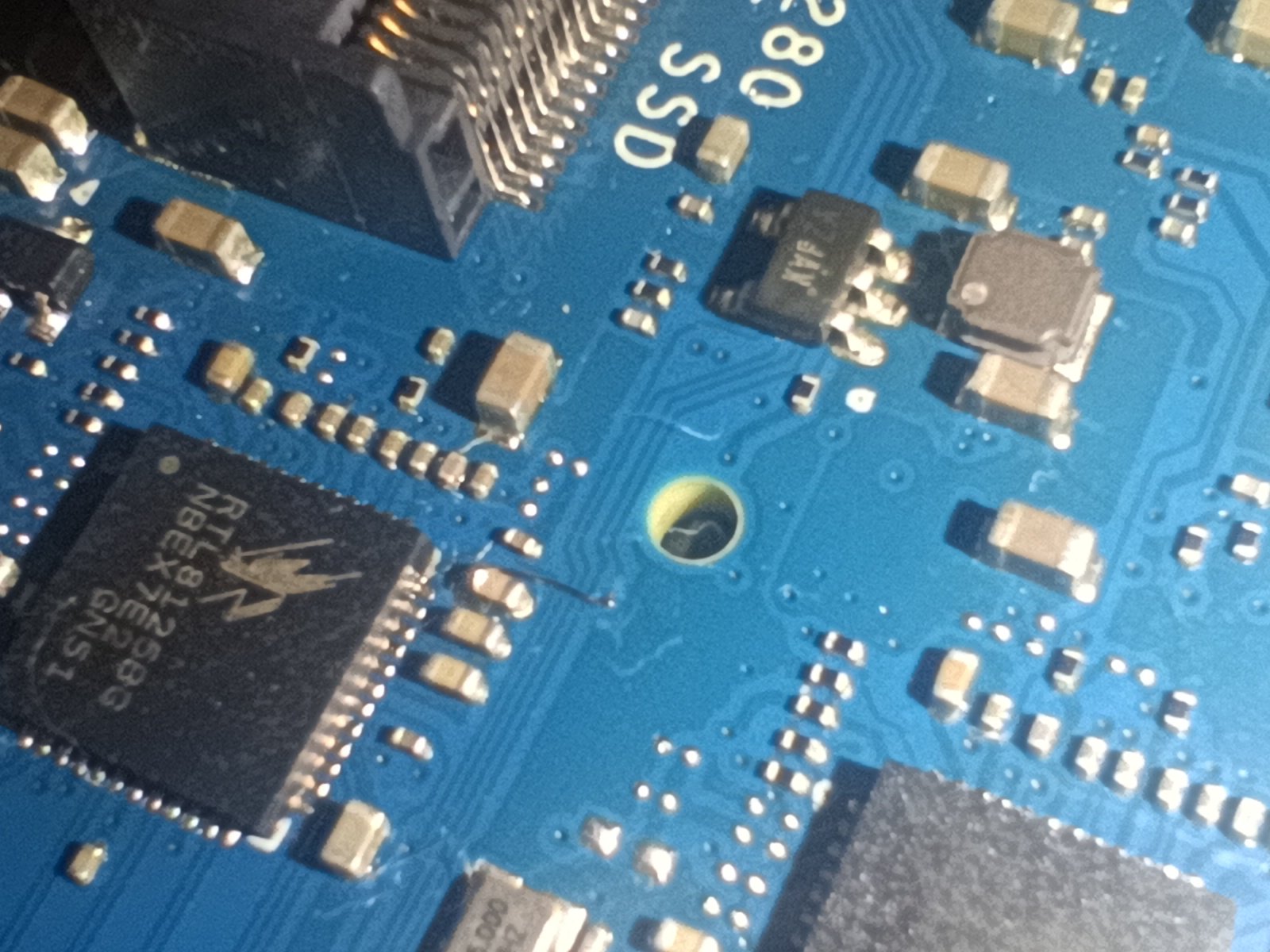
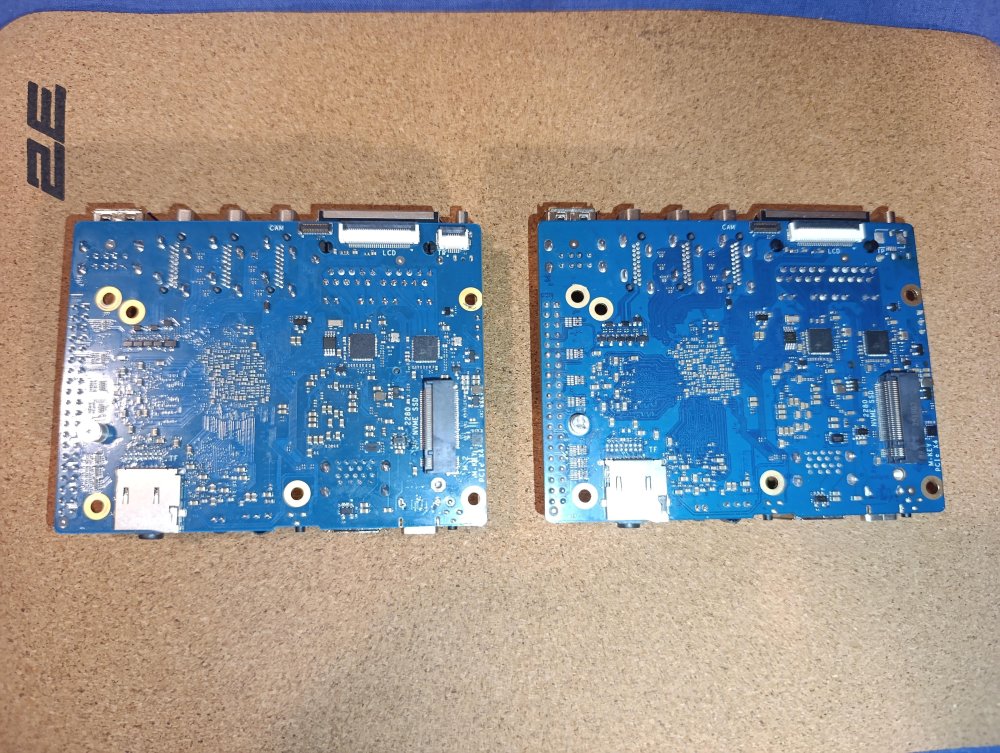
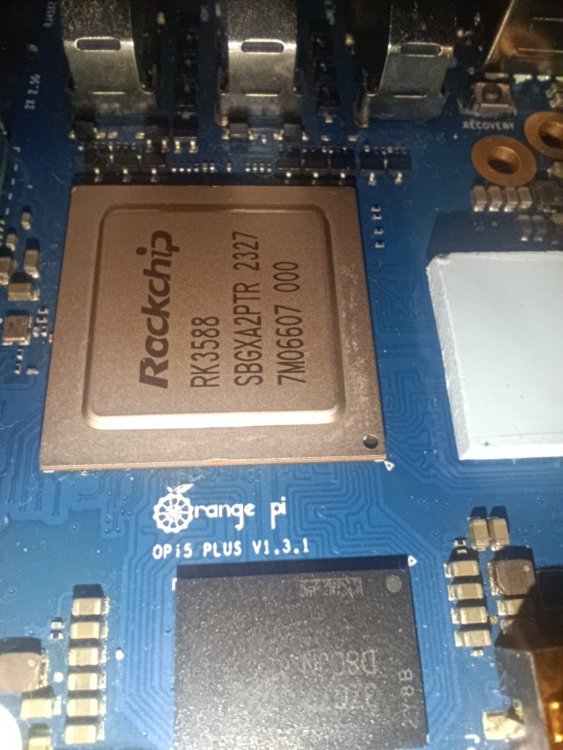
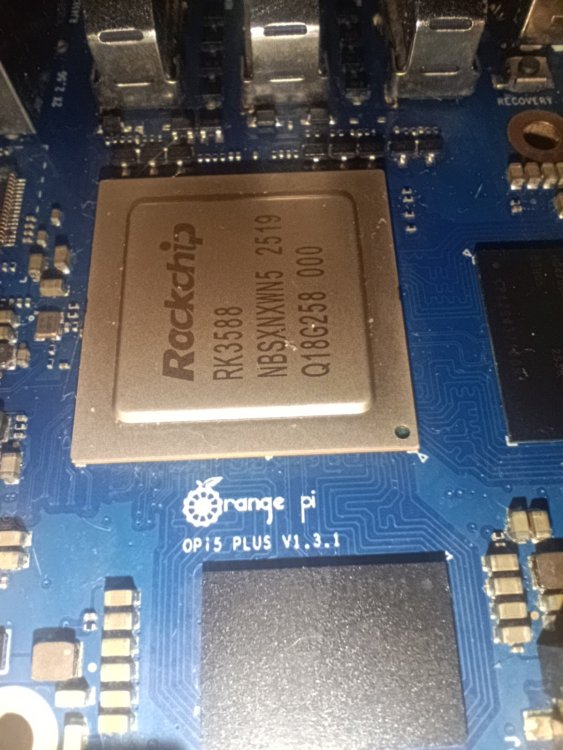
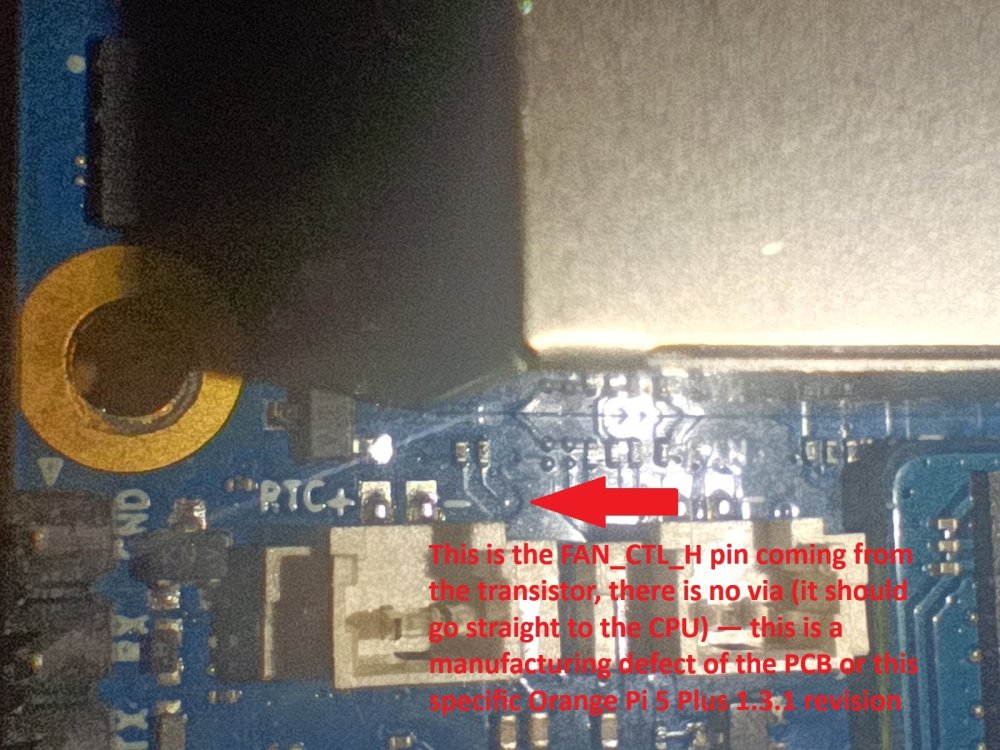
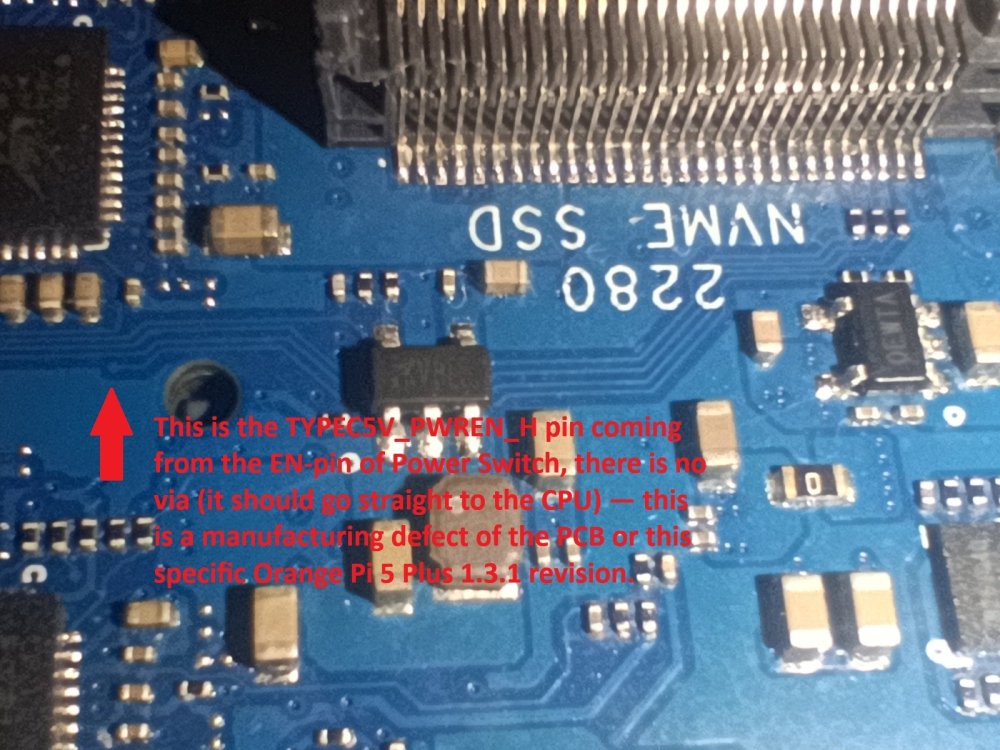
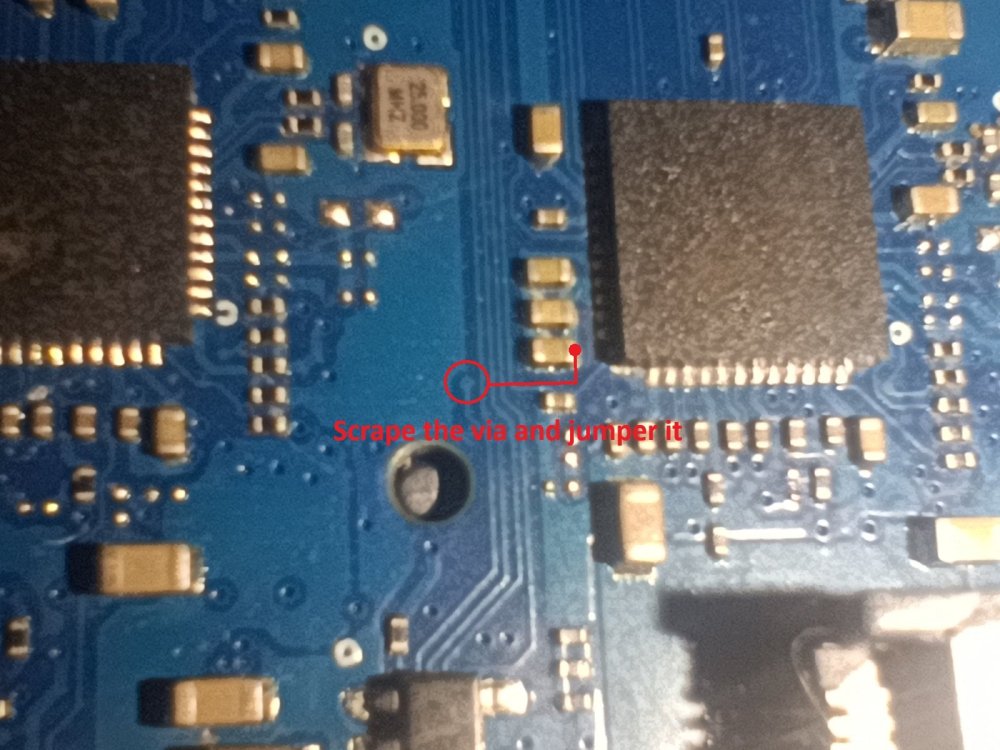
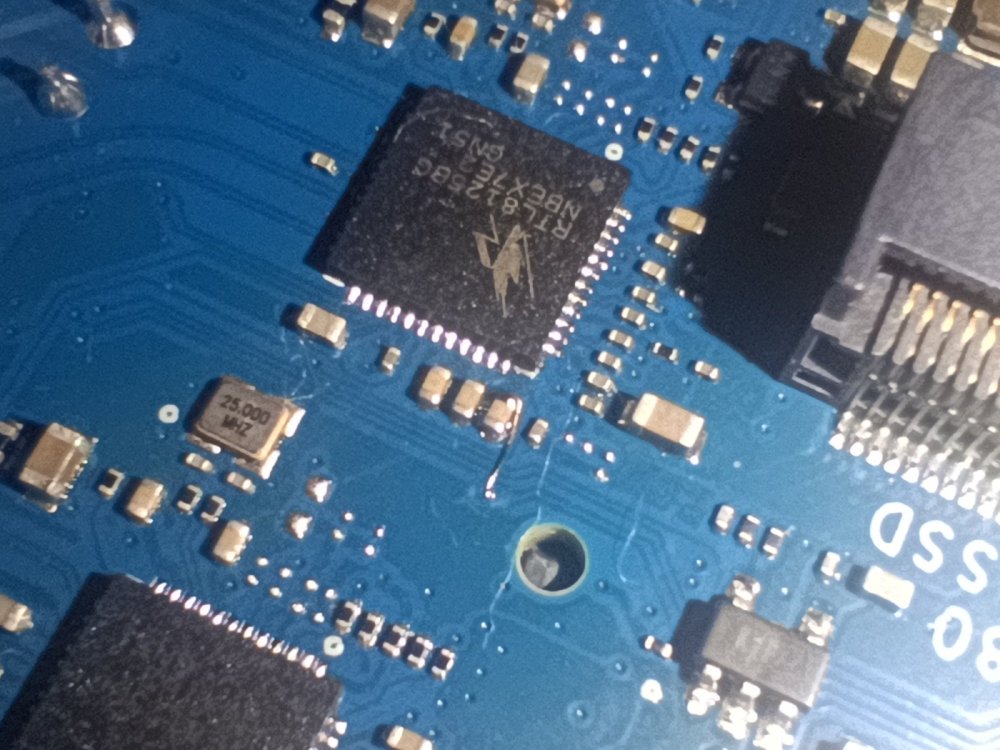
 I have an Orange Pi 5 Plus 16GB board, revision "1.3.1". I've been using it for about a year with official Armbian, Vendor kernel 6.1. The only issues I noticed were a non-working Type-C port and FAN connector. I thought it was an OS or DTS (Device Tree) bug... But it turned out to be a hardware problem. It started when I got another Orange Pi 5 Plus 8GB board for repair (needed to resolder the Type-C power connector). Same revision "1.3.1". (left is my 16GB board, right is the 8GB board for repair; the PCB solder mask is slightly different in shade of blue — probably different manufacturers or production batches) I inspected it under a microscope and found that both boards have floating (unconnected) vias — the ones that should control the FAN transistor, and also the EN-pin for the Type-C (USB3.1) power. So these are defective boards from some unknown revision where these vias are simply missing. On top of that, even if you force-enable the Type-C (USB3.1) EN pin — it still won't work. The reason is that the data lines are connected to TYPEC1 pins on the SoC, not TYPEC0 as shown in the OPI 5 PLUS_V1_3_1_Schematic.pdf So you need a DTS fix to enable the port via the correct node. The HUSB311 chip is also useless in this case. I don't know what exactly this revision is or why these errors exist. Fix: enabling power on the Type-C port To get the front Type-C (USB3.1) port working, I soldered the EN pin from the Power Switch — which was going TYPEC5V_PWREN_H Nowhere — to the nearest 3V3 Ethernet power rail. Now the Type-C port gets power after boot. The second step is to create a DTS overlay to make the port actually work: File: rk3588-orangepi-5-plus-TypeC-fix-hardware.dts /dts-v1/; /plugin/; / { model = "Orange Pi 5 Plus"; compatible = "rockchip,rk3588-orangepi-5-plus", "rockchip,rk3588"; fragment@0 { target = <&usbdrd_dwc3_1>; __overlay__ { dr_mode = "host"; maximum-speed = "super-speed"; snps,xhci-trb-ent-quirk; }; }; }; To apply the overlay, copy the file to your board and run: cd <path to file> sudo armbian-add-overlay rk3588-orangepi-5-plus-TypeC-fix-hardware.dts Also worth noting: since HUSB311 is missing on this revision, the CC1/CC2 orientation detection doesn't work properly. In practice this means: plug in a USB-C cable one way — the device shows up as USB2.0 (HighSpeed). Flip the cable 180° and replug — it shows up as USB3.0 (SuperSpeed). This happens because only CC1 or CC2 is connected (not both). If you need a PWM fan The PWM signal via for the FAN transistor is also floating on this revision — it goes FAN_CTL_H Nowhere. You can solder to it (either to the end of the nearby SMD resistor or scrape the VIA pad directly) and connect it to any free pin on the 40-pin header. Then update the DTS to assign that pin for fan control instead of the original one. P.S. Sorry for the low quality photos. Source: 4PDA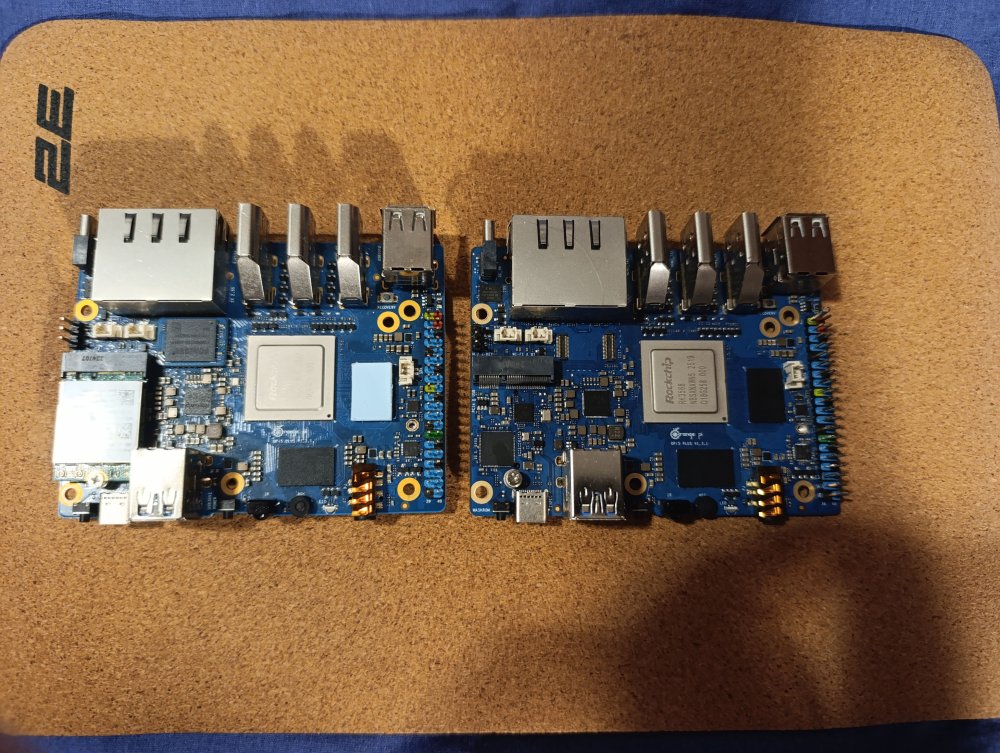
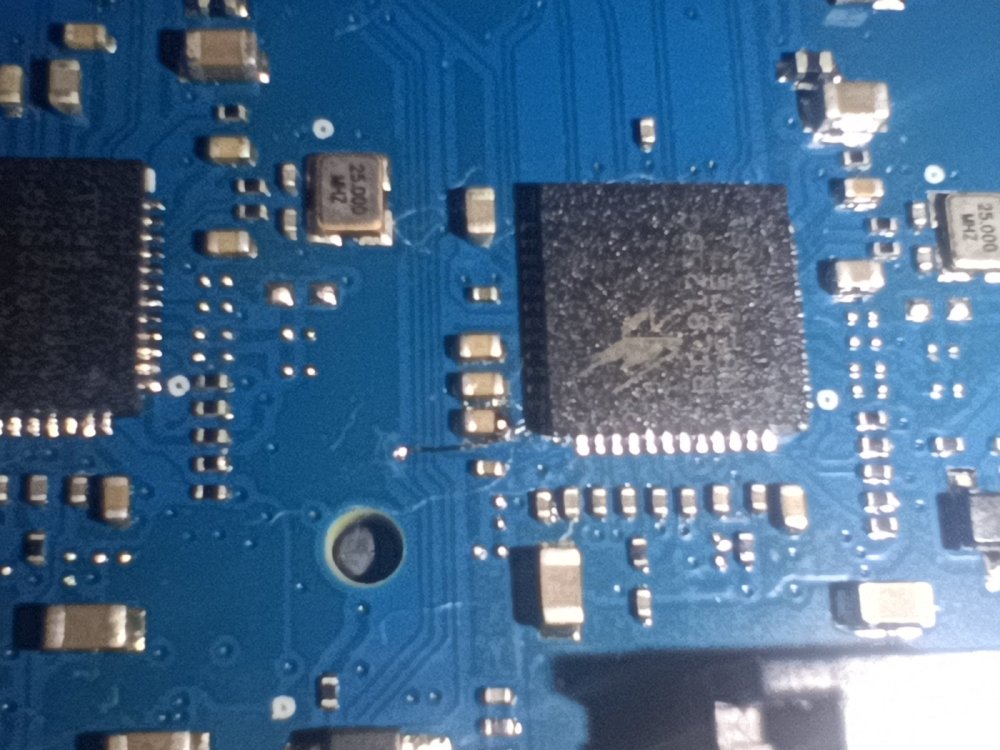
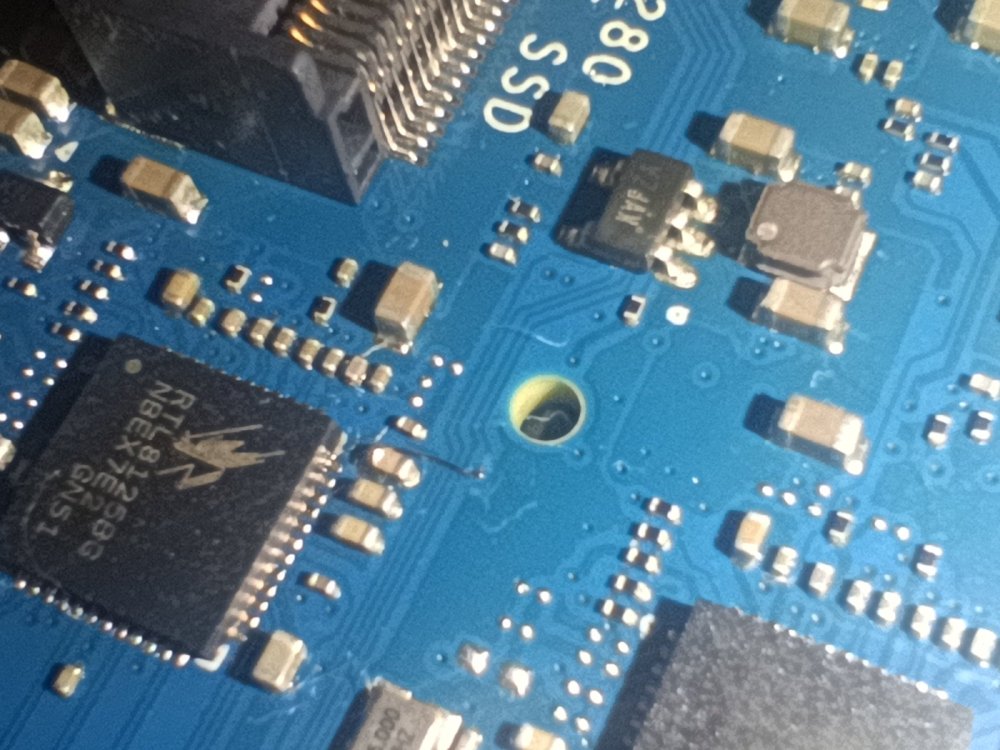
-
That is interesting, I would expect the other way around. I use 'btop' to watch clocks and load. On some systems, it also show GPU load and power consumption. Anyway, there is also the edge kernel (7.1.0-edge-rockchip64😞 linux-image-edge-rockchip64/trixie,now 26.5.1 arm64 [installed]
-

Trying to boot Armbian on LinknLink iSG Box SE
Sancho replied to Sancho's topic in Rockchip CPU Boxes
@Caleb Gilmour are you trying to flash using Rockchip Loader mode or Maskrom mode? Regarding wifi I will need to to do some performance testing when I have some time, I did not test it widely. Thanks for your feedback! -
Well, I will wait until it works, no worry's. I wil not go back to the 115 kernel because the sbc is getting 10 degrees warmer than the latest gnome version, 47 degrees in the 6.1.115 and 36 in 6.18.28. Both with Firefox in YouTube with the same content... Te dongle works fine... Ernst
-
a very exciting development on mainline with VPU_GPU acceleration enabled https://github.com/ut-slayer/orangepi-4a-mainline/issues/2#issuecomment-5030458197
-
Apologies this seems to have posted twice could admin please delete one of them Hi all, I built an image for my new Odroid M2 16 GB board using the parameters in my config-odroid.conf BOARD=odroidm2 RELEASE=trixie BUILD_DESKTOP=no BUILD_MINIMAL=yes KERNEL_CONFIGURE=no Issued compile.sh odroid It built and booted first time I configured it using armbian-install to boot from the emmc and use a 1tb Samsung nvme as the system disk Rebooted after removing the sdcard Everything seemed to work until I tried to flash another image to the sdcard with dd The flash immediately stalled and killed my windows Putty session Some of the errors from dmesg mmc1: Card stuck being busy! __mmc_poll_for_busy dwmmc_rockchip fe2c0000.mmc: Busy; trying anyway mmc_host mmc1: Timeout sending command (cmd 0x202000 arg 0x0 status 0x80200000) GPT PMBR size mismatch (7675903 != 62333951) The primary GPT table is corrupt, but the backup appears OK. I have no idea what to do My intention was to try different images to ascertain which worked best which I can still do but i have to flash the card on another box I hope this makes sense Kind regards Pete Kane
-
Hi all, I built an image for my new Odroid M2 16 GB board using the parameters in my config-odroid.conf ``` BOARD=odroidm2 RELEASE=trixie BUILD_DESKTOP=no BUILD_MINIMAL=yes KERNEL_CONFIGURE=no ``` And issued compile.sh odroid It built and booted first time I configured it using armbian-install to boot from the emmc and use the 1tb Samsung nvme as the system disk Rebooted after removing the sdcard Everything seemed to work until I tried to flash an image to the sdcard with dd The flash immediately stalled and killed my Putty session Some of the errors from dmesg ``` mmc1: Card stuck being busy! __mmc_poll_for_busy dwmmc_rockchip fe2c0000.mmc: Busy; trying anyway mmc_host mmc1: Timeout sending command (cmd 0x202000 arg 0x0 status 0x80200000) ```
-
Feel free to test and send a pr with a patch backporting this to 6.18
-
Actually spoke to soon, seeing this issue on the 6.18 kernel but happens randomly, its a known upstream issue that has been fixed in 7.1, but you guys should back port this fix here: Upstream fixed this exact Radxa/RTL8852BE problem by retrying the eFuse operation five times. The fix is https://chatgpt.com/g/g-p-69619e56d4d48191866d830f3ebddfc0/c/6a5ee909-da2c-83ea-981e-de8591585c8c, with the Wi‑Fi/BT contention confirmed by the Realtek maintainer in the patch discussion https://patchew.org/linux/20260301042422.195491-1-christianshewitt%40gmail.com/?utm_source=chatgpt.com. The fix: Is absent from 6.18.28 kernel. Is still absent from vanilla 6.18.39. First shipped upstream in Linux 7.1. A matching ROCK 5B+ Armbian trace shows the PCIe device and firmware loading successfully, followed by the eFuse failure and error -16. Matching Armbian report.
-

BTT Pi - ethernet not working after upgrade from 6.12.68 to 6.18.33
txxxxx replied to ilmarietto's topic in BIGTREETECH CB1
i got the same problem my ethernet is gone. how does one downgrade i cant figurer it out at all