bedna
-
Posts
73 -
Joined
-
Last visited
Content Type
Forums
Store
Crowdfunding
Applications
Events
Raffles
Community Map
Everything posted by bedna
-
armbian-zsh i looking for the wrong user
bedna replied to bedna's topic in Software, Applications, Userspace
Yeah, I didn't react to the comment about if I was using bullseye, I was 100% sure I had a bookworm img installed, but that might not be the case, I must have dreamt I installed the only opiPC2 img I had downloaded on my computer. WDYM? I updated that system at least once a week up until it no longer worked. Worked flawlessly up until I made the post. Thank you for providing feedback, but I will reinstall with the latest community img and see what that leads to. -
armbian-zsh i looking for the wrong user
bedna replied to bedna's topic in Software, Applications, Userspace
Yeah, I didn't react to the comment about if I was using bullseye, I was 100% sure I had a bookworm img installed, but that might not be the case. Thank you for providing feedback, but I will reinstall with the latest community img and see what that leads to. -
armbian-zsh i looking for the wrong user
bedna replied to bedna's topic in Software, Applications, Userspace
Oh crap! I missed these repliess, I must make sure to activate email notification, I'm sorry! I honestly just left it unupdated, it's not a huge issue for me, I don't really use it for other than testing a script. The img it was installed from was "Armbian_community_24.5.0-trunk.93_Orangepipc2_bookworm_current_6.6.18_minimal" and I am aware it IS a "community release", that's why I didn't put a massive amount of investigation. Close.. "bedna".. xD But yes, bedna is UID 1000, the ONLY sudo user. 1003 is a system user, no home, no login shell IIRC. Edit. I made a check, and it actually is supposed to have a home in /home/unifi (MY BAD.. xD unifi:x:1003:1003:System user for Unifi,,,:/home/unifi:/usr/sbin/nologin So that is on me, I probably forgot to use the --system option or smthn, it is not a big deal and most likely not connected to the network failing at boot anyway. And the zsh is just super strange, I never use it even though I know it comes with the img. (I now realize, the option in the installation is just selecting the shell, there is absolutely a zsh installed on the opi, I have just not noticed it) I will try with a fresh image and come back with results, when I get time... Edit 2: https://github.com/armbian/build/blob/2a2e609e3c5e55404759ea9a2cf010b268c2f356/lib/functions/compilation/packages/armbian-zsh-deb.sh#L49C3-L49C129 awk -F'[:]' '{if (\$3 >= 1000 && \$3 != 65534 || \$3 == 0) print ""\$1":"\$3" "\$6"/.zshrc"}' /etc/passwd | xargs -n2 chown -R Is the "culprit". In this situation it IS my bad as shown above, not sure what I did because the directory was not created, but the entry in /etc/passwd clearly exist. A solution would be to run [-d <user-home-path found in passwd> ], but tbh, babysitting at that level is imho a bit too far... This is on me.. But the system freezing at boot trying to connect to network, I will look deeper into. -
shrink-backup - a tool for backing up sbc:s
bedna replied to bedna's topic in Software, Applications, Userspace
==> shrink-backup 1.1 release <== With this release versioning is changed from x.x.x to x.x The most noticeable change is the UI with coloring. But small efficiency increases to the code has also been made. Support for dietPi and webmin. Also created a way to convert your systems ext4 filesystem into f2fs on the img file. Downside is f2fs can not be resized while mounted unlike with ext4 so the user have to manually expand the img to cover the entire storage medium manually before booting. Increasing size while updating the img is also not yet covered, but should be doable so this feature will be implemented in a future release. A loop function to retry 3 times after looping the img file within the script has been implemented because bug reports started coming in about the UUID on the loop not being found, therefore failing the backup. Giving the system some time seems to resolve the issue. This seems to be related to if img file is located on a network storage. Usually, but not always, wifi network. Features in the release: UI improvements in form of coloring and other formatting New funcionality: --f2fs convert ext4 on root into f2fs on img file Added support for f2fs Added support for DietPi Added support for webmin --version option added Added .gitignore to github repo for users that change exclude.txt and want to use git pull without issues. Thank you for reading. -
I ran an update on my orangpi PC2. Setting up armbian-zsh (24.5.1) ... cp: cannot create directory '/home/unifi/.oh-my-zsh': No such file or directory cp: cannot create regular file '/home/unifi/.zshrc': No such file or directory chown: cannot access '/home/unifi/.oh-my-zsh': No such file or directory chown: cannot access '/home/unifi/.zshrc': No such file or directory Witch is to be expected to fail, because that is a system user I accedentally gave an above 1000 UID Unifi is UID 1003, my regular user bedna (1000) is the owner of /home/bedna I don't mind, I don't use zsh anyway, but figured you would want to know about this. Edit I spoke to early, the update actually breaks the system. Seems to be network related because it gets stuck at that if I connect a display to the device. I have restored a backup and retried 2 times, same thing, so there is presumably something wrong on your side here. This is what the terminal gave during the update, and as you can see, it looks like it all goes smooth, something in the firmware or kernel?
-
Except what? You open up a flood door like that, you have to explain to op and hold his hand in how to find out what different users/groups are supposed to own different files. And since I have no idea what op has installed on his system, and how he did it, and what user he was when he did (sudo and root is NOT the same) I recommend op reinstall and do everything the correct way. Example from a system with docker running, nothing out of the ordinary. 3 cointainers the correct way, user in docker group and never using sudo with docker. $ sudo find . -group root -printf '.'| wc -c 153 153 files/directories just for root inside ~/. And this is only a quick search for root group, there are obviously other users and groups owning a whole bunch of stuff too. Probably a GREAT idea to "sudo chown -R 1000:1000 ~/"... Remember, op stated: And this is just an example of what can happen. Blows my mind an armbian admin thinks blindly taking ownership is a good idea... 😮
-
A friendly warning about doing above. MAKE SURE YOU DO NOT CHANGE OWNERSHIP OF FILES IN YOUR HOME THAT SHOULD STILL BELONG TO ROOT OR OTHER USERS/GROUPS!!!! As I stated before, just blindly changing everything in your userspace to belong to you MIGHT work, but I recommend against it since this seems to be something that happened immediately after you wrote the img. Safest way is to reinstall and follow the correct procedure.
-
Necro thread, but wanted to clarify since not mentioned. The raspberry pi imager does way more than just "write the img to the sd card". It is aimed for use with rpiOS not "any img file". Use something other than that.
-
Yes, use docker... xD I don't think there is any problem achieving that, I think it just takes a few entries in a docker-compose.yml where you set up the networking. Not multiple ip:s though, not sure how you would achieve that on anything, but you use different ports and define what can communicate with what, bridging and so on. With docker you have to open up, it is completely containerized by default, even between other docker containers on the same machine. Futher reading here: https://docs.docker.com/network/ And for docker compose: https://docs.docker.com/compose/networking/ I highly recommend you familiarize yourself with docker compose, it makes everything sooo much easier.
-
I do not know what software you use to create the virtual machine, but this is question for them to answer.
-
Using apt, sudo is needed, but you having to use sudo in your USERSPACE sounds like something has gone horribly wrong. AFAIK if you write an armbian image, then boot, log in with root and follow the installation script that should start (I think) it will ASK you to create your username etc and set up everything for you. You do NOT do the userconf.txt thing like you would do with a headless rpi setup, you log in as root and run the setup script. It sounds like you did not do that, so your userspace (your ~/) never got created correctly with correct credentials. Or maybe you did not reboot and login as your user after the script created your user, but instead kept running as root and setting everything up on your system, witch then means it is all owned by root (sudo is needed). If this is the case, yes, you can take ownership easily by using a few commands, but that might not solve everything. I would recommend you restart from scratch, making sure everything is set up correctly.
-
Since nobody mentioned it. I don't know what desktop env that is, but I think using those prefixes is not connected to the packages you get for installing for example cifs-utils. I more think this has to do with fuse or something similar. If you provide a bit more info of your system, more help might be provided by users. I have never used any graphical env on any of my armbian installs so I simply have no idea what is on them. 😮 It looks like gnome, so I think you can google using Ubuntu in your searches, and that might give you the solution of what you have to install. Never the less, you can always mount the share using `mount` in cli and they will become accessible that way.
-
Seems to be a kernel thing that has changed... Made me curious and I found this: https://forums.raspberrypi.com/viewtopic.php?t=325309 Obv not a solution for you since the tread is about rpi OS (but other hardware outside of rpi is actually mentioned). You might get some good info on how to move forward reading that. I do not know how to do this on armbian. Maybe you can use x11vnc (I have no idea if this exists in the repos) and set the resolution as described here (very old thread): https://stackoverflow.com/questions/12050021/how-to-make-xvfb-display-visible/40678605#40678605 Or maybe you can do the solution mentioned here, where you get a cheap usb > hdmi adapter for a few $$ that fools the SBC that it has a monitor connected.
-
shrink-backup - a tool for backing up sbc:s
bedna replied to bedna's topic in Software, Applications, Userspace
==> shrink-backup v1.0 <== I have made the decision to not deal with other partitions than boot and root for the 1.0 release. Instead I introduced the --loop function to let the user expand the img file using the [extra space] option and then manually create partitions by running for example: sudo gparted /dev/loop0 in a terminal to edit partitions in a graphical interface using gparted. I want to give the user freedom, but I also have to stay true to my initial plan with this script: a very fast utility to create a bootable img file from the system and subsequently keep it updated. I haven't dropped the idea of at least handling /home completely, but the script goes from "kinda basic functionality" to "advanced script" pretty fast when I start working on the feature. If I do this, I still want the script to be as easy as possible to use, but at the same time give power users the ability to fine tune, ie a lot of work. Features in the release: Introduction of --loop, --fix & -z (zoom speed) Now crosschecks fstab with lsblk for certain operations. Changed MB to MiB etc. Old habits die hard. Will now, if needed, check and/or ask for installing gdisk on debian and arch based systems. GPT partition table now supported Various bug fixes. I hope you find it useful! -
9 out of 10 times this is better to configure on your dhcp server, usually your router. Set a static ip on your router for the MAC adress on your board. WAY less headaches than starting configuring only the client. :)
-
The problem here I suspect is the sd-card got tear and wear, hence the capacity might drop, but if you ran a full dd of the entire card, the iso might become bigger than what fits on the sd-card (that now is a tiny bit smaller). It's not unusual that the cells are still readable but not writable, ie you can not modify the data. So when you create the img file, it is a complete one, but your card can no longer fit that img. Let me shamelessly invite you to use my little project: shrink-backup That way your img file becomes the size of the DATA on the device, not the entire thing. Then it will get re-expanded to use the entire sd-card when you boot it the first time after restoration. (if your os is supported, armbian is)
-
A bit necro thread, but did you try using systemd instead? Something like: sudo nano /etc/systemd/system/mnt-NAS.service (the name "mnt-NAS" should be your actual location you want to mount it, ie: /mnt/NAS) [Unit] Description=File server network mount (samba) After=network-online.target Requisite=network-online.target [Mount] What=//192.168.15.150/15tb_NAS/Data/ Where=/mnt/NAS Type=cifs Options=vers=3,_netdev,cache=loose,credentials=/home/YOUR_USERNAME/.smbcredentials,nofail,noatime,uid=YOUR_USERNAME,gid=YOUR_USERGROUP,dir_mode=0755,file_mode=0644 TimeoutSec=15 [Install] WantedBy=multi-user.target (note that I am not sure about the "what" line here. I think that has to be the same as the [name] you created in your samba server config, so this might be why it is not working properly, you will have to experiment around that) Then just activate the mount to run at boot with: systemctrl daemon-reload systemctrl enable mnt-NAS.mount Add --now to the enable line if you want to mount it immediately and not have to reboot. If you want to unmount: sudo systemctl stop mnt-NAS.service And to start it again: sudo systemctl start mnt-NAS.service That has nothing to do with "windows friendly" that is just a big hole in your security. Just add a user on the windows server (I understand it as that is where you have your samba server?). IIRC you can access the old windows user manager with typing "manage" and starting the "manage computer" in the windoze start menu, you only need a local user, not a complete user with a microsoft account with email address and all. I honestly do not remember exactly how I did it, but it CAN absolutely work without problems. I think the samba user (that you add with smbpasswd -a on linux, I do not remember how to do that on windows, it was a while ago and I no longer use it, i am only looking at my old notes here) has to have the same name as the windows user you created. I use a .smbcredentials file, but you can try without any credentials I guess. Also, obv remove the fstab lines if you want to mount it using systemd instead. Just comment them out with adding a # in front of the lines. Good luck!
-
Might I interest you in my little project? https://github.com/UnconnectedBedna/shrink-backup It creates a bootable img file to your liking that you can just "burn" if you want to restore. Easily kept updated with the script (uses rsync to synchronize). If you want to move it back and forth between usb, ssd, sd-card etc you have to make sure that works yourself for this board (works automatically on rpi), but the img file should be writable back to the medium you backed it up from with the script. Please note though, this is not a clone, it is a backup of root and boot to a bootable img file (extra partitions, like if you have separate /home partition will be baked in the same partition as root on the img unless excluded). That will most likely change in the future as I am in the planning process of how to also be able to include a separate /home (and potentially other partitions as well, my thought process is still in the planning stage) If you want to make a complete clone, dd is probably your best friend (from the system not running at the time), but this will obv be as big as the total device size, my script only copies the actual data on the device and creates an img "as small as possible" (depending on what options you start the script with). Maybe you can find it useful.
-
Well, you DID ask for a way to run a script, not a gui desktop application. Glad you figured it out. Did you check what that option does? And you removed the invocation of bCNC so, not that strange.
-
Raspberry Pi4 apt-get update problems
bedna replied to Sid Boyce's topic in Software, Applications, Userspace
OPI PC2 here. I had a missing release error the other day and just assumed it was because it was no longer supported. That is no longer the case and I also get: Hit:1 http://deb.debian.org/debian bullseye InRelease Get:2 http://deb.debian.org/debian bullseye-updates InRelease [44.1 kB] Get:3 http://security.debian.org bullseye-security InRelease [48.4 kB] Get:4 http://deb.debian.org/debian bullseye-backports InRelease [49.0 kB] Err:6 http://apt.armbian.com bullseye InRelease 502 Bad Gateway [IP: 130.185.239.78 80] Get:5 https://cli.github.com/packages stable InRelease [3917 B] Hit:7 https://download.docker.com/linux/debian bullseye InRelease Get:8 http://security.debian.org bullseye-security/main arm64 Packages [342 kB] Get:9 https://cli.github.com/packages stable/main arm64 Packages [346 B] Fetched 488 kB in 3s (167 kB/s) Reading package lists... Done Building dependency tree... Done Reading state information... Done 2 packages can be upgraded. Run 'apt list --upgradable' to see them. W: Failed to fetch http://apt.armbian.com/dists/bullseye/InRelease 502 Bad Gateway [IP: 130.185.239.78 80] W: Some index files failed to download. They have been ignored, or old ones used instead. Nobody confirmed bullseye so I have to ask.. -
Really strange! Refuses to work here, keep getting host errors, but then works, but reports no other than one more seed. I guess it is something on my side. I'll just grab the file on the webpage and move on.
-
The minimal (Bookworm) torrent of Orange Pi PC2 was only shared by one source when I added it today, and that source is only at 71%. Not sure if this is another person also trying to download and the original source no longer shared, or if this is the original source and it is broken. I can ofc download the file via https, but felt I wanted to let you know.
-
I think it's the other way around (MBR vs GPT). Using grub f.ex, with GPT you can have the boot partition wherever you want, as long as you define it with UUID, but it USUALLY is the first partition. With MBR this is not a choice EVEN if you use uefi, I think you MUST have the partition first (and leave 5MiB or smthn before the partition).
-
Ah, then maybe it has something to do with my "skip redirect" plugin. You can never be too careful. OOOOOH, YOU HAVE HOODIES TOO! 💓
-
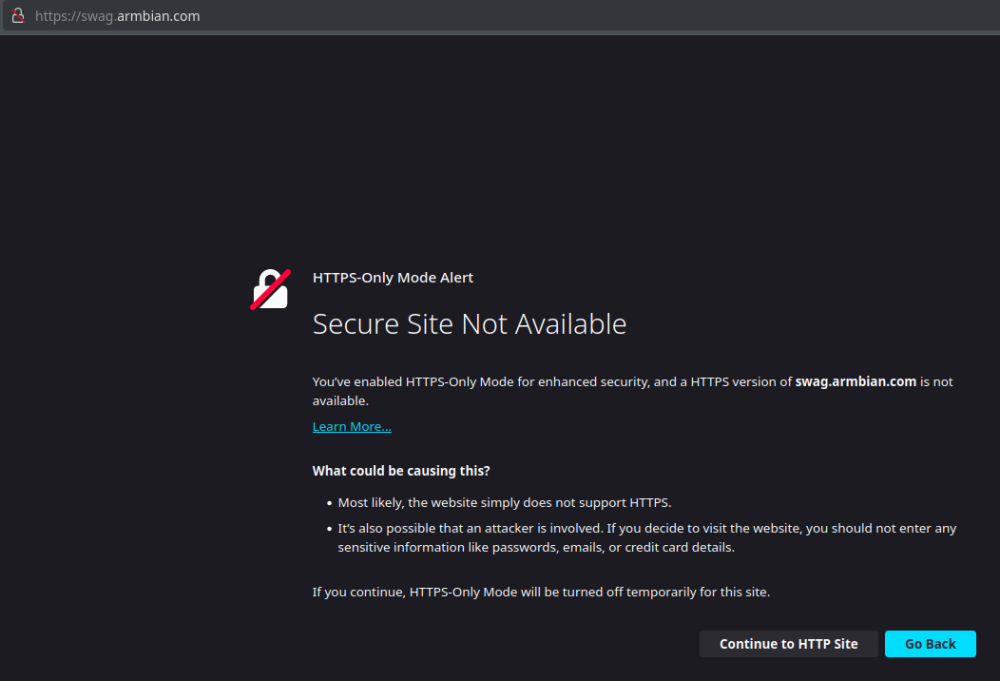
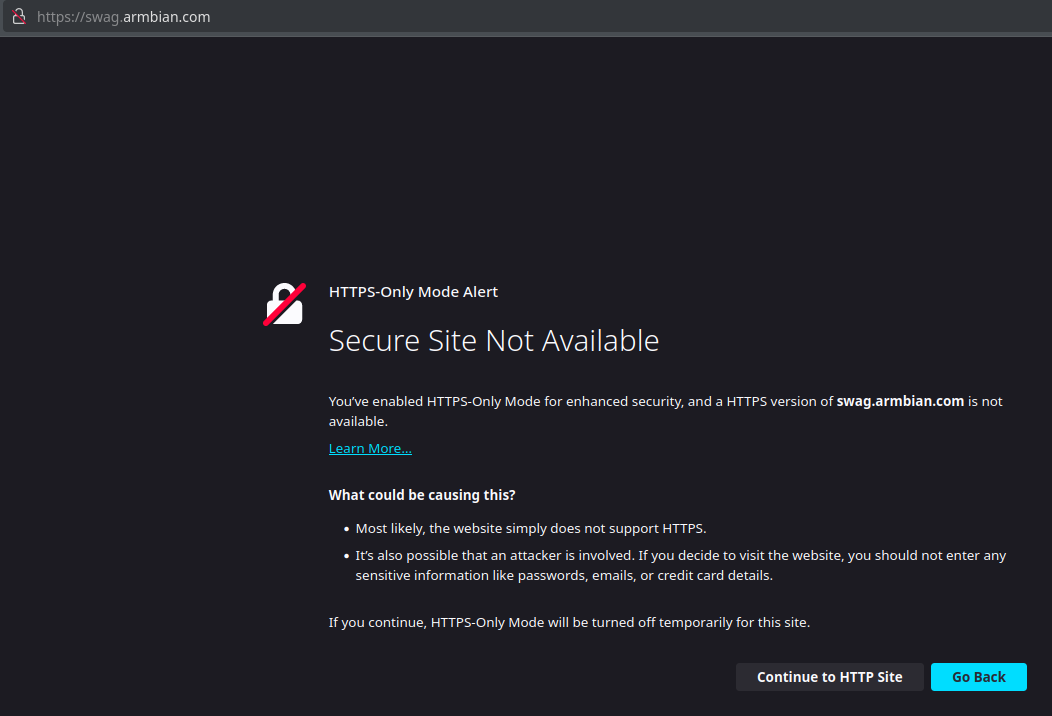
This does not look good... Did someone forget to renew the certificates?