Search the Community
Showing results for tags 'development'.
-
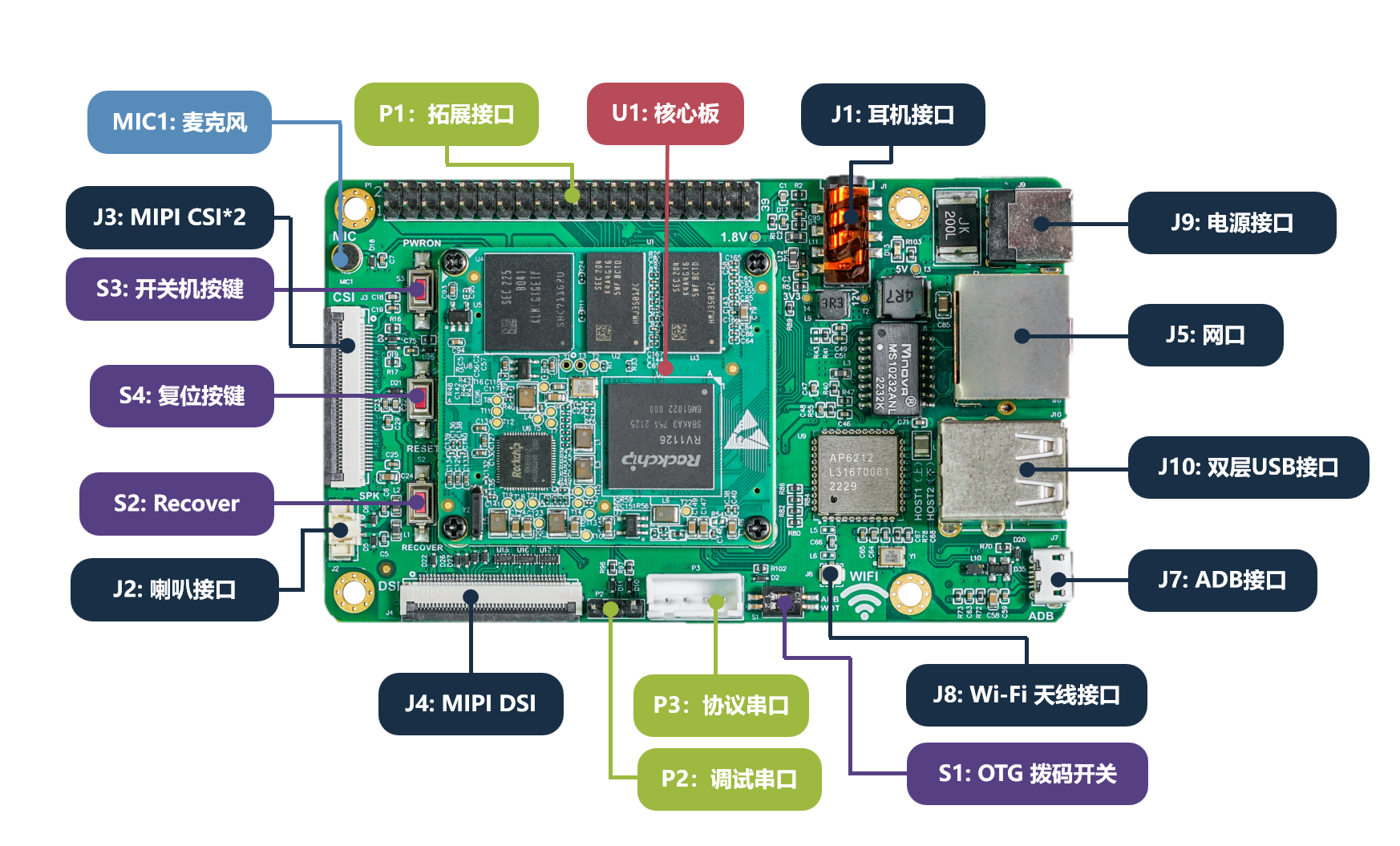
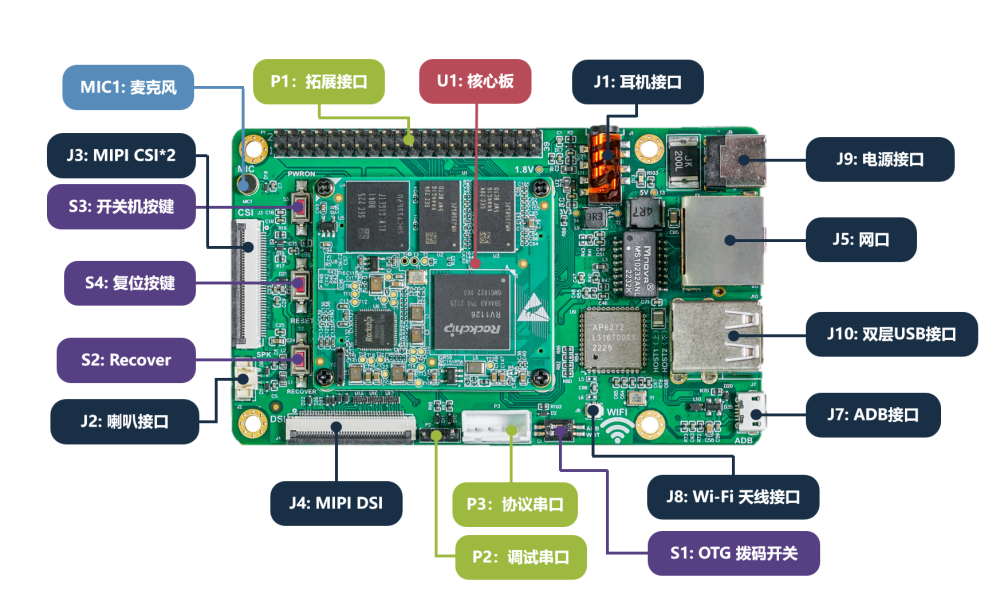
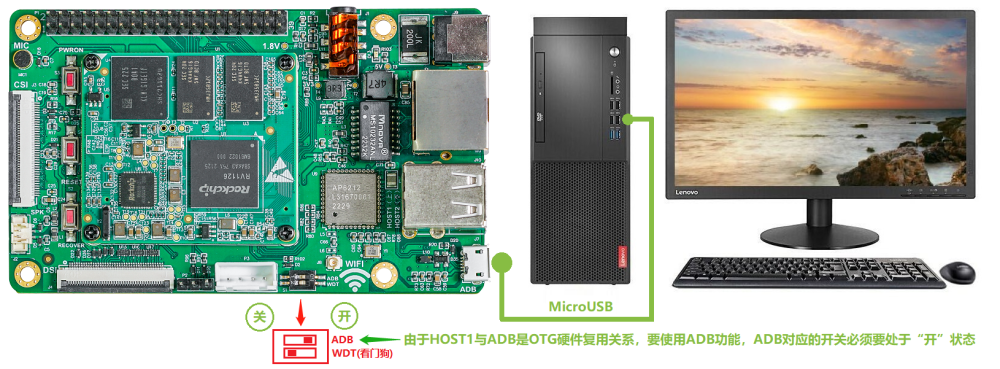
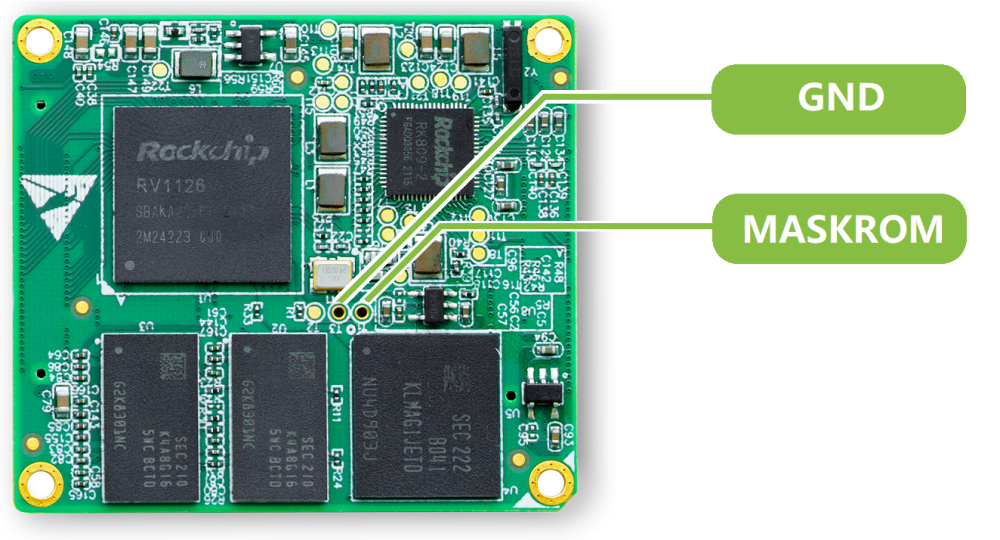
🏆 Become a sponsor, help to add other boards in armbian standart, you don't need to be a programmer to help the community, just need a copy of the ARM BOARD and a x86 computer to compile new versions. If you like what you see here and want to help: Donate Armbian the like button only costs a few dollars. Here, I will document the efforts to get the Easy EAI RV1126 board into Armbian. Uboot: Link boot: Link MiniLoaderAll.bin: Link Docs available on: Link Build Command: ./compile.sh BOARD=easy-eai-nano BRANCH=vendor BUILD_DESKTOP=no BUILD_MINIMAL=yes KERNEL_CONFIGURE=no RELEASE=resolute ./compile.sh BOARD=easy-eai-nano BRANCH=vendor BUILD_DESKTOP=no BUILD_MINIMAL=no KERNEL_CONFIGURE=no RELEASE=resolute INSTALL_HEADERS=yes
-
 We are opening public testing for upcoming Armbian images. The goal is to verify that the right images are built and that basic functionality works before boards are moved to the main download pages. You don’t need to be a developer. Simple testing and short reports are enough. 1. Download testing images Testing images are available here: https://fi.mirror.armbian.de/incoming/igorpecovnik/ Pick the image matching your board and choose desktop if applicable. Once image is confirmed working, the board will be: Moved to the main download pages Added to Armbian Imager 2. Check that expected images exist Before testing, please verify that: Your board is listed The expected image variants exist If an image (variant) seems to be missing: Check the release target definitions: https://github.com/armbian/armbian.github.io/tree/main/release-targets If the image should exist, check build logs to see if it failed: https://github.com/armbian/os/actions/runs/21642728389 If you are unsure, report it anyway. 3. Flash and boot Flash the image using Armbian Imager: https://imager.armbian.com Boot the board and check whether it reaches: Login prompt (CLI images) Desktop (Desktop images) If the board does not boot, serial output or photos help. 4. What to test Please focus on basic functionality: Boot reliability and reboot Networking (Ethernet, Wi-Fi, Bluetooth) Display and GPU, if applicable Installer and first-boot experience Advanced features can wait. Stability comes first. 5. UEFI ARM64 images If your board might support UEFI on ARM64, please test those images on them. Working UEFI images allow us to reuse targets and reduce the number of generated images. Reference: https://github.com/armbian/armbian.github.io/blob/main/release-targets/reusable.yml 6. Community-supported boards Some boards are currently released as community-supported: https://github.com/armbian/community/releases We want to promote suitable boards to standard support which brings more image variants and much faster download. This requires: Confirmation that basic functionality works Send a PR to change status from .csc to .conf A community member willing to step up as maintainer If you rely on such a board and want it promoted, this is the time to help. 7. Reporting (here in this topic!) When reporting test results, please include: Board model Image name and variant What works and what does not Logs or serial output if available Even short reports like “Board X, image Y, boots and networking works” are useful. Thanks to everyone helping with testing. Early feedback directly improves the release quality!
 -
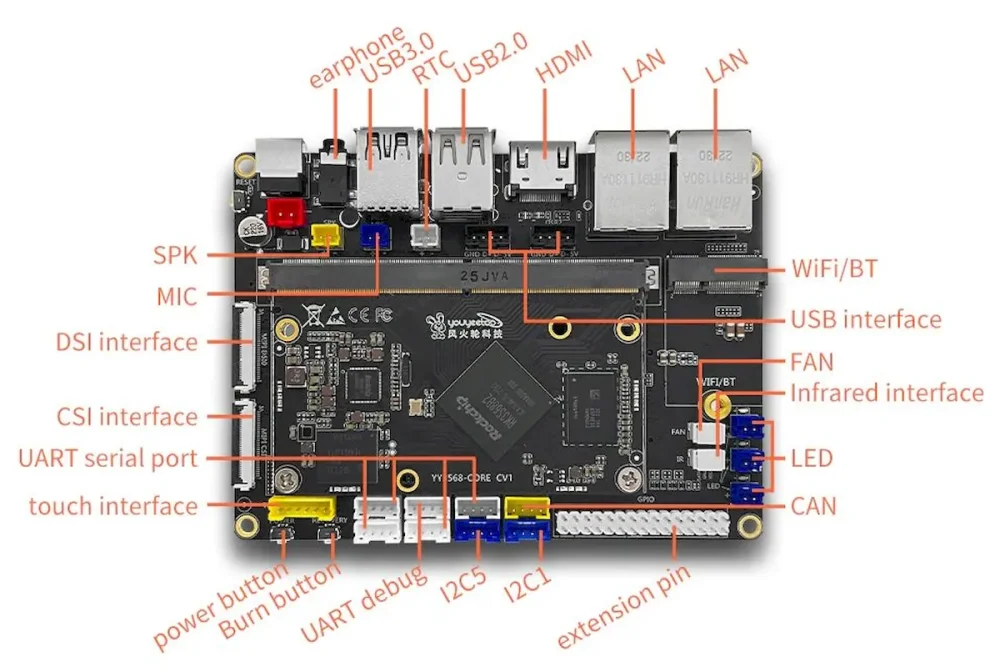
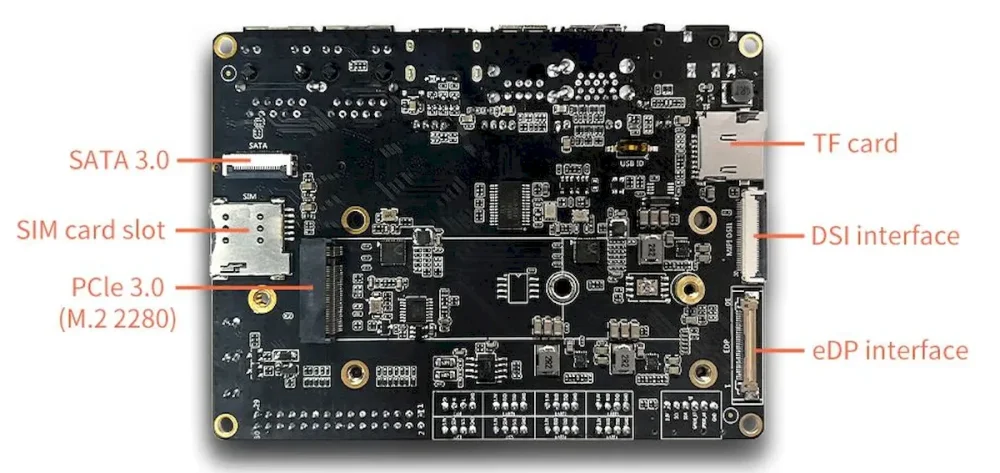
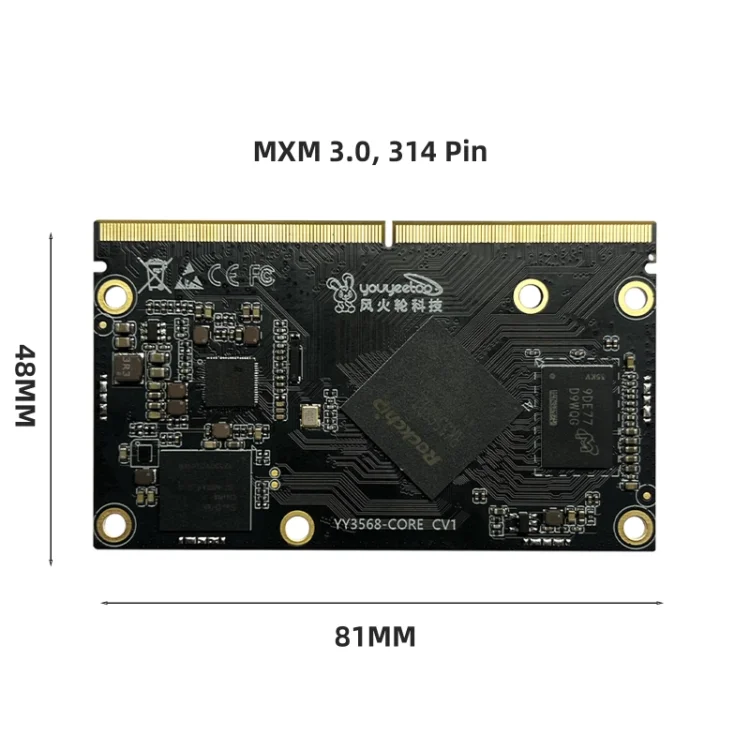
Here will be published all the tweaks for the Youyeetoo YY3568 board to enter the mainline with armbian. Official Images Unofficial images Kernel Vendor 6.1: https://github.com/armbian/linux-rockchip/commit/27a98750790114235c72e8420d45f44eff210461 Overlays: https://github.com/armbian/linux-rockchip/commit/18f066190842fc6bd509662a2d19588eb9f04612 Kernel Vendor 5.1: https://github.com/armbian/linux-rockchip/commit/b5964f997e2267802db0a965e66ec299b8a1f437
-
Sorry in advance, but this is a bit of a dive. But, I haven't seen this fully captured and explained anywhere, and think this would be a useful thing to know for anyone who's doing arm64 development on a PC, which seems very relevant here ... I started pulling this thread when moving some software from Ubuntu Jammy to Noble, where the arm64 build process went from 20 mins to 50 mins. When I was done, it below to 15 min, and all I did was poke some flags for qemu's emulated CPU. The TL;DR version is that setting the environment variable QEMU_CPU to something like "cortex-a53" or "max,pauth-impdef=on" or even what I settled on, "max,pauth=off" saves massive amounts of time, and should be used anywhere you are running debootstrap, apt, or python in an emulated environment. However, you can't blindly set it everywhere because these flags are not defined for other architectures and will cause a hard stop when emulating PC or RISC-V. This has also shown up in the Armbian Build System. If you want to see this first hand, use the example here. Just save the following in test.sh: echo -n "testing... " for i in $(seq 2 10000); do is_prime=1 j=2 while ((j*j <= i)); do if (( i % j == 0)); then is_prime=0 break fi ((j++)) done if (( is_prime == 1 )); then echo $i > /dev/null fi done echo "done" And then run it in docker after ensuring a few things are installed ... ~ $ sudo apt install binfmt-support qemu-user-static ~ $ time docker run --rm -it --platform linux/arm64 -v .:/test ubuntu:noble /test/test.sh testing... done real 0m37.620s user 0m0.013s sys 0m0.022s ~ $ time docker run --rm -it --platform linux/arm64 -v .:/test ubuntu:jammy /test/test.sh testing... done real 0m4.700s user 0m0.011s sys 0m0.023s And we can wrestle that performance back by fiddling with QEMU flags ... ~ $ time docker run --rm -it --platform linux/arm64 -v .:/test --env QEMU_CPU=max,pauth=off ubuntu:noble /test/test.sh testing... done real 0m4.694s user 0m0.011s sys 0m0.024s So qemu bug? Not quite. The qemu emulator is a host application, and is the same both jammy and noble docker images, and I think the root cause was found here, and first appears in Ubuntu Lunar (23.10). The short version looks like gcc's stack protection logic wasn't operating as expected as the stack layout is a little different than it is on PC, a CVE was filed, and the "fix" is now stressing a slow code path in qemu. For the record, my heart goes out to "steev" and his slow, hours-per-bisect march to the answer. Pulling that thread a bit more, the QEMU Documentation has the following to say on the subject of arm64 pointer authentication: The qemu docs also suggest that the qemu impdef algorithm is the default, but I've not seen this on my version. It's possible this may be addressed in a much newer version of qemu, but that's not available in the Noble repos. It could be overridden via tonistiigi/binfmt (but I've not yet tested that). For what it's worth, it's not possible to just add a simple wrapper to qemu fix this either, as seen in this Github Example, and that's due to the Linux Kernel Binfmt Interface. The 'F' flag forces the kernel to store a handle to the specified emulator, and make it available in chroot and Docker contexts, and that doesn't help if it's only the wrapper it grabs and not the emulator binary. Similarly, it's not possible to pass additional flags via this interface, so without a change to the qemu binary, the QEMU_CPU environment variable may be the only way to work around this immediately. The other curious bit is what does QEMU_CPU=cortex-a53 enable to recover qemu speed? The answer is absolutely nothing. it just turns CPU features off. At a glance, I'm not sure if that something qemu is doing indirectly, or glibc conditionally enables at runtime. If anyone knows better than I here, please drop a comment. The curious can check can via: ~ $ docker run --rm -it --platform linux/arm64 ubuntu:noble cat /proc/cpuinfo processor : 0 model name : ARMv8 Processor rev 0 (v8l) BogoMIPS : 100.00 Features : fp asimd aes pmull sha1 sha2 crc32 atomics fphp asimdhp cpuid asimdrdm jscvt fcma lrcpc dcpop sha3 sm3 sm4 asimddp sha512 sve asimdfhm dit uscat ilrcpc flagm sb paca pacg dcpodp sve2 sveaes svepmull svebitperm svesha3 svesm4 flagm2 frint svei8mm svef32mm svef64mm svebf16 i8mm bf16 rng bti mte mte3 sme smei16i64 smef64f64 smei8i32 smef16f32 smeb16f32 smef32f32 smefa64 mops hbc CPU implementer : 0x00 CPU architecture: 8 CPU variant : 0x0 CPU part : 0x051 CPU revision : 0 ~ $ docker run --rm -it --platform linux/arm64 --env QEMU_CPU=cortex-a53 ubuntu:noble cat /proc/cpuinfo processor : 0 model name : ARMv8 Processor rev 4 (v8l) BogoMIPS : 100.00 Features : fp asimd aes pmull sha1 sha2 crc32 cpuid CPU implementer : 0x41 CPU architecture: 8 CPU variant : 0x0 CPU part : 0xd03 CPU revision : 4
-
 Two Questions: How do I force Armbian/build to rebuild the kernel ? - Is there a `./compiler.sh` flag ? And where does the kernel get cached ? - Is it cached online ? - is it cached on kernel, kernel version, and kernel config hash ? I am trying to get a proper handle on Armbian/build. BTW: There really needs to be a `kernel` tag on Armbian Forum's - `Create New Topic`.
 -
I want to add a private package with C source code in custom image. Extensions maybe are one approach— are there any other more standard practices?
-
Agenda: Review open blockers and critical priorities Maintainer status by board Label triage and deferrals to next release (26.02) Final checklist before freeze Meeting place: Discord -> Lounge
-
This meeting will be @ 11am EST All who want to contribute to the Newsletter are welcome.
-
 I've downloaded the latest stable Release of the source code: https://github.com/armbian/build/releases/tag/v25.8.1 When doing a Build, when it allows you to select the kernel branch: [vendor, mainline, edge], the only edge available for selection is the bleeding edge (i.e. latest trunk version). I've downloaded the 25.8.1 source code, and that's the edge version I want to compile. How do you build an image with the latest (relatively) stable edge kernel, as available in Armbian-Config? (i.e. currently v6.16.1-edge at Armbian 25.8.1)? Update #1 When compiling the image with the edge kernel, it downloaded it from the internet and it took roughly an hour to build. When compiling an otherwise identical image with the Vendor kernel, it did not seem to download it from the internet (although I wasn't watching it closely), and it took roughly less than half the time to build the image. The reason I compiled an image with the Vendor kernel is because something broke in the last 24 hours on the internet-supplied edge kernel. It compiled 24 hours ago, a few hours ago it didn't. This wouldn't be an issue if it was compiling the most recent release of v6.16.1-edge (25.8.1), as per my intention, instead of the ultra-latest. I also made some discoveries about version number inconsistencies (independent of the kernel branch selected). Things are confused. In Release 25.8.1, the version is 25.11.0.trunk. In Release 25.5.1, the version is 25.08.0-trunk.
 -
Released so far: https://www.armbian.com/newsflash/armbian-25-5/ https://github.armbian.com/documentation/751/Release_Changelog/#v2551-2025-5-26 2025-05-31 14:04:06 nanopi-r5s/ 2025-05-31 13:20:18 nanopct4/ 2025-05-28 14:45:54 orangepizero2w/ ###################################### added may 31th 2025-05-28 17:50:12 orangepizero3/ 2025-05-28 13:31:42 sweet-potato/ (untested) ###################################### added may 29th 2025-05-28 06:44:05 bananapim4berry/ 2025-05-28 01:38:54 rock-5b/ 2025-05-27 23:26:24 khadas-vim4/ 2025-05-27 21:53:19 orangepi5/ 2025-05-26 23:30:28 rpi4b/ 2025-05-26 15:30:09 bananapim7/ 2025-05-26 12:44:43 orangepi5-plus/ 2025-05-26 06:54:00 khadas-vim1s/ #################################### added May 28th 2025-05-25 20:06:32 nanopct6/ 2025-05-25 18:58:55 khadas-edge2/ 2025-05-25 18:42:42 nanopi-r6s/ 2025-05-25 18:28:44 nanopi-m6/ 2025-05-25 18:13:14 rock-5t/ 2025-05-25 15:52:26 nanopct6-lts/ 2025-05-24 17:56:55 rock-5b-plus/ 2025-05-24 14:14:46 radxa-nio-12l/ #################################### added May 25th 2025-05-22 18:26:26 lepotato/ 2025-05-22 06:07:29 tritium-h3/ (untested) 2025-05-21 22:12:58 tritium-h5/ (untested) 2025-05-21 13:54:39 nanopi-r2s/ 2025-05-21 13:19:56 nanopi-r4s/ 2025-05-21 13:10:48 bigtreetech-cb2/ 2025-05-21 12:37:56 nanopi-r1/ 2025-05-21 08:24:34 odroidxu4/ 2025-05-20 21:02:21 bananapim2plus/ 2025-05-19 16:34:51 tinkerboard/ 2025-05-19 16:08:37 odroidc1/ 2025-05-19 13:41:51 cubox-i/ 2025-05-19 13:33:57 udoo/ 2025-05-18 18:14:19 rock-5c/ 2025-05-15 20:00:20 odroidm1/ 2025-05-15 19:45:23 odroidn2/ 2025-05-15 19:22:52 uefi-x86/ 2025-05-15 19:07:47 uefi-arm64/ 2025-05-15 17:31:47 odroidc4/ 2025-05-15 17:26:55 bigtreetech-cb1/ 2025-05-15 14:28:07 bananapicm4io/ 2025-05-15 14:10:36 rockpi-e/ 2025-05-15 13:15:45 helios4/ 2025-05-15 13:09:35 bananapim2pro/ 2025-05-15 12:47:30 clearfogpro/ 2025-05-15 12:14:00 nanopik2-s905/ 2025-05-15 11:21:35 mksklipad50/ 2025-05-15 10:05:49 odroidc2/ 2025-05-14 18:48:20 bananapif3/ I do this manually, every day few boards, those which I have around - basically I am manually updating my test farm. Many thanks to all that already helped in making this list longer. Release text is also WIP - even AI helps, its still quite a lot of work to convince (drunk / stupid) AI what do we want If you have time, please help - make image https://docs.armbian.com/Process_CI/#prepare-application-images-for-release-release-manager test it and provide feedback. In case you find something, hit red button here and make a short note. Thank you! code { font-family: Consolas,"courier new"; color: crimson; background-color: rgba(0, 0, 0, 0.2); padding: 2px; font-size: 105%; } code { font-family: Consolas,"courier new"; color: crimson; background-color: rgba(0, 0, 0, 0.2); padding: 2px; font-size: 105%; } code { font-family: Consolas,"courier new"; color: crimson; background-color: rgba(0, 0, 0, 0.2); padding: 2px; font-size: 105%; } Would you like to take on the role of maintainer for a specific board? https://docs.armbian.com/User-Guide_Board-Support-Rules/
-
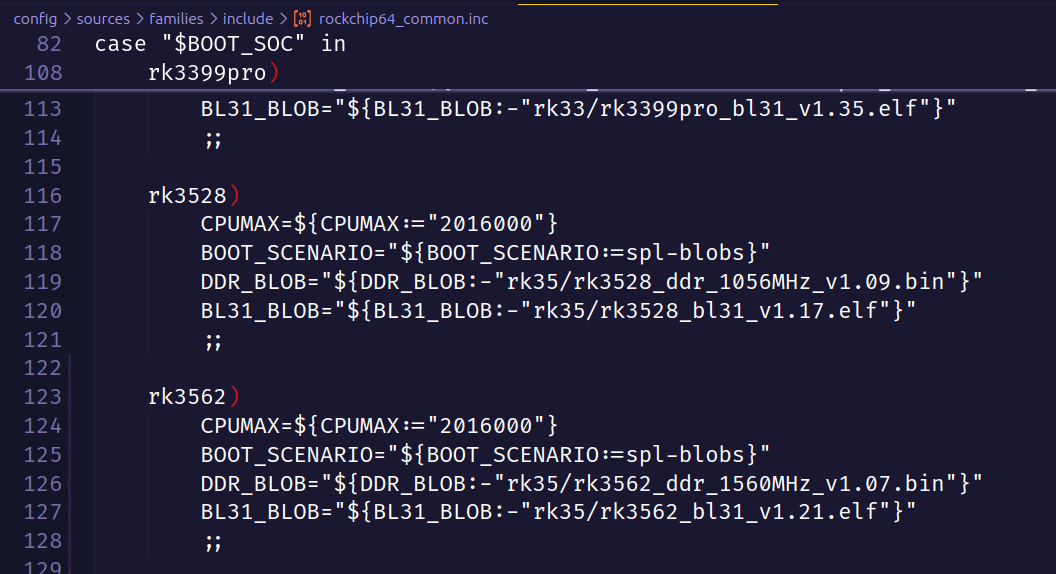
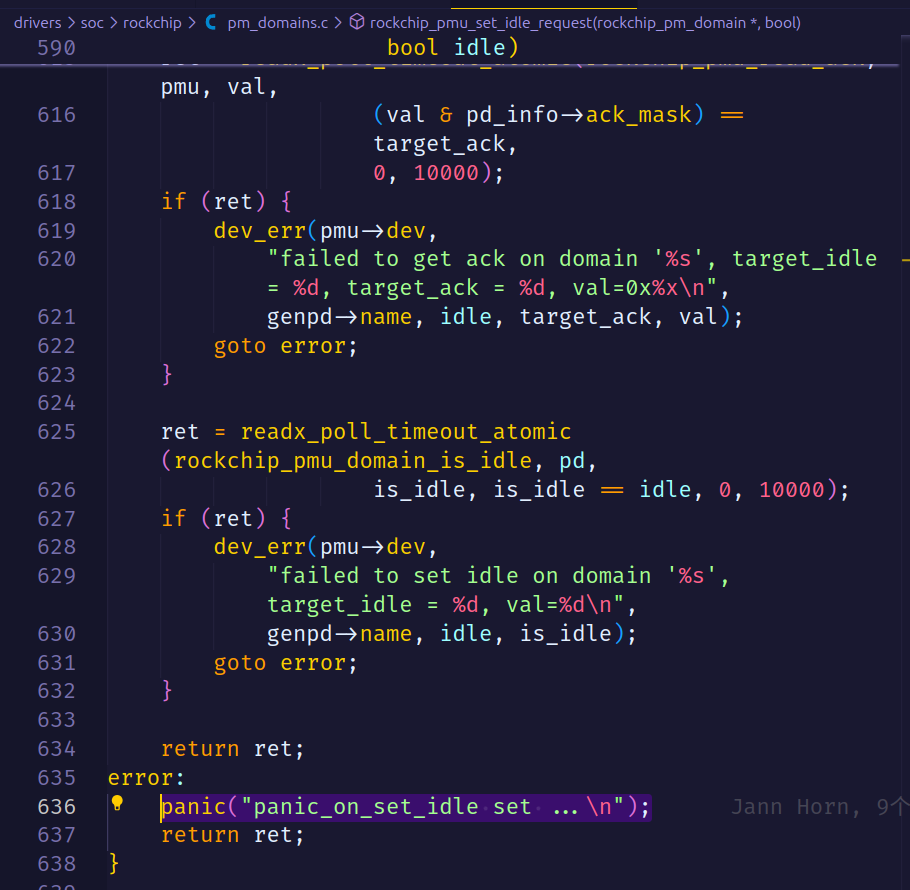
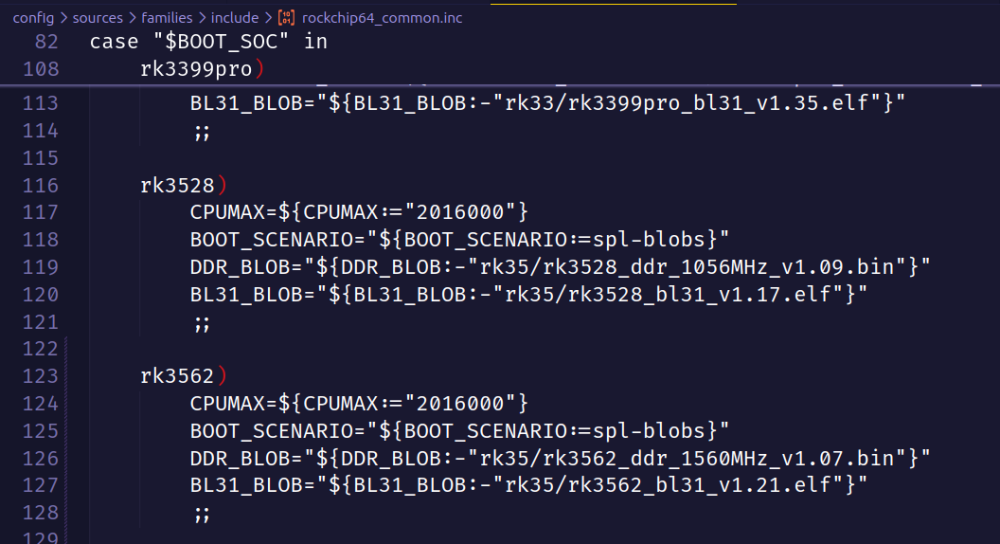
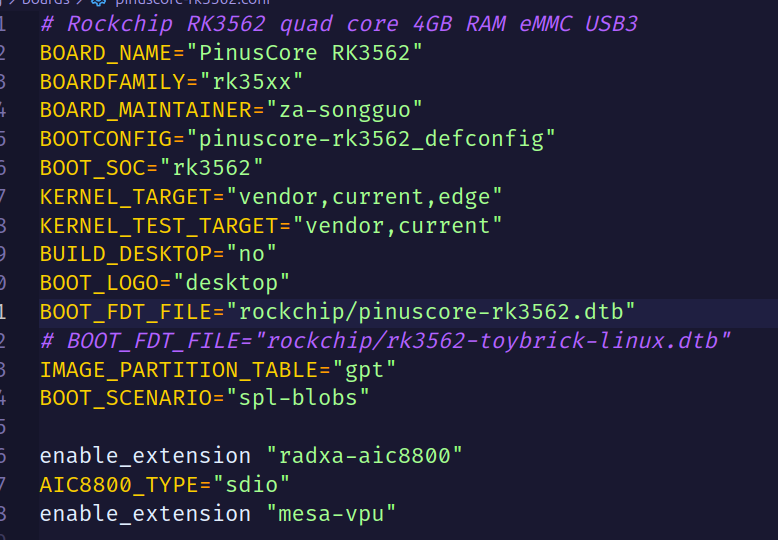
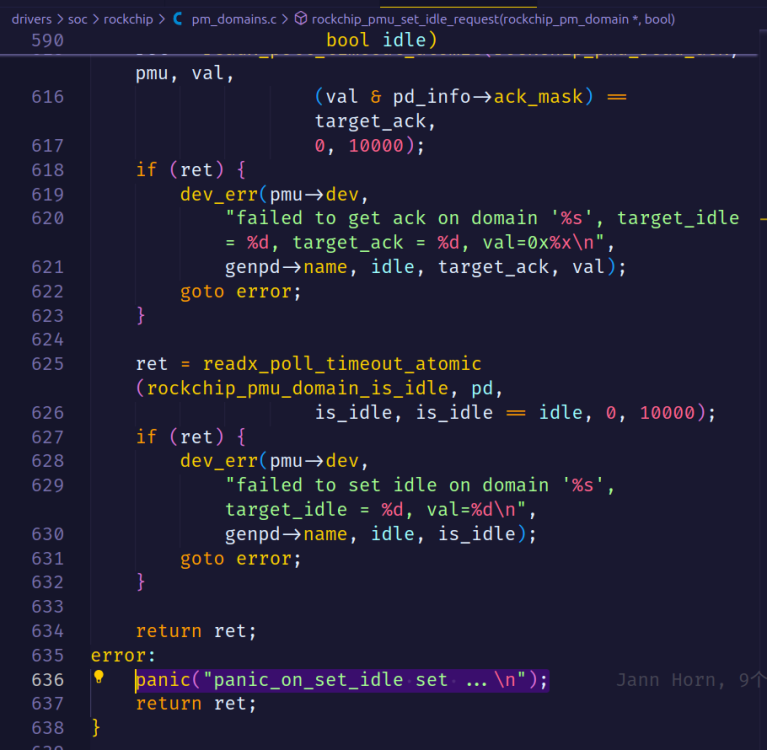
 Starting kernel ... [ 11.131621] Kernel panic - not syncing: panic_on_set_idle set ... [ 11.132177] CPU: 1 PID: 47 Comm: kworker/u8:3 Not tainted 6.1.115-vendor-rk35xx #1 [ 11.132851] Hardware name: PinusCore RK3562 (DT) [ 11.133272] Workqueue: events_unbound async_run_entry_fn [ 11.133760] Call trace: [ 11.133986] dump_backtrace+0xe8/0x124 [ 11.134332] show_stack+0x20/0x30 [ 11.134641] dump_stack_lvl+0x6c/0x88 [ 11.134975] dump_stack+0x18/0x34 [ 11.135283] panic+0x138/0x310 [ 11.135573] rockchip_pmu_set_idle_request+0x114/0x1d8 [ 11.136043] rockchip_pd_power+0x424/0x480 [ 11.136419] rockchip_pd_power_on+0x24/0x38 [ 11.136798] _genpd_power_on+0xbc/0x150 [ 11.137154] genpd_power_on+0x5c/0x14c [ 11.137500] __genpd_dev_pm_attach+0x1ac/0x280 [ 11.137903] genpd_dev_pm_attach+0x68/0x6c [ 11.138281] dev_pm_domain_attach+0x20/0x3c [ 11.138660] platform_probe+0x58/0xc0 [ 11.138992] really_probe+0x1cc/0x390 [ 11.139326] __driver_probe_device+0x140/0x158 [ 11.139729] driver_probe_device+0x44/0x100 [ 11.140108] __device_attach_driver+0x110/0x124 [ 11.140520] bus_for_each_drv+0xa8/0xd4 [ 11.140876] __device_attach_async_helper+0x7c/0xf8 [ 11.141322] async_run_entry_fn+0x6c/0x14c [ 11.141698] process_one_work+0x1b8/0x268 [ 11.142065] worker_thread+0x1e8/0x254 [ 11.142409] kthread+0xc0/0xd0 [ 11.142697] ret_from_fork+0x10/0x20 [ 11.143029] SMP: stopping secondary CPUs [ 11.143382] CPU2: stopping [ 11.143382] CPU3: stopping [ 3382] CPU0: stopping [ 11.143385] CPU: 2 PID: 9 Comm: kworker/u8:0 Not tainted 6.1.115-vendor-rk35xx #1 [ 11.143390] Hardware name: PinusCore RK3562 (DT) [ 11.143393] Workqueue: events_unbound deferred_probe_work_func [ 11.143401] Call trace: [ 11.143402] dump_backtrace+0xe8/0x124 [ 11.143408] show_stack+0x20/0x30 [ 11.143413] dump_stack_lvl+0x6c/0x88 [ 11.143418] dump_stack+0x18/0x34 [ 11.143423] local_cpu_stop+0x4c/0x6c [ 11.143428] ipi_handler+0xe0/0x1d0 [ 11.143433] handle_percpu_devid_irq+0x70/0x128 [ 11.143441] harq+0x24/0x30 [ 11.143450] gic_handle_irq+0x8c/0xa8 [ 11.143455] call_on_irq_stack+0x24/0x4c [ 11.143460] do_interrupt_handler+0x78/0xc4 [ 11.143467] el1_interrupt+0x90/0xa0 [ 11.143472] el1h_64_irq_handler+0x18/0x24 [ 11.143478] el1h_64_irq+0x74/0x78 [ 11.143483] rcu_all_qs+0x1c/0x84 [ 11.143489] __cond_resched+0x54/0x5c [ 11.143495] rockchip_dmcfreq_opp_set_rate+0x2a0/0x46c [ 11.143502] rockchip_dmcx1c8 [ 11.143513] devfreq_update_target+0x98/0xd8 [ 11.143517] update_devfreq+0x1c/0x28 [ 11.143521] rockchip_dmcfreq_system_status_notifier+0x1c4/0x200 [ 11.143527] notifier_call_chain+0x74/0x94 [ 11.143534] blocking_notifier_call_chain+0x4c/0x78 [ 11.143541] rockchip_system_status_notifier_call_chain.isra.0+0x28/0x34 [ 11.143547] rockchip_set_system_status+0x68/0xc4 [ 11.143552] rockchip_dmcfreq_probe+0xe34/0xe6c [ 11.143557] platform_probe+0x70/0xc0 [ 11.143562] really_probe+0x1cc/0x390 [ 11.143568] __driver_probe_device+0x140/0x158 [ 11.143575] driver_probe_device+0x44/0x100 11.143581] __device_attach_driver+0x110/0x124 [ 11.143588] bus_for_each_drv+0xa8/0xd4 [ 11.143593] __device_attach+0xf0/0x174 [ 11.143600] device_initial_probe+0x1c/0x28 [ 11.143606] bus_probe_device+0x38/0x9c [ 11.143612] deferred_probe_work_func+0xd8/0xec [ 11.143618] process_one_work [ 11.143631] worker_thread+0x1fc/0x254 [ 11.143636] kthread+0xc0/0xd0 [ 11.143642] ret_from_fork+0x10/0x20 [ 11.143647] CPU: 0 PID: 0 Comm: swapper/0 Not tainted 6.1.115-vendor-rk35xx #1 [ 11.143652] Hardware name: PinusCore RK3562 () [ 11.143655] Call trace: [ 11.143656] dump_backtrace+0xe8/0x124 [ 11.143663] show_stack+0x20/0x30 [ 11.143667] dump_stack_lvl+0x6c/0x88 [ 11.143672] dump_stack+0x18/0x34 [ 11.143677] local_cpu_stop+0x4c/0x6c [ 11.143681] ipi_handler+0xe0/0x1d0 [ 11.143686] handle_percpu_devid_irq+0x70/0x128 [ 11.143692] handle_irq_desc+0x28/0x40 [ 11.143697] generic_handle_domain_irq+0x24/0x30 [ 11.143702] gix4c [ 11.143711] do_interrupt_handler+0x78/0xc4 [ 11.143717] el1_interrupt+0x90/0xa0 [ 11.143723] el1h_64_irq_handler+0x18/0x24 [ 11.143728] el1h_64_irq+0x74/0x78 [ 11.143732] arch_local_irq_enable+0xc/0x28 [ 11.143739] cpuidle_enter+0x40/0x58 [ 11.143744] do_idle+0x21c/0x240 [ 11.143749] cpu_startup_entry+0x3c/0x40 [ 11.143754] kernel_init+0x0/0x138 [ 11.143760] arch_post_acpi_subsys_init+0x0/0x28 [ 11.143768] start_kernel+0x710/0x754 [ 11.143774] __primary_switched+0xbc/0xc4 [ 11.143782] CPU: 3 PID: 0 Comm: swapper/3 Not tainted 6.1.115-vendor-rk35xx #1 [ 11.143787] Hardware name: PinusCore RK3562 (DT) [ 11.143790] Call trace: [ 11.143791] dump_backtrace+0xe8/0x124 [ 11.143797] show_stack+0x20/0x30 [ 11.143802] dump_stack_lvl+0x6c/0x88 [ 11.143807] dump_stack+0x18/0x34 [ 11.143812] local_cpu_stop+0x4c/0x6c [ 11.143816] ipi_handler+0xe0/0x1d0 [ 11.143820] handle_percpu_devid_irq+0x70/0x128 [ 11.143827] handle_irq_desc+0x28/0x40 [ 11.143831] generic_handle_domain_irq+0x24/0x30 [ 11.143836] gic_handle_irq+0x8c/0xa8 [ 11.143840] call_on_irq_stack+0x24/0x4c [ 11.143845] do_interrupt_handler+0x78/0xc4 [ 11.143851] el1_interrupt+0x90/0xa0 [ 11.143856] el1h_64_irq_handler+0x18/0x24 [ 11.143862] el128 [ 11.143872] cpuidle_enter+0x40/0x58 [ 11.143877] do_idle+0x21c/0x240 [ 11.143881] cpu_startup_entry+0x3c/0x40 [ 11.143885] secondary_start_kernel+0x190/0x198 [ 11.143890] __secondary_switched+0xb0/0xb4 I am trying to port Armbian to a custom RK3562 development board. I have applied some patches in the kernel and U-Boot to support RK3562, but the system experiences a kernel crash during boot, with error logs as described above. I have already tried using the device tree file from the Toybrick RK3562 development board, but the problem persists. Can anyone please suggest where the problem might be? I am willing to provide any additional information to assist with troubleshooting. pinuscore-rk3562.dts pinuscore-rk3562.dtsi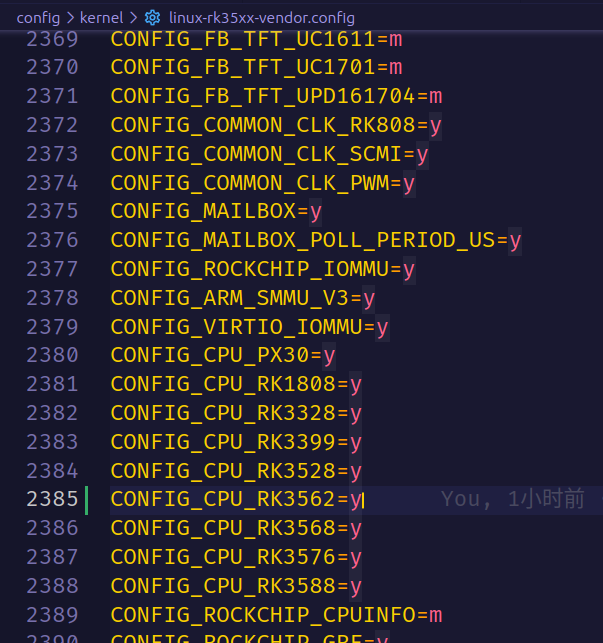
-
Regardless of whether I use the main or v25.08 branch, set REGIONAL_IMAGE to china or not, or switch between noble and trixie base images, I consistently encounter a 403 Forbidden error right after the customization step. I've tried various configurations, but the issue persists. Any help?🤔
-
This meeting is open to anyone currently contributing or interested in helping shape the newsletter going forward. Discussion Topics Strengthening the newsletter process and its impact Expanding our contributor base (authors, vendors, community voices) Improving the flow of raw content from developers Gathering better feedback from readers Ensuring the publishing process runs smoothly We're especially looking for: Fresh ideas to make the newsletter more useful and engaging A volunteer to take on reviewing and approving the first draft before publication 📅 Meeting Details Location: Discord –> Armbian Server -> Lounge Channel Duration: ~45 minutes Looking forward to seeing you there!
-
This meeting is open to anyone currently contributing or interested in helping shape the newsletter going forward. Discussion Topics Strengthening the newsletter process and its impact Expanding our contributor base (authors, vendors, community voices) Improving the flow of raw content from developers Gathering better feedback from readers Ensuring the publishing process runs smoothly We're especially looking for: Fresh ideas to make the newsletter more useful and engaging A volunteer to take on reviewing and approving the first draft before publication 📅 Meeting Details Location: Discord –> Armbian Server -> Lounge Channel Duration: ~45 minutes Looking forward to seeing you there!
-
 Would it be easy to port Armbian on the Pipo M6 Pro and integrate additional device drivers to provide support for the touchscreen, the front and back camera and the sound? https://www.geekbuying.com/item/Pipo-M6Pro-GPS-Android-4-2-RK3188-Quad-Core-1-6GHz-Tablet-PC-9-7-inch-Retina-Capacitive-Touch-Screen-2048-1536-2GB-16GB-319264.html Is this something feasible in the first place? Anybody out there who want to help me on this project?
 -
I ran compile.sh and got an error message which looked weird It couldn't find the directory .tmp/work-3efc55a6-9478-4508-91c4-5637c4b1e593 and would stop all work I created the directory and then it worked What the heck is that about? My linux x86 system is gentoo and not debian. I do have debian in vmware fusion on my mac. I use it to chroot my gentoo arm systems since it is much faster than cross compiling. For fun I tried again on a different directory and got a new error message This time it is .tmp/work-032fc96c-9055-4b10-86a8-b46b65980a11 The board I try to work with is YY3568 The problem doesn't seem to appear if I don't ask to let me change the kernel configuration
-
We developed so called Cloud images, which are a combination of minimal images + kernel with minimal set of drivers. Images also doesn't have any firmware packages, so bare OS comes down to 700Mb. Build from sources: ./compile.sh \ BETA=no \ BOARD=uefi-x86 \ BRANCH=cloud \ BUILD_DESKTOP=no \ BUILD_MINIMAL=yes \ ENABLE_EXTENSIONS=image-output-qcow2 \ IMAGE_VERSION=25.2.3 \ RELEASE=noble \ VENDOR="Company" \ VENDORCOLOR="5;100;115" \ KERNEL_CONFIGURE=no \ KERNEL_BTF=yes Customization: https://docs.armbian.com/Developer-Guide_Overview/ Details in promo style: Images were developed and tested in Qemu / KVM, but they should work (well) on all cloud platform. I need some help for testing those images, on any cloud that you can. It should also boot bare metal, but kernel is stripped down and many things won't work. Kernel configs: https://github.com/armbian/build/blob/main/config/kernel/linux-uefi-arm64-cloud.config https://github.com/armbian/build/blob/main/config/kernel/linux-uefi-x86-cloud.config x86 images: https://netcup-01.armbian.com/dl/uefi-x86/archive/Armbian_25.2.3_Uefi-x86_bookworm_cloud_6.12.20_minimal.img.qcow2 https://netcup-01.armbian.com/dl/uefi-x86/archive/Armbian_25.2.3_Uefi-x86_bookworm_cloud_6.12.21_minimal.hyperv.zip (Azure format) arm64 images: https://netcup-01.armbian.com/dl/uefi-arm64/archive/Armbian_25.2.3_Uefi-arm64_bookworm_cloud_6.12.20_minimal.img.qcow2 https://netcup-01.armbian.com/dl/uefi-arm64/archive/Armbian_25.2.3_Uefi-arm64_bookworm_cloud_6.12.21_minimal.hyperv.zip (Azure format) We are soon switching to those image for our armbian-config software install testing, so those images will be kept in good shape, but for Cloud deployments we need your help. In case you find them working well out of the box, install Docker "Hello world" and do some general things, please report which Cloud provider this was. Thank you!
-
 I would like to change the image types at https://www.armbian.com/mks-klipad50/ so that Debian Server images ("full-cli-stable-debian") for current and edge kernels are built for this board. Optimal would be, if the "Desktop" and "Minimal/IOT" were omitted, so that only the Server images appear. Something similar is done for "aml-s9xx-box" here: https://github.com/armbian/os/blob/main/userpatches/targets-release-community-maintained.template#L57 So my approach for enabling Server images would be https://github.com/armbian/os/compare/main...torte71:armbian-os:main as PR. But I am not sure a) if adding boards directly to the "items:" property is intended at all (or if it is e.g. just an unwanted workaround) b) if my changes work at all: I don't see a way to test it first c) how to disable generation of Desktop and Minimal/IOT images (but that point is optional, esp. if the changes would become too big) Could someone please give me some tipps for that?
 -
The "Edit Device" wordpress template ("https://www.armbian.com/wp-admin/...") has some input fields that I would like to understand. I am trying to complete it for the MKS-Klipad50 (https://www.armbian.com/mks-klipad50). (It's a CSC board, not standard support - if that matters.) Following fields are unclear to me: "Compatible" What is the meaning and expected syntax? Is that something like devices using the same kernel, but different setup/devicetree files? "Expose kernels" / "How many kernels to expose?" Is this related to the "Kernels" table (see below), like how many rows to use? "Kernels" Is it required adding rows to have images automatically generated and appear as download links on the device page? Or are these options just required for additional non-standard images? Is it better to leave it empty? Could someone please shed some light on the meaning of these fields?
-
I'm trying to build the linux-tools binaries from the kernel using the armbian build. I ran the ./compile.sh script and it built the image, but I only want the linux-tools binaries to copy over. I'm not sure how to get it to build them, when I go into the kernel tools folder and do "make all" it builds the binaries for x64 instead of for arm64. I looked through the kernel config file when running ./compile.sh script but can't find an option to build the linux-tools. I'm not sure how to add it so that they are built for the target system arm64.
-
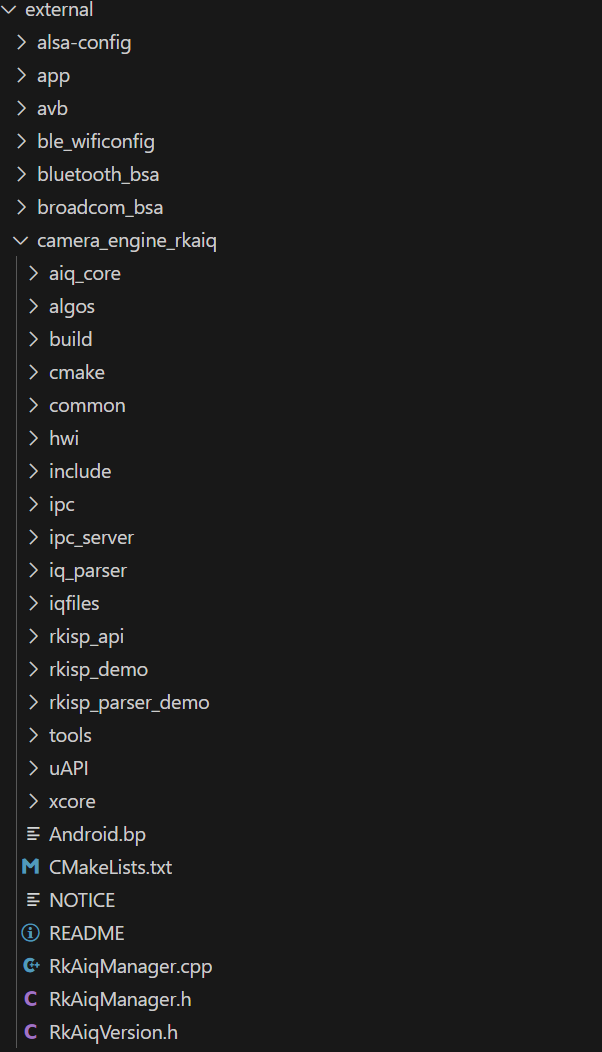
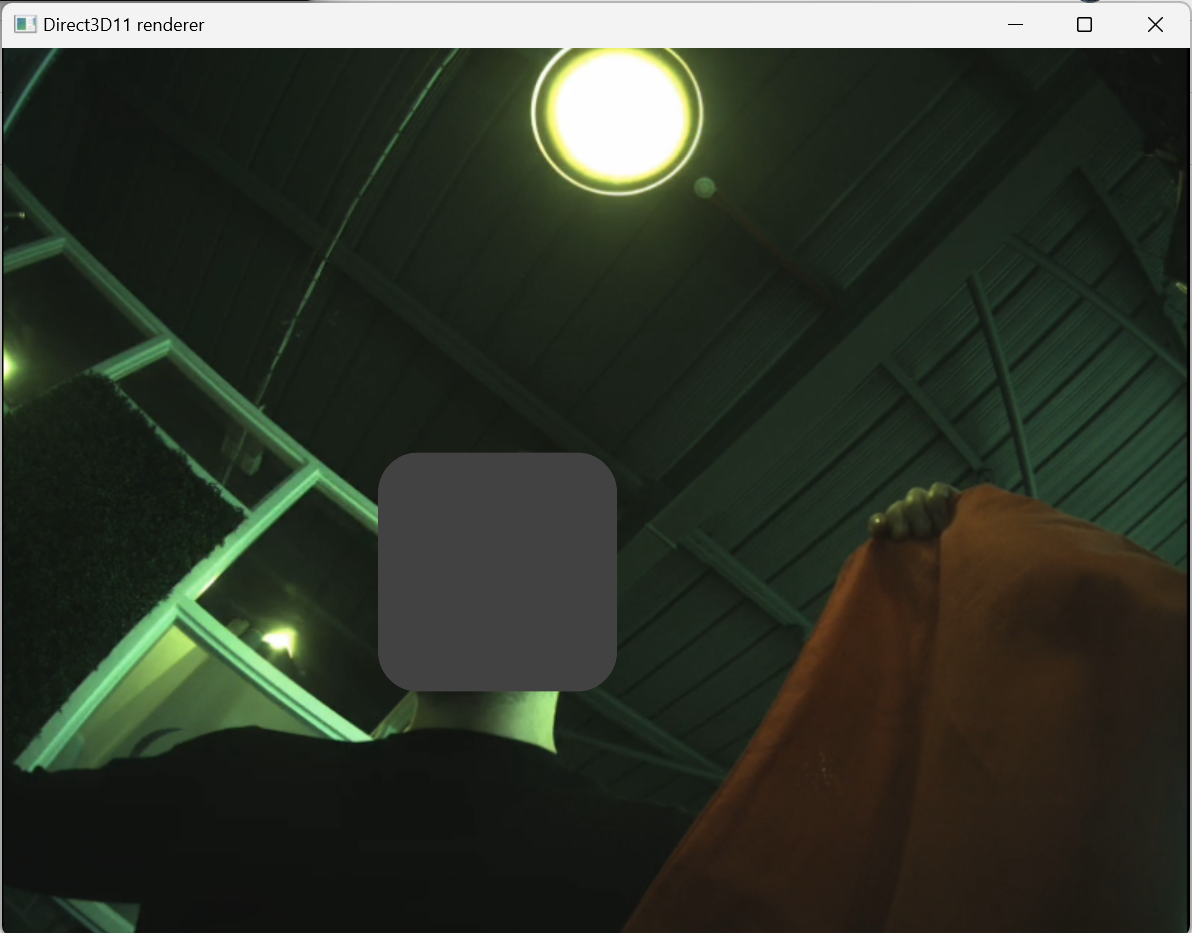
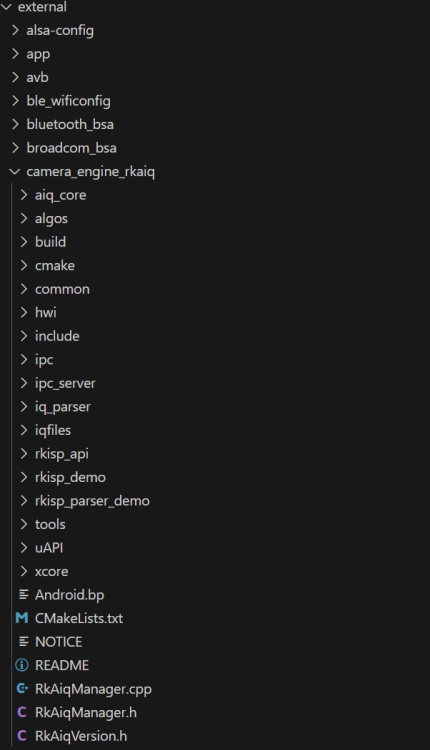
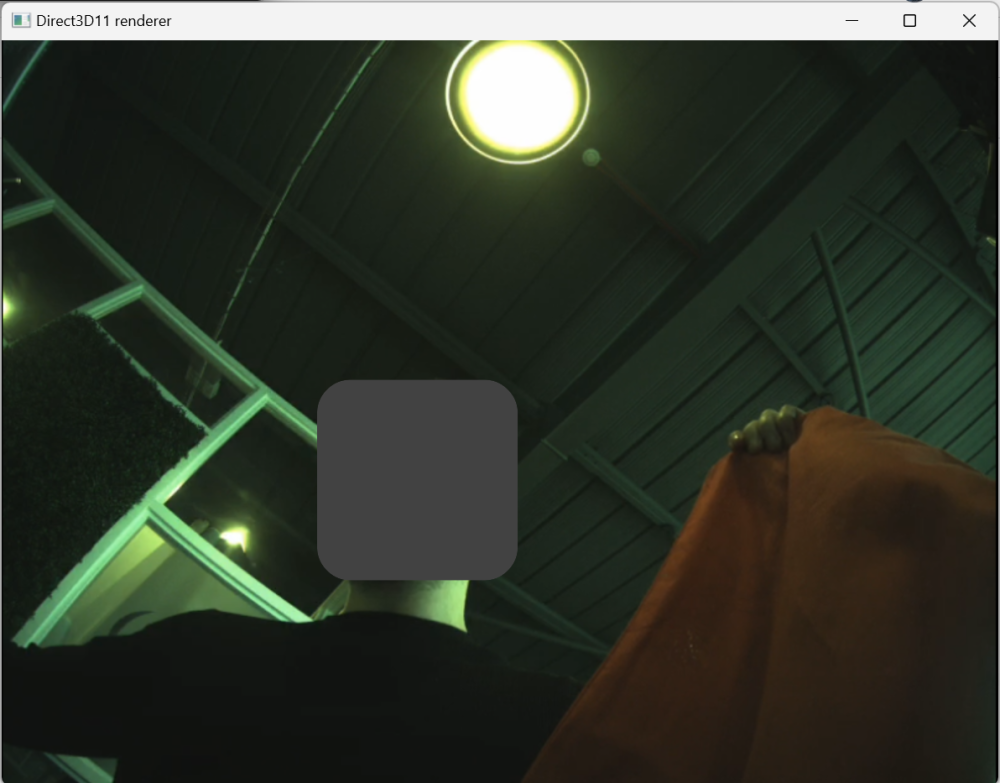
Hello All, Preface: First time posting, I am not an experienced software developer but have designed a working SBC around the RV1126. I have had some success recently getting video out of an IMX258 camera connected to the RV1126 but I am experiencing a strange issue where the camera feed has a green hue. (see attached picture). I have tried to change variables within the kernel - IMX258.c and many other places to change the auto white balance with no success but have recently come across this thread which may provide better results: https://forum.pine64.org/showthread.php?tid=17067 I do not have the RKISP2_tuner.exe in the camera_engine_rkaiq section of the SDK so was wondering if anyone can point me in the right direction or is able to provide an iq file for the IMX258 camera? Thank you in advance, any help at this point would be greatly appreciated.
-
untilArmbian releases are complex problem and current ad-hoc releases are just a workaround. For doing it ideally we don't have resource and / or sufficient protocols. https://us06web.zoom.us/j/85275202668
-
until- forum reorganisation
-
Hi all, I need to customize the /etc/fstab during the build to mount a mtd partition and also to override some mountpoints with tmpfs in order to reduce wearing on mmc. So, have added the following lines to customize-image.sh: cat <<EOT >> /etc/fstab # Reduce SD wearing by storing log files into ram (no need as overlayroot is used to freeze all the rootfs) tmpfs /tmp tmpfs defaults,noatime,nosuid,nodev 0 0 tmpfs /run tmpfs defaults,noatime,nosuid,nodev 0 0 tmpfs /var/tmp tmpfs defaults,noatime,nosuid,nodev 0 0 tmpfs /var/log tmpfs defaults,noatime,nosuid,nodev,noexec 0 0 tmpfs /var/lib/logrotate tmpfs defaults,noatime,nosuid,nodev,noexec,size=1m,mode=0755 0 0 tmpfs /var/lib/sudo tmpfs defaults,noatime,nosuid,nodev,noexec,size=1m,mode=0700 0 0 # MTD EEPROM memory dev/mtdblock0 /mnt/mtd jffs2 ro,relatime 0 0 EOT However changes in /etc/fstab are overridden somewhere over the build process, and this is the resulting /etc/fstab: UUID=c8167755-b557-4288-9109-9108bc48dd94 / btrfs defaults,noatime,commit=600 0 1 UUID=27ac6cc6-eff3-4736-a7bd-5517e3b150c0 /boot ext4 defaults,commit=600,errors=remount-ro 0 2 tmpfs /tmp tmpfs defaults,nosuid 0 0 Is there a way to safely patch the /etc/fstab file? Thanks very much! Andrea
-
 Hi I am building armbian image for Nanopi Neo. I need to include SWUpdate package in my armbian build. The already built SWUpdate package does not work for me, because I need to disable CONFIG_SIGNED_IMAGES. As far as I understand, I need to rebuild SWUpdate inside the armbian build system. Can you please help me to understand where I should write commands to build SWUpdate from source (git repo), so that armbian build system will put the built binary and libraries into the resulting image?