Active threads
Showing topics posted in for the last 365 days.
- Past hour
-

Have Armbian for Tanix TX1 QHZIW_H313_TX1_EMCP_V2.0?
Nick A replied to Lesano's topic in Allwinner CPU Boxes
@Lesano https://linux-sunxi.org/Tanix_TX1 shouldn’t be hard to make a armbian config for this board. You would need to boot over USB cable. https://linux-sunxi.org/FEL/USBBoot - Today
-
From what I know it isn't possible to boot without emmc on the amlogic TV boxes
-
 During first boot if the wifi router is not online, the whole setup skips wifi configuration. It would have good if it keeps scanning for new wifi names everytime it fails to connect to chosen option.
 -
PSA - trunk 130 is not a bootable image. trunk 100 works fine.
-
I couldn't find this documented specifically, but I confirmed this was the case via testing. Google also provided an AI summary which also stated that this was the case. I enabled `iptables-legacy` in the Armbian kernel builder which then resolved the errors I was getting. I also eventually realized through further research that `nftables` were also supported and available as a module out of the box. I wound up changing my Microk8s config to use `nftables`, which also worked out and is where I left my config today. Hopefully this is helpful for someone else in the future. Somewhat relevant articles: https://github.com/canonical/microk8s/issues/2180 https://github.com/canonical/microk8s/issues/4387 https://hub.libre.computer/t/missing-iptables-kernel-configs-for-microk8s-calico/3717
-
Thx, i'll do that
-
i suppose for headless minimal OS, this can become showstopper if it is difficult to access the serial console and there is a need to switch from one wifi with dhcp to other wifi with static ip configuration.
-
 In the past (2019) there was no chance to use the A64-CPU Jide Remix Mini with armbian, because of a blocked -u-boot But today I found a site (from February 2025 on github) https://github.com/r4nd3l/revived_remix_mini_pc?tab=readme-ov-file which can make the Closed Jide Remix Mini to boot from SDCard with a modified u-boot There at the github page is a modified u-boot and a modified A64 armbian for the Jide Remix Mini. Jide did leave us with a closed/blocked device AT this time the 16GB emmc isnt useable, but using SDCard is a start for upcycling the Jide Remix Mini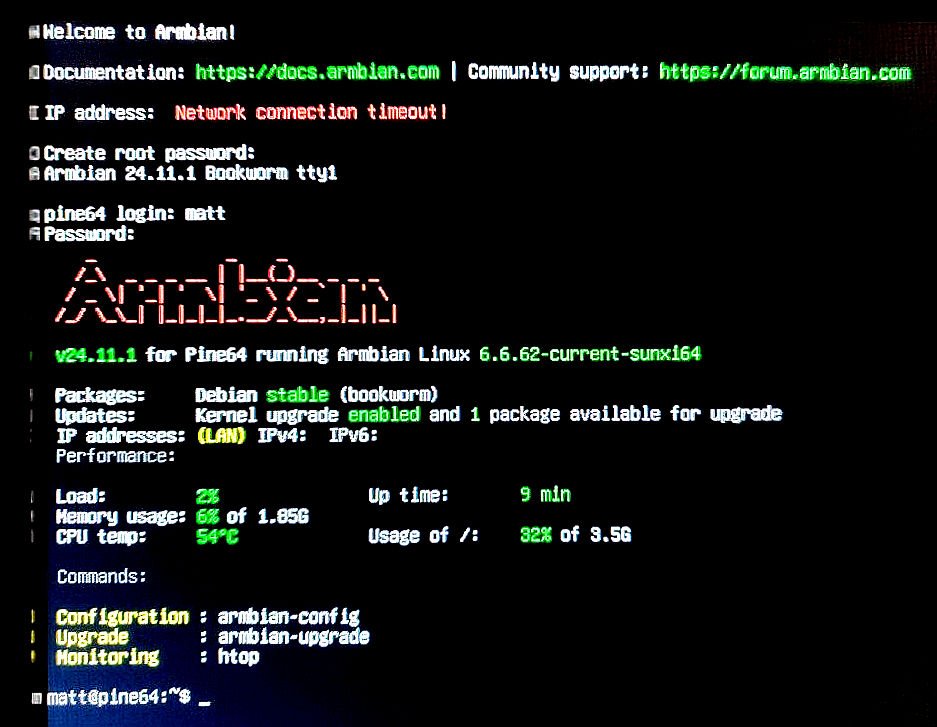
-
 If this fails on multiple build host environments, maybe check your network/internet connectivity. Else I don't really know what could be the cause. I use Armbian Aarch64 (RK3588s) with various tweaks ans kernels and it works fine for builds.
 -
This suggests it is 5V only and also no USB-C PD. You should power a ROCK5 with higher voltage, then no issues, at least that is my experience and is also what you can see if you look at schematics. You can also read the end-user docs/wiki. ROCK3A, ROCK5B, NanoPi-R6C all have own step-down DC/DC converter on the board itself. The latter one for example has an 8A component for it. So it can make enough power from 20 or 15 Volt input at a perfect 5V internally for USB devices on its type-A ports, and also easily maintain its 3.3V and lower voltages for CPU etc. OrangePi is cheap, same as RaspberryPi. Those shift the powering (issues) to the end-user, meaning you need a stable enough 5V on the USB power input connector. A slight voltagedrop can lead to problems. But board itself is cheap. RPi5 requires a quite rare 5A capable 5V USB-C PD (RPI5), where the ROCK3A/5B can just be fed from any voltage between 9 and 20 Volt (see docs/wiki). If you use 5V, the on-board DC/DC step-down cannot do its work of course, so essentially bypassed. Why did you buy a ROCK5 then. Same as buying a car with combustion engine with empty fuel tank, instead put a horse in front to pull you forward from A to B. (Or get a bicycle). The (extra) horse is the 27W Pi5 PSU here, costed me 18 Euros, half the price of the ROCK3A. I put a fixed 12V on a USB-C connector, from an old card battery, that by itself is kept at about 12V by a 12V/10A generic powerbrick. Is also UPS then is no 230VAC mains. The Nanpi-R6C with latest U-Boot and latest mainline kernel does also do USB-C PD, so with a generic 45W USB-C PD PSU, is flips automatically to 15V on its USB-C input. With another 60W USB-C PD PSU it was 20V. ROCK5B should be able to do the same, but haven't tried as run 24/7 for months as home/house server.
-

Installation Instructions for TV Boxes with Amlogic CPUs
Maurizio Finesso replied to SteeMan's topic in FAQ
Hi guys and Happy Christmas. I found something that could be useful. I had trouble due to fake sd card that report fake capacity. Capacity declared 64 Gb real capacity 3.7 GB. H2testw (windows) will show you the real capacity. Don't trust if it is a known brand because there are companies with machine to fake SD card. After another problem that I found is not to see the boot partition after imaging SD card. I don't know why but you must be sure that your imaging program (balena etcher o pi imager or rufus) are run in admin mode. after that in any case if it doesn't appear you have to assign a letter drive (sometimes it is not assigned) I used aomei partition manager) -

DM_CRYPT module unavailable in initramfs after update to 6.1.115
The Tall Man replied to David Zarebski's topic in Beginners
I've used an encrypted root in my configuration. I've found earlier versions of the vendor kernel to not include dm_crypt, so I've always used the edge kernel. That one's been quite reliable with encryption. If you're using serpent encryption, that's one that's more likely missing than the others. Run this to see if serpent's missing (from your (vendor) kernel): cryptsetup benchmark If serpent is missing, it will report N/A instead of a speed for that one. If you really want to use a vendor kernel, you can build it yourself... being sure to include dm_crypt, and if necessary, a serpent encryption module. - Yesterday
-

Help wanted to test a new OpenVFD alternative
blackc replied to Jean-Francois Lessard's topic in Amlogic meson
I was rechecked that openvfd works and get its config openvfd dtbo overlay fragment (decompiled on running system) It works, driver loaded and userspace software shows me current time on LED (some segments shows wrong, i think it result of wrong chars config) tm16xx: I've tried many values for GPIO line config, GPIO_ACTIVE_LOW (1), GPIO_ACTIVE_HIGH | GPIO_OPEN_DRAIN (6), GPIO_ACTIVE_HIGH (0), GPIO_ACTIVE_LOW | GPIO_OPEN_DRAIN (7). It was no result at all, driver still says that cannot init controller. Also i was tried drivers fd6551, fd655 with different GPIO lines config. No success. I was rechecked LED controller chip on board, it is really FD6551. tm16xx dtbo overlay fragment (decompiled on running system) I have no ideas what goes wrong. When i was configure openvfd device tree, pointing gpio chip as &gpio was not works. Only pointing as "0300b000.pinctrl" was successful. Maybe, its important... Maybe, some features/conflicts at controller init needs debugging -
@humanus I would argue that if you build your own image with your own u-boot that uses the vendor versions of BL31 Elf and DDR Bin plus some rootfs, you can test very quickly different kernel versions to see if latest mainline kernel 6.18 or 6.19-rc is working. U-Boot is quickly to build # extract u-boot cd u-boot-2026.01-rc5 # Get bl31 and ddr. Maybe even try newer versions of BL31 and DDR curl -LO https://raw.githubusercontent.com/rockchip-linux/rkbin/0b3e87afc2abd8dd6eb0052cd1be00de94a96637/bin/rk35/rk3528_ddr_1056MHz_v1.09.bin curl -LO https://raw.githubusercontent.com/rockchip-linux/rkbin/bf63f186b9d6ffeca758278f8cadb5d5e5dc7f86/bin/rk35/rk3528_bl31_v1.17.elf # Create the u-boot config make rock-2-rk3528_defconfig # Enable more config options like this, ONLY if really needed scripts/config --enable CONFIG_USE_PREBOOT scripts/config --set-str CONFIG_PREBOOT 'led green on; sleep 0.1; led green off' scripts/config --set-val CONFIG_LOGLEVEL '7' scripts/config --set-val CONFIG_SPL_LOGLEVEL '7' # If you enabled more than default, update the config make olddefconfig # Build u-boot make EXTRAVERSION=-MyAwesomeUboot-1 BL31=rk3528_bl31_v1.17.elf ROCKCHIP_TPL=rk3528_ddr_1056MHz_v1.09.bin # use u-boot files to flash - idbloader.img - u-boot.itb sudo dd of=/path/to/rock-2f-archlinux.img bs=512 conv=notrunc if=/path/to/idbloader.img seek=64 sudo dd of=/path/to/rock-2f-archlinux.img bs=512 conv=notrunc if=/path/to/u-boot.itb seek=16384 # or the combined file - u-boot-rockchip.bin sudo dd of=/path/to/rock-2f-archlinux.img bs=512 conv=notrunc if=/path/to/u-boot-rockchip.bin seek=64 This is just an idea to get you started and created relative quickly a base image for a boot test. If you have a process to build that quickly, flash it and try to boot. Hook up a serial console and if it boots interrupt the u-boot to get to the u-boot prompt. If you get there, you don't need to think about to much about the boot loader in the image. Because at that prompt you can test various boot options live, instead of editing something on the sdcard or to whatever medium you flashed it. Here are some thoughts and notes on how you can debug and try to boot from the u-boot prompt. # Lets assume device 1 is the SDCARD with the system on it # Check you disks (sdcard / emmc) mmc list mmc dev 1 mmc list mmc part # Maybe that will show you something like this. => mmc list sdhci@2a330000: 0 (eMMC) mmc@2a310000: 1 (SD) mmc@2a320000: 2 (SDIO) # 'dev part' will show you the partitions. # Lets assume you have 3 partitions on and part 3 is your system # Check if you can read files ls mmc 1:3 ls mmc 1:3 /boot/ # Now if you know your Linux kernel image, initrd and DTB name, you can try to boot load the files and boot # You get the PARTUUID from the 'mmc part' above load mmc 1:3 ${kernel_addr_r} /boot/Image load mmc 1:3 ${fdt_addr_r} /boot/dtbs/rockchip/rk3528-rock-2f.dtb load mmc 1:3 ${ramdisk_addr_r} /boot/initramfs-linux.img setenv bootargs 'root=PARTUUID=ab3ede6d-b4b9-4368-80a9-a029b67cca29 console=ttyS0,1500000 rootwait' booti ${kernel_addr_r} ${ramdisk_addr_r}:${filesize} ${fdt_addr_r} Most important is you need to figure out what the serial console really is. If it is not ttyS0, try ttyS1 or ttyS2. The above "bootargs" at very basic. If you don't see much, try adding more. Here are some example you can add. Not all at ones! earlycon=uart8250,mmio32,0xfeb50000 console=tty1 console=ttyS2,1500000 console=both consoleblank=0 loglevel=7 panic=10 rootwait rw init=/sbin/init rootfstype=ext4 The "earlycon" parameter is also board specific. Not sure if it is valid for a Rock 2F or what the correct address would be. Again, this is not a working step by step guide but something that I would try to use for development and debugging. Once you have something working, I would think about integrating it into the Armbian config files.
-
Need help with video decode acceleration on NanoPi R6S
eselarm replied to Blind55's topic in NanoPi R6S/R6C
Mainline 6.18 or 6.19 does only decoding accelerated, not encoding (yet) what is to great benefit of Jellyfin. Also for that transcoding, Jellyfin uses RKMPP, not V4l2. So 6.1.115 vendor kernel is what I use on the Jellyfin server (headless). For desktop RK3588, I use mainline 6.18.2 at the moment, brute force SW decoding, that works for me as content is max 1080p60 (HEVC or VP9 or H264). -
@robertoj I apologize, perhaps you missed the message.
-
Today investigated, why BCM Bluetooth was not working with my image. What a rabbit hole 🙄 Also added OrangePi R2S board. Smaller brother of RV2 (I have no board but it's probably working). For the Bluetooth: everyone is obviously happy to hack the BCM firmware file instead of implementing bcm init into hciattach. The brcm_patchram_plus firmware hacking tool was added for this arch and that arch as a binary under BSP for different boards. Not very Debian-style. I grabbed the working source, compared to the one avail in Android AOSP and added it to my branch, added lib6-dev-riscv64-cross to the Docker image and now have a working image with BT. LG && HTH // Sven-Ola
-
http://blog.armbian.com/content/images/2025/12/holiday1-1.pngFrom major kernel milestones to expanding our support for the latest ARM and RISC-V hardware, 2025 has been a year of growth and grit for Armbian. As we wrap up the final commits of the year, we’re looking back with gratitude at how far this project has come. The holiday season is our favorite time to reflect on the power of open source - where a global community comes together to make hardware work better for everyone. Thank you for being part of our story this year. Happy Holiday Hacking! Public beta: new Armbian OS image flasher. Clean, simple, open-source tool for flashing Armbian or any other disk image to your single board computer. Download for Linux / Window / MacOS Nanopi R76SThe ultimate travel router and secure hotspot Forget insecure hotel Wi-Fi. The NanoPi R76S, powered by the performance-optimized Armbian OS, is your ticket to a truly secure, high-speed mobile network. This pocket-sized device is built around the powerful Octa-core Rockchip RK3576 SoC and supports up to 16GB of LPDDR5 RAM,http://blog.armbian.com/content/images/icon/favicon-35.icoArmbian blogIgor Pecovnikhttp://blog.armbian.com/content/images/thumbnail/r67-1.jpgSponsored Post Armbian flashing toolWe’ve added a powerful new Image Flashing Tool to Armbian! You can now browse, download, and flash Armbian images directly to your device’s internal storage or boot media - no external tools required. Everything happens seamlessly inside armbian-config, making installation and re-installation faster, safer, and easier than ever.http://blog.armbian.com/content/images/icon/favicon-32.icoArmbian blogIgor Pecovnikhttp://blog.armbian.com/content/images/thumbnail/ChatGPT-Image-Dec-8--2025--11_11_38-PM.pngGithub HighlightsThis week in Armbian development saw significant progress across board support, kernel updates, and codebase improvements. Notable additions include support for the SpacemiT MusePi Pro and Friendlyelec NanoPi Zero2, alongside expanded compatibility for TI AM62x SoC boards. Multiple platforms, such as Rockchip, Meson64, and Sunxi, received kernel bumpst to newhttp://blog.armbian.com/content/images/icon/favicon-34.icoArmbian blogMichael Robinsonhttp://blog.armbian.com/content/images/thumbnail/highligts-2.pngView the full article
-
The ultimate travel router and secure hotspothttp://blog.armbian.com/content/images/2025/12/r67.jpgForget insecure hotel Wi-Fi. The NanoPi R76S, powered by the performance-optimized Armbian OS, is your ticket to a truly secure, high-speed mobile network. This pocket-sized device is built around the powerful Octa-core Rockchip RK3576 SoC and supports up to 16GB of LPDDR5 RAM, giving it the muscle to handle demanding, encrypted traffic effortlessly. 💡This device is officially supported by Armbian at the Platinum level, providing long-term maintenance, high reliability, and priority software support.Its core hardware is ideal for the road. The dual 2.5GbE Ethernet ports ensure you can maximize the speed of any high-bandwidth wired connection, while the M.2 E-Key slot allows for adding an optional Wi-Fi card to create a high-speed, personalized hotspot. More importantly, the powerful CPU is a VPN champion. With Armbian, setting up an encrypted connection is simple and utilizes the device's full potential. To create a persistent, secure tunnel for all your devices, just launch the terminal and run: sudo armbian-config. Navigate to Software and select the pre-packaged WireGuard install. This single step leverages the RK3576’s processing power for blazing-fast encryption and decryption, eliminating the speed slowdowns common with weaker travel routers. Finally, the USB 3.2 is perfect for attaching a portable SSD, instantly turning R76S into a secure, mobile NAS for backing up your files. This is just one example of usage. It can be served as a compact home or office server, Home Assistant hub, a high-performance network gateway with advanced firewalling and VPN termination, or a lightweight virtualization host for containers. Thanks to its dual 2.5 GbE interfaces, the R76S excels in scenarios where fast, reliable networking is essential. From segmented home labs and development environments to branch-office routing and monitoring. Combined with low power consumption and solid software support, it offers an impressive balance between performance, flexibility, and efficiency in a remarkably small form factor. Hardware specifications SoCRockchip RK3576 CPUOcta-core ARM (4× Cortex-A72 + 4× Cortex-A53) GPUARM Mali-G52 MC3 OpenGL ES 1.1 / 2.0 / 3.2, Vulkan 1.2, OpenCL 2.0 VPU8K@30fps H.265 / VP9 decoder 4K@60fps encoder NPU6 TOPS (INT8) Supports INT4, INT8, INT16, FP16, BF16, TF32 Memory2 GB / 4 GB LPDDR5 Storage32 GB eMMC microSD (UHS-I) Ethernet2 × PCIe-based 2.5 GbE WirelessOptional M.2 SDIO Wi-Fi USB1 × USB 3.2 Gen 1 Type-A HDMI HDMI 1.4 / 2.0 Up to 10-bit Deep Color Up to 1080p@120Hz or 4096×2304@60Hz 3D video support DebugUART (3-pin 2.54 mm, 3.3 V, up to 1.5 Mbps) GPIO1 × 8-pin GPIO connector Indicators3 × GPIO-controlled LEDs (SYS, LED1, LED2) ButtonsPower, User, MASK (eMMC update) RTC2-pin RTC battery connector (HYM8563TS) Power InputUSB-C, 5 V PCB8-layer PCB, 58 × 58 × 1.6 mm Operating Temperature0 °C to 70 °C View the full article
-
http://blog.armbian.com/content/images/2025/12/highligts-2.pngThis week in Armbian development saw significant progress across board support, kernel updates, and codebase improvements. Notable additions include support for the SpacemiT MusePi Pro and Friendlyelec NanoPi Zero2, alongside expanded compatibility for TI AM62x SoC boards. Multiple platforms, such as Rockchip, Meson64, and Sunxi, received kernel bumpst to new LTS 6.18.y and patch refinements, enhancing stability and hardware support. The team also improved consistency in function naming, streamlined vendor relations, and addressed driver issues for Rockchip64. Workflow enhancements were made to enforce image availability for new boards and reduce review noise. Additionally, legacy UEFI images for WSL2 were removed, and documentation output processes were refined. These updates reflect Armbian’s ongoing commitment to robust hardware support and development efficiency. Add board SpacemiT MusePi Pro and update linux patching. by @pyavitz in armbian/build#9058Add support for Friendlyelec NanoPi Zero2. by @sapphic-kitten in armbian/build#8886adjust function names for the sake of consistency. by @EvilOlaf in armbian/build#9108Board vendors adjustements for generic targets. by @igorpecovnik in armbian/build#9109Bump Rockchip edge to 6.18.y. by @igorpecovnik in armbian/build#9104CodeRabbit review noise reduction. by @igorpecovnik in armbian/build#9074compress-checksum: introduce COMPRESS_OUTPUTIMAGE=zst. by @rpardini in armbian/build#9101DevTree overlays to enable RK3308 UARTS. by @brentr in armbian/build#9072extensions/gen-sample-extension-docs: output Markdown to userpatches/extensions. by @rpardini in armbian/build#9075Fix missing board vendor relations. by @igorpecovnik in armbian/build#9110Fix PR comments for forked submissions. by @igorpecovnik in armbian/build#9089GHA: Enforce board and vendor image availability for newly added boards. by @igorpecovnik in armbian/build#9087meson64: 6.18: drop cacheref S922X fix patch as it landed on 6.18.2. by @rpardini in armbian/build#9100Meson64: linux-6.18.y: Improve 6.18.y support for G12/SM1. by @pyavitz in armbian/build#9070radxa-e24c: enable edge branch by picking from Kwiboo's WiP tree. by @rpardini in armbian/build#9102rockchip64: Fix IEP driver. by @fwolter in armbian/build#9107rpi4b: bump legacy, current and edge to new major version. by @EvilOlaf in armbian/build#9097rpi4b: enable EXTRAWIFI again for edge. by @EvilOlaf in armbian/build#9073sunxi: adjust patch for H616 overlays. by @EvilOlaf in armbian/build#9096sunxi: bump current and edge to latest minor, rewrite patches. by @EvilOlaf in armbian/build#9103sunxi: bump edge to 6.18. by @EvilOlaf in armbian/build#9049sunxi: fix missing dt overlays. by @EvilOlaf in armbian/build#9094TI SK-AM62-SIP Remove Edge Target. by @Grippy98 in armbian/build#9105ti: configs: boards: Add additional AM62x SoC board support. by @jonaswood01 in armbian/build#9081ti: configs: family: k3: Update baseline to 11.02.08. by @jonaswood01 in armbian/build#9091Update odroidxu4-current to 6.6.119. by @belegdol in armbian/build#9037WSL2: Drop UEFI images designed specially for WSL2. by @igorpecovnik in armbian/build#9098View the full article
-
See here, HW description bulletpoint 17 https://www.hardkernel.com/shop/odroid-m1s-with-4gbyte-ram/ Maybe it is also available on the 40-pins or 14-pins I/O headers, so a simple generic USB serial cable with jumper wires can be connected.
-

Rupa X88 Pro 13 - RK3528 board with images
Joao Cordeiro replied to fedes_gl's topic in Rockchip CPU Boxes
Actually, I was able to find that IC but in chinese version.. https://datasheet4u.com/datasheets/I-CORE/AiP1628/1571692 Looks like its some kind of low level chip that probably transforms low voltage signals into higher voltage, like the ones used on ethernet ports. Probably to power up the LCD leds. -

Efforts to develop firmware for H96 MAX V56 RK3566 4G/32G
WINEDS replied to Hqnicolas's topic in Rockchip CPU Boxes
To get the ethernet working you have no option but to build an image with kernel support for mae621. See these posts : -
@PH Ph Ask Google AI mode... I haven't played with 4G CPE routers.
-
So far, the best working images I have found for the LonganPi 3H are those developed for the BananaPi M4 Zero. Only issues I have encountered are wifi-related. Hopefully this helps someone.