All Activity
- Past hour
-

CSC Armbian for RK3318/RK3328 TV box boards
usual user replied to jock's topic in Rockchip CPU Boxes
I usually use Falkon in a Plasma environment with Wayland backend. - Today
-
@qq20739111 The only change I can think of is the Thermal Governor is set to STEP_WISE by default. Without it the fan would run full speed all the time. Radxa had it set to CONFIG_THERMAL_DEFAULT_GOV_POWER_ALLOCATOR=y . I guess it would be safer to switch back to POWER_ALLOCATOR and figure another way to fix the fan issue. The 0.6.x images don't have these changes. Is this an image you compiled yourself? The CPU needs proper cooling you should install one of these. https://radxa.com/products/accessories/heatsink-6530b
-
Thx 2, but how do we go there from the boards page, these days!? After not been around for a while I'm happy to find out that Igor still (re)-supports the Espressobin board. Though the homepage had been redesigned heavily I was missing e.g. the links to the adapted u-boot files, rescue stuff, etc. - thx
-
@Nick A hi, I noticed a big difference in my tests on A7Z. The official image runs cool at 60°C, but your image boosts performance by roughly 30% while hitting 90°C. Did you apply an overclock, or is the stock image just limiting the potential?
-
Thank you very much for your reply! Which gstreamer based browser, as I tried epiphany in noble and it didn't seem to work.
-
 I've found these firmware.Maybe they are helpful? nvram_ap6611s.txt clm_syn43711a0.blob SYN43711A0.hcd fw_syn43711a0_sdio.bin
 -
 I am not sure if it is a configuration error on my side or intended behaviour, but I am getting apticron emails about armbian-config almost daily due to releases being made by CI/CD. Is there a "release" branch I could switch to to make it stop? Or do I need to blacklist armbian-config from apticron reports? Thanks!
 -
You are not using Armbian. This is a fork of Armbian which uses our name without permission and they do not contribute to the core development process. They trick you into thinking that you will get some sort of support at this place which isn't the case. We do not support 3rd party forks.
-
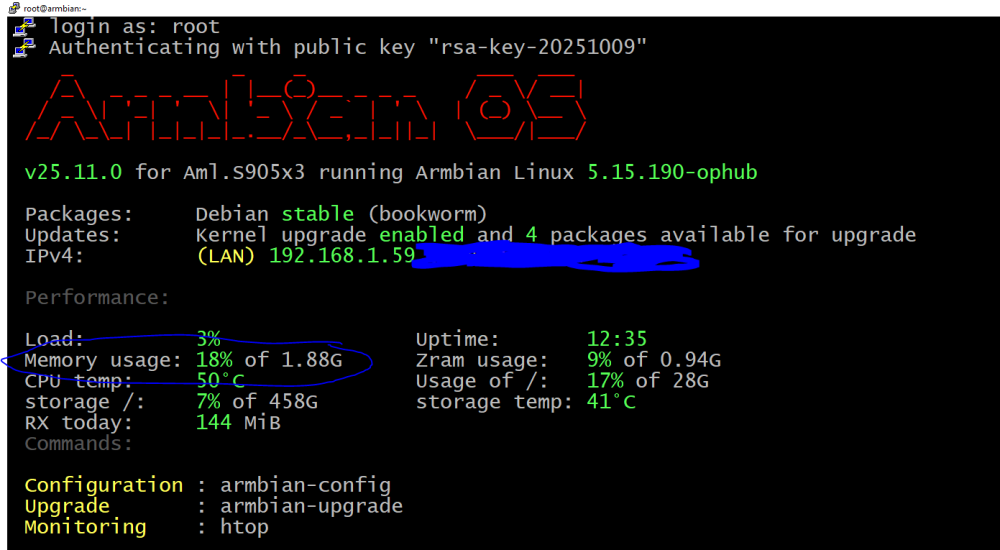
Hello. I'm running Armbian on a Ugoos AM3 TV box. I downloaded the Armbian_26.05.0_amlogic_s912_bookworm_6.18.20_server_2026.04.01.img.gz image from https://github.com/ophub/amlogic-s9xxx-armbian/releases/download/Armbian_bookworm_arm64_server_2026.04/ Armbian_26.05.0_amlogic_s912_bookworm_6.18.20_server_2026.04.01.img.gz I'm using an 8GB USB flash drive. I formatted the flash drive to FAT32. I burned the image to the flash drive using Win32 Disk Imager. After burning the image, I found the u-boot-s905x-s912.bin file in the root directory of the flash drive and renamed it to u-boot.ext. In the /dtb/amlogic/ directory, I found the meson-gxm-ugoos-am3.dtb file and edited the path in the extlinux/extlinux.conf file in the FDT line. The resulting line was: FDT /dtb/amlogic/meson-gxm-ugoos-am3.dtb I connected a monitor via HDMI to the TV box, a network via Ethernet, a USB keyboard, and inserted a USB flash drive into the TV box. Armbian loaded normally. I followed the steps to create a user and install locales. No network setup messages appeared during setup. After setup and booting, I ran the command as the user ip a I saw that the TV Box hadn't received an IP address. I tried running the command sudo systemctl restart NetworkManager , but the IP address didn't appear. I turned off the TV Box using the command sudo poweroff. I disconnected the USB flash drive and booted into the TV Box in Android (I'm using a slimBox). I checked the network in Android—both Ethernet and WiFi were working. I switched the WiFi status in Android to off, and then re-enabled the WiFi. I inserted the USB flash drive with Armbian into the TV Box and booted into Armbian—the Ethernet network was working. I tried shutting down the system using the command sudo poweroff. I disconnected the TV Box from the power supply. After that, I booted the TV Box into Armbian again—both Ethernet and WiFi were still not working. If I re-enable the network in Android, the Ethernet will work again until the power is cut off. I tried using the dtb files meson-gxm-q201.dtb and meson-gxm-q200.dtb, but the Ethernet also doesn't work after a power outage. My TV box uses an LTM8830 WiFi module and an Amlogic S912 ARM Cortex-A53 processor. RAM is 2 GB.
-

Trying to boot Armbian on LinknLink iSG Box SE
Sancho replied to Sancho's topic in Rockchip CPU Boxes
Hey @rosic thank you for sharing, nice find as well. What image did you use to flash to emmc? After rebooting my filesystem is read only and I can't update packages. - Yesterday
-
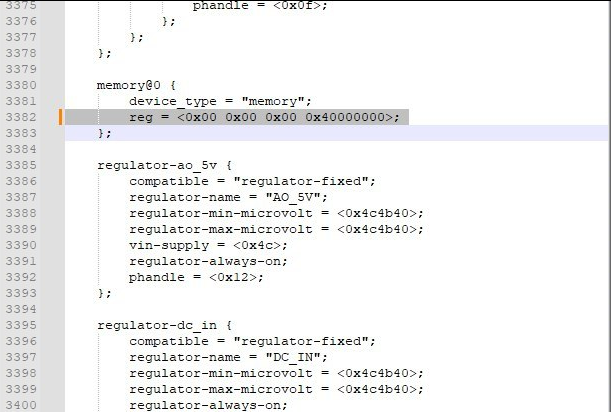
Hi all, I finally could get 4GB in my Transpeed M98 Plus. For everyone that have this same problem, the solution is just use a patch to change 2 archives, the "configs/transpeed-8k618-t_defconfig" and the include/configs/sunxi-common.h to define the maximum dram to 4GB instead 2GB. Just put the patch in build/patch/u-boot/u-boot-aw before the compilation process. To be honest I don't know how Nick could put his box to work with 4GB, because the sunxi-common.h fix in 2GB the maximum amount of dram, #define PHYS_SDRAM_0_SIZE 0x80000000 /* 2 GiB */ instead of #define PHYS_SDRAM_0_SIZE 0x100000000ULL /* 4 GiB */. 174-define-DRAM_MAX_SIZE-to-4GB.patch
-
 @Sergioclr Try this build. If Ethernet works then we can borrow the dts settings.
 -
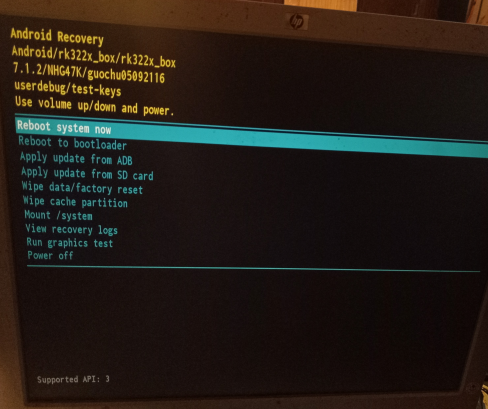
What do I do here? My box has no keys period save the reset button. I searched for the issue in this thread and didn't find anything, or in the internet at large. I have no remote for it (And it doesn't have bluetooth to start with) and usb devices didn't work, so that's not it either.
-
The Orange Pi CM4 isn’t as widely supported in Armbian as some other boards yet, so support can be a bit limited depending on what you’re trying to do. Your best bet is to check the Armbian download page or forums for any community builds, as some users have shared working images or tweaks. Otherwise, you may need to use the official Orange Pi OS or adapt an existing Armbian image with some manual configuration.
-
 Good afternoon. image X96Q LPDDR3 (w/ secure-boot patch) sucessfully compiled (Min22 XFCE, Trixie packages); UART installed, image boots OK, wlan0 IP address defined. Problems: apt update fails (error) to install armbian-firmware_26.2.1_all.deb box ethernet port is not recognized The following is a screen capture of Putty (serial via UART) of the system: Any suggestions? Thanks in advance.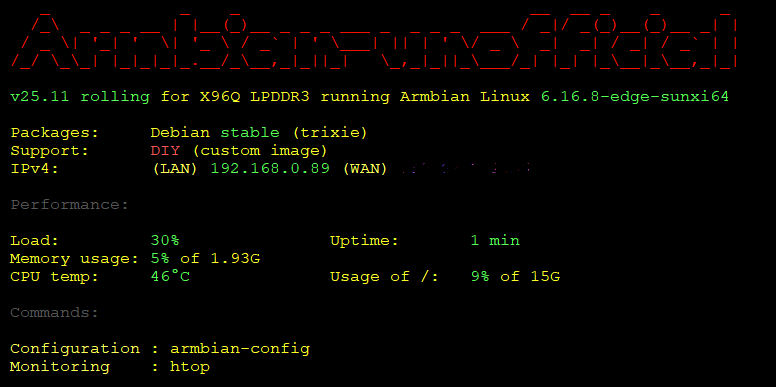
-
CSC Armbian for RK3318/RK3328 TV box boards
usual user replied to jock's topic in Rockchip CPU Boxes
I haven't looked at this use case for a very long time. I can no longer remember since when it has worked out-of-the-box for me. Since decoder support has been part of the GStreamer framework for a very long time, hardware-supported video decoding works for all browsers that use this framework with the standard packages of the distribution of my choice. When v4lrequest support was still implemented with the out-of-tree patches using the stateful method, it also worked with Firefox out-of-the-box. Just an accordingly patched FFmpeg framework was required. This is likely no longer going to work with the current patches for the FFmpeg framework and requires an additional implementation in Firefox. I suspect, however, that this will only happen after the official inclusion of v4lrequest support in the FFmpeg framework, as is also the case with MPV. To what extent patches for Firefox are already available is unknown to me. For the distribution of my choice, I have in any case rebuilt the FFmpeg and MPV packages with the corresponding patches. I have to confess that I usually use Firefox and the video decoding works flawlessly for my use cases. However, I cannot say whether this is actually hardware-accelerated, because the SBCs I use with a graphical Desktop are powerful enough to function sufficiently even with only software decoding. I'm just taking the lazy way here and waiting for it to end up in Manline. For SBCs that need hardware acceleration, I simply use a browser that uses the GStreamer framework. -

Trying to boot Armbian on LinknLink iSG Box SE
rosic replied to Sancho's topic in Rockchip CPU Boxes
Hello, thank you for your response and findings. I eventually also managed to get into Maskrom and reflash it multiple times. I now managed to run a HomeAssistant supervised on it. I used different pins, not a resistor. I flashed this on it: https://github.com/fensoft/dq08-haos/releases Important note: update the box to the latest LinknLink image first. It probably updates also kernel. I couldn't boot HomeAssistant without it.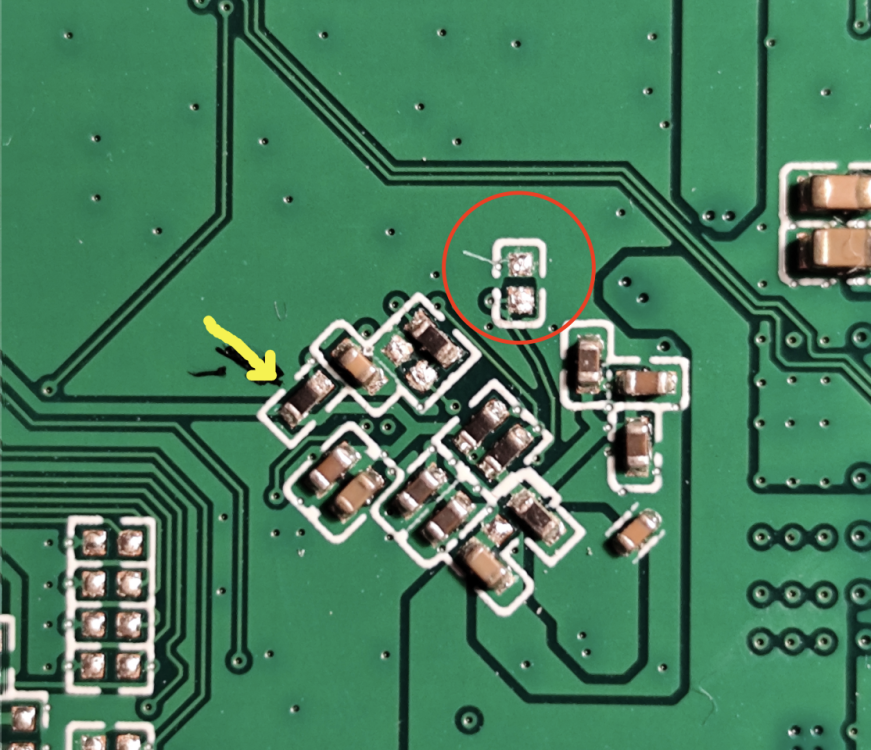
-
For some reason, the CPU frequency in Ubuntu is set to 1416000 while the hardware can reach 1512000, which is an improvement of about 6 and a half in CPU performance. I would appreciate a change or explanation. Thank you very much for everything.
-
Hi Tparys Sorry for the last reply, it has been a couple of busy days. > If they are exactly the same software, it sounds like a hardware issue. Yes that was my initial thought, and therefore I validated with the HardKernel images on one of broken nodes and since the PWM fan was a normal. It seems to be a software problem instead. > If the HardKernel images works as expected, perhaps you've updated all 3, but not rebooted the working one yet? After the second node broke have a turn all devices off each night and the healthy node has worked every day. > Can you post logs of both working and not working boards? Node 1 (Healthy): https://paste.armbian.com/ibofokalis Node 2 (Unhealthy): https://paste.armbian.com/ifihodukoj I am reinstalled armbian 26.2.1 Noble and here is the PWM not working. I am capable of setting a PWM but it doesn't respond to it. It was on this node I have tested the HardKernel Image Node 3 (Unhealthy): https://paste.armbian.com/kemesojuva I have done some additional debug on this node. The hwmon2/pwm1_enable is set to 1 for manual mode and pwm1 is zero even if the fan is speeding at full speed. If I disable the fancontrol service and manually control the pwm1, it is possible to set the pwm to a different speed and the fan will respond but after a split sensor would the value of pwm1 be reset to 0 instead of the assigned value.
-
Trying to boot Armbian on LinknLink iSG Box SE
Sancho replied to Sancho's topic in Rockchip CPU Boxes
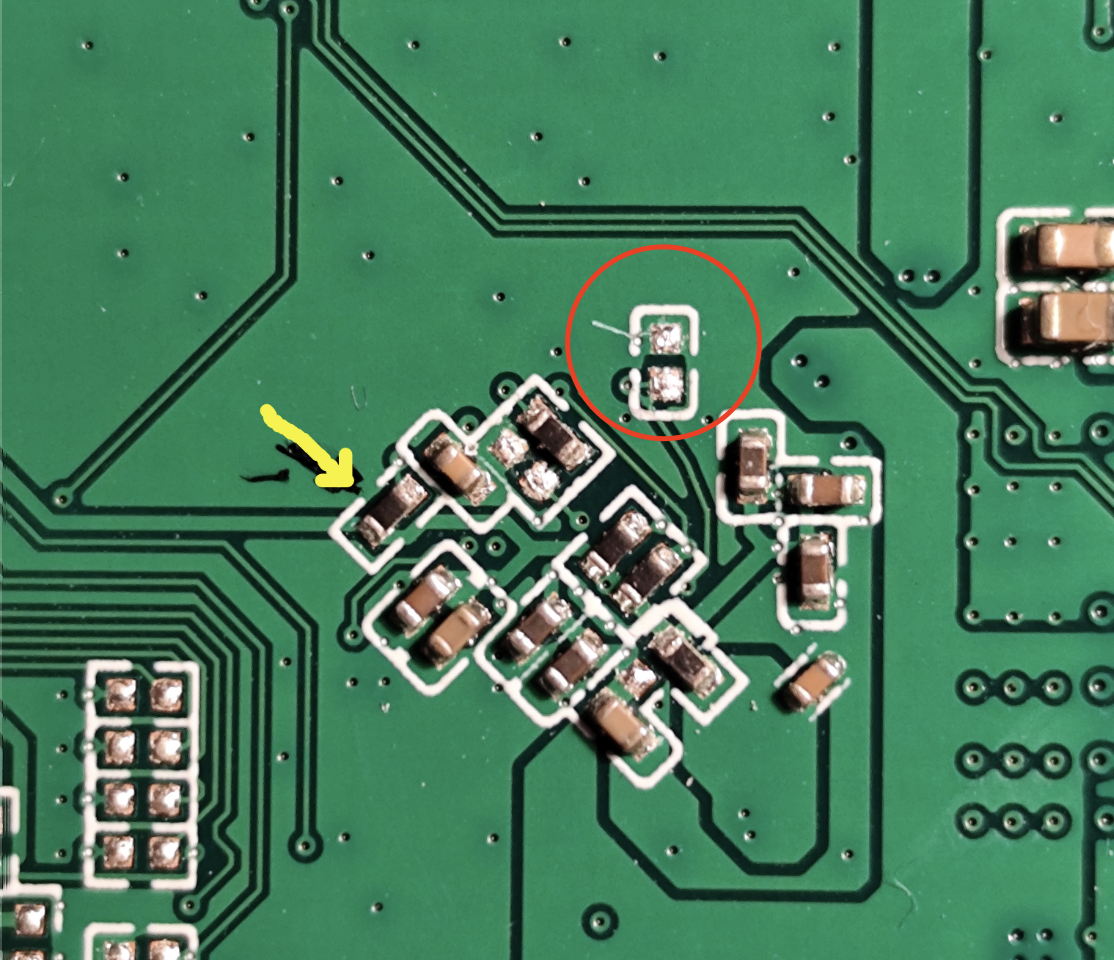
Hello! @rosic Yes I took a look at the components of the board and eventually managed to find the resistor that interferes with the emmc clock. Shorting it will put the box in Maskrom mode and enable you to flash the original firmware using the official tutorial from the Linknlink wiki even if you cannot get into Loader mode by pressing the reset button insode the audio jack. I used a metal clamp to short it while I plugged the USB-A to USB-A cable into the 2nd usb port. You can see images here Official instruction here -
My bad I didn't specify. On Windows. I lost 4h on it. I needed to use dd on a Mac to create a bootable SD card. Arbian Imager didn't help, it killed my Window stuck on storage finding and couldn't be killed. on Mac made a bad job of flashing, didn't even started boot. Btw on Windows, all methods I used (Raspberry Imager, Etcher, Rufus) all made like 50ish small 0 bite partitions and one big unallocated. Somehow it started booting, Armbian logo on, but then it failed.
-
The install process is the same from the beginning of the project, you're confused.
-
https://paste.armbian.com/hicilanono Works just fine
-

HDMI audio and analog audio do not work on Opi5Plus
JFL replied to ずっと一人's topic in Orange Pi 5 Plus
Hi, Just an update on this issue. Upgraded to kernel-7.0.0-edge-rockchip64-26.2.0-trunk.733, still no audio output on Analog Headphone/Audio Jack. - Last week
-
Hey there, I try to install Armbian on my Arduino UNO Q (2 GB), but it fails with all three images Armbian_community_26.2.0-trunk.703_Arduino-uno-q_trixie_edge_6.19.0_minimal.tar.xz Armbian_community_26.2.0-trunk.703_Arduino-uno-q_noble_edge_6.19.0_gnome_desktop.tar.xz Armbian_community_26.2.0-trunk.703_Arduino-uno-q_noble_edge_6.19.0_kde-neon_desktop.tar.xz The error message: .\arduino-flasher-cli.exe flash .\Armbian_community_26.2.0-trunk.703_Arduino-uno-q_trixie_edge_6.19.0_minimal.tar.xz WARNING: flashing a new Linux image will erase any existing data that you have on the board. Do you want to proceed and flash .\Armbian_community_26.2.0-trunk.703_Arduino-uno-q_trixie_edge_6.19.0_minimal.tar.xz on the board? (yes/no) yes Unzipping Debian image arduino-images/ arduino-images/disk-sdcard.img.esp arduino-images/disk-sdcard.img.root arduino-images/flash/ arduino-images/flash/imagefv.elf arduino-images/flash/zeros_1sector.bin arduino-images/flash/multi_image.mbn arduino-images/flash/gpt_main0.bin arduino-images/flash/gpt_backup2.bin arduino-images/flash/featenabler.mbn arduino-images/flash/boot.img arduino-images/flash/prog_firehose_ddr.elf arduino-images/flash/tz.mbn arduino-images/flash/xbl.elf arduino-images/flash/rawprogram0.xml arduino-images/flash/gpt_both0.bin arduino-images/flash/gpt_empty0.bin arduino-images/flash/gpt_backup1.bin arduino-images/flash/xbl_feature_config.elf arduino-images/flash/rawprogram0.nouser.xml arduino-images/flash/gpt_main2.bin arduino-images/flash/km4.mbn arduino-images/flash/gpt_backup0.bin arduino-images/flash/zeros_33sectors.bin arduino-images/flash/gpt_main1.bin arduino-images/flash/abl.elf arduino-images/flash/rpm.mbn arduino-images/flash/storsec.mbn arduino-images/flash/devcfg.mbn arduino-images/flash/cdt.bin arduino-images/flash/hyp.mbn arduino-images/flash/qupv3fw.elf arduino-images/flash/patch0.xml arduino-images/flash/uefi_sec.mbn panic: runtime error: index out of range [0] with length 0 goroutine 1 [running]: github.com/arduino/arduino-flasher-cli/internal/updater.Flash({0x7ff7f72e8c08, 0xc0000e9e50}, 0xc000288130, {0xc0000a8060, 0x54}, 0x1?, 0x0, {0x0, 0x0}, 0x0) D:/a/arduino-flasher-cli/arduino-flasher-cli/internal/updater/flasher.go:95 +0x757 github.com/arduino/arduino-flasher-cli/cmd/arduino-flasher-cli/flash.runFlashCommand({0x7ff7f72e8c08, 0xc0000e9e50}, {0xc000288110, 0x1?, 0x1?}, 0x0, 0x0, {0x0, 0x0}) D:/a/arduino-flasher-cli/arduino-flasher-cli/cmd/arduino-flasher-cli/flash/flash.go:117 +0x349 github.com/arduino/arduino-flasher-cli/cmd/arduino-flasher-cli/flash.NewFlashCmd.func1(0xc00002c908, {0xc000288110, 0x1, 0x1}) D:/a/arduino-flasher-cli/arduino-flasher-cli/cmd/arduino-flasher-cli/flash/flash.go:74 +0x94 github.com/spf13/cobra.(*Command).execute(0xc00002c908, {0xc0002880e0, 0x1, 0x1}) C:/Users/runneradmin/go/pkg/mod/github.com/spf13/cobra@v1.9.1/command.go:1019 +0xae7 github.com/spf13/cobra.(*Command).ExecuteC(0xc00002c608) C:/Users/runneradmin/go/pkg/mod/github.com/spf13/cobra@v1.9.1/command.go:1148 +0x465 github.com/spf13/cobra.(*Command).Execute(...) C:/Users/runneradmin/go/pkg/mod/github.com/spf13/cobra@v1.9.1/command.go:1071 github.com/spf13/cobra.(*Command).ExecuteContext(...) C:/Users/runneradmin/go/pkg/mod/github.com/spf13/cobra@v1.9.1/command.go:1064 main.main() D:/a/arduino-flasher-cli/arduino-flasher-cli/cmd/arduino-flasher-cli/main.go:71 +0x3f0 .\arduino-flasher-cli.exe flash latest works as expected, so it seems to be an issue with these images. Or do I use the wrong installation method? The problem is reproducible under Windows 11 and Linux. Installation over Armbian Imager also fails https://paste.armbian.com/fowidugipo https://paste.armbian.com/ogekaqalaq