All Activity
- Past hour
-
Unfortunately, English is not my native language, and you may have misunderstood me. I apologize. I didn't mean to do anything like that. And I am grateful for your work! So, following your suggestion, I compiled the versions from your other git branch - git clone https://github.com/sven-ola/armbian-build.git --branch orangepi-rv2-ky ./orangepi-rv2-ky I first tried building an image with Orangepirv2_noble_current_6.6.99_xfce_desktop. The network worked, and booting from the rear m.2 2280 also worked, but unfortunately, there was no HDMI video, just a black screen. Then I tried building a different build with Orangepirv2_trixie_current_6.6.63_xfce_desktop, and lo and behold, almost everything worked – the network worked, there was HDMI sound, HDMI output worked, Bluetooth worked, and the built-in WiFi worked. I just have one question: is video really that bad on RISCV? It's impossible to watch anything, it's incredibly slow. I assume they're using software video decoding?
-
Got HDMI audio working. We need to enable SPACEMIT_DUMMYCODEC (done with a Kconfig change). And we need a working audio DMA. But this raises questions: the fix was to enable the extra kthread found e.g. from Xunlong/Ky into drivers/remoteproc. This fixes the communication to the Realtime CPU (the esos.elf driven Undoc) -> ADMA working -> HDMI audio working for edge and current. However, with edge the extra kthread addon was removed upstream recently [1]. I think it's best to ask the change authors. I will upload fixed images in an hour or so. Best // Sven-Ola [1] https://github.com/jmontleon/linux-spacemit/commit/d6a6ebede205669d2def873c3ab694a6ef1a4826
-
I'll start on congratulating you for all you have accomplished. Now to your questions. I've never experienced a case where installing to emmc took away the ability to boot from the SD card, nor have I ever heard that reported by other users in the forums. So that one is a mystery. To debug that you would need to find your uart connection on the board and hook up a usb-uart adapter to monitor the uboot process. I would also recommend you try putting your image on a usb thumb drive and see if that works for a workaround. For autologin, you should just be able to follow any standard guidelines for doing that with a google search of 'xfce4 auto login' and you will likely need to edit some config file somewhere to enable this. Exactly what may depend on are you running Ubuntu or Debian userland with the Armbian kernel.
- Today
-
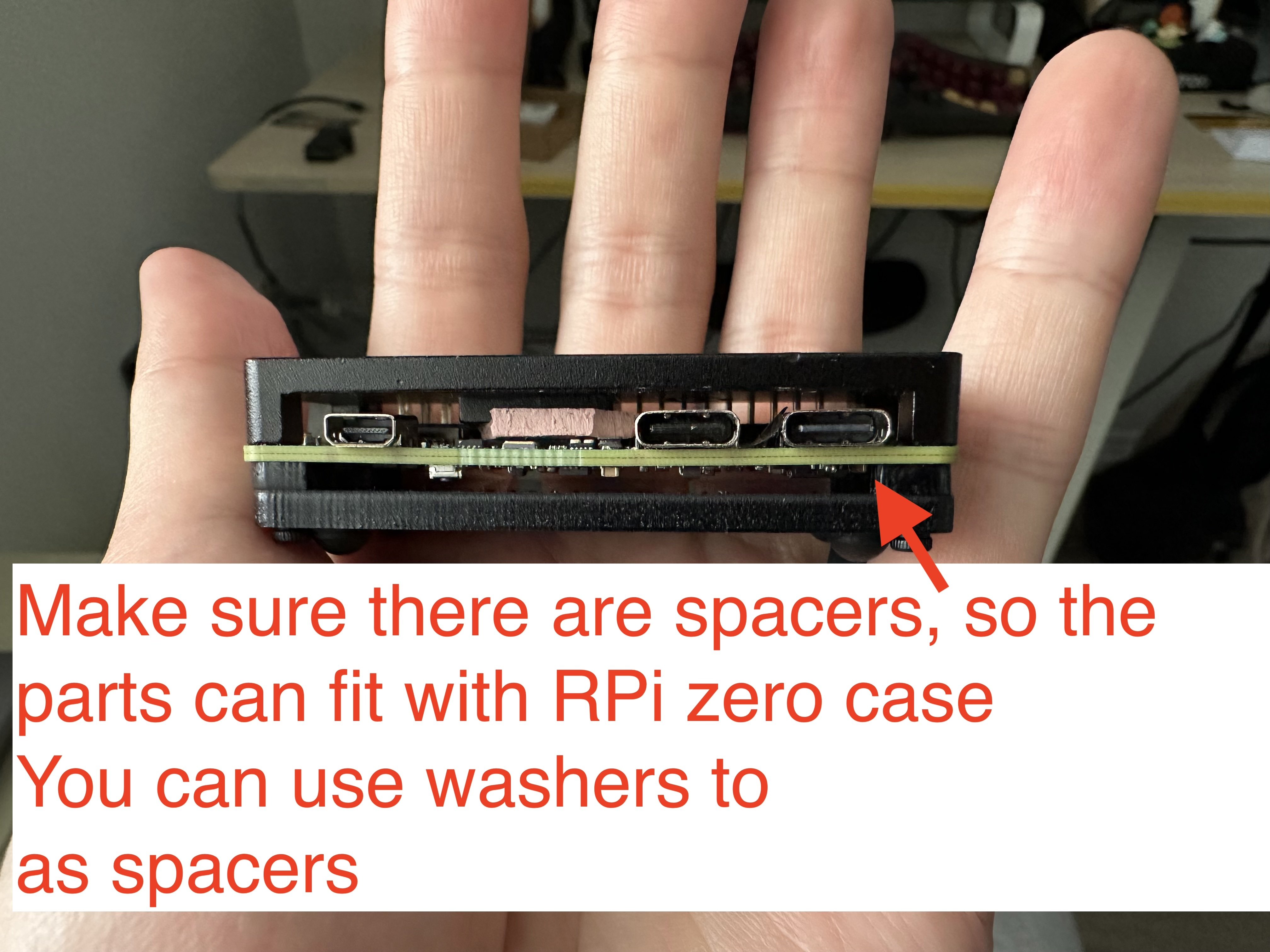
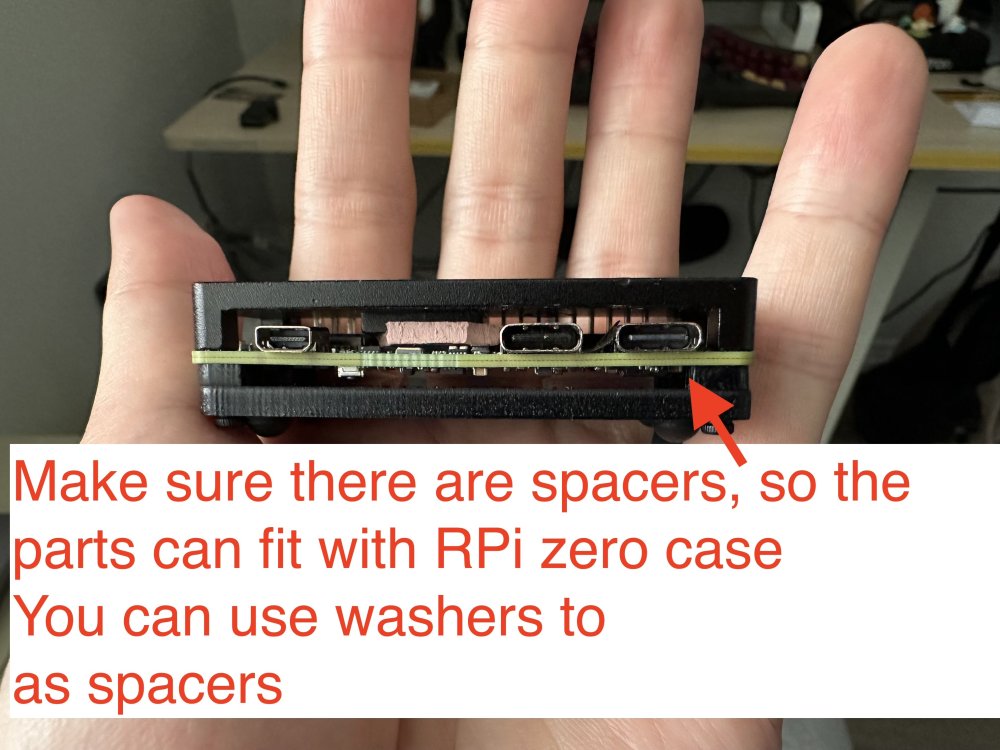
 Oh, I do not have a nanopi r3s, and I do not plan to buy it. The image is for the radxa zero 3w, but as I provided the source of building it, you can customize it to build with nanopi, too. The reason I mentioned nanopi r3s is because it has a dedicated case for it. I ended up using raspberry pi zero case for it, with some custom modifications, which is also nice. Raspberry Pi 1/2/3, zero/zero w/zero w2 won't work, because they only have 1 USB controller. The trick here is to have at least 2 USB controllers: 1 in host mode to connect to the UAC2.0 speakers, and 1 in gadget mode as a UAC1.0 USB device. Raspberry Pi 4/5 should work, but you need to make sure the power supply is strong enough, which is a big issue here, because with the official image, you can only connect the USB C port for power and as a USB gadget port, yet PS5 probably won't support that much power for RPi 4/5, so you ended up needing a USB power and data splitter for that, and connect the data port to PS5, then a separate power supply for the power port (simliar things happened in PiKVM).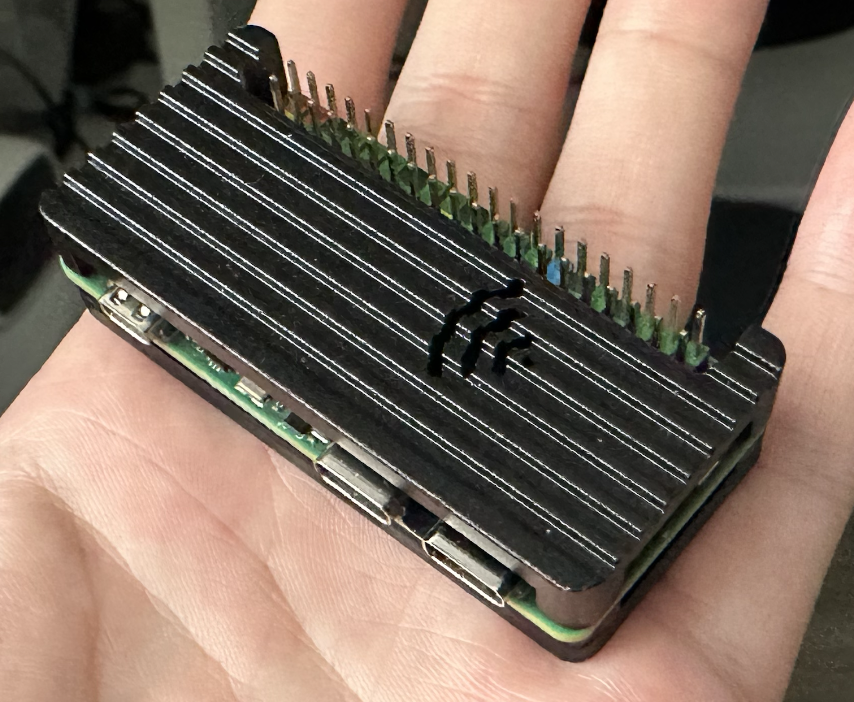
-
 I am working on a new version of the Luckfox Core3566 Board and Patches, as well as adding the Orange PI CM4 board to Armbian. Both rely on the Rockchip RK3566. Luckfox Core3566 Starting with the Core3566: The current board is just the vendor u-boot and kernel. It lacks PCIe support, but surely it is helpful to be as near to manufacturer configuration in their patches. My board config on the other side is not supporting the vendor specific patches, but based on a clean u-boot v2025.10 and runs nicely with current and edge kernels and also runs smoothly with nvme storage. The luckfox-core3566 config is currently maintainerless, but maybe users would like to have this vendor kernel version. My question: 1) Would the Armbian rather like to replace the vendor board config with a more future proof board config like mine or 2) Keep both board versions ( like rename config/boards/luckfox-core3566.csc to config/boards/luckfox-core3566_vendor.csc ) and let my variant replace the config/boards/luckfox-core3566.csc as default? 3)rd option would be combine both configs, but I had struggle to do so, as my version is using a different u-boot, using a simplified partition setup etc. Orange Pi cm4 I created a new board configuration to let Orange PI CM4 to work with Armbian as well. It is pretty similar to the bigtreetech cb2, but it's ethernet wiring and pcie powering device config differs from latter. Is it okay to create a MR directly in Github or does it need alignment with Moderators first? Cheers, Daniel PS: Nice to have time to work on embedded arm systems again. I did work on the sunxi based cubieboard and cubietruck back in the days, but job, family and basically life pulled me away from it for such a long time.
 -
I've spent the last couple of months playing around (low-end testing just to see what the software and I are capable of) with Debian and docker: RSS, Nextcloud, navidrome, immich, nothing earth-shattering. I was doing this in a VM so I could wipe and restart in case of failure/learning curve issues, which was great. Everybody's got to have a hobby, right? After much foibles, I had gotten the setup into something I liked and understood the pratfalls to expect in installation. Ready for primetime, I didn't want to leave this in the VM (I have constant paranoia about usage on my power-sucking desktop), but I have a T95 Max plus TV box sitting around doing nothing but Kodi and it's on all the time, so I started dreaming about how I could get a version of Linux on it and do all my docker homelab junk and kodi and maybe make a diy NAS out of the thing. Armbian to the rescue! I grabbed the wrong image (I got the barebones CLI only version instead of something with a graphic interface that I figured would be easier to manage) and I was able to boot off the sdcard and was able to install docker and portainer and had a working web interface, so...great...for a first try. I then installed it to the emmc and managed to get xfce4 for a desktop interface so I can see what I'm doing. The CLI version didn't really match any of the tutorials I was reading (there are suggestions that I could change the desktop with arnbian-config, but that's either false or was published for an early version and weeded out in later version, iDK). Anywho, after mixing and matching instruction from amlgoic s905x3 and s905 versions, I have a working armbian with an xfce4 interface with working sound, USB, wireless and Ethernet. I was warned that all of those peripherals may or may not work in this endeavour, but I am happy to say they all work after I did a bunch of updates and upgrades of the armbian. Docker is going and the containers are all going and after 2x installs, I have a working Kodi going, so I am delighted and amazed. Now I have a couple of smallish problems. Honestly they are minor, but I have succeeded so far and I'm full of false bravado so I an hoping I can Gert some insight or suggestions: First, when I write the armbian to the emmc, the sdcard stopped working, period. Armbian refuses to see it as a device and I can't boot off it using the toothpick reset method. I've also tried using the amlogic flash utility with a male-to-male usb cable and my PC won't see it either, which tells me the sdcard interface is bunged, either the kernel can't see it or does not have drivers. Either way, if I have future problems I have to trash the whole setup because I am incapable of reflashing the box. Plus, the box is only 32gb and I was hoping to use the sdcard as storage, but I guess not. I've also thought of adding a USB card reader and seeing if I can get the box to see an sdcard through that, but I don't have a lot of faith there if it's a driver issue. Second, the xfce interface asks for my username and password every boot but my mouse and keyboard take a minute to kick in. It's annoying to me to be waving a mouse around and thinking the system has locked up, when it's really just taking some time to activate the USB. What would be attractive to me is that I bypass the login screen,but I can't find the spot in arnbian-config that allows me to set an automatic login (again, the tutorial I'm reading may be old, but the options just aren't there in my version). Sigh. So my questions to the geniuses and gurus out there: Has anyone had the same problem with the sdcard and/or were able to fix it and how, and How can I set an automatic login through terminal? The interface I have really doesn't have any real system settings like peripherals to show and won't let me adjust anything anyways.
-
I'll buy a new USB cable today and try connecting via ADB again. I can't even find the original firmware for this console. It seems like a trivial task to restore build.prop, but it's already driving me crazy. It won't connect via ADB, I can't find the firmware for this device, and it doesn't see the internal memory via Multitool. I'm at a dead end.
-
I once got the TVBOX to boot into recovery by flashing the raw mmc image directly to a sdcard and then powering on the tvbox with the sdcard
-
You can backup the mmc using multitool script and on a pc or phone extract the resulting gz file. Then from this raw disk image you need to get the offset and size of the system partition and then use dd to get the system partition out. After that you can make changes to files in the raw partition image and write the whole image back to the same offset. Never tried something like this but if it is possible to get into recovery mode and try if adb over usb is available then editing the system partition would be easier. The first method might worsen things so having the gz file saved at a safe place will be better
-
The problem is that I wanted to change the fingerprint and changed build.prop. After that, the console boots up, but the launcher does not start. I can only access the settings. And I can't connect to the console to restore the build.prop backup. As I understand it, it is impossible to connect to this console via adb, and multitool also cannot see the internal memory. Are there any options for editing build.prop?
-
Also, mmcblk2boot0 and mmcblk2boot1 should either have the bootloader or in my case were filled with null bytes. mmcblk2rpmb probably has something to do with TEE OS. Having a backup of mmcblk2 is what that matters
-
If the internal storage has android installed then it doesn't needs to have a partition table. Multiple partitions show up in android because the partition offset and size is passed with kernel commandline, you can just backup the mmc as a raw image and restore it as it is anytime later. Multitool or Armbian can't recognize the partitions of Android in this tvbox as they need a partition table to be present in the initial bytes else they treat the whole mmc as raw data.
-
 Feel free to reach out and become a partner: https://www.armbian.com/partners/
 -
Hello using an inovato quadra and would like it to start a specific program on boot how do I go about doing such a thing Pointer or instructions appreciated Thank you Jacques
-
i think i have a identical box out of my 3 other , this board is i thing NAND memory no eMMC , its only supportet by legacy Firmware kernel <4.x
-
Hello @Malay! No need to raise your voice. Anyhow - thanks for the feedback. The missing HDMI audio has a deeper reason: the communication with the Realtime-CPUs does not work. Background: HDMI audio needs a special DMA: adma, that in turn is supported by the rCPUs (the extra Cores running the real-time-OS from esos.elf) and that does not communicate correctly via rpmsg currently. Not sure why and also not sure if this is true with the other RiscV/Spacemit boards. The 2280 M.2 slot works, I am pretty sure. If you need a running Armbian *with* HDMI audio, grab the orangepi-rv2-ky branch from my repo. It's older and I use it to compare working vs. non-working currently. Also, there's a reason this has no pull request to Armbian/main: it's work-in-progress. LG // Sven-Ola
-
Hello. Thank you for your work on orangepirv2. I have a board with 2 Gb of RAM. I compiled it on your git https://github.com/sven-ola/armbian-build/tree/orangepi-rv2 Armbian-unofficial_26.02.0-trunk_Orangepirv2_noble_current_6.6.99_xfce_desktop.img and Armbian-unofficial_26.02.0-trunk_Orangepirv2_trixie_current_6.6.99_xfce_desktop.img Booting was done from the rear M.2 2280 1TB Armbian-unofficial_26.02.0-trunk_Orangepirv2_noble_current_6.6.99_xfce_desktop.img The download went fine. The network is working, HDMI video is working. is HDMI audio not working (I was upset by this fact) Armbian-unofficial_26.02.0-trunk_Orangepirv2_trixie_current_6.6.99_xfce_desktop.img It won't load, the network isn't working, and there's no HDMI output. I tried your image and the same behavior - It won't load, the network isn't working, and there's no HDMI output. Your image is not working with the rear M.2?
-
 Thanks a lot, I´m thinking about buying a board purely for your image, would you advise me to wait for the nanopi r3s release? I have an old rpi 3 collecting dust, do you think I may use that as well? thanks
 -
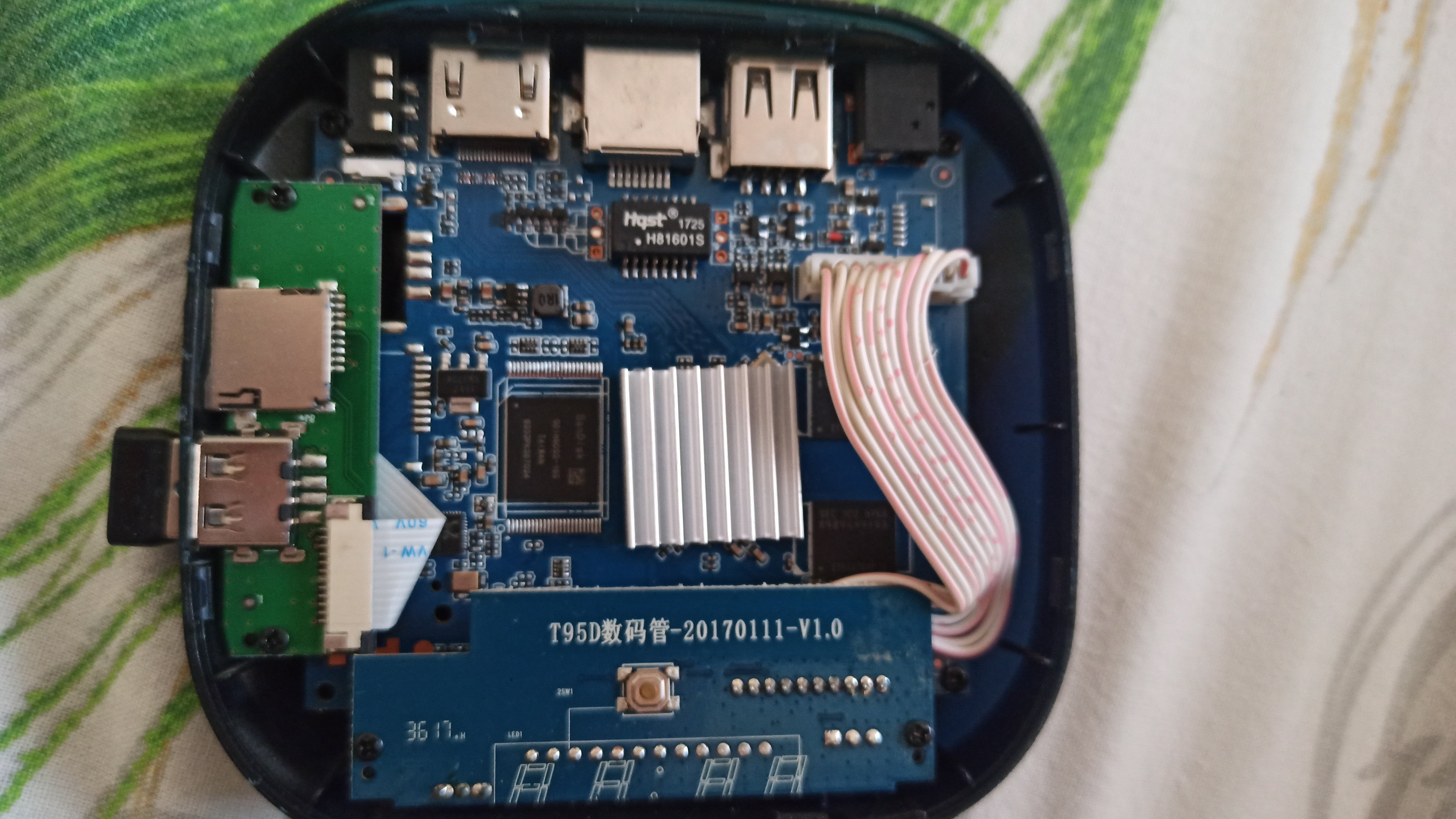
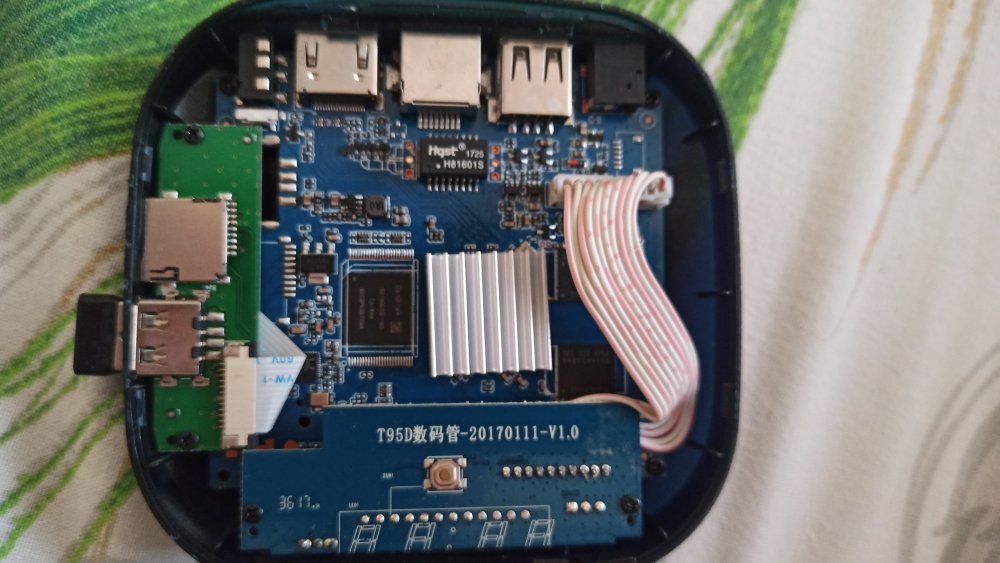
Hi, still stuck on my Iconbit XDS16 (T95D数码管-201701111-V1.0 blue board). Multitool menu loads, but mmcblk2 has no partitions at all (only mmcblk0p2). lsblk -f output: NAME FSTYPE LABEL UUID FSAVAIL FSUSE% MOUNTPOINT mmcblk0 |-mmcblk0p1 `-mmcblk0p2 0 100% / mmcblk2 mmcblk2boot0 mmcblk2boot1 mmcblk2rpmb Is there a specific DTB for this board that makes eMMC visible in Multitool? Thanks!
-
 I wonder how to sponsor or funding to this board?
 -
LMAO! So... What exactly is your question? Did you try "the mouse & keyboard" and they did not work? I would say you will get basic functionality on almost any usb mouse or keyboard on linux. wifi on the other hand can be a hit or miss. A quick search on "USB Logitech Unifier Nano dongle" gave me this: https://forums.linuxmint.com/viewtopic.php?t=373365 so it seems you might want to use solaar to configure the stuff. As for the Inovato Quadra4K, it looks like it is an allwinner H6 processor so I suspect it should work using armbian....
-
@Bones558 I think the LED is always on by default and doesn't blink. You can try kernel 5.15, I'm using Armbian-unofficial_25.11.0-trunk_Radxa-cubie-a7z_jammy_legacy_5.15.147.img Since I don't have any TTL modules or display adapters, I directly followed the instructions at https://docs.armbian.com/User-Guide_Autoconfig/ to set up the wireless network. After powering it on and waiting for a while, I could directly access SSH. Hope this helps.
-
Hi, I'm a long time Armbian user and overall extremely happy. It my default Linux distro everywhere! Thanks to everyone who is developing or contributing to it! Every time I pickup a new board and deploy Armbian I have to edit the `armbianEnv.txt` file and change verbosity to 7. The same question repeats in my head. Why is it not the default? Systemd and startup messages spam up like crazy and they have nothing interesting to offer. I do care what hardware did the kernel detect or was a protocol correctly negotiated etc. I personally would have it in reverse, verbose kernel, quiet systemd. But thats just me. Could we at least have parity, if systemd verbose then make kernel verbose too, if kernel quiet then systemd quiet too. I'm trying to understand what was the rationale for having quiet kernel and verbose systemd? Thanks!!
-
https://docs.armbian.com/Developer-Guide_Build-Switches/ Check for ARTIFACT_IGNORE_CACHE diy packages are locally cached. automated packages from the CI are stored online in ghcr. not only this, also the status of build framework internals (like stuff in https://github.com/armbian/build/tree/main/lib/functions) since they also can alter a package. "development" should be sufficient.
-
Build from branch v20250306. error! [ Failed to fetch SHA1 of 'https://git.kernel.org/pub/scm/linux/kernel/git/stable/linux.git' 'tag' 'v6.12.11' - make sure it's correct ] How to remove the error?