All Activity
- Past hour
-
The one from my firmware build.
-
What U-Boot/bootloader is in the MTD?
-
Since I haven't restarted the M1 for some time, I am currently still at: # uptime 12:56:23 up 115 days, 1:51, 5 users, load average: 1.76, 1.26, 0.92 # uname -a Linux micro-015 6.18.0-65.fc44.aarch64 #1 SMP PREEMPT_DYNAMIC Sun Dec 7 20:40:45 CET 2025 aarch64 GNU/Linux I still get: So nothing to complain about.
- Today
-
No difference on an installation with `linux-u-boot-odroidm1-edge/sid,now 26.8.0-trunk.12` and `linux-image-edge-rockchip64/sid` (7.0.8-edge-rockchip64 ), 1000 Mbps link is still heavily degraded, especially on packets leaving my gateway router. Could anyone subscribed to this thread confirm that's still the case? Thanks! 1000 Mbps link: root@odroidm1 ~# ethtool -s eth0 speed 1000 duplex full autoneg on root@odroidm1 ~ [1]# iperf3 -c 10.0.3.3 Connecting to host 10.0.3.3, port 5201 [ 5] local 10.0.3.2 port 51448 connected to 10.0.3.3 port 5201 [ ID] Interval Transfer Bitrate Retr Cwnd [ 5] 0.00-1.00 sec 1.00 MBytes 8.38 Mbits/sec 12 22.8 KBytes [ 5] 1.00-2.00 sec 384 KBytes 3.15 Mbits/sec 2 11.4 KBytes [ 5] 2.00-3.00 sec 0.00 Bytes 0.00 bits/sec 1 10.4 KBytes [ 5] 3.00-4.00 sec 256 KBytes 2.10 Mbits/sec 0 19.9 KBytes 100 Mbps link: root@odroidm1 ~# ethtool -s eth0 speed 100 duplex full autoneg off root@odroidm1 ~# iperf3 -c 10.0.3.3 Connecting to host 10.0.3.3, port 5201 [ 5] local 10.0.3.2 port 38436 connected to 10.0.3.3 port 5201 [ ID] Interval Transfer Bitrate Retr Cwnd [ 5] 0.00-1.00 sec 6.00 MBytes 50.3 Mbits/sec 0 2.38 MBytes [ 5] 1.00-2.00 sec 8.38 MBytes 70.3 Mbits/sec 0 7.87 MBytes [ 5] 2.00-3.00 sec 9.25 MBytes 77.6 Mbits/sec 0 7.87 MBytes # grep -a --null-data U-Boot /dev/mtd0ro U-Boot SPL 2026.01_armbian-2026.01-S127a-P2477-H8652-Vab81-Bd0d2-R448a (May 15 2026 - 06:45:08 +0000)
-
The same is happening to me on v26.2.1 for Banana Pi M5BananaPi M5 on debian trixie.
-
I just checked at my ROCK5B running Armbian userspace: # sudo apt update # sudo apt list -a linux-headers-*current-bcm2711 linux-headers-current-bcm2711/trixie 26.2.1 arm64 linux-headers-current-bcm2711/trixie 25.11.2 arm64 linux-headers-current-bcm2711/trixie 25.8.2 arm64 linux-headers-current-bcm2711/trixie 25.8.1 arm64 linux-headers-current-bcm2711/trixie 25.5.1 arm64 linux-headers-current-bcm2711/trixie 25.2.3 arm64 linux-headers-current-bcm2711/trixie 25.2.2 arm64 linux-headers-current-bcm2711/trixie 24.11.1 arm64 linux-headers-current-bcm2711/trixie 24.8.2 arm64 linux-headers-current-bcm2711/trixie 24.5.1 arm64 linux-headers-current-bcm2711/trixie 24.2.1 arm64 So you can install them with: # sudo apt install linux-headers-*current-bcm2711 You will get the latest if you do not select explicit version 6.18.9, I got 6.18.10 as that seems to be the latest now. Armbian also has edge and legacy, but for normal release all 64-bit Raspberry Pis is named 'current-bcm2711', which should be the equivalent of 'rpi-v8', which is the normal 4k pages downstream kernel in Raspberry Pi OS 64-bit. It might be you originally had the dedicated rpi5b installation, so you simply had not gotten the headers maybe. Armbian has no 16k pages kernel, if you want that, you need to build yourself, but note that this comes with quite some of issues, many people are not aware and cannot fix issues due to that. See 2+ years of trouble w.r.t. that on RPL forums. I do not use Ubuntu based Armbian, but Debian based, but should not matter for that kernel packages as those are Armbian on top of either distro.
-
SOLVED by enable on BIOS
- Yesterday
-
 Hi everyone, I’m working on an RK3568-based platform (Yocto build, Rockchip BSP) and I’ve reached a blocker regarding OP-TEE / Trusted Application (TA) development. Anyone knows how to get RK3568 + Linux + OP-TEE source/build path Rockchip vendor SDK with RK3568 OP-TEE source a repo showing rk3568 + optee_os + TA dev kit for
 -
@ssdm2nvme Hi, whats up? I tried everything you recommended, including following some other tutorials beforehand, but I still can't get past the TV box's "BIOS" screen. It keeps restarting repeatedly, and I can never actually access the system. Do you have any idea what it could be?
-
Hello! I have a follow-up question about installing Armbian on a Raspberry Pi 5, and hopefully this is a good place for it. Perhaps this belongs here instead: I just installed the Armbian/Gnome version for Raspberry Pi "4b", as mentioned above, for my Raspberry Pi 5. The OS booted fine and is running. However, I'm trying to install some additional software (specifically this: https://github.com/sunfounder/pipower5/tree/main) and I'm getting errors related to installing the right version of `linux-headers`, the output of `uname`, and possibly the `bcm2711` vs. `bcm2712` CPU. The original error was: ``` Error: E: Unable to locate package linux-headers-6.18.9-current-bcm2711 E: Couldn't find any package by glob 'linux-headers-6.18.9-current-bcm2711' E: Couldn't find any package by regex 'linux-headers-6.18.9-current-bcm2711' ``` When I searched for the available packages, I found the following "closest" options: ``` linux-headers-current-bcm2711/noble 26.2.1 arm64 [upgradable from: 26.2.1] Armbian Linux current headers 6.18.10-current-bcm2711 linux-headers-current-bcm2712/noble 24.11.1 arm64 Armbian Linux current headers 6.6.63-current-bcm2712 ``` At this point, I realized that the installation scripts were pulling the kernel version from the output of `uname`: ``` denbro@rpi5b:~$ uname -r 6.18.9-current-bcm2711 denbro@rpi5b:~$ uname -a Linux rpi5b 6.18.9-current-bcm2711 #1 SMP PREEMPT Mon Feb 9 10:54:02 UTC 2026 aarch64 aarch64 aarch64 GNU/Linux ``` My two main questions are: 1. Why is the proper linux header not available? My understanding is that, in principle, `linux-headers-$(uname -r)` should always be available. 2. Should I be concerned that my linux kernel thinks it is using the bcm2711 CPU? That's the Pi 4 CPU, but my raspberry pi 5 has a bcm2712. Should I install the version of armbian for the Pi 500? Two additional notes - 1. The Sunfounder software I mentioned above installed without issue on the same device running Raspberry Pi OS Trixie. 2. I originally tried to flash an SD card with Armbian using Raspberry Pi Imager, and it wouldn't boot; the device turned on, and printed a bunch of startup output, and then shut off. After confirming that the SD card worked, I switched to using Armbian Imager to flash the SD card and that led to my current state. ``` denbro@rpi5b:~$ neofetch ##### denbro@rpi5b ####### ------------ ##O#O## OS: Armbian 26.2.1 noble aarch64 ####### Host: Raspberry Pi 5 Model B Rev 1.1 ########### Kernel: 6.18.9-current-bcm2711 ############# Uptime: 1 hour, 25 mins ############### Packages: 1200 (dpkg) ################ Shell: bash 5.2.21 ################# Resolution: 1280x800 ##################### Terminal: /dev/pts/1 ##################### CPU: (4) @ 2.400GHz ################# Memory: 691MiB / 3983MiB ``` Let me know if there's any other information I can provide, and thanks in advance for any guidance!
-
guess it kernel/driver issue The driver does not request the stmmaceth (emac1-25M) clock during probe. Without this clock the MDIO bus does not function on cold boot - PHY ID reads as 0x00000000 and kernel falls back to Generic PHY instead of YT8531. Ethernet does not work until warm reboot.
-
I've just installed Ubuntu KDE vendor image and now the proper refresh rates are detected. Thank you However, now it seems video players are not working properly. No HW decoding and no audio. It works if I play youtube videos through via Chrome though Strange thing is that after the clean installation, lots of basic KDE packages were missing (dolphin, Konsole, mpv, etc), which I had to install via apt. After that I also performed a apt full-upgrade, but it didnt solve the problem Tried to play h264 and 265 with no success I add some logs, but feel free to request more if they may help
-
I have a Orange Pi Zero 3 4GB Board. It uses a Micron LPDDR4X RAM and H618 Processor. I have tried a plethora of distros and tried to change Uboot and DTB but unable to make it work. Spent days on Gemini and Claude but no luck. Below is the output from UART debuggger: The Highlight being Unhandled Exception EL3. U-Boot SPL 2025.04-armbian-2025.04-S3482-Pf089-H8869-V3d5b-Bb703-R448a-dirty (May 25 2025 - 14:46:18 +0000) DRAM base address is defined as 0x40000000 DRAM has 16 b/raw, 10 b/col, 4 B/width, 2 #rank and 8 #bank DRAM top address must be less than 0x100000000 DRAM: 4096 MiB Trying to boot from MMC1 Unhandled Exception in EL3. uart_opizero3.txt
-
how to enable KVM on Armbian ?
-
I think most important is that people make sure they can fix their own issues if a HW/computer fails. I found high-availability interesting, but for just my house (or even 2 places/countries at the same time) I found it too much to make it all work. The thing I could maybe use is DRDB, however I see v9 is under development since 2011 and it still is not in mainline kernel. Compared to that I have some script to transfer latest differential Btrfs snapshot from 1 computer to the other on-the-fly, I doubt I can really benefit from DRDB, but maybe I set up a test and see what it does. I use only ARM64 for 24/7 servers, so no x86_64 <=> ARM64 incompatibility. So same as for ZFS for example, it is external to Linux distro and my experience is that complicated issues/failures always happen at the wrong moment, e.g. also no internet and/or mains power failure etc. So I try to minimize the amount of 'external' HW/SW modules, certainly if the backing company is commercial and in whatever country far away from where I am. Proxmox is nice, but also 'external'. Same for even Docker, so I have actually no such containers. But it all depends on how much you are involved in various HW and SW. As you can see in my earlier message, I already forgot HA was available as generic aarch64 image, so that says enough. I use several custom (own) HW (like 'changed' solar inverter) and HomeAssistent does not support it, so I actually do not really use it. It is mostly C-code and Node-RED in conjunction with various micro-controllers. A good test is to disconnect internet (power-off fiber-RJ45 box in my case) and/or also do an ad-hoc power cut (no cheating with UPS). And then see if you can get it all running again within a certain time frame (what you think is acceptable, like before temperature in freezer gets > -10 or so).
-
@humanus You are a very nice guy!
-
Hi team, I am on the latest vendor release of gnome installed via armbian installer. Kernel is linux-image-6.1.115-*-rk2410. When I look for audio drivers I do not see card 3: rockchiphdmiin [rockchip,hdmiin], device 0: fddf8000.i2s-dummy_codec hdmiin-dc-0 [fddf8000.i2s-dummy_codec hdmiin-dc-0] Subdevices: 1/1 Subdevice #0: subdevice #0 I got the board very recently and the forum is a little mesay about the hdmi rx functionality. It would be a great help if anyone can help me out on this, let me know if i am missing anything.
-
The eMMC is still not detected. Kernel log: [ 4.621568] mmc2: error -110 whilst initialising MMC card [ 4.627066] mmc2: Failed to initialize a non-removable card Working devices: [ 4.502846] mmc0: new high speed SDXC card at address aaaa [ 4.508907] mmcblk0: mmc0:aaaa SC64G 59.5 GiB [ 4.551951] mmc1: new high speed SDIO card at address 0001 The system boots correctly from the SD card, but the onboard eMMC (mmc2) is not initialized. There are also still Ethernet issues. After connecting through PuTTY, the system sometimes hangs when running dmesg, and the network connection becomes unstable or unresponsive. System information: Thanks
-
@JamesCl Sorry, It's ok with 100m, but 1000m also doesn't receive an ip with dhcp. Guess it is a dtb problem or maybe uboot
-
Hi ... Thanks @Evgeniy evotronik. Yesterday I downloaded the image "Armbian_community_26.2.0-trunk.886_Orangepi-4a_trixie_edge_7.0.5_minimal.img.xz", but the Ethernet and eMMC issues are still present. I will apply the Ethernet patch. Thanks again.
-
to start ethernet #!/bin/bash echo -n "4510000.ethernet" > /sys/bus/platform/drivers/dwmac-sun55i/unbind 2>/dev/null echo 271 > /sys/class/gpio/export 2>/dev/null echo out > /sys/class/gpio/gpio271/direction 2>/dev/null echo 0 > /sys/class/gpio/gpio271/value 2>/dev/null sleep 0.1 echo 1 > /sys/class/gpio/gpio271/value 2>/dev/null sleep 0.3 echo 271 > /sys/class/gpio/unexport 2>/dev/null echo -n "4510000.ethernet" > /sys/bus/platform/drivers/dwmac-sun55i/bind 2>/dev/null just systemd it [Unit] Description=Fix ethernet PHY on cold boot After=multi-user.target [Service] Type=oneshot ExecStart=/usr/local/bin/fix-eth.sh RemainAfterExit=yes [Install] WantedBy=multi-user.target
- Last week
-

CSC Armbian for RK322x TV box boards
Vinicius Guastala replied to jock's topic in Rockchip CPU Boxes
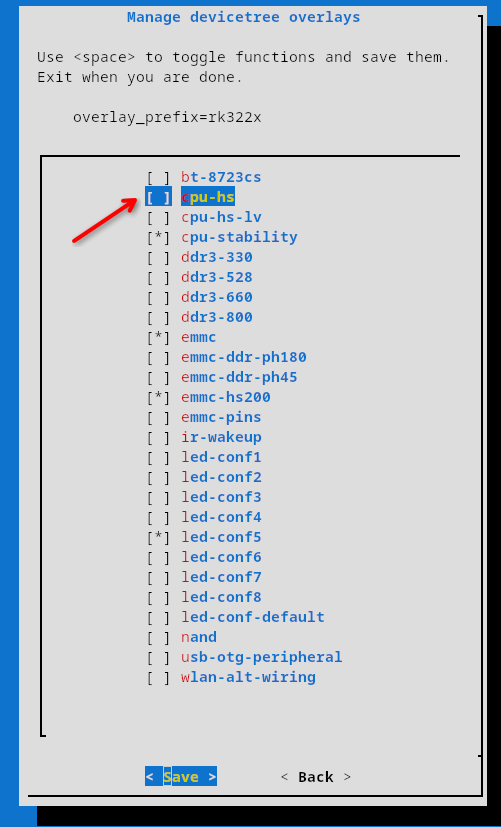
Hi @Tavares R You should definetly check the "Media framework installer v0.1" by Jock, on this link -> https://forum.armbian.com/topic/34923-csc-armbian-for-rk322x-tv-box-boards/page/10/#comment-102655 Also, this other link contains a repo to install some patched libs to at least use decoded video -> https://forum.armbian.com/topic/32449-repository-for-v4l2request-hardware-video-decoding-rockchip-allwinner/ Hope it helps, but reality check is the rk3229 is just too weak to properly handle a full DE running a modern browser... Something also worth trying is to enable the "cpu-hs" overlay. it will "overclock" the rk3229 from 1200Mhz to 1400Mhz, giving some extra performance, but keep low expectations... PS: Are you brazillian by any means? Tavares is a very common last name in Brazil.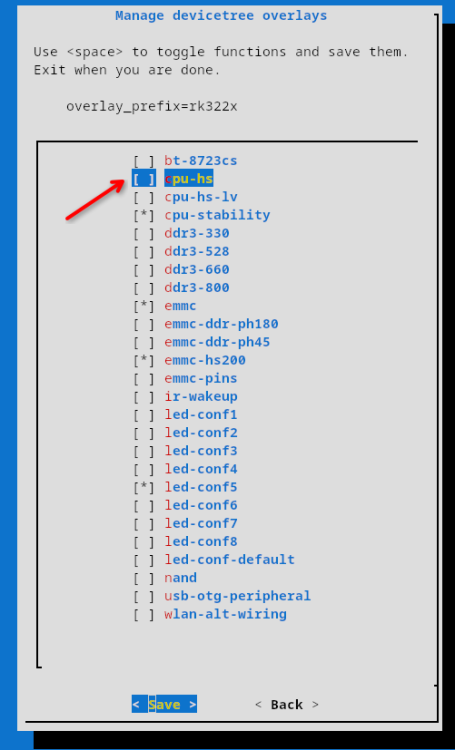
-
CSC Armbian for RK322x TV box boards
Vinicius Guastala replied to jock's topic in Rockchip CPU Boxes
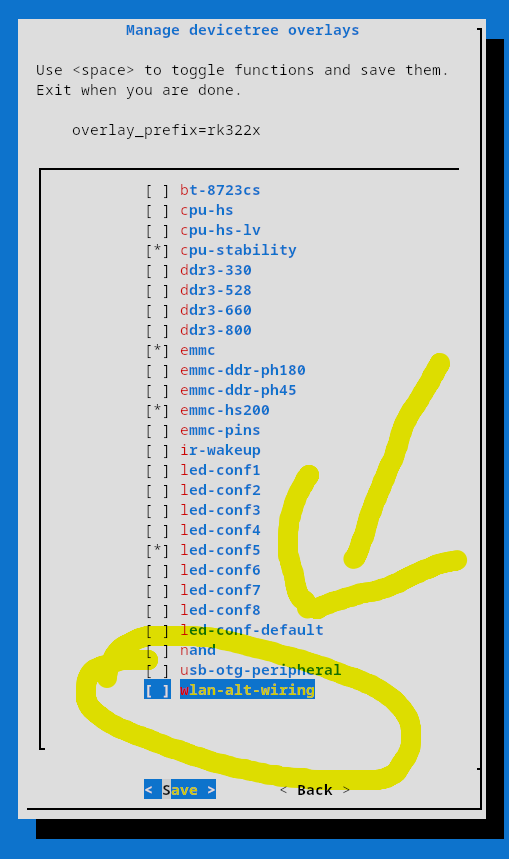
@digital, there is not a lot of info about the 024c:b723 device you mentioned on linux-hardware.org, but there is a lot of people claiming it works on debian 10+. Some boards have alternate pins for wireless chips, hence there is an specific wifi overlay for those scenarios (attached pic). However, I would not recommend to add this overlay for now, until we find the exact wifi chip model from your board... Can you share more details form your board? Brand/Model would be a start, but pictures from the board, and specially the wi-fi chip would be the best. Also, please share the output of the commands below with us: 1- lsusb 2- lshw (install it with sudo apt install lshw) 3- dmesg | grep -iE 'wlan|wifi|wireless|80211' 4 - ip a 5 - nmcli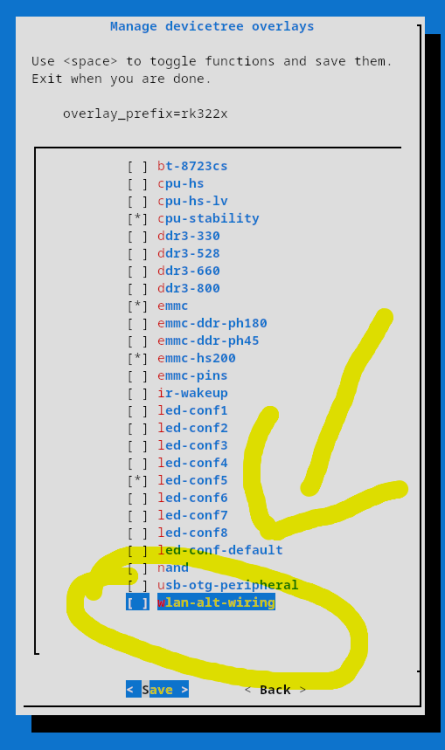
-
CSC Armbian for RK322x TV box boards
Vinicius Guastala replied to jock's topic in Rockchip CPU Boxes
@Cammera, what are you exactly trying to do? Can you share what's your device model? Your screenshot is from the Android main loader, not really related to Armbian... If you are on this screen you already missed the boot window to start armbian... Take a look at the first post on this thread, but usually you should deploy an SD card with multitool or armbian nightly build, and when inserted, the boot screen from armbian will be different from yours... -
@Morales Morales when I have more free time.. busy with work the next couple of months.