All Activity
- Past hour
-

Rupa X88 Pro 13 - RK3528 board with images
Joao Cordeiro replied to fedes_gl's topic in Rockchip CPU Boxes
@shexplorer Control +c should have worked after: U-Boot SPL board init U-Boot SPL 2017.09_armbian-2017.09-S93fe-Pe5fd-Hbdb5-Va5b2-Bbf55-R448a (Nov 06 2025 - 16:35:49) SPL Hotkey: ctrl+c Make sure that USB TX is well connected to RX and try to spam it. Or use another terminal emulator, like putty instead of screen on a bash terminal. Maybe control is being intercepted. - Today
-

Rupa X88 Pro 13 - RK3528 board with images
shexplorer replied to fedes_gl's topic in Rockchip CPU Boxes
Hi, first of all thank you for your support. Unfortunately, I could not get it to work. I just don't want to boot anything I store on the SD card. Also, the CTRL+C method won't work. I have to reset the board manually after every try and when powering on while holding CTRL+C the only thing I see in the console is "SPL Hotkey: ctrl+c" as additional line. Maybe the only option is to get into Mask Mode and flash the emmc over USB. But the onboard button won't work to enable it at boot. Maybe I can short some pads but without labeling I dont know which. I attached some output logs and photos of the board. boot_with_armbian_sd_insert.log boot_with_ctrl_c.txt boot_without_sd_insert.log.thumb.jpg.ae3b0306ed908aa67bb89ff653dbeafb.jpg)
.thumb.jpg.5c029536d92cbabd94f60e0d33e735a2.jpg)
-
@Harleyyyu my 2 cents thought ..... We are talking about a 10 dollars soc . Is already a great milestone it is " just working" Anyway.. If you achieve any good result let's us know
-
For now i just went back to 6.6.22 version and ill focus on applying ffmpeg patches instead to openauto. Not gonna lie, it was fun seeing even just a small result from trying to build a kernel with hantro vpu working.
-
@jock thanks for the information! The reason I was experimenting with the kernel is because I’m testing OpenAuto (Android Auto) on top of Armbian-minimal. While MPV works fine with hardware decoding, I noticed that using things like kmssink to process the Android feed (720p, 30/60fps) introduces significant latency between touch input and screen response. For example, in today’s test I tried decoding a 720p 60fps H.264 stream using GStreamer with this command: gst-launch-1.0 filesrc location=test.h264 ! \ h264parse ! v4l2h264dec capture-io-mode=dmabuf ! \ queue max-size-buffers=2 leaky=downstream ! kmssink sync=false While the pipeline runs, the latency is too high for Android Auto responsiveness clicks and touch inputs visibly lag behind the video output. This is why I also tried patching Armbian to kernel 6.16-rc1, which gave me the following devices: [ 1.340230] rockchip-rga 20060000.rga: Registered rockchip-rga as /dev/video0 [ 1.345260] hantro-vpu 20020000.video-codec: registered rockchip,rk3399-vpu-enc as /dev/video2 [ 1.345656] hantro-vpu 20020000.video-codec: registered rockchip,rk3399-vpu-dec as /dev/video3 …but unfortunately, HDMI output stopped working completely, so that approach wasn’t usable for my setup. The goal is still to achieve smooth, low-latency video decoding that can keep up with real-time Android Auto interaction, which is why I’m exploring alternatives like the FFmpeg v4l2-request interface, even if it requires patching OpenAuto. PS: i also just like to explore how the rk322x works, so yeah I've been testing a lot for a few days now. Another thing is i plan to make a DIY head unit with this unused rk3229 box i have
-

Gaming experience with Orange Pi 5 (RK3588) on Armbian
KhanhDTP replied to KhanhDTP's topic in Orange Pi 5
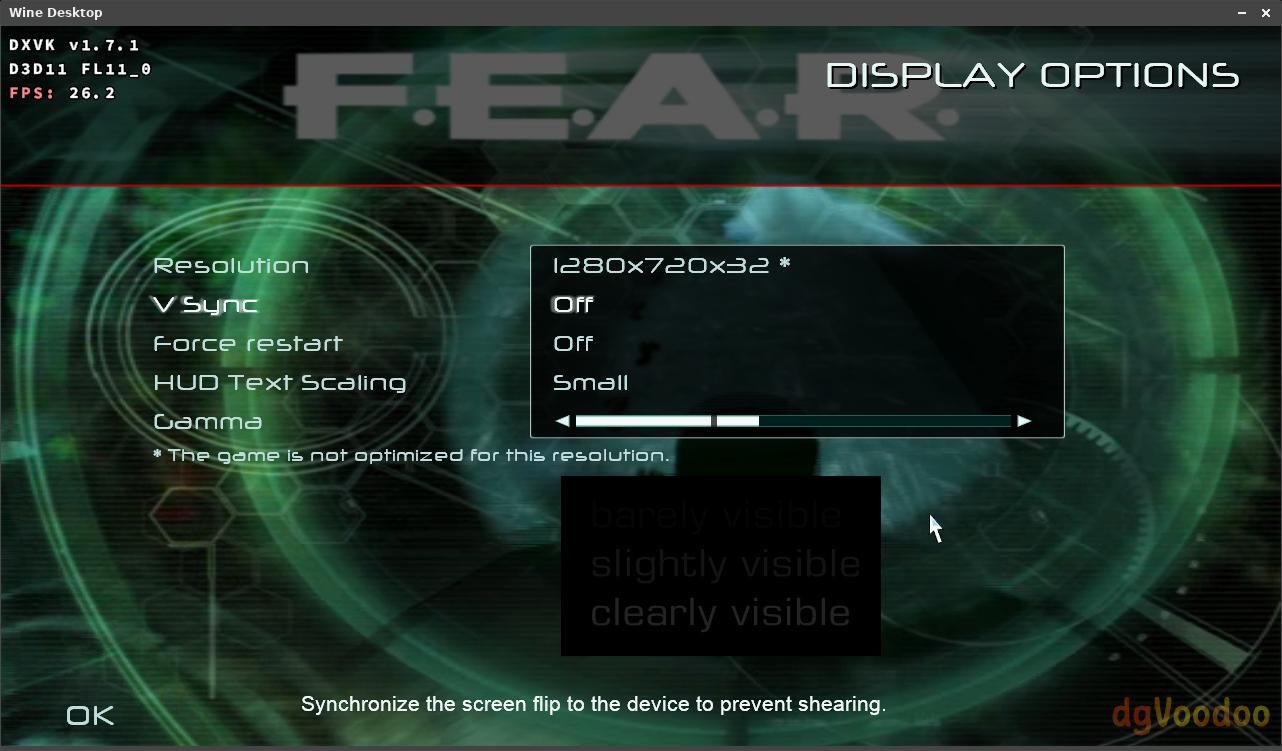
Armbian 25.11.2 Noble XFCE (BSP Kernel: 6.1.115) + PanVk - mesa 26.0 (https://launchpad.net/~ernstp/+archive/ubuntu/mesaaco) + Box64 arm64 v0.4.1 3ec5de03c (https://ryanfortner.github.io/box64-debs/) + proton-10.0-3-amd64-wow64 (https://github.com/Kron4ek/Wine-Builds/releases/download/proton-10.0-3/wine-proton-10.0-3-amd64-wow64.tar.xz) + dgVoodoo2 (https://github.com/dege-diosg/dgVoodoo2/releases) + DXVK-stripped v1.7.1 50~60fps@720p (medium/high settings) box64 environment variables: F.E.A.R. Platinum Collection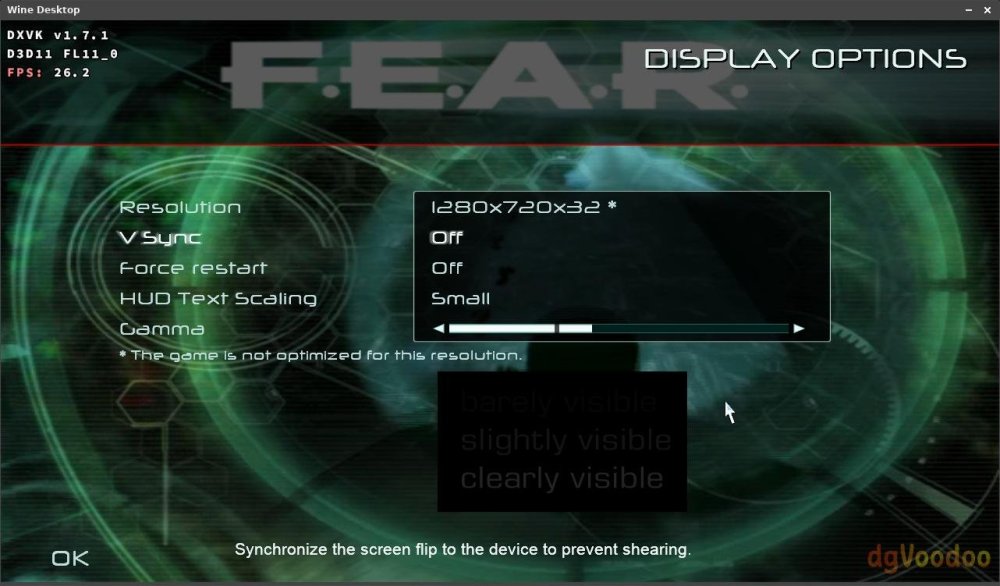
.thumb.jpg.0ba6f34c0cca36105313fe9fd0a00a41.jpg)
.thumb.jpg.137dc406ff17d24c5c238bda5a4068c0.jpg)
.thumb.jpg.613f8b49e4050bdc1e80a8e97a17f02c.jpg)
-
Rupa X88 Pro 13 - RK3528 board with images
Joao Cordeiro replied to fedes_gl's topic in Rockchip CPU Boxes
@shexplorer, connect it to the internal serial port using a USB-to-serial adapter. If you don’t have one, they’re very cheap—search for CH340G on Amazon. Quick safety guide on serial adapters: 1 - Your device has 3.3v serial , check the jumper on the CH340G to make sure its on 3.3v and not 5v 2 - DO NOT CONNECT VCC/3.3v/5v Pin!!! Only connect: ground RX TX 3 - Connect ground from to ground from device Connect RX from usb to TX from device Connect TX from usb to RX from device Let us know if you are having issues with the bound rate or the pinout on your serial header in your device (send us a picture, in that case) Once you get serial, you should see the boot looping endlessly, holding control + c should stop the loop. Then you get an uboot console. there you can chainload your usb or external mmc uboot. With something similar to(ask chatgpt to help you in case of issues): usb start # starts usb devices usb tree # lists devices and partitions usb info # shows USB device info ls usb 0:1 / # lists files on partition 1 of usb 0 fatload usb 0:1 0x82000000 u-boot.bin # 0x82000000 is an example that may work. if it does not, ask chatgpt for other values # u-boot.bin is the usb uboot you want to chanload, might have another name.... ls usb 0:1 will help you find other files # go 0x82000000 # chainloads what you loaded into 0x82000000 memory address. if you change this on the previous line, change it here also. Besides trying to chainload uboot, you can also load linux kernel + initrd + dbt files directly. Again, chatgpt will help you with those commands. But i found chainloading usb uboot easier. It you reach linux console, remember that once you reboot, everything will loop again. So you need to fix what you did to the emmc before rebooting. You have 3 options to fix: 1 - Restore your full backup. -> you get manufactorer android back 2 - Restore 10MB of your backup or johlnx's backup -> you should be able to boot again from usb or external mmc 3 - You can calculate exacly what you need to copy, to maintain your emmc linux but also recover uboot. There should be some space between the partition table data and the 1st partition. Lets imagine, GPT uses 1MB and 1st partition starts at 10MB, you can copy the data between 1MB and 10MB from your backup into the space between 1MB and 10MB of your EMMC. (this is not trivial to do, but again chatgpt can help) This way, you still have a linux on the EMMC, but you have recovered the Uboot env. -
 I think it depends on what you want. If you want to have some fun, then building this one is interesting actually, and there is more extensibility, and since radxa zero GPIO pin is compatible with Raspberry pi's, you can also get a DAC Mini Hat raspberry pi module, so there is more you can play or customize. But, if you just want to solve the problem and don't want to have these hassle, buying an existing product is a better option, so you have the warranty, customer support, and everything should work out of the box. I don't have Fosi Audio DS1 or Fiio Ka13, so every information I get is from the google search and cannot guarantee the correctness. From what I saw, Fiio Ka13 seems to be unable to work with PS5, and Fosi Audio DS1 can. This project only handles digital audio data, so I do not need to pay attention to the audio electronic properties when outputting (because that's the job of that USB speaker), and I do not know the sound quality of Fosi Audio DS1. One last word, if your original plan is to use this converter to connect to Hiby R3II, then to your headphone, that should work, but that is kind of redundant; there is more latency introduced, and the robustness could be wore because you have a longer output chain (from the engineering perspective). It would be easier to just get a high quality UAC 1.0 Amp.
 -
 Tried this?
 -
Sorry @Harleyyyu, but me and @fabiobassa were a bit puzzled about your journey within the hardware video decoding. I recently tested the kernel 6.18 (but I am pretty sure it works fine also in kernel 6.12/6.6/6.1), but everything was already in place even with zero-copy DMA buffers, using the LibreELEC patches which are already compiled in the mainline kernel shipped with armbian for years right now. Then there is also this apt repository I brought up few months ago with ffmpeg already patched and some instructions to run mpv with hardware decoding, which so far works for me either in virtual terminal and wayland (although sometimes with some glitches). Just to let you know, because it looks like hardware video decoding, HDMI and GPU things are unsupported, but actually everything works fine.
-
There is none. Its csc device. Community supported. You are community
-

Panfrost power transition timeout errors
SteeMan replied to dreamlayers's topic in Amlogic CPU Boxes
What exact image are you running? Or better yet providing full logs with armbianmonitor -u -
 Thanks a lot, I´m in doubt about buying the radxa and use it with my hiby r3II or just buy a Fosi Audio DS1 or Fiio Ka13. I have bought nice headphones and I´m sad I can´t use them on my ps5 correctly. If just for that matter what would you do? Thanks again
 -
There has been a regression with USB-C in the latest rolling release for Armbian M2 with kernel 6.19.0 RC6. & RC7 (26.2.0-trunk.332) I tested multiple USB devices in the USB-C port. None of them worked. All worked previously in kernel 6.18.0 RC6. I'm going to downgrade and confirm back here. I have reverted back to kernel 6.18.0 RC7 but still no USB-C. If anyone knows how to get in contact with the Armbian M2 maintainer please let me know.
-
@Andrés Pérez Domínguez x your board has the UART pins clearly marked on the board. https://linux-sunxi.org/UART Install this to get more u-boot/kernel debug information. I use a CP2102.
-
Update 3: almost there! root@rk322x-box:~# dmesg | grep -i drm [ 6.738341] systemd[1]: Starting modprobe@drm.service - Load Kernel Module drm... [ 6.912602] systemd[1]: modprobe@drm.service: Deactivated successfully. [ 6.914174] systemd[1]: Finished modprobe@drm.service - Load Kernel Module drm. [ 11.565138] [drm] Initialized lima 1.1.0 for 20000000.gpu on minor 0 root@rk322x-box:~# dmesg | grep -i rockchip [ 0.068016] rockchip-gpio 11110000.gpio: probed /pinctrl/gpio@11110000 [ 0.069475] rockchip-gpio 11120000.gpio: probed /pinctrl/gpio@11120000 [ 0.070736] rockchip-gpio 11130000.gpio: probed /pinctrl/gpio@11130000 [ 0.071810] rockchip-gpio 11140000.gpio: probed /pinctrl/gpio@11140000 [ 1.330865] rockchip-rga 20060000.rga: HW Version: 0x04.01 [ 1.339866] rockchip-rga 20060000.rga: Registered rockchip-rga as /dev/video0 [ 1.360435] dwmmc_rockchip 30000000.mmc: IDMAC supports 32-bit address mode. [ 1.360814] dwmmc_rockchip 30010000.mmc: IDMAC supports 32-bit address mode. [ 1.361387] dwmmc_rockchip 30020000.mmc: IDMAC supports 32-bit address mode. [ 1.371466] dwmmc_rockchip 30000000.mmc: Using internal DMA controller. [ 1.371502] dwmmc_rockchip 30000000.mmc: Version ID is 270a [ 1.371594] dwmmc_rockchip 30000000.mmc: DW MMC controller at irq 49,32 bit host data width,256 deep fifo [ 1.372013] dwmmc_rockchip 30000000.mmc: Got CD GPIO [ 1.395186] dwmmc_rockchip 30010000.mmc: Using internal DMA controller. [ 1.395237] dwmmc_rockchip 30010000.mmc: Version ID is 270a [ 1.395356] dwmmc_rockchip 30010000.mmc: DW MMC controller at irq 50,32 bit host data width,256 deep fifo [ 1.395646] dwmmc_rockchip 30010000.mmc: allocated mmc-pwrseq [ 1.402395] dwmmc_rockchip 30020000.mmc: Using internal DMA controller. [ 1.402458] dwmmc_rockchip 30020000.mmc: Version ID is 270a [ 1.402603] dwmmc_rockchip 30020000.mmc: DW MMC controller at irq 51,32 bit host data width,256 deep fifo [ 11.719472] hantro-vpu 20020000.video-codec: registered rockchip,rk3399-vpu-enc as /dev/video2 [ 11.723548] hantro-vpu 20020000.video-codec: registered rockchip,rk3399-vpu-dec as /dev/video3 [ 25.632131] rk_gmac-dwmac 30200000.ethernet end0: PHY [stmmac-0:00] driver [Rockchip integrated EPHY] (irq=POLL) root@rk322x-box:~# dmesg | grep -i hdmi [ 0.055584] /vop@20050000: Fixed dependency cycle(s) with /hdmi@200a0000 [ 0.055722] /hdmi@200a0000: Fixed dependency cycle(s) with /vop@20050000 [ 22.293730] platform 200a0000.hdmi: deferred probe pending: (reason unknown) [ 22.293761] platform hdmi-sound: deferred probe pending: asoc-simple-card: parse error root@rk322x-box:~# ls -l /dev/dri total 0 drwxr-xr-x 2 root root 80 Jan 28 11:49 by-path crw-rw---- 1 root video 226, 0 Jan 28 11:49 card0 crw-rw---- 1 root render 226, 128 Jan 28 11:49 renderD128
-

Panfrost power transition timeout errors
dreamlayers replied to dreamlayers's topic in Amlogic CPU Boxes
What does that mean? Panfrost is the GPU driver, for the Mali-T820 GPU. I have hardware acceleration for 3D graphics and video playback, in Armbian. -
Panfrost power transition timeout errors
SteeMan replied to dreamlayers's topic in Amlogic CPU Boxes
There is no gpu support in these amlogic tvbox builds. -
So here's the weird thing, whenever i apply my user overlay it refuses to boot (red light stuck). But when i only run the build with the new kernel and stock dtb it works fine?? /dts-v1/; /plugin/; / { compatible = "rockchip,rk3229"; /* Wake up the Projector */ fragment@0 { target-path = "/vop@20050000"; __overlay__ { status = "okay"; }; }; /* Wake up the Cable Port */ fragment@1 { target-path = "/hdmi@200a0000"; __overlay__ { status = "okay"; }; }; /* Wake up the Display Guard */ fragment@2 { target-path = "/iommu@20053f00"; __overlay__ { status = "okay"; }; }; }; Does anyone have a clue why this is happening?
-
I have an x92 box with Amlogic Meson GXM (S912). The SOC has a Mali-T820 GPU, and the box has 2 GB of RAM and 16 GB of eMMC. I'm running Armbian 25.11.2 noble on it. While using the Wayfire Wayland GUI, there is a lot of kernel output like this, constantly repeating: panfrost d00c0000.gpu: shader power transition timeout panfrost d00c0000.gpu: tiler power transition timeout panfrost d00c0000.gpu: l2 power transition timeout The GUI works, and hardware 3D acceleration works. But it would be nice to get this spam out of the logs, and I also wonder if there is really some problem. Like, maybe the kernel doesn't know how to change GPU voltages. Maybe it is related to this at boot, maybe due to an issue with the device tree. kernel: panfrost d00c0000.gpu: error -ENODEV: _opp_set_regulators: no regulator (mali) found The only other sign of something being possibly wrong is that SOC temperature goes surprisingly high when playing hardware accelerated video. That ought to be energy efficient. I'm running Mopidy and Firefox at 53°C and just playing a video can get it to 70°C. It is possible to make these errors go away via: echo on | sudo tee /sys/bus/platform/devices/d00c0000.gpu/power/control I don't know if changing that from auto to on will increase power consumption. Alternatively I tried to add a dummy regulator to the device tree and set mali-supply of the GPU to that regulator. Adding the dummy regulator only removes this single error at boot time: panfrost d00c0000.gpu: error -ENODEV: _opp_set_regulators: no regulator (mali) found
-
I installed Waydroid on an Amlogic Meson GXM (S912) TV box. The SOC has a Mali-T820 GPU, and the box has 2 GB of RAM and 16 GB of eMMC. This was easy to do and Waydroid worked, but it was very slow, even before it heated the SOC to 80°C, which is probably its throttling limit. I removed Waydroid because it was too slow. I wasn't trying anything demanding. Even navigating Android Settings was ridiculously slow. This is a bit surprising because the hardware was designed for running Android. I was not running much else, just Wayfire and one or two Alacritty consoles. I don't think I was running out of memory. Is it possible to get decent Waydroid performance on other arm64 hardware?
-
Ubuntu Noble variant already supports ZFS on 6.18.y while Trixie was added today: https://github.com/armbian/os/pull/425 Testing: Once automation completes, it will be provided via normal apt update.
-
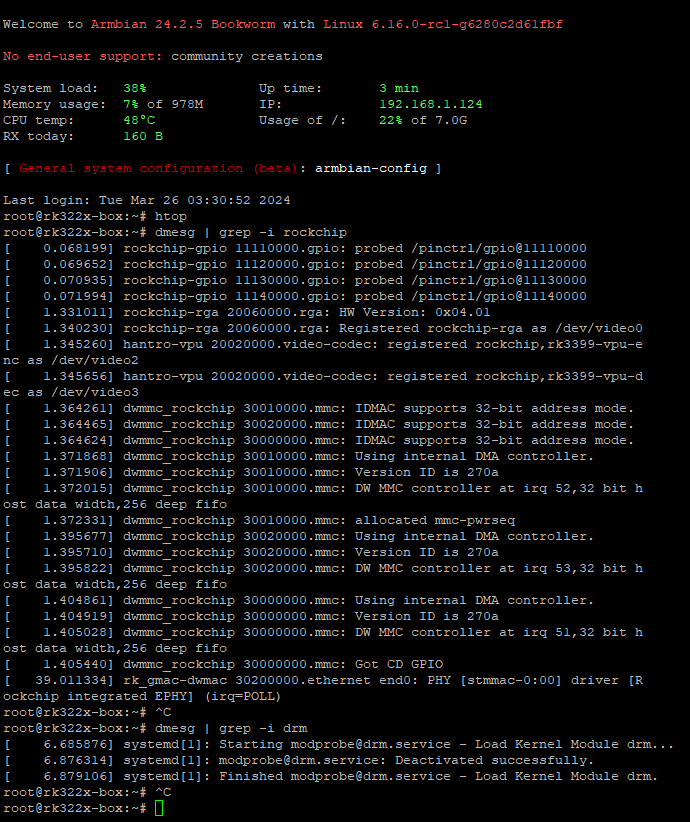
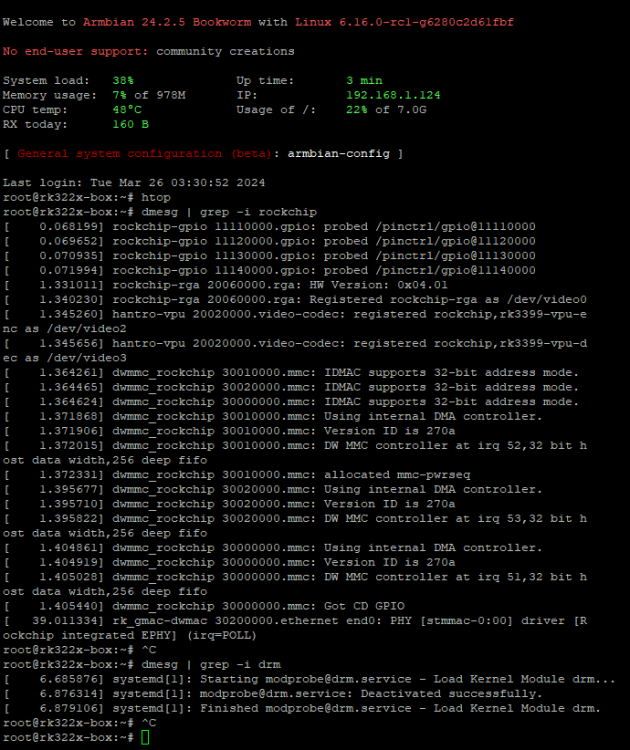
Update 2: 6.16-rc1 works with issues.. Good news: It Loads and registers the rga, vpu [ 1.340230] rockchip-rga 20060000.rga: Registered rockchip-rga as /dev/video0 [ 1.345260] hantro-vpu 20020000.video-codec: registered rockchip,rk3399-vpu-enc as /dev/video2 [ 1.345656] hantro-vpu 20020000.video-codec: registered rockchip,rk3399-vpu-dec as /dev/video3 Issues: swap file is gone HDMI output not working probably more, not sure
- Yesterday
-
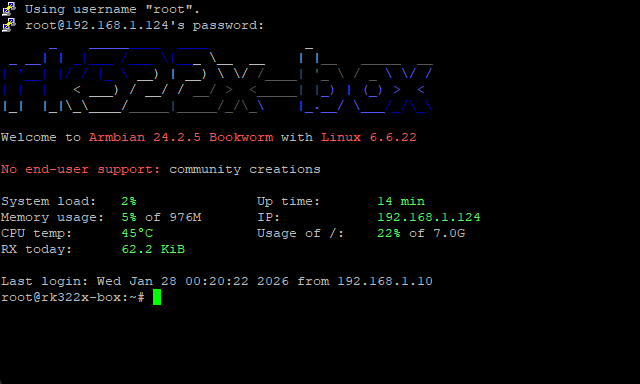
Progress update: I managed to boot 6.6.22 with applied hantro and rkdevc drivers in the kernel, I'm not sure if this was already discovered but i found something on the 6.6.22 kernel. Hantro and some Rockchip drivers are found in the Device Drivers -> Multimedia Support -> Media Platform Devices Rockchip Raster 2D Graphic Acceleration Unit Rockchip Image Signal Processing v1 Unit Rockchip Video Decoder (on 6.6.22 this can be found in staging drivers) Hantro VPU Driver Use Reference Frame Compression for HEVC Hantro VPU Rockchip support Hantro VPU Allwinner support Current issues: No Display working, but i got ssh working enough to tell me probably what's wrong with the kernel, Now I'm going to try and do the same but this time with the 6.16-rc1 patches found in Github: Kwiboo/linux-rockchip just to see if that would work also.
-
@Dangrain Glad to see its working now. please do a guide on it, not only will it help other people it will also help you how to do it again in-case you forgot how to do it haha!
.jpg.a9c771a210dfd840e739b9d059b97ba0.jpg)
.jpg.2ec24f2d712fb1b01bd298b9d79b32d9.jpg)


.jpg.a8adcac2c8515e6cd158e8a2649d50b5.jpg)
.jpg.8acb3af0f3cad05601ad4631cfbf593c.jpg)
.jpg.f2f283a8ae4c7f329c7bbab5d7745a61.jpg)