All Activity
- Past hour
-
It is not recommended to match ZFS with vendor kernel(s). In general. Use mainline based current / edge kernels. Here v6.18.y we also might not have suitable ZFS yet as the kernel is too fresh. But if not today, it will be avail within days / weeks.
-
We have hundreds of releases and multiple per version per board hard to tell from this which kernel or which exactly i make a wild guess and the kernel you tried is 6.12.y which isn't good for desktop. try 6.1.115 (with mesa-vpu extension, not sure if there are pre-made ones) or 6.18, 6.19 mainline kernel.
- Today
-
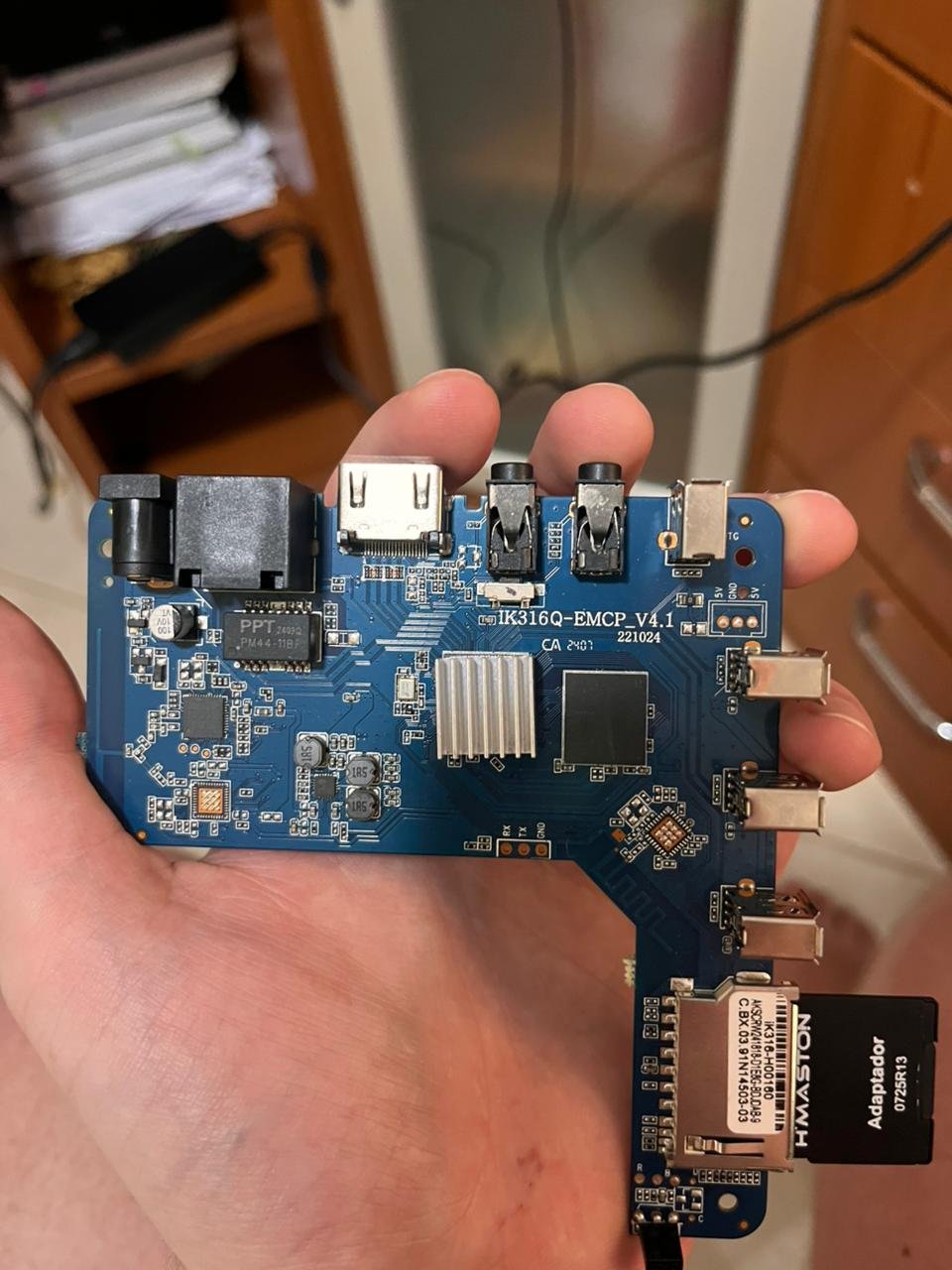
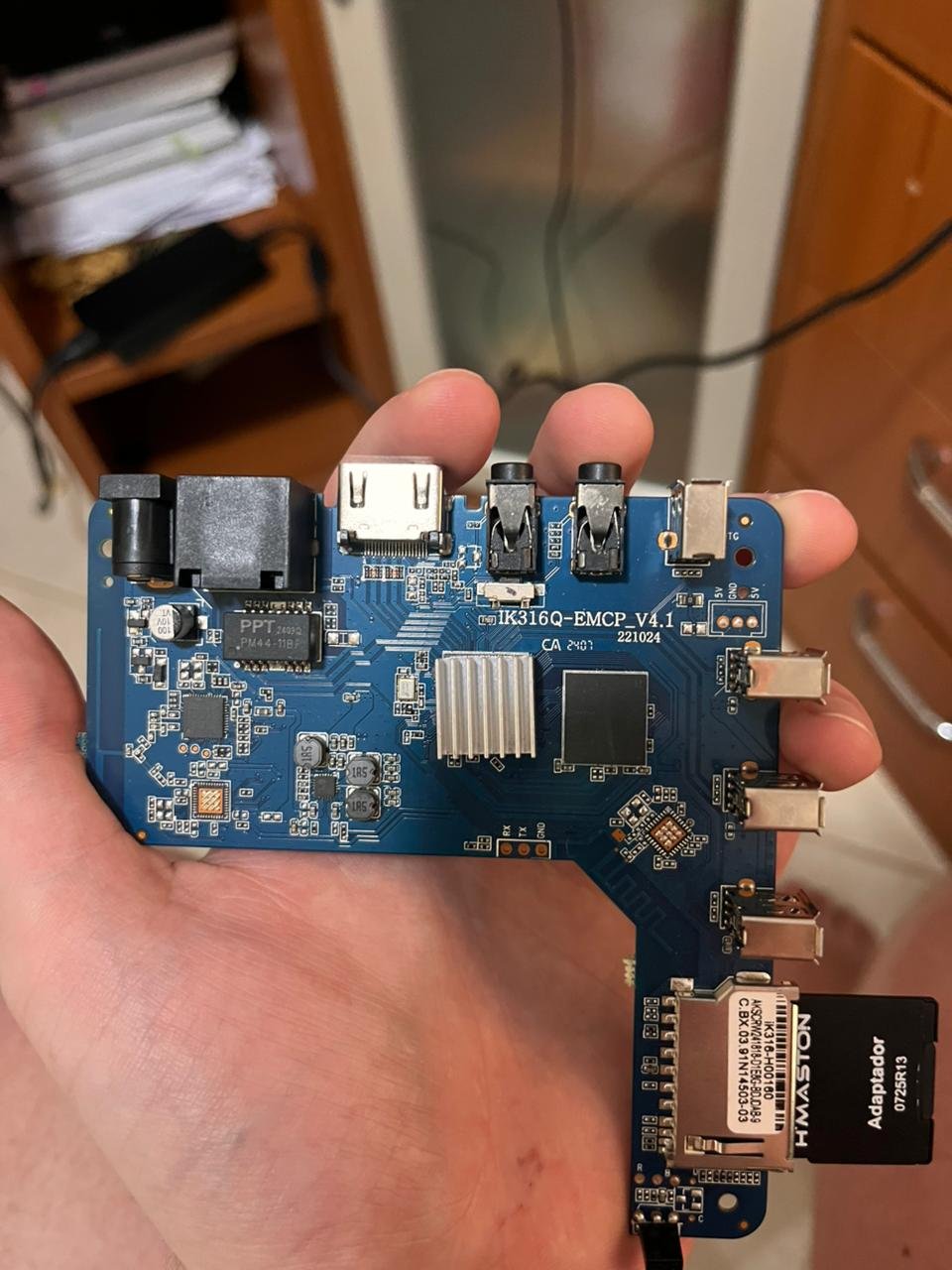
 Managed to find how to solve the issue! For anyone with the same board revision (IK316Q-EMCP_V4.1) and LPDDR3 memory who is struggling to boot standard images: I tried multiple generic builds (Ophub, etc.) and DTB edits without success. The solution was using this specific pre-configured image version from the sicXnull repository. The working image is: Armbian-unofficial_24.11.0-trunk_X96q_bookworm_current_6.6.44_mate_desktop.img.xz Download Link: https://github.com/sicXnull/armbian-build/releases/download/v24.8.0-trunk.425/Armbian-unofficial_24.11.0-trunk_X96q_bookworm_current_6.6.44_mate_desktop.img.xz It booted immediately. Hope this helps others with this specific hardware.
 -
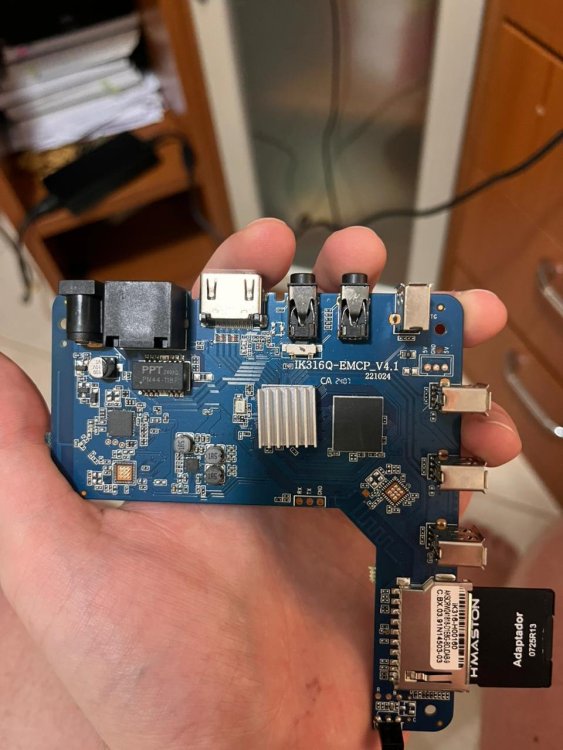
Hello!! I am looking for help to boot Armbian on a generic TV Box sold as "MXQ Pro 4K 5G". I have tried multiple images (including official and community builds from sicXnull), but I only get a black screen or signal loss immediately after the boot attempt. Device Specifications: Model on case: MXQ Pro 4K 5G Board ID: IK316Q-EMCP_V4.1 SoC: Allwinner H313 (identified as sun50iw9p1 in Android) RAM: 1GB (Single chip configuration) Storage: 8GB eMMC Current Status: I am able to boot into the stock Android. To attempt the Armbian boot, I've tryed the Power up method, the power up pressing the hidden AV switch, using the reboot update command from a terminal emulator within Android. The issue: Upon executing the reboot command, the Android system shuts down, the display signal cuts off (or stays black), and the device never initializes Armbian (no HDMI output, no LEDs blinking differently). What I have tried:
-
So I tried running Armbian Minimal/IoT version with kernel 6.1 and the fan is operating normally (tested it with the stress command). I didn't realize i was working with two different kernel versions. Sometimes you just need another set of eyes to look at a problem. Thanks for the help, cheers!
- Yesterday
-
desktop: $ uname -a Linux opi5p-cl1 6.1.115-vendor-rk35xx #1 SMP Fri Nov 21 14:02:48 UTC 2025 aarch64 aarch64 aarch64 GNU/Linux minimal/iot: $ uname -a Linux orangepi5-plus 6.12.58-current-rockchip64 #3 SMP PREEMPT Thu Nov 13 20:34:41 UTC 2025 aarch64 aarch64 aarch64 GNU/Linux Good call, I'm going to download the other Minimal/IoT image that uses kernel 6.1 and give it a try. Will let you know what happens.
-
@JohnU Which kernel version of the desktop installation and which with the minimal?
-
Hello @brunorro. Yes, sometimes people are hacking badly. I have it working again after restarting with Armbian/Spacemit: u-boot starts, onboard BT and Wifi works, SD card is again reading with 80mb/s, transfer u-boot and SBI to MTD via armbian-install works (MTD boot is required for starting from SSD), both M.2 slots can boot from NVME. Sadly, the Broadcom SDIO wifi driver is a smoking mess. This driver needs heavy porting so its not available with linux-6.18 / edge currently. Are you willing to test anyhow? I can provide a 6.6.99 Trixie image for download if you ACK. There are always things that I may have overlooked such as USB, HDMI. All those little things I have not tested, I' on UART currently. LG // Sven-Ola
-

Booting armbian manually from u-boot shell over UART
SteeMan replied to user03's topic in Amlogic CPU Boxes
Vendor dtb is an Android/vendor kernel dtb. The code that goes into mainline linux is generally vastly different from vendor. So while the vendor dtb can provide some hints as to what is needed in a mainline dtb, it isn't even close to compatible. -
Yesterday I was happy to see the new and fresh Armbian release for the Rock 5 ITX after about 1 year from the last update. I also tried the Armbian Imager and the SD creation was very easy and smooth. I selected the recommended release based on Ubuntu 24.04 + Gnome desktop. Unfortunately when the desktop was about to start, everything when black, stucked and zero interface. On the other hand, the OS is alive and I can connect remotely via SSH. Did anyone have the same problem? Possible solution? [EDIT]. sudo systemctl restart gdm and desktop pops up. Restarting the system, black again.
-

OrangePi Zero LTS ili9341 TFT LCD (and later OrangePi Zero 3)
robertoj replied to robertoj's topic in Allwinner sunxi
If you don't have X11 or Wayland, try using the linux command "fbi" (frame buffer image). I think I put an example in this trhead or in the Banana Pi ili9341 thread (in this allwinner forum section). -
I have several Orange Pi 5 Plus SBCs, and I have found that the fan works correctly if I install the Ubuntu desktop (Noble/XFCE) version of Armbian. But if I install the Minimal/IOT version of Ubuntu (Noble) the fan stays on constantly. I have not had any success trying to build my own orangepi-5-plus-pwmfan.dtbo (overlay), and I also tried copying the /boot/dtb/rockchip/rk3588-orangepi-5-plus.dtb file from the desktop version over top of the minimal version and rebooting, but my orangepi-5-plus would not even boot. it would be really nice if one of the maintainers could take a look at this and see if the minimal version is missing some component. I did see the following error in the journalctl -xe output after booting the minimal version: Jan 12 15:07:56 orangepi5-plus kernel: fan53555-regulator 0-0042: FAN53555 Option[10] Rev[1] Detected! Jan 12 15:07:56 orangepi5-plus kernel: rockchip-thermal fec00000.tsadc: Missing rockchip,grf property Jan 12 15:07:56 orangepi5-plus kernel: fan53555-regulator 0-0043: FAN53555 Option[10] Rev[1] Detected! Thank you, John
-

OrangePi Zero LTS ili9341 TFT LCD (and later OrangePi Zero 3)
autumn replied to robertoj's topic in Allwinner sunxi
-

Booting armbian manually from u-boot shell over UART
user03 replied to user03's topic in Amlogic CPU Boxes
Well, chatgpt told me it could generate a modified version of the dtb specifically for my device, provided the vendor dtb and some command outputs (mostly to figure out which chips are used - wifi,ble,hdmi etc). Well it did generate a dts, which I compiled in the linux kernel (pulled from https://git.kernel.org/pub/scm/linux/kernel/git/torvalds/linux.git). Well, I booted using the generated&compiled dtb, but HDMI is not working, eth is also not working, don't know what else. I also tried meson-gxl-s905l3b-m302a.dtb, which I got from https://github.com/xcray/amlogic-s905l3a-armbian. Eth is working with this dtb (it also probably worked with the p212, but at that time, I didn't have a cable to check). I actually don't know what else to check if working:) Is there a unified check tool for quick testing hardware support? Also, is there anything I can do about the hdmi or wifi? I am ready to write my own dts using the vendor provided one if necessary. HDMI is more of a priority, but I would like to tinker around with this thing just to see how far I can go. I would be very glad if you pointed me in the right direction in order to do this. Or if it's really impossible then fine. I thought provided the vendor.dtb I could get some of the hardware working, if this is not the case, then fine, I'm happy with eth. Anyway, I'll now try to setup ssh, cause it's about time I cleanup the setup and the micropython uart bridge:)
-
Gaming experience with Orange Pi 5 (RK3588) on Armbian
robertoj replied to KhanhDTP's topic in Orange Pi 5
Does anybody know if this will work with Allwinner H618? -
Driving the ili9488 LCD (4.0 inch cheap chinese clone)
robertoj replied to robertoj's topic in Allwinner sunxi
Forumtrekker: I am 99% sure that if you see the LCD working OK once, with kungfupancake or any other a txt/bin file, for just console text, it will work for any graphics. There's an issue with plymouth: it modifies the initrd in a way that it loses track of the bin file, and the kernel driver fails to load. See: https://forum.armbian.com/topic/53568-how-to-add-a-specific-single-file-in-the-initrdimg-ideally-automatically-with-update-initramfs/#comment-221767 I am running my SPI at 40MHz fine with 20cm wires. I don't have time to see your DTS file, but are you using the same CS pin as I do? I have noticed there's a default "chip select" pin, which makes everything work better. If you are using panel-mipi-dbi driver, don't use any additional DTS for the LCD, not even additional SPI DTS, and armbianEnv.txt that refer to the LCD. According to the notro wiki, the ili9486 and ili9488 will only work with RGB888 mode (because we use SPI). There's the "format" parameter line just for that, in my DTS. Can you send a good photo of your LCD front and back? My method is for a Red PCB LCD. I don't know the brand, but it is not Waveshare, Creality or any known company. Sorry, saying "Chinese LCD" is like saying "wet water": redundant and not specific. pami: the english in your post is fine, but you can separate ideas and separate processes in paragraphs, to let me focus in one problem at a time Many LCD guides, due to being so old, use the fbcopy driver, or another "classic framebuffer" driver. I could make my ili9341 work with it, but since I learned to use the panel-mipi-dbi I only started using that. It get's you more fluid animations and probably Linux will prefer it in the future. If one dtbo file and a python script makes your LCD work fine, share that script and DTBO (best if you can decompile the DTBO into DTS), in this thread, as attached files. Send more photos of your LCD. AI suggestions will only work if the solution is well documented somewhere in the internet, and the AI has found it. AI will re-word the answer and take credit for it. -
Hey, Thank you for working on this one. I have the very same and the sunxi scripts to create the Ubuntu image (tricked into trixie) are horrible. For instance, to create ky image they download all toolchains (ARM and so on) from its site and it's kind of difficult to even change that one. I would love to use upstream u-boot and spacemit 6.19 kernel on this one (already compiled for it) but I'm no expert and the lack of docs and ways to work on this one kills me Thank you!
-
Has this thread been updated yet, bro? I'm trying out Ubuntu.
-
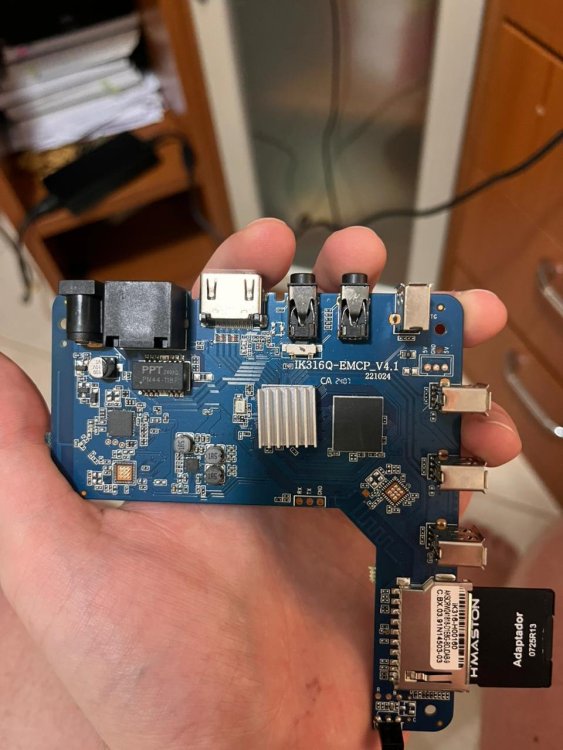
Hello community, I am looking for help to boot Armbian on a generic TV Box sold as "MXQ Pro 4K 5G". I have tried multiple images (including official and community builds from sicXnull), but I only get a black screen or signal loss immediately after the boot attempt. Device Specifications: Model on case: MXQ Pro 4K 5G Board ID: IK316Q-EMCP_V4.1 SoC: Allwinner H313 (identified as sun50iw9p1 in Android) RAM: 1GB (Single chip configuration) Storage: 8GB eMMC Current Status: I am able to boot into the stock Android. To attempt the Armbian boot, I am using the reboot update command from a terminal emulator within Android. The issue: Upon executing the reboot command, the Android system shuts down, the display signal cuts off (or stays black), and the device never initializes Armbian (no HDMI output, no LEDs blinking differently). What I have tried: Builds from sicXnull repository (Kernel 6.x). Ophub community builds (H616/H313 variants). I have updated the extlinux.conf / uEnv.txt to point to the sun50i-h313-x96-q-lpddr3.dtb (and others like x96-mate), but the result is always the same failure to initialize. Has anyone successfully booted this specific board revision (IK316Q_V4.1)? Is there a specific bootloader argument or a different DTB required for this MXQ clone? Photos of the board are attached. Thanks!
-
Unfortunately, I have exactly the same problem.

-
http://blog.armbian.com/content/images/2026/01/githubhighlights-2-1.webpThis week in Armbian development saw a significant round of kernel updates, board support enhancements, and workflow improvements. Notable changes include refactoring of the sunxi patchset, multiple kernel bumps for Rockchip and sunxi platforms, and the introduction of parallel repository management. Several device-specific fixes were implemented, such as improved fan control and USB support for the Station M3, and initial support for the OrangePi 4A. Deprecated and problematic drivers were removed to streamline builds, while eBPF options and bootloader updates further enhance system capabilities. The team also addressed various patching, locale, and build issues, ensuring smoother operations across supported hardware. sunxi: refactor full patchset. by @EvilOlaf in armbian/build#9219Apply rtl8723cs bluetooth only with kernels above 6.1. by @paolosabatino in armbian/build#9184armbian-kernel: more eBPF-oriented options for userspace tooling. by @rpardini in armbian/build#9193atf: once again no-warn-rwx-segment woes. by @rpardini in armbian/build#9162Drop USB wireless driver that doesn't want to compile. by @igorpecovnik in armbian/build#9202Enable OrangePi 4A CSC Initial Support. by @juanesf in armbian/build#9185evict device trees from patches into bare dt. by @EvilOlaf in armbian/build#9215extensions/mtkflash: mtk-flash --no-erase-mmc1 landed upstream as --preserve-boot1. by @rpardini in armbian/build#9198extensions/ufs: don't check sfdisk version also when BUILDING_IMAGE!=yes. by @rpardini in armbian/build#9161feat: implement parallel repository management workflow. by @igorpecovnik in armbian/build#9224Fix broken patch due to upstream changes, drop edge kernel as its not used. by @igorpecovnik in armbian/build#9200Fix locale warnings during chroot operations. by @iav in armbian/build#9160Fix rootfs compilation (dropping deprecated gtk2 engines), drop broken patch on meson64. by @igorpecovnik in armbian/build#9199framework & kernel config - rework the optionality of kernel builtins vs modules. by @tabrisnet in armbian/build#9165framework - extension_hook_opt_out. by @tabrisnet in armbian/build#9178genio/radxa-nio-12l: OPTEE/u-boot/TF-A/FIP bootloader + EXT=mtkflash + fixes. by @rpardini in armbian/build#9159genio: kernel quality-of-life enhancements. by @rpardini in armbian/build#9167grub: remove invalid hack for hvc0. by @rpardini in armbian/build#9189Helios64: update uboot to v26-01. by @iav in armbian/build#9125host-release: allow to build on resolute. by @rpardini in armbian/build#9190mixtile-blade3: board: disable 'edge' kernel, as it's not ready for end-users yet. by @rpardini in armbian/build#9181mvebu64: re-revitalize espressobin - can build (under noble) again. by @rpardini in armbian/build#9182NanoPi R3S LTS: Update to u-boot-v2026.01. by @pyavitz in armbian/build#9207opt-out of driver_rtl8723cs in some legacy kernels so they build again. by @rpardini in armbian/build#9176patching: introduce add-only mode for DT Makefile AutoPatcher. by @rpardini in armbian/build#9204PR actions scripts: fix workflow execution name. by @igorpecovnik in armbian/build#9186rock-3a: unset BOOTFS_TYPE for non-vendor builds. by @EvilOlaf in armbian/build#9068Rockchip bump current to 6.18 and edge to 6.19. by @paolosabatino in armbian/build#9169Rockchip maint: drop upstreamed patch. by @igorpecovnik in armbian/build#9196rockchip/uefi-loong64 6.19: rewrite patches against 6.19-rc4. by @rpardini in armbian/build#9172rockchip64-6.18: Enable audio for HDMI0 on station-m3. by @kasimling in armbian/build#9170rockchip64: bump edge to 6.19; current 6.12 -> 6.18. by @EvilOlaf in armbian/build#9067rockchip64: patch ATF 2.13 to build on gcc-14+ (ref rk3399's m0). by @rpardini in armbian/build#9208rtl8723cs: stop including proprietary driver for kernel 6.19 onwards. by @paolosabatino in armbian/build#9171station-m3: Fix fan speed and enable USB 3.0 Type-A port. by @kasimling in armbian/build#9177sun55iw3.conf bump u-boot to v2026.01 (final). by @juanesf in armbian/build#9197sunxi-6.18: rename patch that does fixups for clarity. by @rpardini in armbian/build#9213sunxi: Add CONFIG_TTY_OVERY_SDIO to edge kernel config. by @EvilOlaf in armbian/build#9226sunxi: bump edge to 6.18.4. by @EvilOlaf in armbian/build#9188sunxi: bump current and edge to latest minor. by @EvilOlaf in armbian/build#9229sunxi: bump current to 6.12.64. by @EvilOlaf in armbian/build#9195sunxi: cleanup old patchsets. by @EvilOlaf in armbian/build#9212sunxi: move overlays from various patches into auto-patcher. by @EvilOlaf in armbian/build#9211thinkpad-x13s: bump arm64-sc8280xp to steev's 6.18.y. by @rpardini in armbian/build#9173tools/repository/extract-repo.sh: simplify extraction by copying directly from pool. by @igorpecovnik in armbian/build#9174u-boot: allow custom LOGLEVEL with UBOOT_LOGLEVEL (default to 6). by @rpardini in armbian/build#9191u-boot: bump u-boot to v2026.01 (final) for boards that had -rcX. by @rpardini in armbian/build#9179kernel-make: clang: Remove -Wno-error=unknown-warning-option from clang KCFLAGS.. by @iav in armbian/build#9183View the full article
-
Booting armbian manually from u-boot shell over UART
SteeMan replied to user03's topic in Amlogic CPU Boxes
Armbian doesn't support TV Boxes, all Community Supported builds are given that description. Yes, per the instructions have you tried all the dtbs that might be relevant? In general, I'm not aware of any dtbs in mainline linux for the s905l3 cpu. I don't know what the closest might be. In general, due to lack of support by Amlogic, the efforts to support newer versions of their CPUs in mainline linux have essentially stopped. For example the project website that tracked progress on mainlining amlogic (https://linux-meson.com/mainlining.html) shows that efforts stopped around two years ago. Realistically only older amlogic cpus (i.e. cpus released at least 4 or more years ago) are going to be supported in mainline linux (and thus Armbian). And unfortunately I think the s905l3 falls into the newer category. -
I noticed the same thing. It looks like the server images might have been temporarily removed, possibly during a site update or reorganization. I’d suggest keeping an eye on the official download page or checking the Armbian GitHub mirror, they usually restore missing builds pretty quickly.
-
Booting armbian manually from u-boot shell over UART
user03 replied to user03's topic in Amlogic CPU Boxes
Update. I fixed the issue with chatgpt now. It told me according to the logs, my board has wrong hardware, and it told me to disable the gpu with adding a file to /etc/modprobe.d/ with blacklist lima. It worked. I booted to armbian, but to my surprise it immediately showed me a message saying this image is for tesing purposes only, and not stable. I downloaded it from the official site, it was labeled as minimal console pc, for small servers or sth like that. Also, hdmi not working (I don't want to only be able to ssh to it, but if that's what it is than fine:), and during setup it was giving me wrong time, timezones, completely wrong. Don't know what should be next step, try a different dtb, or different armbian image? -
Booting armbian manually from u-boot shell over UART
user03 replied to user03's topic in Amlogic CPU Boxes
Ok. I read the posts you showed me. First off, I thought this was a pretty straightforward process - installing armbian to these chinese tv boxes; so thank you for the hard truth - expect nothing to work:( Anyway, as I mentioned before, my main issue was that there is no reset button on this thing, so I had no idea how to get anything to boot, which commands, which script to run. So, thank you again for pointing me to the file. I entered the u-boot shell from uart, loaded the aml_autocript to 0x20000000 fatload usb 0:1 0x20000000 aml_autoscript and run it with autosrc 0x20000000 (the equivalent of source command I believe). It changed the bootloader, as the other post suggested, and now it boots to usb if present (haven't tried if it falls back to android, but I don't care about that anymore). I'm really glad it boots to linux, but the thing is it always ends in kernel panic before it even boots completely. I tried turning it off and on, but I always got a different kernel panic. Here are some of the logs (I posted only the kernel panic lines, and a few before - to keep the post short, but I can add some of the complete logs if necessary). Notice: after entering the kernel panic the device just hangs - no reset or action whatsoever. So I just disconnected power, and turned it on again. Another notice: the logs may actually be incomplete, because I already faced issues with uart not printing the whole text, but only the first 40-50 lines or so (example: output of the command help in the u-boot shell showed only half of them, and the last line shown looked half-printed). Dunno why this happens, maybe the RP2040 zero (which I'm using as the uart bridge adapter, running micropython script) is causing it, or something else. boot1: [ 11.642441] systemd[1]: Found device dev-disk-by\x2duuid-3563\x2d67BF.device - ProductCode armbi_boot. [ 11.657680] systemd[1]: Starting systemd-fsck@dev-disk-by\x2duuid-3563\x2d67BF.service - File System Check on /dev/disk/by-uuid/3563-67BF... [ 11.673727] systemd[1]: Starting systemd-networkd-persistent-stor[ 11.689172] [drm] Initialized simpledrm 1.0.0 for 7fe5b000.framebuffer[ 11.717710] Console: switching to colour frame buffer device 90x36 [ 11.731744] simple-framebuffer 7fe5b000.framebuffer: [drm] fb0: simpledrmdrmfb frame buffer device [ 11.835286] mc: Linux media interface: v0.10 [ 11.837173] Registered IR keymap rc-empty [ 11.852968] rc rc0: meson-ir as /devices/platform/soc/c8100000.bus/c8100580.ir/rc/rc0 [ 11.855991] rc rc0: lirc_dev: driver meson-ir registered at minor = 0, raw IR receiver, no transmitter [ 11.883334] input: meson-ir as /devices/platform/soc/c8100000.bus/c8100580.ir/rc/rc0/input0 [ 11.897040] rc rc0: sw decoder init [ 11.897461] meson-ir c8100580.ir: receiver initialized [ 11.923213] systemd[1]: Finished systemd-networkd-persistent-storage.service - Enable Persistent Storage in systemd-networkd. [ 11.959135] videodev: Linux video capture interface: v2.00 [ 12.038565] systemd[1]: Reached target usb-gadget.target - Hardware activated USB gadget. [ 12.122827] SError Interrupt on CPU3, code 0x00000000bf000002 -- SError [ 12.122857] CPU: 3 UID: 0 PID: 1158 Comm: (udev-worker) Tainted: G M 6.18.2-current-meson64 #1 PREEMPT [ 12.122869] Tainted: [M]=MACHINE_CHECK [ 12.122872] Hardware name: Amlogic Meson GXL (S905X) P212 Development Board (DT) [ 12.122878] pstate: 00000005 (nzcv daif -PAN -UAO -TCO -DIT -SSBS BTYPE=--) [ 12.122885] pc : el00 [ 12.122973] x11: 0000000000000006 x10: ffff8000812e5a60 x9 : 1fffe000007108c1 [ 12.122983] x8 : 0000000000000001 x7 : ffff000003884600 x6 : ffff000003884608 [ 12.122993] x5 : ffff8000829eb6b0 x4 : 0000000000000025 x3 : 0000000000000021 [ 12.123002] x2 : 000000000000003b x1 : 0000000000000000 x0 : 0000000000000000 [ 12.123014] Kernel panic - not syncing: Asynchronou do_serror+0x3c/0x78 [ 12.123105] el1h_64_error_handler+0x34/0x50 [ 12.123114] el1h_64_error+0x6c/0x70 [ 12.123123] el1_abort+0x34/0x68 (P) [ 12.123130] el1h_64_sync_handler+0x50/0x104 [ 12.123138] el1h_64_sync+0x6c/0x70 [ 12.123145] lima_mmu_init+0x44/0x124 [lima] (P) [ 12.123186] lima_device_init+0x1ac/0x664 [lima] [ 12.123206] lima_pdev_probe+0xa4/do_init_module+0x58/0x23c [ 12.123364] load_module+0x1e78/0x1ed4 [ 12.123374] init_module_from_file+0x88/0xcc [ 12.123383] __arm64_sys_finit_module+0x1ec/0x300 [ 12.123393] invoke_syscall+0x48/0x10c [ 12.123408] el0_svc_common.constprop.0+0xc8/0xe8 [ 12.123418] do_el0_svc+0x20/0x2c [ 12.123428] el0_svc+0x34/0xf0 [ 12.123437] el0t_64_sync_handler+0xa0 boot2: [ 12.471539] Kernel panic - not syncing: Asynchel1h_64_error_handler+0x34/0x50 [ 12.471648] el1h_64_error+0x6c/0x70 [ 12.471656] el1_abort+0x34/0x68 (P) [ 12.471664] el1h_64_sync_handler+0x50/0x104 [ 12.471672] el1h_64_sync+0x6c/0x70 [ 12.471679] lima_mmu_init+0x44/0x124 [lima] (P) [ 12.471723] lima_device_init+0x1ac/0x664 [lima] [ 12.471744] lima_pdev_probe+0xa4/0x1bc [lima] [ 12.471764] platform1915] load_module+0x1e78/0x1ed4 [ 12.471924] init_module_from_file+0x88/0xcc [ 12.471934] __arm64_sys_finit_module+0x1ec/0x300 [ 12.471944] invoke_syscall+0x48/0x10c [ 12.471956] el0_svc_common.constprop.0+0xc8/0xe8 [ 12.471967] do_el0_svc+0x20/0x2c [ 12.471977] el0_svc+0x34/0xf0 [ 12.471988] el0t_64_sync_handler+0xa0/0xe4 [ 12.471996] el0t_64_sync+Traceback (most recent call last): boot3: [ 12.420984] Kernel panic - nx80 [ 12.421075] do_serror+0x3c/0x78 [ 12.421082] el1h_64_error_handler+0x34/0x50 [ 12.421091] el1h_64_error+0x6c/0x70 [ 12.421099] el1_abort+0x34/0x68 (P) [ 12.421107] el1h_64_sync_handler+0x50/0x104 [ 12.421115] el1h_64_sync+0x6c/0x70 [ 12.421121] lima_mmu_init+0x44/0x124 [lima] (P) [ 12.421165] lima_device_init+0x1ac/0x664 [lima] [ 12.421185] 0x200 [ 12.421335] do_init_module+0x58/0x23c [ 12.421348] load_module+0x1e78/0x1ed4 [ 12.421357] init_module_from_file+0x88/0xcc [ 12.421367] __arm64_sys_finit_module+0x1ec/0x300 [ 12.421376] invoke_syscall+0x48/0x10c [ 12.421388] el0_svc_common.constprop.0+0xc8/0xe8 [ 12.421399] do_el0_svc+0x20/0x2c [ 12.421409] el0_svc+0x34/0xf0 [ 12.421419] el0 boot4: [ 12.874949] SError Interrupt on CPU2, code 0x00000000bf000002 -- SError [ 12.874984] CPU: 2 UID: 0 PID: 1165 Comm: (udev-worker) Tainted: G M C 6.18.2-current-meson64 #1 PREEMPT [ 12.874999] Tainted: [M]=MACHINE_CHECK, [C]=CRAP [ 12.875003] Hardware name: 12.875086] x17: 0000000000000000 x16: ffff00000495fc00 x15: ffff000002098ea3 [ 12.875095] x14: 0000000000000001 x13: ffff000002098ea0 x12: ffff00000b244200 [ 12.875105] x11: 0000000000000006 x10: ffff8000812e5a60 x9 : 1fffe0000092e981 [ 12.875114] x8 : 0000000000000001 x7 : ffff000004974c00 x6 : ffff000004974c08 [ 12.875123] x5 : ffff800082a1b6b0 x4 : 0000000000000025 4 [ 12.875207] vpanic+0x320/0x364 [ 12.875215] nmi_panic+0x0/0x68 [ 12.875221] add_taint+0x0/0xbc [ 12.875227] arm64_serror_panic+0x70/0x80 [ 12.875235] do_serror+0x3c/0x78 [ 12.875242] el1h_64_error_handler+0x34/0x50 [ 12.875251] el1h_64_error+0x6c/0x70 [ 12.875260] el1_abort+0x34/0x68 (P) [ 12.875268] el1h_64_sync_handler+0x50/0x104 [ 12.875212.875453] __platform_driver_register+0x24/0x30 [ 12.875462] lima_platform_driver_init+0x20/0x1000 [lima] [ 12.875486] do_one_initcall+0x70/0x200 [ 12.875495] do_init_module+0x58/0x23c [ 12.875508] load_module+0x1e78/0x1ed4 [ 12.875516] init_module_from_file+0x88/0xcc [ 12.875526] __arm64_sys_finit_module+0x1ec/0x300 [ 12.875535] invoke_syscall+0x48/0x1