All Activity
- Today
-
Realistically I can't promise that. But I think with very small patches this board can work (it already does, minus the ethernet and armbian-install). I will try to solve the problems in this board and then post my solution here (as a single post, not as a series of posts). I don't think it needs to be added to the list of supported boards as long as this thread is indexed by search engines and someone else with the same board can use these forums to successfully install armbian on orangepi cm5.
-
Probably the latter. https://docs.armbian.com/User-Guide_Board-Support-Rules/ has more information. We already have a lot of boards in Armbian. Probably too many from a maintenance POV. Do you simply want to do the work of bringing up your board in Armbian or do you want to become the maintainer of this board going forward? That's an artefact that @Igor may be able to fix. The page should not really exist at this point.
-
I decided to klipperize an old 3d printer and found some of my orange pi boards dead, so i ended up selecting my XU4 for the task. Fast forward 24 hours and i'm fighting MCU timeouts. Klipper doesn't know what happened just that the mcu stopped responding. And their knowledge base article is basically "gosh it could be anything". One seat of the pants observation i made was that the XU4 idles along at 600mhz with a load average of about 0.1 and it seemed like the load average increased maybe before the mcu stopped responding. The MCU in question is an SKR Pico, aka rp2040 with a usb connection. The mcu is not receiving power from the xu4 (there's a jumper) - I've tried both usb3 and usb2 ports on the XU4 with no difference. I recall that many years ago i resolved a similar issue with an H2+ based board and Octoprint by switching the cpufreq governor to "performance" which of course just pegs it at the top speed. But on that board, armbian-config lets me select what that maximum speed is, so as to avoid overheating. My XU4 is equipped with the flat little fan. I do have some large heatsinks and thermal adhesive. I'm a little worried that it might run too hot if it's at 1.4ghz all the time. sysfs tells me there are a ton of scaling frequencies available, but it appears that i can't just, select one. Any hints?
-
Thanks for sharing your updates, any idea about the function of the 8 pin holes close the lcd display?
-
Weird. I set verbosity to 7 but still nothing. See this https://paste.armbian.eu/zubunigowi.vbnet Nothing afterwards. Claude suggested adding the parameter SERIALCON="ttyS0" because apparently the default is ttyS2, which does not match rk3528. Let's see if it's just a hallucination. EDIT: nope. Still no luck. EDIT2. Something is wrong with the serial console on the vendor image too. I cannot type in it. It is connected correctly.
-
Is there a specific reason why orangepi cm5 isn't supported? Or is it simply because nobody has contributed? Because I am willing to add support for it if there aren't any serious issues when building armbian for this board. The webpage for the board is currently empty. I see two issues when using Armbian on orangepi cm5: 1. The ethernet and the fan won't work. There is a device tree published by Laurent Pinchart that may fix this. 2. armbian-install bricks the board. The only way to recover the device is by enabling maskrom and using rkdeveloptool to flash a new image. Other than these Armbian seems to work fine on orangepi cm5. Has anyone tried using (and also installing) armbian on this board?
-
 @Mohammad Adel You need a image with a AXP313a (Power Management IC). Try these images. Armbian-unofficial_25.05.0-trunk_Tanix-tx6s-axp313_bookworm_edge_6.12.11_xfce_desktop.img.xz Armbian-unofficial_25.05.0-trunk_Transpeed-8k618-t_bookworm_edge_6.12.11_xfce_desktop.img.xz Armbian-unofficial_25.05.0-trunk_Vontar-h618_bookworm_edge_6.12.11_xfce_desktop.img.xz Armbian-unofficial_25.05.0-trunk_X98h_bookworm_edge_6.12.11_xfce_desktop.img.xz If it still doesn't boot. You might have secure boot enabled. You can try to compile this image. It includes secure boot. https://github.com/NickAlilovic/build/tree/mainline If it's still not working. Then it might be your Dram Settings. You should install a Usb to serial device on your UART. So we can see your debug messages.
 -
@MrBros1509 I think you want to read this thread:
-
 @Galeno Fernandes What does your question have to do with Armbian? It doesn't look like you are using Armbian at all. These forums are for Armbian linux.
 -
Set verbosity to 7 in armbianEnv.txt to get an idea about what happens after "Starting kernel..."
-
Yup, there are numerous boot attempts if you take a look. There are two that are successful but not much happens afterwards, look for "Starting kernel". So when it finds the tree, it "boots" but there is no further output.
-
Make sure the file is there and name is correct
-
The kernel seems to be starting but there is no further output from the serial console. Here are some attemps (forst one with FDT commented out, which prevented the kernel from loading, the last ones also, maybe due to SD card corruption). The green light is on and the blue light is pulsing. This is the config it came up with with my guidance: # Rockchip RK3528 quad core 1-4GB SoC WIFI/BT 0-32GB eMMC BOARD_NAME="ROCK 2F" BOARD_VENDOR="radxa" BOARDFAMILY="rk35xx" BOOTCONFIG="rock-2-rk3528_defconfig" BOARD_MAINTAINER="CodeChenL" KERNEL_TARGET="vendor,edge" KERNEL_TEST_TARGET="vendor" FULL_DESKTOP="yes" BOOT_LOGO="desktop" BOOT_FDT_FILE="rockchip/rk3528-rock-2f.dtb" BOOT_SCENARIO="spl-blobs" IMAGE_PARTITION_TABLE="gpt" enable_extension "radxa-aic8800" AIC8800_TYPE="usb" function post_family_config__rock-2f_use_mainline_uboot() { # use mainline uboot for _edge_ [[ "${BRANCH}" == "vendor" ]] && return 0 display_alert "$BOARD" "Mainline U-Boot overrides for $BOARD - $BRANCH" "info" declare -g BOOTCONFIG="generic-rk3528_defconfig" # Use generic RK3528 config since rock-2f specific config doesn't exist yet in mainline declare -g BOOTDELAY=1 declare -g BOOTSOURCE="https://github.com/u-boot/u-boot" declare -g BOOTBRANCH="tag:v2025.10" declare -g BOOTPATCHDIR="v2025.10" declare -g BOOTDIR="u-boot-${BOARD}" declare -g UBOOT_TARGET_MAP="BL31=${RKBIN_DIR}/${BL31_BLOB} ROCKCHIP_TPL=${RKBIN_DIR}/${DDR_BLOB};;u-boot-rockchip.bin" unset uboot_custom_postprocess write_uboot_platform write_uboot_platform_mtd # disable stuff from rockchip64_common; we're using binman here which does all the work already # Just use the binman-provided u-boot-rockchip.bin, which is ready-to-go function write_uboot_platform() { dd "if=$1/u-boot-rockchip.bin" "of=$2" bs=32k seek=1 conv=notrunc status=none } } Here is the log: pastebin Any ideas? I observed that with some boards, the line "BOOT_FDT_FILE=..." is absent altogether. is removing it possibly the way to go?
-
 Hello everyone, I’m trying to flash a firmware on a generic Android TV Box and I’m stuck at a hardware/bootloader compatibility issue. Device technical details: - SoC: Allwinner H618 - Board / PCB: FX-H618-D4_V10 - RAM: 4GB DDR4 - Storage: eMMC (unknown size, likely 32GB) - USB FEL ID: VID_1F3A PID_EFE8 - Original OS: BigdroidOS (Android generic) - Commercial name: Transpeed 8K618-T Current situation: - Device enters FEL mode correctly (VID_1F3A PID_EFE8) - PhoenixSuit detects the device but firmware upgrade hangs at “Beginning Firmware Upgrade” - Tried multiple PCs (Windows 10 and 11), different USB ports and cables - Allwinner FEL driver installed correctly - SD card flashing with PhoenixCard (Startup mode) is ignored, device boots normally to Android - Reset timing variations tested (short press / long press / no reset) Tested firmware: - sbx_transpeed_h618_atv_12_11.img - H618.apollo-p3.T-H618_100M_12_FD650.2023.09.13.1720.img Both firmwares show similar behavior (FEL detected but no successful flash). I believe the issue is bootloader / DDR4 initialization mismatch. I’m specifically looking for: - A firmware confirmed to work with board FX-H618-D4_V10 - Or the original BigdroidOS firmware dump for this board - Or confirmation whether this board requires a specific boot0/boot1 Any help, working firmware, or dump from the same board would be greatly appreciated. Thank you! Allwinner H618, FX-H618, DDR4, PhoenixSuit, FEL, Transpeed
 -
moved
-
 No need to reply in a PM; just run standard Debian tool: sudo tasksel and select what you want and follow the steps.
 -
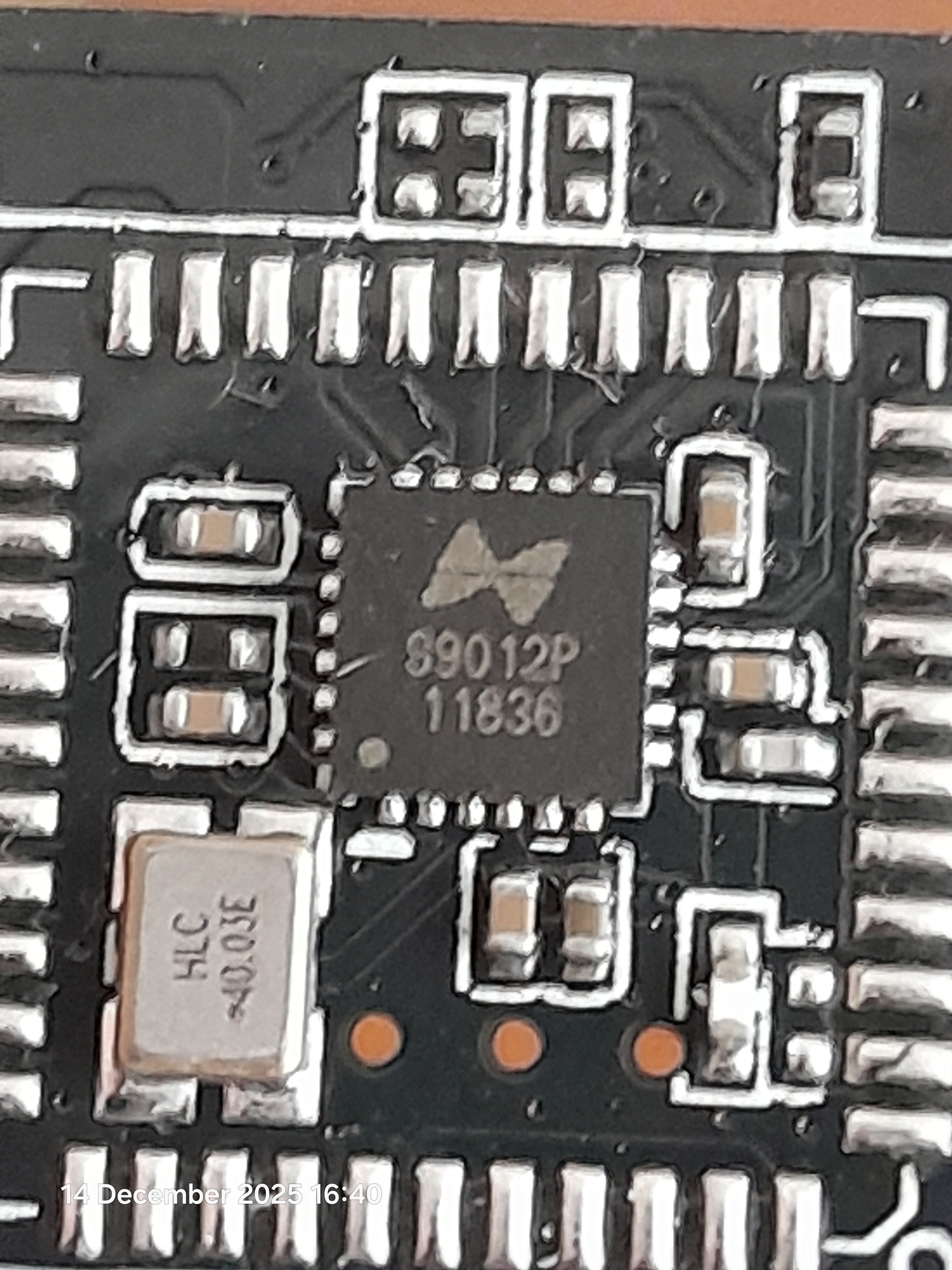
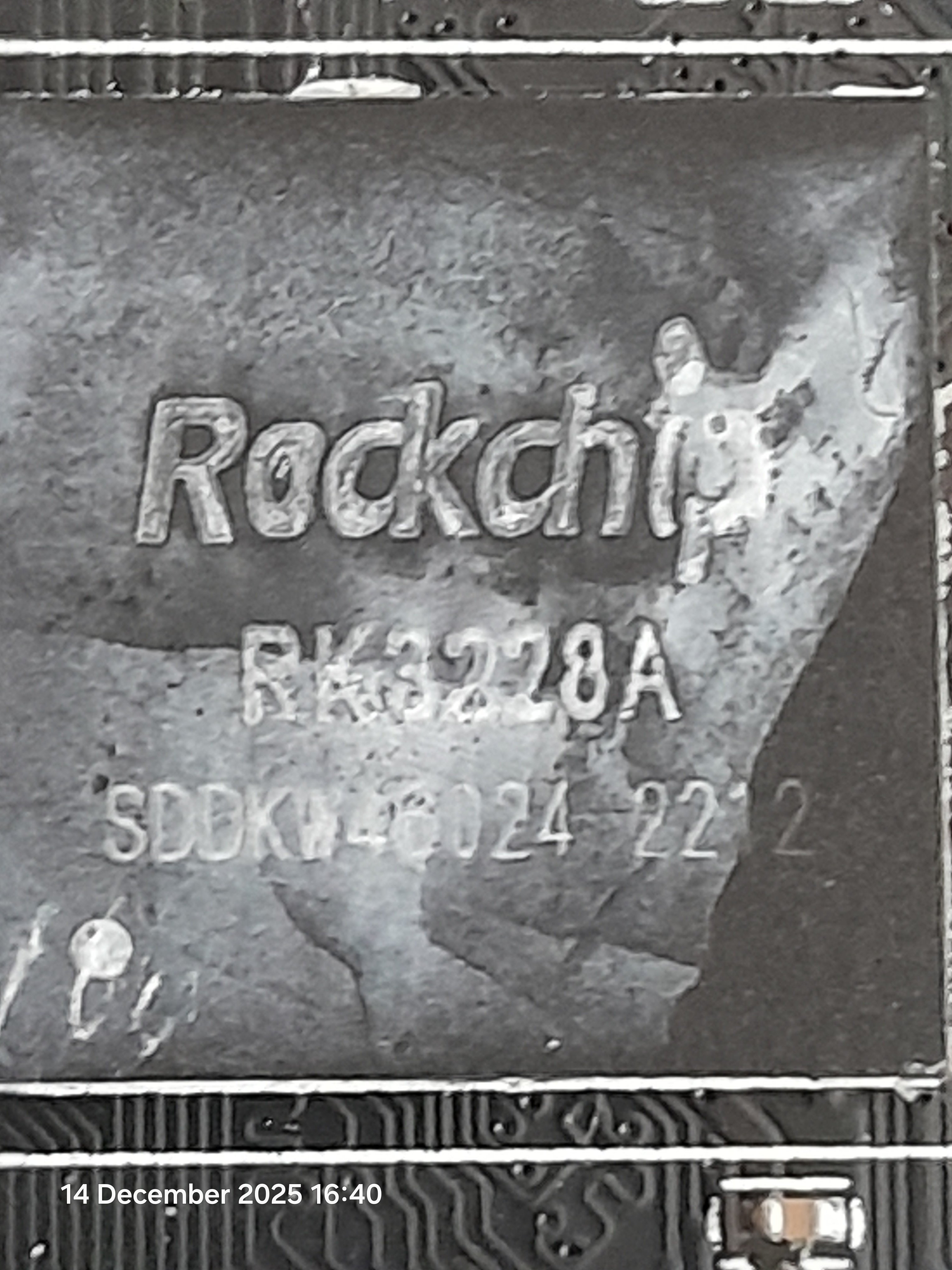
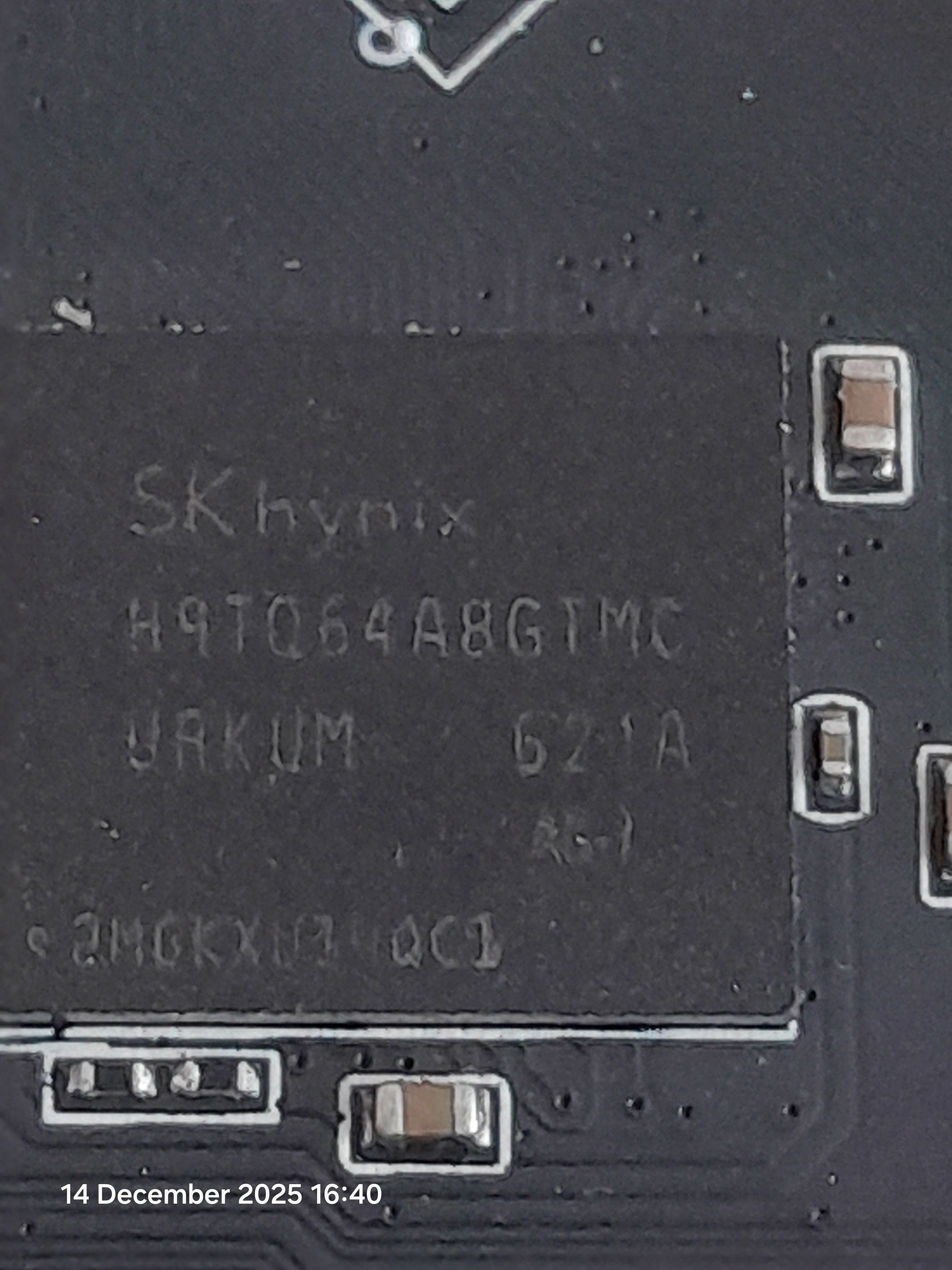
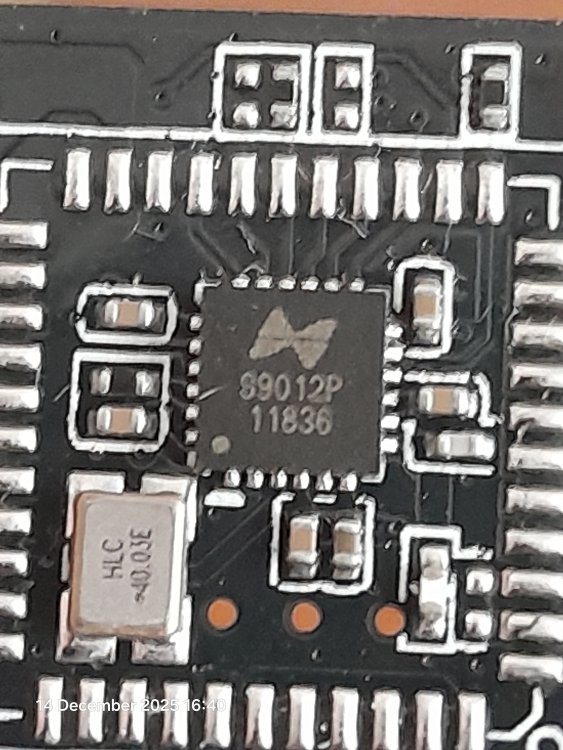
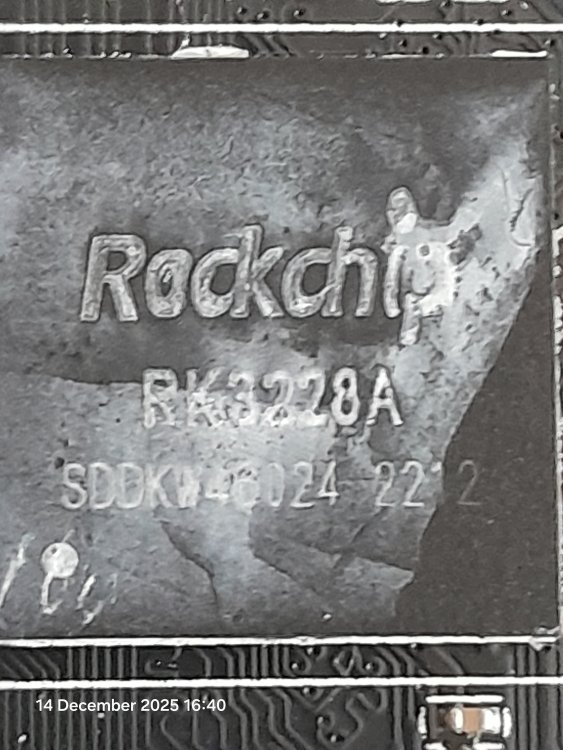
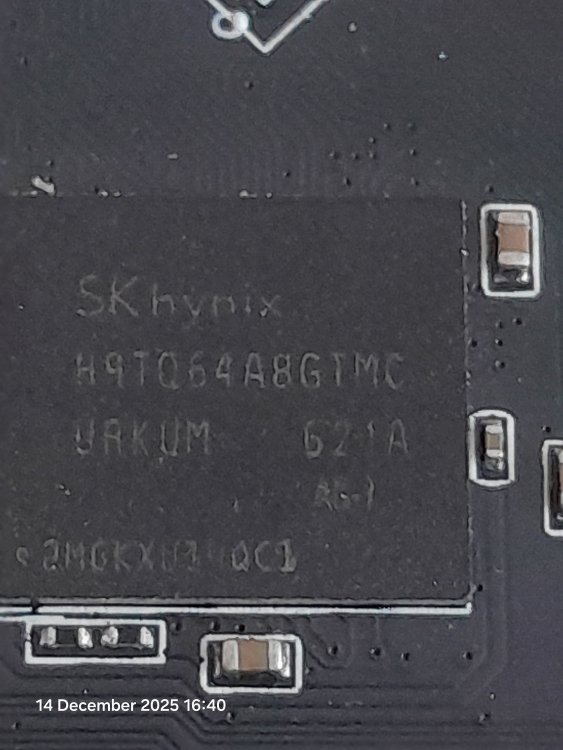
Hallo everyone i really want to filn out how to install armbian onto one of 2 devices i have 2 boxes but ill focus only on one for now. The tvox is a Tangka Cpu = RK3228A Storage chip = SKhynix H9TQ64A8GTMC Wifi chip = s9012p Where could i find the compressed file of the .iso sothat i can flash the firmware onto my tvbox and what software/drivers will i need on windows 10 or ubuntu (preferably win10) id really appreciate if you guys can help me out. I dont have a sdcard only a makeshift working male to male usb adaptor.
-
 You have PM, please reply when you have a moment. Thanks
 -

Gaming experience with Orange Pi 5 (RK3588) on Armbian
晓飞丁 replied to KhanhDTP's topic in Orange Pi 5
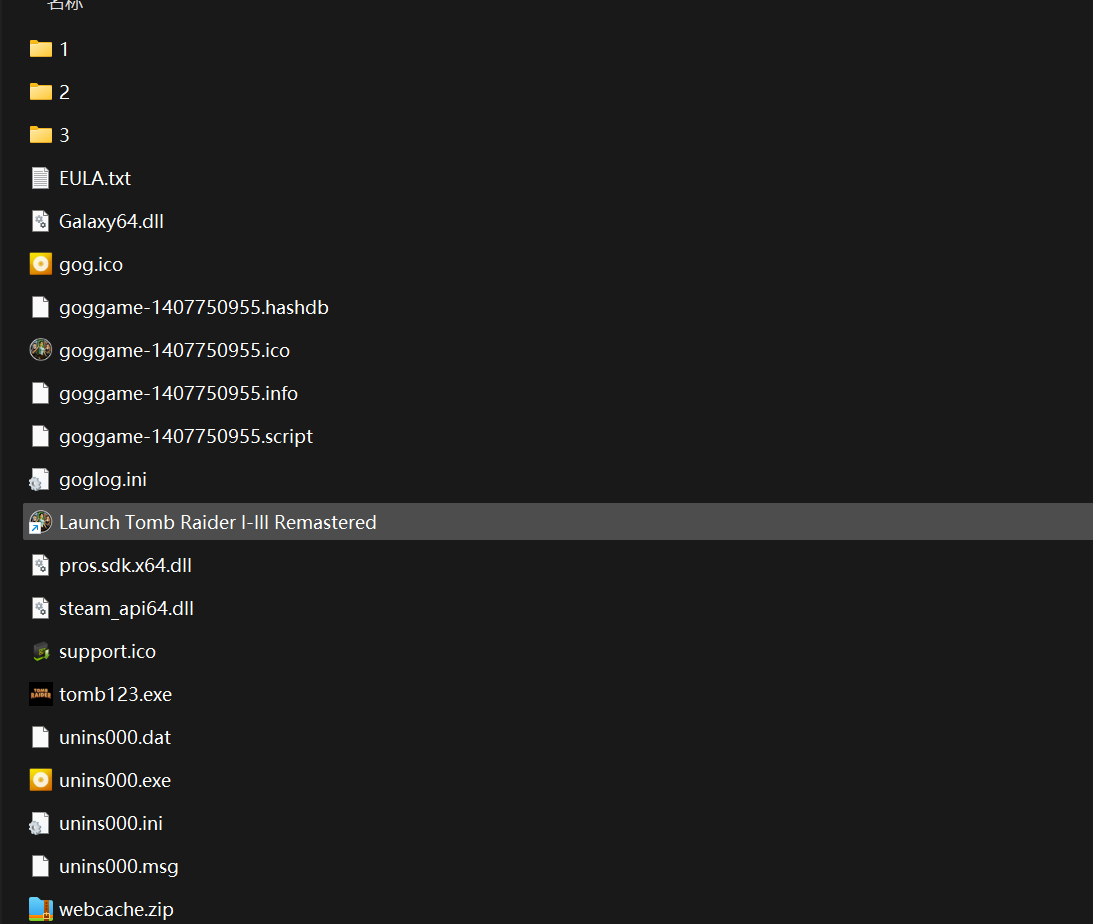
It is Tomb Raider 1~3 remastered Gog version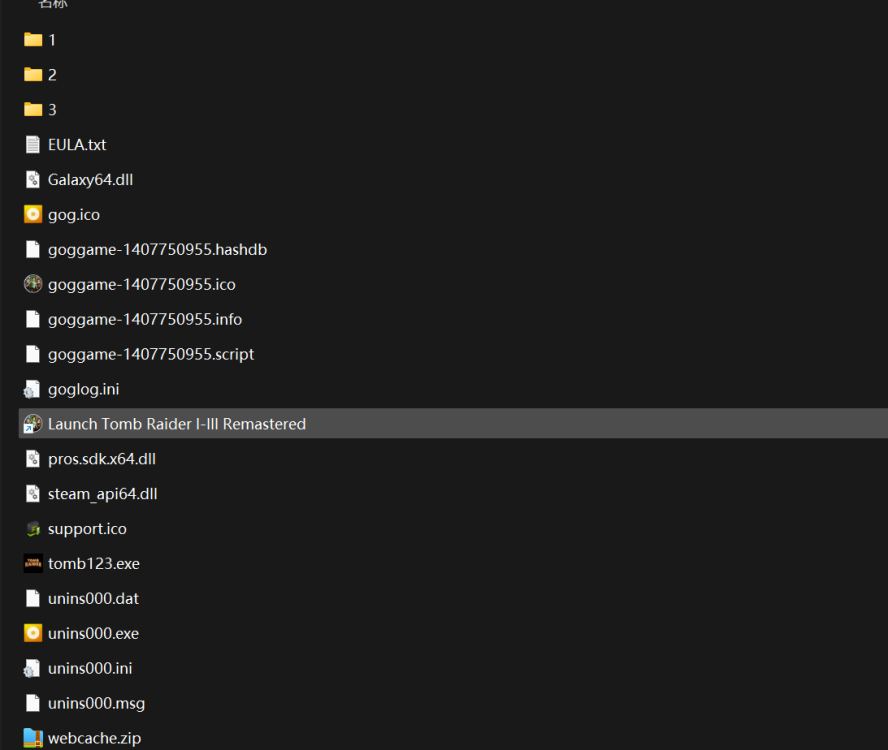
-

Gaming experience with Orange Pi 5 (RK3588) on Armbian
KhanhDTP replied to KhanhDTP's topic in Orange Pi 5
No, basically any wine/proton (wow64) will work! Btw, that version of the Tomb Raider! -
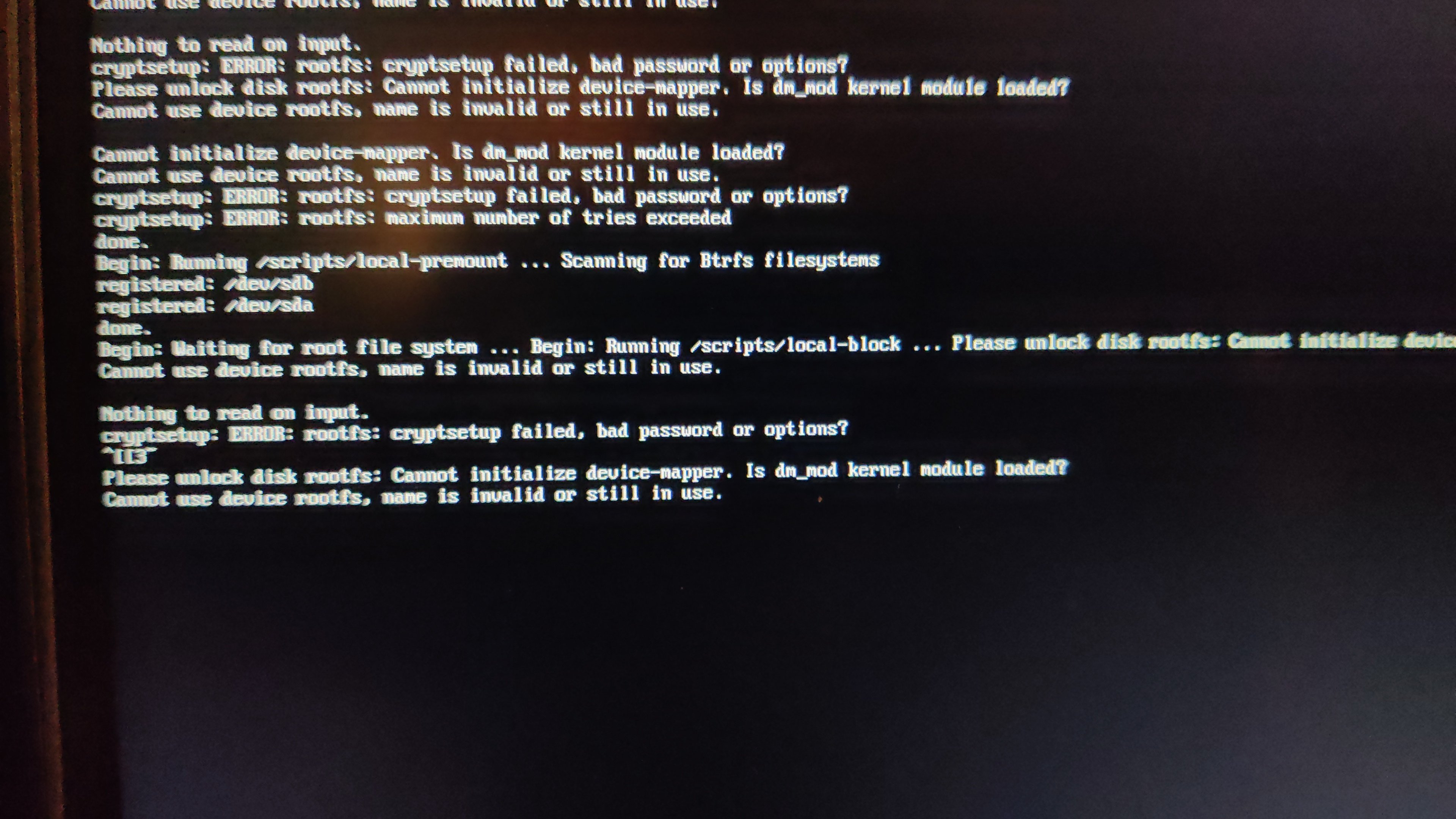
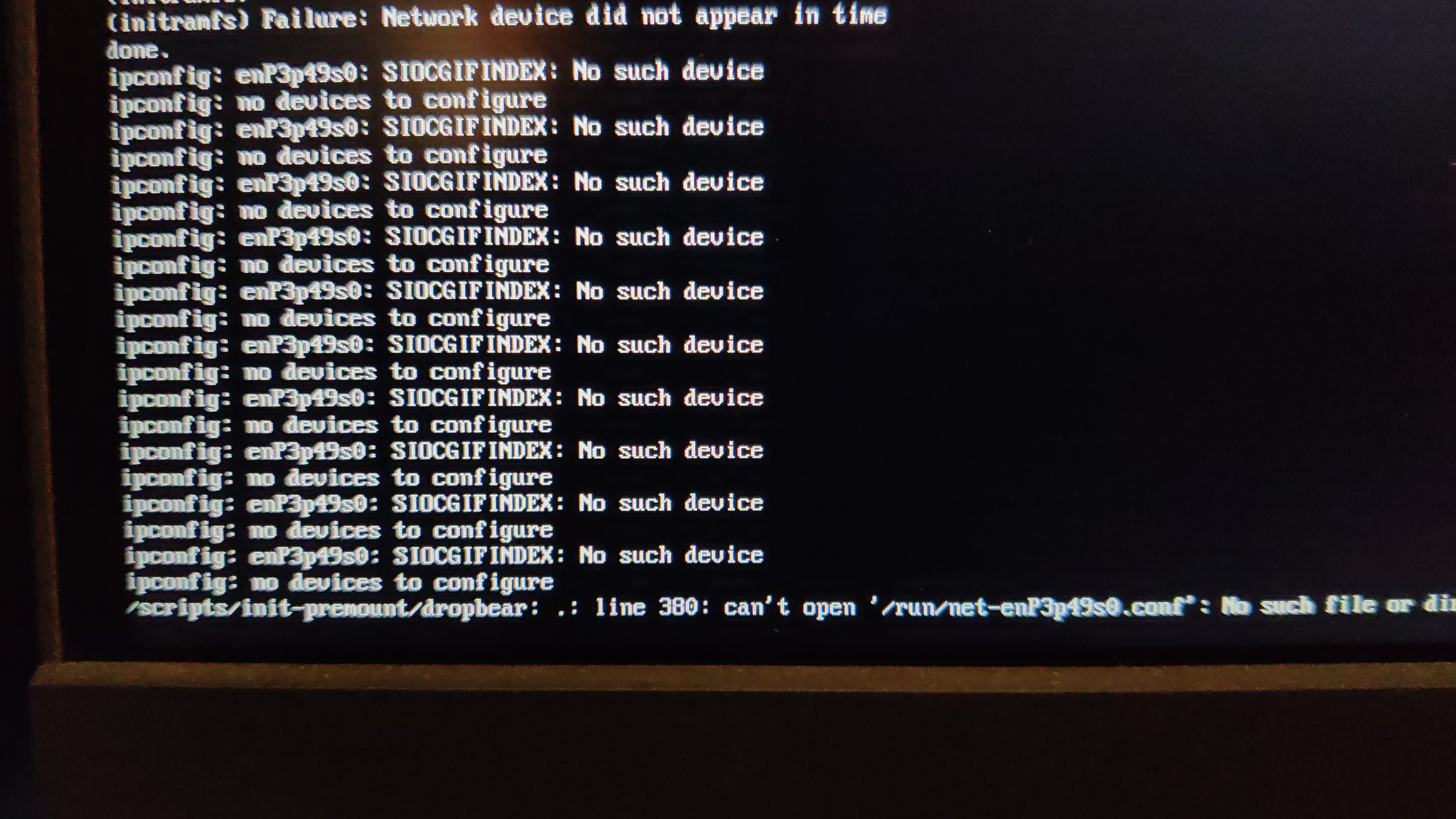
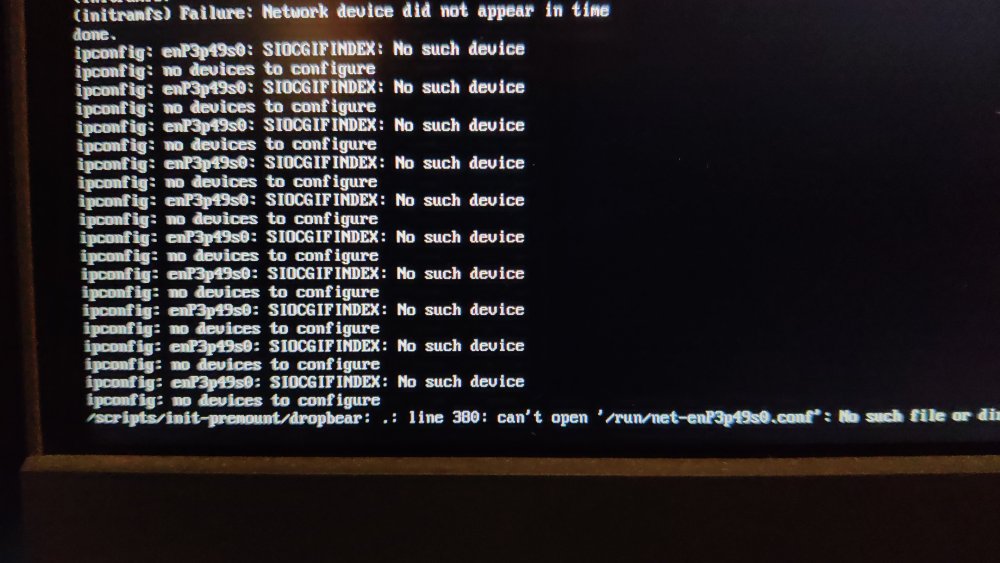
 After my last update on my radxa5-ITX, apart from the name changes of the NIC (related?), I remarked that I could not cryptroot-unlock the root partition because of dm_mod apparently missing from initramfs. To give some context, this is how I set things up some while ago and things went pretty smooth until recently. Too bad armbian does not keep the previous kernel (though I get the reason why). Inspecting the boot partition, cat config-6.1.115-vendor-rk35xx | grep DM_CRYPT CONFIG_DM_CRYPT=m the kernel seems to have been compiled with the proper option and lsinitramfs initrd.img-6.1.115-vendor-rk35xx | grep 'usr.*cryptsetup' usr/lib/aarch64-linux-gnu/libcryptsetup.so.12 usr/lib/aarch64-linux-gnu/libcryptsetup.so.12.9.0 usr/lib/cryptsetup usr/lib/cryptsetup/askpass usr/lib/cryptsetup/functions usr/sbin/cryptsetup and initramfs seems properly linked to the relevant libraries so I do not understand why device mapper remains unavailable. At this point, I have no hypothesis except a very unlikely one An unlikely hypothesis Could failure to initialize the device mapper have nothing to do with dm_mod availability but be solely the side effect of Because I always unlocked the root part either from console or from a dropbear session, I understood device mapper init as an anterior step, independent from NIC availability. But is it really the case. What am I missing?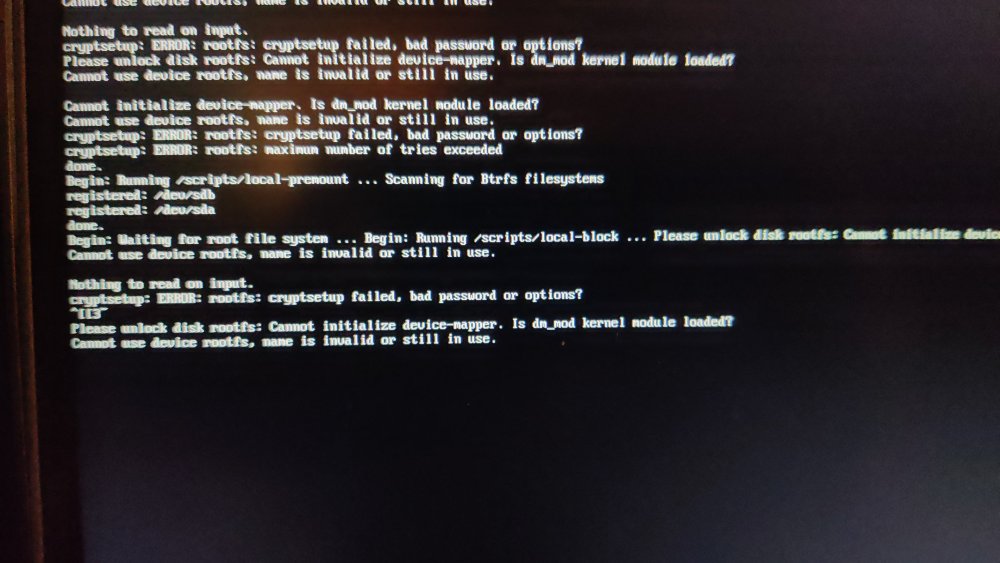
-
@Igor wrote about upcoming Muse Pi Pro (a SpacemiT K1 board). Orange Pi RV2 features a "Ky X1" SoC which may be a variant of the SpacemiT SoC and at least similar to the already compile-able Banana Pi F3 board. However, Xunlong seems to be serious about the differences, since the published patch sets on github.com/orangepi-xunlong to kernel and u-boot have a GPL-2 copyright notice, stating I expect my RV2 arriving tomorrow. Thus, it would be very appreciated if support for this board pops up in time 😉 Otherwise I may try my luck with adding Armbian support on my own (without expecting success soon). For clarification, I compiled a list of RISC-V64 boards currently available: Banana Pi F3, runs on SpacemiT K1 8-core X60 RISV-V@1.5? (2 TOPS NPU, 2x1 Gbit, M.2@m, mPCIe, eMMC@soldered, SD/TF) Orange Pi RV, runs on StarFive JH 7110 4-core RISC-V@1.5 (1x1 Gbit, M.2@m, SD/TF, SPI-flash) Orange Pi RV2, runs on Ky X1, 8-core RISC-V@1.5, variant of SpacemiT K1? (2 TOPS NPU, 2x1 Gbit, M.2@m2280, M.2@m2230, SD/TF, eMMC@socket, SPI-flash) Muse Pi Pro runs on overclocked SpacemiT K1 8-core X60 RISC-V@1.8 (2 TOPS NPU, 1x1 Gbit, M.2@m, mPCIe, eMMC@soldered, SPI-flash) Best // Sven-Ola
-
Gaming experience with Orange Pi 5 (RK3588) on Armbian
晓飞丁 replied to KhanhDTP's topic in Orange Pi 5
I am trying to use Zink to play TomRaider , while comes out this error: [BOX64] Using emulated /home/xfding/tmp/wine-proton-10.0-3-amd64-wow64/lib/wine/x86_64-unix/winepulse.so [BOX64] Using native(wrapped) libpulse.so.0 [BOX64] Using emulated /home/xfding/tmp/wine-proton-10.0-3-amd64-wow64/lib/wine/x86_64-unix/winealsa.so [BOX64] Using native(wrapped) libasound.so.2 [BOX64] Using native(wrapped) libGL.so.1 WARNING: Some incorrect rendering might occur because the selected Vulkan device (Mali-G610) doesn't support base Zink requirements: feats.features.fillModeNonSolid feats.features.shaderClipDistance [BOX64] 15479|Ask to run at NULL, will segfault wine: Unhandled page fault on execute access to 0000000000000000 at address 0000000000000000 (thread 0024), starting debugger... [BOX64] winedbg detected, not launching it! 0024:err:seh:start_debugger Couldn't start debugger L"winedbg --auto 32 332" (731) Read the Wine Developers Guide on how to set up winedbg or another debugger Is "GE-proton" is a must to OpenEL games? -
moved
-
Gaming experience with Orange Pi 5 (RK3588) on Armbian
KhanhDTP replied to KhanhDTP's topic in Orange Pi 5
Set var environments as below: export MESA_LOADER_DRIVER_OVERRIDE=zink export GALLIUM_DRIVER=zink export LIBGL_KOPPER_DRI2=true