All Activity
- Past hour
-

[Bug]: Ethernet rarely connecting successfully in Orange Pi 3 LTS
c0rnelius replied to iMagz's topic in Allwinner sunxi
If I have the time I'll do a PR. I also ended up modifying and compiling a new hciattach_opi binary, to get bluetooth to come up. - Today
-

Driving the ili9488 LCD (4.0 inch cheap chinese clone)
pami replied to robertoj's topic in Allwinner sunxi
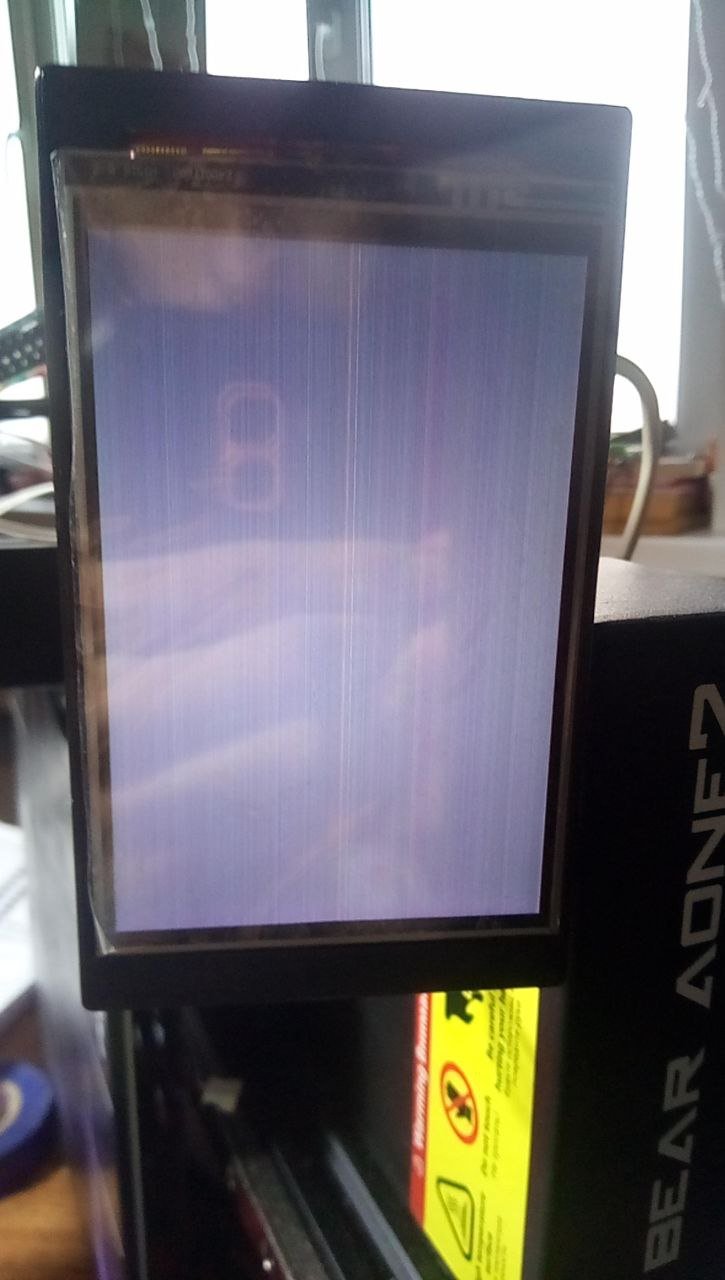
Hi everyone. I'm new here. I found and ordered a 4-inch touchscreen with an ili9488 and xpt2046 on AliExpress. I was thinking about connecting it to a Raspberry Pi Zero 2W for my 3D printer's KlipperScreen. Since I had accelerometers connected to spi0, I connected the display and touchscreen to spi1. I thought it would be easy, since I found an article about connecting an ili9341 display to an Orange Pi Zero 3 for the same purpose: https://3dtoday.ru/blogs/3c60a2061c/dnevnik-tronxy-crux-1-displei-klipperscreen-seipery. But I'm new to Linux, so I followed guides to configure Klipper, literally copying and pasting commands. I'm using a ready-made mainsailos 64-bit. I spent almost a week trying to get the display working. I tried various ready-made libraries, but most of them gave me errors. For example, only after a couple of days of trying to use fbcp-9341 did I realize it doesn't support touch input, which isn't what I need, and that the library is only designed for 32-bit systems. I tried using AI based on the article with and without 3dtoday. But the best I could achieve was after some .dtbo file was /dev/fb1 and /dev/event0. When running one Python script, the screen displayed rectangles with gradients from white to black, but after changing the .dtbo file, when I ran the same script, I only got a black screen with multicolored dull horizontal stripes. I couldn't display any color other than black, white, and gray. I followed most of the steps suggested by the AI, since, as I already said, I'm a Linux noob. I'd be glad if someone could help me. My connection pins: Display -> Zero 2W CS - GPIO18(CE0.SPI1) RST - GPIO26 DC - GPIO13 SDI - GPIO20(MOSI.SPI1) SCK - GPIO21(SCK.SPI1) BL(LED) - GPIO6 Touch_CK - GPIO21(SCK.SPI1) Touch_CS - GPIO17(CE1.SPI1) Touch_DI - GPIO20(MOSI.SPI1) Touch_DO - GPIO19(MISO.SPI1) Touch_PEN - GPIO12 Note: I'm from Russia and my English is pretty bad, so all text was translated using a translator. I'm attaching a photo of the latest result I was able to achieve.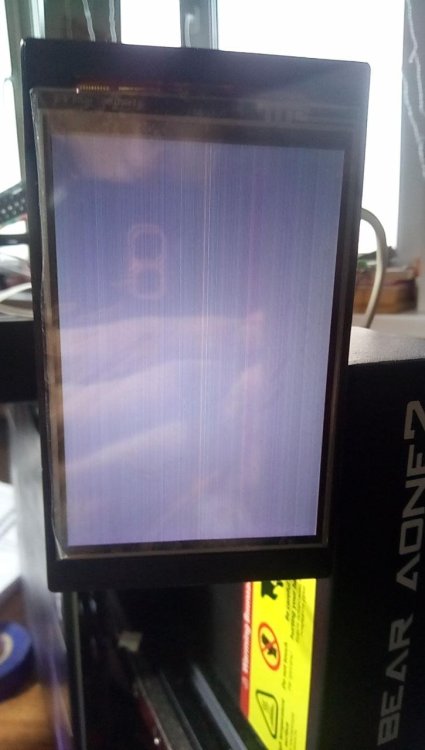
-

Armbian for H313 X96-Q LPDDR3 TV-Box
Maurizio Finesso replied to sicxnull's topic in Allwinner CPU Boxes
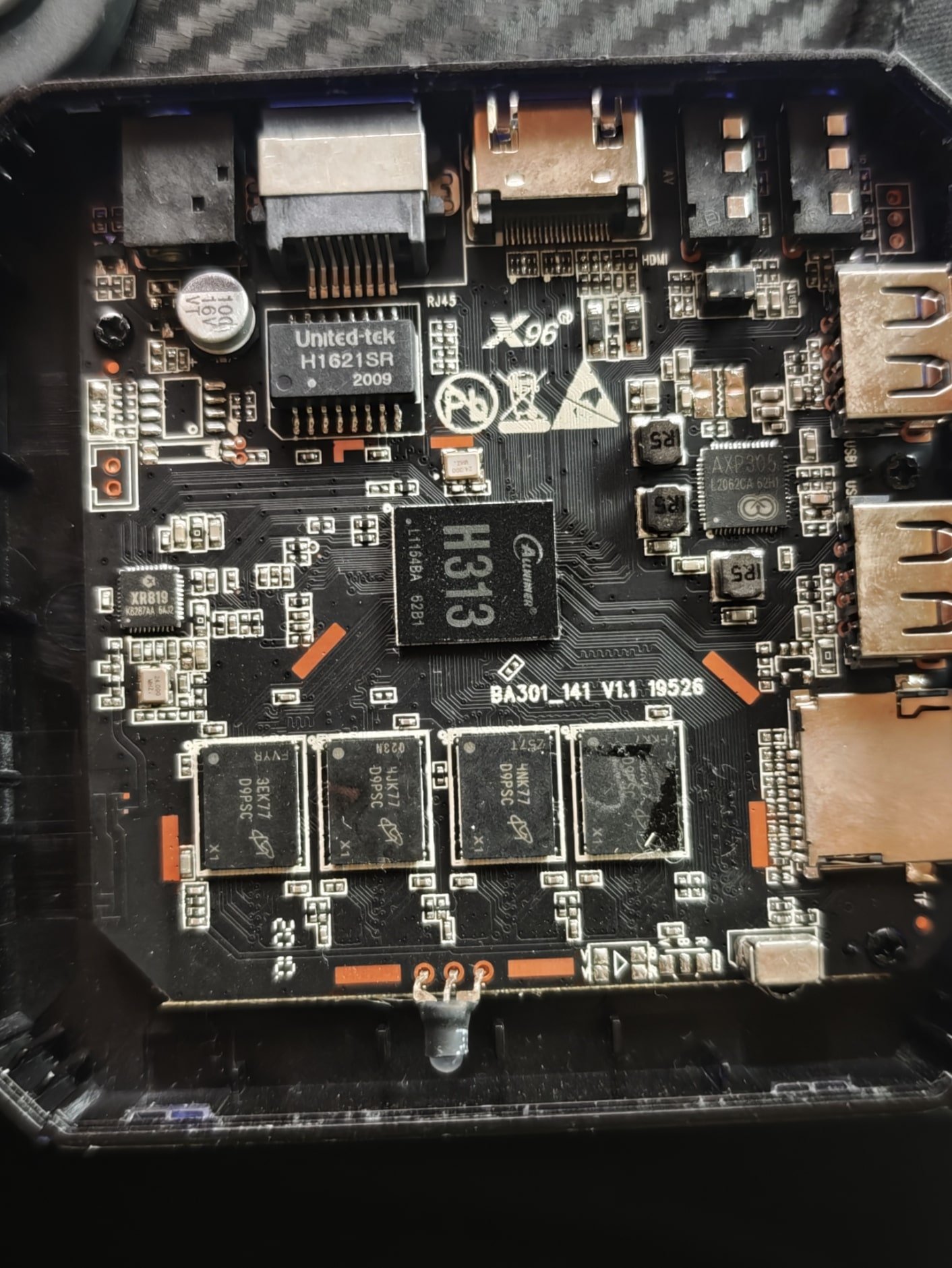
Hi @sicxnull, @Nick A thank you very much for your support. Probably last night I was very confused when I wrote my post. Of course the v5.1 updated will be nice to have but looking better I can say to you and to @ventara that the armbian image suggested from Nick to Trauma (https://github.com/NickAlilovic/build/releases/download/20250306/Armbian-unofficial_25.05.0-trunk_X98h_bookworm_edge_6.12.11_xfce_desktop.img.xz) works fine on X96Q vs 5.1 only things the led in front remain always red and that why I was thinking it doesn't boot. Ethernet port works but wifi doesn't work. Never mind ethernet is enough. On the other side when I compare the two release (sicxnull and Nick) I didn't realize that I copy two times the same image on two different sd (I was really too tired) so don't consider the indication that I give you apart the wifi chip. That is right! -

[Bug]: Ethernet rarely connecting successfully in Orange Pi 3 LTS
Werner replied to iMagz's topic in Allwinner sunxi
Oh great. Then I'll steal borrow your dts and replace the one currently in the framework later -
[Bug]: Ethernet rarely connecting successfully in Orange Pi 3 LTS
c0rnelius replied to iMagz's topic in Allwinner sunxi
6.12.y -
[Bug]: Ethernet rarely connecting successfully in Orange Pi 3 LTS
Werner replied to iMagz's topic in Allwinner sunxi
on which kernel did you test? -
[Bug]: Ethernet rarely connecting successfully in Orange Pi 3 LTS
c0rnelius replied to iMagz's topic in Allwinner sunxi
Here is the opi3lts DTS I use. Eth, WIFI and BT work as they should. If someone feels like running a diff and making the adjustment. sun50i-h6-orangepi-3-lts.dts -

OZPI v1 new image with Armbian v26.2 Debian stable (trixie)
TRay replied to TRay's topic in Allwinner sunxi
Today all works, thank you for all who fixed this problem 🙂 apt update Get:1 http://security.debian.org trixie-security InRelease [43,4 kB] Get:2 http://deb.debian.org/debian trixie InRelease [140 kB] Get:3 http://deb.debian.org/debian trixie-updates InRelease [47,3 kB] Get:5 https://github.armbian.com/configng stable InRelease [5 467 B] Get:4 http://armbian.lv.auroradev.org/beta trixie InRelease [39,4 kB] Get:6 http://deb.debian.org/debian trixie-backports InRelease [54,0 kB] Get:7 http://security.debian.org trixie-security/main armhf Packages [88,8 kB] Get:8 http://deb.debian.org/debian trixie/non-free armhf Packages [69,9 kB] Get:9 http://deb.debian.org/debian trixie/non-free-firmware armhf Packages [6 685 B] Get:10 https://github.armbian.com/configng stable/main armhf Packages [434 B] Get:11 http://deb.debian.org/debian trixie/main armhf Packages [12,7 MB] Get:12 http://deb.debian.org/debian trixie/contrib armhf Packages [50,6 kB] Get:13 http://deb.debian.org/debian trixie-updates/main armhf Packages [5 144 B] Get:14 http://deb.debian.org/debian trixie-backports/main armhf Packages [133 kB] Get:15 http://deb.debian.org/debian trixie-backports/contrib armhf Packages [4 368 B] Get:16 http://deb.debian.org/debian trixie-backports/non-free-firmware armhf Packages [3 856 B] Get:17 http://deb.debian.org/debian trixie-backports/non-free armhf Packages [1 520 B] Fetched 13,4 MB in 12s (1 073 kB/s) 32 packages can be upgraded. Run 'apt list --upgradable' to see them. -
[Bug]: Ethernet rarely connecting successfully in Orange Pi 3 LTS
Werner replied to iMagz's topic in Allwinner sunxi
I tried integrating the suggestion into the actual device tree. Feel free to test: https://testing.armbian.de/Armbian-unofficial_26.02.0-trunk_Orangepi3-lts_trixie_current_6.12.64_minimal.img.xz -
Hey! i've been browsing and reading this thread for the past couple of days but i cant seem to find any version3 images. if i try to boot from sdcard, most of the times the led stays red, or turns blue but doesnt give any picture. Can i get some help with this?
-

[Bug]: Ethernet rarely connecting successfully in Orange Pi 3 LTS
kris777 replied to iMagz's topic in Allwinner sunxi
On my Orange Pi 3 LTS I don't use ethernet, only wifi and it works OK... maybe that's why I didn't notice the problem... but here is some information about ethernet on Pi 3 LTS https://forum.armbian.com/topic/19846-orange-pi3-lts/page/11/#comment-226536 -

Booting armbian manually from u-boot shell over UART
SteeMan replied to user03's topic in Amlogic CPU Boxes
Specifically the file you want to look at is aml_autoscript What happens on a normal amlogic TV box is when the hidden reset button is pressed during boot, the boot loader looks for this file and runs it. This file then changes the stored uboot environment such that subsequent boots follow a new boot flow to boot first from sd or USB and fall back to android. If you follow the logic you can find the actual boot commands in the other files that get called. -
Booting armbian manually from u-boot shell over UART
SteeMan replied to user03's topic in Amlogic CPU Boxes
Then If you look in the /boot folder, There are the scripts the Armbian system uses to get uboot to boot on amlogic. Generally Armbian uses extlinux for booting using a chain loaded uboot binary. -
Booting armbian manually from u-boot shell over UART
SteeMan replied to user03's topic in Amlogic CPU Boxes
If you are trying to run an Armbian build, first check out: https://forum.armbian.com/topic/16976-status-of-armbian-on-tv-boxes-please-read-first And -
Hello, I'm new to embedded linux installation, so please bear with me. So I purchased an android tv box labeled h96max S905L3 from TEMU. Specifications (if the label is trustworthy): RAM: 2GB, ROM:16GB, running android 14.0. On the pcb it says: s905_zx02_v01. It features an ethernet port, 2 USB, HDMI, AV port (looks like a headphone jack) and no hidden reset button or sd card slot. I was trying to install any kind of linux to it using a bootable usb, I just need a simple shell capable of running an http server. I have tried using the remote control to trigger boot to linux, but nothing works. I have then opened the thing, and connected uart to a RP2040 and wrote a simple script as a uart bridge. I now have access to u-boot shell, interupted setup. So far I used chatgpt to guide me, but couldn't get it to boot properly. It told me how to boot manually the image from the usb, but it failed every time. It told me to set these env vars, and over time it showed me different addresses. It said the issues were related to overlapping of the addresses, or using address range that was reserved. It also said the dtb which I used, the meson-gxl-s905x-p212.dtb won't work, since the device always threw an error bad_magic, even though I checked fdt header, and the magic was correct. setenv kernel_addr_r 0x20000000 setenv ramdisk_addr_r 0x24000000 setenv fdt_addr_r 0x21000000 I would then load the files fatload usb 0:1 ${kernel_addr_r} linux-android.img fatload usb 0:1 ${ramdisk_addr_r} uInitrd fatload usb 0:1 ${fdt_addr_r} vendor-expanded.dtb Notice: I used different images, firstly the Image file, and the meson-gxl-s905x-p212.dtb. After failed boots, chatgpt told me to expand, i.e. add padding to the dtb (first with the meson...dtb, and after that with the vendor.dtb). It didn't work, so it told me to generate an android like image using mkbootimg \ --kernel Image \ --dtb vendor-expanded.dtb \ --cmdline "console=ttyAML0,115200 console=ttyS0,115200 root=/dev/sda1 rootwait rootdelay=10 rw" \ --base 0x0 \ --pagesize 2048 \ --kernel_offset 0x1080000 \ --dtb_offset 0x1000000 \ -o linux-android.img and boot using the extracted vendor.dtb (pulled from android) and using bootm ${kernel_addr_r} instead of booti ${kernel_addr_r} ${ramdisk_addr_r} ${fdt_addr_r} The bootargs I used are setenv bootargs "root=/dev/sda1 rootfstype=ext4 rw rootwait console=ttyAML0,115200n8 console=tty0" Please, any help would be appreciated as I already spent over 6 hours with this little cheap bastard that wouldn't boot anything but that chinese android. I will post output of anything, just let me know if something is needed. I'm sorry for the messiness of this post, but I tried a lot of things that chatgpt told me, explained the errors, and supplied commands for the u-boot shell.
-
 Thanks @Werner this is fixed, it works. In my case auto selected mirror is fi.mirror.armbian.de .
 -
Hi, what image for this board
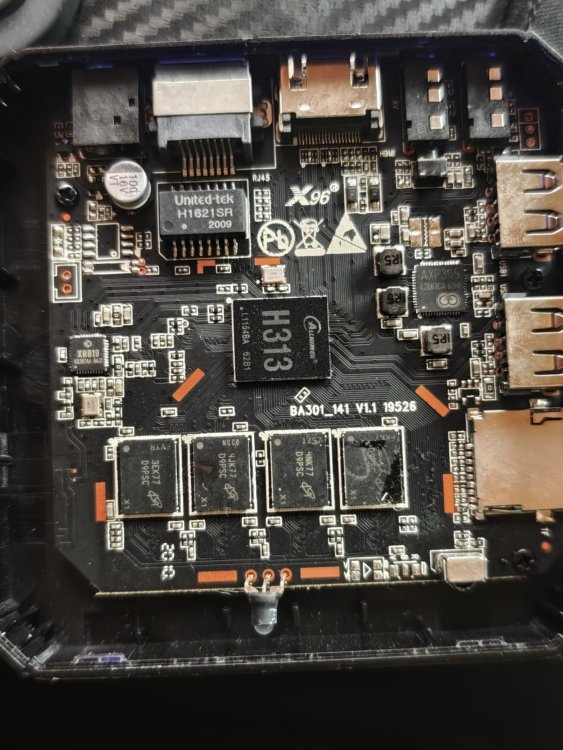
-
Workaround solution: downgrade to 2.3.2 apt install zfs-dkms=2.3.2-2 zfsutils-linux=2.3.2-2 libzpool6linux=2.3.2-2 libzfs6linux=2.3.2-2 libuutil3linux=2.3.2-2 libnvpair3linux=2.3.2-2 # block unwanted upgrade: apt-mark hold zfs-dkms=2.3.2-2 zfsutils-linux=2.3.2-2 libzpool6linux=2.3.2-2 libzfs6linux=2.3.2-2 libuutil3linux=2.3.2-2 libnvpair3linux=2.3.2-2
-

Gaming experience with Orange Pi 5 (RK3588) on Armbian
KhanhDTP replied to KhanhDTP's topic in Orange Pi 5
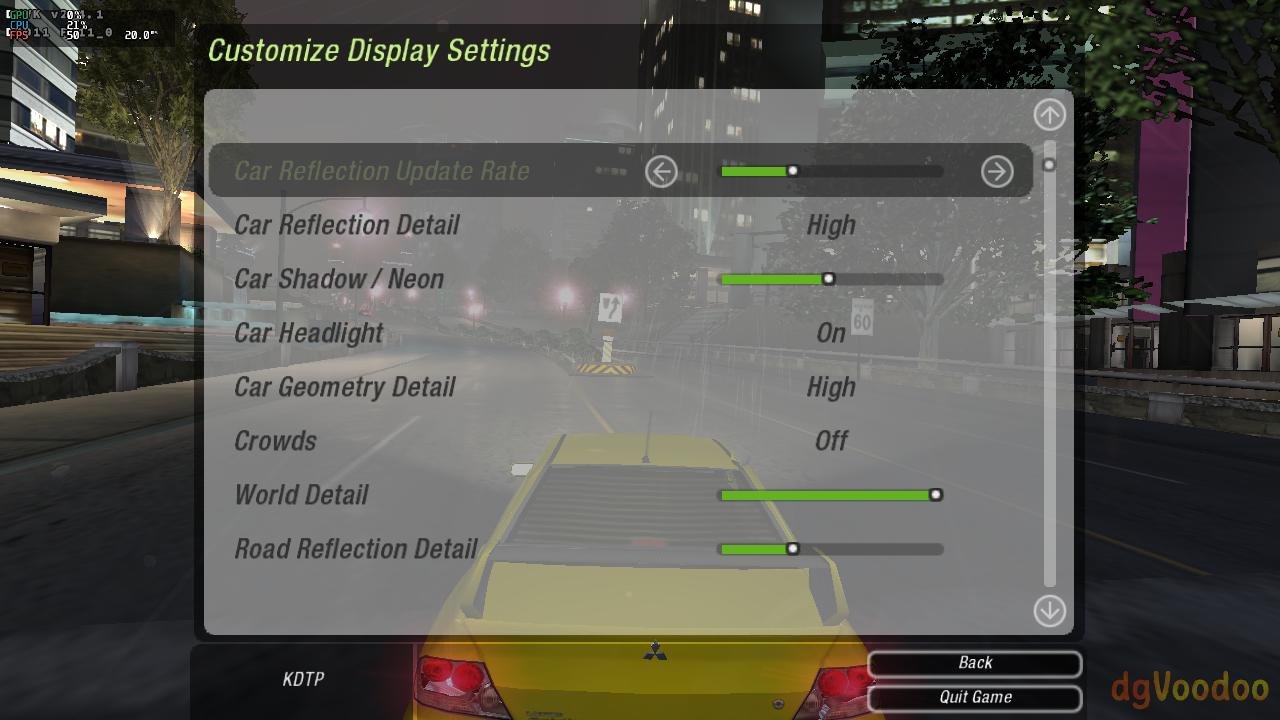
Armbian 25.11.2 Noble XFCE (BSP Kernel: 6.1.115) + PanVk - mesa 26.0 (https://launchpad.net/~ernstp/+archive/ubuntu/mesaaco) + box64 4.1 (https://ryanfortner.github.io/box64-debs/) + wine-10.20-staging-tkg-ntsync-amd64-wow64 (https://github.com/Kron4ek/Wine-Builds/releases/tag/10.20) + dgVoodoo2 (https://github.com/dege-diosg/dgVoodoo2/releases) + DXVK-stripped v2.1 (more likely to be crash-proof than other Dxvk versions) ~60fps@720p (Medium/High settings) box64 environment variables: Need for Speed - Underground 2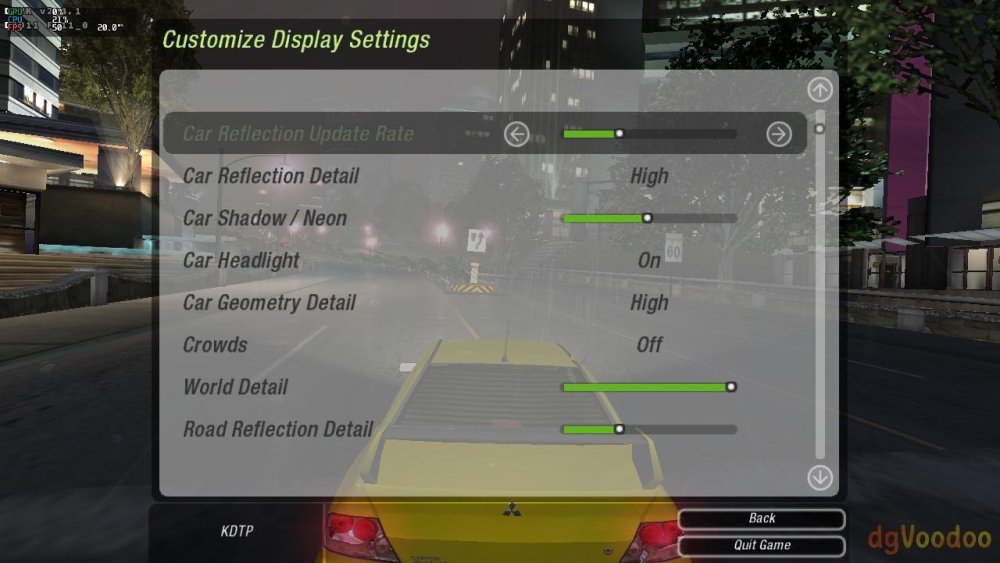
-

Vontar KK MAX / HK1 RBOX R2 / R3 - RK3566 4GB/32GB(or 64GB)
kang_001 replied to Deoptim's topic in Rockchip CPU Boxes
Hello, the link you shared has expired. Could you please re-analyze it -
Gaming experience with Orange Pi 5 (RK3588) on Armbian
KhanhDTP replied to KhanhDTP's topic in Orange Pi 5
Armbian 25.11.2 Noble XFCE (BSP Kernel: 6.1.115) + PanVk - mesa 26.0 (https://launchpad.net/~ernstp/+archive/ubuntu/mesaaco) + box64 4.1 (https://ryanfortner.github.io/box64-debs/) + wine-10.20-staging-tkg-ntsync-amd64-wow64 (https://github.com/Kron4ek/Wine-Builds/releases/tag/10.20) + dgVoodoo2 (https://github.com/dege-diosg/dgVoodoo2/releases) + DXVK-stripped v2.1 (more likely to be crash-proof than other Dxvk versions) ~40fps@720p (Medium settings) (There are small graphics are flickering. Locking the FPS at 30fps seems to fix it a bit) box64 environment variables: Prince of Persia 2008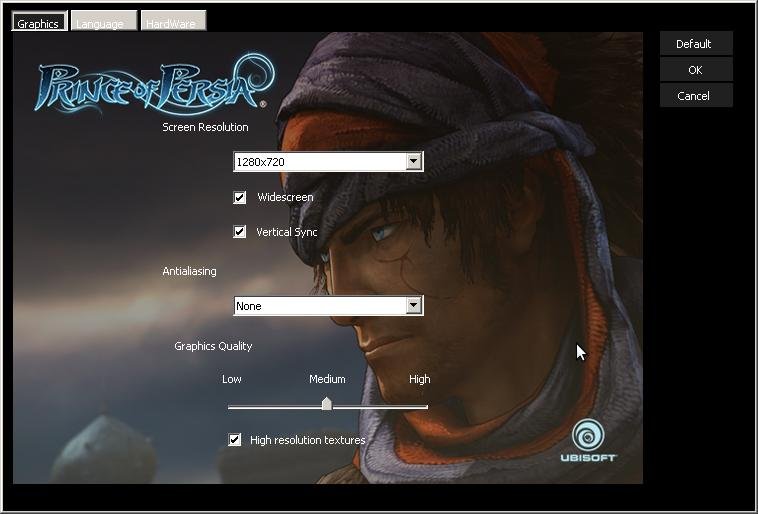
.thumb.jpg.cc6d3a694db746f63a2134d15d469337.jpg)
-
Hello, im trying to get my rk322x board with SV6051P chip to work, i tried every LED config but wpa_supplicant crashes on boot every time. Here are the dmesgs: dmesg_led8.logdmesg_led7.logdmesg_led6.logdmesg_led5.logdmesg_led4.logdmesg_led3.logdmesg_led2.logdmesg_led1.logdmesg_default_dto.log Anyway to fix this?
-
Updated Images for V1.3 Armbian-unofficial_26.02.0-trunk_X96q-v1-3_bookworm_current_6.12.64_cinnamon_desktop.img Armbian-unofficial_26.02.0-trunk_X96q-v1-3_bookworm_current_6.12.64_minimal.img Ill update 5.1 as time allows
- Yesterday
-
First testing on similar device (Odroid N2) didn't reveal any troubles. Need to locate VIM3 and try to recreate.
-
@chris178 SmartSolution on discord says his camera works. SmartSolution Hi, i had problem with camera and isp color quality After check and test download radxa-a733 t2 rsdk , image file and upload on mmc and after load system all camera works good




.jpg.1b95f9e55df6d9a06a94c60a0dc955a0.jpg)