All Activity
- Past hour
-
 I've observed a significant difference in SSH login speed between DietPi and Armbian on Raspberry Pi 4B (headless setup). Environment Raspberry Pi 4B (headless) DietPi (recently installed) Armbian (previously used) Both systems use default settings Observations SSH login to DietPi is consistently faster than Armbian by a few seconds with default settings. Initially suspected MOTD settings, tested files under /etc/update-motd.d/. Discovered that 10-armian-header adds approximately 1 second to login time. Disabled this component but SSH login to Armbian still remained slow. Found related discussion on Raspberry Pi forums: SSH speed limit? Used the following command for testing which revealed significant speed differences: dd if=/dev/zero bs=1K count=1M | ssh localhost 'dd of=/dev/null' and console log root@DietPi:~# dd if=/dev/zero bs=1K count=1M |ssh localhost 'dd of=/dev/null' root@localhost's password: 1048576+0 records in 1048576+0 records out 1073741824 bytes (1.1 GB, 1.0 GiB) copied, 12.9425 s, 83.0 MB/s 2097152+0 records in 2097152+0 records out 1073741824 bytes (1.1 GB, 1.0 GiB) copied, 9.35135 s, 115 MB/s root@DietPi:~# uname -snrvm Linux DietPi 6.12.47+rpt-rpi-v8 #1 SMP PREEMPT Debian 1:6.12.47-1+rpt1 (2025-09-16) aarch64 root@rpi4b1:~# dd if=/dev/zero bs=1K count=1M |ssh localhost 'dd of=/dev/null' root@localhost's password: 1048576+0 records in 1048576+0 records out 1073741824 bytes (1.1 GB, 1.0 GiB) copied, 29.5451 s, 36.3 MB/s 2097152+0 records in 2097152+0 records out 1073741824 bytes (1.1 GB, 1.0 GiB) copied, 20.0137 s, 53.7 MB/s root@rpi4b1:~# uname -snrvm Linux rpi4b1 6.12.19-current-bcm2711 #1 SMP PREEMPT Thu Mar 20 17:34:53 UTC 2025 aarch64 kernel config attachments dietpi: raspberrypi-config-6.12.47+rpt-rpi-v8.zip raspberrypi_proc_crypto.zip armbian on rpi4b: armbian-rpi-config-6.12.19-current-bcm2711.zip armbian_rpi_proc_crypto.zip
 - Today
-
Hello, another Odroid M1S owner and user here. I tried the Ubuntu image because I was curious about video acceleration in particular. So I installed Kodi and played a few videos. There is no acceleration. This means that this image is not usable as a player. However, it will probably be usable as an SMB/NFS server (I'll try using it that way for a while). A few comments: - Gnome is relatively slower, but not unusably slow (I personally don't mind, because I don't intend to use the M1S as a desktop) - Gnome sometimes has problems rendering windows, there are strange stripes, only in certain parts of the windows, and at times it is so annoying that it becomes unusable - Personally, I would love it if someone experienced could take a working GPU driver and put it into this image. That would solve everything, and we could all use the M1S to our full satisfaction (however, it's probably not that easy, because otherwise the guys at Odroid would have already done it). - I will add relevant links to a functional accelerated solution that makes the M1S a fully functional driver, but based on the very old and not very usable 5.10 kernel - https://forum.odroid.com/viewtopic.php?f=217&t=47621 here is a functional Odroid based image solution for media player. - By the way, I managed to upgrade the image mentioned here to Ubuntu 24.04, using the Kodi build for Odroid M2 ( https://forum.odroid.com/ viewtopic.php?f=235&t=49005 ), but I had to stay on kernel 5.10, and even this version works relatively well as a functional player with accelerated videos (the old kernel is a prerequisite) I hope that I have contributed at least a little to making this Armbian image gradually become the standard for M1S, because this computer deserves it.
-

Gaming experience with Orange Pi 5 (RK3588) on Armbian
KhanhDTP replied to KhanhDTP's topic in Orange Pi 5
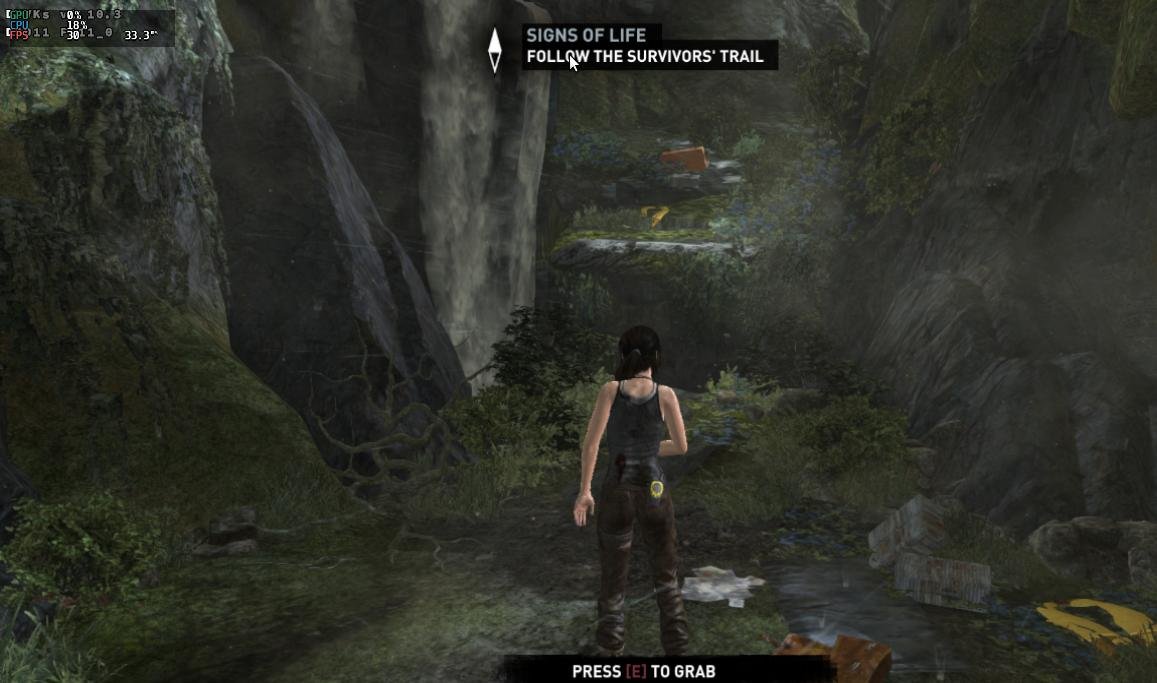
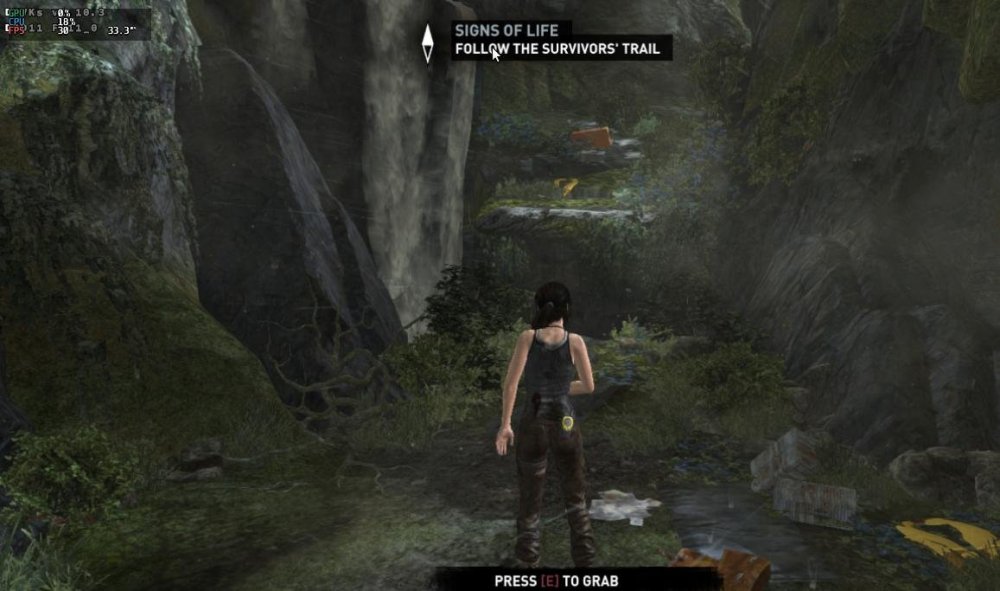
Armbian 25.8.2 Noble XFCE (BSD Kernel: 6.1.115) + PanVk - mesa 26.0 (https://launchpad.net/~ernstp/+archive/ubuntu/mesaaco) + FEX-Emu 2510 + hangover-10.18 (https://github.com/AndreRH/hangover/releases/tag/hangover-10.18) + Dxvk 1.10.3 (stripped) 30~60fps@720p (mixed settings) Tomb Raider (2013) Definitive Edition.thumb.jpg.95b8fe83c7904d982e5e1f330020a623.jpg)
-
OK good that is works now. I did not really read all history. I have a build running now (mainline/edge), but I will again need to dig into overlay/dts, hopefully I understand it now a bit better.
-
./compile.sh BOARD=rock-3a BRANCH=current EXPERT=yes ONLINE_WORK=yes COMPRESS_OUTPUTIMAGE=sha,gpg,xz KERNEL_CONFIGURE=no RELEASE=trixie This is my compilation. I actually find a fix to my problem. Like say on a older post, I just change rock-3b dtb ethernet compatibility by ethernet-phy-id001c.c916. With "dtc" command to convert dtb to dts, modify and revert to dts. After a reboot the dual ethernet working. Actually I can't test if NVMe working ...
-
Please post what you used as build command. Or the build log, see instructions at end of build. It needs to be clear what combination of U-Boot build and what kernel build. Else no-one can reproduce. I will maybe run a build, but RK3568 something a bit strange between RK3566 and RK3588(s). I use old U-Boot and 6.1.115 kernel on my ROCK3A as else I cannot get NVME+SATA working at the same time and that is why I bought the ROCK3A. SATA + SPI + ethernet should work, although have not tried. It at least makes NVMe unavailable, that was status a year ago.
-
There are 2 sentences below that set of download URLs that should say enough: Also see section title: "Bleeding" in normal life means something went wrong, blood dripping from your body might spoil the carpet, blood squirting from your body might mean death is near. So you are expected to do something maybe. You already did by doing that by creating this topic. In case of a device with new SoC (on the market after old 6.1 kernel) it seems wise to put also focus on new mainline kernel which is maybe a bit problematic w.r.t. certain things, but you can be sure it will be the main stable thing sometime. Maybe after years. If people who care about such a device/computer/board would only stick to old/stable Rockchip proprietary downstream kernel and firmware, this thing will be dead after 5 years from now. So in order to survive, it needs development/testing now and continuously actually (also w.r.t. security, that is the case for every computer). You are one of the testers, maybe you forgot to realize. 'images' is very low effort getting an integrated and pre-installed OS tested. If no images, you would point people to a rootfs.tar.gz or instructions to run debootstrap and let people guess how to build a kernel and some bootloader. Or run Debian Testing or a rolling distro like Arch Linux. You would be a better tester if you could more exactly inform where or what the issue is. Maybe it is so simple like a week ago or so that a listed image was only containing U-Boot, so the .xz file was something like 500 kilo not Mega Bytes.
-
Hi, I try to compile armbian with "Armbian Build Framework", and choosing the "rock-3a" board. No problem to compile, write on sd card with "dd". I only see one ethernet port. When I switch dtb file on "/boot/armbianEnv.txt", I see the second ethernet but it nor working at all .... I don't know how to fix this ...
-
The page for the NanoPi R76S has also an edge kernel (6.18) image. I noticed some issues related to sdcard and emmc. I know edge images are not officially supported and that is fine. But given the image is available I would like the parameters/configuration/conditions for the current available image. Could you explain the background or assumptions behind the 6.18 edge image for the R76S? (e.g., test conditions you used when building it)
-

HDMI audio and analog audio do not work on Opi5Plus
laibsch replied to ずっと一人's topic in Orange Pi 5 Plus
suggested solution is to move to kernel 6.18 -
I was able to get it out. I'm pretty good at Linux, but not at screens. Maybe I'm missing something?
-

No overlays when kernel 6.18.1-edge-sunxi compile
Werner replied to eselarm's topic in Allwinner sunxi
https://github.com/armbian/build/pull/9094 -
No overlays when kernel 6.18.1-edge-sunxi compile
Werner replied to eselarm's topic in Allwinner sunxi
Hm yes, around line 26785 there should be the overlay folder. Oddly when I tried it was there. -
As a follow up: got my board yesterday. 2GB RAM as announced, no obvious bringup probs. The Ubuntu image runs from SD, UART ok, got 80mb/s from SD and around ~300mb/s from an 128GB 2230 NVME. No boot from upper m.2, only lower m.2 boots (works as announced). The SBC starts via uboot stored on the 16mbyte SPI flash, so I think it should be possible to also boot from upper m.2 since the uboot recognizes media both m.2 slots. Currently unclear how to recover from damaged SPI flash, so I need to proceed carefully. Uboot env is closed (bootdelay=0), so first task is to open up uboot cmd line. Theres a boot switch that seems to trigger some USB boot from ROM but thats undocumented AFAICT. Plenty to investigate for my 50 bucks 😉
-
What kernel version are you using?
- Yesterday
-
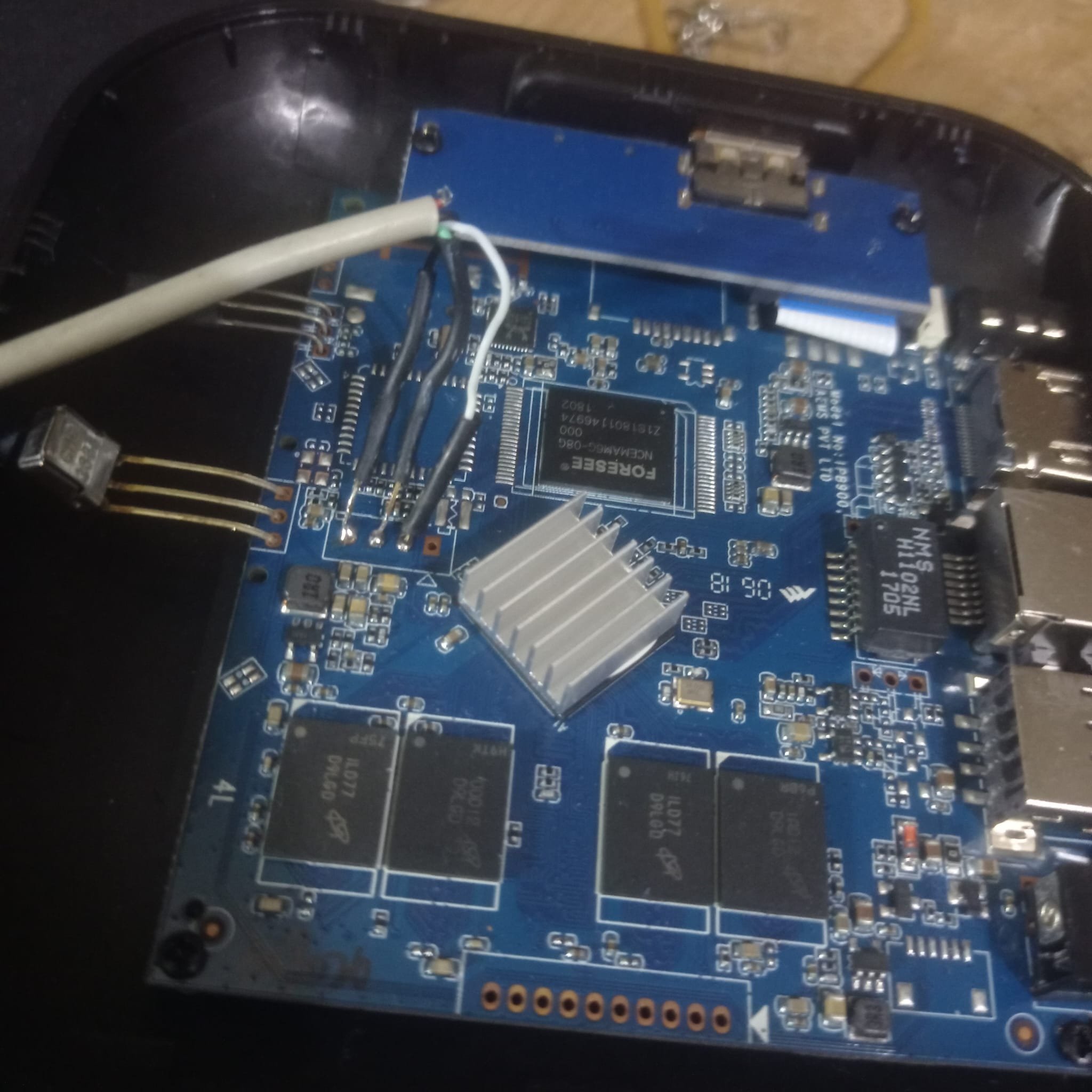
Updade: i tried to flash to memory using a male to male USB "Bus 003 Device 008: ID 1f3a:efe8 Allwinner Technology sunxi SoC OTG connector in FEL/flashing mode" Needless to say, i've been duped, scammed, fooled perhaps. I found a picture of a model exactly the same as that one, and it had a H3 chip, since from what i see Rockchip is best supported by the comunity, i'll give up on this board. Tomorrow i'll do one last update when the USB-TTL arrives, to see if my suspicions are confirmed.
-
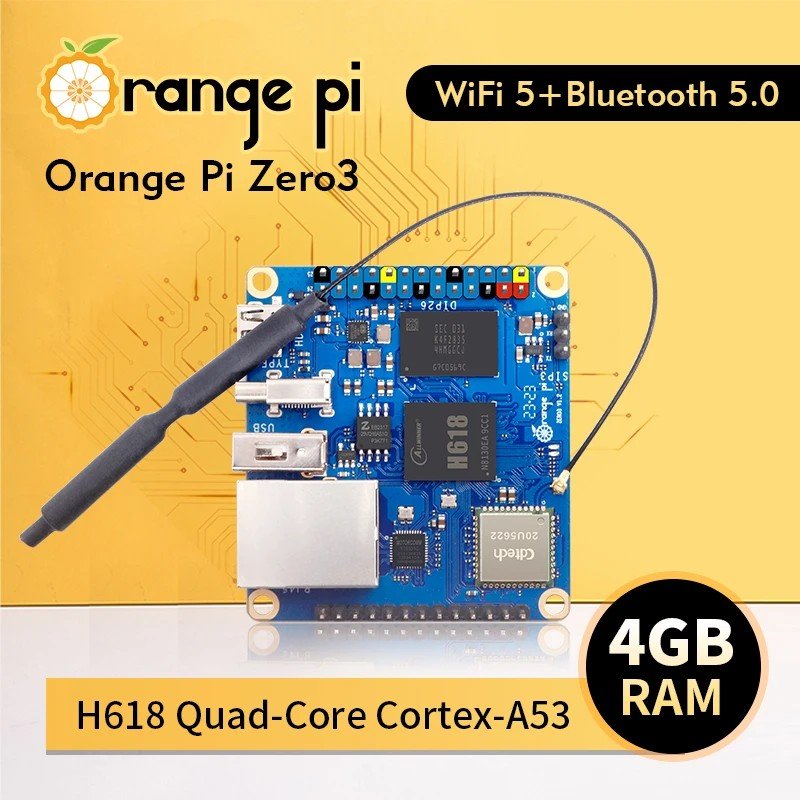
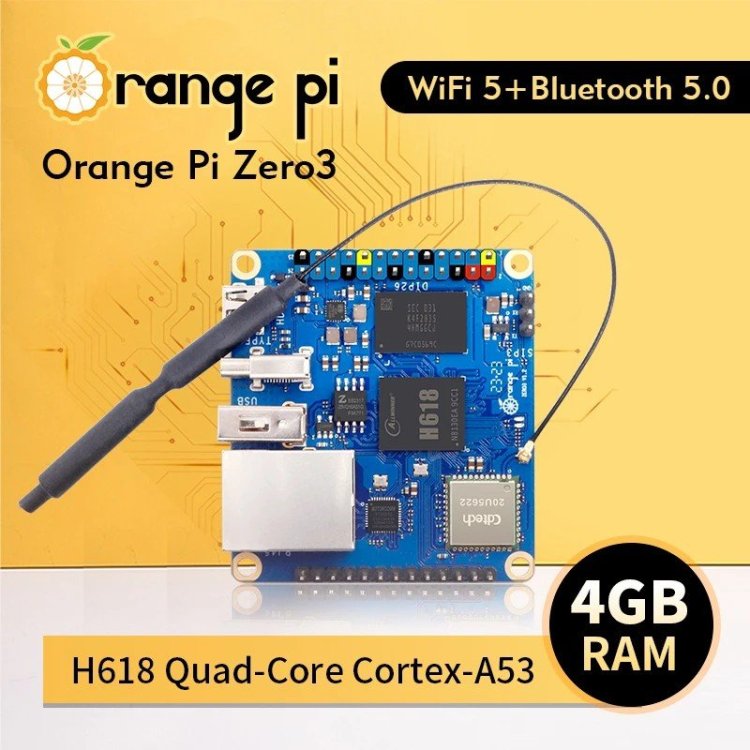
Can you get an orange pi zero 3? As a hardware beginner, you need a very stable, well known linux board.
-
Sorry, I've never done anything like this before. I tried setting it up according to instructions in various GitHub threads, but it always failed. You're the only person who helps me with advice, and thanks to you, I've only been able to build an image with the required kernel module. I haven't achieved anything else, except for the white screen.
-
See build log https://paste.armbian.de/lesoquheja The kernel works, but installing the .deb failed because my extlinux script could not copy: /usr/lib/linux-image-6.18.1-edge-sunxi/overlay/sun8i-h3-analog-codec.dtbo The whole overlay folder does not exist. It does exist for 6.12.58-current-sunxi and last time I compiled kernel for the nanopineo was 6.16.8, the overlays were created. I remember it was also once the case with edge kernel for other SBC ( .deb package from the Armbian beta repo). That time own local build did create overlays. I am not sure where to look or what could be wrong.
-
Alright Did you ever make this LCD work with your H618 motherboard, with another kernel driver?
-
I just registered here to say thanks to @bAL, your solution works on my Odroid HC4. I was bashing my head against the wall because I couldn't find what was constantly changing the fan PWM value even after disabling the fancontrol service. Now I finally have full control over the fan PWM (and thus the noise levels). Thanks again! So yeah, this issue is still relevant in 2025. `lsb_release -a` output for the interested: Distributor ID: Debian Description: Armbian 25.11.2 trixie Release: 13 Codename: trixie
-
Odd. Should more look like this. Also the first time I hear there is an issue like this. Perhaps retry now since your group is no longer validation but members. https://x.na4.eu/KOTu3/PACoFIsE81.jpg
-

OrangePi Zero LTS ili9341 TFT LCD (and later OrangePi Zero 3)
robertoj replied to robertoj's topic in Allwinner sunxi
Try the X11 windowing manager or the Wayland compositor without lightdm (or another display manager). -
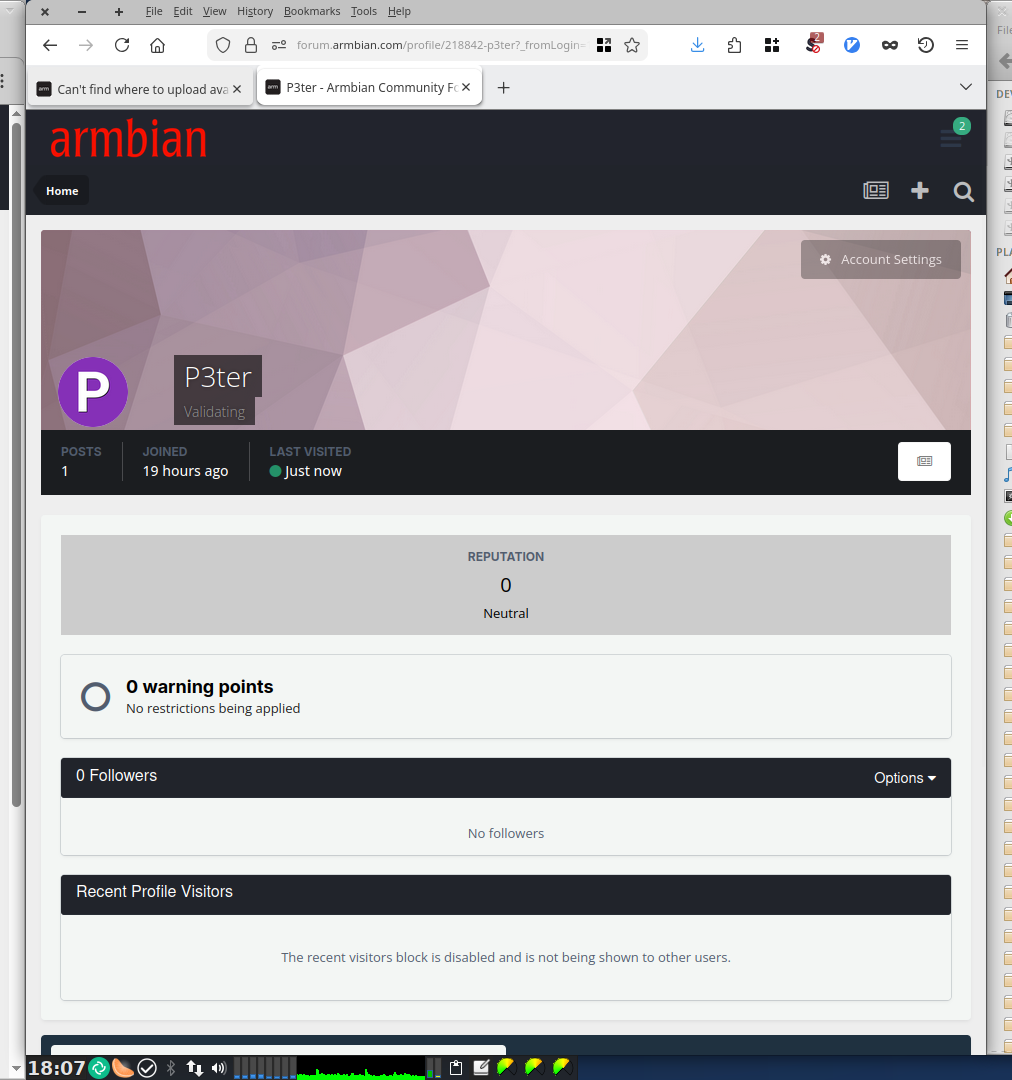
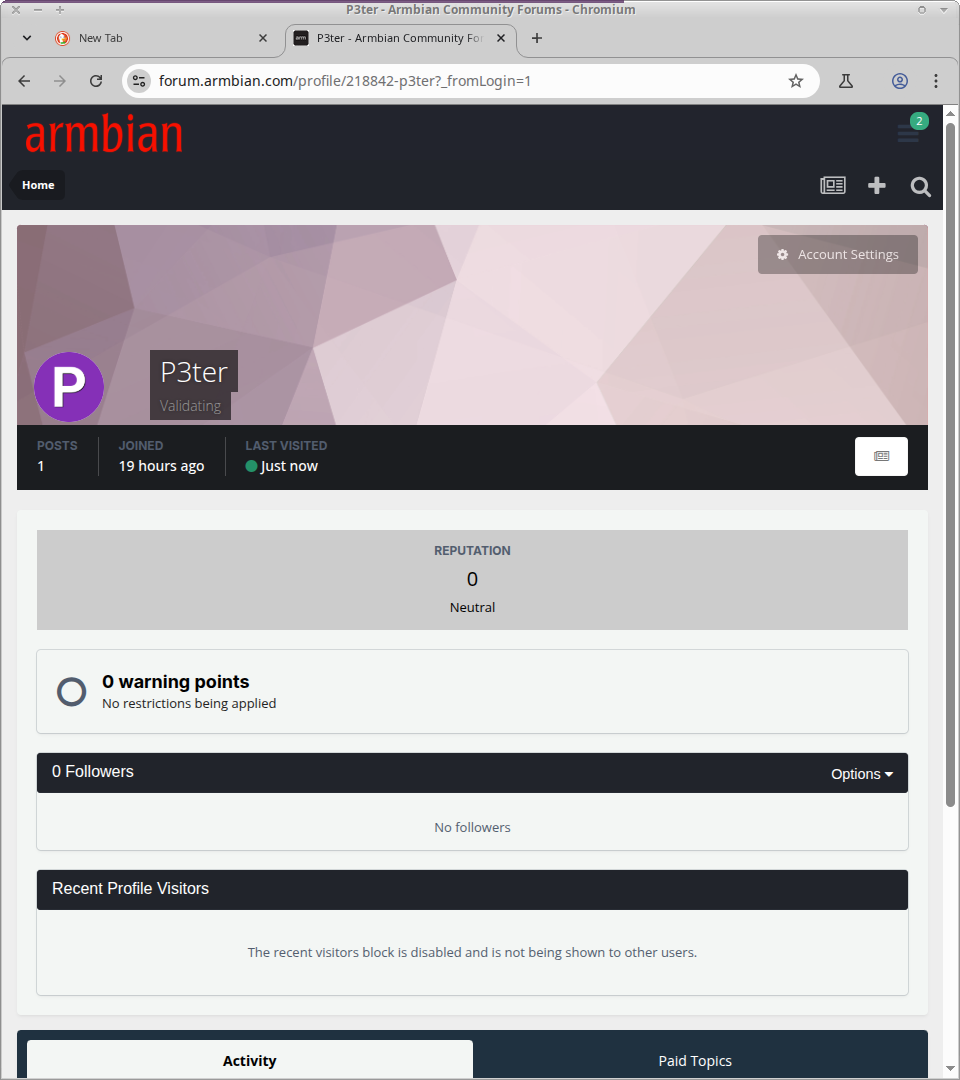
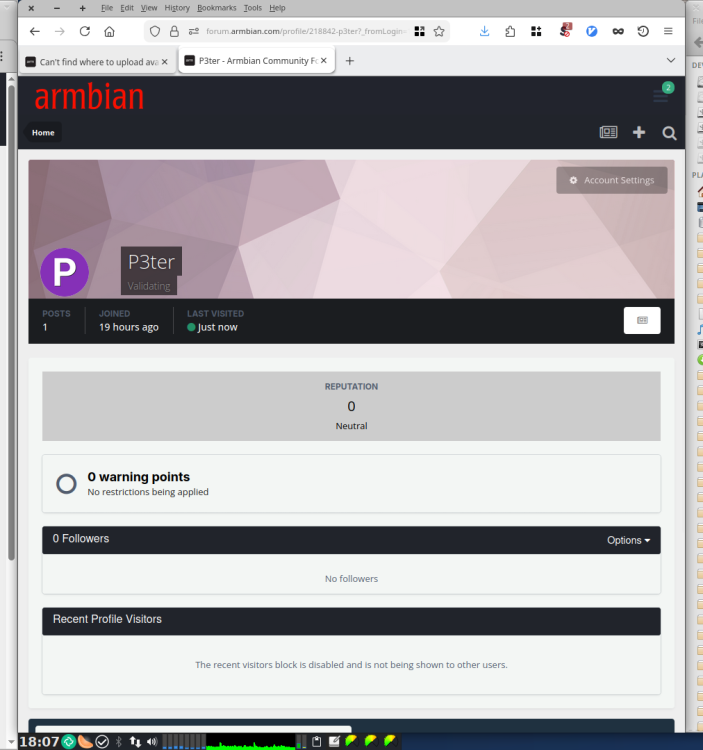
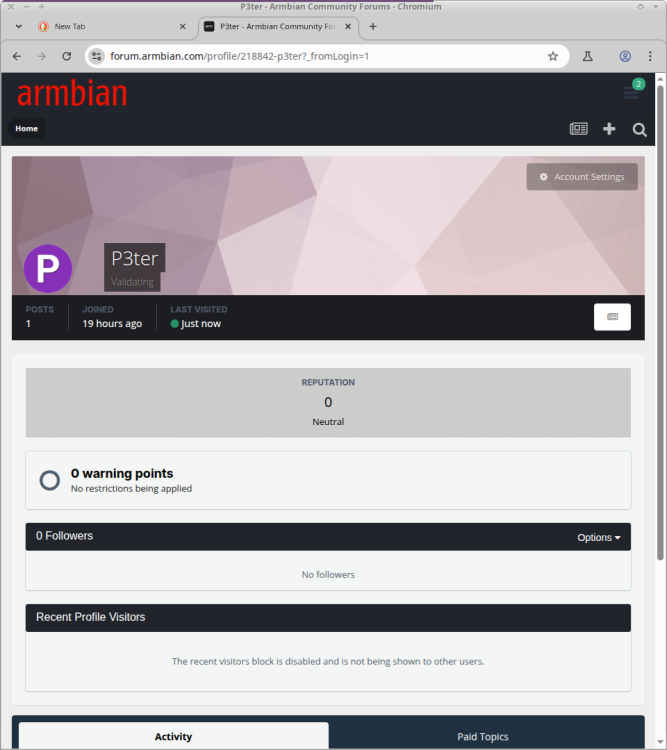
Thanks @Werner for the button-descriptions, but I simply don't see anything you're describing. Tried in 2 different browsers (LibreFox, Chromium). It still says "P3ter: Validating" next to my "P"-Icon. Maybe I don't have the rights yet? LibreFox has NoScript on, but allowing from armbian.com - and chromium as test-browser has all scripts enabled: So it shouldn't be a script-blocker issue.
-
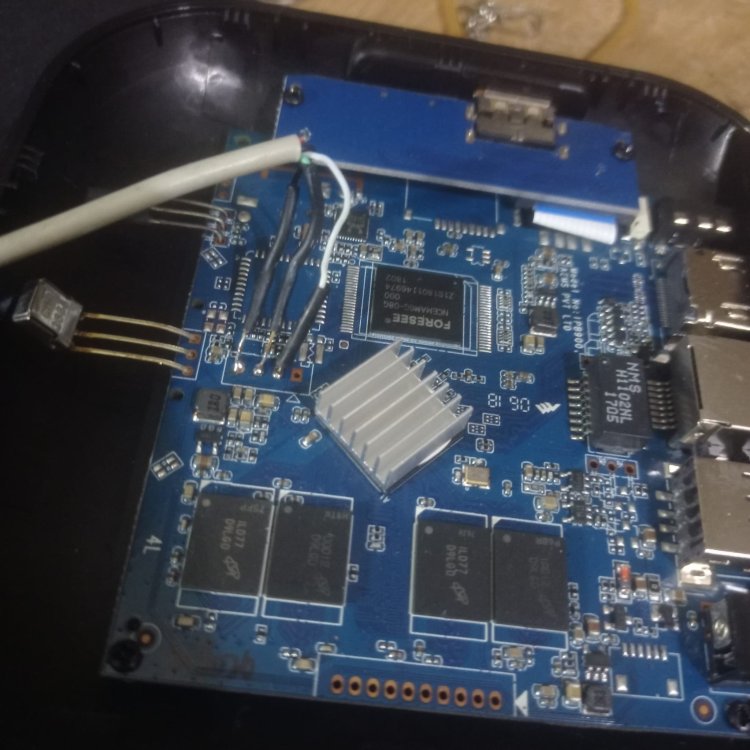
@Jerry Falken I am pretty sure you jumped in this 3ad without reading all of it, and this is unfair . You are right, it is huge, but such question you ask have been already answered in the past many times , and I will answer just as a form of courtesy , but will not go back in the future on the same question again If you look at your board you can spot 3 pads : tx rx gnd . That is all is needed, no 5 volts just tx rx gnd Those pads are the "uart" , in other words there you will see ALL that happens when the board starts, if is a rk 322x or other fake print, if it is ddr3 or ddr2 manyyyyy manyyy infos to debug the whole process. For me it is a 3229 with ddr3 memory but uart will tell you Go find in the 1st post the speed of uart to use with putty or minicom ( spoiler :1500000 🙃 ) just for sake of coriousity, this si the setting I have in my lab: ALWAYS and I repeat ALWAYS a uart connected to debug what is going so if you need answer.. post the right questions and not generic ones g on

.jpg.41b56c87e5b5ad93e3c842f84338911c.jpg)