All Activity
- Past hour
-
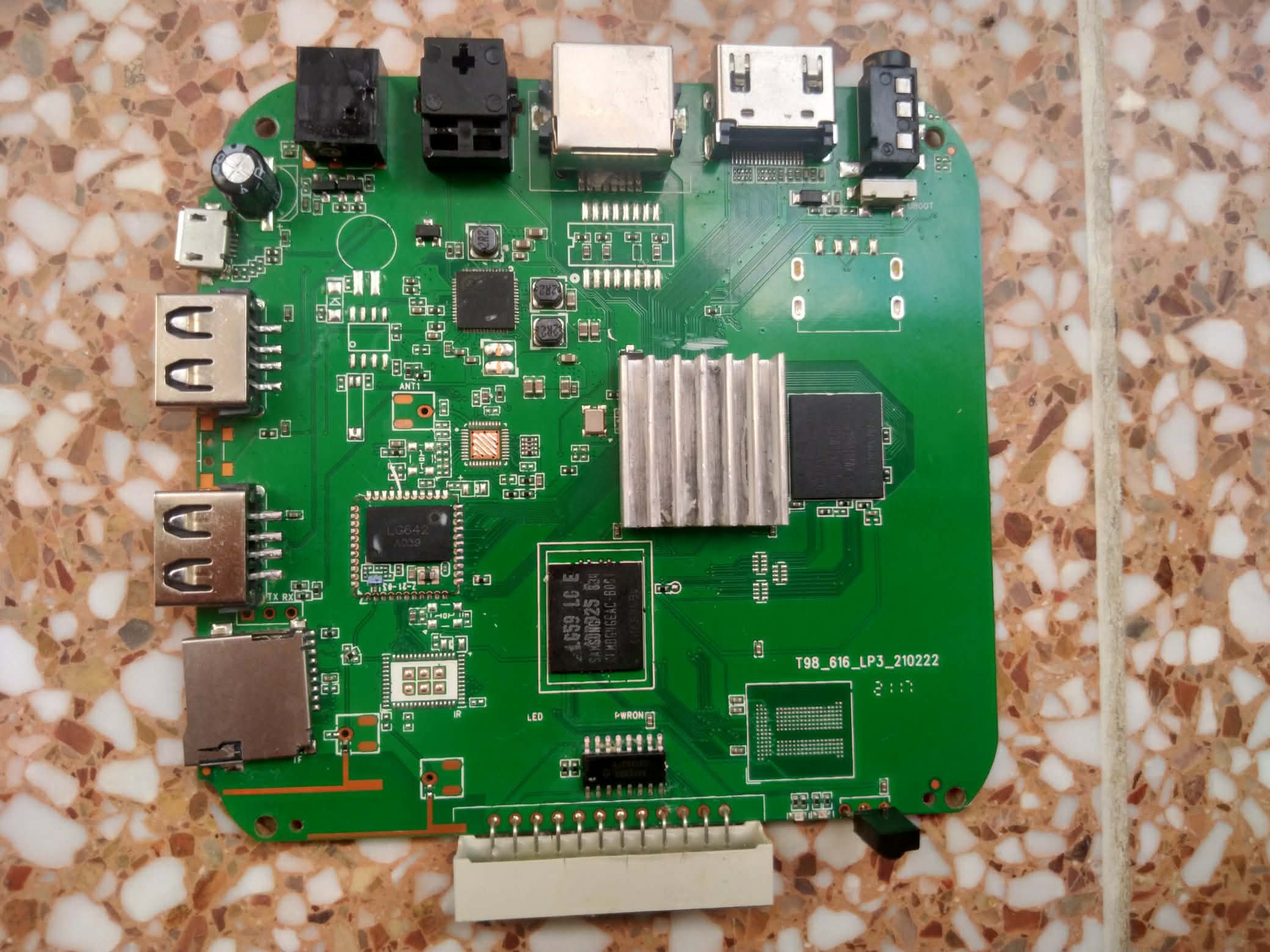
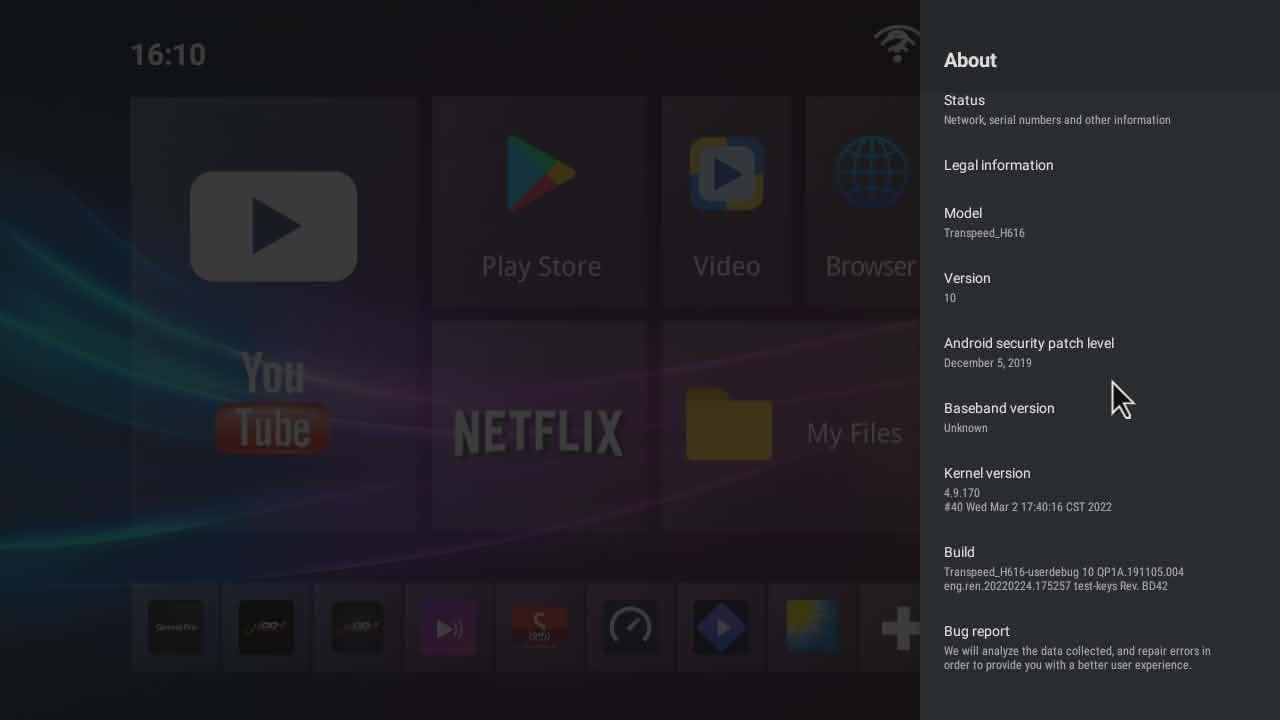
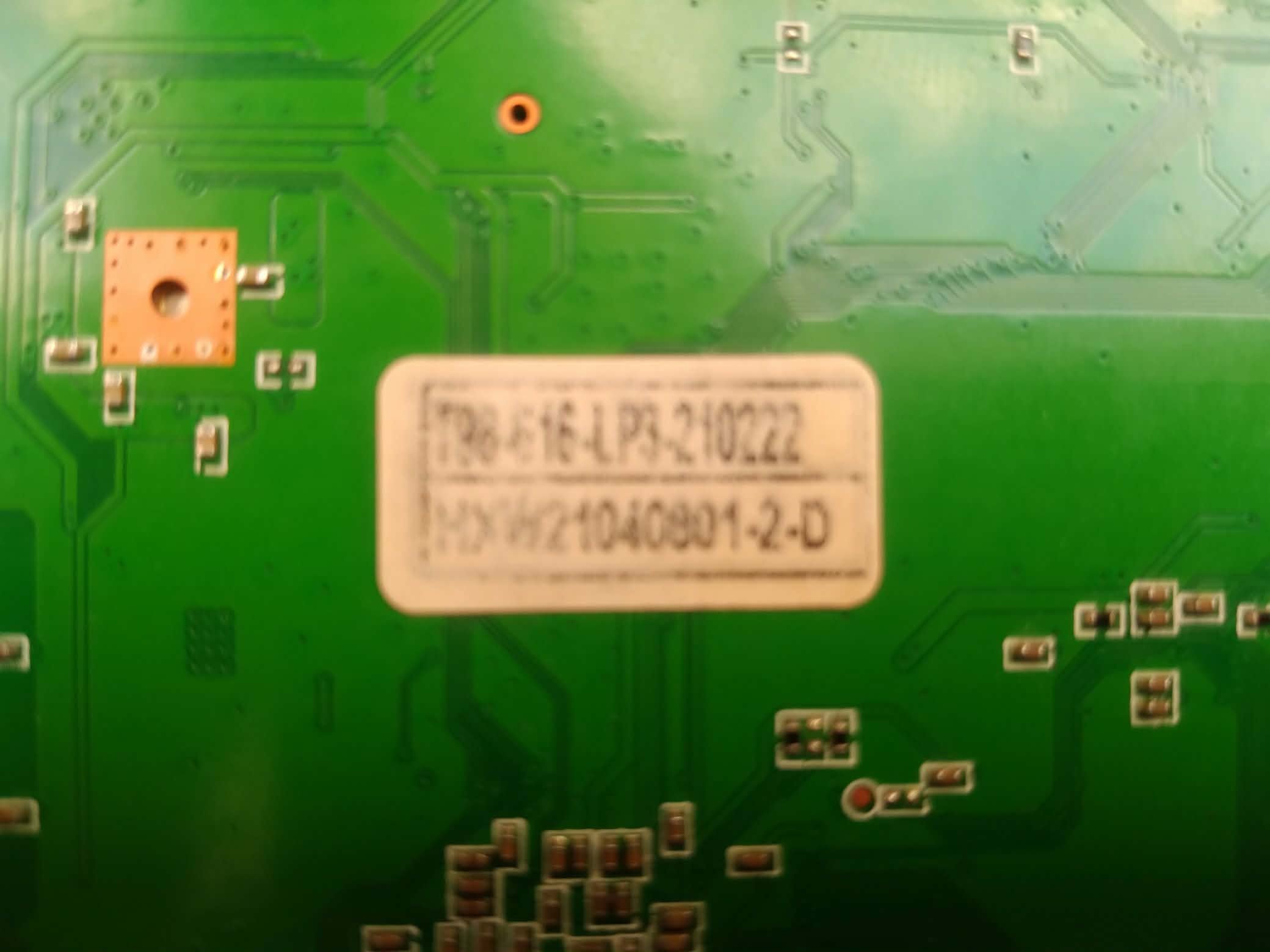
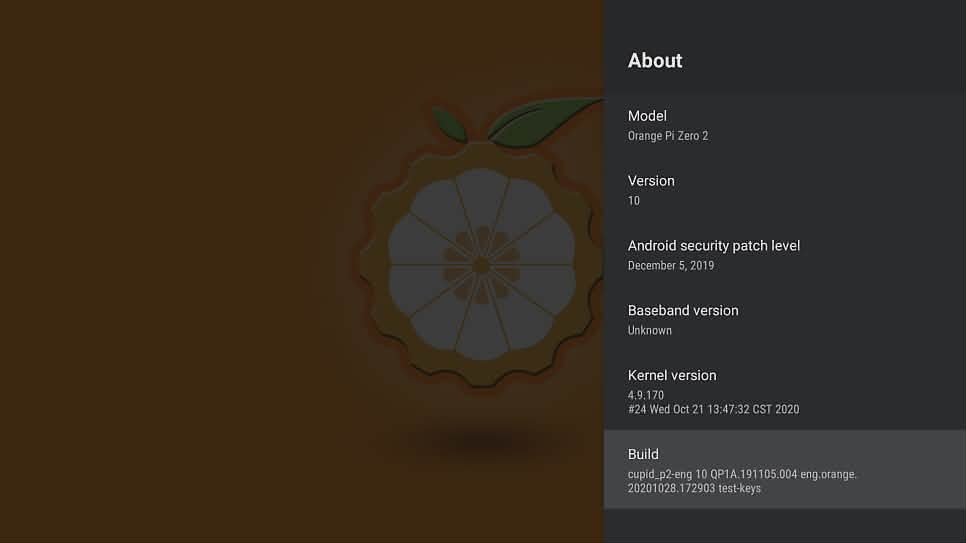
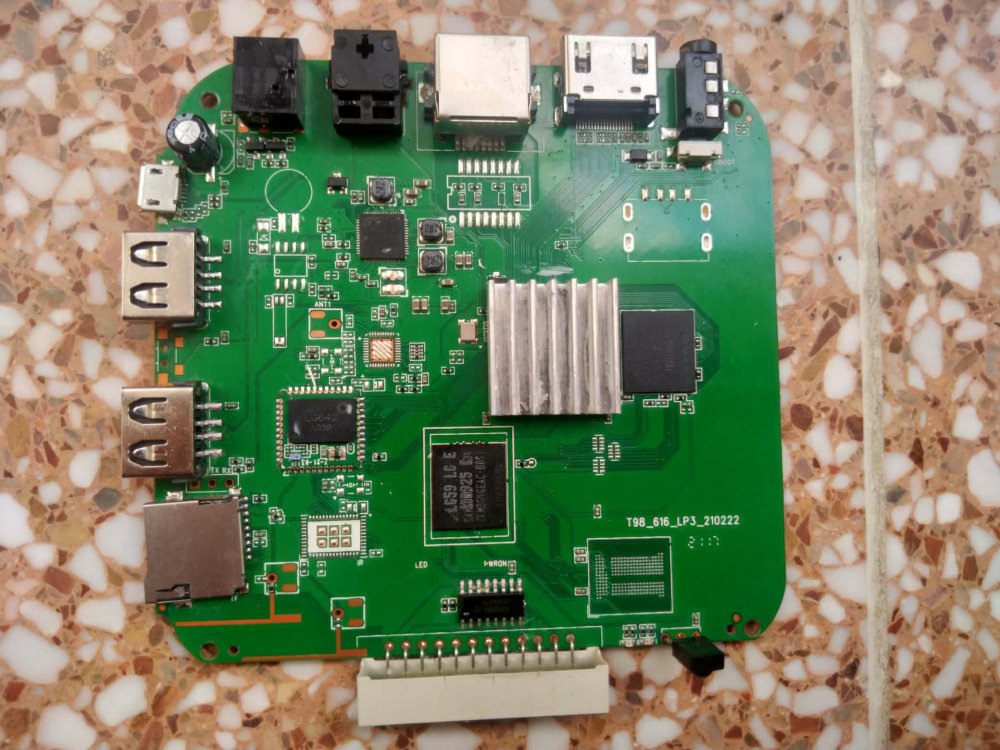
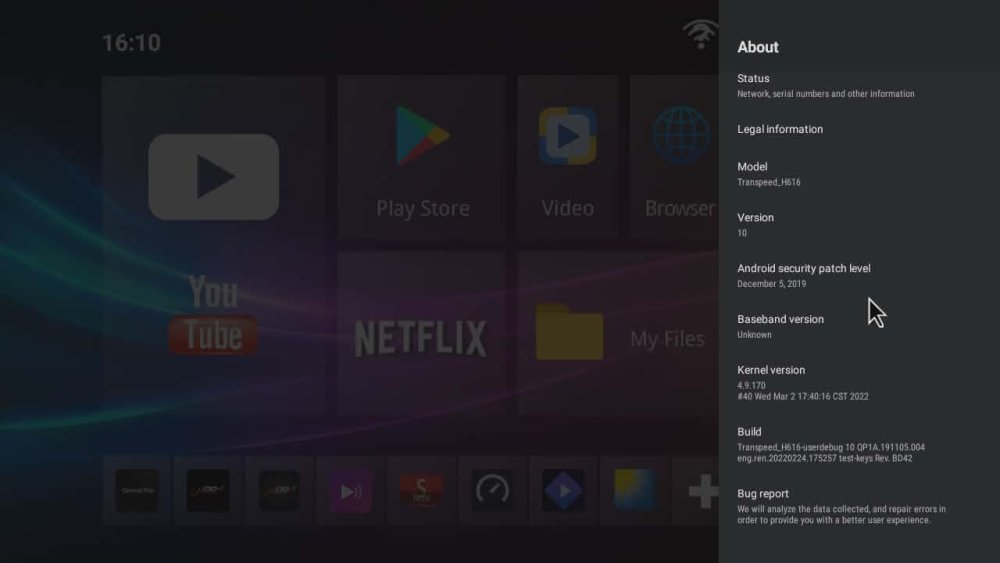
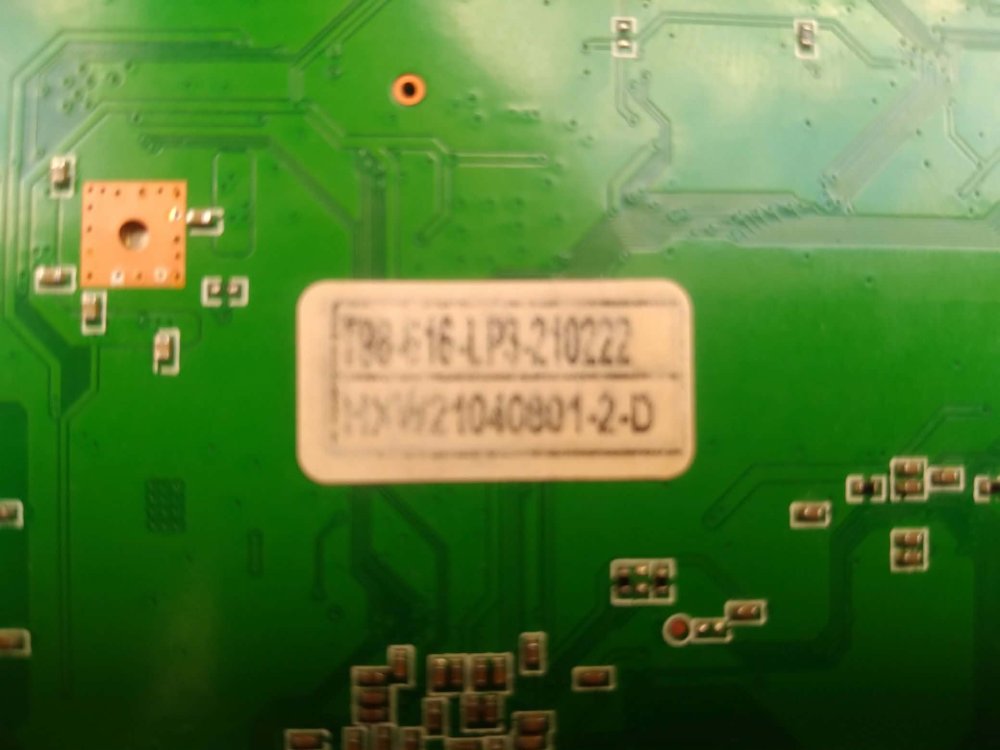
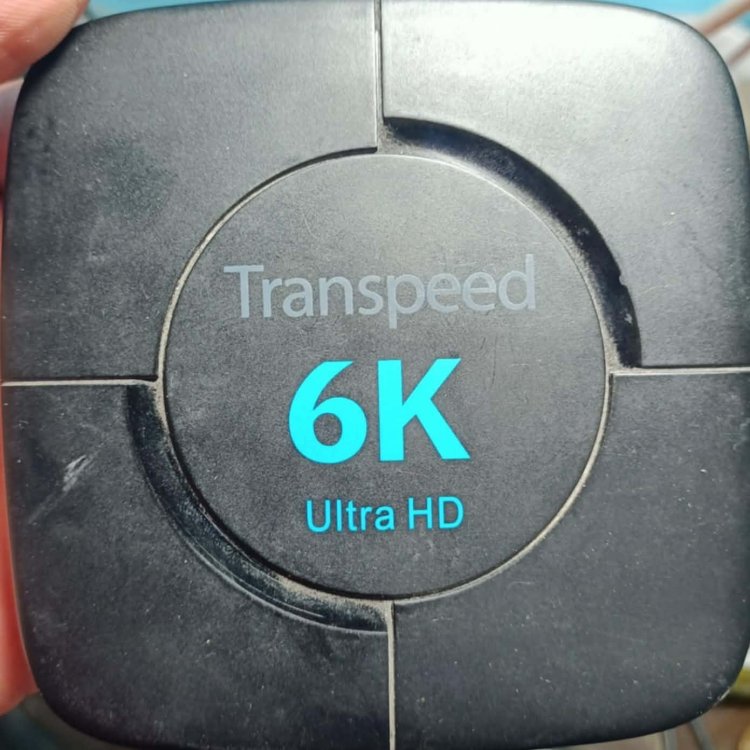
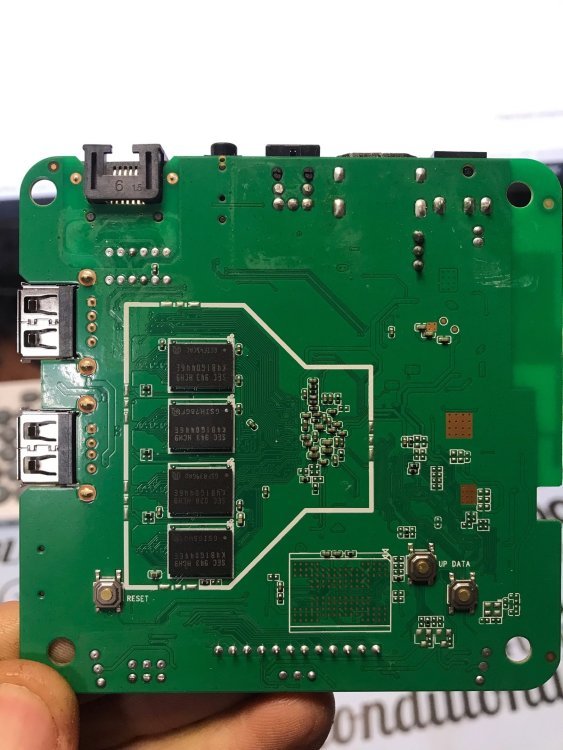
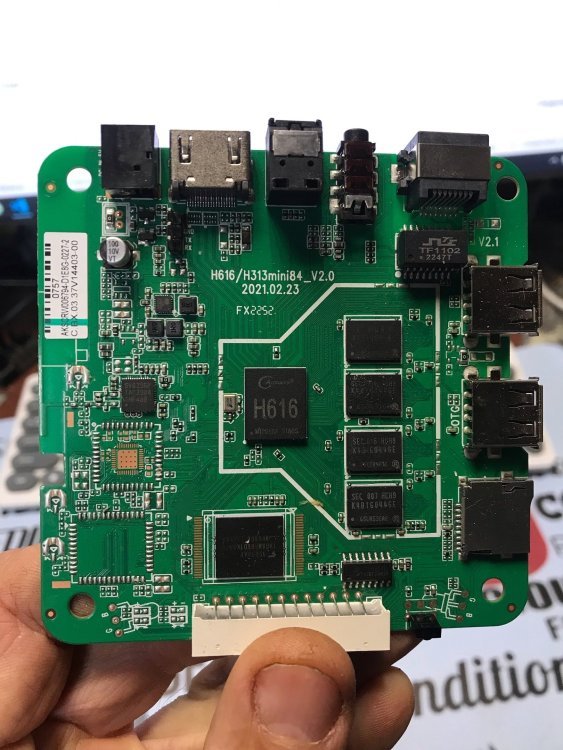
Hello, I need the official SECURE firmware for my device. Device info: CPU: Allwinner H616 Board: T98_616_LP3_210222 RAM/Storage: 4GB / 32GB I installed Orange Pi Zero 2 firmware and now I lost network and cannot revert back. Please provide the original firmware or dump.
-
@José Manuel Márquez Luque try these images https://github.com/NickAlilovic/build/releases/tag/20250306
-
@Bob-the-great try these images https://github.com/NickAlilovic/build/releases/tag/20250306
- Today
-

Helios64 - Armbian Trixie with linux 6.18 (incl. opp-microvolt patch)
BipBip1981 replied to ebin-dev's topic in Rockchip
Thank a lot ! -

Industrial android board - RK3288 (possible EVB)
tparys replied to Mauricio Scotton's topic in Rockchip
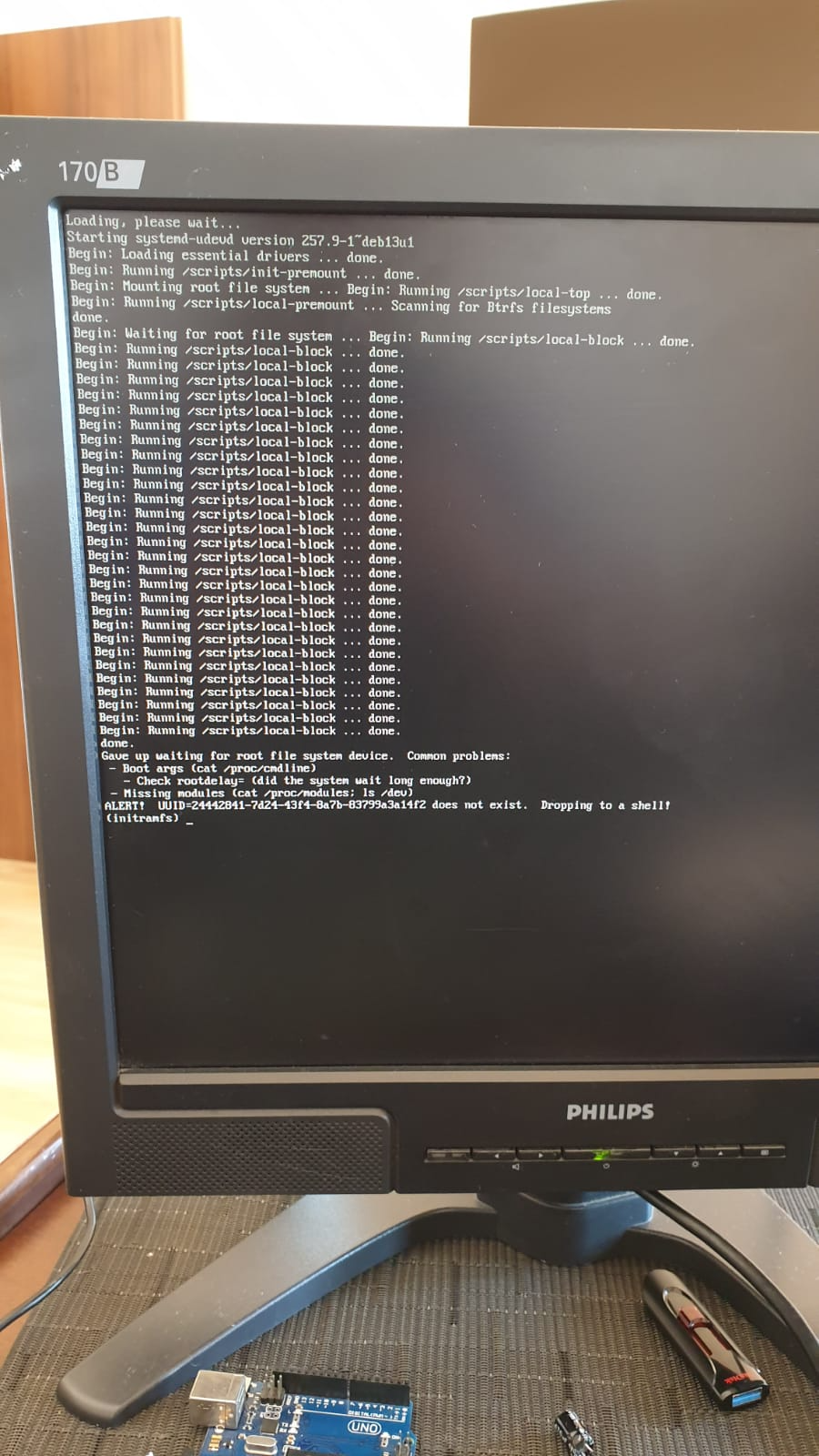
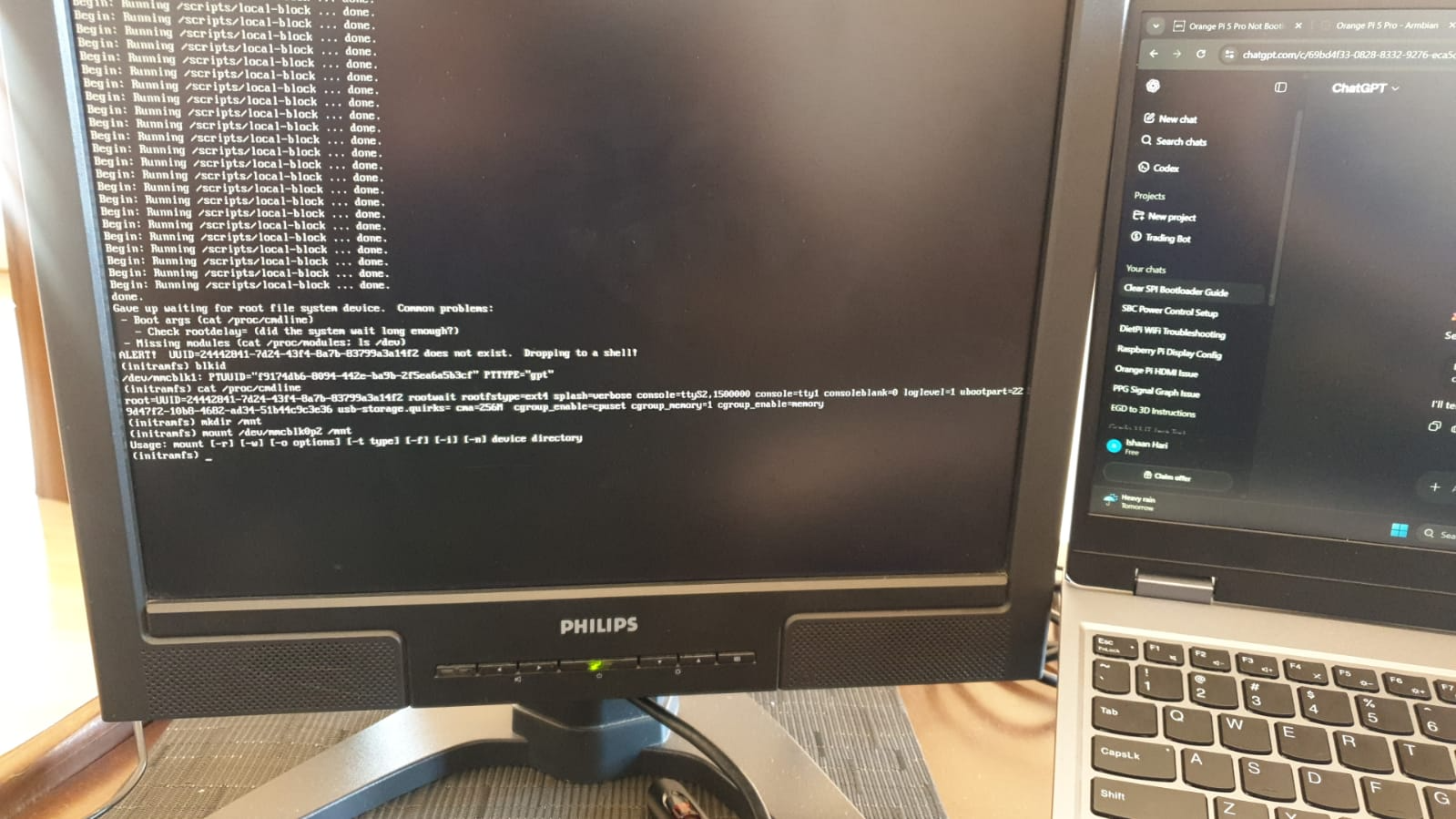
At a glance, unless you see your board at https://armbian.com/download, chances are that no one else has gotten that board working. Might be better to post under "Other Families" for unsupported board stuff. @Werner may move later ... Might be crashing. Might be redirecting kernel to a different UART. May be worth checking earlycon and console settings in kernel args? You can try to pass break=premount or similar arguments to pause boot and allow you to poke around and see what's going on? -
HI, It looks like you have an RK3518 chip from your photo, and not the 3528? Or was that a typo? In any case I also bought a box from AliExpress. It looks similar to mine with the 3518 chip. If there is a way to extract the ROM Image from my box I can maybe upload it for you somewhere?
-

Making Allwinner H616 run armbian OS
Bob-the-great replied to zcrself's topic in Allwinner CPU Boxes
Hay, could u guys tell me how to install a custom ROM for my tv box that's using h616. I'm a absolute bigginer to this But I tried pressing the power button, to get into the downloader mode but looks like that doesn't work -
I tested the new version (Armbian_26.2.0-trunk.591_Orangepi3-lts_forky_current_6.18.18_minimal) in terms of bloototh and it's OK... but there are errors that rule out this image. Namely, the system lacks 4 working processor cores 🙂 ... only one. Something is wrong at startup because the green LED is on and the red LED is constantly flashing/pulsing. Bringing up secondary CPUs ... [ 5.092655] CPU1: failed to come online [ 5.092666] CPU1: failed in unknown state : 0x0 [ 10.217311] CPU2: failed to come online [ 10.217324] CPU2: failed in unknown state : 0x0 [ 15.341948] CPU3: failed to come online [ 15.341961] CPU3: failed in unknown state : 0x0 [ 15.342047] smp: Brought up 1 node, 1 CPU [ 15.342057] SMP: Total of 1 processors activated. [ 15.342063] CPU: All CPU(s) started at EL2 [ 15.342112] CPU features: detected: 32-bit EL0 Support [ 15.342119] CPU features: detected: 32-bit EL1 Support [ 15.342129] CPU features: detected: CRC32 instructions [ 15.342146] CPU features: detected: PMUv3 [ 15.342193] alternatives: applying system-wide alternatives It's some kind of incompatibility: U-Boot / TF-A / kernel .... Similar errors are found in the version uploaded by: armbian imager (minimal / cli / debian - trixie) more information: https://paste.armbian.com/afokonucej command "poweroff" not working ! ? On version: Ubuntu / minimal (cli) there are the same errors regarding CPU...etc ..................................... dmesg | grep "CPU" [ 0.000000] Booting Linux on physical CPU 0x0000000000 [0x410fd034] [ 0.000000] Detected VIPT I-cache on CPU0 [ 0.000000] CPU features: kernel page table isolation forced ON by KASLR [ 0.000000] CPU features: detected: Kernel page table isolation (KPTI) [ 0.000000] CPU features: detected: ARM erratum 845719 [ 0.000000] SLUB: HWalign=64, Order=0-3, MinObjects=0, CPUs=4, Nodes=1 [ 0.000000] rcu: RCU restricting CPUs from NR_CPUS=8 to nr_cpu_ids=4. [ 0.006129] smp: Bringing up secondary CPUs ... [ 5.092344] CPU1: failed to come online [ 5.092356] CPU1: failed in unknown state : 0x0 [ 10.216761] CPU2: failed to come online [ 10.216771] CPU2: failed in unknown state : 0x0 [ 15.341165] CPU3: failed to come online [ 15.341176] CPU3: failed in unknown state : 0x0 [ 15.341242] smp: Brought up 1 node, 1 CPU [ 15.341258] CPU: All CPU(s) started at EL2 [ 15.341291] CPU features: detected: 32-bit EL0 Support [ 15.341297] CPU features: detected: 32-bit EL1 Support [ 15.341309] CPU features: detected: CRC32 instructions [ 16.273971] ledtrig-cpu: registered to indicate activity on CPUs [ 17.351303] sun50i_cpufreq_nvmem: Using CPU speed bin speed0 .........................
-
You may want to check out this thread. There's someone else doing the same with an Orange Pi 5. Might be worth comparing notes with @KhanhDTP
-
Hello, Which armbian you suggest to try out? Thanks h616.txt
-

nanopi-r4s, enp1s0 ethernet device not found after reboot
Werner replied to Junkman's topic in NanoPi R4S
seems like openwrt already figured this and the fix is actually upstream: https://github.com/torvalds/linux/commit/c3fe7071e196e25789ecf90dbc9e8491a98884d7 (also see https://github.com/immortalwrt/immortalwrt/commit/7ef19bb9cd59f5018fc96b01a5465ed84038cfe8) This may tell that one or more Armbian patches make things worse , no clue though which one if any. - Yesterday
-
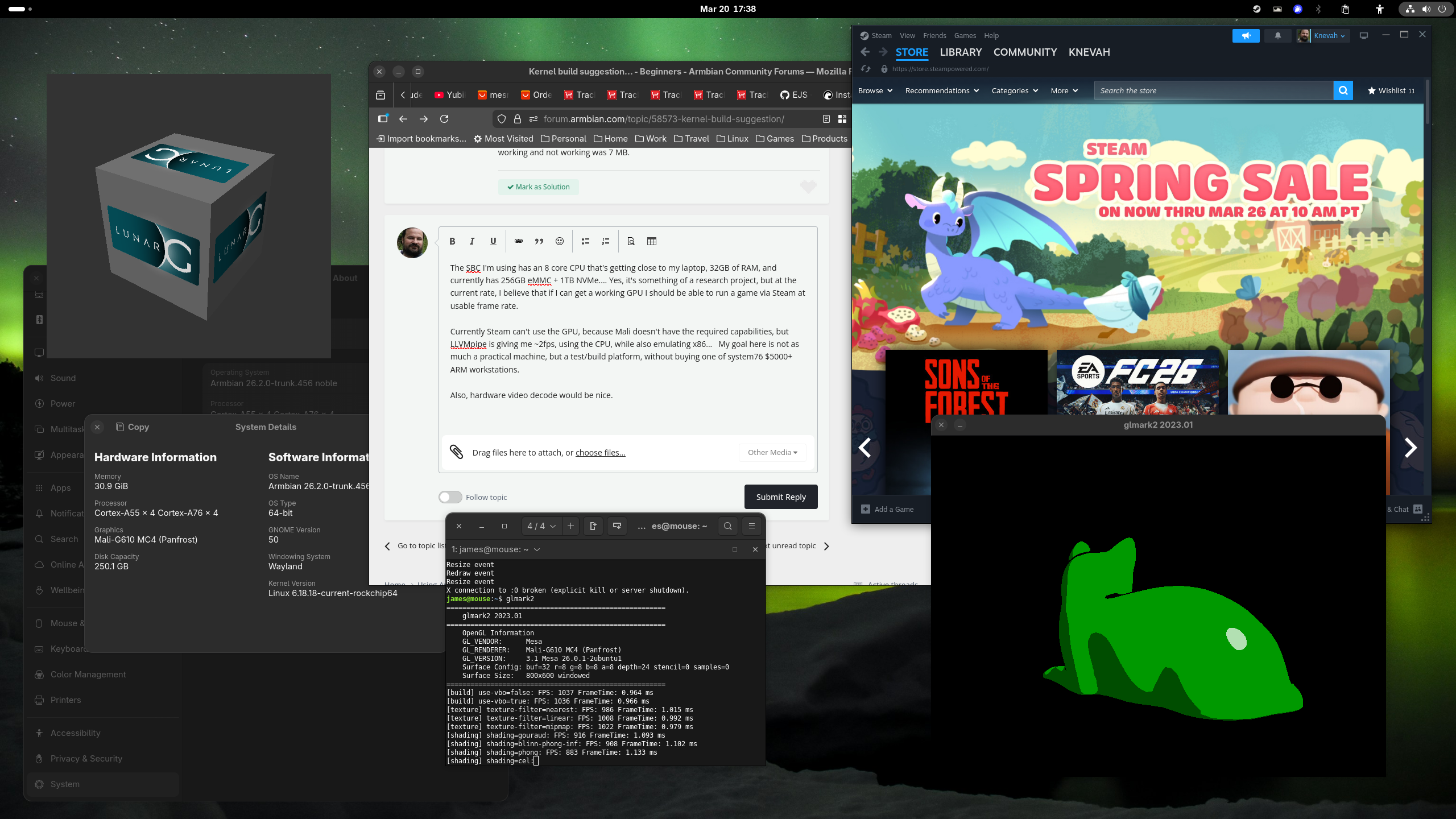
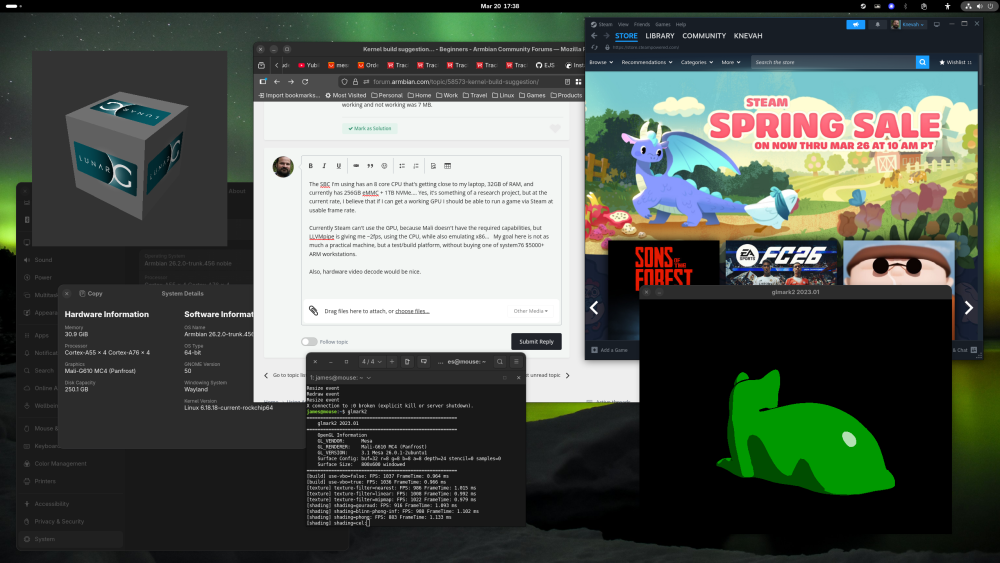
The SBC I'm using has an 8 core CPU that's getting close to my laptop, 32GB of RAM, and currently has 256GB eMMC + 1TB NVMe.... Yes, it's something of a research project, but at the current rate, I believe that if I can get a working GPU I should be able to run a game via Steam at usable frame rate. Currently Steam can't use the GPU, because Mali doesn't have the required capabilities, but LLVMpipe is giving me ~2fps, using the CPU, while also emulating x86... My goal here is not as much a practical machine, but a test/build platform, without buying one of system76 $5000+ ARM workstations. Also, hardware video decode would be nice. It is not weak by any means tho, see attached!
-
 Hi @Werner, I bought an UART USB device and followed your video here https://www.youtube.com/watch?v=UpVMO7gbnYM to read boot logs. I'm not a huge expert but looks like there is a problem finding /boot when two nvme are connected. Please find attached the following logs: uart-bootcorrectnvme.log -> one nvme plugged (the one with os installed in slot 1) - works! uart-bootdualnvme.log -> two nvme plugged (the one with os installed in slot 1) - fails! uart-bootmicrosd.log -> two nvme plugged + microsd plugged - works! Tests have been executed with official 30W Radxa Power adapter ( same result with POE+ 25W hat) Please, let me know if there is anything else I can provide. Thanks uart-bootcorrectnvme.log uart-bootdualnvme.log uart-bootmicrosd.log
 -
Enable ethernet port on expansion board for OrangePi zero 2w
Werner replied to Golecom's topic in Allwinner sunxi
moved -
 Hello everyone. I'm kind of new in this SBC bussiness. I'm looking for a way to enable the ethernet port of the expansion board on this device. Hardware wise the port works on Dietpi, but the GPU works better on this version of armbian (Armbian Linux 6.19.9-edge-sunxi64). Anyone who could tell me o point me to the right direction? Thanks.
 -
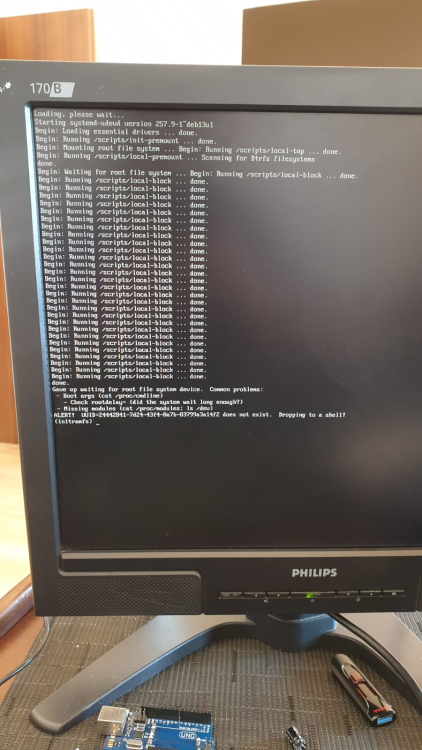
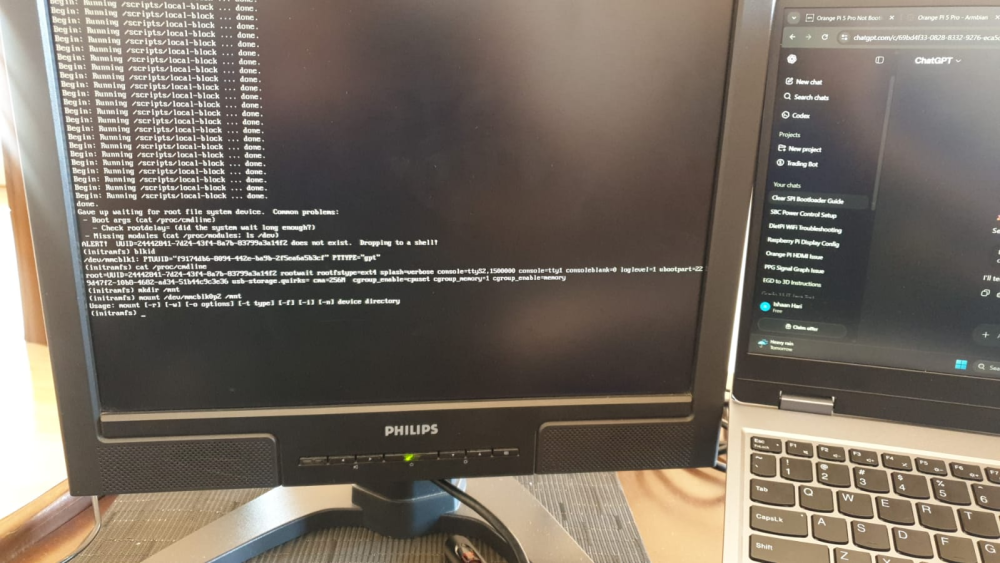
@Werner I have tried your command but no success. Here is what a clean boot of Armbian shows. I also ran some commands with the outputs below.
-
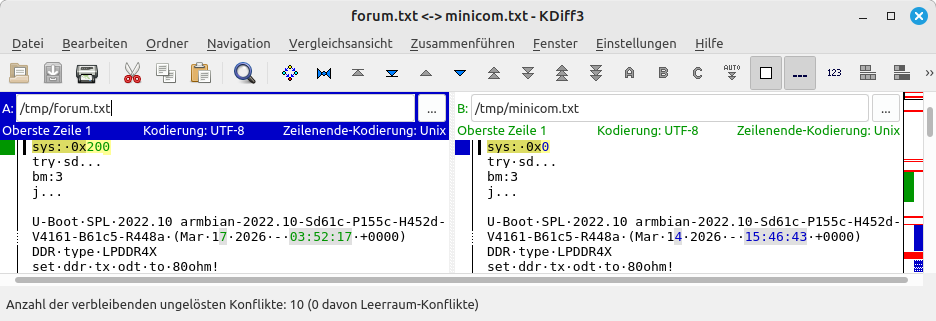
Hello @1111Windows, you are booting an unknown u-boot from NVME that does not find any meaningful data stored on the NVME. You may need to re-insert the SD card or swap to a working SD card or so. I attach the (timestamp stripped for better diff) version from you (forum.txt) and the expected UART output on my RV2 (minicom.txt). The latter I have captured after re-downloading and SD-flashing the mentioned trixie-gnome img which has a root file system with UUID=8f6e5f9c-3108-4e4d-8fbd-10a8295d396e. HTH // Sven-Ola forum.txt minicom.txt
-
Thank you very much. Will attempt to erase the SPI flash memory.
-
https://docs.armbian.com/Process_Contribute/#adding-a-new-board
-
@sven-ola Have you tried booting from a microSD card? I downloaded Armbian-unofficial_26.02.0-trunk_Orangepirv2_trixie_current_6.18.18_gnome_desktop.img and flashed it to my microSD card, but it won't boot. log: sys: 0x200 try sd... bm:3 j... U-Boot SPL 2022.10_armbian-2022.10-Sd61c-P155c-H452d-V4161-B61c5-R448a (Mar 17 2026 - 03:52:17 +0000) [ 0.381] DDR type LPDDR4X [ 0.383] set ddr tx odt to 80ohm! [ 0.393] lpddr silicon init consume 11ms [ 0.394] Change DDR data rate to 2400MT/s [ 0.633] Boot from fit configuration x1_orangepi-rv2 [ 0.635] ## Checking hash(es) for config conf_18 ... OK [ 0.641] ## Checking hash(es) for Image uboot ... crc32+ OK [ 0.652] ## Checking hash(es) for Image fdt_18 ... crc32+ OK [ 0.674] ## Checking hash(es) for config config_1 ... OK [ 0.677] ## Checking hash(es) for Image opensbi ... crc32+ OK [ 0.725] U-Boot 2022.10_armbian-2022.10-Sd61c-P155c-H452d-V4161-B61c5-R448a (Mar 17 2026 - 03:52:17 +0000) [ 0.732] CPU: rv64imafdcv [ 0.734] Model: ky x1 orangepi-rv2 board [ 0.738] DRAM: 2 GiB [ 0.830] Core: 414 devices, 29 uclasses, devicetree: board [ 0.843] WDT: Started PMIC_WDT with servicing (60s timeout) [ 0.848] WDT: Started watchdog@D4080000 with servicing (60s timeout) [ 0.857] MMC: [ 0.956] *** Warning - bad CRC, using default environment [ 0.961] initialize_console_log_buffer [ 0.962] Have allocated memory for console log buffer [ 0.967] In: serial [ 0.969] Out: serial [ 0.971] Err: serial [ 1.116] k1x_qspi spi@d420c000: qspi iobase:0x0x00000000d420c000, ahb_addr:0x0x00000000b8000000, max_hz:26500000Hz [ 1.124] k1x_qspi spi@d420c000: rx buf size:128, tx buf size:256, ahb buf size=512 [ 1.131] k1x_qspi spi@d420c000: AHB read enabled [ 1.136] k1x_qspi spi@d420c000: bus clock: 26500000Hz, PMUap reg[0xd4282860]:0x0000075b [ 1.143] k1x_qspi spi@d420c000: AHB buf size: 512 [ 1.148] SF: Detected XM25QU128C with page size 256 Bytes, erase size 64 KiB, total 16 MiB List of MTD devices: [ 1.159] * nor0 [ 1.160] - device: flash@0 [ 1.163] - parent: spi@d420c000 [ 1.166] - driver: jedec_spi_nor [ 1.170] - path: /soc/spi@d420c000/flash@0 [ 1.173] - type: NOR flash [ 1.176] - block size: 0x10000 bytes [ 1.180] - min I/O: 0x1 bytes [ 1.183] - 0x000000000000-0x000001000000 : "nor0" [ 1.188] - 0x000000000000-0x000000010000 : "bootinfo" [ 1.193] - 0x000000010000-0x000000020000 : "private" [ 1.198] - 0x000000020000-0x000000060000 : "fsbl" [ 1.203] - 0x000000060000-0x000000070000 : "env" [ 1.208] - 0x000000070000-0x0000000a0000 : "opensbi" [ 1.213] - 0x0000000a0000-0x000001000000 : "uboot" [ 1.219] Failed to get fastboot key config: -19 [ 1.222] Failed to probe HUSB239: -19 [ 1.227] RGMII interface [ 1.228] eth0: ethernet@cac80000 [ 1.231] MAC mapping file path not set in environment [ 1.236] K1X: :_load_env_from_blk [ 1.247] Can't set block device [ 1.248] Net: eth0: ethernet@cac80000 [ 1.254] Hit any key to stop autoboot: 0 Loading K1-X Environment ... [ 2.260] [ 2.261] Running NVMe Scan ... [ 2.272] pcie_dw_k1x pcie@ca400000: has no power-on-status flag, use default. [ 2.277] Now init Rterm... [ 2.279] pcie prot id = 1, porta_init_done = 0 [ 2.283] Now waiting portA resister tuning done... [ 2.288] porta redonly_reg2: 00005d37 [ 2.292] pcie_rcal = 0x00005d37 [ 2.295] pcie port id = 1, lane num = 2 [ 2.298] Now int init_puphy... [ 2.301] waiting pll lock... [ 2.304] Now finish init_puphy.... [ 2.307] pcie_dw_k1x pcie@ca400000: Unable to get phy0 [ 2.312] pcie_dw_k1x pcie@ca400000: Unable to get phy1 [ 2.317] pcie_dw_k1x pcie@ca400000: PCIe interface power on, set gpio 116 to 1 [ 3.426] PCIE-0: Link down [ 3.438] pcie_dw_k1x pcie@ca800000: has no power on gpio. [ 3.441] pcie_dw_k1x pcie@ca800000: has no power-on-status flag, use default. [ 3.448] Now init Rterm... [ 3.450] pcie prot id = 2, porta_init_done = 0 [ 3.455] Now waiting portA resister tuning done... [ 3.459] porta redonly_reg2: 00005d37 [ 3.463] pcie_rcal = 0x00005d37 [ 3.466] pcie port id = 2, lane num = 2 [ 3.470] Now int init_puphy... [ 3.472] waiting pll lock... [ 3.475] Now finish init_puphy.... [ 3.479] pcie_dw_k1x pcie@ca800000: Unable to get phy0 [ 3.484] pcie_dw_k1x pcie@ca800000: Unable to get phy1 [ 4.590] PCIE-1: Link down [ 4.642] pcie_dw_k1x pcie@ca400000: has no power-on-status flag, use default. [ 4.646] Now init Rterm... [ 4.648] pcie prot id = 1, porta_init_done = 0 [ 4.653] Now waiting portA resister tuning done... [ 4.657] porta redonly_reg2: 00005d37 [ 4.661] pcie_rcal = 0x00005d37 [ 4.664] pcie port id = 1, lane num = 2 [ 4.668] Now int init_puphy... [ 4.671] waiting pll lock... [ 4.673] Now finish init_puphy.... [ 4.677] pcie_dw_k1x pcie@ca400000: Unable to get phy0 [ 4.682] pcie_dw_k1x pcie@ca400000: Unable to get phy1 [ 4.687] pcie_dw_k1x pcie@ca400000: PCIe interface power on, set gpio 116 to 1 [ 5.795] PCIE-0: Link down [ 5.807] pcie_dw_k1x pcie@ca800000: has no power on gpio. [ 5.810] pcie_dw_k1x pcie@ca800000: has no power-on-status flag, use default. [ 5.817] Now init Rterm... [ 5.819] pcie prot id = 2, porta_init_done = 0 [ 5.824] Now waiting portA resister tuning done... [ 5.828] porta redonly_reg2: 00005d37 [ 5.832] pcie_rcal = 0x00005d37 [ 5.835] pcie port id = 2, lane num = 2 [ 5.839] Now int init_puphy... [ 5.841] waiting pll lock... [ 5.844] Now finish init_puphy.... [ 5.848] pcie_dw_k1x pcie@ca800000: Unable to get phy0 [ 5.853] pcie_dw_k1x pcie@ca800000: Unable to get phy1 [ 6.959] PCIE-1: Link down [ 6.963] no nvme partition table available [ 6.964] Couldn't find partition nvme 0:1 [ 6.968] Couldn't find partition nvme 0:1 [ 6.972] Couldn't find partition nvme 0:1 [ 6.976] Couldn't find partition nvme 0:1 [ 6.980] Couldn't find partition nvme 0:1 =>
-
Heres what I am seeing on my screen https://drive.google.com/file/d/1SSNnvOy-BjxAzklcAoApjS2zz1HnMn-v/view?usp=sharing Heres me messing with the headphon jack https://drive.google.com/file/d/1Z2Guva-FWYv2mu3VCPujXPoc7r_iqpB6/view?usp=sharing
-
Sorry for the late reply I got caught up with my new job and forgot my password for my previous account. eselarm you are probably not wrong but as I have continued to use armbian it seems more like armbian can't differentiate between the headphone jack and the internal speakers. It's like they are one and the same this didn't happen with mint or antix although it was still very broken on antix. [Should I move this part to a separate topic] Unrelated to the headphone jack but I also found that when my Chromebook goes to sleep or when I close the lid armbian will just unmount itself, have a blinking _ on the upper left of the screen or a terminal I can't get out of so l and I have to reflash my micro sd card as a temporary fix. also the minimal build always fails to install a new desktop environment. But everytime I reflash the latest build of Gnome it runs a bit better each time, which is great.
-
 I ran into what appears to be the same issue (see my log). I have added the suggested qemu-user-static package, which forced removal of another qemu- family package I had previously installed to work around problems with binfmt. Not only did it compile correctly, it also ran so much faster, as you can see in the number of log lines for this build! Thank you for the assistance and getting me on the right track with the right package selection! Best Regards, Lobosito
 -
@tin harden A7A mainline is still a WIP.
-
 @Thur_Wander For debugging purposes, UART is highly recommended. Use balena Etcher to write the compiled image to your SD card.