All Activity
- Past hour
-
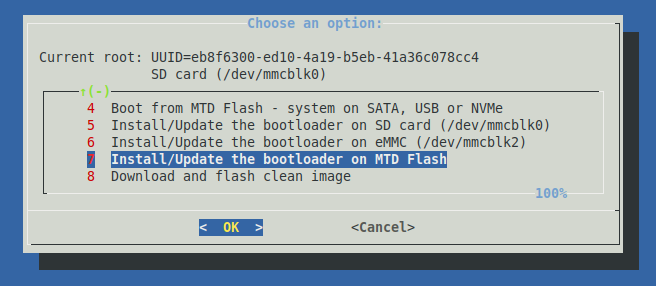
@savznkvo if you followed my compile.sh steps from above, you should have a file Armbian-unofficial_26.05.0-trunk_Orangepirv2_trixie_current_6.18.21_minimal.img in ./output/images ready to be flashed to your SD card. Insert and boot. At this point you need TV / Kbd or UART to finish the wizard (set root PW etc). Now start armbian-install (see screen shot). Transfer *.img to /dev/nvme0n1, use netcat or similar. Then power down, remove SD and eMMC (if plugged). Restart from NVME, now you have to complete first time wizard again. Tested with current main and it works flawlessly. Addon: if you apt-get dist-upgrade, a newer kernel package from Armbian nightly builds is installed and the bcmdhd wifi kernel driver module is recompiled - which needs some time. This will DOWNGRADE from 6.18.21 to 6.18.20 currently - this works as designed. HTH // Sven-Ola
- Today
-

Armbian_24.11.2_Orangepi5_noble_current_6.12.0-kisak NPU driver version
usual user replied to thanh_tan's topic in Rockchip
From an OS's point of view, only a Mesa build with Teflon and Rocket driver support is needed (available since Mesa 25.3). Inferences can then be executed with ai-edge-litert. I have been experimenting with this for some time on all my devices equipped with Rockchip RK3588/RK3588s. -
@savznkvo Installing headless (blind / via network) on a board this new will fail probably. Get a TV and connect an HDMI display or get a serial adapter and connect that for debug. I'll check later with a spare NVME, but I am pretty sure it works (provided, that you compiled the correct firmware). HTH // Sven-Ola
-
@sven-ola I tried this way too, no luck. Or at least I can't connect to SBC via SSH after.
-
Hello @savznkvo and @Logan. Directly booting from NVME is not supported by the ROM software burned in the RISCV chip. Instead, the OrangePi RV2 chip is able to boot from SD, eMMC, and Flash / MTD (in this order). You need to prepare the board's internal flash for NVME boot with Boot Armbian from SD card. As root, start armbian-install and select "Install to MTD". Transfer a fresh Armbian image to your NVME. If you do not have the "armbianized" MTD boot config installed, @c0rnelius above hints on booting apply. HTH // Sven-Ola
-
Hello @1111Windows! Having a portrait HDMI display is rather unusual. Normally, one can buy landscape HDMI displays and simply rotate them via software or video card hardware. However: if reading out the EDID via I2C / HDMI cable does not work correctly, the HDMI display driver may simply fallback to 1920x1080@60 using the compiled-in EDID. You can try to get the EDID from the display with the apt install read-edid tool. If I recall correctly, one can provide a custom EDID binary as file to the kernel via some boot cmd parameter, see https://www.marcusfolkesson.se/blog/custom-edid-in-linux/ for details. Simply configure some mode via video= when the mode is not available in the EDID will not work (as you already found out). It should also be possible to add a custom modeline, but this is deep dive as stated here: https://nyanpasu64.gitlab.io/blog/crt-modeline-cvt-interlacing HTH // Sven-Ola
-
The armbian boot loader is diff than the vendors. It checks for specific things in a particular order. nvme_devtype=nvme nvme_devnum=0 nvme_bootpart=1 autoboot=if test -e ${devtype} ${devnum}:${distro_bootpart} /extlinux/extlinux.conf; then \ sysboot ${devtype} ${devnum}:${distro_bootpart} any 0x2000000 /extlinux/extlinux.conf; \ elif test -e ${devtype} ${devnum}:${distro_bootpart} /boot/extlinux/extlinux.conf; then \ sysboot ${devtype} ${devnum}:${distro_bootpart} any 0x2000000 /boot/extlinux/extlinux.conf; \ elif test -e ${devtype} ${devnum}:${distro_bootpart} /boot.scr; then \ load ${devtype} ${devnum}:${distro_bootpart} 0x2000000 /boot.scr; source 0x2000000; \ elif test -e ${devtype} ${devnum}:${distro_bootpart} /boot/boot.scr; then \ load ${devtype} ${devnum}:${distro_bootpart} 0x2000000 /boot/boot.scr; source 0x2000000; \ elif test -e ${devtype} ${devnum}:${distro_bootpart} EFI/BOOT/BOOTRISCV64.EFI; then \ load ${devtype} ${devnum}:${distro_bootpart} ${kernel_addr_r} EFI/BOOT/BOOTRISCV64.EFI; bootefi ${kernel_addr_r}; \ fi; nvme part; \ setenv devtype $nvme_devtype; \ setenv devnum $nvme_devnum; \ setenv distro_bootpart $nvme_bootpart; \ if test -e ${devtype} ${devnum}:${distro_bootpart} /extlinux/extlinux.conf; then \ sysboot ${devtype} ${devnum}:${distro_bootpart} any 0x2000000 /extlinux/extlinux.conf; \ elif test -e ${devtype} ${devnum}:${distro_bootpart} /boot/extlinux/extlinux.conf; then \ sysboot ${devtype} ${devnum}:${distro_bootpart} any 0x2000000 /boot/extlinux/extlinux.conf; \ elif test -e ${devtype} ${devnum}:${distro_bootpart} /boot.scr; then \ load ${devtype} ${devnum}:${distro_bootpart} 0x2000000 /boot.scr; source 0x2000000; \ elif test -e ${devtype} ${devnum}:${distro_bootpart} /boot/boot.scr; then \ load ${devtype} ${devnum}:${distro_bootpart} 0x2000000 /boot/boot.scr; source 0x2000000; \ elif test -e ${devtype} ${devnum}:${distro_bootpart} EFI/BOOT/BOOTRISCV64.EFI; then \ load ${devtype} ${devnum}:${distro_bootpart} ${kernel_addr_r} EFI/BOOT/BOOTRISCV64.EFI; bootefi ${kernel_addr_r}; \ fi; bootcmd=echo "Loading K1-X Environment ..."; \ echo ""; \ echo "Running NVMe Scan ..."; \ nvme scan; \ run autoboot SD takes priority. After that it checks for an eMMC and if nothing on the eMMC is found it can use, it then moves on to check the NVMe. What this means? If the unit has an SPI, it needs to be updated with the Armbian boot loader. If the bootloader finds an extlinux.conf, boot.scr or *.EFI on the eMMC it will attempt to boot from it. I have a BPI-F3 which has no SPI. What I do in that case is boot from SD, format the eMMC and transfer the install to the NVMe. I then flash u-boot to the eMMC and wham oh. System boots from NVMe. In the case of an SPI, its the same. As long as it doesn't find anything of use on the eMMC your good.
-
same question here.... we need minimal image... none of solutions in this topic doesn't work
-
reverse engineered npu driver (called ROCKET) is upstreamed since 6.17 I believe. So kernel-wise it is there. Everyhing else necessary (like libraries) is out of scope for Armbian.
-
@Rajiv Singh where is this dkms package? thank you!
-
how to use this on my orangepi 5 pro and run npu?
-
 @HenricoLegal https://forum.armbian.com/topic/57960-sv6256p-wifi-now-working-on-linux-6x-armbian-tested/
 -
Hello everyone! Hi @sven-ola How could I finally set up my minimal image on lower M.2 SSD only and use SBC without SD-card? I tried official dev image from Armbian Imager and compiled one by myself but armbian-installer always asking me to wipefs just `/dev/` for some reason and also system (booted from SD-card) just can't work with /dev/nvme0n1 (always Invalid Operation). I tried many ways but no luck. I just need minimal system image run on my lower M.2 SSD
-
 First of all thanks to the people maintaining armbian for helios64. I recently upgraded (well I reinstalled) to trixie and everything mostly runs stable for me. However I have a problem with the 2.5GB adapter. It is connected to a 2.5GB switch and when for example running iperf3 I get proper results close to 2.5 GBit. So in general it seems to be running ok. I have a DLNA server (minidlna) running on that machine and when I stream from my TV (streaming via VLC from my laptop triggers the same problems) the network connection drops for a moment and works again after a few seconds (which you can guess is super annoying when watching something). I am not sure what exactly is triggering this. most of the time the network is super stable but during streaming I get hickups. This is what my kernel log spits out when this is happending: ``` Apr 09 17:45:54 hermann-walter kernel: xhci-hcd xhci-hcd.0.auto: Event TRB for slot 4 ep 3 with no TDs queued Apr 09 17:45:54 hermann-walter kernel: xhci-hcd xhci-hcd.0.auto: Event TRB for slot 4 ep 3 with no TDs queued Apr 09 17:45:54 hermann-walter kernel: xhci-hcd xhci-hcd.0.auto: Event TRB for slot 4 ep 3 with no TDs queued Apr 09 17:45:54 hermann-walter kernel: xhci-hcd xhci-hcd.0.auto: Event TRB for slot 4 ep 3 with no TDs queued Apr 09 17:45:54 hermann-walter kernel: xhci-hcd xhci-hcd.0.auto: Event dma 0x00000000053f8f10 for ep 3 status 1 not part of TD at 00000000053f8ed0 - 00000000053f8ed0 Apr 09 17:45:54 hermann-walter kernel: xhci-hcd xhci-hcd.0.auto: Event dma 0x00000000053f8f20 for ep 3 status 1 not part of TD at 00000000053f8ed0 - 00000000053f8ed0 Apr 09 17:45:54 hermann-walter kernel: xhci-hcd xhci-hcd.0.auto: Event dma 0x00000000053f8f30 for ep 3 status 1 not part of TD at 00000000053f8ed0 - 00000000053f8ed0 Apr 09 17:45:54 hermann-walter kernel: xhci-hcd xhci-hcd.0.auto: Event dma 0x00000000053f8f40 for ep 3 status 1 not part of TD at 00000000053f8ed0 - 00000000053f8ed0 Apr 09 17:45:54 hermann-walter kernel: xhci-hcd xhci-hcd.0.auto: Event dma 0x00000000053f8f50 for ep 3 status 1 not part of TD at 00000000053f8ed0 - 00000000053f8ed0 Apr 09 17:45:54 hermann-walter kernel: xhci-hcd xhci-hcd.0.auto: Event dma 0x00000000053f8f60 for ep 3 status 1 not part of TD at 00000000053f8ed0 - 00000000053f8ed0 Apr 09 17:45:54 hermann-walter kernel: xhci-hcd xhci-hcd.0.auto: Event dma 0x00000000053f8f70 for ep 3 status 1 not part of TD at 00000000053f8ed0 - 00000000053f8ed0 Apr 09 17:45:54 hermann-walter kernel: xhci-hcd xhci-hcd.0.auto: Event dma 0x00000000053f8f80 for ep 3 status 1 not part of TD at 00000000053f8ed0 - 00000000053f8ed0 Apr 09 17:45:54 hermann-walter kernel: xhci-hcd xhci-hcd.0.auto: Event dma 0x00000000053f8f90 for ep 3 status 1 not part of TD at 00000000053f8ed0 - 00000000053f8ed0 Apr 09 17:45:54 hermann-walter kernel: xhci-hcd xhci-hcd.0.auto: Event dma 0x00000000053f8fa0 for ep 3 status 1 not part of TD at 00000000053f8ed0 - 00000000053f8ed0 Apr 09 17:45:59 hermann-walter kernel: r8152 2-1.4:1.0 enx646266d00873: NETDEV WATCHDOG: CPU: 0: transmit queue 0 timed out 5152 ms Apr 09 17:45:59 hermann-walter kernel: r8152 2-1.4:1.0 enx646266d00873: Tx timeout Apr 09 17:46:00 hermann-walter kernel: r8152 2-1.4:1.0 enx646266d00873: Tx status -2 Apr 09 17:46:00 hermann-walter kernel: r8152 2-1.4:1.0 enx646266d00873: Tx status -2 Apr 09 17:46:00 hermann-walter kernel: r8152 2-1.4:1.0 enx646266d00873: Tx status -2 Apr 09 17:46:00 hermann-walter kernel: r8152 2-1.4:1.0 enx646266d00873: Tx status -2 Apr 09 17:46:02 hermann-walter kernel: r8152-cfgselector 2-1.4: reset SuperSpeed USB device number 3 using xhci-hcd ``` the usb related messages are not always there but the r8152 related messages are always there. I found a similar problem here: https://github.com/openwrt/openwrt/issues/22130 I tried replacing the firmware but that didn't help and I later found out that the helios64 uses a different firmware so that explains why it didn't help: ``` Apr 10 05:48:30 hermann-walter kernel: r8152 2-1.4:1.0: Loaded FW: rtl_nic/rtl8156a-2.fw, sha256: 7b50f4a307bde7b3f384935537c4d9705457fa42613eb0003ffbc4e19461a1e0 Apr 10 05:48:30 hermann-walter kernel: r8152 2-1.4:1.0: Loaded FW: rtl_nic/rtl8156a-2.fw, sha256: 7b50f4a307bde7b3f384935537c4d9705457fa42613eb0003ffbc4e19461a1e0 ``` does anybody know what is going on? I am quite sure that the problem wasn't there before the upgrade (but I might be mistaken because I only started observing the helios64 again after the upgrade. also it seems to be related to the amount of network traffic going on. i.e. lower bitrate streams seem to not trigger the problem). Streaming via the 1GBit NIC is working fine.
 -
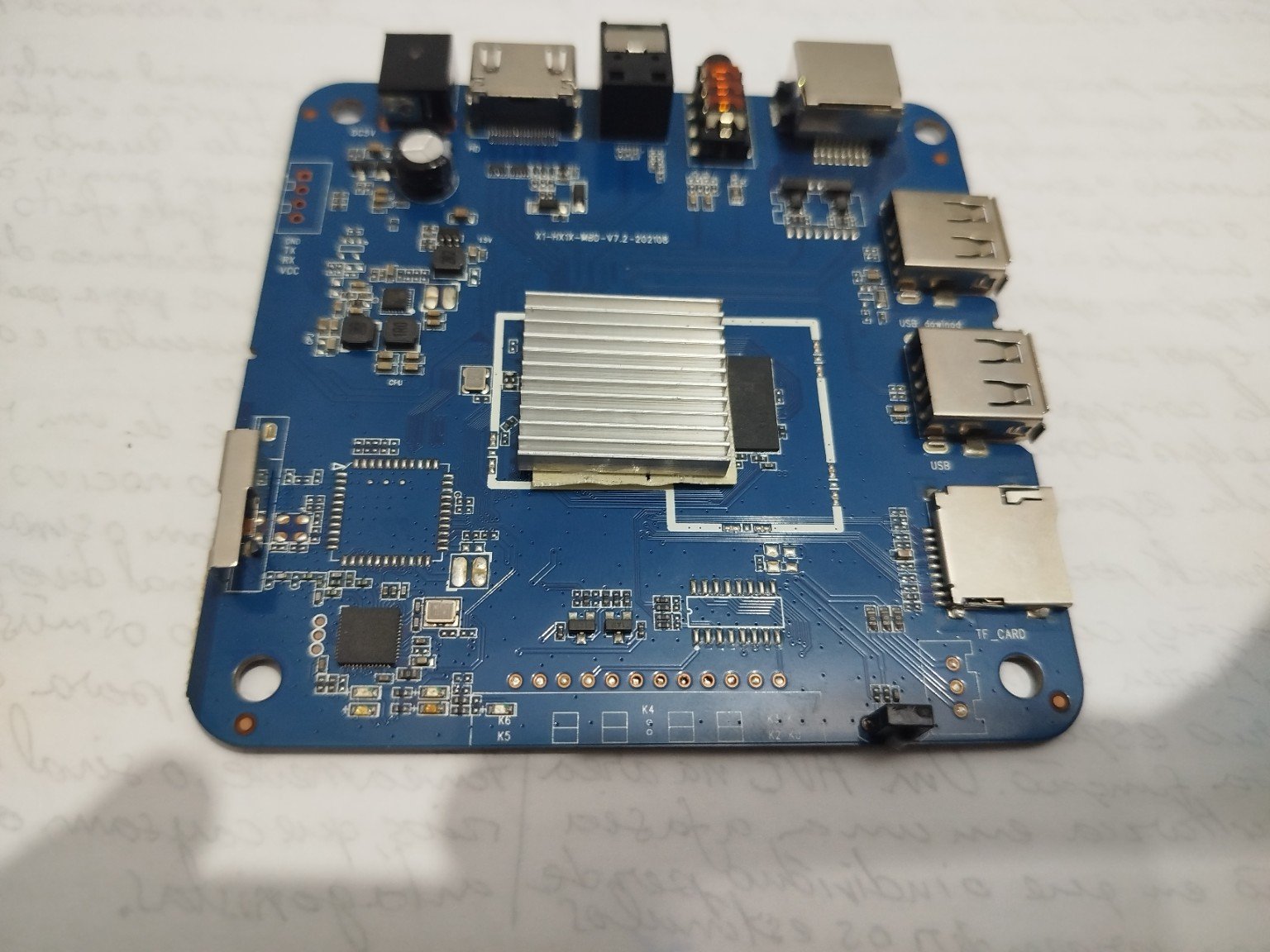
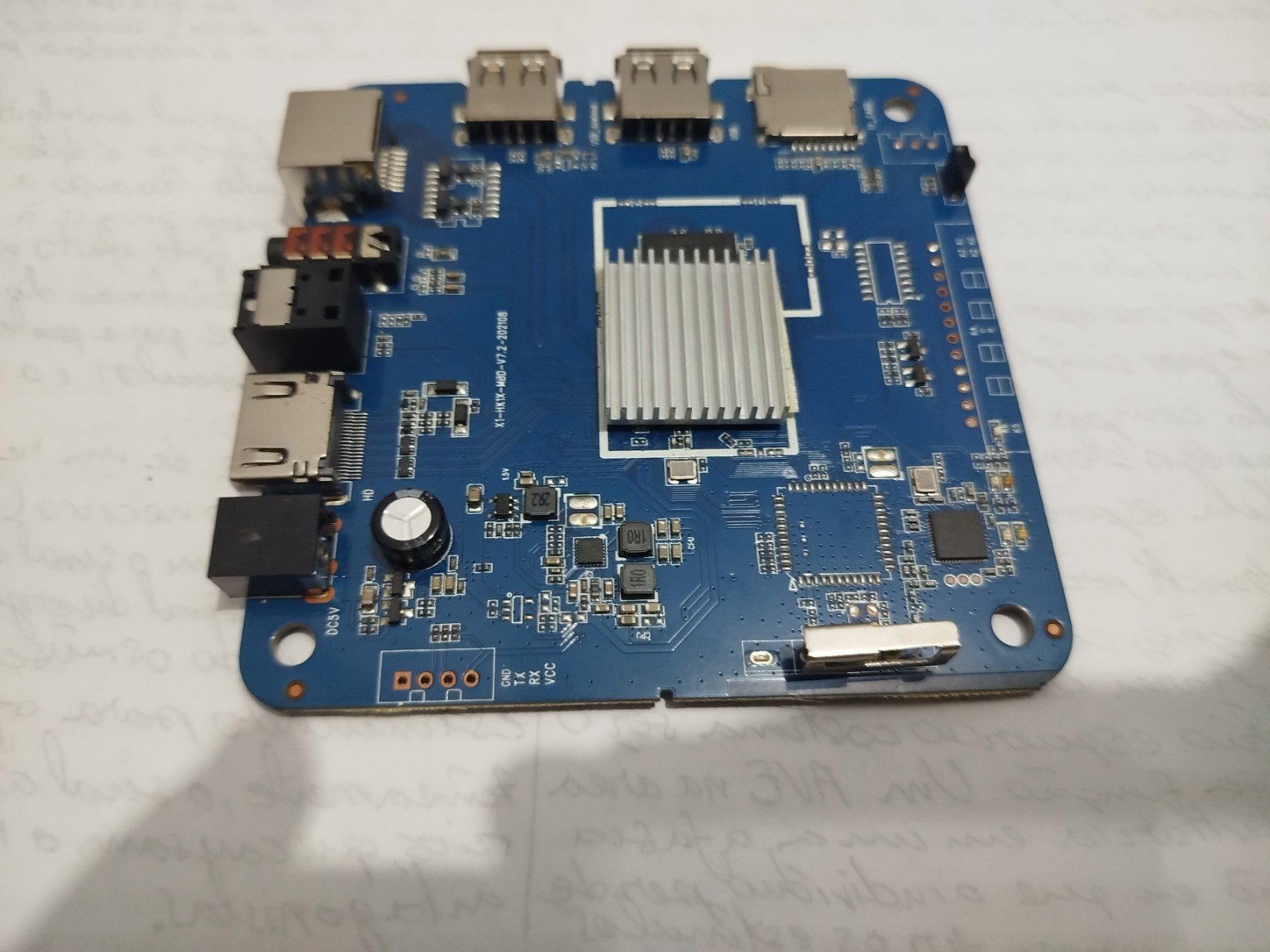
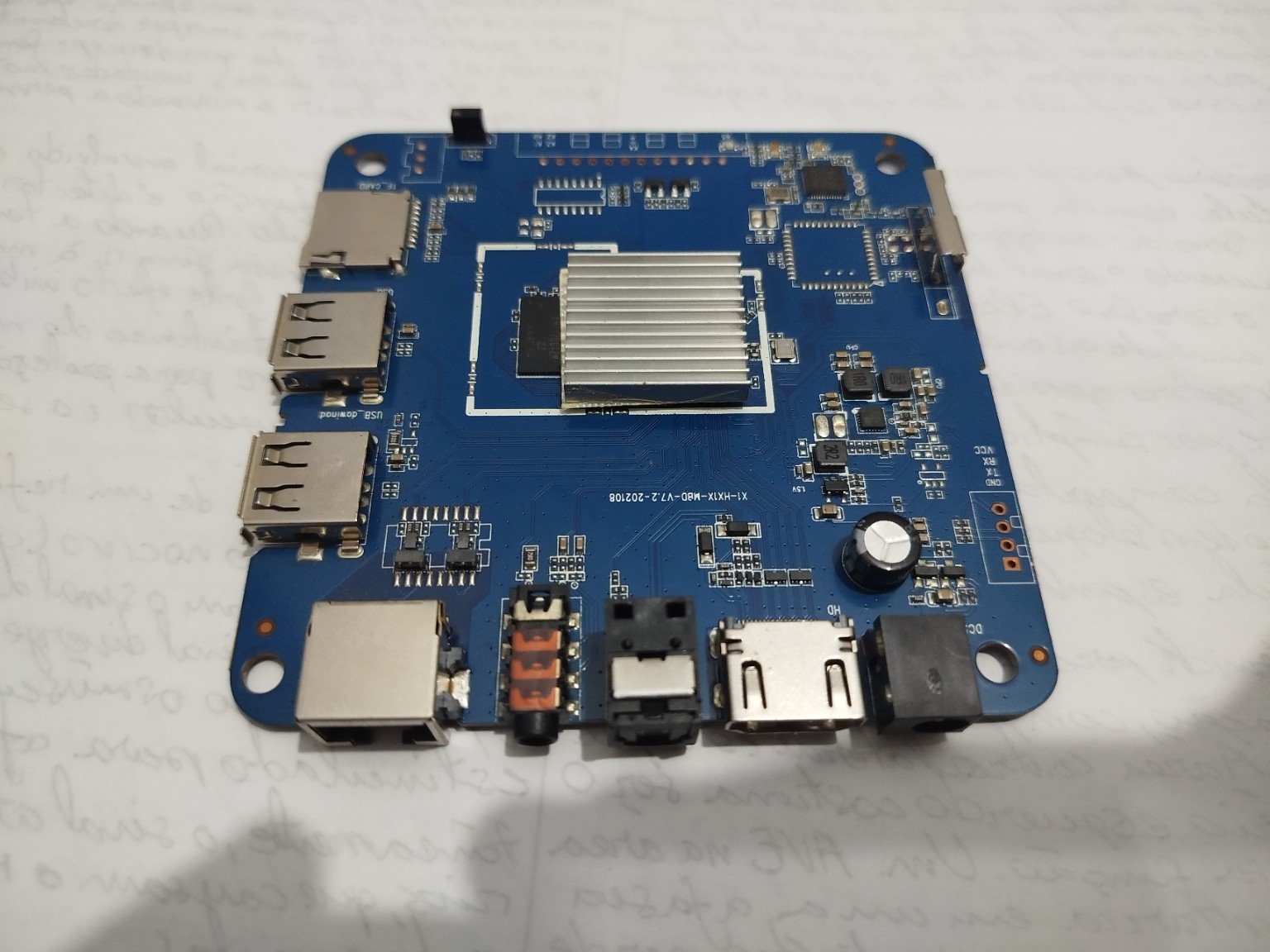
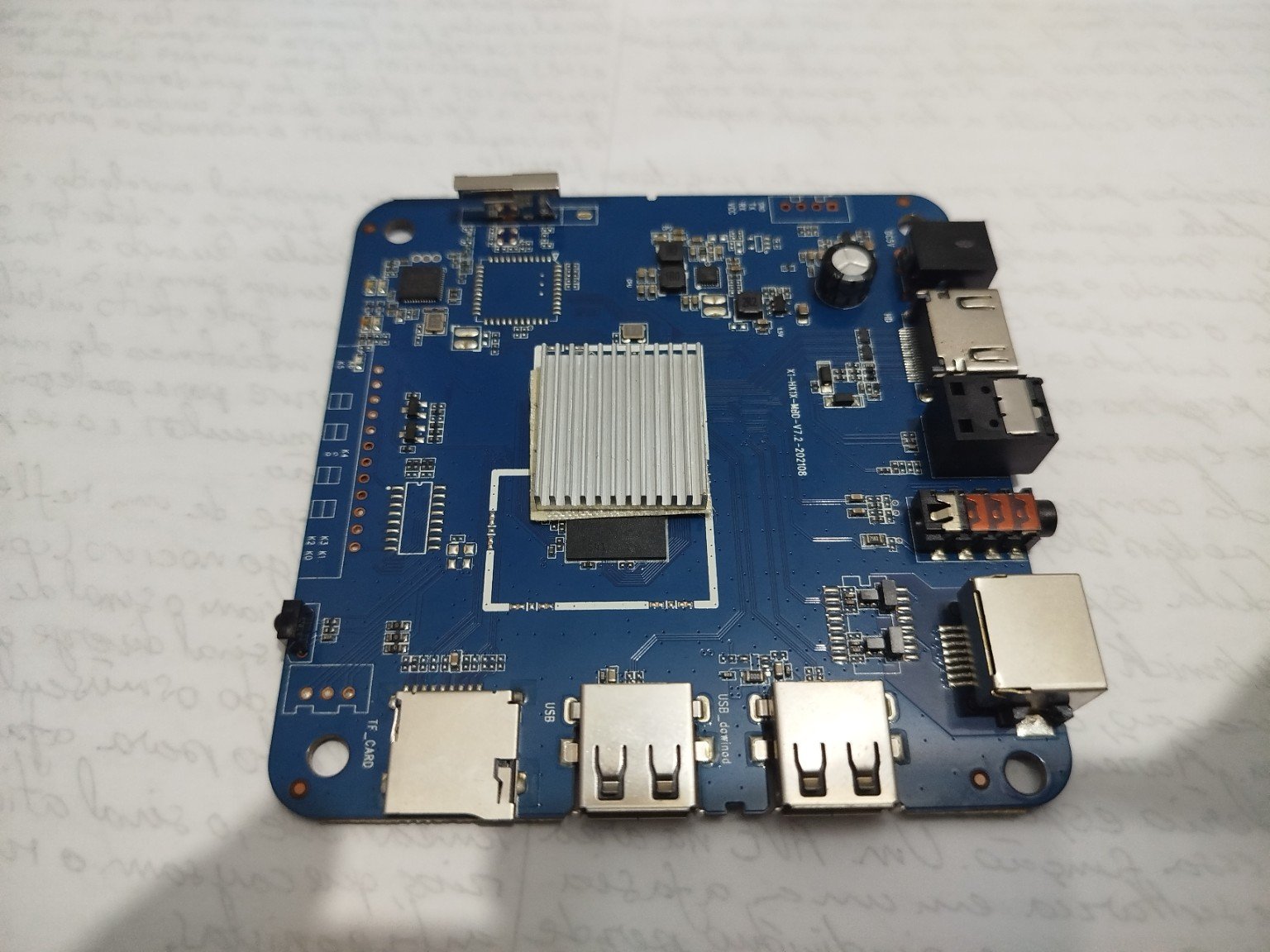
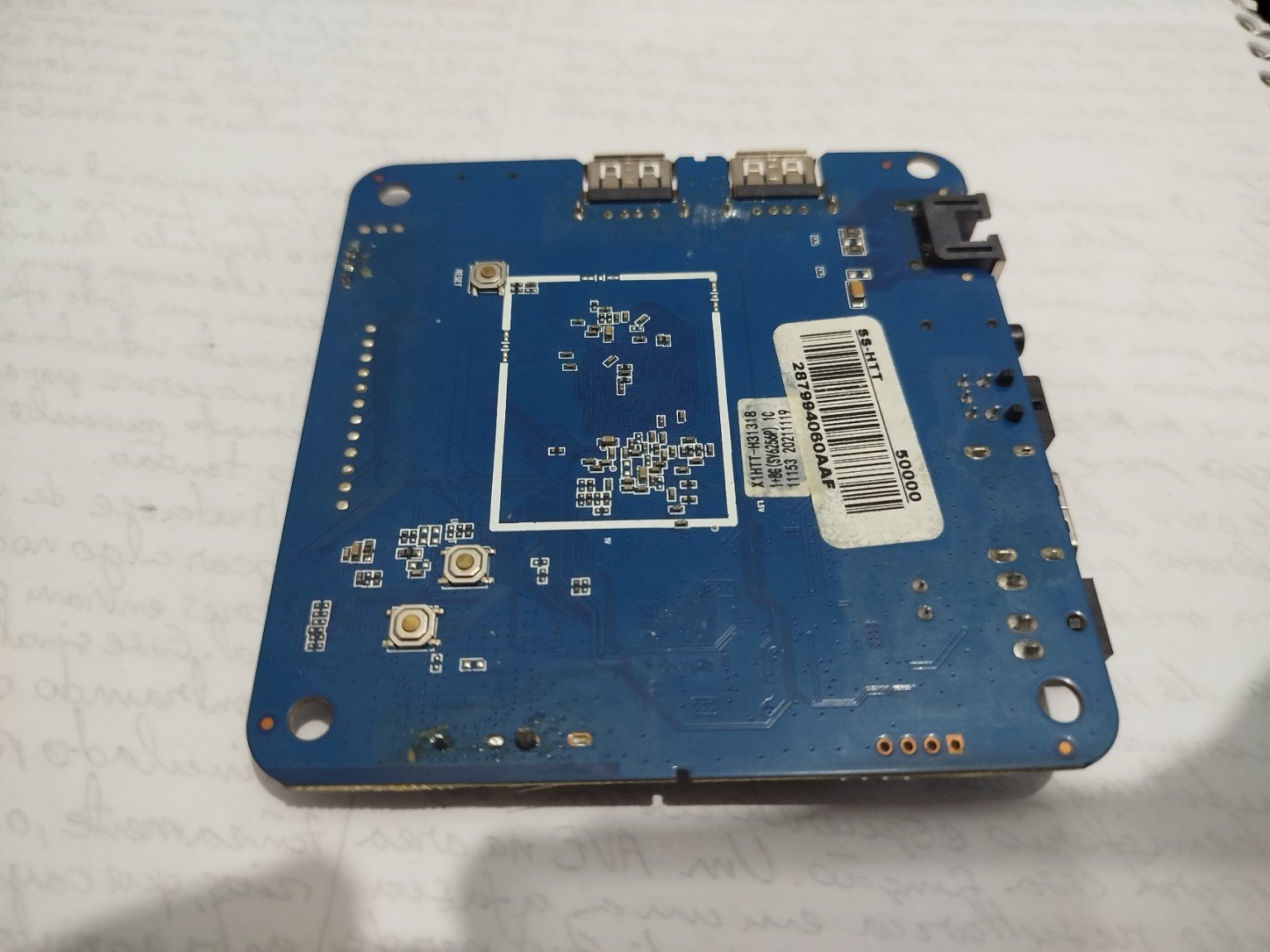
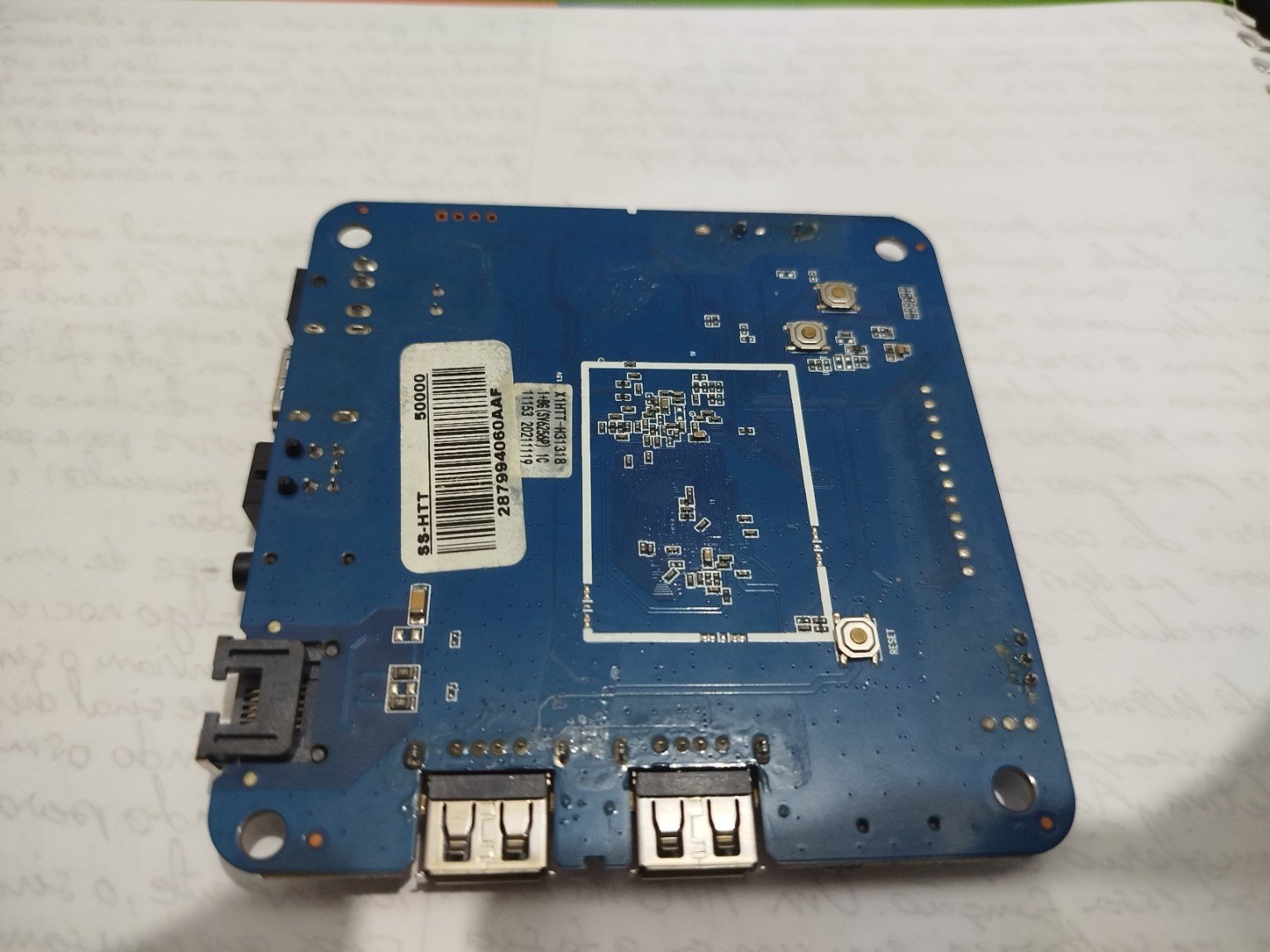
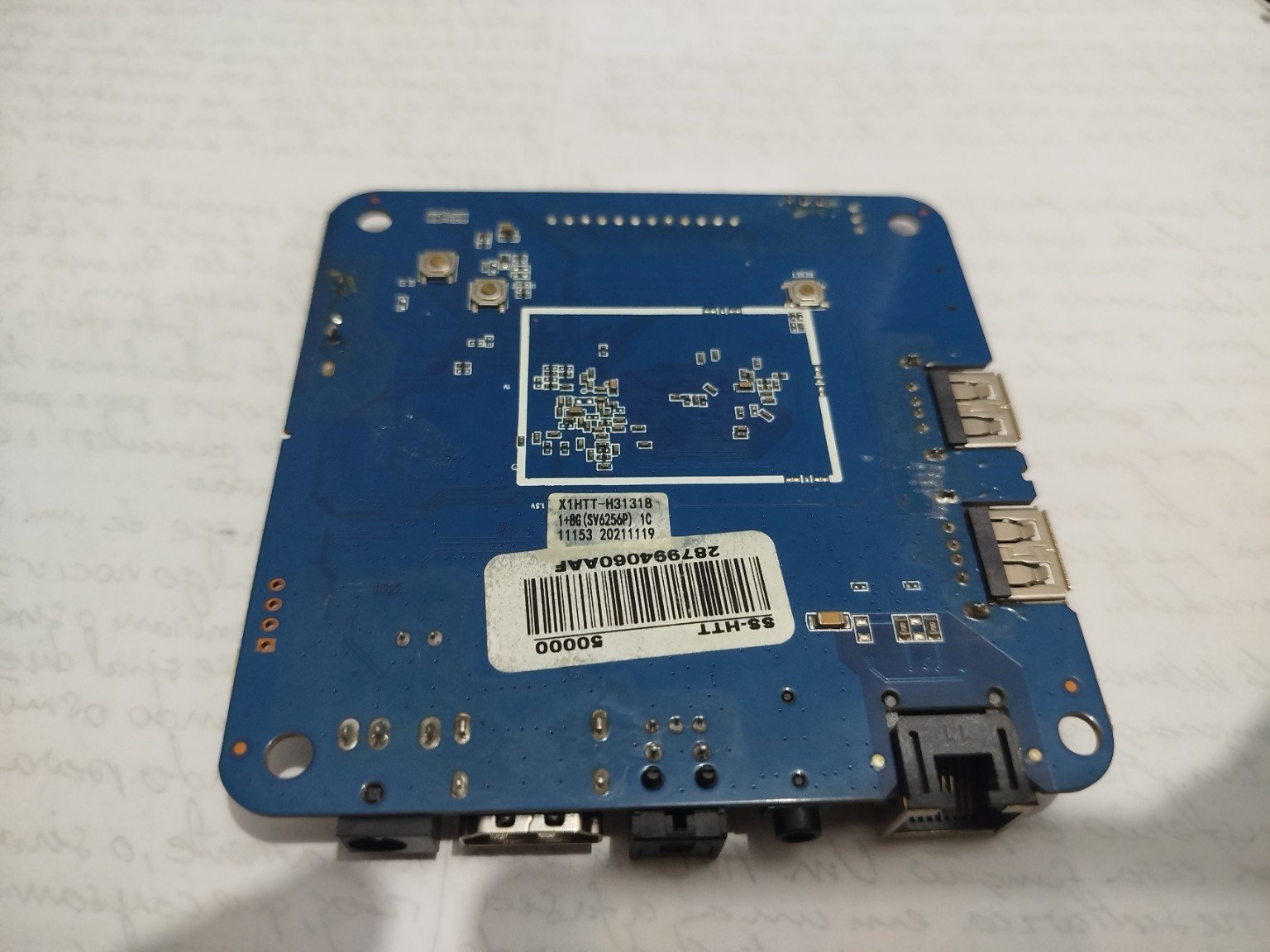
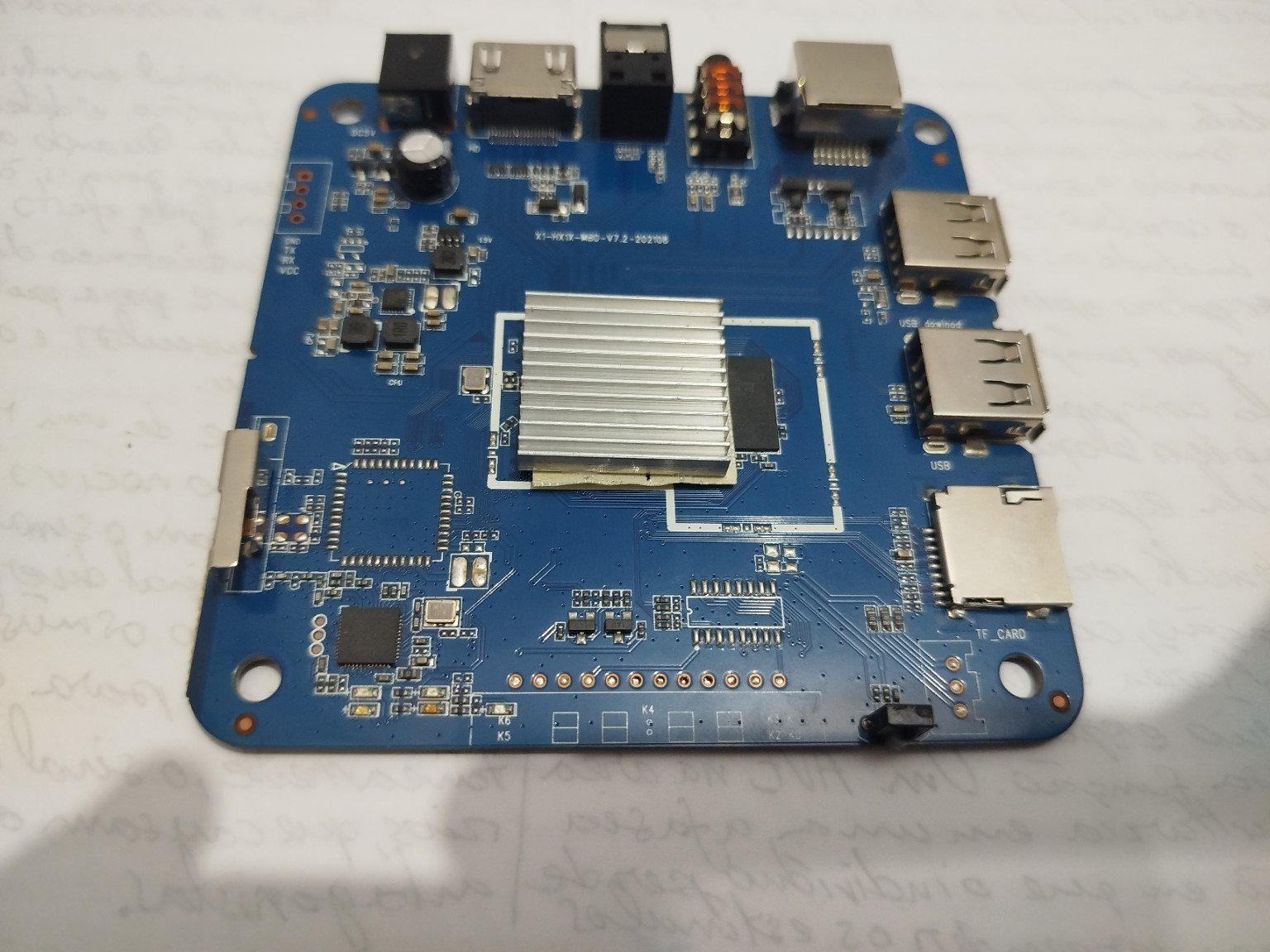
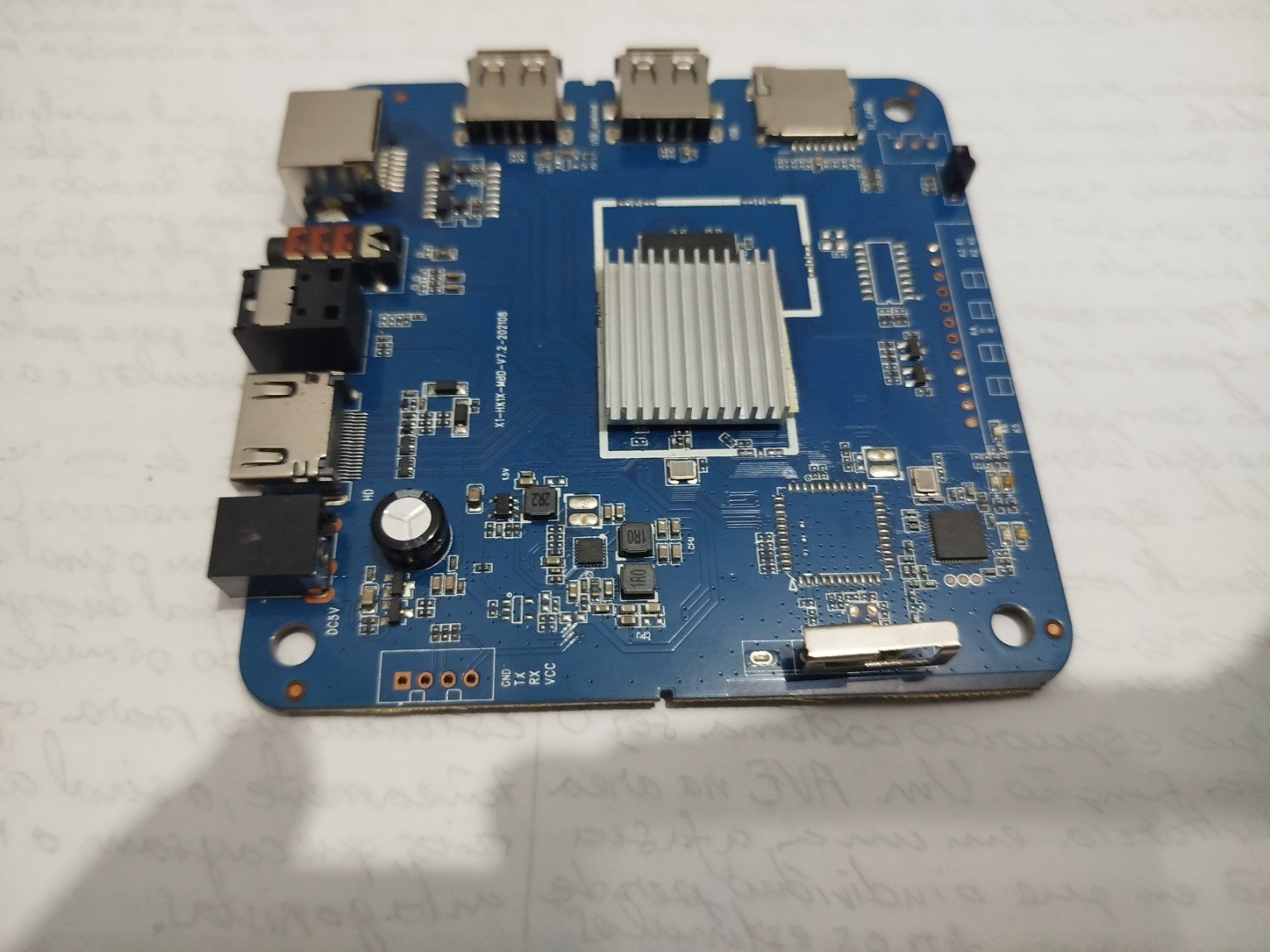
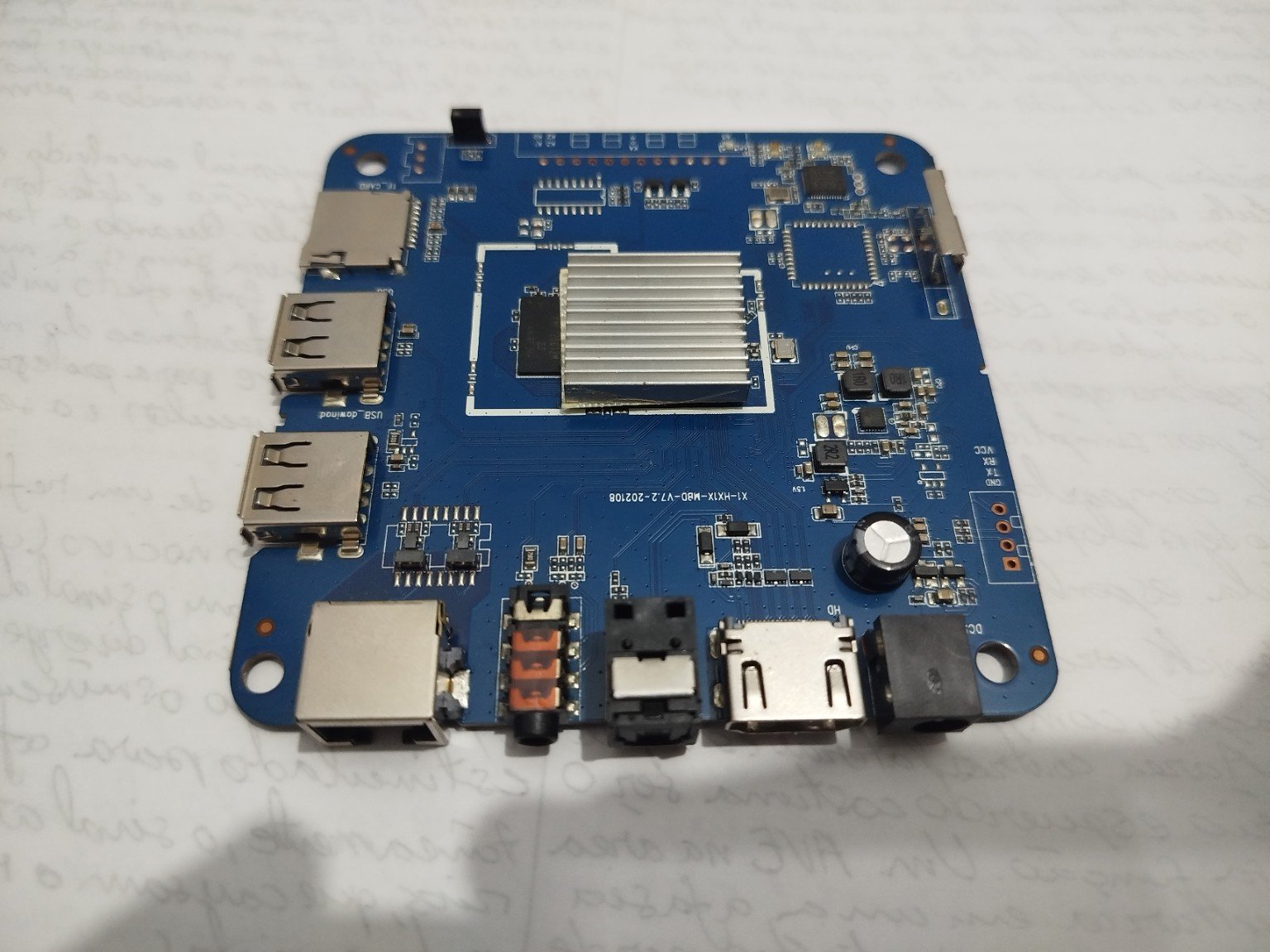
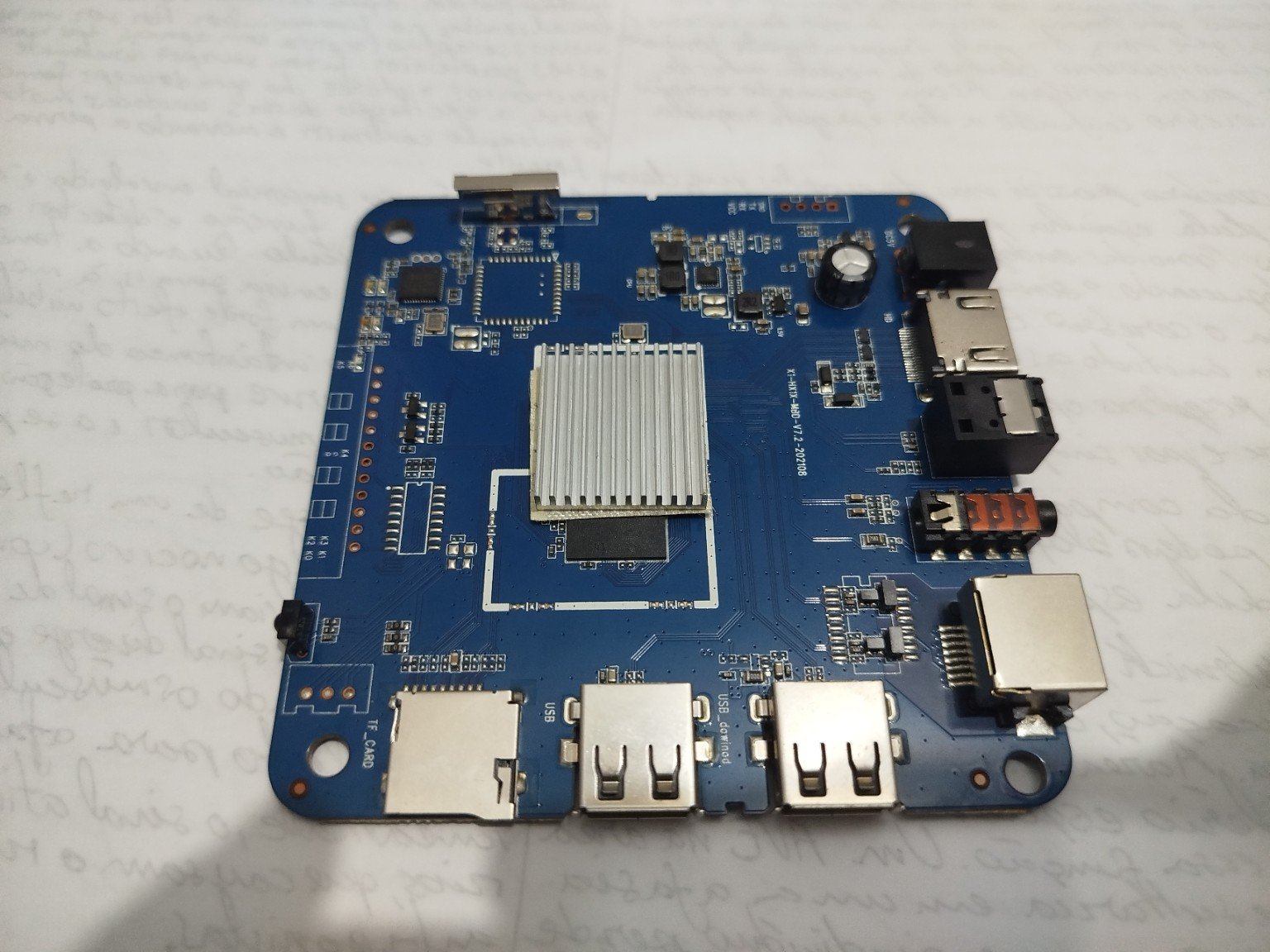
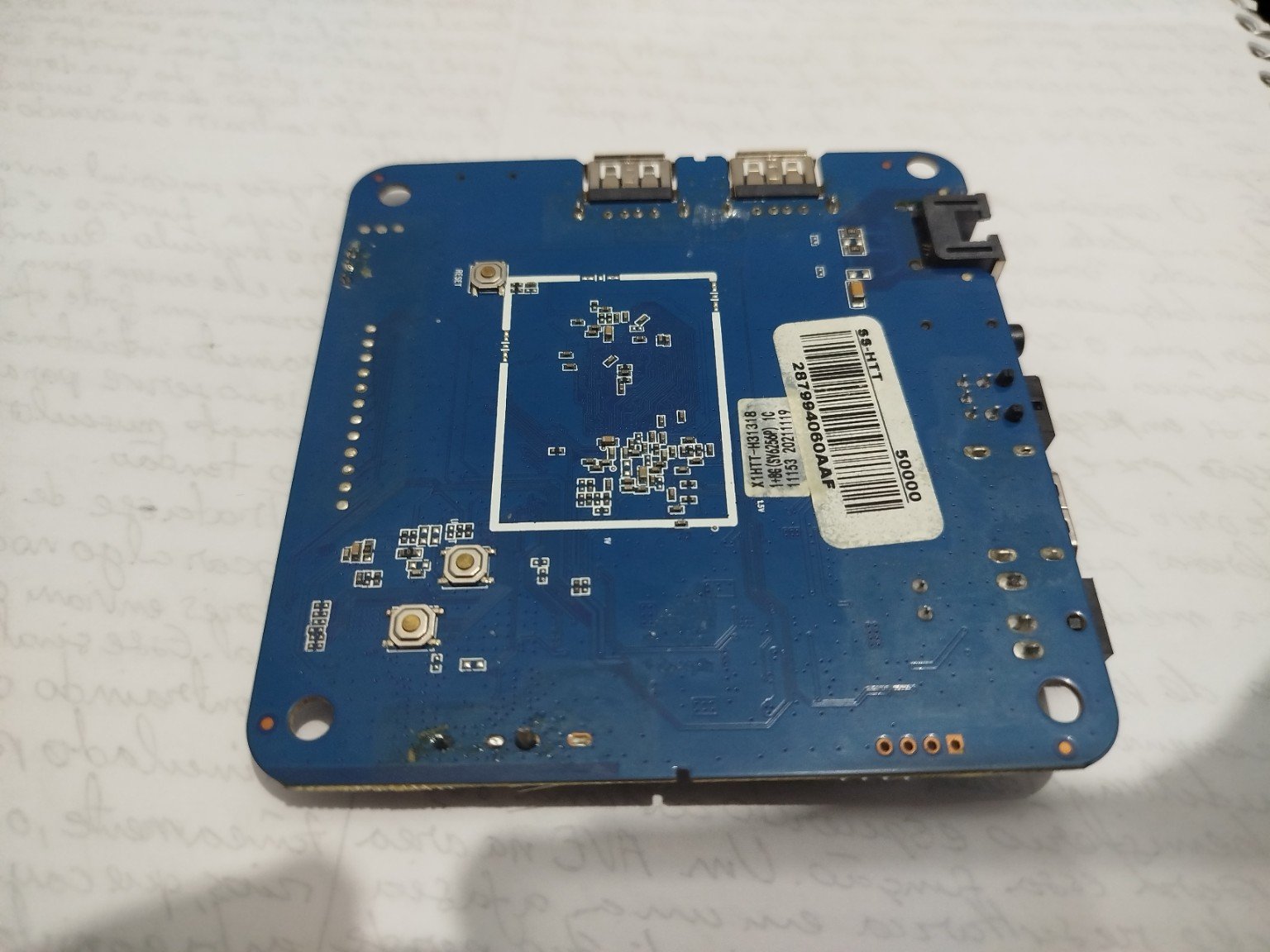
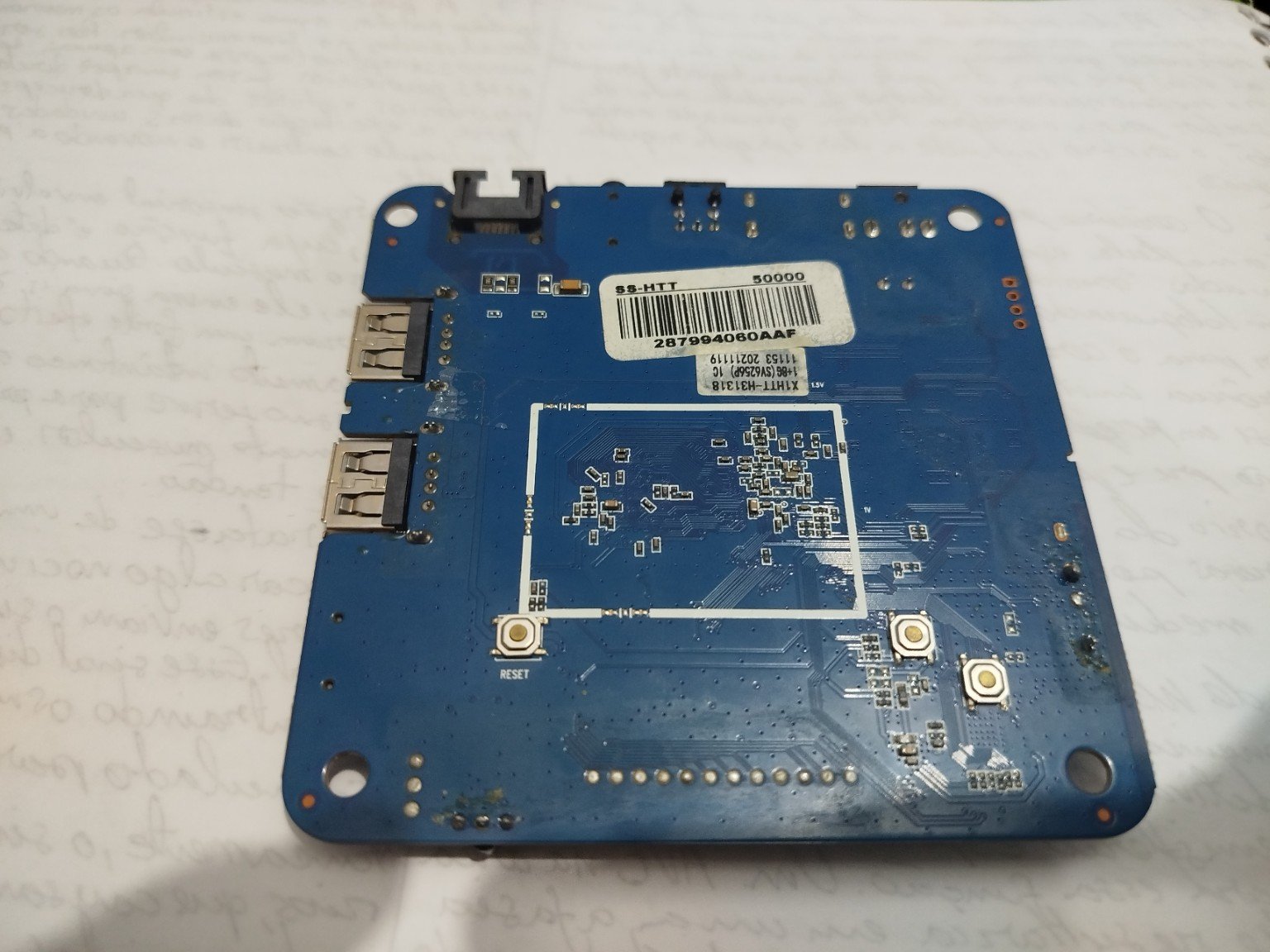
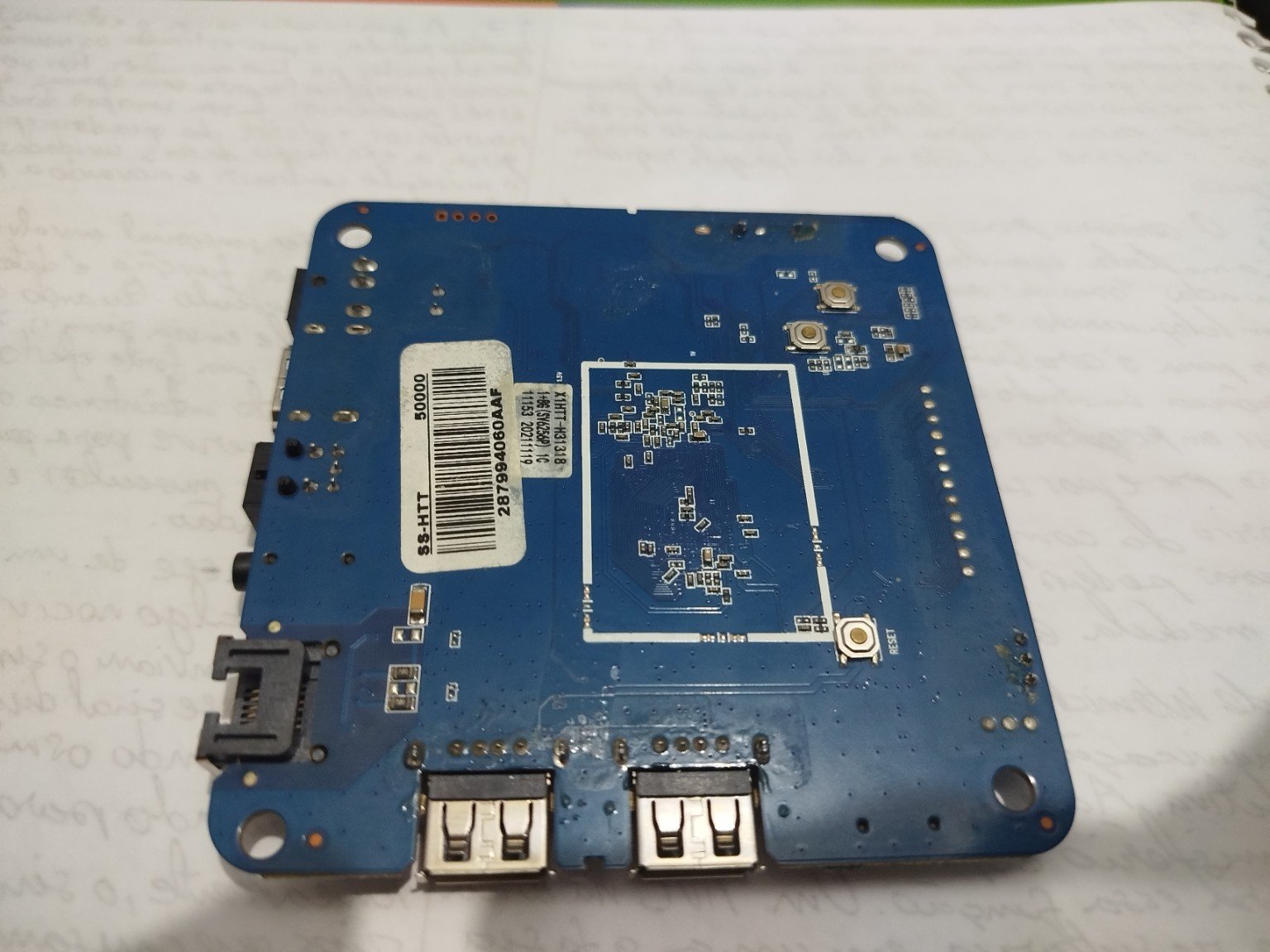
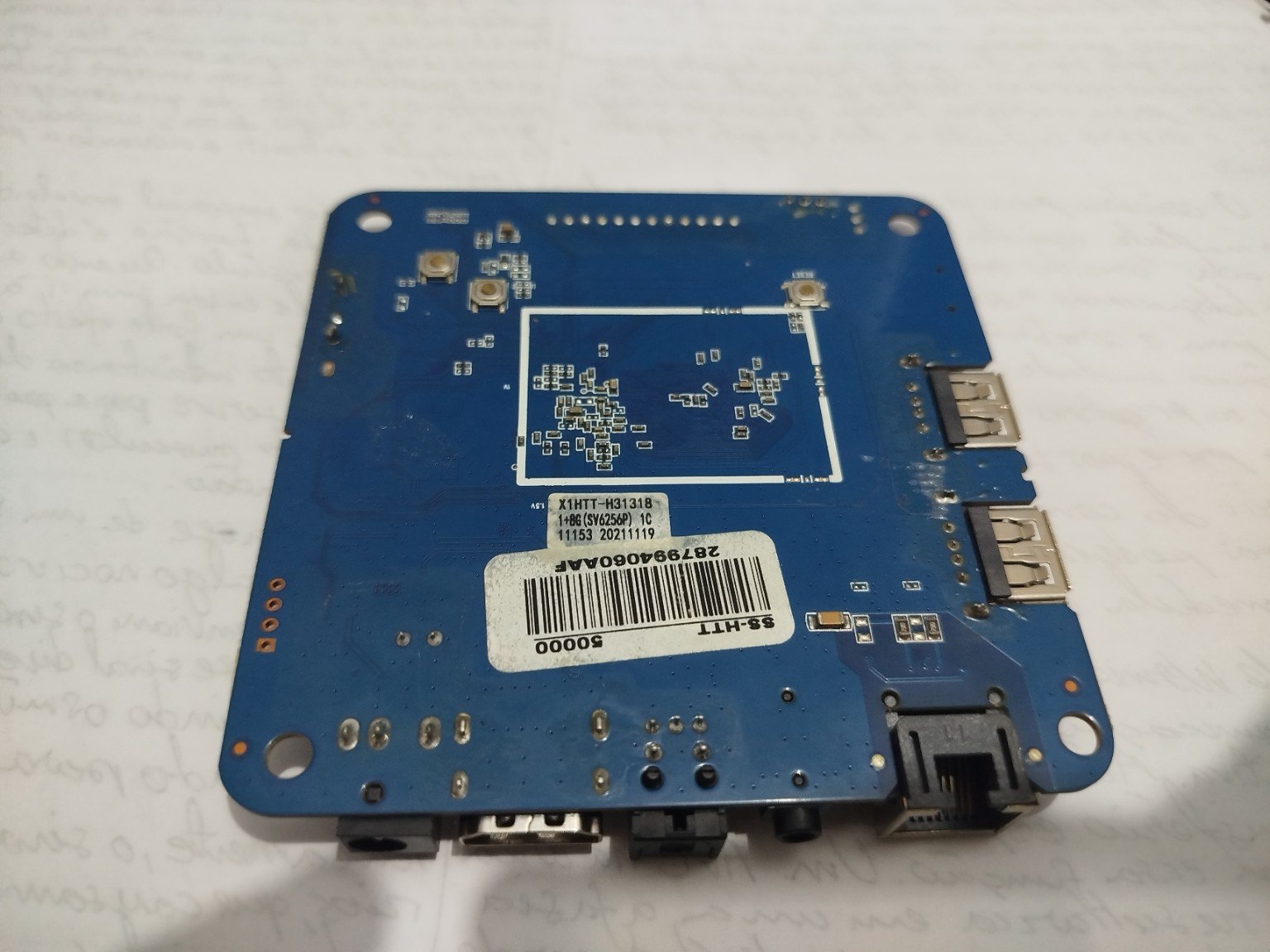
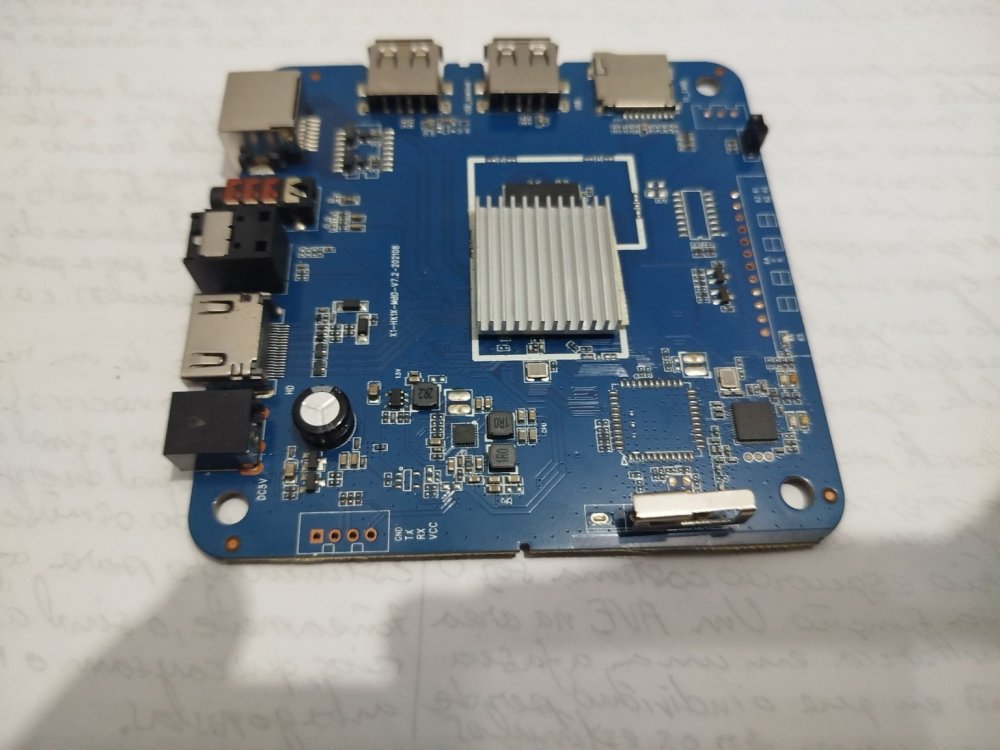
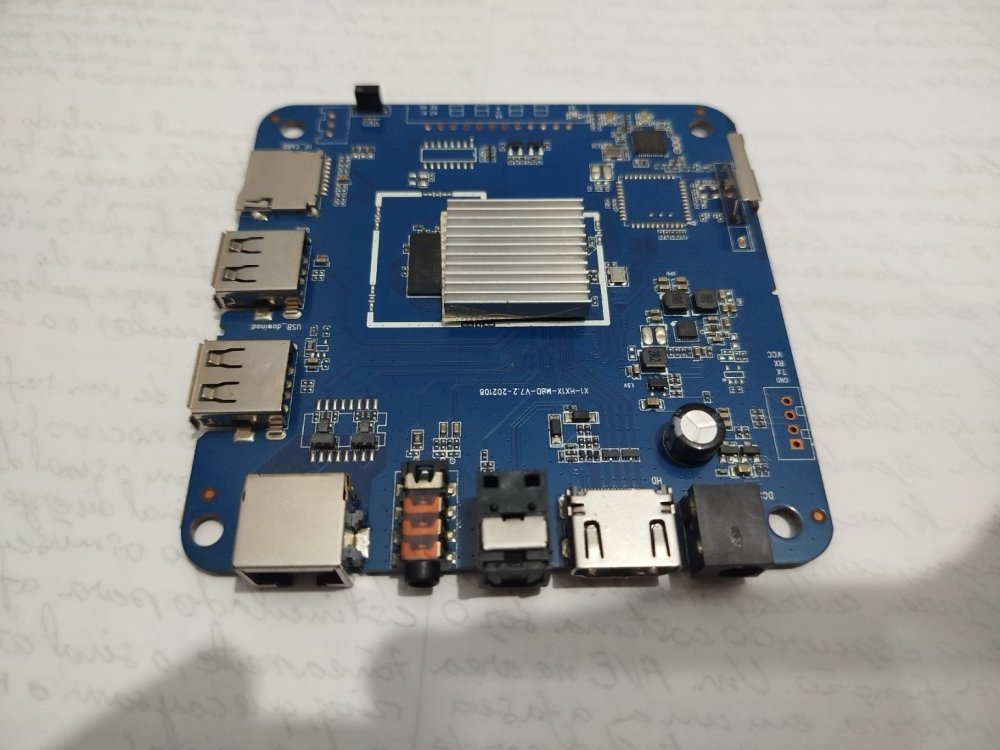
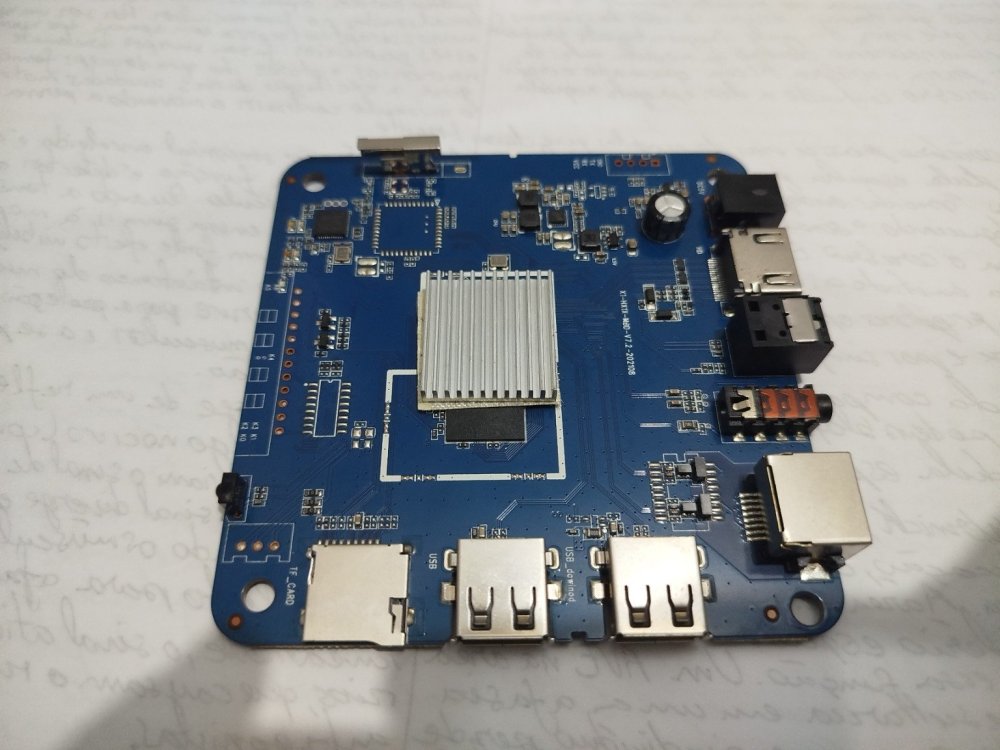
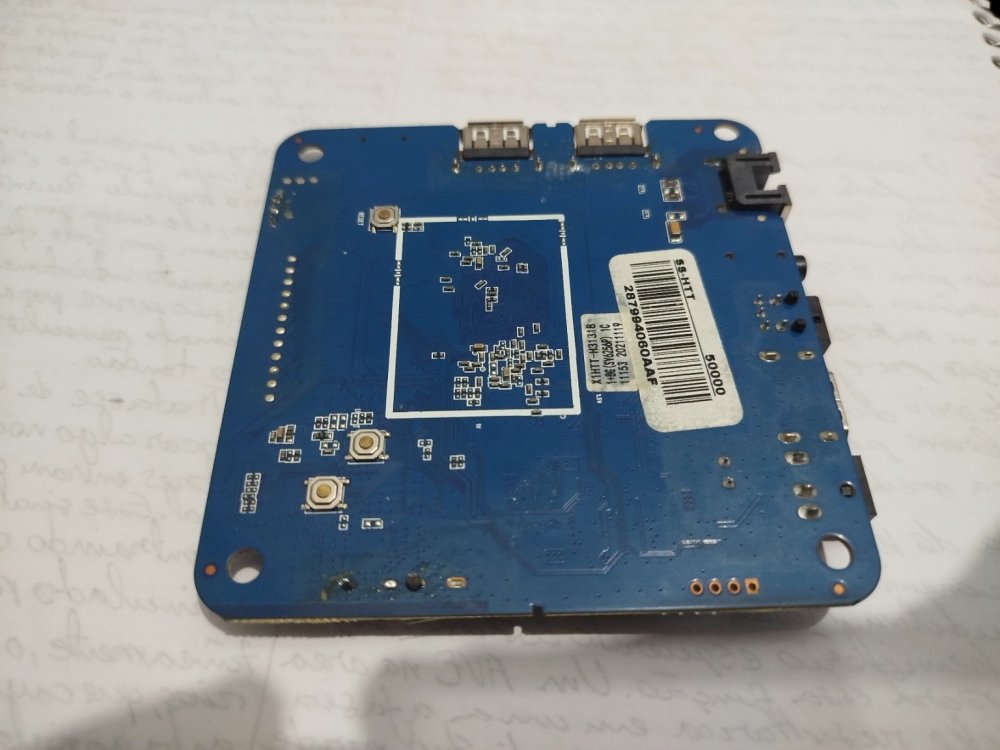
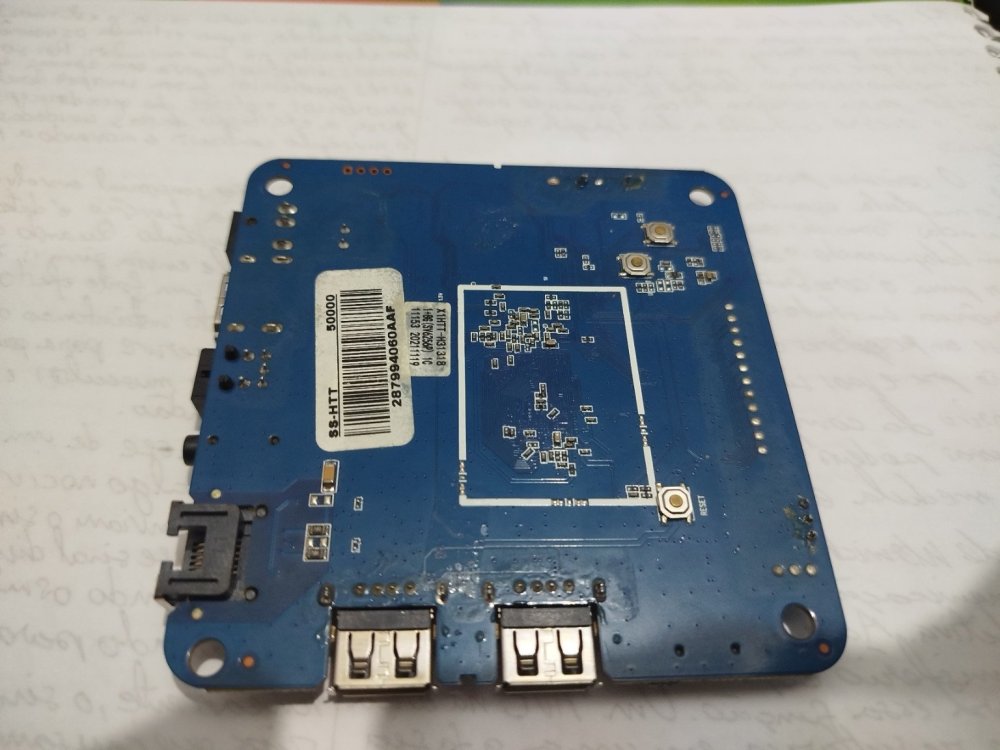
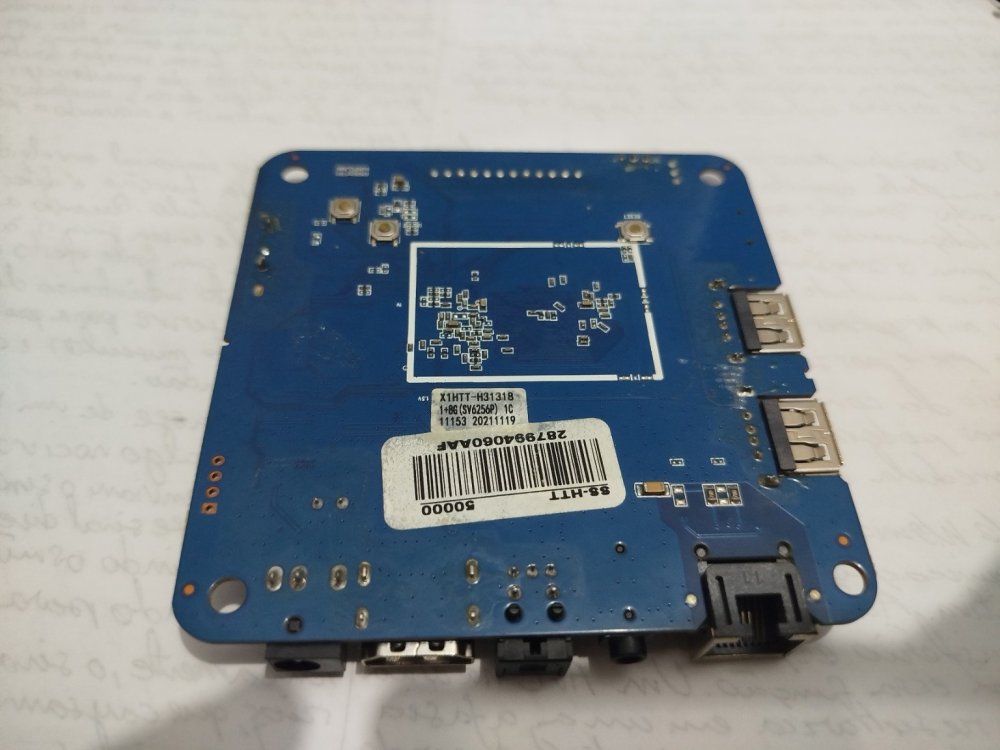
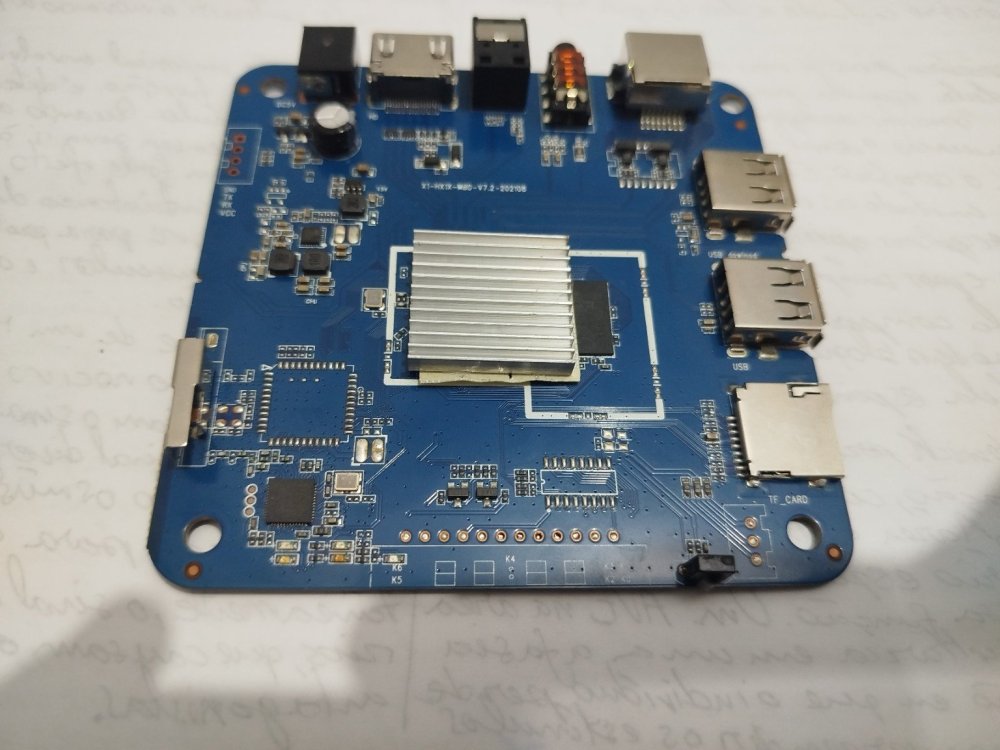
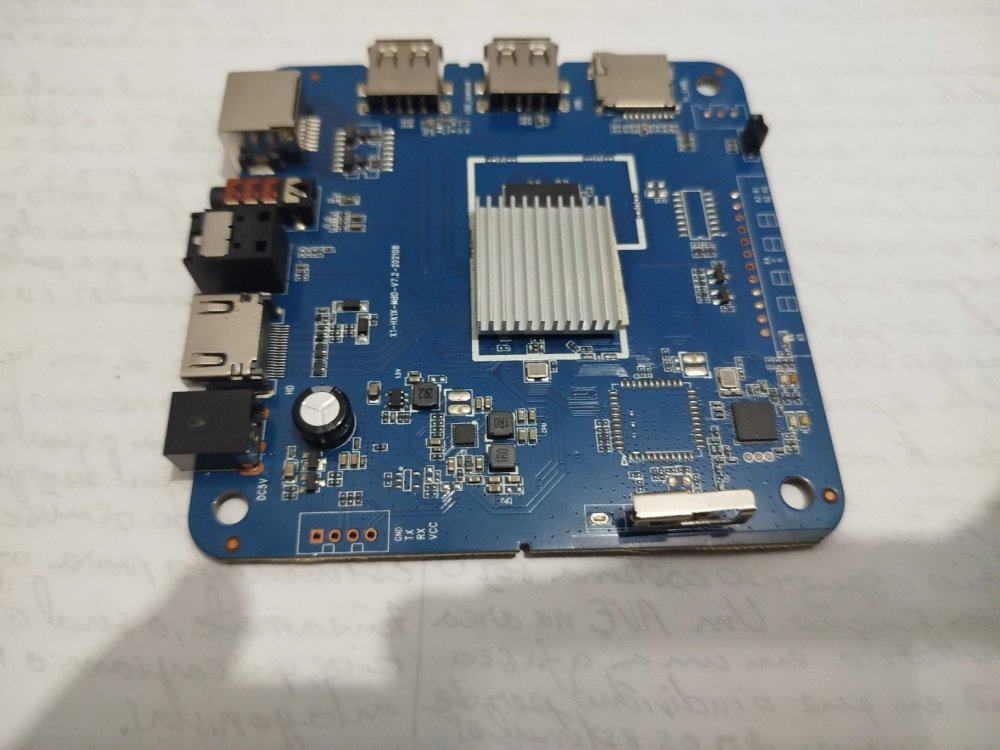
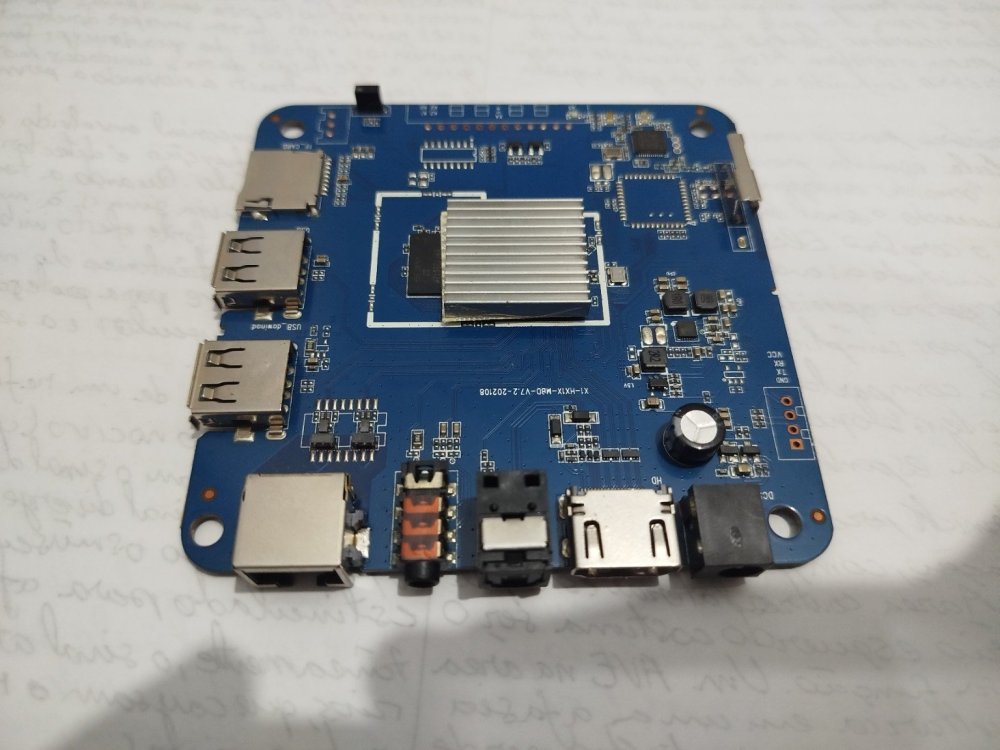
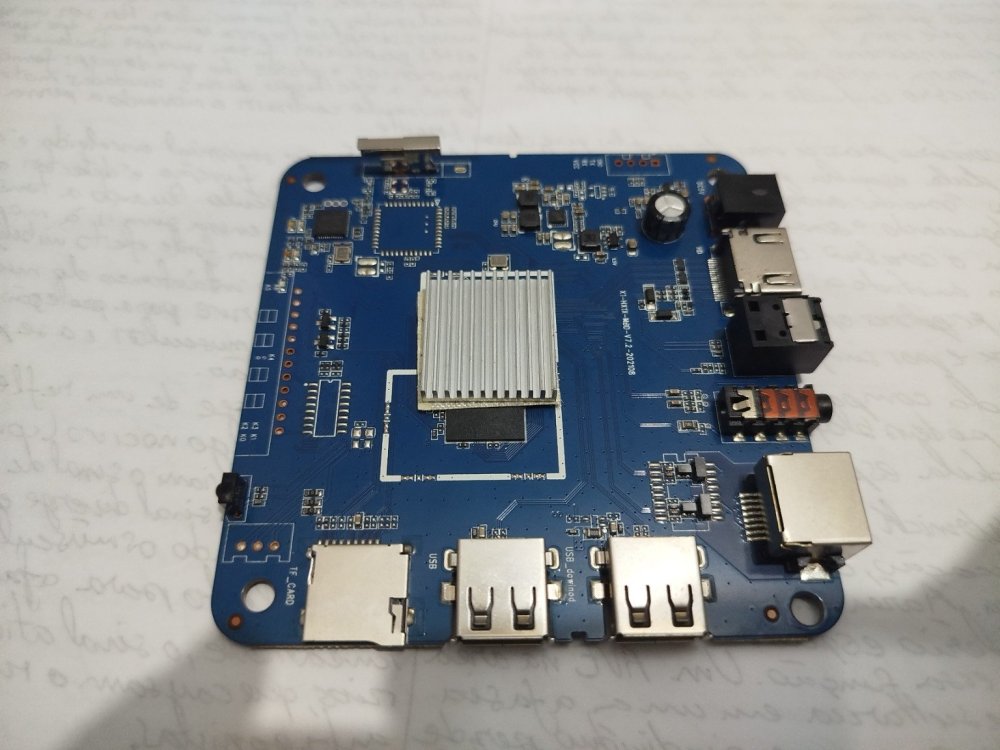
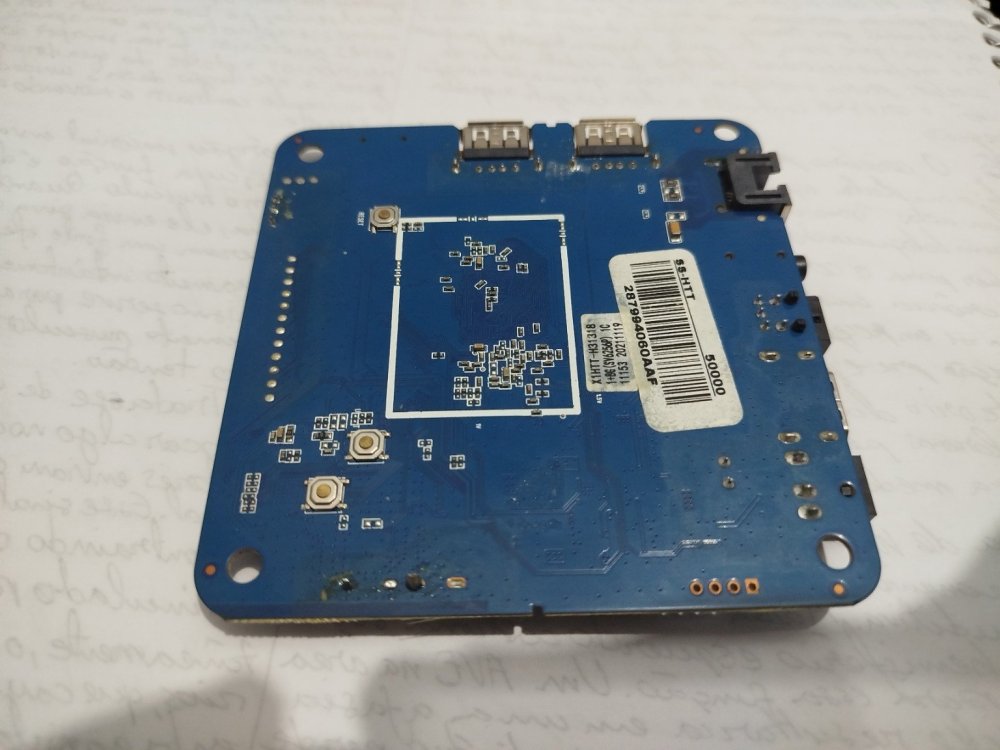
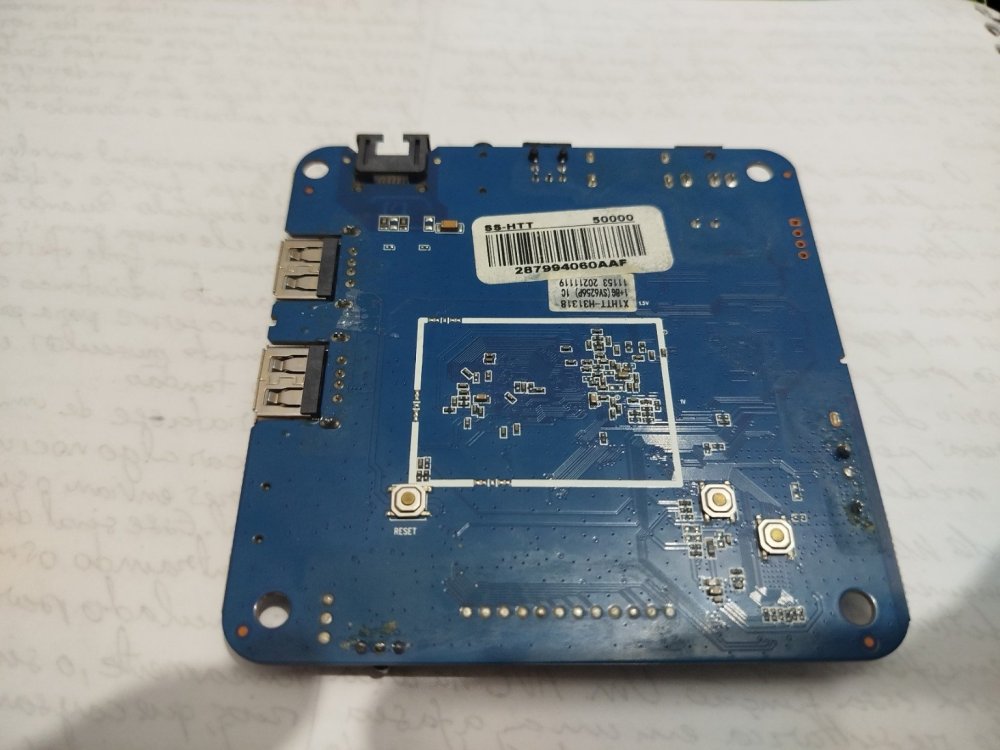
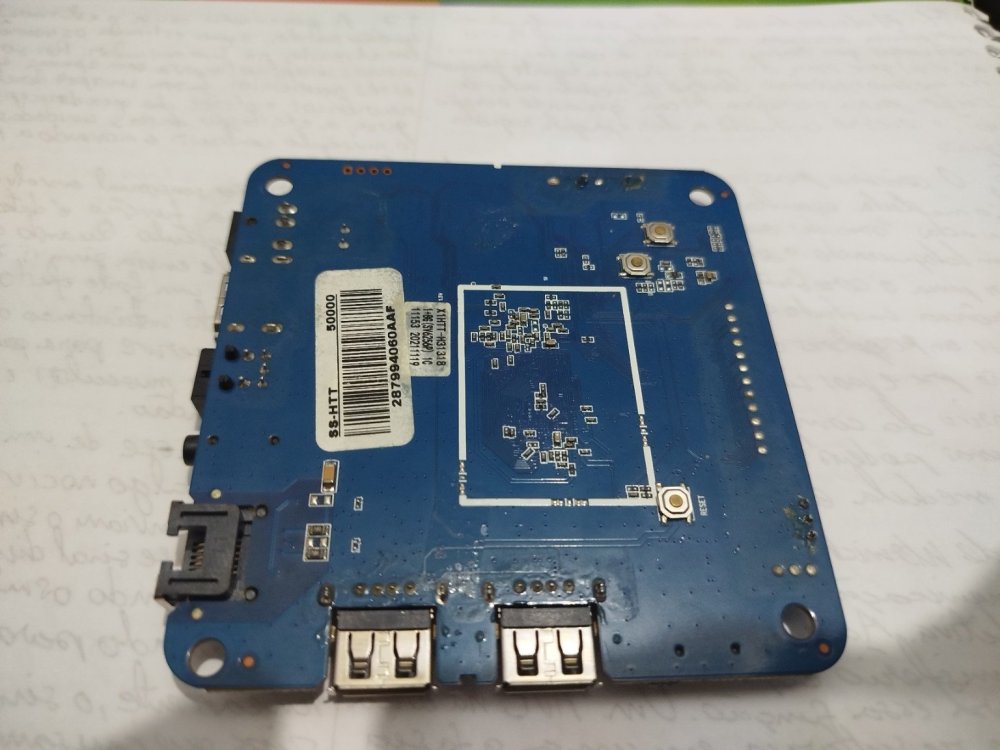
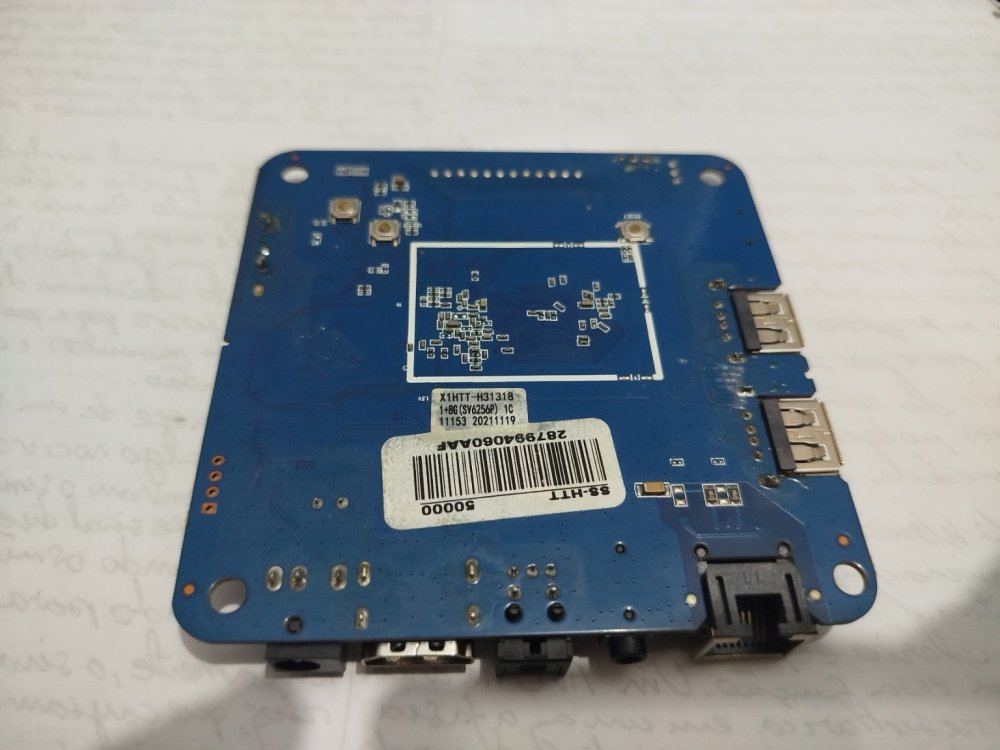
 I think I may have found the Wi-Fi info from the board label. It is an Allwinner H313 board, and the sticker says **1+8 (SV625 6P)**, so I believe the Wi-Fi chip/module is **SV6256P**. I still can't read the marking directly on the IC itself, but the board label strongly suggests that this is the Wi-Fi chip being used.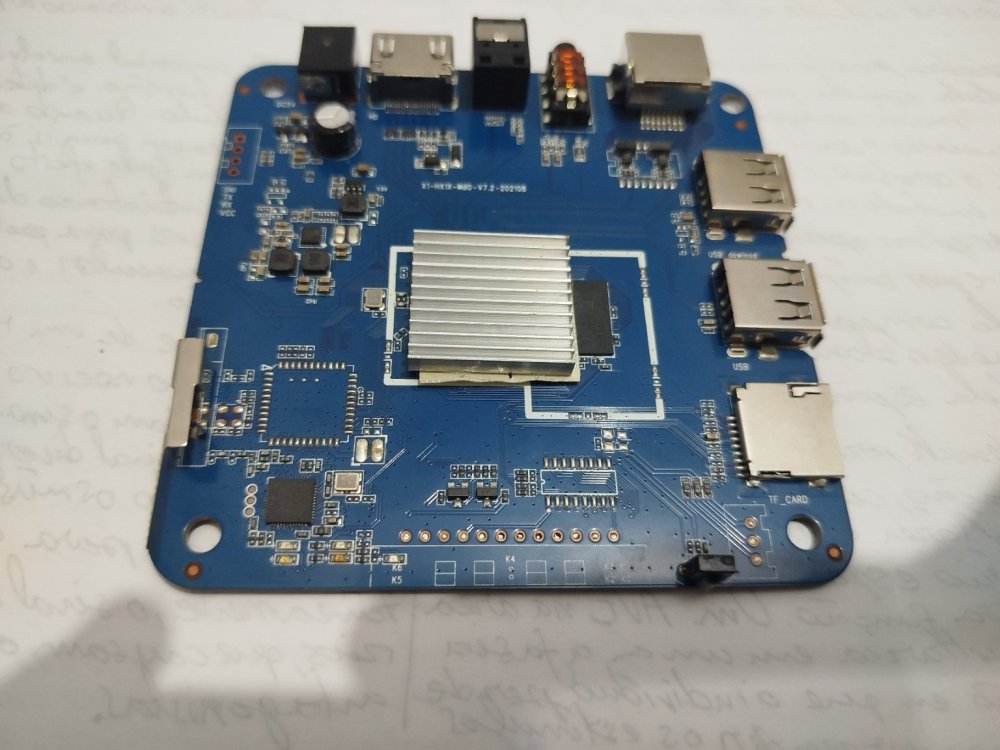
- Yesterday
-
3D Graphics Acceleration on T95N (A98X Jackbox) - RK3229 with 2GB RAM / 16GB eMMC - Educational Project for Schools Hi, I’m working on a project using a specific TV Box model (A98X Jackbox) to repurpose these boxes as low-cost computers for schools. The goal is to provide students with a platform to use AI tools and basic productivity, but I need better browser rendering. Hardware Specs (Confirmed via board teardown and logs): Board ID: T95N-RK3229_512X4_V1.5 CPU: Rockchip RK3229 RAM: 2GB (Confirmed via free -m) Storage: 16GB eMMC (SanDisk SDIN9DS2-16G) OS: Armbian 21.08.8 Bullseye (Legacy Kernel 4.4.194-rk322x) What I have done so far: Installed the Minimal image and set up LXDE with LightDM. Optimized the system (Governor set to performance, swappiness set to 10). Ran glxinfo -B which confirms it's currently using llvmpipe (Accelerated: no). Tried searching for Mali drivers via apt, but armbian-config is not available in the repositories for this specific build/architecture. Verified Wi-Fi functionality (working fine with LED config 2 via rk322x-config). The system is stable and surprisingly fast thanks to the 2GB RAM, but the CPU is struggling with 100% spikes during browser rendering (Epiphany WebKit) because it lacks GPU acceleration. Question: Is there a way to enable Mali-400 MP2 drivers for X11 on this Legacy 4.4 kernel? Are there any specific packages, blobs, or workarounds to get hardware acceleration working and replace llvmpipe? I’m available to run any tests or provide further logs if needed. Thanks for this amazing project!
-
Hi, First of all i'd like to thanks thanks all of you for your job or questions that help me to rescue from trash rk3318 based devices. I recover from a friend a X88 pro 10 (4G/128G), witch is a really chip old android-box. I looking for making a media center running kodi and and minimal web browser for unsupported kodi streaming services. I successfully install armbian_community trunk (Rk3318-box_noble_current_6.xx.xx_xfce_desktop.img.xz) using multitool. _ _ _ _ _ /_\ _ _ _ __ | |__(_)__ _ _ _ __ ___ _ __ _ __ _ _ _ _ (_) |_ _ _ / _ \| '_| ' \| '_ \ / _` | ' \ / _/ _ \ ' \| ' \ || | ' \| | _| || | /_/ \_\_| |_|_|_|_.__/_\__,_|_||_|_\__\___/_|_|_|_|_|_\_,_|_||_|_|\__|\_, | |___| |__/ v26.2 rolling for RK3318 Box running Armbian Linux 6.18.21-current-rockchip64 Packages: Ubuntu stable (noble) Support: for advanced users (rolling release) IPv4: (LAN) 192.168.xxx.xxx (WAN) xxx.xxx.xxx.xxx Performance: Load: 2% Uptime: 1d 22h 21m Memory usage: 14% of 3.87G CPU temp: 45°C Usage of /: 6% of 114G RX today: 1 MiB Tips: Becoming a sponsor? https://github.com/sponsors/armbian I run rk3318-config and choose this config: RK3318 (max 1.1Ghz...) no selection on eMMC additional speed options rk3318-box-led-conf2 X88_PR_B_boards Reboot and Install kodi and codec with : sudo apt install ffmpeg mpv kodi kodi-repository-kodi --install-recommends I have some issues : xfce menu is quite slow when I navigate for choosing app. chromium is very very slow and video on youtube are too lagy when decoding Kodi works on xfce but can't decode video, i try on standalone (choose on connection window), still can't decode. I looking on this post without success and this one, same issue. If anyone have a idea to help me to save this device and make me able to use it as a media center. Thanks
-
@Sergioclr you can also try a newer branch https://github.com/NickAlilovic/build/tree/v20251014 https://github.com/NickAlilovic/build/tree/v20251014?tab=readme-ov-file#build-host-requirements
-
@Sergioclr Requirements for self hosted x86_64 / aarch64 machine at least 2GB of memory and ~35GB of disk space for VM, container or bare metal installation Armbian / Ubuntu Jammy 22.04.x for native building or any Docker capable Linux for containerised Windows 10/11 with WSL2 subsystem running Ubuntu Jammy 22.04.x Superuser rights (configured sudo or root access). Make sure your system is up-to-date! Outdated Docker binaries, for example, can cause trouble.
-
 $ cat /etc/os-release PRETTY_NAME="Debian GNU/Linux 13 (trixie)" NAME="Debian GNU/Linux" VERSION_ID="13" VERSION="13 (trixie)" VERSION_CODENAME=trixie DEBIAN_VERSION_FULL=13.4 Compile phase failed due to missing package (ntpdate) Short log: [🌱] Configuration prepared for BOARD build [ x98h.csc ] [✨] Repeat Build Options (early) [ ./compile.sh build BOARD=x98h BRANCH=edge BUILD_DESKTOP=no BUILD_MINIMAL=no KERNEL_CONFIGURE=no RELEASE=trixie ] [🌱] Checked directory OK for mount options [ /home/*****/build/.tmp ('main temporary dir') ] [🌱] Preparing [ host ] [🌱] Python2 not available on host release 'trixie' [ ancient u-boot versions might/will fail to build ] [🌱] Updating apt host-side for installing host-side packages [ 50 packages ] [🌱] Installing host-side packages [ binfmt-support bison libc6-dev make dpkg-dev gcc ccache device-tree-compiler dwarves flex imagemagick jq libbison-dev libelf-dev libfdt-dev libfile-fcntllock-perl libmpc-dev libfl-dev lz4 libncurses-dev libssl-dev libusb-1.0-0-dev ntpdate patchutils pkg-config pv qemu-user-static arch-test swig u-boot-tools uuid-dev zlib1g-dev expect colorized-logs zip pigz pbzip2 lzop gdisk aria2 axel parallel rdfind libpython3-dev libffi-dev libgnutls28-dev gcc-aarch64-linux-gnu libc6-amd64-cross gcc-arm-linux-gnueabi gcc-or1k-elf ] [🔨] E: Package 'ntpdate' has no installation candidate [💥] error! [ Failed to install host packages; make sure you have a sane sources.list. ] [💥] Cleaning up [ please wait for cleanups to finish ] [🌿] ANSI log file built; inspect it by running: [ less -RS output/logs/log-build-dd186c47-e7eb-49f8-8d38-836915cf0aec.log.ans ] [🌱] Share log manually: [ use one of the commands below (or add SHARE_LOG=yes next time!) ] Note ntpdate has a more recent version: ntpsec-ntpdate Should I try to compile in a Debian 12 computer? I am afraid of messing with 'sources.list'. Thanks in advance.
 -
Wayland 1.25 refreshes its documentation with three new chapters covering Wayland XML specification, content model updates, and color management design. View the full article
-
Hi @sven-ola , I'm having an issue where my portrait-oriented monitor isn't displaying anything properly. I have a portrait-oriented monitor, and when I try to connect it via HDMI, it doesn't display anything—the screen remains blank. I found this in dmesg: [drm] spacemit_hdmi_connector_detect() hdmi status connected [drm] Initialized spacemit 1.0.0 for c0440000.display-subsystem-hdmi on minor 1 [drm] spacemit_hdmi_connector_detect() hdmi status connected [drm] spacemit_hdmi_get_edid_block() len 128 [drm] spacemit_hdmi_get_edid_block() len 128 spacemit-drm-drv c0440000.display-subsystem-hdmi: [drm] Cannot find any crtc or sizes I added `video=1080x1920@60` to the kernel parameters. Now it outputs: [ 4.162834] spacemit-drm-drv c0440000.display-subsystem-hdmi: [drm] User-defined mode not supported: "1080x1920": 60 137020 1080 1152 1160 1176 1920 1934 1936 1942 0x68 0x5 [ 4.162871] spacemit-drm-drv c0440000.display-subsystem-hdmi: [drm] Cannot find any crtc or sizes I think this is because the driver only supports a resolution of 1920x1080, but not 1080x1920. dmesg.txt
-
hey hows it going? is there someone who could point me to the right direction on if my device supports armbian and where i could get the files i need to flash my emmc. ive had no luck with pre built rasp pi i get the errors with firmware and it wont let me flash it. kind regrads Daniel
-
 @Jugo Slaven What version of Armbian are you running?