All Activity
- Today
-
 For information: First reboot and crash same that before use rk3399-kobol-helios64.dtb-6.12.xx-L2-hs400-opp. 😞 Back to 6.12.58, rk3399-kobol-helios64.dtb-6.12.xx-L2-hs400-opp and freeze to this setting Me and my brother have helios64 with 6.18.10 Kernel : RAID 10 / LVM / LUKS and crash always when "cryptsetup open..." start Crash when many I/O Crash when use Full CPUs With rk3399-kobol-helios64.dtb-6.12.xx-L2-hs400-opp and Kernel 6.12.58 or 6.12.(XX below): Me, never crash but I reboot often and power off often for personal choice. My brother have uptime upper than 100 or 200 days with problem, freeze or crash Bye
 -
Hi everybody, I running Helios64 with kernel 6.12.58 since a long time and the prahal dtb file rk3399-kobol-helios64.dtb-6.12.xx-L2-hs400-opp and my helios64 work well. Today, Armbian upgrade to 6.18.10 kernel. Is this update use the same change or patch like in rk3399-kobol-helios64.dtb-6.12.xx-L2-hs400-opp ? Is rk3399-kobol-helios64.dtb-6.12.xx-L2-hs400-opp work with 6..18.10 kernel ? Is I must to downgrade to 6.12.58 kernel with rk3399-kobol-helios64.dtb-6.12.xx-L2-hs400-opp and freeze at this kernel version ? Thanks for answer.
-
 @naceur abdelkader Your post has nothing to do with Armbian. Please find a more appropriate site to ask your question. This site is for Armbian linux.
 -
 Dear Sir/Madam, I am writing to request the official firmware for my Trenspeed H616 device. I accidentally installed an Orange Pi firmware, which caused my device to lose the Google Play Store and essential services. Device specifications: Board: T98_616_LP3_210222 Memory: 4GB RAM / 32GB storage Current version: Android 10 I would greatly appreciate it if you could provide a link to the official firmware or instructions for the correct update, ensuring that it includes Google Play Store and core services. Thank you very much for your assistance.
 -
Download the RV2 image. It's basically the same plus DKMS (including headers) for building the bcmdhd wifi driver. You need to change the "fdt" line in /boot/extlinux/extlinux.conf for rv2->r2s (DTB file is there), e.g before uploading with mount -o offset=$(( 512 * 8192 )) Armbian-....img /mnt/
-
@sven-ola The nightly is on 6.19 without headers, so I can't build any additional drivers. The nightly is working on the R2S with ethernet ports and no heating issues, no load average problems. How do I get a 6.18 build (Current)? Thanks.
-
PCIe is a rabbit hole for it's own. I have a Wifi card that cannot issue in-line-interrupts ("MSI") for some reason so the firmware upload fails, while working fine with same driver in my PC. I simply don't use it. ASPM quirks also seems not to be too uncommon, a simple grep quirk_disable_aspm drivers/pci/quirks.c|wc -l shows 21...
-
@maxsub with a recent kernel, temp and load should be fine. The exiting question is: all 4 Ethernet ports are working?
-
Schematics-wise no - at leasts I don't see a diff in the RV2_SCH.pdf. Electrical-wise probably - other traces, so maybe more or less crosstalk, better or worse gnd and such. From a software perspective: this is PCIE-B and C (while A is unused). That PCIe active state power management seems to be a source of endless pleasure, maybe the NVME vendors all have digested the wrong specs or so. Anyhow: if it works now, it's fine probably.
-
My n2 works fine btw. https://paste.armbian.com/cocivagayi
-
@sven-ola Nightly build fixed the load problem and heat problem on R2S: linux-image-current-spacemit/now 26.2.0-trunk.574 riscv64 [installed,local] Armbian Linux current kernel image 6.18.18-current-spacemit This is my current uname -r: 6.18.18-current-spacemit
-
Setting pcie_aspm=off makes the drive work in the top slot albeit one order of magnitude slower than in the bottom slot. If I swap the kernel parameter with pcie_aspm.policy=performance, I've got a working drive and it's operating at normal speed. Thanks a bunch! Seeing that there are differences in behavior between the two M.2 slots, does that mean they're connected differently?
-
> apt search linux-headers linux-headers-6.19.6+deb14+1-common/testing 6.19.6-2 all Common header files for Linux 6.19.6+deb14+1 linux-headers-6.19.6+deb14+1-riscv64/testing 6.19.6-2 riscv64 Header files for Linux 6.19.6+deb14+1-riscv64 linux-headers-riscv64/testing 6.19.6-2 riscv64 Header files for Linux riscv64 configuration (meta-package) > uname -r 6.18.18-current-spacemit
-
I installed 6.18.18-current-spacemit from the nightly but can't find the headers package to build the GPU support. The repo has 6.19.x headers but no 6.18.x headers.
-
FT232R, CH340 or CP2104 are known to work nicely. Search for any usb uart adapter built around one of these. Don't get CP2102 because if you ever get a rockchip board it would be useless.
-
If you'd like to get the LEDs working with armbian, you can run these commands (or one of the other ones if you want different indications): run modprobe ledtrig-netdev to check if it's loading the driver properly. If not, add the file /etc/modules-load.d/ledtrig.conf add just this line: ledtrig-netdev Then, create /etc/tmpfiles.d/leds.conf and add this: w /sys/class/leds/green:lan/trigger - - - - netdev w /sys/class/leds/green:lan/device_name - - - - eth0 w /sys/class/leds/green:lan/link - - - - 1 w /sys/class/leds/green:lan/tx - - - - 1 w /sys/class/leds/green:lan/rx - - - - 1 w /sys/class/leds/green:wan/trigger - - - - netdev w /sys/class/leds/green:wan/device_name - - - - eth1 w /sys/class/leds/green:wan/link - - - - 1 w /sys/class/leds/green:wan/tx - - - - 1 w /sys/class/leds/green:wan/rx - - - - 1 w /sys/class/leds/red:power/trigger - - - - activity Note that "red:power" is actually the "green:sys" LED. I don't see a way to control the red power led (which is fine, the green:sys is what want to control anyway). I also use NetworkManager and set my ethernet names to eth0 and eth1 instead of the default names... Here's all the choices available for "triggers": none usb-gadget usb-host kbd-scrolllock kbd-numlock kbd-capslock kbd-kanalock kbd-shiftlock kbd-altgrlock kbd-ctrllock kbd-altlock kbd-shiftllock kbd-shiftrlock kbd-ctrlllock kbd-ctrlrlock disk-activity disk-read disk-write mtd nand-disk heartbeat cpu cpu0 cpu1 cpu2 cpu3 cpu4 cpu5 activity default-on panic usbport mmc1 rfkill-any rfkill-none r8169-0-100:00:link r8169-0-100:00:10Mbps r8169-0-100:00:100Mbps r8169-0-100:00:1Gbps stmmac-0:01:link stmmac-0:01:10Mbps stmmac-0:01:100Mbps stmmac-0:01:1Gbps netdev "activity" is also a good one for red:power if you prefer that to "heartbeat"
-

Gaming experience with Orange Pi 5 (RK3588) on Armbian
xiboliyadongtu replied to KhanhDTP's topic in Orange Pi 5
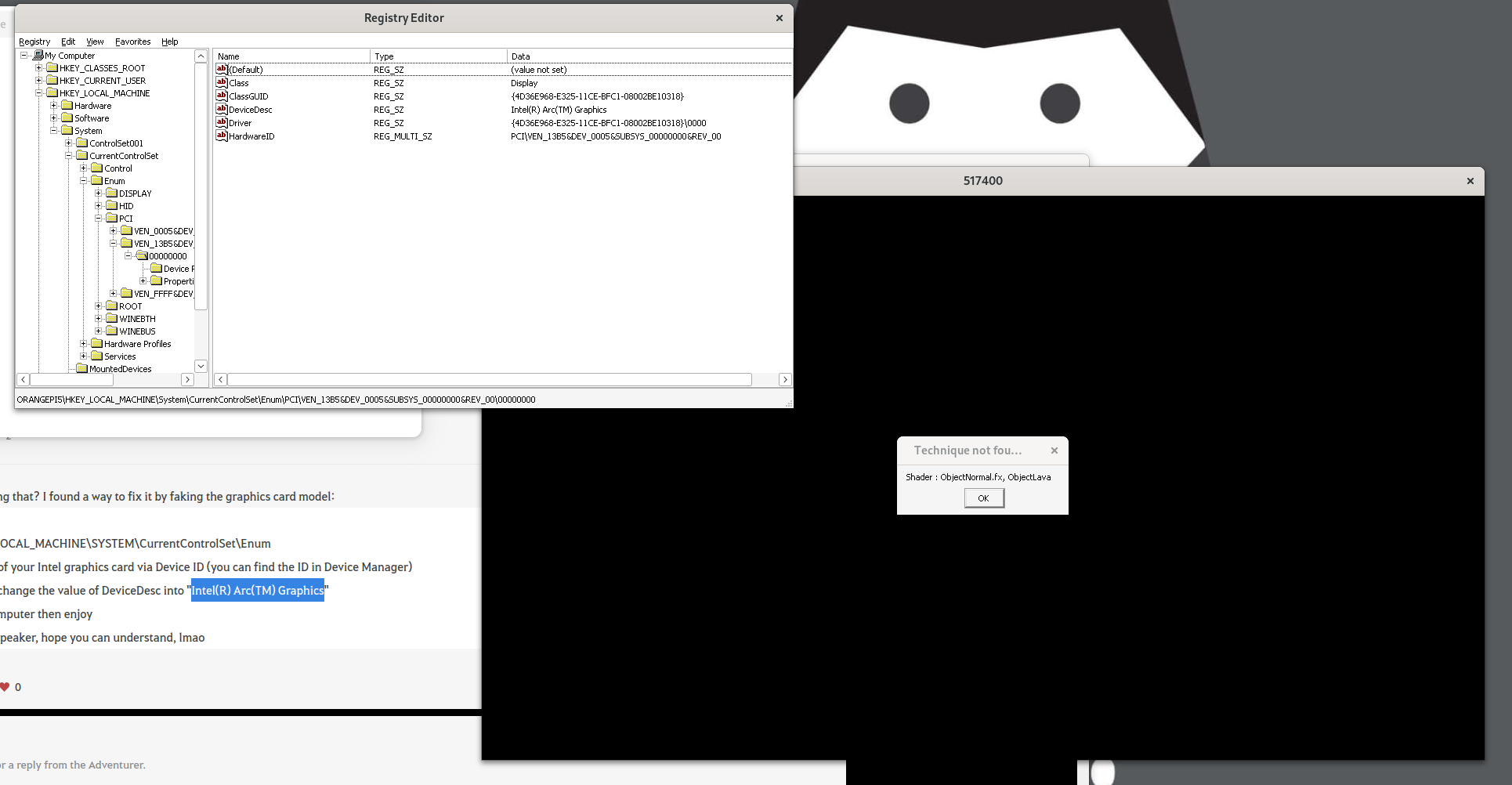
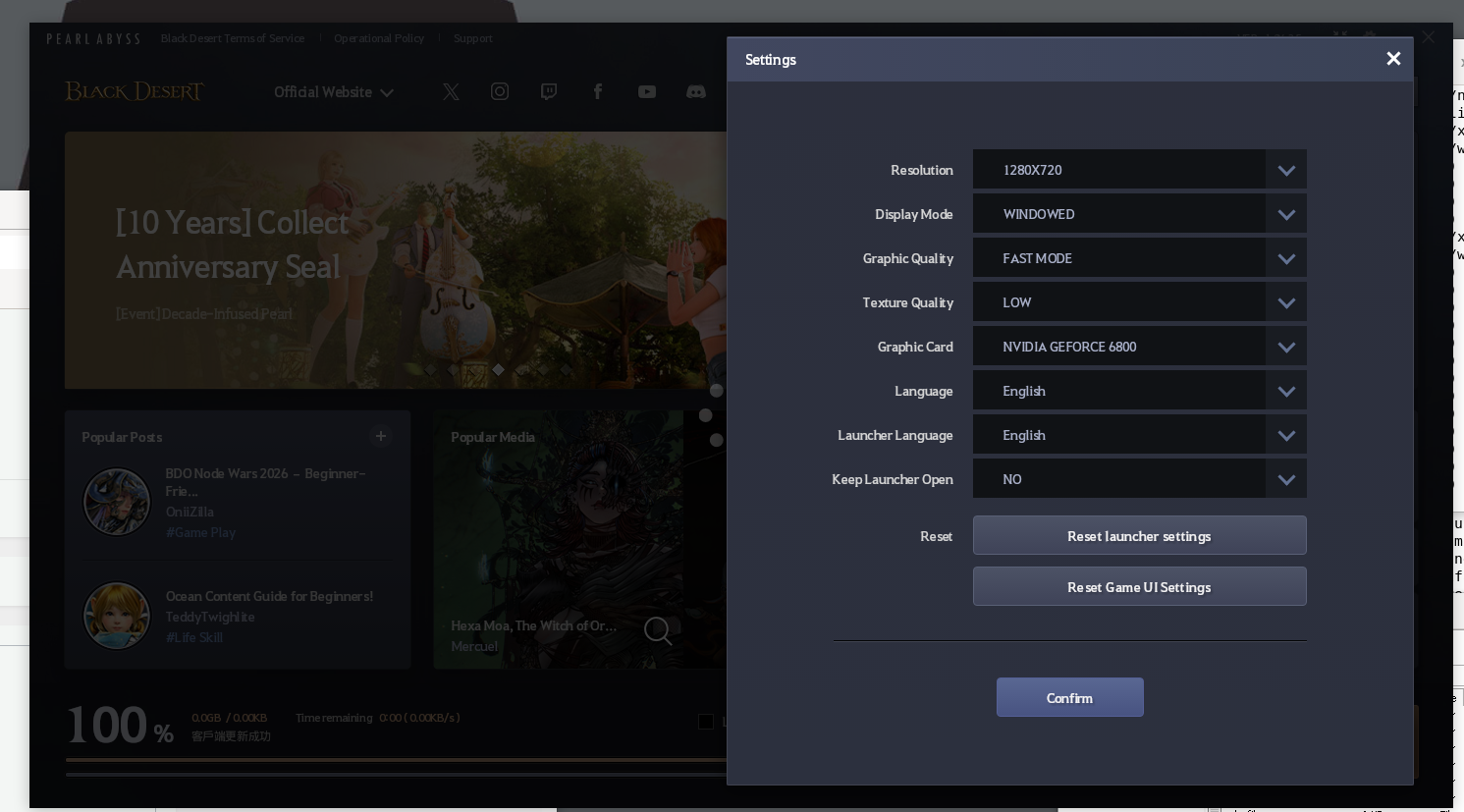
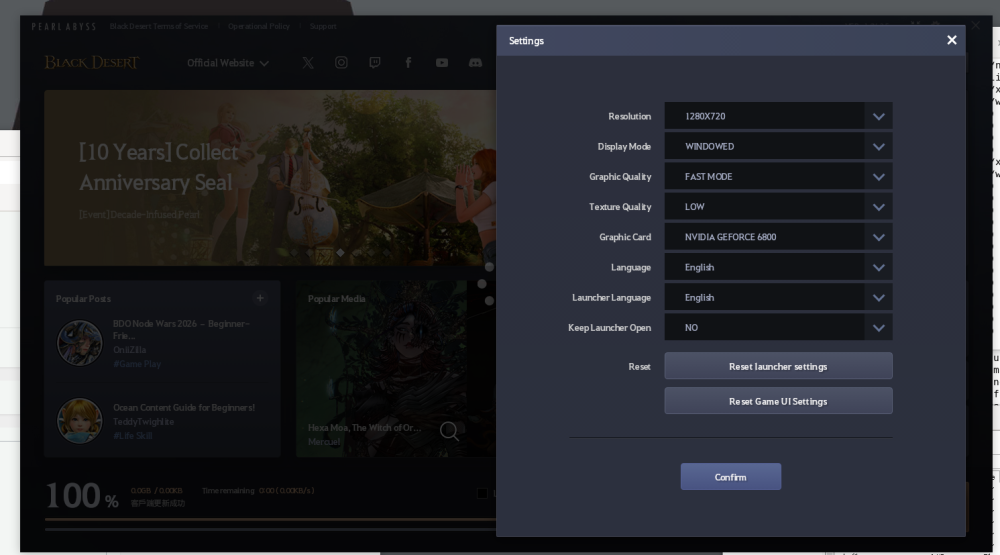
I changed the devicedesc, but game still shows same error. And the launcher shows it is another name. (Nvdia Geforce 6800).Ps: must go bed for now XD.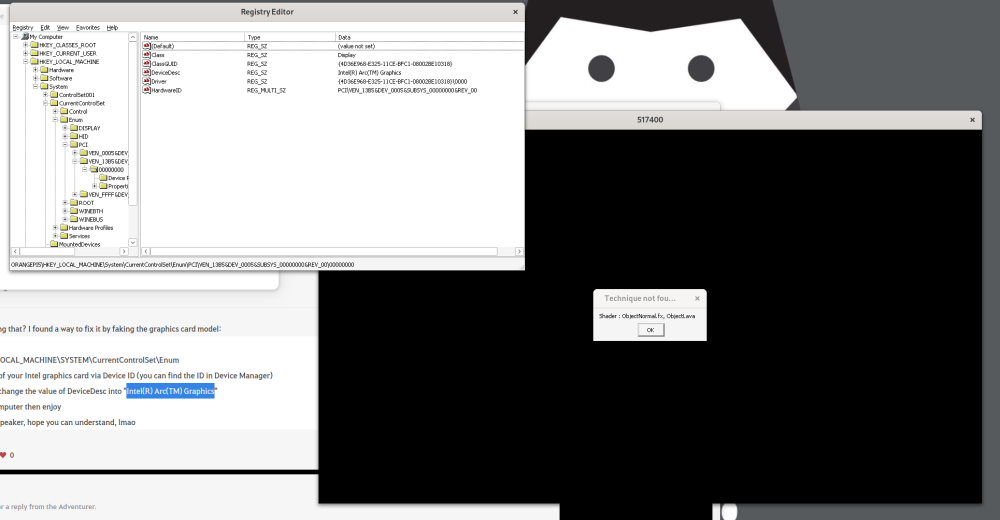
-
Not sure its related, but on the MusePi Pro I was getting odd happenings with the PCIe. Adding this to the command line resolved it my case: nvme_core.default_ps_max_latency_us=0 pcie_aspm=off pcie_port_pm=off
-
@Curvy Android I don't see meaningful differences in the kernels init msgs for top and bottom PCIe slots - besides that "Buffer I/O error" that leads to the non-working NVME. Besides that, the "faulty power saving mode" line looks familar. I have trouble with my Samsung NVME with that power saving blurb as well. Can you retry with NVME in the top slot and an additional pcie_aspm=off added to your booting SD card in the /boot/extlinux/extlinux.conf file behind append kernel params?
-

Gaming experience with Orange Pi 5 (RK3588) on Armbian
KhanhDTP replied to KhanhDTP's topic in Orange Pi 5
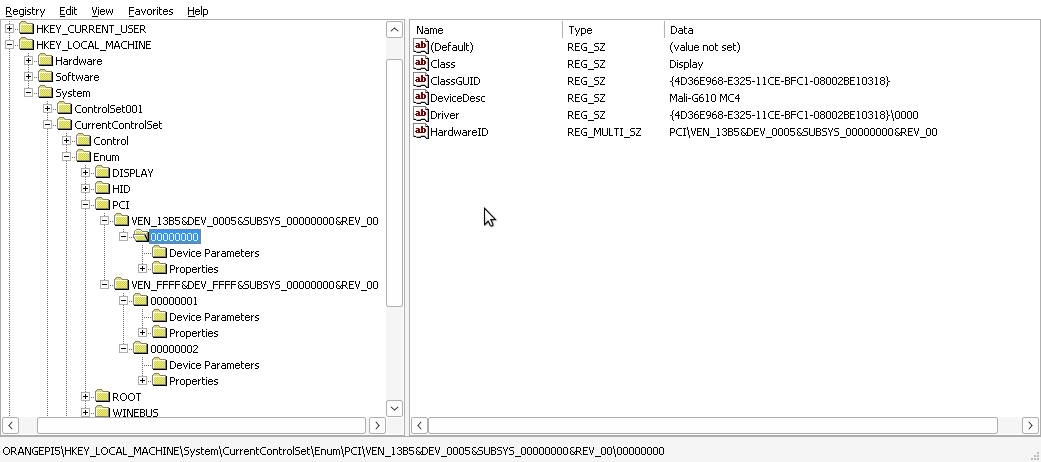
I can see it has already set: HKEY_LOCAL_MACHINE\SYSTEM\CurrentControlSet\Enum Mali-G610 MC4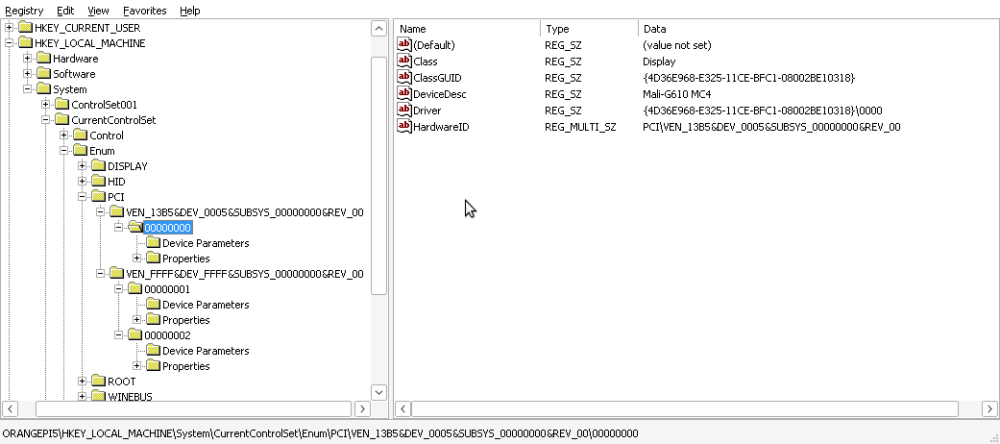
-
Gaming experience with Orange Pi 5 (RK3588) on Armbian
xiboliyadongtu replied to KhanhDTP's topic in Orange Pi 5
Maybe tomorrow, try to solve this. -
Gaming experience with Orange Pi 5 (RK3588) on Armbian
xiboliyadongtu replied to KhanhDTP's topic in Orange Pi 5
I found that if I use umu-run(protonge), the launcher will crash, but if i use wine staging (with dxvk), the launcher start is no problem but the game got a error. -
Gaming experience with Orange Pi 5 (RK3588) on Armbian
xiboliyadongtu replied to KhanhDTP's topic in Orange Pi 5
I found "https://www.naeu.playblackdesert.com/en-US/Forum/Qna/Detail?_questionNo=1122&_answerSortType=0" have same problem, but I have no idea about find the device ID. -
Gaming experience with Orange Pi 5 (RK3588) on Armbian
xiboliyadongtu replied to KhanhDTP's topic in Orange Pi 5
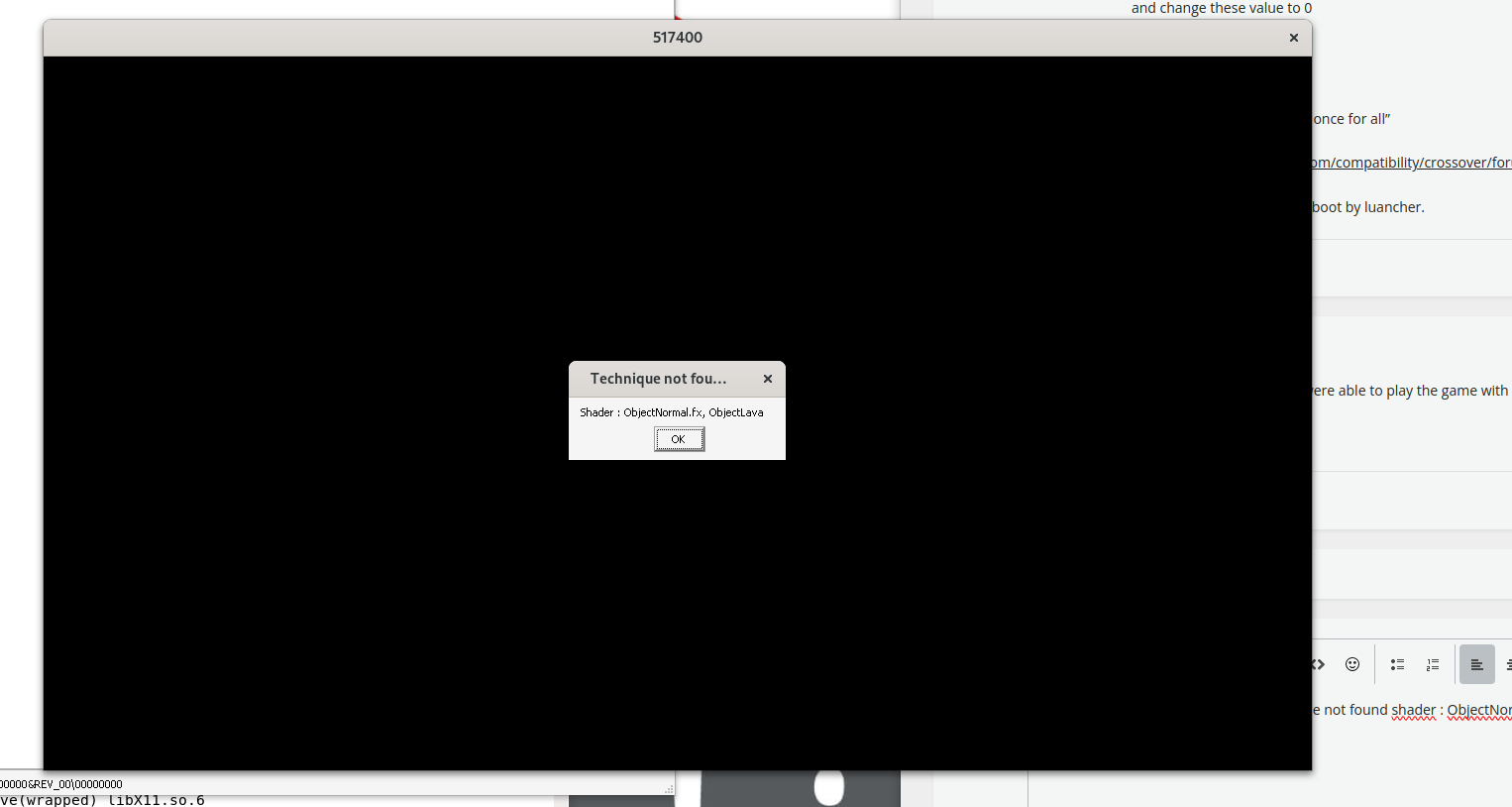
The game have not start couse "technique not found shader : ObjectNormal.fx, ObjectLava"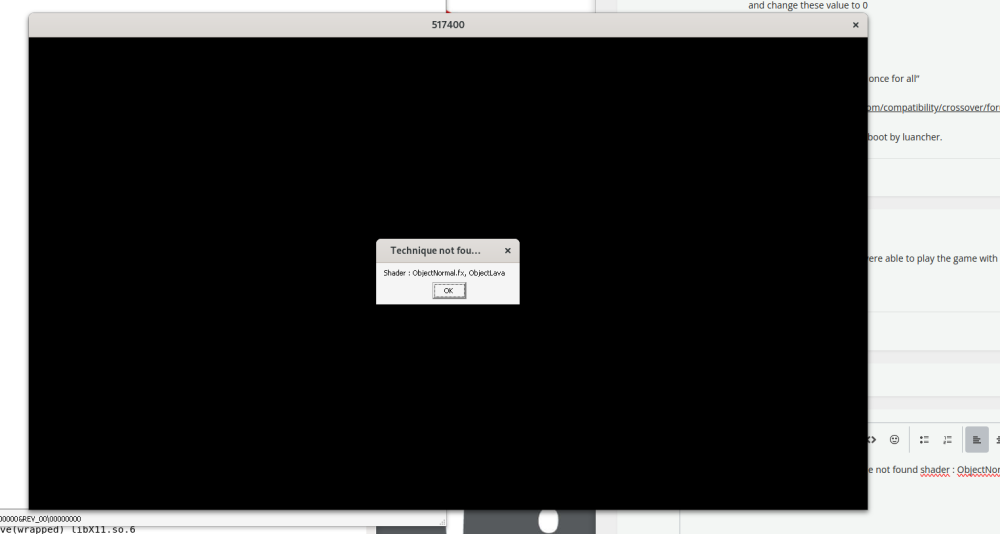
-
I don't have a device for that. Which one would you recommend getting? I might try it out later when I get time (not soon so if anyone else is able to post logs?)