
All Activity
- Past hour
-
Hello, sven-ola! First of all, thank you very much for your work! HDMI audio now works well on the Edge. Secondly, I'm not particularly knowledgeable about this, so please forgive me in advance for this possibly stupid question 🙂 It's impossible to implement video hardware acceleration support in the firmware, from here - https://sdk.spacemit.com/en/faqs/ ? If I understand correctly, patched versions of FFmpeg and GStreamer are needed, and they should also be integrated in firmware into the k1x-vpu-firmware and mpp . Is this possible? When playing any video (even at very low resolution), there is terrible lag. The board should easily support 4K HEVC, but it can't play 720p video properly. At the same time, the Banana Pi BPI-F3 board with similar technical characteristics copes with video 4K HEVC https://docs.banana-pi.org/en/BPI-F3/BananaPi_BPI-F3.
- Today
-
is there any way to increase the gpu memory? as of right now it's just sitting at 16MiB, i want to set it at 128MiB. I tried doing cma=128M but after rebooting the device it kinda softbricked it. It does boot upto the tty screen but i can't login directly using usb keyboard or ssh. Edit: i was dumb, the reason it bricked it self was due to coherent_memory being set to 128M as well, cma is fine.
-
http://blog.armbian.com/content/images/2026/01/githubhighlights-2-2.webpThis week’s Armbian development saw a wide range of updates focused on automation, hardware support, and workflow improvements. Key highlights include the introduction of automatic YAML target generation, expanded support for Hetzner ARM64 runners, and enhancements to the redirector update workflow with cache mirror support. Several board-specific fixes and feature additions were made, including improved power cycle handling for meson-sm1 devices and new binary files for RK35 series components. The team also advanced kernel support, notably enabling RDNA2 GPU compatibility and initial kernel 6.18 support for Ayn odin2. Continuous integration and build reliability received attention through Docker-based unit tests and improved artifact management. Overall, these changes reflect ongoing efforts to streamline development processes and broaden hardware compatibility across the Armbian ecosystem. Add automatic target YAML generation from image-info.json. by @igorpecovnik in armbian/armbian.github.io#184Add board-level extension to mask Wayland desktop sessions. by @schwar3kat in armbian/build#9268Add cache mirror support to redirector update workflow. by @igorpecovnik in armbian/armbian.github.io#189Add edge branch support to community targets. by @igorpecovnik in armbian/armbian.github.io#195Add exposed.map download step to download index workflow. by @igorpecovnik in armbian/armbian.github.io#190Add Hetzner server creation with cloud-init, swap, and configurable runners. by @igorpecovnik in armbian/actions#13Add new binary files for various RK35 series components. by @ghhccghk in armbian/rkbin#42Add regulator-boot-on to meson-sm1-odroid and -hc4 to fix power cycle during boot. by @ean365 in armbian/build#9217Add scripts/generate_targets.py to workflow push trigger. by @igorpecovnik in armbian/armbian.github.io#185Add workflow for enabling 16 Hetzner ARM64 runners. by @igorpecovnik in armbian/armbian.github.io#196arm64: enable AMD DC display controller for RDNA2 GPU support. by @igorpecovnik in armbian/build#9273atf: rk3399: fix PL330 DMA controller initialization. by @iav in armbian/build#9285Bump sm8250. by @CodeChenL in armbian/build#9180Change actions folder to actions-report. by @igorpecovnik in armbian/armbian.github.io#188Change exposed.map minimal patterns from bookworm to trixie, add forky as fallback. by @igorpecovnik in armbian/armbian.github.io#194chore: use release-signing policy for Windows artifacts. by @SuperKali in armbian/imager#87ci: add PR build artifacts with public download links. by @SuperKali in armbian/imager#81ci: use Docker containers for unit tests. by @igorpecovnik in armbian/configng#720cli: kernel-dtb: check dtc for version 1.7.2 before producing normalized dts. by @rpardini in armbian/build#9270config: arch: amd64: fix building kernel amd64 target with on arm64 host. by @rpardini in armbian/build#9271deps: update dependencies and document glib vulnerability. by @SuperKali in armbian/imager#88Enable debug. by @igorpecovnik in armbian/actions#14Enable Firefox download from PPA, drop Jammy and Oracular. by @igorpecovnik in armbian/os#424Exclude non-community trunk builds from promotion. by @igorpecovnik in armbian/armbian.github.io#193extension: grub: deploy qemu binary when doing cross build. by @amazingfate in armbian/build#9282feat: add image status warning for nightly builds and community boards. by @SuperKali in armbian/imager#83fix api change since v6.17. by @Spider84 in armbian/bcmdhd-dkms#5fix api change since v6.19. by @amazingfate in armbian/bcmdhd-dkms#6Fix uptime-kuma Docker image detection regex. by @igorpecovnik in armbian/configng#722fix: reduce board image scale and improve CI cache strategy. by @SuperKali in armbian/imager#86fix: regenerate Tauri updater signatures after SignPath code signing. by @SuperKali in armbian/imager#89fix: use any_changed output for reliable changed files detection. by @igorpecovnik in armbian/configng#725fix: use published_at for release sorting. by @igorpecovnik in armbian/community#46Framework: Add "Repeat Build Options" string at the end in case of er…. by @iav in armbian/build#9276framework: add custom_kernel_make_params extension hook. by @iav in armbian/build#9284Generate separate exposed.map patterns for stable and community boards. by @igorpecovnik in armbian/armbian.github.io#192Include community boards in exposed.map generation. by @igorpecovnik in armbian/armbian.github.io#191Initial support for kernel 6.18 on Ayn odin2. by @kasimling in armbian/build#9286mainline: bump to 6.19-rc6. by @EvilOlaf in armbian/build#9278memoize: add user feedback and configurable timeout for flock. by @iav in armbian/build#9262NanoPi R5C: Update to v2026.01; enable BTRFS support. by @okrc in armbian/build#9291orangepi5-plus: u-boot: restore vendor uboot with blobs. by @rpardini in armbian/build#9287orangepi5-plus: u-boot: use mainline ATF; bump to v2026.01; drop funky CE config options. by @rpardini in armbian/build#9261Override new yaml files - drop the code here if it works.. by @igorpecovnik in armbian/os#423radxa-e54c: board config: replace 'hacky' Wayland fix with wayland-sessions-mask extension. by @schwar3kat in armbian/build#9281radxa-zero2/khadas-vim3l: u-boot: disable LWIP. by @rpardini in armbian/build#9272refactor: conditionally hide custom image button when manufacturer is selected. by @SuperKali in armbian/imager#85refactor: standardize redis module and improve workflow reliability. by @igorpecovnik in armbian/configng#723Reload redirector after we check all mirrors. by @igorpecovnik in armbian/armbian.github.io#178Remove browsers from RISC-V desktop app groups. by @igorpecovnik in armbian/armbian.github.io#186Rockchip 6.18.y: drop upstreamed patches. by @igorpecovnik in armbian/build#9288Rockchip EDGE: drop up-streamed patches. by @igorpecovnik in armbian/build#9290rockchip64: station-m3: Enable USB type-C port. by @kasimling in armbian/build#9246rootfs: enable loong64 in qemu binfmt registration. by @igorpecovnik in armbian/build#9279scripts: use git commit date for 'edited' timestamp instead of filesystem mtime. by @igorpecovnik in armbian/armbian.github.io#177Switch Docker module to distribution maintained packages. by @igorpecovnik in armbian/configng#719Update CI documentation to reflect automated target generation. by @igorpecovnik in armbian/documentation#867Use armbian-apps config for app-specific images. by @igorpecovnik in armbian/armbian.github.io#187work-around Ubuntu Rust coreutils bug in dirname affecting linux-headers board-side compile of scripts/mod. by @iav in armbian/build#9264View the full article
-
so whats the status on this issue is it resolved by running the rolling forky release and using network manager ?
-
@Dangrain The problem might be from the U-Boot, I'm not sure though. It's hard to debug something that doesn't have logs to read
- Yesterday
-
 Endless loop booting Image. I download Image form source: https://dl.armbian.com/odroidxu4/Bookworm_current_minimal-omv Flash Image with Rufus-4.11 --> no problem insert sd-card in odroid hc1 --> blue LED is flashing I ping to odroid with windows 'ping odroid -t -w 100' --> replied 10 seconds, then there was no response for 40 seconds, and it repeated, I wait 30 minutes. I use Image from archive without OpenMedaivault --> Booting Ok I install OMV 7.0 manually described following link: https://docs.openmediavault.org/en/7.x/installation/on_debian.html in first view everything seem fine BUT: after restart and save settings to SD-card --> odroid restarts after 20 seconds, if you do anything with huge load, it restarts, even 'apt update' or 'apt upgrade" I did several tests, buy a new SD-card try 3 different cards, remove hard drive remove PCB and renew thermal interface material, nothing helps. I installed it 5 to 10 times and I did the installation in different ways. Also nothing helps. I use my old working sd-card and I did some test, it works properly. (old means: installation is 2-3 years old) I try 'armbianmonitor -m' --> output: 23:30:52 600/2000 MHz 0.66 19% 6% 11% 0% 0% 1% 37.0 °C 0/3 The frequency changes depending on the load, I used stress -c 8 --> frequencey 1400/2000MHz -> works perfect I try Debian 12 (Bookworm) with OpenMediaVault from armbian download page. (Build Date: Jan 19, 2026) I try 'armbianmonitor -m' --> output: 22:10:52 200/200 MHz 0.66 19% 6% 11% 0% 0% 1% 24.0 °C 0/3 The frequency was always at 200/200MHz. I think I found the error in '/etc/default/cpufrequtils Both values are "0". MAX_SPEED="0" MIN_SPEED="0" I compare it with my old working sd-card. The values there: MAX_SPEED="2000000" MIN_SPEED="600000" I Update the Image: I 'unxz' the image that I had downloaded from armbian page, 'losetup' it, 'mount' the partition and change the value in 'cpufrequtils' to MAX_SPEED="2000000" MIN_SPEED="600000". I 'xz' the image, flash it to my sd-card and now the images works on my Odroid XU4/HC1 perfect. Is this a bug?
 -
I'm back to check in again. Well I got all my files in a nice little .img, and it boots! I than burnt multitool onto my SD and tried to burn the .img onto the eMCP, multitool reports it's been burnt properly, after being plugged in again no boot starts. Any Idea what could be up?
-

Efforts to develop firmware for H96 MAX V56 RK3566 8G/64G
Hqnicolas replied to Hqnicolas's topic in Rockchip CPU Boxes
I think this is the First version of this board, please use the official release for this https://github.com/armbian/community/releases/ if it doesn't work https://forum.armbian.com/topic/28895-efforts-to-develop-firmware-for-h96-max-v56-rk3566-8g64g/#findComment-183131 ask @Evgenii Egorenko -
@shexplorer here are the first 10MB of the internal emmc. Extracted with dd if=/dev/mmcblk1 count=10 bs=1M | gzip > x88pro13_first_10MB_of_mmcblk.gz. please unzip first. see also the solutuion of this page: x88pro13_first_10MB_of_mmcblk1.gz
-
I uploaded fresh images, that includes a trixie-edge-desktop-mate image I tested with my Hardware. Mate looks good and working, but switching between internal / HDMI audio needs some fiddling with the audio setting widget (may be a misunderstanding between pulseaudio and drivers). Changeing Sound-Pref:HW:profiles seems to do the trick. There is no chromium for RISCV, thus you need to install firefox-esr or netsurf-gtk manually. I think this is ready for primetime now, so I clicked on the "Pull-Request" button (see https://github.com/armbian/build/pull/9299). Got lots of auto email from the Github robots, will check tomorrow. LG // Sven-Ola
-
Hello. Where can I download multitul for rk3528?
-
@user03 Given that you now have a working uboot installed on the emmc, I'm 95% confident that following the standard instructions will let you move your SD card install to emmc. But there are no guarantees.
-

Rupa X88 Pro 13 - RK3528 board with images
Joao Cordeiro replied to fedes_gl's topic in Rockchip CPU Boxes
@shexplorer I did something similar to a tv box i had around, not this model. Generally, the cpu comes with some sort of uboot. Written in firmware not mmc. The catch is that that uboot usually writes its persistent environment on the MMC. And most of the time its not even a file on a partition, like in (and this is an example) between bytes 2000 to 8000 of the mmc. This uboot is only visible via serial console. no hdmi output. (and its quite old) This uboot then attempts to chainload the mmc or usb uboot. And its at this phase you get image. So on my setup, i had CPU uboot but no environment (because i smashed it with my armbian image...), and that environment was needed to boot both mmc or usb. Using a serial port (and pressing control +c ) i was able to instruct uboot it to boot armbian on the usb drive. And i mean manually with command like fatload 0x1000000 usb0.1 linux.img. But every time i reloaded would go back to the endless loop. So the next step was to find a stock image of my device and dump it into the mmc, via usb booted linux. (i actually only copied like the 1st 10MB, only needed uboot env, not the chinese android) Please know that this is not the image you download from any manufacturer website, those are snap-in upgrades that only change part of the mmc, you need a image that someone extracted with dd command from the entire mmc. After that i swore to never touch that mmc again... Maybe this is your problem too Get a serial connected to your device and check if you can see the cpu level uboot. If it is the same issue, maybe someone here can give you the 1st 10MB of their device, if you create a new thread asking for it. -
@kingbecher This is now off topic for this thread, but you need to look at: https://www.armbian.com/amlogic-s9xx-tv-box
-
This is not a place for Android ROMs, only armbian here.
-

Adding / Modifying Boards - What is the right approach?
Werner replied to Daniel Andersen's topic in Rockchip
You can set conditions on which branch uses which uboot. Like this: https://github.com/armbian/build/blob/9aa6e1e29ec2d397bbe223bebaa93bd13ef79818/config/boards/orangepi5-max.csc#L21 If the BRANCH is edge, then use mainline uboot, specifically this tag. -
I am working on a new version of the Luckfox Core3566 Board and Patches, as well as adding the Orange PI CM4 board to Armbian. Both rely on the Rockchip RK3566. Luckfox Core3566 Starting with the Core3566: The current board is just the vendor u-boot and kernel. It lacks PCIe support, but surely it is helpful to be as near to manufacturer configuration in their patches. My board config on the other side is not supporting the vendor specific patches, but based on a clean u-boot v2025.10 and runs nicely with current and edge kernels and also runs smoothly with nvme storage. The luckfox-core3566 config is currently maintainerless, but maybe users would like to have this vendor kernel version. My question: 1) Would the Armbian rather like to replace the vendor board config with a more future proof board config like mine or 2) Keep both board versions ( like rename config/boards/luckfox-core3566.csc to config/boards/luckfox-core3566_vendor.csc ) and let my variant replace the config/boards/luckfox-core3566.csc as default? 3)rd option would be combine both configs, but I had struggle to do so, as my version is using a different u-boot, using a simplified partition setup etc. Orange Pi cm4 I created a new board configuration to let Orange PI CM4 to work with Armbian as well. It is pretty similar to the bigtreetech cb2, but it's ethernet wiring and pcie powering device config differs from latter. Is it okay to create a MR directly in Github or does it need alignment with Moderators first? Cheers, Daniel PS: Nice to have time to work on embedded arm systems again. I did work on the sunxi based cubieboard and cubietruck back in the days, but job, family and basically life pulled me away from it for such a long time.
-
🦀 Rust PiCalculator on Orange Pi RV2 (riscv64, Armbian Trixie) Compiled and ran a high-precision Pi calculator in Rust on my Orange Pi RV2 (K1X, 8-core @ 1.6 GHz) running Armbian-unofficial Trixie riscv64. The goal: test rustc performance and validate big-integer workloads on RISC-V. ✅ Environment OS: Armbian-unofficial 26.02.0-trunk (Debian Trixie) Kernel: Linux 6.18.5-edge-spacemit Rust: rustc 1.85.0, cargo 1.85.0 (built from source) Display: EZCAP28X @ 1920×1080 Memory: 3.7 GiB RAM, 1.3 GiB used Disk: ext4, 28.96 GiB total GPU: Mesa llvmpipe (LLVM 19.1.7) 🧮 Project: PiCalculator Rust implementation using rug (GMP-backed) to compute 1000 digits of π: rust use rug::{float::Constant, Float}; fn main() { let digits: usize = 1000; let bits: u32 = ((digits as f64) * 3.321928).ceil() as u32 + 10; let pi = Float::with_val(bits, Constant::Pi); let s = pi.to_string_radix(10, Some(digits)); println!("{s}"); } 🧩 Build Notes Needed libgmp-dev and m4 to compile rug cleanly. cargo build --release succeeded without patching. Output verified against known π digits. ⚖️ Performance Comparison Board CPU Time (ms) Real Time (ms) Pi 400 Faster (1.8 GHz, fewer cores) Lower latency RV2 (K1X) Slower per-core, but stable Good throughput Despite having 8 cores, the RV2’s in-order K1X is slower than the Pi 400’s Cortex-A72 for single-threaded math. Still, the build was smooth and the output correct — a great stress test for rustc on riscv64.
-
Good afternoon. I have a Rockchip 3566 tablet.oscal pad 70 wifi Is it possible to install Armbian on it? I don't have a device tree (I couldn't find anything at all for the WiFi module except the test report), no drivers, nothing. I've found a related one (the letters at the end are slightly different), but there's a little information. The original Pineta B2 costs 159, plus shipping and taxes...that's 300. But the aforementioned one costs 100 and doesn't require taxes! That's what got me thinking. Prices are in dollars. The bootloader can apparently be unlocked with a simple command (according to Google Assistant!) I need the tablet for learning Linux and watching videos in the browser...will it handle it? Is this even possible for a beginner? Best regards and gratitude... I'm writing using Google Translate, so there may be some inaccuracies... I apologize for that! motherboard R863T-RK3566-DK-V1.0 wifi module wxt42j1001s I don't know what kind of touchscreen and display it has. Will I need to unlock the bootloader? I understand it's probably very difficult...isn't the processor too old for our times? Or is installing Armbian probably not an option, and shouldn't I waste my time on it and buy something else? Thanks from the bottom of my heart to everyone who responded.
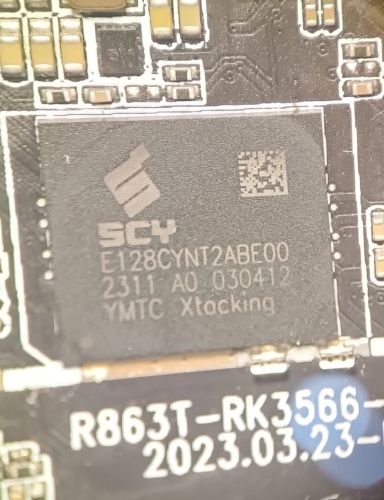
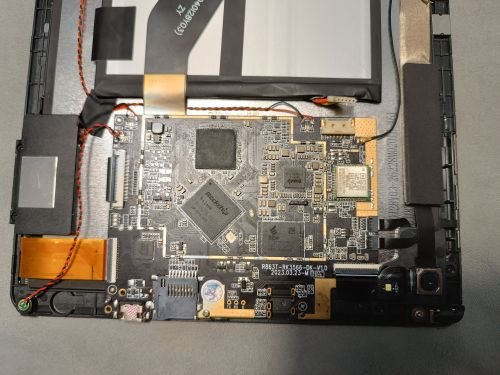
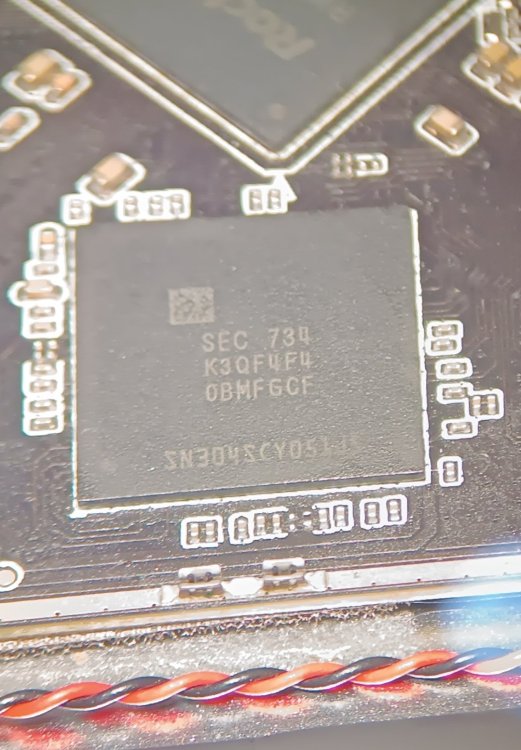
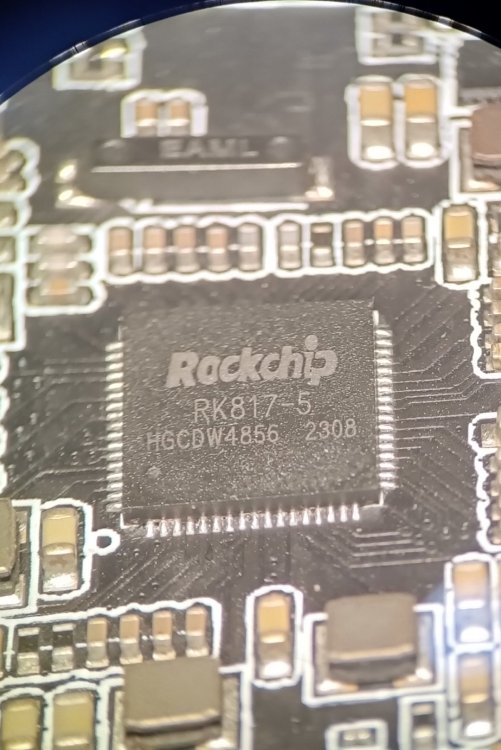
-
It looks like mksclient is python code can be patched. Sovol3D forum Enable LED light toggle in Mainsail I followed the steps and was able to get an LED toggle in Mainsail on my SV06 Ace I did loose the touchscreen control of the LED but that's acceptable. I only need the LED when using the Camera to check for Failed prints and previously left the LED on during printing. Now I can save a little electricity😀. To me this also has pertinent implications to the thread. mksclient must be a python blob that can runs on boot. If were willing to tolerate the "black box" close source nature of mksclient, a touch screen supporting build, targeting the OEM electronics, should be possible.
-
@HarleyyyuAs I was typing that I tried another last-ditch kind of solution (because truly you shouldn't substitute device trees) and changed the armbianEnv.txt I added 'overlays=led-conf7' to the end of the file and added 'irqpoll' to the extraargs. I'm going to try huddling them all into a single .img and try to flash it to the onboard disk, thanks for your help, and wish me good luck.
-
@jock your armbian build (Bookworm) plus my modified version of openauto works now, its done by using kmssink for drm overlay plane for video (Added to codebase) and RTAudio patched to use ALSA. Youtube: OpenAuto - RK322x Test run with Hardware Acceleration if you want to try it here's a prebuilt version of it, armhf compiled. Github: OpenAuto RK322x Armbian, openauto-rk322x-v1 i would love to make it run better on our hardware
-
@Dangrain ohhh that makes sense now. If SD boot works, you can just clone the SD card into a raw .img. dd if=/dev/sdX of=working_sd.img bs=4M status=progress (assuming you use linux, ubuntu recommended. Also make sure to check your sdcard path) That image already contains the correct bootloader, partitions, and rootfs. Multitool should be able to flash it to eMCP directly.
-
@HarleyyyuI just want to have a working OS on the eMCP instead of the SD, I've tried many pre built images already but none have worked even when messing with recommended overlays. Only after I've frankenstein'd It, did it work. That's the purpose.
-

Gaming experience with Orange Pi 5 (RK3588) on Armbian
KhanhDTP replied to KhanhDTP's topic in Orange Pi 5
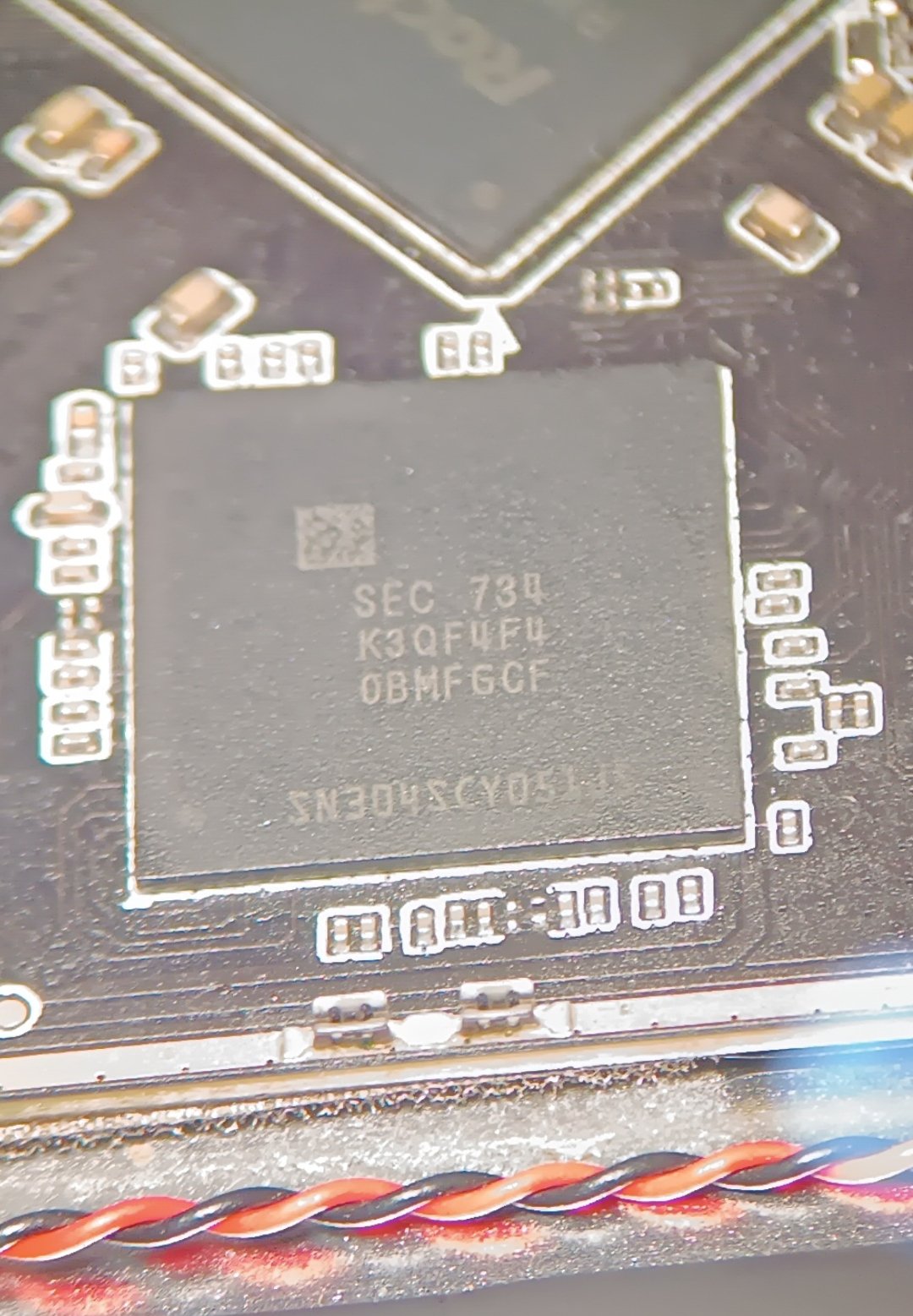
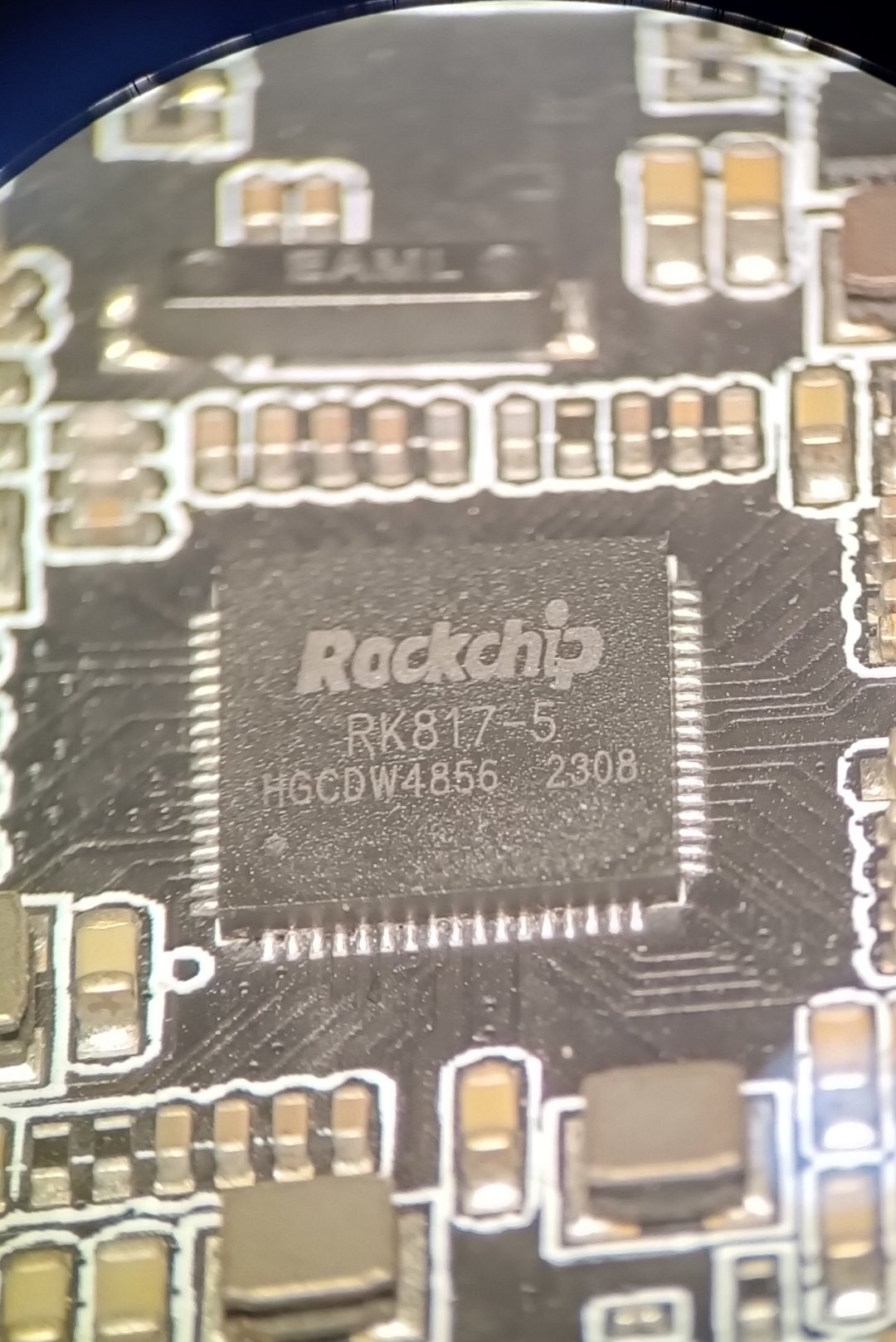
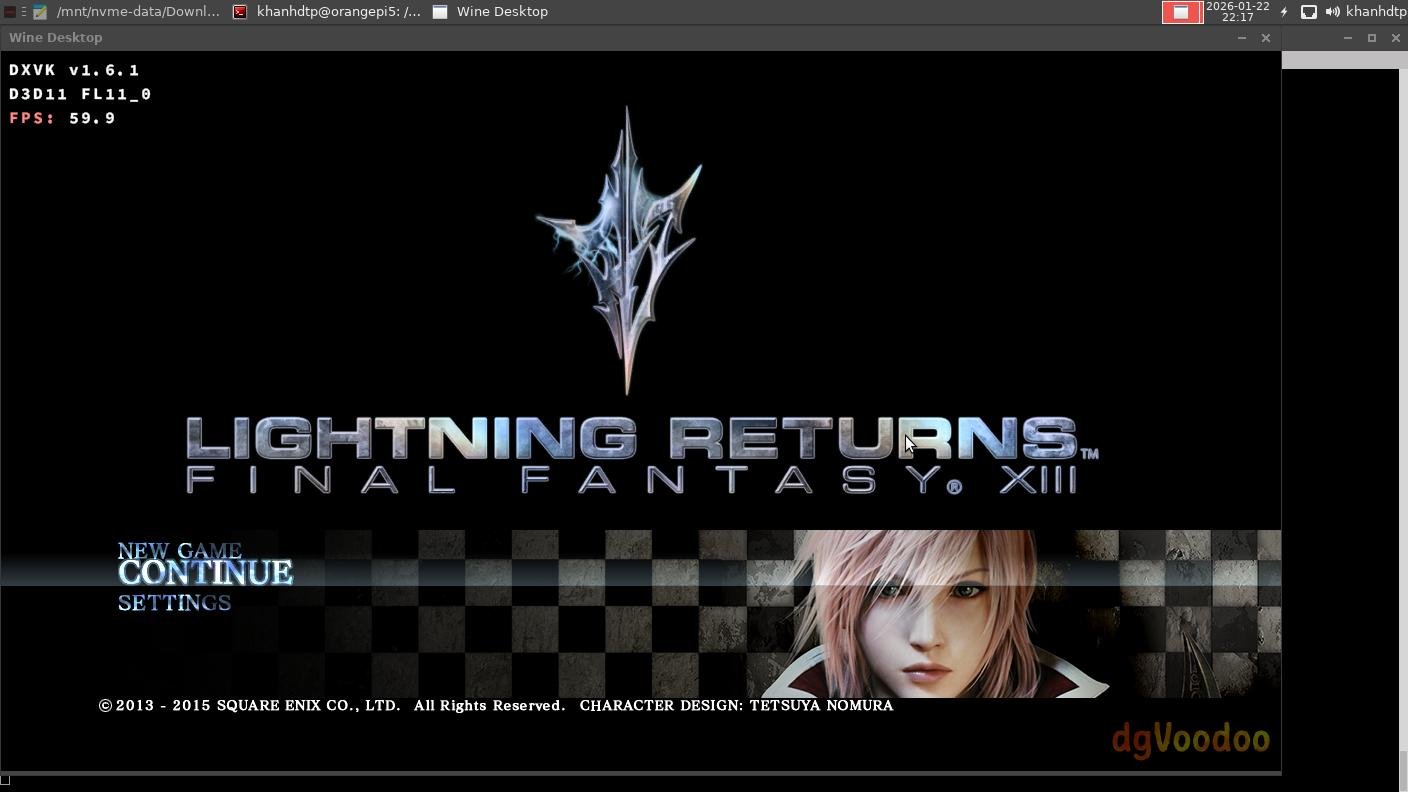
Armbian 25.11.2 Noble XFCE (BSP Kernel: 6.1.115) + PanVk - mesa 26.0 (https://launchpad.net/~ernstp/+archive/ubuntu/mesaaco) + Box64 arm64 v0.4.1 3ec5de03c (https://ryanfortner.github.io/box64-debs/) + proton-10.0-3-amd64-wow64 (https://github.com/Kron4ek/Wine-Builds/releases/download/proton-10.0-3/wine-proton-10.0-3-amd64-wow64.tar.xz) + dgVoodoo2 (https://github.com/dege-diosg/dgVoodoo2/releases) + DXVK-stripped v1.6.1 15~60fps@720p box64 environment variables: FF13 Lightning Returns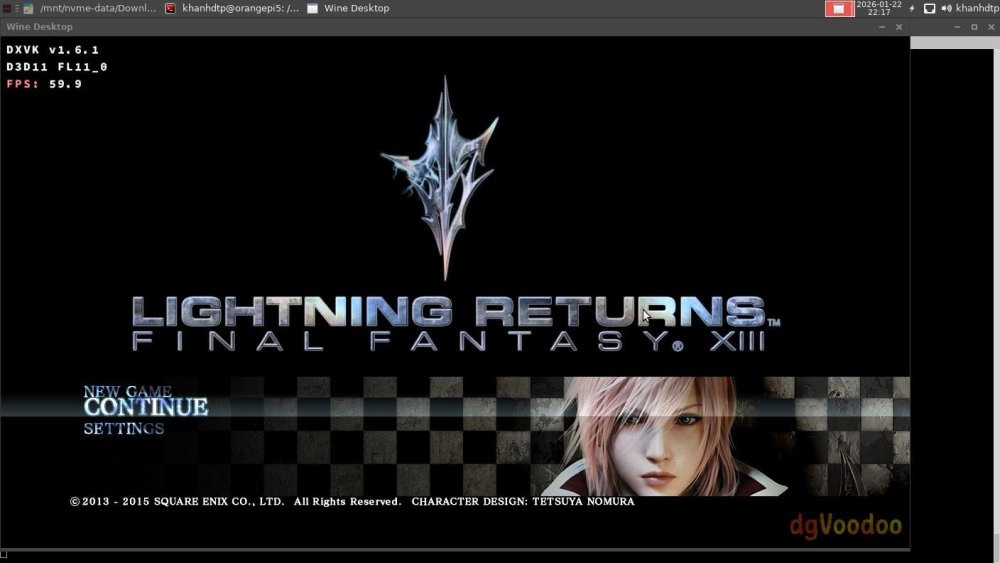
.thumb.jpg.be04e034285866cf517486d593ee31a9.jpg)
.thumb.jpg.59b115f15600f992d501aa546192da3b.jpg)
.thumb.jpg.6ce20c27adc1ded5f8647826463317e7.jpg)
.thumb.jpg.008700cd9544d358d186f9bd43351e3f.jpg)
.thumb.jpg.515ef732a99ffe79630b9cf5b6370428.jpg)














.jpg.6b80999f6eea2240b8e87b46e39b159e.jpg)
.jpg.5d87bbcd3c29e409d22ec183376cb673.jpg)
.jpg.68069fa56d8deb4c14c3280c7a9cd2b7.jpg)
.jpg.3c86275e3844d4fd9d447abbfc9cea37.jpg)
.jpg.e008780bdc967e8051b551f3ab1dad6b.jpg)