
Active threads
Showing topics posted in for the last 365 days.
- Past hour
-
I'm struggling to get the Pi Camera 3/IMX708 detected by the Zero 2W. It's an IMX708 sensor, and that is correctly showing in dmesg, but the V4L2 devices (/dev/video0, /dev/video1) for the camera are not set up. All the normal encoder devices are fine. I'm using a custom build but it's essentially minimal (and no desktop) current with trixie and no extensions, following the standard command for building an image. The dmesg log reads as follows: [ 10.719672] imx708 10-001a: camera module ID 0x0302 [ 10.719876] imx708 10-001a: ctrl(id:0x9f0902,val:0x232aaf80) is not handled [ 10.722275] imx708 10-001a: ctrl(id:0x9e0902,val:0x2b20) is not handled But I don't think this is problematic, as stock Raspbian shows precisely the same log messages, and it does correctly set up the devices. I've added the overlay and turned off (or tried to) the camera auto detection, but the imx708 messages were being logged even before I added the overlay, so I am not sure it was needed. In any event, nothing changed. Any thoughts on ways to get this up and running?
- Today
-
never heard of that kernel before
-
I have wifi and it worked without building or installing anything. During the first boot I was asked if I would like to use wifi, I saw the list of SSIDs, but I was unable to connect. I used nmcli and I'm connected now. dkms status outputs: bcmdhd-spacemit-sdio/101.10.591.84.37-4, 6.18.36-current-spacemit, riscv64: installed Update: It boots from eMMC
-

Armbian in IK316-EMCP_v4.1
Aldiansyah Permana replied to Matheus Gomes's topic in Allwinner CPU Boxes
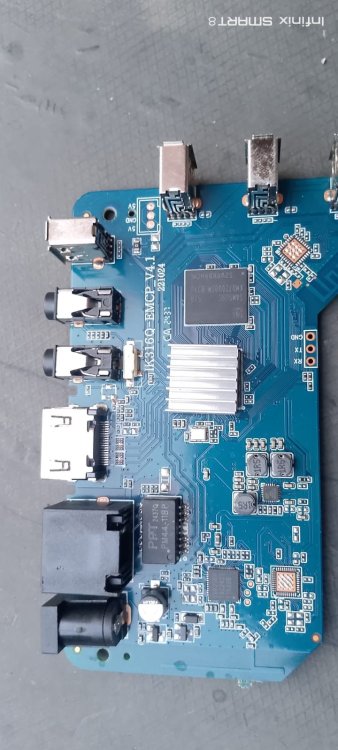
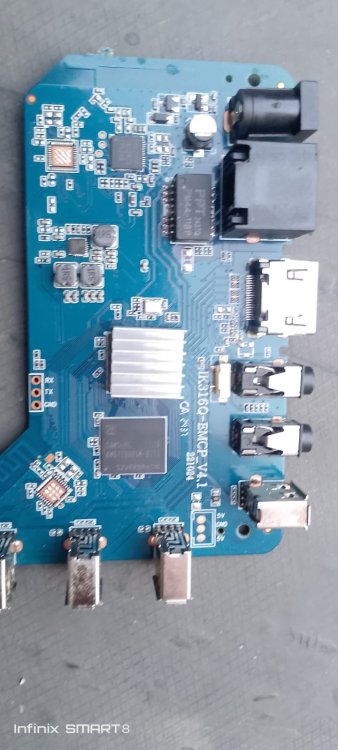
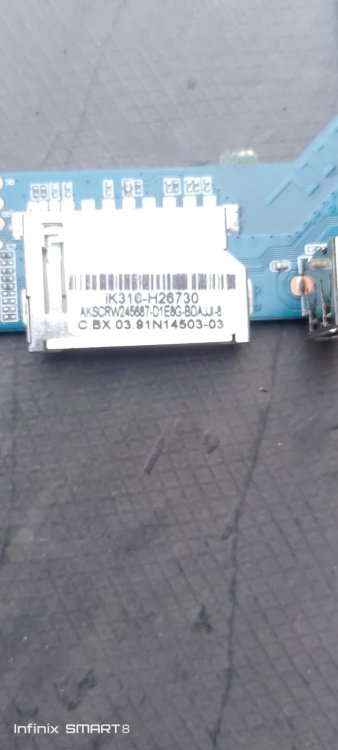
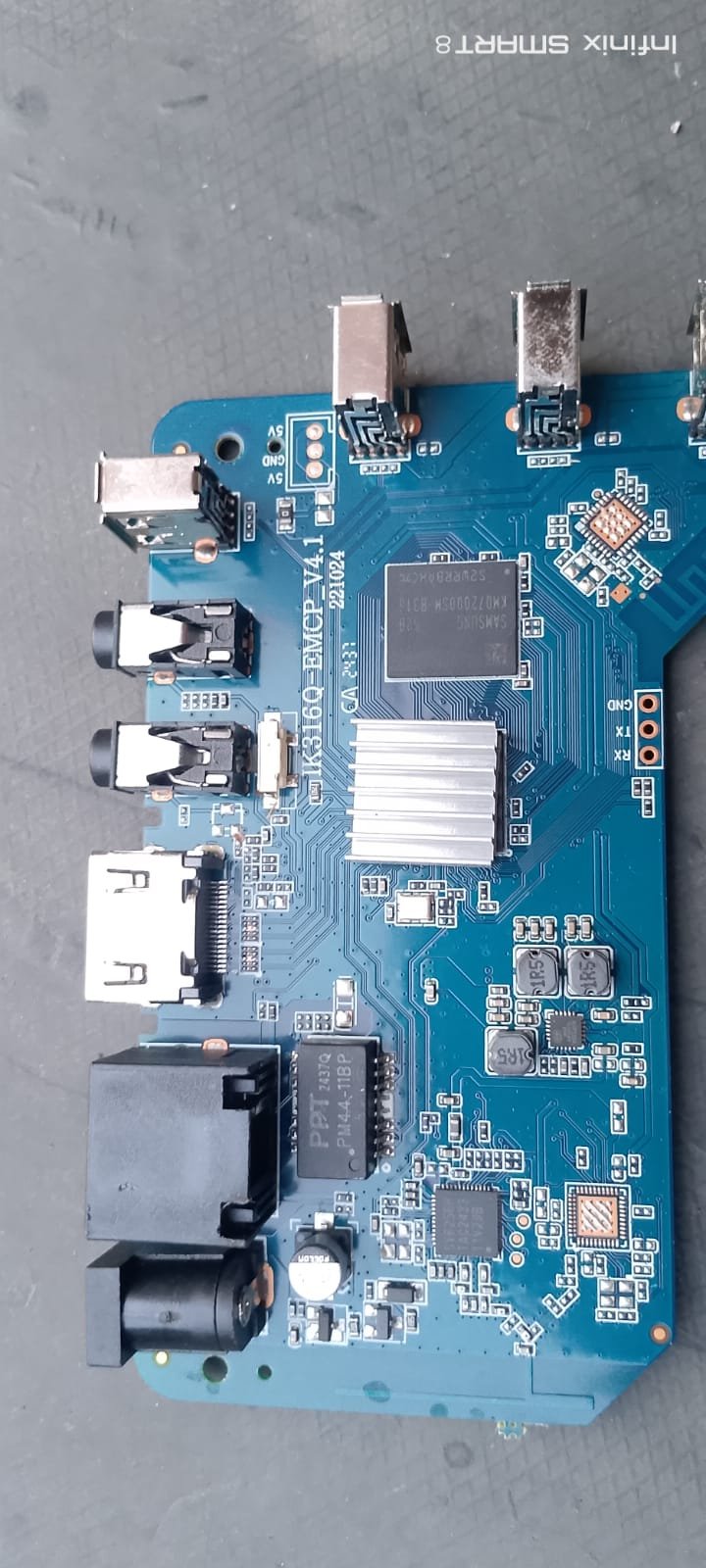
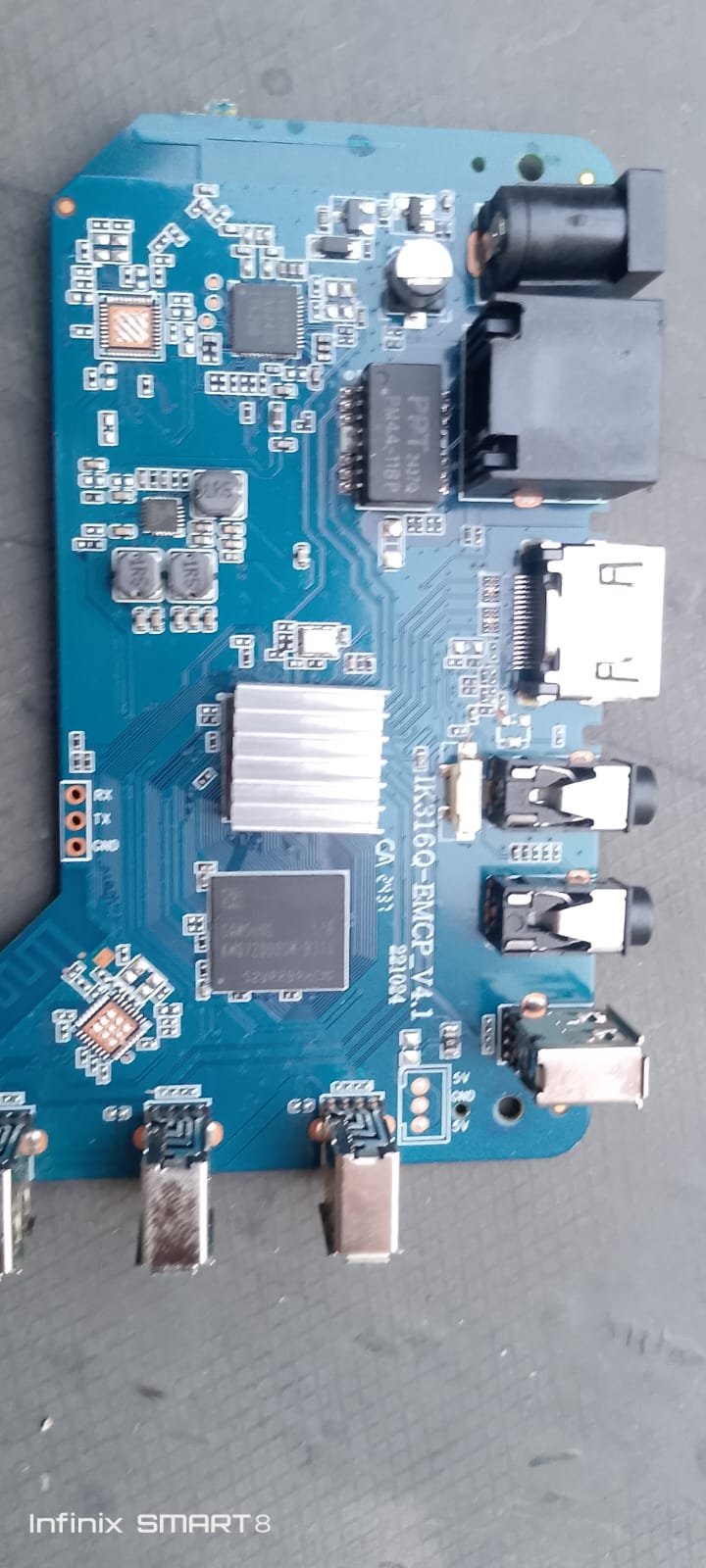
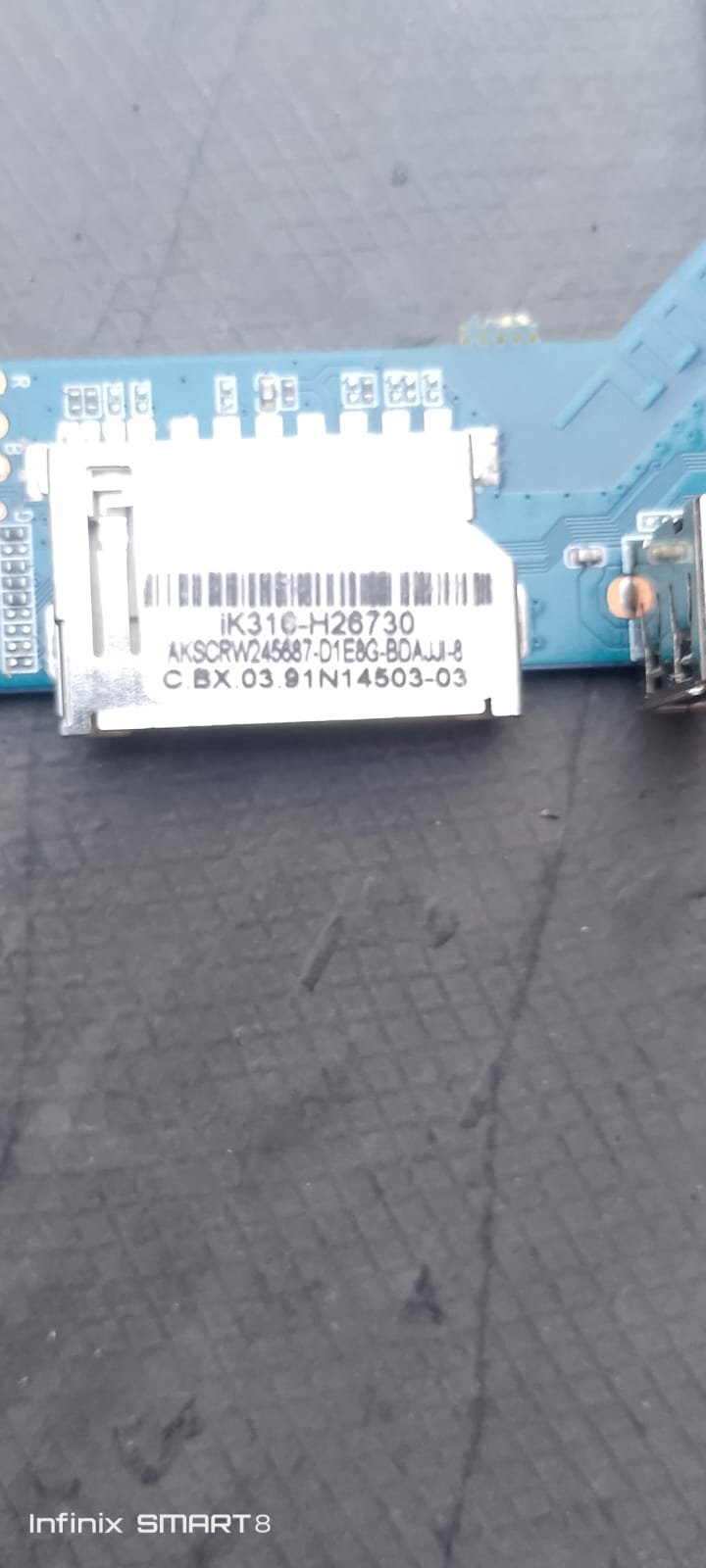
please help me I need firmware STB MXQPRO 4K 5G ADVANCE mainbord type IK316Q-EMCP_V4.1 221024.send me FW as the same board please,i need install for android tv.and tool I'have as I flash for 8 firmware while I install program full after reboot or shutdown then start again my stb did'nt start to menu.Thank's Best Regard brothers,.jpeg.40b0d79a49f98e9c83a5e45df94ee1ca.jpeg)
-

Gaming experience with Orange Pi 5 (RK3588) on Armbian
KhanhDTP replied to KhanhDTP's topic in Orange Pi 5
@Alex Ling Yeah, I hope it will boost the performance or compatibility even more. -
I don't have this device so I can only give generic advice. Set verbosity to 7 in /boot/armbianEnv.txt to get more details besides this unhandled SMC message. From what I've read over the years is that this device seems quite fragile and has lots of quirks in to get it halfway decently running. It would be not uncommon that (on first glance unrelated) upstream changes break something.
-
I see no clear error, only something with hdmi-audio-codec, but that is somehow expected AFAIK with mainline based rockchip64 kernel. I think Xfce is X11 and others default to wayland. You can try KDE in X11. 4K is not fully mainlined AFAIK, but you need to check yourself. You can try an edge kernel, is 7.1.x based, maybe it fixes things. I have seen many such issues (RK3588 SoC) in the past, but thing are remarkably fine with 'latest Linux' (KDE6 1080p60, don't have a 4K monitor/TV).
-

NVMe not recognized on OrangePi 5 Pro with Armbian
eselarm replied to Folaht Pjehrsohmehj's topic in Beginners
I see several time the following log line: rk-pcie fe180000.pcie: PCIe Linking... LTSSM is 0x2 I do not know what it means, but the fact that is is listed quite often is a hint I would say. There is also an earlier failure w.r.t. PCIE Usually is it power of some incompatibility of the NVME SSD in conjunction with the RK3588 based board. OrangePi5 Pro has questionable device-tree support, that is what I remember. It might be better nowadays, but I guess you will need to try an see if you can get any OS working/recognizing the SSD. -
 Moved to off-topic.
 -
It would be super handy whilst also preconfiguring network / users / timezone ... that hostanem was in there also
- Yesterday
-

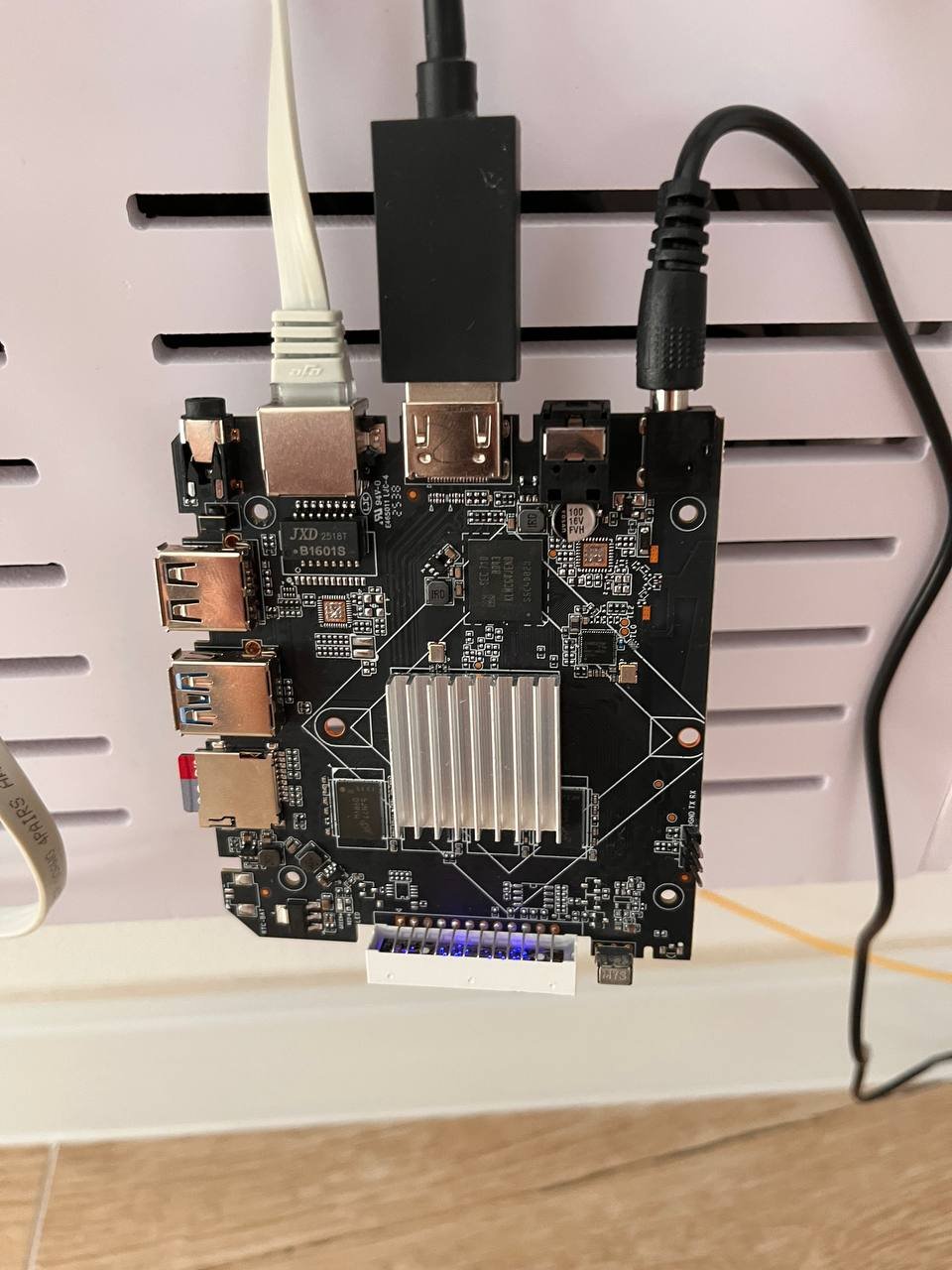
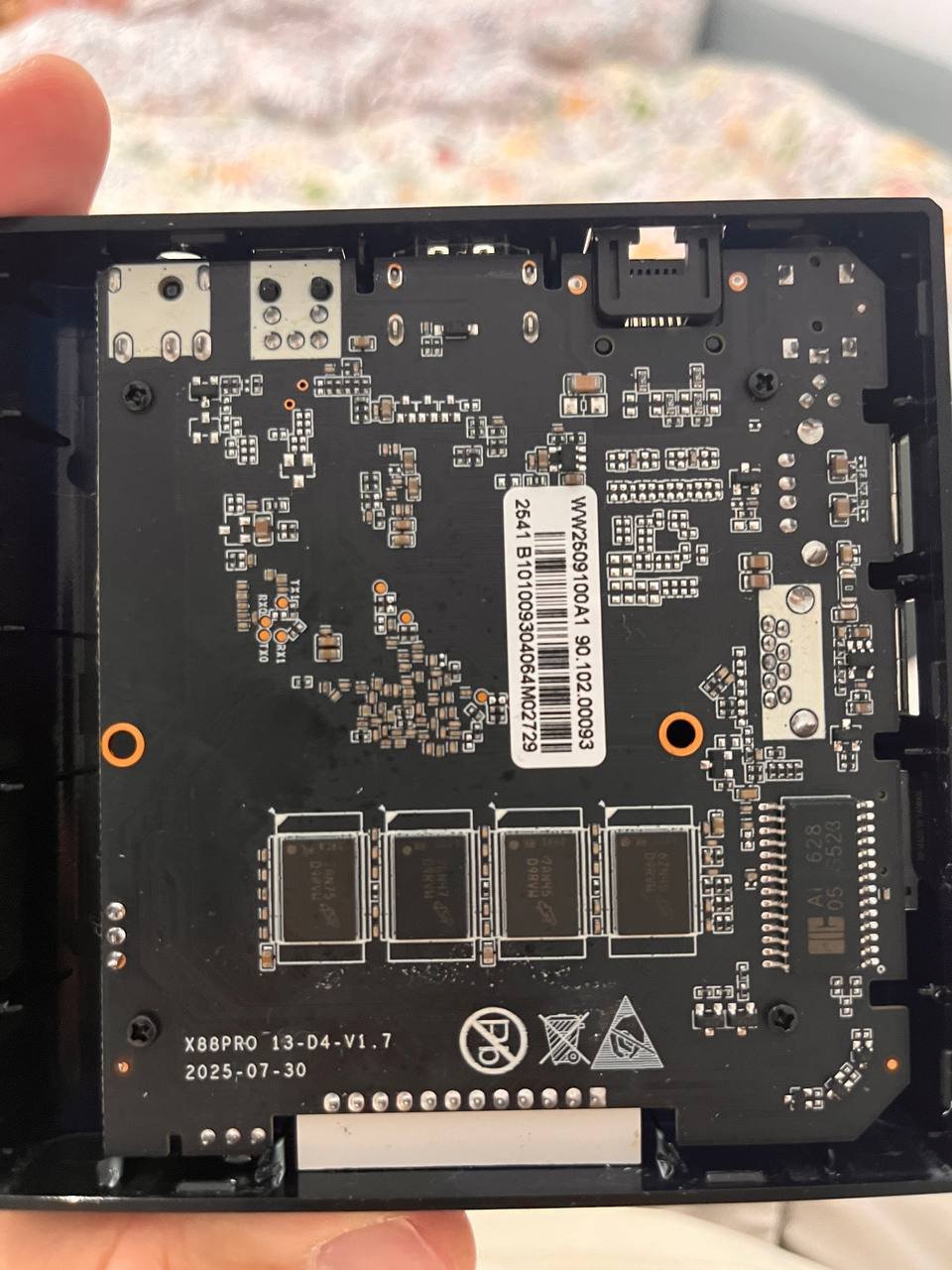
Rupa X88 Pro 13 - RK3528 board with images
serovan replied to fedes_gl's topic in Rockchip CPU Boxes
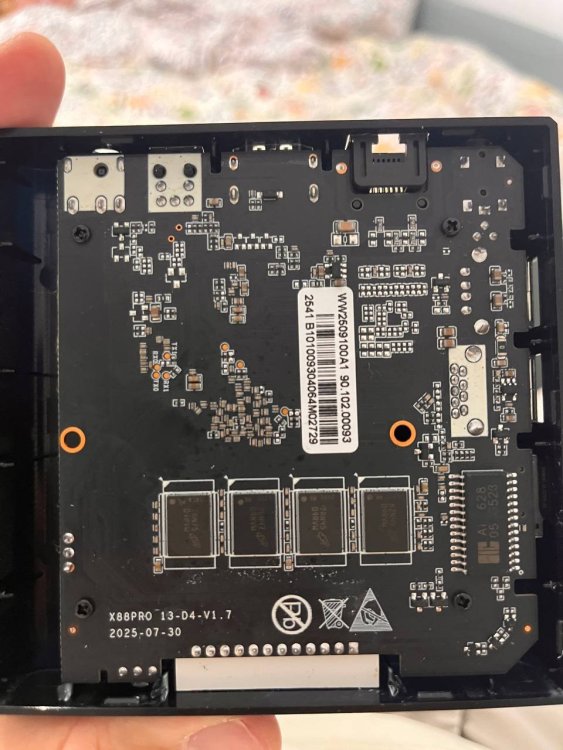
Hi, I have X88 Pro 13 hardware revision 1.7 and tested both Armbian releases v0.6 and v0.7 from the repository. Unfortunately, neither WiFi nor USB 3.0 are working. Hardware info: Device: X88 Pro 13 (Rev 1.7) WiFi chip: AIC8800 (device ID 0x6621, SDIO) Tested images: v0.6 and v0.7 What I tried: USB 3.0: DTB already has maximum-speed = "super-speed" configured USB 3.0 controller exists (Bus 002, 5000M) But only USB 2.0 PHY available (usb2-phy only, no usb3-phy) All USB devices connect to Bus 001/003 (480M) instead of Bus 002 USB Ethernet adapter limited to 100 Mbps Result: USB 3.0 not functional (no PHY in RK3528?) WiFi (AIC8800): Firmware present in /lib/firmware/aic8800/ Drivers load: aic8800_bsp_sdio, aic8800_fdrv_sdio SDIO device detected: mmc2:0001:1, device 0x6621 Error: aicbsp_platform_power_on fails with "fail to set AIC_WIFI power state to 1" No wlan0 interface appears Tried manual GPIO reset (GPIO1_6 = pin 38) - no effect WiFi (EA6621q/SKW drivers): Applied DTB patches from user 8lall0 (GPIO remapping for seekwcn_boot) Built ea6621q DKMS drivers successfully DTB patches verified correct: gpio_chip_en = GPIO1_6 Error: Kernel segmentation fault when loading/unloading SKW modules SDIO scan timeout: "wait scan card time out" Current status: ✅ Armbian boots successfully from SD card ✅ Ethernet via USB adapter works (100 Mbps) ❌ WiFi not working (power-on failure) ❌ USB 3.0 not working (no PHY available) Questions: Is Rev 1.7 supported? Are there different GPIO configurations needed? Does RK3528 actually have USB 3.0 PHY or only controller? Any suggestions for WiFi power issue with AIC8800? Thanks for any help!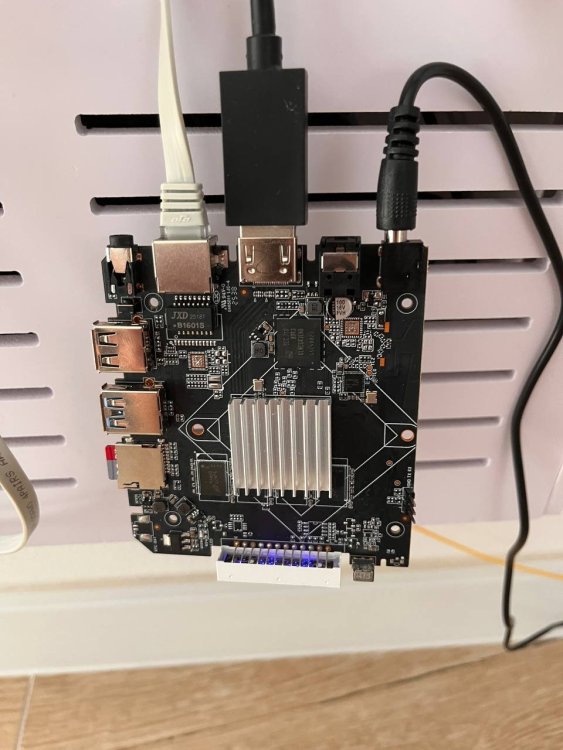
-
Hi there, I followed the instructions in section 4.1 to install it onto the memory card, but when I plug it into the TV box, it won't boot from the card. Could you please provide instructions again?
-
Providing logs with armbianmonitor -u helps with troubleshooting and significantly raises chances that issue gets addressed. and/or lspci output it might also be a power issue or just that you specific nvme does not work with non-vndor kernel also kernel is already at 6.18.35 for current rockchip, maybe see if that fixes something w,r,t, yiour nvme
-
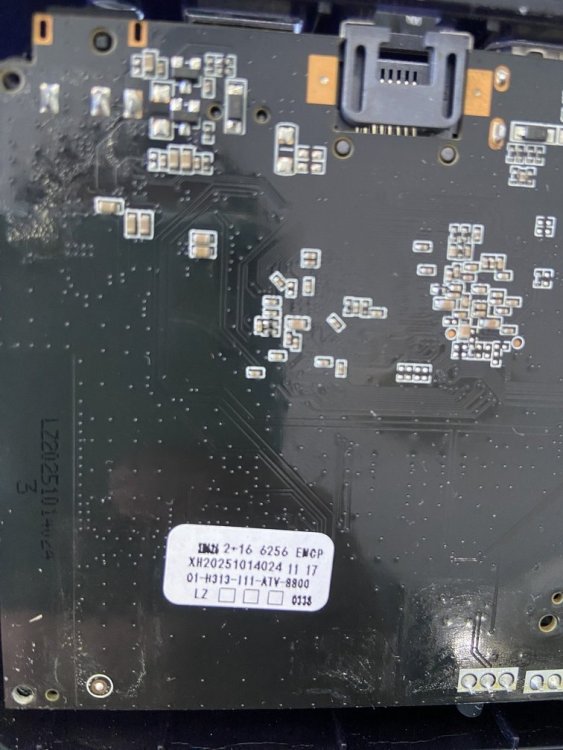
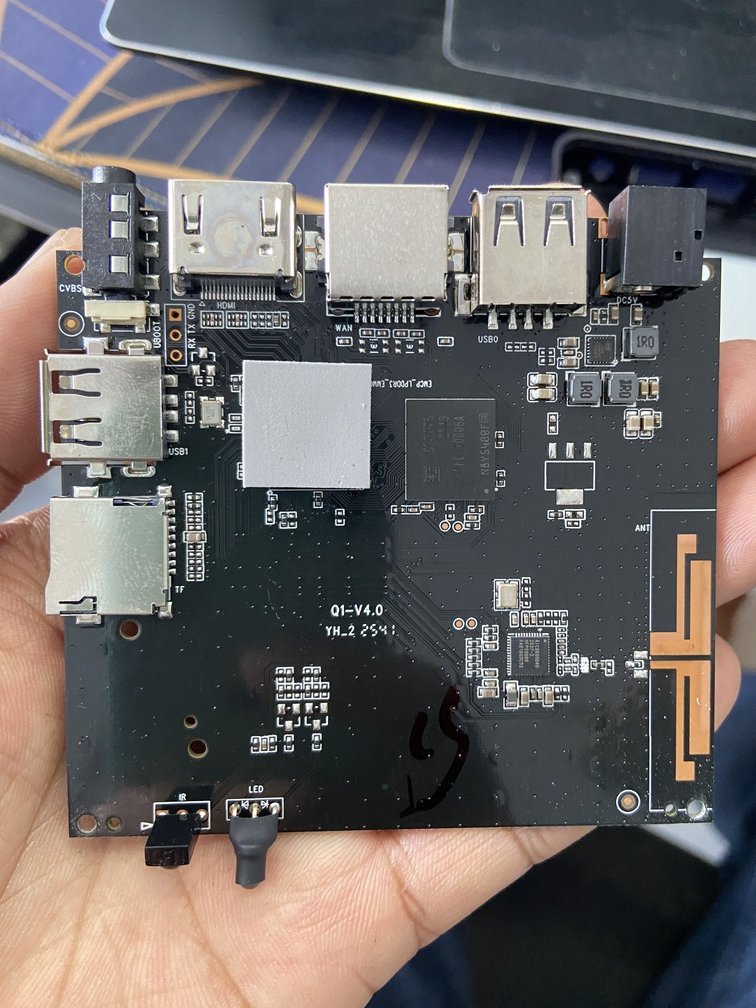
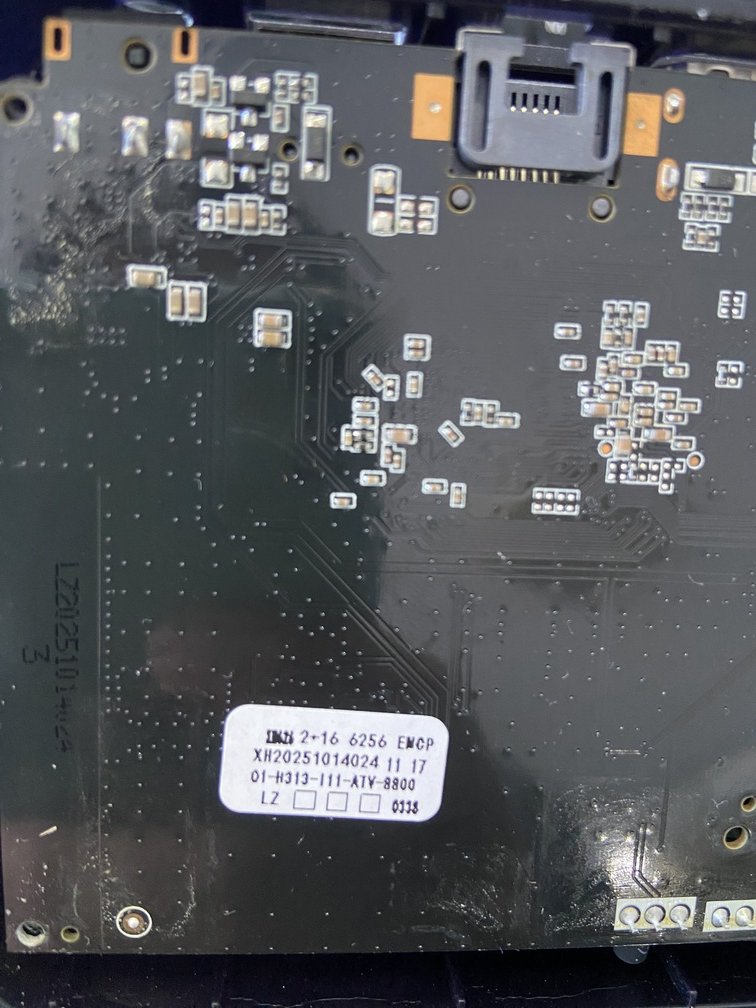
 Hello everyone, I am looking for the original firmware for my Q1 TV Box. Board information: Board: Q1-V4.0 CPU: Allwinner H313 RAM/Storage: 2GB + 16GB eMCP (Foresee) WiFi: SV6256P Sticker on PCB: Q1-H313-111-ATV-8800 XH20251014024 I have already tried searching on Needrom, but the available firmware is for Q1-V3.0 / A32 / A33 boards, and I am not sure it is compatible with my Q1-V4.0 board. Does anyone have the original firmware (.img) or know where I can download it? Thank you very much.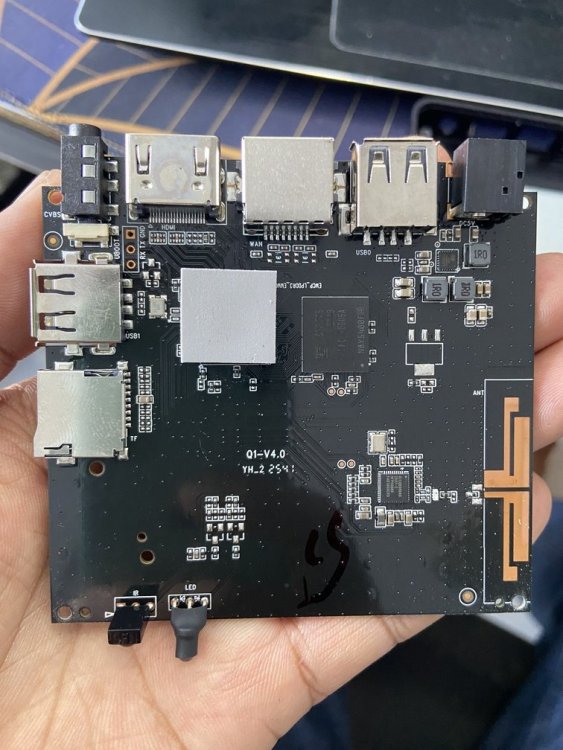
-
With the most recent minimal Debian image, Armbian_26.2.1_Bananapim2s_trixie_current_6.18.15_minimal.img on my A311D, I hit a problem with Xorg. Instead of starting up into dwm via lightdm's autologin, all I got was the blank blinking cursor screen. Working through it with an LLM, the resolution worked out to be adding a stanza to Xorg.conf. Section "ServerFlags" Option "AutoAddGPU" "false" EndSection Is this the correct solution? Is this known or understood? I know nothing about any of this. I presume it's related to how the devices look to Xorg via the kernel, but I have no understanding beyond that level, if that's even correct.
- Last week
-
 @MMGen yeah, that's where mbr keeps its stuff. I guess my question is why skip copying the first 32KiB even if it's empty? In form of time saving, we are talking microseconds. Even if it were to be mbr that you convert into gpt, the conversion would remove the first 32KiB turning it into zeroes and put the gpt partition table on the last 34 x 512k blocks... Is there any other reason to skip it? Is it due to the encryption? Would this process not work if I don't skip the first 64x512 blocks?
 -
 Well I don't know what is that firmware and I'm not going to touch it even with a 6 meters stick, sorry. Random software from the internet is not a wise idea, even more if it is a software you are going to install onto a computer laying in your private network. About the serial adapter, I don't know, you should post logs or something useful to give you sensible guidance; giving you blind instructions won't help. If you're a newbie, probably it is better to wait for someone telling you a way to get maskrom mode on your board. I just want to ask you if you tried to put the multitool on a sdcard and boot the board with it.
 -

Efforts to develop firmware for H96 MAX V56 RK3566 8G/64G
magixx256 replied to Hqnicolas's topic in Rockchip CPU Boxes
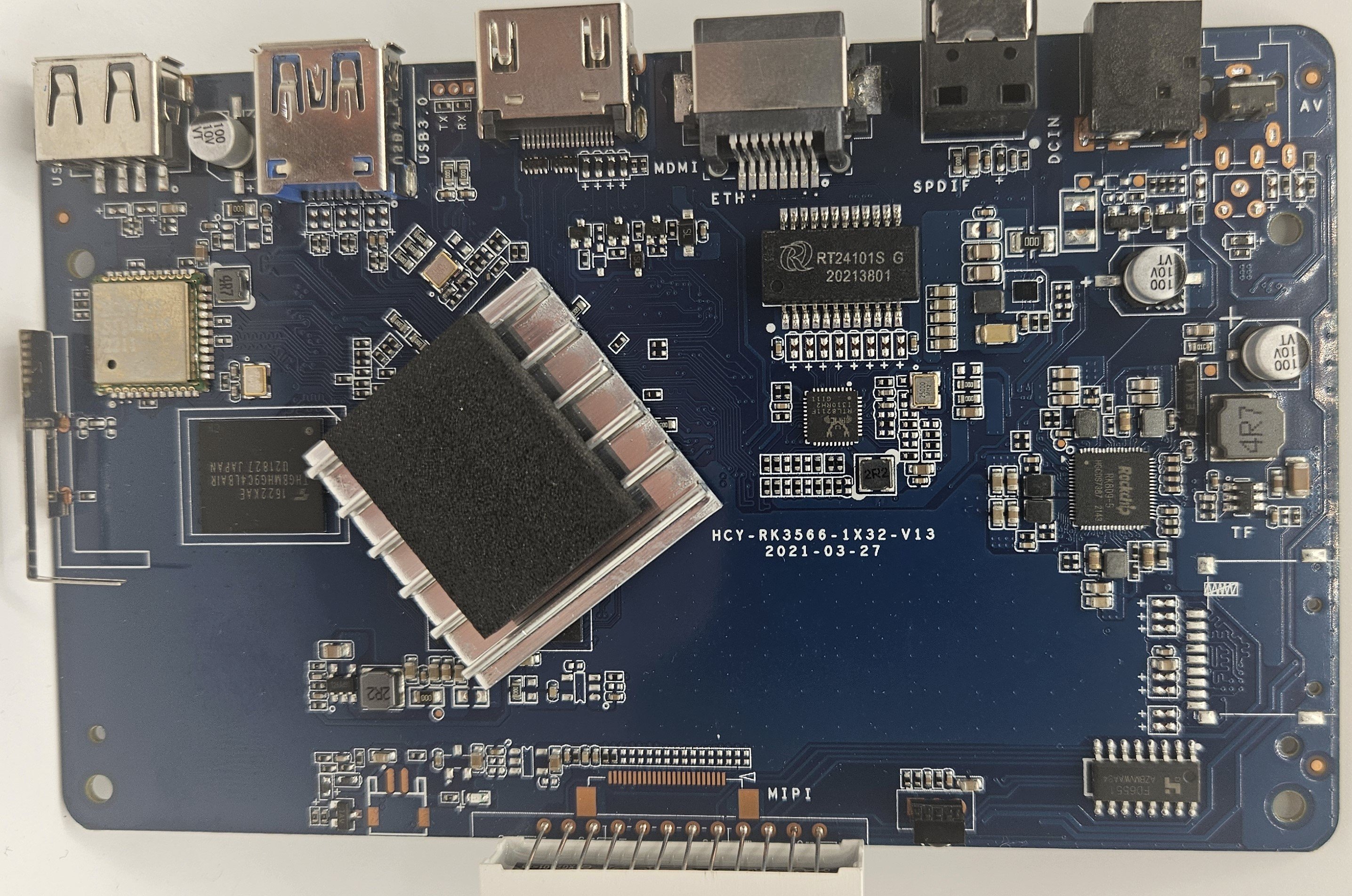
I just installed Armbian_community_26.8.0-trunk.170_H96-tvbox-3566_resolute_edge_7.0.12_gnome_desktop on an original board HCY-RK3566-1X32-V13 2021-03-27 I wanted to confirm the WiFi chip visually but could not do so as pulling the shield off the HCY6335 was not possible, it's very likely actually soldered so don't try. With this image out of the box: What works: LAN Display What doesn't work: WiFi Bluetooth Unknown: SPDIF Hardware video decoding Afterwards, I installed brcmfmac4335-sdio.bin and brcmfmac4335-sdio.txt from https://github.com/LibreELEC/brcmfmac_sdio-firmware/tree/master to /lib/firmware/brcm/ as per https://green.bug-eyed.monster/armbian-on-the-h96-max-v56-android-tv-box/ but I don't think you need any symlinking. This made Bluetooth and WiFi work but the speed it gets is very poor (20mb/s) so I recommend using wired connection which did get ~500mb/s. I started looking to into hardware video acceleration and this seems to be a bit of a mess. AFAICT MPP (Media Process Platform) and RGA (2D Raster Graphic Acceleration) are needed for this to work. The two options I saw were ffmpeg-rockchip and jellyfin-ffmpeg but both mention needing Rockchip BSP/vendor kernel. Does anyone have any experience here as I was hoping to turn this into a media PC? Given component costs now an that I originally paid ~$42 for the 8GB model I do think this board + armbian runs quite smoothly.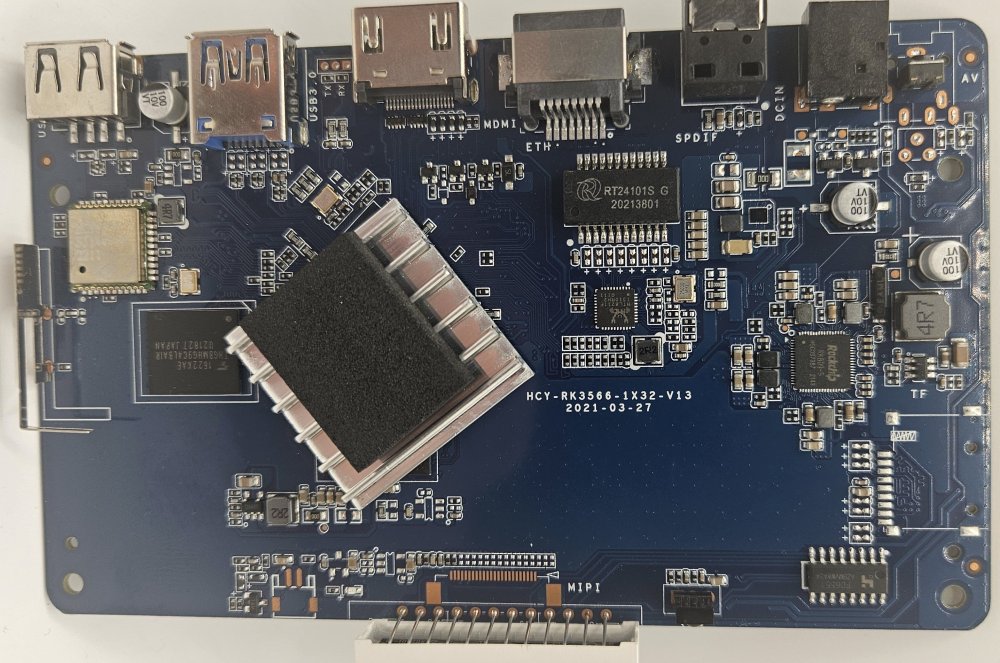
-
Hah. I switched to using the cheapest one I had and that worked. But thank you for the validation. This was indeed the correct strategem.
-

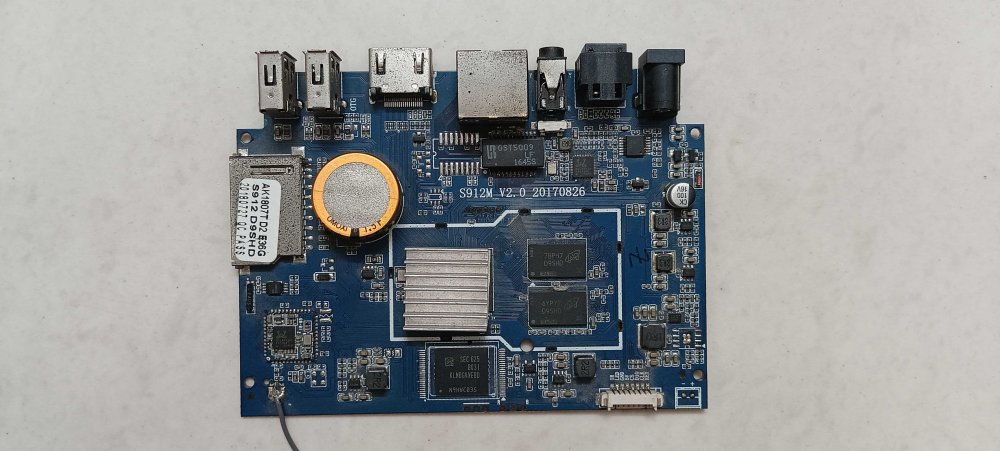
Two S912 android boxes that are partially dead/bricked
BLAINZEKO posted a topic in Amlogic CPU Boxes
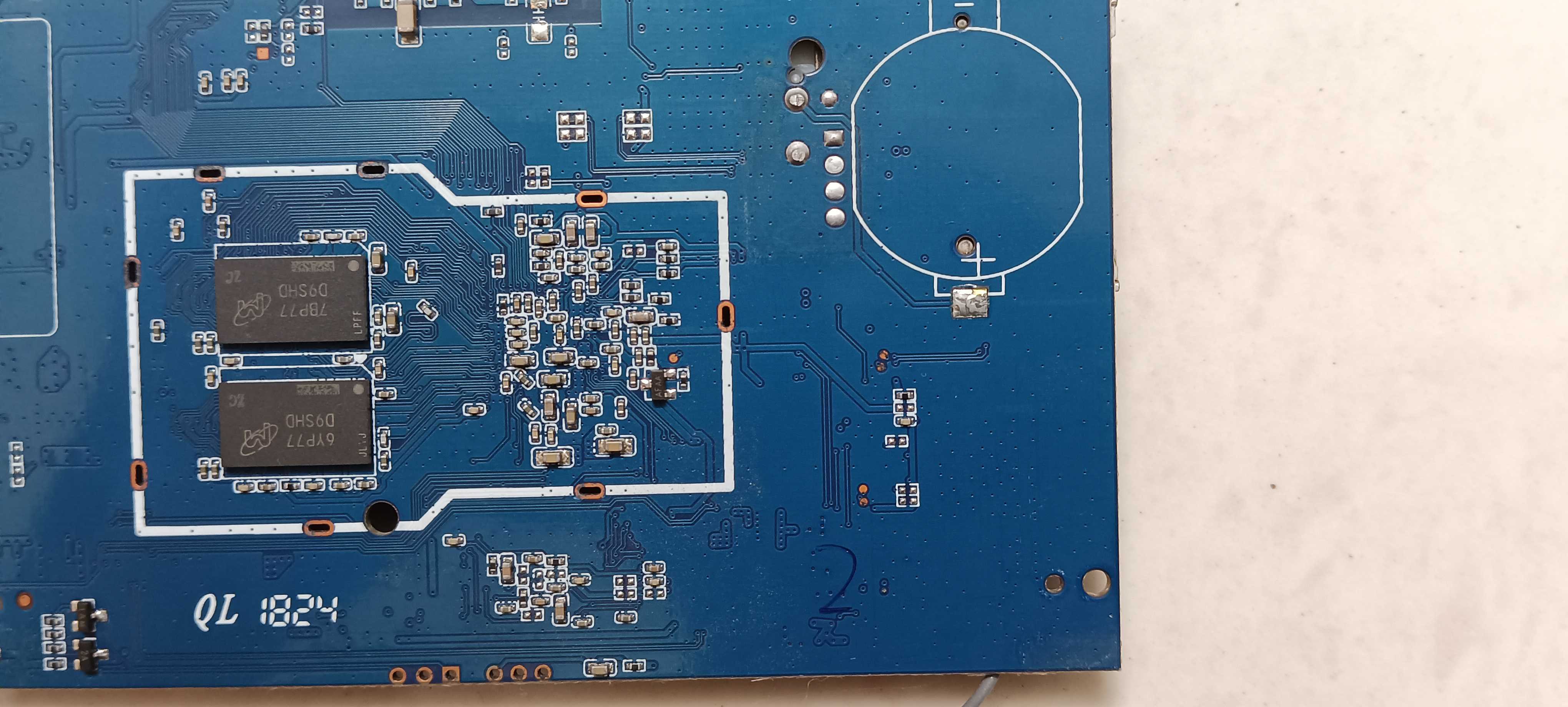
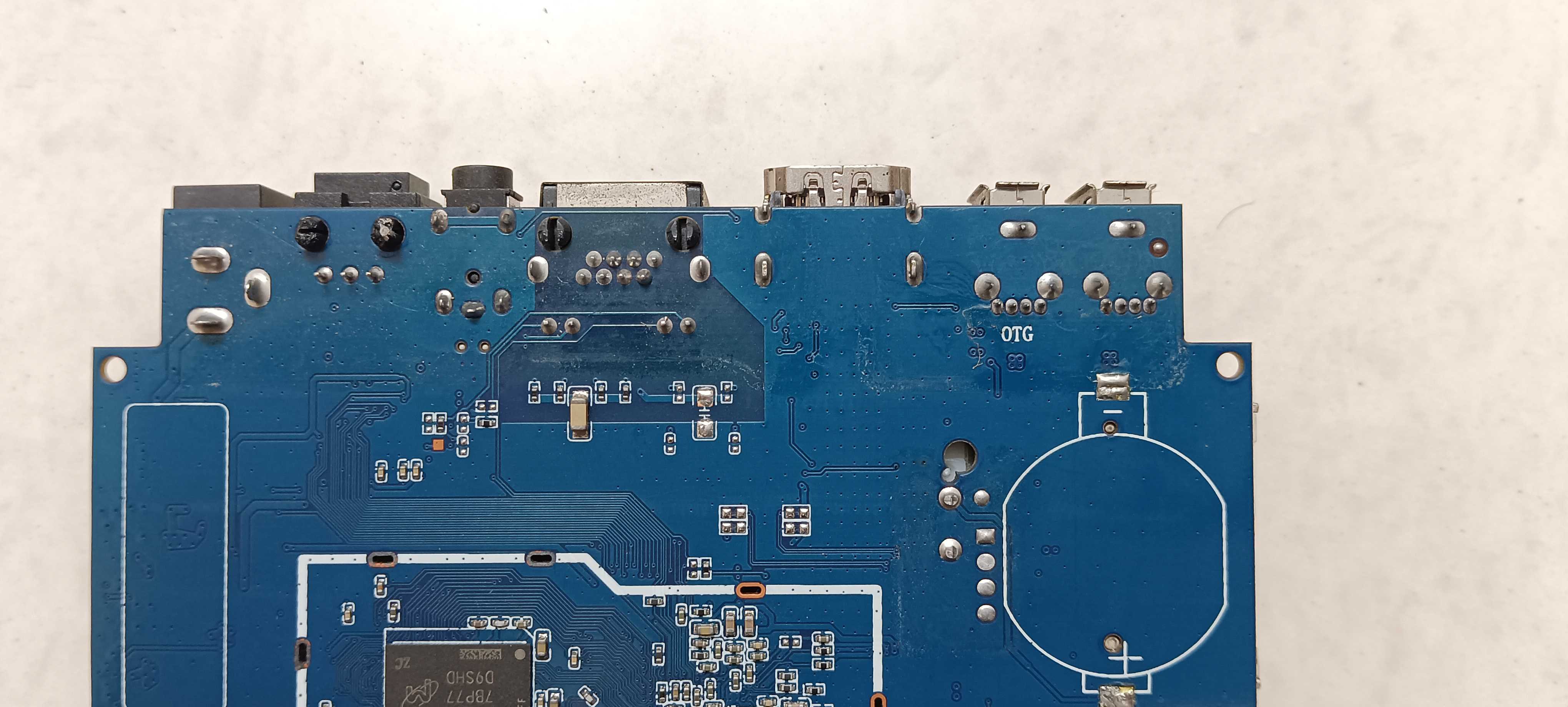
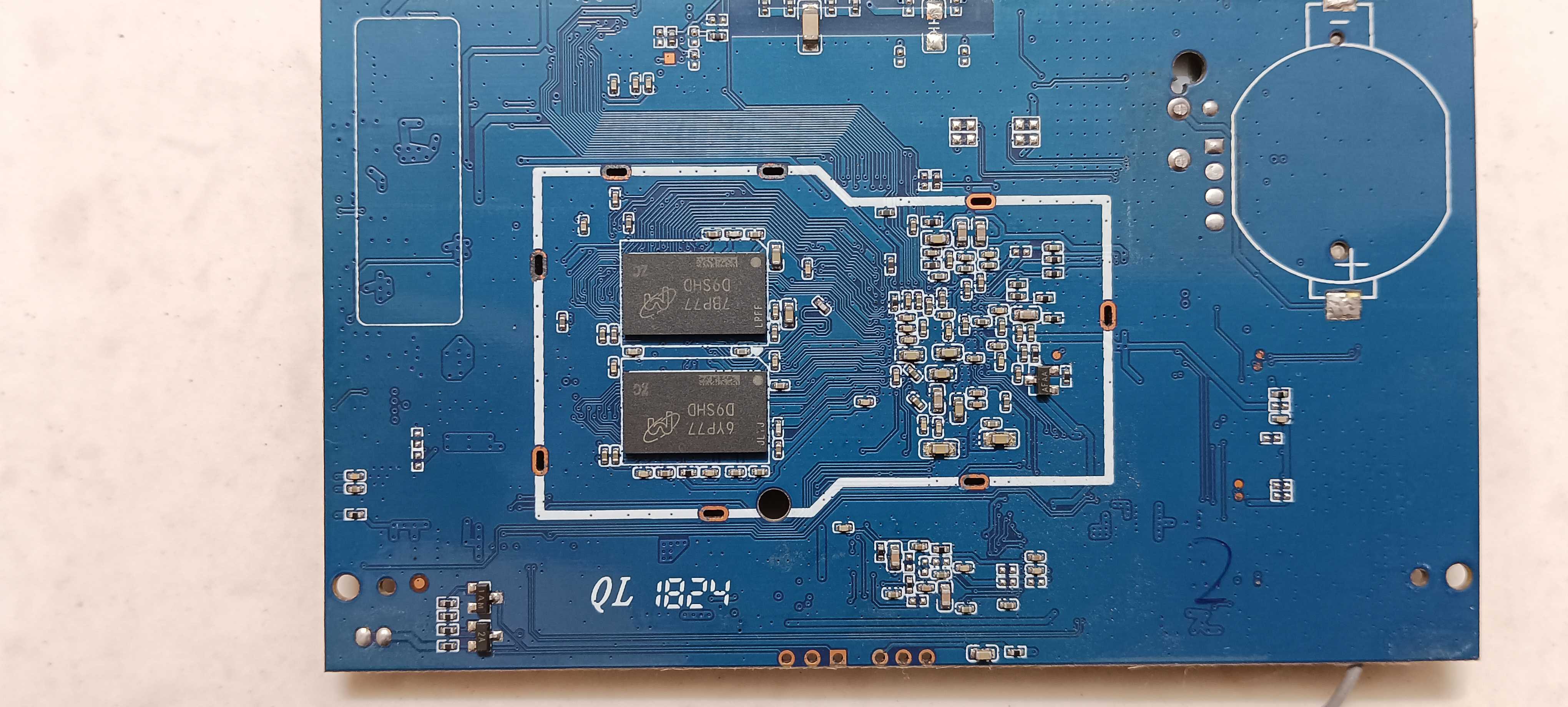
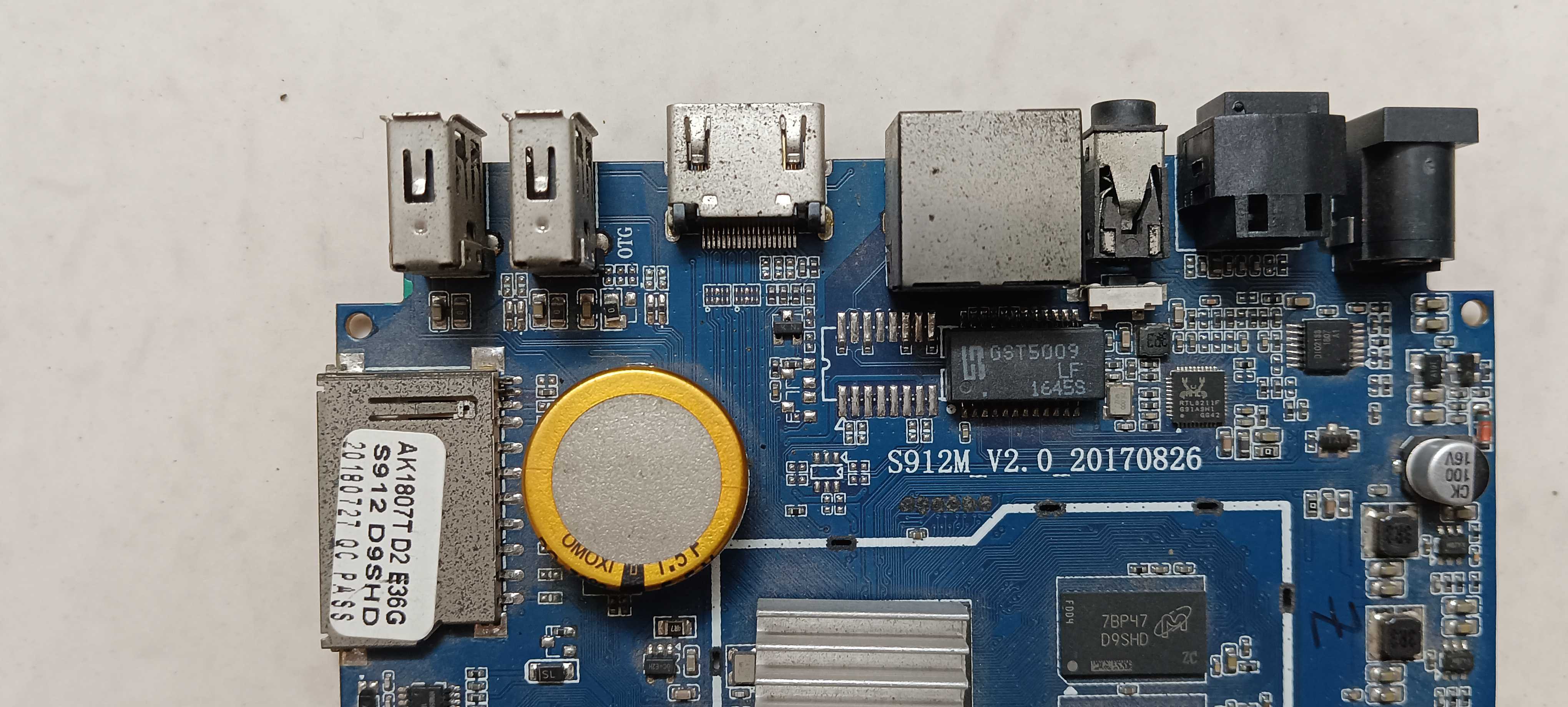
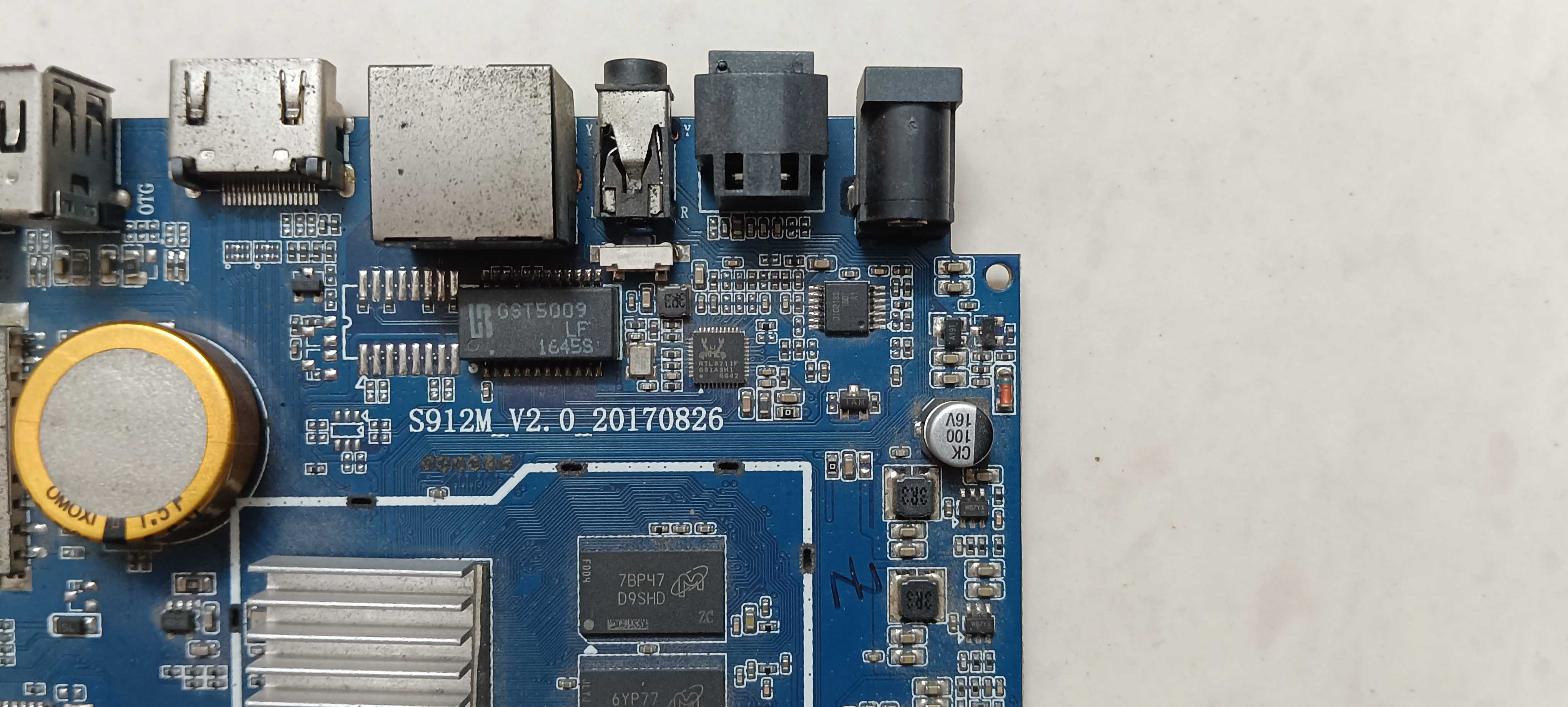
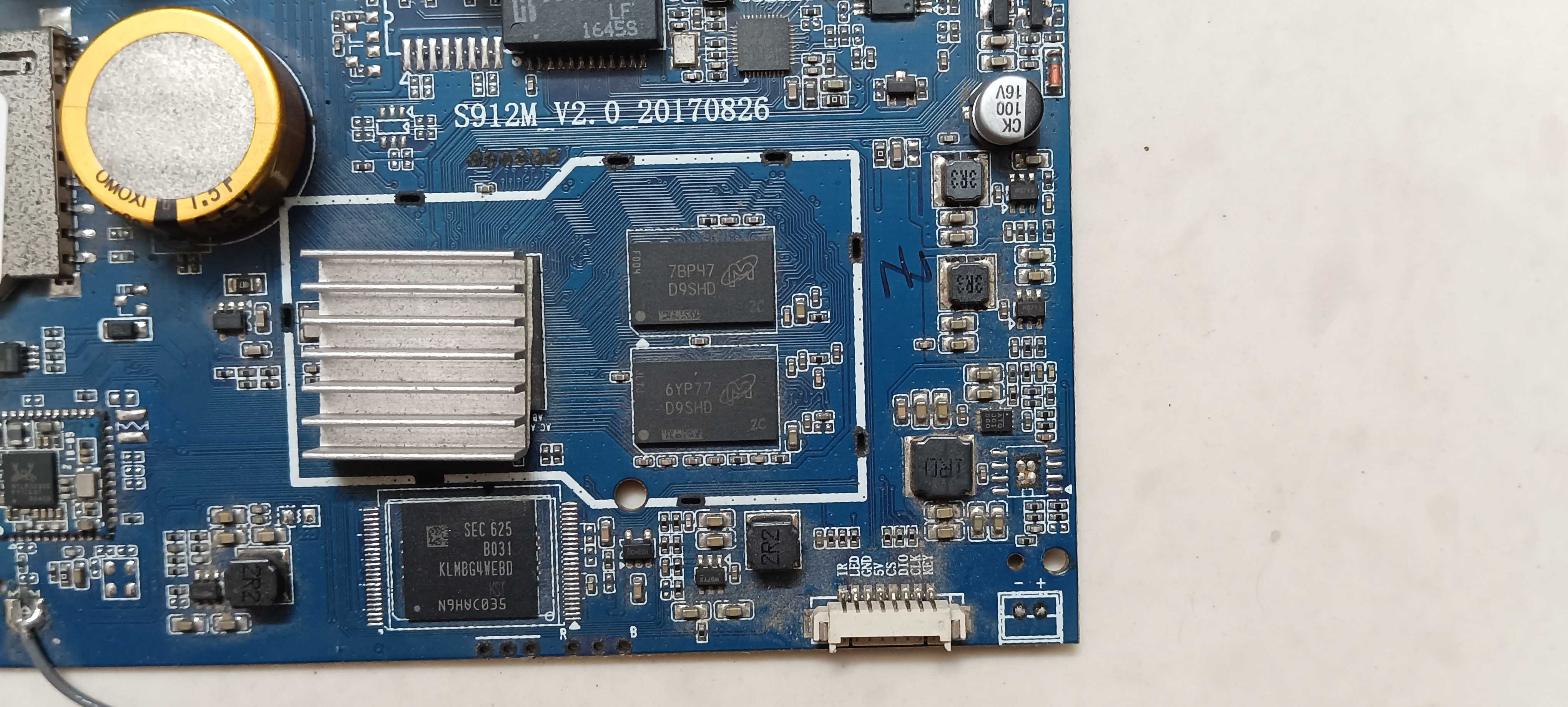
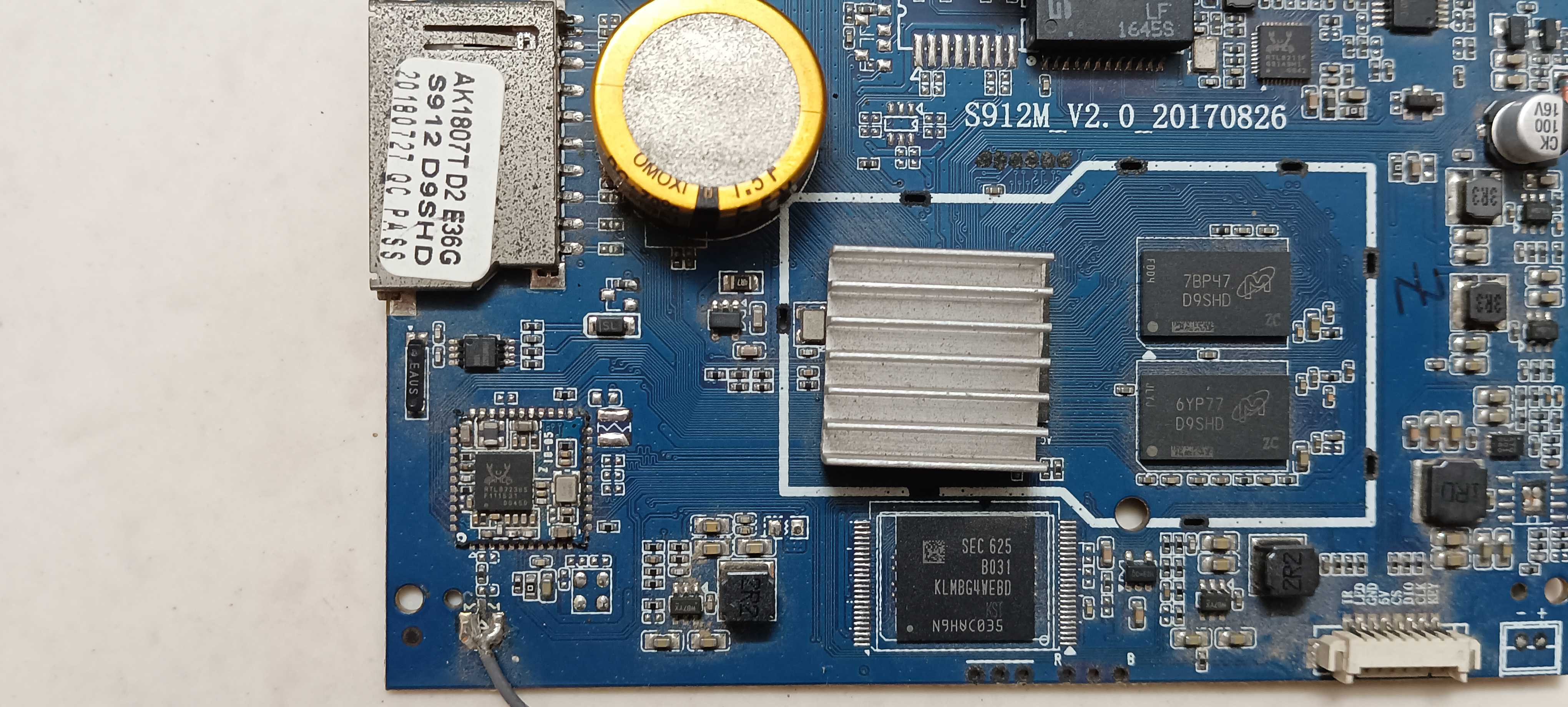
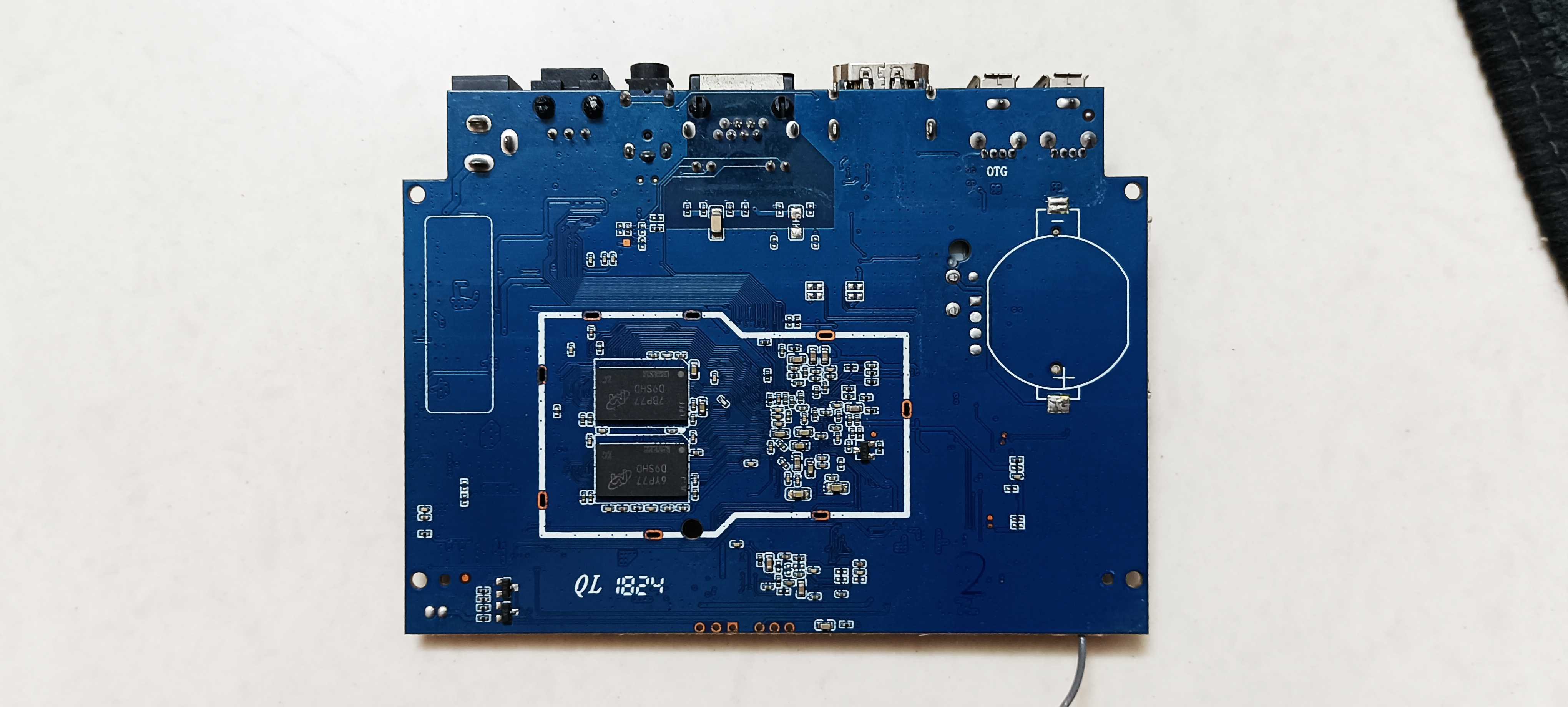
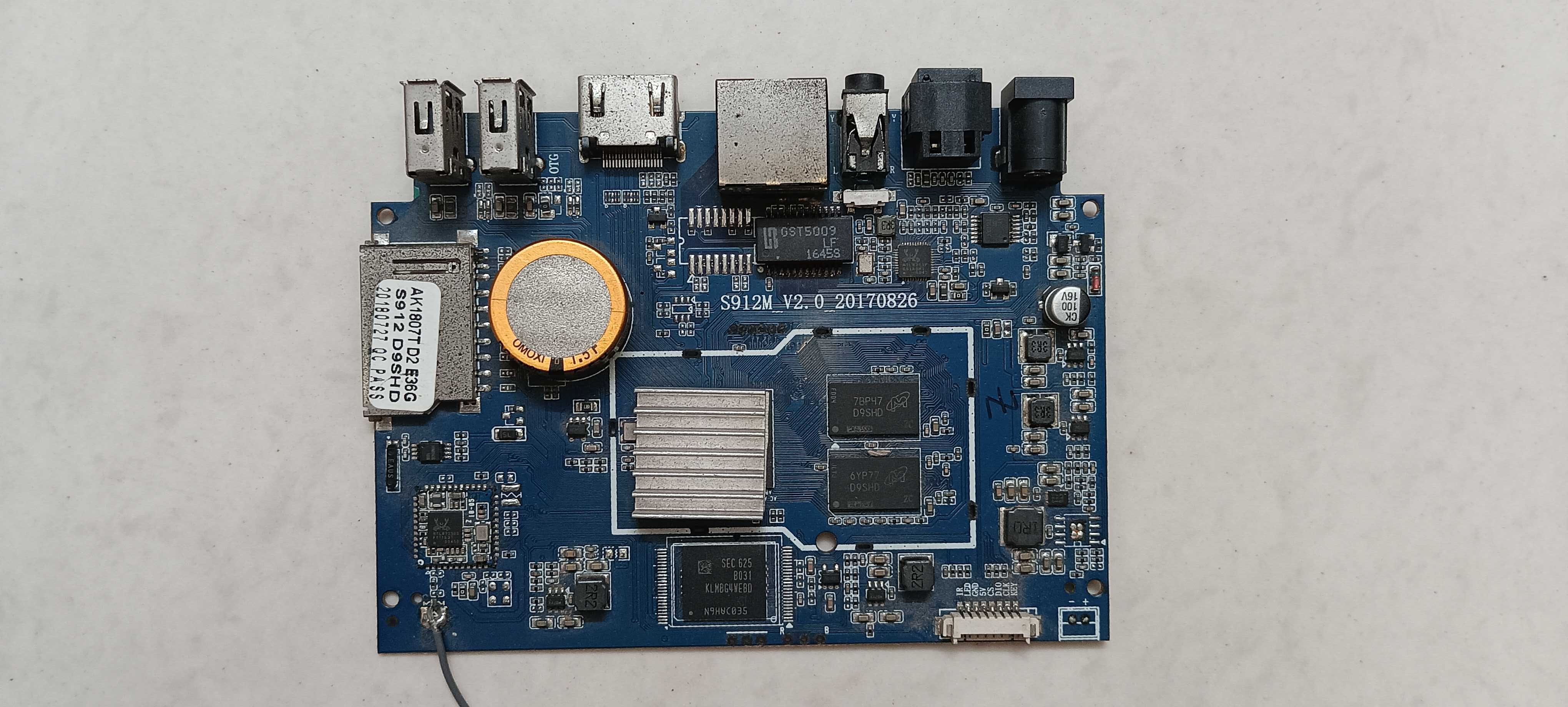
So I've got two of these old android tv boxes, both running the S912 chipset, and both are pretty much dead at this point. Trying to figure out if it's worth the effort to revive them or if I should just toss them already. On both boxes: no display through hdmi at all, not even a logo or flicker. Tried the toothpick trick for recovery screen with power plugged in, no reaction. Keyboard and mouse don't get picked up when connected. And when I hook them up to my laptop with a usb to usb cable, the boot light does turn on so they're clearly getting power, but the box itself never shows up anywhere on the laptop, not even in device manager after installing the usb burning tool drivers (one does shows up, but says USB device not recognized). Also tried the SD card method, used the correct armbian image on it, still didn't worked. Basically all I get is that one led lighting up and that's it. No video output, no usb enumeration, nothing responds. Attaching some pics of the boards and ports in case it helps spot anything obvious. Before I give up on these completely, does anyone know if there's still a way to force them into burn mode, because i know for certain that it's not a hardware related issue. Software is stopping them going into burn mode. Hardware is completely fine and working. So i wanna force them to go into burn mode so i can use armbian image on them. If there really is no option, i'm tossing them out. But there has to be a way. Any help would work. Thanks in advance.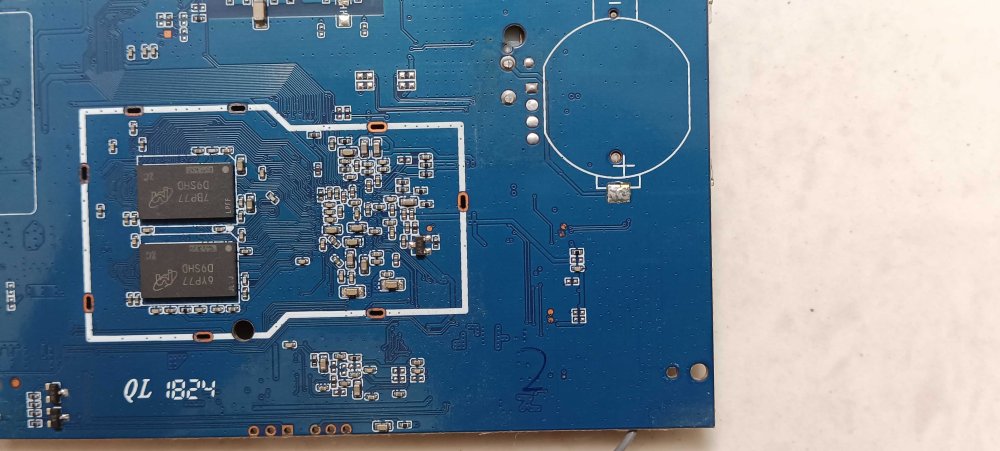
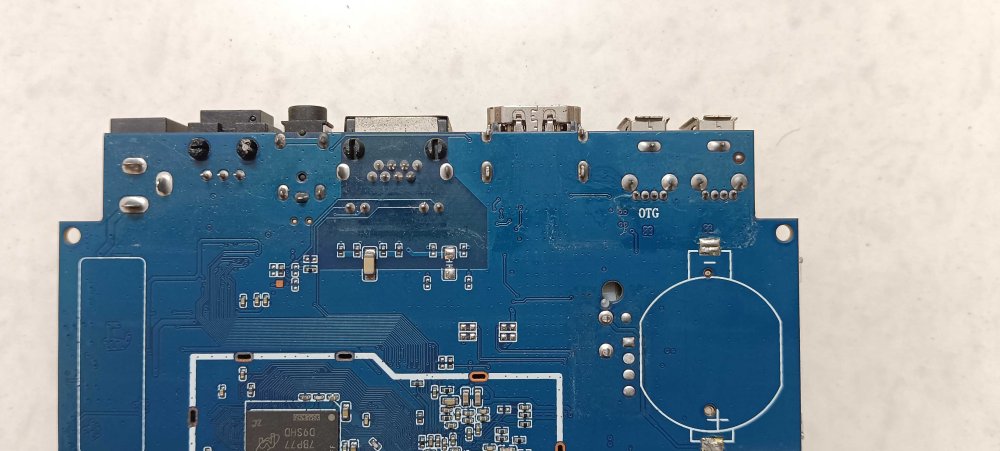
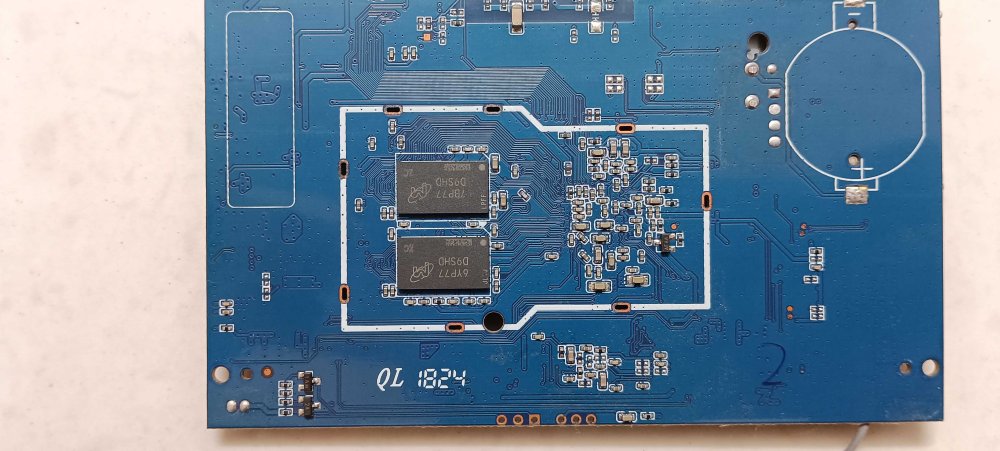
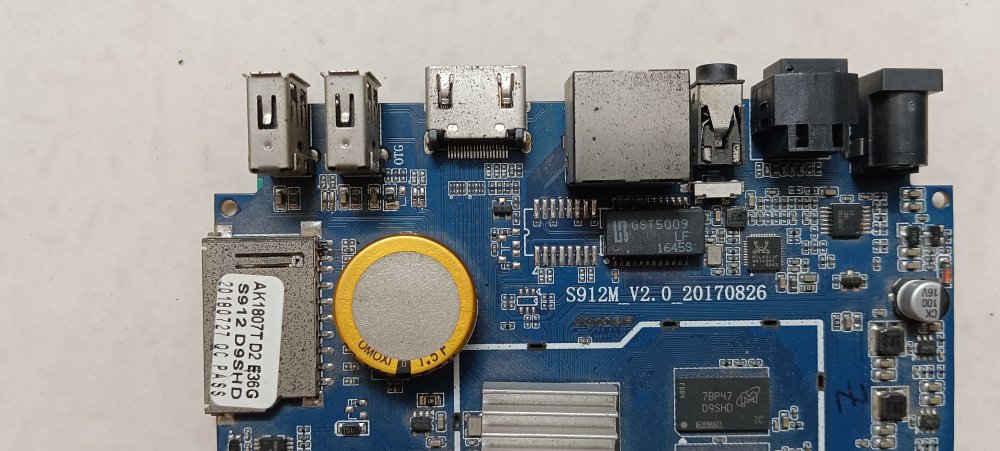
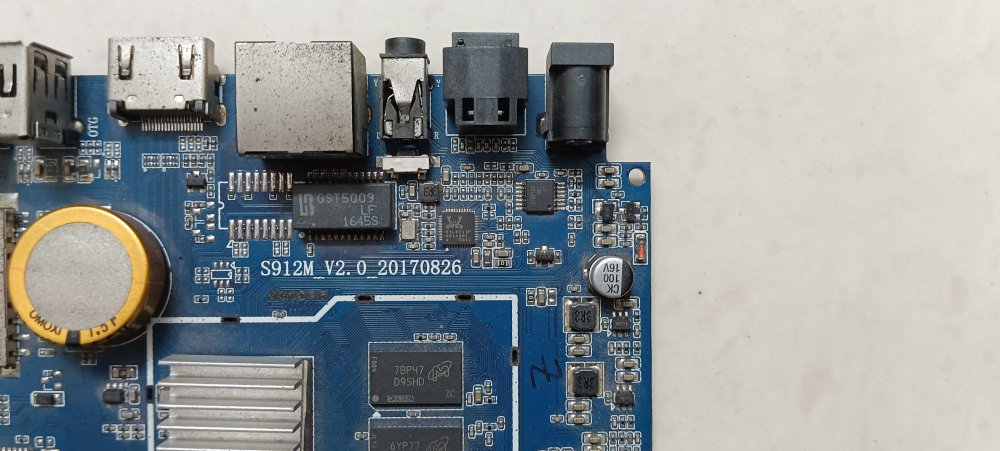
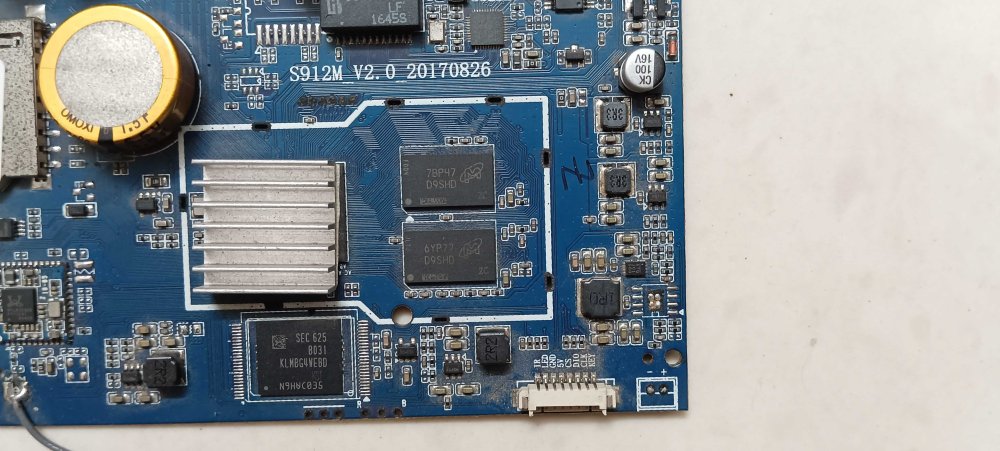
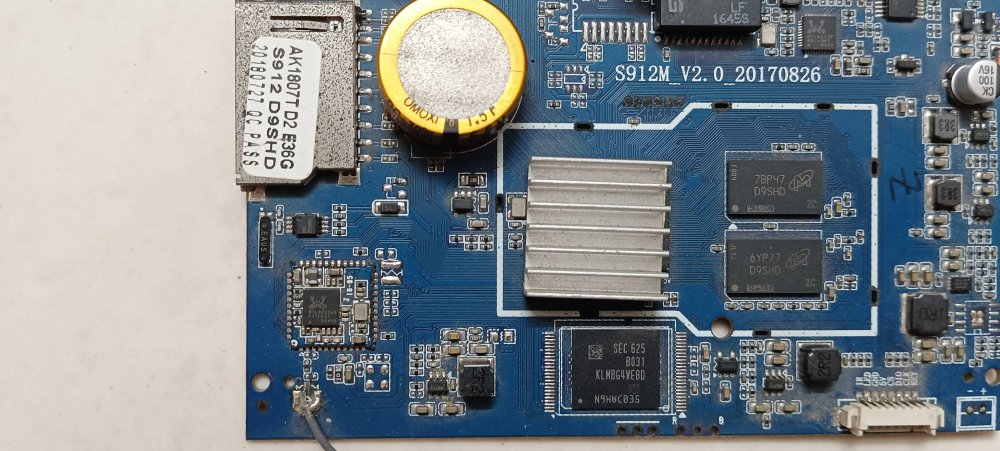
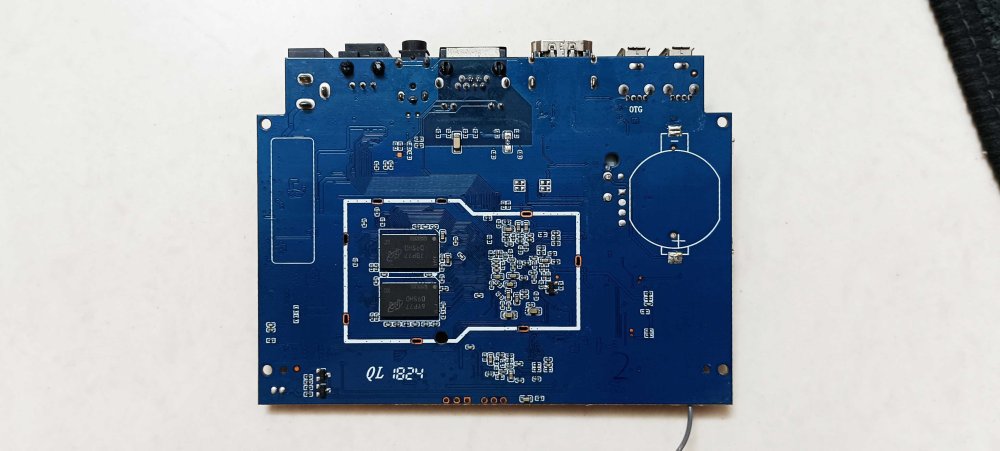
-
Providing logs with armbianmonitor -u helps with troubleshooting and significantly raises chances that issue gets addressed.
-

Games Compatible With Armbian on Pinebook Pro
Bruno Piras replied to Katsujinken's topic in Pinebook Pro
Oh man, every Armbian install to Pinbook Pro's eMMC I heard of always ended up failing. Which steps did you do to successfully install Armbian to your eMMC? Would really appreciate it! -
Join us on June 18 for our low-latency ML video analytics demo on the Ryzen AI Max 300 Series at the AMD Embedded Computing Summit! View the full article
-
Linux kernel 7.1 brings improvements across filesystems, networking, scheduling, graphics, Rust, and hardware enablement, with Collabora contributing 65 patches from 16 engineers across Panthor, DRM, Rockchip, MediaTek, and driver fixes across the kernel. View the full article
-
Hi, could someone please give me a backup of the MXQ PRO 4K (5G version) WiFi EA6521QF? I need it for my Android TV box. Thanks.





.thumb.jpg.20ed26dd68aaee94a94b227bf670a8eb.jpg)

