Active threads
Showing topics posted in for the last 365 days.
- Past hour
-
I just downloaded both images available on the download page (minimal and xfce desktop) and both images had the install-aml.sh script in the /root directory. As far as your current state, I only know of the windows amlogic tool as being the only available way to restore an android image. I know nothing about the Khadas tools you are trying to use, whether they will work on non-khadas boards, or if they can be used for what you are trying to do.
- Today
-
Hi Chris, when I tried to install the headers on my pcduino3nano, there were two options: linux-headers-armmp (or equivalent for your board) and kernel-headers. This secong package name was incomplete, but apt suggested a list of possible matches for my system. Give that a try. Cheers, Gaetano.
-
I would use systemd. Depending on what application you are talking about, a simple or oneshot service should do the trick. Read the first two examples in the manual: https://www.freedesktop.org/software/systemd/man/latest/systemd.service.html#Examples Assuming you mean an application started by the system and not your user, select the version that fits your situation, create/edit the file /etc/systemd/system/name_your_service.service with the contents needed, for example: [Unit] Description=Service to start "application" [Service] Type=simple ExecStart=/path/to/application [Install] WantedBy=multi-user.target Then enable the service and reboot. sudo systemctl enable name_your_service.service sudo reboot now You can use "systemctl status name_your_service.service" to see status, or "journalctl -u name_your_service.service" to see logs. You should obv change the name of the service from name_your_service to something fitting. If you want the application to run even earlier at boot, you can change multi-user.target to basic.target instead, but be mindful that if you do that and the application requires for example network to be available, you then also need to add "After=network-online.target". Instead, it's usually better to use "Before" and "After" variables and stay on multi-user.target. Please see manual in link above and https://www.freedesktop.org/software/systemd/man/latest/systemd.unit.html for more advanced usage.
-
Hello @JamesCL! I got the same error. You need to select at least one desktop package - error shows up with empty DESKTOP_APPGROUPS_SELECTED= Hello @Malay: That was on my todo list. I grabbed an eMMC from an old Odroid. It tried to boot if inserted. Thus boot sequence is: SD/TF, then eMMC, then MTD. So I booted with SD. eMMC showed up in /dev/mmcblk2. I started armbian-install, selected "Install on eMMC". Now it tries to boot that old Odroid image. So boot0, uboot, and SBI are there. Should work if you copy an image to /dev/mmcblk2. @All others: if that kernel thread for realtime-CPU (and HDMI audio) is active, the board always reports a load=2.0 or higher. This does not cause a very un-responsive Wayland-Gnome3-Desktop, this has other causes. Anyhow, this desires more investigation, since running a polling process to grab data from a realtime CPU does not sound right, there has to be an Interrupt or so, so I may again revert the reverted reversion (of the RPMSG kthread). Also I learned, that the Fedora project has an even larger esos.elf (rCPU firmware). I am curious what additional stuff may be in there 🤔 LG // Sven-Ola
-
Okay an update: Thank you @jock for the answer i've been looking for, I've managed to make use of the hardware acceleration (H.264) of my RK3229 on Android Auto (OpenAuto) but it's a complicated process i had to do. - I had to build my own aasdk and openauto from the git repository and test it as it is. running raw Open Auto showed the following issues: for openauto GUI it runs via linuxfb (trying to fix but still can't find a workaround) AndroidAuto stream decode was only running x264 (software decoding) [fixed tho] This has been fixed by doing a custom code for OpenAuto to utilize Kmssink (now works in 720p 30fps, going 60 adds a lot of latency but it's smooth!) Audio Not Working (i think can be fixed by pulse audio or just do direct hardware) [Patched: now uses RTAudio ALSA] Probably more since im only testing Audio Video as of right now. OpenAuto: RK3229 Armbian Github Repository if ever you want to try it!
-
Related answer: https://forum.armbian.com/topic/57601-missing-headers-for-618-kernel/#findComment-232075
-
Did you ever make progress on this project?
- Yesterday
-
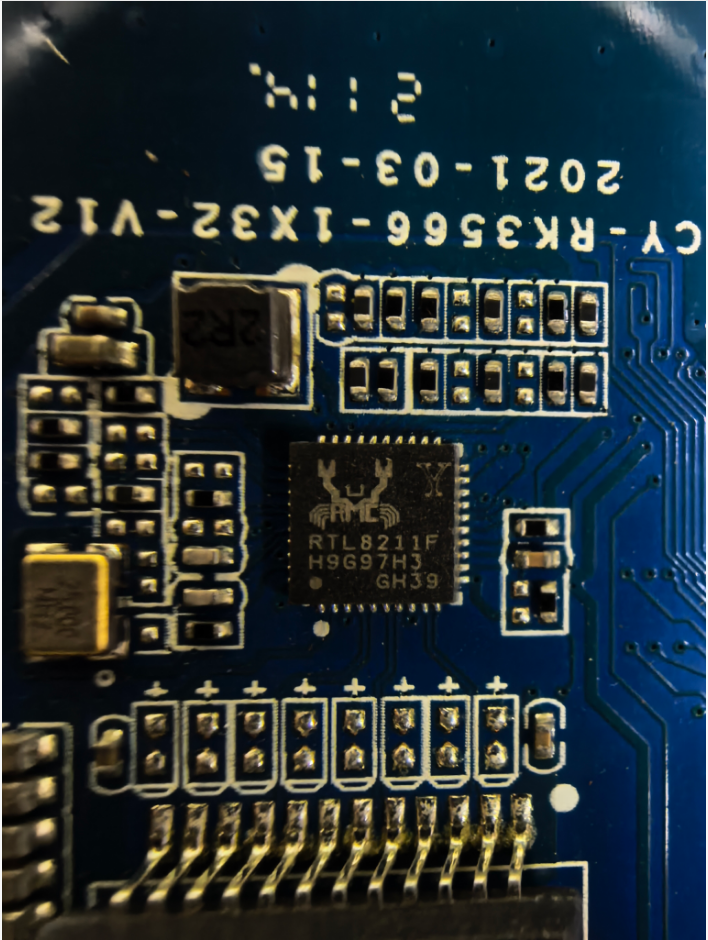
I'm awaiting delivery of a new extruder heater/nozzle and it seems the wifi is reluctant to connect. Previously, the wifi would not connect until a calibration had been performed and it will not calibrate due to the extruder heater failing. I did upload the Sovol SV06 Ace mainboard schmatic to the O.P. but it is for board version 1.1. Hopefully I can connect, ssh in and get the *dtb file once the nozzel is replaced. Then cross check the *.dtb with the schematic. The new board,v1.2, likely uses the same Broadcom BCM43430 Fn-Link FG89FTSM13-W3 chip that Sovol Kipper Screen v1.2 Orange Pi Plus 2E uses. It may also have an additional fan socket. For future reader/search hits, you actually have to use radxa linux upgrade_tool. It will be a couple of days before I can follow up. I found one issue with the wifi chip, it is not broadcom based. It is an Fn-Link manufactured knock-off of a realtek rtl8189FTV/rtl8189fs. The driver is not in the mainline linux kernel but needs to be built as a module using Realtek source code. Armbian example of building the module. Armbian forum search shows code has been orphaned by Realtek Fn-Link no longer manufacturers the chip. The original source has issues and updated source, from 3rd parties, can be found. I searched Arch Linux AUR and found luckfox-pico/rtl8189fs. My OP incorrectly lists the wifi as Broadcom but I can no longer edit it.
-
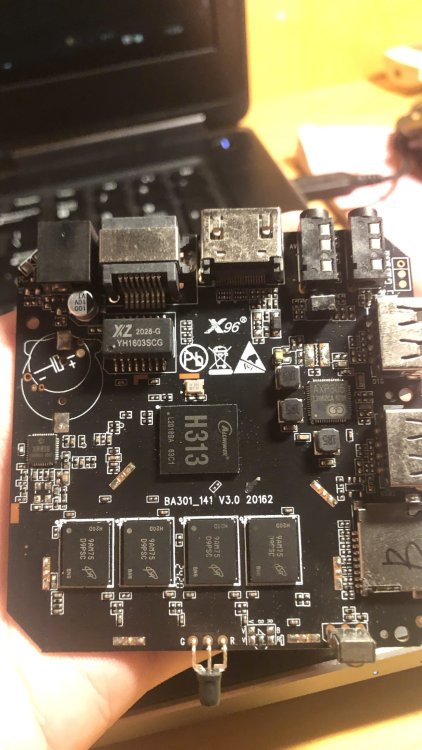
hello, i need some help with this box, i have tried a lot of image but only stayed red light or just blue light and shown nothing, my version using ddr3
-
I'll start on congratulating you for all you have accomplished. Now to your questions. I've never experienced a case where installing to emmc took away the ability to boot from the SD card, nor have I ever heard that reported by other users in the forums. So that one is a mystery. To debug that you would need to find your uart connection on the board and hook up a usb-uart adapter to monitor the uboot process. I would also recommend you try putting your image on a usb thumb drive and see if that works for a workaround. For autologin, you should just be able to follow any standard guidelines for doing that with a google search of 'xfce4 auto login' and you will likely need to edit some config file somewhere to enable this. Exactly what may depend on are you running Ubuntu or Debian userland with the Armbian kernel.
-
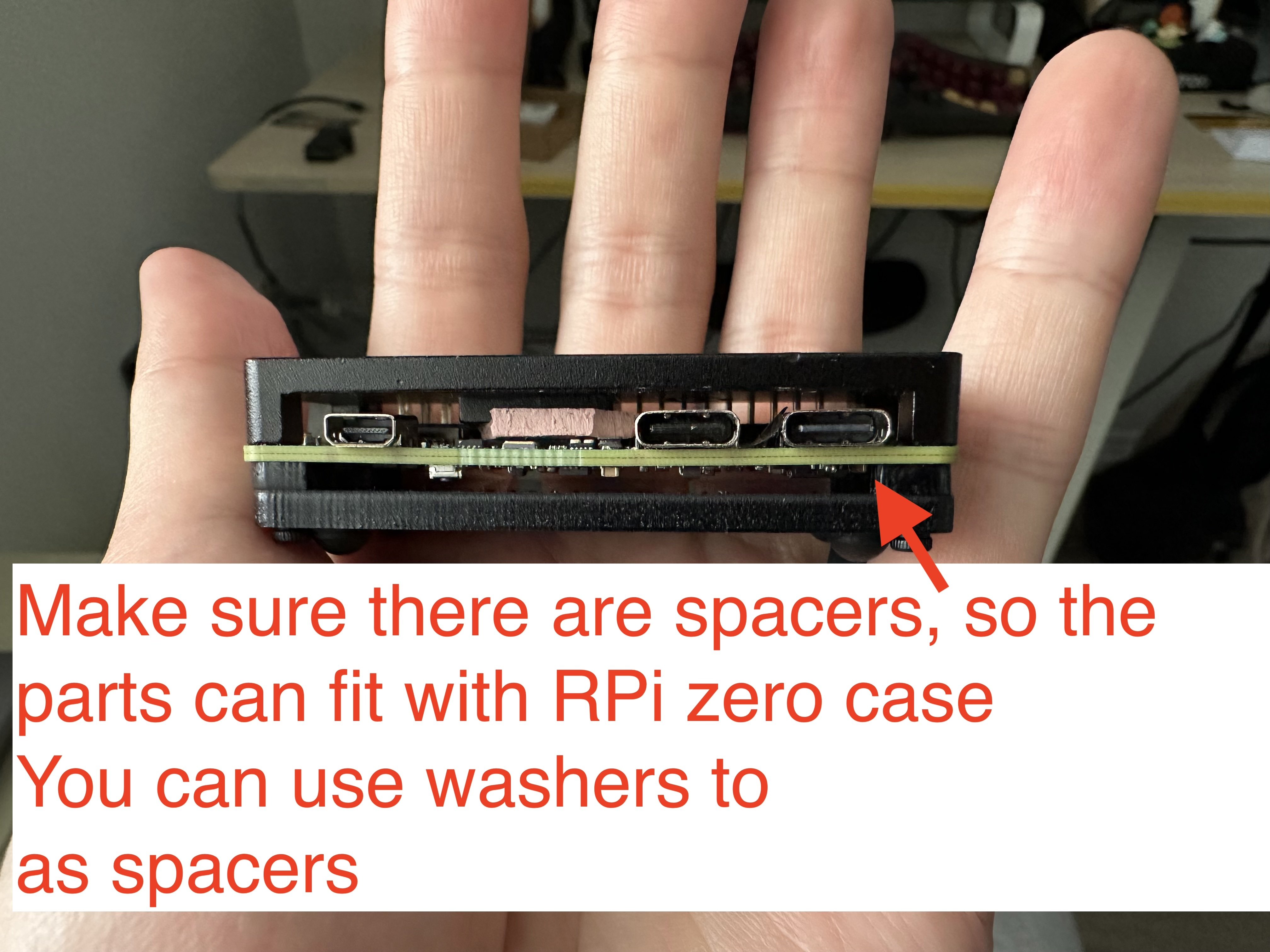
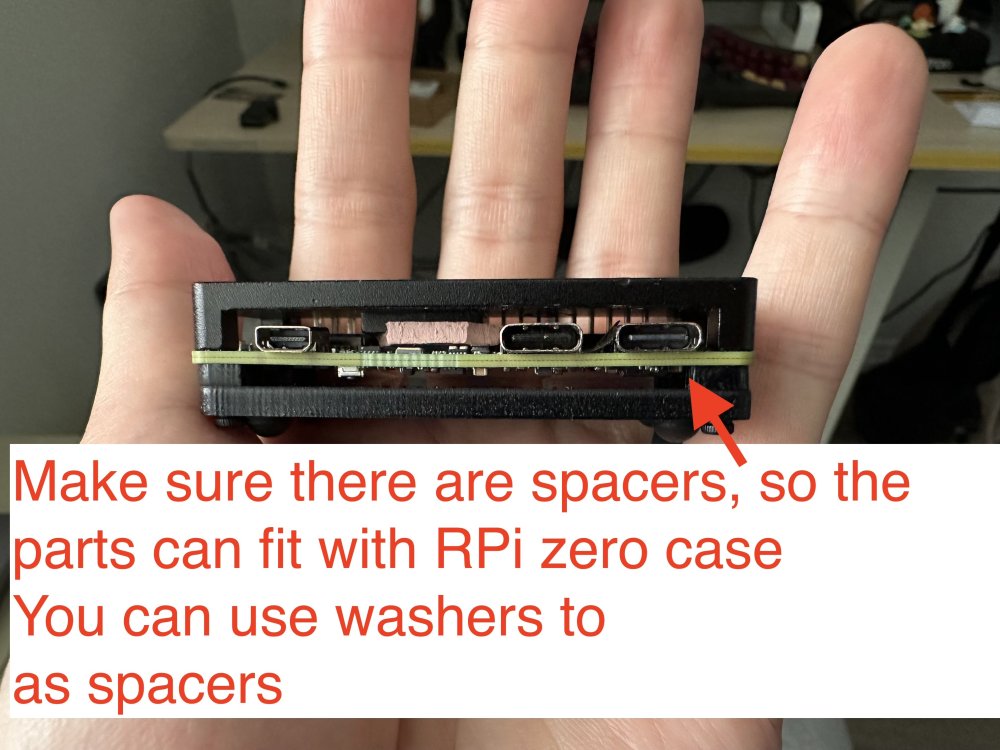
 Oh, I do not have a nanopi r3s, and I do not plan to buy it. The image is for the radxa zero 3w, but as I provided the source of building it, you can customize it to build with nanopi, too. The reason I mentioned nanopi r3s is because it has a dedicated case for it. I ended up using raspberry pi zero case for it, with some custom modifications, which is also nice. Raspberry Pi 1/2/3, zero/zero w/zero w2 won't work, because they only have 1 USB controller. The trick here is to have at least 2 USB controllers: 1 in host mode to connect to the UAC2.0 speakers, and 1 in gadget mode as a UAC1.0 USB device. Raspberry Pi 4/5 should work, but you need to make sure the power supply is strong enough, which is a big issue here, because with the official image, you can only connect the USB C port for power and as a USB gadget port, yet PS5 probably won't support that much power for RPi 4/5, so you ended up needing a USB power and data splitter for that, and connect the data port to PS5, then a separate power supply for the power port (simliar things happened in PiKVM).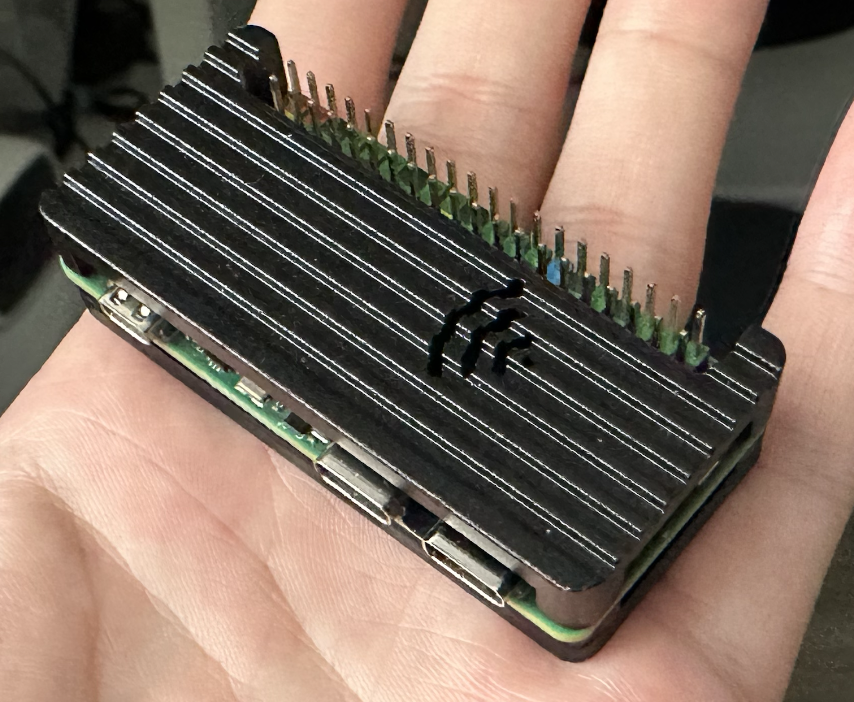
-
 I am working on a new version of the Luckfox Core3566 Board and Patches, as well as adding the Orange PI CM4 board to Armbian. Both rely on the Rockchip RK3566. Luckfox Core3566 Starting with the Core3566: The current board is just the vendor u-boot and kernel. It lacks PCIe support, but surely it is helpful to be as near to manufacturer configuration in their patches. My board config on the other side is not supporting the vendor specific patches, but based on a clean u-boot v2025.10 and runs nicely with current and edge kernels and also runs smoothly with nvme storage. The luckfox-core3566 config is currently maintainerless, but maybe users would like to have this vendor kernel version. My question: 1) Would the Armbian rather like to replace the vendor board config with a more future proof board config like mine or 2) Keep both board versions ( like rename config/boards/luckfox-core3566.csc to config/boards/luckfox-core3566_vendor.csc ) and let my variant replace the config/boards/luckfox-core3566.csc as default? 3)rd option would be combine both configs, but I had struggle to do so, as my version is using a different u-boot, using a simplified partition setup etc. Orange Pi cm4 I created a new board configuration to let Orange PI CM4 to work with Armbian as well. It is pretty similar to the bigtreetech cb2, but it's ethernet wiring and pcie powering device config differs from latter. Is it okay to create a MR directly in Github or does it need alignment with Moderators first? Cheers, Daniel PS: Nice to have time to work on embedded arm systems again. I did work on the sunxi based cubieboard and cubietruck back in the days, but job, family and basically life pulled me away from it for such a long time.
 -
 Feel free to reach out and become a partner: https://www.armbian.com/partners/
 -
LMAO! So... What exactly is your question? Did you try "the mouse & keyboard" and they did not work? I would say you will get basic functionality on almost any usb mouse or keyboard on linux. wifi on the other hand can be a hit or miss. A quick search on "USB Logitech Unifier Nano dongle" gave me this: https://forums.linuxmint.com/viewtopic.php?t=373365 so it seems you might want to use solaar to configure the stuff. As for the Inovato Quadra4K, it looks like it is an allwinner H6 processor so I suspect it should work using armbian....
-
@Bones558 I think the LED is always on by default and doesn't blink. You can try kernel 5.15, I'm using Armbian-unofficial_25.11.0-trunk_Radxa-cubie-a7z_jammy_legacy_5.15.147.img Since I don't have any TTL modules or display adapters, I directly followed the instructions at https://docs.armbian.com/User-Guide_Autoconfig/ to set up the wireless network. After powering it on and waiting for a while, I could directly access SSH. Hope this helps.
-
Hi, I'm a long time Armbian user and overall extremely happy. It my default Linux distro everywhere! Thanks to everyone who is developing or contributing to it! Every time I pickup a new board and deploy Armbian I have to edit the `armbianEnv.txt` file and change verbosity to 7. The same question repeats in my head. Why is it not the default? Systemd and startup messages spam up like crazy and they have nothing interesting to offer. I do care what hardware did the kernel detect or was a protocol correctly negotiated etc. I personally would have it in reverse, verbose kernel, quiet systemd. But thats just me. Could we at least have parity, if systemd verbose then make kernel verbose too, if kernel quiet then systemd quiet too. I'm trying to understand what was the rationale for having quiet kernel and verbose systemd? Thanks!!
-
https://docs.armbian.com/Developer-Guide_Build-Switches/ Check for ARTIFACT_IGNORE_CACHE diy packages are locally cached. automated packages from the CI are stored online in ghcr. not only this, also the status of build framework internals (like stuff in https://github.com/armbian/build/tree/main/lib/functions) since they also can alter a package. "development" should be sufficient.
-
Build from branch v20250306. error! [ Failed to fetch SHA1 of 'https://git.kernel.org/pub/scm/linux/kernel/git/stable/linux.git' 'tag' 'v6.12.11' - make sure it's correct ] How to remove the error?
-
Does anyone here may have recommendations of standard sdcard or flashdrive that supports for installation on amlogic s905x devices? eg: sdcard only sdhc types or it will work with sdxc or any kind of limitations capacities for certain SBC ? . thank you in advance for your most kind replies. best regards
- Last week
-

Help wanted to test a new OpenVFD alternative
s100sic replied to Jean-Francois Lessard's topic in Amlogic meson
Hi Lessard can you please check this error (X88 PRO-B-RK3318-D4-V1.6)? root@GREEN:~/tm16xx-display# make module make EXTRA_CFLAGS="-DCONFIG_TM16XX -DCONFIG_TM16XX_KEYPAD -DCONFIG_TM16XX_I2C -DCONFIG_TM16XX_SPI -include /root/tm16xx-display/drivers/auxdisplay/tm16xx_compat.h -I/root/tm16xx-display/include/" -C /lib/modules/6.18.6-current-rockchip64/build M=/root/tm16xx-display/drivers/auxdisplay CONFIG_TM16XX=m CONFIG_TM16XX_KEYPAD=y CONFIG_TM16XX_I2C=m CONFIG_TM16XX_SPI=m CONFIG_LINEDISP=m modules make[1]: Entering directory '/usr/src/linux-headers-6.18.6-current-rockchip64' make[2]: Entering directory '/root/tm16xx-display/drivers/auxdisplay' CC [M] line-display.o CC [M] tm16xx_core.o CC [M] tm16xx_keypad.o tm16xx_keypad.c:81:6: error: redefinition of ‘tm16xx_set_key’ 81 | void tm16xx_set_key(const struct tm16xx_display *display, const int row, | ^~~~~~~~~~~~~~ In file included from tm16xx_keypad.c:18: tm16xx.h:189:20: note: previous definition of ‘tm16xx_set_key’ with type ‘void(const struct tm16xx_display *, const int, const int, const bool)’ {aka ‘void(const struct tm16xx_display *, const int, const int, const _Bool)’} 189 | static inline void tm16xx_set_key(const struct tm16xx_display *display, | ^~~~~~~~~~~~~~ tm16xx_keypad.c:135:5: error: redefinition of ‘tm16xx_keypad_probe’ 135 | int tm16xx_keypad_probe(struct tm16xx_display *display) | ^~~~~~~~~~~~~~~~~~~ tm16xx.h:184:19: note: previous definition of ‘tm16xx_keypad_probe’ with type ‘int(struct tm16xx_display *)’ 184 | static inline int tm16xx_keypad_probe(struct tm16xx_display *display) | ^~~~~~~~~~~~~~~~~~~ make[4]: *** [/usr/src/linux-headers-6.18.6-current-rockchip64/scripts/Makefile.build:290: tm16xx_keypad.o] Error 1 make[3]: *** [/usr/src/linux-headers-6.18.6-current-rockchip64/Makefile:2010: .] Error 2 make[2]: *** [/usr/src/linux-headers-6.18.6-current-rockchip64/Makefile:248: __sub-make] Error 2 make[2]: Leaving directory '/root/tm16xx-display/drivers/auxdisplay' make[1]: *** [Makefile:248: __sub-make] Error 2 make[1]: Leaving directory '/usr/src/linux-headers-6.18.6-current-rockchip64' make: *** [Makefile:50: module] Error 2 Thank you -
Yes. Please wait. I was busy with other personal projects, so I haven't been doing armbian stuff for a few weeks.
-

Driving the ili9488 LCD (4.0 inch cheap chinese clone)
robertoj replied to robertoj's topic in Allwinner sunxi
I don't know what you could improve right now... But I know that LCD only receives data. My LCD works the same, with its MISO pin connected or disconnected. -

Efforts to develop firmware for H96 MAX V56 RK3566 8G/64G
王类 replied to Hqnicolas's topic in Rockchip CPU Boxes
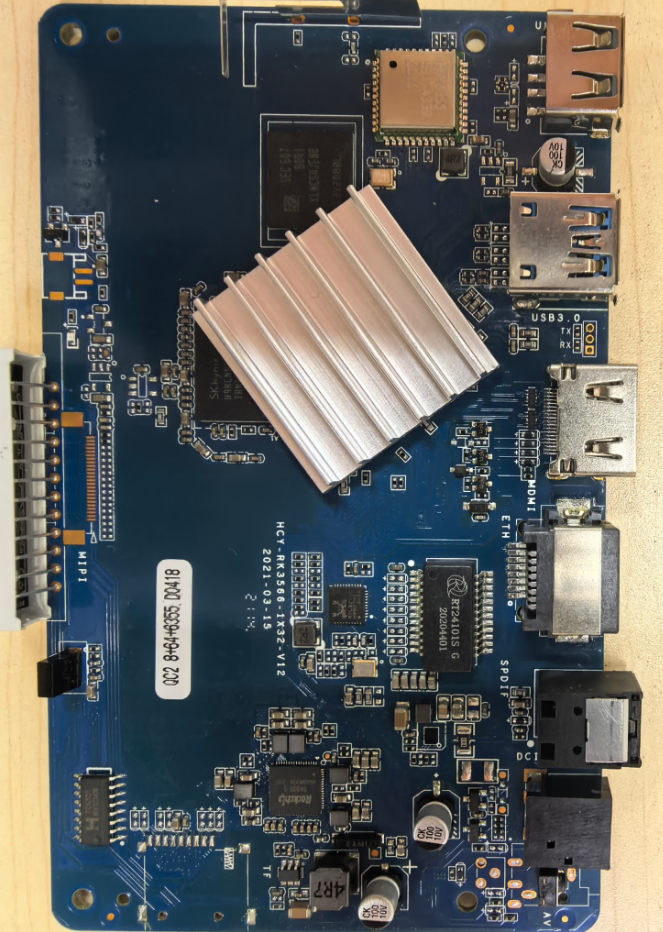
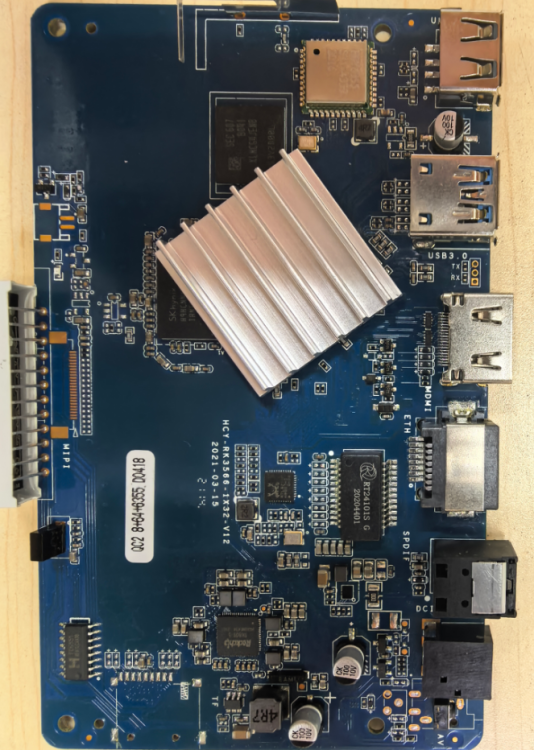
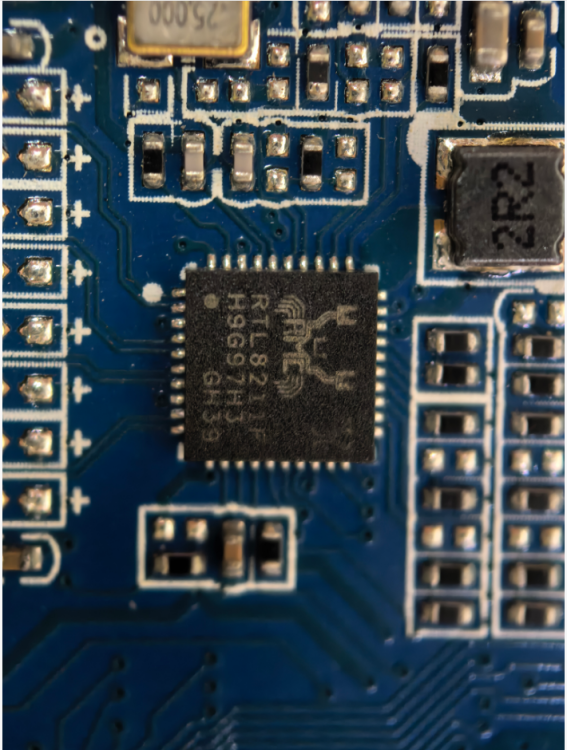
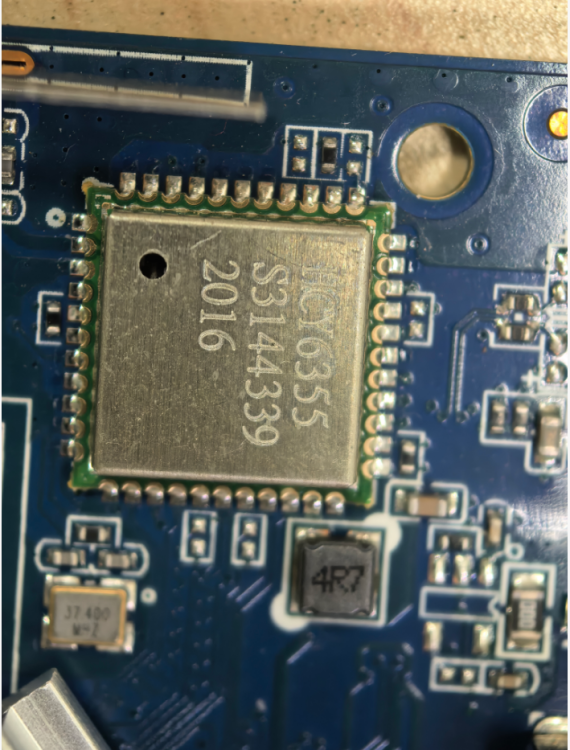
I bricked my original H96MAX TV box while tinkering with it, so I bought a new one. The new unit works fine with both wireless and wired networks on Android, but after flashing the firmware Armbian_26.2.0-trunk.302_H96-tvbox-3566_forky_current_6.18.6_minimal.img, the wired network stops working and only the wireless network is functional. Please help me fix this issue, thank you!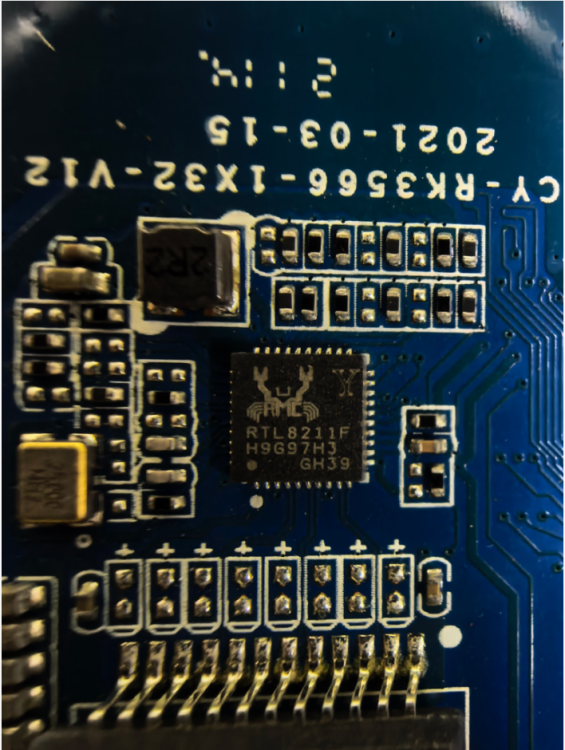
-
Try this. It worked on radxa-e54c with Cinnamon. rm -rf ~/.local/share/cinnamon && sudo reboot
-
Mhhh..... Image for OrangePi 3b works out of the box (and it's also possible to install to the eMMC), but it doesn't seem to support some features (i.e. there are no devices like "/dev/video*", "/dev/rknpu", etc.). Otherwise the images for BananaPI CM4 doesn't seem even to boot on OrangePI CM4: comparing both images, those are indeed different (i.e. "initrd.img", "vmlinuz", etc. are under "/boot" folder rather than in "/"). Dies anyone knows a simple way to burn BananaPI CM4 images (or another image) to OrangePI CM4 (to SD Card or better to eMMC)? Regards,