Active threads
Showing topics posted in for the last 365 days.
- Past hour
-
I have Dolamee D5 box. The legacy kernel 4.4.194-rk322x boots ok, but newer images from @jock or my own built image does not see EMMC. Any ideas? dmesgs attached. 4.4.194.txt 6.12.63.txt
- Today
-
@kil I also own a T95H and playing around with that now. Would it be possible getting your final dts, dtb and .config for u-boot? Thanks in advance & best regards
-
Hi, I could try to help, my board is exactly the same as yours. Can you provide me a source with instructions of how to do that?
-
Hello, I come across this topic as I got a couple of cheap OrangePI CM4 boards. As per I can see, the board is not yet supported by Armbian, so I would like to ask what is the current best option. I have seen BananaPI CM4 was an option, but is this still valid? Also, I have tried using the Ubuntu version (i.e. Ubuntu 22.04 with kernel 5.10.160) provided by OrangePI on mine and I have recompiled the kernel as below: This works well, but it doesn't seem supporting the NPU (i.e. there is no device "/dev/rknpu"). So I was wondering if the BananaPI CM4 above is better from that point of view. Regards,
-
Hello, I am facing an issue with my Youyeetoo YY3568 board. After that, I attempted to flash my own Yocto (Radxa manifest–based) wic image for the YY3568 using RKDevTool on Windows, but the flashing did not complete successfully. Since then, the board is always detected in Maskrom mode and never switches back to Loader mode. What I have tried so far: 1- Flashed prebuilt Ubuntu image (YY3568_Ubuntu_EDP.img) from the official link: https://drive.google.com/drive/folders/1D90vztL9fRfWV7laV9mdcnZ5kNpxx_tl → Board still shows Maskrom mode after flashing. 2- Flashed SDK-based image and loader built using the official documentation: https://wiki.youyeetoo.com/en/YY3568/ubuntu → Board remains in Maskrom mode. I have tried flashing from both Windows (RKDevTool) and Linux (rkdeveloptool), but the board is consistently detected in Maskrom mode. Question: How can I recover the board from Maskrom mode and bring it back into Loader mode, so that I can flash images and make the board operational again? Any guidance would be appreciated. Thank you.
-
 psst, I ordered a board, hopefully I've time and may get it going it takes a lot of *work* to even get it working and with more often than not , no (scant) documentation (e.g. missing dram controller docs ) / codes to even get it working. btw it is good for those who wish to have board support to donate in support of armbian in support of it, it is probably the only sustainable way to do so.
 -
Should be there. https://github.com/armbian/build/blob/00b6e17abfd859893a39f6445715a3327fed150a/config/kernel/linux-meson64-edge.config#L355 https://cateee.net/lkddb/web-lkddb/IP_NF_IPTABLES.html
-

ssh missfire on bpi-m5 noble
gene1934 replied to gene1934's topic in Software, Applications, Userspace
thank you. I'l give that a try when I wake again. -
http://blog.armbian.com/content/images/2026/01/githubhighlights-2.png This week’s Armbian development saw a major cleanup of legacy toolchain code, alongside numerous board-specific improvements and kernel updates. Support was added for the Nuvoton MA35D1 NuMaker IoT board, while the BananaPi CM4/M2S and Khadas VIM3L boards received updated U-Boot bootloaders. Several fixes addressed hardware compatibility, including Bluetooth on Orange Pi Zero2, Type-C issues on Helios64, and build stability for the Raspberry Pi 4B. The release also introduced enhanced audio support for Genio devices and new AV1 patches for Rockchip64. Continuous integration workflows were reorganized, and the Ubuntu Resolute image build was enabled, reflecting ongoing efforts to streamline and modernize the Armbian build system. "get completely rid of dead code toolchain stuff", pt2. by @rpardini in armbian/build#9218"get completely rid of dead code toolchain stuff", pt3. by @rpardini in armbian/build#9252"get completely rid of dead code toolchain stuff", pt4 - fixes. by @rpardini in armbian/build#9256Add post-build Armbian extension for burnable JetHub boards. by @QwaSeeK in armbian/build#8844BananaPi CM4/M2S: Update u-boot to v2026.01. by @pyavitz in armbian/build#9250board: add Nuvoton MA35D1 NuMaker IoT board support. by @TuAFBogey in armbian/build#9205bunch o' fixes: 6.18/current .configs (uefi-all/meson64) + boards KERNEL_TARGET + meson64 6.18 pcie debork again-again. by @rpardini in armbian/build#9247ci: organize GitHub Actions into meaningful categories. by @igorpecovnik in armbian/build#9260Enable Ubuntu Resolute image build. by @iav in armbian/build#9164Fix OP-TEE build on Ubuntu Jammy (older binutils). by @TuAFBogey in armbian/build#9249Fix Panther-X2. by @sicXnull in armbian/build#9243Fix typec on pinebook pro. by @amazingfate in armbian/build#9245genio: add alsa-ucm-conf + ucm2 config for working audio in userspace. by @rpardini in armbian/build#9235genio: collabora: bump to collabora's 6.19-rc5. by @rpardini in armbian/build#9251Helios64: fix Type-C PHY registration. by @iav in armbian/build#9158khadas-vim3l: u-boot: update v2026.01 u-boot fanciness. by @rpardini in armbian/build#9257mainline: bump edge to rc5. by @EvilOlaf in armbian/build#9244Meson64: Delete patches that are not required. by @pyavitz in armbian/build#9239meson64: remove upstreamed patch for 6.18.6 and rewrite the rest. by @EvilOlaf in armbian/build#9266mixtile-core3588e: alias ethernet0 to gmac0 for stable MAC address. by @rpardini in armbian/build#9237orangepizero2: fix bluetooth in edge kernel. by @EvilOlaf in armbian/build#9242radxa-zero2: fancy u-boot v2026.01 // minimal+full fusb302 enablement. by @rpardini in armbian/build#9253rockchip64-6.19: arm64: dts: rockchip: describe pcie ethernets on FriendlyElec NanoPC-T6. by @rpardini in armbian/build#9238Rockchip64: Add verisilion av1 patches. by @amazingfate in armbian/build#9240rockchip64: Helios64: fix Type-C PD negotiation. by @iav in armbian/build#9255rpi4b: fix build and boot issues. by @EvilOlaf in armbian/build#9267sunxi-current: recover lost Makefile entries. by @EvilOlaf in armbian/build#9236sunxi: bump current and edge to latest minor. by @EvilOlaf in armbian/build#9229sunxi: resolve some cross patch dependencies. by @EvilOlaf in armbian/build#9232sunxi: switch current and edge back to auto bumping. by @EvilOlaf in armbian/build#9234u-boot: run binwalk on all the produced u-boot bins (always). by @rpardini in armbian/build#9192Update jethome j200 kernel patchset, uboot to 2025.04. by @adeepn in armbian/build#9231View the full article
-
Hi @ff255, There is an effort to add this calculation in the U-Boot bootscript. I'll have a look at doing this during updates to initramfs or kernel, good suggestion! Groetjes,
-
Thank you very much! Regards, Chris
-
update on this. I did try to install Helium/Helium Miner and it does not work. ill work on the devicetree to get that functionality present but for now be warned.
- Yesterday
-
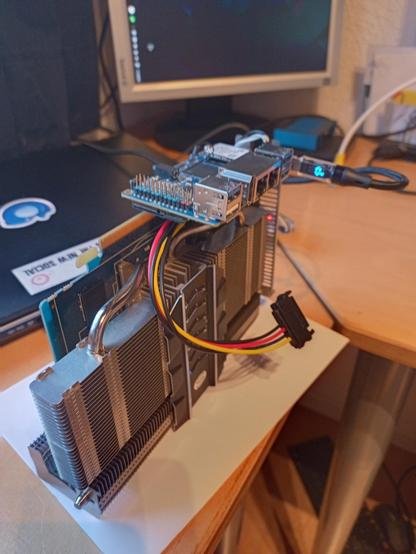
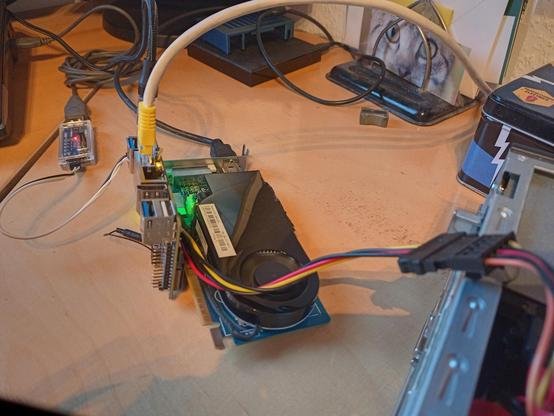
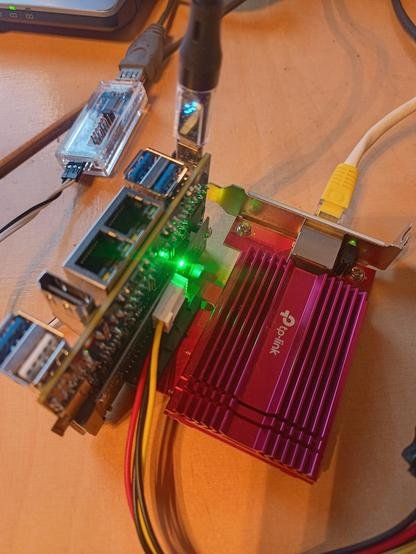
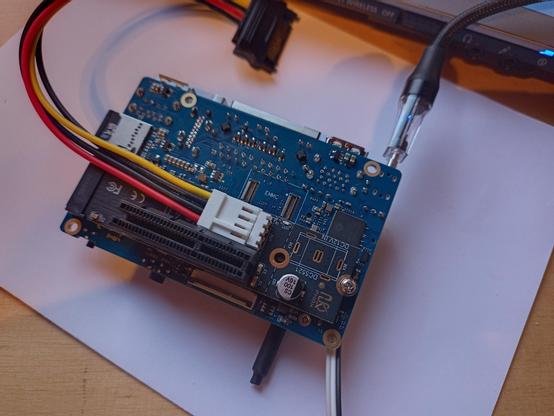
Have solved another todo: grab overlay *.dtbo from Ky/Xunlong. There is still some quirks with SD/TF read/write speed (UHS / 1.8v mode). Also applied for Armbian maintainership on orangepirv2 in advance. Had some experiments with that M.2 to PCIe adapter I recently got. That oversized thing is an older Radeon with an Opi RV2 mounted on top. That does not work (no, card is so old it does not require extra 12V). Second image is a even older Nividia Geforce, That one shows up with "lspci" but does not work b/c no RiscV drivers (that's expected). Next ist an TP-Link / Aquantic 10 GbE Ethernet card. That one works, even without that extra power supply from the PC next to it. Not sure, if the Spacemit CPU can handle the ten gigs... Last image: the 2280-to-PCIe adapter with the eternal SATA power feed cable. LG // Sven-Ola
-
Hi everyone, and sorry for my poor English. I'd like to enable PWM on my CM3588 nanoPC with the latest Armbian Trixie version. Can anyone who's managed to get the PWM working properly tell me which pin to connect the PWM signal to and what exactly to do to enable it? Thanks to anyone who replies.
-
Thank you Pearo, What does "S/N" mean? I just ended up using my orange pi zero 3 gpio without the additional DTS, which made connector numbering available in the gpioinfo command... There were comments that made it sound not really necessary, and it was more work than I wanted to take on. The solution for me was: https://forum.armbian.com/topic/33800-orange-pi-zero-3-gpio/#findComment-181191 This was 2 years ago, and I haven't even thought about it, all this time.
-
Hallo, in want to start with odroid n2+ to organize a PV System with smart-power-meter(s) ... To reduce th amount of components I want to use min. 2x UART's from the odroid (without using the console port) + RS485 Transceiver(s) ... I understand that your dtbo file add support for the Uart's of the 40 pin Socket ! ? After upgrading to linux kernel-6.18.5 i need such a dtbs / dtb0 file... Where can I download these files atually ? Bye
-
 After applying the following two kernel patches which I understand are valid for mainline kernel only, I can use the display properly with a resolution 3440x1440 and refresh rate of 60Hz: patchwork.kernel.org [RFC,v1] drm/meson: venc: add support for HDMI DMT modes up to 3840x2160 -... github.com/chewitt/linux WIP: drm/meson: add support for higher bandwidth DMT modes committed Jan 5, 2026 xdarklight +3 -3 There's a report from a user with a DELL U3415W monitor and a Khadas VIM3 statin… - But having both patches applied or not does not matter, in general with mainline kernel the display is flickering/shaking only during boot, any idea how to get this addressed? thx
 -
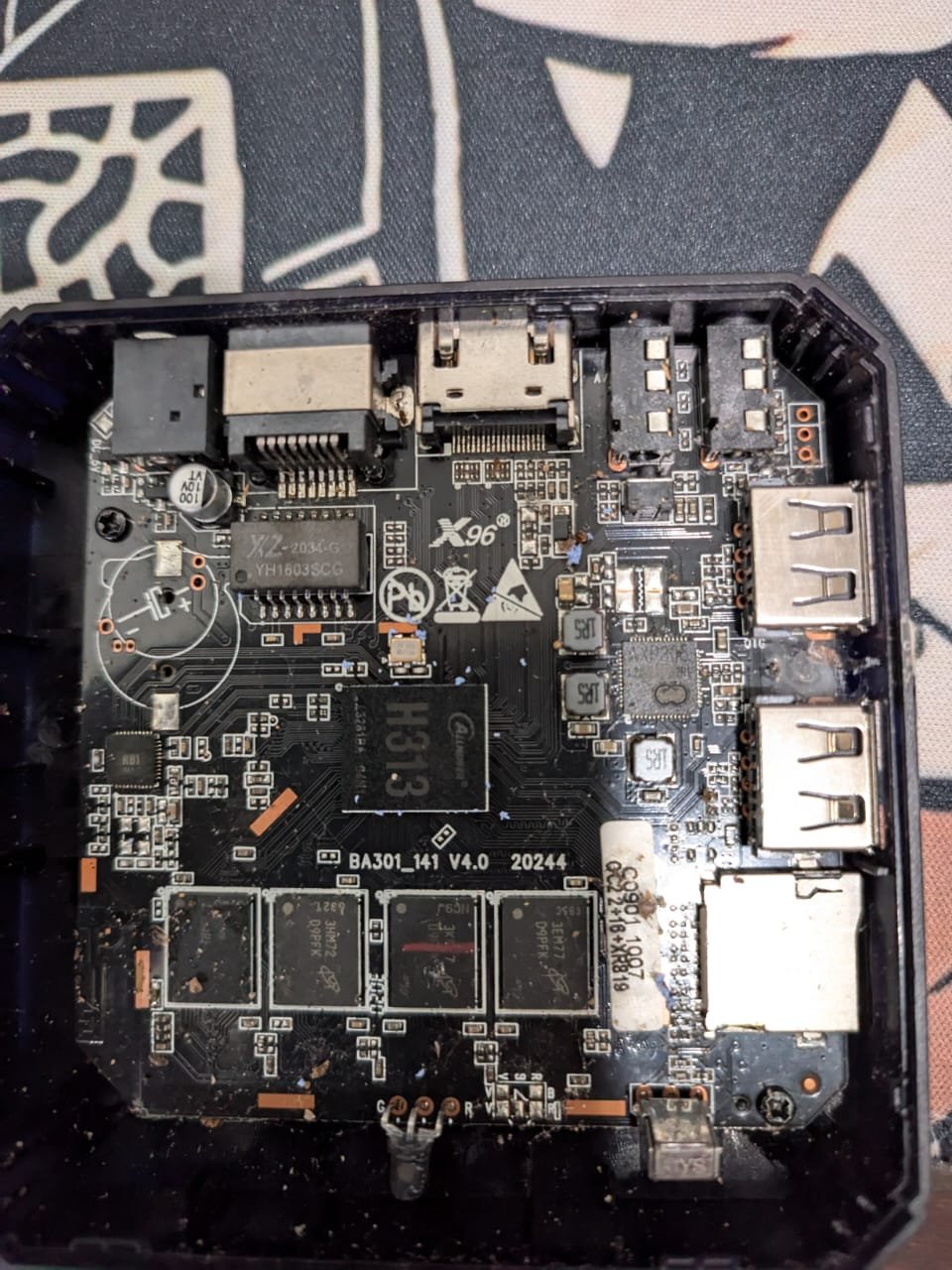
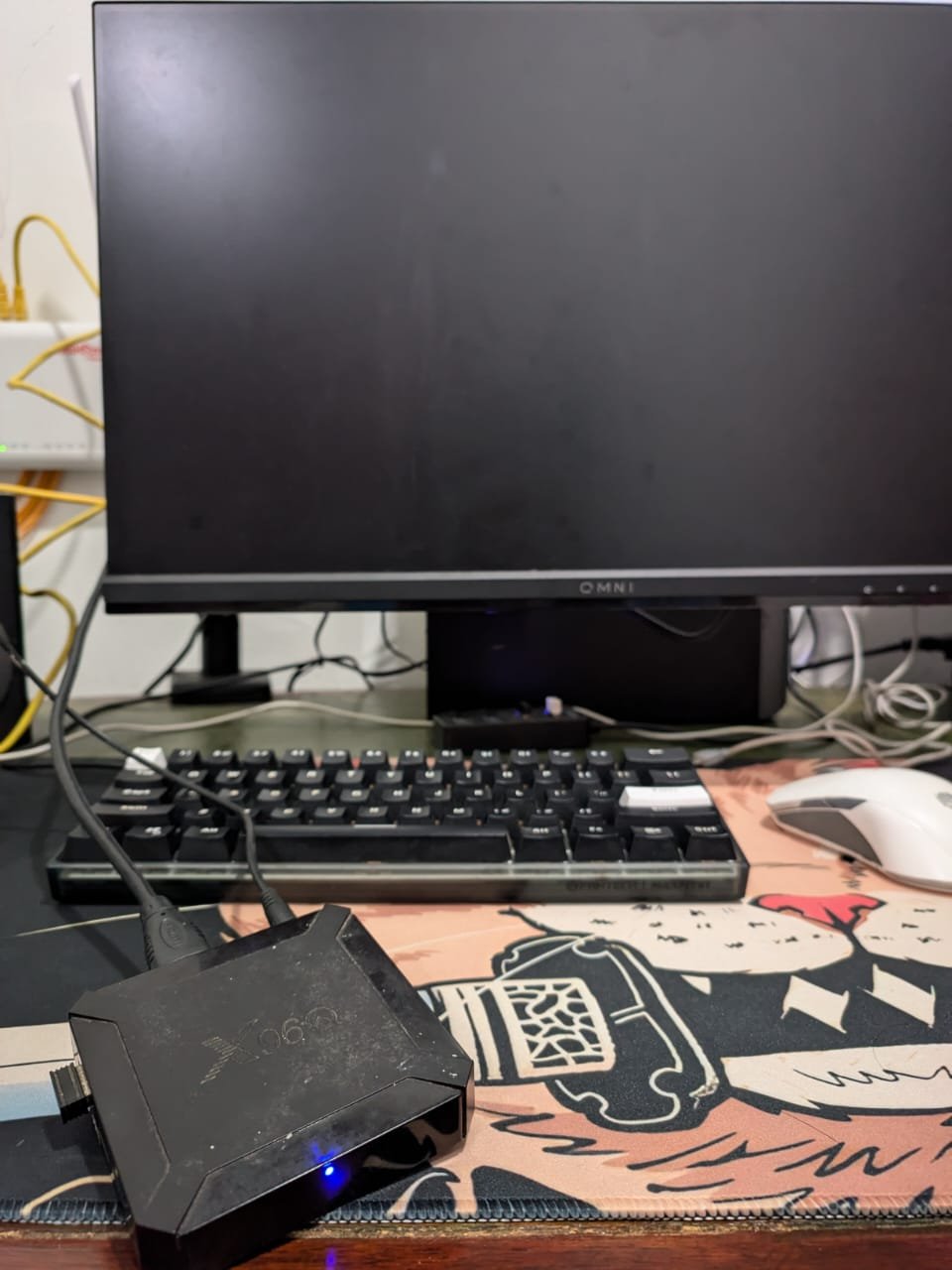
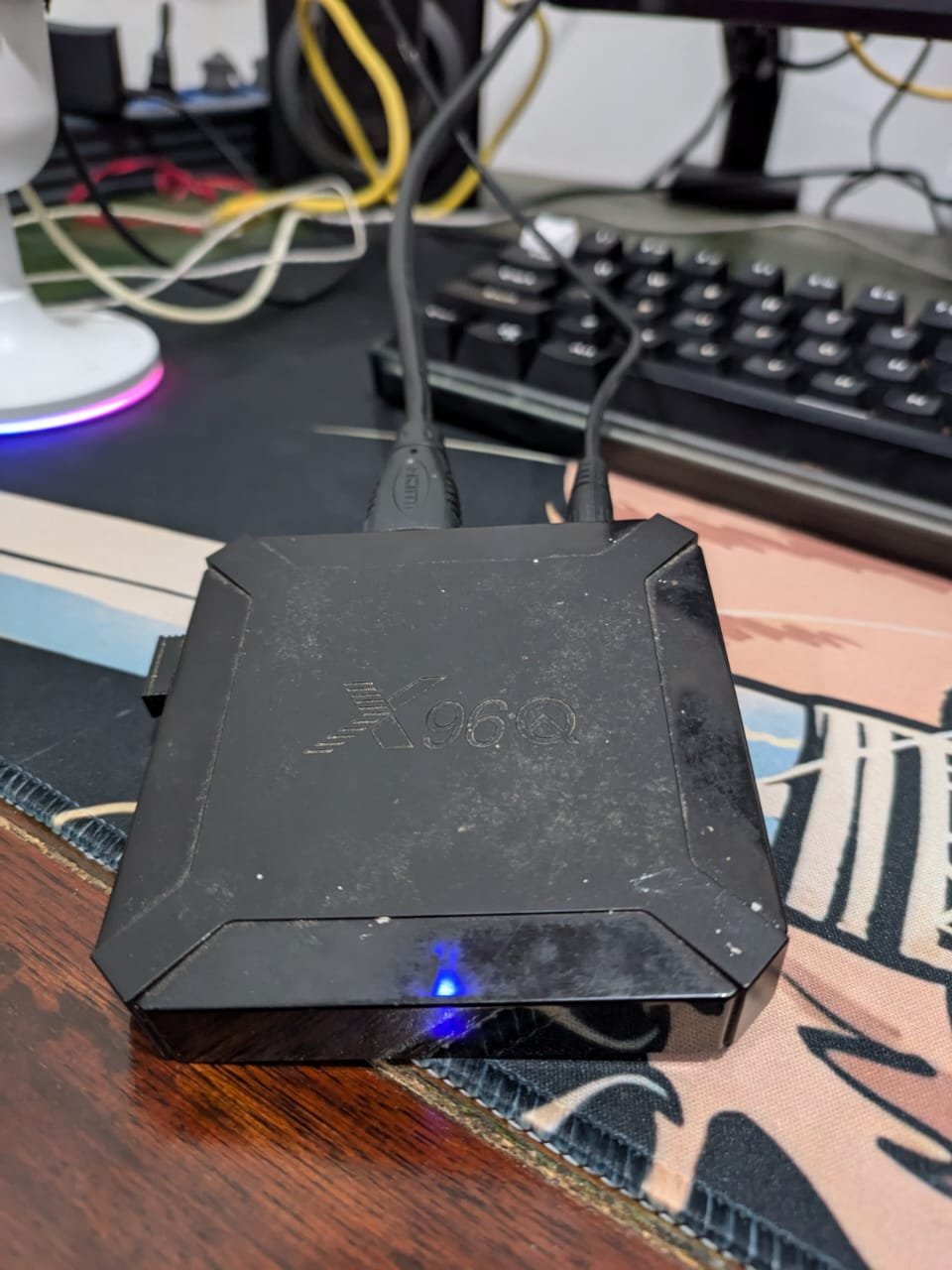
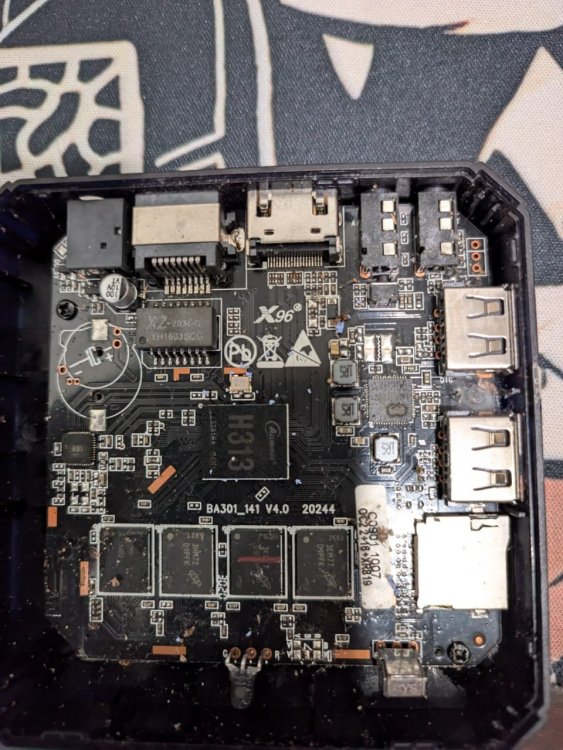
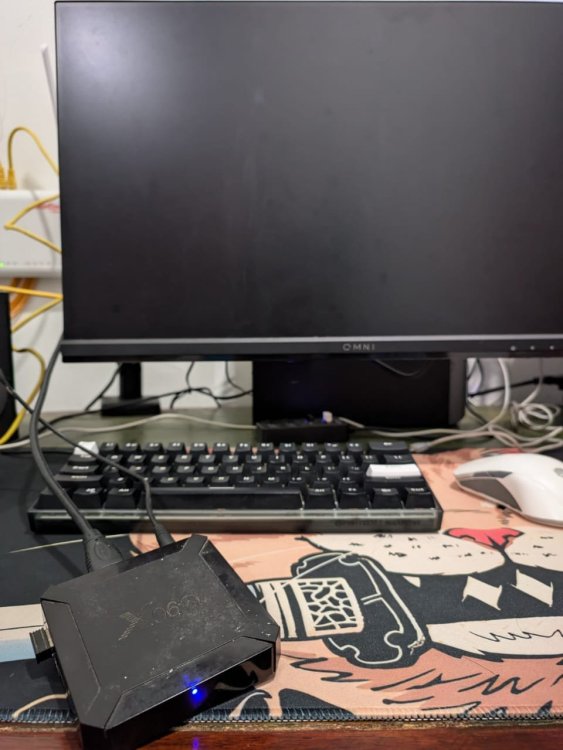
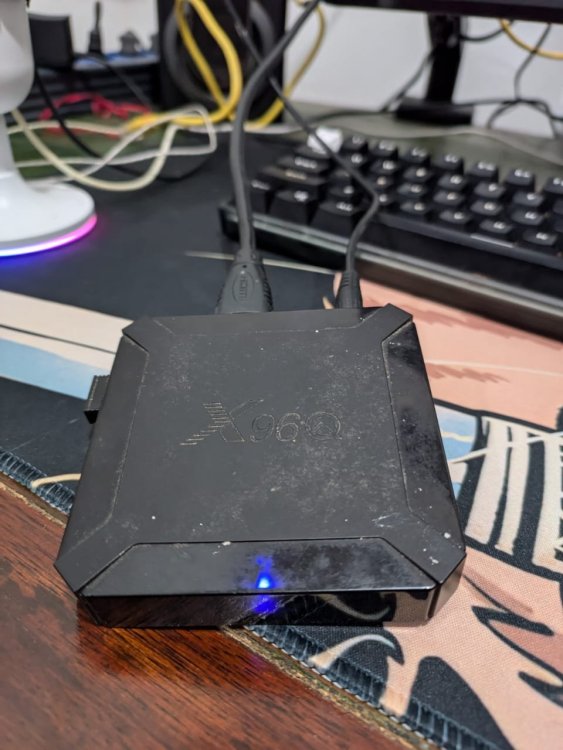
@djoness I have burned the image "Armbian-unofficial_25.05.0-trunk_X96q-ddr3_bookworm_edge_6.12.11_server.img.xz" using Balena Etcher to an SD card, then put it in the box and the light is blue, but the screen is black. and lan just blinks, ip address not detected. please help me, thank you this is a photo of the board I used
-
Actually not really strange but a measure for spam prevention.
-
Hi, does this version of the S805 have HDMI and Wi-Fi? Could you explain more about this backup? Thank you.
-
So.... I am the winner of a Inovato Quadra4K from a drawing at my amateur radio club meeting. Yeah! Cool! It runs a software called HamClock automagically.... BUT WAIT! There is MORE! You can exit that app and run other applications... Providing you have a mouse & keyboard (because I am a native WinWeenie) or keyboard if you are a Linux forever personage. It also has a wireless interface that I would like to configure so it doesn't have to have an Ethernet tail tied to a port on our ISP router. I would rather it was mounted to a HDMI TV or monitor. So, I need the keyboard (and because I am a longtime WinWeenie and rodent dependent) mouse to reconfigure it. I would like to have it use a USB Logitech Unifier Nano dongle with wireless keyboard/mouse. By the way, the brilliant man that came up with this computer is trudging the same path I am, fighting cancer. His fight has gotten so tough he has shut down his company. I hope he gets better. Is there already a compiled binary for this with directions,,. or do I have to master the dark arts of programming routines, subroutines, interrupts, memory fetches, writes, threads and all that then compile it into something the machine understands? Please understand I didn't even take typing in high school, so college was a real bear.... When I was in high school Jobs and Wozniak were still dumpster diving behind Xerox-Park Corporation and Radio Shack. Any takers on this one? Thanks in advance, Dave, The-Other-One
- Last week
-
 Hi, I learnt how to customize the image, and also found a simpler way to achieve the bootstrapping alsaloop. Here is the forked repository and a pre-built image for you to try. Supposedly, you just need to flash the image, and it should work out of the box. As the radxa zero 3w does not have the Ethernet port, so you will not accenditally connect it to some networking, I think it is fine to leave the root password as the default. However, if you plan to connect the device to some networking, remember to set up the root password. The Wifi is also working with the latest kernel release (my wifi module is broken, but I do see dmesg is trying to interact with that module).
 -
 Hi, how are you? Well, I don't know English very well, so this text will be translated using Google Translate since I'm Brazilian. Anyway. I found a way to boot the SD card with Linux on the Allwinner H3 chip, using a Chinese MXQ 4K 5G TV box. I booted Android normally and, using the remote control, pressed the power button and then confirmed. After shutting down, I booted with the remote control and Linux started normally. After that, every time I booted with the SD card, it booted perfectly. Another thing I did before, but I believe it doesn't affect this, was to enable USB0 device mode in developer mode. I hope this information helps with your Linux projects!
 -
your sbc has only 100mbit nic
-
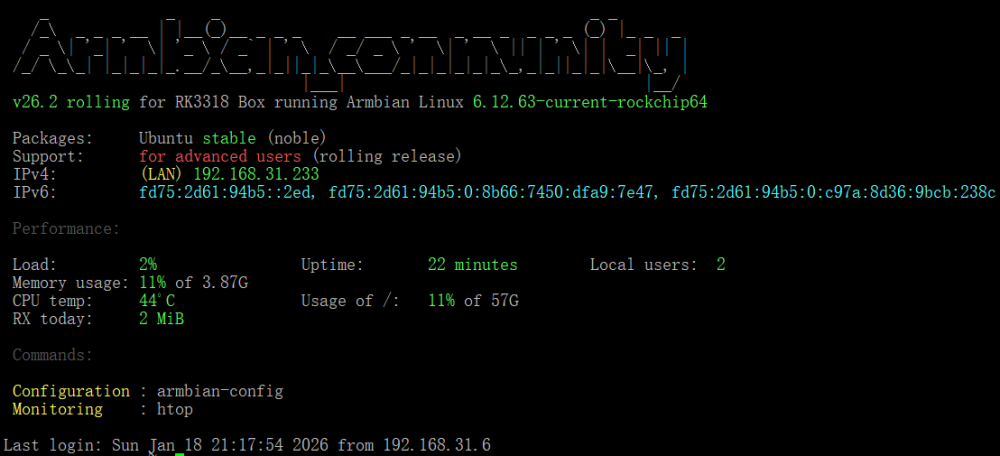
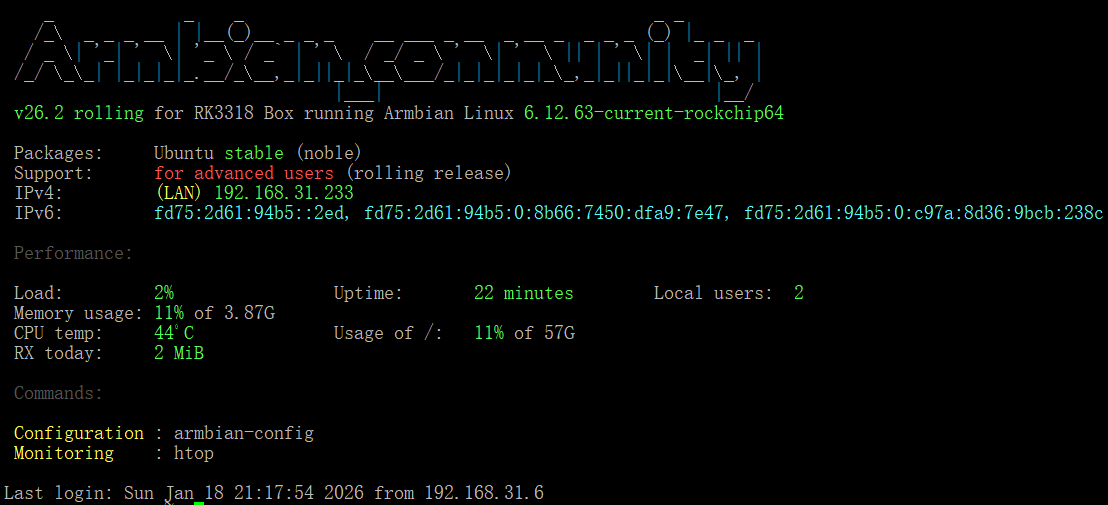
@jockNow, I've finally solved this problem. Successfully flashed the latest version of armbian, https://github.com/armbian/community/releases/download/26.2.0-trunk.151/Armbian_community_26.2.0-trunk.151_Rk3318-box_noble_current_6.12.63_gnome_ desktop.img.xz Next, I will share my problem-solving journey. I found that I couldn't enter maskrom/loader mode anyway, and when I accidentally inserted the USB flash drive into the multitool.img into the TV box and powered it directly on, I found that it actually started the system directly in the USB flash drive. So I guess that it may have changed the boot order after flashing the loader.bin before, and the armbian system I flashed in before it continued to toss before it could be configured, probably because the system files of the root partition were corrupted, causing it to not boot normally. Therefore, I simply tried to flash the firmware of the rk3188-box in the official community directly into the USB flash drive, because after these images are flashed into the USB flash drive, there is only the root partition, that is, the system. And there is no boot partition. I guess the boot partition may have been written somewhere else, and I don't need to worry about it anymore. So, I plugged the USB flash drive into the latest rk3318 firmware into the box and waited for a few minutes after powering on it directly and starting it, it obtained the IP address assigned by my router DHCP, I was so excited, I quickly connected to the rk3318-box through SSH, and made the preliminary configuration. Quickly enter the command armbian-install and select item 2, and immediately write the system on the USB flash drive to emmc. After the writing is completed, turn it off, unplug the USB flash drive, power on, wait for a few minutes, and the startup is successful. It means that I have successfully flashed the phone this time. Thank you very much for your help. @jockand @fabiobassa, You're passionate and highly skilled.