Active threads
Showing topics posted in for the last 365 days.
- Past hour
-
 Hello, I hope you don't have any problem. Maybe me and my brother have defective or more unstable helios64 than you. Only thing I can say that Prahal share here the specifics files rk3399-kobol-helios64.dtb-6.XX.xx-L2-hs400-opp in this forum since two years ago my helios64 and my brother's helios64 work stable only with it. I back to 6.12.58 Kernel with rk3399-kobol-helios64.dtb-6.12.xx-L2-hs400-opp file and freeze firmware/kernel with armbian-config.
 - Today
-
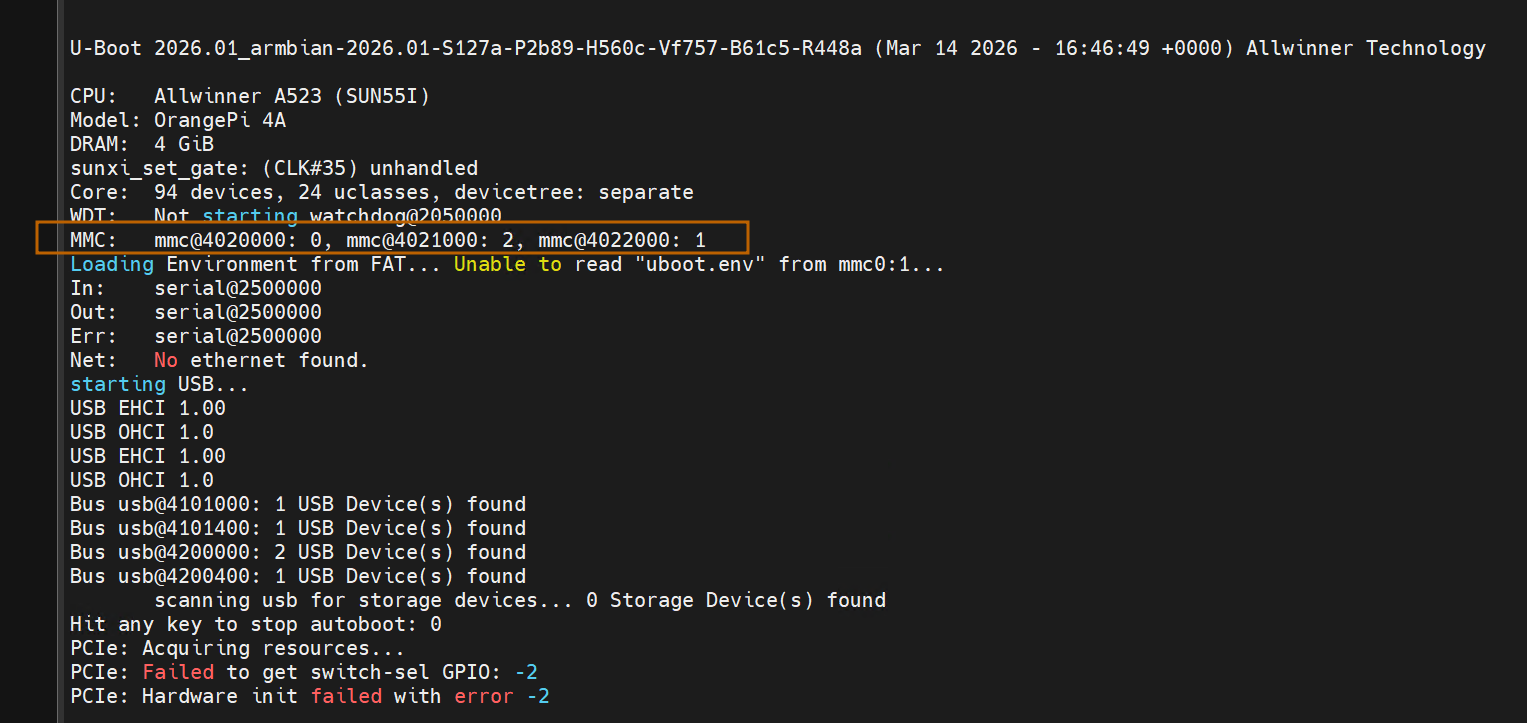
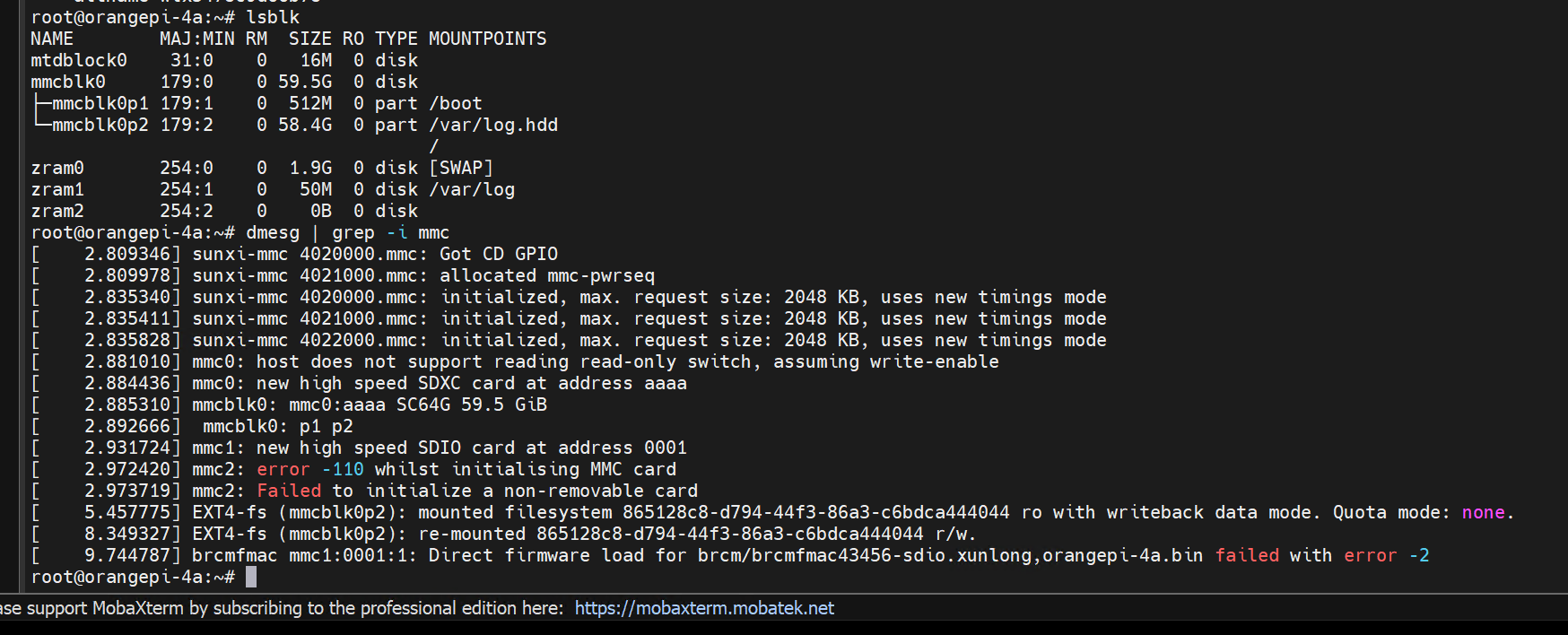
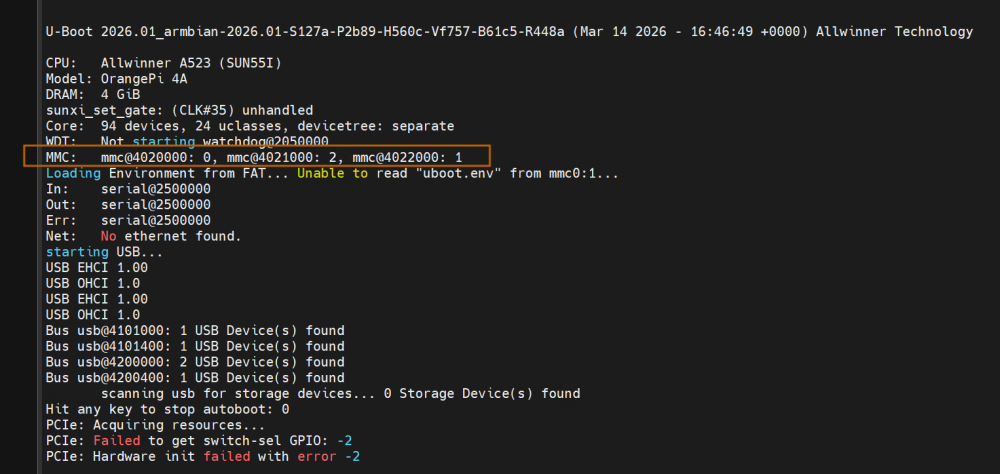
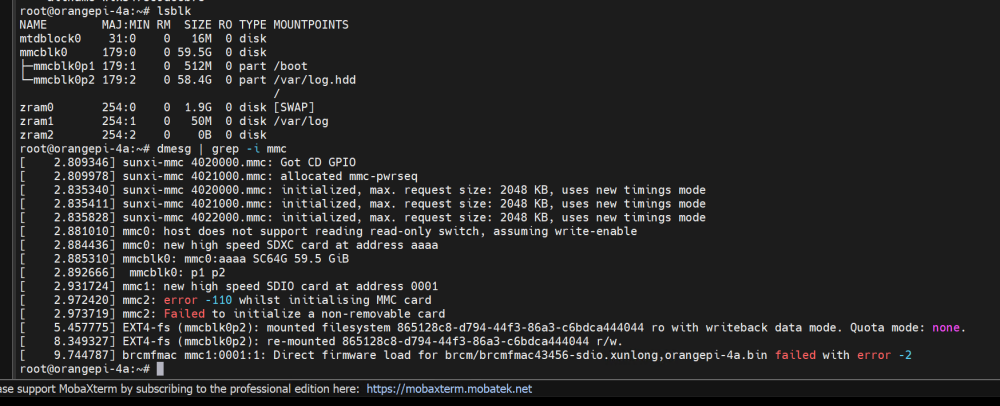
I am having issues with eMMC detection… The kernel does not detect the eMMC, but apparently U-Boot does. Attached are images.
-

nanopi-r4s, enp1s0 ethernet device not found after reboot
Werner replied to Junkman's topic in NanoPi R4S
While waiting for new info, first poke in the dark. rk3399-fix-pci-phy.patch disabled https://testing.armbian.de/r4s/ feel free to test -
Perhaps a hardware defect? At least that would be my guess from what it sounds.
-
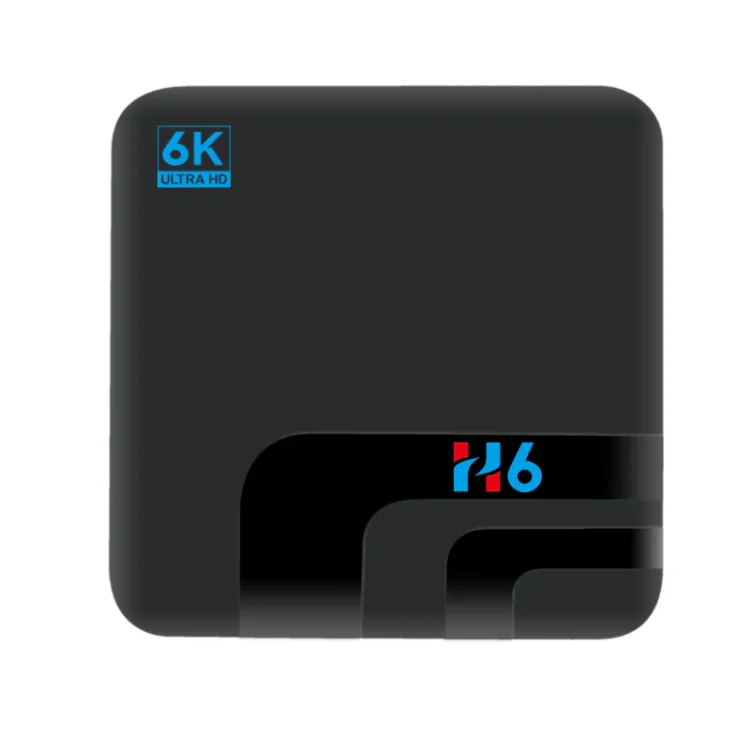
Hi Does anyone have any advice on how to get Armbian running on this device. I am comeplety new to Armbian. Is there a generic Allwinner H6 image that I need to modify? Any advice pls? Thanks
-
Hello, this is my first message here: I want to thank the community for the work done so far, and for allowing to keep functional old devices which would otherwise become (nasty) garbage. Now, I tried to install Armbian on a Wetek Play 2 (Amlogic S905), buit now the box is not booting. I would be grateful if I could get some help, or at least clarification about what happened. Here is what I did so far: Download the image `Armbian_community_26.2.0-trunk.493_Aml-s9xx-box_trixie_current_6.18.13_minimal.img.xz`, and write it on a SD card. Boot from the SD card, by holding the power button when inserting the power cable. The box booted fine. Log in via SSH, and configure the installation. Back-up the full emmc with `dd if=/dev/mmcblk1 of=/mnt/backup/wetek_play2_android_emmc.img bs=4M`. The emmc had the original Android system (with more stuff installed, but I guess the most important part are the first 4 MB...) Run the `/root/install-aml` script. Power-off When powering on again, the box did not boot. I tried to boot from SD by holding the power button, but it did not work. So at this point my questions are: What can I do to recover the situation? What did I made wrong? As additional context, in the past I had also successfully booted LibreELEC from SD, although the last boot before switching to Armbian was to Android. Thanks for your help UPDATE: OK, I think I found the culprit: I overseen the quite important statement "Note: It is not possible to install into emmc on boxes with the s905 cpu". Great.
-
Hello, I have experimented with a Realtek USB 2.5Gbe USB Ethernet dongle and find that it works fine with the vendor kernel but not with kernels 6.12.x or 6.18.y. I have included an iperf3 example below, you can see that the dongle manages a few runs at high speed before it quietly fails and seizes up. I use a number of these dongles and they tend to work fine on other set-ups. Any thoughts about a resolution? dmesg output: [Tue Mar 17 11:37:00 2026] usb 2-1: new SuperSpeed USB device number 2 using xhci-hcd [Tue Mar 17 11:37:00 2026] usb 2-1: New USB device found, idVendor=0bda, idProduct=8156, bcdDevice=31.00 [Tue Mar 17 11:37:00 2026] usb 2-1: New USB device strings: Mfr=1, Product=2, SerialNumber=6 [Tue Mar 17 11:37:00 2026] usb 2-1: Product: USB 10/100/1G/2.5G LAN [Tue Mar 17 11:37:00 2026] usb 2-1: Manufacturer: Realtek [Tue Mar 17 11:37:00 2026] usb 2-1: SerialNumber: 0013000001 [Tue Mar 17 11:37:00 2026] usbcore: registered new device driver r8152-cfgselector [Tue Mar 17 11:37:00 2026] r8152-cfgselector 2-1: reset SuperSpeed USB device number 2 using xhci-hcd [Tue Mar 17 11:37:01 2026] r8152 2-1:1.0 eth0: v1.12.13 [Tue Mar 17 11:37:01 2026] usbcore: registered new interface driver r8152 [Tue Mar 17 11:37:01 2026] usbcore: registered new interface driver cdc_ether [Tue Mar 17 11:37:01 2026] usbcore: registered new interface driver cdc_ncm [Tue Mar 17 11:37:01 2026] usbcore: registered new interface driver cdc_wdm [Tue Mar 17 11:37:01 2026] usbcore: registered new interface driver cdc_mbim [Tue Mar 17 11:37:01 2026] r8152 2-1:1.0 enx00e04c680142: renamed from eth0 [Tue Mar 17 11:37:02 2026] xhci-hcd xhci-hcd.3.auto: WARN: HC couldn't access mem fast enough for slot 1 ep 6 [Tue Mar 17 11:37:02 2026] r8152 2-1:1.0 enx00e04c680142: intr status -63 [Tue Mar 17 11:37:07 2026] xhci-hcd xhci-hcd.3.auto: WARN: HC couldn't access mem fast enough for slot 1 ep 6 [Tue Mar 17 11:37:07 2026] r8152 2-1:1.0 enx00e04c680142: intr status -63 [Tue Mar 17 11:37:35 2026] xhci-hcd xhci-hcd.3.auto: WARN: HC couldn't access mem fast enough for slot 1 ep 6 [Tue Mar 17 11:37:35 2026] r8152 2-1:1.0 enx00e04c680142: intr status -63 Subsequent iperf3 example: iperf3 -c nx1 Connecting to host nx1, port 5201 [ 5] local 192.168.1.191 port 58598 connected to 192.168.1.14 port 5201 [ ID] Interval Transfer Bitrate Retr Cwnd [ 5] 0.00-1.00 sec 221 MBytes 1.85 Gbits/sec 0 5.35 MBytes [ 5] 1.00-2.00 sec 280 MBytes 2.35 Gbits/sec 0 5.35 MBytes [ 5] 2.00-3.00 sec 280 MBytes 2.35 Gbits/sec 0 5.35 MBytes [ 5] 3.00-4.00 sec 18.1 MBytes 152 Mbits/sec 1 1.41 KBytes [ 5] 4.00-5.00 sec 0.00 Bytes 0.00 bits/sec 0 1.41 KBytes [ 5] 5.00-6.00 sec 0.00 Bytes 0.00 bits/sec 0 1.41 KBytes [ 5] 6.00-7.00 sec 0.00 Bytes 0.00 bits/sec 0 1.41 KBytes [ 5] 7.00-8.00 sec 0.00 Bytes 0.00 bits/sec 0 1.41 KBytes [ 5] 8.00-9.00 sec 0.00 Bytes 0.00 bits/sec 0 1.41 KBytes [ 5] 9.00-10.00 sec 0.00 Bytes 0.00 bits/sec 0 1.41 KBytes - - - - - - - - - - - - - - - - - - - - - - - - - [ ID] Interval Transfer Bitrate Retr [ 5] 0.00-10.00 sec 800 MBytes 670 Mbits/sec 1 sender [ 5] 0.00-10.86 sec 796 MBytes 615 Mbits/sec receiver
-
.thumb.jpg.20ed26dd68aaee94a94b227bf670a8eb.jpg) You may be experiencing the same issue that other people are encountering: https://github.com/tauri-apps/tauri/issues/12787 @Giunti Can you confirm that this is the same issue as the one reported above? Thank you.
You may be experiencing the same issue that other people are encountering: https://github.com/tauri-apps/tauri/issues/12787 @Giunti Can you confirm that this is the same issue as the one reported above? Thank you. -
This week in Armbian development saw significant progress across board support and kernel updates. New boards such as the Cainiao CNIOT Core, EByte ECB41-PGE, DG SVR 865 Tiny, and NORCO EMB-3531 received initial support, expanding hardware compatibility. Kernel patches were rewritten for the meson64 and rockchip64 platforms, aligning with version 6.18.18, while edge releases were bumped to 7.0-rc3 and rc4. Improvements included enhanced SD card and audio support for SpacemiT and Youyeetoo YY3588 boards, as well as refined configuration checks and display fixes. Several upstream patches were dropped or disabled, and the Dependabot schedule was updated for daily maintenance. Additional fixes addressed USB modes, Docker host-gateway resolution, and Xorg display issues, rounding out a productive week for the Armbian project. ChangesAdd cainiao-cniot-core board and cainiao vendor image. by @retro98boy in armbian/armbian.github.io#251Add EByte Vendor // ECB41-PGE board. by @vidplace7 in armbian/armbian.github.io#250add recomputer rk3576-devkit dts. by @ackPeng in armbian/linux-rockchip#451Add support for the Radxa Display 10 FHD to the Rock 5B Plus. by @FlorianKohn in armbian/linux-rockchip#453add: initial support for DG SVR 865 Tiny board (SM8250/QCS8250). by @Lemon1151 in armbian/build#9423arch: arm: dts: add EByte ECB41-PGE (RK3506g2). by @vidplace7 in armbian/linux-rockchip#454armbian-zram-config: refine check for existing /tmp mount. by @vidplace7 in armbian/build#9514cainiao cniot core improve. by @retro98boy in armbian/build#9526chore: update Dependabot schedule to daily updates. by @igorpecovnik in armbian/build#9537csc board: Add NORCO EMB-3531 initial support. by @retro98boy in armbian/build#9456Drop patches that landed upstream and fix two. by @igorpecovnik in armbian/build#9544edge: bump 7.0 to rc4. by @EvilOlaf in armbian/build#9543extension: ccache-remote: fix Docker host-gateway for hostnames resolving to loopback. by @iav in armbian/build#9505fix(orangepi5max): change usbdrd_dwc3_0 mode from otg to host. by @Echoflare in armbian/linux-rockchip#449fix: correct repository dispatch event type name. by @igorpecovnik in armbian/armbian.github.io#254framework run_host_x86_binary_logged - support 32-bit x86. by @tabrisnet in armbian/build#9466Gateway AM-GZ80x: Update $board and meson-axg family conf. by @pyavitz in armbian/build#9533maint: meson64-current: rewrite patches against 6.18.18. by @EvilOlaf in armbian/build#9528maint: rockchip64-current: rewrite kernel patches against 6.18.18. by @EvilOlaf in armbian/build#9527meson64: a311d: Fix Xorg display when etnaviv enabled. by @retro98boy in armbian/build#9524Odroid-M2: Support for weather board zero. by @mlegenovic in armbian/build#9523odroidn2: u-boot: bump to v2026.04-rc3; make fancy, incl LWIP. by @rpardini in armbian/build#9507OrangePi 3 LTS: Update $board.conf file. by @pyavitz in armbian/build#9495OrangePi-RV2/R2S: add sdcard and emmc for Linux-7.x. by @sven-ola in armbian/build#9539Reword BTF memory check. by @x13-me in armbian/build#9502RK3506: Add spidev overlays for RK3506 family. by @vidplace7 in armbian/linux-rockchip#450rockchip64: bump edge to 7.0-rc3. by @EvilOlaf in armbian/build#9445rockchip64: cleanup old patchsets. by @EvilOlaf in armbian/build#9498rockchip: Add CSC board EByte ECB41-PGE (RK3506G). by @vidplace7 in armbian/build#9513rockchip: refresh LibreELEC patch import for edge 6.19 kernel. by @paolosabatino in armbian/build#9506rockchip: restore proper LE patches for rockchip armhf. by @paolosabatino in armbian/build#9530rpi4b: bump edge to 7.0. by @EvilOlaf in armbian/build#9529Spacemit rv2 rename dtb. by @sven-ola in armbian/build#9531SpacemiT: Add SD card support, CPU freq scaling and other fixups. by @pyavitz in armbian/build#9518SpacemiT: Disable patches that made it upstream (7.0-rc4). by @pyavitz in armbian/build#9540spacemit: enable powervr drm driver for current 6.18 kernels. by @sven-ola in armbian/build#9515sunxi: bump edge to 6.19.y, current to 6.18.y and legacy to 6.12.y. by @EvilOlaf in armbian/build#9381Youyeetoo YY3588: Enable ES8388 audio support + RK3588 I2S MCLK gate fix . by @SuperKali in armbian/build#9534View the full article
- Yesterday
-
After some experimentation, I realized that the full xfce images are working fine, likely because NetworkManager is built in. The minimal CLI images, even after switching to NetworkManager per the instructions here, never worked for me to retain Wifi after a reboot. I'm going through the process of removing the XFCE desktop from my install as CPU utilization in Klipper is very high otherwise.
-
 @naceur abdelkader Your post has nothing to do with Armbian. Please find a more appropriate site to ask your question. This site is for Armbian linux.
 -
Download the RV2 image. It's basically the same plus DKMS (including headers) for building the bcmdhd wifi driver. You need to change the "fdt" line in /boot/extlinux/extlinux.conf for rv2->r2s (DTB file is there), e.g before uploading with mount -o offset=$(( 512 * 8192 )) Armbian-....img /mnt/
-
My n2 works fine btw. https://paste.armbian.com/cocivagayi
-
If you'd like to get the LEDs working with armbian, you can run these commands (or one of the other ones if you want different indications): run modprobe ledtrig-netdev to check if it's loading the driver properly. If not, add the file /etc/modules-load.d/ledtrig.conf add just this line: ledtrig-netdev Then, create /etc/tmpfiles.d/leds.conf and add this: w /sys/class/leds/green:lan/trigger - - - - netdev w /sys/class/leds/green:lan/device_name - - - - eth0 w /sys/class/leds/green:lan/link - - - - 1 w /sys/class/leds/green:lan/tx - - - - 1 w /sys/class/leds/green:lan/rx - - - - 1 w /sys/class/leds/green:wan/trigger - - - - netdev w /sys/class/leds/green:wan/device_name - - - - eth1 w /sys/class/leds/green:wan/link - - - - 1 w /sys/class/leds/green:wan/tx - - - - 1 w /sys/class/leds/green:wan/rx - - - - 1 w /sys/class/leds/red:power/trigger - - - - activity Note that "red:power" is actually the "green:sys" LED. I don't see a way to control the red power led (which is fine, the green:sys is what want to control anyway). I also use NetworkManager and set my ethernet names to eth0 and eth1 instead of the default names... Here's all the choices available for "triggers": none usb-gadget usb-host kbd-scrolllock kbd-numlock kbd-capslock kbd-kanalock kbd-shiftlock kbd-altgrlock kbd-ctrllock kbd-altlock kbd-shiftllock kbd-shiftrlock kbd-ctrlllock kbd-ctrlrlock disk-activity disk-read disk-write mtd nand-disk heartbeat cpu cpu0 cpu1 cpu2 cpu3 cpu4 cpu5 activity default-on panic usbport mmc1 rfkill-any rfkill-none r8169-0-100:00:link r8169-0-100:00:10Mbps r8169-0-100:00:100Mbps r8169-0-100:00:1Gbps stmmac-0:01:link stmmac-0:01:10Mbps stmmac-0:01:100Mbps stmmac-0:01:1Gbps netdev "activity" is also a good one for red:power if you prefer that to "heartbeat"
-

Gaming experience with Orange Pi 5 (RK3588) on Armbian
xiboliyadongtu replied to KhanhDTP's topic in Orange Pi 5
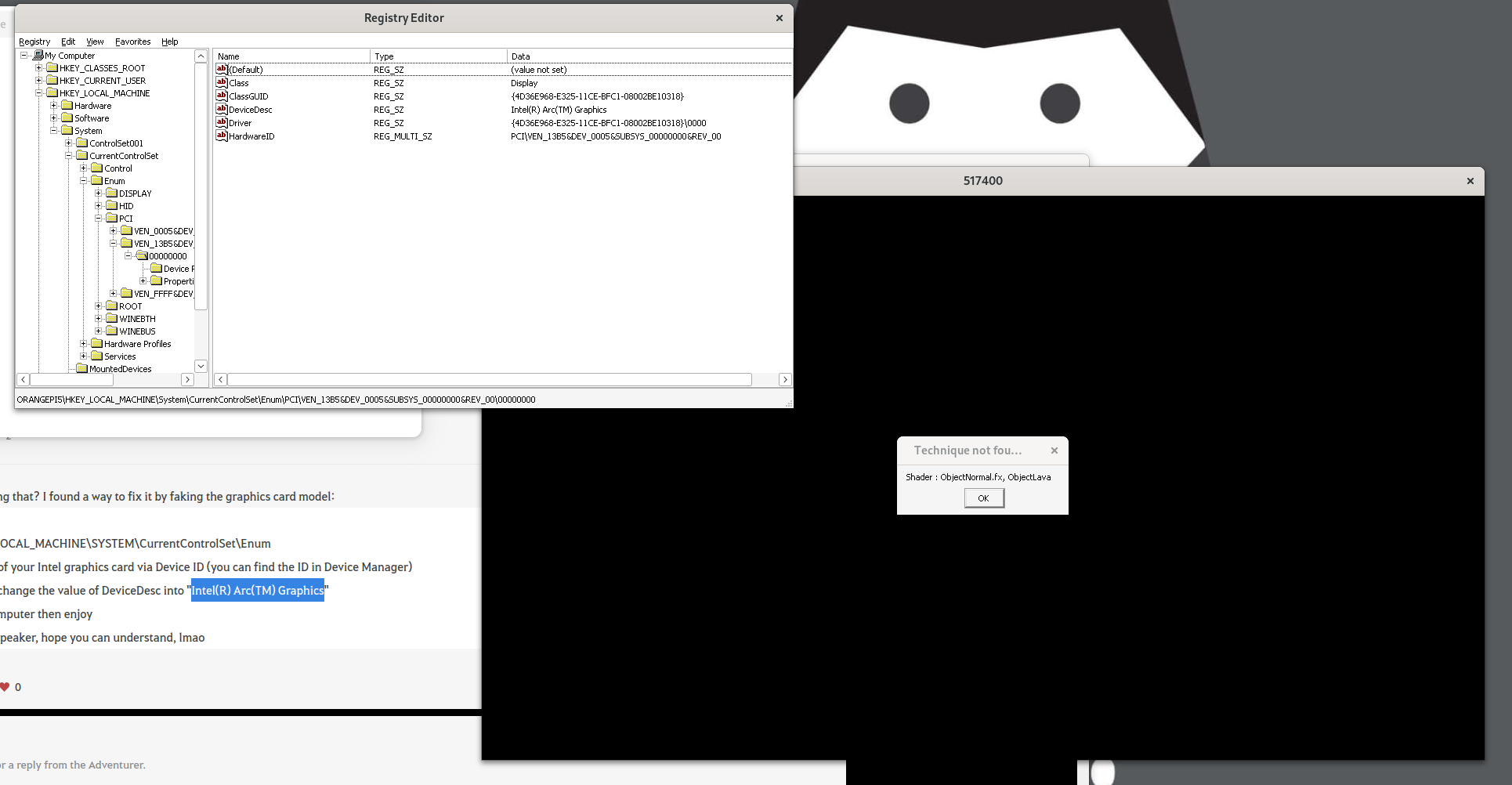
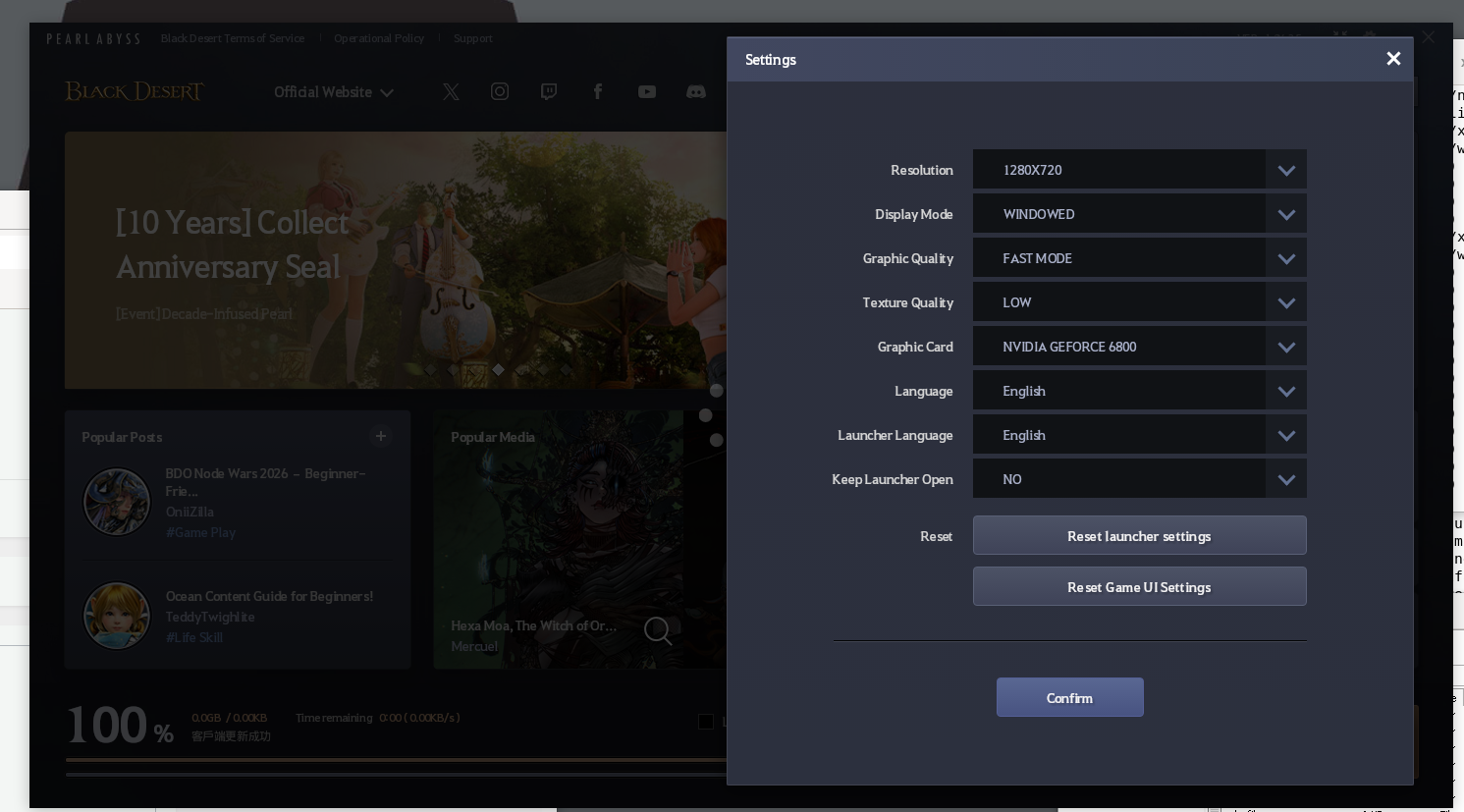
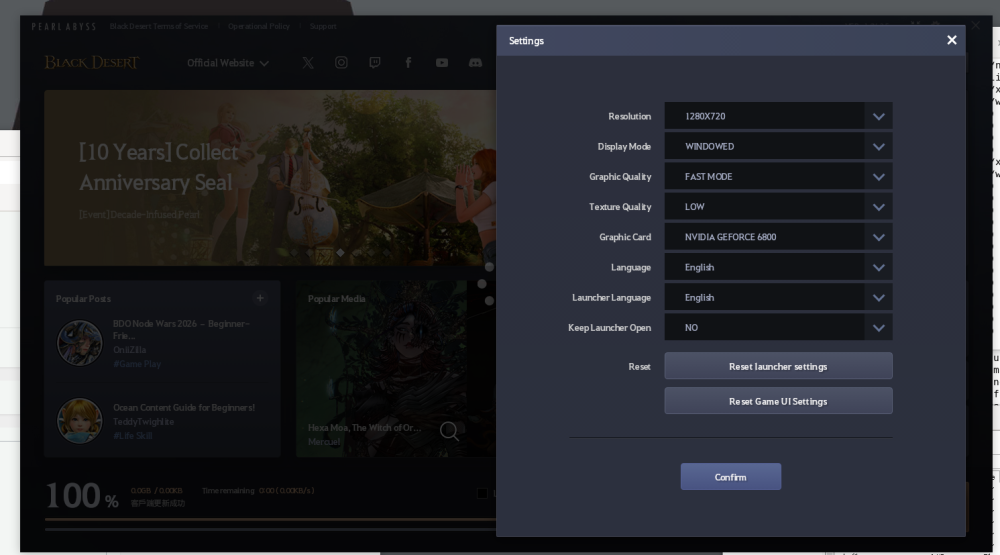
I changed the devicedesc, but game still shows same error. And the launcher shows it is another name. (Nvdia Geforce 6800).Ps: must go bed for now XD.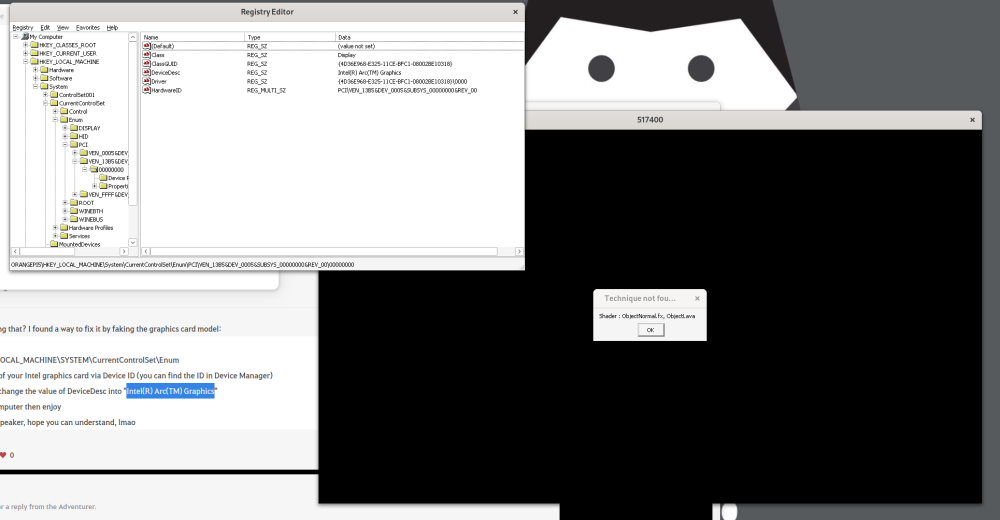
-
https://sd-card-images.johang.se/ This is a good source of SBC images, unfortunately no image for Odroid C5 yet. The image available on the web site of Hardkernel is Ubuntu 22.4.
-
 With the help of AI, dts writing (kernel 5.10) has been achieved. It's basically error-free. Only applicable to shutuo v8 version Results: Wired network is normal Wireless network is normal USB interface is normal rk3288-shutuo-v8.dtb rk3288-shutuo-v8.dts
 -
I see there's an overlay for the R4S called rk3399-dwc3-0-host, but it already seems to be in host mode by default. I can't figure out how to set it to peripheral mode so I can have some usb-gadget love. Anyone figured out a fix?
-
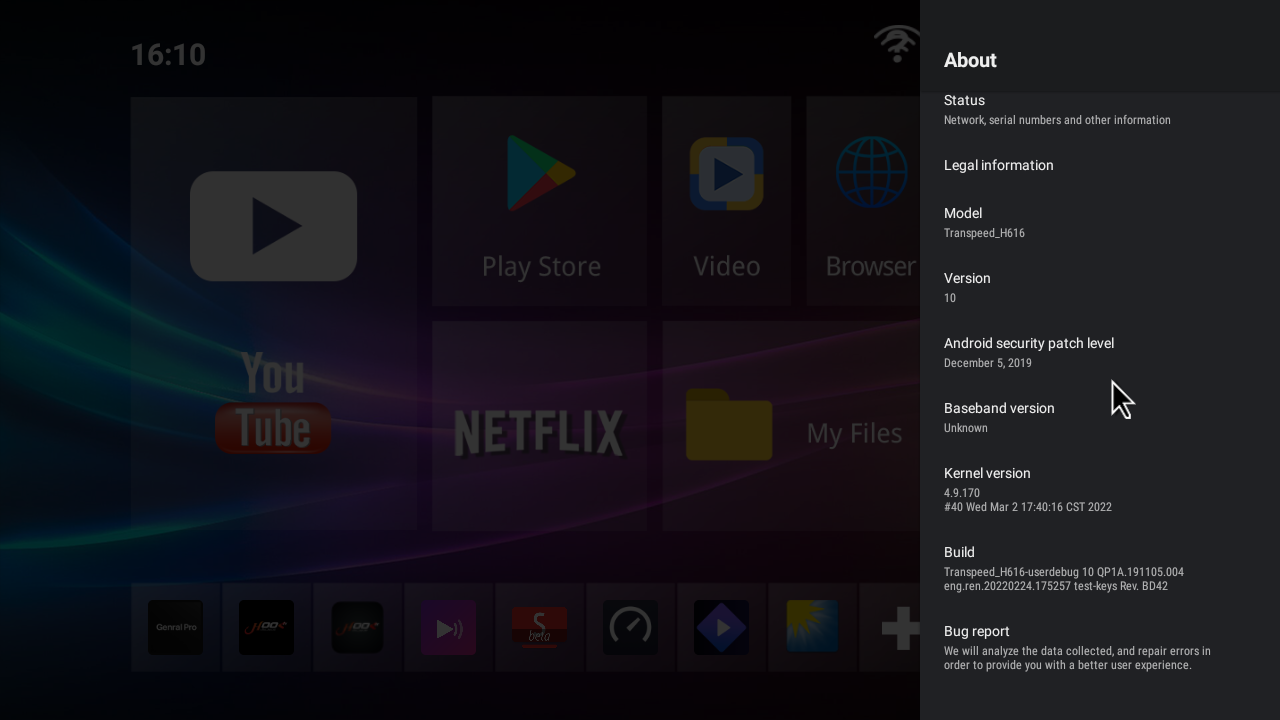
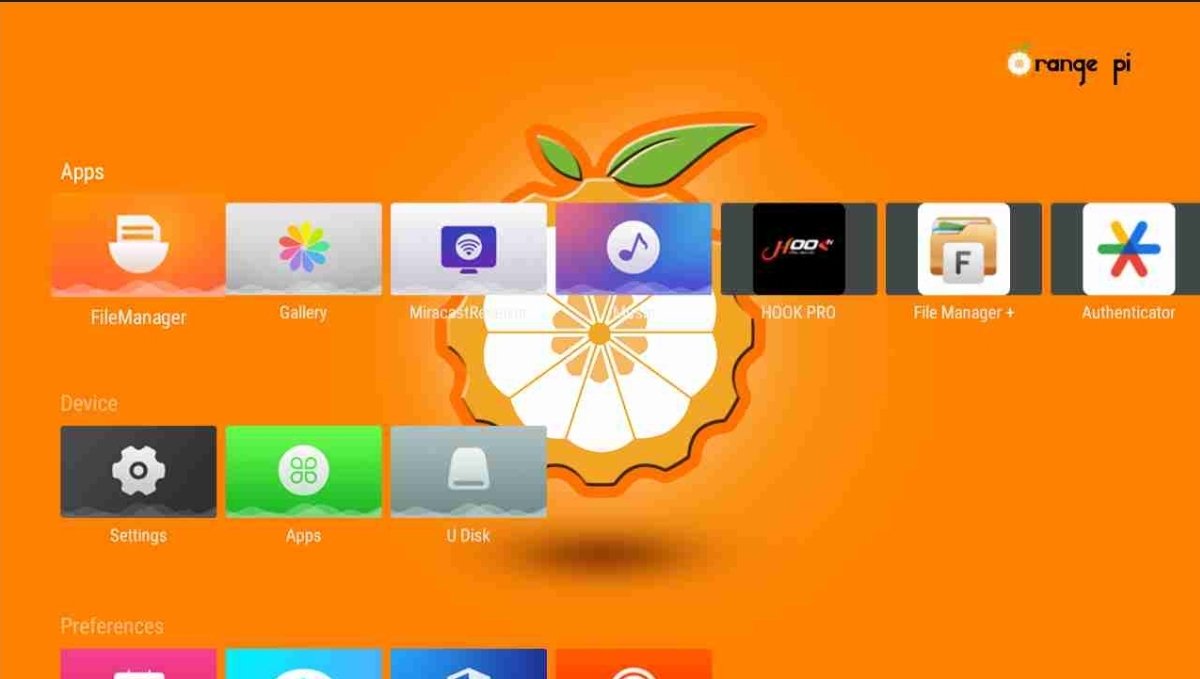
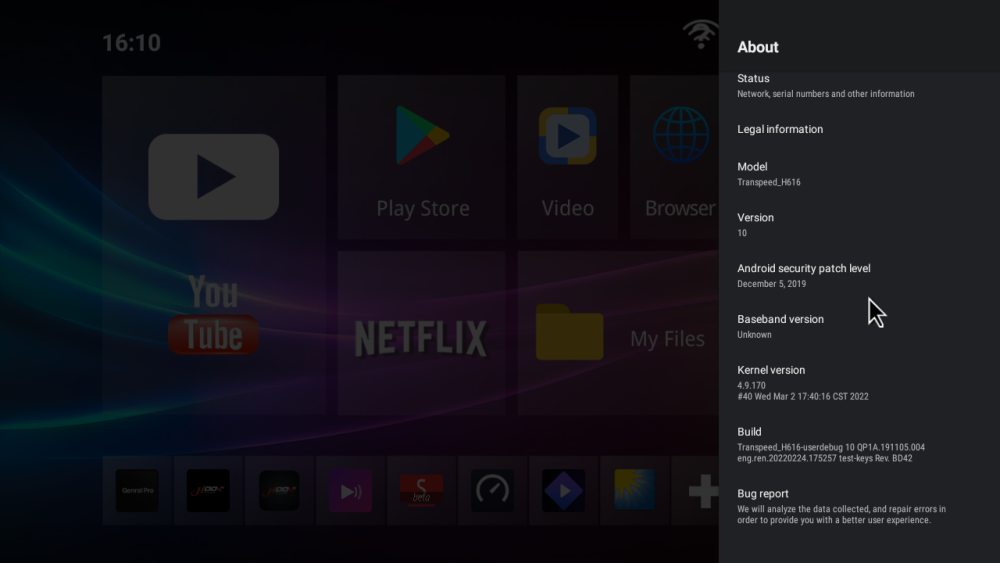
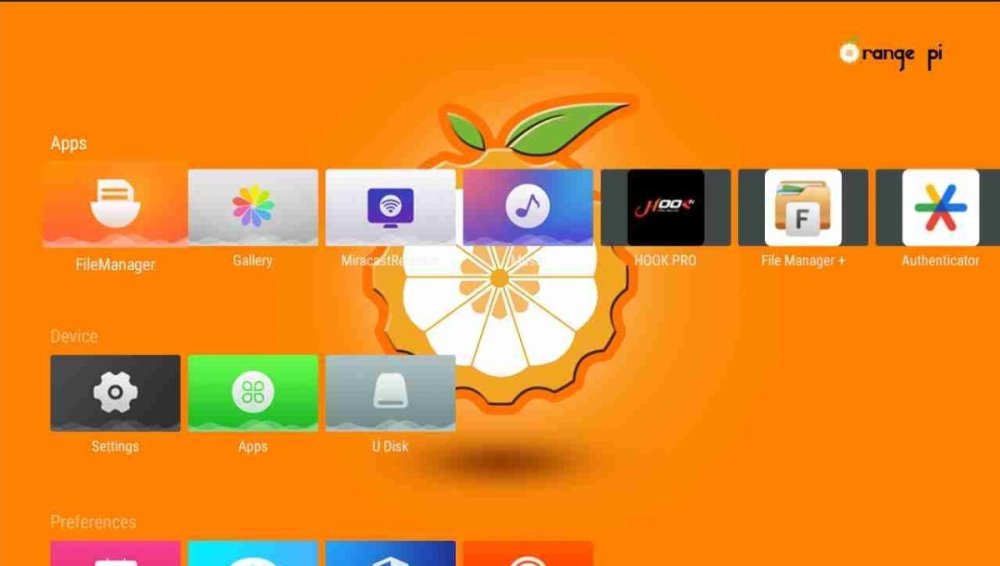
Good morning I have big problem I have tv box Transpeed-H616_ I update with orange pi But i can't back to old firmware
- Last week
-
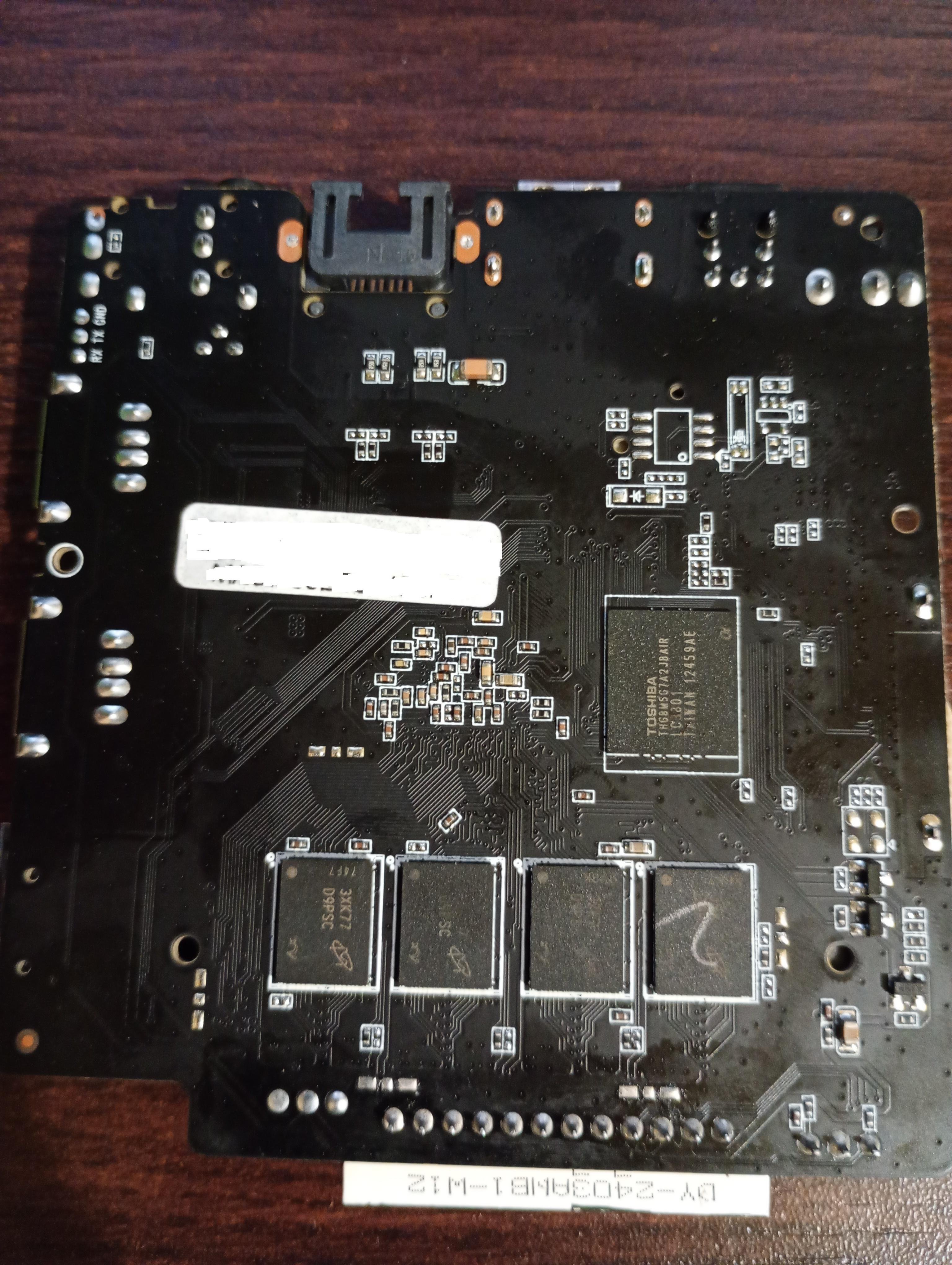
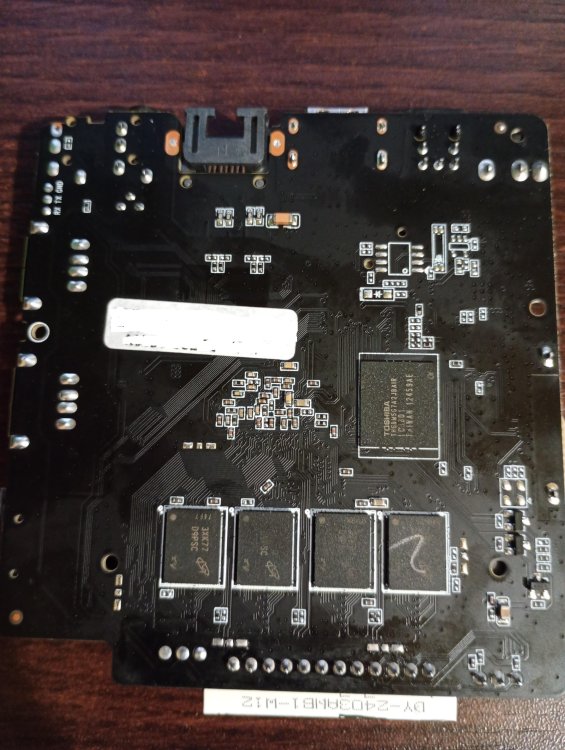
Hello! I had motherboard BA839_141 V2.0 21021 with this type hardware on the photos. Allwinner H313, 8x D9PSC, Toshiba THGBM5G7A2JBAIR And i want use it only with non graphical linux, can someone help me, because i don't see anywhere images for this one, and the other ones only give me black screen. Device won't start with microSD card.
-
 The problem was in the dtb which comes with the Armbian image, added the fix, now it is working as expected. Attaching the fixed dtb file, just replace it with this one and enjoy! Rename the attached file to k3-am67a-beagley-ai.dtb and copy it to your /boot/dtb/ti/ path and reboot. k3-am67a-beagley-ai.dtb_armbian_fixed
 -
 Thanks, gabriel_altoe for your advice. I'm abble to boot from the image you pointed. I have the same board. I success boot with minimal image too from this link: https://github.com/sicXnull/armbian-build/releases/download/v24.8.0-trunk.425/Armbian-unofficial_26.02.0-trunk_X96q-v1-3_bookworm_current_6.12.64_minimal.img.xz
 -
OK, so that went reasonably fast and produced the 4 kernel debs. The linux-libc-dev-edge-rockchip64 didn't install due to conflict with the (current/stable) linux-libc-dev package - I think this is expected - but the rest of the kernel packages have been succesfully installed and the dkms error seems resolved.
-
 Hello everyone, I'm trying to locate a specific older Armbian build for an RK3318 TV box and hoping someone in the community might have it archived. I'm looking for: Version: Armbian 22.05.1 (or similar from that era) Kernel: Legacy 4.4.213 Base: Debian Buster Desktop: XFCE (or even a CLI version is fine) The original download link from users.armbian.com/balbes150/ is now a 404. I understand this is a very old "Community Maintained" build and that RK3318 support has moved to newer kernels . I'm specifically seeking this kernel version for a project. If anyone has this image file or a similar legacy build (kernel 4.4.x) for the RK3318 stashed away, could you please share it or point me to an alternative source? Any help would be greatly appreciated! Hardware: (e.g., H96 Max RK3318 - please specify your exact box model) Thank you
 -
Have you tried all of the gxm dtb files? Per the instructions (https://forum.armbian.com/topic/33676-installation-instructions-for-tv-boxes-with-amlogic-cpus)