All Activity
- Past hour
-
Hello, I'm new to embedded linux installation, so please bear with me. So I purchased an android tv box labeled h96max S905L3 from TEMU. Specifications (if the label is trustworthy): RAM: 2GB, ROM:16GB, running android 14.0. On the pcb it says: s905_zx02_v01. It features an ethernet port, 2 USB, HDMI, AV port (looks like a headphone jack) and no hidden reset button or sd card slot. I was trying to install any kind of linux to it using a bootable usb, I just need a simple shell capable of running an http server. I have tried using the remote control to trigger boot to linux, but nothing works. I have then opened the thing, and connected uart to a RP2040 and wrote a simple script as a uart bridge. I now have access to u-boot shell, interupted setup. So far I used chatgpt to guide me, but couldn't get it to boot properly. It told me how to boot manually the image from the usb, but it failed every time. It told me to set these env vars, and over time it showed me different addresses. It said the issues were related to overlapping of the addresses, or using address range that was reserved. It also said the dtb which I used, the meson-gxl-s905x-p212.dtb won't work, since the device always threw an error bad_magic, even though I checked fdt header, and the magic was correct. setenv kernel_addr_r 0x20000000 setenv ramdisk_addr_r 0x24000000 setenv fdt_addr_r 0x21000000 I would then load the files fatload usb 0:1 ${kernel_addr_r} linux-android.img fatload usb 0:1 ${ramdisk_addr_r} uInitrd fatload usb 0:1 ${fdt_addr_r} vendor-expanded.dtb Notice: I used different images, firstly the Image file, and the meson-gxl-s905x-p212.dtb. After failed boots, chatgpt told me to expand, i.e. add padding to the dtb (first with the meson...dtb, and after that with the vendor.dtb). It didn't work, so it told me to generate an android like image using mkbootimg \ --kernel Image \ --dtb vendor-expanded.dtb \ --cmdline "console=ttyAML0,115200 console=ttyS0,115200 root=/dev/sda1 rootwait rootdelay=10 rw" \ --base 0x0 \ --pagesize 2048 \ --kernel_offset 0x1080000 \ --dtb_offset 0x1000000 \ -o linux-android.img and boot using the extracted vendor.dtb (pulled from android) and using bootm ${kernel_addr_r} instead of booti ${kernel_addr_r} ${ramdisk_addr_r} ${fdt_addr_r} The bootargs I used are setenv bootargs "root=/dev/sda1 rootfstype=ext4 rw rootwait console=ttyAML0,115200n8 console=tty0" Please, any help would be appreciated as I already spent over 6 hours with this little cheap bastard that wouldn't boot anything but that chinese android. I will post output of anything, just let me know if something is needed. I'm sorry for the messiness of this post, but I tried a lot of things that chatgpt told me, explained the errors, and supplied commands for the u-boot shell.
- Today
-
 Thanks @Werner this is fixed, it works. In my case auto selected mirror is fi.mirror.armbian.de .
 -
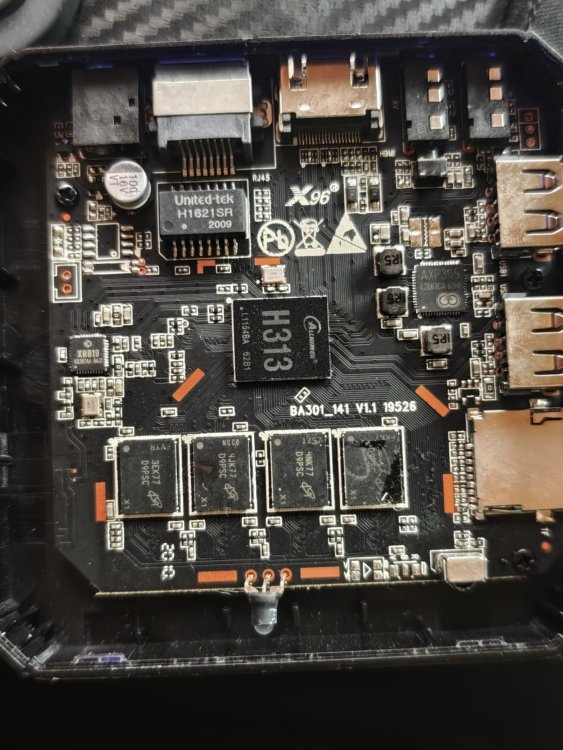
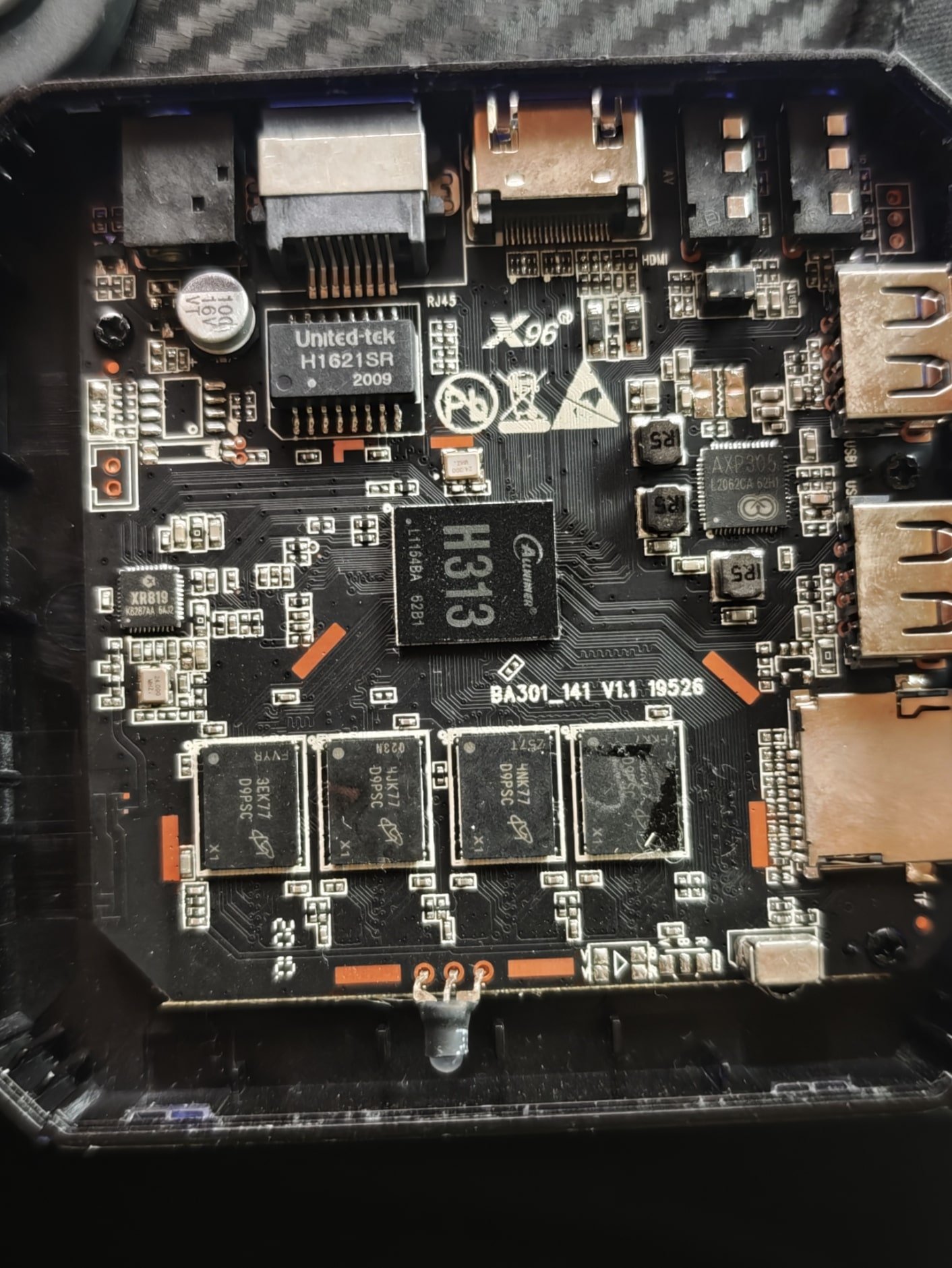
Hi, what image for this board
-
Workaround solution: downgrade to 2.3.2 apt install zfs-dkms=2.3.2-2 zfsutils-linux=2.3.2-2 libzpool6linux=2.3.2-2 libzfs6linux=2.3.2-2 libuutil3linux=2.3.2-2 libnvpair3linux=2.3.2-2 # block unwanted upgrade: apt-mark hold zfs-dkms=2.3.2-2 zfsutils-linux=2.3.2-2 libzpool6linux=2.3.2-2 libzfs6linux=2.3.2-2 libuutil3linux=2.3.2-2 libnvpair3linux=2.3.2-2
-

Gaming experience with Orange Pi 5 (RK3588) on Armbian
KhanhDTP replied to KhanhDTP's topic in Orange Pi 5
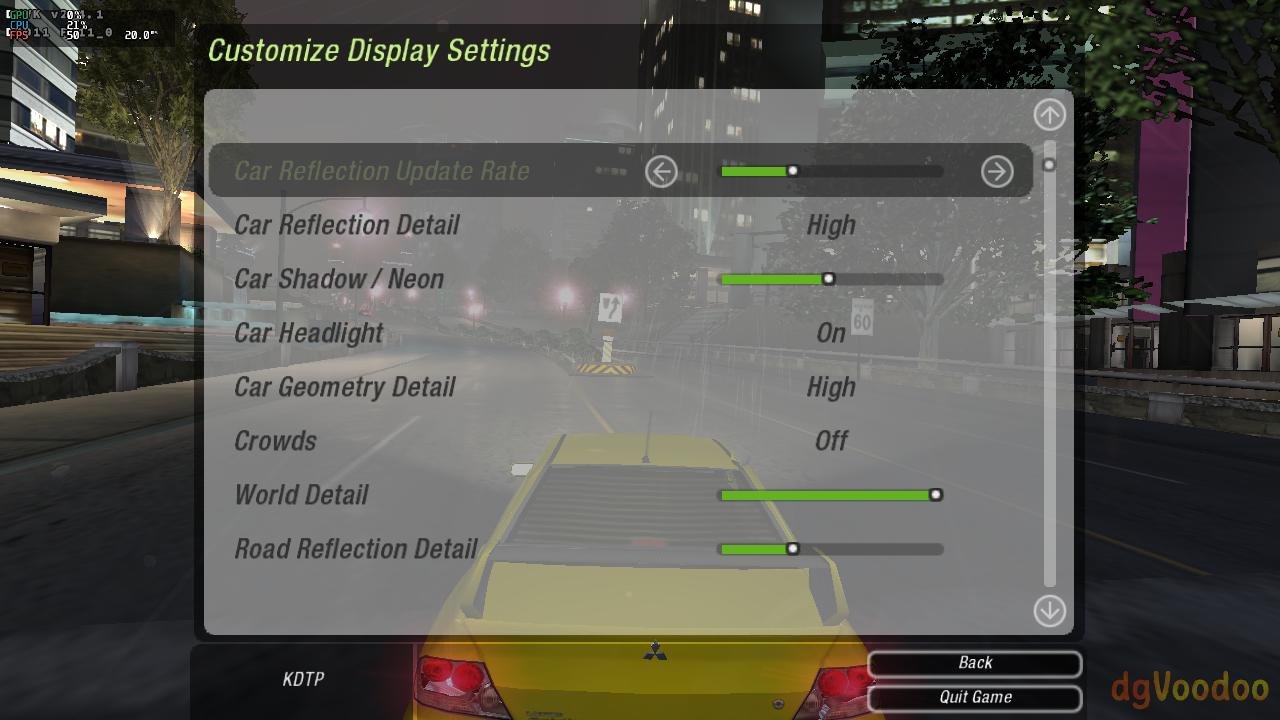
Armbian 25.11.2 Noble XFCE (BSP Kernel: 6.1.115) + PanVk - mesa 26.0 (https://launchpad.net/~ernstp/+archive/ubuntu/mesaaco) + box64 4.1 (https://ryanfortner.github.io/box64-debs/) + wine-10.20-staging-tkg-ntsync-amd64-wow64 (https://github.com/Kron4ek/Wine-Builds/releases/tag/10.20) + dgVoodoo2 (https://github.com/dege-diosg/dgVoodoo2/releases) + DXVK-stripped v2.1 (more likely to be crash-proof than other Dxvk versions) ~60fps@720p (Medium/High settings) box64 environment variables: Need for Speed - Underground 2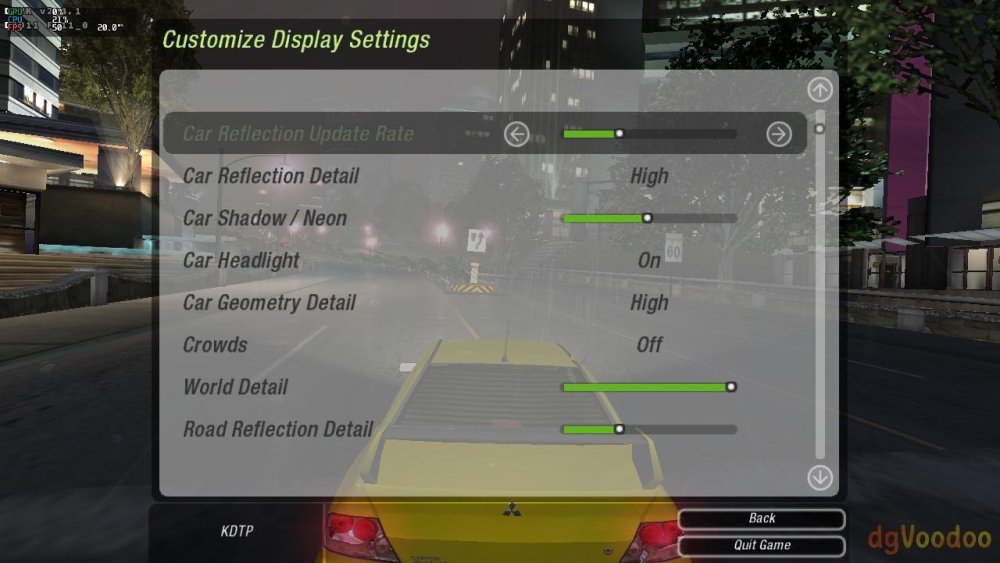
-

Vontar KK MAX / HK1 RBOX R2 / R3 - RK3566 4GB/32GB(or 64GB)
kang_001 replied to Deoptim's topic in Rockchip CPU Boxes
Hello, the link you shared has expired. Could you please re-analyze it -
Gaming experience with Orange Pi 5 (RK3588) on Armbian
KhanhDTP replied to KhanhDTP's topic in Orange Pi 5
Armbian 25.11.2 Noble XFCE (BSP Kernel: 6.1.115) + PanVk - mesa 26.0 (https://launchpad.net/~ernstp/+archive/ubuntu/mesaaco) + box64 4.1 (https://ryanfortner.github.io/box64-debs/) + wine-10.20-staging-tkg-ntsync-amd64-wow64 (https://github.com/Kron4ek/Wine-Builds/releases/tag/10.20) + dgVoodoo2 (https://github.com/dege-diosg/dgVoodoo2/releases) + DXVK-stripped v2.1 (more likely to be crash-proof than other Dxvk versions) ~40fps@720p (Medium settings) (There are small graphics are flickering. Locking the FPS at 30fps seems to fix it a bit) box64 environment variables: Prince of Persia 2008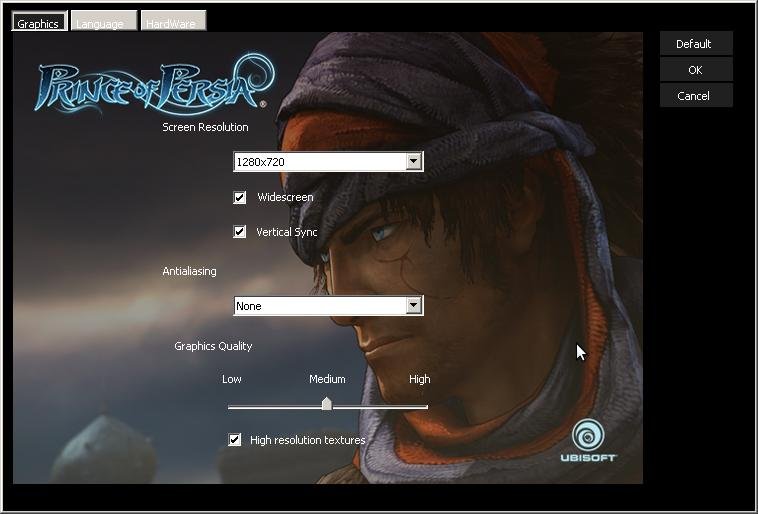
.thumb.jpg.cc6d3a694db746f63a2134d15d469337.jpg)
-
Hello, im trying to get my rk322x board with SV6051P chip to work, i tried every LED config but wpa_supplicant crashes on boot every time. Here are the dmesgs: dmesg_led8.logdmesg_led7.logdmesg_led6.logdmesg_led5.logdmesg_led4.logdmesg_led3.logdmesg_led2.logdmesg_led1.logdmesg_default_dto.log Anyway to fix this?
-
Updated Images for V1.3 Armbian-unofficial_26.02.0-trunk_X96q-v1-3_bookworm_current_6.12.64_cinnamon_desktop.img Armbian-unofficial_26.02.0-trunk_X96q-v1-3_bookworm_current_6.12.64_minimal.img Ill update 5.1 as time allows
- Yesterday
-
First testing on similar device (Odroid N2) didn't reveal any troubles. Need to locate VIM3 and try to recreate.
-
@chris178 SmartSolution on discord says his camera works. SmartSolution Hi, i had problem with camera and isp color quality After check and test download radxa-a733 t2 rsdk , image file and upload on mmc and after load system all camera works good
-
Duplicate
-
Just updated many armbian files shown as available for update. After the update sudo apt update shows the error message: E: The repository 'http://apt.armbian.com bookworm Release' is no longer signed. N: Updating from such a repository can't be done securely, and is therefore disabled by default. N: See apt-secure(8) manpage for repository creation and user configuration details. How can I fix this or was signing simply forgotten? Thank you!
-

Efforts to develop firmware for Vontar KK Max 8gb/128gb"
Hqnicolas replied to gersones's topic in Rockchip CPU Boxes
That's advanced as hell for build, but you can use any Rockchip SDK to make it, Some factoryes share the SDK online Some don't you will just compile a copy of the same file that you can find in the android image -
Gaming experience with Orange Pi 5 (RK3588) on Armbian
KhanhDTP replied to KhanhDTP's topic in Orange Pi 5
https://www.phoronix.com/news/Steam-Snap-ARM64-FEX -
 @Werner Thank you for handling this. As a quick fix for developers making new images: use ./compile.sh SKIP_ARMBIAN_REPO=yes
 -
 mirrors/repo are degraded at the moment. We're aware and working on it.
 -
 Same, using a couple of Orange Pi Ones
 -
Same error here on a bananapi m5 for debian bookworm The repository 'http://apt.armbian.com bookworm Release' is no longer signed with this definition : deb [signed-by=/usr/share/keyrings/armbian.gpg] http://apt.armbian.com bookworm main bookworm-utils bookworm-desktop
-
And others: https://docs.armbian.com/Mirrors/#current-mirrors
-
 Same error on my SBCs
 -
 I'm experiencing the same issue on my Orange Pi 5 running Armbian 25.11.2 noble (Ubuntu 24.04). Error: E: The repository 'http://apt.armbian.com noble Release' is not signed. N: Updating from such a repository can't be done securely, and is therefore disabled by default. What I've tried: Downloaded and installed the armbian.key multiple times: wget https://apt.armbian.com/armbian.key gpg --dearmor < armbian.key sudo tee /usr/share/keyrings/armbian.gpg > /dev/null sudo chmod go+r /usr/share/keyrings/armbian.gpg Copied the key to both locations: sudo cp /usr/share/keyrings/armbian.gpg /etc/apt/trusted.gpg.d/armbian.gpg Configured the repository using both .list and .sources formats The problem: The repository keeps redirecting to different mirrors (armbian.atomonetworks.com, armbian.lv.auroradev.org, etc.) and none of them have valid InRelease or Release.gpg files: $ curl -I https://armbian.atomonetworks.com/apt/dists/noble/InRelease HTTP/2 404 Workaround: The github.armbian.com/configng repository works fine, but the main apt.armbian.com repository appears to have infrastructure issues with signature files missing on all mirrors. Is this a known issue? System info: Distribution: Armbian 25.11.2 noble Ubuntu version: 24.04 LTS Architecture: arm64 Device: Orange Pi 5
 -
Efforts to develop firmware for H96 MAX M9 RK3576 TV Box 8G/128G
Hqnicolas replied to Hqnicolas's topic in Rockchip CPU Boxes
It works with this old drivers in windows. CP2102 doesn't reach high baud rates in linux. Baud rate: 1500000 Data bit: 8 Stop bit: 1 Parity check: none Flow control: none ☑️ CP2104 TTL Tested the original one! ☑️ CP2102 TTL Tested the chinese fake one! with this Driver -
 Just got this error on a sudo apt update.
 -
I can confirm that booting Odroid M1 from SD card does not work with U-Boot versions newer than 2024.04. Many thanks to IAV for providing a workaround. Perhaps most people are booting from NVMe now, so this issue has flown under the radar? # Install U-Boot 24.5.1 (maps to upstream v2024.04) apt-get install -y linux-u-boot-odroidm1-edge=24.5.1 # Freeze the package at that version "printf 'linux-u-boot-odroidm1-edge hold\n' | sudo dpkg --set-selections" # Flash SPI directly from the package artifacts (or via armbian-install) flashcp -v /usr/lib/linux-u-boot-edge-odroidm1/idbloader.img /dev/mtd0 flashcp -v /usr/lib/linux-u-boot-edge-odroidm1/u-boot.itb /dev/mtd2 # Confirm strings /dev/mtd0 | grep -m1 "U-Boot" # U-Boot SPL 2024.04 (Jan 10 2026 - 10:54:44 +0100) strings /dev/mtd2 | grep -m1 "U-Boot" # FIT image for U-Boot with bl31 (TF-A) Now I can boot from sdcard again w/o RCY button. To use only ZFS on my system I compiled zfs into U-Boot. That worked but the problem was still with U-Boot's handling of the mmc1 somehow. Even though zfsls/zfsload were present in the SPI-flashed U-Boot, that build immediately reinitialized mmc1 in HS200 (1.8 V) mode and hit the “Card did not respond to voltage select! : -110” failure before the boot script could run. So the inability to boot the ZFS v28 pool was due to the SPI U-Boot’s bad MMC tuning, not the ZFS commands themselves. For future reference I’ll leave here on how to built U-Boot with ZFS support from the upstream sources: # Workspace & Dependencies apt install git gcc-aarch64-linux-gnu bison flex device-tree-compiler libssl-dev make python3 ninja-build build-essential mkdir -p ~/work/u-boot && cd ~/work/u-boot # Upstream U-Boot git clone --depth=1 --branch v2024.04 https://source.denx.de/u-boot/u-boot.git # Firmare blobs git clone --depth=1 https://github.com/rockchip-linux/rkbin.git # Prepare .config cd u-boot cp configs/odroid-m1-rk3568_defconfig .config scripts/config --file .config --enable CONFIG_CMD_ZFS yes "" | olddefconfig # Compile make -j$(nproc) \ BL31=../rkbin/bin/rk35/rk3568_bl31_v1.45.elf \ ROCKCHIP_TPL=../rkbin/bin/rk35/rk3568_ddr_1560MHz_v1.23.bin # Flash SPI directly from the package artifacts (or via armbian-install) cp spl/u-boot-spl.bin /usr/lib/linux-u-boot-edge-odroidm1/idbloader.img cp u-boot.itb /usr/lib/linux-u-boot-edge-odroidm1/u-boot.itb flashcp -v /usr/lib/linux-u-boot-edge-odroidm1/idbloader.img /dev/mtd0 flashcp -v /usr/lib/linux-u-boot-edge-odroidm1/u-boot.itb /dev/mtd2



.jpg.1b95f9e55df6d9a06a94c60a0dc955a0.jpg)