All Activity
- Today
-

SV6256P WiFi Now Working on Linux 6.x (Armbian Tested)
djavahk replied to Kevin su's topic in Allwinner CPU Boxes
@Kevin su I just bought a TV Box with SV6256P and planned to port the driver and in my first search I found your post. Excellent work! -

How you can help test upcoming Armbian 26.02 images?
Torte replied to Igor's topic in Advanced users - Development
Board: MKS-Klipad50 Images: * Armbian_26.2.1_Mksklipad50_noble_current_6.18.8_minimal.img.xz * Armbian_26.2.1_Mksklipad50_trixie_current_6.18.8_minimal.img.xz Passed tests: * gpg and sha checksum files * boot from emmc, leds, display, touch, usb, internal wifi * initial setup, uboot-console, full klipper/klipperscreen install, reboot Result: All expected images do exist, verify and work properly. -

Gaming experience with Orange Pi 5 (RK3588) on Armbian
KhanhDTP replied to KhanhDTP's topic in Orange Pi 5
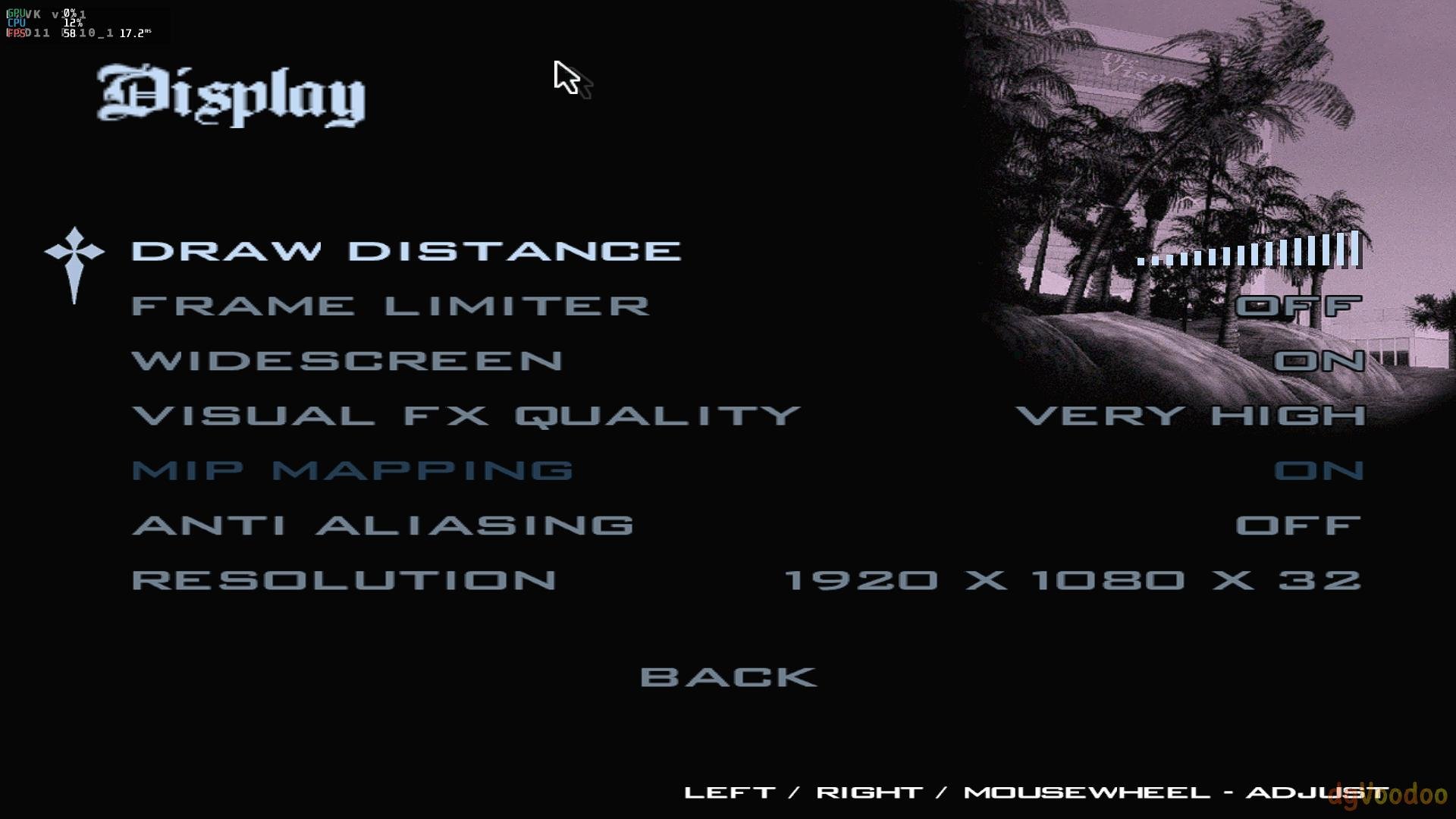
Armbian 25.11.2 Noble XFCE (BSP Kernel: 6.1.115) + PanVk - mesa 26.0 (https://launchpad.net/~ernstp/+archive/ubuntu/mesaaco) + Box64 arm64 v0.4.1 1aed7e028 (https://ryanfortner.github.io/box64-debs/) + ge-proton10-29 (https://github.com/GloriousEggroll/proton-ge-custom/releases/tag/GE-Proton10-29) + dgVoodoo2 (https://github.com/dege-diosg/dgVoodoo2/releases) + DXVK-stripped v2.1 40~60fps@1080p (max settings, no AA) box64 environment variables: Grand Theft Auto San Andreas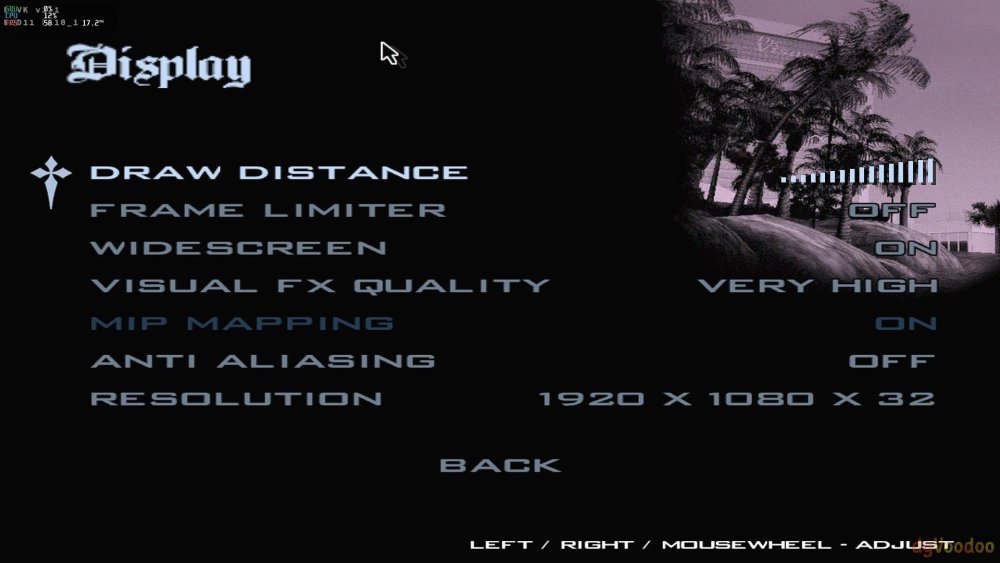

-
Gaming experience with Orange Pi 5 (RK3588) on Armbian
KhanhDTP replied to KhanhDTP's topic in Orange Pi 5
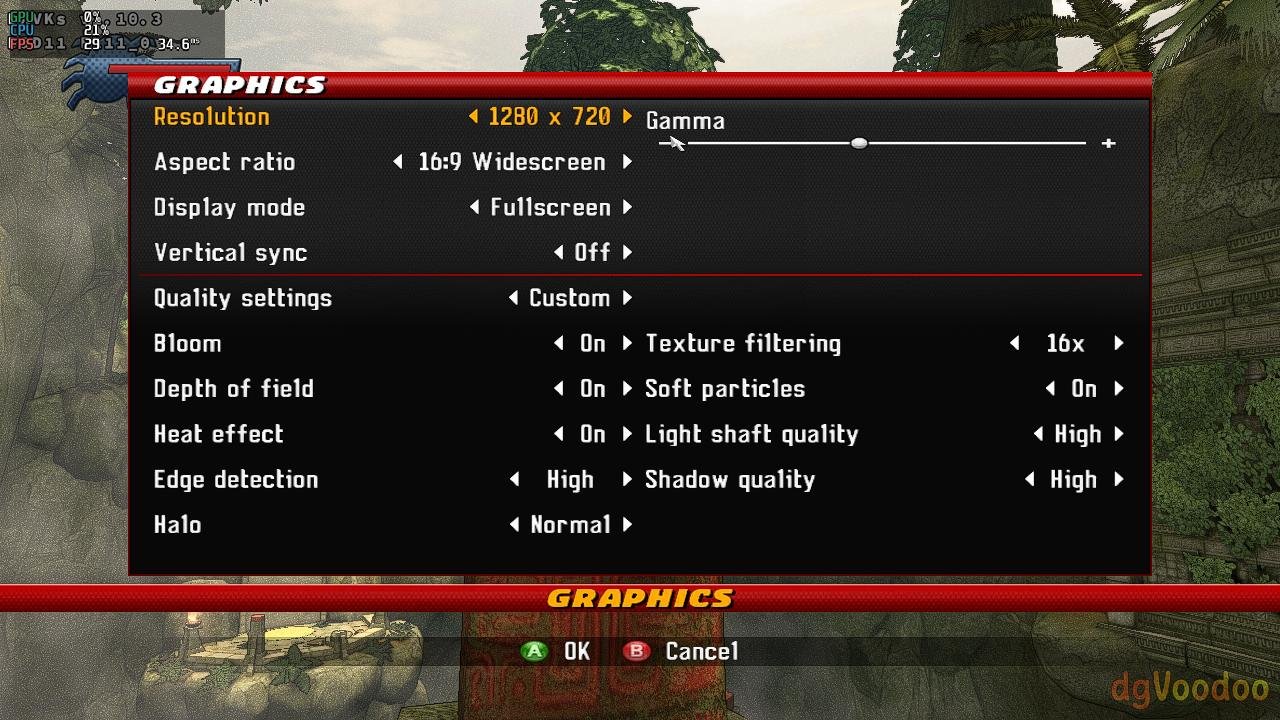
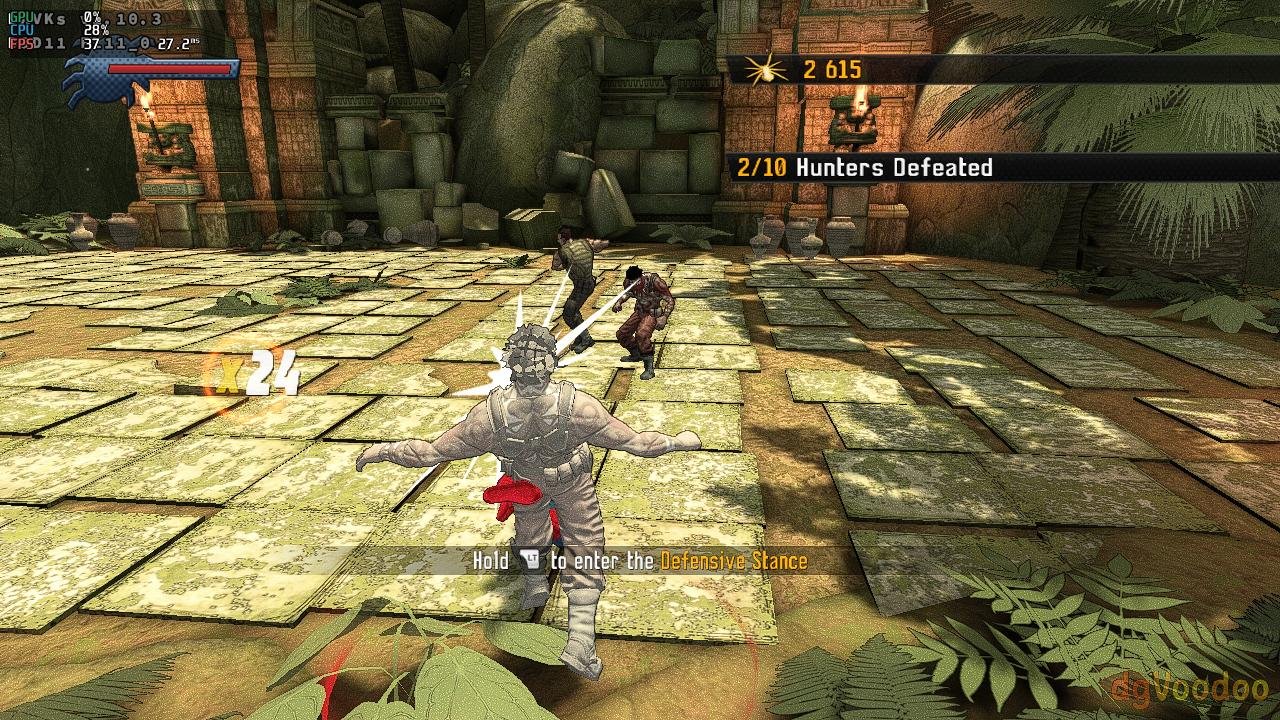
Armbian 25.11.2 Noble XFCE (BSP Kernel: 6.1.115) + PanVk - mesa 26.0 (https://launchpad.net/~ernstp/+archive/ubuntu/mesaaco) + Box64 arm64 v0.4.1 1aed7e028 (https://ryanfortner.github.io/box64-debs/) + ge-proton10-29 (https://github.com/GloriousEggroll/proton-ge-custom/releases/tag/GE-Proton10-29) + dgVoodoo2 (https://github.com/dege-diosg/dgVoodoo2/releases) + DXVK-stripped v1.10.3 ~30fps@720p (ultra settings) box64 environment variables: Spider-Man Shattered Dimensions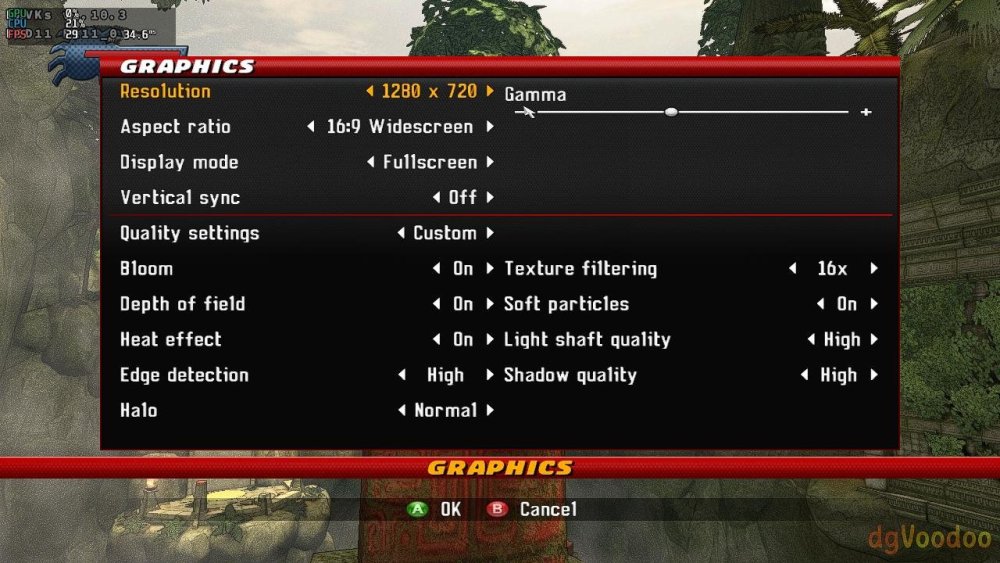
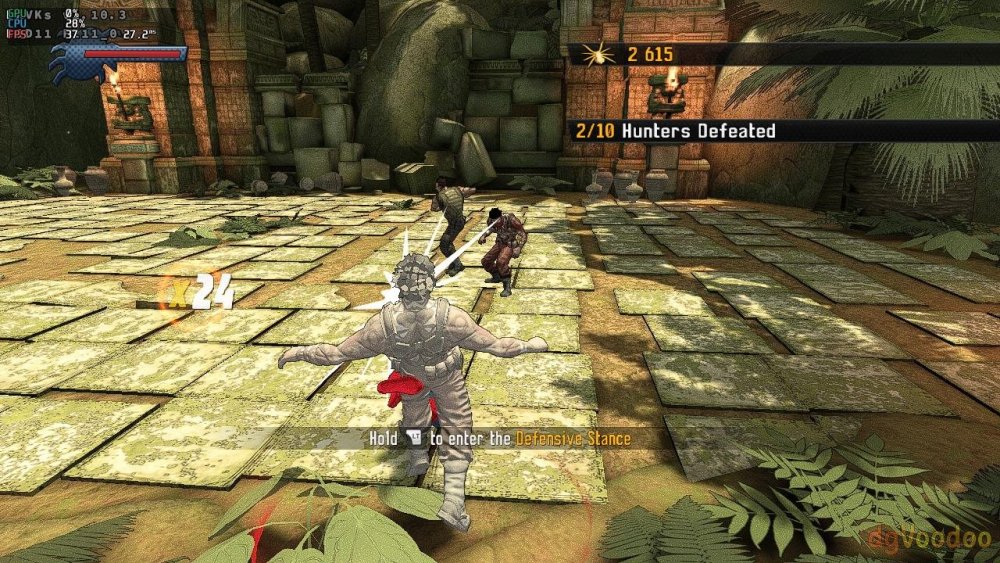
-
Any news or predictions on when HDMI and VAAPI will work?
-
Hi. There's progress, but I think I'm stuck. I created a bin file from efuse_burner.elf and it got written somewhere (?!). The UART showed a "board locked" message. Afterwards, I checked the SID, and it hadn't changed. When I try to boot from the SD card, the terminal is silent and immediately connects to the PC in fel mode. I dumped an emmc and my rotpk was in there. ##xxd emmc_dump.bin 00000000: 0000 8061 0000 0000 0000 0000 0000 0000 ...a............ 00000010: 7c07 8aaa 1bcc 6cdf 85fd 6e67 f6fc ad6d |.....l...ng...m 00000020: 5535 5f38 e071 e5a3 57d7 c8a8 c255 8950 U5_8.q..W....U.P 00000030: 0000 0000 0000 0000 0000 0000 0000 0000 ................## The sid dump also only has two values, the rest are zeros. I don't understand what they represent. ##xxd sid_dump.bin 00000000: 0000 0000 0000 0000 0000 0000 0000 0000 ................ 00000010: 0000 0000 0000 0000 0000 0000 0000 0000 ................ 00000020: 0000 0000 0000 0000 0000 0000 0000 0000 ................ 00000030: 0000 0000 0000 0000 0000 0000 0000 0000 ................ 00000040: 0000 0000 0000 0000 0000 0000 0000 0000 ................ 00000050: 0000 0000 0000 0000 0000 0000 0000 0000 ................ 00000060: 9300 0000 0000 0000 0000 0000 0000 0000 ................ 00000070: 0000 0000 0000 0000 0000 0000 0000 0000 ................ 00000080: 0000 0000 0000 0000 0000 0000 0000 0000 ................ 00000090: 3100 0000 0000 0000 0000 0000 0000 0000 1............... 000000a0: 0000 0000 0000 0000 0000 0000 0000 0000 ................ 000000b0: 0000 0000 0000 0000 0000 0000 0000 0000 ................ 000000c0: 0000 0000 0000 0000 0000 0000 0000 0000 ................ 000000d0: 0000 0000 0000 0000 0000 0000 0000 0000 ................ 000000e0: 0000 0000 0000 0000 0000 0000 0000 0000 ................ 000000f0: 0000 0000 0000 0000 0000 0000 0000 0000 ................ 00000100: 0000 0000 0000 0000 0000 0000 0000 0000 ................ 00000110: 0000 0000 0000 0000 0000 0000 0000 0000 ................ 00000120: 0000 0000 0000 0000 0000 0000 0000 0000 ................ 00000130: 0000 0000 0000 0000 0000 0000 0000 0000 ................ 00000140: 0000 0000 0000 0000 0000 0000 0000 0000 ................ 00000150: 0000 0000 0000 0000 0000 0000 0000 0000 ................ 00000160: 0000 0000 0000 0000 0000 0000 0000 0000 ................ 00000170: 0000 0000 0000 0000 0000 0000 0000 0000 ................ 00000180: 0000 0000 0000 0000 0000 0000 0000 0000 ................ 00000190: 0000 0000 0000 0000 0000 0000 0000 0000 ................ 000001a0: 0000 0000 0000 0000 0000 0000 0000 0000 ................ 000001b0: 0000 0000 0000 0000 0000 0000 0000 0000 ................ 000001c0: 0000 0000 0000 0000 0000 0000 0000 0000 ................ 000001d0: 0000 0000 0000 0000 0000 0000 0000 0000 ................ 000001e0: 0000 0000 0000 0000 0000 0000 0000 0000 ................ 000001f0: 0000 0000 0000 0000 0000 0000 0000 0000 ................## When I try to sign the SD card using toc0, the same thing happens with fel. Please help. Did the key get written to the correct location, and how do I boot now?
-

How you can help test upcoming Armbian 26.02 images?
Igor replied to Igor's topic in Advanced users - Development
All are interesting. However, H3, H5 and H6 boards will receive additional fixing to DVFS during this week. After that, I will rebuild them, but those are all CSC, so there are additional tasks: We only generate and test boards with at least "standard support", where a known maintainer is around. If you (or someone else) step up as a maintainer: https://docs.armbian.com/User-Guide_Board-Support-Rules/ following by PR as such https://github.com/armbian/build/pull/8981 boards will automatically be added to automatically generated build lists https://github.armbian.com/release-targets/targets-release-standard-support.yaml and images can be (auto) generated: https://docs.armbian.com/Process_CI/#automation-for-developers-and-maintainers If you wanna cover those steps, report status at release periods, step up. In most cases, boards work but during those tests we usually always found something to fix. And boot loader compilation is checked this way - end user upgrades don't upgrade that by default so you could be running a board for years while freshly build images would have borked uboot ... Perfect - new use case: Armbian QA -
Great! It's working now, sorry, I made it too complex previously.
-
Can you see this post? Please write at least a letter.
- Yesterday
-
Collabora continues to be a key contributor to the Linux kernel, with 125 patches from 21 developers! Highlights include Arm Mali GPU improvements, expanded MediaTek and Rockchip SoC support, Rust integration progress, and new Rockchip video capture functionality. View the full article
-
.thumb.jpg.20ed26dd68aaee94a94b227bf670a8eb.jpg)
How you can help test upcoming Armbian 26.02 images?
SuperKali replied to Igor's topic in Advanced users - Development
Boards that've tested: NanoPC T6 LTS: Kernel: Vendor (6.1) - Current (6.18) Variant: Desktop - Gnome What was tested: GPU works as expected WI-FI Card works as expected NVME, eMMC, SPI and SD Card works as expected Ethernets: 2x 2.5GbE works as expected HDMI both works as expected AUDIO: HDMI & via jack works as expected HDMI-IN video works as expected NanoPi M5: Kernel: Vendor (6.1) Variant: Desktop - Gnome What was tested: Image not boot, i have to investigate more, The previous image works without any problems. I will check soon and maybe migrate it to mainline uboot @Igor Can you do a double check if your board have the same issue? What was tested with the new build: GPU works as expected WI-FI Card works as expected NVME, SPI and SD Card works as expected UFS: I have to working on it, maybe with new mainline patches that will add the support on it Ethernets: 2x 1GbE works as expected HDMI both works as expected AUDIO: HDMI & via jack works as expected NanoPi R76S: Kernel: Vendor (6.1) Variant: Desktop - Gnome What was tested: GPU works as expected WI-FI Card works as expected eMMC and SD Card works as expected Ethernets: 2x 2.5GbE works as expected HDMI both works as expected AUDIO: HDMI works as expected -

How you can help test upcoming Armbian 26.02 images?
robertoj replied to Igor's topic in Advanced users - Development
I have an Orange Pi Zero 3, Opi z2w, Opi z LTS, and Banana Pi M2 Zero. If the OS image is not in your download page, does it mean you don't need help with these boards? I didn't have any problems with opiz3 Armbian.com or self built image ever (last time I tried was 2 months ago). The others: haven't used in 1 year. -
@maxsub no, its hacked. At least from my side. For us, that GPU stuff is closed, patented, tighly licensed and so on. LG // Sven-Ola
-

SV6256P WiFi Now Working on Linux 6.x (Armbian Tested)
Kevin su replied to Kevin su's topic in Allwinner CPU Boxes
@Nick A Yes, I used the MT7601U for a few days, but I wasn’t really satisfied with it. So, with the help of AI, I decided to port the SV6256P anyway—and to my surprise, it actually worked. -
SV6256P WiFi Now Working on Linux 6.x (Armbian Tested)
Kevin su replied to Kevin su's topic in Allwinner CPU Boxes
@jock The driver-related knowledge is vast and quite complicated, with many pitfalls, so porting really requires strong assistance from AI. I don’t have an SSV6051, so I can’t actually complete the porting myself. Btw, the "ssv6x5x-sw.bin" I’m using is the file you posted on the forum. -
So this is built fully from source by patching the xunlong source onto the edge code base? Armbian-unofficial_26.02.0-trunk_Orangepirv2_trixie_edge_6.18.8_minimal+Orangepirv2_1.0.0_ubuntu_noble_desktop_gnome_linux6.6.63.img.xz
-

Efforts to develop firmware for H96 MAX M9 RK3576 TV Box 8G/128G
a.ni replied to Hqnicolas's topic in Rockchip CPU Boxes
I've made some improvements of .dts for H96 MAX M9S, tested on Linux version 6.19.0-edge-rockchip64 (build@armbian) What's new: GPU working USB 3.0 mode working Currently working: both USB ports, incl. USB 3.0 mode GPU (using Panfrost driver) HDMI (audio+video) Ethernet port Wifi (using aic8800 DKMS drivers provided by https://github.com/radxa-pkg/aic8800/releases) Leds Not working: NPU Bluetooth S/PDIF rk3576-evb1-v10-main-h96-v5.dts dmesg-19.0.txt -

-
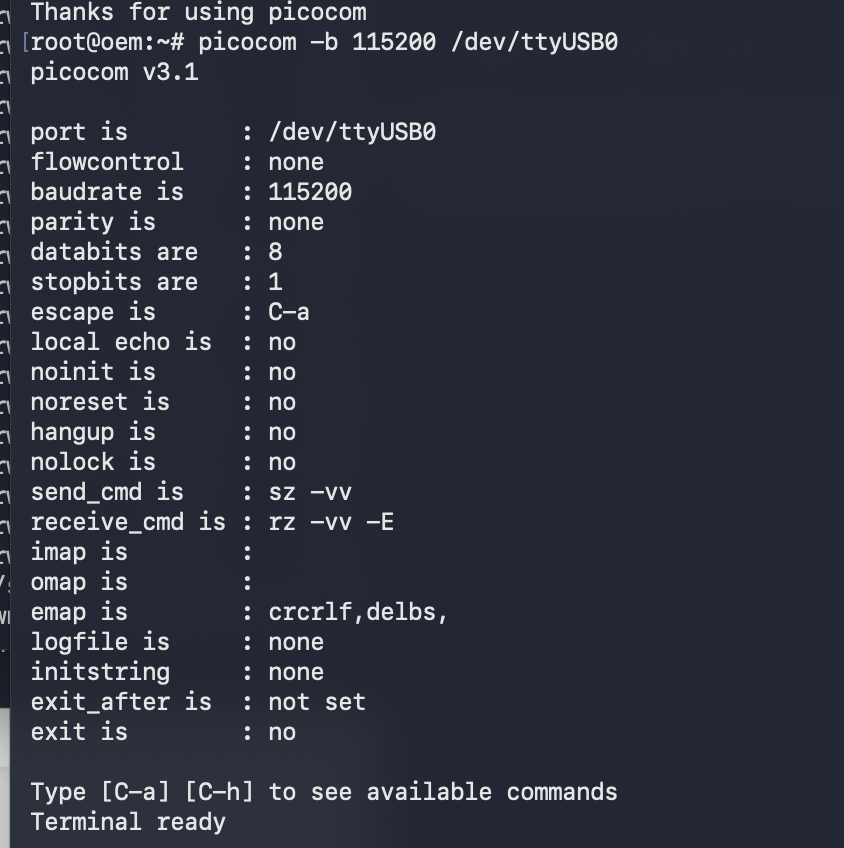
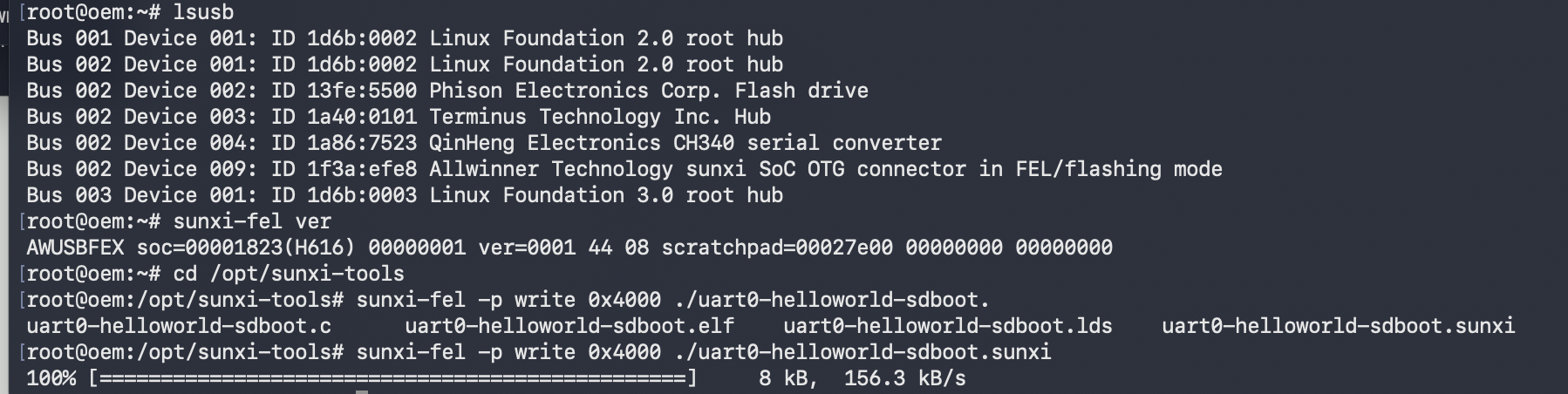
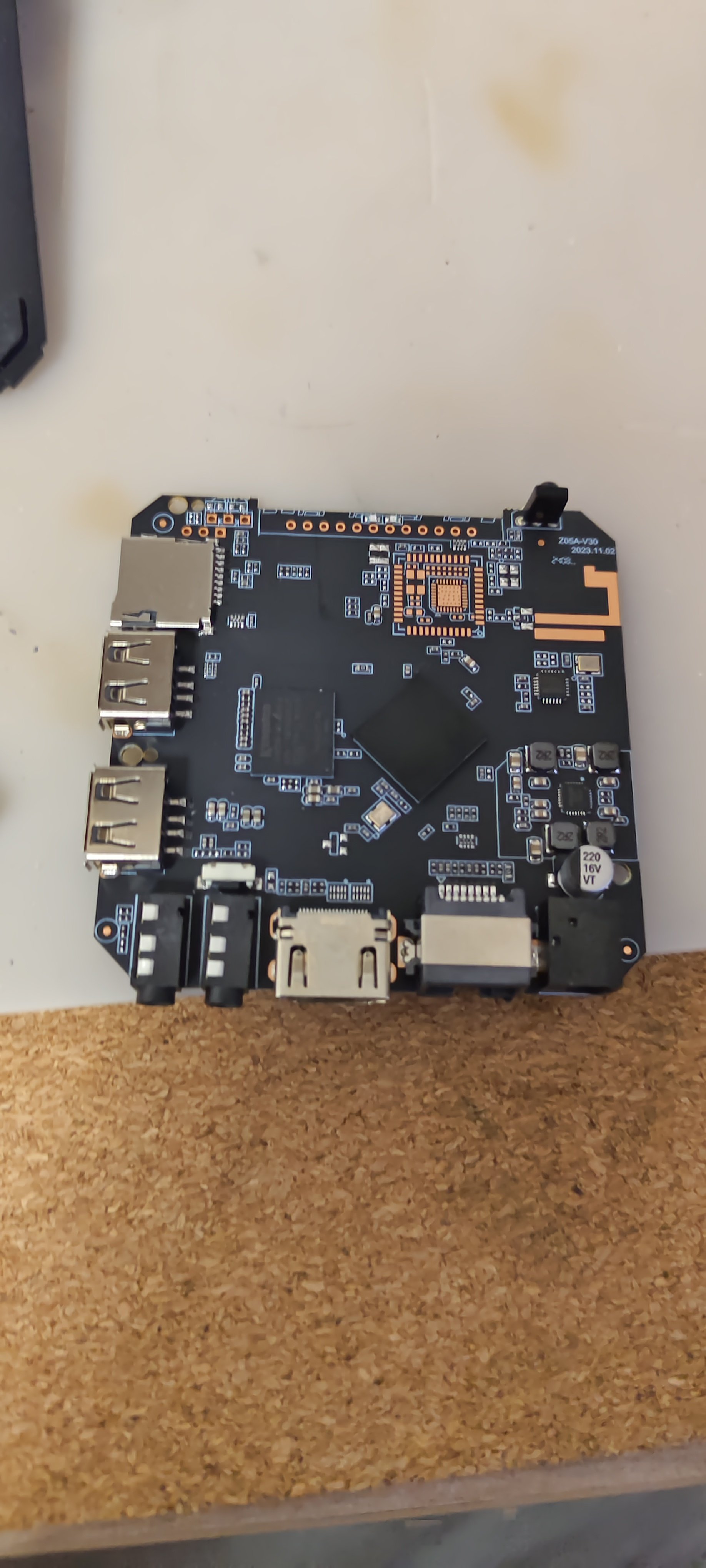
my bricked tvbox into fel mode, Using linux-fexi tools, I tested my usb2ttl on my tvbox , without any output. I do not know why? Test command: https://github.com/linux-sunxi/sunxi-tools sunxi-fel -p write 0x4000 uart0-helloworld-sdboot.sunxi (succeed) sunxi-fel -p exec 0x4000 picocom -b 115200 /dev/ttyUSB0
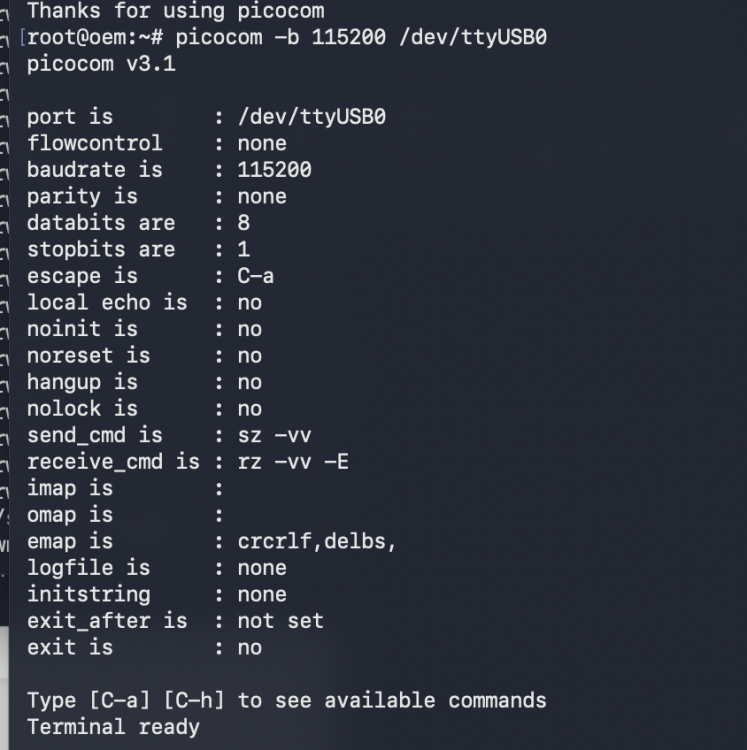
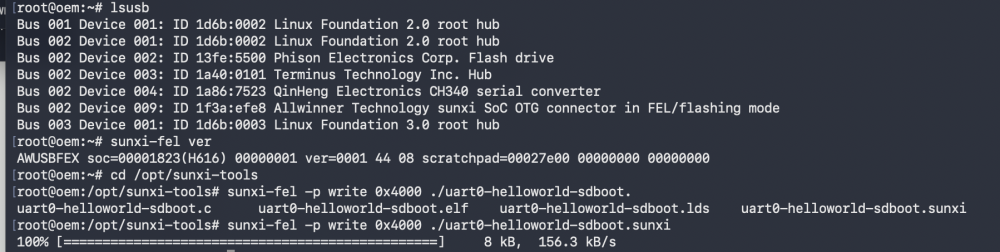
-
armbian-config submenu STO001
-
Hello friends, in general, a friend gave me an x96q TV set-top box, I want to install armbian on it and then install klipper and use it on my 3d printer, I'm not good at this, maybe someone can help
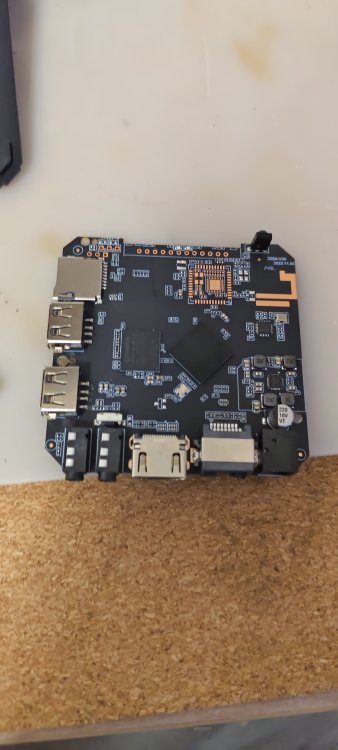
-
My USB2TTL is tested on other tvbox such as Amlogic tvbox, works
-
Yeah, don't do that.. At least read "<application> --help" before doing sensitive stuff like that if you are unfamiliar. If that happened to you, and that is the reason you typed that.. For future reference: If you have a root account, you can change to root user with "su root" and enter passwd. You are then root and can add your user back to the groups needed. Or you can use the debian "child safe" way, "adduser <user> <group>" (only works on already existing users and groups) instead of usermod to begin with. But best is you learn usermod, since that will let you utilize that knowledge on pretty much any unix system.
-

SV6256P WiFi Now Working on Linux 6.x (Armbian Tested)
Nick A replied to Kevin su's topic in Allwinner CPU Boxes
@Kevin su Excellent work! Porting the SV6256P driver all the way to kernel 6.12 is a huge achievement. Most users usually just give up and plug in a USB Wi-Fi adapter to avoid the headache of legacy drivers. -
@marcosdsdba