All Activity
- Past hour
-
However above that is a whole slew of failures "network unreachable" and ip a or ip r both show the help screen. Let me run armbian-config again, from here. Did, network didn't survive a reboot. Went to its own monitor and reran armbian-config, no net settings. reset them again. ping yahoo.com, worked. Ran sudo apt update, got 181 pkgs to update, did sudo apt upgrade -y & watched it for half an hour. Completed this time. rebooted, network survived. So I should be able to restore it from its own backups once I get it to mount the /raid6. Found it had a /raid6 dir for a mount point snooped thru /dev/disk/ to the by-id, found the file with myraid in its name, mounted it, ran df to see a normal report, then it suspended. Never did that before. Ever. Now, whats the magic potion that un-suspends it?, it went into suspension while I was logged in from here, and nothing I can do to the keyboard or mouse, local or remote wakes it up again. Power draw is down to about 7 watts. I need to totally disable that, how do it?
- Today
-
Using Network-manager as a slave to armbian-config, no root pw. sudo for everything. Let me see if I can login from "ssh -X gene@amanda" using the ip in my hosts file. Yes, so I can copy/paste: This is the final screen of a "sudo apt update" commend. Had to nuke my local keys first. E: The repository 'http://ports.ubuntu.com noble Release' no longer has a Release file. N: Updating from such a repository can't be done securely, and is therefore disabled by default. N: See apt-secure(8) manpage for repository creation and user configuration details. E: The repository 'http://ports.ubuntu.com noble-security Release' no longer has a Release file. N: Updating from such a repository can't be done securely, and is therefore disabled by default. N: See apt-secure(8) manpage for repository creation and user configuration details. E: The repository 'http://ports.ubuntu.com noble-updates Release' no longer has a Release file. N: Updating from such a repository can't be done securely, and is therefore disabled by default. N: See apt-secure(8) manpage for repository creation and user configuration details. E: The repository 'http://ports.ubuntu.com noble-backports Release' no longer has a Release file. N: Updating from such a repository can't be done securely, and is therefore disabled by default. N: See apt-secure(8) manpage for repository creation and user configuration details. E: The repository 'https://apt.armbian.com noble Release' no longer has a Release file. N: Updating from such a repository can't be done securely, and is therefore disabled by default. N: See apt-secure(8) manpage for repository creation and user configuration details. E: The repository 'https://github.armbian.com/configng stable Release' no longer has a Release file. N: Updating from such a repository can't be done securely, and is therefore disabled by default. N: See apt-secure(8) manpage for repository creation and user configuration details. Same thing I'm seeing on its own monitor.
-
must i connect it to pc?
-

Driving the ili9488 LCD (4.0 inch cheap chinese clone)
robertoj replied to robertoj's topic in Allwinner sunxi
I missed the fact that you have an orange pi zero 2w... I think there's a success experience with that orange pi in this thread or in this Allwinner section. Please share if you have success -
I downloaded and extracted that image and now run it as container on my ROCK5B. Just wiping the root password first and then only configure root and then: root@bananapim5:~# apt update Get:1 https://github.armbian.com/configng stable InRelease [5,467 B] Hit:2 http://ports.ubuntu.com noble InRelease Get:3 http://ports.ubuntu.com noble-security InRelease [126 kB] Get:4 https://github.armbian.com/configng stable/main arm64 Packages [434 B] Get:6 http://ports.ubuntu.com noble-updates InRelease [126 kB] Get:7 http://ports.ubuntu.com noble-backports InRelease [126 kB] Get:5 https://fi.mirror.armbian.de/apt noble InRelease [39.2 kB] Get:8 http://ports.ubuntu.com noble-security/main arm64 Packages [1,882 kB] Get:9 https://fi.mirror.armbian.de/apt noble/main all Packages [9,047 B] Get:10 https://fi.mirror.armbian.de/apt noble/main arm64 Packages [769 kB] Get:11 http://ports.ubuntu.com noble-security arm64 Contents (deb) [167 MB] Get:12 https://fi.mirror.armbian.de/apt noble/noble-utils arm64 Packages [26.3 kB] Get:13 https://fi.mirror.armbian.de/apt noble/noble-utils all Packages [5,408 B] Get:14 https://fi.mirror.armbian.de/apt noble/noble-desktop arm64 Packages [16.7 kB] Get:15 https://fi.mirror.armbian.de/apt noble/noble-desktop all Packages [4,984 B] Get:16 http://ports.ubuntu.com noble-security/restricted arm64 Packages [4,059 kB] Get:17 http://ports.ubuntu.com noble-security/universe arm64 Packages [1,193 kB] Get:18 http://ports.ubuntu.com noble-security/multiverse arm64 Packages [38.3 kB] Get:19 http://ports.ubuntu.com noble-updates/main arm64 Packages [2,235 kB] Get:20 http://ports.ubuntu.com noble-updates arm64 Contents (deb) [175 MB] Get:21 http://ports.ubuntu.com noble-updates/restricted arm64 Packages [4,224 kB] Get:22 http://ports.ubuntu.com noble-updates/universe arm64 Packages [1,899 kB] Get:23 http://ports.ubuntu.com noble-updates/multiverse arm64 Packages [38.0 kB] Get:24 http://ports.ubuntu.com noble-backports/main arm64 Packages [49.4 kB] Get:25 http://ports.ubuntu.com noble-backports arm64 Contents (deb) [782 kB] Get:26 http://ports.ubuntu.com noble-backports/universe arm64 Packages [34.7 kB] Fetched 360 MB in 42s (8,497 kB/s) Reading package lists... Done Building dependency tree... Done Reading state information... Done 304 packages can be upgraded. Run 'apt list --upgradable' to see them. So that seems OK. Now running apt full-upgrade -y and that works fine so far. Note that this does use the networking and kernel of the host, but a fast way to test userspace. no release file might have to do with something wrong in armbian repo mirrors. I am in the EU, might be different internet paths/routes/mirrors for you. I am actually unsure how this all works, so might also be something in the network setup in the noble image itself. Ubuntu uses netplan.io, that I could not get working with comples bridges and VLANs I use on ARM64 computers, so I avoid Ubunto for that and also in Armbian Debian images, I purged netplan.io and made sure I got NetworkManager working. And openresolve as DNS. You say you set up networking, I am not sure what that means. I mostly set a fixed IP address for a MAC address of the computer, then leave rest automatic as possible. You can setup more dedicated named/permanent profile with nmtui of course as well.
-
I've already overwrote the failed update, so I'll need to get the latest mdadm and a few others to recover. The backup data should still be good if I could fix the os. But while this is a much more recent build than it showed me 2 hrs ago, how much longer will it have a release file? Also the Imager utility won't run on this amd64 bookworm, GLIBC is too old. Not your fault. So I wrote Armbian_25.5.1_Bananapim5_noble_current_6.12.28_xfce_desktop.img with dd, booted fine, ran Armbian config and setup the network. Switched it to rolling release. Updated apt and was refused 6 times, no release file. So I'm dead in the water w/o a paddle. So I switched it back to STABLE, same results no release files yet this was a 8 or 9 day old build. Whats going on?
-
That's the version I'm running as well, and I have no issues either. I think replacing the device tree (.dtb) at this point only helps with the onboard flash speed?
-
Ethernet should be working (after rebooting), but wifi doesnt work out of the box.
-

Driving the ili9488 LCD (4.0 inch cheap chinese clone)
pami replied to robertoj's topic in Allwinner sunxi
It seems that I will definitely have to change the connection pins and something else, because I have a raspberry pi zero 2w, not an orange pi zero 3. Well, okay, I'll try to use your DTS only to adapt it for my board when I have free time. -
Driving the ili9488 LCD (4.0 inch cheap chinese clone)
robertoj replied to robertoj's topic in Allwinner sunxi
Hi Pami, I haven't had time to check your connection list and DTS. The LCD you showed is exactly the same I have I have both ili9486 and ili9488, and they work with the same connections, same DTS, same bin, same driver You should be able to copy all the wiring I describe in the DTS, the DTS, bin/txt and armbianEnv.txt line, and it should work. Start from a fresh self-built armbian OS, with the panel-mipi-dbi driver activated in the linux config phase. -
I currently have a X96 Air S905X3 4GB/64GB box that has 1Gbit ethernet and a USB 3.0 port that works well with Armbian. This was bought 5 years ago for only 35 USD. I would like to find another box for Armbian that also has 1000M/1Gbit ethernet + USB 3.0. The same or similar boxes are selling for 50-60USD at the moment which is a lot for an old box. Are there any other boxes with 1Gbit ethernet at a low price that work with Armbian? Not bothered about other features, wifi quality, performance otherwise - just Gbit ethernet and USB 3. Open to all processors - Amlogic, Allwinner, Rockchip etc
-
If I look at https://www.armbian.com/bananapi-m5/ the SBC is still supported. There were infrastructure problems, but that was before last weekend. I upgraded several Armbians (rockchip64 and sunxi) but are Debian Trixie based. I do not know about Ubuntu based and Amlogic/meson, but kernel is anyway Armbian and Ubuntu servers should be online. If you still have the old Ubuntu, it should be possible to upgrade in-place, so not new image, but edit sources.list files and then run normal upgrade.
-
Back again with a diff problem. I just tried to update 141 pkgs, from a meson-56 kernel to a meson-58 but the update died at the new initrd stage. Last update run was in November 25. Then I find on a reboot, that the noble 25.xx I was using no longer has a release file. So I dl'd the newest xfce version, burn it, boot it, get the net working & find its expired too. No updates or additions like mdadm can be downloaded. This is my backup server & has 11.2T of raid6 storage with backups of my whole 8 machine network on it. Or did have. Do you intend to support the bpi-m5 with further releases or is it now history? I know the release file timeout is not Your problem & you cannot fix it, but a respin of the latest ubuntu LTS would sure would be appreciated.
-
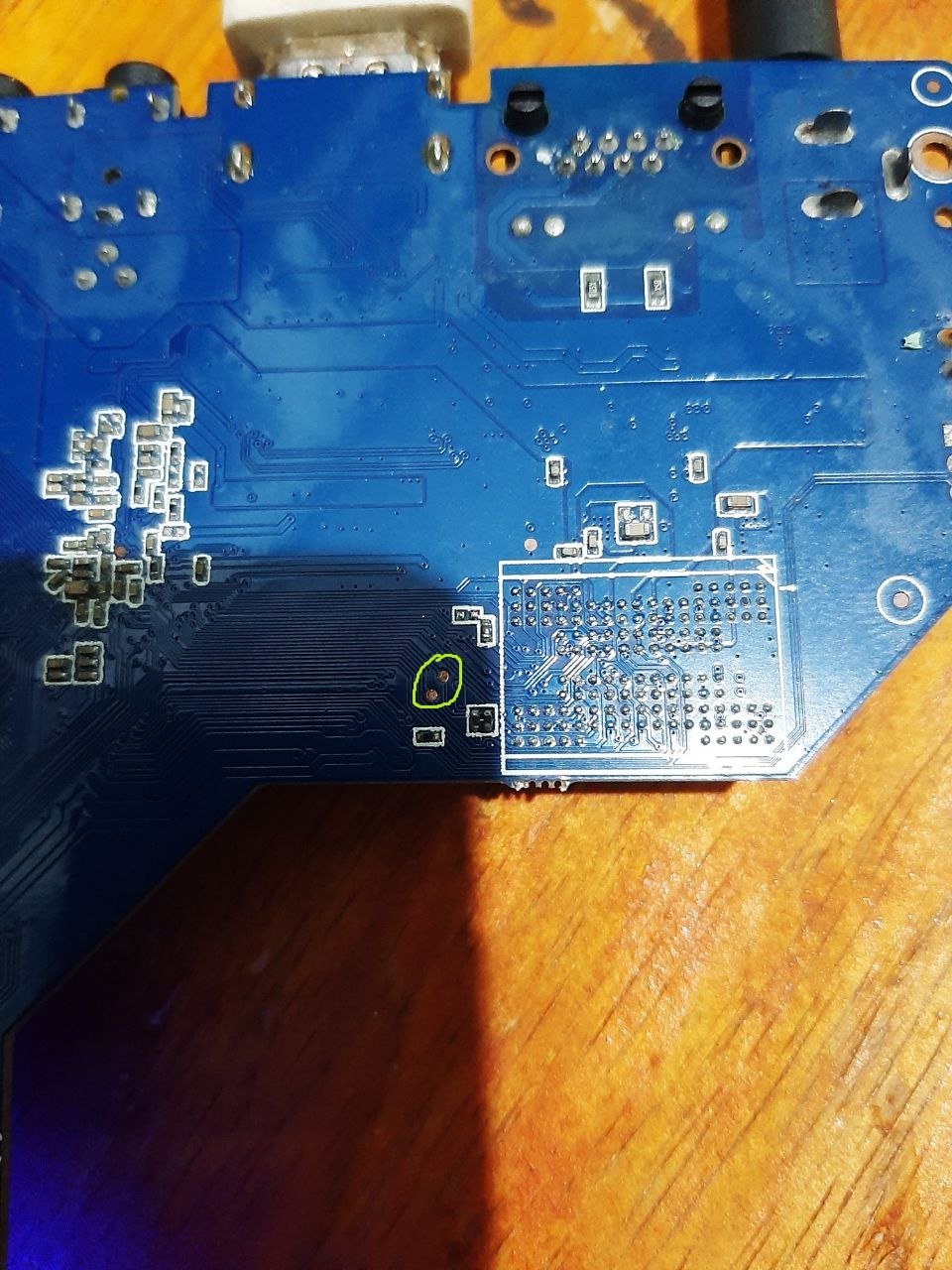
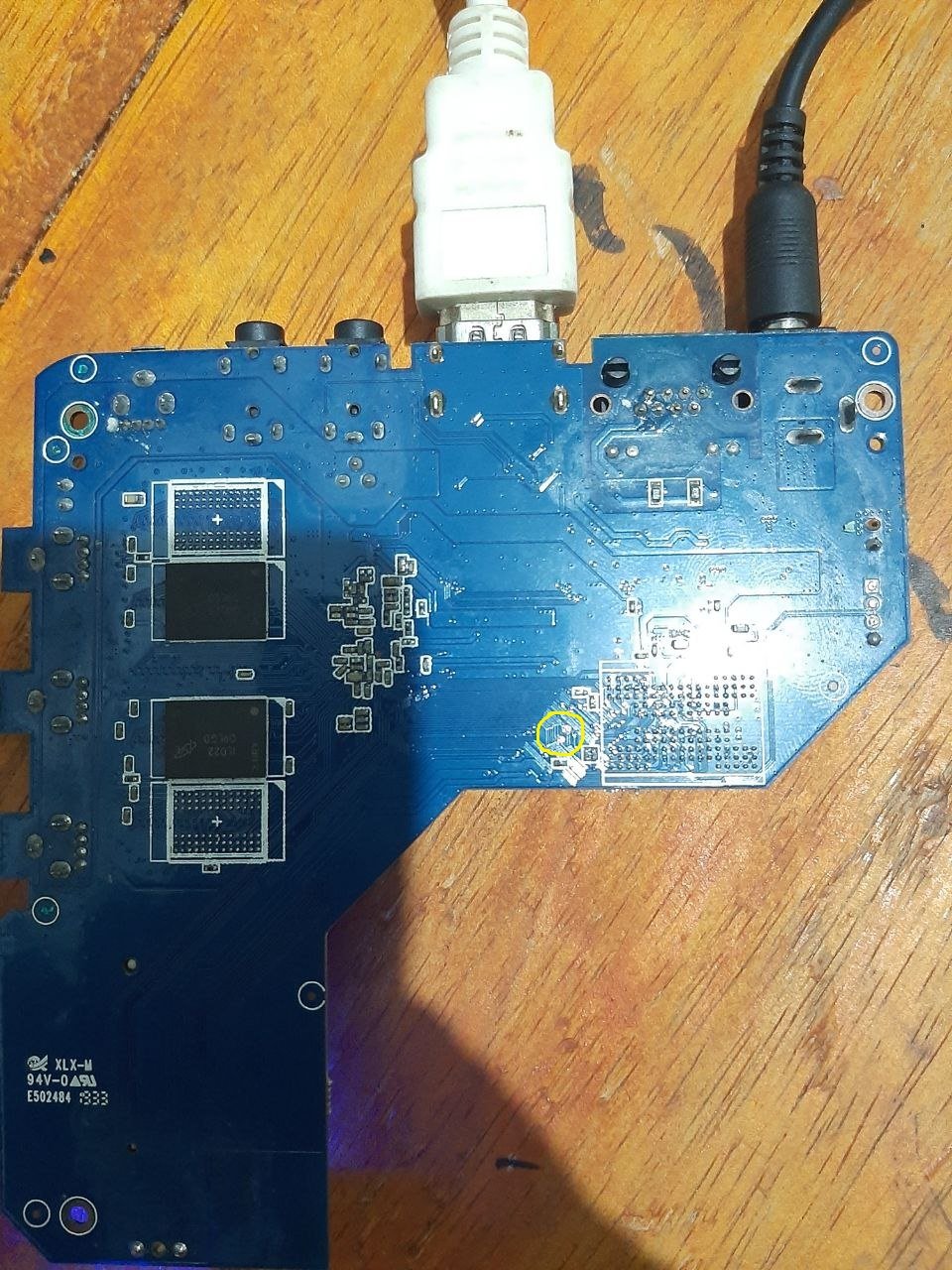
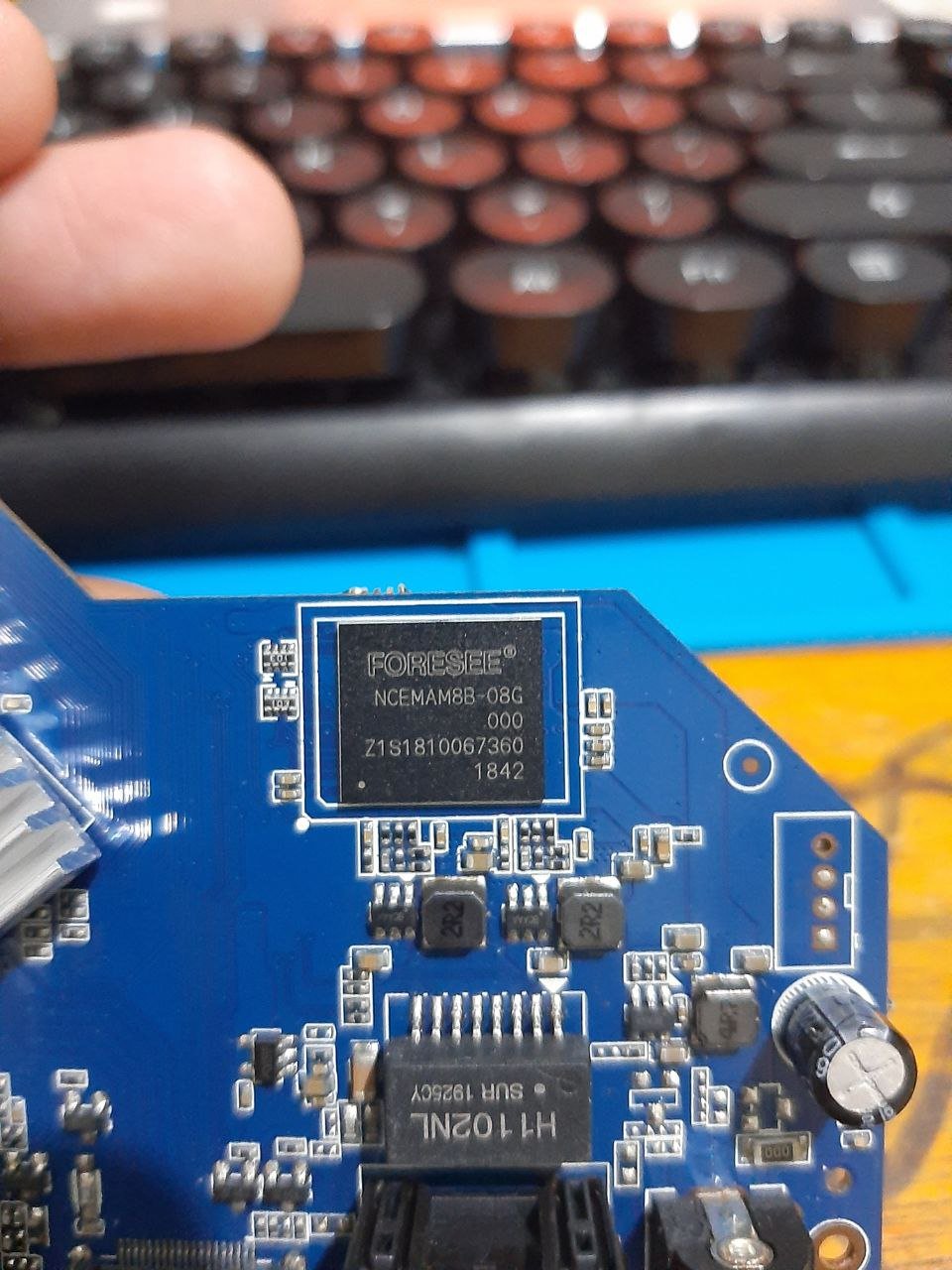
mxq pro 4k maybe "shortpin" Hope it is useful
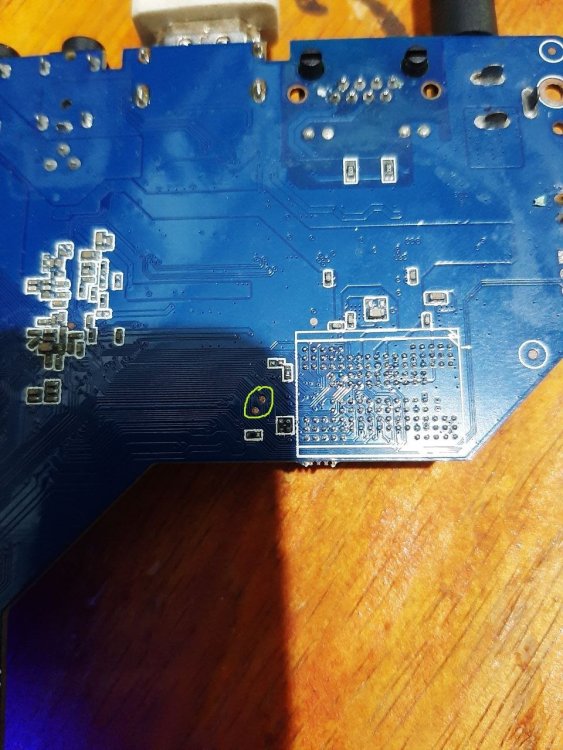
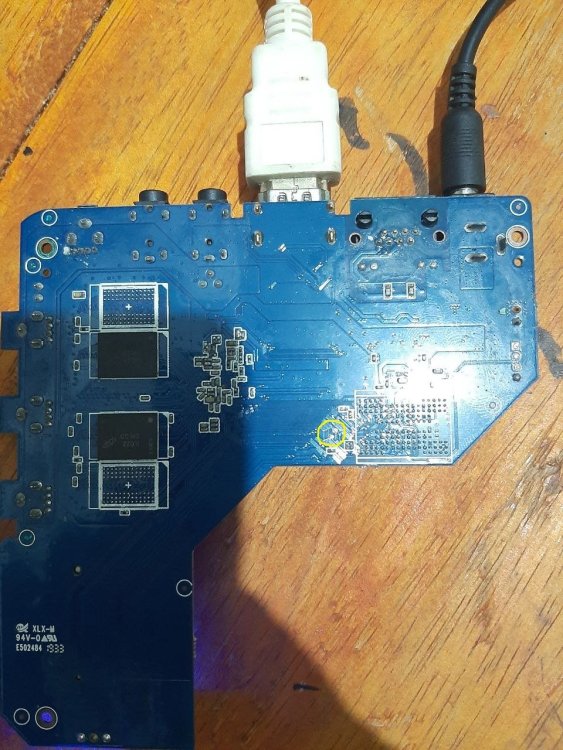
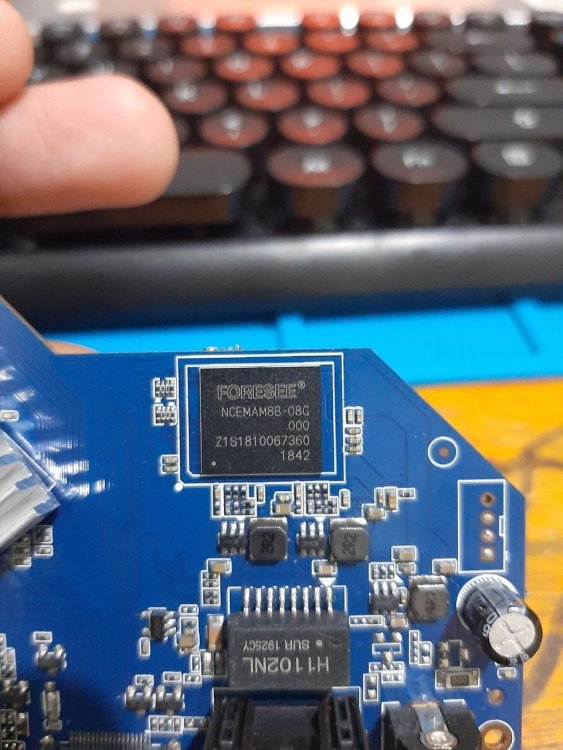
.thumb.jpg.566e994fddc34a4e80c5a23d3375f36f.jpg)
-
Have you followed the information available on the download page? https://www.armbian.com/amlogic-s9xx-tv-box
-
Maybe are you experiencing the same issue ? https://forum.armbian.com/topic/56946-h3-reboot-issue/
-
Today I needed to reboot one of the Orange Pi which is at a remote location.... It did not come back to life.... Maybe some update removed the extraargs=reboot=warm parameter ....
-
Hi.I want to install the armbian in the mini ms8 pro with the amlogic s912 and 2gb ram ddr3 but i don't know how to install it.I have burned the s912 iso in the microsd but i can't run the installation. Benchmarks Antutu – 40142 GeekBench4 – 476 Single-Core and 2473 Multi-Core 3D Mark Ice Storm Extreme – 6284 A1 SD Bench Memory – RAM Copy 3347.01 Mbps / ROM (R)35.65 Mbps and (W)11.31 Mbps / SD Card (R)14.15 Mbps and (W)12.76 Mbps
-

Install on amlogic tv box without working emmc
SteeMan replied to Игорь Шаповалов's topic in Amlogic CPU Boxes
No standard way to do what you want. The Armbian images from this site depend on the original android bootloader on the emmc to boot. Since you don't have working emmd these images wont boot. Theoritically if you found a working boot loader for your box and it was put on the SD card, then you would have more options. -
Hello everyone, I have three Amlogic S905x TV boxes with a dead EMMC, and one with a desoldered EMMC (since I thought without it, they would boot from the microSD card). Is there a way to force them to boot into Armbian? Holding the power button doesn't work, and desoldering the EMMC didn't help either. I was able to boot Armbian using UART. A workaround is to use Ardruino, which sends commands to boot Armbian after a while, but that's a workaround, and I'd like a more elegant solution. 1) Download the *.img.gz image for the amlogic_s905x 2) Write the image to the microSD card using Rufus. 3) Connect the UART. Steps 2-6 in the brick instructions. 4) Insert the microSD card with Armbian into the console. 5) Turn on the console, close the testpoint, and at a certain point, the UART boot log will stop at gxl_p212_v1#. 6) Execute the following commands: mmc dev 1 env default -a -f;save setenv preboot 'if fatload mmc 0 1020000 aml_autoscript; then autoscr 1020000; fi; if fatload usb 0 1020000 aml_autoscript; then autoscr 1020000; fi; if fatload mmc 1 1020000 emmc_autoscript; then autoscr 1020000; fi;' save reboot Is there a simpler way to boot from a microSD card to default settings? Maybe I need to cleverly write a bootloader to it?
-
Hi Armbian community, I'm trying to install Armbian on my Worldchip K16 tablet and would appreciate guidance on compatibility and installation steps. Device Specifications: · Model: Worldchip K16 · SoC: Allwinner sun50iw10p1 (likely A64/H5 variant) · CPU: Quad-core Cortex-A53 (ARMv8 64-bit) · Current OS: Android 11 · Architecture: aarch64 (ARMv8l) · GPU: Mali-400MP2 (typical for this SoC) · RAM: Unknown (estimated 2-4GB based on similar devices) · Storage: Unknown (likely 32-64GB eMMC)
-
Hi all. I reproduced the same behaviour on my custom uboot built with enabled debugging. The problem is not solved, but I got more detailed information. It turns out spl freezes at loading main uboot loader. Here is part from logs: Jumping to U-Boot... SPL malloc() used 0x198 bytes (0 KB) image entry point: 0x4a000000 More detailed logs can be found here
-
If inserted, SD is booted first. If not inserted or SD read err, NOR flash is booted. NOR flash in turn boots from lower 2280 NVME. I have added boot-from-upper 2230 NVME to uboot. To install Boot via SD. Log in as root. Start armbian-install Select 7 Install to MTD Put fresh image to NVME via dd of=/dev/nvme... Eject SD, press [reset] If anything is wrong, start over with 1. Boot via SD. I am not sure wich NVME (upper or lower?) is used first. Note: If you put the same image to both NVMEs and insert SD, you may have up to three ext4 partitions with the same UUID in the box. So on reboot it is very unclear which of the three ext4 is used as root. Check with df -h /. If necessary, you can use uuidgen from uuid-runtime package and tune2fs -U as well as nano to change extlinux.conf for a different ID. HTH // Sven-Ola
-
Thank you! I will check later today. If there is anything else I can help about, let me know. By the way, both of my nvme drives are `Capabilities L1 PM Substates`, what is the best way to install everything there? I suppose it's not as simple as a dd of the image on them... My "low-level" skills are not what they used to be (and they were not that good in my good days), but I will check if I can build some stuff around here Thank you, and again sorry about my technical limitations







.jpg.44b2897ad04e4cc12493ec40c16ec3e0.jpg)