All Activity
- Past hour
-
@Rajiv Singh where is this dkms package? thank you!
-
how to use this on my orangepi 5 pro and run npu?
- Today
-
 @HenricoLegal https://forum.armbian.com/topic/57960-sv6256p-wifi-now-working-on-linux-6x-armbian-tested/
 -
Hello everyone! Hi @sven-ola How could I finally set up my minimal image on lower M.2 SSD only and use SBC without SD-card? I tried official dev image from Armbian Imager and compiled one by myself but armbian-installer always asking me to wipefs just `/dev/` for some reason and also system (booted from SD-card) just can't work with /dev/nvme0n1 (always Invalid Operation). I tried many ways but no luck. I just need minimal system image run on my lower M.2 SSD
-
 First of all thanks to the people maintaining armbian for helios64. I recently upgraded (well I reinstalled) to trixie and everything mostly runs stable for me. However I have a problem with the 2.5GB adapter. It is connected to a 2.5GB switch and when for example running iperf3 I get proper results close to 2.5 GBit. So in general it seems to be running ok. I have a DLNA server (minidlna) running on that machine and when I stream from my TV (streaming via VLC from my laptop triggers the same problems) the network connection drops for a moment and works again after a few seconds (which you can guess is super annoying when watching something). I am not sure what exactly is triggering this. most of the time the network is super stable but during streaming I get hickups. This is what my kernel log spits out when this is happending: ``` Apr 09 17:45:54 hermann-walter kernel: xhci-hcd xhci-hcd.0.auto: Event TRB for slot 4 ep 3 with no TDs queued Apr 09 17:45:54 hermann-walter kernel: xhci-hcd xhci-hcd.0.auto: Event TRB for slot 4 ep 3 with no TDs queued Apr 09 17:45:54 hermann-walter kernel: xhci-hcd xhci-hcd.0.auto: Event TRB for slot 4 ep 3 with no TDs queued Apr 09 17:45:54 hermann-walter kernel: xhci-hcd xhci-hcd.0.auto: Event TRB for slot 4 ep 3 with no TDs queued Apr 09 17:45:54 hermann-walter kernel: xhci-hcd xhci-hcd.0.auto: Event dma 0x00000000053f8f10 for ep 3 status 1 not part of TD at 00000000053f8ed0 - 00000000053f8ed0 Apr 09 17:45:54 hermann-walter kernel: xhci-hcd xhci-hcd.0.auto: Event dma 0x00000000053f8f20 for ep 3 status 1 not part of TD at 00000000053f8ed0 - 00000000053f8ed0 Apr 09 17:45:54 hermann-walter kernel: xhci-hcd xhci-hcd.0.auto: Event dma 0x00000000053f8f30 for ep 3 status 1 not part of TD at 00000000053f8ed0 - 00000000053f8ed0 Apr 09 17:45:54 hermann-walter kernel: xhci-hcd xhci-hcd.0.auto: Event dma 0x00000000053f8f40 for ep 3 status 1 not part of TD at 00000000053f8ed0 - 00000000053f8ed0 Apr 09 17:45:54 hermann-walter kernel: xhci-hcd xhci-hcd.0.auto: Event dma 0x00000000053f8f50 for ep 3 status 1 not part of TD at 00000000053f8ed0 - 00000000053f8ed0 Apr 09 17:45:54 hermann-walter kernel: xhci-hcd xhci-hcd.0.auto: Event dma 0x00000000053f8f60 for ep 3 status 1 not part of TD at 00000000053f8ed0 - 00000000053f8ed0 Apr 09 17:45:54 hermann-walter kernel: xhci-hcd xhci-hcd.0.auto: Event dma 0x00000000053f8f70 for ep 3 status 1 not part of TD at 00000000053f8ed0 - 00000000053f8ed0 Apr 09 17:45:54 hermann-walter kernel: xhci-hcd xhci-hcd.0.auto: Event dma 0x00000000053f8f80 for ep 3 status 1 not part of TD at 00000000053f8ed0 - 00000000053f8ed0 Apr 09 17:45:54 hermann-walter kernel: xhci-hcd xhci-hcd.0.auto: Event dma 0x00000000053f8f90 for ep 3 status 1 not part of TD at 00000000053f8ed0 - 00000000053f8ed0 Apr 09 17:45:54 hermann-walter kernel: xhci-hcd xhci-hcd.0.auto: Event dma 0x00000000053f8fa0 for ep 3 status 1 not part of TD at 00000000053f8ed0 - 00000000053f8ed0 Apr 09 17:45:59 hermann-walter kernel: r8152 2-1.4:1.0 enx646266d00873: NETDEV WATCHDOG: CPU: 0: transmit queue 0 timed out 5152 ms Apr 09 17:45:59 hermann-walter kernel: r8152 2-1.4:1.0 enx646266d00873: Tx timeout Apr 09 17:46:00 hermann-walter kernel: r8152 2-1.4:1.0 enx646266d00873: Tx status -2 Apr 09 17:46:00 hermann-walter kernel: r8152 2-1.4:1.0 enx646266d00873: Tx status -2 Apr 09 17:46:00 hermann-walter kernel: r8152 2-1.4:1.0 enx646266d00873: Tx status -2 Apr 09 17:46:00 hermann-walter kernel: r8152 2-1.4:1.0 enx646266d00873: Tx status -2 Apr 09 17:46:02 hermann-walter kernel: r8152-cfgselector 2-1.4: reset SuperSpeed USB device number 3 using xhci-hcd ``` the usb related messages are not always there but the r8152 related messages are always there. I found a similar problem here: https://github.com/openwrt/openwrt/issues/22130 I tried replacing the firmware but that didn't help and I later found out that the helios64 uses a different firmware so that explains why it didn't help: ``` Apr 10 05:48:30 hermann-walter kernel: r8152 2-1.4:1.0: Loaded FW: rtl_nic/rtl8156a-2.fw, sha256: 7b50f4a307bde7b3f384935537c4d9705457fa42613eb0003ffbc4e19461a1e0 Apr 10 05:48:30 hermann-walter kernel: r8152 2-1.4:1.0: Loaded FW: rtl_nic/rtl8156a-2.fw, sha256: 7b50f4a307bde7b3f384935537c4d9705457fa42613eb0003ffbc4e19461a1e0 ``` does anybody know what is going on? I am quite sure that the problem wasn't there before the upgrade (but I might be mistaken because I only started observing the helios64 again after the upgrade. also it seems to be related to the amount of network traffic going on. i.e. lower bitrate streams seem to not trigger the problem). Streaming via the 1GBit NIC is working fine.
 -
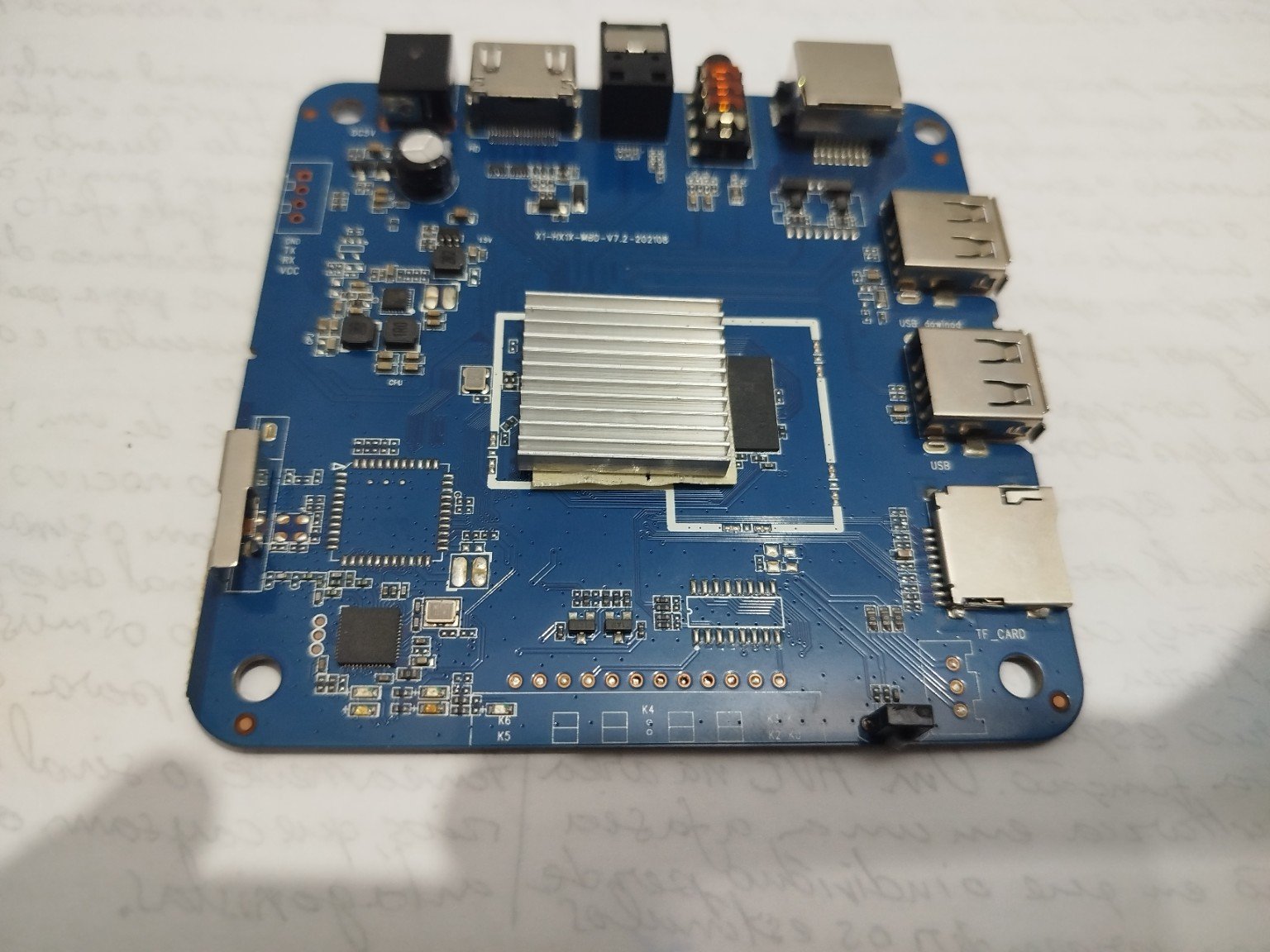
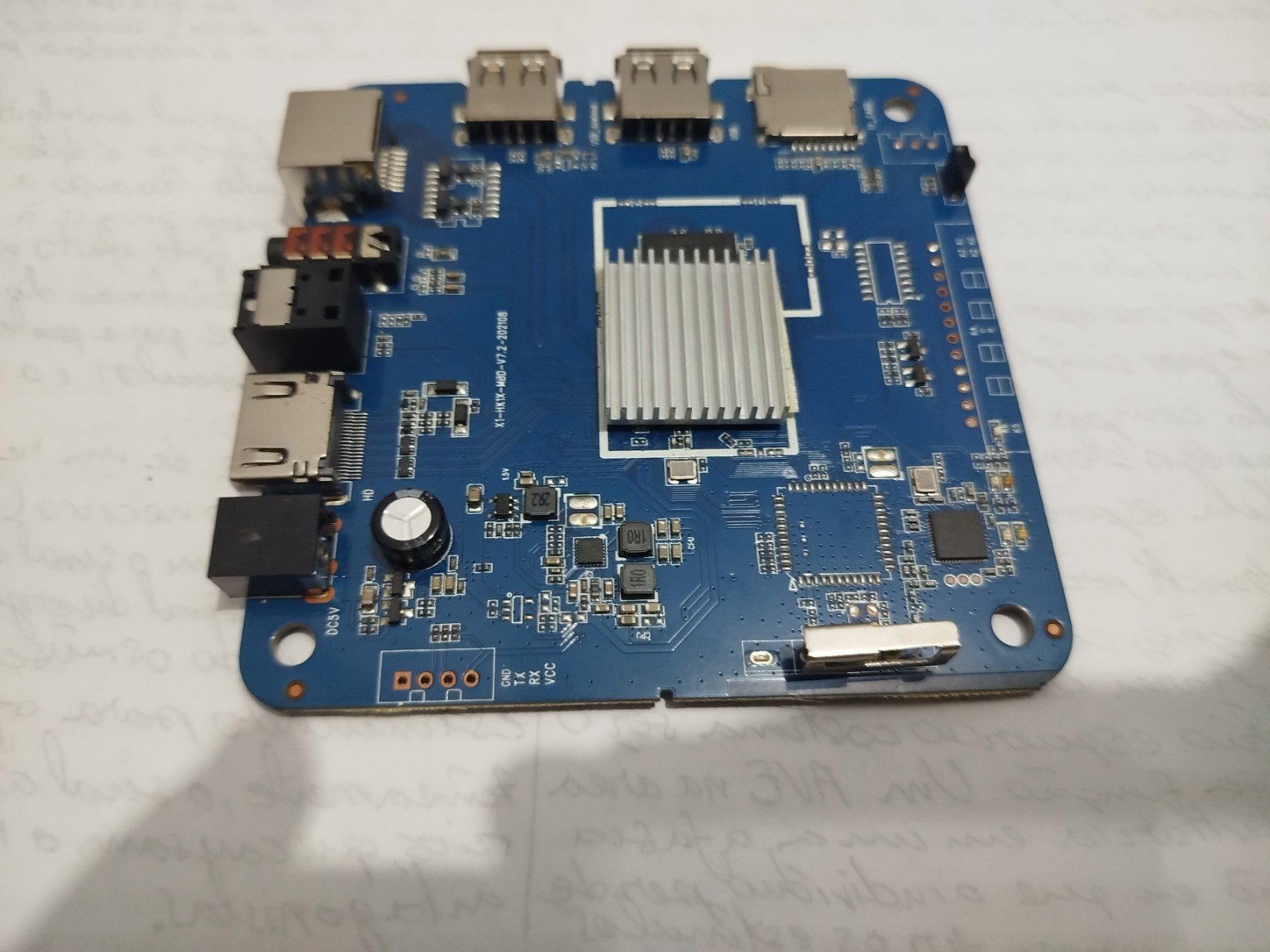
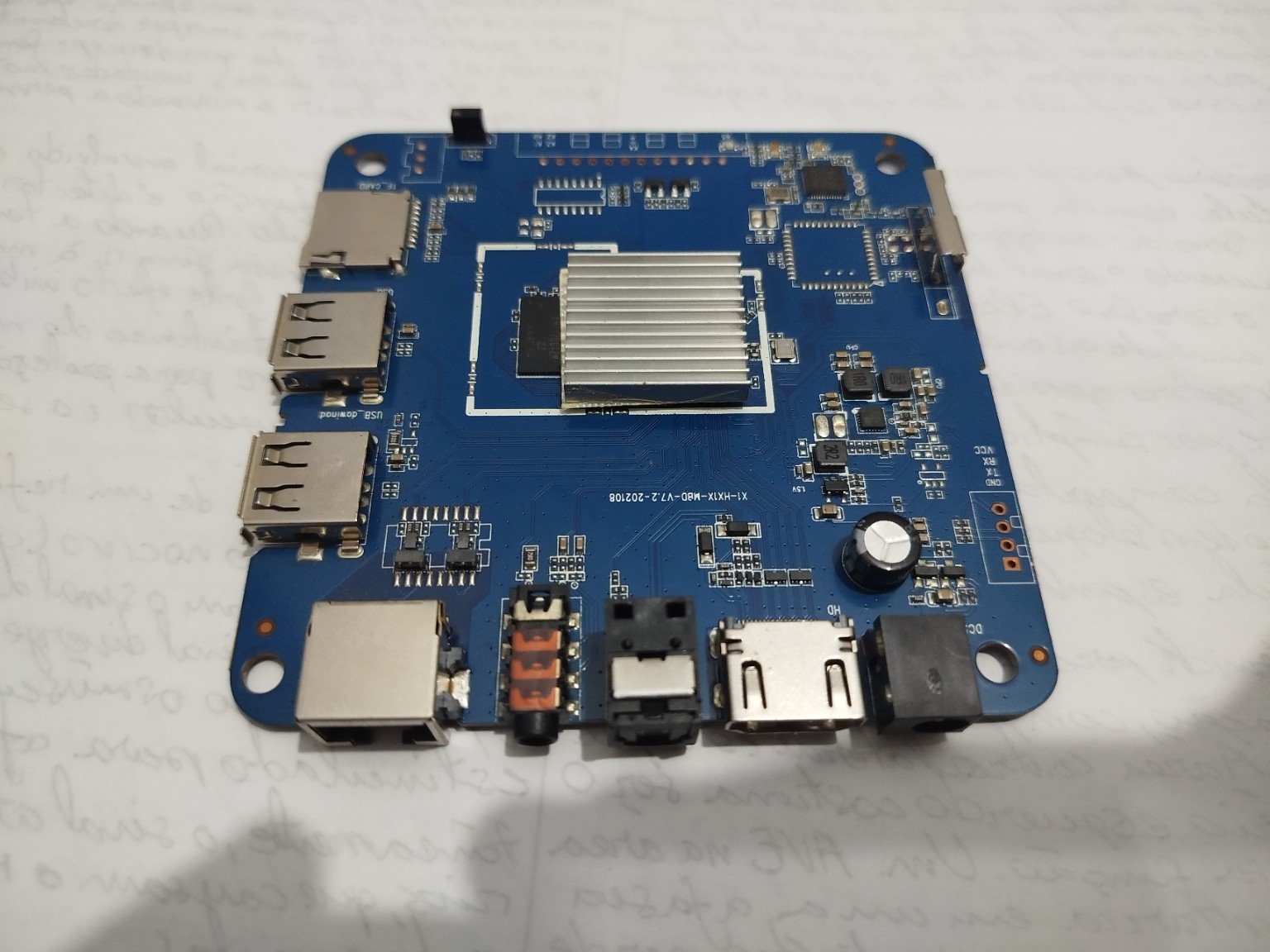
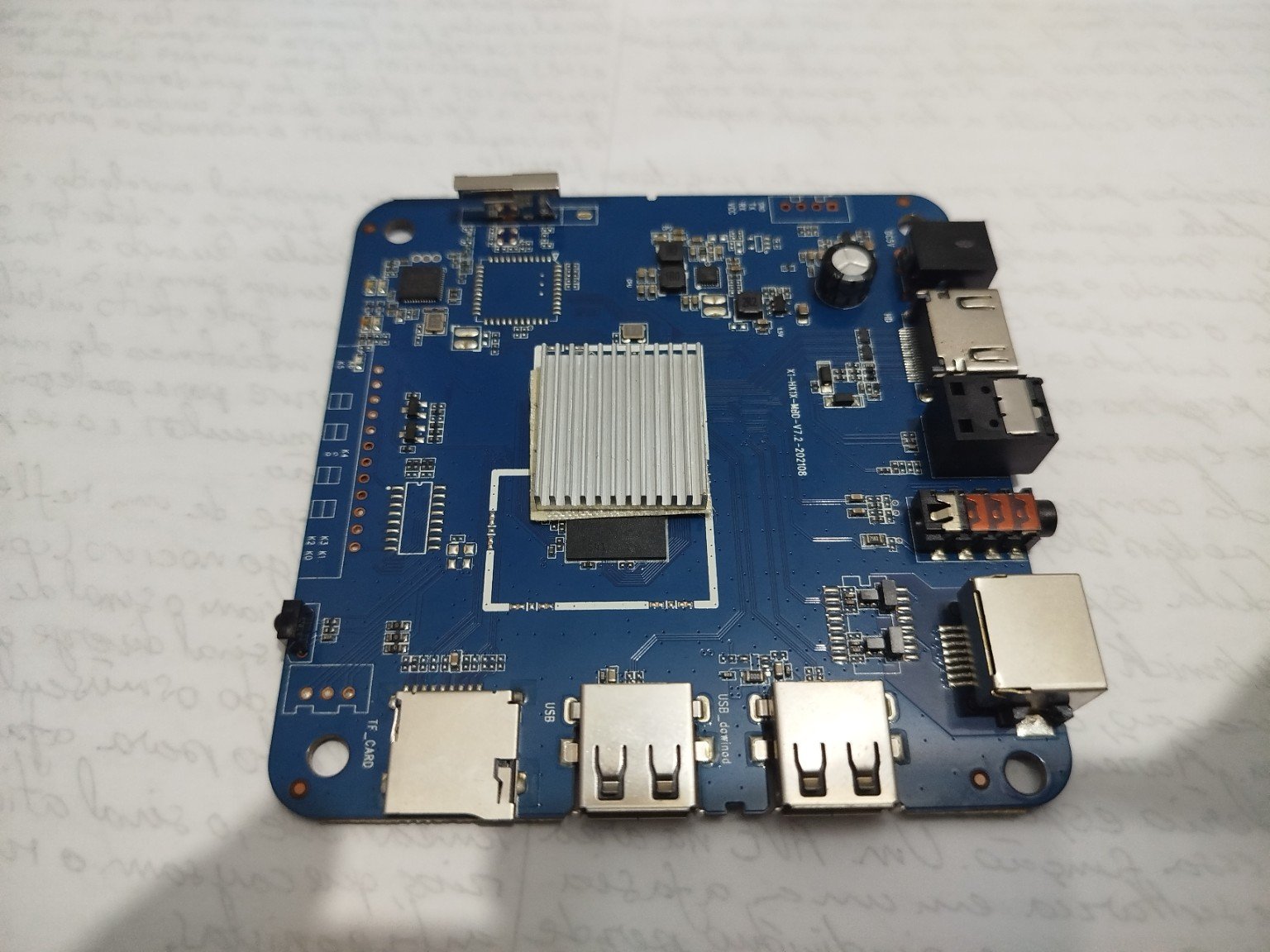
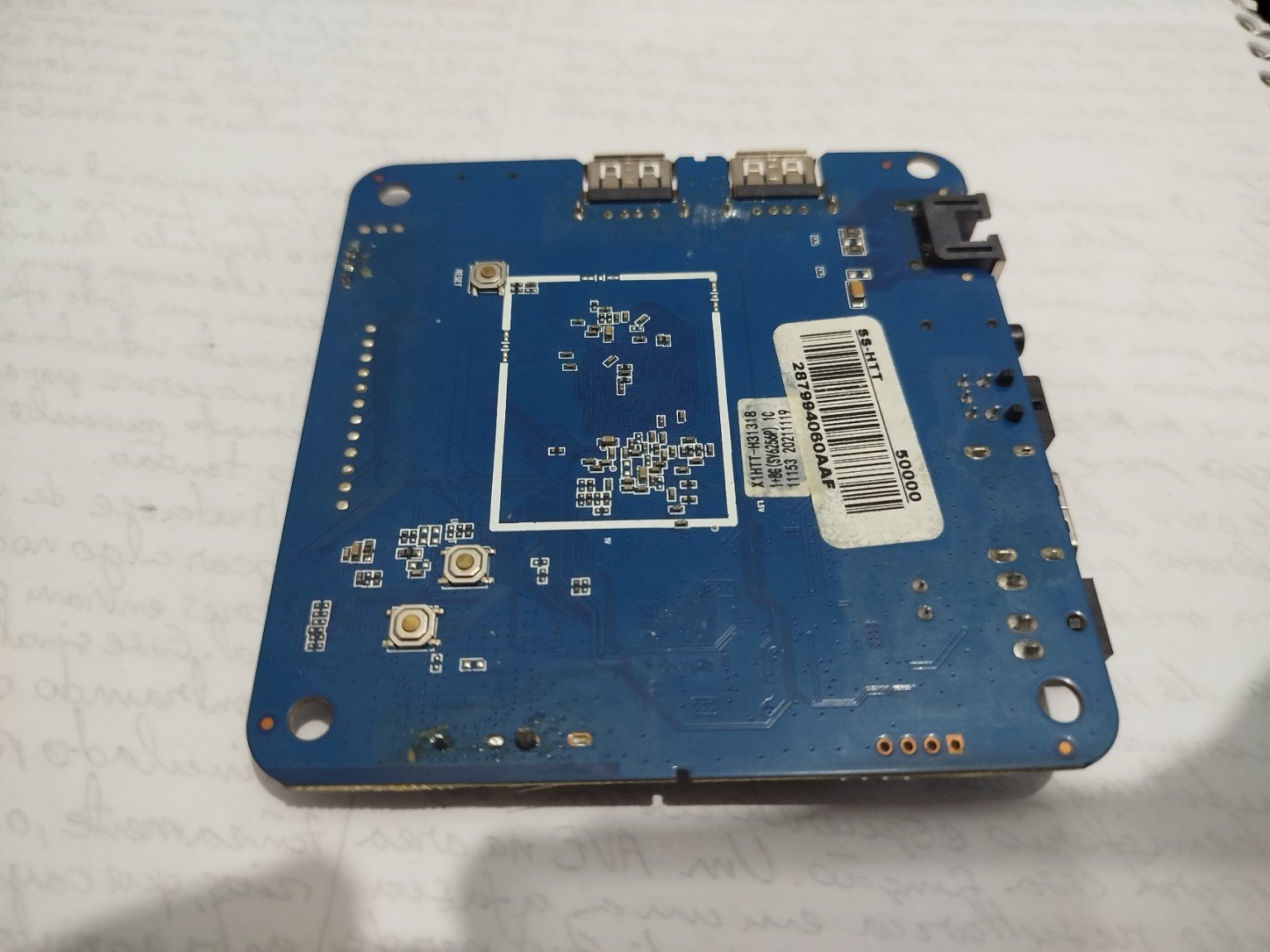
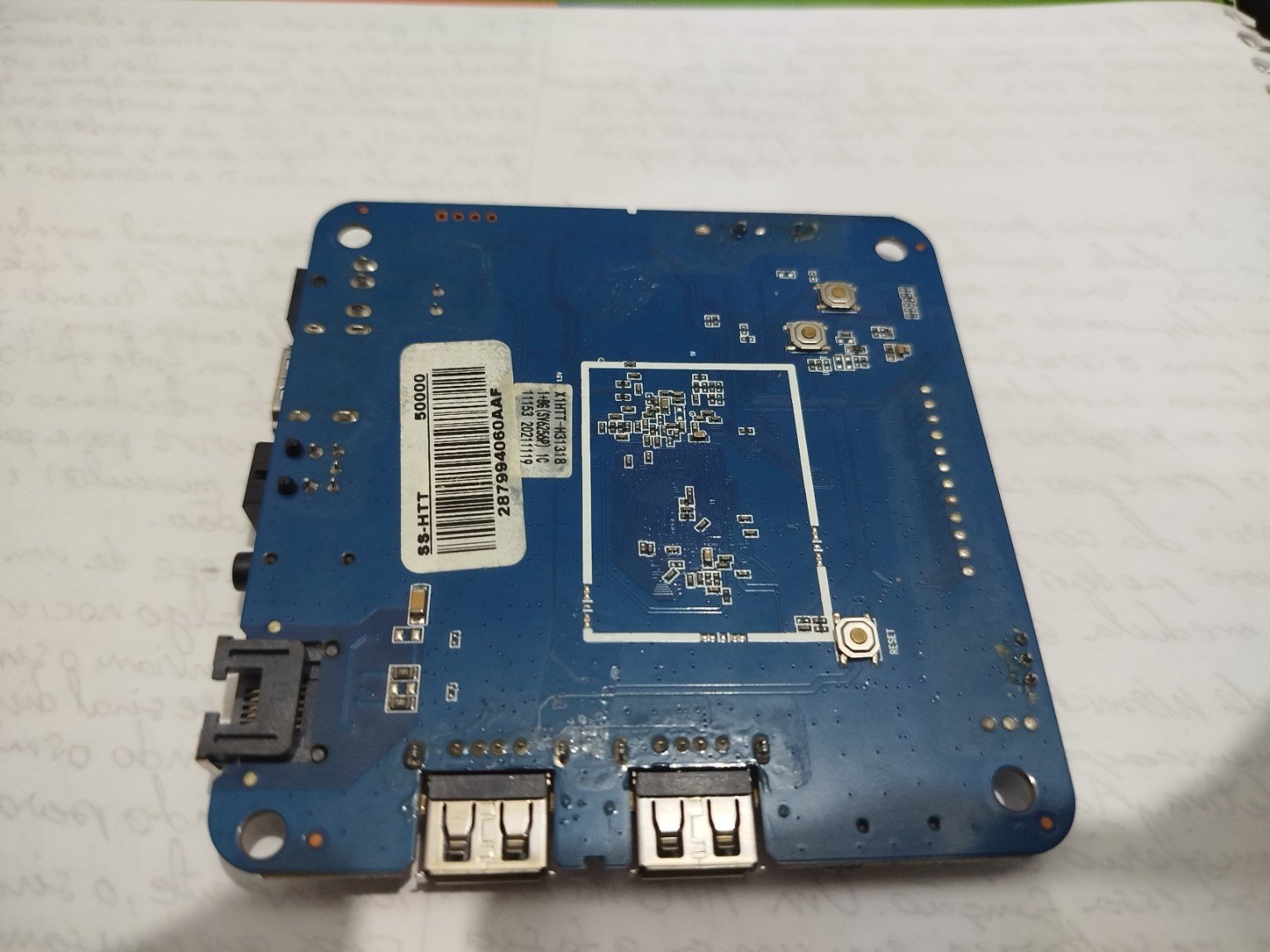
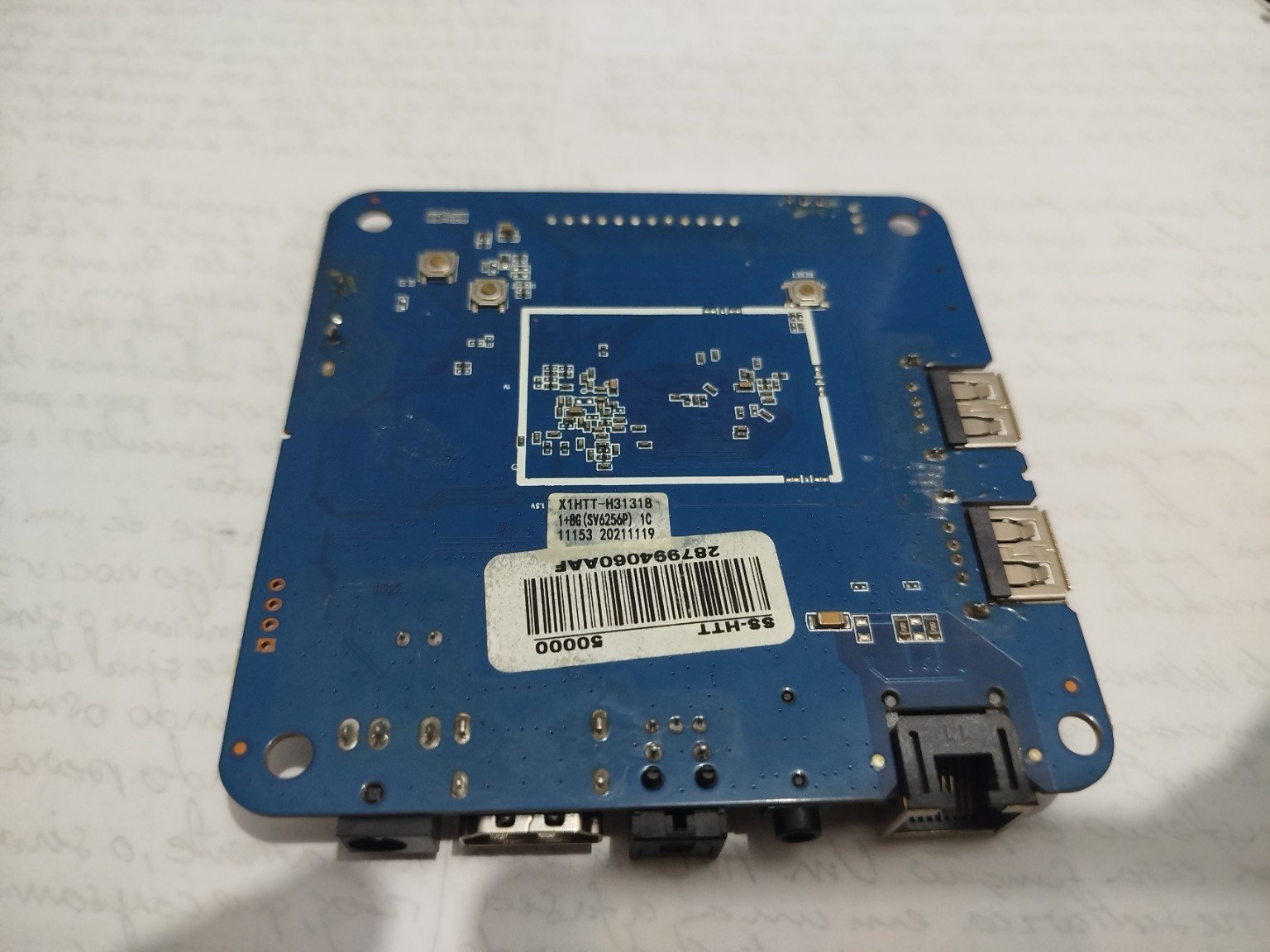
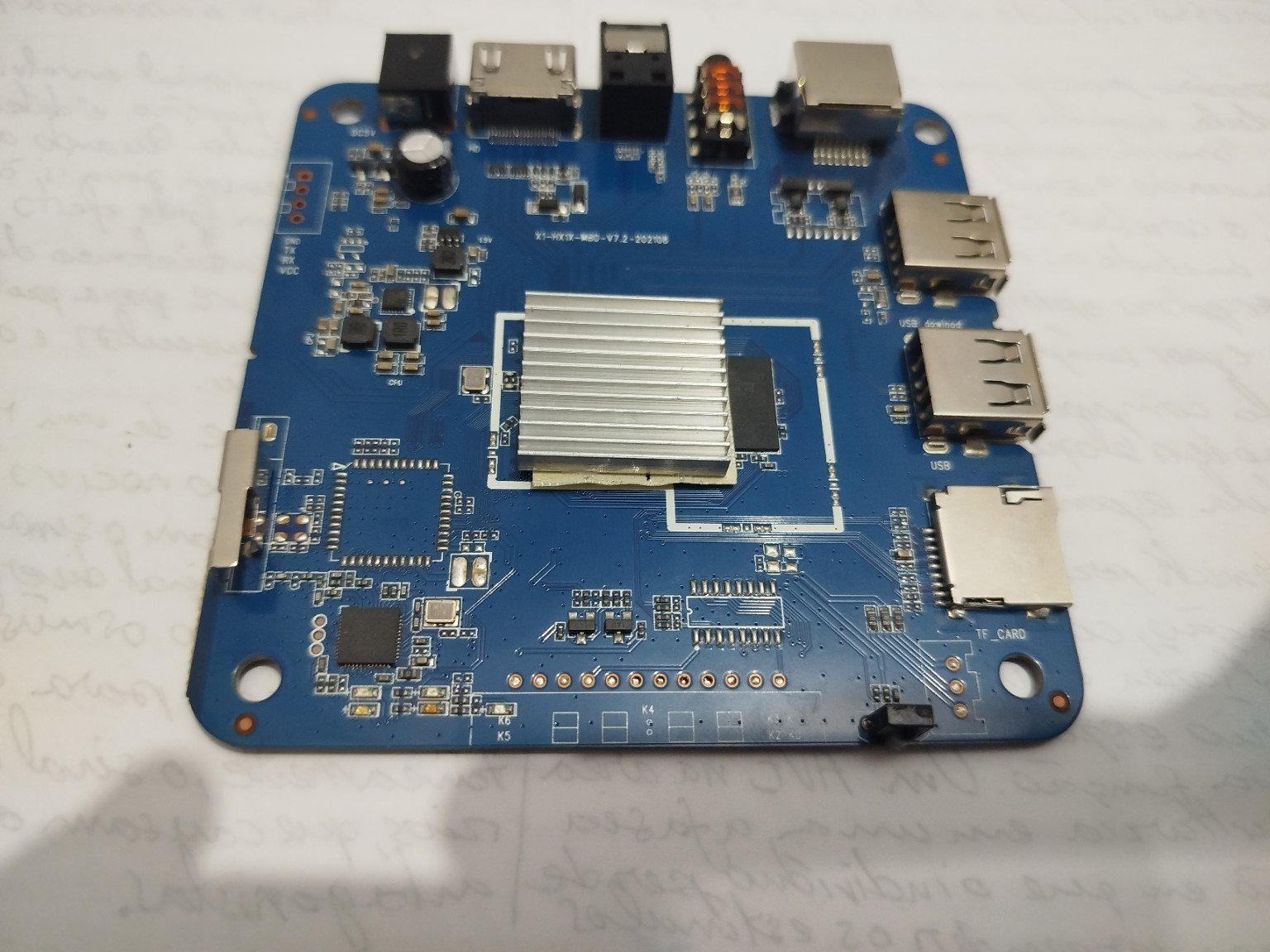
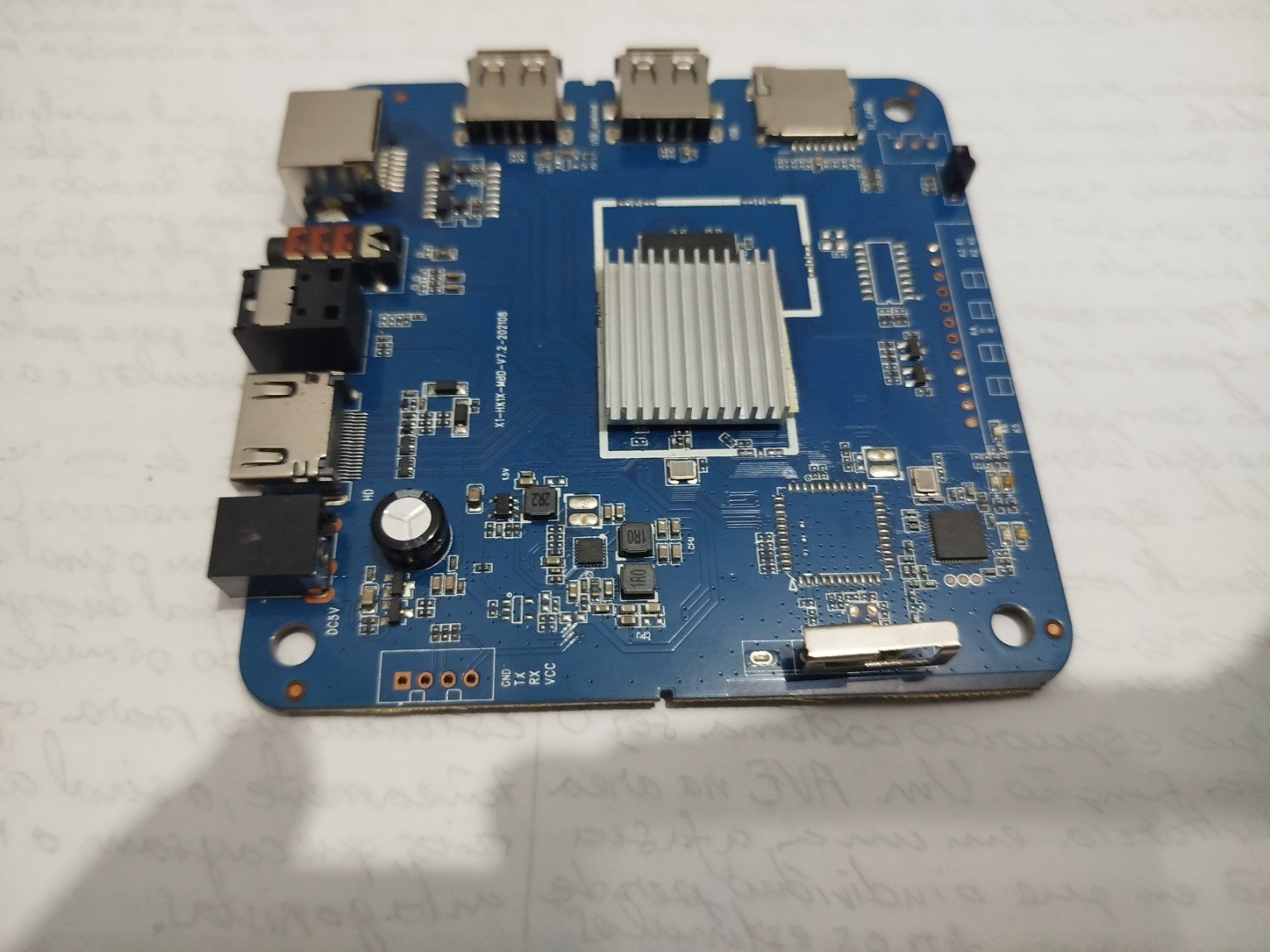
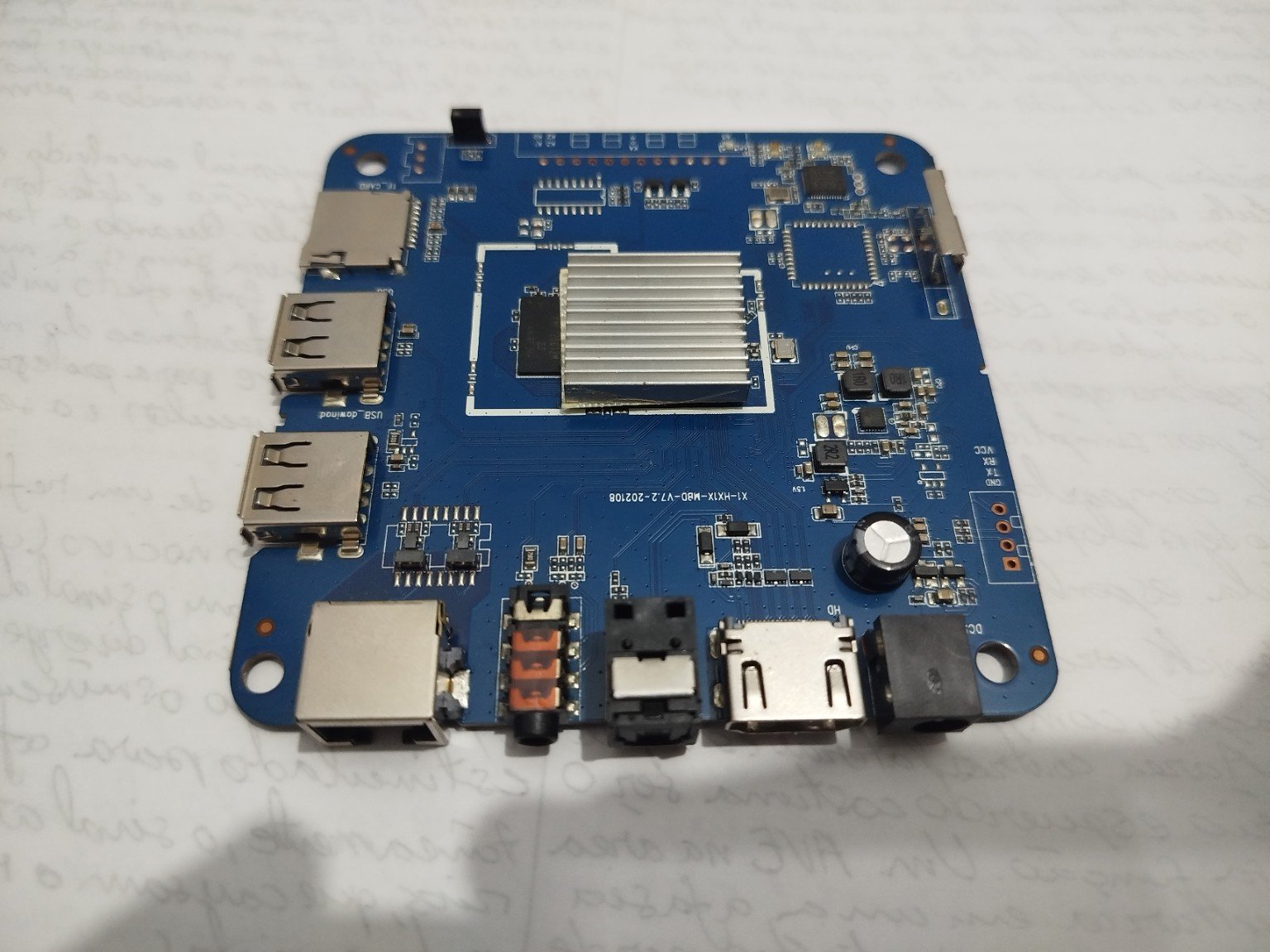
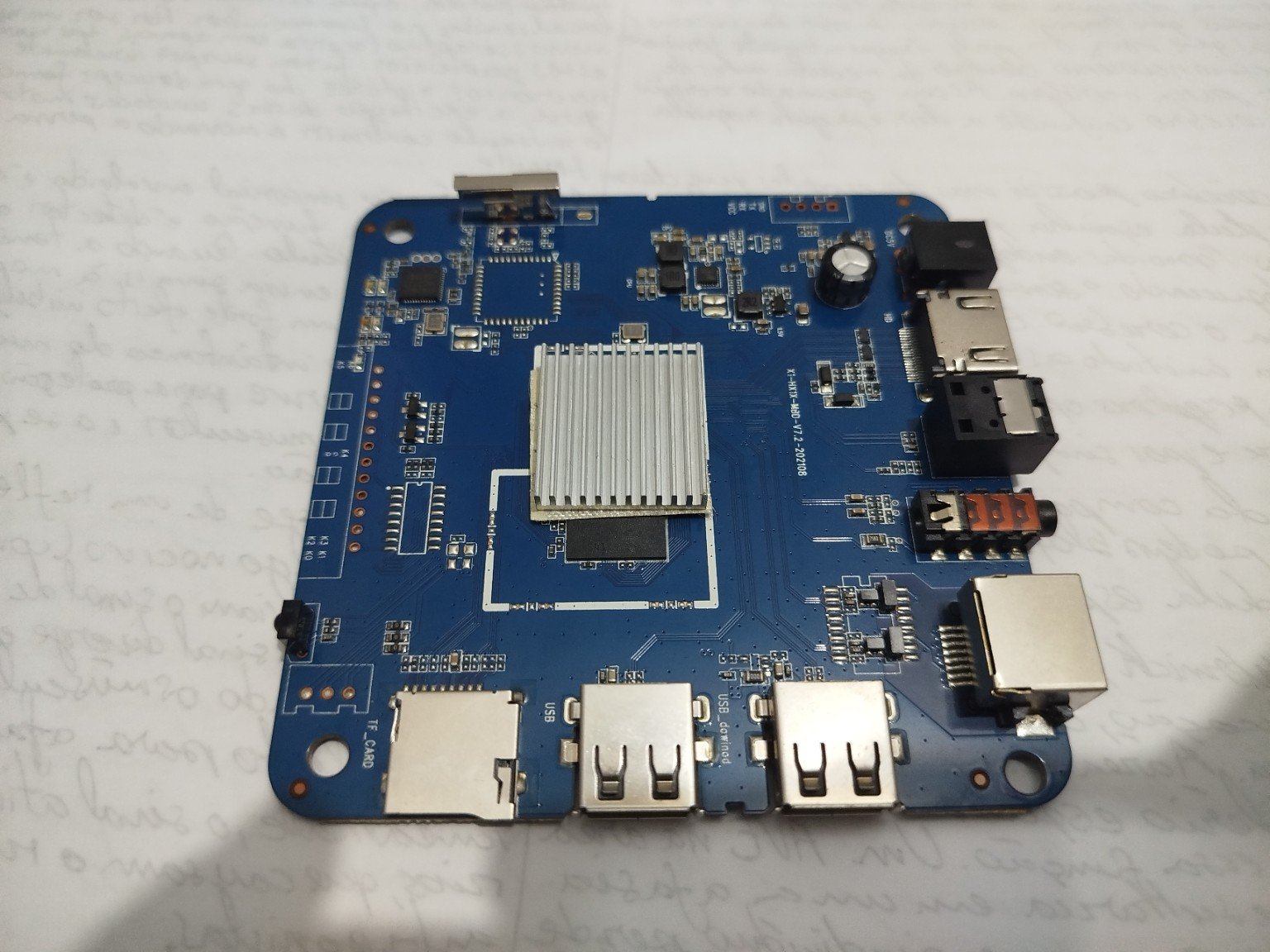
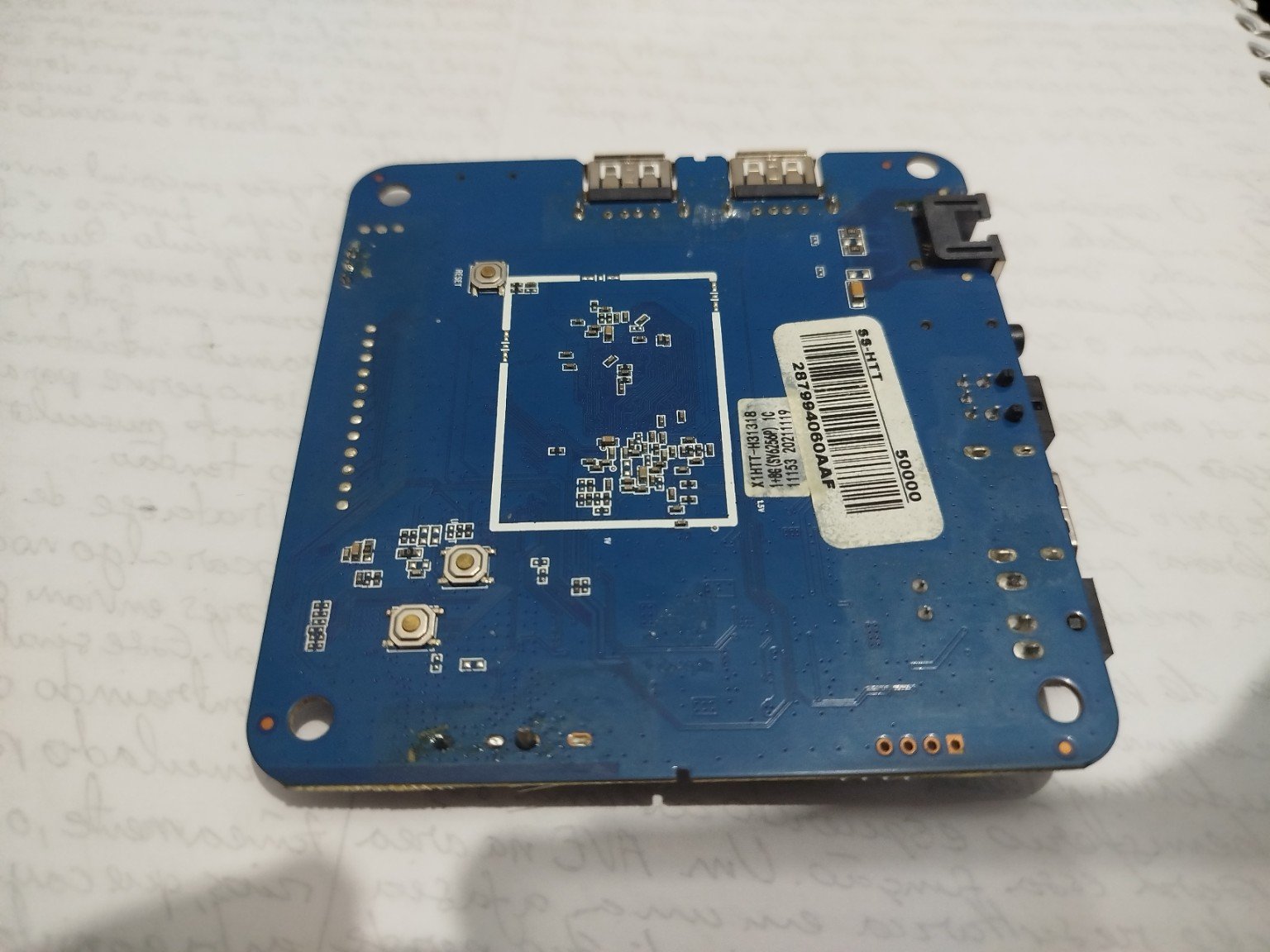
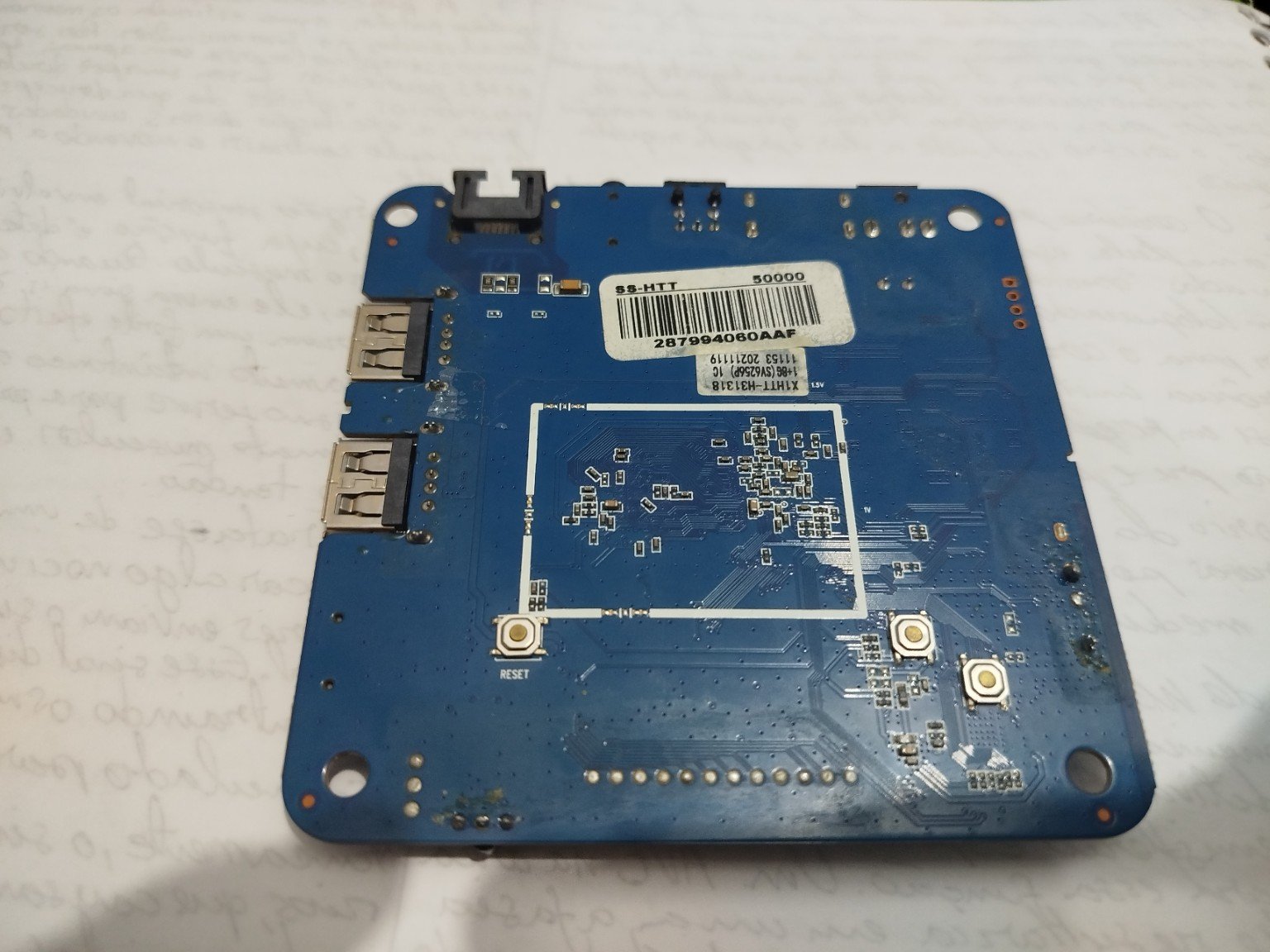
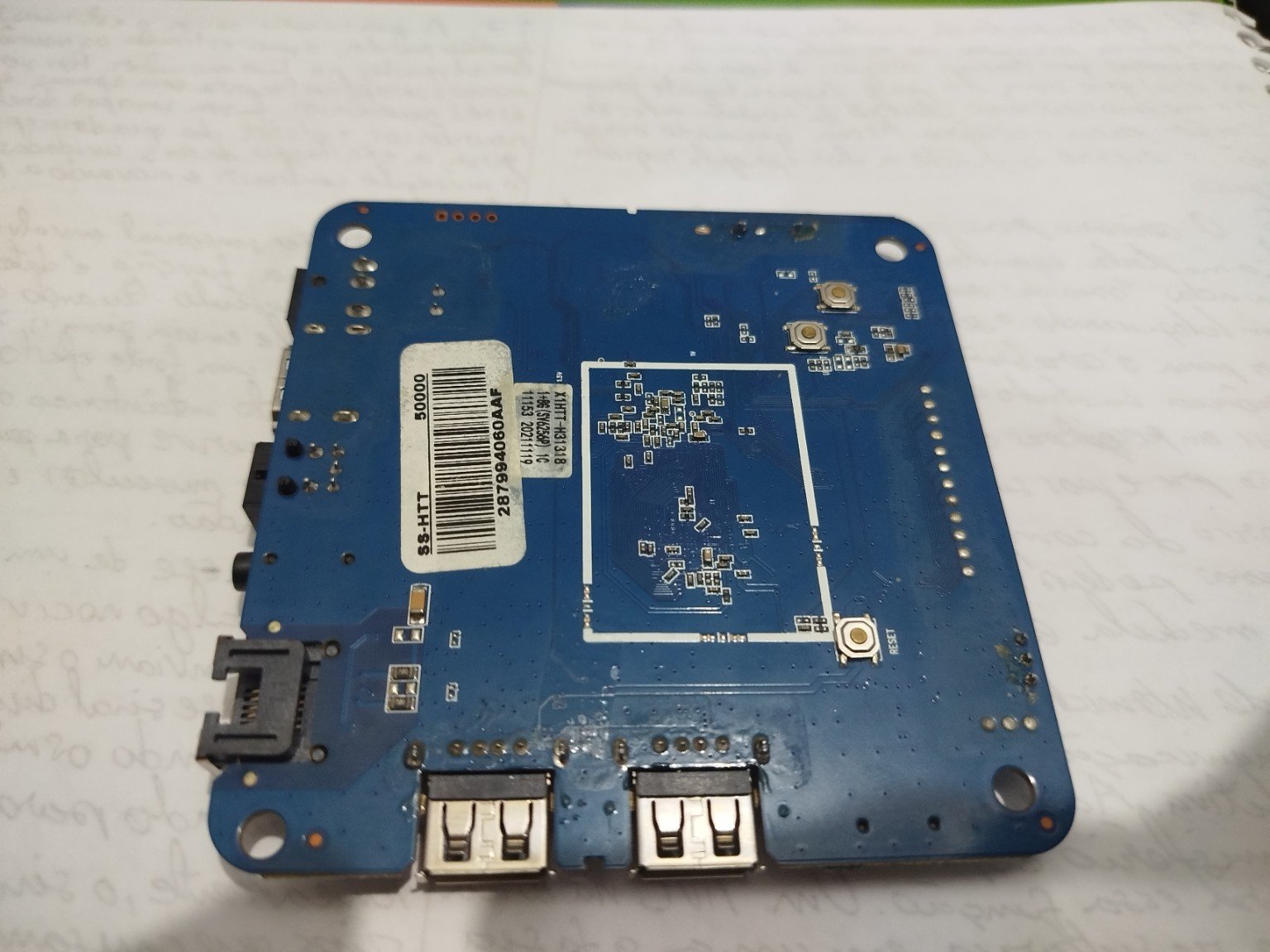
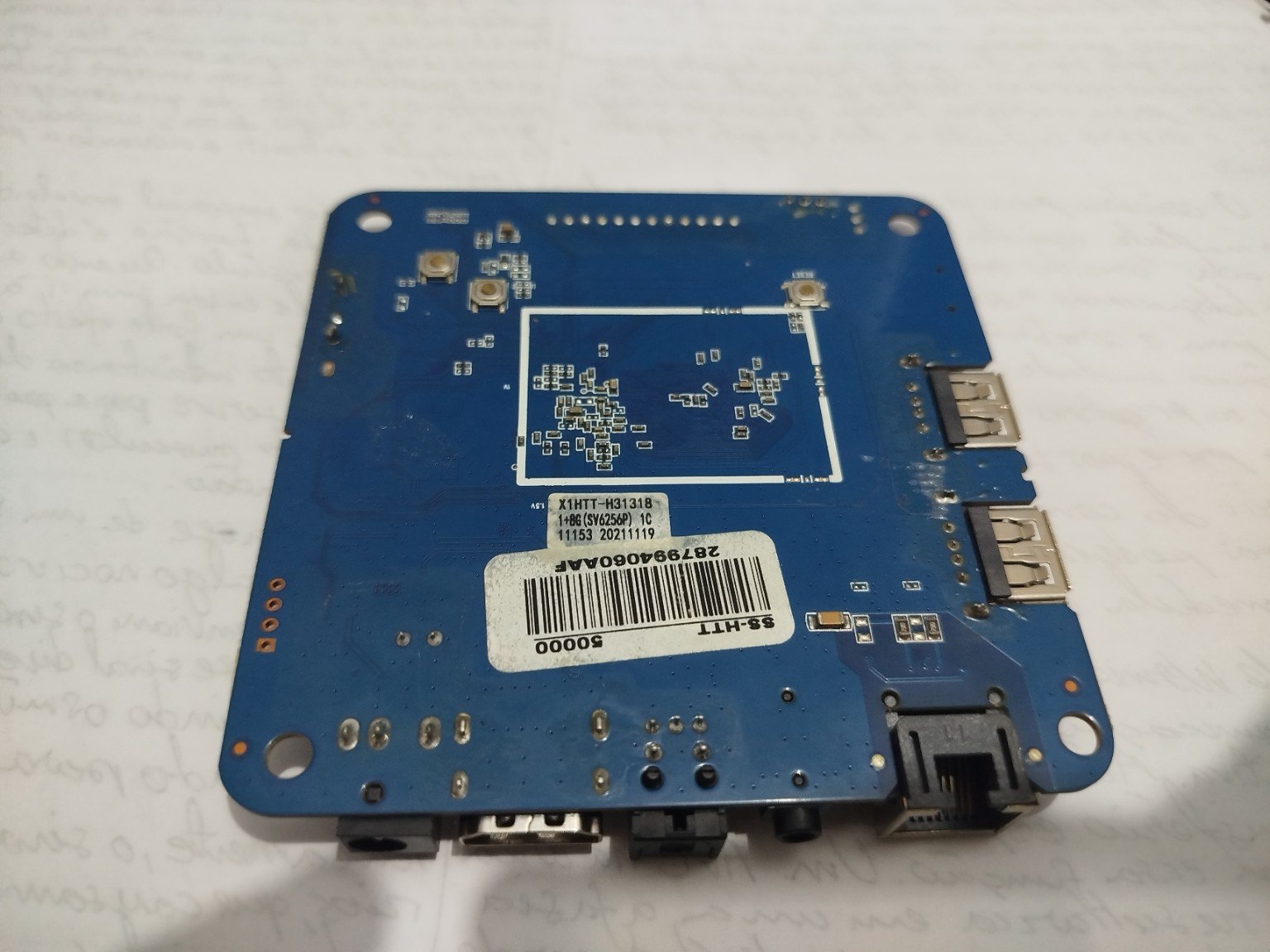
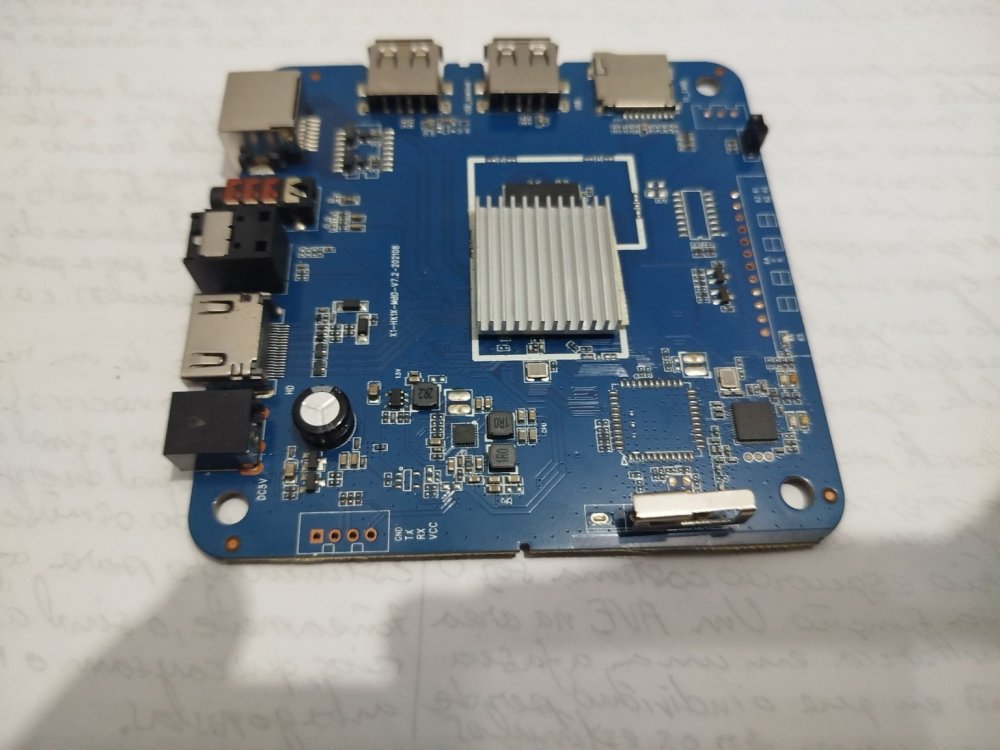
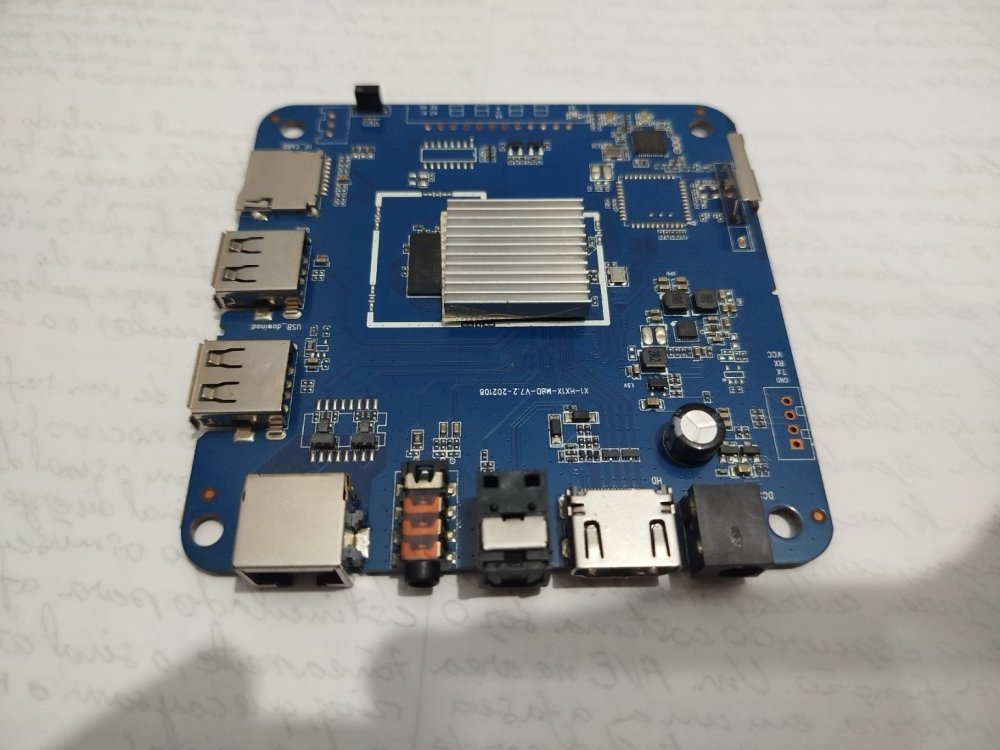
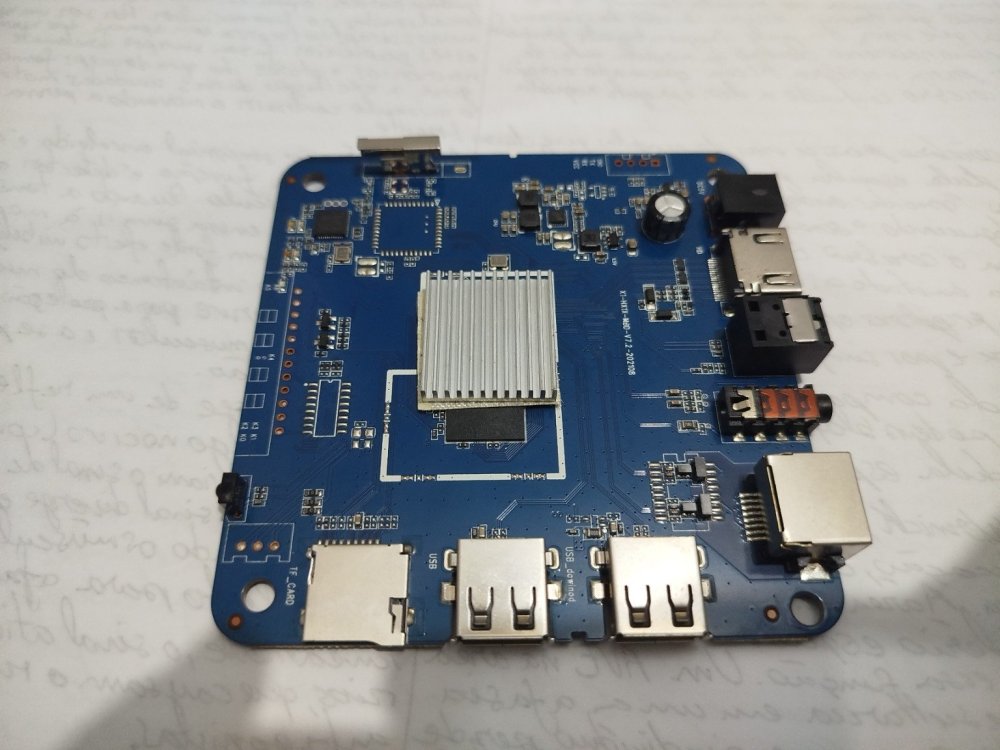
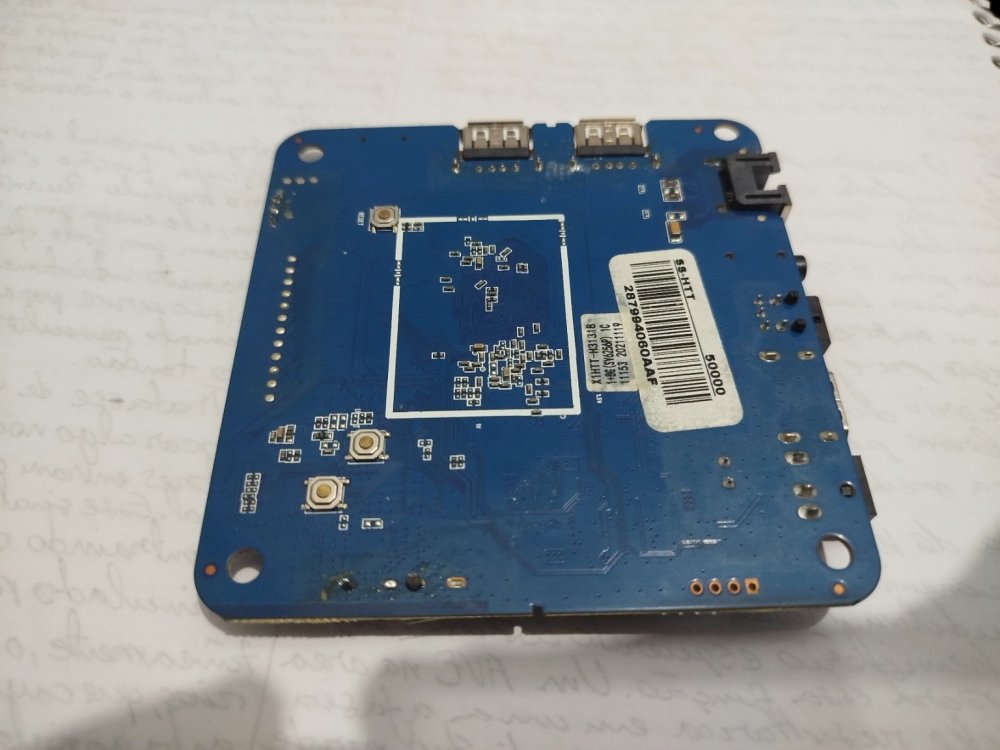
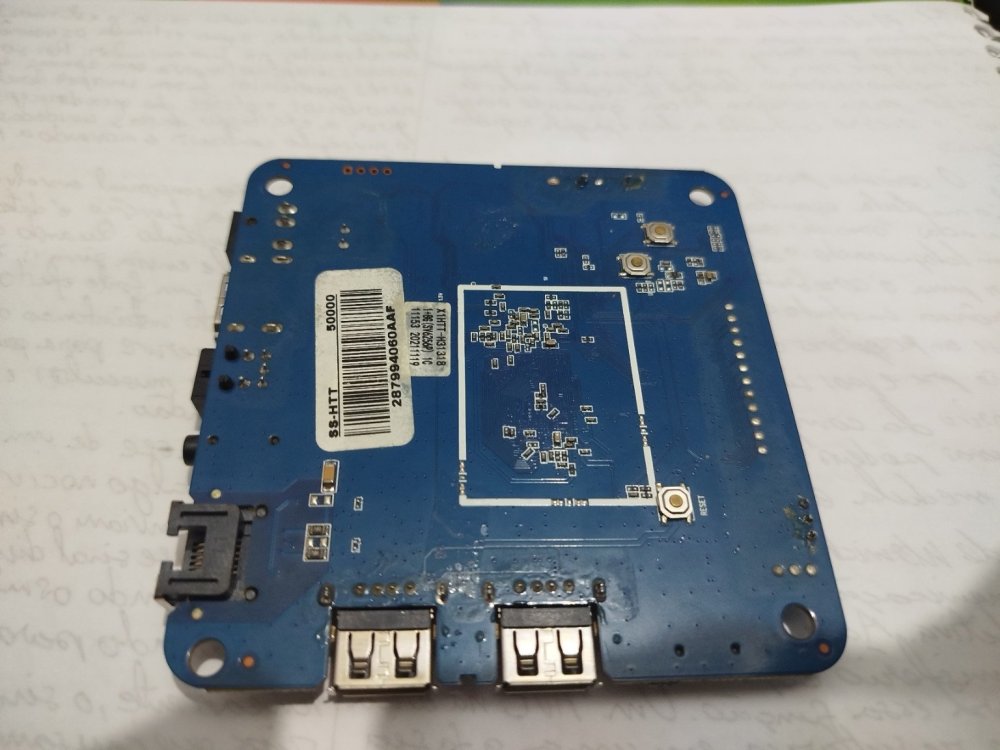
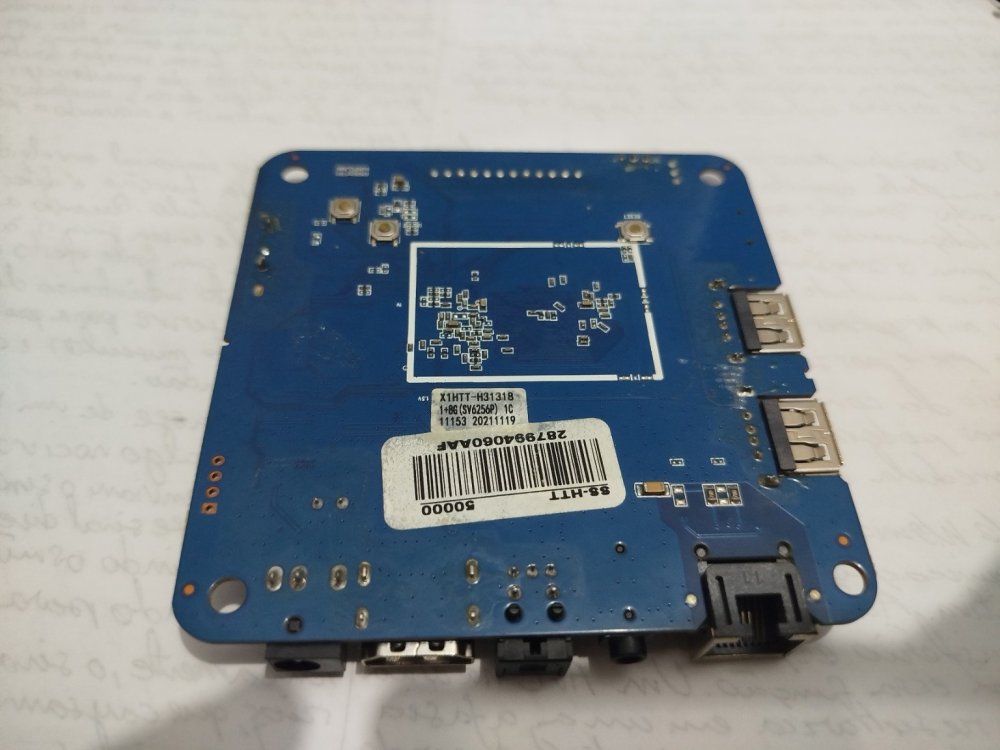
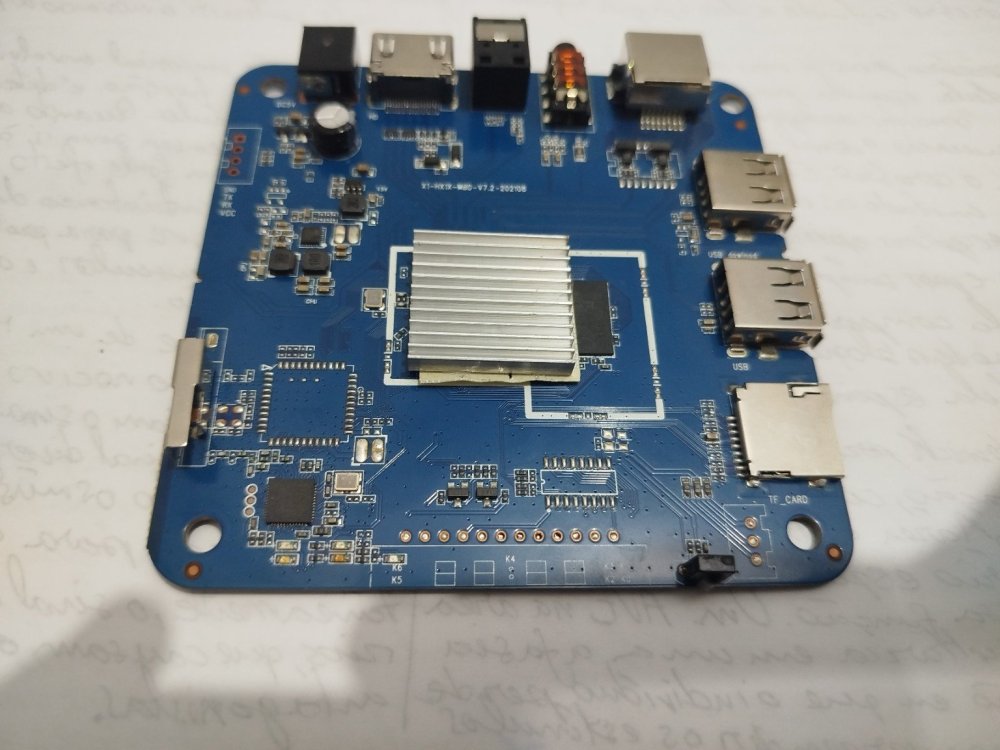
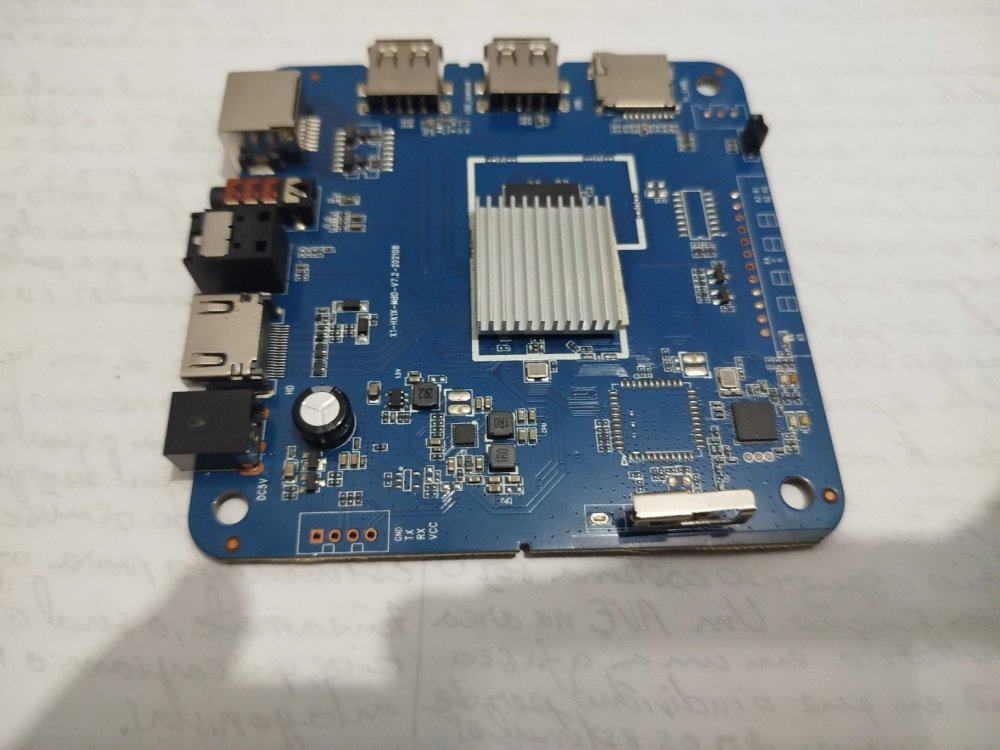
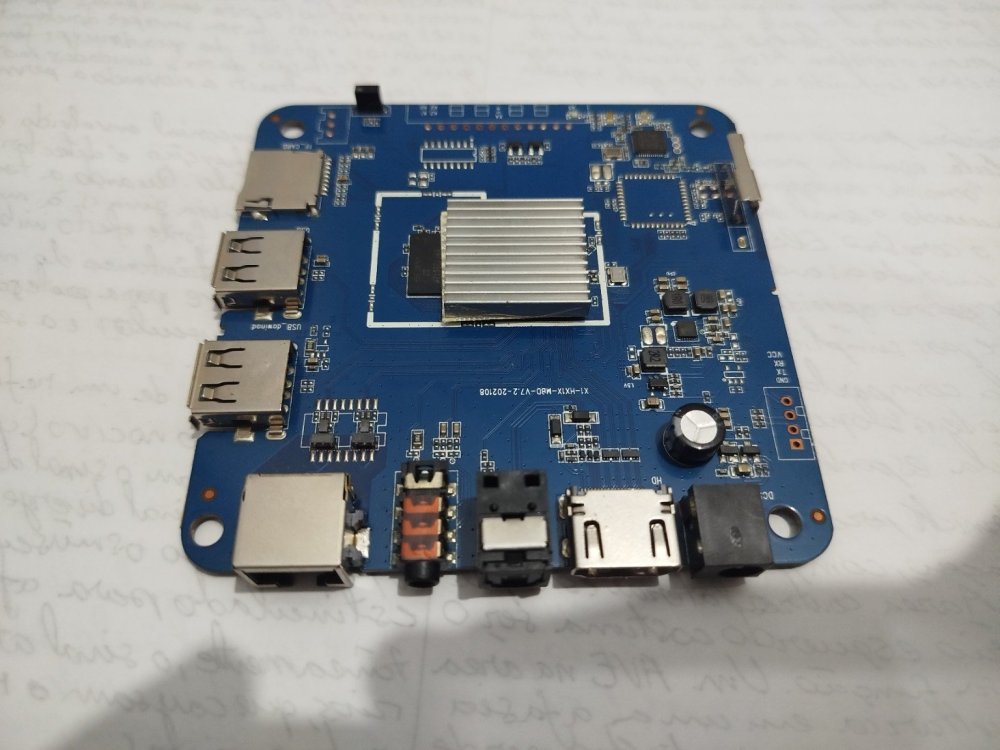
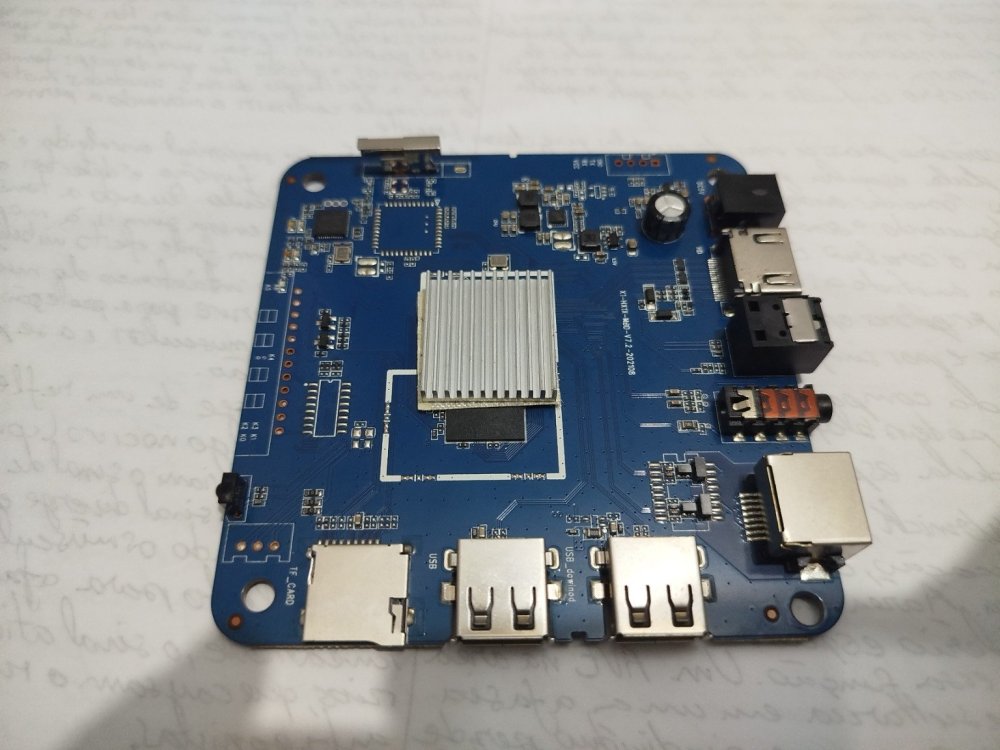
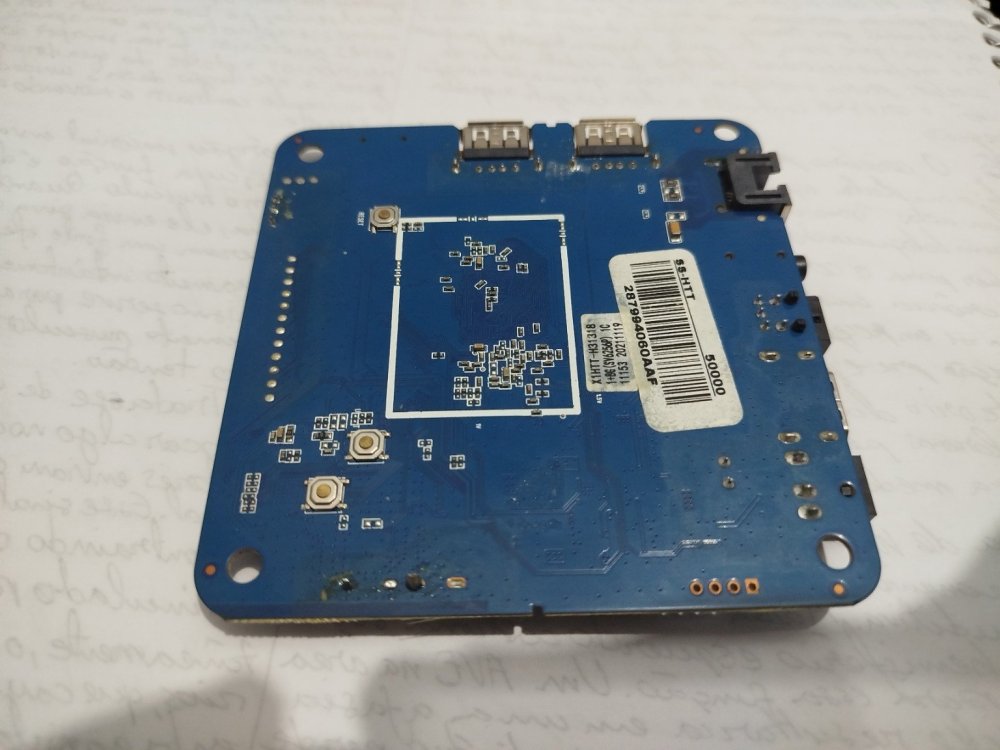
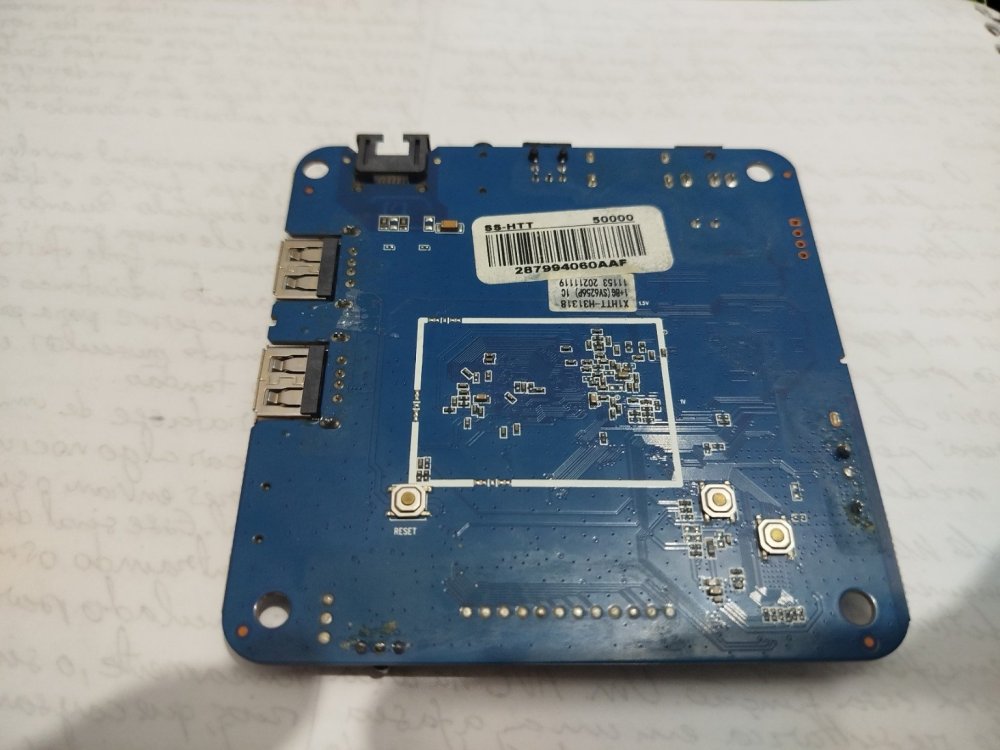
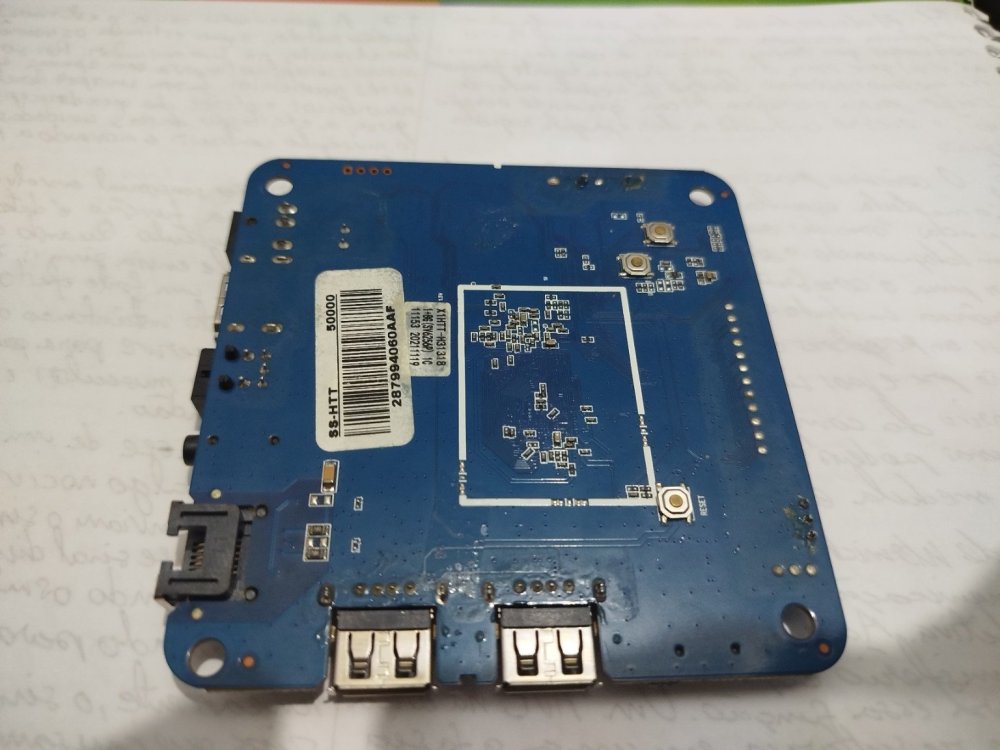
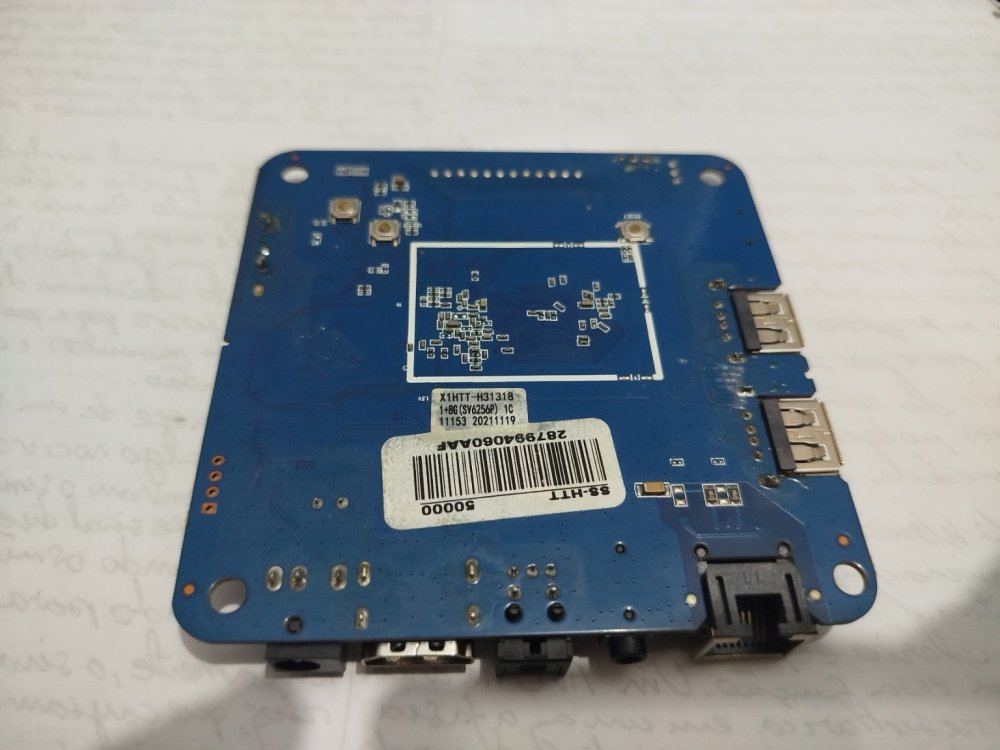
 I think I may have found the Wi-Fi info from the board label. It is an Allwinner H313 board, and the sticker says **1+8 (SV625 6P)**, so I believe the Wi-Fi chip/module is **SV6256P**. I still can't read the marking directly on the IC itself, but the board label strongly suggests that this is the Wi-Fi chip being used.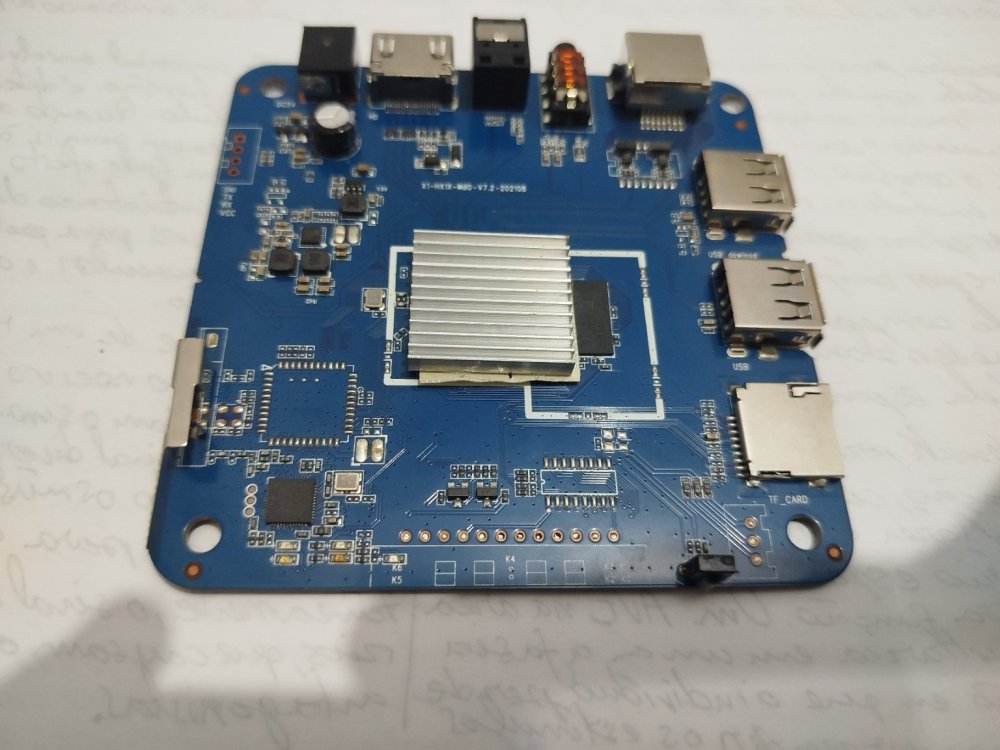
- Yesterday
-
3D Graphics Acceleration on T95N (A98X Jackbox) - RK3229 with 2GB RAM / 16GB eMMC - Educational Project for Schools Hi, I’m working on a project using a specific TV Box model (A98X Jackbox) to repurpose these boxes as low-cost computers for schools. The goal is to provide students with a platform to use AI tools and basic productivity, but I need better browser rendering. Hardware Specs (Confirmed via board teardown and logs): Board ID: T95N-RK3229_512X4_V1.5 CPU: Rockchip RK3229 RAM: 2GB (Confirmed via free -m) Storage: 16GB eMMC (SanDisk SDIN9DS2-16G) OS: Armbian 21.08.8 Bullseye (Legacy Kernel 4.4.194-rk322x) What I have done so far: Installed the Minimal image and set up LXDE with LightDM. Optimized the system (Governor set to performance, swappiness set to 10). Ran glxinfo -B which confirms it's currently using llvmpipe (Accelerated: no). Tried searching for Mali drivers via apt, but armbian-config is not available in the repositories for this specific build/architecture. Verified Wi-Fi functionality (working fine with LED config 2 via rk322x-config). The system is stable and surprisingly fast thanks to the 2GB RAM, but the CPU is struggling with 100% spikes during browser rendering (Epiphany WebKit) because it lacks GPU acceleration. Question: Is there a way to enable Mali-400 MP2 drivers for X11 on this Legacy 4.4 kernel? Are there any specific packages, blobs, or workarounds to get hardware acceleration working and replace llvmpipe? I’m available to run any tests or provide further logs if needed. Thanks for this amazing project!
-
@Sergioclr you can also try a newer branch https://github.com/NickAlilovic/build/tree/v20251014 https://github.com/NickAlilovic/build/tree/v20251014?tab=readme-ov-file#build-host-requirements
-
@Sergioclr Requirements for self hosted x86_64 / aarch64 machine at least 2GB of memory and ~35GB of disk space for VM, container or bare metal installation Armbian / Ubuntu Jammy 22.04.x for native building or any Docker capable Linux for containerised Windows 10/11 with WSL2 subsystem running Ubuntu Jammy 22.04.x Superuser rights (configured sudo or root access). Make sure your system is up-to-date! Outdated Docker binaries, for example, can cause trouble.
-
 $ cat /etc/os-release PRETTY_NAME="Debian GNU/Linux 13 (trixie)" NAME="Debian GNU/Linux" VERSION_ID="13" VERSION="13 (trixie)" VERSION_CODENAME=trixie DEBIAN_VERSION_FULL=13.4 Compile phase failed due to missing package (ntpdate) Short log: [🌱] Configuration prepared for BOARD build [ x98h.csc ] [✨] Repeat Build Options (early) [ ./compile.sh build BOARD=x98h BRANCH=edge BUILD_DESKTOP=no BUILD_MINIMAL=no KERNEL_CONFIGURE=no RELEASE=trixie ] [🌱] Checked directory OK for mount options [ /home/*****/build/.tmp ('main temporary dir') ] [🌱] Preparing [ host ] [🌱] Python2 not available on host release 'trixie' [ ancient u-boot versions might/will fail to build ] [🌱] Updating apt host-side for installing host-side packages [ 50 packages ] [🌱] Installing host-side packages [ binfmt-support bison libc6-dev make dpkg-dev gcc ccache device-tree-compiler dwarves flex imagemagick jq libbison-dev libelf-dev libfdt-dev libfile-fcntllock-perl libmpc-dev libfl-dev lz4 libncurses-dev libssl-dev libusb-1.0-0-dev ntpdate patchutils pkg-config pv qemu-user-static arch-test swig u-boot-tools uuid-dev zlib1g-dev expect colorized-logs zip pigz pbzip2 lzop gdisk aria2 axel parallel rdfind libpython3-dev libffi-dev libgnutls28-dev gcc-aarch64-linux-gnu libc6-amd64-cross gcc-arm-linux-gnueabi gcc-or1k-elf ] [🔨] E: Package 'ntpdate' has no installation candidate [💥] error! [ Failed to install host packages; make sure you have a sane sources.list. ] [💥] Cleaning up [ please wait for cleanups to finish ] [🌿] ANSI log file built; inspect it by running: [ less -RS output/logs/log-build-dd186c47-e7eb-49f8-8d38-836915cf0aec.log.ans ] [🌱] Share log manually: [ use one of the commands below (or add SHARE_LOG=yes next time!) ] Note ntpdate has a more recent version: ntpsec-ntpdate Should I try to compile in a Debian 12 computer? I am afraid of messing with 'sources.list'. Thanks in advance.
 -
Wayland 1.25 refreshes its documentation with three new chapters covering Wayland XML specification, content model updates, and color management design. View the full article
-
Hi @sven-ola , I'm having an issue where my portrait-oriented monitor isn't displaying anything properly. I have a portrait-oriented monitor, and when I try to connect it via HDMI, it doesn't display anything—the screen remains blank. I found this in dmesg: [drm] spacemit_hdmi_connector_detect() hdmi status connected [drm] Initialized spacemit 1.0.0 for c0440000.display-subsystem-hdmi on minor 1 [drm] spacemit_hdmi_connector_detect() hdmi status connected [drm] spacemit_hdmi_get_edid_block() len 128 [drm] spacemit_hdmi_get_edid_block() len 128 spacemit-drm-drv c0440000.display-subsystem-hdmi: [drm] Cannot find any crtc or sizes I added `video=1080x1920@60` to the kernel parameters. Now it outputs: [ 4.162834] spacemit-drm-drv c0440000.display-subsystem-hdmi: [drm] User-defined mode not supported: "1080x1920": 60 137020 1080 1152 1160 1176 1920 1934 1936 1942 0x68 0x5 [ 4.162871] spacemit-drm-drv c0440000.display-subsystem-hdmi: [drm] Cannot find any crtc or sizes I think this is because the driver only supports a resolution of 1920x1080, but not 1080x1920. dmesg.txt
-
 @Jugo Slaven What version of Armbian are you running?
 -
I have seen some kernel errors w.r.t. trim on Silicon Power 16GB SD-card, was in ROCK3A. But no other errors. Kernel is unspecified, although I might be able to figure out which/what, you can even search this forum, then you know yourself. This errors do not occur on a RPi4 v1.1 (with RPL OS and kernel). So if you want to know, dig more into logs, doe specialistic blocklevel error checking. In general: welcome to SD-card magic!. See also this:
-
I flashed a home built nanpim4v2 image to two brand new Silicon Power 32GB sdcards and they wont boot whereas SanDisk 32GB boot OK can anyone explain why ?
-

Kernel not updating in image with armbian build
eselarm replied to KV1's topic in Armbian Project Administration
Why repair the filesystem first while you anyway overwrite the whole storage device then? /dev/sdb1 suggests an USB SD-card adaptor is used. Both the adaptor, which translates USB protocol into MMC commands, and the SD-card itself, which also does internal block managing, can mess up the filesystem. Not as long as this is plugged into the computer where the imager (or dd) is running, but once removed and put into the SBC, power is lost and re-applied. The USB + SD-card hardware (and also OS driver in the computer) might have flaws in its implementation. It could easily be that SD-card signals 'ready' to OS, so you then take out USB + SD-card, but that actually not all is committed to the actual flash and still some is in buffers or the SD-card is still doing wear-leveling and doesn't do that in a correct way. And worse, if fake sized counterfeit, the firmware might be busy doing its 'magic tricks' to fake hundreds of GB size while only 8 or 32 GB is actual flash chip. So unfortunately, even if using a verify step in writing an image, the actual content on the SD-card might be different from the image file once the SD-card is put in the SBC. I remember such a case on this forum where someone did manual block-level compare of storage device and image. I also have had such issue at least once. It is the situation where you just re-do / re-write again without knowing what is wrong. And/or use other SD-card, other USB-adaptor, other computer, etc. To prevent such issues, I tend to use (the) SBC itself to write SD-cards. My RPI4 runs from USB-SSD, so SD-card slot is free. I trust RPL HW more than various USB SD-card adaptors. Earlier test I mentioned using the the Armbian-imager was on NanoPi-R6C running from eMMC+NVME, so same story, free SD-card slot. It ran Armbian Trixie KDE6 and 7.0-rc rockchip64 kernel. I was also forced to more or less, because on my Tumbleweed N100 box the Armbian Imager only stayed white (some EGL error). That was with x86-64 AppImage. I thought it would be better to install from a .deb hence walked to my powered-on ARM64 running Debian. Anyway I do normally not use images. I would rather use ddrescue (enable mapfile option) to check and make sure image is same as on storage device. That helped also in the past for 4TB HDD's (when risk of bit-rot). It is CLI based and allows to re-do check after power-cycle. -

Booting armbian manually from u-boot shell over UART
Thành replied to user03's topic in Amlogic CPU Boxes
Could you please send me the DTB file that your motherboard displays and only receives internet signals? I have a motherboard that's similar to that one. - Last week
-
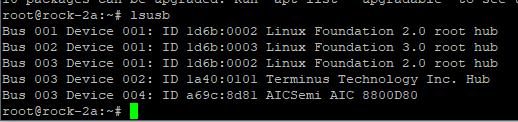
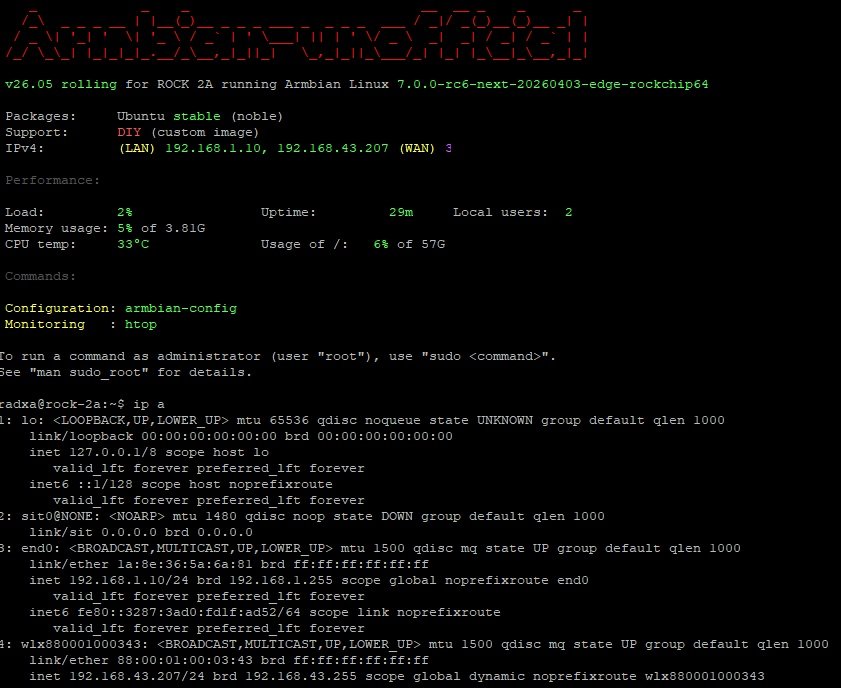
It is not working with this patch because offcially AIC8800 is not supported in kernel > 7.0-rc6 plus in my image Wifi was initially disabled With new image it is better: I made a small fix to make it running with some commands as root: ``` # unzip AIC_FIX.zip # mkdir -p /lib/modules/$(uname -r)/kernel/drivers/net/wireless/aic8800 # cp aic_btusb.ko aic_load_fw.ko aic8800_fdrv.ko /lib/modules/$(uname -r)/kernel/drivers/net/wireless/aic8800/ # depmod -a # cat /etc/modules-load.d/aic8800.conf aic_load_fw aic8800_fdrv aic_btusb # cp -r aic8800_fw /lib/firmware/ # cp -pr aic8800_fw/USB/aic8800D80/ /lib/firmware/ # modprobe aic_load_fw # modprobe aic8800_fdrv # modprobe aic_btusb # lsmod |grep -i aic aic_btusb 57344 0 aic8800_fdrv 626688 0 cfg80211 1200128 1 aic8800_fdrv aic_load_fw 86016 1 aic8800_fdrv ``` Please also remember as it is experimental and all you do it is on your own risk HDMI is not working and we need some code first, I guess for this part: CONFIG_PHY_ROCKCHIP_INNO_HDMI_QP
-
 Ok, maybe I am not able to boot because this image is not for the stock PocketCHIP but for one which requires a custom breakout board: https://github.com/armbian/build/pull/7647 Maybe I could have found that out sooner if there was a device page for this custom PocketCHIP in the community supported devices page at ttps://www.armbian.com/community/. Who/how is supposed to create it? The board maintainer? How is one supposed to do that? There is no mention in the Board Maintainers Procedures and Guidelines. I haven't anything on the armbian github repositories about the boards information on this page. It would be important to have the device page, especially when the image was created for custom developed PCBs. Only after some digging and finding the PR where the device was added, I was able to figure out why I may not be able to boot the pocketchip-sd armbian image.
 -
@Sergioclr the H313, H616, H618, and IK316 are essentially the same SoC family. To successfully boot an image, you must match the correct AXP chip (the Power Management IC) and the specific DRAM version used on your board. Essentially, any thread discussing the H616/H618 (excluding older H3/H5/H6 chips) will contain relevant information for these SoCs. PMIC Information: http://linux-sunxi.org/AXP_PMICs DRAM Types: 3: DDR3 4: DDR4 7: LPDDR3 8: LPDDR4 You can try flashing various boot images until one successfully initializes your hardware. (If your box is secure-boot enabled, you will need to add the secure-boot modifications posted above.) https://github.com/NickAlilovic/build/releases/tag/20250306 Alternatively, for a more precise approach: Extract your Device Tree (DTS). Identify the specific AXP chip located on your board. Connect a USB-to-UART TTL device to the RX, TX, and GND pins on your board to monitor the boot sequence. https://forum.armbian.com/topic/29794-how-to-install-armbian-in-h618/#findComment-232411 https://forum.armbian.com/topic/29794-how-to-install-armbian-in-h618/page/4/#findComment-187672 https://forum.armbian.com/topic/29794-how-to-install-armbian-in-h618/page/23/#findComment-218660 https://linux-sunxi.org/UART Decompile your Device Tree Blob (DTB😞 dtc -I dtb -O dts -o source.dts source.dtb For a visual reference of a board using these specific chips, check out this hardware breakdown. http://nskhuman.ru/allwinner/krugh618.php?np=3
-
On a first analysis, I noticed that the git already has a very similar option that I need (H313): ~/build/patch/u-boot/u-boot-sunxi/board_x96q$ arm64-sun50i-h313-add-x96q-lpddr3-defconfig.patch sunsi-add-h616-internal-eth-phy-support.patch so I am stuck on how to proceed because the example has H616 parameters. Help will be appreciated.
-

Kernel not updating in image with armbian build
KV1 replied to KV1's topic in Armbian Project Administration
TL;DR: fsck /dev/sdb1 Looks like something corrupted the drive filesystem. I was able fsck repair the drive, and re-apply the image via armbian-imager. The fact that armbian-imager 'validated' the flashed contents multiple times is where things went sideways. Once i tried to manually delete the contents of the drive, and that failed, it became apparent that the drive had been corrupted. I'm not sure what the 'validation' that armbian-imager does is, though.