All Activity
- Past hour
-
Try unset or remove ATF related stuff. There is not atf for 3528 yet
- Today
-
@伍翠波 Framebuffer console should work now. https://github.com/NickAlilovic/build/releases/tag/Radxa-a7a-v0.4
-
Thanks, this seems to need the generic config line because the platform doesn't exist: https://paste.armbian.com/molihizoga EDIT: doesn't work with this line added either. https://paste.armbian.com/linixijomo
-
There is something to start with. Untested, not even put much thought into it. Try'n'error: https://github.com/armbian/build/compare/main...EvilOlaf:build:rock2f Ignore the rpi4b stuff, accidentially mixed branches.
-
are you sure about it? it is dts file for M1 and not for M1S. I can try to build vendor kernel, I didn't do it for a while, but today AI will help
-
Need to post some corrections. The board loads and starts uboot directly from an inserted SD, so no need to be extra careful. Also: the upper M.2 is not recognized by stock uboot, so may next step is to compile u-boot to investigate.
-
Thank you @rpardini , I'll try to do this but I'm just using the armbian build framework and I have no idea how to bump the kernel or uboot versions. Should I just switch to the beta branch? Reading commits might be useful if I was able to 1) find them and 2) understand them - I'm not a kernel developer and both are quite unlikely.
-
@PH Ph there is graphics acceleration but not on chromium. If you can still boot android then you can extract your dts. Not sure what's wrong with PhoenixCard. I rarely use it. That's mostly for Android images.
-

SSH Login Speed Issue: Armbian significant slower than DietPi on RPi4B
Werner replied to 1ssuc's topic in Raspberry Pi
Interesting. Also because independent from userspace (Bookworm or Trixie) our kernel/firmware package is the very same. -
Hi @Nick A, As I said above, I can't install the ROM on this board. on phoenixSuit or usbpro Failure due to timeout. I believe the memory block is damaged. But the RAM is still working. To confirm that the ROM works, I used PhoenixCard in startup mode, and it booted from the SD card normally. But when I use product mode to install the ROM from the SD card, the screen goes black, the installation bar doesn't appear, and it stays that way. I really believe it only damaged the internal memory. Okay, about that, next question: When I use stock Android 10, even with 1GB of RAM, I can play 1080p videos (youtube using chrome v143) on this box, but using Armbian it's very difficult to get 480p-720p, not to mention the overall image quality; it's as if there's no graphics acceleration. On Android (aida64) says it's a Mali-G31. Is there any way to confirm this? Config on armbian is Xfce removed install I3wm Update chromium Zram update to 1gb Using sdcard class10 u3
-
I'll try building the image again today with a new git clone, without changing anything except the userpatchers configuration. If I don't add the module this way, it won't be enabled in the text menu. I'll report back on my progress later.
- Yesterday
-
If you use your own boardconfig file, or edit another boardconfig file, you may be missing some configs or device tree overlay, and make problems in configuring SPI and GPIO pins. I always use boardconfig that's included in armbian-build, specifically for Orange Pi Zero 3, by following the text menu, and not editing any file.
-

Critique or improve my method to get a lightweight LabWC desktop
forumtrekker replied to robertoj's topic in Allwinner sunxi
With modifications to lightdm.conf I got lightdm working with your tutorial, however lightdm and labwc don't seem to use the SPI display. I verified the setup works on an HDMI screen (with a large box of random color artifacts filling the right quarter side, but that's hopefully just because it was a TV I tested with. I don't really care about HDMI). Do i need to specify lightdm / labwc to use the /sys/class/drm/card0-SPI-1? I'm curious if you simply launched LightDM and had it use the SPI display by default, without changing any configurations (as that is what it sounds like you achieved) I'm realizing I don't know enough about how wayland works to even know how to start debugging the issue or getting it to use the tinydrm device or even the legacy framebuffer device it adds for compatibility. Maybe I need to get Raspbian running and copy their configuration files, since Raspbian Trixie runs on wayland. The only difference between your guide and my setup is I am running kernel 6.18, as I can't seem to find how to compile or install kernel 6.13. Available installable kernels are 6.12, 6.14, and 6.18 as of 26.0.2 Armbian Trixie. The steps you outline in the github repo work with some modification, namely I will edit to include the lightdm.conf when I get home, since it requires modification from the original installed version. Further, certain packages are uninstallable, or named differently than in your guide. Here is the one line APT command to install all the packages you list, with the package names fixed. Certain packages don't seem to be required at all - namely freerdp, providing the windows equivalent of VNC, so its not included in this list. There are likely others and I assume you collected these packages to install from multiple guides / forums, so the inconsistencies are understandable. sudo apt install libcairo2-dev libpango1.0-dev libxml2-dev libglib2.0-dev libdisplay-info-dev hwdata libgbm-dev libdisplay-info-dev libseat-dev libinput-dev libpango1.0-dev libpangocairo-1.0-0 libcairo2-dev libglib2.0-dev libpixman-1-dev libxkbcommon-dev liblcms2-dev libxcb-xinput-dev libxcb-errors-dev libxcb-render-util0-dev libxcb-present-dev libxcb-res0-dev libxcb-dri3-dev libxcb-ewmh-dev libxcb-icccm4-dev libxcb-composite0-dev cmake libxml2-dev libliftoff-dev build-essential cmake libwayland-dev wayland-protocols libegl1-mesa-dev libgles2-mesa-dev libdrm-dev libgbm-dev libinput-dev libxkbcommon-dev libudev-dev libpixman-1-dev libsystemd-dev libcap-dev libxcb1-dev libxcb-composite0-dev libxcb-xfixes0-dev libxcb-xinput-dev libxcb-image0-dev libxcb-render-util0-dev libx11-xcb-dev libxcb-icccm4-dev libwinpr3-dev libpng-dev libavutil-dev libavcodec-dev libavformat-dev universal-ctags expat libexpat1 libexpat1-dev seatd foot librsvg2-dev scdoc gettext appmenu-gtk-module-common libaccountsservice-dev gir1.2-accountsservice-1.0 liblightdm-gobject-dev liblightdm-gobject-1-0 libgtk-3-dev gnome-common nasm meson I am running Armbian Trixie, and I did not need to install any packages from trixie-backports or oldstable-backports to get your setup to work properly. -
Bump u-boot to 2026.01-rc4. Bump kernel to 6.19-rc1. Read the commits adding it to mainline. Add declare -g BOOTSCRIPT="boot-rockchip64-ttyS0.cmd:boot.cmd" declare -g SERIALCON="ttyS0" to board file.
-
We only provide mainline based kernel, where video acceleration might not work. If you have a need for that, than use those hints: add DT here: https://github.com/armbian/linux-rockchip/blob/rk-6.1-rkr5.1/arch/arm64/boot/dts/rockchip/rk3568-odroid-m1.dts enable vendor kernel https://github.com/armbian/build/blob/main/config/boards/odroidm1s.csc#L7 build with ENABLE_EXTENSIONS="v4l2loopback-dkms,mesa-vpu" and desktop will work faster, video acceleration will most likely just work OOB.
-
Driving the ili9488 LCD (4.0 inch cheap chinese clone)
forumtrekker replied to robertoj's topic in Allwinner sunxi
Will comment on the new thread, since the initial question of driving SPI displays with tinyDRM has been answered. Although, I'm starting to wonder if the kungfupancake modifications are inadequate for my display, since I still cannot get a full plymouth boot log to display (it seems to "run off the screen" a little at some point then just stop). Maybe its overflowing some buffer or the display is mis-sized or something and the screen is attempting to display physically off the screen? I don't really know. I might need to peruse LCDwiki to find other init commands. -
Thank you very much for your reply. That's exactly what I did. I have a custom Armbian image. When compiling, I selected my board for the 618 processor, as I couldn't find it in the standard section. I also found the panel-mipi-dbi parameter in the module selection menu. However, after compiling, writing the image to the flash card, and checking the module, the system didn't find it. I was able to build the image and include the module after correcting the boardconfig. It may have mistakenly listed the 616 processor, but I changed it to 618, and the image built successfully. After writing it to a flash drive and checking it in the system, I was finally able to find the required module. It was also displayed in the /boot/config(uname) configuration file.
-
Update: I was right, it is an allwinner system U-Boot 2014.07 (Aug 28 2020 - 08:44:29) Allwinner Technology Mali: ERR: /home/work/share/akrd6/custom_relese/H3_ANDROID7.0_BOX_SDK_V1.0_20190702_eng/lichee/linux-4.4/modules/gpu/mali-utgard/kernel_mode/driver/src/devicedrv/mali/linux/mali_platform.c These where the smoking guns that caught my eye, i will likely install Armbian in this anyhow.
-

SSH Login Speed Issue: Armbian significant slower than DietPi on RPi4B
eselarm replied to 1ssuc's topic in Raspberry Pi
I get this on a Debian Trixie VM allocated only 4x Cortex-A76 on ROCK5B 1048576+0 records in 1048576+0 records out 1073741824 bytes (1.1 GB, 1.0 GiB) copied, 4.5407 s, 236 MB/s 2097152+0 records in 2097152+0 records out 1073741824 bytes (1.1 GB, 1.0 GiB) copied, 4.24198 s, 253 MB/s Numbers are lower on RPi4B and ROCK3A. However, since in-place upgrade from Bookworm to Trixie, this slow ssh login is very noticeable and also rather annoying. So this is a Debian issue as far as I can see. I had the same Debian VM running on ROCK3A and was all nice with Bookworm, although only 1GB allocated and of course is 4x Cortex-A55, so slow for crypto and compression (real-time Zstd). Just after upgrade and reboot into Trixie I spent a lot of time trying to figure out why ssh login was so delayed/slow. Also noticeable that it was random, sometimes it was OK, mostly took multiple seconds. I did strace sshd and I saw just delay, waiting time in the process. More I could not figure out, would take me too much time and I had no clue where to look. The plan was anyway to move the VM (and NVME and HDD, the whole NAS setup) to ROCK5B so that is what I did then the next day or so. On the ROCK5B, I do not notice the delay that much, but it seems still to be there. I have no clue why. I use quite a lot ssh unattended, so that I don't care and notice. So I basically still do not know what this is, I have not searched for It, I just see this topic and I recognise it. -
All this time, I thought you were using a custom H618 board hardware. Now it is clear to me, that you have an Orange Pi Zero 3, In armbian build, make sure you don't add any configuration files. Just do "./compile.sh" and when you get the menu for board selection, press the button "Unsupported/CSC" (or something like that). The text menu will turn red. Press OK and you will see a list of more Linux boards. Press "P" to quickly scroll down, then "UP" to find Orange Pi Zero 3. Then choose the option for Linux edge, and choose that you want to configure linux.
-

Edge kernel image parameters
Marco Schirrmeister replied to Marco Schirrmeister's topic in NanoPi R76S
I don't think I forgot anything. I was just curious about the conditions for the current version, since these sentences are relative generic and don't list issues, before I layout the details that I noticed. I flashed the image to a SanDisk Ultra, A1, Class 10 sdcard. System booted fine, but was relative slow which seemed to be related to constant sdcard speed switching issues. The following was constantly going on in the logs. [Wed Dec 3 13:30:34 2025] mmc_host mmc1: Bus speed (slot 0) = 400000Hz (slot req 400000Hz, actual 400000HZ div = 0) [Wed Dec 3 13:30:34 2025] mmc_host mmc1: Bus speed (slot 0) = 198000000Hz (slot req 200000000Hz, actual 198000000HZ div = 0) [Wed Dec 3 13:30:34 2025] dwmmc_rockchip 2a310000.mmc: Successfully tuned phase to 235 The workaround for this was changing power control from auto to on. Messages stopped after executing the following. cat /sys/devices/platform/soc/2a310000.mmc/power/control auto echo on > /sys/devices/platform/soc/2a310000.mmc/power/control cat /sys/devices/platform/soc/2a310000.mmc/power/control on My permanent workaround was this, to avoid manual intervention after a reboot. # /usr/local/sbin/fix‑sd‑pm.sh #!/bin/sh # Disable runtime PM for SD controller (fixes repeated re-init) echo on > /sys/devices/platform/soc/2a310000.mmc/power/control # /etc/systemd/system/fix-sd-pm.service [Unit] Description=Disable runtime‑PM for SD controller After=multi-user.target [Service] Type=oneshot ExecStart=/usr/local/sbin/fix‑sd‑pm.sh RemainAfterExit=yes [Install] WantedBy=multi-user.target # Enable chmod +x /usr/local/sbin/fix‑sd‑pm.sh systemctl daemon-reload systemctl enable --now fix-sd-pm.service systemctl status fix-sd-pm.service Without the workaround the mmc1 switched between 2 states. root@nanopir76s ~# cat /sys/class/mmc_host/mmc1/mmc1:*/name SD128 root@nanopir76s ~# grep . /sys/kernel/debug/mmc1/ios clock: 400000 Hz vdd: 21 (3.3 ~ 3.4 V) bus mode: 2 (push-pull) chip select: 0 (don't care) power mode: 2 (on) bus width: 0 (1 bits) timing spec: 0 (legacy) signal voltage: 0 (3.30 V) driver type: 0 (driver type B) # OR clock: 200000000 Hz actual clock: 198000000 Hz vdd: 21 (3.3 ~ 3.4 V) bus mode: 2 (push-pull) chip select: 0 (don't care) power mode: 2 (on) bus width: 2 (4 bits) timing spec: 6 (sd uhs SDR104) signal voltage: 1 (1.80 V) driver type: 0 (driver type B) With the workaround it always showed this and system felt also snappy. root@nanopir76s ~# cat /sys/class/mmc_host/mmc1/mmc1:*/name SD128 root@nanopir76s ~# grep . /sys/kernel/debug/mmc1/ios clock: 200000000 Hz actual clock: 198000000 Hz vdd: 21 (3.3 ~ 3.4 V) bus mode: 2 (push-pull) chip select: 0 (don't care) power mode: 2 (on) bus width: 2 (4 bits) timing spec: 6 (sd uhs SDR104) signal voltage: 1 (1.80 V) driver type: 0 (driver type B) root@nanopir76s ~# --- EMMC was visible under Linux. But the emmc problem I noticed is related to u-boot. When I flashed the image to emmc and started from sdcard nothing at all happened. If I boot from sdcard and interrupt the u-boot prompt, the emmc card was not really visible. or accessible. I do not have the full serial output anymore when the Armbian image was flashed to emmc. => mmc list mmc@2a310000: 0 (SD) mmc@2a320000: 2 => # switching to emmc gives this => mmc dev 2 Card did not respond to voltage select! : -110 mmc_init: -95, time 22 => To debug this better, I build my own u-boot and image based on Armbians dts and defconfig. Here is what it looks like when booted from emmc with no sdcard inserted. U-Boot SPL 2026.01-msc-1 (Dec 02 2025 - 23:42:14 +0100) Trying to boot from MMC1 Card did not respond to voltage select! : -110 mmc_init: -95, time 21 spl: mmc init failed with error: -95 Error: -95 SPL: Unsupported Boot Device! SPL: failed to boot from all boot devices ### ERROR ### Please RESET the board ### I created a patch for the dts, which modifies the sdmmc and sdhci nodes in the dts file. The patch is in my u-boot repo. https://github.com/mschirrmeister/PKGBUILDs/blob/f02af83ae5e0180ae1fd50706624dee348b820d7/core/uboot-rk3576-nanopi-r76s/arm64-dts-rockchip-rk3576-nanopi-r76s-fix-sdmmc-sdhci-coexistence.patch I added also the following Kconfig options to the u-boot defconfig. CONFIG_MMC_SDHCI=y CONFIG_MMC_SDHCI_ROCKCHIP=y CONFIG_MMC_HS200_SUPPORT=y CONFIG_MMC_HS400_SUPPORT=y CONFIG_MMC_HS400_ES_SUPPORT=y Here is the raw patch data. From 0000000000000000000000000000000000000000 Mon Sep 17 00:00:00 2001 From: Marco Schirrmeister <mschirrmeister@gmail.com> Date: Sat, 6 Dec 2025 23:56:46 +0100 Subject: [PATCH] arm64: dts: rockchip: rk3576-nanopi-r76s: fix sdmmc/sdhci coexistence The NanoPi R76S (RK3576) features both a DW‑MMC controller for the microSD socket (sdmmc) and an Arasan SDHCI controller for the on‑board eMMC (sdhci). When both were enabled, the shared I/O voltage rail caused initialisation conflicts: the eMMC required 1.8 V signalling while the SD card logic expected 3.3 V. This patch aligns the DTS and U‑Boot configuration so that both storage controllers operate correctly: - Enable CONFIG_MMC_SDHCI and CONFIG_MMC_SDHCI_ROCKCHIP in U‑Boot. - Add explicit `vmmc-supply` and `vqmmc-supply` properties to the eMMC (sdhci) node. - Add `no-1-8-v;` to the SDMMC node to keep the µSD socket fixed at 3.3 V. With these adjustments the board can access both the microSD and eMMC devices simultaneously, and U‑Boot can boot directly from either medium. Signed-off-by: Marco Schirrmeister <mschirrmeister@gmail.com> --- diff --git a/dts/upstream/src/arm64/rockchip/rk3576-nanopi-r76s.dts b/dts/upstream/src/arm64/rockchip/rk3576-nanopi-r76s.dts index 11111111111..22222222222 100644 +++ a/dts/upstream/src/arm64/rockchip/rk3576-nanopi-r76s.dts 2025-12-06 23:33:40.013947291 +0100 +++ b/dts/upstream/src/arm64/rockchip/rk3576-nanopi-r76s.dts 2025-12-06 23:56:46.961392491 +0100 @@ -772,6 +772,7 @@ status = "okay"; }; +/* eMMC on the Arasan/SDHCI host */ &sdhci { bus-width = <8>; full-pwr-cycle-in-suspend; @@ -781,9 +782,13 @@ no-sdio; no-sd; non-removable; + /* add the supply rails for completeness */ + vmmc-supply = <&vcc_3v3_s3>; /* main VCC rail */ + vqmmc-supply = <&vcc_1v8_s3>; /* I/O rail */ status = "okay"; }; +/* µSD socket on the DW‑MMC host */ &sdmmc { max-frequency = <200000000>; no-sdio; @@ -795,6 +800,8 @@ sd-uhs-sdr104; vmmc-supply = <&vcc_3v3_s3>; vqmmc-supply = <&vccio_sd_s0>; + /* keep this host at 3.3 V so it works when eMMC uses 1.8 V */ + no-1-8-v; pinctrl-names = "default"; status = "okay"; }; With this patch and config changes u-boot detects emmc fine and I can boot from either emmc or sdcard. If this changes are good or bad, I have absolutely no idea. -
SSH Login Speed Issue: Armbian significant slower than DietPi on RPi4B
Werner replied to 1ssuc's topic in Raspberry Pi
I don't have a rpi4b for comparison here but 5b seems ok: root@localhost's password: 1048576+0 records in 1048576+0 records out 1073741824 bytes (1.1 GB, 1.0 GiB) copied, 11.4733 s, 93.6 MB/s 2097152+0 records in 2097152+0 records out 1073741824 bytes (1.1 GB, 1.0 GiB) copied, 4.72436 s, 227 MB/s root@rpi5b:~# uname -a Linux rpi5b 6.19.0-rc1-edge-bcm2711 #1 SMP PREEMPT Tue Dec 16 21:14:01 UTC 2025 aarch64 GNU/Linux -
 I've observed a significant difference in SSH login speed between DietPi and Armbian on Raspberry Pi 4B (headless setup). Environment Raspberry Pi 4B (headless) DietPi (recently installed) Armbian (previously used) Both systems use default settings Observations SSH login to DietPi is consistently faster than Armbian by a few seconds with default settings. Initially suspected MOTD settings, tested files under /etc/update-motd.d/. Discovered that 10-armian-header adds approximately 1 second to login time. Disabled this component but SSH login to Armbian still remained slow. Found related discussion on Raspberry Pi forums: SSH speed limit? Used the following command for testing which revealed significant speed differences: dd if=/dev/zero bs=1K count=1M | ssh localhost 'dd of=/dev/null' and console log root@DietPi:~# dd if=/dev/zero bs=1K count=1M |ssh localhost 'dd of=/dev/null' root@localhost's password: 1048576+0 records in 1048576+0 records out 1073741824 bytes (1.1 GB, 1.0 GiB) copied, 12.9425 s, 83.0 MB/s 2097152+0 records in 2097152+0 records out 1073741824 bytes (1.1 GB, 1.0 GiB) copied, 9.35135 s, 115 MB/s root@DietPi:~# uname -snrvm Linux DietPi 6.12.47+rpt-rpi-v8 #1 SMP PREEMPT Debian 1:6.12.47-1+rpt1 (2025-09-16) aarch64 root@rpi4b1:~# dd if=/dev/zero bs=1K count=1M |ssh localhost 'dd of=/dev/null' root@localhost's password: 1048576+0 records in 1048576+0 records out 1073741824 bytes (1.1 GB, 1.0 GiB) copied, 29.5451 s, 36.3 MB/s 2097152+0 records in 2097152+0 records out 1073741824 bytes (1.1 GB, 1.0 GiB) copied, 20.0137 s, 53.7 MB/s root@rpi4b1:~# uname -snrvm Linux rpi4b1 6.12.19-current-bcm2711 #1 SMP PREEMPT Thu Mar 20 17:34:53 UTC 2025 aarch64 kernel config attachments dietpi: raspberrypi-config-6.12.47+rpt-rpi-v8.zip raspberrypi_proc_crypto.zip armbian on rpi4b: armbian-rpi-config-6.12.19-current-bcm2711.zip armbian_rpi_proc_crypto.zip
 -
Hello, another Odroid M1S owner and user here. I tried the Ubuntu image because I was curious about video acceleration in particular. So I installed Kodi and played a few videos. There is no acceleration. This means that this image is not usable as a player. However, it will probably be usable as an SMB/NFS server (I'll try using it that way for a while). A few comments: - Gnome is relatively slower, but not unusably slow (I personally don't mind, because I don't intend to use the M1S as a desktop) - Gnome sometimes has problems rendering windows, there are strange stripes, only in certain parts of the windows, and at times it is so annoying that it becomes unusable - Personally, I would love it if someone experienced could take a working GPU driver and put it into this image. That would solve everything, and we could all use the M1S to our full satisfaction (however, it's probably not that easy, because otherwise the guys at Odroid would have already done it). - I will add relevant links to a functional accelerated solution that makes the M1S a fully functional driver, but based on the very old and not very usable 5.10 kernel - https://forum.odroid.com/viewtopic.php?f=217&t=47621 here is a functional Odroid based image solution for media player. - By the way, I managed to upgrade the image mentioned here to Ubuntu 24.04, using the Kodi build for Odroid M2 ( https://forum.odroid.com/ viewtopic.php?f=235&t=49005 ), but I had to stay on kernel 5.10, and even this version works relatively well as a functional player with accelerated videos (the old kernel is a prerequisite) I hope that I have contributed at least a little to making this Armbian image gradually become the standard for M1S, because this computer deserves it.
-

Gaming experience with Orange Pi 5 (RK3588) on Armbian
KhanhDTP replied to KhanhDTP's topic in Orange Pi 5
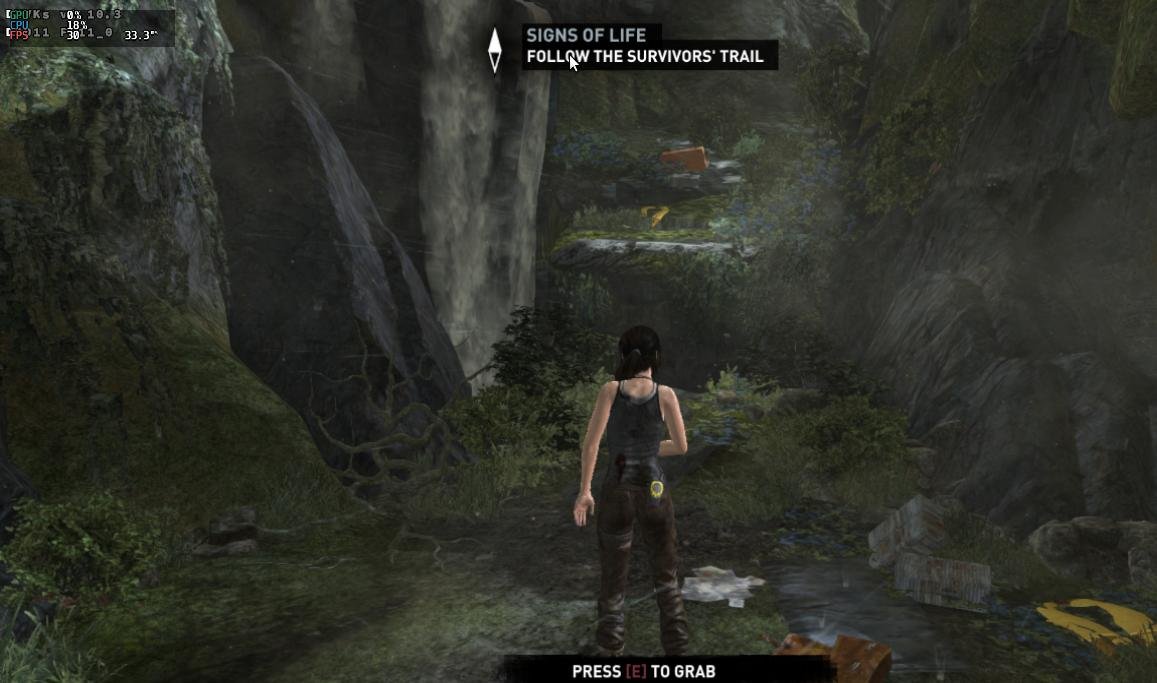
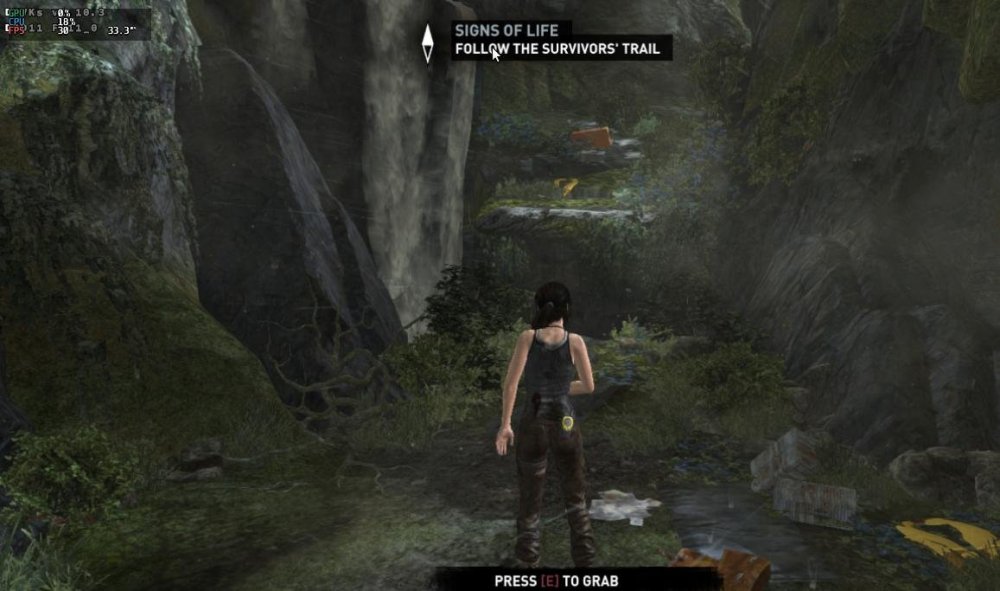
Armbian 25.8.2 Noble XFCE (BSD Kernel: 6.1.115) + PanVk - mesa 26.0 (https://launchpad.net/~ernstp/+archive/ubuntu/mesaaco) + FEX-Emu 2510 + hangover-10.18 (https://github.com/AndreRH/hangover/releases/tag/hangover-10.18) + Dxvk 1.10.3 (stripped) 30~60fps@720p (mixed settings) Tomb Raider (2013) Definitive Edition.thumb.jpg.95b8fe83c7904d982e5e1f330020a623.jpg)










.jpg.41b56c87e5b5ad93e3c842f84338911c.jpg)