All Activity
- Past hour
-

Gaming experience with Orange Pi 5 (RK3588) on Armbian
Alex Ling replied to KhanhDTP's topic in Orange Pi 5
In addition, there's a develop branch for the VK_EXT_transform_feedback extension. It is another important requirement for DXVK. - Today
-
I see no clear error, only something with hdmi-audio-codec, but that is somehow expected AFAIK with mainline based rockchip64 kernel. I think Xfce is X11 and others default to wayland. You can try KDE in X11. 4K is not fully mainlined AFAIK, but you need to check yourself. You can try an edge kernel, is 7.1.x based, maybe it fixes things. I have seen many such issues (RK3588 SoC) in the past, but thing are remarkably fine with 'latest Linux' (KDE6 1080p60, don't have a 4K monitor/TV).
-

NVMe not recognized on OrangePi 5 Pro with Armbian
eselarm replied to Folaht Pjehrsohmehj's topic in Beginners
I see several time the following log line: rk-pcie fe180000.pcie: PCIe Linking... LTSSM is 0x2 I do not know what it means, but the fact that is is listed quite often is a hint I would say. There is also an earlier failure w.r.t. PCIE Usually is it power of some incompatibility of the NVME SSD in conjunction with the RK3588 based board. OrangePi5 Pro has questionable device-tree support, that is what I remember. It might be better nowadays, but I guess you will need to try an see if you can get any OS working/recognizing the SSD. -
 Moved to off-topic.
 -
Hi @sivert! The downloadable image has a bcmdhd module for Wifi, so basically Wifi is working. While checking, I discovered that this kernel module is removed and not rebuilt during kernel update. You need to re-add it manually until I know whats wrong with that: cd /usr/src/bcmdhd-spacemit-sdio-101.10.591.84.37-4 dkms add . dkms build -m bcmdhd-spacemit-sdio -v 101.10.591.84.37-4 -k 6.18.35-current-spacemit dkms install -m bcmdhd-spacemit-sdio -v 101.10.591.84.37-4 -k 6.18.35-current-spacemit That "edge" Image is meant for devel. No UART, no devel so to speak 😉 HTH // Sven-Ola
-
 Hi everyone, I am developing an industrial system using a Raspberry Pi 5 (Raspberry Pi OS Bookworm). Because it is deployed in an environment with abrupt power cutoffs, I am facing an issue where the default pink and white splash screen randomly reappears during boot, overriding my configuration. Here is what I have already implemented to prevent this: Disabled Splash Screen: Added disable_splash=1 to /boot/firmware/config.txt. Read-Only File System: Enabled the native Overlay File System via raspi-config to protect the boot and root partitions from corruption. Industrial Hardware: Tested with high-end storage to rule out basic SD card degradation. The Problem: The system boots cleanly with no display text or logo for several cycles. However, after a few abrupt hardware power cutoffs, the pink and white splash screen unexpectedly pops back up during boot. Since the Overlay FS is active, config.txt should theoretically be protected from corruption or modification. My Questions: Does the Raspberry Pi 5 EEPROM/bootloader force the fallback splash screen if it detects an improper shutdown flag, completely bypassing the config.txt directive? Is there a specific EEPROM configuration parameter (via sudo rpi-eeprom-config -e) that permanently disables this splash image at the firmware level, rather than relying on the OS partition? Are there any known bugs with the Raspberry Pi 5 firmware where an unclean power-off resets certain video/boot states? Any insights into the Pi 5 bootloader behavior regarding dirty shutdowns would be greatly appreciated. Thanks!
 -
It would be super handy whilst also preconfiguring network / users / timezone ... that hostanem was in there also
- Yesterday
-

Rupa X88 Pro 13 - RK3528 board with images
serovan replied to fedes_gl's topic in Rockchip CPU Boxes
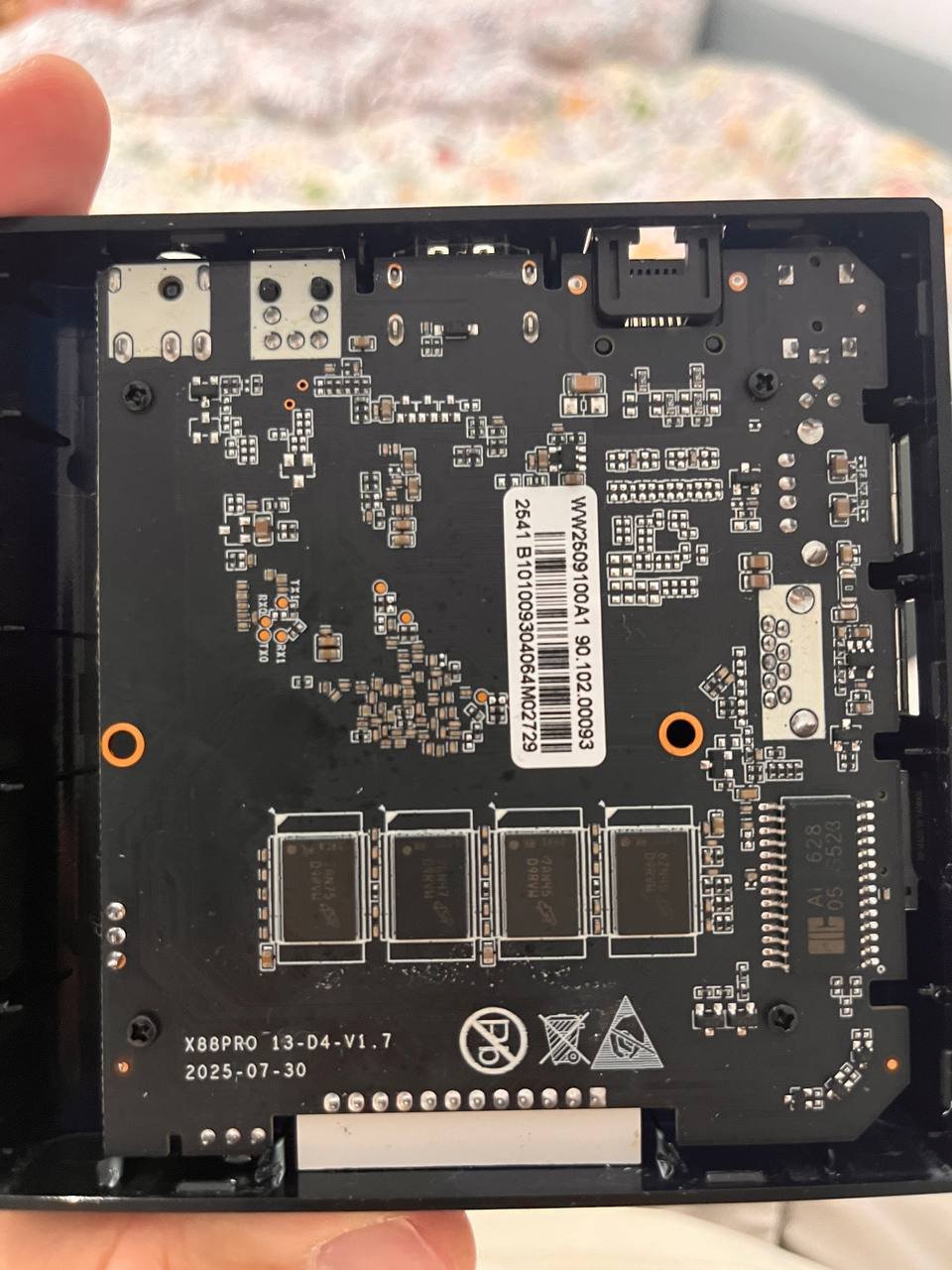
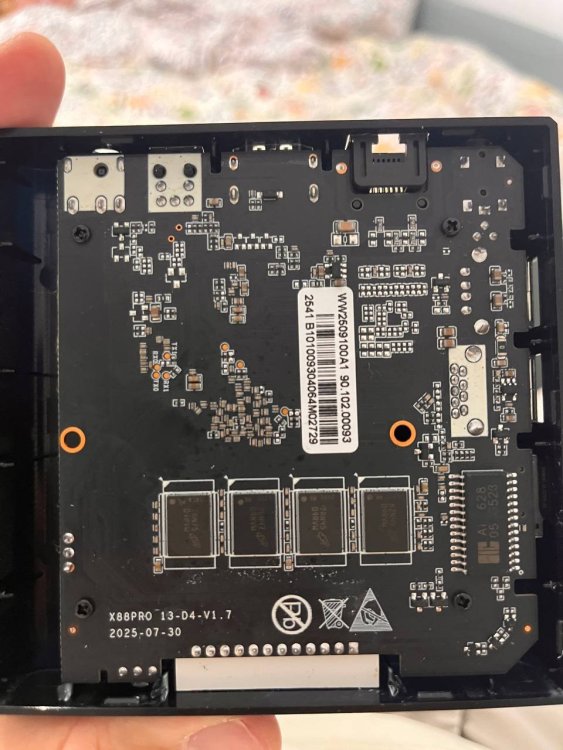
Hi, I have X88 Pro 13 hardware revision 1.7 and tested both Armbian releases v0.6 and v0.7 from the repository. Unfortunately, neither WiFi nor USB 3.0 are working. Hardware info: Device: X88 Pro 13 (Rev 1.7) WiFi chip: AIC8800 (device ID 0x6621, SDIO) Tested images: v0.6 and v0.7 What I tried: USB 3.0: DTB already has maximum-speed = "super-speed" configured USB 3.0 controller exists (Bus 002, 5000M) But only USB 2.0 PHY available (usb2-phy only, no usb3-phy) All USB devices connect to Bus 001/003 (480M) instead of Bus 002 USB Ethernet adapter limited to 100 Mbps Result: USB 3.0 not functional (no PHY in RK3528?) WiFi (AIC8800): Firmware present in /lib/firmware/aic8800/ Drivers load: aic8800_bsp_sdio, aic8800_fdrv_sdio SDIO device detected: mmc2:0001:1, device 0x6621 Error: aicbsp_platform_power_on fails with "fail to set AIC_WIFI power state to 1" No wlan0 interface appears Tried manual GPIO reset (GPIO1_6 = pin 38) - no effect WiFi (EA6621q/SKW drivers): Applied DTB patches from user 8lall0 (GPIO remapping for seekwcn_boot) Built ea6621q DKMS drivers successfully DTB patches verified correct: gpio_chip_en = GPIO1_6 Error: Kernel segmentation fault when loading/unloading SKW modules SDIO scan timeout: "wait scan card time out" Current status: ✅ Armbian boots successfully from SD card ✅ Ethernet via USB adapter works (100 Mbps) ❌ WiFi not working (power-on failure) ❌ USB 3.0 not working (no PHY available) Questions: Is Rev 1.7 supported? Are there different GPIO configurations needed? Does RK3528 actually have USB 3.0 PHY or only controller? Any suggestions for WiFi power issue with AIC8800? Thanks for any help!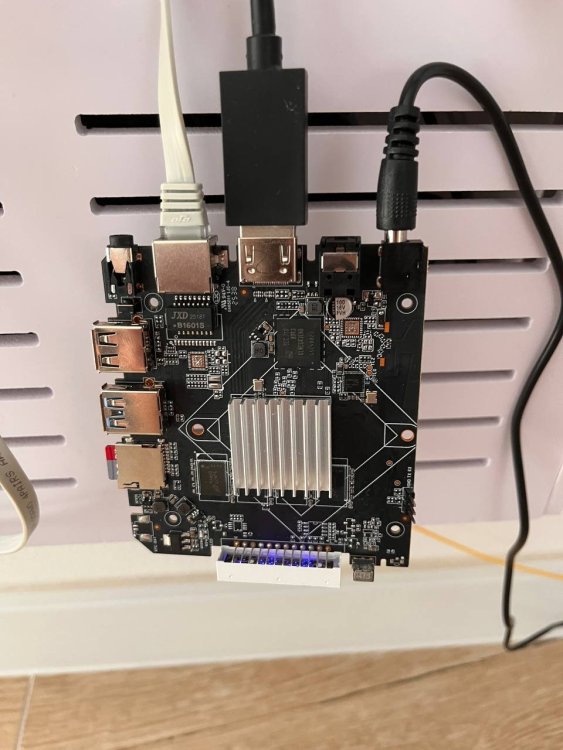
-
Hi, I'm new here. I tested official Orange PI image and it worked. Then I tried Armbian, the current version with 6.18.35 worked, but without WiFi. I tried the edge few times (today, yesterday) and every time there was no HDMI signal or the screen was blank - the green LED was blinking so I assumed that that the system booted. I have no UART converter to debug this now, but I noticed that few users had similar issue - I haven't found a solution. Did I missed something?
-
I just installed Armbian for the first time. I tried the Trixie-current-minimal at first, but that didn't want to start for whatever reason. Should I try installing an Ubuntu one? I'm clueless. [edit] I managed to get Trixie-current-minimal working. Same issue.
-
Hi there, I followed the instructions in section 4.1 to install it onto the memory card, but when I plug it into the TV box, it won't boot from the card. Could you please provide instructions again?
-
Providing logs with armbianmonitor -u helps with troubleshooting and significantly raises chances that issue gets addressed. and/or lspci output it might also be a power issue or just that you specific nvme does not work with non-vndor kernel also kernel is already at 6.18.35 for current rockchip, maybe see if that fixes something w,r,t, yiour nvme
-
As I have no board 2f to test it I made the image and dts blindly a bit... Image Fix to wifi card (I guess it should work)
-
Gaming experience with Orange Pi 5 (RK3588) on Armbian
Alex Ling replied to KhanhDTP's topic in Orange Pi 5
@KhanhDTP There's no pull request yet but they do have a preparation PR https://gitlab.freedesktop.org/mesa/mesa/-/merge_requests/41654 For DQ 11S, it's about 15 fps@1080p. The FPS varies depending on the gaming scenes. You can check out my video https://b23.tv/xvsMPqD -
I have same problem, even had rewrite the SPI boot admin@orangepi5:~$ strings /dev/mtdblock0 | grep "U-Boot SPL 20" U-Boot SPL 2026.04_armbian-2026.04-S88dc-P3cfe-H95ba-V7a4e-Bd0d2-R448a (Jun 11 2026 - 06:18:28 +0000) reboot but it doesn't show the nvme disk admin@orangepi5:~$ lsblk NAME MAJ:MIN RM SIZE RO TYPE MOUNTPOINTS mtdblock0 31:0 0 16M 0 disk mmcblk0 179:0 0 29.7G 0 disk └─mmcblk0p1 179:1 0 29.4G 0 part /var/log.hdd / zram0 252:0 0 1.9G 0 disk [SWAP] zram1 252:1 0 50M 0 disk /var/log zram2 252:2 0 0B 0 disk I am using v26.5.1 for Orange Pi 5 running Armbian Linux 6.18.8-current-rockchip64 Ubuntu stable (noble)
-
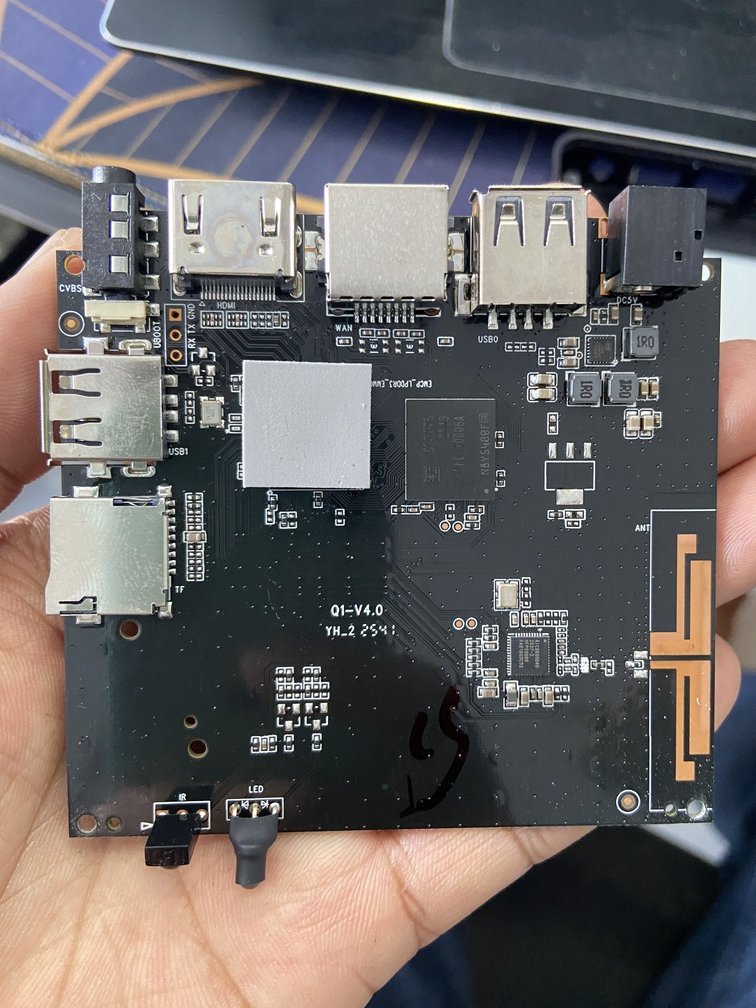
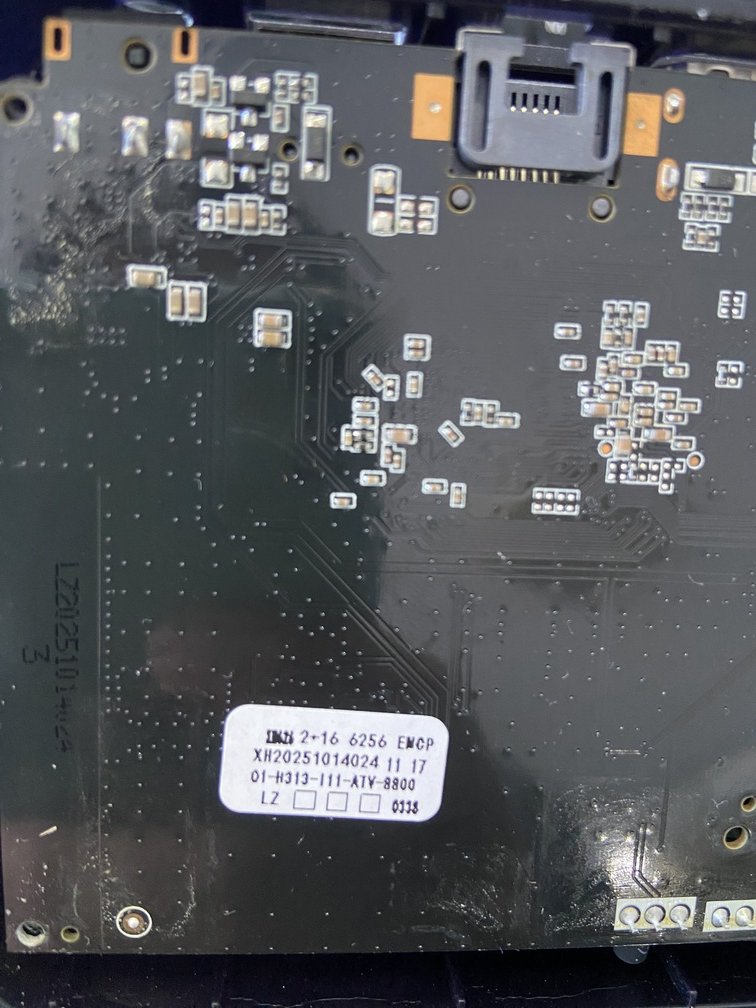
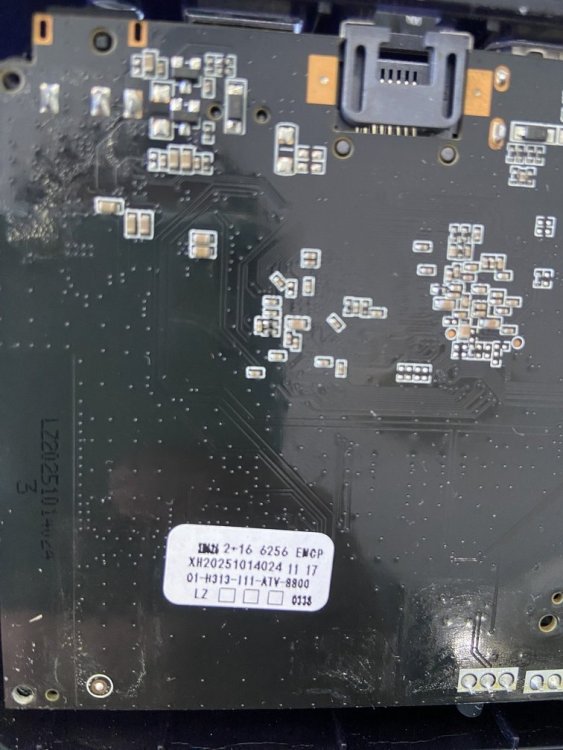
 Hello everyone, I am looking for the original firmware for my Q1 TV Box. Board information: Board: Q1-V4.0 CPU: Allwinner H313 RAM/Storage: 2GB + 16GB eMCP (Foresee) WiFi: SV6256P Sticker on PCB: Q1-H313-111-ATV-8800 XH20251014024 I have already tried searching on Needrom, but the available firmware is for Q1-V3.0 / A32 / A33 boards, and I am not sure it is compatible with my Q1-V4.0 board. Does anyone have the original firmware (.img) or know where I can download it? Thank you very much.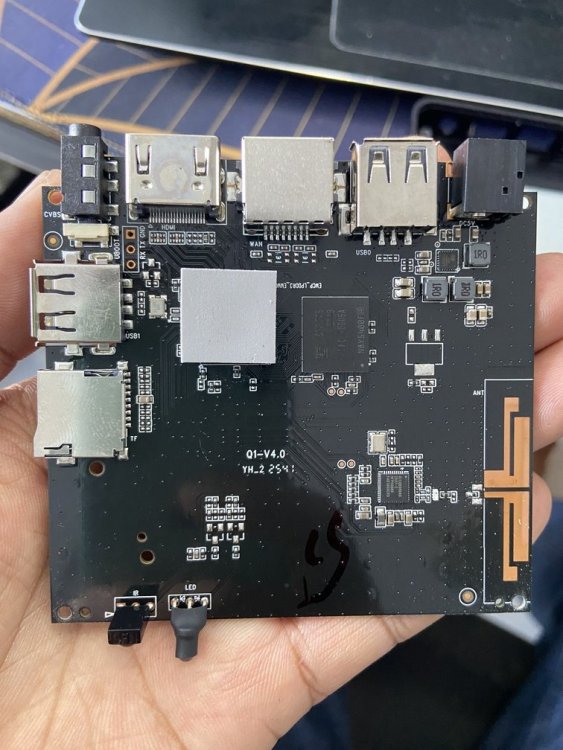
-

Gaming experience with Orange Pi 5 (RK3588) on Armbian
KhanhDTP replied to KhanhDTP's topic in Orange Pi 5
@Alex Ling wow, that's cool. I hope they will merge soon! How was the performance?! -
Gaming experience with Orange Pi 5 (RK3588) on Armbian
Alex Ling replied to KhanhDTP's topic in Orange Pi 5
@KhanhDTP now panvk has a in-develop geometry shader feature branch. I've tried it and some dx11 games like Dragon Quest 11S and Octopath Traveler can run. -
With the most recent minimal Debian image, Armbian_26.2.1_Bananapim2s_trixie_current_6.18.15_minimal.img on my A311D, I hit a problem with Xorg. Instead of starting up into dwm via lightdm's autologin, all I got was the blank blinking cursor screen. Working through it with an LLM, the resolution worked out to be adding a stanza to Xorg.conf. Section "ServerFlags" Option "AutoAddGPU" "false" EndSection Is this the correct solution? Is this known or understood? I know nothing about any of this. I presume it's related to how the devices look to Xorg via the kernel, but I have no understanding beyond that level, if that's even correct.
- Last week
-
 @MMGen yeah, that's where mbr keeps its stuff. I guess my question is why skip copying the first 32KiB even if it's empty? In form of time saving, we are talking microseconds. Even if it were to be mbr that you convert into gpt, the conversion would remove the first 32KiB turning it into zeroes and put the gpt partition table on the last 34 x 512k blocks... Is there any other reason to skip it? Is it due to the encryption? Would this process not work if I don't skip the first 64x512 blocks?
 -
 Well I don't know what is that firmware and I'm not going to touch it even with a 6 meters stick, sorry. Random software from the internet is not a wise idea, even more if it is a software you are going to install onto a computer laying in your private network. About the serial adapter, I don't know, you should post logs or something useful to give you sensible guidance; giving you blind instructions won't help. If you're a newbie, probably it is better to wait for someone telling you a way to get maskrom mode on your board. I just want to ask you if you tried to put the multitool on a sdcard and boot the board with it.
 -

Efforts to develop firmware for H96 MAX V56 RK3566 8G/64G
magixx256 replied to Hqnicolas's topic in Rockchip CPU Boxes
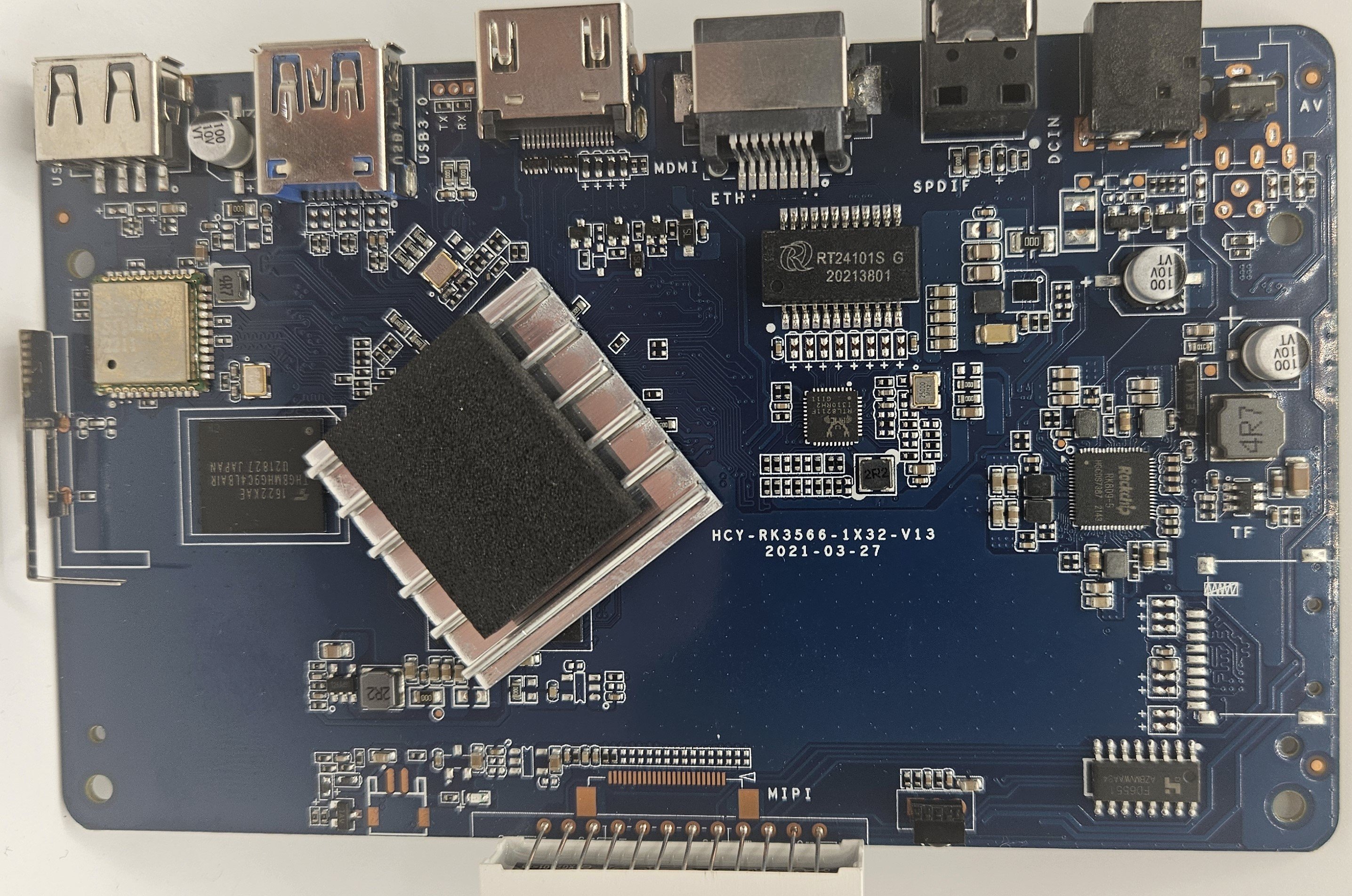
I just installed Armbian_community_26.8.0-trunk.170_H96-tvbox-3566_resolute_edge_7.0.12_gnome_desktop on an original board HCY-RK3566-1X32-V13 2021-03-27 I wanted to confirm the WiFi chip visually but could not do so as pulling the shield off the HCY6335 was not possible, it's very likely actually soldered so don't try. With this image out of the box: What works: LAN Display What doesn't work: WiFi Bluetooth Unknown: SPDIF Hardware video decoding Afterwards, I installed brcmfmac4335-sdio.bin and brcmfmac4335-sdio.txt from https://github.com/LibreELEC/brcmfmac_sdio-firmware/tree/master to /lib/firmware/brcm/ as per https://green.bug-eyed.monster/armbian-on-the-h96-max-v56-android-tv-box/ but I don't think you need any symlinking. This made Bluetooth and WiFi work but the speed it gets is very poor (20mb/s) so I recommend using wired connection which did get ~500mb/s. I started looking to into hardware video acceleration and this seems to be a bit of a mess. AFAICT MPP (Media Process Platform) and RGA (2D Raster Graphic Acceleration) are needed for this to work. The two options I saw were ffmpeg-rockchip and jellyfin-ffmpeg but both mention needing Rockchip BSP/vendor kernel. Does anyone have any experience here as I was hoping to turn this into a media PC? Given component costs now an that I originally paid ~$42 for the 8GB model I do think this board + armbian runs quite smoothly.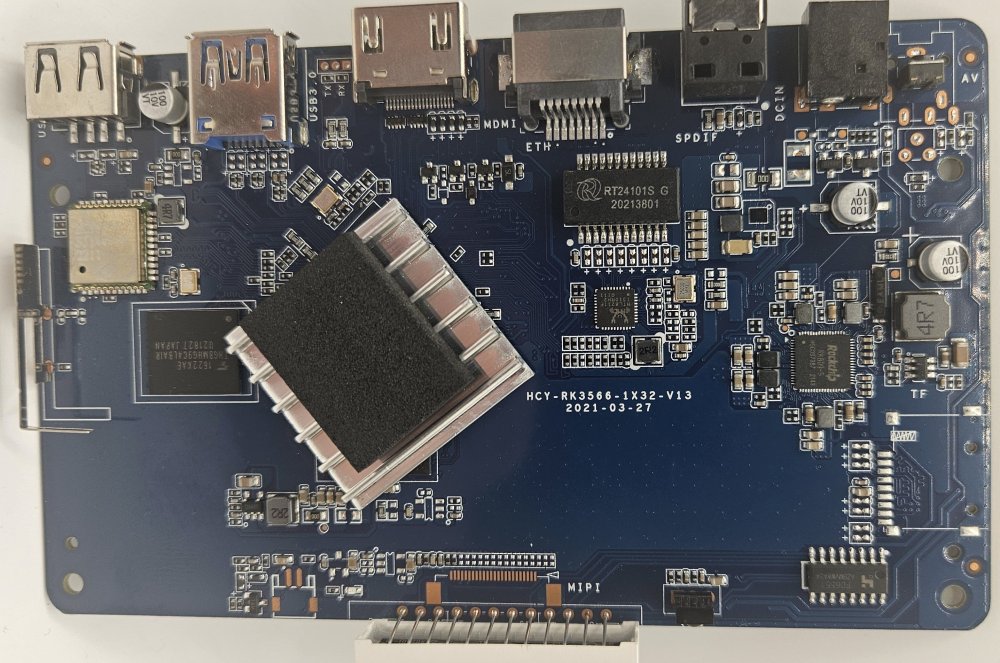
-
Hah. I switched to using the cheapest one I had and that worked. But thank you for the validation. This was indeed the correct strategem.
-
I would suggest using a better SD card. G12B:BL:6e7c85:2a3b91;FEAT:E0F83180:402000;POC:F;RCY:0;EMMC:0;READ:0;0. bl2_stage_init 0x01 bl2_stage_init 0x81 hw id: 0x0000 - pwm id 0x01 bl2_stage_init 0xc1 bl2_stage_init 0x02 L0:00000000 L1:20000703 L2:00008067 L3:14000000 B2:00402000 B1:e0f83180 TE: 53694 BL2 Built : 19:23:21, Sep 18 2020. g12b g9fde858 - gongwei.chen@droid11-sz Board ID = 12 Set A53 clk to 24M Set A73 clk to 24M Set clk81 to 24M A53 clk: 1200 MHz A73 clk: 1200 MHz CLK81: 166.6M smccc: 00011aa2 eMMC boot @ 0 sw8 s board id: 12 Load FIP HDR DDR from eMMC, src: 0x00010200, des: 0xfffd0000, size: 0x00004000, part: 0 Get wrong ddr fw magic! Error!! fw parse done PIEI prepare done 00000000 emmc switch 1 ok 00000000 emmc switch 2 ok NO find ddr boot_info from eMMC fastboot data verify result: 255 Cfg max: 12, cur: 1. Board id: 255. Force loop cfg LPDDR4 probe LPDDR4_PHY_V_0_1_22-Built : 14:57:26, Sep 1 2020. g12b g3c95fed - gongwei.chen@droid11-sz ddr clk to 1608MHz 00000000 emmc switch 0 ok dmc_version 0001 Check phy result INFO : End of CA training INFO : End of initialization INFO : Training has run successfully! Check phy result INFO : End of initialization INFO : End of read enable training INFO : End of fine write leveling INFO : End of read dq deskew training INFO : End of MPR read delay center optimization INFO : End of Write leveling coarse delay INFO : End of read delay center optimization INFO : Training has run successfully! Check phy result INFO : End of initialization INFO : End of MPR read delay center optimization INFO : End of write delay center optimization INFO : End of read delay center optimization INFO : End of max read latency training INFO : Training has run successfully! 1D training succeed Check phy result INFO : End of initialization INFO : End of 2D read delay Voltage center optimization INFO : End of 2D read delay Voltage center optimization INFO : End of 2D write delay Voltage center optimization INFO : End of 2D write delay Voltage center optimization INFO : Training has run successfully! soc_vref_reg_value 0x 0000001d 0000001c 0000001b 0000001e 0000001c 0000001c 0000001d 0000001c 0000001c 0000001a 0000001a 0000001b 00000019 0000001f 0000001b 0000001c 0000001b 0000001e 0000001c 0000001e 0000001a 0000001c 0000001c 0000001b 0000001c 0000001c 0000001b 0000001d 0000001d 0000001c 0000001b 0000001c dwc_ddrphy_apb_wr((0<<20)|(2<<16)|(0<<12)|(0xb0):0004 dram_vref_reg_value 0x 0000004d 2D training succeed auto size-- 65535DDR cs0 size: 2048MB DDR cs1 size: 2048MB DMC_DDR_CTRL: 00e00024DDR size: 3928MB cs0 DataBus test pass cs1 DataBus test pass cs0 AddrBus test pass cs1 AddrBus test pass non-sec scramble use zero key ddr scramble enabled 100bdlr_step_size ps== 403 result report boot times 0Enable ddr reg access 00000000 emmc switch 3 ok Authentication key not yet programmed get rpmb counter error 0x00000007 00000000 emmc switch 0 ok Load FIP HDR from eMMC, src: 0x00010200, des: 0x01700000, size: 0x00004000, part: 0 Load BL3X from eMMC, src: 0x00078200, des: 0x01768000, size: 0x000bea00, part: 0 0.0;M3 CHK:0;cm4_sp_mode 0 MVN_1=0x00000000 MVN_2=0x00000000 [Image: g12b_v1.1.3390-6ac5299 2019-09-26 14:10:05 luan.yuan@droid15-sz] OPS=0x10 ring efuse init chipver efuse init 29 0b 10 00 01 25 0c 00 00 0c 37 32 34 54 31 50 [0.778675 Inits done] secure task start! high task start! low task start! run into bl31 NOTICE: BL31: v1.3(release):4fc40b1 NOTICE: BL31: Built : 15:58:17, May 22 2019 NOTICE: BL31: G12A normal boot! NOTICE: BL31: BL33 decompress pass ERROR: Error initializing runtime service opteed_fast <debug_uart> U-Boot 2026.01 (Jan 15 2026 - 07:25:48 -0500) bpi-m2s Model: BananaPi M2S SoC: Amlogic Meson G12B (A311D) Revision 29:b (10:2) DRAM: 2 GiB (total 3.8 GiB) Core: 401 devices, 31 uclasses, devicetree: separate MMC: mmc@ffe05000: 0, mmc@ffe07000: 1 Loading Environment from nowhere... OK PCIE-0: Link up (Gen1-x1, Bus0) In: usbkbd,serial Out: vidconsole,serial Err: vidconsole,serial Net: eth0: ethernet@ff3f0000 starting USB... Starting the controller USB XHCI 1.10 Bus usb@ff500000: 1 USB Device(s) found scanning usb for storage devices... 0 Storage Device(s) found Hit any key to stop autoboot: 0 switch to partitions #0, OK mmc0 is current device Scanning mmc 0:1... Found U-Boot script /boot/boot.scr 8133 bytes read in 2 ms (3.9 MiB/s) ## Executing script at 08000000 U-boot default fdtfile: amlogic/meson-g12b-a311d-bananapi-m2s.dtb Current variant: 211 bytes read in 1 ms (206.1 KiB/s) Current fdtfile after armbianEnv: amlogic/meson-g12b-a311d-bananapi-m2s.dtb Mainline bootargs: root=UUID=45e1ab7d-9528-4d3b-8b8e-27c59e112250 rootwait rootfstype=ext4 splash=verbose console=ttyAML0,115200 console=tty1 consoleblank=0 coherent_pool=2M loglevel=1 ubootpart=fe959640-01 libata.force=noncq usb-storage.quirks=0x2537:0x1066:u,0x2537:0x1068:u cgroup_enable=memory 25338901 bytes read in 1073 ms (22.5 MiB/s) 42338816 bytes read in 1792 ms (22.5 MiB/s) 80849 bytes read in 6 ms (12.8 MiB/s) Working FDT set to 4080000 232 bytes read in 5 ms (44.9 KiB/s) Applying kernel provided DT fixup script (meson-fixup.scr) ## Executing script at 32000000 ## Loading init Ramdisk from Legacy Image at 13000000 ... Image Name: uInitrd Image Type: AArch64 Linux RAMDisk Image (gzip compressed) Data Size: 25338837 Bytes = 24.2 MiB Load Address: 00000000 Entry Point: 00000000 Verifying Checksum ... OK ## Flattened Device Tree blob at 04080000 Booting using the fdt blob at 0x4080000 Working FDT set to 4080000 Loading Ramdisk to 7e7d5000, end 7ffff3d5 ... OK Loading Device Tree to 000000007e758000, end 000000007e7d4fff ... OK Working FDT set to 7e758000 Starting kernel ... Armbian 26.2.1 Trixie ttyAML0 bananapim2s login: root Password: _ _ _ /_\ _ _ _ __ | |__(_)__ _ _ _ / _ \| '_| ' \| '_ \ / _` | ' \ /_/ \_\_| |_|_|_|_.__/_\__,_|_||_| v26.2.1 for Banana Pi M2S running Armbian Linux 6.18.15-current-meson64 Packages: Debian stable (trixie) Performance: Load: 12% Uptime: 1m Memory usage: 5% of 3.68G CPU temp: 44°C Usage of /: 5% of 29G Commands: Configuration: armbian-config Monitoring : htop root@bananapim2s:~#
-

Two S912 android boxes that are partially dead/bricked
BLAINZEKO posted a topic in Amlogic CPU Boxes
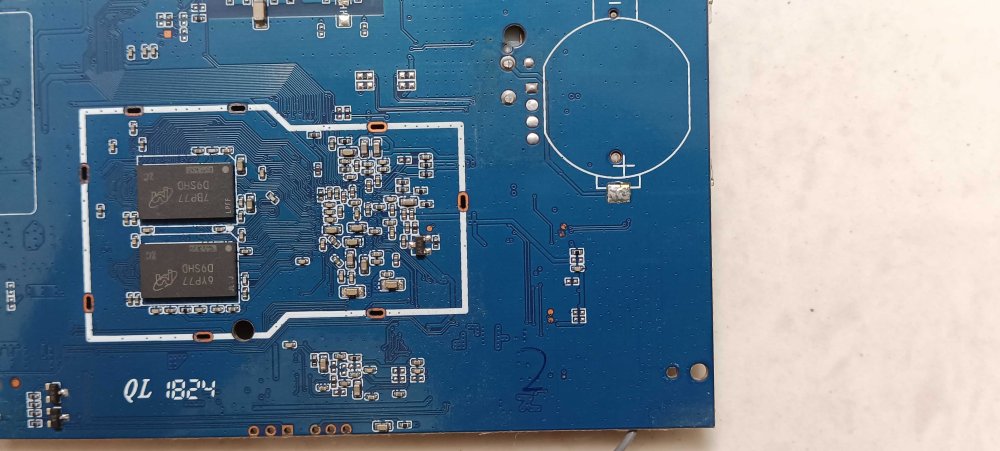
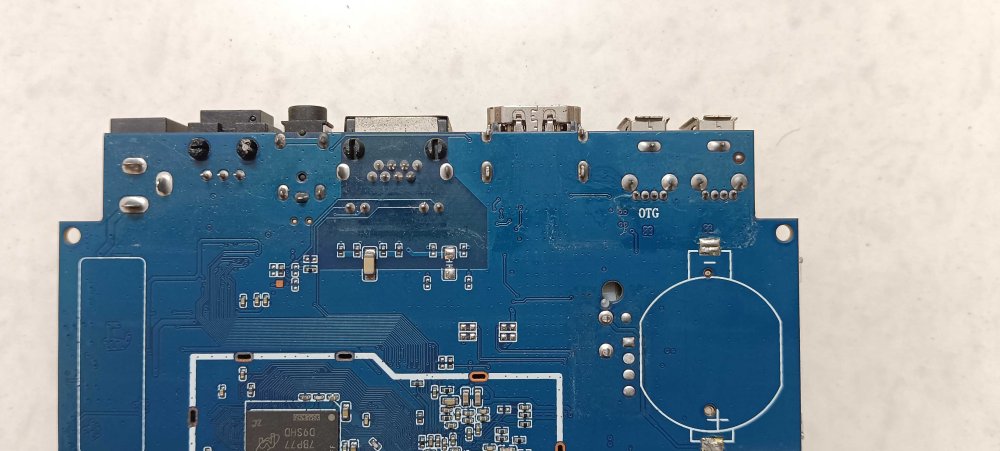
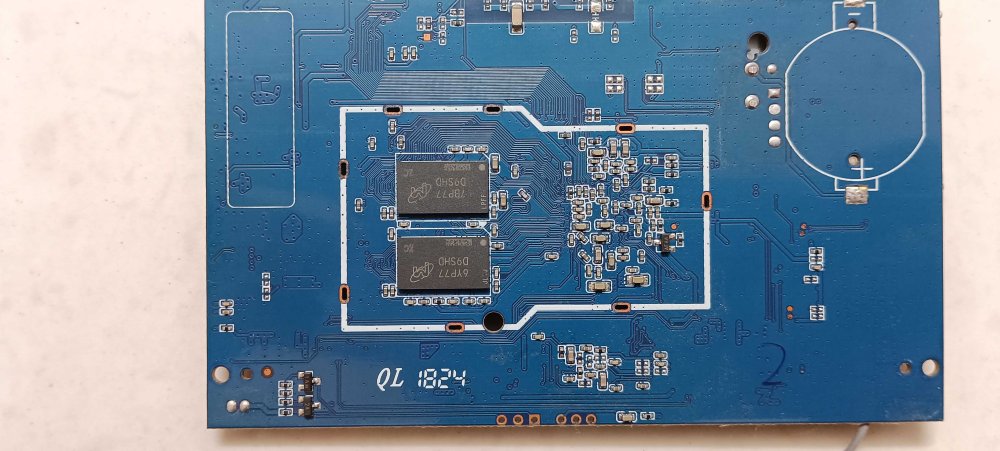
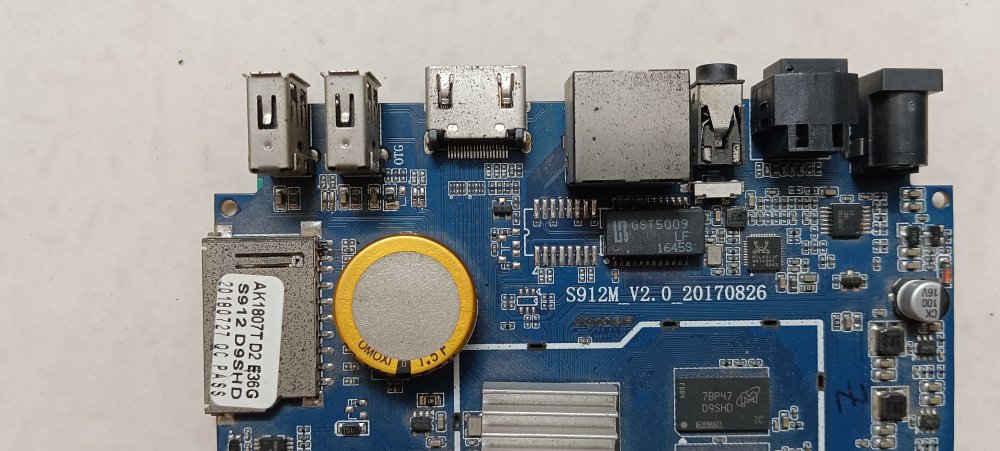
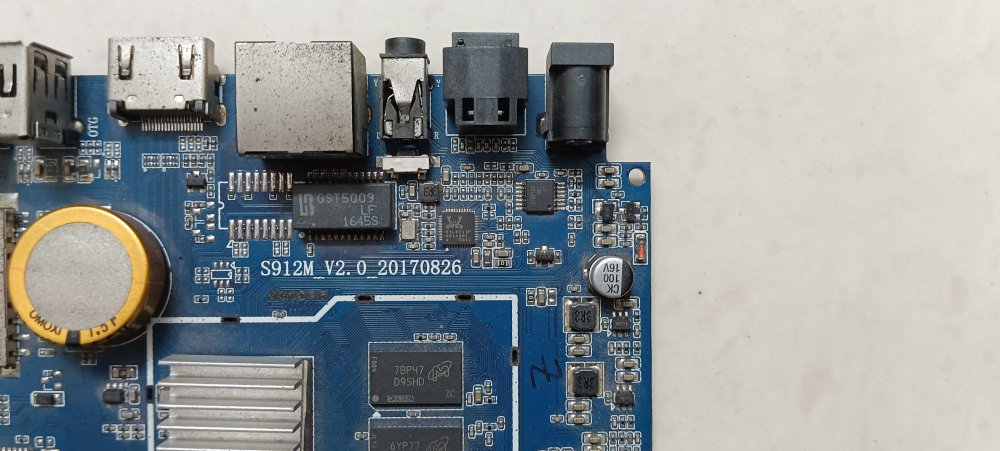
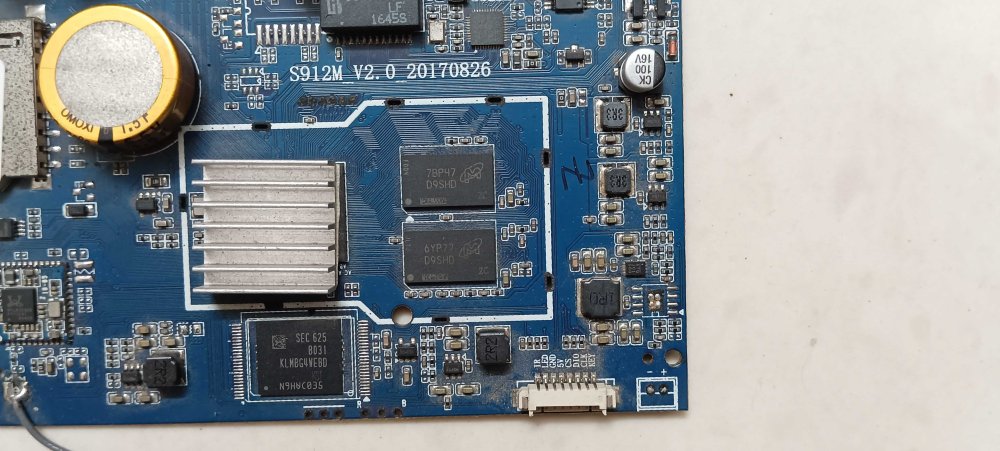
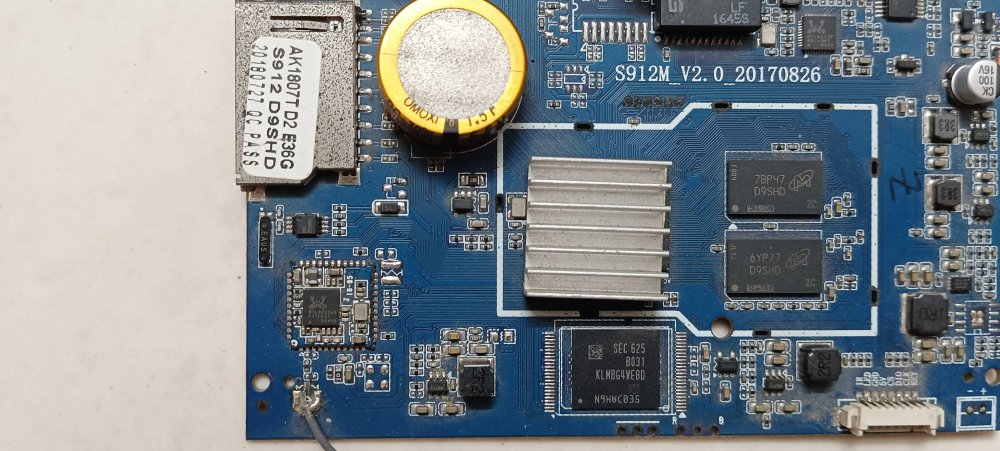
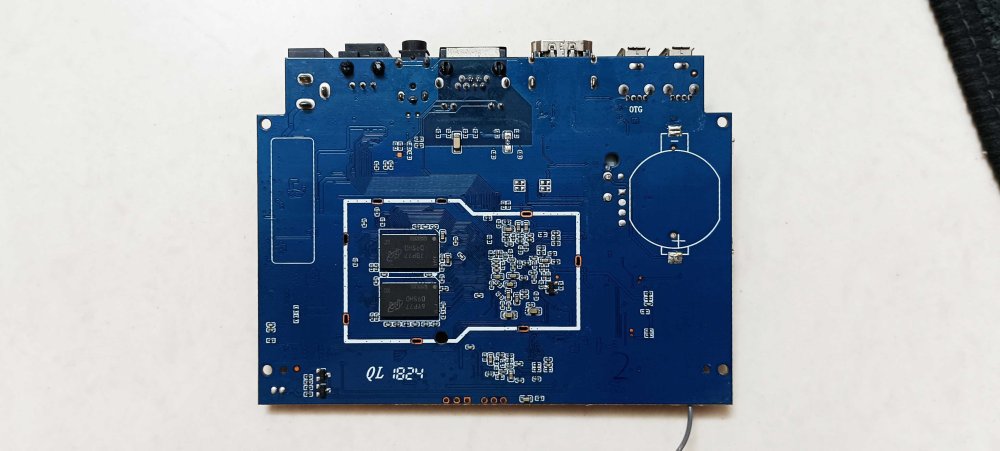
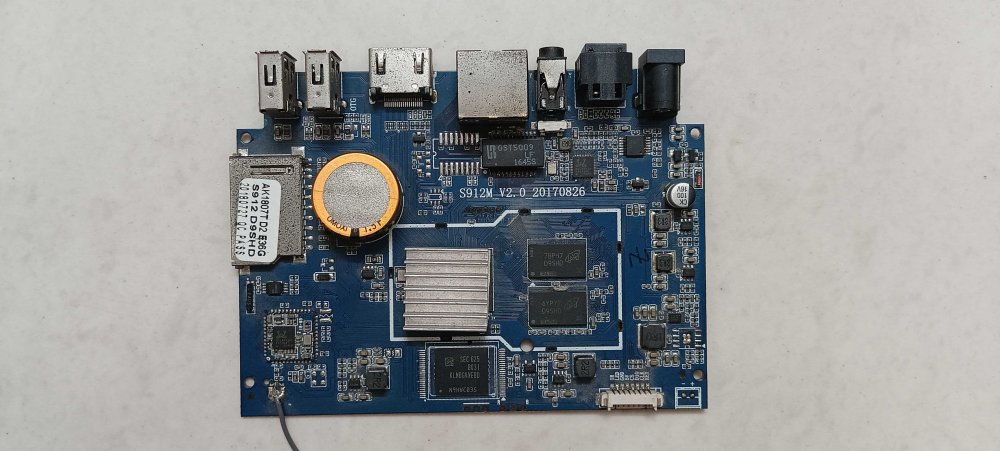
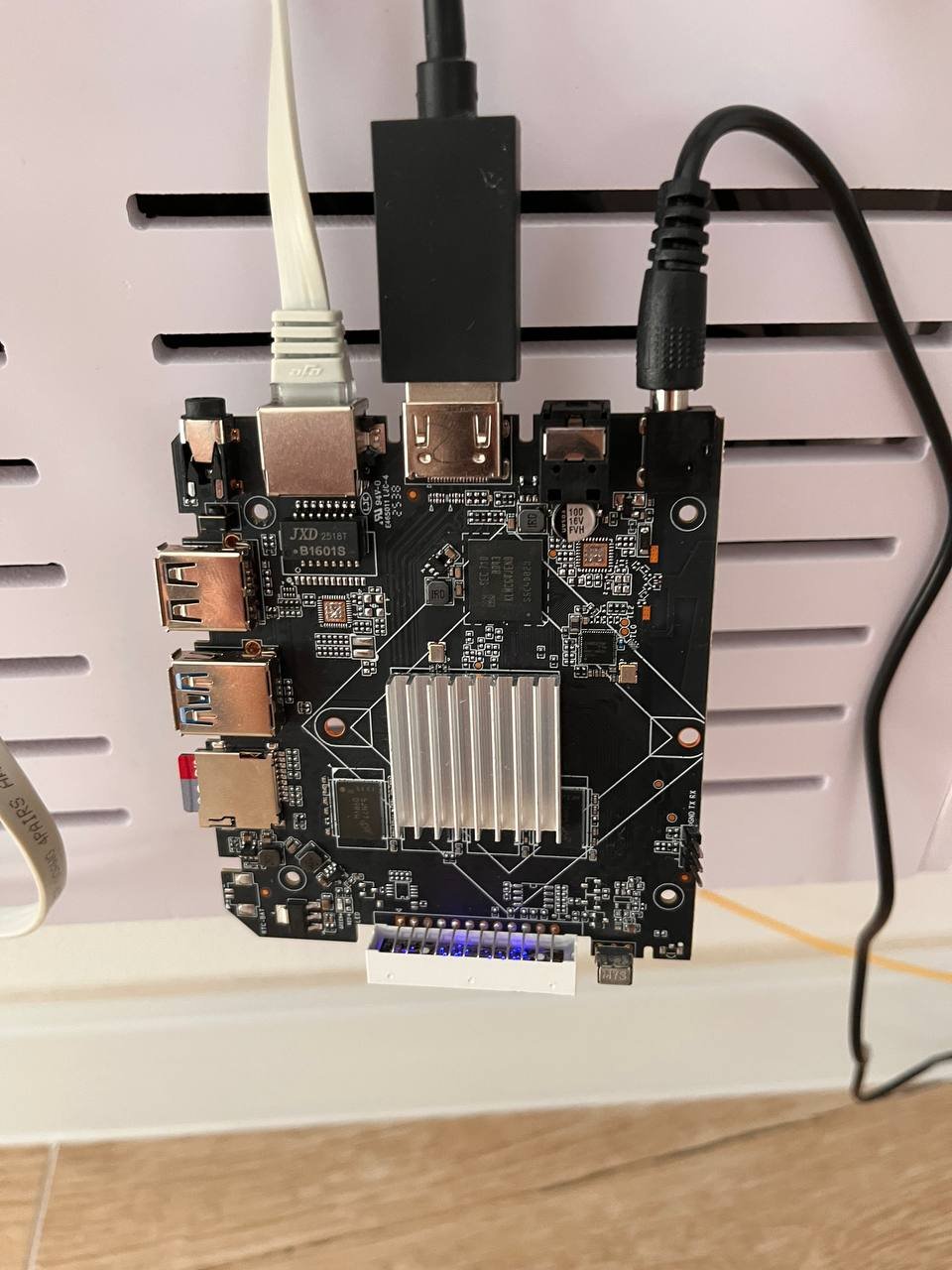
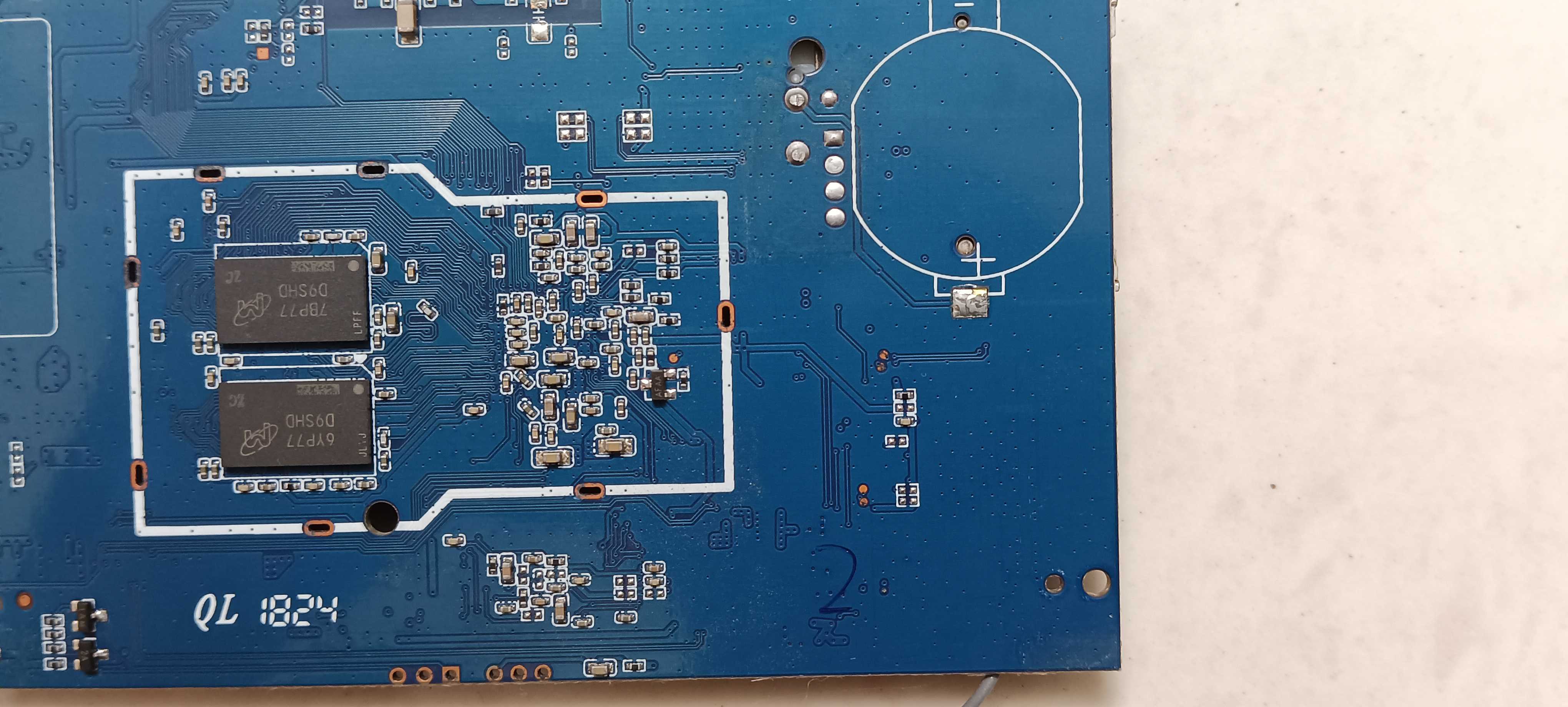
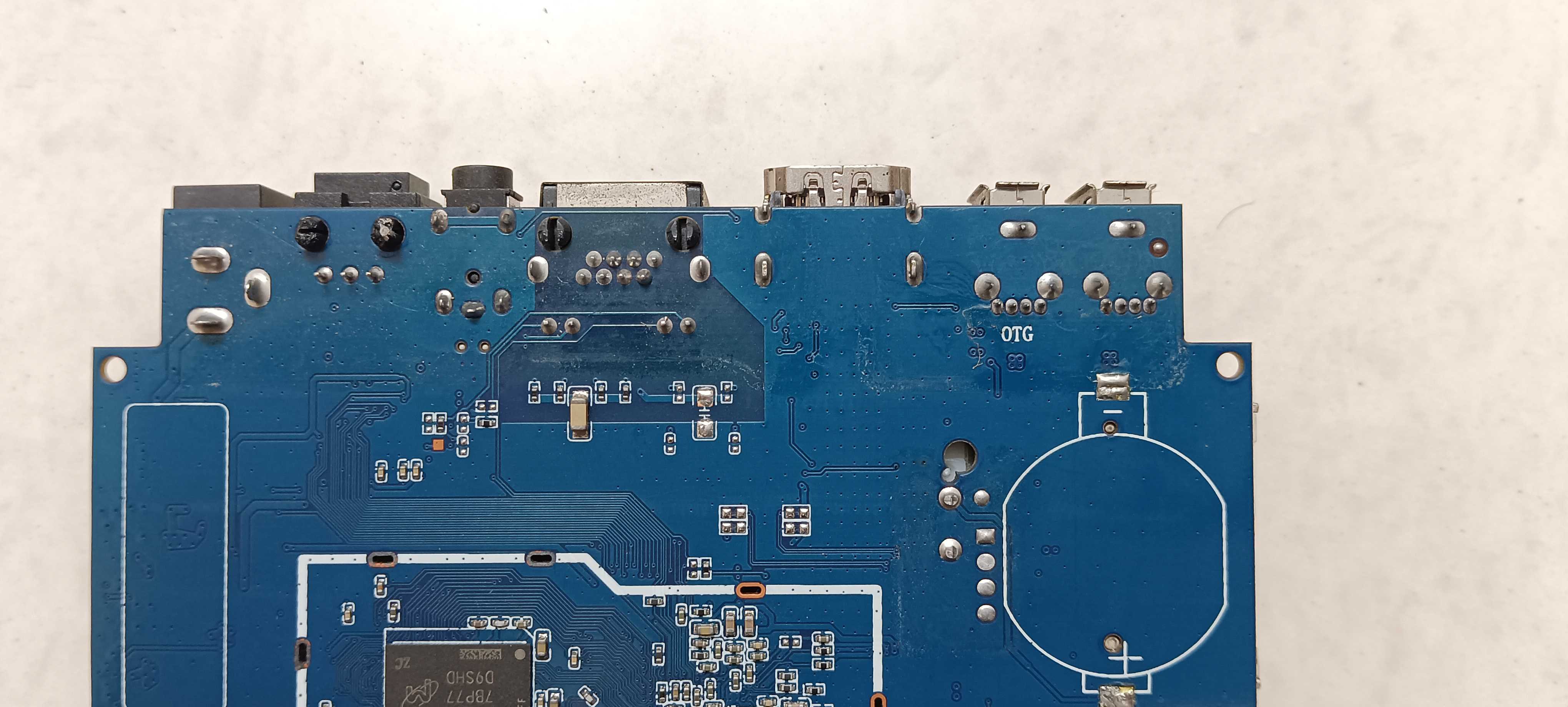
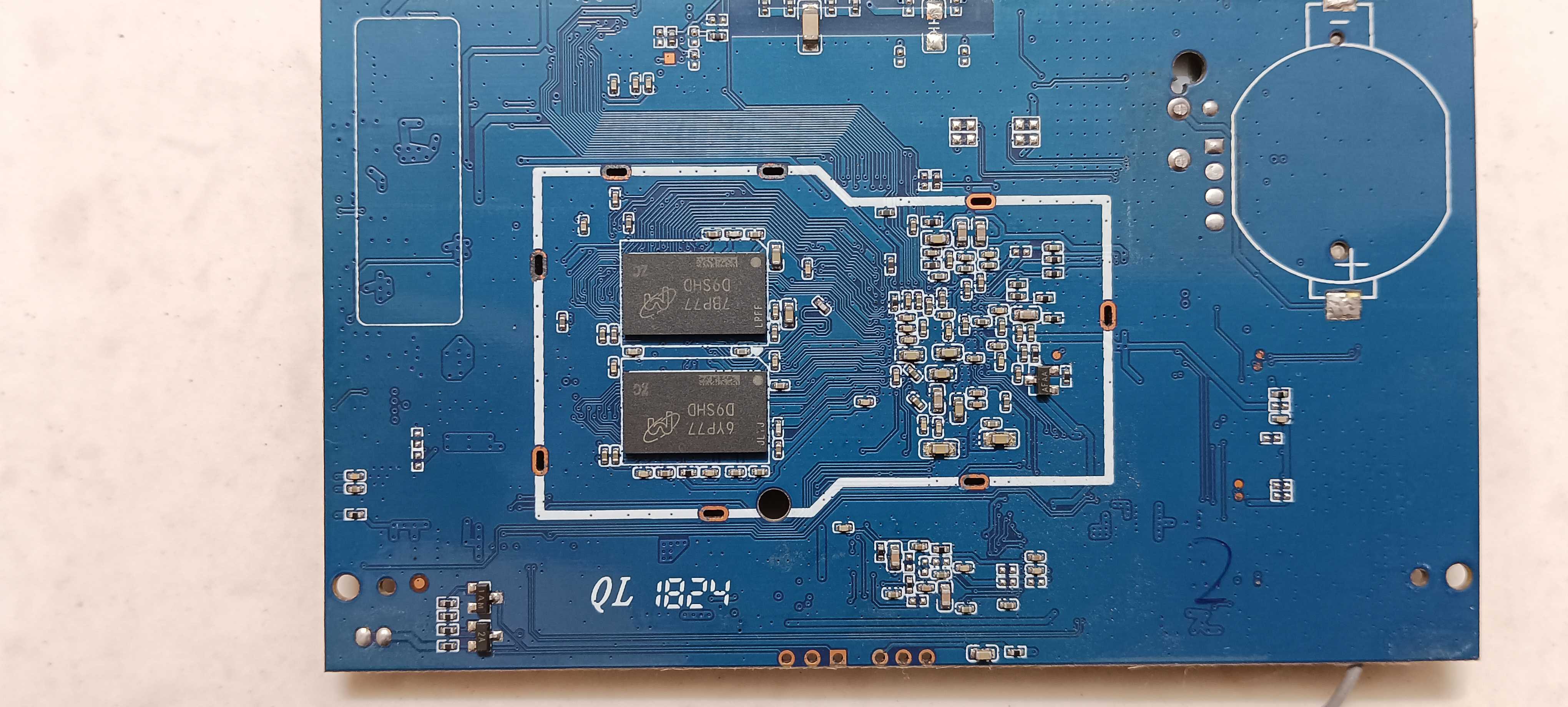
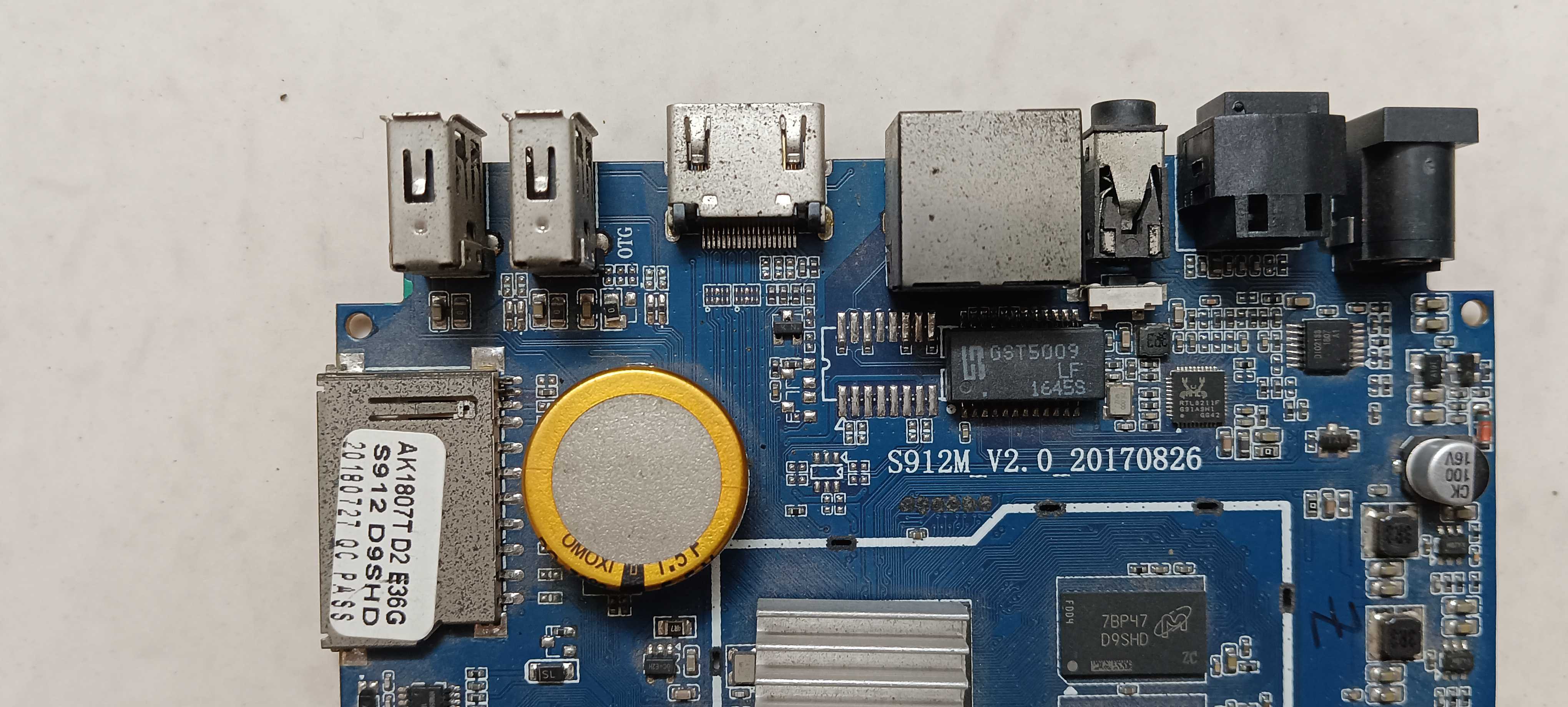
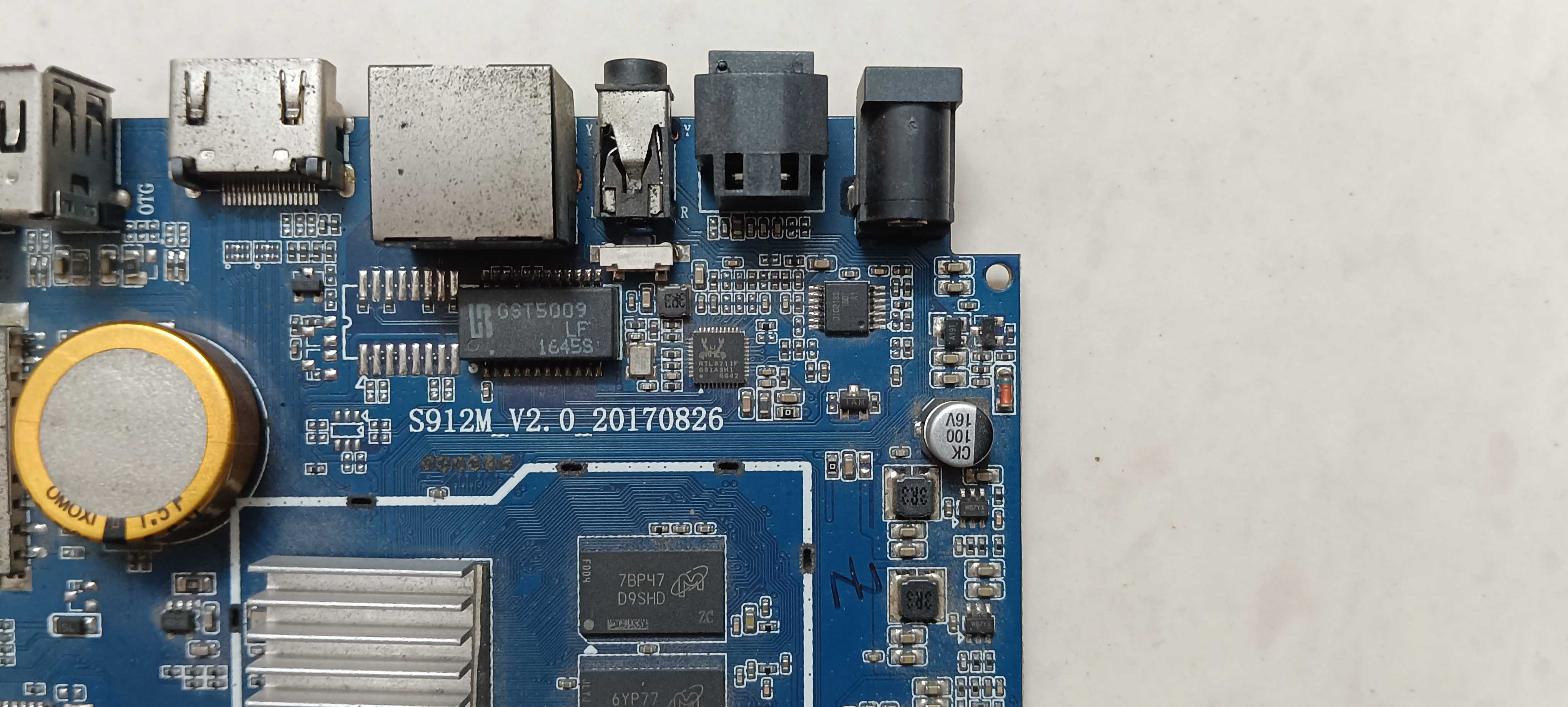
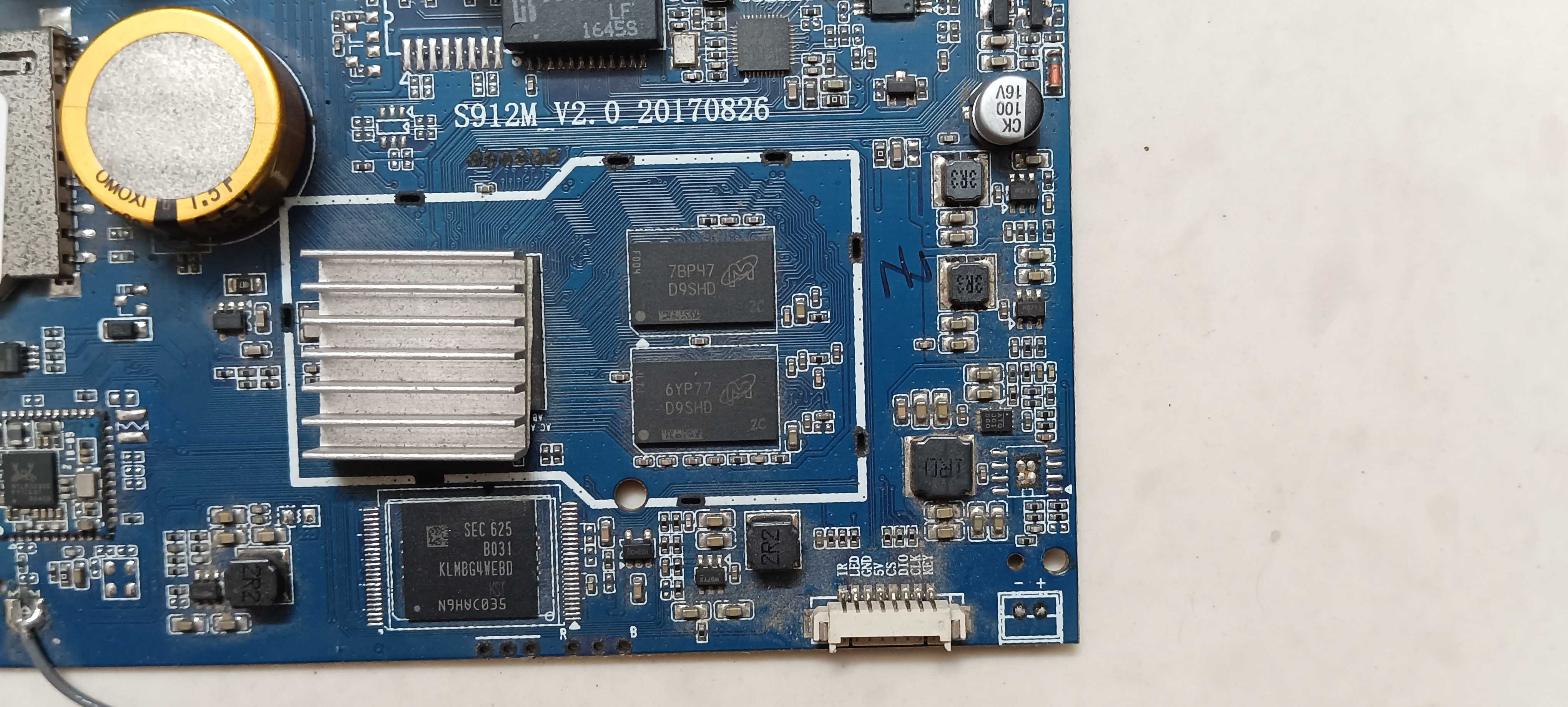
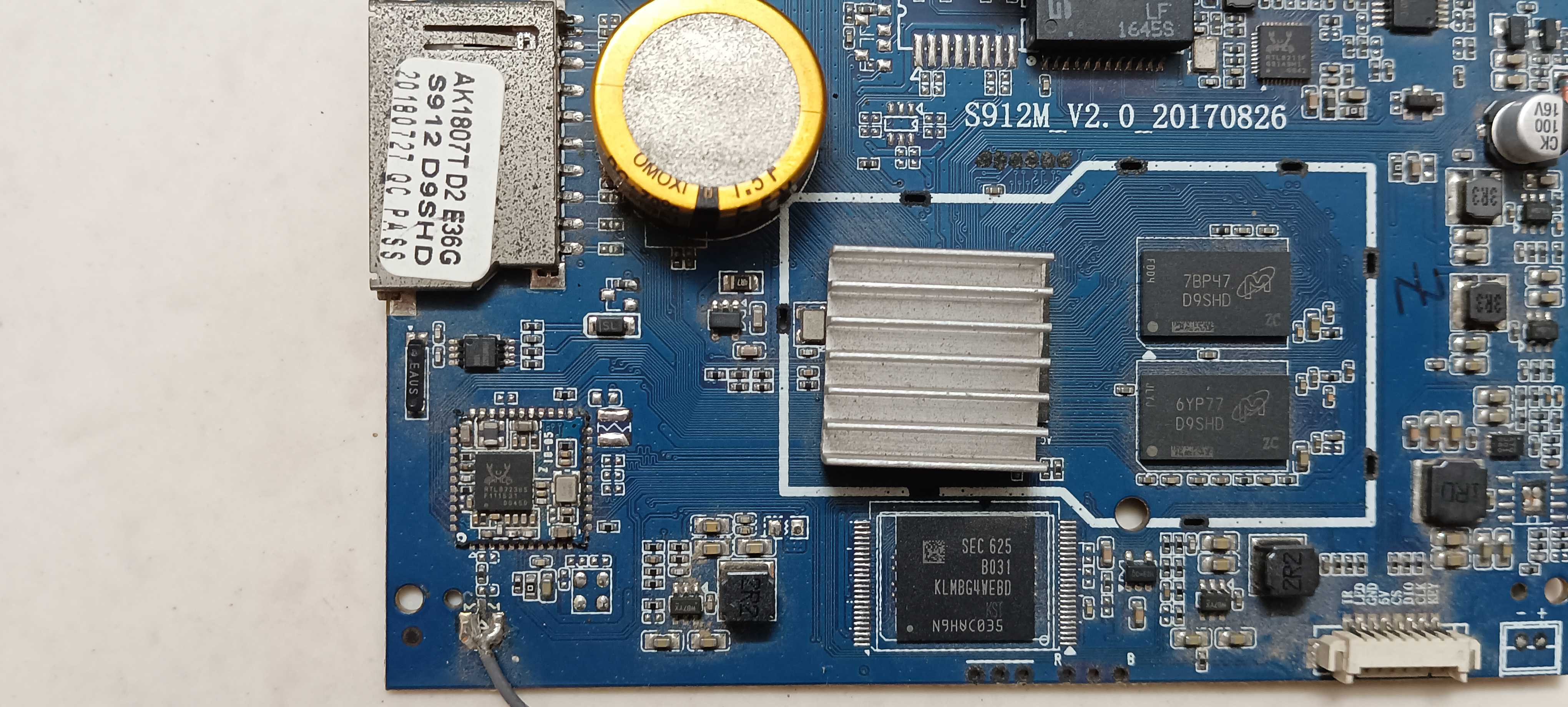
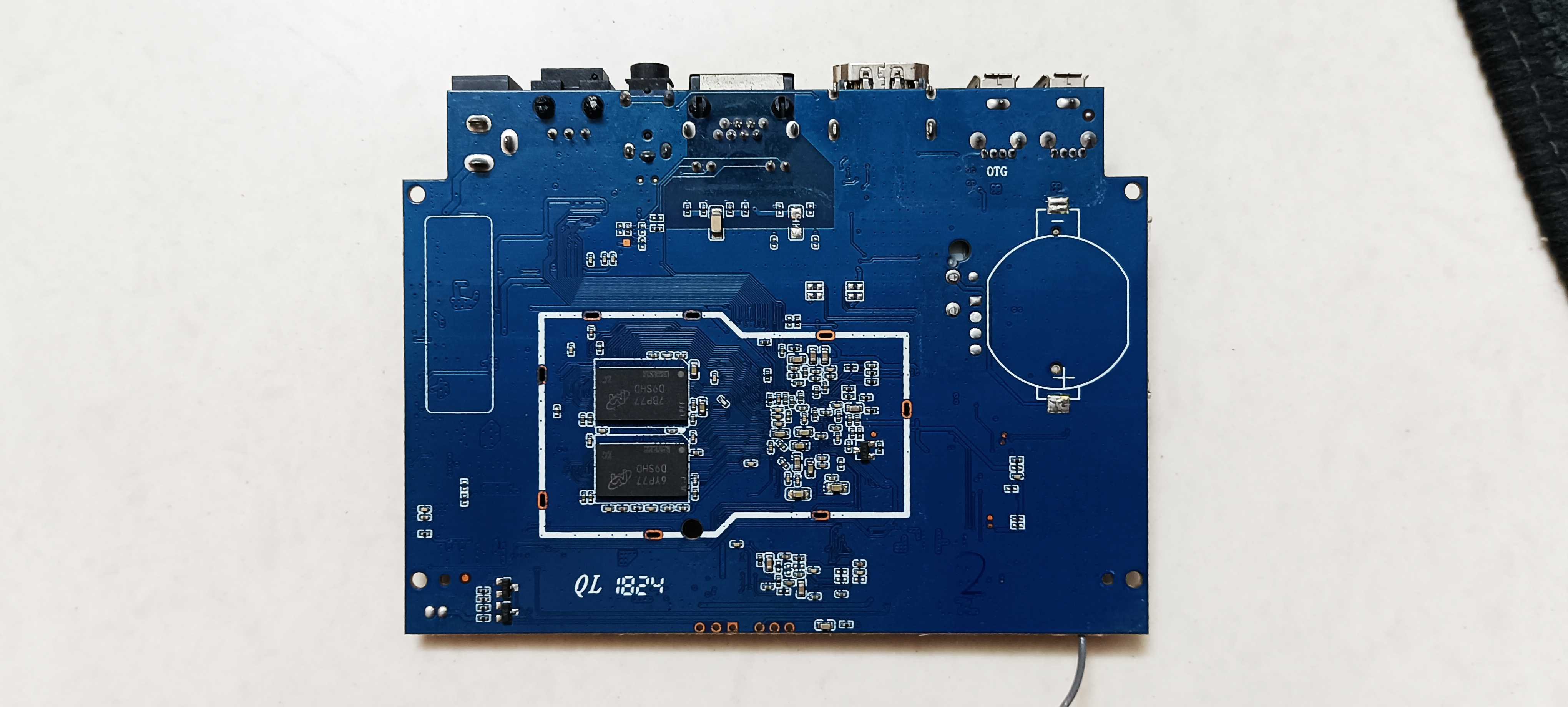
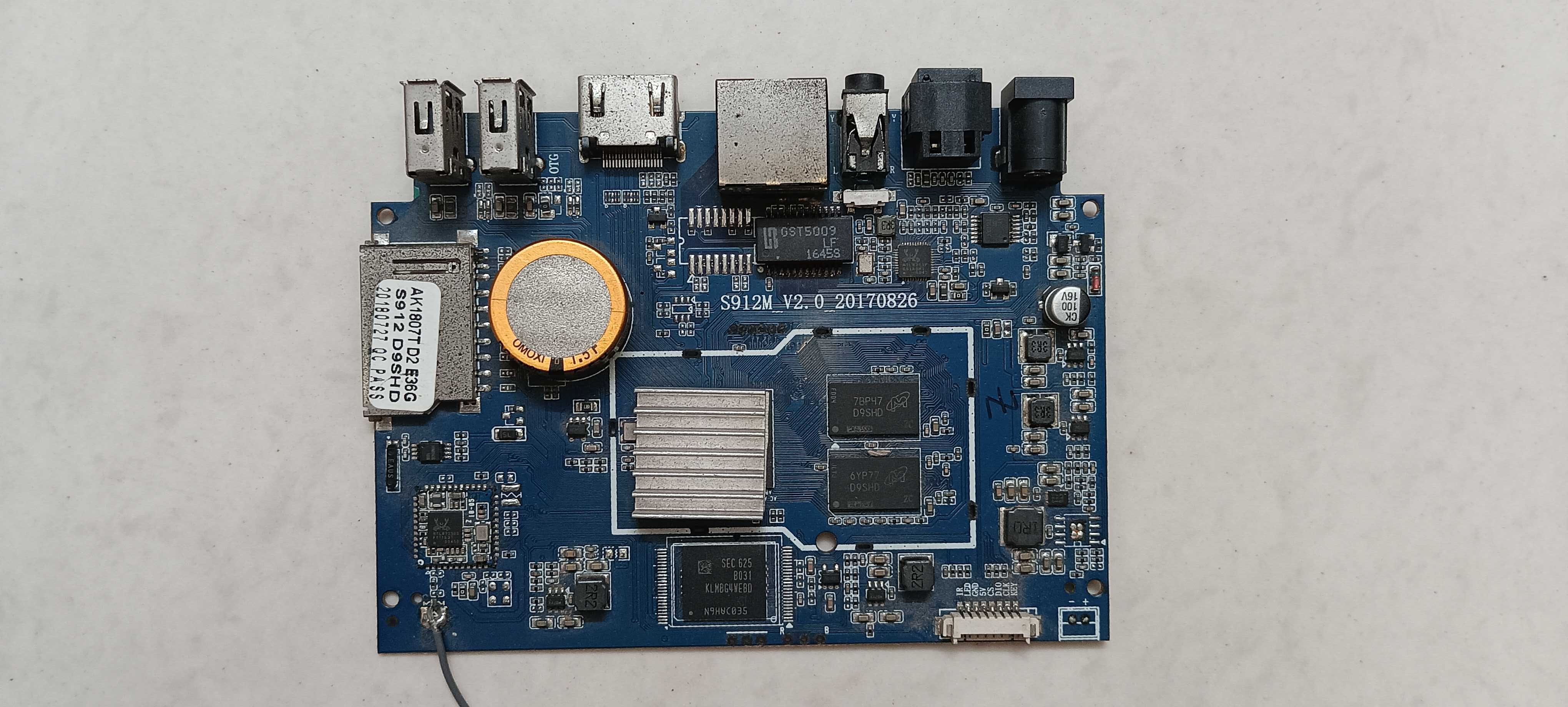
So I've got two of these old android tv boxes, both running the S912 chipset, and both are pretty much dead at this point. Trying to figure out if it's worth the effort to revive them or if I should just toss them already. On both boxes: no display through hdmi at all, not even a logo or flicker. Tried the toothpick trick for recovery screen with power plugged in, no reaction. Keyboard and mouse don't get picked up when connected. And when I hook them up to my laptop with a usb to usb cable, the boot light does turn on so they're clearly getting power, but the box itself never shows up anywhere on the laptop, not even in device manager after installing the usb burning tool drivers (one does shows up, but says USB device not recognized). Also tried the SD card method, used the correct armbian image on it, still didn't worked. Basically all I get is that one led lighting up and that's it. No video output, no usb enumeration, nothing responds. Attaching some pics of the boards and ports in case it helps spot anything obvious. Before I give up on these completely, does anyone know if there's still a way to force them into burn mode, because i know for certain that it's not a hardware related issue. Software is stopping them going into burn mode. Hardware is completely fine and working. So i wanna force them to go into burn mode so i can use armbian image on them. If there really is no option, i'm tossing them out. But there has to be a way. Any help would work. Thanks in advance.