


usual user
-
Posts
538 -
Joined
-
Last visited
Content Type
Forums
Store
Crowdfunding
Applications
Events
Raffles
Community Map
Everything posted by usual user
-
The solution is outlined here but there was no incentive to land it in Armbian.
-
The gst-play-hevc.mp4-pipeline.pdf is the visualisation of the pipeline composed by: gst-play-1.0 --use-playbin3 hevc.mp4
-
FWIW I'm keep puzzled about the options you still throw at mpv. In my Wayland environment, I only have "hwdec=auto" and "hwdec-codecs=all" to automatically enforce video hardware decoding (v4l2 via drm KMS) and take into account all possible hardware decoders. This is necessary because otherwise SW decoding is preferred by default. I also don't understand why you insist on involving the GPU, it doesn't have any business in a video pipeline, as I just demonstrated here. The GPU is only used by the GUI and is therefore secondary. Video playback works perfectly even when no GPU driver is loaded at all.
-
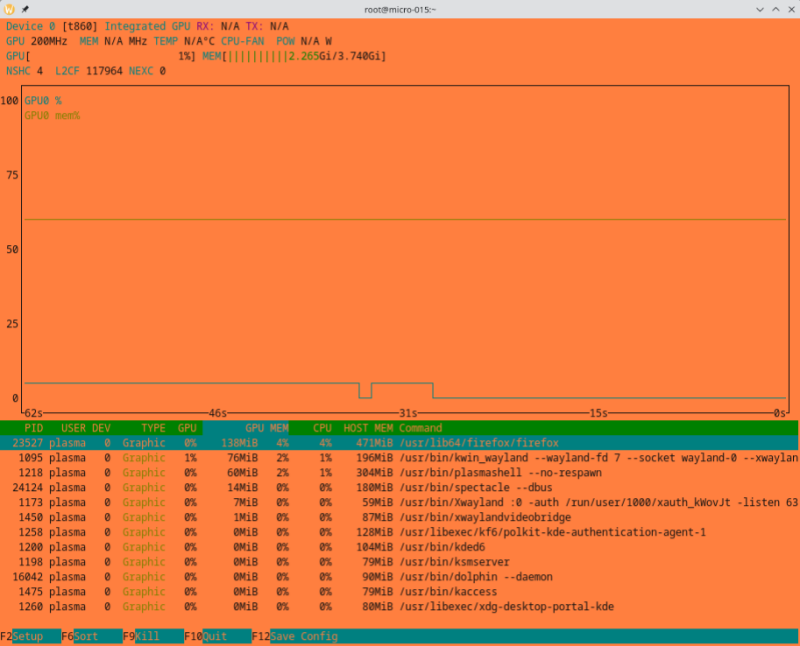
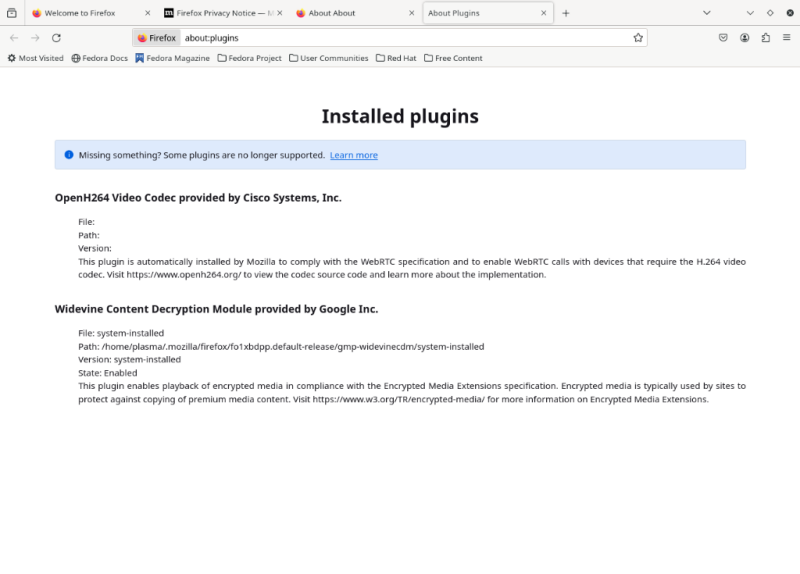
The output of Code "MOZ_GFX_DEBUG=1 MOZ_LOG="PlatformDecoderModule:5" firefox" tells me a different story, see firefox-nanopc-t4.txt for reference. If you don't perform any actions with the graphical UI, nvtop confirms very nicely how the GPU and CPU are idle while Firefox plays a video using the VPU: And this is also nice to have: The VPU support of rk356x still lacks rkvdec2 support, but the Hantro decoder is already quite compliant, while the support of gstreamer and FFmpeg decoders is on pair. See fluster-run-odroid-m1-summary.txt for reference. So a lot is already happening. And all this despite the fact that the distribution of my choice doesn't support any of my devices (not even unofficially). It's all pure mainline, with the exception of the FFmpeg package, which I had to rebuild because the request API support isn't available out-of-the-box there yet. firefox-nanopc-t4.txt fluster-run-odroid-m1-summary.txt
-

RK3399 DWC3 USB3.0 driver failed after recent kernel update
usual user replied to winnt5's topic in Rockchip
FWIW, I've moved to 6.7.0.rc2 and the mainline USB regression can no longer be observed: /: Bus 08.Port 1: Dev 1, Class=root_hub, Driver=ehci-platform/1p, 480M /: Bus 07.Port 1: Dev 1, Class=root_hub, Driver=ohci-platform/1p, 12M |__ Port 1: Dev 2, If 0, Class=Human Interface Device, Driver=usbhid, 1.5M |__ Port 1: Dev 2, If 1, Class=Human Interface Device, Driver=usbhid, 1.5M /: Bus 06.Port 1: Dev 1, Class=root_hub, Driver=xhci-hcd/1p, 5000M |__ Port 1: Dev 2, If 0, Class=Hub, Driver=hub/4p, 5000M |__ Port 4: Dev 3, If 0, Class=Mass Storage, Driver=usb-storage, 5000M /: Bus 05.Port 1: Dev 1, Class=root_hub, Driver=xhci-hcd/1p, 480M |__ Port 1: Dev 2, If 0, Class=Hub, Driver=hub/4p, 480M |__ Port 1: Dev 5, If 0, Class=Vendor Specific Class, Driver=ftdi_sio, 12M |__ Port 2: Dev 6, If 0, Class=Vendor Specific Class, Driver=ftdi_sio, 12M /: Bus 04.Port 1: Dev 1, Class=root_hub, Driver=ohci-platform/1p, 12M /: Bus 03.Port 1: Dev 1, Class=root_hub, Driver=ehci-platform/1p, 480M /: Bus 02.Port 1: Dev 1, Class=root_hub, Driver=xhci-hcd/1p, 5000M |__ Port 1: Dev 2, If 0, Class=Mass Storage, Driver=uas, 5000M /: Bus 01.Port 1: Dev 1, Class=root_hub, Driver=xhci-hcd/1p, 480M But new toys in town to play with: -
Just out of curiosity, does this firmware build work? For a test it is sufficient to put it on an otherwise empty microSD card and old the SPI recovery button (RCY) while powering up. No modifications are necessary to the existing system.
-
This is also a valid way to confirm that the problem is a matter of configuration in the boot process. While this solution does not provide insight into the true cause, it is legitimate. Since Armbian doesn't change the basic structure of the base distribution used, but only improves the device support, the root cause isn't even Armbian's fault. The developed solution for the operation of the OLED, on the other hand, is exactly within the core competence of Armbian and should be integrated into the build system for general out-of-the-box use. This is exactly the contribution you can make to give something back for the contributions that other community members have contributed and that you can use for free. This is the only way the Armbian project can grow, there are already enough users who just take and expect that their special requests will be implemented without their involvement free of charge. In a community driven project, you pay through your own contributions. Contributing nothing is a good prerequisite for being ignored in the future if you ask for support again.
-
I still have an idea for an experiment with your problem: - Blacklist the OLED display driver module so it get not autoloaded at system start I do it e.g. this way: echo blacklist ssd130x-i2c > /etc/modprobe.d/ssd130x-i2c-blacklist.conf But I don't know if it works the same way in an Armbian system. - Boot the system without the HDMI monitor connected - When the boot process is complete, i.e. all automatic graphical console device mappings are complete, modprobe explicit the OLED display driver module - Report if fbcon is no longer binding to the framebuffer device provided by the OLED driver If this works, it might serve as a workaround, because I'm not sure if the Armbian configuration framework can handle two separate graphic cards. But I'm happy to be taught better by an Armbian insider. Oh, by the way, this is not a specific ODROID-M1 problem nor is it special because the display driver uses the i2c interface. It is a general matter to support several grahic cards at the same time, it doesn't matter which interface they use to communicate. The same would happen, for example, if an additional graphics card is used, which is connected via USB adapter. This allows you to find solutions from anywhere and then learn how to configure them in Armbian for its automatisms.
-
Odroid M1 I2C not detecting external device
usual user replied to Sebastien Motala's topic in Odroid M1
Nice to hear, then I can issue my invoice now 😉 It is now your task to make my contributed knowledge easily available to all Armbian users. Prepare a PR so that my used overlay (which was applied to my provided DTB) will be included in the Armbian build system. And while you're at it, include this one (also applied to my provided DTB by default) as well. It simplifies GPIO handling and connector pinout identification immensely. If I am correctly informed, they have even simplified the overlay integration into the build system. All you have to do is make the overlay source available in an appropriate directory. To do this, I have attached the sources of both overlays to this post. Repairing the pinctrl in the base DTB is not that easy, for this you have to apply the attached patch to the board DTS and rebuild the base DTB. This is necessary so that the correct code artifacts can be integrated into the DTB, this cannot be corrected in a reasonable way with an overlay. And don't forget, you'll reap a lot of Armbian users who will be grateful for your contribution. Not to mention the fact that your desired functionality will be available out-of-the-box to everyone in the future. I'm guessing you only have the OLED display driver loaded in your system and no additional other. This then provides /dev/fb0, which in turn is assigned /dev/tty1 by the system. Usually, the console is also assigned to /dev/tty1 by default. I don't know the system you're using, but I always configure the console mapping with the kernel command line (/proc/cmdline). rk3568-odroid-m1-con1.dtsork3568-odroid-m1-lk-oled1.dtsospecify-pinctrl-for-i2c3-adapter-on-ODROID-M1.patch -
Odroid M1 I2C not detecting external device
usual user replied to Sebastien Motala's topic in Odroid M1
That was a good question. While researching the answer, I noticed that the basic DTB wires the i2c functionality to pads that are inaccessible on this device. After appropriate correction, the i2c functionality is now available on the documented pins of the board. I plugged in my LK-OLED1 display and it works as expected: # i2cdetect -y 0 0 1 2 3 4 5 6 7 8 9 a b c d e f 00: -- -- -- -- -- -- -- -- 10: -- -- -- -- -- -- -- -- -- -- -- -- -- -- -- -- 20: -- -- -- -- -- -- -- -- -- -- -- -- -- -- -- -- 30: -- -- -- -- -- -- -- -- -- -- -- -- UU -- -- -- 40: -- -- -- -- -- -- -- -- -- -- -- -- -- -- -- -- 50: -- -- -- -- -- -- -- -- -- -- -- -- -- -- -- -- 60: -- -- -- -- -- -- -- -- -- -- -- -- -- -- -- -- 70: -- -- -- -- -- -- -- -- I re-uploaded the corrected DTB in the previous post. Please download the DTB again to replace the wrong one. -
Odroid M1 I2C not detecting external device
usual user replied to Sebastien Motala's topic in Odroid M1
- backup your existing rk3568-odroid-m1.dtb - replace /boot/dtb/rockchip/rk3568-odroid-m1.dtb with the provided DTB - disable all currently applied overlays (the provided DTB has everything already wired up) - reboot and post the output of: # i2cdetect -y 0 rk3568-odroid-m1.dtb -
Odroid M1 I2C not detecting external device
usual user replied to Sebastien Motala's topic in Odroid M1
I don't know what that overlay wires up but with proper wired DT you should get this: # i2cdetect -l i2c-0 i2c rk3x-i2c I2C adapter i2c-3 i2c rk3x-i2c I2C adapter i2c-6 i2c DesignWare HDMI I2C adapter -
Odroid M1 I2C not detecting external device
usual user replied to Sebastien Motala's topic in Odroid M1
The IOs of the expansion connector are multifunction IOs, so the deault configuration does not necessarily correspond to your use case. How did you wire up the corresponding i2c bus in DT? -
To build ffmpeg with the request API, you usually only need the additional commits that Jernej provides.
-
You're probably running the same DTB without a properly wired thermal-zones.