


Hqnicolas
-
Posts
710 -
Joined
-
Last visited
Content Type
Forums
Store
Crowdfunding
Applications
Events
Raffles
Community Map
Everything posted by Hqnicolas
-
 Java folder inside, please don't use it. Read before: https://github.com/DesktopECHO/T95-H616-Malware
 -
Searching for testpoint for the MX10-L TVstick
Hqnicolas replied to benabed brahim's topic in Allwinner CPU Boxes
Please move to Allwinner https://forum.armbian.com/topic/56539-how-to-install-armbian-on-mx10-f3-tv-stick/ https://xdaforums.com/t/how-to-use-otg-in-twrp.3097688/ -
Mainline?
-
Efforts to develop firmware for H96 MAX V56 RK3566 8G/64G
Hqnicolas replied to Hqnicolas's topic in Rockchip CPU Boxes
Not necessary, thats the same module from legacy board. This comes from the mainline Linux support for the RK3566, not specifically from the board data. Don't trust your data under any circumstances to this EMMC. Keep your data away from this device. -
@Ovaday First of all, thank you for the initiative. This repository contains the files that will be used as example to enable your board in Armbian: https://github.com/hqnicolas/ArmBoardBringUp The example file you're referring to is this one: https://github.com/hqnicolas/ArmBoardBringUp/blob/main/config/boards/h96-tvbox-3566.tvb The boot settings you should use may vary considerably from this reference, but your device will need a configured bootloader. https://github.com/hqnicolas/ArmBoardBringUp/tree/main/patch/u-boot/v2026.04/board_h96-tvbox-3566 You will need to focus on the new kernels like: https://github.com/hqnicolas/ArmBoardBringUp/tree/main/patch/kernel/archive/rockchip64-7.1/dt The repository you need to interact with to include these files is this one: https://github.com/armbian/build You need to validate everything before publishing, so do some hard work using this compiler: https://docs.armbian.com/Developer-Guide_Overview/
-
Efforts to develop firmware for H96 MAX V56 RK3566 8G/64G
Hqnicolas replied to Hqnicolas's topic in Rockchip CPU Boxes
These Chinese people are very creative. I never imagined seeing a TV box with a SATA port. @Astlin You will need to interact with the .dts file to build a .dtb file with this capability. Before taking any action, check if your board is not from this other JP-Box project. https://github.com/armbian/build/blob/main/patch/kernel/archive/rockchip64-7.1/dt/rk3566-jp-tvbox.dts The topic you should interact with is this one here: https://forum.armbian.com/topic/31887-jianpian-rk3566-tv-box-8g32g-develop-log/#comment-175700 I don't actually have access to the JP-box @Astlin. If you are using the H96 max RK3566 firmware, the SATA port may not be enabled, but you can enable kernel changes within the Armbian compilation menu and insert your changes into the board's DTS file. https://github.com/armbian/build/blob/main/patch/kernel/archive/rockchip64-7.1/dt/rk3566-h96-tvbox.dts I believe the person responsible for this sign is @tdleiyao @ning have tested our DTB file on JianPian device https://github.com/armbian/build/blob/main/config/boards/jp-tvbox-3566.tvb If you have time, we can update the JP-box project in the correct topic. https://forum.armbian.com/topic/31887-jianpian-rk3566-tv-box-8g32g-develop-log/#comment-175700 I have maintained a sample repository with the necessary data to enable RK3566 cards in Armbian. https://github.com/hqnicolas/ArmBoardBringUp The reason JP-box isn't working is that it was enabled in kernel 6.6, and we're already on 7.1, nobody updates this since then. You can use the H96 modifications as start point. this modifications apply to the JP-box, but some functions, such as the SATA port, require customization. -
Efforts to develop firmware for H96 MAX V56 RK3566 4G/32G
Hqnicolas replied to Hqnicolas's topic in Rockchip CPU Boxes
for NPU if you can't run it on armbian using the rockchip vendor kernel, you can use the Joshua: https://github.com/hqnicolas/ubuntu-rockchip-joshua/tree/h96-max-v56-board-add -
thanks @Arthur Gu, I will test and include into a PR to armbian tested on 6.18.32-current-rockchip64 https://paste.armbian.com/ekupotacut ok, I find your PR: https://github.com/armbian/build/pull/9832 will apply the instructions to a new PR https://github.com/armbian/build/pull/9877 tested on 7.0.9-edge-rockchip64 https://paste.armbian.com/amimofemog
-
This is a work-in-progress resource for bare-metal bringup for Rockchip devices. Source code: https://github.com/petabyt/rk https://danielc.dev/rk/
-
Testing Kernel 7, Buiding new images inside docker on 24.04 ubuntu x86 sudo apt update sudo apt install -y qemu-user-static binfmt-support sudo systemctl restart systemd-binfmt update-binfmts --display qemu-aarch64 docker run --privileged --rm tonistiigi/binfmt --install all docker run --rm --platform linux/arm64 arm64v8/ubuntu uname -m git clone https://github.com/armbian/build.git cd build newgrp docker ./compile.sh docker-shell ./compile.sh BOARD=yy3568 BRANCH=current BUILD_DESKTOP=yes BUILD_MINIMAL=no DESKTOP_ENVIRONMENT=gnome DESKTOP_TIER=mid KERNEL_CONFIGURE=no RELEASE=resolute
-
Efforts to develop firmware for H96 MAX V56 RK3566 8G/64G
Hqnicolas replied to Hqnicolas's topic in Rockchip CPU Boxes
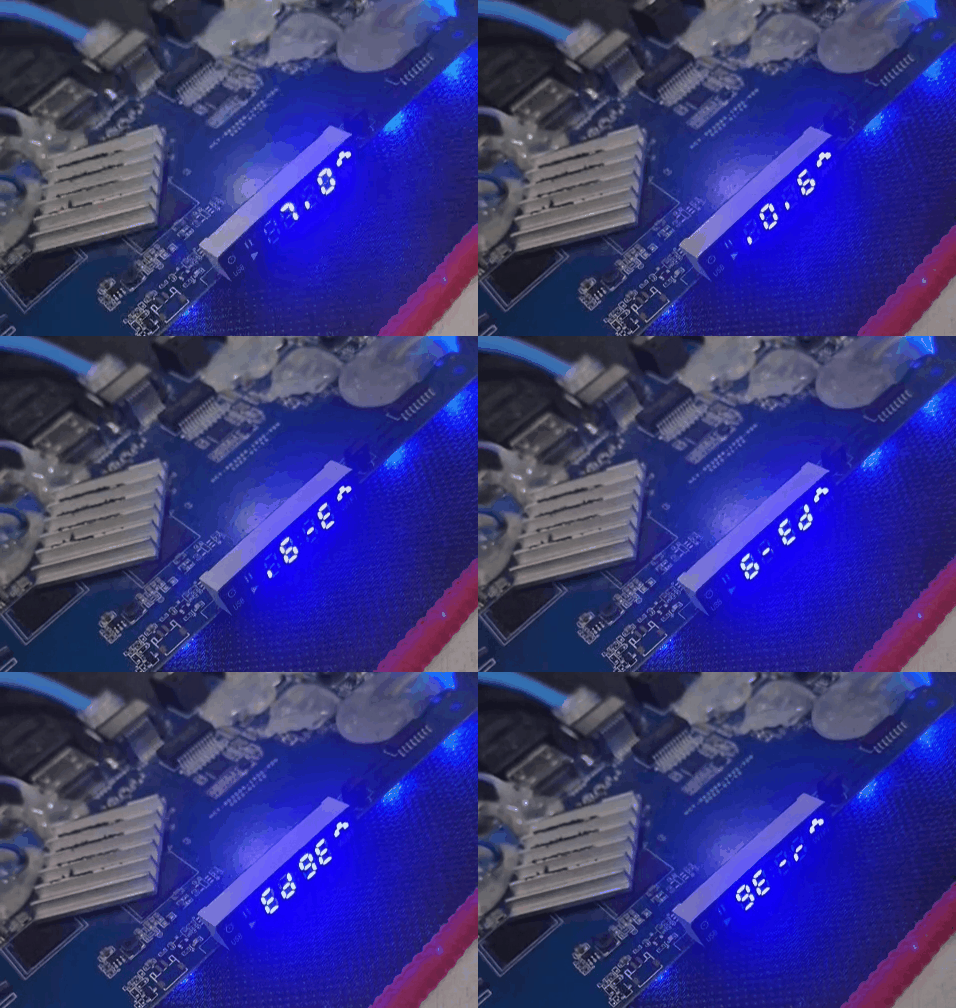
Bump to uboot 2026.04 tested with kernel 7.0.5 no mods, just pure mainline Boot Logs: https://paste.armbian.com/ujumalanuc Github Pull request: https://github.com/armbian/build/pull/9807 Tested with kernel 7.0.6 Boot Logs: https://paste.armbian.com/jabokoqusa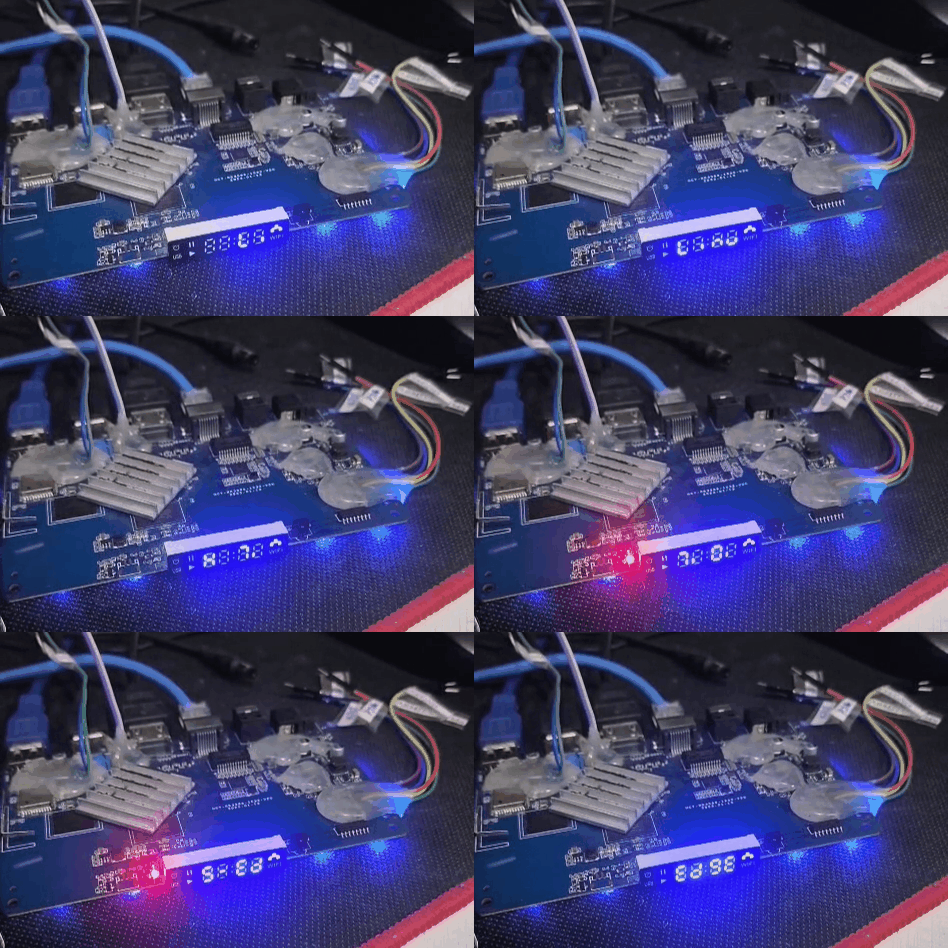
-
@Gwainer If you haven't bought a TV box yet, stay where you are. Direct your resources to supporting companies that keep open source running. Here is a list of where you should spend your resources. https://armbian.com/partners
-
Efforts to develop firmware for H96 MAX V56 RK3566 8G/64G
Hqnicolas replied to Hqnicolas's topic in Rockchip CPU Boxes
somehow I'm in troble to run the armbian build into 24.04 localhost. cd build ./compile.sh BOARD=h96-tvbox-3566 BRANCH=edge BUILD_DESKTOP=no BUILD_MINIMAL=yes KERNEL_CONFIGURE=no RELEASE=resolute [💥] Problem detected [ Docker installed but not usable ] [💥] Exiting in 10 seconds [ Press <Ctrl-C> to abort, <Enter> to ignore and continue ] [🔨] E: Unable to correct problems, you have held broken packages. [💥] error! [ Failed to install host packages; make sure you have a sane sources.list. ] [💥] Exiting with error 43 [ at /home/nicolas/Downloads/build/lib/functions/logging/traps.sh:1 so let's try docker, cd build ./compile.sh docker BOARD=h96-tvbox-3566 BRANCH=edge BUILD_DESKTOP=no BUILD_MINIMAL=yes KERNEL_CONFIGURE=no RELEASE=resolute then also docker: Failed to update binfmts [ update-binfmts --enable qemu-aarch64 ] ... arm64: not supported on this machine/kernel how to fix: sudo apt update sudo apt install -y qemu-user-static binfmt-support sudo systemctl restart systemd-binfmt update-binfmts --display qemu-aarch64 docker run --privileged --rm tonistiigi/binfmt --install all docker run --rm --platform linux/arm64 arm64v8/ubuntu uname -m now, run the build inside the docker shell: cd build newgrp docker ./compile.sh docker-shell ./compile.sh BOARD=h96-tvbox-3566 BRANCH=edge BUILD_DESKTOP=no BUILD_MINIMAL=yes KERNEL_CONFIGURE=no RELEASE=resolute Now let's prepare this board for kernel 7 -
Efforts to develop firmware for H96 MAX M9 RK3576 TV Box 8G/128G
Hqnicolas replied to Hqnicolas's topic in Rockchip CPU Boxes
to be able to help you, I need you to run: sudo armbianmonitor -u This collects system logs, including the last 250 lines of dmesg, and provides a URL to a pasteboard for easy sharing with the community for help. -
Find a board similar to yours and make the necessary adaptations. and on Linux Rockchip: So we can do an shutuo-v8-rk3288 compatible: many times in mainline you can do some tricks like disabling all usb
-
Efforts to develop firmware for H96 MAX V56 RK3566 8G/64G
Hqnicolas replied to Hqnicolas's topic in Rockchip CPU Boxes
I need you to understand something very important: the manufacturer is infecting the boards with Java botnet software. All the software you should use is developed by the Armbian community. Welcome to the Armbian community! Now that you are a member, you must develop software that schedules the board's power-on. -
Efforts to develop firmware for H96 MAX V56 RK3566 4G/32G
Hqnicolas replied to Hqnicolas's topic in Rockchip CPU Boxes
Salve Marcão, did you try this method? https://github.com/armbian/community/releases/ https://forum.armbian.com/topic/28895-efforts-to-develop-firmware-for-h96-max-v56-rk3566-8g64g/page/8/#findComment-187569 -
Efforts to develop firmware for H96 MAX M9 RK3576 TV Box 8G/128G
Hqnicolas replied to Hqnicolas's topic in Rockchip CPU Boxes
There's no armbian community image available to this device, don't flash images from other users, you will need to build your images, for tv-box it's all at your own risk, build your armbian image by applying this custom files use this DTS -
You need to clear the EMMC and flash the bootloader an easy way to do it, just flash the android update image, it will flash the bootloader. if you are making experiments with this board use this bootloader
-
Efforts to develop firmware for H96 MAX V56 RK3566 8G/64G
Hqnicolas replied to Hqnicolas's topic in Rockchip CPU Boxes
I think this is the First version of this board, please use the official release for this https://github.com/armbian/community/releases/ if it doesn't work https://forum.armbian.com/topic/28895-efforts-to-develop-firmware-for-h96-max-v56-rk3566-8g64g/#findComment-183131 ask @Evgenii Egorenko -
Efforts to develop firmware for Vontar KK Max 8gb/128gb"
Hqnicolas replied to gersones's topic in Rockchip CPU Boxes
That's advanced as hell for build, but you can use any Rockchip SDK to make it, Some factoryes share the SDK online Some don't you will just compile a copy of the same file that you can find in the android image -
Efforts to develop firmware for H96 MAX M9 RK3576 TV Box 8G/128G
Hqnicolas replied to Hqnicolas's topic in Rockchip CPU Boxes
It works with this old drivers in windows. CP2102 doesn't reach high baud rates in linux. Baud rate: 1500000 Data bit: 8 Stop bit: 1 Parity check: none Flow control: none ☑️ CP2104 TTL Tested the original one! ☑️ CP2102 TTL Tested the chinese fake one! with this Driver -
Some of the Board manufacturers SDK's broke due to a deleted repository; looks like someone's having a rough end to the year.
-
I was working with OpenHD when it was taken down by GitHub. There's something we should be concerned about here in the rockchip section of armbian? Original Post: https://github.com/github/dmca/blob/master/2025/12/2025-12-18-ffmpeg.md Identify only the specific file URLs within the repository that is infringing: https://github.com/rockchip-linux/mpp/blob/develop/mpp/codec/dec/av1/av1d_codec.h https://github.com/rockchip-linux/mpp/blob/develop/mpp/codec/dec/av1/av1d_cbs.c https://github.com/rockchip-linux/mpp/blob/develop/mpp/codec/dec/av1/av1d_cbs.h https://github.com/rockchip-linux/mpp/blob/develop/mpp/codec/dec/av1/av1d_parser2_syntax.c https://github.com/rockchip-linux/mpp/blob/develop/mpp/codec/dec/h265/h265d_codec.h https://github.com/rockchip-linux/mpp/blob/develop/mpp/codec/dec/h265/h265d_parser.c https://github.com/rockchip-linux/mpp/blob/develop/mpp/codec/dec/h265/h265d_ps.c https://github.com/rockchip-linux/mpp/blob/develop/mpp/codec/dec/vp9/vp9d_codec.h https://github.com/rockchip-linux/mpp/blob/develop/mpp/codec/dec/vp9/vp9d_parser.c https://github.com/rockchip-linux/mpp/blob/develop/mpp/codec/dec/vp9/vp9data.h https://github.com/rockchip-linux/mpp/blob/develop/mpp/codec/dec/vp9/vpx_rac.c https://github.com/rockchip-linux/mpp/blob/develop/mpp/codec/dec/vp9/vpx_rac.h
-
20USD 4GRAM RK3528 host (cheap dq08 tvbox)
Hqnicolas replied to fensoft's topic in Rockchip CPU Boxes
Please STOP installing android Stock ROM's in this devices It's full of malware https://www.youtube.com/watch?v=1vpepaQ-VQQ There's no malware, but you need to review all the code before using it. We're talking about Linux, the code is there, review it, don't trust it.