Active threads
Showing topics posted in for the last 365 days.
- Past hour
-
 Update — Working fix available I've got eMMC detection working on my Radxa Zero 3W with Armbian Trixie (vendor kernel 6.1.115, SD card boot). The fix uses a device tree overlay to inject the missing voltage regulators, pinctrl references, and eMMC capabilities into the base DTB, combined with a small systemd service that rebinds the SDHCI driver to work around a deferred probe timing issue. After applying, the eMMC is detected as expected: mmc0: new HS200 MMC card at address 0001 mmcblk0: mmc0:0001 8GTF4R 7.28 GiB armbian-install works normally after that to migrate to eMMC boot. The rebind service is conditionally skipped when booting from eMMC so it doesn't interfere. I've attached a zip with all the files. The README.md inside has the full details — root cause analysis, what was tried and failed (including full DTB recompile), how the fix works, installation/verification/revert steps, and known limitations (the pinctrl phandle values are specific to this kernel build). I still working on a version that does not need the rebind service for sd cards. but for now you need the rebind on the sd card to get it to find the EMMC so you can install. emmc-fix.zip
 - Today
-
 I also saw that both apt and beta repo's do not contain recent rockchip64 kernels at the moment. There is only a recent generic arm64 one. So it is not only my rock3a, also my nanopi-r6c would be affected, but I use own/other/vendor kernels as well, so specific 6.18.8 is not an issue for me. I use extlinux or grub to select a certain kernel (6.19 flavor on nanopi-r6c for example). For my rock3a, I need vendor kernel, but if you use mainline based, you could use standard Debian backports kernel: https://packages.debian.org/trixie-backports/linux-image-arm64 You need to get the .dtb manually and I just assume most features are supported when the rock3a has mainline U-Boot in SPI. You need of course add that to sources.list and specifically select it. You could also use Armbian build framwork to build a 6.18.x yourself, you will also get a header files package then. For Debian14 I see there is: /usr/lib/linux-image-6.18.15+deb14-arm64/rockchip/rk3568-rock-3a.dtb But as indicated, this is total DIY, I have not tested it. I only know that on rock5b I could run standard distro since quite some months, but use 6.1.115 vendor one as I need all RK3588 HW to work.
 -

warm reboot fails to boot (boot device not found)
pquiring replied to Peter Quiring's topic in Libre Sweet Potato
Ok, after doing more tests the issue was the boot switch on the board. It must be switched to boot from SD/eMMC and not SPI (BIOS). Then reboot works fine. -

Armbian with preinstalled Home Assistant supervised
Werner replied to Igor's topic in Software, Applications, Userspace
ha extension is not a part of the framework. Copy from here https://github.com/armbian/os/tree/main/userpatches/extensions -
If you’re thinking about running Armbian on the OnePlus 8T, basic functionality like calls, SMS, and mobile data will really depend on how well the device drivers are supported in the current build. From what most community discussions suggest, Wi-Fi and some hardware features may work, but cellular, camera, and other components can still be hit-or-miss compared to more mature options like Sailfish OS or Ubuntu Touch on officially supported devices. It’s a good idea to check active developer threads and user reports before installing.
-
Hi @maxsub, two annotations. Firstly, it's not the Wifi driver but the firmware. Thus echo "options bcmdhd firmware_path=brcm/ nvram_path=brcm/" > /etc/modprobe.d/orangepirv2.conf will get you going. And secondly no, there is no GPU change currently. GPU not working in "current" but may work with dirty tricks using "legacy". That's why it may pay to do some maintenance on the ancient 6.6 kernel.
-
Ah I didn't know about that. I just created a systemd service that runs cpupower at boot.
-
@Morales Morales
- Yesterday
-

OrangePi 5 Pro need help booting into nvme
Water Sprayer replied to Fabricio Martínez Tamayo's topic in Rockchip
Read post on October 27 2024 Worked for me but with a couple extra steps burn .iso cfcard boot into device dd mmblk to nvme edit UUID for nvme -- Request new UUID for NVME (when dd I had the same UUID for cf card and nvme) edit orangpiEnv.txt in the armbian-config /System/Kernel/Edit Boot Env and apply the new UUID to the rootdev="New UUID" Edit fstab to add this line: /dev/mmcblk1p1 /boot vfat defaults 0 2 itd -
Issues for the actual image (no UI): no HDMI; Ethernet got address with DHCP, but cannot connect with SSH, even ping (ICMP) is not stable. Wifi works fine. The board is OK - tested with official debian image.
-
 i also added a hp now: https://langerma.github.io/dumpstore/
 -
I am extremely excited! This really worked! Successfully booted into the system from NVMe! Thx!!!! 😘😘
-
UPDATE I was able to figure out what was happening. The board initially boots with the LEDs enabled. Because of this, applying the device tree overlay alone did not seem to disable them, even across reboots. However, after manually turning the LEDs off once using: echo 0 | tee /sys/class/leds/blue_led/brightness echo 0 | tee /sys/class/leds/green_led/brightness and then enabling the overlay, the LEDs remained disabled, and the overlay appeared to work as expected. So it seems the LEDs needed to be turned off once manually before the overlay behaviour became consistent. Everything now works as intended. It appears that when overlay_prefix is either not defined or is empty, the system behaves unexpectedly during overlay lookup. In such cases, the loader seems to attempt resolving overlays starting with -, rather than correctly resolving the overlay name.
-
Related to Again, you are using the wrong image. You cannot assume an image for the opi5+ works for the opi5b. Those are different boards.
-
wrong image. you cannot simply use an image for board X and assume it works on board Y
- Last week
-
Can someone pull request this to have it working myself as well please?
-
I managed to disable heartbeat. I am running HA based on debian trixie and my it was only led i could change to off echo 0 | sudo tee /sys/class/leds/state-led/brightness
-
I can't install mpd on Armbian v26.2 rolling for NanoPi Air running Armbian Linux 6.12.76-current-sunxi Packages: Ubuntu stable (noble) user@nanopiair:~$ sudo apt install mpd Reading package lists... Done Building dependency tree... Done Reading state information... Done Some packages could not be installed. This may mean that you have requested an impossible situation or if you are using the unstable distribution that some required packages have not yet been created or been moved out of Incoming. The following information may help to resolve the situation: The following packages have unmet dependencies: mpd : Depends: libavcodec61 (>= 7:7.0) but it is not installable Depends: libavfilter10 (>= 7:7.0) but it is not installable Depends: libavformat61 (>= 7:7.0) but it is not installable Depends: libavutil59 (>= 7:7.0) but it is not installable Depends: libflac14 (>= 1.5.0) but it is not installable Depends: libfmt10 (>= 10.1.1+ds1) but it is not installable Depends: libicu76 (>= 76.1-1~) but it is not installable Depends: libiso9660-12 (>= 2.2.0) but it is not installable Depends: libsidplayfp6 (>= 2.12.0) but it is not going to be installed Depends: libjs-sphinxdoc (>= 8.1) but it is not going to be installed Depends: sphinx-rtd-theme-common (>= 3.0.2+dfsg) but it is not going to be installed E: Unable to correct problems, you have held broken packages. What is the issue with missing packages ? Edit: Solved by adding trixie repositories.
-

Vontar KK MAX / HK1 RBOX R2 / R3 - RK3566 4GB/32GB(or 64GB)
Deoptim replied to Deoptim's topic in Rockchip CPU Boxes
Continuing to dig into this. Updated the Armbian images - available via the same links above (md5sum mismatch): How to add the module to an already working system (so you don't have to reinstall from scratch): 1. Download the archive ws2801-1.0.tar.gz with the dkms source code for the ws2801 module. 2. Extract the source folder to /usr/src/ : sudo tar -xzvf ~/ws2801-1.0.tar.gz -C /usr/src/ (here ~/ is the /home directory of my user) 3. Install the module step-by-step via dkms: sudo dkms add ws2801/1.0 sudo dkms build ws2801/1.0 sudo dkms install ws2801/1.0 4. To avoid rebooting, you can load the module immediately: sudo modprobe ws2801 By default, Red should start blinking as a "heartbeat" trigger. Description of dts and demo: -

NanoPi Neo2 V1.1 / how to control OTG port power with GPIO 354?
mdrmdr replied to mdrmdr's topic in Allwinner sunxi
A long time ago, that I started the question, but a few days ago, I started again to solve it. And with the help of several AI, I found a working solution. This is the working overlay: /dts-v1/; /plugin/; /* * NanoPI Neo2 H5 - OTG USB with switchable VBUS * Allows SD-Card as USB device on OTG port with GPIO-controlled power * * Key points: * - fragment 0: dr_mode "otg" enables dual-role (host+device detection) * - fragment 1: Removing usb0_id_det-gpios prevents "External vbus detected" error * - fragment 2: Removing gpio property from regulator keeps GPIO 354 (PR2) free for manual control * - fragment 3: GPIO 354 is controlled via usb.sh script (echo 1/0 to /sys/class/gpio/gpio354/value) * * GPIO 354 (PR2) state: * 1 = VBUS ON (USB device recognized) * 0 = VBUS OFF (USB device disconnected) */ / { compatible = "allwinner,sun50i-h5"; fragment@0 { target = <&usb_otg>; __overlay__ { dr_mode = "otg"; status = "okay"; }; }; fragment@1 { target = <&usbphy>; __overlay__ { usb0_id_det-gpios; }; }; fragment@2 { target-path = "/usb0-vbus"; __overlay__ { gpio; status = "okay"; }; }; fragment@3 { target = <&r_pio>; __overlay__ { usb0_vbus_pin: usb0_vbus_pin { pins = "PR2"; function = "gpio_out"; output-high; }; }; }; }; This allows the standard GPIO controls using sysfs in /sys/class/gpio. I'm using the kernel Linux nanopineo2 6.6.75-current-sunxi64 on Armbian 25.11.2 bookworm (32 bit userland). Hope this helps everybody trying to achive the same 😉 -

How to use OrangePi 5 Plus's NPU for Image Generation?
usual user replied to Johson's topic in Beginners
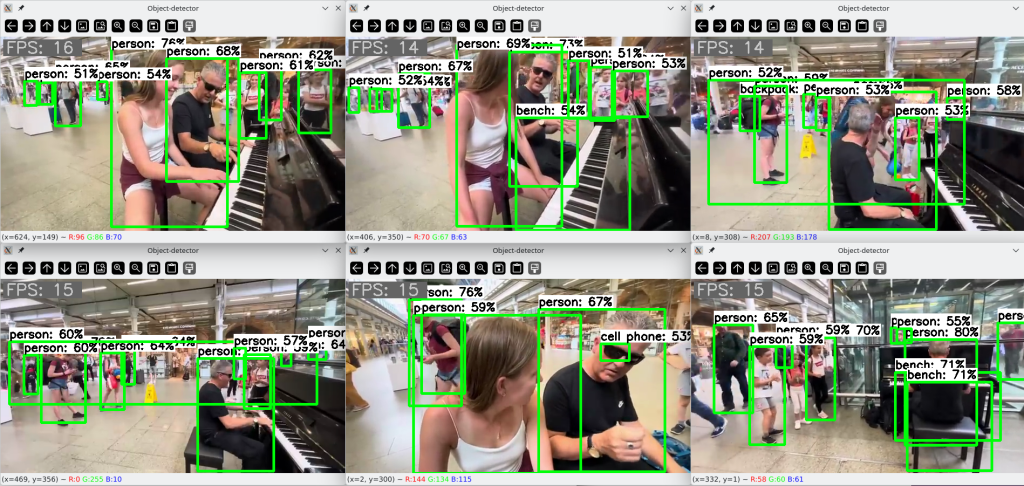
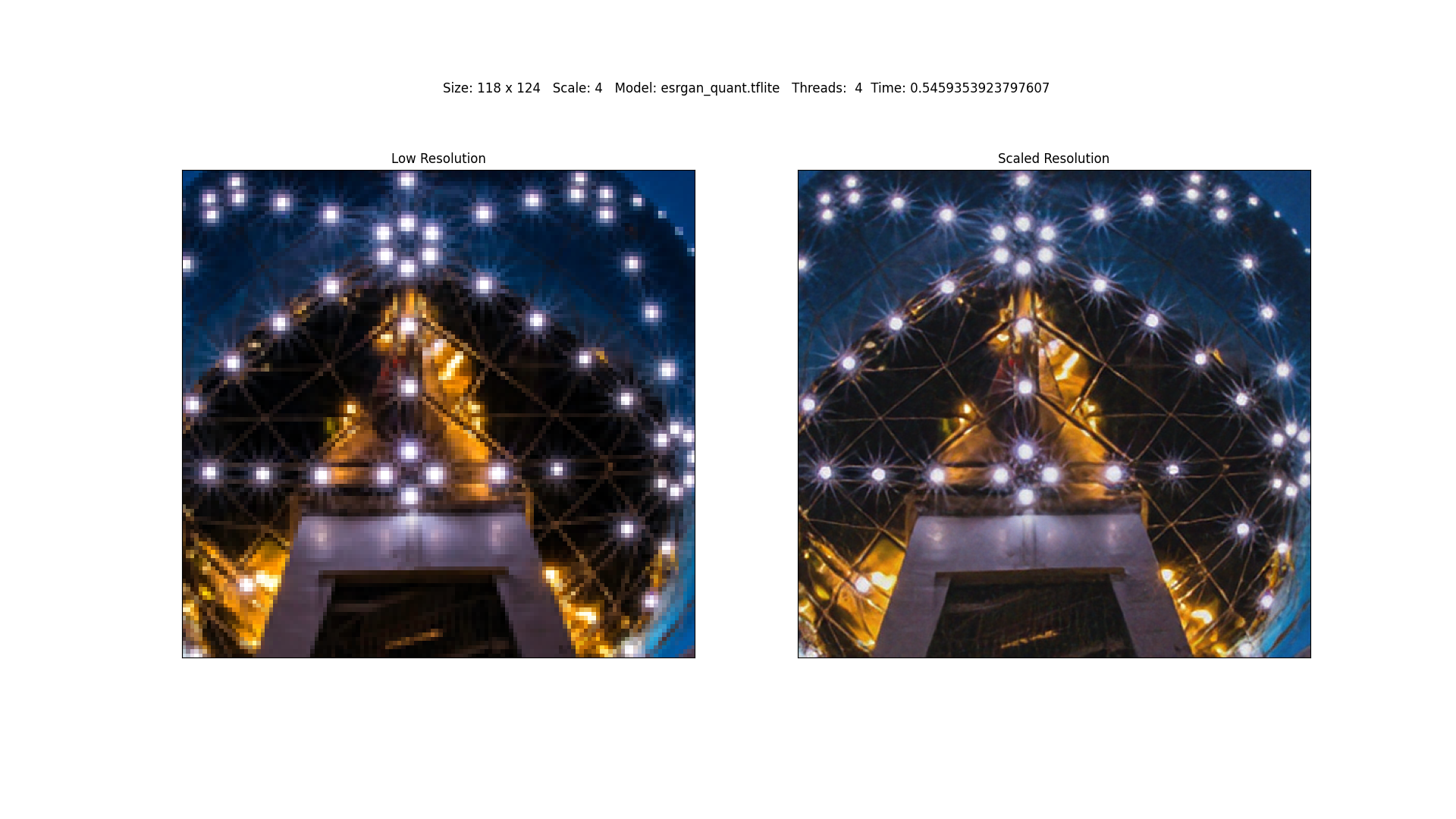
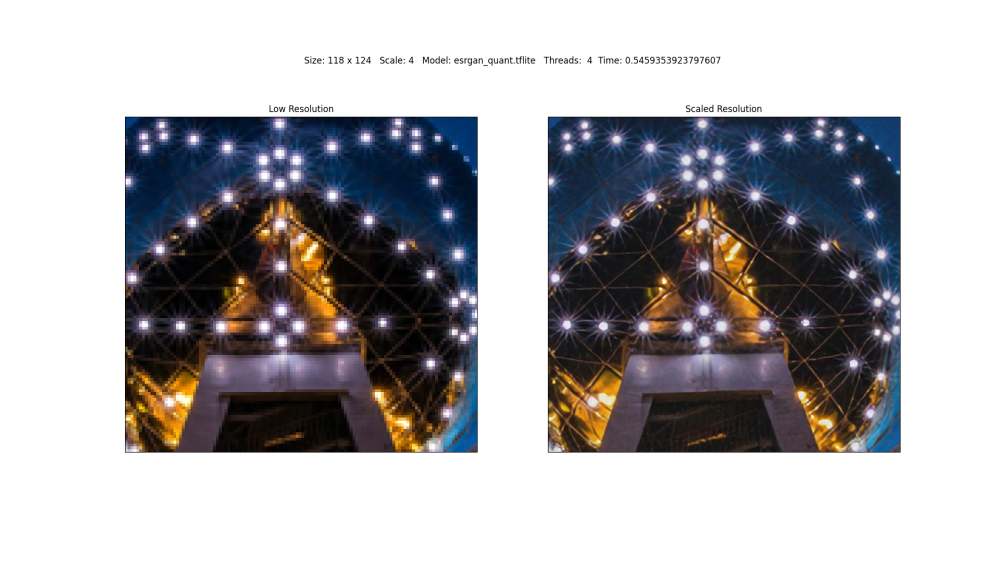
Since the hardware support for Rockchip SoCs in the mainline kernelis generally already very outstanding and their further development is also being actively pursued, I only have SBCs with integrated NPUs that are based on them. Among them are ODROID-M2, NanoPC-T6, and ROCK-5-ITX. But since the NPU is an integral part of the SoC, the board manufacturer and the design of the SBC are not necessarily of importance. As far as I understand, edge-class NPUs are best suited for computer vision tasks. I am therefore engaged in object detection: and super-resolution: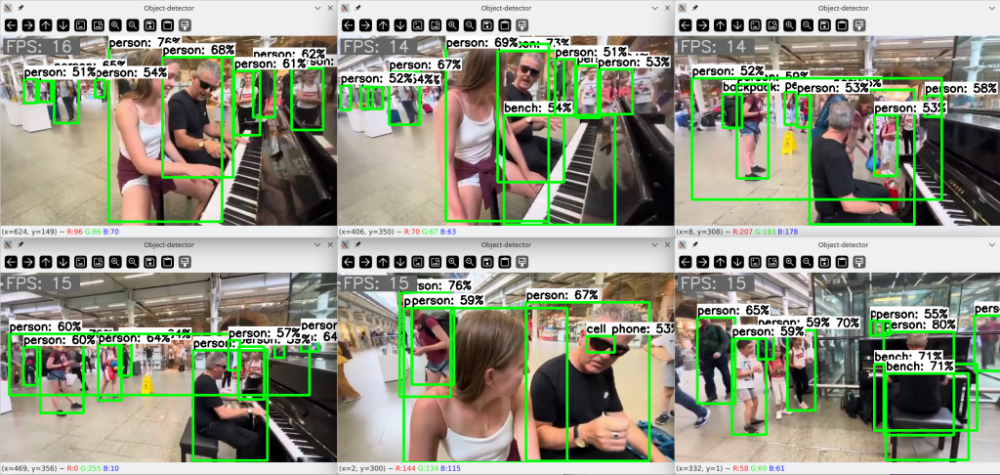
-
I'm having a problem with my Raspberry Pi 5, which I describe below. I have a DVR connected to it via Ethernet. If I connect both at the same time, dmesg reports a failure and I can't ping the DVR to establish a connection; I have to run `ifconfig eth0 down` and `ifconfig eth0 up`. Can anyone help or know if there's a bug in the kernel version? I'm using Ubuntu 22.04. jammy root:~# dmesg | grep eth0 [ 1.312167] macb 1f00100000.ethernet eth0: Cadence GEM rev 0x00070109 at 0x1f00100000 irq 108 (2c:cf:67:81:d6:2a) [ 3.237493] systemd[1]: Found device /sys/subsystem/net/devices/eth0. [ 3.453483] systemd[1]: Started ifup for eth0. [ 3.573655] macb 1f00100000.ethernet eth0: PHY [1f00100000.ethernet-ffffffff:01] driver [Broadcom BCM54213PE] (irq=POLL) [ 3.573668] macb 1f00100000.ethernet eth0: configuring for phy/rgmii-id link mode [ 6.441950] macb 1f00100000.ethernet eth0: Link is Up - 100Mbps/Full - flow control off [ 11.560707] macb 1f00100000.ethernet eth0: Link is Down [ 13.605678] macb 1f00100000.ethernet eth0: Link is Up - 100Mbps/Full - flow control off root:~# ping 192.168.200.201 PING 192.168.200.201 (192.168.200.201) 56(84) bytes of data. ^C --- 192.168.200.201 ping statistics --- 6 packets transmitted, 0 received, 100% packet loss, time 13305ms root:~# ifconfig eth0 down root:~# ifconfig eth0 up root:~# dmesg | grep eth0 [ 1.312167] macb 1f00100000.ethernet eth0: Cadence GEM rev 0x00070109 at 0x1f00100000 irq 108 (2c:cf:67:81:d6:2a) [ 3.237493] systemd[1]: Found device /sys/subsystem/net/devices/eth0. [ 3.453483] systemd[1]: Started ifup for eth0. [ 3.573655] macb 1f00100000.ethernet eth0: PHY [1f00100000.ethernet-ffffffff:01] driver [Broadcom BCM54213PE] (irq=POLL) [ 3.573668] macb 1f00100000.ethernet eth0: configuring for phy/rgmii-id link mode [ 6.441950] macb 1f00100000.ethernet eth0: Link is Up - 100Mbps/Full - flow control off [ 11.560707] macb 1f00100000.ethernet eth0: Link is Down [ 13.605678] macb 1f00100000.ethernet eth0: Link is Up - 100Mbps/Full - flow control off [ 147.034711] macb 1f00100000.ethernet eth0: Link is Down [ 151.855860] macb 1f00100000.ethernet eth0: PHY [1f00100000.ethernet-ffffffff:01] driver [Broadcom BCM54213PE] (irq=POLL) [ 151.855871] macb 1f00100000.ethernet eth0: configuring for phy/rgmii-id link mode [ 152.869842] macb 1f00100000.ethernet eth0: Link is Up - 100Mbps/Full - flow control off root:~# ping 192.168.200.201 PING 192.168.200.201 (192.168.200.201) 56(84) bytes of data. 64 bytes from 192.168.200.201: icmp_seq=1 ttl=64 time=1.01 ms 64 bytes from 192.168.200.201: icmp_seq=2 ttl=64 time=1.01 ms ^C --- 192.168.200.201 ping statistics --- 2 packets transmitted, 2 received, 0% packet loss, time 1001ms rtt min/avg/max/mdev = 1.007/1.007/1.007/0.000 ms
-
On RK3568 the Panfrost driver needs the clk-scmi kernel module to be loaded. But is not build in 6.18 / 6.19 otherwise we get [ 13.370681] panfrost fde60000.gpu: get clock failed -517 [ 13.370717] panfrost fde60000.gpu: clk init failed -517 [ 13.485723] panfrost fde60000.gpu: get clock failed -517 [ 13.485761] panfrost fde60000.gpu: clk init failed -517 [ 13.503876] panfrost fde60000.gpu: get clock failed -517 [ 13.503918] panfrost fde60000.gpu: clk init failed -517 Thanks !
-
use the images in this thread
-
 I started down this path and realized that the patches are applied to downloaded linux kernel source. Normally, the kernel source is "cleaned" even if the build fails. I then found the sakura pi github page and the page has more recent commit than the Rock-s0, incorporates the kernel.dtsi while adhering the the u-boot requirements for rockpi's. U-boot for Rockpi. I'd like to base my build on the more up-to-date code. The easist way to do this is set CLEAN_LEVEL="" but I'm running into issues with the patches in GitHub: Sakura-Pi failing to apply. Essentially, I would iike to have the patches apply, not necessarily build and have the files generated by the patches remain. I have a large dtb file, extracted from Sovol's OEM firmware, that I would like to copy/paste into the generated *.dtb file, rename the *csc file and the defconfig file, and then generate a patch against clean source. Conceptually, this should work and I'm suprised it is this difficult to generate a new board for an existing family. Alternatively, a script could generate a file from a highlited portion of a patch and generate a file. Or is is possbile to run ./compile.sh a step at a time? It would be helpful in this setting, very instructive about the process and would narrow down build failures. Am I on the right path? Any step-by-step examples and or links to helpful scripts?