Active threads
Showing topics posted in for the last 365 days.
- Past hour
-

Trying to boot Armbian on LinknLink iSG Box SE
Sancho replied to Sancho's topic in Rockchip CPU Boxes
Finally managed to restore the box to stock official Android firmware, everything works as expected. I also tested a firmware for the H96 Max M1, with this one the WiFi is not working, they seem to use a different wifi chip. Any recommendations on where to start with flashing Armbian on this device? - Today
-
OMV 8+ doesn't support 32bit architectures anymore (including Helios4). https://forum.openmediavault.org/index.php?thread/58798-helios4-omv-8/ Given it seems to be stuck on kernel 6.6, it does feel like it's on life support unfortunately.
-

networking in bpi-m5 with new 26.03.1 release.
gene1934 replied to gene1934's topic in Software, Applications, Userspace
which of course fails as nmtui it will not accept the dot separators in an ipv4 address needed to be entered in an ipv4 only situation. I'll repeat as I have said quite a few times already, that I, in weston wv, am at least 100 miles from ANY ipv6 enabled net access. There surely are some ipv6 in pittsburg pa., 150 miles north, maybe in Charleston, 100 miles south. I have battled this using armbian-config and in using that microscopecly tiny moving radiation symbol at the top right of the xfce4 screen. If that is a defense to prevent ipv4 addresses where ipv6 is expected, change the box color so we know it can be skipped in real estate not yet blessed with ipv6 addresses. We are NOT mind readers any more than you are, but this particular group off us is about a 3/4 million in the whole state where flat ground to build a house on is measured in the gallons of diesel fuel to make it flat enough to build on. Fix nmtui so its actually usable and do a respin. while at it, fix whatever prevents our mounting it to edit such stuff before 1st boot. That restriction is a huge pain in the ass too. fdisk tells us its dos partition for sdc with an ext4 sdc1, but when we attempt to mount it, the ext4 cannot be found. That restriction is also present in the 25-5 release. Yet it boots & almost runs. next try? -
just go threre: https://forum.friendlyelec.com/viewtopic.php?f=93&t=4691
-
Estou tentando gerar uma imagem Qemu-uefi-x86 usando a seguinte linha: ./compile.sh BOARD=qemu-uefi-x86 BRANCH=current KERNEL_CONFIGURE=no ARCH=x86_64 BUILD_MINIMAL=yes BUILD_DESKTOP=no KERNEL_BTF=no RELEASE=jammy Ao final do processo, recebo o seguinte erro. Alguém pode me ajudar? Estava gerando corretamente e, de repente, parou. Ign:6 http://archive.ubuntu.com/ubuntu jammy-backports InRelease [🔨] Erro:1 https://github.armbian.com/configng estável InRelease [🔨Erro do sistema ao resolver 'github.armbian.com:https' - getaddrinfo (16: Dispositivo ou recurso ocupado) [🔨] Erro:2 https://apt.armbian.com jammy InRelease [🔨Erro do sistema ao resolver 'apt.armbian.com:https' - getaddrinfo (16: Dispositivo ou recurso ocupado) [🔨] Err:3 http://archive.ubuntu.com/ubuntu jammy InRelease [🔨Erro de sistema ao resolver 'archive.ubuntu.com:http' - getaddrinfo (16: Dispositivo ou recurso ocupado) [🔨] Erro:4 http://archive.ubuntu.com/ubuntu jammy-security InRelease [🔨Erro de sistema ao resolver 'archive.ubuntu.com:http' - getaddrinfo (16: Dispositivo ou recurso ocupado) [🔨] Erro:5 http://archive.ubuntu.com/ubuntu jammy-updates InRelease [🔨Erro de sistema ao resolver 'archive.ubuntu.com:http' - getaddrinfo (16: Dispositivo ou recurso ocupado) [🔨] Erro:6 http://archive.ubuntu.com/ubuntu jammy-backports InRelease [🔨Erro de sistema ao resolver 'archive.ubuntu.com:http' - getaddrinfo (16: Dispositivo ou recurso ocupado) [🔨Lendo listas de pacotes... [🔨] W: Falha ao buscar https://github.armbian.com/configng/dists/stable/InRelease Erro de sistema ao resolver 'github.armbian.com:https' - getaddrinfo (16: Dispositivo ou recurso ocupado) [🔨] W: Falha ao buscar https://apt.armbian.com/dists/jammy/InRelease Erro de sistema ao resolver 'apt.armbian.com:https' - getaddrinfo (16: Dispositivo ou recurso ocupado) [🔨] W: Falha ao buscar http://archive.ubuntu.com/ubuntu/dists/jammy/InRelease Erro de sistema ao resolver 'archive.ubuntu.com:http' - getaddrinfo (16: Dispositivo ou recurso ocupado) [🔨] W: Falha ao buscar http://archive.ubuntu.com/ubuntu/dists/jammy-security/InRelease Erro de sistema ao resolver 'archive.ubuntu.com:http' - getaddrinfo (16: Dispositivo ou recurso ocupado) [🔨] W: Falha ao buscar http://archive.ubuntu.com/ubuntu/dists/jammy-updates/InRelease Erro de sistema ao resolver 'archive.ubuntu.com:http' - getaddrinfo (16: Dispositivo ou recurso ocupado) [🔨] W: Failed to fetch http://archive.ubuntu.com/ubuntu/dists/jammy-backports/InRelease System error resolving 'archive.ubuntu.com:http' - getaddrinfo (16: Device or resource busy) [🔨] W: Some index files failed to download. They have been ignored, or old ones used instead. [🚸] WARNING: SDCARD /var/lib/apt/lists dir is not empty [ before 'apt-get --no-install-recommends install armbian-config' :: /home/adm64/buldx86-64/.tmp/rootfs-ad6535a3-5649-47eb-bfe2-25cd24623192/var/lib/apt/lists (21 files) ] [🔨] /home/adm64/buldx86-64/.tmp/rootfs-ad6535a3-5649-47eb-bfe2-25cd24623192/var/lib/apt/lists: [🔨] total 182M [🔨] drwxr-xr-x 5 root root 120 Apr 6 15:49 .. [🔨] drwxrwxr-x 4 root root 500 Apr 6 15:25 . [🔨] drwx------ 2 systemd-network root 40 Apr 6 15:25 partial [🔨] -rw-r----- 1 root root 0 Apr 6 15:24 lock [🔨] drwxr-xr-x 2 systemd-network root 40 Apr 6 15:24 auxfiles [🔨] -rw-r--r-- 1 root root 125K Apr 6 12:23 archive.ubuntu.com_ubuntu_dists_jammy-backports_InRelease [🔨] -rw-r--r-- 1 root root 126K Apr 6 12:22 archive.ubuntu.com_ubuntu_dists_jammy-updates_InRelease [🔨] -rw-r--r-- 1 root root 126K Apr 6 12:19 archive.ubuntu.com_ubuntu_dists_jammy-security_InRelease [🔨] -rw-r--r-- 1 root root 19M Apr 3 18:09 archive.ubuntu.com_ubuntu_dists_jammy-updates_main_binary-amd64_Packages [🔨] -rw-r--r-- 1 root root 6.9M Apr 3 18:09 archive.ubuntu.com_ubuntu_dists_jammy-updates_universe_binary-amd64_Packages [🔨] -rw-r--r-- 1 root root 17M Apr 2 19:01 archive.ubuntu.com_ubuntu_dists_jammy-security_main_binary-amd64_Packages [🔨] -rw-r--r-- 1 root root 5.9M Apr 2 19:01 archive.ubuntu.com_ubuntu_dists_jammy-security_universe_binary-amd64_Packages [🔨] -rw-r--r-- 1 root root 33M Apr 1 00:36 archive.ubuntu.com_ubuntu_dists_jammy-updates_restricted_binary-amd64_Packages [🔨] -rw-r--r-- 1 root root 5.4K Mar 30 03:55 github.armbian.com_configng_dists_stable_InRelease [🔨] -rw-r--r-- 1 root root 623 Mar 30 03:55 github.armbian.com_configng_dists_stable_main_binary-amd64_Packages [🔨] -rw-r--r-- 1 root root 31M Mar 25 09:42 archive.ubuntu.com_ubuntu_dists_jammy-security_restricted_binary-amd64_Packages [🔨] -rw-r--r-- 1 root root 440K Mar 15 04:56 archive.ubuntu.com_ubuntu_dists_jammy-backports_main_binary-amd64_Packages [🔨] -rw-r--r-- 1 root root 143K Mar 15 04:56 archive.ubuntu.com_ubuntu_dists_jammy-backports_universe_binary-amd64_Packages [🔨] -rw-r--r-- 1 root root 277K Jan 28 17:31 archive.ubuntu.com_ubuntu_dists_jammy-security_multiverse_binary-amd64_Packages [🔨] -rw-r--r-- 1 root root 308K Jan 26 14:47 archive.ubuntu.com_ubuntu_dists_jammy-updates_multiverse_binary-amd64_Packages [🔨] -rw-r--r-- 1 root root 264K Apr 21 2022 archive.ubuntu.com_ubuntu_dists_jammy_InRelease [🔨] -rw-r--r-- 1 root root 62M Apr 21 2022 archive.ubuntu.com_ubuntu_dists_jammy_universe_binary-amd64_Packages [🔨] -rw-r--r-- 1 root root 897K Apr 20 2022 archive.ubuntu.com_ubuntu_dists_jammy_multiverse_binary-amd64_Packages [🔨] -rw-r--r-- 1 root root 6.5M Apr 18 2022 archive.ubuntu.com_ubuntu_dists_jammy_main_binary-amd64_Packages [🔨] -rw-r--r-- 1 root root 895K Apr 13 2022 archive.ubuntu.com_ubuntu_dists_jammy_restricted_binary-amd64_Packages [🔨] [🔨] /home/adm64/buldx86-64/.tmp/rootfs-ad6535a3-5649-47eb-bfe2-25cd24623192/var/lib/apt/lists/partial: [🔨] total 0 [🔨] drwx------ 2 systemd-network root 40 Apr 6 15:25 . [🔨] drwxrwxr-x 4 root root 500 Apr 6 15:25 .. [🔨] [🔨] /home/adm64/buldx86-64/.tmp/rootfs-ad6535a3-5649-47eb-bfe2-25cd24623192/var/lib/apt/lists/auxfiles: [🔨] total 0 [🔨] drwxrwxr-x 4 root root 500 Apr 6 15:25 .. [🔨] drwxr-xr-x 2 systemd-network root 40 Apr 6 15:24 . [🔨] E: Failed to fetch http://archive.ubuntu.com/ubuntu/pool/main/n/newt/libnewt0.52_0.52.21-5ubuntu2_amd64.deb System error resolving 'archive.ubuntu.com:http' - getaddrinfo (16: Device or resource busy) [🔨] E: Failed to fetch http://archive.ubuntu.com/ubuntu/pool/main/n/newt/whiptail_0.52.21-5ubuntu2_amd64.deb System error resolving 'archive.ubuntu.com:http' - getaddrinfo (16: Device or resource busy) [🔨] E: Failed to fetch http://archive.ubuntu.com/ubuntu/pool/main/p/pv/pv_1.6.6-1build2_amd64.deb System error resolving 'archive.ubuntu.com:http' - getaddrinfo (16: Device or resource busy) [🔨] E: Failed to fetch https://github.armbian.com/configng/pool/main/a/armbian-config/armbian-config_26.2.0-trunk.655.0330.065342_all.deb System error resolving 'github.armbian.com:https' - getaddrinfo (16: Device or resource busy) [🔨] E: Unable to fetch some archives, maybe run apt-get update or try with --fix-missing? [💥] Error 1 occurred in main shell [ at /home/adm64/buldx86-64/lib/functions/logging/runners.sh:15 chroot_sdcard_apt_get_install() --> lib/functions/logging/runners.sh:15 post_armbian_repo_customize_image__install_armbian-config() --> extensions/armbian-config.sh:17 post_armbian_repo_customize_image() --> <extension_magic>:167 call_extension_method() --> lib/functions/general/extensions.sh:57 run_hooks_post_armbian_repo_customize_image() --> lib/functions/rootfs/customize.sh:60 do_with_logging() --> lib/functions/logging/section-logging.sh:81 build_rootfs_and_image() --> lib/functions/main/rootfs-image.sh:59 full_build_packages_rootfs_and_image() --> lib/functions/main/default-build.sh:36 do_with_default_build() --> lib/functions/main/default-build.sh:42 cli_standard_build_run() --> lib/functions/cli/cli-build.sh:25 armbian_cli_run_command() --> lib/functions/cli/utils-cli.sh:136 cli_entrypoint() --> lib/functions/cli/entrypoint.sh:176 main() --> compile.sh:50 ] [💥] Limpeza [aguarde a conclusão da limpeza] [🌿] Desmontando recursivamente [ SDCARD - aguarde ] [🌿] Desmontando recursivamente [ MOUNT - aguarde ] [🌿] Arquivo de log ANSI criado; inspecione-o executando: [ less -RS output/logs/log-build-ad6535a3-5649-47eb-bfe2-25cd24623192.log.ans ] [🌱Compartilhar o log manualmente: [use um dos comandos abaixo (ou adicione SHARE_LOG=yes na próxima vez!)] [🌿] Compartilhe o log manualmente: [ curl --data-binary @output/logs/log-build-ad6535a3-5649-47eb-bfe2-25cd24623192.log.ans https://paste.armbian.com/log ] [🌿] Compartilhe o log manualmente: [ curl --data-binary @output/logs/log-build-ad6535a3-5649-47eb-bfe2-25cd24623192.log.ans https://paste.armbian.de/log ] [🌿] Compartilhe o log manualmente: [ curl --data-binary @output/logs/log-build-ad6535a3-5649-47eb-bfe2-25cd24623192.log.ans https://paste.next.armbian.com/log ] [🌿] Compartilhe o log manualmente: [ curl --data-binary @output/logs/log-build-ad6535a3-5649-47eb-bfe2-25cd24623192.log.ans https://pa
-
The initrd might be missing needed drivers for you to continue getting console output. Kind of a pain to troubleshoot that. The kernel I linked above is configured so that it should actually boot with no initramfs at all (though that isn't recommended). It obviously can't hurt to try a different PSU if you have one. The device also will do PoE (on the WAN port I believe) which is a nice little feature so you could try that too. The device tree I use comes directly from the linux tree. It is built into U-Boot and then U-Boot provides it to the kernel via standard location as specified in UEFI. It is entirely possible that older kernels might be unhappy with a newer device tree but you really shouldn't be having any issues with 6.18 and newer but they do need to be configured to load the device tree from UEFI. I think that kernel config option is CONFIG_OF.
-
No; an Intel (virtual machine) image does not run natively on ARM (OPi5+). You need an ARM (virtual machine) image, but those are not available (at least not click-to-download). If you look in raw downlaod folders and/or github, maybe there are nowadays. Or ask on the forum there. You need a general Aarch64 UEFI HAOS image, qcow2 or raw/flat/img format and that will be able to run at full speed on a hypervisor. Not sure about VirtualBox, but for sure the Linux built-in QEMU/libvirtd/KVM. Main user-inteface program is installed via sudo apt install virt-manager.
-
I just created a new image and am reporting the following: - On the first boot, I don't have Ethernet (I don't use wireless) and - The eMMC is not detected. Thanks
-
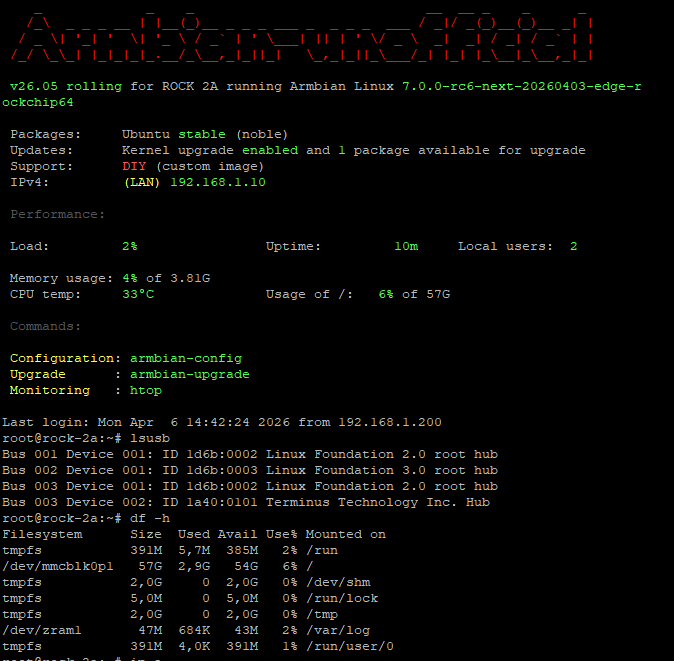
Armbian image placed on internal soldered eMMC 64GB - only one issue now aic8800 not supported yet by kernel 7.0-rc6 so no wifi 😕 No PCI as no PCI slots... Experimental image based on Kwiboo repo dispo here.
-
This week’s Armbian development saw significant enhancements across hardware support and system functionality. The Arduino UNO Q was officially added, along with new firmware and flash binaries for the QRB2210 and QCM2290 variants. HDMI CEC support was introduced for Rockchip RK3588/RK3576 SoCs, while panel compatibility expanded with updates for Raspberry Pi and Hardkernel ODROID-Vu8S. Key kernel improvements included a bump to version 7.0-rc6 and rewritten patches for Rockchip64-6.18. The release also featured workflow hardening, exclusion of unsupported boards, and fixes for USB-C OTG mode on Odroid-M2. These updates collectively strengthen Armbian’s platform stability and broaden its device coverage. ChangesAdd Arduino UNO Q. by @igorpecovnik in armbian/armbian.github.io#268Add firmware for Arduino UNO Q (QRB2210/QCM2290). by @SuperKali in armbian/firmware#123Add HDMI CEC support to Rockchip RK3588/RK3576 SoCs. by @chaitan3 in armbian/build#9622Agatti: add flash binaries for Arduino UNO Q (QRB2210). by @SuperKali in armbian/qcombin#1Arduino logo. by @igorpecovnik in armbian/armbian.github.io#269ch13726a: Added missing MIPI_DSI_MODE_VIDEO. by @kay-lambdadelta in armbian/build#9621config: rockchip64: build Motorcomm YT6801 drivers built-in for OOB Ethernet. by @c127dev in armbian/build#9625drm: add support for rpi panel v2. by @ackPeng in armbian/linux-rockchip#465Exclude end-of-support boards from armbian-images.json. by @igorpecovnik in armbian/armbian.github.io#271Harden data-update-partners workflow. by @igorpecovnik in armbian/armbian.github.io#270mainline: bump edge to 7.0-rc6. by @EvilOlaf in armbian/build#9618Odroid-M2: Add support for Hardkernel ODROID-Vu8S panel. by @mlegenovic in armbian/build#9627Odroid-M2: Fix USB-C port in OTG mode. by @mlegenovic in armbian/build#9633Remove radxa-dragon-q6a from targets-release-nightly blacklist. by @igorpecovnik in armbian/armbian.github.io#267rockchip-vendor: CONFIG_BT_HCIBTUSB=m. by @vidplace7 in armbian/build#9628rockchip64-6.18: rewrite kernel patches against 6.18.21. by @EvilOlaf in armbian/build#9629SpacemiT: Disable k1-usb: add disconnect function support. by @pyavitz in armbian/build#9620View the full article
-
Thanks for the info to try other options 🙂 Thanks for the tip, I'll try other options 🙂 It worked for: odroid-c4 ... basically, the settings are the same as for the OrangePI3LTS, I'm talking about connecting cables to a 40x2 / 20x2 LCD. The diagram for the BananapiM2pro is as follows: My Winstar 40x2 OLED LCD compatible with drivers: hd44780 / driver: WS0010 is detected in the system as: 3f .................................. sudo i2cdetect -y 0 [sudo] kris: 0 1 2 3 4 5 6 7 8 9 a b c d e f 00: -- -- -- -- -- -- -- -- 10: -- -- -- -- -- -- -- -- -- -- -- -- -- -- -- -- 20: -- -- -- -- -- -- -- -- -- -- -- -- -- -- -- -- 30: -- -- -- -- -- -- -- -- -- -- -- -- -- -- -- 3f 40: -- -- -- -- -- -- -- -- -- -- -- -- -- -- -- -- 50: -- -- -- -- -- -- -- -- -- -- -- -- -- -- -- -- 60: -- -- -- -- -- -- -- -- -- -- -- -- -- -- -- -- 70: -- -- -- -- -- -- -- -- .................................. You can also enter the appropriate values yourself in the file: sudo nano /boot/armbianEnv.txt verbosity=1 console=both overlay_prefix=meson fdtfile=amlogic/meson-sm1-bananapi-m2-pro.dtb rootdev=UUID=a4fb8074-c453-45da-ab31-4d61dca46cfa rootfstype=ext4 overlays=sm1-odroid-c4-i2c0 sm1-odroid-c4-i2c1 usbstoragequirks=0x2537:0x1066:u,0x2537:0x1068:u regards
-
@tparys Thanks for your precious advices I merged them in one dts. This suppress the dummy rtc0 rplace it by the real ds3231 rtc , and as it's rtc0 linux uses it at boot with out any service or script. the dts : /dts-v1/; /plugin/; / { compatible = "amlogic,meson-sm1"; fragment@0 { target-path = "/soc/bus@ffd00000/i2c@1d000"; __overlay__ { status = "okay"; clock-frequency = <100000>; pinctrl-names = "default"; pinctrl-0 = <&i2c2_pins>; #address-cells = <1>; #size-cells = <0>; rtc@68 { compatible = "maxim,ds3231"; reg = <0x68>; }; }; }; fragment@1 { target-path = "/soc/bus@ff600000/bus@34400/pinctrl@40"; __overlay__ { i2c2_pins: i2c2_pins { mux { groups = "i2c2_sda_x", "i2c2_sck_x"; function = "i2c2"; bias-disable; drive-strength-microamp = <3000>; }; }; }; }; fragment@2 { target-path = "/soc/bus@ff800000/rtc@a8"; __overlay__ { status = "disabled"; }; }; }; then I set up a basic service to keep ds3231 up to date either by internal system clock or NTP if chrony synchronize with internet extract of syslog : 2026-04-06T10:19:22.245210+02:00 bananapim5 systemd[1]: Started sync-rtc.timer - Run RTC sync every 6 hour. 2026-04-06T10:19:22.248077+02:00 bananapim5 kernel: rtc-ds1307 0-0068: SET TIME! 2026-04-06T10:19:22.248112+02:00 bananapim5 kernel: rtc-ds1307 0-0068: registered as rtc0 2026-04-06T10:19:22.248120+02:00 bananapim5 kernel: rtc-ds1307 0-0068: setting system clock to 2026-04-06T08:19:16 UTC (1775463556) 2026-04-06T10:24:18.665668+02:00 bananapim5 systemd[1]: Starting sync-rtc.service - Synchronize RTC0 avec l'horloge systeme si NTP actif... 2026-04-06T10:24:18.743806+02:00 bananapim5 sync-rtc: NTP actif : mise à jour RTC0 depuis l'heure système 2026-04-06T10:24:18.751001+02:00 bananapim5 sync-rtc: Mise à jour RTC0 depuis l'heure système NTP actif/inactif 2026-04-06T10:24:19.005750+02:00 bananapim5 systemd[1]: sync-rtc.service: Deactivated successfully. 2026-04-06T10:24:19.006443+02:00 bananapim5 systemd[1]: Finished sync-rtc.service - Synchronize RTC0 avec l'horloge systeme si NTP actif. root@bananapim5:/home/gerard# service : root@bananapim5:/home/gerard# cat /etc/systemd/system/sync-rtc.service [Unit] Description=Synchronize RTC0 avec l'horloge systeme si NTP actif After=chronyd.service [Service] Type=oneshot ExecStart=/usr/rtc/sync-rtc.sh root@bananapim5:/home/gerard# cat /etc/systemd/system/sync-rtc.timer [Unit] Description=Run RTC sync every 6 hour [Timer] OnBootSec=5min OnUnitActiveSec=6h Unit=sync-rtc.service Persistent=true [Install] WantedBy=timers.target root@bananapim5:/home/gerard# cat /usr/rtc/sync-rtc.sh #!/bin/bash # sync-rtc.sh # Synchronisation RTC <-> système avec logging # Vérifie si Chrony a des sources NTP actives NTP_OK=$(chronyc tracking | grep 'Reference ID' | grep -v '0.0.0.0') if [ -n "$NTP_OK" ]; then # Chrony OK, mettre RTC à jour depuis l’heure système logger -t sync-rtc "NTP actif : mise à jour RTC0 depuis l'heure système" else # NTP indisponible logger -t sync-rtc "NTP inactif" fi logger -t sync-rtc "Mise à jour RTC0 depuis l'heure système NTP actif/inactif" hwclock -w -f /dev/rtc0 root@bananapim5:/home/gerard# thanks again
-

[Latest] Armbian Build HDMI Audio support Fix
MarkAntony replied to just_facking_about's topic in Radxa Dragon Q6A
@rsbuffalo's Feb 18th post worked a treat for me on my Dragon Q6a (Armbian 26.2.1 trixie, xfce 4.20). Thanks so much for sharing your solution. - Yesterday
-
 @HenricoLegal can you find the wifi chip on your board?
 -
Holy Shit this is great! Finally can get use out of this doorstopper if you continue. Imagine getting MeshCore or Meshtastic installed.
-
 @Nick A Thank you, can you publish a server image for the Radxa A7Z with kernel 6.18?
 -
If an pre-made image is not there, just DIY. https://docs.armbian.com/Developer-Guide_Build-Preparation/
- Last week
-
Tried building a trixie image with this tee and still locks at the same spot
-
ok. I have 5 cubieboard 1. Not possible memory card for every one.
-
Great! I will start to tinker around with armbian.
-

Games Compatible With Armbian on Pinebook Pro
LivingLinux replied to Katsujinken's topic in Pinebook Pro
My PBP died, so I can no longer test it myself. You can start by testing the PPSSPP aarch64 AppImage. https://github.com/hrydgard/ppsspp/releases A couple of years ago I had performance issues with the PPSSPP Flatpak on my Phytium D2000, so I built it on Ubuntu 22.04. I'm not sure if I followed the instructions for Qt, or for Linux. So you need to install the prerequisites and I guess it doesn't hurt to install the additional packages mentioned for Ubuntu. https://github.com/hrydgard/ppsspp/wiki/build-instructions#building-with-cmake-other-platforms-eg-linux -

Teclast T60 AI rooting + armbian possibility Allwinner A733
Werner replied to Taz's topic in Allwinner CPU Boxes
moved to tvboxes -
Hi @BOFFBOY, have you managed to make it work? Having similar issue : tried with two different orange pi 5 , two different nvme SSDs, three different Power supplies up to 5V/5A and three armbian kernels: 5.10 | 6.1 and 6.18
-
Okay I think you are right they are shifting the RAM GB numbers so 8 GB is actually 4 GB as the price suggests. Now now, what I ended up doing is I bought a Teclast T60 AI tablet(for 100 euro shipped in EU) with Allwinner A772 which is supported by armbian and comes with 6GB RAM. I do not know if I will be trying to boot armbian on it soon but I was able to root it with Magisk. It did went on quite a journey to get it rooted as I kind of soft bricked it at first. Deepseek was giving me little wrong information but we got there. I think I might need a more competent AI agent like Gemini pro to get display, touch, wifi, bluetooth etc. working with armbian. Perhaps I post about the rooting process elsewhere at some point. Here is some of the gear I have if people are interested: https://www.aliexpress.com/item/1005009330391341.html DUX DUCIS Foldable Bluetooth 5.0 Keyboard with Touchpad & Phone Holder For Phones Tablets PC iOS Android Windows Mac https://www.aliexpress.com/item/1005011827691576.html https://www.aliexpress.com/item/1005009419399930.html HGFRTEE 3840*2160 13.3inch 4K Portable Monitor All in all pretty pleased with it so far, not exactly Surface pro 5/7 which I also have and they all weight about 1000 grams but then on the other hand this tablet did not cost me hundreds of $ so I can be little less nervous about someone stealing it.
-

CSC Armbian for RK3318/RK3328 TV box boards
andrey.lobov replied to jock's topic in Rockchip CPU Boxes
@jock Thank you, I will try.