Active threads
Showing topics posted in for the last 365 days.
- Past hour
-
I'm back to check in again. Well I got all my files in a nice little .img, and it boots! I than burnt multitool onto my SD and tried to burn the .img onto the eMCP, multitool reports it's been burnt properly, after being plugged in again no boot starts. Any Idea what could be up?
-

Efforts to develop firmware for H96 MAX V56 RK3566 8G/64G
Hqnicolas replied to Hqnicolas's topic in Rockchip CPU Boxes
I think this is the First version of this board, please use the official release for this https://github.com/armbian/community/releases/ -
@shexplorer here are the first 10MB of the internal emmc. Extracted with dd if=/dev/mmcblk1 count=10 bs=1M | gzip > x88pro13_first_10MB_of_mmcblk.gz. please unzip first. see also the solutuion of this page: x88pro13_first_10MB_of_mmcblk1.gz
- Today
-
I uploaded fresh images, that includes a trixie-edge-desktop-mate image I tested with my Hardware. Mate looks good and working, but switching between internal / HDMI audio needs some fiddling with the audio setting widget (may be a misunderstanding between pulseaudio and drivers). Changeing Sound-Pref:HW:profiles seems to do the trick. There is no chromium for RISCV, thus you need to install firefox-esr or netsurf-gtk manually. I think this is ready for primetime now, so I clicked on the "Pull-Request" button (see https://github.com/armbian/build/pull/9299). Got lots of auto email from the Github robots, will check tomorrow. LG // Sven-Ola
-
Hello. Where can I get multitul for rk3528?
-
@user03 Given that you now have a working uboot installed on the emmc, I'm 95% confident that following the standard instructions will let you move your SD card install to emmc. But there are no guarantees.
-
@kingbecher This is now off topic for this thread, but you need to look at: https://www.armbian.com/amlogic-s9xx-tv-box
-

Adding / Modifying Boards - What is the right approach?
Werner replied to Daniel Andersen's topic in Rockchip
You can set conditions on which branch uses which uboot. Like this: https://github.com/armbian/build/blob/9aa6e1e29ec2d397bbe223bebaa93bd13ef79818/config/boards/orangepi5-max.csc#L21 If the BRANCH is edge, then use mainline uboot, specifically this tag. -
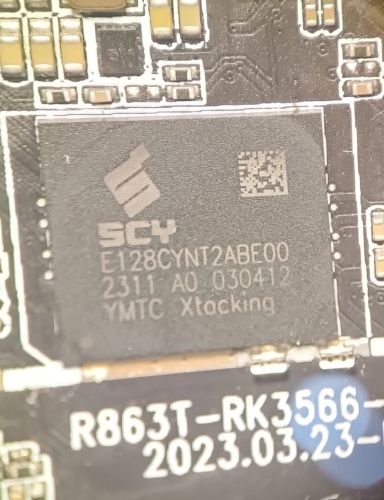
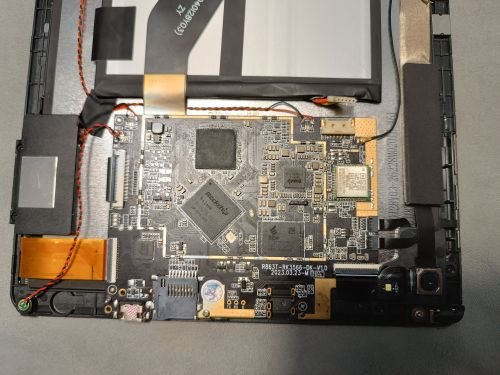
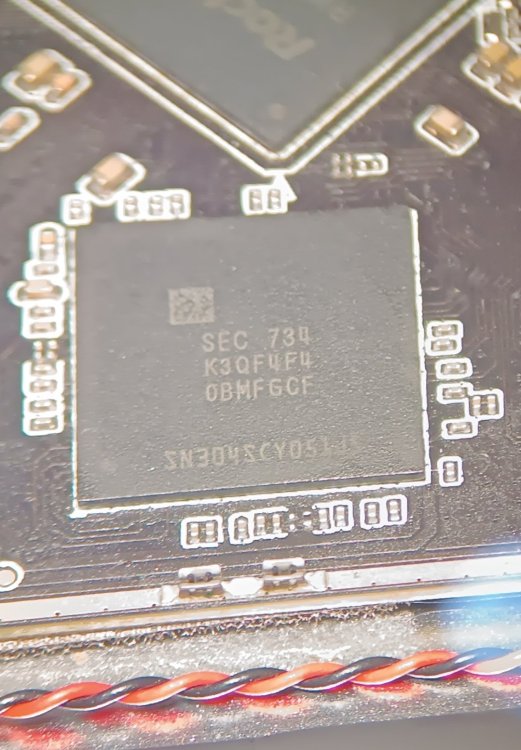
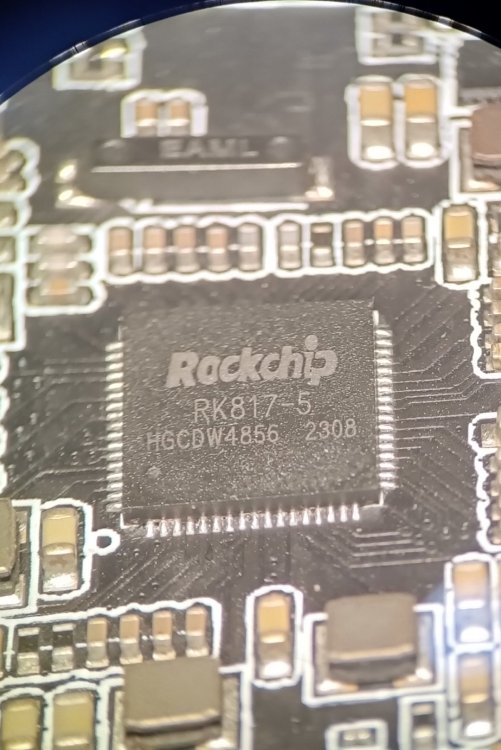
Good afternoon. I have a Rockchip 3566 tablet.oscal pad 70 wifi Is it possible to install Armbian on it? I don't have a device tree (I couldn't find anything at all for the WiFi module except the test report), no drivers, nothing. I've found a related one (the letters at the end are slightly different), but there's a little information. The original Pineta B2 costs 159, plus shipping and taxes...that's 300. But the aforementioned one costs 100 and doesn't require taxes! That's what got me thinking. Prices are in dollars. The bootloader can apparently be unlocked with a simple command (according to Google Assistant!) I need the tablet for learning Linux and watching videos in the browser...will it handle it? Is this even possible for a beginner? Best regards and gratitude... I'm writing using Google Translate, so there may be some inaccuracies... I apologize for that! motherboard R863T-RK3566-DK-V1.0 wifi module wxt42j1001s I don't know what kind of touchscreen and display it has. Will I need to unlock the bootloader? I understand it's probably very difficult...isn't the processor too old for our times? Or is installing Armbian probably not an option, and shouldn't I waste my time on it and buy something else? Thanks from the bottom of my heart to everyone who responded.
-
It looks like mksclient is python code can be patched. Sovol3D forum Enable LED light toggle in Mainsail I followed the steps and was able to get an LED toggle in Mainsail on my SV06 Ace I did loose the touchscreen control of the LED but that's acceptable. I only need the LED when using the Camera to check for Failed prints and previously left the LED on during printing. Now I can save a little electricity😀. To me this also has pertinent implications to the thread. mksclient must be a python blob that can runs on boot. If were willing to tolerate the "black box" close source nature of mksclient, a touch screen supporting build, targeting the OEM electronics, should be possible.
-

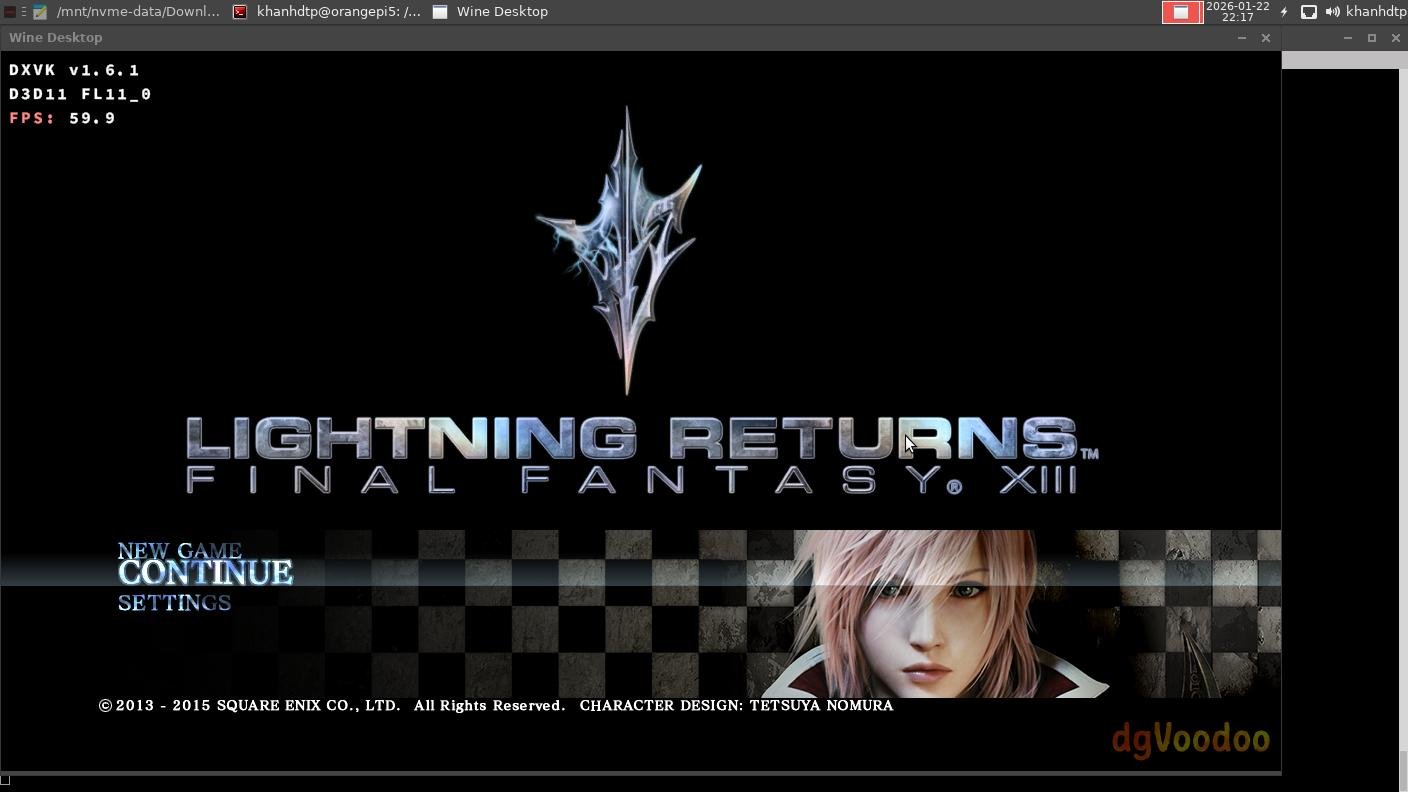
Gaming experience with Orange Pi 5 (RK3588) on Armbian
KhanhDTP replied to KhanhDTP's topic in Orange Pi 5
Armbian 25.11.2 Noble XFCE (BSP Kernel: 6.1.115) + PanVk - mesa 26.0 (https://launchpad.net/~ernstp/+archive/ubuntu/mesaaco) + Box64 arm64 v0.4.1 3ec5de03c (https://ryanfortner.github.io/box64-debs/) + proton-10.0-3-amd64-wow64 (https://github.com/Kron4ek/Wine-Builds/releases/download/proton-10.0-3/wine-proton-10.0-3-amd64-wow64.tar.xz) + dgVoodoo2 (https://github.com/dege-diosg/dgVoodoo2/releases) + DXVK-stripped v1.6.1 15~60fps@720p box64 environment variables: FF13 Lightning Returns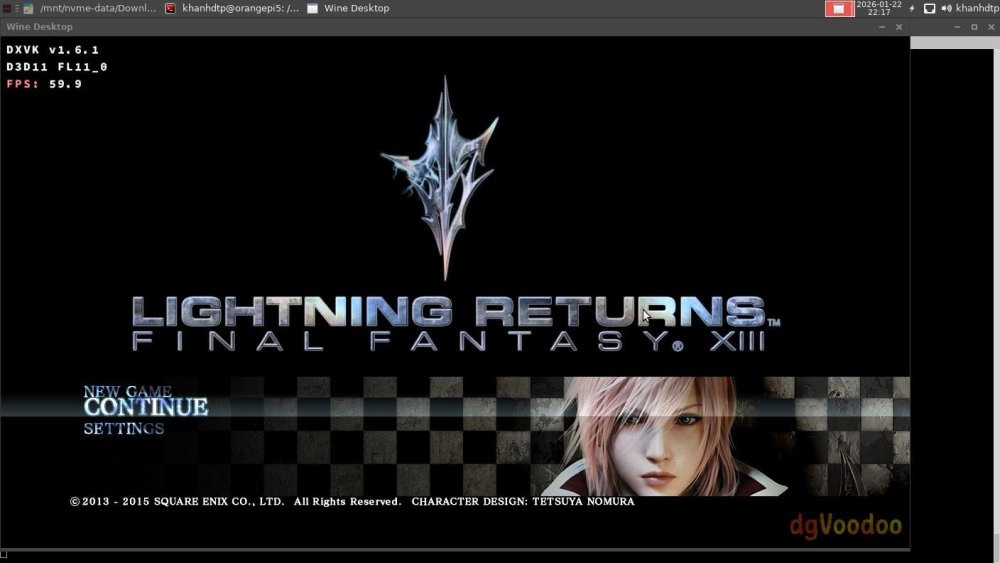
.thumb.jpg.be04e034285866cf517486d593ee31a9.jpg)
.thumb.jpg.59b115f15600f992d501aa546192da3b.jpg)
.thumb.jpg.6ce20c27adc1ded5f8647826463317e7.jpg)
.thumb.jpg.008700cd9544d358d186f9bd43351e3f.jpg)
.thumb.jpg.515ef732a99ffe79630b9cf5b6370428.jpg)
-
Thanks Werner and Gaetano I fear DIY an image exceeds my skils 😉 I tried linux-headers-arm64. Result: kernel downgraded to 6.12 and wrong links in /boot: lrwxrwxrwx 1 root root 30 Dec 29 22:28 Image -> vmlinuz-6.18.2-current-meson64 lrwxrwxrwx 1 root root 27 Jan 23 13:27 uInitrd -> uInitrd-6.12.63+deb13-arm64 Corrected, built ZFS but at the end USB not working. It's not worth the hassle. I ended up installing Armbian_25.8.1_Odroidhc4_bookworm_current_6.12.41_minimal.img Everything seams OK, especially ZFS. Anyway, the link to Armbian_community_26.2.0-trunk.151_Odroidhc4_trixie_current_6.18.2_minimal.img is not there anymore 🙂 Thanks for your time. Chris
-
Thank you
-
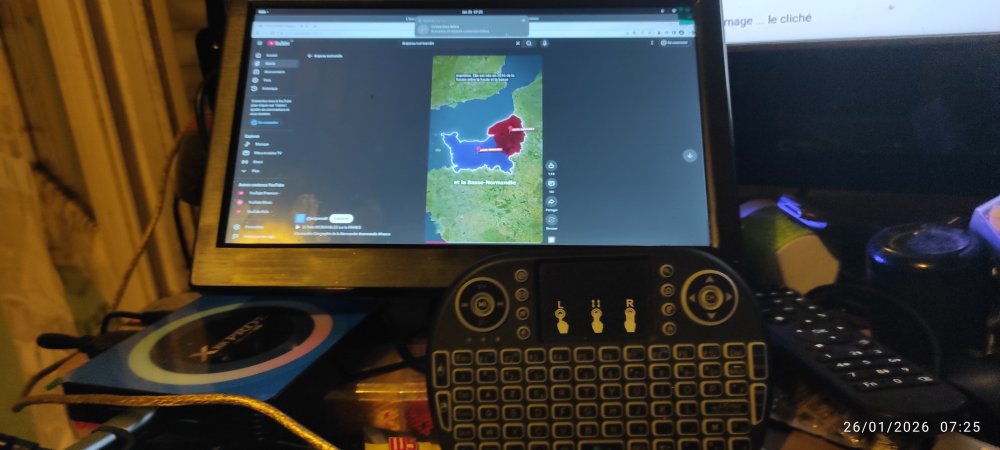
Hello, thk work fine on my X88 pro13 Here is : Armbian_community_26.2.0-trunk.332_Hinlink-ht2_noble_vendor_6.1.115_gnome_desktop.img Armbian_community_26.2.0-trunk.332_Hinlink-ht2_noble_vendor_6.1.115_gnome_desktop.img
-
 By any chance, could someone post a link to a working image for Cubox I? I'm trying to find any working Armbian build and there is nothing that works. Thanks!
 - Yesterday
-
What happens if your start armbian-resize-filesystem.service manually? IE "sudo systemctl start armbian-resize-filesystem.service" and then check the log for the service?
-
You can create an extension including something like unset armbian_kernel_config__force_pa_va_48_bits_on_arm64
-
Nevermind, got the answer from here.
-
Interested myself in the 3W in general, and if I can find them anywhere. They have the proper chip for a zero form factor board to use with the Radxa 5C and 5A, and several other boards. So I've looked, but they seem to have been outdated by the better zero form factor boards... which also seem to have a specific chip type, and aren't really compatable with the other chips if you're trying to give yourself some headroom to run clusters or offload some processes. I don't know too much about too many things yet, but I know that I need to stick with 1 chip, like a GPU arcitecture, and I can't find the 3W anywhere for any type of reasonable price. I think I found a few for like $300, but the dream of using this stuff at the top end of what it can be used for is looking grim as I am having troubles finding some of these parts for this more developed chip style. I'm sure in due time, it will all be replaced by the new Radxa zero form factor, along with the Pi form factor which will probably gravitate to this new more powerful model. The Zero board has twice the specs aprox. as the old 3W, which means likley the next Radxa board is comming out swinging to start with 32GB of RAM, and then it'll be updated with 64GB. As they seem to do that... Start half mast, then bring out a new twice as powerful model. Hoping to get my first arm project going, and I wish I knew more about ARM in general before I started focusing on 1 chip style. Radxa is cool, and they are buff as can be, but as ARM evolves, the specificity of board type to the different things you have to do is a big big pain in the ass that makes this whole adventure more painful then it should be... Eventually I'm sure it'll all come together into a standard.... But by then, you can't be a pioneer in the tiny computer parts projects. Hope this thread evolves some. I know just seeing a title on 3W caught my eye, and it's on the top of the list. I'll be getting more involved with all of this in the days to come. If you can message me, feel free. I am pretty Armtarted, and would love any information I can get.
- Last week
-
Hello, I had a similar problem - unbootable Rock64 after kernel upgrade from 6.6.x to 6.12.x (error: Wrong Ramdisk Image Format). You can look in this thread djurny found a solution, that works for me. Maybe it will help.
-
Related answer: https://forum.armbian.com/topic/57601-missing-headers-for-618-kernel/#findComment-232075
-
I'll start on congratulating you for all you have accomplished. Now to your questions. I've never experienced a case where installing to emmc took away the ability to boot from the SD card, nor have I ever heard that reported by other users in the forums. So that one is a mystery. To debug that you would need to find your uart connection on the board and hook up a usb-uart adapter to monitor the uboot process. I would also recommend you try putting your image on a usb thumb drive and see if that works for a workaround. For autologin, you should just be able to follow any standard guidelines for doing that with a google search of 'xfce4 auto login' and you will likely need to edit some config file somewhere to enable this. Exactly what may depend on are you running Ubuntu or Debian userland with the Armbian kernel.
-
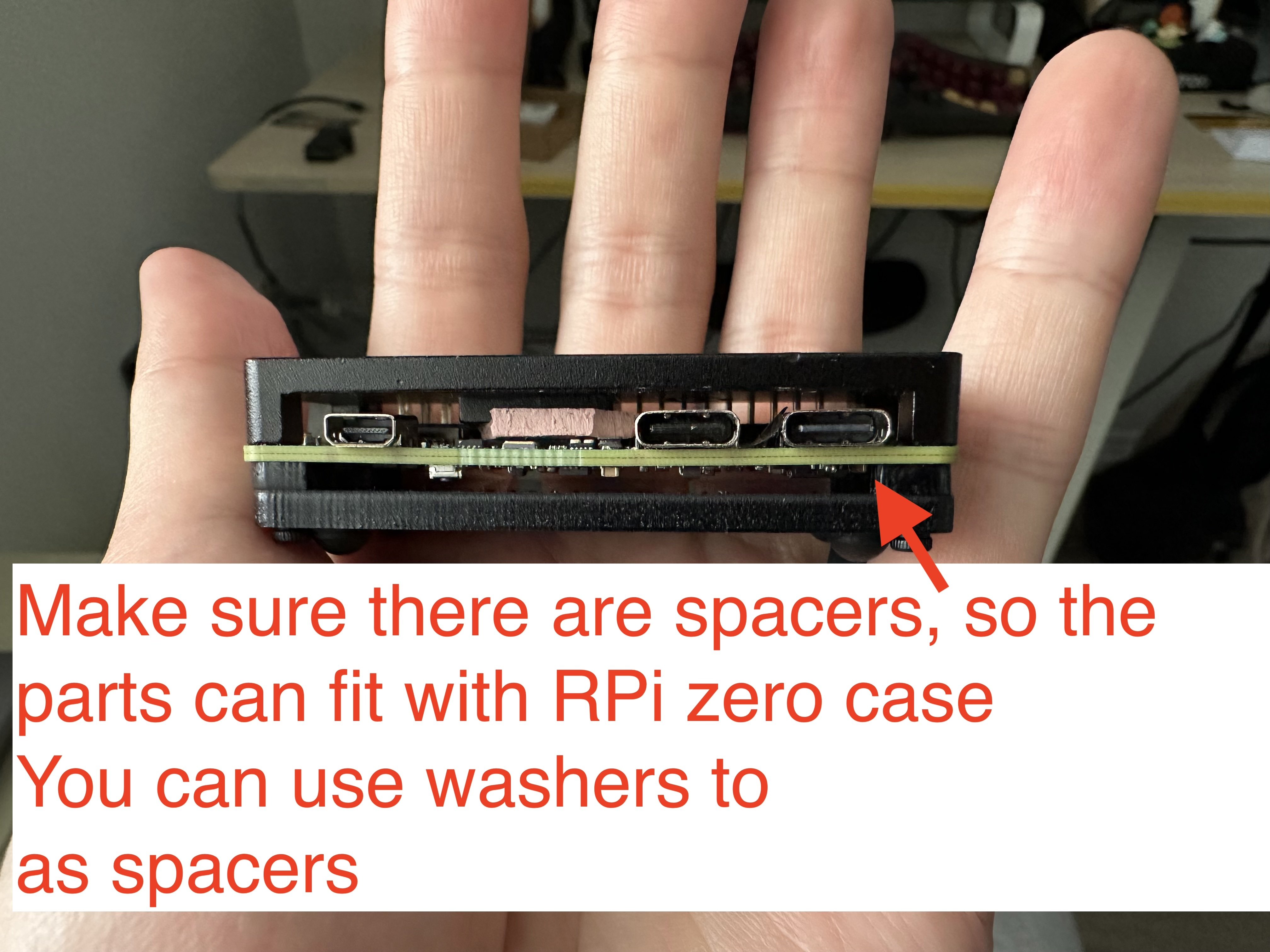
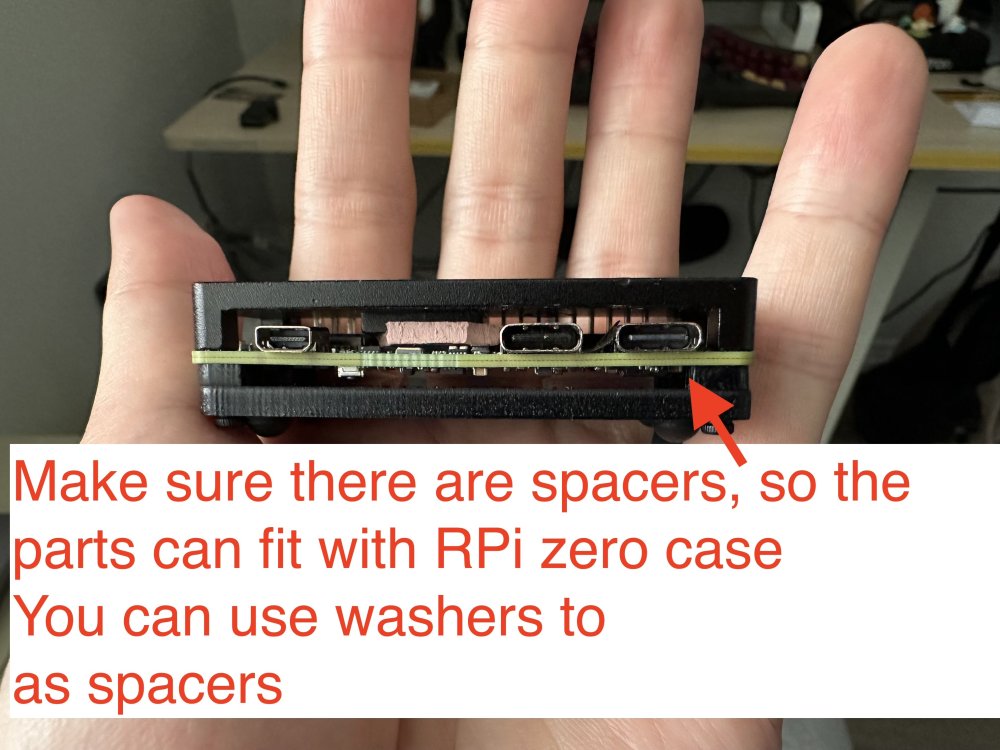
 Oh, I do not have a nanopi r3s, and I do not plan to buy it. The image is for the radxa zero 3w, but as I provided the source of building it, you can customize it to build with nanopi, too. The reason I mentioned nanopi r3s is because it has a dedicated case for it. I ended up using raspberry pi zero case for it, with some custom modifications, which is also nice. Raspberry Pi 1/2/3, zero/zero w/zero w2 won't work, because they only have 1 USB controller. The trick here is to have at least 2 USB controllers: 1 in host mode to connect to the UAC2.0 speakers, and 1 in gadget mode as a UAC1.0 USB device. Raspberry Pi 4/5 should work, but you need to make sure the power supply is strong enough, which is a big issue here, because with the official image, you can only connect the USB C port for power and as a USB gadget port, yet PS5 probably won't support that much power for RPi 4/5, so you ended up needing a USB power and data splitter for that, and connect the data port to PS5, then a separate power supply for the power port (simliar things happened in PiKVM).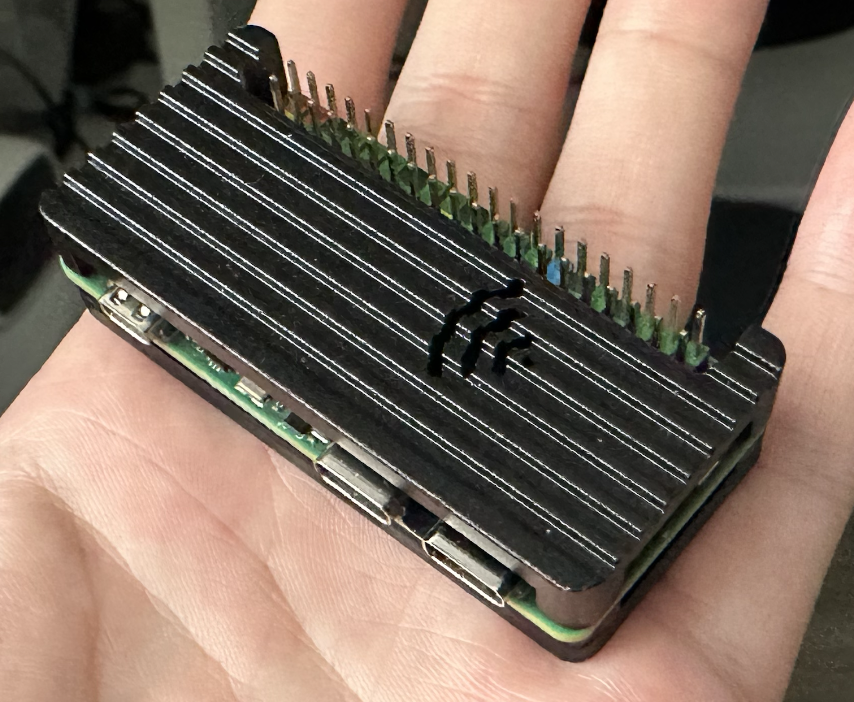
-
Feel free to reach out and become a partner: https://www.armbian.com/partners/
-
LMAO! So... What exactly is your question? Did you try "the mouse & keyboard" and they did not work? I would say you will get basic functionality on almost any usb mouse or keyboard on linux. wifi on the other hand can be a hit or miss. A quick search on "USB Logitech Unifier Nano dongle" gave me this: https://forums.linuxmint.com/viewtopic.php?t=373365 so it seems you might want to use solaar to configure the stuff. As for the Inovato Quadra4K, it looks like it is an allwinner H6 processor so I suspect it should work using armbian....







.jpg.6b80999f6eea2240b8e87b46e39b159e.jpg)
.jpg.5d87bbcd3c29e409d22ec183376cb673.jpg)
.jpg.68069fa56d8deb4c14c3280c7a9cd2b7.jpg)
.jpg.3c86275e3844d4fd9d447abbfc9cea37.jpg)
.jpg.e008780bdc967e8051b551f3ab1dad6b.jpg)