Active threads
Showing topics posted in for the last 365 days.
- Today
-
Has anyone successfully set up a MIPI screen with their LCD ribbon connectors on Armbian? Any wisdom from someone who has done this would be appreciated.
-
@sven-olaTrying the latest RC2 and RC3 7.1 bundles at https://sven-ola.commando.de/privat-in/ by flashing it to a MicroSD card and booting from it, I get the following boot failure. Booting your 6.18 image works though. Any idea how make it work? By the way, is the U-Boot binary inside Armbian the same in your 7.1 and 6.18 versions? Perhaps I could boot the 6.18 from MicroSD card, use it to flash the SPI, and then try to boot the 7.1 from the SPI? Update: I booted the RV2 off MicroSD card via the old 6.18 version. From inside this 6.18, I did "dd if=the-7.1-version of=/dev/nvme0n1 bs=1M status=progress", powered off, took out the MicroSD, and booted, and it worked! Now a question back to you: @sven-ola Now that the boot process works, do I still need to install the latest Armbian-bundled u-boot on the SPI chip via "armbian-install"?
- Yesterday
-
That sounds like a Klipper message, not from the armbian OS. If there is new functionality in Klipper it will show this error, but you don't always need to reflash the MCU depending on if you use those functions. You can post in a more detailed error and versions in a Klipper forum for advice.
-

BTT Pi - ethernet not working after upgrade from 6.12.68 to 6.18.33
mattjm replied to ilmarietto's topic in BIGTREETECH CB1
I ran into this as well. Downgrade to kernel 6.12.58 fixed the physical interface. My board that initially had Trixie required the NetworkManager fix to get wifi working even after reverting. Something about the upgrade and/or downgrade broke netplan. -
As a data point, I had a CB1 with Trixie that was working fine with netplan until I did an apt upgrade to 26.2.1 and kernel 6.18.xx. The upgrade made my physical interface disappear, which required a kernel downgrade (to 6.12.58) to get back. But even after the downgrade my wireless interfaces still wouldn't connect. The ultimate fix was to switch this board to NetworkManager like I did with my other CB1 that was running bookworm and required the NetworkManager fix from day one.
-
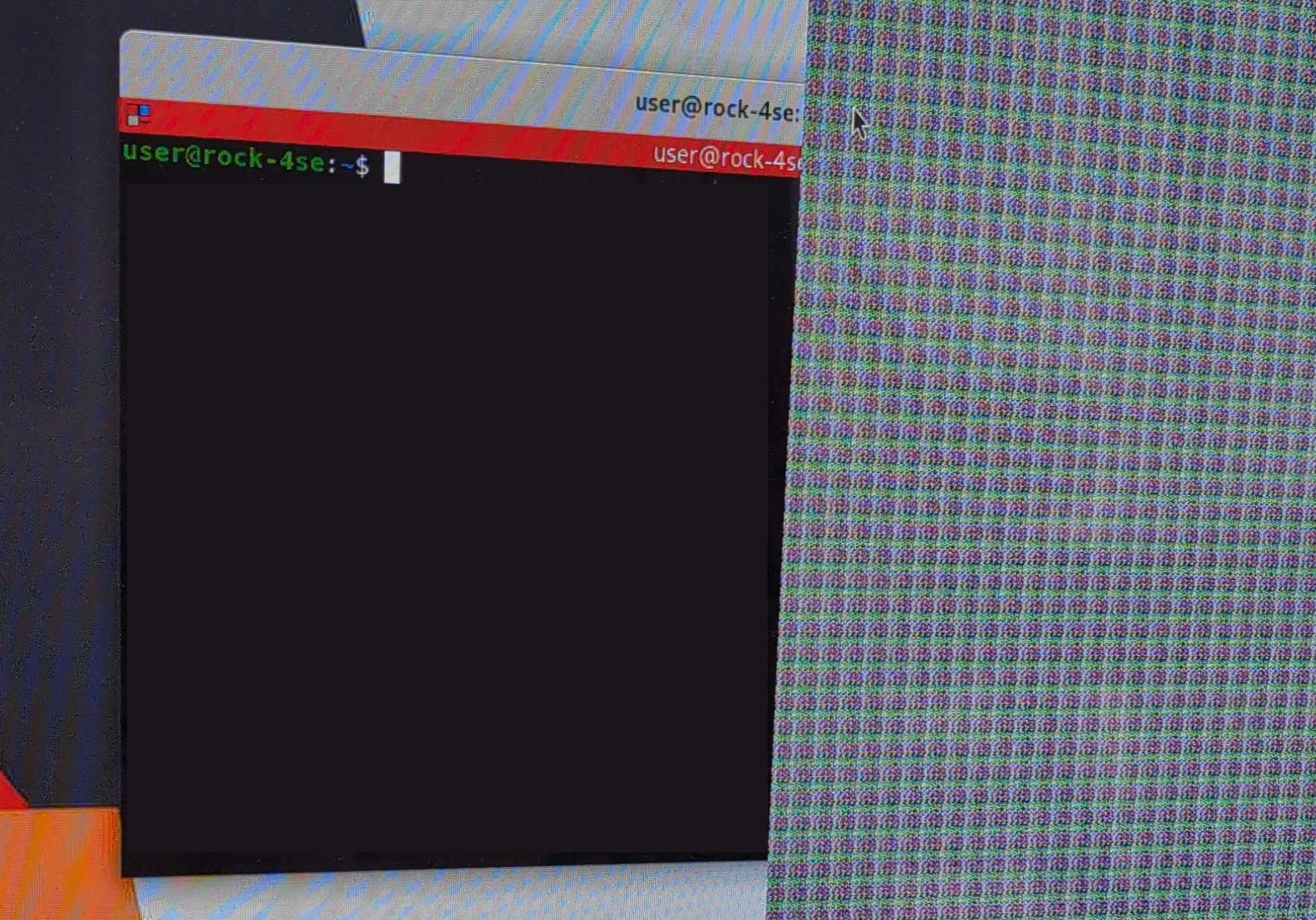
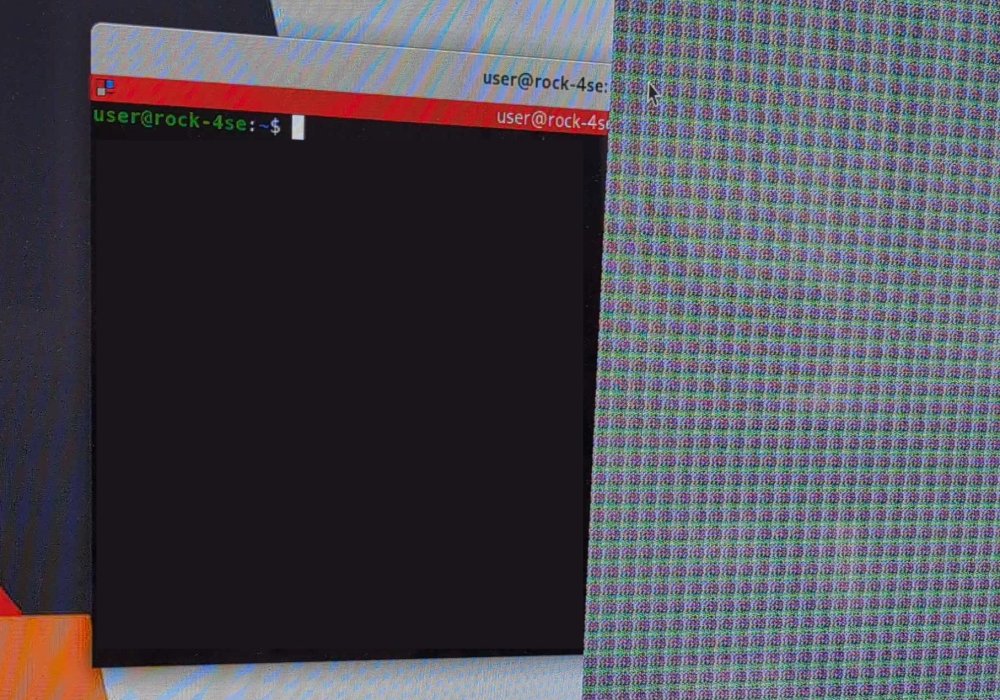
I'm getting this weird graphical artifact on a Radxa Rock 4SE connected to a TV via HDMI. It covers roughly a third of the right side of the display, note that the terminal window is covered by the artifact but the cursor is above it. I started from a Debian minimal image and added the desktop environment via armbian-config. The artifact is visible on both GNOME and KDE Plasma (with fully updated system on both rolling and stable) but not with XFCE. It also disappears with resolutions lower than 4K or switching to tty. Any idea what might be causing this?
-

How you can help test upcoming Armbian 26.05 images?
Igor replied to Igor's topic in Advanced users - Development
Tested: - Odroid C4 / HC4 - Tinkerboard - Odroid XU4 - Rockpi E -
Hi, I'm using it at the moment as a containers server, thanks for link. I not that changing kernel may run in trouble, so I still keep the 6.1.115 and wait for update. Thanks for your help Regards
-
It's fixed in 7.1.0-rc6-bleedingedge-rockchip64 Cheers !
-
Hi there, I recently upgraded my Orange Pi 5 Plus to "Armbian 26.5.1" and noticed in the MOTD (on logins) that it is still showing version "26.2.1". I found differences in this 2 files, and the latter is the one used as reference for MOTD: cat /etc/os-release: PRETTY_NAME="Armbian 26.5.1 trixie" NAME="Debian GNU/Linux" VERSION_ID="13" VERSION="13 (trixie)" VERSION_CODENAME=trixie DEBIAN_VERSION_FULL=13.5 ID=debian HOME_URL="https://www.armbian.com" SUPPORT_URL="https://forum.armbian.com" BUG_REPORT_URL="https://www.armbian.com/bugs" ARMBIAN_PRETTY_NAME="Armbian 26.5.1 trixie" cat /etc/armbian-release: # PLEASE DO NOT EDIT THIS FILE BOARD=orangepi5-plus BOARD_NAME="Orange Pi 5 Plus" BOARDFAMILY=rockchip-rk3588 BUILD_REPOSITORY_URL=https://github.com/armbian/build BUILD_REPOSITORY_COMMIT=77f919f6c LINUXFAMILY=rockchip64 ARCH=arm64 BOOT_SOC=rk3588 IMAGE_TYPE=stable BOARD_TYPE=conf INITRD_ARCH=arm64 KERNEL_IMAGE_TYPE=Image KERNEL_TARGET=current,edge,vendor KERNEL_TEST_TARGET=vendor,current FORCE_BOOTSCRIPT_UPDATE= FORCE_UBOOT_UPDATE= OVERLAY_DIR="/boot/dtb/rockchip/overlay" VENDOR="Armbian" VENDORCOLOR="247;16;0" VENDORDOCS="https://docs.armbian.com" VENDORURL="https://www.armbian.com" VENDORSUPPORT="https://forum.armbian.com" VENDORBUGS="https://www.armbian.com/bugs" BOOTSCRIPT_FORCE_UPDATE="no" BOOTSCRIPT_DST="boot.cmd" VERSION=26.2.1 REVISION=26.2.1 BRANCH=edge Can somebody explain why armbian-release doesn't get properly updated? I belive this is not the first time I see this, I recall seeing this behaviour from previuos upgrades too. Thanks!
-

Efforts to develop firmware for H96 MAX V56 RK3566 8G/64G
Hqnicolas replied to Hqnicolas's topic in Rockchip CPU Boxes
These Chinese people are very creative. I never imagined seeing a TV box with a SATA port. @Astlin You will need to interact with the .dts file to build a .dtb file with this capability. Before taking any action, check if your board is not from this other JP-Box project. https://github.com/armbian/build/blob/main/patch/kernel/archive/rockchip64-7.1/dt/rk3566-jp-tvbox.dts The topic you should interact with is this one here: https://forum.armbian.com/topic/31887-jianpian-rk3566-tv-box-8g32g-develop-log/#comment-175700 I don't actually have access to the JP-box @Astlin. If you are using the H96 max RK3566 firmware, the SATA port may not be enabled, but you can enable kernel changes within the Armbian compilation menu and insert your changes into the board's DTS file. https://github.com/armbian/build/blob/main/patch/kernel/archive/rockchip64-7.1/dt/rk3566-h96-tvbox.dts I believe the person responsible for this sign is @tdleiyao @ning have tested our DTB file on JianPian device https://github.com/armbian/build/blob/main/config/boards/jp-tvbox-3566.tvb If you have time, we can update the JP-box project in the correct topic. https://forum.armbian.com/topic/31887-jianpian-rk3566-tv-box-8g32g-develop-log/#comment-175700 I have maintained a sample repository with the necessary data to enable RK3566 cards in Armbian. https://github.com/hqnicolas/ArmBoardBringUp The reason JP-box isn't working is that it was enabled in kernel 6.6, and we're already on 7.1, nobody updates this since then. You can use the H96 modifications as start point. this modifications apply to the JP-box, but some functions, such as the SATA port, require customization. -
 Hi, my knowledge about Armbian is limited. For such a specific configuration/compilation I suggest that you open a new topic under "Allwinner sunxi". Best regards.
 -
OK, good that you see the higher voltage selected. I have also seen it, but was on a NanoPi-R6C, although it did not work with RPi5 27W PSU, but OK with HP tablet 45W PSU. The rest is then a matter of kernel and DTB. My ROCK5B runs fine with rolling release/latest Linux kernels (Debian Sid, Opensuse Tumbleweed), currently 7.0.10 version. Don't know about NixOS (on aarch64), but maybe first get some basic stability with standard Armbian Trixie image (mainline based). It gets tricky when you mix vendor and mainline/distro based. Also vendor (6.1.115) can show various issues if you try/use various external HW. Like an mt9721u USB stick of mine causes a failure in paging on ROCK3A, so need reboot, then it works, but don't know for how long (weeks or months)
-
Yes, true. Meaning dirty spi Yes and no. If SPI is detected and valid it is used. However if this one detects a microsd card with a boot loader it will chain-load this one to ultimately load the os from microsd. Having mixups between vendor and mainline u-boot and/or mixed blobs (like ddr training) this will much likely cause issues.
- Last week
-
The solution I've found is to use a HDMI to VGA converter and use the VGA port
-

Trying to boot Armbian on LinknLink iSG Box SE
rosic replied to Sancho's topic in Rockchip CPU Boxes
@Sancho perfect. I will try it out and will inform you later. I have also discovered that the power adaptors packed with the iSG Box are low quality and some of those can't even reach 1,5 A. Which can cause instability issues and failed HA updates, install, armbian crashes, etc. -

Teclast T60 AI rooting + armbian possibility Allwinner A733
Taz replied to Taz's topic in Allwinner CPU Boxes
aliexpress.com/item/1005011593571835.html Teclast P50Ai which should be almost identical T60 AI now lurks at a price of 68 euro shipped in EU for some time. aliexpress.com/item/1005011827691576.html Telcast T60Ai comes at around 120 euro shipped in EU. I note that these may be last units of a production batch. As far as I can see, https://github.com/jonas5/orangepi-4pro-armbian may be the hope for newer kernel with GPU acceleration. -
Thanks for sharing the header file. I have downloaded that and deployed using dpkg -i <packge name> In order to deploy the VFD, the steps I have followed are given here. I have enclosed the attachment that contains commands and their outcome to keep this post shorter. Below given error message while trying to start the openvfd.service root@x98h:~/linux_openvfd#systemctl daemon-reload root@x98h:~/linux_openvfd# systemctl start openvfd.service Job for openvfd.service failed because the control process exited with error code. See "systemctl status openvfd.service" and "journalctl -xeu openvfd.service" for details. root@x98h:~/linux_openvfd# systemctl status openvfd.service × openvfd.service - openvfd Loaded: loaded (/etc/systemd/system/openvfd.service; disabled; preset: ena> Active: failed (Result: exit-code) since Tue 2026-06-02 00:07:40 IST; 4min> Process: 2297 ExecStartPre=/usr/bin/sh -c . /etc/openvfd.conf; /usr/sbin/mo> Process: 2299 ExecStopPost=/usr/sbin/rmmod openvfd (code=exited, status=1/F> CPU: 47ms Jun 02 00:07:40 x98h systemd[1]: Starting openvfd.service - openvfd... Jun 02 00:07:40 x98h sh[2298]: modprobe: ERROR: could not insert 'openvfd': Exe> Jun 02 00:07:40 x98h systemd[1]: openvfd.service: Control process exited, code=> Jun 02 00:07:40 x98h rmmod[2299]: rmmod: ERROR: Module openvfd is not currently> Jun 02 00:07:40 x98h systemd[1]: openvfd.service: Failed with result 'exit-code> Jun 02 00:07:40 x98h systemd[1]: Failed to start openvfd.service - openvfd. Jun 02 00:07:40 x98h systemd[1]: Failed to start openvfd.service - openvfd. ░░ Subject: A start job for unit openvfd.service has failed ░░ Defined-By: systemd ░░ Support: https://www.debian.org/support ░░ ░░ A start job for unit openvfd.service has finished with a failure. ░░ ░░ The job identifier is 782 and the job result is failed. Jun 02 00:15:18 x98h systemd[1]: Starting openvfd.service - openvfd... ░░ Subject: A start job for unit openvfd.service has begun execution ░░ Defined-By: systemd ░░ Support: https://www.debian.org/support ░░ ░░ A start job for unit openvfd.service has begun execution. ░░ ░░ The job identifier is 855. Jun 02 00:15:18 x98h sh[2317]: modprobe: ERROR: could not insert 'openvfd': Exec format error Jun 02 00:15:18 x98h systemd[1]: openvfd.service: Control process exited, code=exited, status=1/FAILURE ░░ Subject: Unit process exited ░░ Defined-By: systemd ░░ Support: https://www.debian.org/support ░░ ░░ An ExecStartPre= process belonging to unit openvfd.service has exited. ░░ ░░ The process' exit code is 'exited' and its exit status is 1. Jun 02 00:15:18 x98h rmmod[2318]: rmmod: ERROR: Module openvfd is not currently loaded Jun 02 00:15:18 x98h systemd[1]: openvfd.service: Failed with result 'exit-code'. ░░ Subject: Unit failed ░░ Defined-By: systemd ░░ Support: https://www.debian.org/support ░░ ░░ The unit openvfd.service has entered the 'failed' state with result 'exit-code'. Jun 02 00:15:18 x98h systemd[1]: Failed to start openvfd.service - openvfd. ░░ Subject: A start job for unit openvfd.service has failed ░░ Defined-By: systemd ░░ Support: https://www.debian.org/support ░░ ░░ A start job for unit openvfd.service has finished with a failure. ░░ ░░ The job identifier is 855 and the job result is failed. VFD_Service_Logs.txt
-
 Orange Pi 5B subforum has recurring threads about eMMC boot loops, WiFi/Bluetooth regressions on mainline kernels, and the general "what image actually works on this thing" question. Joshua-Riek's ubuntu-rockchip was a common answer to that for a long time, but it was archived recently. This is a personal continuation fork in case it's useful to anyone working through those same issues. What this is: - Fork of Joshua-Riek/ubuntu-rockchip (archived) — same vendor 6.1 kernel base, not mainline - Therefore: onboard WiFi/BT works (no mainline driver regressions), eMMC boots reliably - Scope: Orange Pi 5B + Ubuntu 24.04 (Noble) only. jammy/oracular/plucky suite configs removed. - Single-maintainer hobby project. Best-effort, no SLA. v1.0.0 contents: - Kernel ABI bumped to 6.1.0-1027.27 - Backported CVE-2026-46333 (ssh-keysign-pwn) — upstream commit 31e62c2ebbfd cherry-picked onto noble-security branch - Build-kernel.sh patched for GCC 14+ host compatibility (the 6.1 vendor tree's -Werror defaults conflict with stricter warning-to-error promotion introduced in GCC 14 and inherited by GCC 15)"— the 6.1 vendor tree fails to compile on Ubuntu 24.04+ / Debian Trixie+ hosts due to -Werror promotion. Fix is KCFLAGS=-Wno-error for the kernel proper plus sed-stripping hardcoded -Werror from libbpf, libsubcmd, objtool, and libperf tool Makefiles. Without this, you can't rebuild Joshua's kernel from source on a modern host. - Tested as a daily driver on OPi 5B hardware with reboot loop test, cpu burn. running 4k screensaver. Known limitations (carried over from upstream): - Mali GPU PPA (panfork-mesa) and jjriek/rockchip userspace PPAs are no longer maintained. Frozen at the versions Joshua left them. Not a competitor to Armbian — different scope, different kernel approach. If you're getting clean results with Armbian on your 5B, stick with what works. This is for the case where Armbian's mainline kernel breaks onboard hardware or you specifically need the Joshua-Riek tree. Credit: this is a continuation, not original work. Joshua-Riek did the heavy lifting; LICENSE, NOTICE, and README all credit upstream. Repo: https://github.com/defcom5-rockchip/ubuntu-rockchip Kernel: https://github.com/defcom5-rockchip/linux-rockchip-rk3588 Release: https://github.com/defcom5-rockchip/ubuntu-rockchip/releases/tag/defcom5-v1.0.0 (1.86GB .img.xz + sha256) Peace, defcom5
 -
 I was curious and looked into your script, I see parted uses sizes like 32MiB instead of sector numbers I tend to do when using gdisk or fdisk It is only the function write_uboot_platform_ufs() in the image that deals with 512/4k and then it is no issue for Btrfs as this is not related to CPU page-size issues I hinted earlier. So also older kernel is no issue and also RK3576 cannot do e.g. 16k page-size.
 -
Yeah no problem, heading to GitHub. No forum for Ubuntu and you are not covering the 5b so I tried. They will care about solid performance. defcom5
-
Hello, has anyone figured out how to get the ethernet working? I have only gotten the ethernet port to work with 100mbps.
-
-

Efforts to develop firmware for H96 MAX V56 RK3566 4G/32G
usual user replied to Hqnicolas's topic in Rockchip CPU Boxes
The first iteration of mainline kernel driver support has just been posted. So a kernel build with this patch set applied should give a playground for initial experiments. -
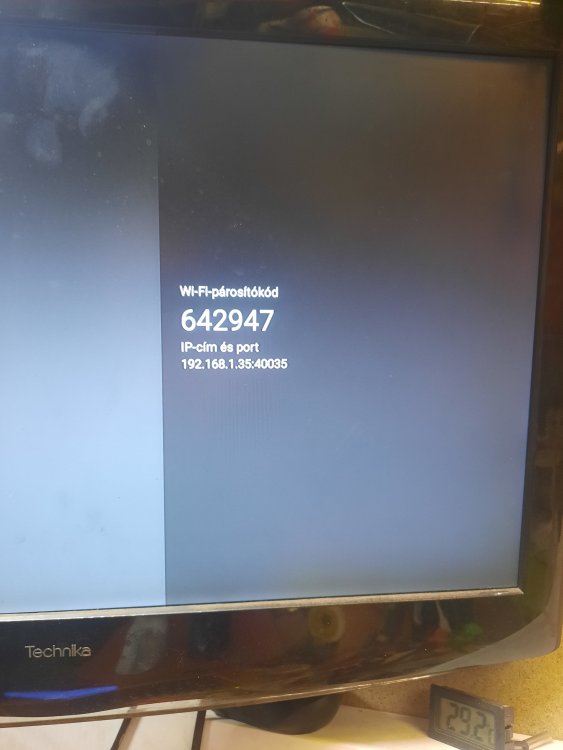
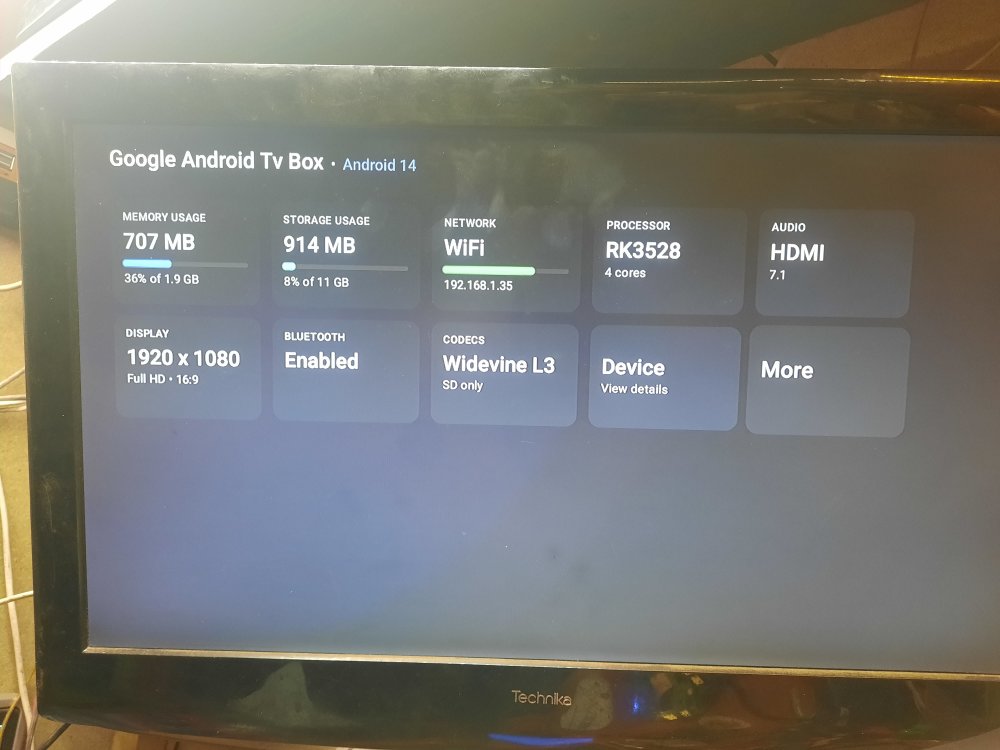
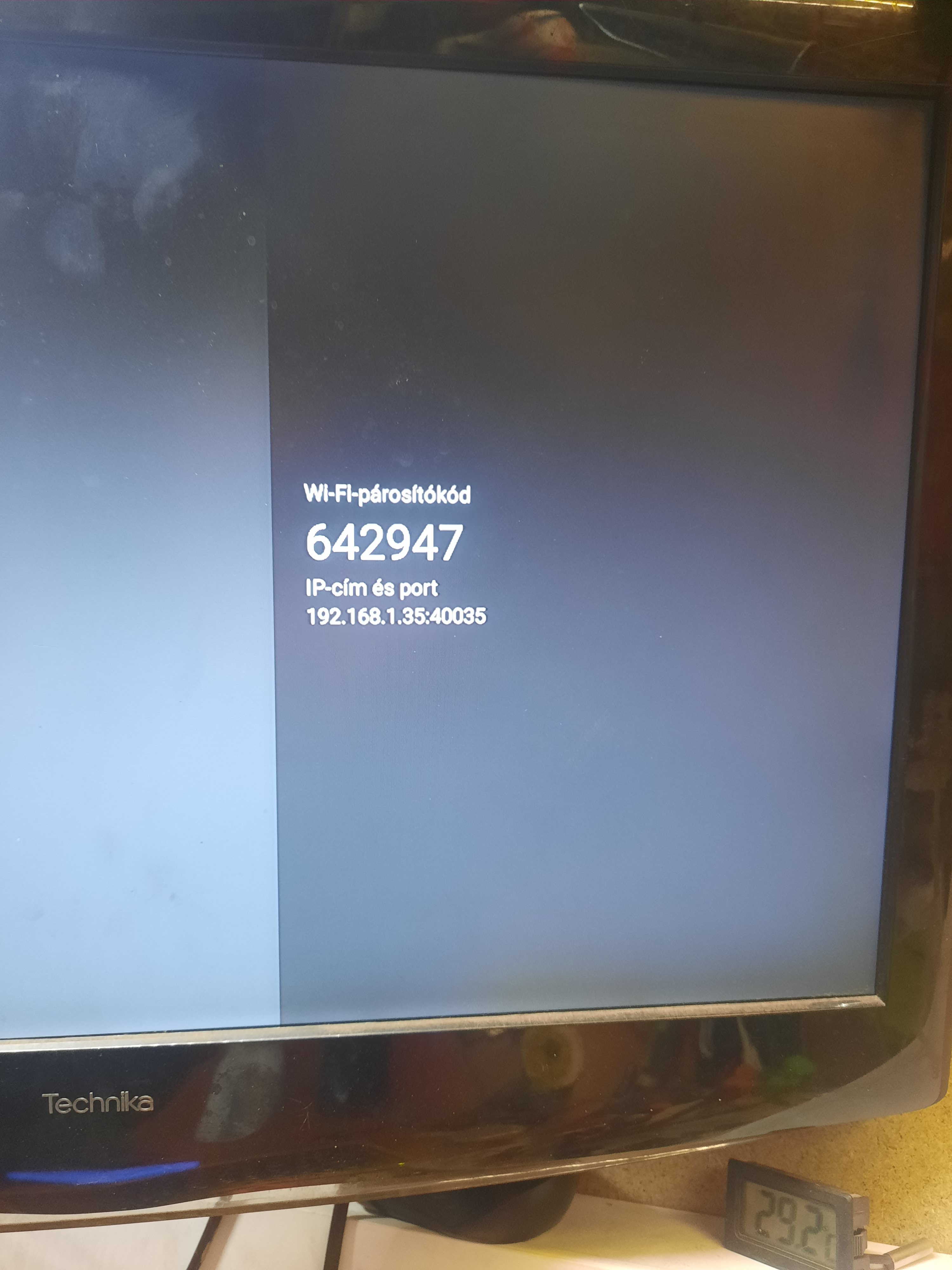
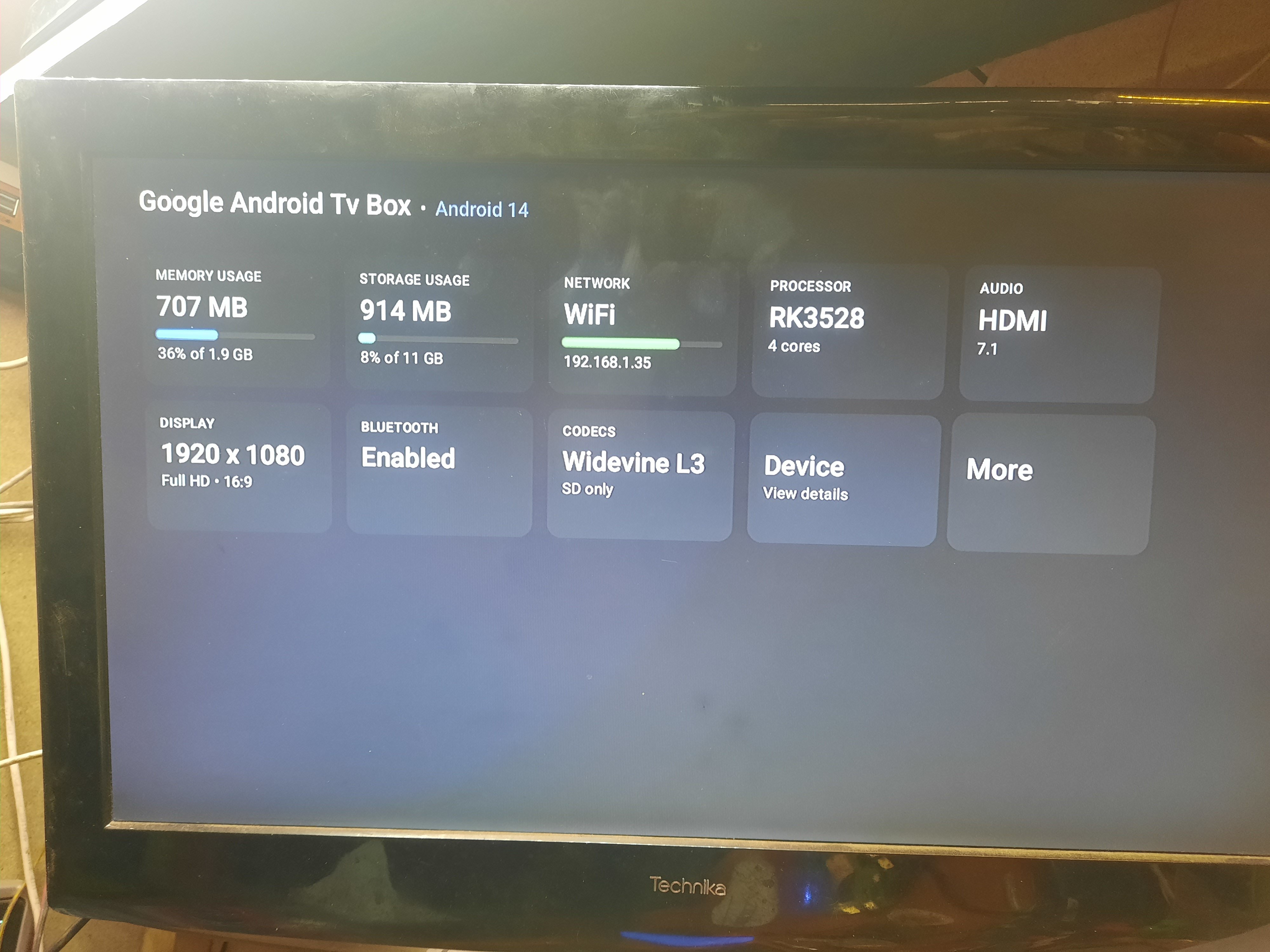
 Hi, I need help with flashing my tv box or installing it on linux. I would also be happy if you could run an armbian or similar minimal system. I would like to run a website on it at home. I already did it for an old venz v10 for a friend and installed armbian on it and he really liked it, but my couldn't install it with a memory card, the on new box 1. System Information Google Android Tv Box - Android 14 Android Version: 14 (Upside Down Cake) API Level: 34 Android Security Patch Level: 2025-01-01 Rooted Device: No Android ID: 5c4aa62950194797 Build ID: rk3528_box_32-userdebug 14 UTT2.241219.001 eng.hxws.20260124.163421 release-keys Codename: REL Fingerprint: google/blueline/blueline:14/UTT2.241219.001/eng.hxws.20260124.163421:userdebug/release-keys ID: UTT2.241219.001 Incremental: eng.hxws.20260124.163421 Java Runtime Version: Android Runtime 0.9 Java Virtual Machine Version: ART 2.1.0 Java Virtual Machine Heap Size: 128 MB Kernel Architecture: armv7l Kernel Version: 6.1.118 (hxws@PowerEdge-R720-8) (Android 10087095, +pgo, +bolt, +lto, -mlgo, based on clang 17.0.2 of r487747c (https://android.googlesource.com/toolchain/llvm-project d9f89f4d16663d5012e5c09495f3b30ece3d2362), LLD 17.0.2) #124 SMP PREEMPT Wed Jan 21 10:25:12 CST 2026 Tags: release-keys Type: userdebug Google Play Services Version: < None > Huawei Mobile Services Version: OpenSSL 1.1.1 (compatible; BoringSSL) OpenSSL Version: 1.2.13 ZLib Version: 1.2.13 2. Hardware and Processor (CPU/Device) Device Type: TV Manufacturer: Google Model: android_tv_box Brand: google Motherboard: RK3528 Device: blueline Hardware: rk30board Platform: rk3528 Product: blueline Processor: RK3528, 4 cores SoC Model: RockChip RK3528 Core Architecture: 4x ARM Cortex-A53 @ 2016 MHz Instruction Set: 64-bit ARMv8-A (32-bit mode) CPU Version: r0p4 CPU Cores: 4 CPU Clock Range: 408 - 2016 MHz CPU Utilization: 5% Scaler Controller: Interactive Supported ABIs: armeabi-v7a, armeabi Supported 32-bit ABIs: armeabi-v7a, armeabi AES/ASIMD/NEON/PMULL/SHA1/SHA2: Supported 3. Memory and Storage (RAM/Storage) Installed RAM: 2 GB Total Memory: 1920 MB Available Memory: 1221 MB Memory Used: 707 MB (36% of 1.9 GB) Total Internal Storage: 11.00 GB Free Internal storage: 10.11 GB Storage usage: 914 MB (8% of 11 GB) 4. Display and GPU (Display) Display: 1920 x 1080 (Full HD, 16:9) Screen resolution: 1920 x 1080 xdpi / ydpi: 320 / 320 dpi GPU manufacturer: ARM GPU renderer: Mali-450 MP Refresh rate: 60 Hz Default orientation: Landscape OpenGL ES version: 2.0 GPU version: OpenGL ES 2.0 OpenGL ES extensions: (List: GL_EXT_debug_marker, GL_OES_texture_npot, GL_OES_vertex_array_object, GL_OES_compressed_ETC1_RGB8_texture, GL_EXT_compressed_ETC1_RGB8_sub_texture, GL_OES_standard_derivatives, GL_OES_EGL_image, GL_OES_depth24, GL_ARM_rgba8, GL_ARM_mali_shader_binary, GL_OES_depth_texture, GL_OES_packed_depth_stencil, GL_EXT_texture_format_BGRA8888, GL_OES_vertex_half_float, GL_EXT_blend_minmax, GL_OES_EGL_image_external, GL_OES_EGL_sync, GL_OES_rgb8_rgba8, GL_EXT_discards_framebuffer, GL_OES_get_program_binary, GL_ARM_mali_program_binary, GL_EXT_shader_texture_lod) 5. Network and Connections (Network/Bluetooth/USB) Network: WiFi Telephony: None Wi-Fi Status: Enabled SSID: BSSID: 02:00:00:00:00:00 Hidden SSID: No IPv4 Address: 192.168.1.35 IPv6 Address: fe80::5ef3:83b1:27d0:574a Signal Strength: -46 dBm (Excellent) Link Speed: 54 Mbps Frequency: 2427 MHz Gateway: 192.168.1.254 Netmask: 255.255.255.0 DNS1: 192.168.1.254 DHCP Lease Time: 24 hours 5 GHz Band: Supported Wi-Fi Aware: Not Supported Wi-Fi Direct: Supported Bluetooth: Enabled Bluetooth Version: 4+ USB Device - Linux 6.1.118 ehci_hcd EHCI Host Controller: (Serial Number: ff100000.usb, ID: 1D6B-0002, Class: 09/00, Speed: 480 Mbps) USB Device - Linux 6.1.118 xhci_hcd xHCI Host Controller: (Serial Number: xhci-hcd.4.auto, ID: 1D6B-0002, Class: 09/00, Speed: 480 Mbps) USB Device - YICHIP Wireless Device 6. Other Data Audio: HDMI 7.1 Codecs: Widevine L3 (SD only) Wireless Debugging: Enabled IP Address and Port: 192.168.1.35:40729 Wi-Fi pairing code: 642947 IP address and port (for pairing): 192.168.1.35:40035 Device features: (List: android.hardware.audio.output, android.hardware.bluetooth, android.hardware.bluetooth_le, android.hardware.camera, android.hardware.camera.any, android.hardware.camera.external, android.hardware.camera.front, android.hardware.cetherandroid.hdware.mi android.hardware.keystore.app_attest_key, android.hardware.location, android.hardware.location.network)