All Activity
- Past hour
-
Actually, hope is not all lost. The image downloaded for the 4c from Armbian. Has the sources set to beta. So, I changed them and was able to install armbian-config. Although it isn't officially supported on the version I'm using. It does the job. Disabled kernel and firmware updating. Also, add Radxa's Bookworm repo. Ran a upgrade and all is well. Should last me a few years. Until the day I decide I want to throw a bunch of my time at an other SBC.
-
 @John Taylor I finally had some time to test this today and it is working fine for me. I built a fresh image on an ubuntu laptop, copied the image to a SD card, it mounted fine on ubuntu, where I edited the extlinux.conf file and then used the SD card to boot on an amlogic based TV box. You mention etcher as your sd card tool. Etcher in recent versions (recent being the last two years or so) is known to have problems. It is no longer recommended for use with Armbian images. I have noticed that in particular if Etcher is burning a compressed image it doesn't work for me. But I have had some success if the image is uncompressed first. But others have reported that it fails in general.
 - Today
-

Efforts to develop firmware for H96 MAX V56 RK3566 8G/64G
GmP replied to Hqnicolas's topic in Rockchip CPU Boxes
First of all, thank you to @Hqnicolas and all the members for this great effort. Just bought an H96 rk3566, having this hardware configuration: BOARD LABEL: HCY-RK3566-1X32-V20 2023-01-13 SOC RK3566 PMIC RK809-5 LAN RTL8211F DISPLAY FD6551 WIFI AIC8800D40 eMMC H26M74002HMR - SK Hynix eMMC 5.1 NAND Flash 64Gb. It seems to be a mix of the other versions described in this topic, although very close to the one of @WINEDS (thanks for the hints). Everything seems to work so far. Installed using rockchip dev tools, as advised. here its: _ _ _ _ _ /_\ _ _ _ __ | |__(_)__ _ _ _ __ ___ _ __ _ __ _ _ _ _ (_) |_ _ _ / _ \| '_| ' \| '_ \ / _` | ' \ / _/ _ \ ' \| ' \ || | ' \| | _| || | /_/ \_\_| |_|_|_|_.__/_\__,_|_||_|_\__\___/_|_|_|_|_|_\_,_|_||_|_|\__|\_, | |___| |__/ v26.2 rolling for h96-tvbox-3566 running Armbian Linux 6.12.61-current-rockchip64 Packages: Debian stable (trixie) Support: for advanced users (rolling release) IPv4: (LAN) 192.168.111.228, 192.168.111.91 (WAN) xxxxxxxxxxx Containers: big-bear-photoprism-db Performance: Load: 8% Uptime: 46 minutes Memory usage: 6% of 7.50G CPU temp: 38°C Usage of /: 31% of 57G To enable Bluetooth I have used this small overlay in /boot/overlay-user/ (which enables SPDIF as well): /dts-v1/; /plugin/; /* &{/serial@fe650000} */ &uart1 { status = "okay"; dma-names = "tx\0rx"; bluetooth { status = "disabled"; }; }; &spdif { clock-names = "mclk\0hclk"; status="okay"; }; The followings are the drivers used for wifi-bluetooth wget https://github.com/radxa-pkg/aic8800/releases/download/4.0%2Bgit20250410.b99ca8b6-3/aic8800-firmware_4.0+git20250410.b99ca8b6-3_all.deb wget https://github.com/radxa-pkg/aic8800/releases/download/4.0%2Bgit20250410.b99ca8b6-3/aic8800-sdio-dkms_4.0+git20250410.b99ca8b6-3_all.deb dpkg -i aic8800-firmware_4.0+git20250410.b99ca8b6-3_all.deb dpkg -i aic8800-sdio-dkms_4.0+git20250410.b99ca8b6-3_all.deb Service to enable bluetooth : [Unit] Description=Bluetooth HCI Attach (AIC8800) After=systemd-modules-load.service Requires=systemd-modules-load.service After=dev-ttyS1.device Requires=dev-ttyS1.device [Service] Type=oneshot # Load AIC module ExecStartPre=/sbin/modprobe aic8800_btlpm_sdio # Just a small delay ExecStartPre=/bin/sleep 2 # Attach HCI ExecStart=/usr/bin/hciattach -s 1500000 /dev/ttyS1 any 1500000 flow nosleep To re-enable display in Linux 6.12 another small overlay is required: (the display itself it is not scrolling and available at: /sys/class/leds/display/value ) /dts-v1/; /plugin/; &{/i2c-aux-display} { compatible = "i2c-gpio"; #address-cells = <0x01>; #size-cells = <0x00>; display@24 { compatible = "fdhisi,fd6551"; reg = <0x24>; #address-cells = <0x01>; #size-cells = <0x00>; tm16xx,digits = [04 03 02 01]; tm16xx,segment-mapping = [00 01 02 03 04 05 06]; led@0,0 { reg = <0x00 0x00>; function = "alarm"; }; led@0,1 { reg = <0x00 0x01>; function = "usb"; linux,default-trigger = "usb-host"; }; led@0,2 { reg = <0x00 0x02>; function = "pause"; linux,default-trigger = "mmc2"; }; led@0,3 { reg = <0x00 0x03>; function = "play"; linux,default-trigger = "mmc0"; }; led@0,4 { reg = <0x00 0x04>; function = "colon"; }; led@0,5 { reg = <0x00 0x05>; function = "lan"; linux,default-trigger = "stmmac-0:00:link"; }; led@0,6 { reg = <0x00 0x06>; function = "wlan"; linux,default-trigger = "mmc1"; }; digits { status = "disabled"; }; leds { status = "disabled"; }; }; }; rk3566-bt-fix.dtso rk3566-led-fix.dtso -
 My solution is to compile the image like this: ./compile.sh INSTALL_HEADERS=yes Then scp the driver on the machine, and execute echo "obj-m += panel-mtf0397swi.o" > Makefile make -C /lib/modules/`uname -r`/build M=$PWD cp panel-mtf0397swi.ko /lib/modules/$(uname -r)/kernel/drivers/gpu/drm/panel/ depmod -a
 -
Hi @eselarm, thanks for the detailed response. I've checked my boot.cmd and boot.scr is ancient ( from Aug 2023 ). I'm going to try to set the variables beforehand, as I see in the output they are blank ( devtype, devnum, prefix ). When I succeed I guess the next step will be to set these variables in U-Boot, but nowadays there's no gpt partition table in SPI with the uboot_env, so I guess will need to figure it out later ( via env or find the boot.scr in the NVMe ), first I want to try to boot from NVMe manually. Thanks again
-
Hello everyone,does anyone have working armbian for rockchip 3228a with lpddr3 for x96q V20?
-
 Easy is what standard Debian (12 and 13) does: NetworkManager and openresolv/resolvconf , even for complex setup of VLANs and bridges, Virtual Machines. Canonical/Ubuntu have invented netplan.io, so they manage NM and systemd-networkd with a yaml script. Easy for them as large organization for business customers. Might not for you as image downloader, as it introduces extra yaml while .nmconnection files are easy to copy between hosts. Also, systemd-resolved might be used, which is actually a sort of local DNS server. It should enable high performance I guess, by default caching enabled, but is that applicable for a simple ARM SBC connected to an ISP router, I don't know. I know is needs extra work for me. So you need to dig into that. Or not use Ubuntu at all. I anyway do not use images, only for testing for others, not to use them myself. It is simply using apt for (dist-)upgrades and so I use standard Debian upgrade method to get from Bookworm to Trixie and keep my KDE as I use that mostly. Also switching kernel, just via apt removals/installs and/or bootmanager. If you get stuck, use sudo nmtui to set an extra network profile connection with fixed IP, known DNS maybe. Done that many times to get things running although not permanent good solution.
 -
It has become your issue. That is the unpleasant reality. It is your setup. It makes no sense to keep guessing what is happening, I gave you already some options.
-

Gaming experience with Orange Pi 5 (RK3588) on Armbian
KhanhDTP replied to KhanhDTP's topic in Orange Pi 5
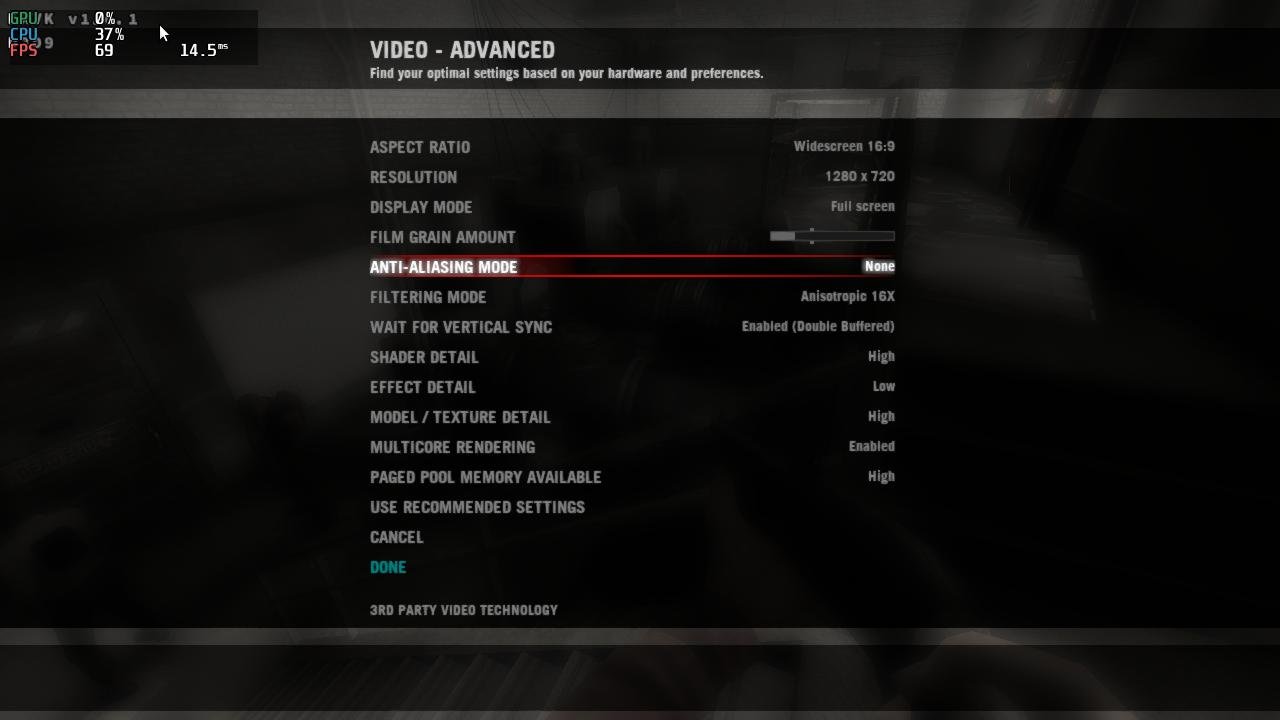
Armbian 25.8.2 Noble XFCE (BSD Kernel: 6.1.115) + PanVk - mesa 26.0 (https://launchpad.net/~ernstp/+archive/ubuntu/mesaaco) + box64 3.9 (https://ryanfortner.github.io/box64-debs/) + proton-10.0-3-amd64-wow64 (https://github.com/Kron4ek/Wine-Builds/releases/download/proton-10.0-3/wine-proton-10.0-3-amd64-wow64.tar.xz) + DXVK-stripped v1.6.1 ~60fps@720p Left 4 Dead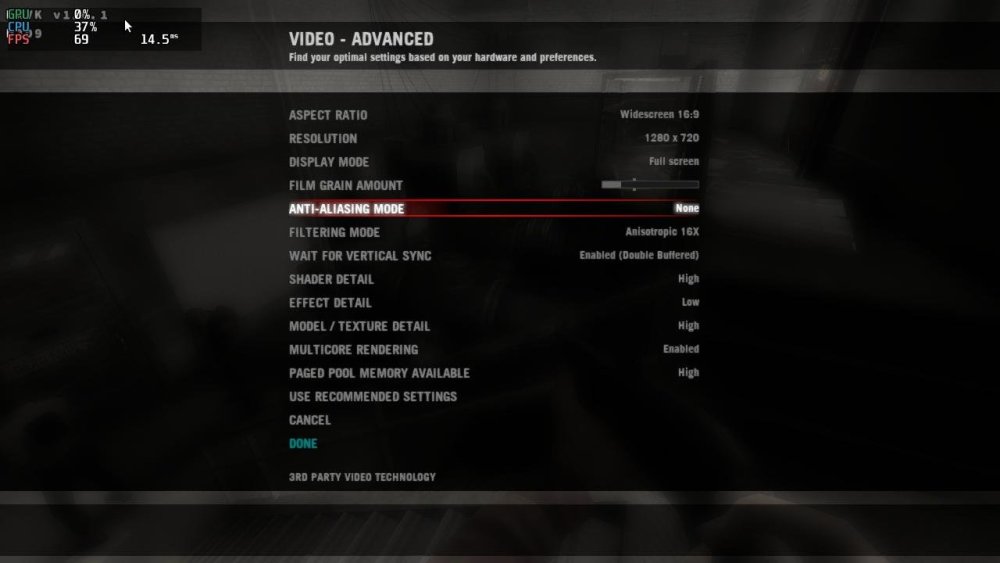
.thumb.jpg.d30f684461656b4279d463a7c04e337a.jpg)
-
Hello, im trying to flash back Android in the nand, but i can't seem to be able to put the motherboard in maskrom mode. any help would be appreciated.
-
Hello there. I have more or less the same request as @tmb I bought Helios64 when it came out and had to stop using it when the core team shut down in 2021. Since 2021, all storage has been managed by my Proxmox server. But I'm currently thinking about upgrading the hardware of my PC and my Proxmox server. And my Helios64 is still there, not being used for anything, which is a shame. Do you think that in 2025, we will be able to use the Helios64 as a NAS server for “family” storage and homelab storage needs ? If so, with which OS / App? Lastest Armbian / Openmediavault ? Thank you.
-
 The "bookworm" distro of Armbian does not have this problem. So what is different with the "noble" distro? I am using the exact SAME hardware/device, "bookworm" works, "noble" does not. As mentioned I am able to ping the local LAN router without any problem with the "noble" distro, but DNS is not working for WAN, with the "noble" distro. The 'bookworm" distro can ping both LAN and WAN "right out of the box" on exactly the same hardware without issue. What else can I do? I sent this yesterday: https://paste.armbian.com/betibuwafi Thanks!
 -
Is this an Armbian issue or a Radxa issue?
-
Thank you for testing!
-
Hey there! I’ve been running Home Assistant Supervised on Armbian for a while, but lately I keep seeing a repeat issue after system upgrades (Docker or kernel updates). After upgrading, some HA containers stop unexpectedly, for example: odroid-c2-homeassistant:2025.12.2 exits with code 137 aarch64-addon-configurator:5.8.0 exits with code 143 My current setup runs on Helios64/RK3399 · kernel 6.12.58-current-rockchip64 · Docker CE 29.1.3 (f52814d). After digging a bit, I noticed this line in dmesg right after the failures -> apparmor="DENIED" operation="signal" profile="hassio-supervisor" signal=kill I also found the small watchdog script (supervisor_fix.sh) that restarts the Supervisor when it reports unhealthy, but the upgrade breakage seems to slip through. I’m just thinking out loud here, but maybe something like a post-upgrade AppArmor refresh, or some other small adjustment, could help ? Not sure what makes the most sense, so any input would be really appreciated. Thanks for your time and for all the work you put into Armbian!
-

Gaming experience with Orange Pi 5 (RK3588) on Armbian
heyrict replied to KhanhDTP's topic in Orange Pi 5
I've tested niri, hyprland, sway and i3, all of them should work if properly configured. -
Hi there, I also tried to see what happens when I set the DIP to SATA0, but to my surprise, the serial console does not give any indication of a boot attempt from SATA: BootROM - 1.73 Booting from SPI flash BootROM: Bad header at offset D4000000 BootROM: Bad header at offset D4200000 BootROM: Bad header at offset D4400000 BootROM: Bad header at offset D4600000 BootROM: Bad header at offset D4800000 BootROM: Bad header at offset D4A00000 BootROM: Bad header at offset D4C00000 BootROM: Bad header at offset D4E00000 Trying Uart And yes, DIP was set to SATA0. To note: there was a blinking red LED prior to the output on the serial console. When I re-set the DIP to SPI, it boots up without issue: Booting from SPI flash U-Boot SPL 2025.10_armbian-2025.10-Se50b-Pee16-H9530-V9a59-Bbf55-R448a (Nov 23 2025 - 08:27:54 +0000) High speed PHY - Version: 2.0 Detected Device ID 6828 board SerDes lanes topology details: | Lane # | Speed | Type | -------------------------------- | 0 | 6 | SATA0 | | 1 | 5 | USB3 HOST0 | | 2 | 6 | SATA1 | | 3 | 6 | SATA3 | | 4 | 6 | SATA2 | | 5 | 5 | USB3 HOST1 | -------------------------------- High speed PHY - Ended Successfully mv_ddr: 14.0.0 DDR3 Training Sequence - Switching XBAR Window to FastPath Window DDR Training Sequence - Start scrubbing DDR3 Training Sequence - End scrubbing mv_ddr: completed successfully Trying to boot from SPI U-Boot 2025.10_armbian-2025.10-Se50b-Pee16-H9530-V9a59-Bbf55-R448a (Nov 23 2025 - 08:27:54 +0000) SoC: MV88F6828-A0 at 1600 MHz DRAM: 2 GiB (800 MHz, 32-bit, ECC enabled) Core: 32 devices, 21 uclasses, devicetree: separate MMC: mv_sdh: 0 Loading Environment from SPIFlash... SF: Detected w25q32 with page size 256 Bytes, erase size 4 KiB, total 4 MiB OK Model: Helios4 Board: Helios4 ... It almost appears that the DIP is not read out properly? What does your console say when you set the DIP to SATA0? Groetjes,
-

Gaming experience with Orange Pi 5 (RK3588) on Armbian
晓飞丁 replied to KhanhDTP's topic in Orange Pi 5
Thank you so much! Read it right away! -
Gaming experience with Orange Pi 5 (RK3588) on Armbian
KhanhDTP replied to KhanhDTP's topic in Orange Pi 5
You can follow this guide to getting started https://gist.github.com/JeodC/aa89f7b387d9dd7976d39bf585e471fd -
On an ARM computer: cat Armbian_25.11.1_Odroidn2_noble_current_6.12.58_xfce_desktop.img.xz.sha 1f3816553377dd63a12e46a476f7ff20b8c5118f63f879f8d3d7d27073c97b35 Armbian_25.11.1_Odroidn2_noble_current_6.12.58_xfce_desktop.img.xz unxz Armbian_25.11.1_Odroidn2_noble_current_6.12.58_xfce_desktop.img.xz losetup --show -fP Armbian_25.11.1_Odroidn2_noble_current_6.12.58_xfce_desktop.img mount /dev/loop0p2 2 passwd -d root --root $(pwd)/2/ systemd-nspawn -bD 2 Only as root login. Browsers are installed: Creating a new user account. Press <Ctrl-C> to abort Desktop environment will not be enabled if you abort the new user creation Please provide a username (eg. your first name): ^C Disabling user account creation procedure root@odroidn2:~# apt list --installed | grep -i -e firefox -e chromium WARNING: apt does not have a stable CLI interface. Use with caution in scripts. chromium-browser/noble,now 2:1snap1-0ubuntu2 arm64 [installed] firefox/noble,now 1:1snap1-0ubuntu5 arm64 [installed,upgradable to: 9:133.0+build2-0ubuntu0.24.04.1~mt1armbian1] Running as a container without DE is very minimal, but packages are there and also networking is up. Things might go wrong when starting DE for the first time, the the occasions I had that in the past decade are rare an due to bad storage or so or something failing with graphics HW/stack. You should maybe specifically look at what is managing network and what is managing DNS. Math permutation leads to 4 possibilities already if I look at what is installed. That is excluding all sorts of options you may have with your router or LAN.
-
Gaming experience with Orange Pi 5 (RK3588) on Armbian
晓飞丁 replied to KhanhDTP's topic in Orange Pi 5
How do you use proton/wine. I download the archieve file and after extraction, there are bin & lib files, how can I use them ? set some environment variables? -
Gaming experience with Orange Pi 5 (RK3588) on Armbian
KhanhDTP replied to KhanhDTP's topic in Orange Pi 5
I am using X11 (XFCE), make sure you installed the driver. -
The one time I used my iPad autocorrect comes to bite me
-
Only if you hand over the Arab money: https://song.link/s/6X0U1NIujkYExpcho01OXG
-
@Werner we should include the „new“ Arabian blog here



.jpg.164e8ca6e4a92292060774d7fb9ee689.jpg)