All Activity
- Past hour
-
OK, it looks like the BSP PCIe driver might have some issues related to power management. I’m not entirely sure of the root cause yet, but when I connected an NVMe drive, it got extremely hot and failed to initialize properly. The NVMe dmesg output suggested adding the following kernel parameters: nvme_core.default_ps_max_latency_us=0 pcie_aspm=off pcie_port_pm=off This resolved the NVMe issues on my side. I’ll try to dig deeper into the root cause, but @humanus please give it a try as well.
-
 Thank you @greg396 for this sum-up on how to upgrade to 6.12 Since last months, have you experience any issue with this version ? I'm on 6.6.8 based on kernel 23.08.0. Stable so far...
 - Today
-
Hi @OverNautt! Sorry not replying in time. Great that you found a solution to your issue and provided feedback!
-
My board is A7Z so unfortunately I couldn't fully test the Ethernet drivers. Hi @qq20739111 / @humanus, any luck with the on board Ethernet? FYI, my new version utilizes mainline MMC drivers as well. And I'm looking into PCIE at the moment.
-
@Sand_Death I just updated my build with @alexc's BSP changes, which include the latest AIC8800 drivers. I'm building an image right now, so I haven't tested it yet. I haven't tested Ethernet either. Maybe Alex can help you with that.
-
Hi, @Nick A yes, of course, I extracted the archive and burned the .img image, but I burned the image using Armbian Imager. Today I tried burning the manufacturer's image to another flash drive, and it launched successfully. After that, I tried burning yours again, and everything worked on a different flash drive when burning it using BalenaEtcher! Amazing! The only thing I want to point out is that I have rev 1.10 selected, and the network card doesn't seem to be detected (wired connection). root@radxa-cubie-a7a:~# sudo lshw -class network *-network description: Wireless interface physical id: 12 logical name: wlan0 serial: 9c:04:b6:84:46:4b capabilities: ethernet physical wireless configuration: broadcast=yes driver=usb driverversion=6.18.19-edge-sun60iw2 ip=192.168.99.218 multicast=yes wireless=IEEE 802.11 root@radxa-cubie-a7a:~# I tried downloading and installing the driver from the radxa repository (the USB version). Because the dmesg output was like this. root@radxa-cubie-a7a:~# sudo dmesg | grep -i -E 'firmware|loading|failed' [ 0.000000] [ T0] psci: PSCIv1.1 detected in firmware. [ 0.000247] [ T0] sunxi:timer_sun50i:[ERR]: request bus clock failed [ 0.000252] [ T0] sunxi:timer_sun50i:[ERR]: sun50i timer of resource get failed [ 0.070642] [ T1] sunxi-iommu-v2 3900000.iommu: master probe failed with -517 [ 3.080921] [ T1] axp8191-temp-ctrl: Failed to locate of_node [id: 0] [ 3.210460] [ T1] NSI_PMU 2020000.nsi-controller: Get support-ecc failed [ 4.708335] [ T1] Loading compiled-in X.509 certificates [ 7.426931] [ T1] sunxi:VE:[WARN]: 392 ve_dvfs_get_attr(): get vf table failed, default 624MHz [ 7.459393] [ T1] sunxi:VE:[WARN]: 392 ve_dvfs_get_attr(): get vf table failed, default 624MHz [ 8.120987] [ T179] powervr 1800000.gpu: [drm] loaded firmware powervr/rogue_36.56.104.183_v1.fw [ 10.773578] [ T1] systemd[1]: systemd-hibernate-clear.service - Clear Stale Hibernate Storage Info skipped, unmet condition check ConditionPathExists=/sys/firmware/efi/efivars/HibernateLocation-8cf2644b-4b0b-428f-9387-6d876050dc67 [ 10.859899] [ T287] aic_load_firmware :firmware path = /lib/firmware/aic8800D80/fw_patch_table_8800d80_u02.bin [ 10.872268] [ T287] aic_load_firmware :firmware path = /lib/firmware/aic8800D80/fw_adid_8800d80_u02.bin [ 10.880698] [ T287] ### Upload fw_adid_8800d80_u02.bin firmware, @ = 201940 size=1708 [ 10.881217] [ T287] aic_load_firmware :firmware path = /lib/firmware/aic8800D80/fw_patch_8800d80_u02.bin [ 10.889530] [ T287] ### Upload fw_patch_8800d80_u02.bin firmware, @ = 1e0000 size=32192 [ 10.898148] [ T287] aic_load_firmware :firmware path = /lib/firmware/aic8800D80/fw_patch_8800d80_u02_ext0.bin [ 10.906475] [ T287] ### Upload fw_patch_8800d80_u02_ext0.bin firmware, @ = 20b43c size=13788 [ 10.934395] [ T287] aic_load_firmware :firmware path = /lib/firmware/aic8800D80/fmacfw_8800d80_u02.bin [ 10.943638] [ T287] ### Upload fmacfw_8800d80_u02.bin firmware, @ = 120000 size=349096 [ 11.028999] [ T287] cfg80211: Loading compiled-in X.509 certificates for regulatory database [ 12.141961] [ T335] sunxi:sound-mach:[ERR]: 537 simple_parse_of(): simple_dai_link_of failed [ 12.162251] [ T335] sunxi:sound-mach:[ERR]: 537 simple_parse_of(): simple_dai_link_of failed [ 12.219436] [ T9] aic_load_fw 1-1.4:1.0: probe with driver aic_load_fw failed with error -1 [ 12.219683] [ T9] aic_load_fw 1-1.4:1.1: probe with driver aic_load_fw failed with error -1 [ 12.219876] [ T9] aic_load_fw 1-1.4:1.2: probe with driver aic_load_fw failed with error -1 [ 12.344962] [ T9] AICWFDBG(LOGERROR) rwnx_load_firmware: aic_userconfig_8800d80.txt file failed to open [ 12.344978] [ T9] AICWFDBG(LOGERROR) wrong size of firmware file [ 12.392525] [ T77] sunxi:sound-ac101:[ERR]: 1725 ac101_probe(): try read ac101 5 times but failed, ac101 probe failed [ 12.413143] [ T77] sunxi-snd-mach soc@3000000:i2s0_mach: ASoC: failed to instantiate card -1 [ 12.427459] [ T77] sunxi-snd-mach soc@3000000:i2s0_mach: probe with driver sunxi-snd-mach failed with error -1 [ 12.775283] [ T1] systemd[1]: systemd-hibernate-clear.service - Clear Stale Hibernate Storage Info skipped, unmet condition check ConditionPathExists=/sys/firmware/efi/efivars/HibernateLocation-8cf2644b-4b0b-428f-9387-6d876050dc67 [ 13.577615] [ T1] systemd[1]: systemd-hibernate-clear.service - Clear Stale Hibernate Storage Info skipped, unmet condition check ConditionPathExists=/sys/firmware/efi/efivars/HibernateLocation-8cf2644b-4b0b-428f-9387-6d876050dc67 However, updating the driver didn't help. But as far as I understand, the AIC8800 drivers are the drivers for WiFi and Bluetooth. I also tried to torment Google Gemini and ran the command it recommended, its output is like this root@radxa-cubie-a7a:~# sudo dmesg | grep -i -E 'eth|mac|realtek|stmmac' [ 0.000000] [ T0] Machine model: sun60iw2 [ 0.000000] [ T0] psci: probing for conduit method from DT. [ 0.000000] [ T0] Kernel command line: root=UUID=34b3b4ba-6c61-4aff-9fb5-d8dbaf8a9d1e rootwait rootfstype=ext4 splash plymouth.ignore-serial-consoles console=ttyS0,115200 console=tty1 consoleblank=0 loglevel=7 ubootpart=7cb3a0a1-d0c5-4814-b3bf-acf7cb5fee06 usb-storage.quirks=0x2537:0x1066:u,0x2537:0x1068:u mac_addr= coherent_pool=2M irqchip.gicv3_pseudo_nmi=0 cgroup_enable=cpuset cgroup_memory=1 swapaccount=1 kasan=off no_console_suspend fsck.fix=yes fsck.repair=yes net.ifnames=0 cgroup_enable=memory [ 0.000000] [ T0] Unknown kernel command line parameters "splash ubootpart=7cb3a0a1-d0c5-4814-b3bf-acf7cb5fee06 mac_addr= cgroup_enable=memory cgroup_memory=1", will be passed to user space. [ 4.882846] [ T12] sunxi-drm soc@3000000:sunxi-drm: late IOMMU probe at driver bind, something fishy here! [ 7.841902] [ T1] mac_addr= [ 9.766287] [ T1] systemd[1]: systemd 257.13-1~deb13u1 running in system mode (+PAM +AUDIT +SELINUX +APPARMOR +IMA +IPE +SMACK +SECCOMP +GCRYPT -GNUTLS +OPENSSL +ACL +BLKID +CURL +ELFUTILS +FIDO2 +IDN2 -IDN +IPTC +KMOD +LIBCRYPTSETUP +LIBCRYPTSETUP_PLUGINS +LIBFDISK +PCRE2 +PWQUALITY +P11KIT +QRENCODE +TPM2 +BZIP2 +LZ4 +XZ +ZLIB +ZSTD +BPF_FRAMEWORK +BTF -XKBCOMMON -UTMP +SYSVINIT +LIBARCHIVE) [ 10.868628] [ T1] systemd[1]: systemd-pcrmachine.service - TPM PCR Machine ID Measurement skipped, unmet condition check ConditionSecurity=measured-uki [ 11.005686] [ T283] aic_load_firmware :firmware path = /lib/firmware/aic8800D80/fmacfw_8800d80_u02.bin [ 11.015312] [ T283] ### Upload fmacfw_8800d80_u02.bin firmware, @ = 120000 size=349096 [ 12.061513] [ T346] OF: /soc@3000000/i2s0_mach: Read of boolean property 'soundcard-mach,routing' with a value. [ 12.072296] [ T346] OF: /soc@3000000/i2s0_mach: Read of boolean property 'soundcard-mach,pin-switches' with a value. [ 12.089497] [ T346] sunxi:sound-mach:[WARN]: 372 asoc_simple_parse_ucfmt(): set data late to default [ 12.107845] [ T346] sunxi:sound-mach:[ERR]: 537 simple_parse_of(): simple_dai_link_of failed [ 12.156684] [ T346] sunxi:sound-mach:[WARN]: 372 asoc_simple_parse_ucfmt(): set data late to default [ 12.176300] [ T346] sunxi:sound-mach:[ERR]: 537 simple_parse_of(): simple_dai_link_of failed [ 12.211549] [ T78] OF: /soc@3000000/i2s0_mach: Read of boolean property 'soundcard-mach,routing' with a value. [ 12.227920] [ T78] OF: /soc@3000000/i2s0_mach: Read of boolean property 'soundcard-mach,pin-switches' with a value. [ 12.247053] [ T78] sunxi:sound-mach:[WARN]: 372 asoc_simple_parse_ucfmt(): set data late to default [ 12.260641] [ T78] sunxi:sound-mach:[ERR]: 537 simple_parse_of(): simple_dai_link_of failed [ 12.279264] [ T78] sunxi:sound-mach:[WARN]: 372 asoc_simple_parse_ucfmt(): set data late to default [ 12.345223] [ T78] OF: /soc@3000000/i2s0_mach: Read of boolean property 'soundcard-mach,routing' with a value. [ 12.345250] [ T78] OF: /soc@3000000/i2s0_mach: Read of boolean property 'soundcard-mach,pin-switches' with a value. [ 12.345271] [ T78] sunxi:sound-mach:[WARN]: 372 asoc_simple_parse_ucfmt(): set data late to default [ 12.345288] [ T78] sunxi:sound-mach:[ERR]: 537 simple_parse_of(): simple_dai_link_of failed [ 12.355471] [ T78] OF: /soc@3000000/i2s0_mach: Read of boolean property 'soundcard-mach,routing' with a value. [ 12.355526] [ T78] OF: /soc@3000000/i2s0_mach: Read of boolean property 'soundcard-mach,pin-switches' with a value. [ 12.355570] [ T78] sunxi:sound-mach:[WARN]: 372 asoc_simple_parse_ucfmt(): set data late to default [ 12.355597] [ T78] OF: /soc@3000000/i2s0_mach/soundcard-mach,cpu: Read of boolean property 'soundcard-mach,mclk-fp' with a value. [ 12.355878] [ T78] sunxi-snd-mach soc@3000000:i2s0_mach: ASoC: DAPM unknown pin HS MIC Jack [ 12.355886] [ T78] sunxi-snd-mach soc@3000000:i2s0_mach: ASoC: DAPM unknown pin HP Jack [ 12.491963] [ T78] sunxi-snd-mach soc@3000000:i2s0_mach: ASoC: failed to instantiate card -1 [ 12.500679] [ T78] sunxi-snd-mach soc@3000000:i2s0_mach: probe with driver sunxi-snd-mach failed with error -1 [ 12.696783] [ T1] systemd[1]: systemd-machine-id-commit.service - Save Transient machine-id to Disk skipped, unmet condition check ConditionPathIsMountPoint=/etc/machine-id [ 12.879365] [ T1] systemd[1]: systemd-machine-id-commit.service - Save Transient machine-id to Disk skipped, unmet condition check ConditionPathIsMountPoint=/etc/machine-id [ 12.895054] [ T1] systemd[1]: systemd-pcrmachine.service - TPM PCR Machine ID Measurement skipped, unmet condition check ConditionSecurity=measured-uki [ 13.872897] [ T1] systemd[1]: systemd-machine-id-commit.service - Save Transient machine-id to Disk skipped, unmet condition check ConditionPathIsMountPoint=/etc/machine-id [ 13.888466] [ T1] systemd[1]: systemd-pcrmachine.service - TPM PCR Machine ID Measurement skipped, unmet condition check ConditionSecurity=measured-uki [ 15.517187] [ T983] Bluetooth: BNEP (Ethernet Emulation) ver 1.3 Could it be that a different type of Ethernet is used here?
-

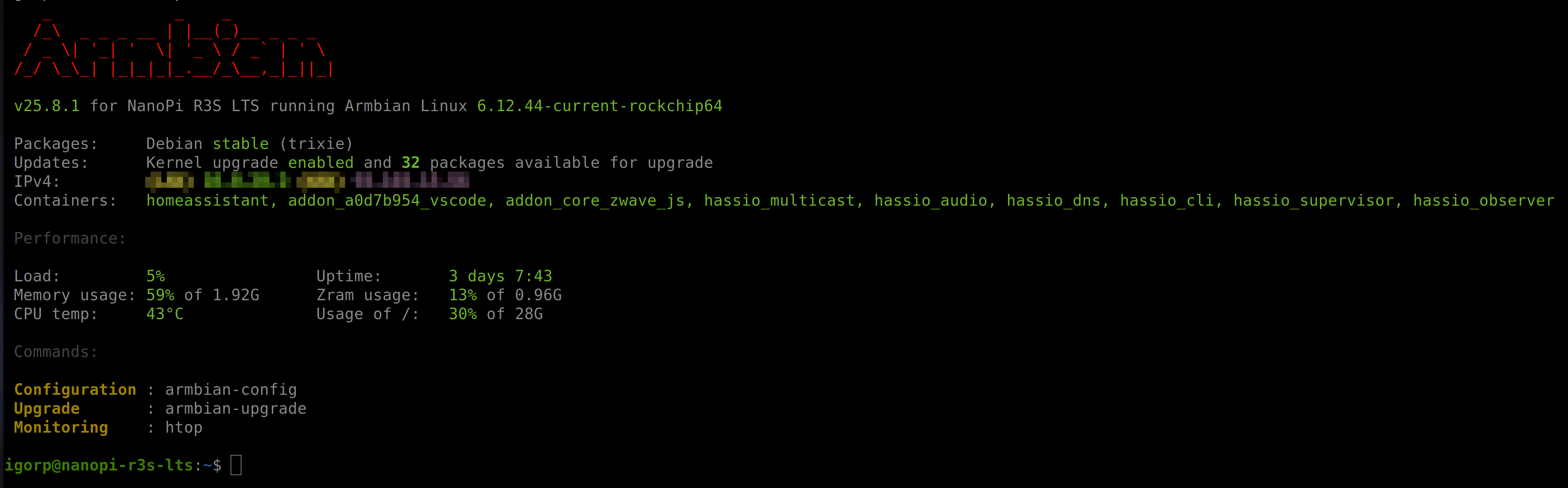
Armbian with preinstalled Home Assistant supervised
Igor replied to Igor's topic in Software, Applications, Userspace
Me neither. This is my primary intention, just currently overwhelmed with things. I did some changes on top on official: https://github.com/armbian/supervised-installer -
Hi @jock, thanks for the feedback! Honestly, I didn't expect the current images to be that up to date — when I was looking for a stable image for the RK322x I ended up grabbing what was readily available (24.2.5 Bookworm) without checking if there were newer ones. My bad for not looking more carefully. I'll update the box to Trixie with kernel 6.18 and also take a look at the ffmpeg/mpv thread you mentioned. Appreciate the pointers!
-
@reinoldo vieira nice you found a pipeline that works with gstreamer! I have a couple of notes though: why using such an old armbian image with such old kernel? Current images are on Debian Trixie with kernel 6.18 (edge packages are on 7.0) hardware video acceleration is working for years on rk3229, there is a thread mentioned in first page to an ffmpeg repository to achieve that with mpv
-
For mate IIRC they use gnome's gnome-language-selector (start it in a terminal if you are missing the icon in settings), but it was a while since I used that desktop-env so I could be wrong. My old notes says the setting should be in: System > Control Center > Language Support For your information (as a fellow Swedish person): there is a locale called en_DK.UTF-8 that you might want to use instead. That way you get the correct settings for Scandinavian (like date/clock format for example) but the language is English. Or you can probably do it in terminal altogether: sudo dpkg-reconfigure locales # select en_DK.UTF-8 here, or whatever locale you want to use, I will use the dk version in this example localectl set-locale LANG=en_DK.UTF-8 sed -i "s/sv_SE/en_DK/" ~/.dmrc
-
Hello @vlw, Pull latest from build framework, compile and retry, we migrate R76S to use mainline uboot due a issue with uboot vendor. Let's update us.
-
Seems like Mate change to sv_SE.UTF-8, but there are no app to change launguish in Mate. Think I have to remove mate?
-

Armbian with preinstalled Home Assistant supervised
ebin-dev replied to Igor's topic in Software, Applications, Userspace
Thanks for looking into this. As the docker install does not have access to apps it would be quite restricted and not really usable for many. I would certainly not use it. May be you could try to set up the supervised install (I know it is not supported anymore by HA) ? That would bring a lot of attention to Armbian ... -
thanks @Arthur Gu, I will test and include into a PR to armbian tested on 6.18.32-current-rockchip64 https://paste.armbian.com/ekupotacut ok, I find your PR: https://github.com/armbian/build/pull/9832 will apply the instructions to a new PR https://github.com/armbian/build/pull/9877 tested on 7.0.9-edge-rockchip64 https://paste.armbian.com/amimofemog
-
This is a work-in-progress resource for bare-metal bringup for Rockchip devices. Source code: https://github.com/petabyt/rk https://danielc.dev/rk/
-
 The issue has been resolved. It turns out that the official release has already configured the necessary documents or files before distribution. When I used im‑config, it gave me no response at all. Following the XDG Autostart manual, I copied /usr/share/applications/org.fcitx.Fcitx5.desktop to ~/.config/autostart; after that, fcitx5 starts automatically and works normally when I reboot or log out and back in. Thanks
 -
@sven-ola Sorry, this was indeed a mystery problem with my SSD. I replaced it, and now everything works like a charm (I just need the CLI server; Wi-Fi or GPU isn’t necessary). By the way, when is the stable release planned?
-
--- Hey everyone! Long-time lurker, first post here. I picked up one of those cheap RK3229 TV boxes and decided to see how far I could push it on a mainline kernel — no Android, no BSP, no blobs. What started as curiosity about whether rkvdec actually worked on kernel 6.6 turned into a full rabbit hole of GStreamer pipelines, PHY register dumps, and DRM memory bandwidth math. The whole debugging and documentation process was done collaboratively with Claude (Anthropic's AI assistant), which made it a lot easier to dig into kernel driver internals and iterate on the pipeline without spending weeks at it. All the results were validated on real hardware. Sharing here in case it saves someone else the same rabbit hole. --- [GUIDE] Hardware H.264 decode at 720p — mainline kernel 6.6, GStreamer, no blobs After spending some time on my RK3229 TV box running Armbian 24.2.5 Bookworm (kernel 6.6.22-current-rockchip), I got hardware H.264 decode working at 720p real-time using only mainline kernel drivers and open-source GStreamer plugins. Posting here in case it helps others. --- What works - H.264 720p@30fps fully hardware decoded via rkvdec (the mainline V4L2 stateless decoder) - Direct HDMI output via kmssink (DRM/KMS — no X11, no Wayland needed) - Audio output via ALSA (HDMI or analog) - YouTube streaming with audio+video in sync using a small proxy server What doesn't work and why - 1080p: The decoder itself handles it, but writing ~90 MB/s of NV12 frames to uncached DRM memory saturates the Cortex-A7 memory bus. Not a software problem — there's no fix without DMA-BUF zero-copy between rkvdec and the DRM subsystem. - YouTube in a browser: Browsers do their own software decode — no VA-API bridge exists for rkvdec on mainline. Even with a desktop environment installed, frame rate will be unusable. - HEVC / AV1: Not supported by rkvdec on RK3228/RK3229. --- The GStreamer pipeline # Local H.264 file — video only gst-launch-1.0 filesrc location=video.mp4 ! qtdemux ! h264parse \ ! v4l2slh264dec ! videoconvert ! kmssink driver-name=rockchip sync=true # YouTube streaming with audio (requires proxy — see repo) gst-launch-1.0 -e \ souphttpsrc location="http://PROXY_IP:8091/play?v=VIDEO_ID&q=720&fmt=ts" automatic-redirect=true ! \ tsdemux name=demux \ demux. ! queue ! h264parse ! v4l2slh264dec ! videoconvert ! kmssink driver-name=rockchip sync=true \ demux. ! queue ! aacparse ! avdec_aac ! audioconvert ! audioresample \ ! "audio/x-raw,rate=44100,channels=2" ! alsasink device=hw:2 Key points: - v4l2slh264dec is the stateless GStreamer element — do not use h264_v4l2m2m (that's for stateful decoders like RPi) - kmssink driver-name=rockchip uses /dev/dri/card0 (Rockchip DRM display), not the Lima GPU - For YouTube, MPEG-TS (fmt=ts) is required — fragmented MP4 with empty_moov breaks GStreamer cap negotiation --- Why this is different from Jock's media framework Jock's framework uses kernel 4.4 + RKMPP proprietary blobs. This uses kernel 6.6 mainline + rkvdec upstream driver + open-source GStreamer. No blobs, works with current Armbian, survives kernel upgrades. --- Requirements - Armbian 24.x with kernel 6.6-current-rockchip (kernel 5.15 / Bullseye not tested — V4L2 stateless API wasn't stable until 5.18) - GStreamer 1.22 from Debian Bookworm sudo apt install -y gstreamer1.0-tools gstreamer1.0-plugins-base \ gstreamer1.0-plugins-good gstreamer1.0-plugins-bad \ gstreamer1.0-libav gstreamer1.0-alsa --- Repo with scripts and full setup guide https://github.com/Reinoldo-Ozy/rk322x-mediaplayer Includes the yt-play playback script and the proxy server (yt_proxy.py) with systemd unit. The README covers the full setup, performance numbers, and a detailed limitations section. Tested on a generic MXQ Pro-style box with RK3229, 2 GB RAM, Armbian 24.2.5 Bookworm, kernel 6.6.22-current-rockchip, DTB rk322x-box.dtb.
-
Armbian with preinstalled Home Assistant supervised
Igor replied to Igor's topic in Software, Applications, Userspace
I am running mine on Trixie, installed about a year ago. Then it worked ... Core is running inside Docker container so functionality should be O.K., but we might currently have some problem ... I will look into this when I am about to reinstall my setup, but I plan to add Docker install only, which should work well, but it has certain limitations.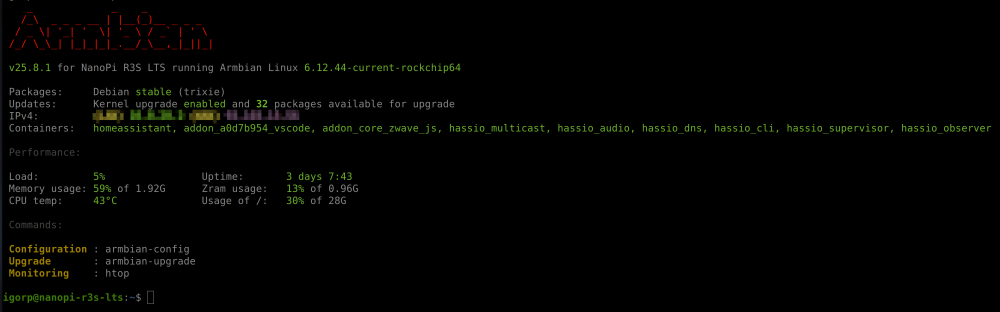
- Yesterday
-
@Sergioclr remove those two Failing patches you don’t need them anyways.
-

Armbian with preinstalled Home Assistant supervised
bedna replied to Igor's topic in Software, Applications, Userspace
Really? You changed the network config, installed a massive application AND enabled apparmor in the same boot... Cmon dude... It probably does, if you don't also change the network. -
@SecLyzer U-Boot can boot from a FAT32 or Linux file system. You can change this in your board configuration file.
-
Due to the shortage of memory chips these days, Radxa is using different emmc models in their boards. For example, I recently ordered a big batch of Rock S0 boards, but they had to be delivered with Sandisk iNAND 32GB emmc drives instead of the typical 8GB option. The problem is that Armbian did not reliably boot on these new boards. It randomly gets stuck during initialization with the onboard LED endlessly blinking. Some boards works, some did not, some only works sometimes. Long story short, in case other people also have this problem: I found the solution. I believe it is caused by Armbian's Rock S0 device tree enabling the HS200 high speed mode for the emmc device. (source) I guess not all emmc chips reliably support this. To fix it, I had to remove the line in the device tree linked in the source above. Actually this should probably be done with a proper device tree modification, but in my case, just to test, I modified the boot scripts. In /boot/boot.cmd, add these lines near the bottom, but ABOVE the "booti ..." line: fdt rm /mmc@ff490000 mmc-hs200-1_8v fdt set /mmc@ff490000 max-frequency <0x02faf080> Then recompile in terminal with: mkimage -C none -A arm -T script -d /boot/boot.cmd /boot/boot.scr If you update the kernel/armbian distro these script will probably get overwritten, hence why it should preferably done with a custom device tree instead. But in my case I have frozen updates, and either way this will serve as a starting point for others having the same issue. Actually, I cannot see this troublesome patch on the 6.18 distro source, so maybe this is old news and no longer a problem on modern images anyway. But my image is still on 6.12, so I figured I'd share anyway.
-
@Sand_DeathDid you extract the image and use BalenaEtcher? It works fine on my Radxa Cubie A7A board.
-
https://github.com/sicXnull/armbian-build/releases MXQ-PRO H313 https://github.com/sicXnull/armbian-build/archive/refs/tags/mxqpro.zip Summary: compile from source halts with error. Traceback (most recent call last): [🔨] File "/home/e***o/Downloads/armbian-build-mxqpro/lib/tools/patching.py", line 491, in <module> [🔨] raise exit_with_exception [🔨] Exception: Failed to apply 2 patches. Log uploaded and available at https://paste.armbian.com/dimokofipe Thanks in advance





.thumb.jpg.20ed26dd68aaee94a94b227bf670a8eb.jpg)