All Activity
- Today
-
Hi all, I've spend a few evenings playing with the Armbian build-system and OPI4a, mainly trying to get Ethernet working reliably. There are two issues I've found: (almost) every second boot there are errors with PHY access (as if there was a race somewhere), neither DHCP nor static IPs are working (in scnerios when there are no issues with PHY). I've mainly focused on comparing Devicetrees to OrangePis' sources, and from newbie perspective, at least Ethernet part seems pretty complete. The next logical step would be to focus on the driver, but I figured, I'd ask if maybe someone has also been trying to work it out, and proceeded further? I'd appreciate any ideas of what I should check next.
-
Thanks to whom it may concern. I downloaded the today's version and it did connect..
-
Do you have rocket kernel with mesa that enable NPU working now? Or with rknn kernel? I'm a hobbyist working on a script to detect the NPU environment for ARM64 edge devices. Since I only have limited hardware, I’m looking for volunteers to run a quick test and see what is the environment on different NPU-equipped boards. This is a personal experimental project with no guarantees, just a survey to see what works and what doesn't. GitHub Repository: [npu-toolbox](https://github.com/flappyjet/npu-toolbox/) Test Script: `curl -sSL https://github.com/flappyjet/npu-toolbox/raw/refs/heads/main/scripts/npu_probe.sh | bash` Report Results: Please drop a comment in this survey issue: [Call for Testing: NPU detection Script](https://github.com/flappyjet/npu-toolbox/issues/1) Here's my A311d device info # npu-toolbox benchmark
-

Armbian doesn't detect Orange Pi 4 lts all 4GB of ram
Kamar replied to Kamar's topic in Orange Pi 4 LTS
Yeah i wanted to switch to noble minimal but it did not boot at all. noble i installed using armbian imager + online install. I think the problem is there are 3gb versions of opi 4 lts also and maybe all images are designed for those 3gb versions for compatability? Maybe there is some way to manually change that ram size config? inside device tree i could not find memory reg. Maybe it is related to uboot. Just adding i tested with noble desktop and it booted but still shows 3gb -

Armbian doesn't detect Orange Pi 4 lts all 4GB of ram
Werner replied to Kamar's topic in Orange Pi 4 LTS
This is quite old. Isn't there anything more recent? Perhaps this was fixed at some point already. -
Hi! I have got Orange Pi 4 lts with 4 gb ram version. I made flashed sd card using Armbian-Imager using jammy_current_6.6.31 minimal. My problem is OS detects only 3gb (2.91) of 4gb. And i investigated and googled, spent more enough time to fix it but still fail. It is not likely reservation. also tried with bookworm the result is same 3gb. with noble minimal the board doesn't boot at all. what can i do to make os detect all 4 gbs. Maybe there was some similar issue before and i missed? Many thanks, appreciate any help!
-

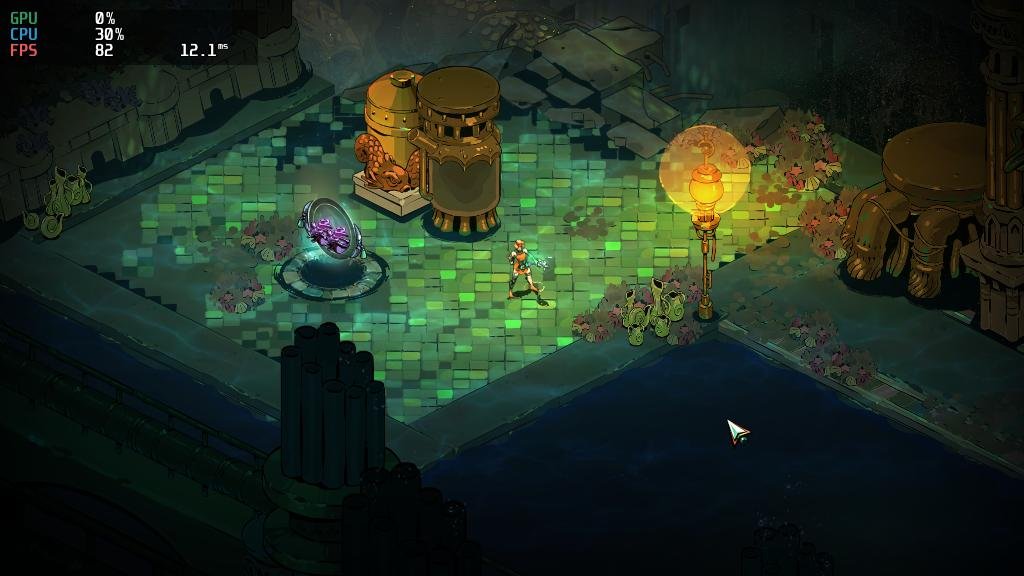
Gaming experience with Orange Pi 5 (RK3588) on Armbian
KhanhDTP replied to KhanhDTP's topic in Orange Pi 5
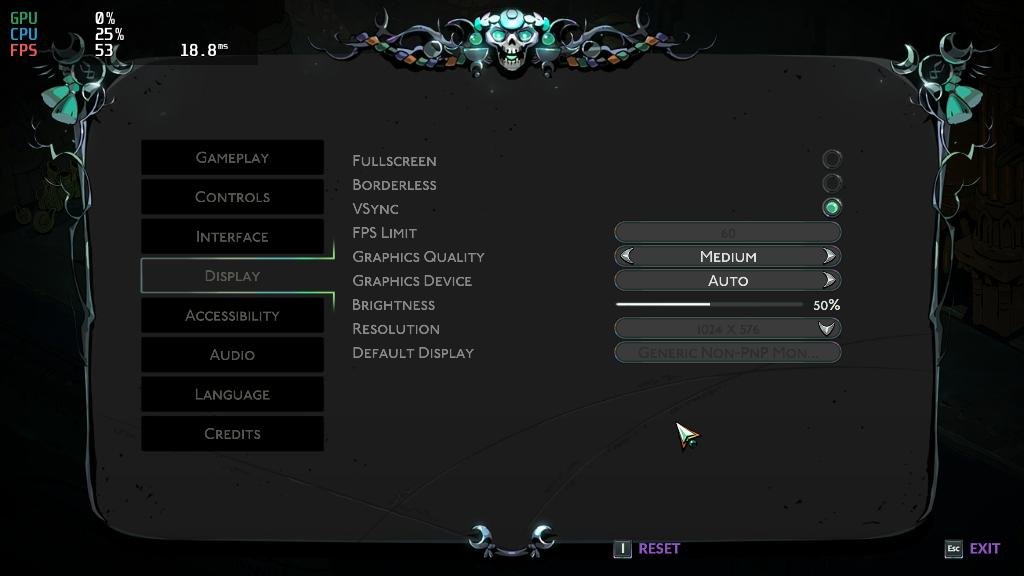
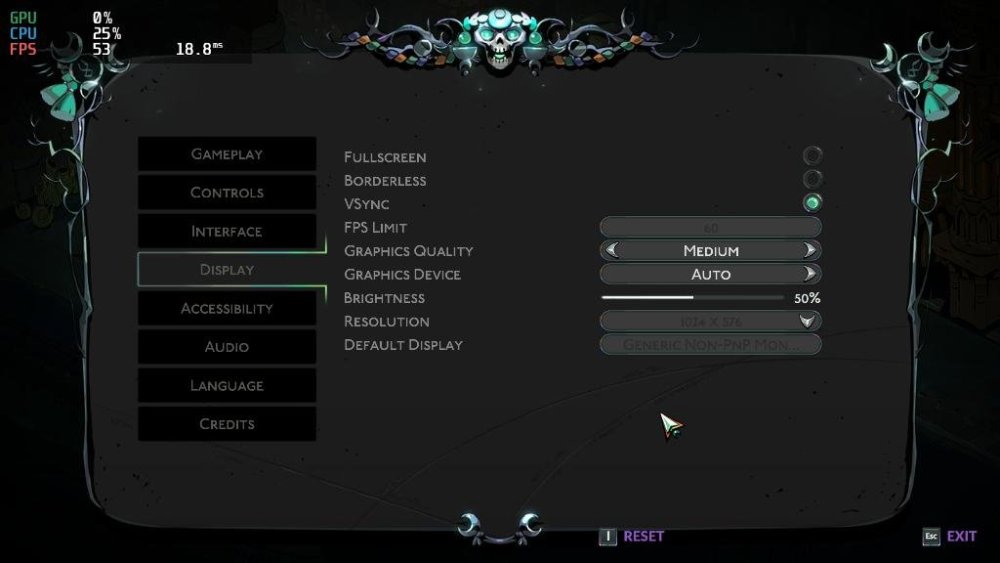
Armbian 25.11.2 Noble XFCE (BSP Kernel: 6.1.115) + PanVk - mesa 26.0 (https://launchpad.net/~ernstp/+archive/ubuntu/mesaaco) + Box64 arm64 v0.4.1 ed9827920 (https://ryanfortner.github.io/box64-debs/) + wine-11.3-staging-tkg-amd64-wow64 (https://github.com/Kron4ek/Wine-Builds/releases/tag/11.3) + vkd3d-1.19 (wine's built-in) ~60fps@1024x576 (medium settings) Hades 2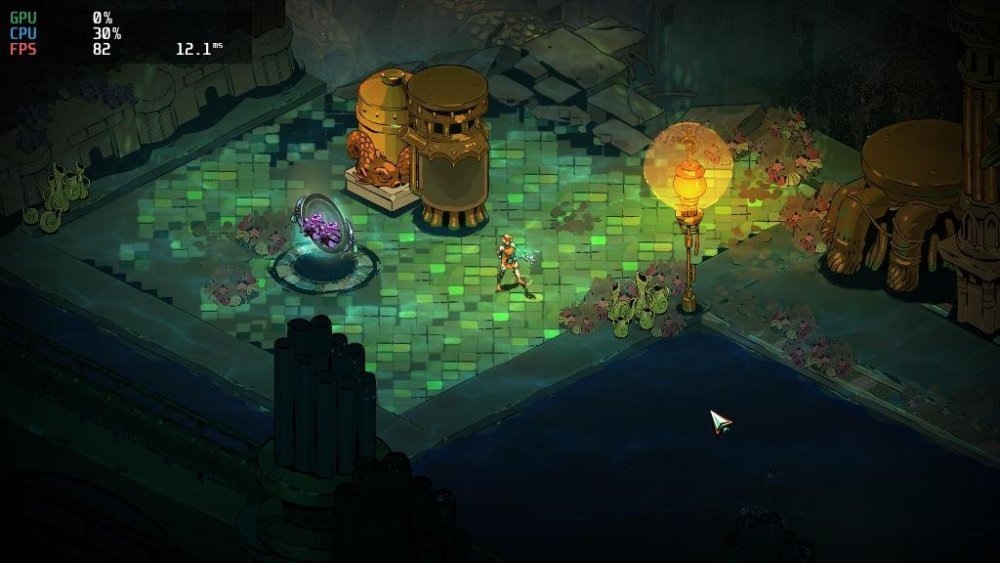
-

Missing keys when running apt-update
technik007_cz replied to Luna the Deer's topic in Libre Renegade
Hi, I redownloaded the key and replaced it, and it works! -

Missing keys when running apt-update
Tim Makarios replied to Luna the Deer's topic in Libre Renegade
@technik007_cz your issue looks a little different from @Luna the Deer's. But have you both tried this? - Yesterday
-
Missing keys when running apt-update
technik007_cz replied to Luna the Deer's topic in Libre Renegade
Same issue there apt update Hit:1 http://deb.debian.org/debian trixie InRelease Hit:2 http://security.debian.org trixie-security InRelease Hit:3 http://deb.debian.org/debian trixie-updates InRelease Hit:4 http://deb.debian.org/debian trixie-backports InRelease Get:5 https://mirror.vinehost.net/armbian/apt trixie InRelease [39.4 kB] Err:5 https://mirror.vinehost.net/armbian/apt trixie InRelease Sub-process /usr/bin/sqv returned an error code (1), error message is: Signing key on DF00FAF1C577104B50BF1D0093D6889F9F0E78D5 is not bound: No binding signature at time 2026-02-26T23:23:28Z because: Policy rejected non-revocation signature (PositiveCertification) requiring second pre-image resistance because: SHA1 is not considered secure since 2026-02-01T00:00:00Z Missing key 8CFA83D13EB2181EEF5843E41EB30FAF236099FE, which is needed to verify signature. Fetched 39.4 kB in 4s (10.2 kB/s) All packages are up to date. Warning: An error occurred during the signature verification. The repository is not updated and the previous index files will be used. OpenPGP signature verification failed: https://mirror.vinehost.net/armbian/apt trixie InRelease: Sub-process /usr/bin/sqv returned an error code (1), error message is: Signing key on DF00FAF1C577104B50BF1D0093D6889F9F0E78D5 is not bound: No binding signature at time 2026-02-26T23:23:28Z because: Policy rejected non-revocation signature (PositiveCertification) requiring second pre-image resistance because: SHA1 is not considered secure since 2026-02-01T00:00:00Z Missing key 8CFA83D13EB2181EEF5843E41EB30FAF236099FE, which is needed to verify signature. Warning: Failed to fetch https://apt.armbian.com/dists/trixie/InRelease Sub-process /usr/bin/sqv returned an error code (1), error message is: Signing key on DF00FAF1C577104B50BF1D0093D6889F9F0E78D5 is not bound: No binding signature at time 2026-02-26T23:23:28Z because: Policy rejected non-revocation signature (PositiveCertification) requiring second pre-image resistance because: SHA1 is not considered secure since 2026-02-01T00:00:00Z Missing key 8CFA83D13EB2181EEF5843E41EB30FAF236099FE, which is needed to verify signature. Warning: Some index files failed to download. They have been ignored, or old ones used instead. -

Clarification on GPL 2.0 License Applicability
tparys replied to Clark McCauley's topic in Off-topic
GPL requires source code be offered for any software distributed. Changes to the build system probably aren't covered, but a modified DTB probably is. The final image also has the Linux kernel and other GPL components, so that definitely is. Bottom line is that GPL is supposed to be permissive. DTS is easily gotten from DTB. And you're probably good as long as you're not being a jerk about it. If that bothers you, you could also make a overlay (dtbo) and just patch the DTB on boot. You'd avoid the custom image and also make it more clear that your DTB is tweaked. -

Has anyone had any luck with the Radxa Cubie a5e and Armbian?
Meestor_X replied to Meestor_X's topic in Allwinner sunxi
While attempting, using AI, to see if there were DTS changes that could help this (spoiler: there aren't), it came up with some DTB changes that it claims need to be made for the board's stability. Maybe someone who understands these things can see if they got it right? Also, does the new allwinner update for armbian help/fix any of the cubie's USB/Power issues? https://github.com/armbian/build/pull/9381 a5e-armbian-DTS.patch -
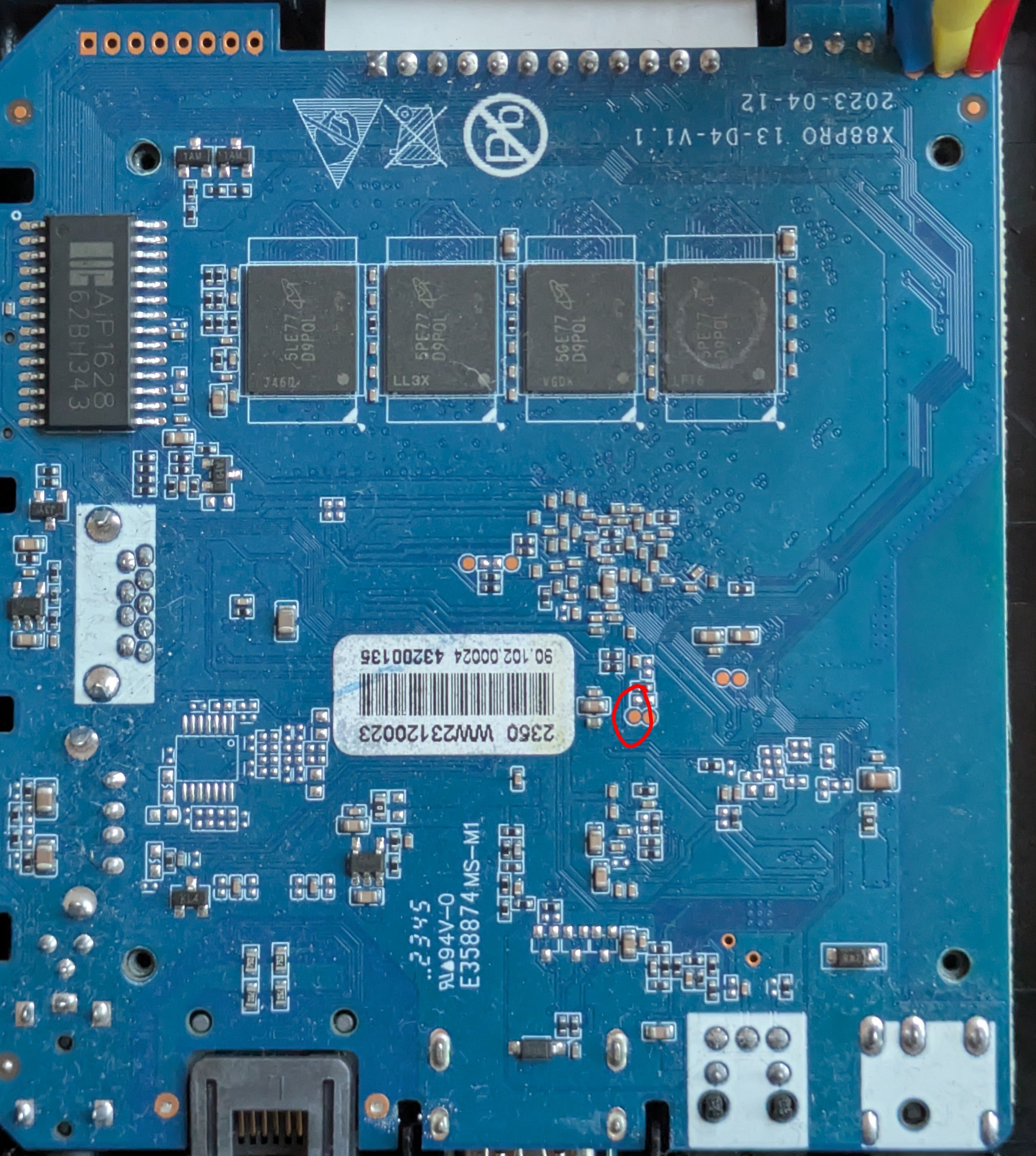
I finally managed to boot in Maskrom mode by shorting the clock pin (red circle on the picture) to ground, then loading the loader (rk3528_spl_loader_v1.07.104.bin) and u-boot with rkdeveloptool.
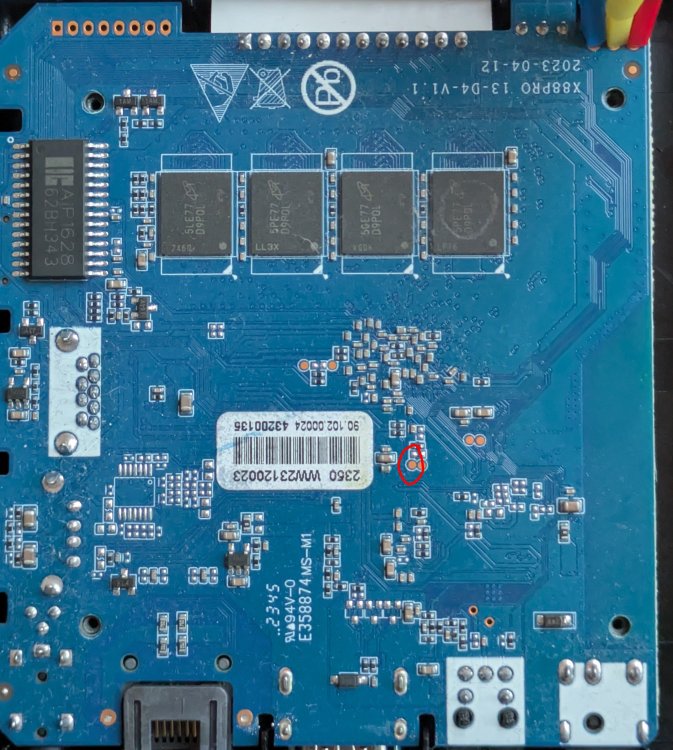
-

Is the NanoPC-T6 Plus compatible with the NanoPC T6 LTS image ?
magic_sam replied to magic_sam's topic in NanoPC T6 LTS
Dear @Werner , I have just created an issue on Github to keep track of this discussion: https://github.com/armbian/build/issues/9446 Is it safe to try possibly unsupported images on the NanoPC-T6 Plus ? It's a relatively expensive piece of kit and I'd rather not take any chances (new LPDDR5 RAM: possibly new memory timings, etc.) Best regards, Samuel -

Timezone for Iceland
Igor replied to Björn Eiríksson's topic in Framework and userspace feature requests
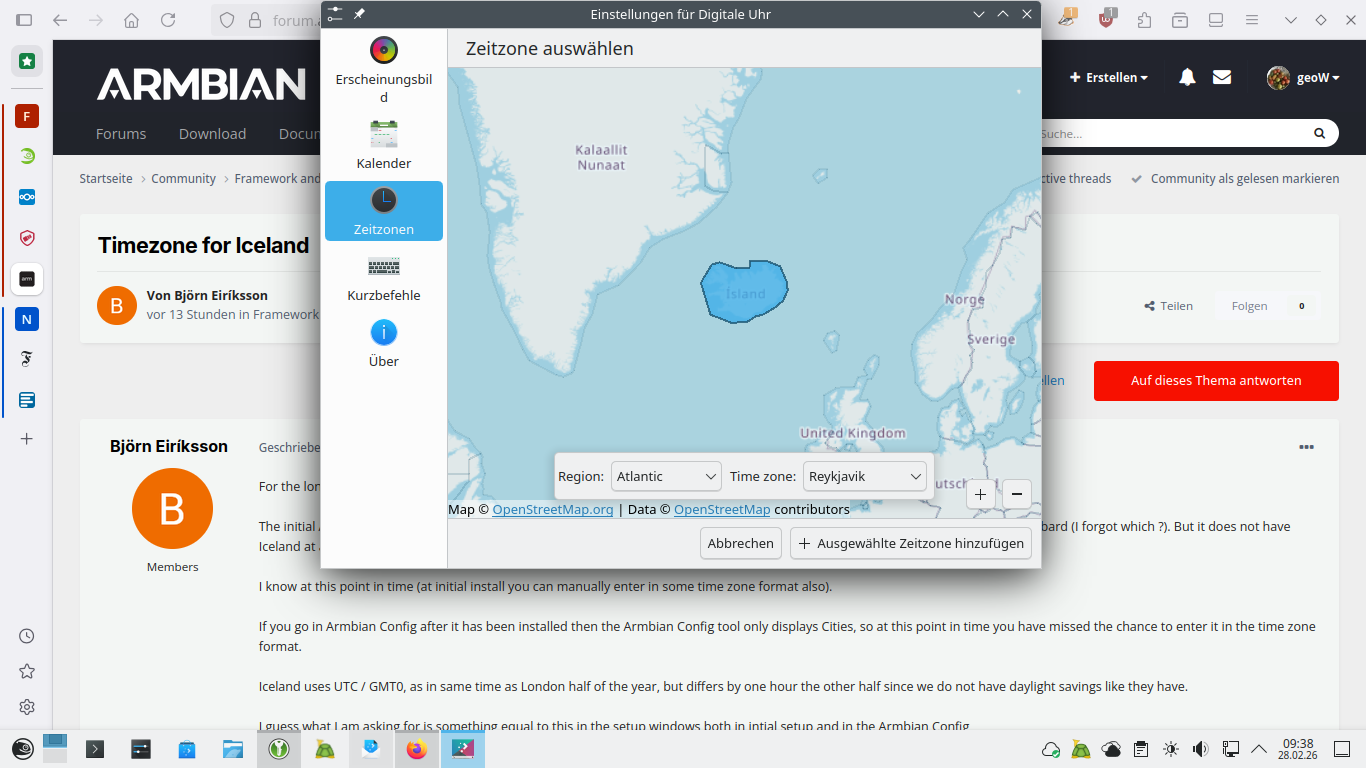
... problem is elsewhere. This is running: sudo dpkg-reconfigure tzdata in CLI (Armbian Noble), choosing region Atlantic, then: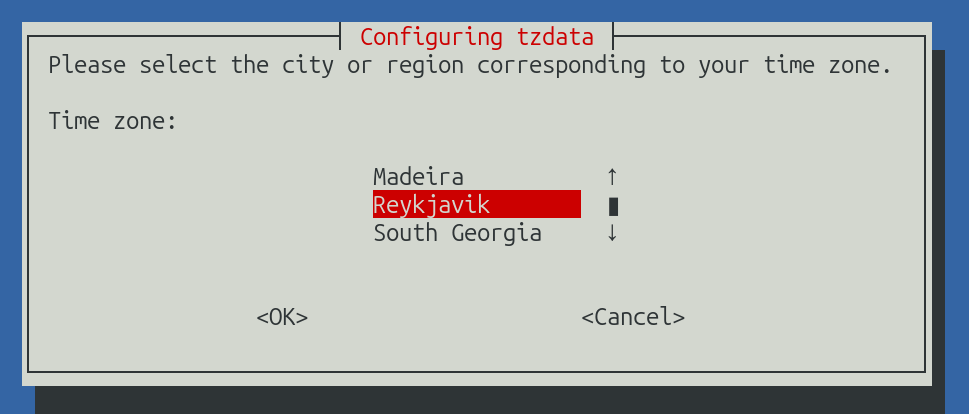
-
bedna, see - i tried your way on a raspi 3B+ with the last minimal armbian and it worked like your case like a charm - on my Win11 with putty. If you look a bit back to my post with the attached "ssh_debian.txt" - that is what I get when I use a debian as ssh client! ssh client and the odroid ssh server cannot agree on how to connect UNLESS I dumb it down as seen in the command line - and then "1234" is not accepted.. So - armbian "odroid XU4" does not behave like "raspi"!
-
 So I need to know what I have to do to get MIDI messages into my music app that I'm working on. I developed a cli synth app on Manjaro using SDL3 and Jack. Jack I used to connect to MIDI aka 'MIDI-Bridge' or MIDI Through and an external program to produce MIDI messages sent to MIDI Through. I am currently trying to do the same on the actual device I wish to use which is the OrangePi 4 LTS I have spare with just bare bones Armbian Server, no desktop. I have audio working through Pipewire. I am used to Jack just being available because Pipewire intercepts and handles the calls behind the scenes. I noticed that on Armbian I think I have to use the 'pw-jack' program or jack-play goes into an eternal and uninterruptible error loop (I have to kill it through another terminal). Note: I am developing this program in Zig. Am I doing all of this the wrong way? Is there some system process I have to start? Or something I haven't installed?
 -

Timezone for Iceland
geoW replied to Björn Eiríksson's topic in Framework and userspace feature requests
On the other hand, openSUSE Leap 16, KDE, it is not impossible: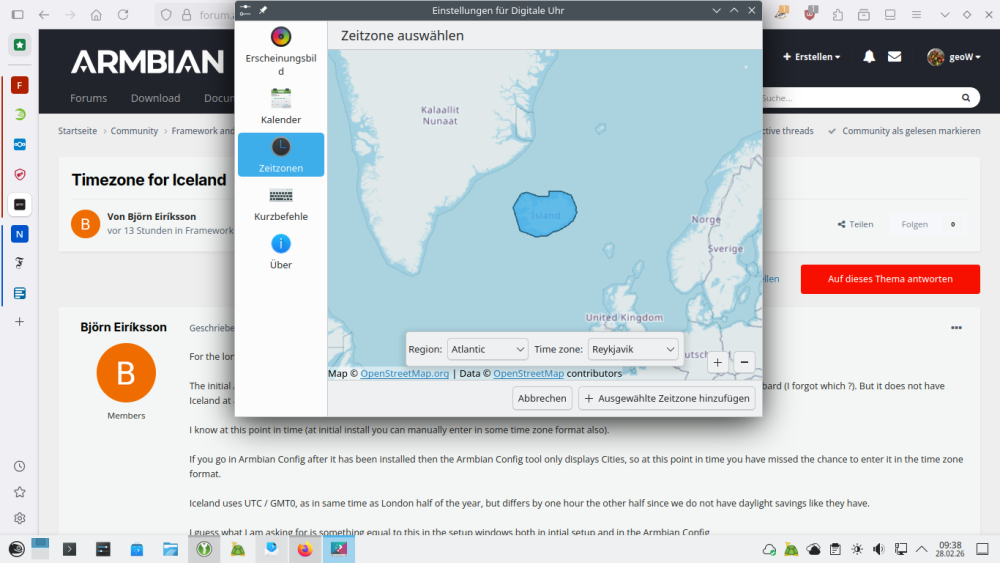
-
Timezone for Iceland
Igor replied to Björn Eiríksson's topic in Framework and userspace feature requests
Armbian config is just a wrapper to system tools that are dealing with this. We only change hardware related packages, the rest is stock Debian / Ubuntu. Is this problem solved somehow in Ubuntu? Probably the core of issue is originating from here: https://www.iana.org/ "Time zone of Iceland in Africa?" https://lists.iana.org/hyperkitty/list/tz@iana.org/message/QKQ27H23CTLFGJAQXJ24IVLRLQXHRLUA/ Interesting problem ... -

Clarification on GPL 2.0 License Applicability
Clark McCauley replied to Clark McCauley's topic in Off-topic
Thank you for the resources, and you're right, I should probably be asking a lawyer. That said, the thing that's been throwing me off is that the GPL FAQ specifically states that and uses GCC as an example. Using GCC to build a binary does not make the binary subject to GPL. It seems like there's a similarity here to armbian/build which is a tool that produces an artifact and the code within customize-image.sh is my own code. This question really came up for me when I was modifying a DTS file to disable a peripheral on my device and was investigating whether that change would need to be open sourced. I found that the parent DTS file that I was patching was licensed under GPL 2.0 OR MIT, so if I'm reading everything correctly, it seems like neither the customize-image.sh script nor my DTS patches need to published and licensed under GPL 2.0. But I'm posing here in case I've egregiously misunderstood something. If there's nuance and subtlety here, where my assumptions above might be correct, or might not be depending on other factors, then I may need to get an attorney involved. -
@Ryzer pcduino definitely works fine with dwc2. I cannot get OTG to work without it. I am not qulified to make any comments on whether this makes sense or is a coincidence, but if I don't load the module, it's doesn't work. For some reason, the mass storage gadget is still a little unstable in Windows (sometimes the File Explorer window shuts down for no reason), but on a Linux laptop, it is rock stable. It has also been running for two days in my car and doesn't seem to miss a beat there either (Linux host).
-
I'm putting together a build for a 3D printer, rk3308b-s board that has no ethernet, just a Fn-link wifi chip that is a knock-off of an rtl8192fs. I pulled the OEM dts and it describes the chip as an rtl8192cs. I'm pretty sure this is an out of kernel driver and my searches indicate I put source in userpatches. What do I need to add in the board/*.csc file to build to an image with the kernel module(s)? I do have a ralink ra2400, a mt7201 and some supported realtek dongles and If connected, I could git the code build and moprobe the module to test. Ideally, I would like to incorporate the driver via dkms in a armbian build. Can someone point me to the process?
-
I found a solution: downgrade the kernel to version 5.10.218 on SD-card_images by Johang Gunarsson in sweden. I used his Bookworm image. It does require a bit of work: Rsync is often broken on his images for pcduino (it looks for a libcryto.1 module but that module is obsolete), so you may need to downoad and compile rsync if you need it. The wifi is also unstable with the main line driver. I fixed the issue by installing morrownr's driver, but it takes ages to compile on the old lady (about 45 mins). I took the kernel and headers from this archive: https://archive.debian.org/debian/pool/main/l/linux/ Apparently, the big change between kernel 5 and 6 wrt OTG is usb-role-switch. Pcduino can support this new requirement, but someone with the right knowledge needs to take the time to update the device tree, and since the board is old, this may take time, or at this stage, may never happen.
-
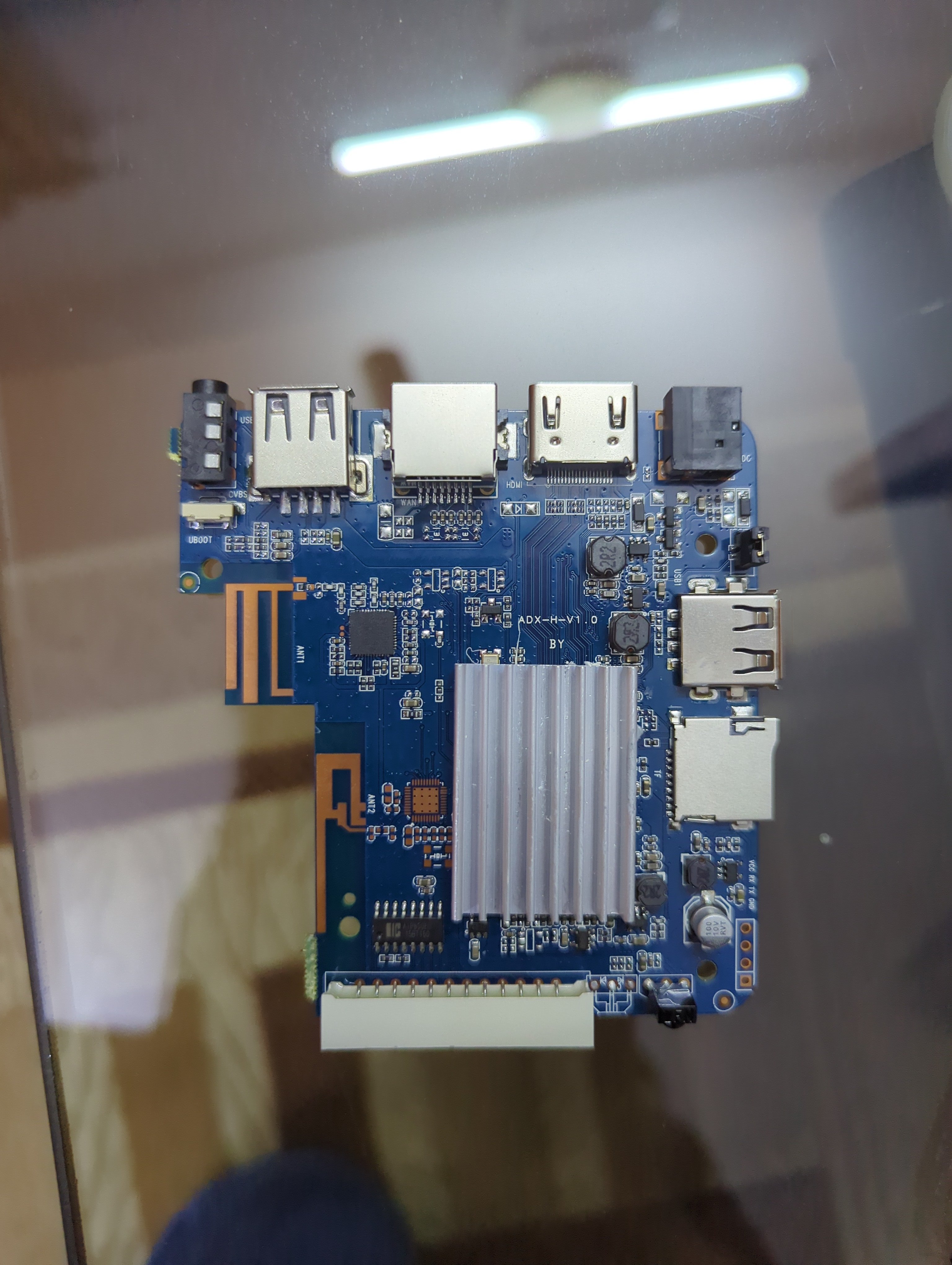
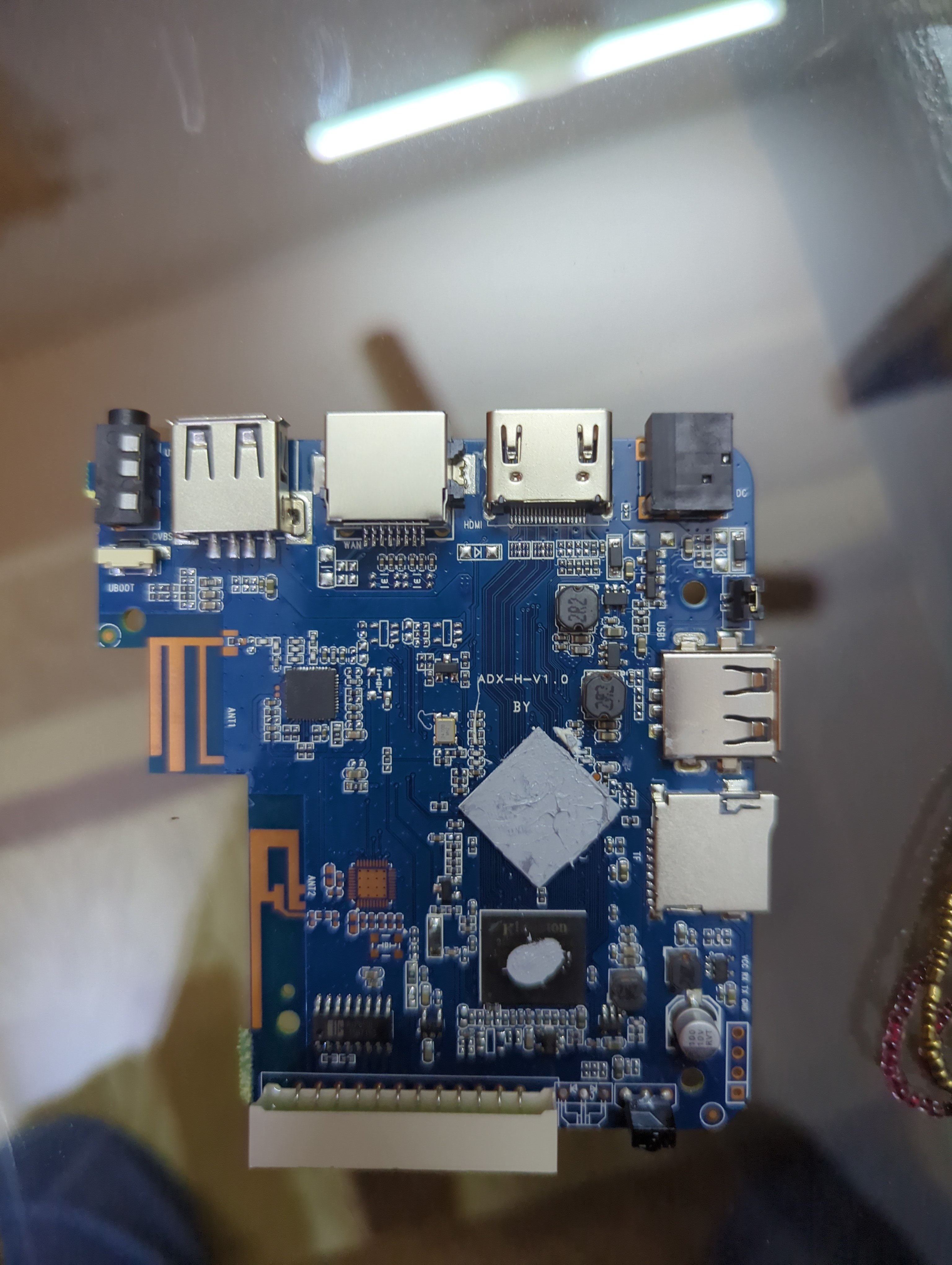
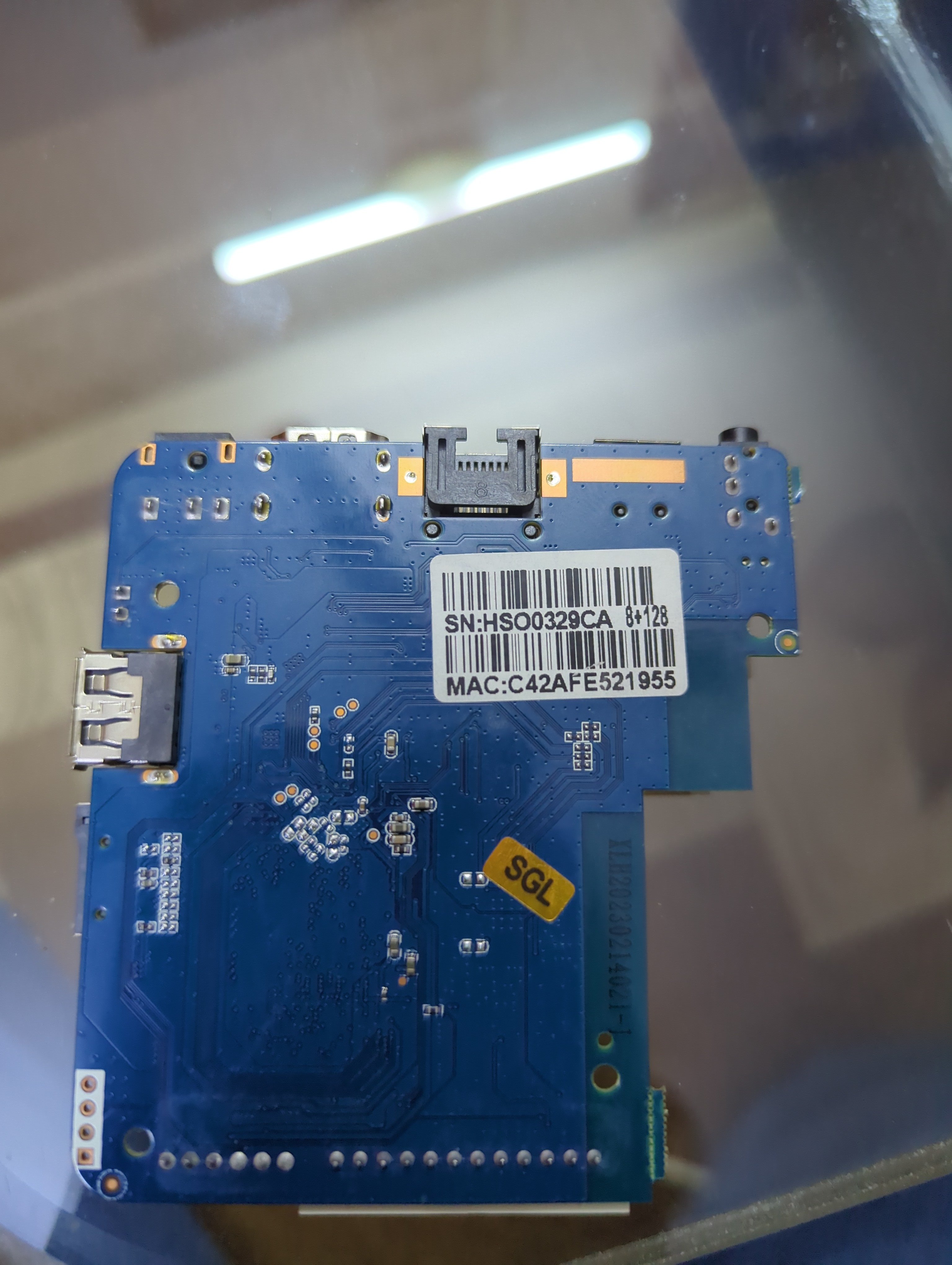
Basically it has 1 gb ROM 8gb ram h3 chip and I HAVE put many img files on SD card NONE of them boot and as soon as I take the SD card out it boots into android perfectly fine... I'm lost on words and what to do I have also tried FEL mode on linux but the request times out with error -7 power supply is 5v 2a which is fine for this so not that and I'm using a 256gb a1 rated SD card. This is from a generic Chinese tv box called meecom and it has ADX-H-V1.0 written on it. I also changed the dtb files a lot but it still gave no display or sign that it was booted into armbian idk what to do help ( btw I repasted it that's why it has no thermal putty on it)
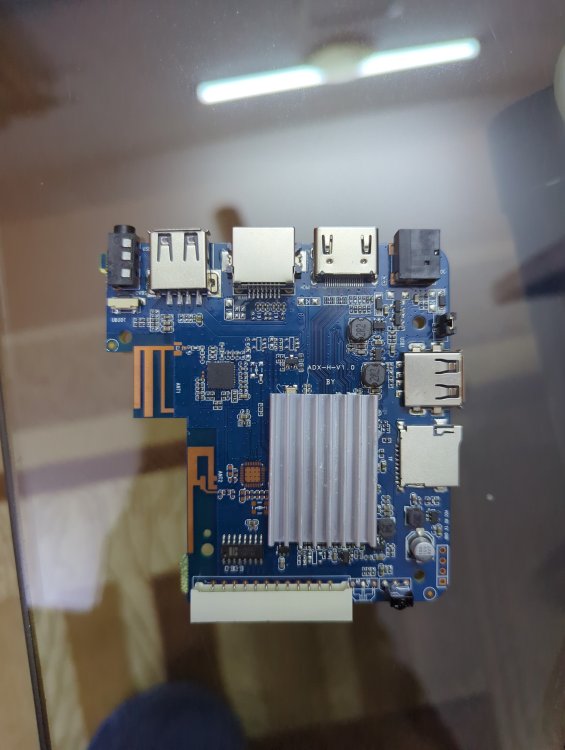
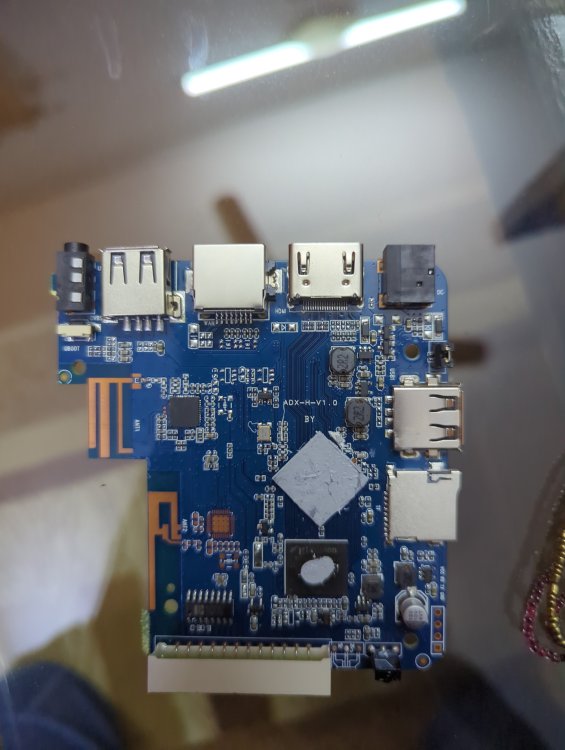
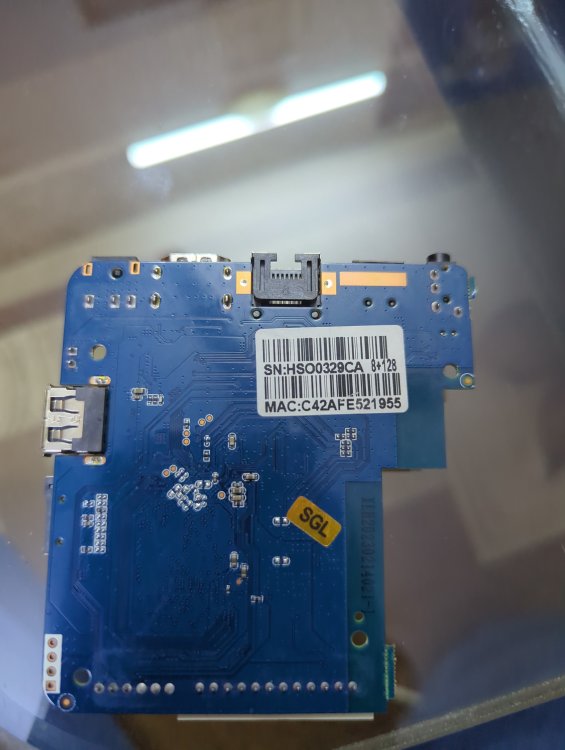
-
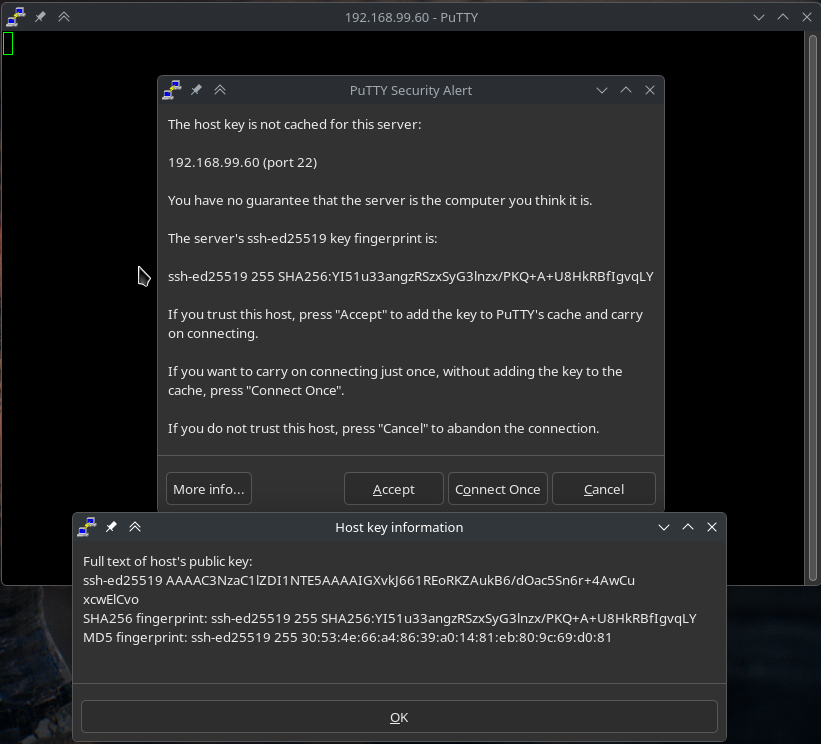
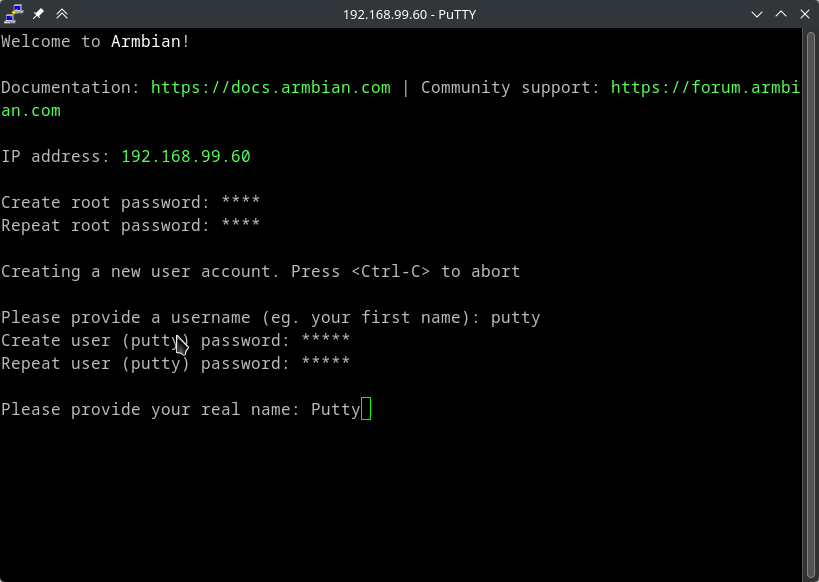
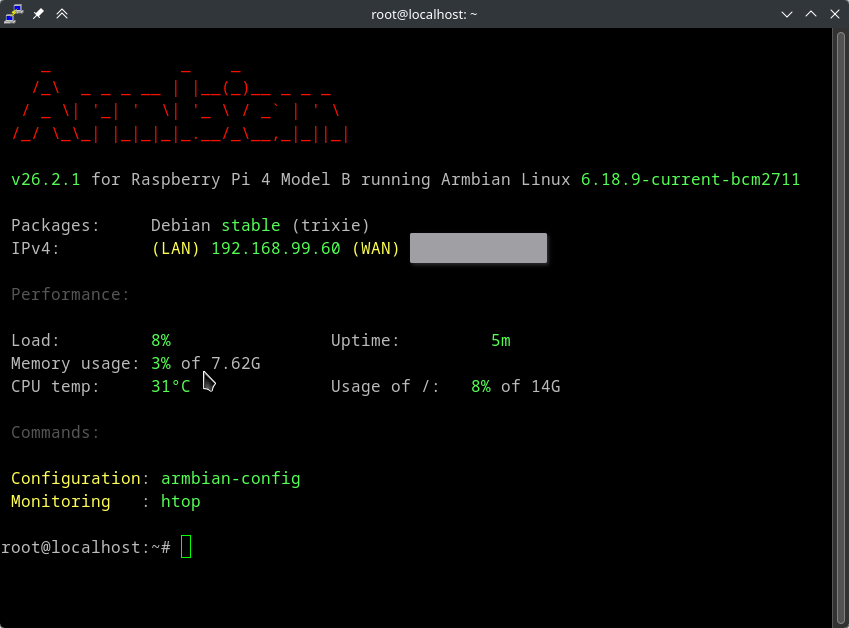
It really is as simple as possible on Armbian. Pretty good documentation too, I posted it before, but here you go again: https://docs.armbian.com/ All you have to do is to login as root from an ssh client following standards. I do not have access to a windows installation where I can confirm if what you say is true, that the ssh client does not let you login with "ssh root@xxx.xxx.xxx.xxx", so maybe you are correct, but it sounds very unlikely to me. But what I can guarantee is using an ssh client from another unix system will definitely let you connect. So use a mac or a linux computer to access. Or install wsl on windows and do it from there. https://learn.microsoft.com/en-us/windows/wsl/install Edit: I actually forgot, but I had putty installed on my system. I used it to check colors in a script I maintain and it exists in the extras repo on arch. Downloaded latest minimal image for rpi (so not same hardware as you) and... No settings changed in putty, just a standard root@192.168.99.60 that I added into the "Host Name (or IP address)" field and clicked "open". Name : putty Version : 0.83-1 So I don't know what to tell you...