All Activity
- Past hour
-
Did you ever get this working?
- Today
-
I have running v26.2.1 for Odroid HC4 running Armbian Linux 6.18.10-current-meson64
-
I found an old post from 4 years ago about this: odroid hc4 wake on lan wol Just curious if anyone has a solution? Thanks for any help
-
Finaly I found the problem in the stack. The video issue was caused by X server layear. No the Chromium runs as cage process and on firefly it works fine. X server was the black sheep in my stack. Thanks for help.
-
Thanks for sending the log. This looks like an issue with the vendor U-Boot. We're planning to drop it this Sunday and switch to mainline U-Boot.
- Yesterday
-
 Hello, I'm trying to play a video on my Orange Pi Zero 2w using MPV. I tried using different Armbian images including Armbian-unofficial_26.05.0-trunk_Orangepizero2w_bookworm_current_6.18.25_minimal.img. This however results in a "Failed to create framebuffer with drmModeAddFB2 on layer 0" for every frame. Can anyone help me to get it working? (+) Video --vid=1 (*) (h264 1920x1080 24.000fps) (+) Audio --aid=1 (*) (aac 6ch 48000Hz) [vo/gpu] VT_GETMODE failed: Inappropriate ioctl for device [vo/gpu/opengl] Failed to set up VT switcher. Terminal switching will be unavailable. Using hardware decoding (drm). [W][00814.699591] pw.conf | [ conf.c: 939 try_load_conf()] can't load config client.conf: No such file or directory [E][00814.699881] pw.conf | [ conf.c: 963 pw_conf_load_conf_for_context()] can't load default config client.conf: No such file or directory AO: [alsa] 48000Hz stereo 2ch float VO: [gpu] 1920x1080 drm_prime[nv12] [vo/gpu] Using HW-overlay mode. No GL filtering is performed on the video! [vo/gpu/drmprime-overlay] Failed to create framebuffer with drmModeAddFB2 on layer 0: Invalid argument [vo/gpu/drmprime-overlay] Failed to create framebuffer with drmModeAddFB2 on layer 0: Invalid argument AV: 00:00:00 / 00:00:30 (0%) A-V: 0.000 [vo/gpu/drmprime-overlay] Failed to create framebuffer with drmModeAddFB2 on layer 0: Invalid argument
 -
Ok, I gave it a go. I used the settings - baud rate 1500000, Data bit=8,Parity check=None,Stopbit=1,Flow control=None. Most of what I got was largely garbled but here's what I could read: [code] DDR fcb0cfd52f cym 24/10/09-19:36:03,fwver: v1.08 In ch1 ddoY�H��~␦j�DR5, 2736MHzttot6 channel[0] BW=16 Col=10 Bk=16 CS0 Row=16 CS=1 Die BW=16 Size=2048MB ch1 ttot7 ��@ )�j�-��o � ����������~�����������channel[1] BW=16 Col=10 Bk=16 CS0 Row=16 CS=1 Die BW=16 Size=2048MB Manufacturer ID:0xff �h�0 RX Vref:24.9%, RX DQS Vref:30.8%, TX Vref:20.0%,0.0%/� Kk�k|/��~��~������� DQ roc: p4 n0, p7 n0, p4 n0, p3 n0, p5 n4, p1 n0, p7 n0, p0 n2, p0 n0, p4 n3, p2 n0, p5 n0, p3 n0, p4 n0, p4 n0, p5 n0, p0 n0, p3 n1, DQ rds:h1 h1 l0 l0 l0 l0 l0 l0, l0 l0 l0 l0 l0 l0 h1 l0 ��� �B(N@x�|�|�~�~�~~����������CH1 RX Vref:24.1%, RX DQS Vref:29.2%, TX Vre��Jo��{��������������� DQ roc: p6 n0, p2 n0, p7 n0, p3 n1, p1 n0, p0 n2, p3 n0, p7 n0, p3 n0, p3 n0, p2 n0, p0 n1, p6 n0 p1 )��d!�@��DQS roc: p1, n0, p3, n0 stride=0x3, ddr_config=0x2 hash bank_mask0-3 0x0 0x2100 0x44200 0x88400, rank_mask0 0x0 nge to F1: 534MHz >l ttot6 l1 ttot6 ?lange to F2: 1320MHz ch0 ttot8 ch1 ttop8 c@aNg@@ ch0 ttot6 ch1 ttot6 �~l�ange to F0: 2736MHz ����x�x�|�|�������������ch0 ttot7 ch1 ttop7 out U-Boot SPL board init>_p U-Boot SPL 2017.09_armbian-2017.09-S39cd-P60ca-H8822-V586d-B138f-R448a (Apr 27 2026 - 17:35:35) SPL Hotkey: ctrl+` "�!)�#P��K=�|�~�~�~�~���������sfc cmd=0�� )��������������������� @jj��%����������������������. ����ᯍ�������������spl: par�K� y!��������dd�Verified-boot: 0 ~@@�������������������## Checking atf-1 0x40060000 ... sha256(868eaf583a...) + OK � ��/��oo-����������������������%␦� +���������������������� _B��� / ��x����������������������ZH)�)���-�������������������x-�/ �������������������## Checking uboot 0x4020000�����l�e1593752...) + OK �dd�Checking fdt 0x40339460 ... sha256(e3b0c44298...) + OK 6�t_record_lgadable: FDT_ERR_BADMAGIC �@dd�ChekA�;\6�F�f�400f0000 ... sha256(8afb712810...) + OK fdt_record_loadable: FDT_ERR_BADMAGIC �#" Checkin1�� !��������{���+�:�ICE: BL31: v2.3():v2.3-931-g4d7e811c6:derrick.huang, fwver: v1.20 NOTICE: BL31: Built : 19:19:38, May 26 2025 ��NFO: SOC (0x35760101) INFO: spec: 0x1 INFO: test version: 0x0 INFO: cost 477531 us before hptimer restart k������������������INFO: soc cold boot INFO: ARk�P��& b �$@�H@�@� `]w�mask: 1 INFO: BL31: Initializing runtime services WARNING: No OPTEE provided by BL2 boot loader, Booting device without OPTEE initialization. SMC`s destined for OPTEE will return SMC_UNK ERROR: Error initializing runtime service opteed_fast INFO: BL31: Preparing for EL3 exit to normal world INFO: Entry point address = 0x40200000 INFO: SPSR = 0x3c9 No valid device tree binary found - please append one to U-Boot binary, use u-boot-dtb.bin or define CONFIG_OF_EMBED. For sandbox, use -d <file.dtb> initcall sequence 00000000402c54c0 failed at call 00000000402b81e8 (err=-1) [/code] The rest after this was unreadable. ljones
-
After long break, I have found some free time to test latest updates that can be found in github It seems that pyavitz made a great progress there with his DTS implementation over Debian. https://github.com/pyavitz/debian-image-builder Now i am able to boot Debian out of the reproduced image. No uboot patching: Here is a copy of my work inside above repository: make config make all board=kickpik2b-v2 sudo dd if=output/kickpik2b-v2/image/sun50i-h618-kickpi-k2b-debian-trixie-6.12.84-arm64-ext4-2026-04-29-1923.img of=/dev/mmcblk0 And boom. Flawless boot into Debian Linux U-Boot SPL 2026.01 (Apr 29 2026 - 18:28:52 +0300) DRAM: 2048 MiB Trying to boot from MMC1 NOTICE: BL31: v2.12.9(debug):lts-v2.12.9 NOTICE: BL31: Built : 18:28:34, Apr 29 2026 NOTICE: BL31: Detected Allwinner H616 SoC (1823) NOTICE: BL31: Found U-Boot DTB at 0x4a0cd628, model: KickPi K2B INFO: ARM GICv2 driver initialized INFO: Configuring SPC Controller INFO: Probing for PMIC on I2C: INFO: PMIC: found AXP313 INFO: BL31: Platform setup done INFO: BL31: Initializing runtime services INFO: BL31: cortex_a53: CPU workaround for erratum 855873 was applied INFO: BL31: cortex_a53: CPU workaround for erratum 1530924 was applied INFO: PSCI: Suspend is unavailable INFO: BL31: Preparing for EL3 exit to normal world INFO: Entry point address = 0x4a000000 INFO: SPSR = 0x3c9 INFO: Changed devicetree. U-Boot 2026.01 (Apr 29 2026 - 18:28:52 +0300) Allwinner Technology CPU: Allwinner H616 (SUN50I) Model: KickPi K2B DRAM: 2 GiB Core: 74 devices, 23 uclasses, devicetree: separate WDT: Not starting watchdog@30090a0 MMC: mmc@4020000: 0, mmc@4021000: 2, mmc@4022000: 1 Loading Environment from FAT... Unable to use mmc 0:1... In: serial@5000000 Out: serial@5000000 Err: serial@5000000 Allwinner mUSB OTG (Peripheral) Net: eth0: ethernet@5020000using musb-hdrc, OUT ep1out IN ep1in STATUS ep2in MAC de:ad:be:ef:00:01 HOST MAC de:ad:be:ef:00:00 RNDIS ready , eth1: usb_ether starting USB... USB EHCI 1.00 USB OHCI 1.0 USB EHCI 1.00 USB OHCI 1.0 USB EHCI 1.00 USB OHCI 1.0 Bus usb@5101000: 1 USB Device(s) found Bus usb@5101400: 1 USB Device(s) found Bus usb@5200000: 1 USB Device(s) found Bus usb@5200400: 1 USB Device(s) found Bus usb@5310000: 1 USB Device(s) found Bus usb@5310400: 1 USB Device(s) found scanning usb for storage devices... 0 Storage Device(s) found Hit any key to stop autoboot: 0 switch to partitions #0, OK mmc0 is current device Scanning mmc 0:1... Found /boot/extlinux/extlinux.conf Retrieving file: /boot/extlinux/extlinux.conf KickPi K2B V2 1: Debian Trixie Enter choice: 1: Debian Trixie Retrieving file: /boot/extlinux/../Image Retrieving file: /boot/extlinux/../uInitrd append: earlyprintk console=tty1 console=ttyS0,115200n8 rw root=PARTUUID=e0688e9b-01 rootwait rootfstype=ext4 fsck.repair=yes loglevel=1 net.ifnames=0 video=HDMI-A-1:1920x1080 init=/sbin/init Retrieving file: /boot/extlinux/../allwinner/sun50i-h618-kickpi-k2b.dtb Moving Image from 0x40080000 to 0x40200000, end=0x41930000 ## Loading init Ramdisk from Legacy Image at 4ff00000 ... Image Name: initramfs-6.12.84 Image Type: AArch64 Linux RAMDisk Image (gzip compressed) Data Size: 11668168 Bytes = 11.1 MiB Load Address: 00000000 Entry Point: 00000000 Verifying Checksum ... OK ## Flattened Device Tree blob at 4fa00000 Booting using the fdt blob at 0x4fa00000 Working FDT set to 4fa00000 Loading Ramdisk to 494df000, end 49fffac8 ... OK Loading Device Tree to 00000000494d2000, end 00000000494de815 ... OK Working FDT set to 494d2000 Starting kernel ... Loading, please wait... Starting systemd-udevd version 257.9-1~deb13u1 Most important part - communication devices are available: Pyavitz did a great job! kickpik2b-v2root~: dmesg | grep -i "eth0\|wlan0" [ 19.638015] dwmac-sun8i 5020000.ethernet eth0: Register MEM_TYPE_PAGE_POOL RxQ-0 [ 19.784938] dwmac-sun8i 5020000.ethernet eth0: PHY [stmmac-0:00] driver [MAE0621A-Q2C Gigabit Ethernet] (irq=POLL) [ 19.784980] dwmac-sun8i 5020000.ethernet eth0: No Safety Features support found [ 19.784991] dwmac-sun8i 5020000.ethernet eth0: No MAC Management Counters available [ 19.784999] dwmac-sun8i 5020000.ethernet eth0: PTP not supported by HW [ 19.785390] dwmac-sun8i 5020000.ethernet eth0: configuring for phy/rgmii link mode [ 19.826219] [chip1][SKWIFI6621S DBG] skw_ndo_open: dev: wlan0, type: STA [ 19.826262] [chip1][SKWIFI6621S DBG] skw_ndo_set_rx_mode: wlan0, mc: 1, uc: 0 [ 19.826723] [chip1][SKWIFI6621S DBG] skw_ndo_set_rx_mode: wlan0, mc: 2, uc: 0 [ 19.826885] [chip1][SKWIFI6621S DBG] skw_set_power_mgmt: wlan0, enabled: 0, timeout: -1 I haven't tried Armbian yet, but the heavy lifting part is already done. Big kudos to pyavitz @c0rnelius Thanks, Nasko
-
Welcome to the latest Armbian Newsletter: your source for the latest developments, community highlights, and behind-the-scenes updates from the world of open-source ARM and RISC-V computing. Armbian has released images based on Ubuntu 26.04 LTS, codenamed Resolute Raccoon the latest long-term support base. As always, Armbian applies its own platform-optimized kernel, board-specific patches, and tested drivers on top so what you get is a clean, stable foundation across SBCs, PCs, and cloud environments, with no Snap packages, fully compatible with the Ubuntu ecosystem, and no surprises. SPONSORED Join us in making open source better! Every donation helps Armbian improve security, performance, and reliability — so everyone can enjoy a solid foundation for their devices. We rewrote how Armbian installs desktops. Here’s what changedA friendlier, faster, snap-free desktop install in armbian-config If you’ve installed a desktop environment with armbian-config over the last few months, you may have noticed things feel different: there’s a tier you can pick, the browser actually works on every arch, uninstall doesn’t take half your system with it, andArmbian blogIgor PecovnikArmbian Q1 2026: Technical Milestones and the Road to Embedded WorldThe first quarter of 2026 has been a period of significant technical consolidation for the Armbian project. Driven by the v26.02 (Goa) release cycle, the project has focused on three core pillars: aggressive framework refactoring, the stable rollout of the Linux 6.18 LTS kernel, and the maturation ofArmbian blogMichael RobinsonGithub HighlightsThis week in Armbian development saw a broad range of updates spanning kernel enhancements, desktop improvements, and infrastructure refinements. Notable changes include new developer documentation for the desktop submodule, expanded GPU and multimedia support for vendor-kernel desktops, and several kernel version bumps for various platforms. The build system received fixesArmbian blogMichael RobinsonView the full article
-
Welcome to the latest Armbian Newsletter: your source for the latest developments, community highlights, and behind-the-scenes updates from the world of open-source ARM and RISC-V computing. Armbian has released images based on Ubuntu 26.04 LTS, codenamed Resolute Raccoon the latest long-term support base. As always, Armbian applies its own platform-optimized kernel, board-specific patches, and tested drivers on top so what you get is a clean, stable foundation across SBCs, PCs, and cloud environments, with no Snap packages, fully compatible with the Ubuntu ecosystem, and no surprises. SPONSORED Join us in making open source better! Every donation helps Armbian improve security, performance, and reliability — so everyone can enjoy a solid foundation for their devices. We rewrote how Armbian installs desktops. Here’s what changedA friendlier, faster, snap-free desktop install in armbian-config If you’ve installed a desktop environment with armbian-config over the last few months, you may have noticed things feel different: there’s a tier you can pick, the browser actually works on every arch, uninstall doesn’t take half your system with it, andArmbian blogIgor PecovnikArmbian Q1 2026: Technical Milestones and the Road to Embedded WorldThe first quarter of 2026 has been a period of significant technical consolidation for the Armbian project. Driven by the v26.02 (Goa) release cycle, the project has focused on three core pillars: aggressive framework refactoring, the stable rollout of the Linux 6.18 LTS kernel, and the maturation ofArmbian blogMichael RobinsonGithub HighlightsThis week in Armbian development saw a broad range of updates spanning kernel enhancements, desktop improvements, and infrastructure refinements. Notable changes include new developer documentation for the desktop submodule, expanded GPU and multimedia support for vendor-kernel desktops, and several kernel version bumps for various platforms. The build system received fixesArmbian blogMichael RobinsonView the full article
-
driver for sv6051p working in kernel 7 @Qvy: https://github.com/eloirotava/6051 horray!
-

SV6256P WiFi Now Working on Linux 6.x (Armbian Tested)
eloirotava replied to Kevin su's topic in Allwinner CPU Boxes
now working with: Download: 8.06 Mbit/s Upload: 10.08 Mbit/s in kernel 7. https://github.com/eloirotava/6051 testes on s90w amlogic. also work with 6030p rockchip. -
Will try to find my UART to USB and see what I get. ljones
-
@Igor Maybe we can add a lastchange.txt file with unix timestamp to the root and use it for a status page? Then periodically let it check and output status in a separate tab on https://actions.armbian.com/
-
Hello, Can you connect the UART to the NanoPi and see where it gets stuck? I'll take a look at it over the weekend. Thank you.
- Last week
-
Hello all! Not sure what is going on at all but I'm having a problem booting the "rolling release" of armbian (debian 14/forky) minimal cli. I'm using a nano pi R76S with 4gb of RAM and 64GB emmc. I can successfully burn a microsd for the previous version (also minimal cli vesion) which boots ok.However if I try to use the newer version nothing happens -- the red LED on the R76S stays permanently on and I get no display or any other life. I did try using different microsd cards but it did not make any difference. I also tried using the same microsd (I wrote the older version first to the microsd which boots) then wrote again on the same microsd. I'm using the download page for the images from here - https://armbian.com/boards/nanopi-r76s ljones
-
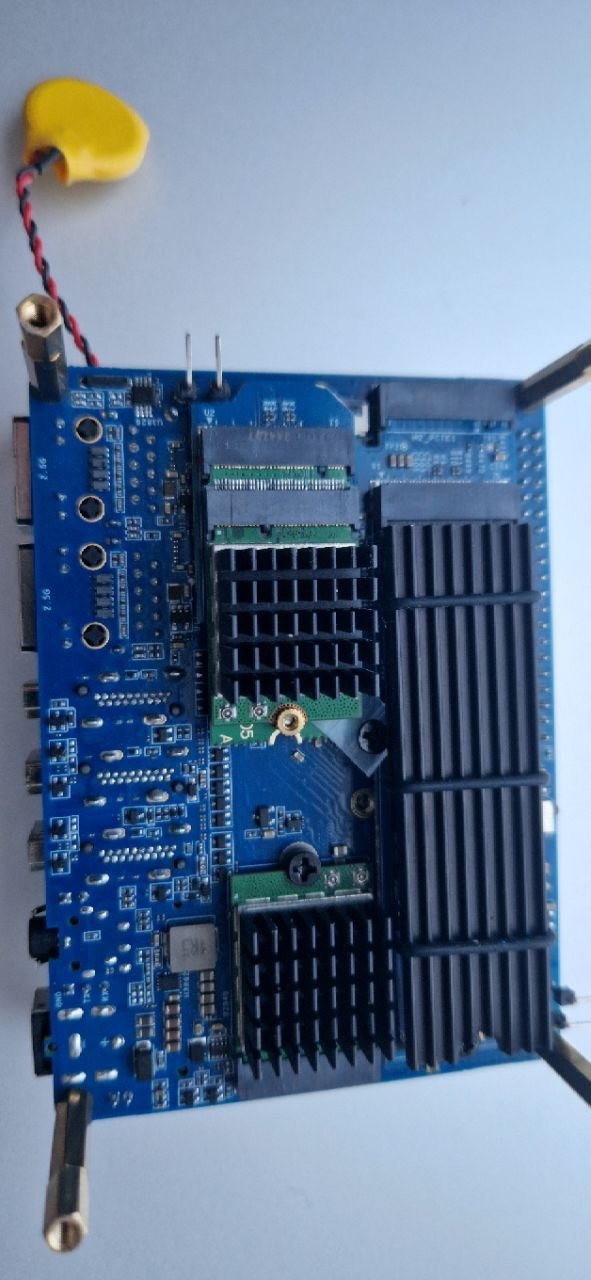
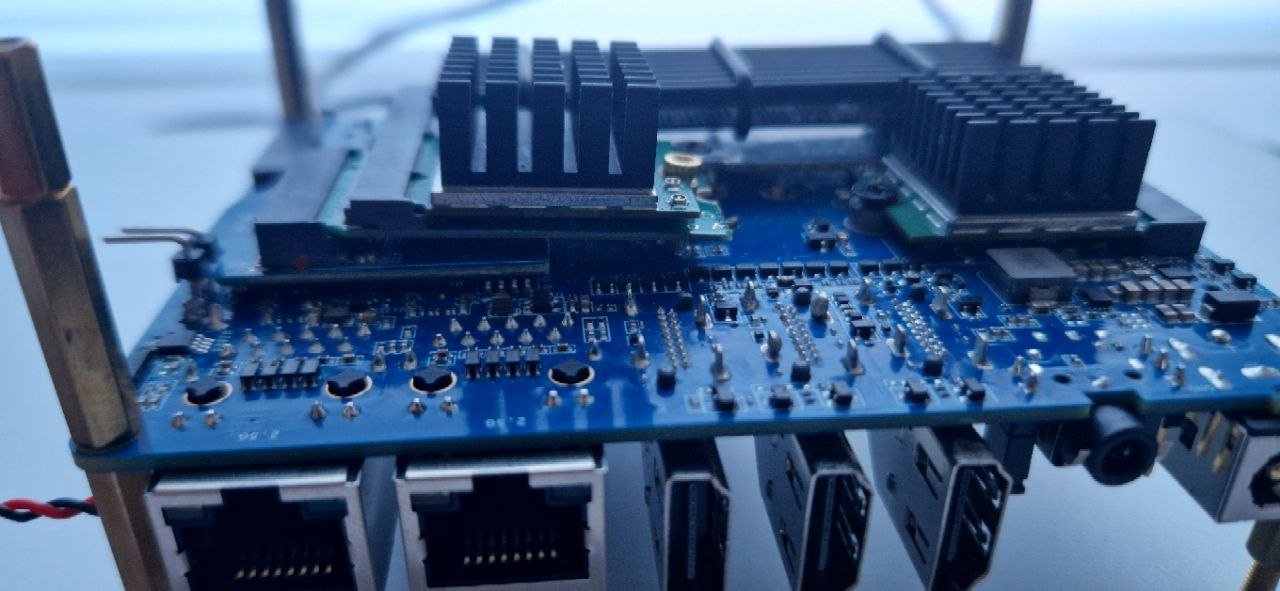
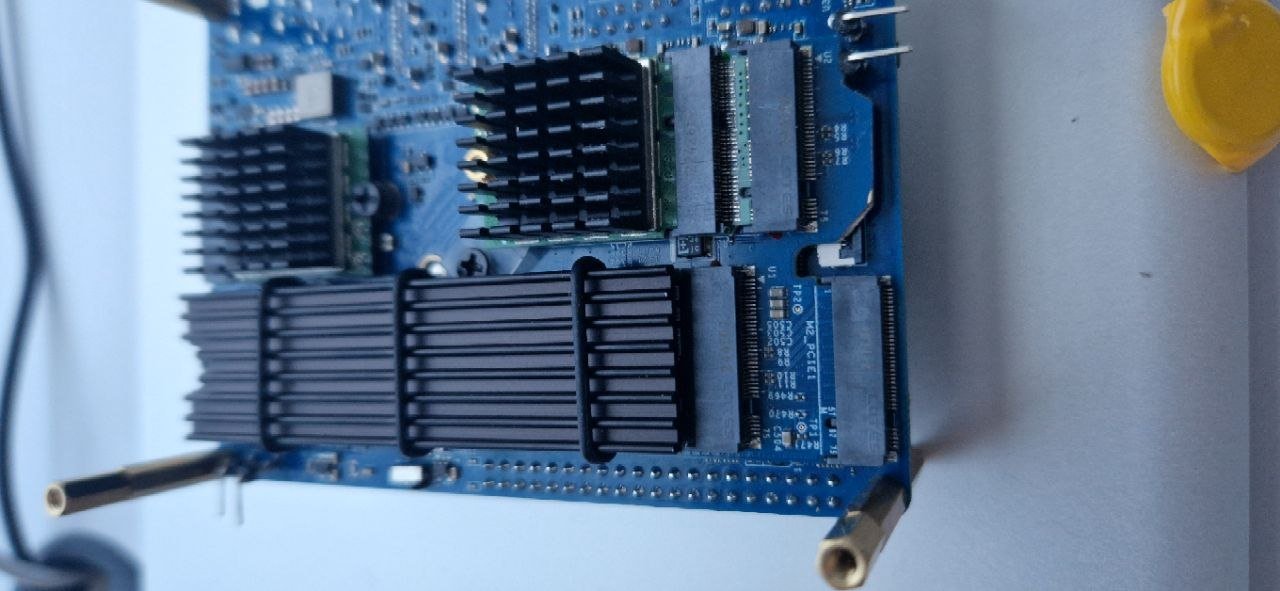
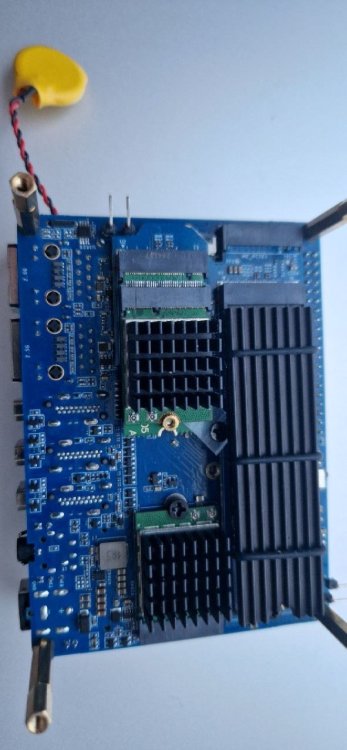
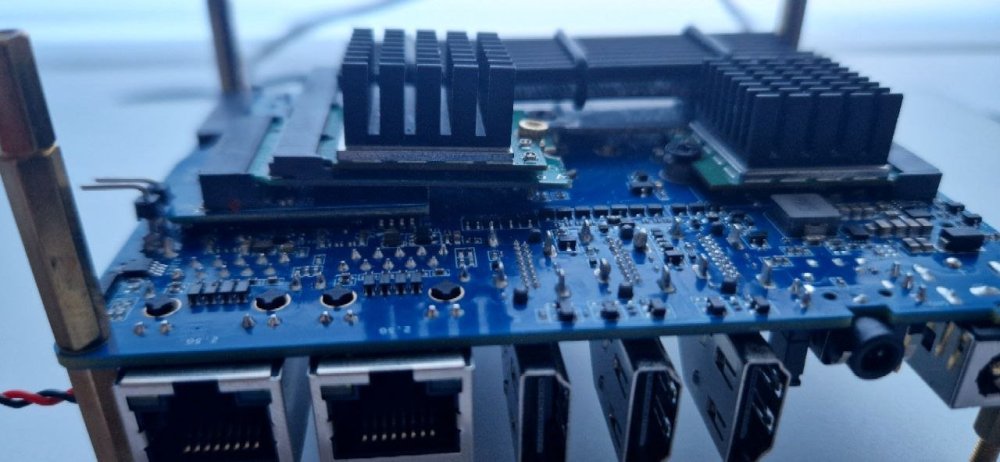
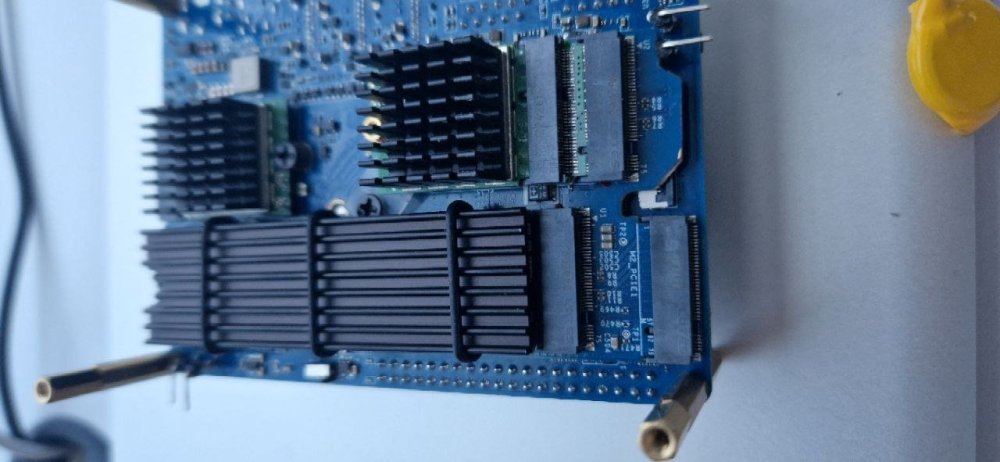
As for promised photos, here they are. Note custom-trimmed bifurcation adapter.
-
As for QRTR patch, WIP version is attached bellow. Be aware that this patch doesn't work yet. It builds, it writes to registries, but QCNFA765 ignores it. rk3588-ath11k-QRTR.patch
-
As for QCNFA765, using more than one NIC in the same system still won't do. I have found correct MHI registries (0x28 and 0x48) which are used to store QRTR ID, but the driver omitts it completely during cold-boot of the NIC. So, for now, I moved over to use single QCNFA765 and Intel AX210 combo. Which brought another issue - annoying LAR. Bellow are patches I do use to be able to use both cards in HostAP Master mode with no restrictions on selected channels. I do use regdomain CZ. Should you need different regdom, use example found in those patches for CZ, and just copy over the changes made (removing NO-IR, DFS, and other flags). 404-regd_no_assoc_hints.patch atheros-dfs_fix.patch atheros-regdomainfix.patch regdb-fix.patch rk3588-iwlwifi-disable-lar.patch
-
small update... last tries I've made: with an SD card loaded with armbian 26.2 (from Armbian archives) and DIP on SD, the boot is ok, boot is U-Boot 2025.10_armbian-2025.10-Se50b-P915a-H3623-V44f7-B2eb2-R448a. However, no option to load bootloader in SPI present in nand-sata-install, most probably because no SPI block listed in lsblk output. nan-sata-install complains that the command line is incomplete and request to try option 'help', but I could not figure how to get to the help, any common option passing I've tried did not worked. I tried to get to the initial install procedure from Kobol, modifying the spi_workaround from off to on in armbianEnv.txt on the SD, but this prevent the kernel to boot from SD. Any help would be appreciated...
-
As you might see in my signature I decided to retain the Helios4 withdrawing the goodbye message above. @laibsch Actual problem: I didn't succeed in configuring Wake-on-LAN on 26.2.1. What I did was to replace "eth0" by "end1" in /lib/systemd/system/helios4-wol.service Triggering the suspend mode by pm-suspend Decompilation of armada-388-helios4.dtb didn't contain the device tree patch mentioned in https://wiki.kobol.io/helios4/files/wol/helios4-dts-add-wake-on-lan-support.patch Any clue what's missing? @Igor armbian-config does not find any .dtb files in /boot/dtb ("Device Tree Editor") /boot/dtb is a symlink to the directory dtb-6.6.124-current-mvebu.
-
Now this issue seems to be fixed. I tried to build 6.18.25 kernel and it can complete boot wizard as expected.
-
Thank you for the Input! Yes Proxmox and then different VM like HAos to gain access to HACS.
-
Hi everyone! Can anyone tell me how to make the system boot without displaying any text characters? I'd like to just see the Radxa logo, then a black screen and the login screen (GDM). What settings do I need to configure to achieve this? I have the Armbian 2.6.4 Trixie CLI image installed with GNOME.
-
the problem is solved


.thumb.jpg.20ed26dd68aaee94a94b227bf670a8eb.jpg)