All Activity
- Today
-
@Fit Girl The image available here works from emmc. I could not test this with SD card. Please be informed that there is no HDMI display post boot. You have to find out the IP address from your DHCP Server/Router once the box got booted. Post boot you are working on a blind box with command lines. It is working for me though without much issues so far.
-
There is nothing to see with you project. I wish only to know the output from lsusb and lspci. For wifi you probably have to apply Fix 7.1 as above. Driver for aic8800 is not yet supported
-
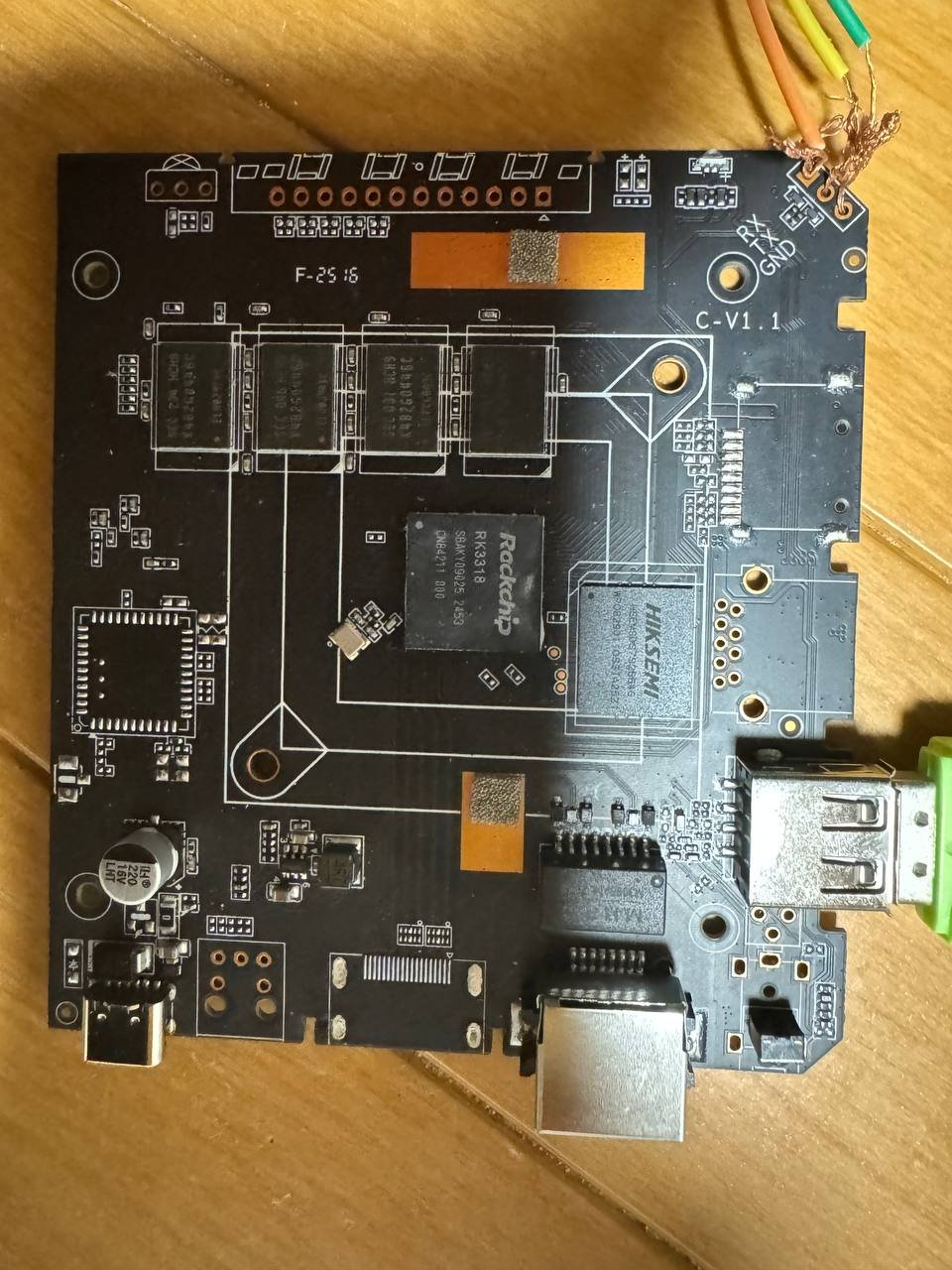
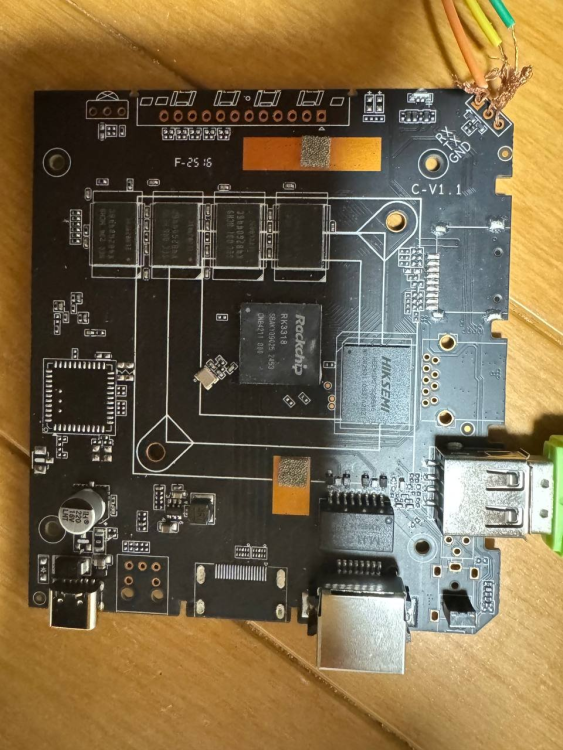
Hi everyone. I have this RK3318 chip box running Ubuntu, but I can't enable SSH to reinstall it. It doesn't have a display output port. Is there any way to reinstall the OS without desoldering the eMMC to reflash it? (I don't know how to put it back if I take it off). I've already tried flashing via USB and the RX/TX/GND lines, but neither worked. Model: AROP-01 CPU: Quad-core ARM processor Memory: 2GB System Storage: 64GB eMMC Network Interface: 1 × Ethernet USB Interface: 1 × USB Type-C Power: 5V/2A Dimensions: 103 × 103 × 20 mm Package Contents: 1 × Manual, 1 × Ethernet Cable, 1 × Power Cable Thank you.
-

What hardware will comfortably run Waydroid?
samlevy0515 replied to dreamlayers's topic in Software, Applications, Userspace
Great question — I’d really like to know too! Have you tried a lightweight Android image like LineageOS-microG inside Waydroid, or tweaked the GPU rendering settings? -
Today I noticed that last Sunday a community version of Armbian was released with Orange Pi 4A support. I tried to flash it in different ways just in case, but it just wouldn't boot. I used BalenaEtcher, Rufus and Armbian Imager and neither of them worked. Im new in this stuff, so I wanted to know if someone could tell me if it is something I'm doing wrong.
- Yesterday
-
Here's lspci -vvv with an older Radeon: https://paste.armbian.com/zisezuqoza.yaml and boot UART log (it boots but no display is visible) https://paste.armbian.com/asizofulux.sql Here's the same with Radeon RX 550: https://paste.armbian.com/ovinibafux.yaml The kernel complained about missing firmware (for polaris11), which actually was not missing. I had to regenerate initramfs using initramfsctl. After regenerating, the board stopped booting with the card connected: https://paste.armbian.com/qitiwiwoge.yaml Not sure how useful lsusb would be. So it's not super stable yet. I saw that you made these modules built-in. This is not necessary, selecting [M] is enough because then they can be loaded or unloaded (to try passing the card through to a VM I need to blacklist the module, which doesn't work for built-in modules). This is something I can try to do to get display output. Oh and WiFi isn't detected at all but that's probably not a surprise.
-
 Hi, I am assuming that you have a standard Q1 TV Box (Allwinner H313 based). 1) Download Armbian Imager here; 2) Install the version for your operating system; 3) After installing, choose "Manufacturer=ALLWINNER", Board="X96Q TV BOX", Operating system="minimal Trixie current" and Storage ( I suggest a good quality Class 10 SD card); 4) After writing the image, insert the SD card into the available SD slot; 5) Insert a wooden toothpick or a Q-tip into AV/Reset input; 6) Click (kindly) and hold the toothpick and connect the TV Box power supply to the power entry; 7) Release the toothpick after 8-10 seconds. if the HDMI connector is plugged you should see the Armbian initial boot process Note: some TV Boxes don't need items 5, 6 and 7. I hope it helps.
 -
Hi. I've also been having issues with my Orange Pi 5. It seems the problem is that the module was removed from the kernel, but I haven't looked into it in detail yet. The folks at NixOS seem to have solved this issue https://github.com/waydroid/waydroid/issues/2094 I have this specific problem waydroid show-full-ui [22:49:14] Starting waydroid session [22:49:14] RuntimeError: Command failed: % /usr/lib/waydroid/data/scripts/waydroid-net.sh start vnic is waydroid0 sudo /usr/lib/waydroid/data/scripts/waydroid-net.sh start modprobe: FATAL: Module ip_tables not found in directory /lib/modules/6.18.10-current-rockchip64 iptables v1.8.11 (legacy): can't initialize iptables table `filter': Table does not exist (do you need to insmod?) Perhaps iptables or your kernel needs to be upgraded. Failed to setup waydroid-net. My system user@orangepi5:~$ uname -a Linux orangepi5 6.18.10-current-rockchip64 #2 SMP PREEMPT Wed Feb 11 12:42:01 UTC 2026 aarch64 GNU/Linux I'm not a network expert, so I hope someone can help. Are you having the same problem?
-
Yes, of course, but as you said yourself, there are issues with ethernet on mainline. So you can just use a dongle as a temporary workaround to get a stable (or any) connection.
-
@iav The kobol dtbs (rk3399-kobol-helios64.dtb) linked in the messages before are patched in the following way having the effect that helios64 is finally stable (see here) : The opp-microvolt values in opp-table-1 are just replaced by the ones given below (for all linux kernel versions). opp-table-1 { compatible = "operating-points-v2"; opp-shared; phandle = <0x0d>; opp00 { opp-hz = <0x00 0x18519600>; opp-microvolt = <0xdbba0 0xdbba0 0x1312d0>; clock-latency-ns = <0x9c40>; }; opp01 { opp-hz = <0x00 0x23c34600>; opp-microvolt = <0xdbba0 0xdbba0 0x1312d0>; }; opp02 { opp-hz = <0x00 0x30a32c00>; opp-microvolt = <0xdbba0 0xdbba0 0x1312d0>; }; opp03 { opp-hz = <0x00 0x3c14dc00>; opp-microvolt = <0xe7ef0 0xe7ef0 0x1312d0>; }; opp04 { opp-hz = <0x00 0x47868c00>; opp-microvolt = <0xfa3e8 0xfa3e8 0x1312d0>; }; opp05 { opp-hz = <0x00 0x54667200>; opp-microvolt = <0x10c8e0 0x10c8e0 0x1312d0>; }; opp06 { opp-hz = <0x00 0x5fd82200>; opp-microvolt = <0x11edd8 0x11edd8 0x1312d0>; }; opp07 { opp-hz = <0x00 0x6b49d200>; opp-microvolt = <0x1312d0 0x1312d0 0x1312d0>; }; };
-
@humanus Are we talking about the A7S? Doesn't it already have a ethernet port? 😂
-
 @iav individual dts files attached , the other part of the dtb at the top of this thread is to run the eMMC in HS400 mode but that's already in the mainline. The source is this post rockchip-rk3399-l2-cache.dts rockchip-rk3399-op1-opp.dts
 -
Oh Thanks, I'll give a try this way.
-
Can you give a link to the patches you are talking about? Preferably not on a dropbox or pastebin-like, but to their original source — a repository or mailing list.
-

Helios64 - Armbian Trixie with linux 6.18 (incl. opp-microvolt patch)
BipBip1981 replied to ebin-dev's topic in Rockchip
Hello, I use this patch since many year now, me and my brother, with out it, our helios64 are unstable and unusable... with it, our helios64 work fine for more than two year, my opinion is, push the file in mainline or distrib the file in mainline with a script that install it fast with only one command run as soon has possible when not crash on the boot.. Bye. -
@iav @prahal are you the maintainers of the Helios64 bsp ? I'd be happy to test builds if you don't have physical hardware. My motivation is that it would be useful to be able to download the current image and run it without it hanging or throwing a kernel panic because the build is unstable without patches for the RK3399K on this board. Cheers, Jon
-
Join us next week in Utrecht for RustWeek! We'll be running a SuperTuxKart tournament to showcase Tyr, the Rust driver for Arm Mali GPUs. Come and see if you've got what it takes! View the full article
-
please just share output from lsusb and lspci commands from your board here
-
Thanks. Missing firmware is not a problem, to fix it one just needs to install armbian-firmware-full.
-
I set up WiFi via serial connection. Then the UI started on the display. You can also do this via USB ethernet dongle.
-
Here you are as you wished but check out or download individually due to "Possible missing firmware /lib/firmware/amdgpu/"
-
If you want to use the official Armbian on Transpeed 8K618-T. I think all you really need is a board config file. I believe most of the drivers have been mainlined or included in the armbian patch directory. git clone https://github.com/armbian/build.git --branch v26.02 Copy this file into build/config/boards directory. transpeed-8k618-t.tvb # Allwinner H618 quad core 4GB RAM SoC WiFi USB BOARD_NAME="Transpeed 8k618-t" BOARDFAMILY="sun50iw9" BOARD_MAINTAINER="" BOOTBRANCH="tag:v2026.04" BOOTPATCHDIR="v2026-sunxi" BOOTCONFIG="transpeed-8k618-t_defconfig" OVERLAY_PREFIX="sun50i-h616" BOOT_LOGO="desktop" KERNEL_TARGET="current,edge" ./compile.sh build BOARD=transpeed-8k618-t BRANCH=edge BUILD_DESKTOP=yes BUILD_MINIMAL=no DESKTOP_ENVIRONMENT=xfce DESKTOP_TIER=mid KERNEL_CONFIGURE=no RELEASE=trixie
-
So, you set up the wifi on the DP display...
-
Armbian_community_26.2.0-trunk.886_Yy3568_resolute_current_6.18.28_gnome_desktop.img the nvme ssd does not working, any idea? root@yy3568:~# lsblk NAME MAJ:MIN RM SIZE RO TYPE MOUNTPOINTS mmcblk0 179:0 0 58.2G 0 disk ├─mmcblk0p1 179:1 0 325M 0 part ├─mmcblk0p2 179:2 0 27.6G 0 part └─mmcblk0p3 179:3 0 30.2G 0 part mmcblk0boot0 179:32 0 4M 1 disk mmcblk0boot1 179:64 0 4M 1 disk mmcblk1 179:96 0 29.7G 0 disk └─mmcblk1p1 179:97 0 29.4G 0 part /var/log.hdd / zram0 253:0 0 3.8G 0 disk [SWAP] zram1 253:1 0 50M 0 disk /var/log zram2 253:2 0 0B 0 disk root@yy3568:~# root@yy3568:~# root@yy3568:~#dmesg | grep -E "pcie|nvme|PCIe" | tail -n 30 lsblk -o NAME,SIZE,TYPE,MOUNTPOINTS,TRAN [ 0.098950] /pcie@fe260000: Fixed dependency cycle(s) with /pcie@fe260000/legacy-interrupt-controller [ 0.133093] /pcie@fe280000: Fixed dependency cycle(s) with /pcie@fe280000/legacy-interrupt-controller [ 2.745055] rockchip-dw-pcie 3c0000000.pcie: host bridge /pcie@fe260000 ranges: [ 2.745105] rockchip-dw-pcie 3c0000000.pcie: IO 0x00f4100000..0x00f41fffff -> 0x00f4100000 [ 2.745125] rockchip-dw-pcie 3c0000000.pcie: MEM 0x00f4200000..0x00f5ffffff -> 0x00f4200000 [ 2.745136] rockchip-dw-pcie 3c0000000.pcie: MEM 0x0300000000..0x033fffffff -> 0x0300000000 [ 2.745348] rockchip-dw-pcie 3c0000000.pcie: iATU: unroll T, 8 ob, 8 ib, align 64K, limit 8G [ 3.806942] rockchip-dw-pcie 3c0000000.pcie: Phy link never came up [ 3.808269] rockchip-dw-pcie 3c0000000.pcie: PCI host bridge to bus 0000:00 [ 3.808554] pci 0000:00:00.0: [1d87:3566] type 01 class 0x060400 PCIe Root Port [ 3.825132] pcieport 0000:00:00.0: PME: Signaling with IRQ 73 [ 3.825508] pcieport 0000:00:00.0: AER: enabled with IRQ 82 [ 5.074343] rockchip-dw-pcie 3c0800000.pcie: probe with driver rockchip-dw-pcie failed with error -110 [ 23.011574] rockchip-pm-domain fdd90000.power-management:power-controller: sync_state() pending due to 3c0800000.pcie NAME SIZE TYPE MOUNTPOINTS TRAN mmcblk0 58.2G disk mmc ├─mmcblk0p1 325M part mmc ├─mmcblk0p2 27.6G part mmc └─mmcblk0p3 30.2G part mmc mmcblk0boot0 4M disk mmc mmcblk0boot1 4M disk mmc mmcblk1 29.7G disk mmc └─mmcblk1p1 29.4G part /var/log.hdd mmc / zram0 3.8G disk [SWAP] zram1 50M disk /var/log zram2 0B disk root@yy3568:~# poweroff
-
 Hi, I have the same problem on a specially built debian image for the Raspberry Pi. Did you ever solve this problem?