All Activity
- Past hour
-

Gaming experience with Orange Pi 5 (RK3588) on Armbian
xiboliyadongtu replied to KhanhDTP's topic in Orange Pi 5
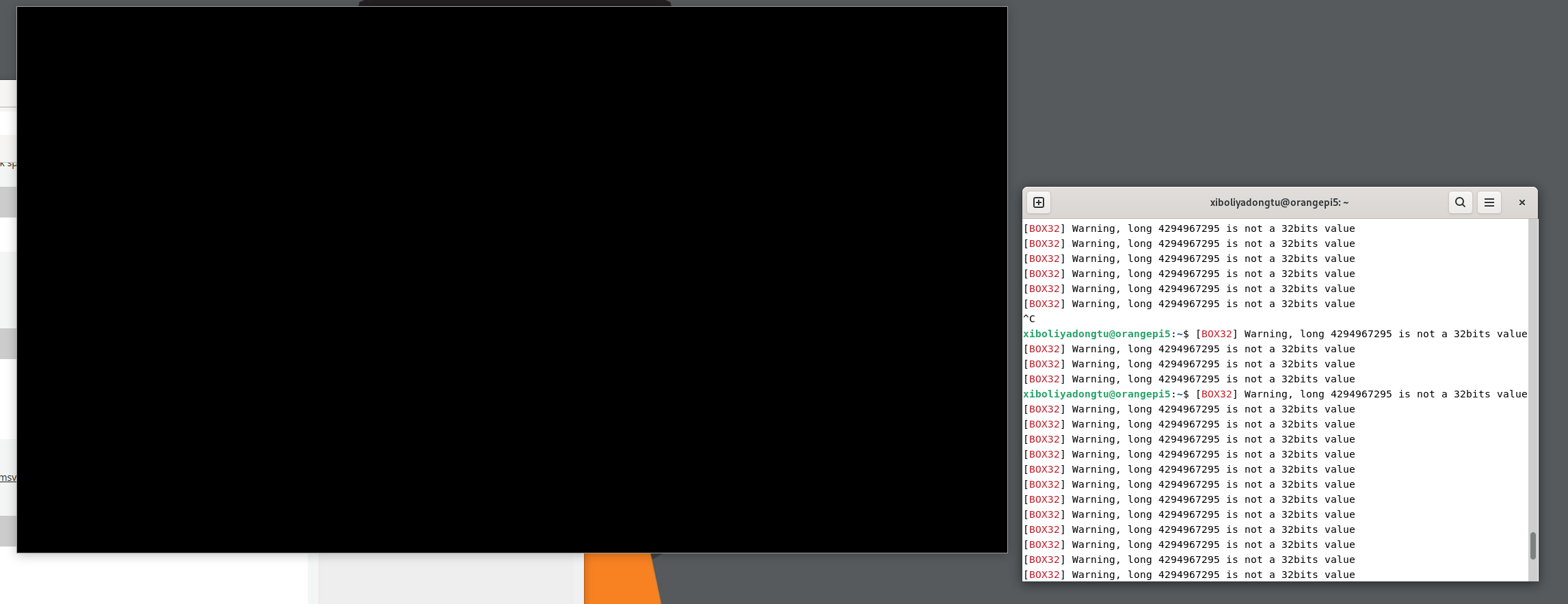
i just delete the default file named umu-defalut. and i try to start the launcher, but it still crash. Did i got right things? log -
Gaming experience with Orange Pi 5 (RK3588) on Armbian
xiboliyadongtu replied to KhanhDTP's topic in Orange Pi 5
This game cant start without the launcher, I will try these options -

Gaming experience with Orange Pi 5 (RK3588) on Armbian
KhanhDTP replied to KhanhDTP's topic in Orange Pi 5
@xiboliyadongtu Can this game be started without a launcher? Is there an executable file besides BlackDesertLauncher.exe (like BlackDesert.exe)? The BlackDesertLauncher.exe is definitely a 32-bit file. So, you might need to run it with GE-Proton10-32 in WoW64 mode. Delete the created GE-Proton10-32's prefix to make sure. Then start it again with envs If everything is right, you will see the Dxvk output log with something like below: - Today
-
Gaming experience with Orange Pi 5 (RK3588) on Armbian
xiboliyadongtu replied to KhanhDTP's topic in Orange Pi 5
i delete the previous 64-bit version of DXVK, copy the 32-bit version DXVK, and tried to luanch the game; the game dispalyed a logo and then disappeared. Maybe it have crashed. log-dxvk log-zink -
 In the world of TV boxes "identical looking" means nothing, as manufacturers build each batch with the lowest cost components available at the time. There are many cases where identical looking boxes even contain different cpus ( ie amlogic vs rockchip). My recommendation would be first to verify the markings on the boards (there is usually some sort of board identifying text on the board)to really see if they are the same under the hood.
 -
You aren't using Armbian. The balbes150 builds were a fork of Armbian and know one here would know what sources they were built with. So this question is really off topic for Armbian.
-
 Hello everyone, I have two identical-looking "arm-64" Amlogic TV boxes (S805X-based, meson-gxl-s805x-p241.dtb), both running the same Armbian image (kernel 5.9.0-arm-64 from balbes150 build). Both boxes have BCM43430 WiFi+BT combo (AP6212 module) on SDIO (mmc1). Problem: - STB 1: WiFi works perfectly (BCM43430/1 stepping) - STB 2: WiFi fails to initialize (BCM43430/2 stepping) — always ends with "HT Avail timeout (1000000): clkctl 0x50" Key dmesg from STB 1 (working): [ 7.719726] brcmfmac: F1 signature read @0x18000000=0x1541a9a6 [ 7.736079] brcmfmac: brcmf_fw_alloc_request: using brcm/brcmfmac43430-sdio for chip BCM43430/1 [ 7.976301] brcmfmac: brcmf_c_preinit_dcmds: Firmware: BCM43430/1 wl0: Mar 30 2021 01:12:21 version 7.45.98.118 (7d96287 CY) FWID 01-32059766 → wlan0 appears and connects normally Key dmesg from STB 2 (not working): [ 7.564287] brcmfmac: F1 signature read @0x18000000=0x1542a9a6 [ 7.568240] brcmfmac: brcmf_fw_alloc_request: using brcm/brcmfmac43430-sdio for chip BCM43430/2 [ 8.644057] brcmfmac: brcmf_sdio_htclk: HT Avail timeout (1000000): clkctl 0x50 [ 9.652082] brcmfmac: brcmf_sdio_htclk: HT Avail timeout (1000000): clkctl 0x50 → No wlan0 interface created What I already tried on STB 2: 1. Copied entire /lib/firmware/brcm folder from STB 1 → same timeout 2. Symlinked brcmfmac43430a0-sdio.bin / .txt → same timeout 3. Symlinked Raspberry Pi 3 variant (brcmfmac43430-sdio.raspberrypi,3-model-b.txt) → same 4. Created symlink for board-specific file: ln -sf brcmfmac43430-sdio.txt brcmfmac43430-sdio.amlogic,p241.txt → still fails 5. Added various NVRAM tweaks (boardflags3=0x48200100, LPO=1, sd_drivestrength=6, etc.) → no change 6. Tried sdio_overclock=0 (and 25000000) → module says "unknown parameter 'sdio_overclock' ignored" (not supported in this kernel 5.9 build) Current /lib/firmware/brcm contents (relevant files): - brcmfmac43430-sdio.bin - brcmfmac43430-sdio.txt - brcmfmac43430a0-sdio.bin - brcmfmac43430a0-sdio.txt - brcmfmac43430-sdio.raspberrypi,3-model-b.txt - brcmfmac43430-sdio.amlogic,p241.txt (now exists) modinfo brcmfmac shows no sdio_overclock or drive_strength parameter available. Questions: - Has anyone seen BCM43430/2 stepping specifically fail like this while /1 works on the same image? - Is there a known good NVRAM .txt for BCM43430/2 on Amlogic boxes? - Any other module parameters or DTB tweaks that could slow down SDIO clock or force LPO mode? - Or is this most likely a hardware difference (LPO crystal issue on the module/board)? Any help or pointers greatly appreciated — really want to avoid buying USB dongles if possible. Thanks! ls /lib/firmware/brcm bcm4329.hcd BCM4330B1.hcd bcm4330.hcd BCM43342.hcd BCM4334B0.hcd BCM43430A1.hcd BCM43430B0.hcd bcm43438-sdio.hcd BCM4343A0.hcd BCM4345C0_003.001.025.0162.0000_Generic_UART_37_4MHz_wlbga_ref_iLNA_iTR_eLG.hcd BCM4345C0.amlogic,sm1.hcd BCM4345C0.firefly,rk3566-roc-pc.hcd BCM4345C0.radxa,zero2.hcd BCM4345C0.raspberrypi,4-compute-module.hcd BCM4345C5.hcd BCM4356A2.hcd BCM4359C0.hcd BCM4362A2.hcd BCM4362A2-khadas-vim4.hcd brcmfmac4329-sdio.bin brcmfmac4329-sdio.txt brcmfmac4330-sdio.amlogic,q200-n1.txt brcmfmac4330-sdio.bin brcmfmac4330-sdio.rockchip,rk3318-box.txt brcmfmac4330-sdio.txt brcmfmac43342-sdio.bin brcmfmac43342-sdio.txt brcmfmac4334-sdio.bin brcmfmac4334-sdio.rockchip,rk3318-box.txt brcmfmac43362-sdio.bin brcmfmac43362-sdio.txt brcmfmac4339-sdio.1CK.txt brcmfmac4339-sdio.bin brcmfmac4339-sdio.txt brcmfmac4339-sdio.ZP.txt brcmfmac43430a0-sdio.bin brcmfmac43430a0-sdio.txt brcmfmac43430b0-sdio.bin brcmfmac43430b0-sdio.rockchip,fine3399.bin brcmfmac43430b0-sdio.txt brcmfmac43430-sdio.bin brcmfmac43430-sdio.clm_blob brcmfmac43430-sdio.raspberrypi,3-model-b.bin brcmfmac43430-sdio.raspberrypi,3-model-b.txt brcmfmac43430-sdio.raspberrypi,model-zero-2-w.bin brcmfmac43430-sdio.raspberrypi,model-zero-2-w.txt brcmfmac43430-sdio.txt brcmfmac43436s-sdio.bin brcmfmac43436s-sdio.raspberrypi,model-zero-2-w.bin brcmfmac43436s-sdio.raspberrypi,model-zero-2-w.txt brcmfmac43455-sdio.amlogic,sm1.bin brcmfmac43455-sdio.amlogic,sm1.txt brcmfmac43455-sdio.bin brcmfmac43455-sdio.clm_blob brcmfmac43455-sdio.firefly,rk3566-roc-pc.bin brcmfmac43455-sdio.firefly,rk3566-roc-pc.txt brcmfmac43455-sdio.radxa,zero2.bin brcmfmac43455-sdio.radxa,zero2.txt brcmfmac43455-sdio.raspberrypi,3-model-b-plus.bin brcmfmac43455-sdio.raspberrypi,4-compute-module.bin brcmfmac43455-sdio.raspberrypi,4-compute-module.txt brcmfmac43455-sdio.raspberrypi,4-model-b.bin brcmfmac43455-sdio.raspberrypi,4-model-b.txt brcmfmac43455-sdio.raspberrypi,5-model-b.bin brcmfmac43455-sdio.raspberrypi,5-model-b.clm_blob brcmfmac43455-sdio.raspberrypi,5-model-b.txt brcmfmac43455-sdio.txt brcmfmac43456-sdio.bin brcmfmac43456-sdio.clm_blob brcmfmac43456-sdio.radxa,rockpi4b.bin brcmfmac43456-sdio.radxa,rockpi4b.txt brcmfmac43456-sdio.radxa,zero2.bin brcmfmac43456-sdio.radxa,zero2.txt brcmfmac43456-sdio.radxa,zero.bin brcmfmac43456-sdio.radxa,zero.txt brcmfmac43456-sdio.raspberrypi,400.bin brcmfmac43456-sdio.raspberrypi,400.txt brcmfmac43456-sdio.txt brcmfmac4356-sdio.bin brcmfmac4356-sdio.clm_blob brcmfmac4356-sdio-nanopi-m4v2.bin brcmfmac4356-sdio-nanopi-m4v2.txt brcmfmac4356-sdio.txt brcmfmac4359-sdio.bin brcmfmac4359-sdio.txt brcmfmac43752-pcie.bin brcmfmac43752-pcie.clm_blob brcmfmac43752-pcie.txt brcmfmac43752-sdio.9tripod,x3568-v4.bin brcmfmac43752-sdio.9tripod,x3568-v4.txt brcmfmac43752-sdio.bin brcmfmac43752-sdio.clm_blob brcmfmac43752-sdio.firefly,rk3568-roc-pc.bin brcmfmac43752-sdio.firefly,rk3568-roc-pc.txt brcmfmac43752-sdio.txt brcmfmac-ap6330-sdio.bin brcmfmac-ap6330-sdio.txt clm_bcm43752a2_ag.blob config_bcm43456c5_ag.txt config_bcm43752a2_ag.txt config.txt fw_bcm43456c5_ag_apsta.bin fw_bcm43456c5_ag.bin fw_bcm43752a2_ag_apsta.bin fw_bcm43752a2_ag.bin fw_bcm43752a2_ag_p2p.bin nvram_ap6256.txt nvram_ap6275s.txt SYN43711A0.hcd
 -
Gaming experience with Orange Pi 5 (RK3588) on Armbian
KhanhDTP replied to KhanhDTP's topic in Orange Pi 5
@xiboliyadongtu as your ss, the launcher is 32-bits. So, can you copy x32/d3d11.dll, x32/dxgi.dll files to the game folder and try again? -
Gaming experience with Orange Pi 5 (RK3588) on Armbian
xiboliyadongtu replied to KhanhDTP's topic in Orange Pi 5
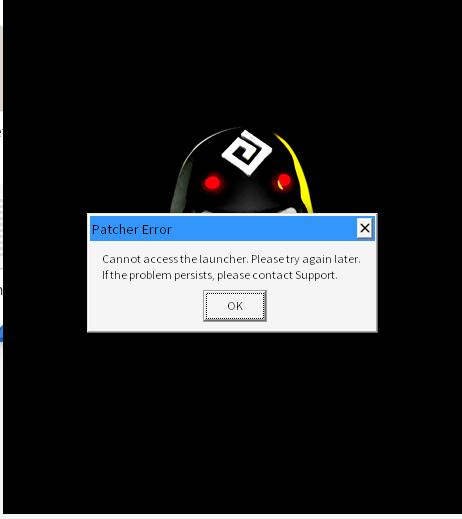
Thank you very much for your suggestions; I have tested both of them using Protonge. I replaced the BdO launcher to rule out any issues with Chinese language support. Both suggestions caused the launcher to display an error window. Furthermore, I tested the solution involving DXVK using Wine 11.4 staging, but the launcher only displayed a black window; I have uploaded the logs and screenshots. Additionally, I downloaded the Windows version of VKcube, which displays the rotating cube correctly. Translated with DeepL.com (free version) log-protonge.txt log-wine11.4staging.txt
-
I had similar issues with the original camera. But after days of testing even with the official radxa image I think I found the possible problem. There is a batch of boards with a wrong csi connector, the pins are not correct. I found it here: https://github.com/radxa-build/radxa-zero3/issues/15 I send a mail to my supplier and they will send me a fixed cable, I can give an update if it's fixed.
-
Wifi works normaly only trought NetworkManager.
- Yesterday
-
Success: tested RV2 with GPU on Armbian-noble-nightly. It's a bit hacky but should work. I created a mirror of the relevant packages from Spacmit/Bianbu. Only packages with source, specific to k1x / video / gpu plus chromium. Mirror project is here, in case you want to mirror yourself or miss a package: https://codeberg.org/sven-ola/spacemit-mirror After getting up Armbian-noble-xfce4-nightly on your Spacemit/K1 board (that includes Ky X1) Add mirror repo to /etc/apt/sources.list.d/sven-ola.sources (Note: this is experimental) Types: deb deb-src URIs: https://privat-in.de/armbian Suites: noble Components: main Signed-By: /etc/apt/trusted.gpg.d/sven-ola.gpg Get my repo key with wget -O /etc/apt/trusted.gpg.d/sven-ola.gpg https://privat-in.de/armbian/key.gpg Give the mirror some weight, add an /etc/apt/preferences.d/sven-ola file Package: * Pin: release o=Sven-Ola Pin-Priority: 1000 Install GPU support apt-get update apt-get install img-gpu-powervr apt-get dist-upgrade Note: this will downgrade mesa-25.x to mesa-24.x from Bianbu/Spacemit Install a Wayland-enabled GUI (tested: gnome) apt-get install gnome-core systemctl disable lightdm If asked, select gdm from gnome instead of lightdm from xfce4. After rebooting, click on your user, then stop and select Gnome with the lower right gearwheel icon. I also installed glmark2-es2-wayland to check if that runs. It shows 417@800x600 which is faster than software mesa...
-
I just tested the latest Armbian distros, Armbian 26.2.0-trunk.493 XFCE and Armbian 26.2.0-trunk.493 Minimal / IOT, and none worked. Then I tried Radxa system images, rock-4se_bookworm_kde_r4.output_512.img.xz did not work. So I got confused because my Rock 4SE v 1.53 SBC worked a long time ago. Found backup of old boot image, which I used with the NVMe drive, because it could not boot on its own. And do you know what? Finally, I saw a picture on the screen with boot log information, which made me happy because it proved my SBC had not died. Then I started looking at some old system images for this board and found one which is booting, it is rock-4se_debian_bullseye_kde_b38.img.
-
Did anyone ever get anything to work on a x96q v4.1? If so, what was it and where can i get it?
-
I will try!! @Lamerjack
-
I`ll already done it. Switched to original Btt image. Understand what that board is didn`t love any sd-card. I`ll stopts on AP32GMCSH10UB-RA card. If card didn't made friends with the board it not boot,reboot`s,power off, halt`s.... IO pins i didnt use.... I`ll swithed to ch340 as uart, because it`s understand 3.3 and 5v levels. The board only 3.3 CAN i use on RP2040+can chip, what cost only 5$(in total), not 15$ for btt can. in a end of can bus i`ll use EBB42 so it`s have all i need.... It`s about I2C bus. Thats my story If u need help, free to ask. I`ll will help if i coud
-

OrangePi AIpro (8T) : any Armbian .img for this single-board computer ?
Werner replied to Unix-Linux's topic in New boards
Well since you asked in this sub-forum, feel free to start: -
 a few things happened since sunday: i set up a project homepage: https://langerma.github.io/dumpstore/ - screenshots, feature overview, install instructions. and a wiki of course: https://github.com/langerma/dumpstore/wiki three new things landed since the initial post: live ansible task streaming the op-log dialog now shows tasks appearing one by one as ansible runs them, instead of dumping everything at once when the playbook finishes. small thing, but makes it feel a lot more responsive. pool scrub scheduling you can now add/remove pools from the periodic scrub schedule directly from the ui. on linux it edits ZFS_SCRUB_POOLS in /etc/default/zfs (zfsutils-linux), on freebsd it manages daily_scrub_zfs_pools in /etc/periodic.conf. platform-aware, same interface. schema-driven ui all zfs property dropdowns (compression, atime, recordsize, etc.) and the shell picker for users are now driven by a single schema definition in the backend. GET /api/schema returns the full list filtered by platform. before this, the values were hardcoded in four different places — html, js, and go. adding a new property now means touching one file. nothing groundbreaking, just steady progress.
 -
was trying the Armbian Imager because i was searching for an image for OrangePI RV2 that is not in download but is in the imager utility... And the RV2 image is marked of course as WorkInProgress... But i saw that here there is also 2 image for 4a maked as community support.. (that should be better than WIP) there is a command line trixie and a noble with XFCE (that let me think that HDMI works) somebody tried these images? If are usable i will plan to order a 4A that looks more interesting than RV2
-
 Well, Orange has two SBC for AI applications : this one delivering up to 8 Tops and the other one delivering up to 20 Tops. Both are using SoC: Huawei Ascend quad-core ARM 64-bit processor It could be great to have a light/custom O.S like Armbian running on those SBC's! ;-))
 -
Well the only thing armbian-config does, is calling "armbian-install" which has been there for ages
-
i find it is very convenient now, not only able to choose boot from nvme or sata ssd. but can also install the image from armbian-config. last time im installing armbian i need to dd the image manualy into nvme. very nice work for armbian team
-
What firmware are you using?
-
correct
-
OrangePi AIpro (8T) : any Armbian .img for this single-board computer ?
Werner replied to Unix-Linux's topic in New boards
never heard of that one before so probably no.