All Activity
- Today
-

I wanted to start a thread about troubles with a Turing RK-1
Werner replied to TootsHaynow's topic in Rockchip
moved -
I know this is going into the wrong section of the Rockchip forum but I don't see a parent category for anything like "Rockchip - Other". I can outline the issue in this thread, but I would rather have this post get moderated and get directed into the right spot to ask about specifically the Turing RK-1 or more generally "weird boards that have RK3588s that aren't already listed".
-

H96 Max V58 Rockchip RK3588 Unofficial ARMBIAN
Scrumpper replied to Scrumpper's topic in Rockchip CPU Boxes
@Dravens Wayland compositing was broken on this Panthor/Mali-G610 stack. KWin-Wayland crashed when I tried it, and I never really looked into it any further. X11 is the session I ran with, and what the desktop hooks use. Nested Wayland works ok. I ship `cage`/`gamescope` running as a client inside the X11 desktop. This app gets a Wayland socket and PanVK Vulkan, no conflict with X11 alongside it (that's what my gaming/kiosk modes use). TLDR: Full Wayland has a known unfixed crash on this GPU stack. Checked the image, and the ophub kernel this build ships (6.1.141-rk3588-ophub) already has it compiled in (`binder.ko` in modules.builtin, so `CONFIG_ANDROID_BINDER_IPC=y`). So nothing needs rebuilding on my side. ashmem isn't needed either, Waydroid uses memfd since 1.2.1. Which means you can just try it: install `weston` + waydroid, run `weston --xwayland`, set `WAYLAND_DISPLAY`, and launch waydroid into it. Ready-made scripts: [waydroid-x11](https://github.com/mid-kid/waydroid-x11), [waywes](https://github.com/KSMaan45/waywes). Note it's Weston, not the cage/gamescope I ship. Warning on the GPU though: [waydroid#760](https://github.com/waydroid/waydroid/issues/760) is a Rock-5b (same RK3588/Mali-G610) that only boots with GPU disabled, [#776](https://github.com/waydroid/waydroid/issues/776) is "rockchip-rk3588 GPU unsupported", and [#2087](https://github.com/waydroid/waydroid/issues/2087) reports Panfrost/Panthor perf way below host. That's upstream Waydroid's passthrough, not something I can fix here. Expect software rendering... which could make other things run kinda rough. -
@AurealNix - I realised I meant to say "NVMe is recognised now" so was getting a little ahead of myself so felt i should at least give the SSD a bit more exercise. cue: f3write/f3read on the entire 256GB + rinse/repeat a few times worked ok with nothing appearing in the dmesg to indicate it trips up etc. Regarding running rootfs on I'll see if I can squeeze that in (maybe Tuesda) as i will need to dd my sd and then image onto the NVMe and tweak /boot/boot.cmd /boot/orangepiEnv.txt accordingly - I can't just use your image on the NVMe as it starts at 2GB and then stretches out at first boot. If this is what you are looking to do/get-tested or maybe something else ? Also (low priority request), if you could add/install iproute2 onto the minimal image that would be handy! Cheers
-
@JamesCL One more thing, only if you're up for it (zero pressure, as always): I'd love to know how both drives hold up under a real data load — sustained writes, and whether anything corrupts. The clean tool for this is f3 (it writes known patterns and verifies them on read-back, so it catches even a single flipped bit). On the eMMC — keep it small. Your root fills the whole module (57 GB of 58), so there's little free space, and filling the live root filesystem completely would be a bad idea. A 5 GB run is plenty to prove integrity: sudo apt install f3 cd ~ && f3write --end-at=5 . # 5 × 1 GB files, watch the speed it reports f3read . # re-reads and verifies every bit sudo dmesg | grep -iE "mmc2|error|fail" rm ~/*.h2w # cleanup On the Intel NVMe — go big. That's where a long sustained run really tells us something. No need to format — f3 just writes files into whatever's mounted, so we can use the existing partition's free space (non-destructive): lsblk # find the NVMe partition (nvme0n1p1) sudo mount /dev/nvme0n1p1 /mnt # mount what's already there — no formatting df -h /mnt # how much free space? cd /mnt && sudo f3write --end-at=100 . && sudo f3read . # or drop --end-at to just fill the free space sudo dmesg | grep -iE "nvme|pcie|error|fail" sudo rm /mnt/*.h2w && cd ~ && sudo umount /mnt # cleanup (If there's less than 100 GB free, no problem — f3 fills whatever is available and stops; even 20-30 GB is a solid sustained run.) The --end-at numbers are just suggestions — check free space with df -h first and dial them down to whatever fits on each drive. A smaller run still proves integrity; it just exercises the drive for less time. The point is 0 corrupted sectors, not the size. What we're looking for: 0 corrupted sectors and a quiet dmesg on both. The speeds are a nice bonus — the eMMC at HS200 should read 100+ MB/s, and the NVMe is capped by the M.2 slot being PCIe 2.0 ×1, so ~350-400 MB/s is the by-design ceiling; if f3 reports that range with 0 corrupted, the link is running as well as this SoC allows. A clean eMMC run is the last box to tick before I write the "install to eMMC" guide around your method. @bickns you can try too.
-
It is not early fix, but now it should work as expected on non-vendor kernels https://github.com/armbian/build/pull/10289 Also it works flawlessly on vendor kernel with previous overlay
-
-
@flintduval You're absolutely right — thanks for the correction, and consider me happily corrected. The boot ROM on these SoCs also tries SPI NOR (and finally FEL over USB) after SD/eMMC, and this board does carry SPI flash — 16 MB as you say. So my "only microSD or eMMC" was incomplete. That would enable the classic setup Armbian uses on other boards: bootloader in SPI, kernel + rootfs on NVMe → a genuinely SD-free board. One heads-up on the second half, though: U-Boot would also need to learn PCIe/NVMe on this board to load the kernel from the SSD — writing U-Boot to SPI alone doesn't get there. It's not something I'm working on myself right now (my plate is full), but if you feel like experimenting with the SPI, it should be low-risk on this board: the ROM tries the SD slot first, so a bad SPI write is recoverable by just booting from SD. If you do try it, please share what you find here — I'd read that with great interest.
-
 i have r2-pro banana pi with 3568. tell what i need to do?
 -
... or SPI Flash. This board has 16 MB of SPI Flash, so we can try writing the bootloader there.
-
 Hi. I need help from someone with RK3568 SBC. My Rock 3A packed up few weeks ago and I'm unable to test v3 of the driver on that SOC. It will require to build new kernel with updated patch. Link to v2 patch: https://patchew.org/linux/20260708175837.1718437-1-dawidro@gmail.com/ Cheers Dawid
 -
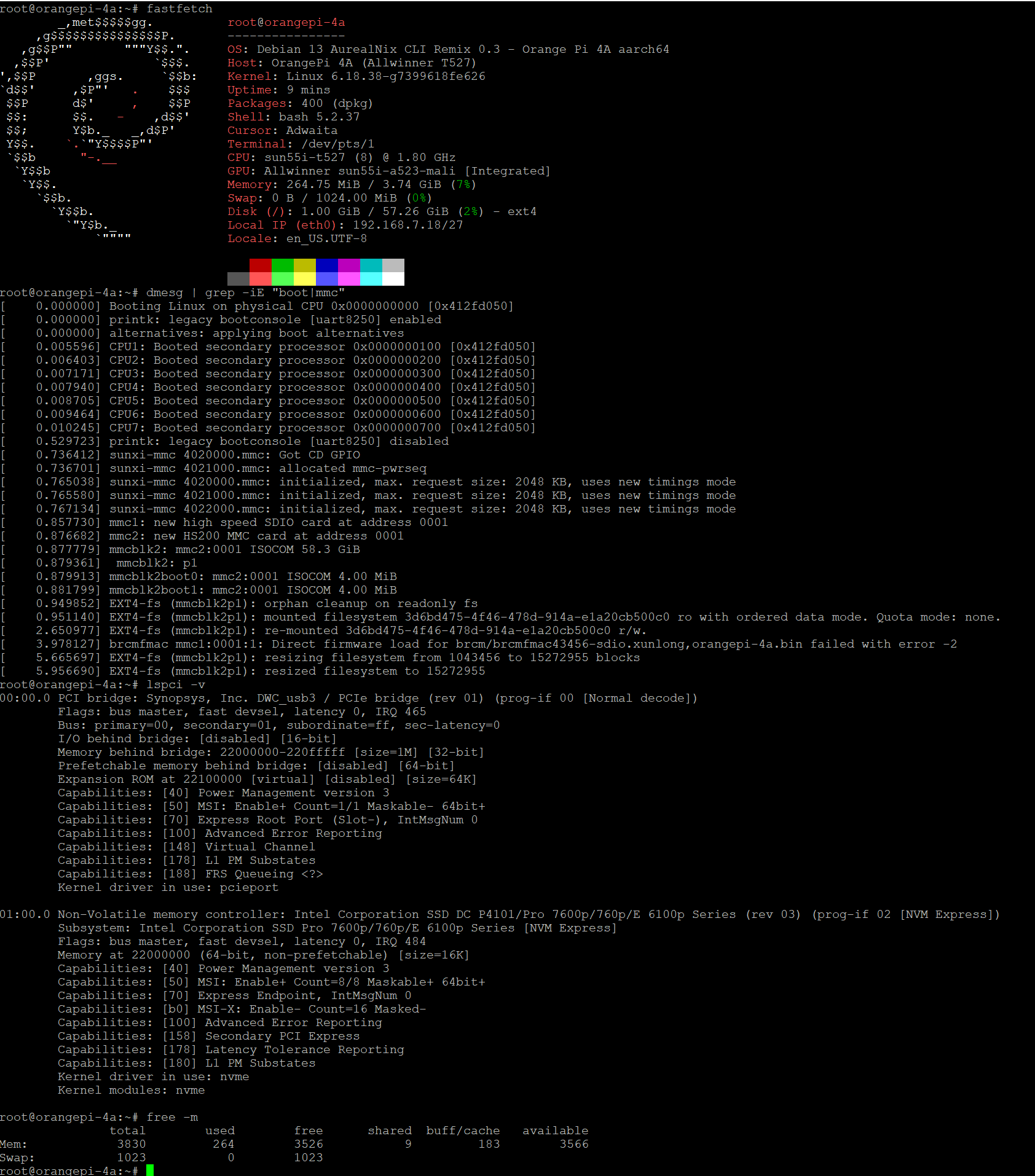
Oh yes!! 🎉 We fixed a few bugs along the way, but honestly I didn't think it was fully ready yet — so "NVMe is working now!!" genuinely made my day. And glad it came down to just the /dev/ prefix in the end 😄 This one matters a lot: it's the first time the PCIe/NVMe bring-up has been confirmed with a real drive instead of an empty slot — and it even came up at Gen2, better than the Gen1 I saw with nothing plugged in. So the controller and the Innosilicon combo PHY are solid. I'll note it in the docs (and credit you + the KIOXIA). Next step, if you're keen: running the rootfs on the NVMe (still booting the boot chain from SD/eMMC) — a big jump over the microSD, and it sidesteps the fact that this board can't do UHS on SD anyway. It's not on by default yet because the NVMe driver is a module with no initramfs, so it isn't loaded when root gets mounted. No need for a special build right now, though: I'll just bake NVMe built into the kernel in the next release and add a short "move rootfs to NVMe" recipe then. A one-off build today would only make sense to fix an actual bug, and there isn't one — as storage it already works. And it shouldn't be a long wait: I want the next release to fold in the 6.18.40/.41 stable improvements — there's a fair few worth having, some of them A523-specific — and the NVMe-built-in change will ride along with that refresh.
-
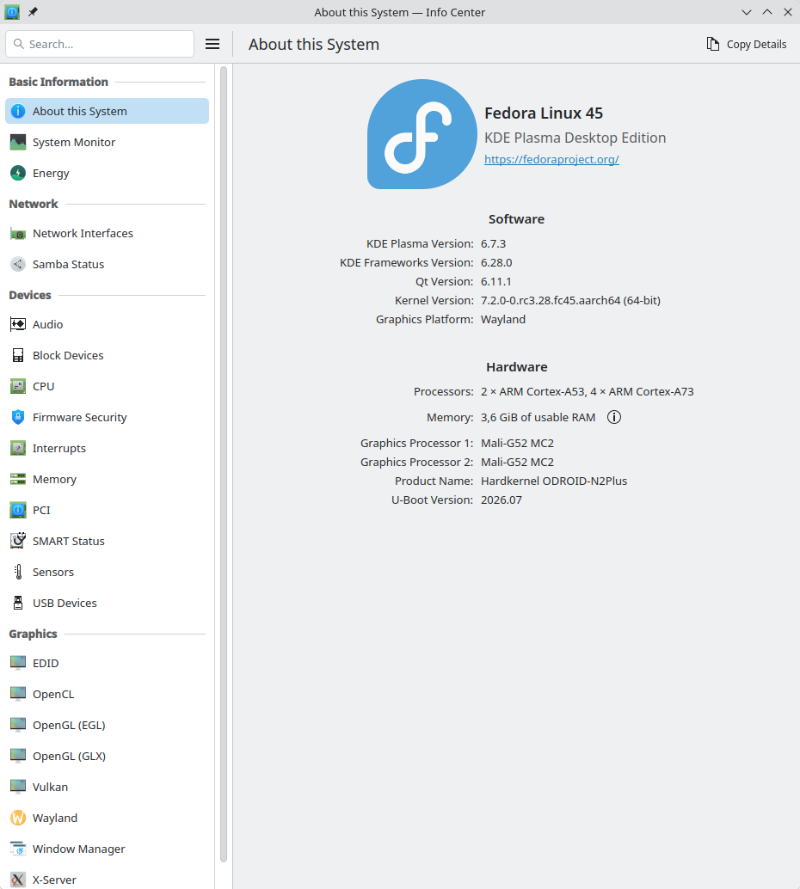
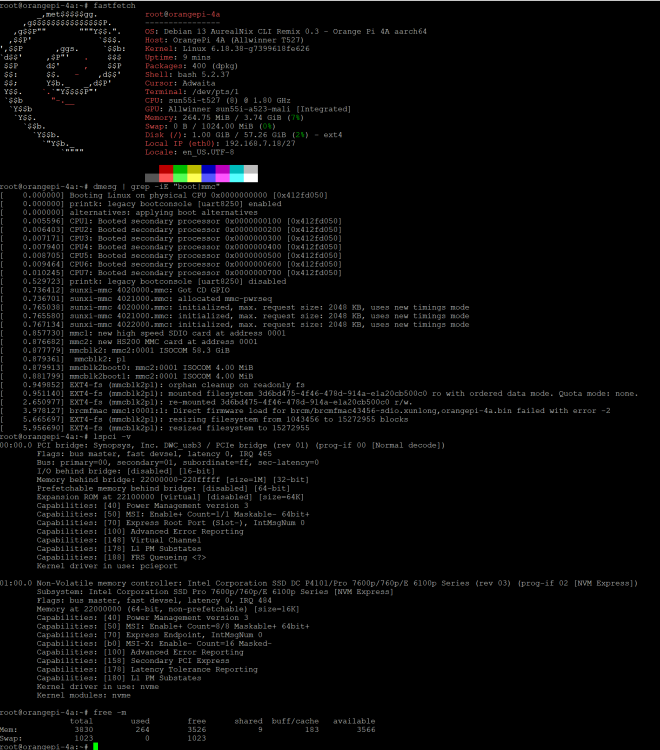
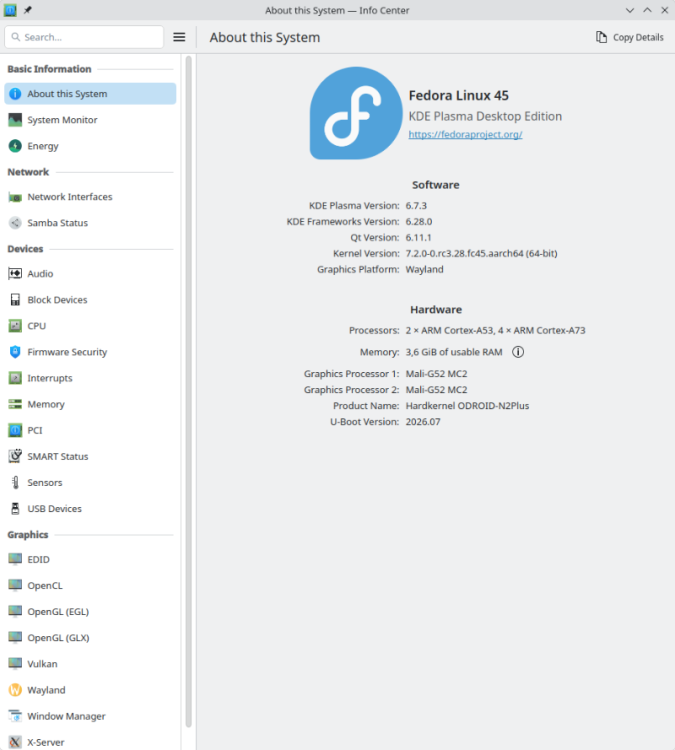
Because that's what Petitboot uses for its rootfs, and that's why it's not enabled in my build either since there's no Petitboot payload. Just pure U-Boot payload. I’m running this system on all my devices: My latest system resides on a USB-connected selfpowered storage device, so I can use it with all my devices since a USB port is basically standard nowadays. No hassle with proprietary eMMC module connectors or a potentially unavailable NVME slot. Speed-wise, it's on par with an eMMC in any case, but the GB/EUR ratio clearly speaks in favor of an NVME. Since the necessary firmware for system startup is always located on a storage device supported by the MASKROM code (SPI flash preferred, but eMMC or microSD is on par), the operating system can be used unmodified in the same way on all devices. Just plug-in and reboot to run it instead of its usual operating system. By the way, the screenshot was taken on my only remaining device in my collection with an Amlogic SoC. As you can see, I just updated the firmware to the state of my last build. It uses the same U-Boot binary payload as the HC4, C4 and N2, just the closed source bloobs and the DTB differs in the firmware compose. U-Boot detects at runtime which of the four devices it's running on and acts accordingly.
-
@AurealNix - TLDR: NVMe is working now !! I posted that last message before you posted your last message ! I thought I might try a bit of diagnostics because lsblk shows the device and then Claude pointed out my fdisk needed a dev prefix (doh!) - my bad as I had been just typing fdisk -l but didn't for some reason on the v0.3 user@orangepi-4a:~$ lsblk NAME MAJ:MIN RM SIZE RO TYPE MOUNTPOINTS mmcblk0 179:0 0 29.7G 0 disk └─mmcblk0p1 179:1 0 29.7G 0 part / zram0 254:0 0 1G 0 disk [SWAP] nvme0n1 259:0 0 238.5G 0 disk └─nvme0n1p1 259:1 0 2.1G 0 part user@orangepi-4a:~$ sudo fdisk /dev/nvme0n1 Welcome to fdisk (util-linux 2.41). Changes will remain in memory only, until you decide to write them. Be careful before using the write command. Command (m for help): q user@orangepi-4a:~$ sudo fdisk -l Disk /dev/mmcblk0: 29.72 GiB, 31914983424 bytes, 62333952 sectors Units: sectors of 1 * 512 = 512 bytes Sector size (logical/physical): 512 bytes / 512 bytes I/O size (minimum/optimal): 512 bytes / 512 bytes Disklabel type: dos Disk identifier: 0xc96adb09 Device Boot Start End Sectors Size Id Type /dev/mmcblk0p1 40960 62333918 62292959 29.7G 83 Linux Disk /dev/nvme0n1: 238.47 GiB, 256060514304 bytes, 500118192 sectors Disk model: KBG40ZNV256G KIOXIA Units: sectors of 1 * 512 = 512 bytes Sector size (logical/physical): 512 bytes / 512 bytes I/O size (minimum/optimal): 512 bytes / 512 bytes Disklabel type: dos Disk identifier: 0x4efc7e9e Device Boot Start End Sectors Size Id Type /dev/nvme0n1p1 40960 4464639 4423680 2.1G 83 Linux Disk /dev/zram0: 1 GiB, 1073741824 bytes, 262144 sectors Units: sectors of 1 * 4096 = 4096 bytes Sector size (logical/physical): 4096 bytes / 4096 bytes I/O size (minimum/optimal): 4096 bytes / 4096 bytes
-
@AurealNix - I just saw your v0.3 went up so I downloaded it to test the NVME once again and still the same result. I looked in dmesg -T and see these messages which might be of use ? It seems to find the nvme0n1:p1 partition but nothing more beyond that user@orangepi-4a:~$ sudo dmesg -T | grep -iE "pcie|nvme" [Sun Jul 26 09:58:55 2026] /soc/pcie@4800000: Fixed dependency cycle(s) with /soc/pcie@4800000/legacy-interrupt-controller [Sun Jul 26 09:58:55 2026] sunxi-pcie 4800000.pcie: host bridge /soc/pcie@4800000 ranges: [Sun Jul 26 09:58:55 2026] sunxi-pcie 4800000.pcie: err 0x0020000000..0x0020ffffff -> 0x0020000000 [Sun Jul 26 09:58:55 2026] sunxi-pcie 4800000.pcie: IO 0x0021000000..0x0021ffffff -> 0x0021000000 [Sun Jul 26 09:58:55 2026] sunxi-pcie 4800000.pcie: MEM 0x0022000000..0x002fffffff -> 0x0022000000 [Sun Jul 26 09:58:55 2026] sunxi-pcie 4800000.pcie: pcie link up success [Sun Jul 26 09:58:55 2026] sunxi-pcie 4800000.pcie: PCIe speed of Gen2 [Sun Jul 26 09:58:55 2026] sunxi-pcie 4800000.pcie: Current speed Gen0 < target Gen2. Retraining link... [Sun Jul 26 09:58:55 2026] sunxi-pcie 4800000.pcie: PCIe speed of Gen2 [Sun Jul 26 09:58:55 2026] sunxi-pcie 4800000.pcie: PCI host bridge to bus 0000:00 [Sun Jul 26 09:58:55 2026] pci 0000:00:00.0: [16c3:abcd] type 01 class 0x060400 PCIe Root Port [Sun Jul 26 09:58:55 2026] pci 0000:01:00.0: [1e0f:0001] type 00 class 0x010802 PCIe Endpoint [Sun Jul 26 09:58:55 2026] pci 0000:01:00.0: 4.000 Gb/s available PCIe bandwidth, limited by 5.0 GT/s PCIe x1 link at 0000:00:00.0 (capable of 31.504 Gb/s with 8.0 GT/s PCIe x4 li nk) [Sun Jul 26 09:58:55 2026] pcieport 0000:00:00.0: PME: Signaling with IRQ 465 [Sun Jul 26 09:58:55 2026] pcieport 0000:00:00.0: AER: enabled with IRQ 465 [Sun Jul 26 09:58:55 2026] sunxi-pcie 4800000.pcie: driver version: 1.2.4 [Sun Jul 26 09:58:59 2026] nvme nvme0: pci function 0000:01:00.0 [Sun Jul 26 09:58:59 2026] nvme 0000:01:00.0: enabling device (0000 -> 0002) [Sun Jul 26 09:58:59 2026] nvme nvme0: allocated 61 MiB host memory buffer (16 segments). [Sun Jul 26 09:58:59 2026] nvme nvme0: 8/0/0 default/read/poll queues [Sun Jul 26 09:58:59 2026] nvme0n1: p1 user@orangepi-4a:~$ user@orangepi-4a:~$ sudo fdisk nvme0n1 Welcome to fdisk (util-linux 2.41). Changes will remain in memory only, until you decide to write them. Be careful before using the write command. fdisk: cannot open nvme0n1: No such file or directory user@orangepi-4a:~$
-
AurealNix v0.3 is out 🎉 — hardware video decode (H.264/H.265 in the browser) plus a GNOME desktop, on mainline 6.18.38: https://github.com/ut-slayer/orangepi-4a-mainline/releases/tag/v0.3 On booting from an SSD — short answer, you can't boot the board purely from an M.2 SSD. The Allwinner boot ROM only loads the bootloader from microSD or eMMC (it doesn't boot off PCIe), so the boot chain (U-Boot + kernel) has to live on SD or eMMC. If you flash the whole image onto the SSD with nothing on SD/eMMC, there's no bootloader for the ROM to pick up, so it won't start. Thanks @bickns, that's really useful! It fits what I'd expect: on this SoC the boot ROM only loads the bootloader from microSD or eMMC, never from PCIe — so booting purely from an M.2 SSD can't work, however it's flashed. The boot (U-Boot + kernel) always has to live on SD/eMMC. The good news: your fdisk -l shows the drive and the PCIe link are fine. So the realistic setup is boot from SD/eMMC, rootfs on the NVMe (that needs a small kernel tweak — NVMe built-in or an initramfs). Booting the kernel itself off the SSD would mean adding NVMe support to U-Boot, which is a bigger job for another day. If you get a chance, boot v0.3 from SD and run lsblk — I'd love to know the mainline 6.18 kernel sees your NVMe too. Cheers! 🙌
-
@AurealNix - great news on v0.3 and great work !! So having established that the v0.2 image could neither boot from nor recognise NVME SSD (double negative there, apologies .. hope that translates ok into espanol!) I just flashed the vendor 5.x image to the NVME and it failed to boot as well. However the NVME is recognised correctly from 'fdisk -l' when I boot from the 5.x SD so it might be that more tweaking is needed on the NVME once flashed to maybe get it to boot - but that is for another day .... Hope this helps - cheers.
-
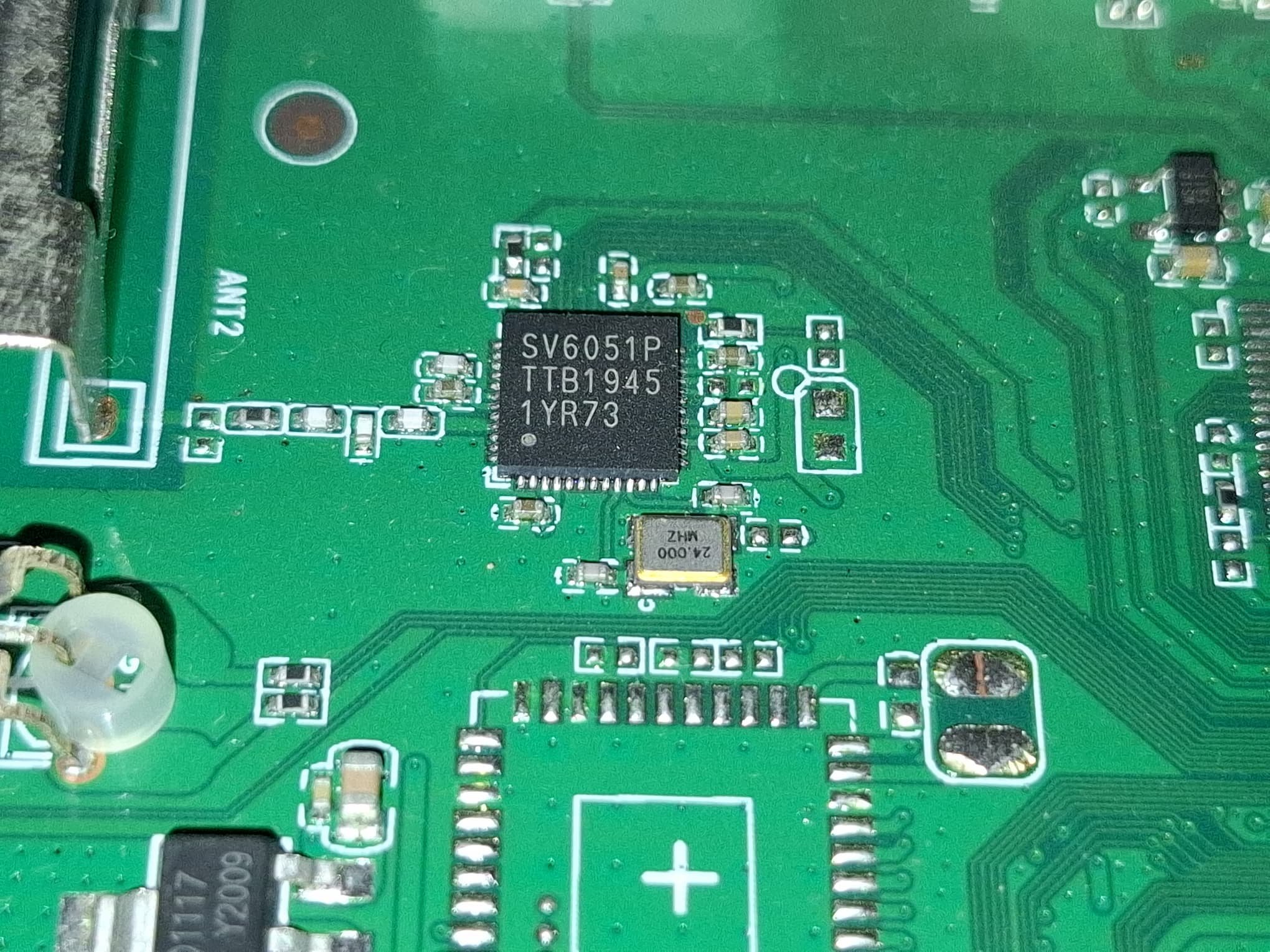
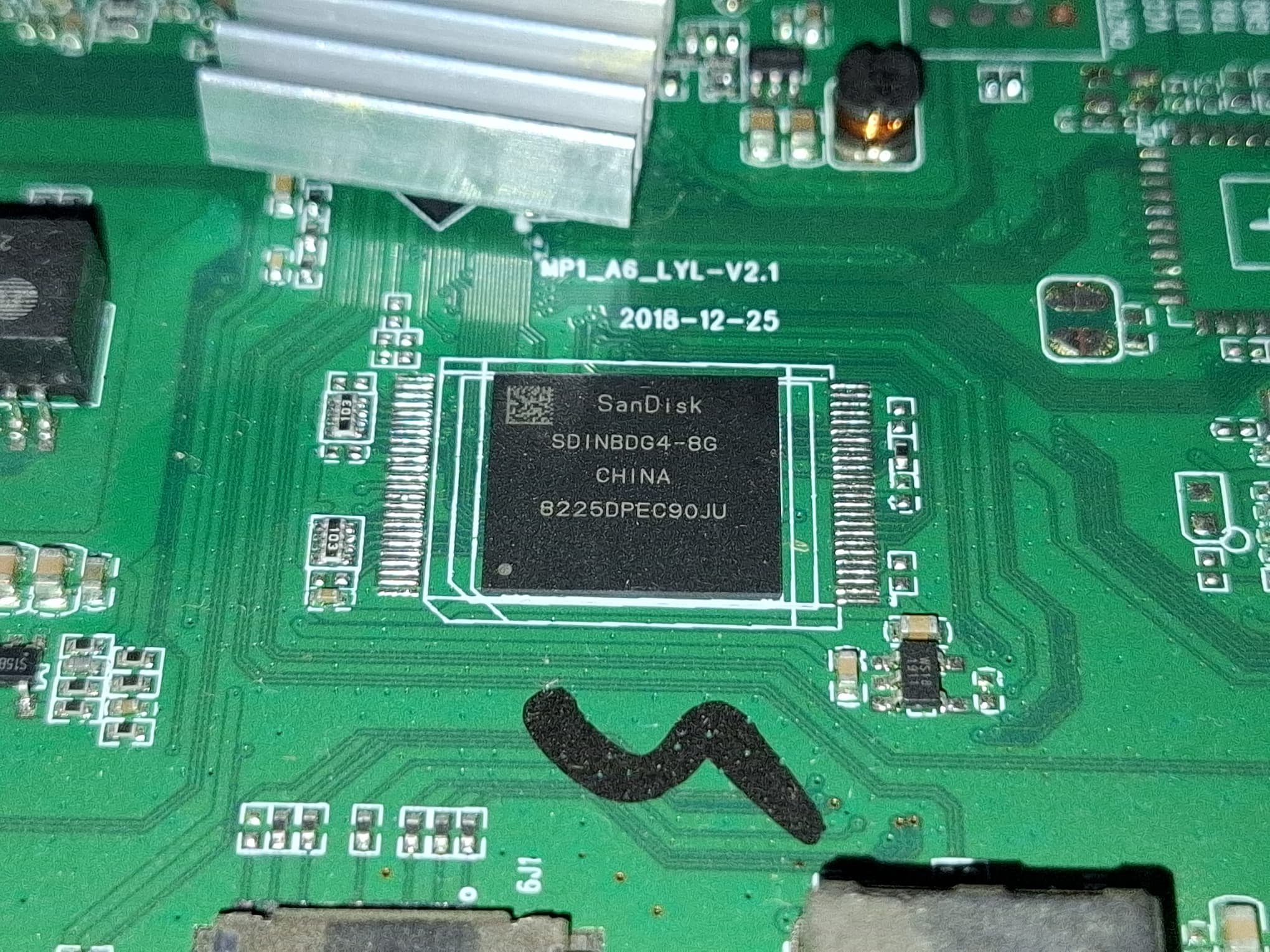
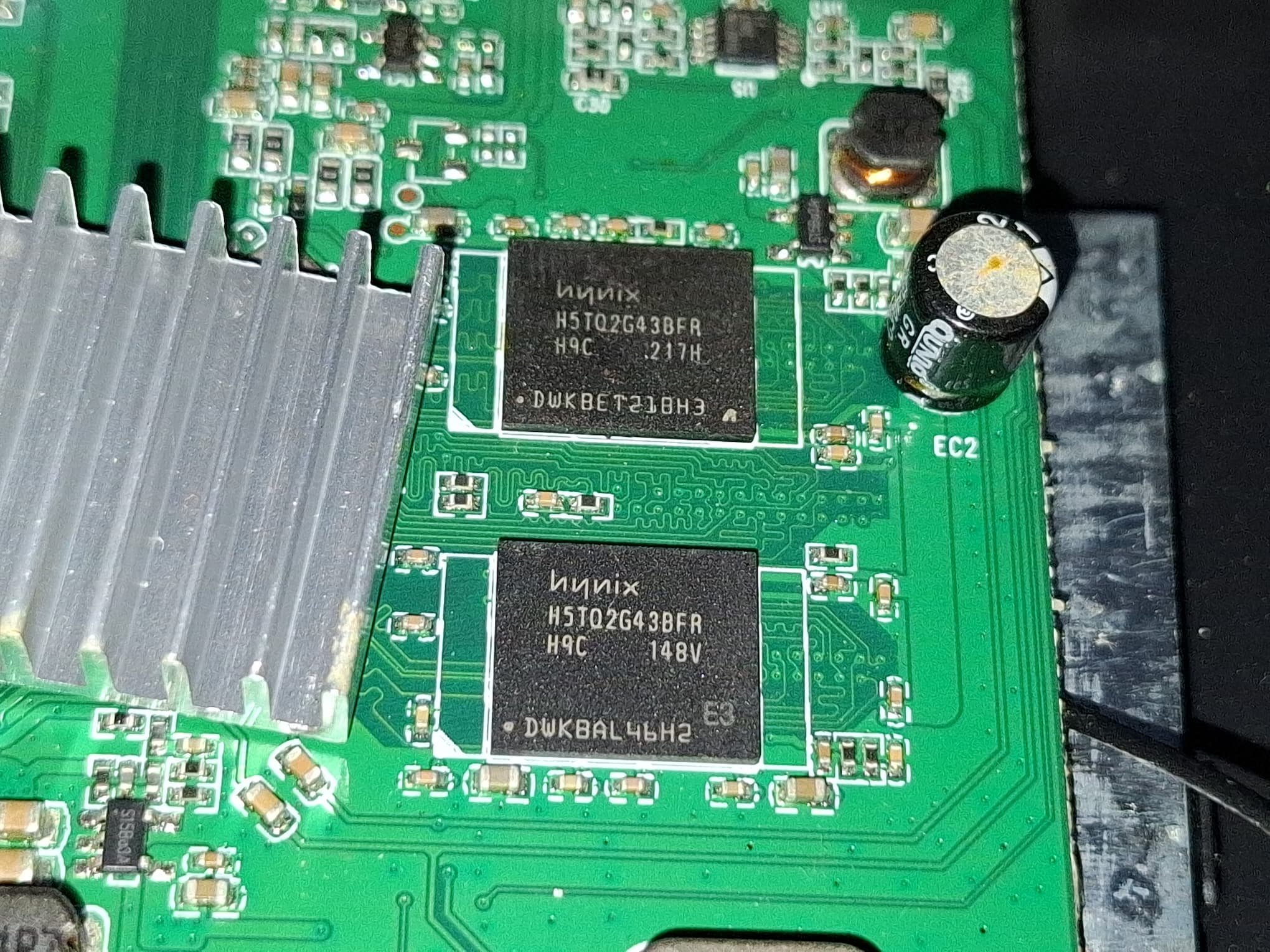
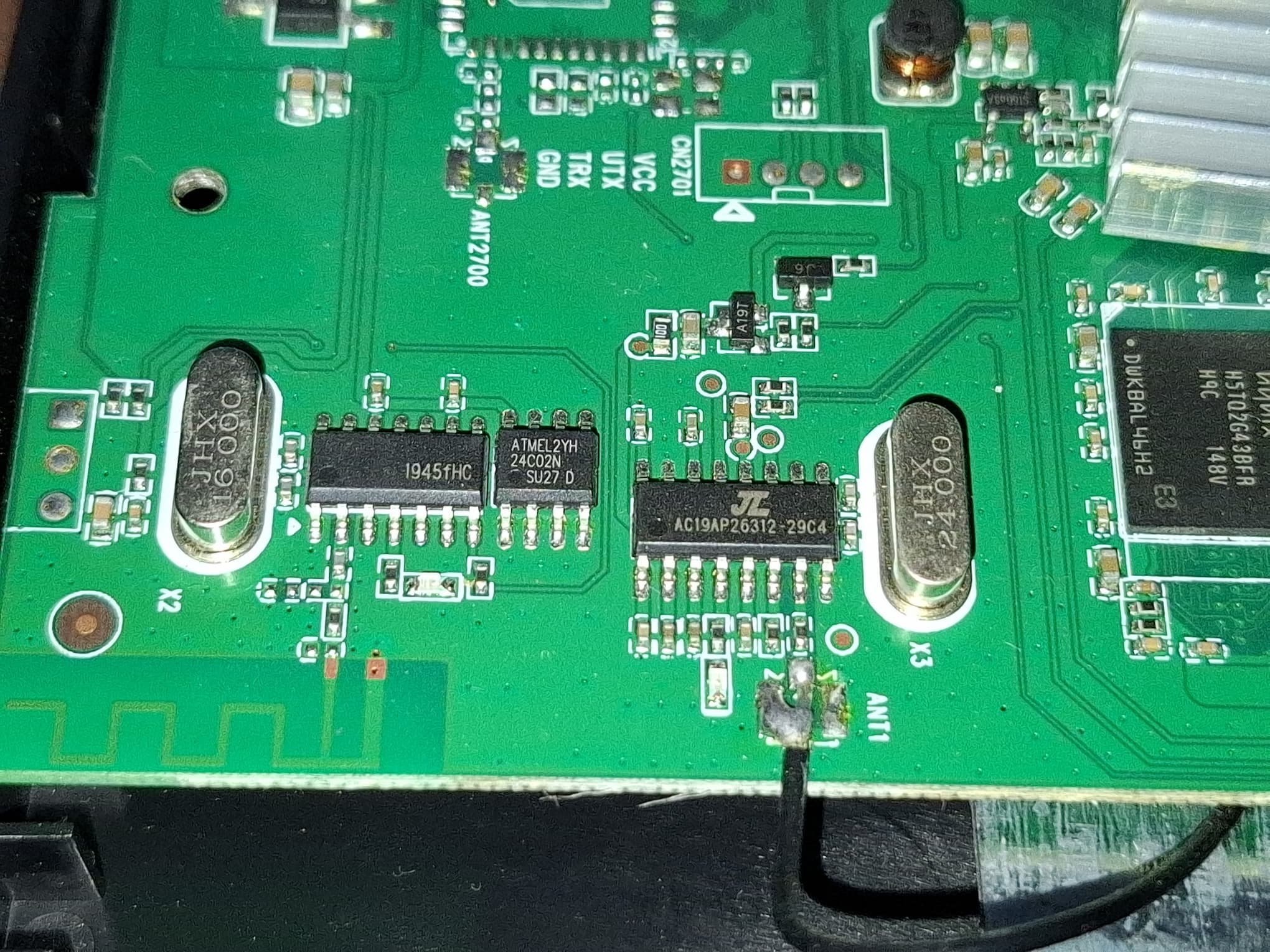
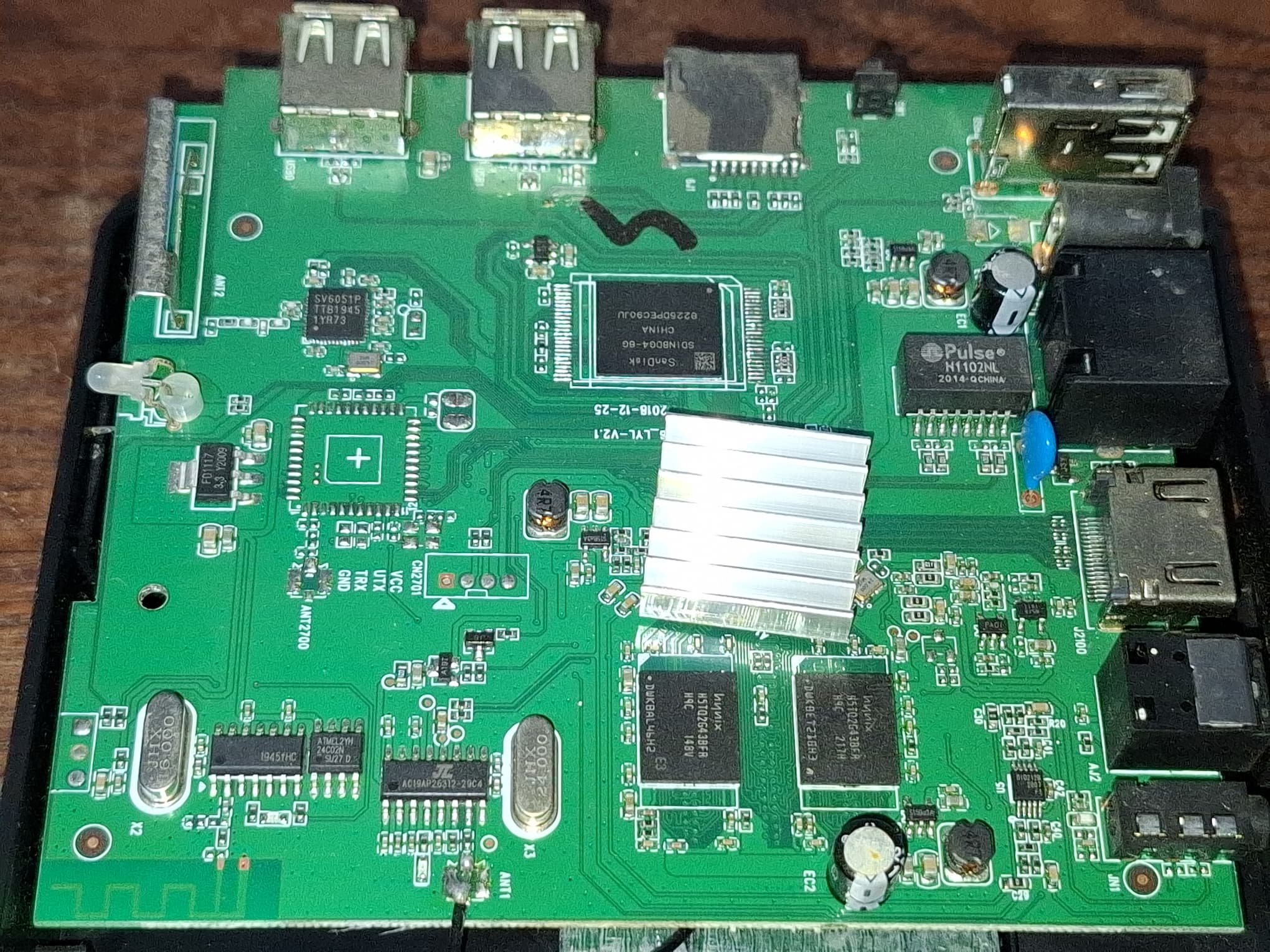
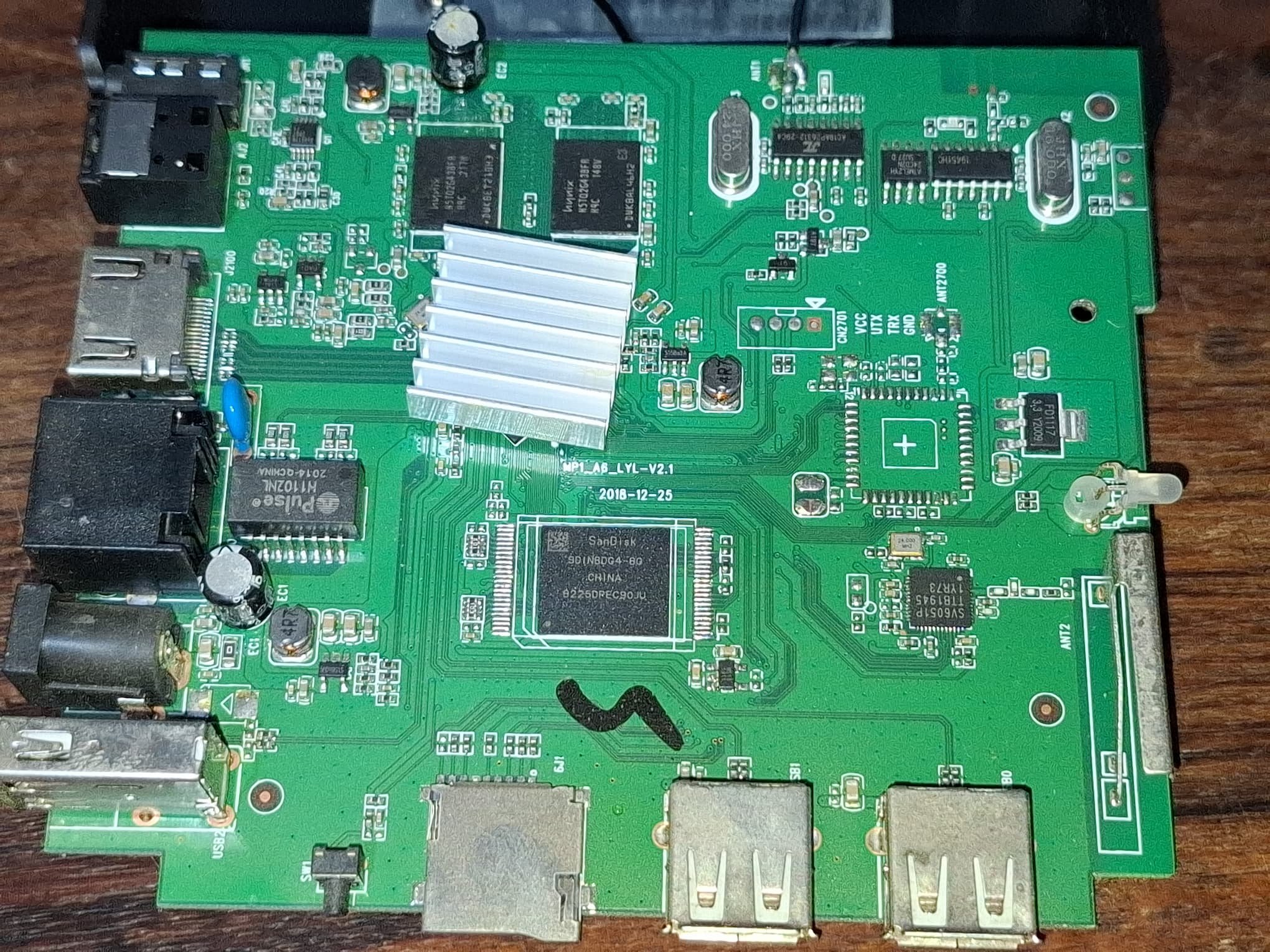
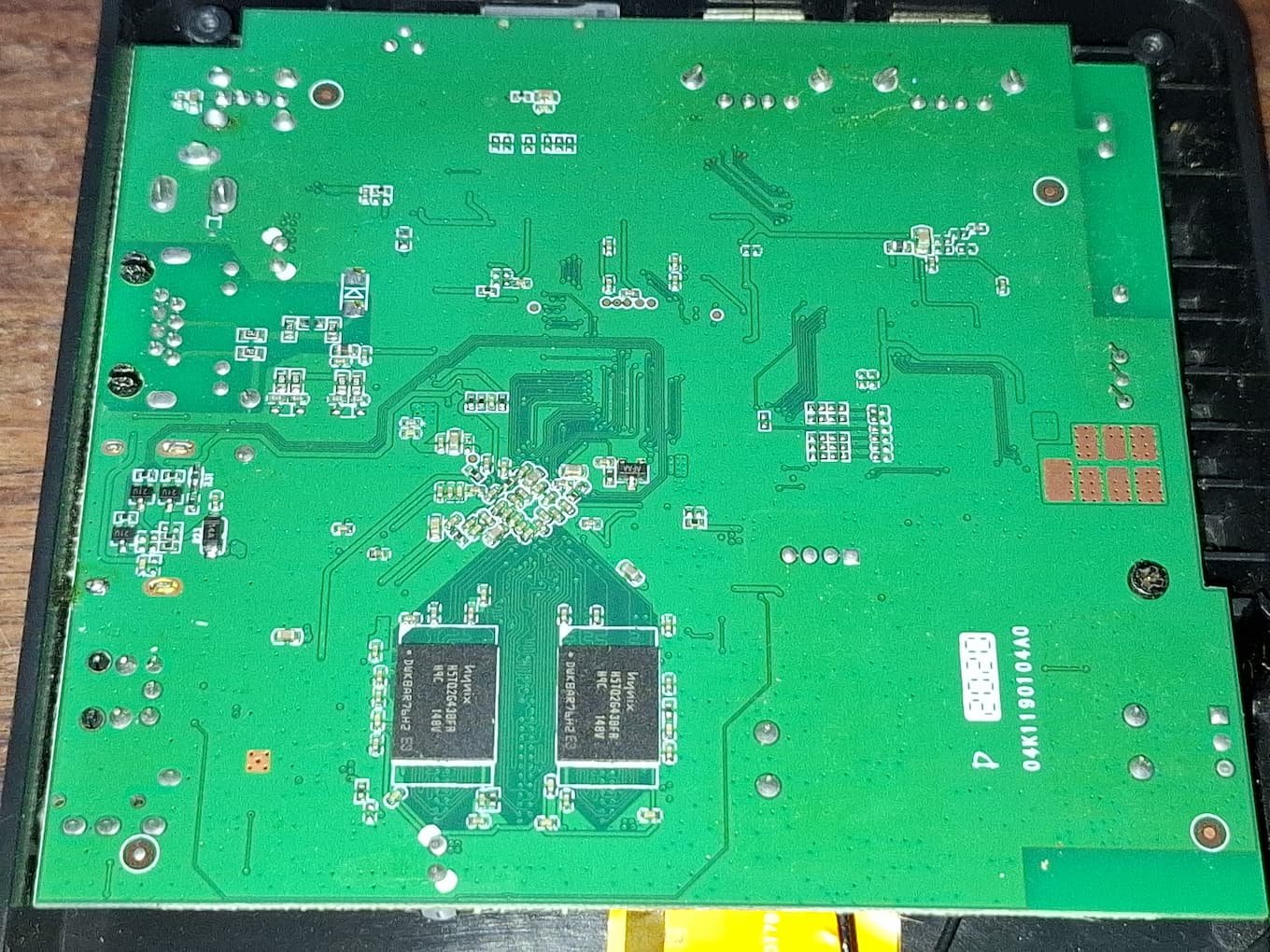
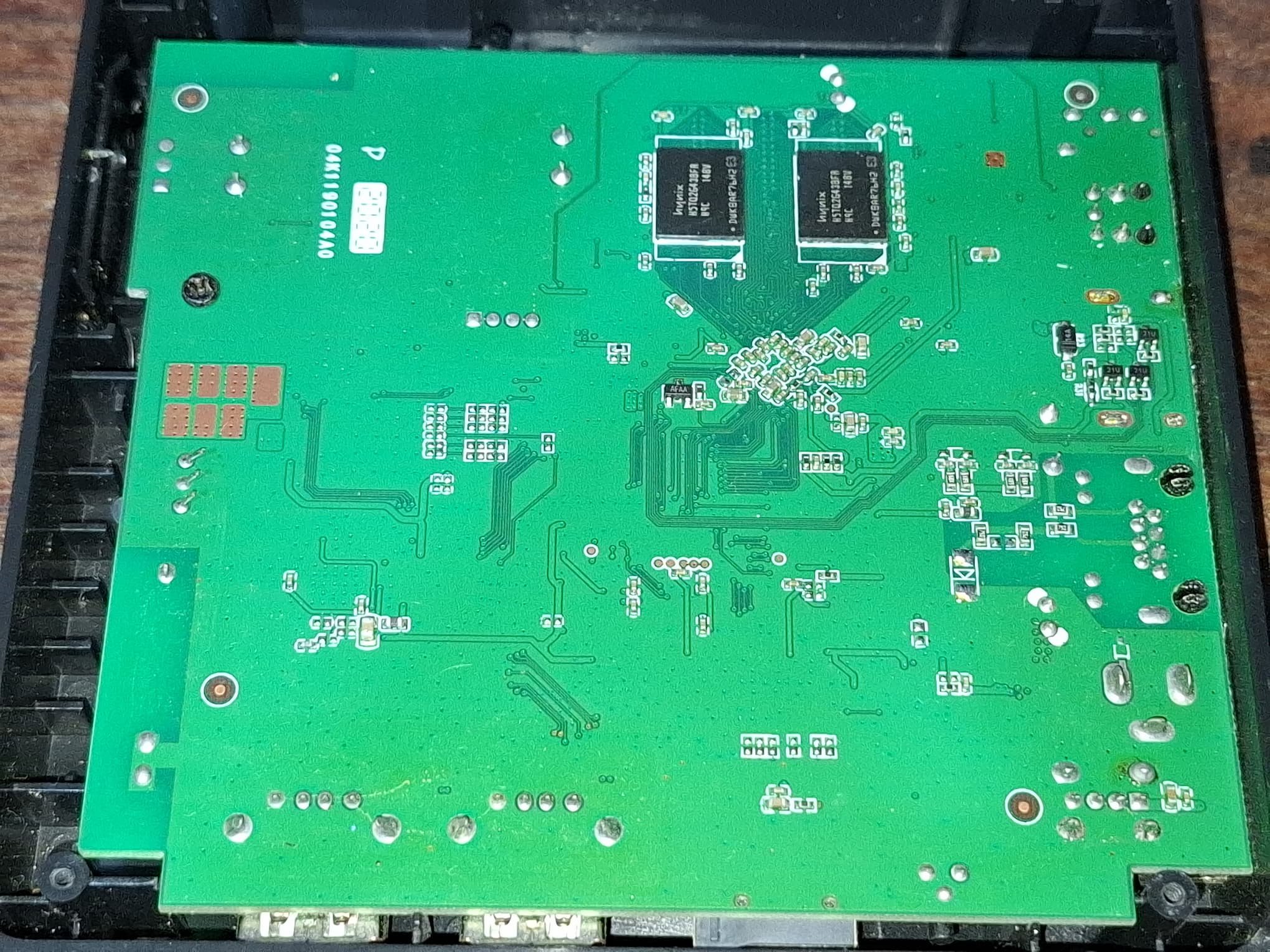
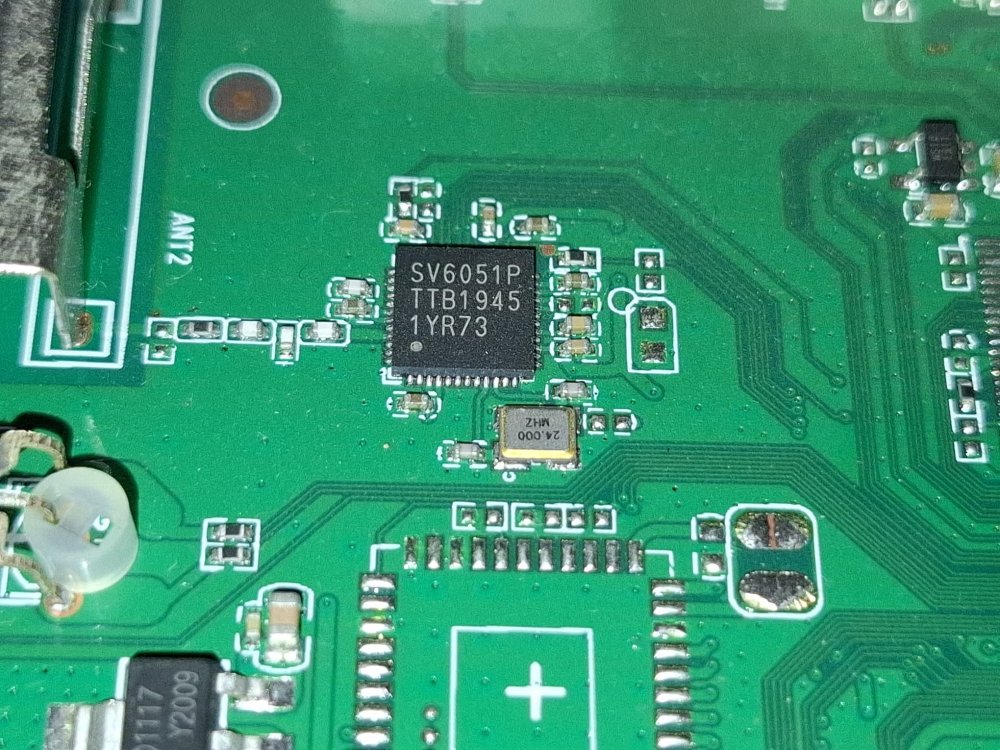
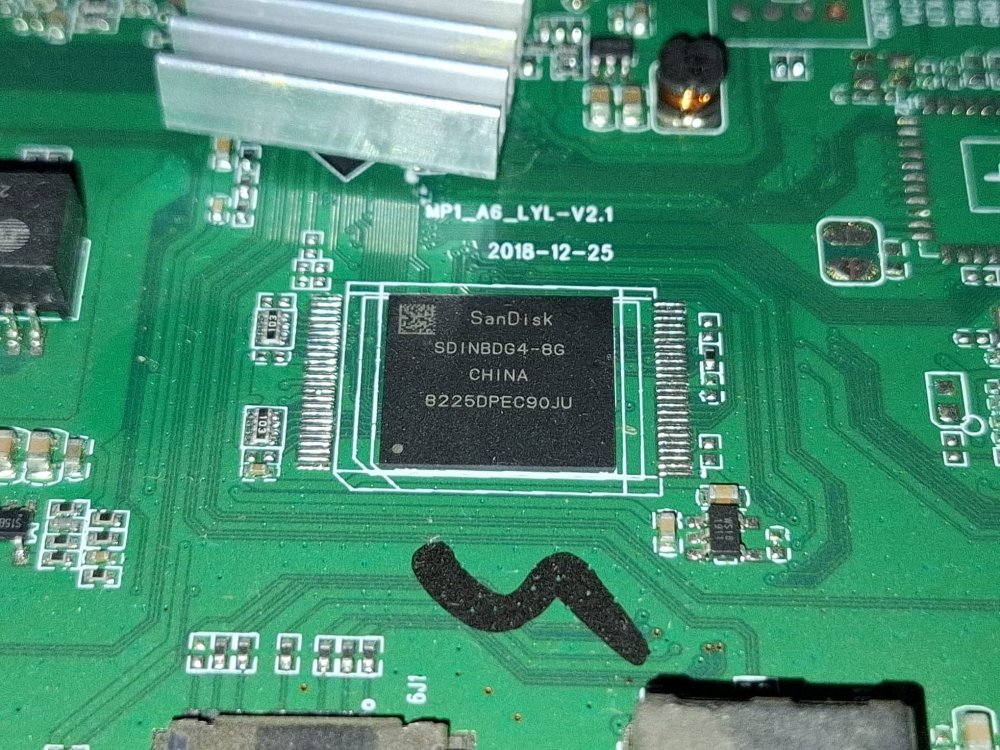
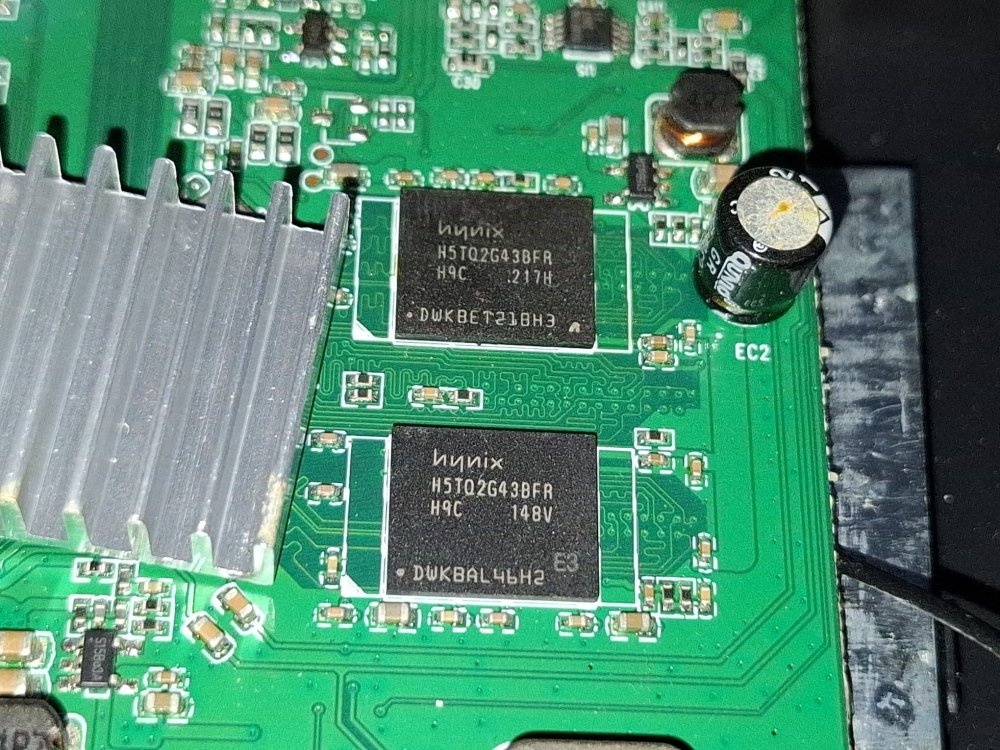
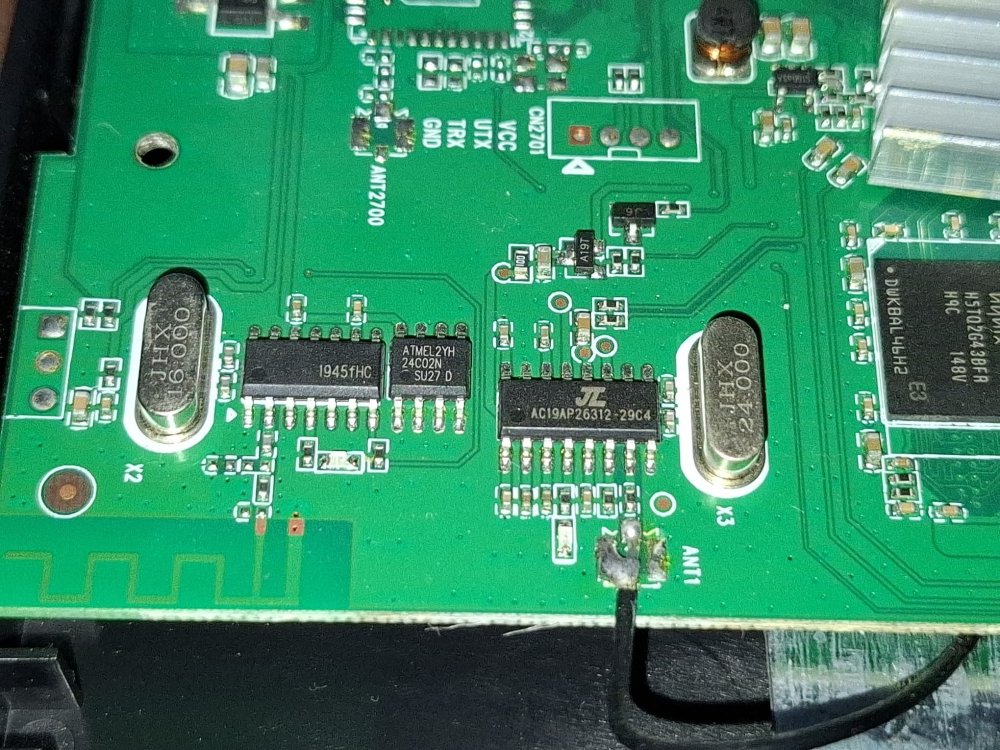
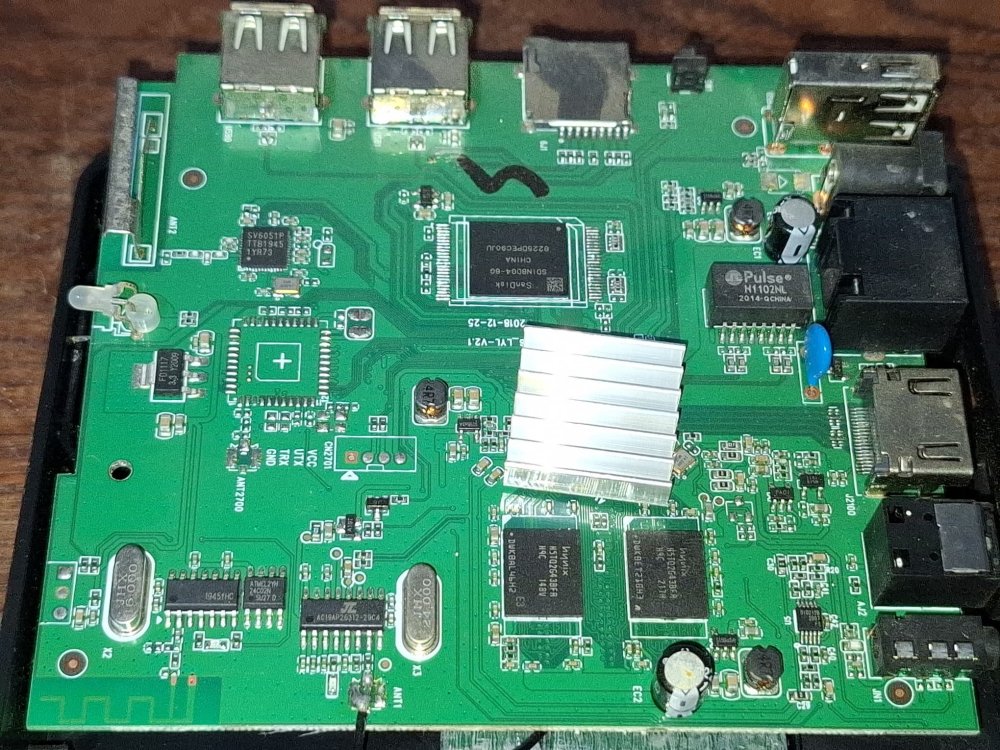
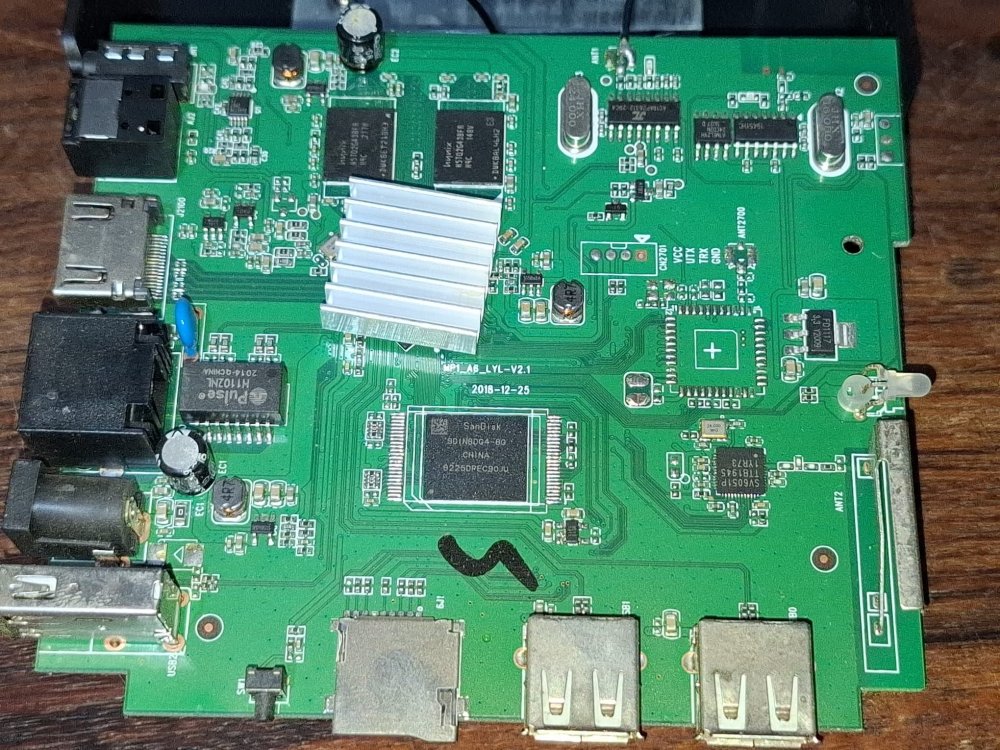
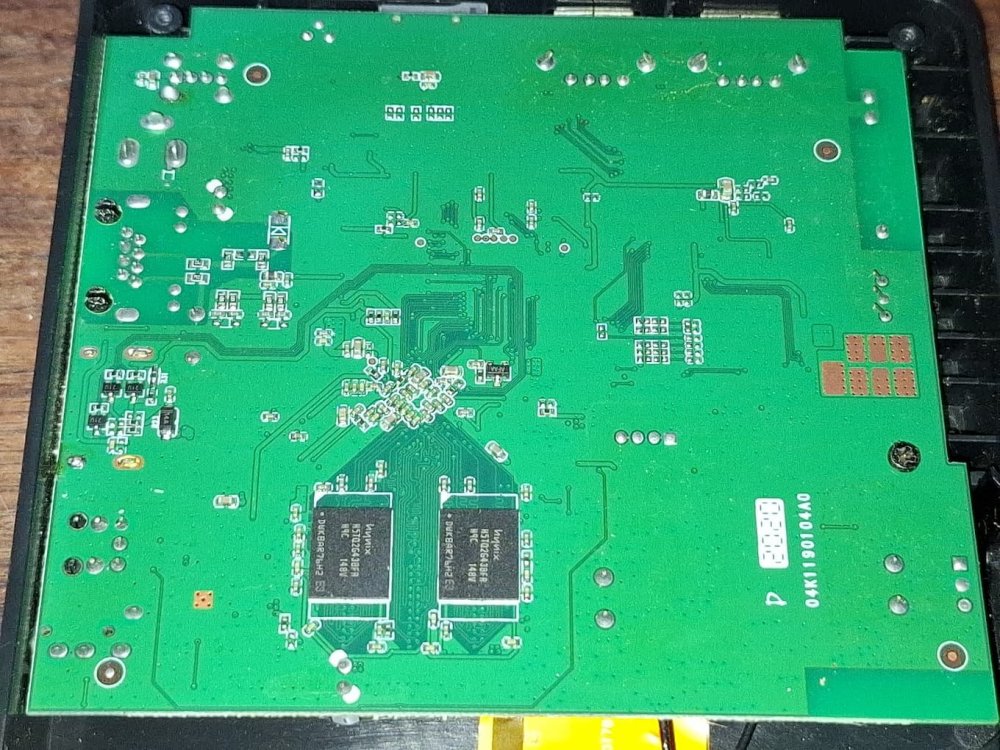
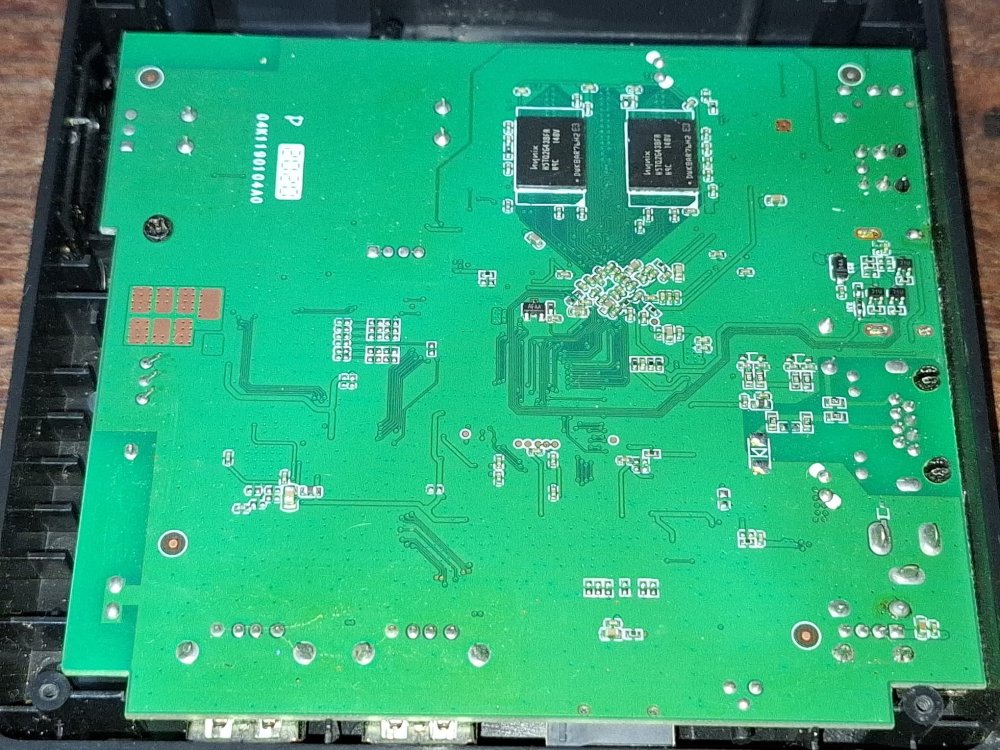
hi, I've been running Armbian on my TV box for a few weeks now as a little server and it works great, but I noticed a few problems: 1. wifi never seems to work regardless of led-conf settings. best I've gotten so far is led-conf4 and led-conf7 letting me scan networks, but connecting always fails (SSV6051P) 2. not only does bluetooth not work in any led-conf, it seems to be stuck in a weird state where it tries to aggressively connect to anything it sees, disrupting things like bluetooth speakers around my house how should I troubleshoot these? my box is an old model I found collecting dust in my house, branded "A6 8K". apparently so rare I can't find exact photos or listings of it online rk322x-config says: Chip type: RK3228A/B - Serial: URKU40011 00000000102437 CPU Leakage: 0x07 - Logic Leakage: 0x05 Internal flash: eMMC see attached photos for motherboard pics and rk322x.txt for descriptions of behavior with each led-conf I can provide a backup of its original android install privately if needed tested on edge kernel: Linux rk322x-box 7.1.4-edge-rockchip #1 SMP Sat Jul 18 14:55:52 UTC 2026 armv7l GNU/Linux with overlays: cpu-hs emmc emmc-ddr-ph45 ddr3-800 + each led-conf rk322x.txt
-

H96 Max V58 Rockchip RK3588 Unofficial ARMBIAN
Dravens replied to Scrumpper's topic in Rockchip CPU Boxes
Hi! Thank you for maintaining the H96 Max V58 RK3588 Armbian image. I am trying to run Waydroid on this build. Could you please check if the kernel config includes CONFIG_ANDROID_BINDER_IPC / binder_linux modules and if Wayland support is fully enabled for the Panthor Mali-G610 driver in the upcoming release? This would allow running Android apps via Waydroid seamlessly on the H96 Max." -
H96 Max V58 Rockchip RK3588 Unofficial ARMBIAN
Scrumpper replied to Scrumpper's topic in Rockchip CPU Boxes
@Hqnicolas Thank you for bringing this to my attention :-) I've updated the repo. Lmk if I should do anything else. This was kinda my first fore into making stuff for Armbian. - Yesterday
-

H96 Max V58 Rockchip RK3588 Unofficial ARMBIAN
Hqnicolas replied to Scrumpper's topic in Rockchip CPU Boxes
@Scrumpper Thank you for spending so many tokens on this project. But it looks like you have a closed fork of Armbian. On this forum, our focus is sharing information to enable boards to be compiled using the Armbian build. It is not recommended for any user to install or even decompress images obtained from other internet users. You must provide the source code so that other users can compile the system on their own machines. please include this REPO into your context window and ask for claude to make a repo like this for you. https://github.com/hqnicolas/ArmBoardBringUp This is the easiest way to add content to this community. With a repository like this, others will be able to engage in discussions with a more solid foundation. Thank you for sharing files like: MiniLoaderAll.bin https://drive.google.com/file/d/1e5U6_npf6pRbzaRBgW44XXL752UPhGn8/view?usp=sharing rk3588-h96-max-v58.dtb https://drive.google.com/file/d/1SQsldgu0MO4jTU7RuVakBXoYIjdQ6zYj/view?usp=sharing -
Hi, Finally, I made some good progress. I updated the DTS by starting with the DTS from Armbian 26.5.1 for current 6.18.x kernels and then merged the missing NPU and Power Domain nodes from the original DTS provided by @m1zfs. While comparing the original DTS with the current Armbian DTS, I also found that one of the phandle references in the NPU power-domain definition needed to be adjusted to match the phandle numbering used in the current Armbian DTS. After fixing that, the system booted successfully and the NPU was detected correctly. I'm now testing it with rknn_toolkit2 to verify that the NPU is fully functional. root@odroidtest:~# uname -a Linux odroidtest 6.18.35-current-rockchip64 #2 SMP PREEMPT Tue Jun 9 10:28:53 UTC 2026 aarch64 GNU/Linux root@odroidtest:~# root@odroidtest:~# lsmod | grep -E '^(rknpu|dma32_heap)\b' rknpu 94208 0 dma32_heap 12288 0 root@odroidtest:~# root@odroidtest:~# ls -l /dev/rknpu /dev/dri/by-path/platform-fde40000.npu-render /dev/dma_heap/system /dev/dma_heap/dma32 crw------- 1 root root 251, 3 Jul 25 21:19 /dev/dma_heap/dma32 lrwxrwxrwx 1 root root 19 Jul 25 21:19 /dev/dma_heap/system -> /dev/dma_heap/dma32 lrwxrwxrwx 1 root root 13 Jul 25 21:19 /dev/dri/by-path/platform-fde40000.npu-render -> ../renderD128 crw------- 1 root root 10, 261 Jul 25 21:19 /dev/rknpu root@odroidtest:~# root@odroidtest:~# dmesg | grep -i rknpu [ 6.108962] [drm] Initialized rknpu 0.9.8 for fde40000.npu on minor 1 [ 6.110169] RKNPU fde40000.npu: RKNPU: DKMS: /dev/rknpu registered (DMA-BUF import only) [ 6.132583] RKNPU fde40000.npu: RKNPU: SCMI clock 198 MHz [ 6.133433] RKNPU fde40000.npu: RKNPU: devfreq active (SCMI-only, OPP 200-1000 MHz) [ 6.134599] RKNPU fde40000.npu: RKNPU: thermal throttling enabled [ 6.139965] RKNPU fde40000.npu: RKNPU: sram region: [0x00000000fdcc0000, 0x00000000fdccb000), sram size: 0xb000 root@odroidtest:~#
-
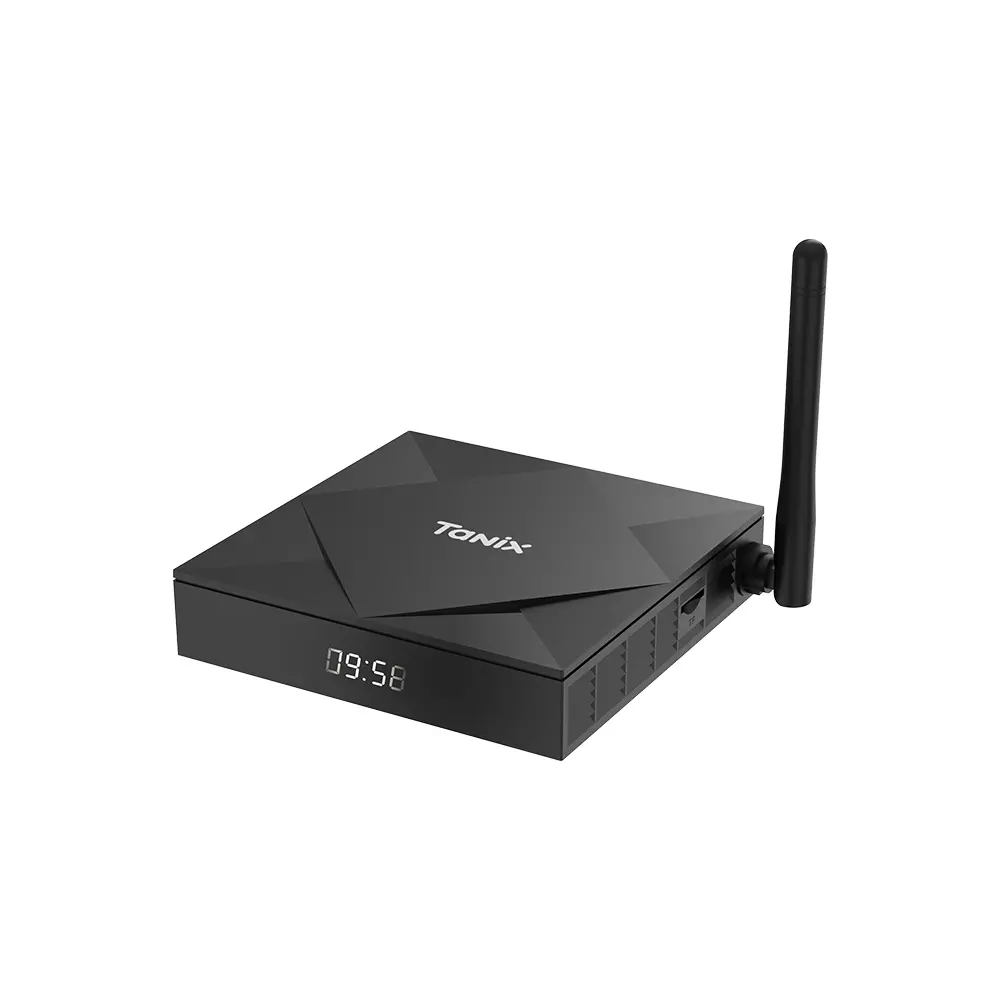
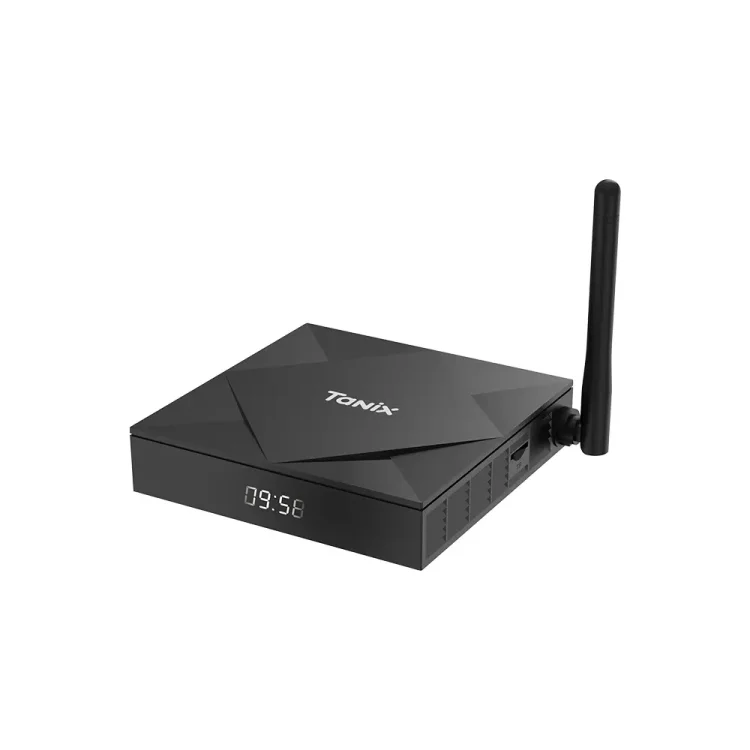
So, For some Months I was trying to Use Latest Armbian on My Tx6S , First I found Nick Avollic's (Nick A) Armbian build that has my tx6s version supported the axp313 one but it was old (I can work with that though) but I wanted something that would support armbian latest.At first I tried to import directly from his repo but as he used miniarch patches it was difficult but somehow with some of ai assistantance I managed to made latest one but it was not on the latest stable kernal I used it for some time than now I thought why not get lastest kernal so After a lot of trail and error I finally managed to get latest Armbian and latest stable kernal working on my Tx6s.Its Also syncable to official armbian without issues . Github What's Working: Ethernet WiFi USB Ir-Receiver What's Not Working: Nothing,Right Now. Untested: Bluetooth (As my TV Box Doest Have Bluetooth So Its not possible for me to test) Downloads: Minimal Server [I do recommended people to build/compile their own image from sources and not to trust any random build on internet. You can build your own image from my forked githubs add-tanix-tx6s-axp313 branch your own image] In my test in CLI I found almost all the things working correctly.I will test the GUI/Desktop Interface later.
-
moved to tvboxes
-
specs: hi3798 ram 1g rom 4g sd/usb boot or emmc boot any help appreciated