




robertoj
Members
-
Joined
-
Last visited
Everything posted by robertoj
-
-
Posting the FBTFT DTS only... while I am having trouble merging it with ads7846: Ok, now I was able to merge the ads7946 function: WARNING: when the touchscreen is touched, a horizontal band (about 8mm) gets color-inverted around the cursor. Lowering the SPI speed does not help it ^ Does anybody have any idea why this is happening? It is bugging me horribly and the color-inversion is lasting until a whole screen refresh and it could stand garbled while doing nothing in lightdm+openbox... is this coming from the touch chip interrupts, or from the cursor animation? Would it go away with the panel-mipi-dbi-spi driver? Next step is to use the panel-mipi-dpi-spi driver as shown here: https://github.com/notro/panel-mipi-dbi/wiki , https://forums.raspberrypi.com/viewtopic.php?t=358240&hilit=Ili9341#p2165638and https://blog.csdn.net/CNflysky/article/details/125171176
-
-
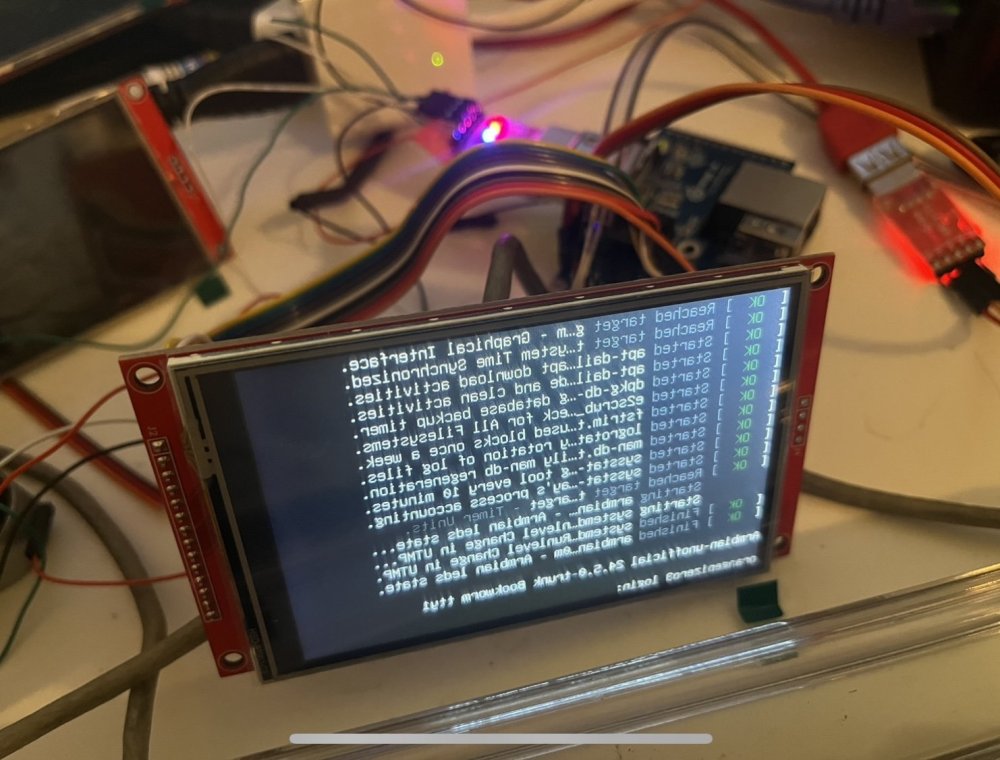
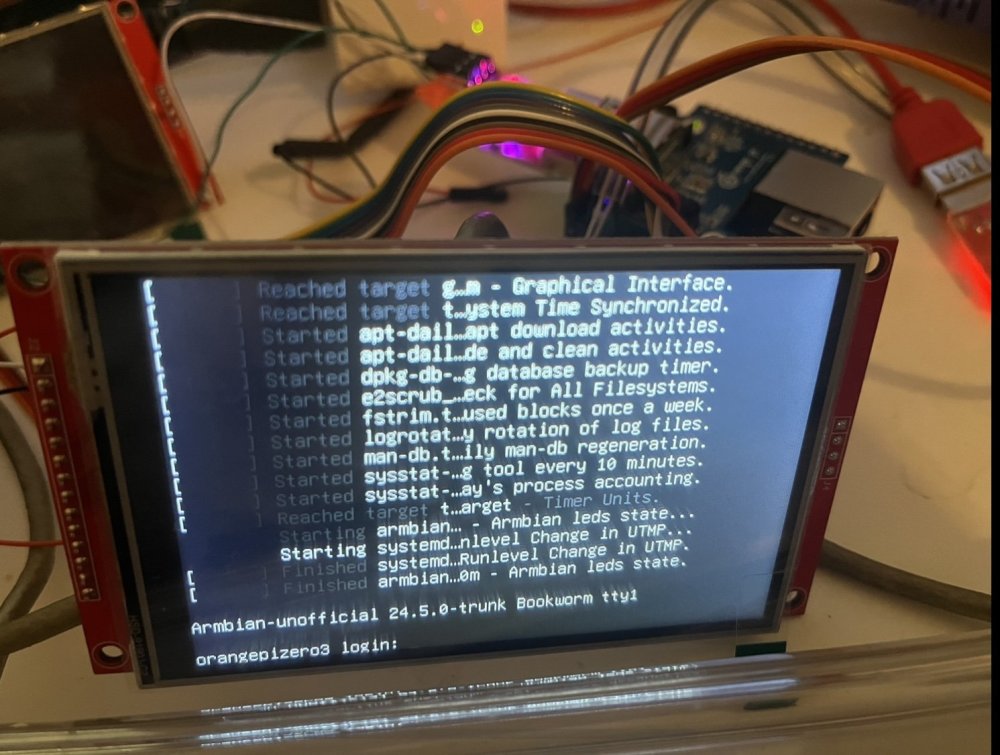
Changin the parameter Interface Pixel Format (3Ah) to 0x55 (DPI=DBI=55=16 bits/pixel FIXED THE COLORS Insert this after 0x20000ff (I still have no idea what it is for) 0x100003a 0x55 //pixel format. DBI=DPI=16bits per pixel (from ili9341 init) Now, the problem is that the desktop image is reversed left to right... I changed the memory access control to vertical refreshed order direction=1 0x1000036 0x28 //memory access control (was 0x08 in arduino code) No effect, still reversed left to right (or up down if I rotated 180) Is there any difference if this parameter is written twice in the original ili9341 init byte sequence? Ok, it was register B6h Display function control. The bit SS shift direction control was set to 1 in the arduino INO, but it needs to be 0 Change 0x10000B6 0x02 0x22 //display function control 0x10000B6 0x02 0x02 //display function control (2nd param SS shift direction was 0x22 from arduino code) Also, change the rotate DTS parameter from 270 to 90 and the spi speed to 60 MHz Display works correctly in FBTFT mode... but not DRM yet, and not merged with the ADS7846 function (touch screen)
-
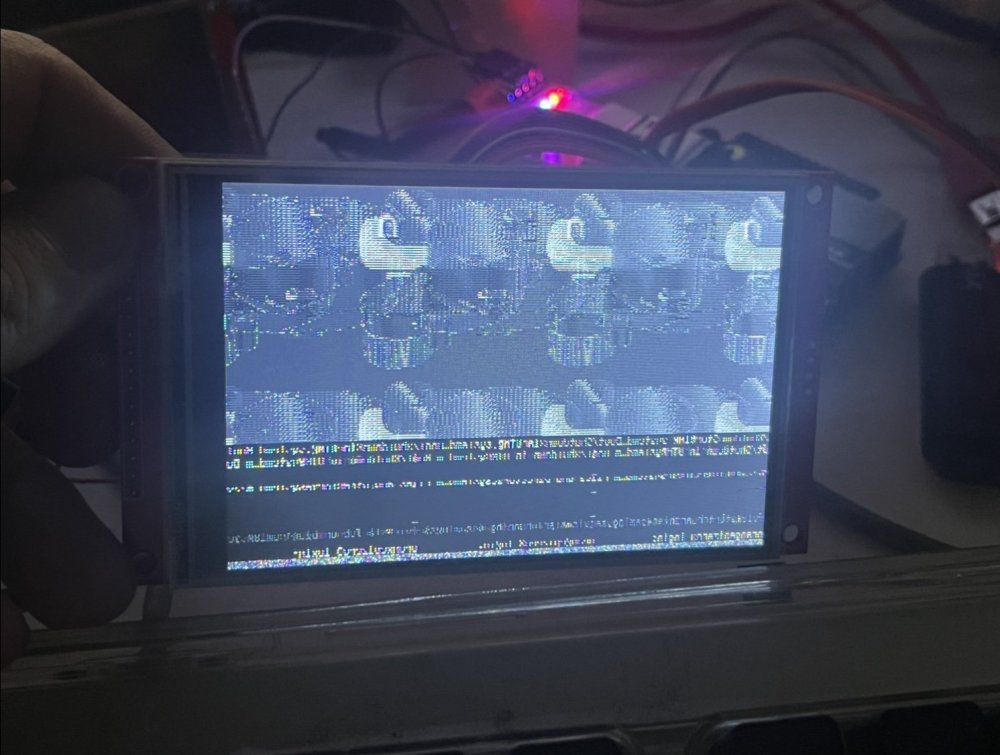
If you want to help, the datasheet PDF is in the lcdwiki download link in the previous post I converted the arduino byte sequence into this: The 4.0 inch ILI9488 starts up with RGB noise (non moving) in the left 3/4 of the screen, and a blurry, noisy image in the right 1/4 of the screen. There's a TFTLCD_DELAY8, 120, which I don't know how to insert in the DTS, and the original ili9341-fb.dts has a 0x20000ff, which I don't know whether I need it in the ili9488 init string I inserted the: 0x10000b0 0x00 //interface mode control 0x1000011 //sleep out 0x20000ff //no idea At the beginning, and there is no effect I have no idea about the parameters buswidth, bgr, regwidth... what do they mean? When I added regwidth=<16> (as shown in https://forum.armbian.com/topic/16536-35-screen-ili9486xpt2046-with-kernel-5914-sunxi/) I have a white-grayish screen When I change it to regwidth=<24> I get the same RGB noise as without this parameter When I swap the numbers in height and width like this: height = <320>; width = <640>; I get the RGB noise in the left 3/4 of the screen, but the noisy desktop image (partial) in the top right corner of the LCD I HAD A BIG TYPO: not 640, should be 480 height = <480>; width = <320>; Now, all the screen is mostly black, showing garbled text lines, then a garbled desktop on the top 2/3 of the screen Changing the buswidth to 18 had no effect... I changed the regwidth=16 (made it worse) and txbuflen=32768 (no effect), as seen in https://4pda-to.translate.goog/forum/index.php?showtopic=1041048&st=40&_x_tr_sl=auto&_x_tr_tl=en&_x_tr_hl=en&_x_tr_pto=wapp Using the ili9486 driver as suggested here: https://github.com/notro/fbtft/issues/582 gave me a white screen
-
Hello, I have a new LCD which I believe is an ili4988 (although the vendor says ili9486 and st7796) https://www.aliexpress.us/item/3256803856059047.html I have read somewhere, that I can use an ili9341 spi driver, only by changing the resolution and changing the initialization script. I looked in the waveshare website and github, they don't have anything for the ili9488 Then, I found some arduino code in http://www.lcdwiki.com/3.5inch_SPI_Module_ILI9488_SKU%3AMSP3520 (look for the "3.5 inch SPI Module Package(ILI9488)" link, then find the LCDWIKI_SPI.cpp The initialization sequence is in line 1697: I am currently trying to convert it to a DTS-format init string, so that it fits my ili9341-fb.dts, which I made earlier this year: I am unsure how to start the init line, can someone help me? Then, when I have that init string confirmed, I can use: https://github.com/notro/panel-mipi-dbi/wiki https://blog.csdn.net/CNflysky/article/details/125171176 To switch to the mipi-dbi driver, which would get me DRM (instead of FB)
-
-
Hello viteo Did you give up on the mipi-dbi-spi driver? I have a st7796s, and I tried "compatible="4in,panel-mipi-dbi-spi" ", as suggested in https://forums.raspberrypi.com/viewtopic.php?t=358240&hilit=Ili9341#p2165638 and I saw your example as the only example of mipi-dbi-spi in armbian, so I am trying to modify your DTS I tried "compatible=sitronix,st7796s" and it doesn't work
-
-
-
I am interested in the ST7796 kernel module Can anybody check whether Sitronix ST7796 is included in the current or latest kernel? fb or drm?
-
WDR_s, can you check if the manufacturer actually says ili9486? I have an LCD from aliexpress, which claims it is ili9486, but deeper in the webpage it reads st7796s... and someone complained it is actually ili9488. Maybe you havent identified correctly the LCD controller ilitek chip. Here are other things we can try for the ili9486, ili9488 or st7796, using the panel-mipi-dbi-spi driver (changing the raspberry pi methods into armbian methods) https://forums.raspberrypi.com/viewtopic.php?t=376047 https://forums.raspberrypi.com/viewtopic.php?t=358240&hilit=Ili9341#p2165638 https://github.com/notro/panel-mipi-dbi/wiki https://gitlab.freedesktop.org/drm/misc/kernel/-/blob/drm-misc-next/Documentation/devicetree/bindings/display/panel/panel-mipi-dbi-spi.yaml?ref_type=heads
-
Hello Did anyone have success with connecting an ili9486 to an orangepi zero 3 or another SBC? I read that starting with linux 5.4, we need to change the reset pin polarity to 1, as show in https://github.com/swkim01/waveshare-dtoverlays/issues/24 I just got this LCD https://www.aliexpress.us/item/3256803856059047.html It is the bigger borther of the ili9341 which I already have working according to: https://forum.armbian.com/topic/44191-orangepi-zero-lts-ili9341-tft-lcd-and-later-orangepi-zero-3/#comment-204672 The interesting thing is: when I use the ili9341 dtbo with the ili9486, I see a fraction of the X11 desktop, in the left 15% of the LCD screen... so at least I know that the connections and lowest level protocol is working. However, when I try changing the compatible to ilitek,ili9486, with all the settings the same (except for rotation->rotate), I stay with a white screen. actually, some other Aliexpress buyer says that my LCD is ili9488… so everyone needs to check their actual lcd controller. I need to recompile Armbian tomorrow It appears that ili9488 is a clone of st7796s, which has this example DTS https://github.com/Sergey1560/fb_st7796s/blob/master/dts/sun50i-h6-st7796s.dts It also appears that having the correct init bytes is critical. Here's another reference: https://forum.allaboutcircuits.com/threads/configuration-of-lcd-with-linux.145849/
-
Is this regarding the orange pi zero? How big of an upgrade was it? What are the specific apt-get error messages you see? I run debian in my orange pi zero, not ubuntu I think it will be quicker if you reload an old OS image in a different microSD and see what changed. (if you change something manually and mess it up even further, you are on your own XD ) If there's no solution or workaround, I would personally start from a new armbian OS image. Unless someone else can share the sources.list
-
Can you post what exactly you DID and solved your problem? (In case someone suffers the same thing you suffered) Or if you haven't solved your problem, at least we know that it is unsolvable and do the sane thing: restart from scratch, from a new armbian image. Then highlight it as the solution.
-
You need to change those symlinks Image and uInitrd to the files ending with 6.6.44 In your case, make a copy of your microSD now and try sudoing this: rm /boot/Image ln -s /boot/vmlinuz-6.6.44-current-sunxi64 /boot/Image rm /boot/uInitrd ln -s /boot/uInitrd-6.6.44-current-sunxi64 /boot/uInitrd I don't know why the dtb folder symlink is already good for 6.6.44
-
cd /boot ls -l Look at the symlinks ZImage and uInitrd... are they pointing to the linux version you want Also: "apt list --installed | grep linux" to see which linux armbian packages are installed Look at all the suggestions here: https://forum.armbian.com/topic/38570-upgraded-to-latest-armbian-but-stuck-on-old-kernel/
-
-
-
Is it advisable to use Wayland for trouble-free H264 acceleration? (if someone experiences flickering)
-
-
-
How do you measure “lightness”? I use openbox, but I want to try Wayland now.
-
-
https://forum.armbian.com/topic/44191-orangepi-zero-lts-ili9341-tft-lcd-and-later-orangepi-zero-3/ See all the things I have tried to make it work with ili9341... consider using dupont wires so that you can use my dts, making the pins match electrically, and changing the driver line to "compatible = "waveshare,rpi-lcd-35"; Also get an ili9341 so that you witness that it can work.


