


NicoD
-
Posts
1431 -
Joined
-
Last visited
Content Type
Forums
Store
Crowdfunding
Applications
Events
Raffles
Community Map
Posts posted by NicoD
-
-
15 minutes ago, JMCC said:
Yes, it seems like it is working. Can you re-run the script, selecting only gl4es, and post the install.log
Hit:1 http://ports.ubuntu.com bionic InRelease
Get:2 http://ports.ubuntu.com bionic-security InRelease [88.7 kB]
Get:4 http://ports.ubuntu.com bionic-updates InRelease [88.7 kB]
Hit:5 http://ports.ubuntu.com bionic-backports InRelease
Hit:3 https://apt.armbian.com bionic InRelease
Get:6 http://ports.ubuntu.com bionic-security/main armhf Packages [227 kB]
Get:7 http://ports.ubuntu.com bionic-security/main arm64 Packages [248 kB]
Get:8 http://ports.ubuntu.com bionic-security/universe arm64 Packages [244 kB]
Get:9 http://ports.ubuntu.com bionic-security/universe armhf Packages [240 kB]
Get:10 http://ports.ubuntu.com bionic-updates/main armhf Packages [462 kB]
Get:11 http://ports.ubuntu.com bionic-updates/main arm64 Packages [480 kB]
Get:12 http://ports.ubuntu.com bionic-updates/universe armhf Packages [717 kB]
Get:13 http://ports.ubuntu.com bionic-updates/universe arm64 Packages [754 kB]
Fetched 3550 kB in 2s (2165 kB/s)
Reading package lists...
***************************************************
*             Installing GL4ES wrapper            *
***************************************************
opt/
opt/gl4es/
opt/gl4es/libGL.so
opt/gl4es/libGL.so.1
usr/
usr/bin/
usr/bin/glrun
Finished.
-
57 minutes ago, mindee said:
What ROM do you use? Armbian or FriendlyDesktop and version? And what & how games do you test? Thank you
Hi Mindee. I'm using Armbian Bionic (5.78) with the Media Script of @jmcc.
I will give FriendlyDesktop a try. Thank you. -
51 minutes ago, JMCC said:
You should get a message saying it is using the Mali driver, and not the VMware emulation.
It runs well.
Here's the output glmark2-es2.
    OpenGL Information
    GL_VENDOR:     ARM
    GL_RENDERER:   Mali-T860
    GL_VERSION:    OpenGL ES 3.2 v1.r14p0-01rel0-git(966ed26).f44c85cb3d2ceb87e8be88e7592755c3
Here's es2gears.
nicod@nanopim4:~$ es2gears
EGL_VERSION = 1.4 Midgard-"r14p0-01rel0"
vertex shader info:
fragment shader info:
info:
1061 frames in 5.0 seconds = 212.158 FPS
1067 frames in 5.0 seconds = 213.400 FPS
-
@JMCC Hi. I'm trying to make some Linux games to work well on the NanoPi M4.
I've tried that tool `glrun`. But I'm not having the best results. I get the message OpenGL: OpenGL version is too old!
So I'm trying supertuxkart. Here's the output without glrun[verbose ] translation: Env var LANGUAGE = 'en_US.UTF-8'. [verbose ] translation: Language 'English (United States)'. Adding language fallback en Irrlicht Engine version 1.8.0 Linux 4.4.178-rk3399 #2 SMP Tue Apr 9 22:41:35 CEST 2019 aarch64 libGL error: unable to load driver: rockchip_dri.so libGL error: driver pointer missing libGL error: failed to load driver: rockchip [info ] IrrDriver: OpenGL version: 3.3 [info ] IrrDriver: OpenGL vendor: VMware, Inc. [info ] IrrDriver: OpenGL renderer: llvmpipe (LLVM 7.0, 128 bits) [info ] IrrDriver: OpenGL version string: 3.3 (Core Profile) Mesa 18.2.8 [info ] GLDriver: AMD Vertex Shader Layer Present [info ] GLDriver: ARB Buffer Storage Present [info ] GLDriver: ARB Base Instance Present [info ] GLDriver: ARB Draw Indirect Present [info ] GLDriver: ARB Arrays of Arrays Present [info ] GLDriver: ARB Texture Storage Present [info ] GLDriver: ARB Texture View Present [info ] GLDriver: ARB Multi Draw Indirect Present [info ] GLDriver: EXT Texture Compression S3TC Present [info ] GLDriver: ARB Texture Compression RGTC Present [info ] GLDriver: ARB Uniform Buffer Object Present [info ] GLDriver: ARB Explicit Attrib Location Present [info ] GLDriver: Geometry Shaders Present [info ] GLDriver: ARB Texture Swizzle Present [info ] GLDriver: ARB Pixel Buffer Object Present [info ] GLDriver: ARB framebuffer sRGB Present [info ] ShaderBasedRenderer: Preloading shaders... [info ] SharedGPUObjects: Hardware Skinning enabled, method: TBO, max bones: 1024
Most important will be : libGL error: unable to load driver: rockchip_dri.so
Here's the output when using glrun supertuxkart[verbose ] translation: Env var LANGUAGE = 'en_US.UTF-8'. [verbose ] translation: Language 'English (United States)'. Adding language fallback en Irrlicht Engine version 1.8.0 Linux 4.4.178-rk3399 #2 SMP Tue Apr 9 22:41:35 CEST 2019 aarch64 [info ] IrrDriver: OpenGL version: 2.0 [info ] IrrDriver: OpenGL vendor: ptitSeb [info ] IrrDriver: OpenGL renderer: GL4ES wrapper [info ] IrrDriver: OpenGL version string: 2.0 gl4es wrapper 1.1.1 [warn ] Graphics: Can not find version for '2.0 gl4es wrapper 1.1.1' 'GL4ES wrapper' - ignored. [warn ] irr_driver: Using the fixed pipeline (old GPU, or shaders disabled in options) [info ] HTTPRequest: Downloading http://addons.supertuxkart.net/dl/xml/news.xml [info ] addons: Using cached addons.xml. [info ] HTTPRequest: Downloading http://addons.supertuxkart.net/dl/images/32999604857af930517f49.png [info ] GrandPrixManager: Loading Grand Prix files from /usr/share/games/supertuxkart/data/grandprix/ [info ] GrandPrixManager: Loading Grand Prix files from /home/nicod/.local/share/supertuxkart/grandprix/ [warn ] OpenGL: OpenGL version is too old!
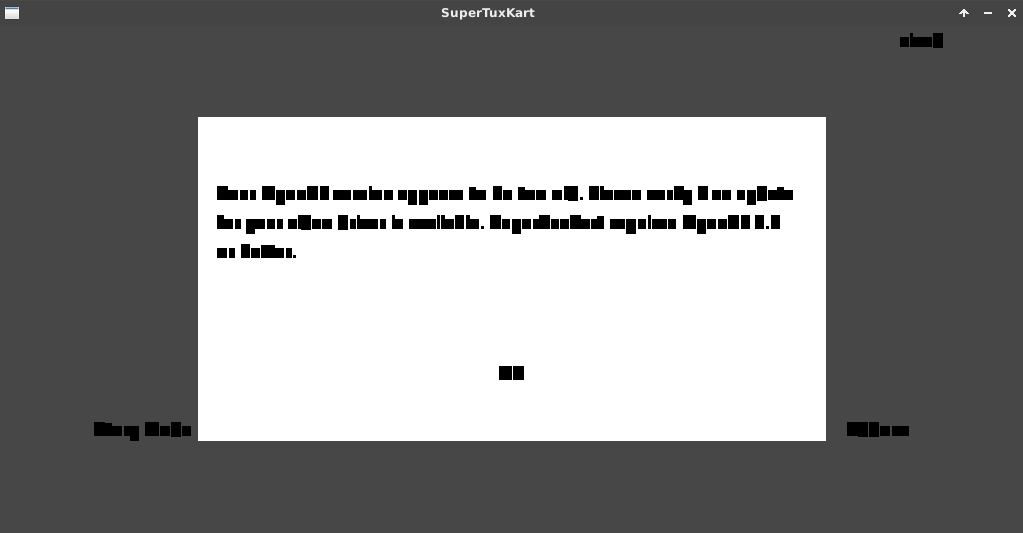
Here's what it looks like with glrun, everything's scrabled.
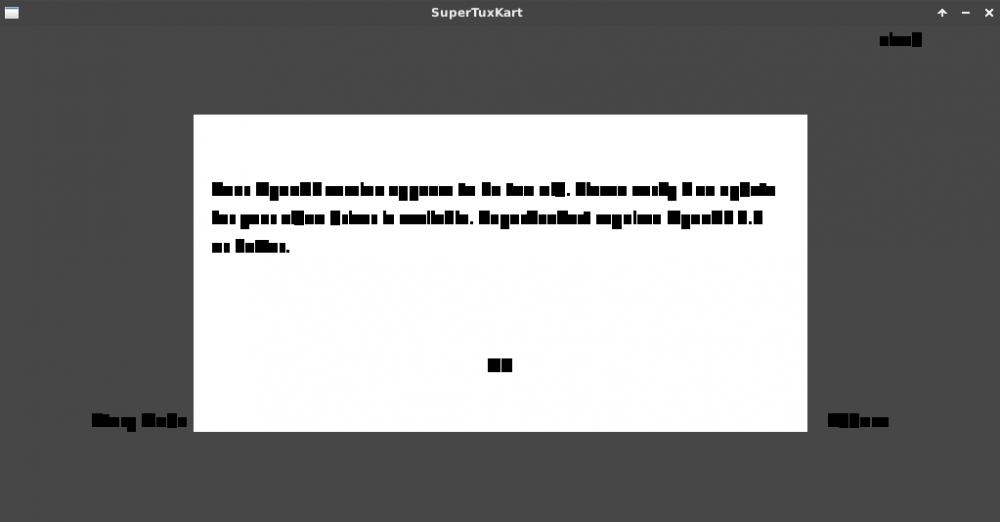
Next month I'll make a video about the RK3399's with desktop use with your media script. And I'd like to be able to play extremetuxracer and supertuxkart if possible.
Cheers. -
58 minutes ago, jernej said:
Actually, it's the other way around. You can copy H6 HDMI audio patches from LibreELEC git. Analog audio needs much more work...
Right, I remember somebody already told me. Maybe you, I've got a forgetful mind.
I based my info on this. It states there nobody is working on it. I tried the Orange Pi +2(H3) last week to see if it works there, and it didn't.
https://linux-sunxi.org/Mainlining_EffortIt shouldn't be that hard to get to work. I'd guess HDMI sound is pretty standard. But I'm no developer...
-
12 minutes ago, balbes150 said:
New image DEV for Odroid N2 with kernel 4.9 (regular kernel from HK). The sound works and everything else should work (I didn't check).
I will check it out in a few days. Thanks.
We've managed to find a fix for the swap problem( @Brad did ) . It was a kernel issue, they should merge the fix quickly if they haven't already. I'll see if it works on your image with 4.9.
Now the N2 is occupied rendering an animation. By tomorrow everning it's finished.
I'll make my review video in the comming week. I'll add your Armbian to it too.
Did you encounter issue's with USB3 or have you heard anything about it? It's the only issue left I wanted to see fixed. Sometimes (after hours of use) there's a 30 seconds block. Then the desktop continuous again like nothing happened. But none of the USB devices work anymore.
I'm now working headless so I don't have this issue. It's with both Stretch and Ubuntu like that, so I guess it's also a kernel issue. They've used the Android kernel as a base and might have left some things that are not welcome.
Thanks. -
50 minutes ago, NicoD said:
you can use an USB audio adapter
-
1 hour ago, maxlinux2000 said:
Another question... is fundamental an heat sink for the H6?
When your board is +80°C it is throttling to 1.3Ghz. So it's slower than a 1.5Ghz sbc then. So yes a heatsink is adviceable. And if you don't use a big f* heatsink like @greg798, then a fan is welcome too. But even at 3.3V it's sufficient not to throttle.
Sound doesn't work yet. I don't think HDMI sound will work soon. Maybe 3.5mm jack can work. HDMI audio doesn't work on all Hx boards. (you can use an USB audio adapter)
The reboot problem isn't normal. If you can, try measuring the voltage at the usb ports. I've had problems with the OPi3 too with unstable voltages. It was better when using microUSB for power. (I know, it's a joke when microUSB is better than barrel jack).
-
2 hours ago, renky said:
What is the significance of a battery connector?
Does it make it easier to make a battery notebook which you can connect and disconnect a power supply
unit to while notebook is running and charge while running?
As they said. That's the real time clock connector(RTC). That's for a module with a battery that keeps the time. I should not have said battery connector.
You can power the PineH64 with a power bank that can give stable 5V at 2A.
I use the Odroid C2 as a laptop with huge powerbanks of 26 800 mAh and a 7" or a 13" display. I can use it while maxed out for about 10 hours. I've got 2 of those powerbanks.
Some can be charged while in use. Mine can. -
14 minutes ago, JMCC said:
As in so many other cases, the board I'd recommend for this task is Odroid XU4, specially since it is selling for $50 right now. You already have fully working GPU drivers for a recent 4.14 kernel, and even a distro focused on gaming (see this video from
Right, I forgot to mention that one
 With the RK3399's the most powerful one.
-
I'm no expert in that. I think @JMCC knows more about what boards are good for OpenGL/gaming.
I do know a few people who port games to SBC's. And from what I know the Raspberry Pi is a much better choice for that.
It performs a lot better since all software has been optimised for it.
There are open source drivers for the Mali 450. Mostly for the VPU things have improved a lot, but I'm not aware of OpenGL to run great on it.
Certainly when you are new to SBC's it's better to learn these things on the Raspberry Pi since there's a lot more documentation, and a lot more people who can/will help.
I recently made a video about an image for the Raspberry pi full of PC games, ported by a friend Salvador.
https://www.youtube.com/watch?v=meo9MzHVZcU
Maybe there's a big gaming community on Orange Pi's. They do sell a lot SBC's. I'm not a big fan of their boards, so I don't know the community that well.
15 hours ago, wjhhxhww said:Since it has a Mali450 GPU and the manufacturer claims that this SBC support OpenGL
That's something they all claim. And for Android it can be the case. But for Linux that's a totally different thing. There is no support from Orange Pi themself for these things.
The RK3399's should be great for your purpose. Salvador is getting a RockPi4B. I can't wait to see what he'll do with that. Tho I think the NanoPi M4 is easier to use it for this. (better software/support)
The Odroid C2 also has great gaming support. But it's getting to be underpowered these days. The Odroid N2 isn't ready for this, I hope it will be in the future.
The Tinker Board should also have good OpenGL functionality. I haven't tested it.
There's many more factors for native Linux gaming than only the Mali driver. X11 drivers for windowed gaming for example.
Again, I'm no expert at all. I'm also no gamer. But I do like to see what's possible.
@Igor A gaming sub-section in the future on the Armbian forum could be cool. Where people can share their experiences, share .sh files for easy installation, and with tutorials on how to get things working.
I know you've got enough work. So there needs to be enough support by the community to run it seperate from the Armbian crew.
Maybe it could be enough to create a gaming link to a sub-forum, and just let people create everything as they like. I would be willing to monitor everything.
These days a lot more is possible with Armbian. And information about it is scattered all over the internet.
I don't know if many people use Armbian for gaming. I know some people asked about it. Maybe create a thread in general chit chat to see if there's interest in that. -
Yeah. The bycicle is still the most efficient vehicle mankind ever evented. But it uses our own our own energy for it. But a lot more efficient than running. Not for lazy people.
It's very dangerous since not much good bikeroads in the world.
Ain't nothing perfect. You've just got to make out what you can pack in your bag of guilt Some don't care and ride big pick ups with a chimney for exhaust.
Some want to feel better and buy and electric vehicle. But then plug them into mains. When producing your own energy then it's a lot better.
Energy is everywhere, but we just need to learn how to get it at the places where it's needed. Enough place in the sahara for solar plants, but no people there who ned it. A lot of energy in oceans. Again not where people live(yet).
All the pieces ar available to make great improvements. But whose going to put them together? I don't think Elon Musk. He's just a salesman.
For now I'll keep cycling. Next trip, NicoD's Leaving Europe. (UK) -
Yeah. The bycicle is still the most efficient vehicle mankind ever evented. But it uses our own our own energy for it. But a lot more efficient that running. Not for lazy people.
It's very dangerous since not much good bikeroads in the world.
Ain't nothing perfect. You've just got to make out what you can pack in your bag of guilt Some don't care and ride big pick ups with a chimney for exhaust.
Some want to feel better and buy and electric vehicle. But then plug them into mains. When producing your own energy then it's a lot better.
Energy is everywhere, but we just need to learn how to get it at the places where it's needed. Enough place in the sahara for solar plants, but no people there who ned it. A lot of energy in oceans. Again not where people live(yet).
All the pieces ar available to make great improvements. But whose going to put them together? I don't think Elon Musk. He's just a salesman.
-
45 minutes ago, TonyMac32 said:
Belgian journalist and German scientists? I ain't trusting that for a bit.
They don't emmit co2. But there's co2 released making them. Just like there's co2 released making any other car.
It also takes 1 barrel oil to produce 3 barrels(if we're lucky(tar sand is 2 for 3))
The article is bs. At least the title is. It tries to confirm some people's idea they're not doing anything wrong wasting oil. Acting on their confirmation bias...
And that's what 95% of the internet has become. Truth isn't important, that doesn't sell(produce click) -
5 minutes ago, balbes150 said:
Sound through HDMI and the rest is there , but it is WIP and not yet for public use.
Great job. Any idea when you'll release?
I'm gathering information for a review video about the N2. Ubuntu Mate has too many problems to advice to use for productivity use. Meveric's Stretch is better but swap/zram also ain't working.
With that working in your Armbian I think Armbian is the best image for productivity with the N2. -
4 hours ago, balbes150 said:
This is the primary version (alpha) there is still a lot of it does not work as needed.
It's great to have another option. Only problems I found was no on-board audio(usb audio adapter worked) and no cpu control.
Otherwise it's solid.
I'll keep an eye open on the progress. I red with kernel 5.2 cpu control will be enabled. Then it's perfect for me.
I've put a lot of time into trying to get zram/swap to work with the Odroid kernel without any luck. With yours it works, so I know this will be ok in the future with Armbian.
Thanks. -
It performs very badly with the N2.
It's about 50% of what it should be.
Here the output of @tkaiser 's SBC-Bench : http://ix.io/1DWY
The small cores are clocked at 1.2Ghz7-Zip (a) [64] 16.02 : Copyright (c) 1999-2016 Igor Pavlov : 2016-05-21 p7zip Version 16.02 (locale=C,Utf16=off,HugeFiles=on,64 bits,6 CPUs LE) LE CPU Freq: 1192 1195 1197 1192 1197 1197 1197 1197 1197
The big cores are clocked at 1Ghz
LE
CPU Freq:   997   998   998   998   998   998   998   998
The Allwinner H6 performs almost as fast as this.
Can't use cpufrequtils either.
Spoilernicod@odroid:~$ cpufreq-info
cpufrequtils 008: cpufreq-info (C) Dominik Brodowski 2004-2009
Report errors and bugs to cpufreq@vger.kernel.org, please.
analyzing CPU 0:
no or unknown cpufreq driver is active on this CPU
maximum transition latency: 4294.55 ms.
analyzing CPU 1:
no or unknown cpufreq driver is active on this CPU
maximum transition latency: 4294.55 ms.
analyzing CPU 2:
no or unknown cpufreq driver is active on this CPU
maximum transition latency: 4294.55 ms.
analyzing CPU 3:
no or unknown cpufreq driver is active on this CPU
maximum transition latency: 4294.55 ms.
analyzing CPU 4:
no or unknown cpufreq driver is active on this CPU
maximum transition latency: 4294.55 ms.
analyzing CPU 5:
no or unknown cpufreq driver is active on this CPU
maximum transition latency: 4294.55 ms.Anyone any idea why this is? It looks like the cpu settings aren't set right.
P.S. There's also an issue of very slow booting. I had the same think with Meveric's Stretch. That was a network issue, gigabit ethernet didn't work right.
That got fixed with a bootloader update.
https://forum.odroid.com/viewtopic.php?p=252845#p252845 -
@balbes150 Great job with the Odroid N2 image.
It seems better than anything else I tried. Almost everything works out of the box. I'm very happy with this, I could kiss you.
I've had many problems with all other OS'es(Ubuntu Mate/Meveric's Stretch) to get zram(and swap files) to work. It was enabled, but when it needed to use zram, it just crashed the application.
With yours zram is used like it should.
I'll increase it from 1024MB to 1800MB. And add a 4GB swap file for when it's needed.
I had so much problems rendering the armbian backgrounds because I ran out of memory. If only I knew to use Armbian for it...
There's nothing in "/sys/class/thermal/..."
I use that to check cpu temperature on a taskbar app. ("cat /sys/class/thermal/thermal_zone0/temp")
Also the cpu frequencies can't be shown. But those are small details.
You should advertivse your image more. There's no thread on the Odroid forum about it. I didn't know you had one for the N2 until I found a post where you talked about it.
Thanks, cheers. -
-
I've finished all of them. All 4k except the transport one. That would take too long since there are many light sources and bounces.(+10hours) And even then the quality would be less since I've got to lower some things.
And the N2 isn't super stable either.
They are all converted to jpg because the original png's are together 560MB.
My favorite is the under construction one But you can't use that for supported 
@lanefu If you need anything more, let me know. I hope people are going to like them, I've already seem them too much.
Now I can start putting my render farm together to make new animations for my channel.
Cheers. -
-
I've finished the EOL background.
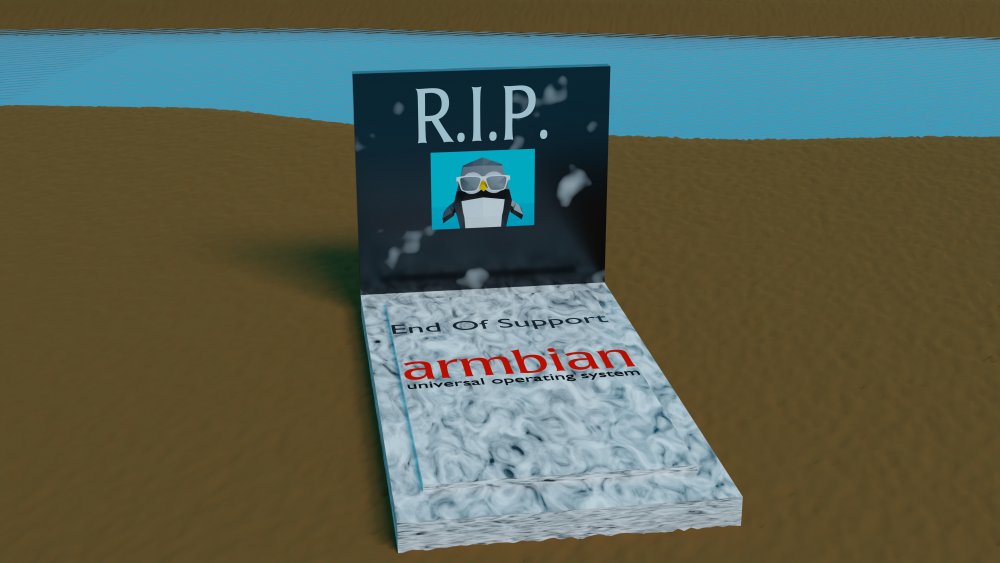
I'm rendering everything in 4K with my N2. I've finished a few.
Here's one with rounded shape.
I'll upload them all together when ready. Cheers.
-
Hi all.
Here my review video of the new Pine H64 model B.
I also compare it with the Orange Pi 3, and it's older brother the Rock64.
I hope you'll like it.
Thank you.
Greetings, NicoD -
27 minutes ago, AndrewDB said:
I noticed you have benchmarked it against other SBC's using blender, but how long does your PC take to render the same file and what kind of CPU does it have?
My pc does 22 minutes over it. It's a I5 2500K clocked at 4.3Ghz. It's an old cpu, but the arm boards still don't reach it. But the N2 fast enough for what I need it to do.
RK3399 Game Playing, What games work, Assaultcube, Torc etc
in Rockchip
Posted
And some games give this output when I use glrun
nicod@nanopim4:~$ glrun extremetuxracer
/usr/bin/glrun: line 2: extremetuxracer: command not found
I've got this too when I do sudo glrun supertuxkart
But "glrun supertuxkart" starts, but badly as shown before.
-------It's a problem with extremetuxracer. It's installed but doesn't run, so not glrun.
It did work a few days ago with low framerate. Don't know what's happened.
Edit.
I've got to open extremetuxracer with 'etr' instead.