Active threads
Showing topics posted in for the last 365 days.
- Past hour
-
Hey just checking in. I haven't forgotten about this yet, I want to make sure everything is repeatable and possible to do on multiple versions of armbian before I write a guide and confuse a lot of people. Noticing that mpv doesn't work, I tried to do what jock suggested to Harleyyyu and update to a newer kernel version. So far... no luck. Seems like the problem boils down to having to write u-boot.bin to the eMCP before burning the actual OS onto it. I'll write again if anything goes.
- Today
-
If this is AW869A chip then it uses the AIC 8800 Linux Driver. My X98H TV box has a AIC8800 chip in it. https://linux-sunxi.org/Wifi#AW869A AW869A The AW869A is a highly integrated module with Dual band WiFi6 combination solution to support 1 × 1 IEEE 802.11b/g/n/ac/ax WLAN standards It uses the aic8800 firmware. A driver can be found at AIC 8800 Linux Driver. You'll need to compare the GPIO settings. Your Android dts uses HEX the mainline kernel is using DEC. https://www.rapidtables.com/convert/number/hex-to-decimal.html?x=12 rfkill { compatible = "allwinner,sunxi-rfkill"; status = "okay"; chip_en; power_en; pinctrl-0 = <0x63>; pinctrl-names = "default"; phandle = <0xcc>; wlan { compatible = "allwinner,sunxi-wlan"; clocks = <0x0e 0x04>; clock-names = "osc32k-out"; wlan_busnum = <0x01>; wlan_power; wlan_regon = <0x23 0x06 0x12 0x00>; wlan_hostwake = <0x23 0x06 0x0f 0x00>; wakeup-source; phandle = <0xcd>; }; bt { compatible = "allwinner,sunxi-bt"; clocks = <0x0e 0x04>; clock-names = "osc32k-out"; bt_power; bt_rst_n = <0x23 0x06 0x13 0x01>; phandle = <0xce>; }; }; https://github.com/NickAlilovic/build/blob/666dc0fabd8a284ccf50d784f6bd0bf948dd073d/patch/kernel/archive/warpme-6.12/2001-arm64-dts-allwinner-h618-add-x98h.patch#L87-L95 https://github.com/NickAlilovic/build/blob/666dc0fabd8a284ccf50d784f6bd0bf948dd073d/patch/kernel/archive/warpme-6.12/2001-arm64-dts-allwinner-h618-add-x98h.patch#L182-L200 https://github.com/NickAlilovic/build/blob/666dc0fabd8a284ccf50d784f6bd0bf948dd073d/patch/kernel/archive/warpme-6.12/2001-arm64-dts-allwinner-h618-add-x98h.patch#L278-L297 Here's good book if you want to learn more about Device trees and pin control. https://events.static.linuxfound.org/sites/events/files/slides/petazzoni-device-tree-dummies.pdf
-
 @jock I figured out why the cursor doesn't show and it's not an armbian issue, the issue is more on how i implemented ffmpeg (previously Kmssink) on openauto and also the same reason why i can't use eglfs for the gui is that i had set ffmpeg to use plane 31 (primary plane, zpos 0) when streaming Android Auto. Since I am forcing the video stream directly onto the Primary Plane (Plane 31) via DRM, the hardware VOP (Video Output Processor) stops scanning out the Linux Framebuffer (/dev/fb0). This means that while Qt is still technically "running" and drawing the mouse cursor to the framebuffer in software, that buffer is simply never sent to the screen. The video stream completely overrides the UI layer. I did manage to fix it tho, since the RK322x SOCs support Tri-Plane, I had to patch ffmpeg to utilize the Cursor Plane (plane 41). Now when AA starts ffmpeg initializes the video on the Primary plane as usual, but simultaneously commits the ARGB cursor buffer to Plane 41 using the shared DRM file descriptor. This allows the VOP to hardware-composite the mouse cursor directly on top of the video stream, finally making it visible without breaking the zero-copy pipeline. As per CMA=256M, ffmpeg was throwing buffer allocation warnings. Interestingly, these warnings persist even with CMA set to 256MB—so the larger CMA didn't actually silence the logs as I initially thought. ffmpeg benchmarks actually run successfully on both 16MB and 256MB despite the warnings. However, I decided to keep the requirement at 256MB purely as a precaution. Given that a 1080p NV12 pipeline with multiple buffers can eat up memory quickly, leaving it at the default 16MB felt risky for long-term stability in a car environment, even if it 'technically' runs. PS: i haven't posted the build with the cursor patch
 -

[Bug]: Ethernet rarely connecting successfully in Orange Pi 3 LTS
c0rnelius replied to iMagz's topic in Allwinner sunxi
Needs testing; https://github.com/armbian/build/pull/9323 -
 @robertoj the problem is not ffmpeg, which already is works totally fine on debian Trixie (and backwards), the problem is within mpv that changed in v0.4.0 carried by debian Trixie, and at the moment I don't have enough motivation to carry on a custom mpv package for Debian Trixie. You may try with debian forky by the way, but it is a moving target as long as it is still in development.
 -

CSC Armbian for RK3318/RK3328 TV box boards
SanchopansA replied to jock's topic in Rockchip CPU Boxes
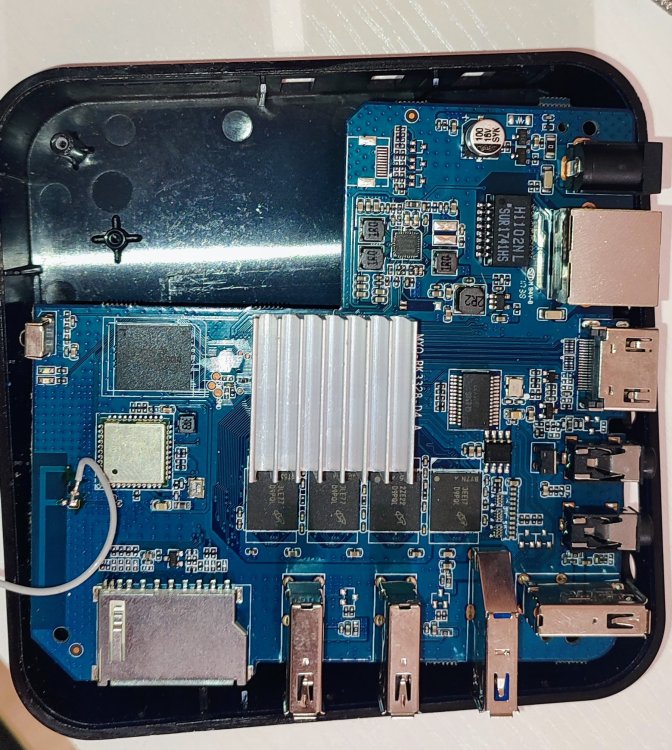
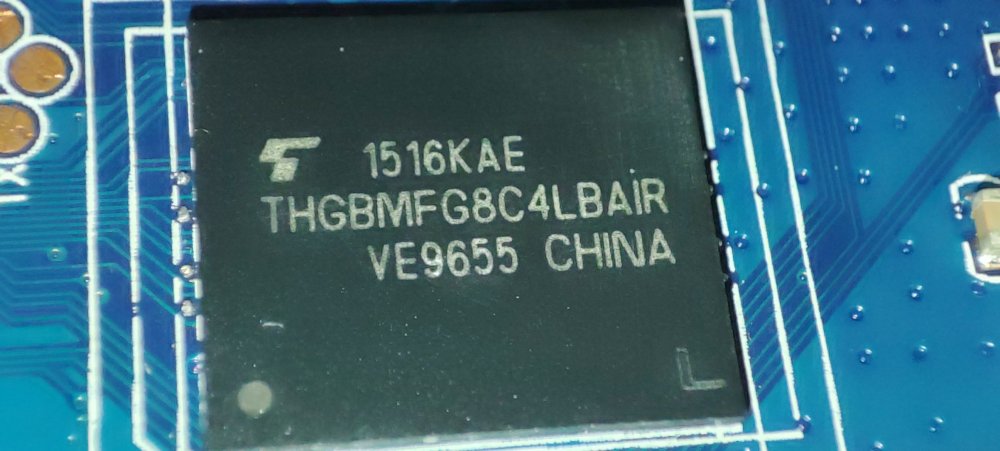
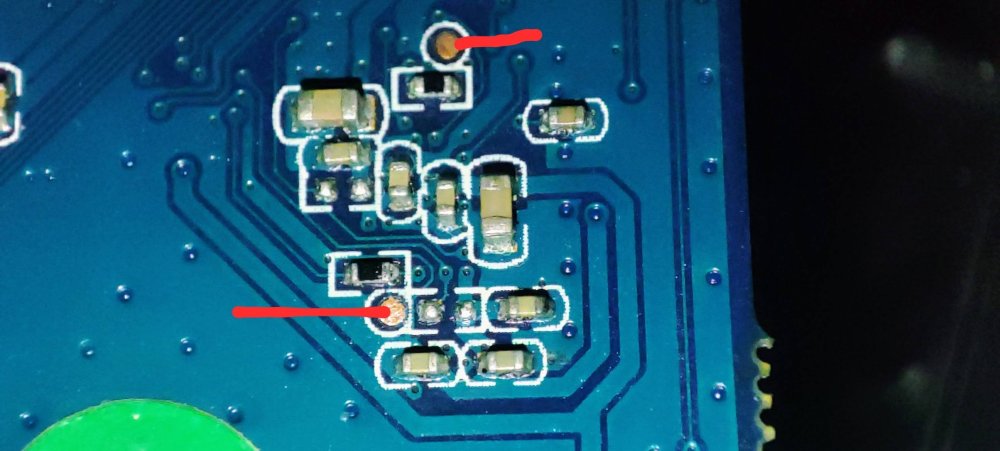
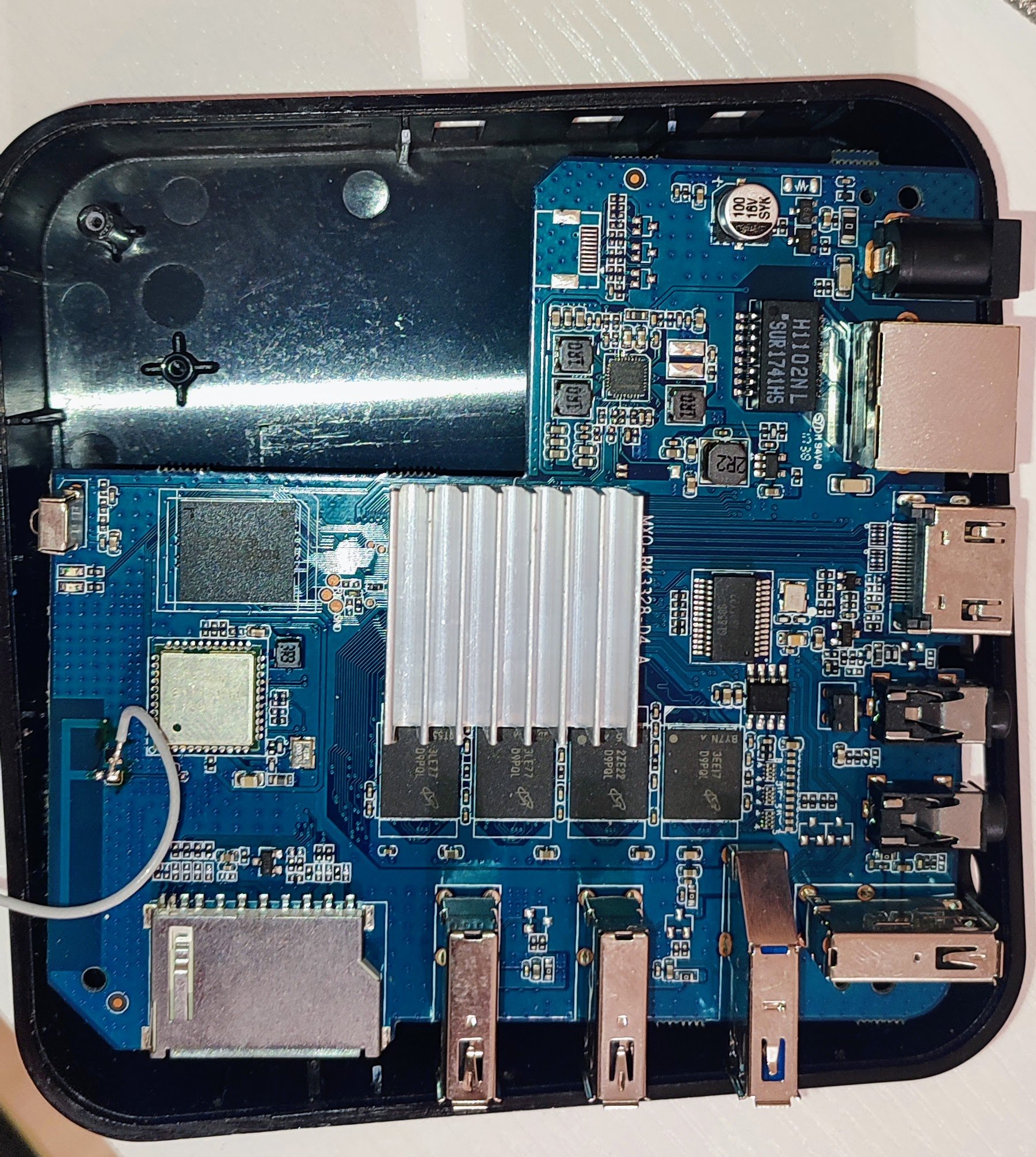
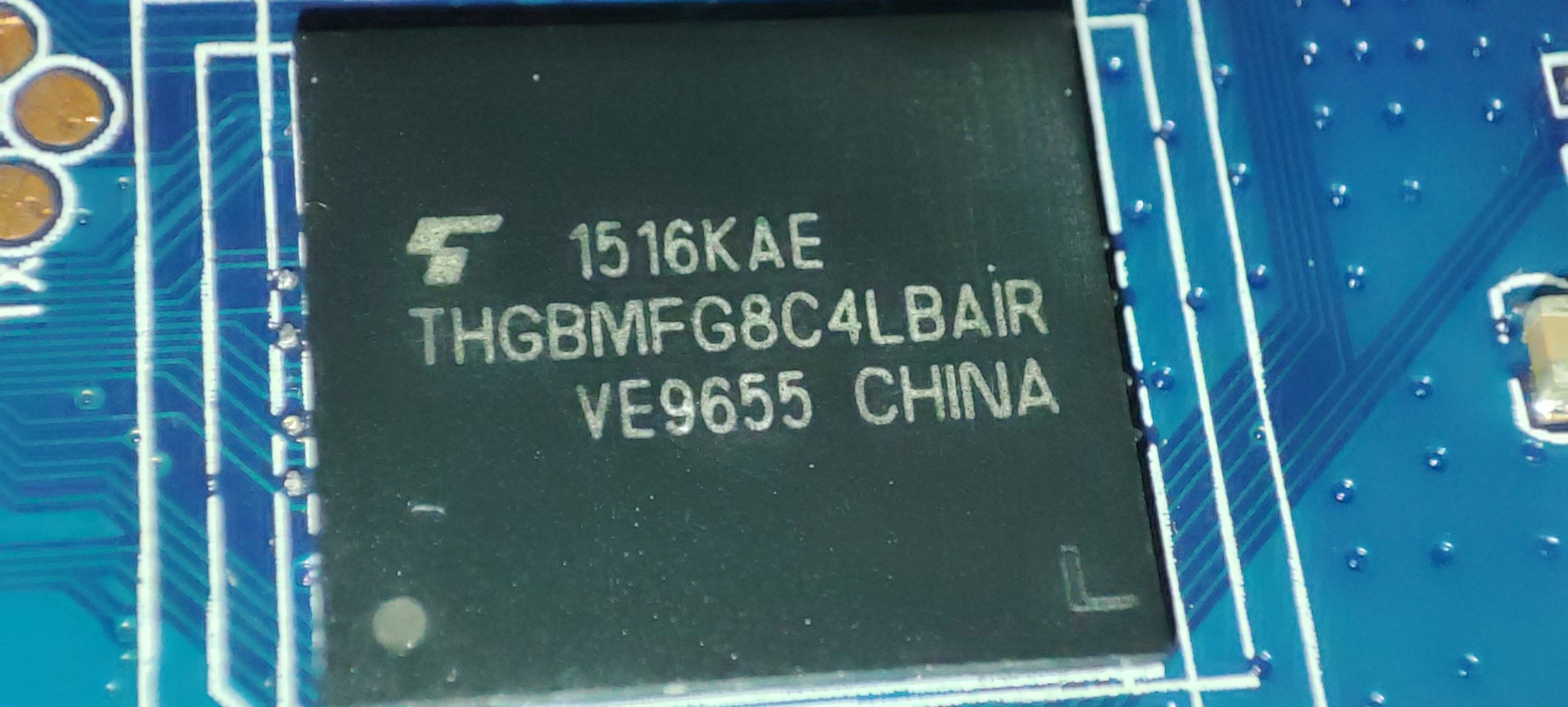
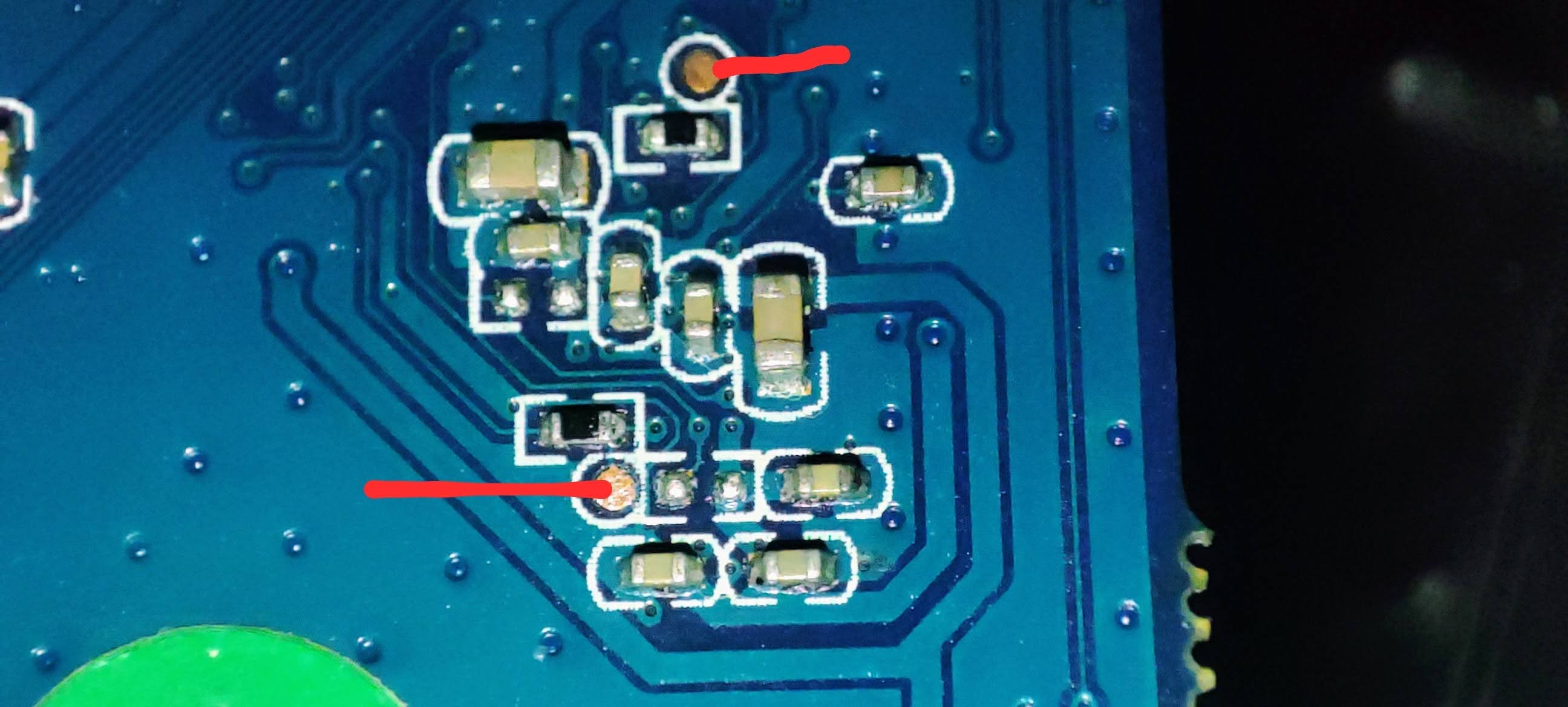
@jock Thank you for your reply. Unfortunately, I can't do it I tried to short it, but it doesn't load from the SD card. I shorted it with a piece of wire. When I do it with USB connected, I see the device is in Maskrom. Here the console output from rkdeveloptool using: root@lensky-lp:~# lsusb Bus 001 Device 001: ID 1d6b:0002 Linux Foundation 2.0 root hub Bus 001 Device 004: ID 10c4:8105 Silicon Labs USB OPTICAL MOUSE Bus 001 Device 005: ID 04ca:707f Lite-On Technology Corp. HP Wide Vision HD Camera Bus 001 Device 006: ID 0bda:b00b Realtek Semiconductor Corp. Realtek Bluetooth 4.2 Adapter Bus 001 Device 008: ID 1ea7:0066 SHARKOON Technologies GmbH [Mediatrack Edge Mini Keyboard] Bus 001 Device 009: ID 2207:320c Fuzhou Rockchip Electronics Company RK3328 in Mask ROM mode Bus 002 Device 001: ID 1d6b:0003 Linux Foundation 3.0 root hub root@lensky-lp:~# rkdeveloptool ld DevNo=1 Vid=0x2207,Pid=0x320c,LocationID=104 Maskrom root@lensky-lp:~# rkdeveloptool td Test Device failed! root@lensky-lp:~# rkdeveloptool ---------------------Tool Usage --------------------- Help: -h or --help Version: -v or --version ListDevice: ld DownloadBoot: db <Loader> UpgradeLoader: ul <Loader> ReadLBA: rl <BeginSec> <SectorLen> <File> WriteLBA: wl <BeginSec> <File> WriteLBA: wlx <PartitionName> <File> WriteGPT: gpt <gpt partition table> WriteParameter: prm <parameter> PrintPartition: ppt EraseFlash: ef TestDevice: td ResetDevice: rd [subcode] ChangeStorage: cs [storage: 1=EMMC, 2=SD, 9=SPINOR] ReadFlashID: rid ReadFlashInfo: rfi ReadChipInfo: rci ReadCapability: rcb PackBootLoader: pack UnpackBootLoader: unpack <boot loader> TagSPL: tagspl <tag> <U-Boot SPL> ------------------------------------------------------- root@lensky-lp:~# rkdeveloptool rid Reading flash ID failed! root@lensky-lp:~# rkdeveloptool cs 2 AMO: ERR_DEVICE_WRITE_FAILED Change Storage failed! root@lensky-lp:~# rkdeveloptool ppt Read GPT failed! Read parameter failed! Not found any partition table! root@lensky-lp:~# rkdeveloptool db /home/lensky/Downloads/For\ RK3328\ devices/RK3328MiniLoaderAll_V2.50.bin Downloading bootloader succeeded. root@lensky-lp:~# rkdeveloptool ppt **********Partition Info(parameter)********** NO LBA Name 00 00002000 uboot 01 00004000 trust 02 00008000 misc 03 0000A000 baseparamer 04 0000A800 resource 05 00012000 kernel 06 00022000 boot 07 00032000 recovery 08 00042000 backup 09 00062000 cache 10 000A2000 metadata 11 000AA000 kpanic 12 000AC000 system 13 003AC000 userdata As you see after boot it looks like the flash is empty. I can't ready any info and there no partitions. But after download bootloader command I see partiosions and can read flash info and chip info. After reboot all is disappear again. This is my board: This is my eMMC chip: I have found YouTube video how to short the clock pin for my board. On the opposite side, I need to short these pins: When I insert the SD card and boot the device, it just lights the red led and nothing more. Is something I do wrong?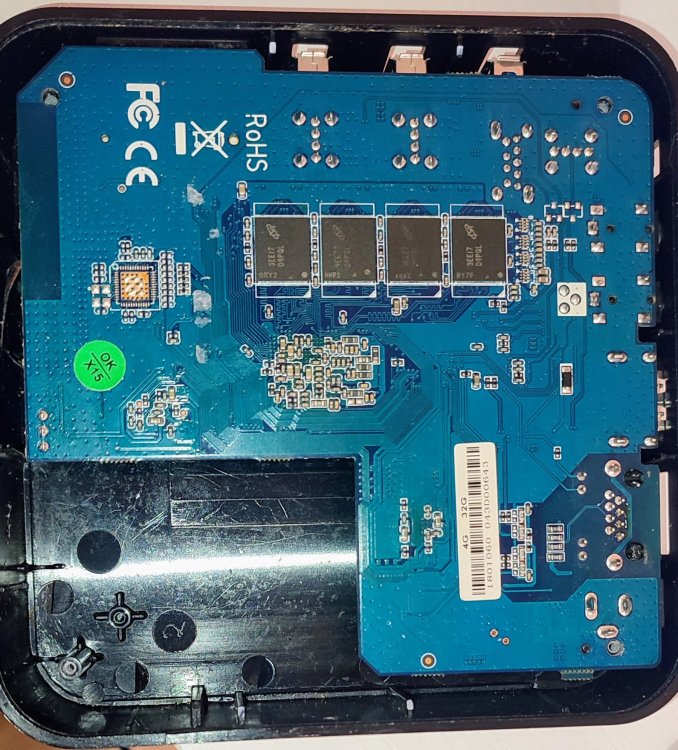
-

Gaming experience with Orange Pi 5 (RK3588) on Armbian
KhanhDTP replied to KhanhDTP's topic in Orange Pi 5
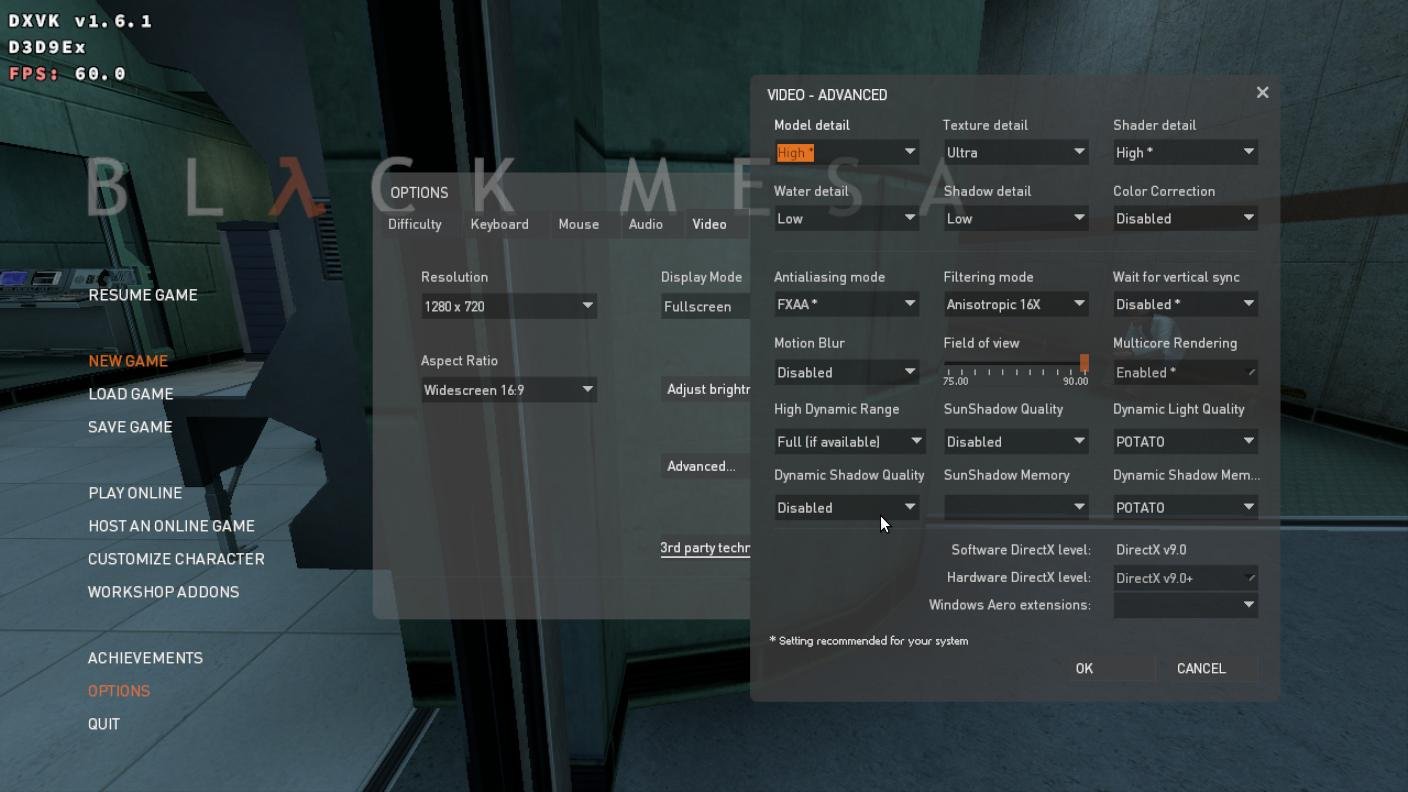
Armbian 25.11.2 Noble XFCE (BSP Kernel: 6.1.115) + PanVk - mesa 26.0 (https://launchpad.net/~ernstp/+archive/ubuntu/mesaaco) + Box64 arm64 v0.4.1 652da4fbc (https://ryanfortner.github.io/box64-debs/) + proton-10.0-3-amd64-wow64 (https://github.com/Kron4ek/Wine-Builds/releases/download/proton-10.0-3/wine-proton-10.0-3-amd64-wow64.tar.xz) + DXVK-stripped v1.6.1 30~60fps@720p (low settings, high texture, no AA) box64 environment variables: Black Mesa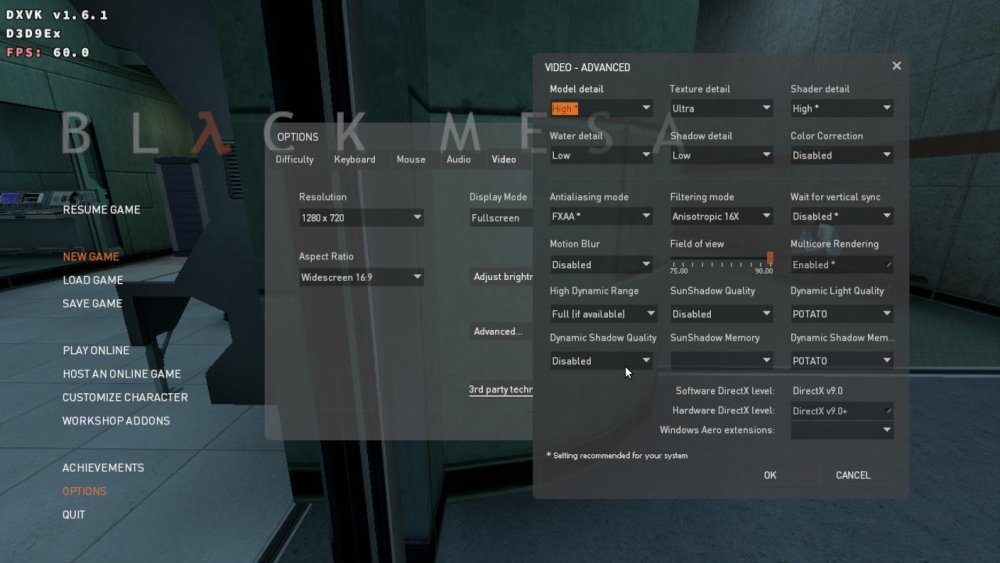
.thumb.jpg.5320f0ed7c0b1a851f264728ab382a01.jpg)
-
diy image and you get it immediately
-
Decided to see how far the LLM have come along and give this another crack. Gemini 3 Flash seems to have got me a few steps forward. It had me add zswap and build a swap file while adjusting some of the U-Boot variables. /boot/armbianEnv.txt additions/changes fdt_addr_r=0x42000000 ramdisk_addr_r=0x42800000 fdt_high=0xffffffff initrd_high=0xffffffff extraargs=zswap.enabled=0 swiotlb=1024 I had to expand the filesystem to use more of the SD card then added a 512M swapfile sudo fallocate -l 512M /mnt/pinecube/swapfile sudo chmod 600 /mnt/pinecube/swapfile sudo mkswap /mnt/pinecube/swapfile It took a solid 5 or so minutes but I got booted. It's very slow but at least I got this far! Just leaving this here for anyone else that may stumble along.
-
That isn't what you use for amlogic tv boxes. Follow the instructions linked from the download page: https://www.armbian.com/amlogic-s9xx-tv-box
- Yesterday
-
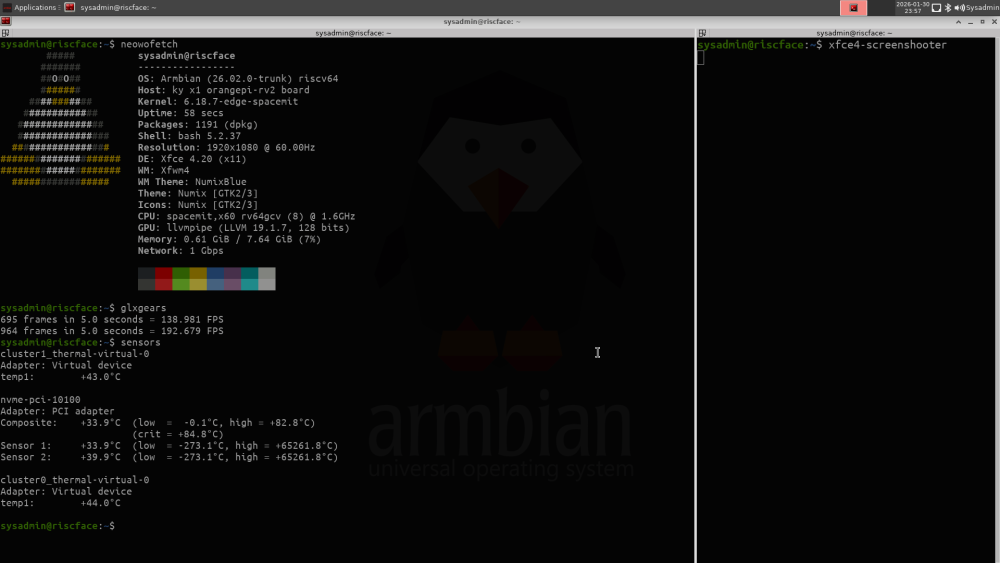
THANK YOU so much for this effort. I no longer regret buying an OrangePi RV2!
-
On the 25.11.1 Noble release, using the 6.12 kernel, there is no package to install the linux-headers for installed kernel. Is there some place to get them so that it is possible to install a kernel module for the provided ubuntu-rockchip kernel?
-
How do you power the bananapi m1? It has 2 microUSB connectors.
-
Rpi support for whatever of their devices is mainly on the level of RaspberryPi OS. We use their kernels sources as base, add some additional things and release timing is different - not much difference. If they added new device, it should just work. If anyone wants to improve support or fix WiFi -> https://github.com/armbian/build/pulls
-
@Bones558 I guess you are using a USB-C to HDMI adapter? I bought one and it doesn't work on kernel 6.6. I think it's because the DRM heap driver hasn't been updated yet. I got a Micro HDMI to HDMI cable, and that works.
-
http://blog.armbian.com/content/images/2026/01/coverleter.pngWelcome to the latest Armbian Newsletter: your source for the latest developments, community highlights, and behind-the-scenes updates from the world of open-source ARM and RISC-V computing. http://blog.armbian.com/content/images/2026/01/image-2.pngJoin Armbian at embedded world 2026. Meet us in Hall 3, Booth 3-556 (Seeed Studio), where we’ll be showcasing the Armbian build framework and how it powers reliable, production-ready Linux for ARM devices. FriendlyElec’s NanoPC T6 Plus: The flagship edge computing powerhouse and media stationThe NanoPC T6 Plus, powered by the performance-optimized Armbian OS, is your ticket to a truly professional, high-speed edge computing experience. This industrial-grade device is built around the flagship Octa-core Rockchip RK3588 SoC and now features a massive upgrade to LPDDR5 RAM (up to 32GB), giving it the muscle tohttp://blog.armbian.com/content/images/icon/favicon-40.icoArmbian blogMecid Urgancihttp://blog.armbian.com/content/images/thumbnail/T6-Plus-01.pngSponsored Github HighlightsThis week’s Armbian development saw a wide range of updates focused on automation, hardware support, and workflow improvements. Key highlights include the introduction of automatic YAML target generation, expanded support for Hetzner ARM64 runners, and enhancements to the redirector update workflow with cache mirror support. Several board-specific fixes andhttp://blog.armbian.com/content/images/icon/favicon-36.icoArmbian blogMichael Robinsonhttp://blog.armbian.com/content/images/thumbnail/githubhighlights-2-2.webpForget third-party utilities: meet Armbian ImagerArmbian Imager eliminates the guesswork from flashing SBC images. Real-time board detection, persistent caching, and built-in safety make installation fast, simple, and risk-freehttp://blog.armbian.com/content/images/icon/favicon-37.icoArmbian blogDaniele Brigugliohttp://blog.armbian.com/content/images/thumbnail/introducing-armbian-imager.pngArmbian 2025: by the numbersOpen hardware is growing faster than ever and breaking in new ways. 2025 has been a productive year for the Armbian project. As the Single Board Computer ecosystem continues to fragment and expand, Armbian has consolidated its position as the universal glue holding the open-source hardware world together. Our missionhttp://blog.armbian.com/content/images/icon/favicon-39.icoArmbian blogMichael Robinsonhttp://blog.armbian.com/content/images/thumbnail/New_review1.pngView the full article
-
Thanks Igor. Just for reference, I also tried Armbian_community_26.2.0-trunk.332_Odroidhc4_forky_current_6.18.7_minimal.img apt update apt upgrade apt install linux-headers-current-meson64 apt install zfsutils-linux zfs-initramfs zfs-dkms zfs-zed Everything went fine and seams to working OK. Chris
-

Installation Instructions for TV Boxes with Amlogic CPUs
Pablo Navarro replied to SteeMan's topic in FAQ
Hi! This is my first message here, congrats to the community for building this I would also like to corroborate that the current Balena Etcher, in Windows at least, is not writing the image correctly to the SD card. The Armbian imager did it well for me. I just booted an unused A95X (S905X) "Mini Kitty" with Armbian, but I don't think I will spend too much time with it, I already got a lot of mini PCs for servers and it's too slow for a terminal 😅 What do you recommend me to do with this little box? Thanks! -

Very strange behavior: complete freeze after boot
Frans Rampen replied to Frans Rampen's topic in Rockchip
It is a AP-mode problem of the Realtek 8822CE chipset. Replaced the M2 card with Intel AX200 card and since then solid as a rock -
 I downloaded image today using Armbian Imager, and it asked me to run something like armbian-update. I installed the system afterward, but it didn’t work.
 -
Ordered 2 more X96Qs off aliexpress. will see what versions i get. Will build images for them if they're different.
-
There is no way. You need a dedicated image for your hardware. https://docs.armbian.com/User-Guide_FAQ/
- Last week
-
@Torte continued to help on his github site. The boot.img of the OEM firmware appears to set up a serial framebuffer screen and some shenanigans with the camera. I'm pausing the thread for now - need to figure out a path to reverse engineer the boot.img. Otherwise, alternative boards will need to be adapted.
-
Coming late to the party, but I have observed a similar thing with moderm kernels on PCduino 3 nano. To know what is happeneing, have you tried connecting to UART? That gives you more info about what is going on. Now I have trouble with the OTG port. I am unable to configure it for mass storage.
-
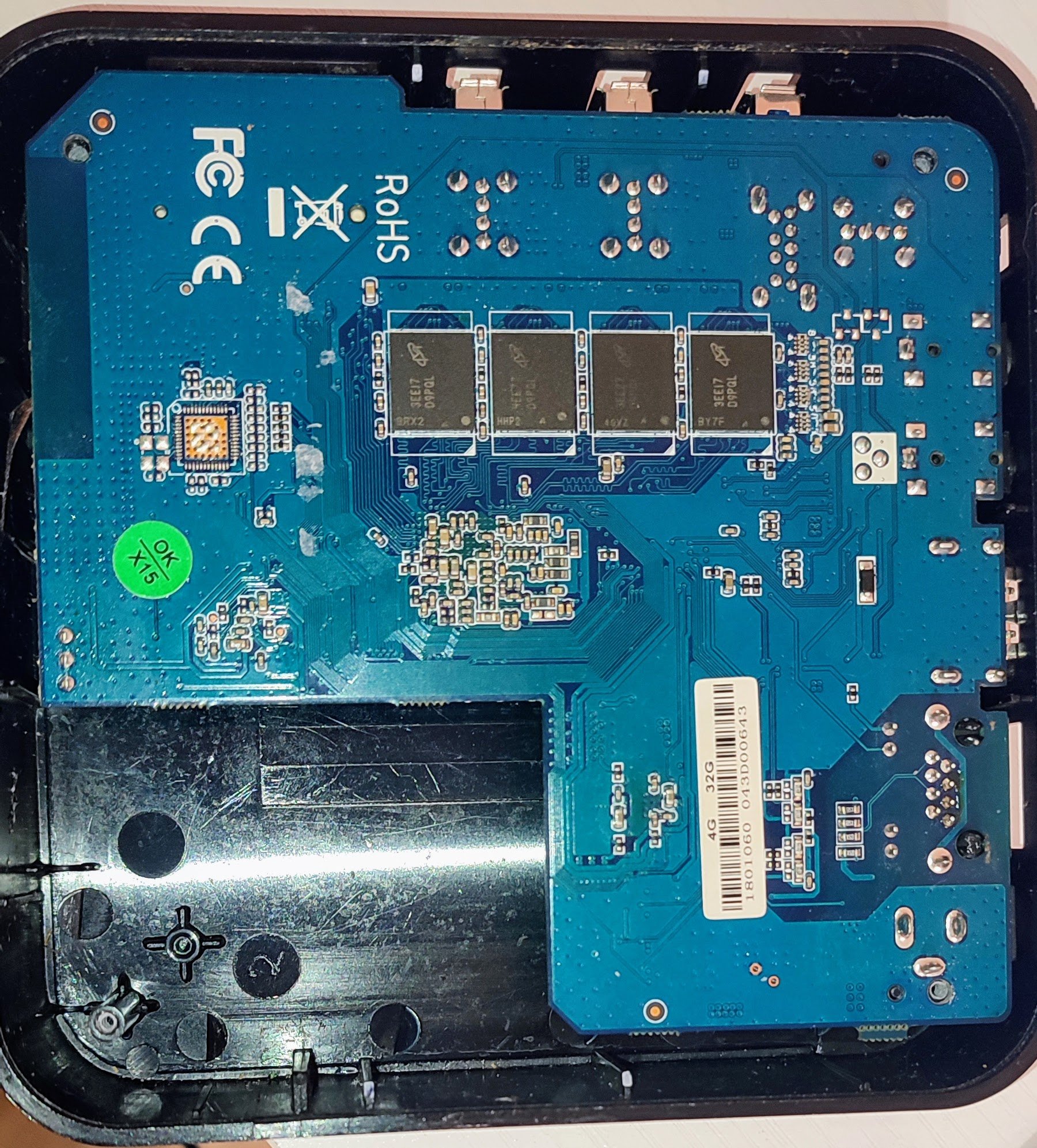
OK so how can I help to fix this issue? I would like to compare (dtdiff) the device trees from the working version to the current. I have the the dtb for the (non working) current but I can't find the dtb from the trunk for the working version using the 6.18.0 RC6 kernel. The only link I have found was : Armbian_community_26.2.0-trunk.7_Odroidm2_noble_edge_6.18.0-rc6_gnome_desktop.img.xz.torrent in the archive but there are not enough seeds to download it as the current download estimate is running at over 300 days. And I'm not even sure that is the correct version! If anyone can point me to another resource where I can download multiple images (or better yet just the device trees) for multiple versions (quickly) that would be helpful.


.jpg.c1569deb1b49915ff40a02634d1dcf96.jpg)