Active threads
Showing topics posted in for the last 365 days.
- Today
-
After digging into more details, I think Armbian has moved to use new U-Boot generated FIT image u-boot-rockchip-spi.bin for SPI boot, however, it doesn't work to boot NVMe rootfs and sometimes breaks the board and I have to erase SPI to get SD card booting. Couldn't find more information how Armbian does MTD boot now. Note that older vendor SPI bootloader can boot kernel 6.18.8 but I ran into other issue like freezing system for a couple of minutes so that I'd say to avoid use old MTD image with 26.2 6.18 kernel.
-
Have you tried the install instructions and build from here: https://www.armbian.com/amlogic-s9xx-tv-box/
-
I just upgraded my Linux Mint from 22.2 to 22.3 "Zena" ... CLEAN INSTALL, with "git" installed I started a typical armbian build folder, as per: https://github.com/armbian/build?tab=readme-ov-file#quick-start But then I got this error: [🌱] Build host OS release [ zena ] [🌱] Build host architecture [ amd64 ] [💥] error! [ Unsupported build system: 'zena' ] I know that Mint 22.3 was released just last month, but I needed something in the new Linux kernel. I can use Mint 22.2 in another computer (where armbian is working OK)... but what is the typical delay for a new Linux Mint to become supported? Then I tried with $ sudo apt install docker.io , and got a little further: $ ./compile.sh [🚸] Docker is installed, but not usable [ can't use Docker; check your Docker config / groups / etc ] [💥] Problem detected [ Docker installed but not usable ] [💥] Exiting in 10 seconds [ Press <Ctrl-C> to abort, <Enter> to ignore and continue ] Counting down: 9... 8... 7... 6... 5... 4... 3... 2... 1... 0... [💥] error! [ Exiting due to 'Docker installed but not usable' ] [💥] Exiting with error 43 [ at /home/roberto/armbian-2026-feb/build/lib/functions/logging/traps.sh:1 exit_with_error() --> lib/functions/logging/traps.sh:1 exit_if_countdown_not_aborted() --> lib/functions/general/countdown.sh:41 cli_standard_relaunch_docker_or_sudo() --> lib/functions/cli/utils-cli.sh:261 cli_standard_build_pre_run() --> lib/functions/cli/cli-build.sh:14 armbian_cli_pre_run_command() --> lib/functions/cli/utils-cli.sh:122 cli_entrypoint() --> lib/functions/cli/entrypoint.sh:79 main() --> ./compile.sh:50
- Yesterday
-

[ODROID C2] USB ports are (again?) not working properly
blaubarschbube replied to teknoid's topic in Odroid C2
On my Gentoo setup, I never had any USB issues before 6.6, even without the usbcore.autosuspend=-1 option. With 6.6, though, USB doesn’t work for me even with that option enabled. The fix from all2 worked for me, so thanks to that I put together what I think is a slightly more robust solution: -
@zcrselfhttps://github.com/NickAlilovic/build/releases/tag/Mainline try this image.
-
Armbian supports boards, not bare SoCs. This thread is about xt-q8l-v10 rk3288 board, which is supported by community and not officially. If you want official support, prefer a SBC which is declared as officially supported, like the Asus Tinkerboard. Community supported boards are "best effort", officially supported boards are usually checked before new armbian releases to maintain general support and functionality.
-

Efforts to develop firmware for H96 MAX V56 RK3566 8G/64G
GmP replied to Hqnicolas's topic in Rockchip CPU Boxes
@GBEM , Hi are you sure wifi is attached to sdmmc1 ? here is my log: root@h96-tvbox-3566:~# dmesg | grep -i sdio [ 2.961741] mmc2: new UHS-I speed SDR50 SDIO card at address 390b [ 12.974586] aicbsp: aicbsp_sdio_probe:1 vid:0xC8A1 did:0x0082 [ 12.977567] aicbsp: aicbsp_sdio_probe:2 vid:0xC8A1 did:0x0182 [ 12.977586] aicbsp: aicbsp_sdio_probe after replace:1 [ 12.977595] aicbsp: aicbsp_get_feature, set FEATURE_SDIO_CLOCK 150 MHz [ 12.977600] aicbsp: aicwf_sdio_reg_init [ 12.993394] rwnx_load_firmware :firmware path = /lib/firmware/aic8800_fw/SDIO/aic8800D80/fw_patch_table_8800d80_u02.bin [ 13.093862] rwnx_load_firmware :firmware path = /lib/firmware/aic8800_fw/SDIO/aic8800D80/fw_adid_8800d80_u02.bin [ 13.127689] rwnx_load_firmware :firmware path = /lib/firmware/aic8800_fw/SDIO/aic8800D80/fw_patch_8800d80_u02.bin [ 13.143887] rwnx_load_firmware :firmware path = /lib/firmware/aic8800_fw/SDIO/aic8800D80/fw_patch_8800d80_u02_ext0.bin [ 13.400664] rwnx_load_firmware :firmware path = /lib/firmware/aic8800_fw/SDIO/aic8800D80/fmacfw_8800d80_u02.bin [ 14.275914] aicbsp: aicbsp_get_feature, set FEATURE_SDIO_CLOCK 150 MHz [ 14.275939] aicsdio: aicwf_sdio_reg_init [ 14.284873] aicbsp: aicbsp_get_feature, set FEATURE_SDIO_CLOCK 150 MHz [ 14.305375] aicbsp: sdio_err:<aicwf_sdio_bus_pwrctl,1404>: bus down [ 439.182900] aicwf_sdio mmc2:390b:1 wlan0: CLOSE [ 520.391280] aicwf_sdio mmc2:390b:1 wlan0: CLOSE [ 683.043492] aicwf_sdio mmc2:390b:1 wlan0: CLOSE It seems attached to sdmmc2, then in case there is a need a possible device tree could be (73 is 2 B1 as in your file): &sdmmc2 { bus-width = <4>; non-removable; cap-sdio-irq; keep-power-in-suspend; reset-gpios = <&gpio2 9 GPIO_ACTIVE_HIGH>; /* gpio-73 */ status = "okay"; }; -
UPDATE for Multitool Finally I managed to let the Opensource OP-TEE work with the rockchip miniloader! This means that the Multitool should now work on any board, without freezes and booting issues! The new version can be downloaded from the first page of this thread. Please report if it works for you, thanks!
-
@jock Hi, I have updated the build source for the leds overlay files (leds 6 and 7) for both the the rockchip64 H50 tvbox and the T9 tvbox, for kernels 6.12 (old non scrolling driver) and 6.18 (new scrolling driver) the version for 6.18 is also fine for 6.19. Have a look at my fork in https://github.com/gpaesano/build. Some modifications are just refinements other are functional. I have built all the images and variants on a ubuntu linux and are running well. I am not familiar with pull requests and do not want to be impolite, so If you think there is some added value please support it. All the best @GmP
-
If anyone is still interested, I have a Helios 64 that I assembled, looked at, but never got around to using for more than a couple hours. Works fine, does not yet have the 2.5GB fix but I have the instructions for same. No idea what to ask for it but it certainly isn't doing me any good sitting on my shelf. Have the manual, SATA drive bay adapters for 2.5" drives and the like. Make me an offer and pay shipping from Oregon. Let's talk!
-
T9 TvBox Sunwell - Pcb Label T9-RK3328-8x4-V1.8
GmP replied to GmP's topic in TV Boxes running Armbian
https://github.com/armbian/community/releases/download/26.2.0-trunk.385/Armbian_community_26.2.0-trunk.385_Rk3318-box_trixie_current_6.18.8_minimal.img.xz this is the latest console build compatible with T9. You will need to configure a little bit the environment after booting to enable all the features via ssh and wired lan. If the device is still on android the best is to follow the tutorial from @jock in -

Regular changes in file /etc/armbian-leds.conf on ODroid-N2
iav replied to iav's topic in Software, Applications, Userspace
Thank you. I couldn't even think of such a thing. Lord, why is it necessary to preserve the state of indicators that are needed precisely to show the state of something? -
@Nick A No problem. Thanks for your Armbian build as well! I am also looking forward to mainline. Currently I still didn't find open source Mesa driver for Allwinner BSP, GLES is only available as pre-compiled binary for Debian (haven't tested it but it's in the Radxa images). There already are mainline Mesa/Linux IMG GPU supports so I hope things can be ported to mainline soon. Please let me know if anyone finds the source code for Mesa BSP.
-
The second time I built it, the image deb worked and the bcmdhd dkms loaded. > dkms status bcmdhd-spacemit-sdio/101.10.591.84.37-4, 6.18.9-edge-spacemit, riscv64: installed
-
 All things are possible. The question is who's interested in doing (or funding) the work, and if technical data is available to do it. The build system is at https://github.com/armbian/build. If you know how to build a kernel, device tree, and bootloader, you can define how to do those steps there.
 - Last week
-
 Bookworm. But my point was the version 35.1 is what got installed when I ran the scripts in the first post. If the script installed 37 for you because you're on Ubuntu then I probably am on the wrong track. Yes I believe it does this. I was just pointing out that drm_prime works for me but I guess that could just be due to different hardware on the device. I'm not using an Orange Pi.
 -
@Brow Mosh AI is wrong. Mainline supports - Your PMIC - Your DRAM timing - Your HDMI (Patches have been around for years but not accepted in mainline yet. I included it in my builds.) - Your regulators Supported in mainline but might need some dts changes. - Your weird SD wiring - Your eMMC layout ( Could be a gpio# issue) If you are booting into the kernel then I believe your SD is somewhat working. Maybe you need few tweaks to your dts or your DRAM settings are off. A failing or cheap SD card could also be your issue. Kernel boots Reaches userspace Shows login banner Without a DTS I can’t help you much. Also, can you post some boot logs. FEL over USB is your last option. It is possible. But I don't think your AI model will help much. I noticed with some AI models they will encourage you to quit when they can't find the correct information. The owner of the AI model wants you to pay for their deep learning version.
-
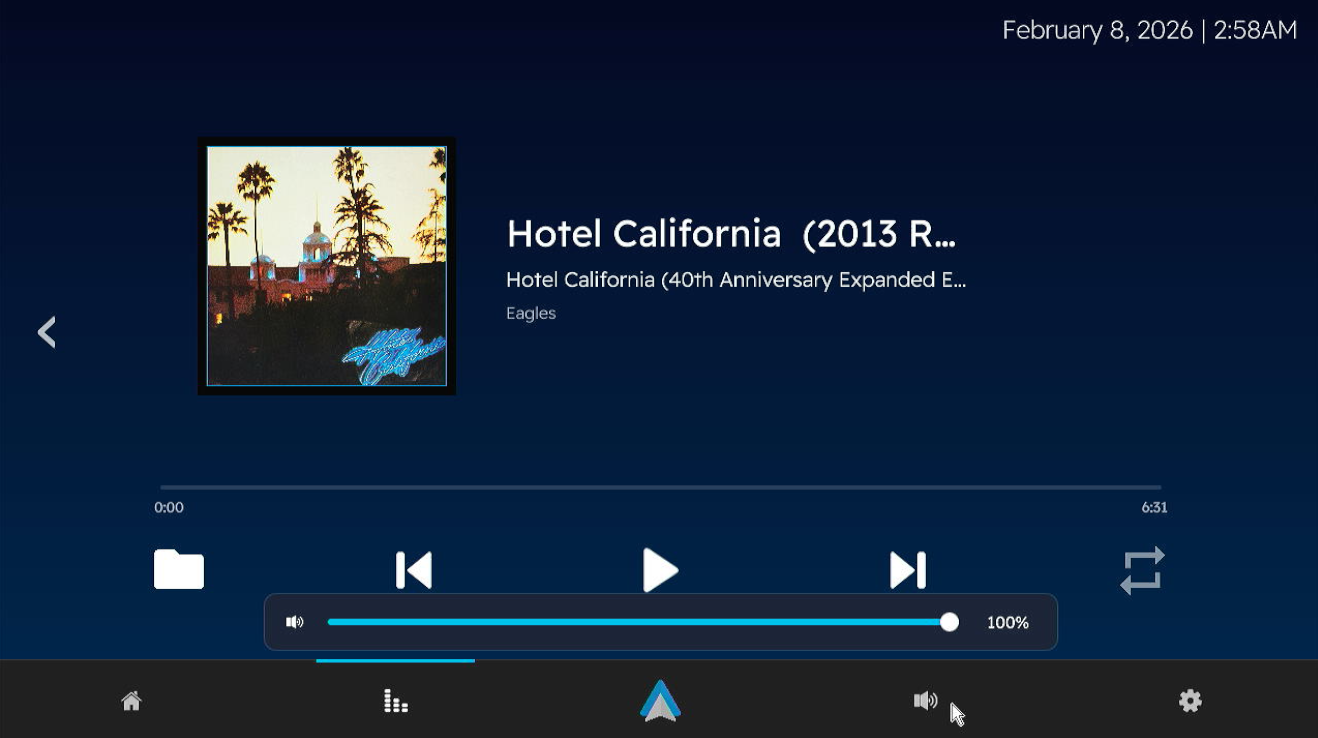
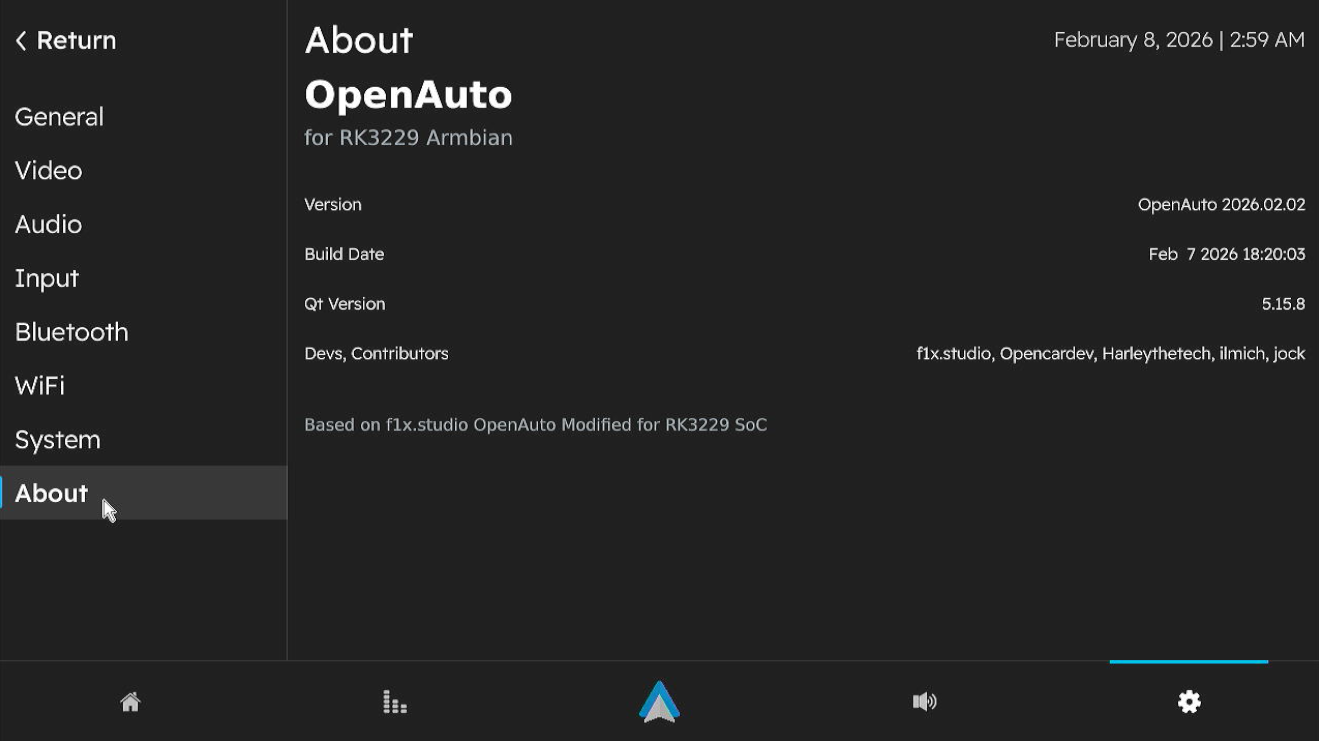
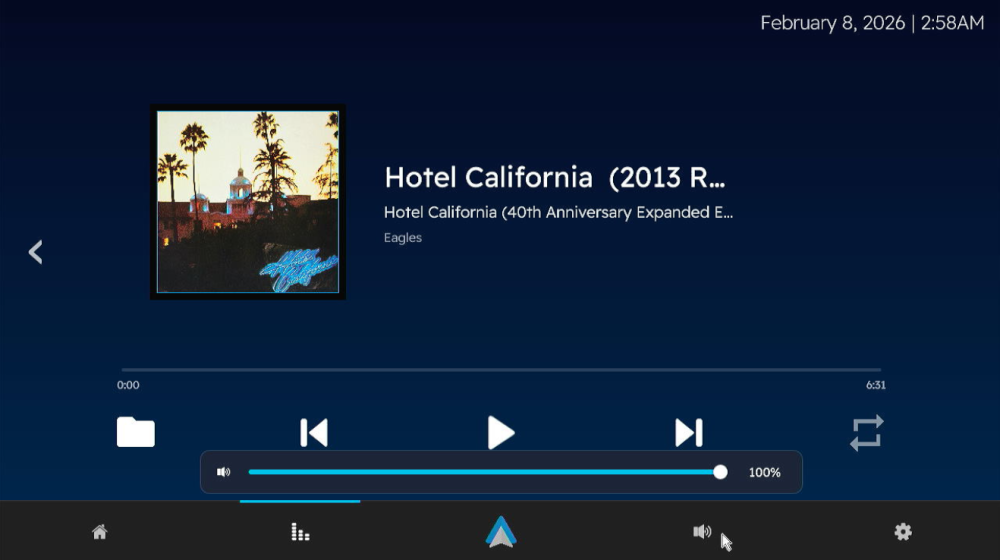
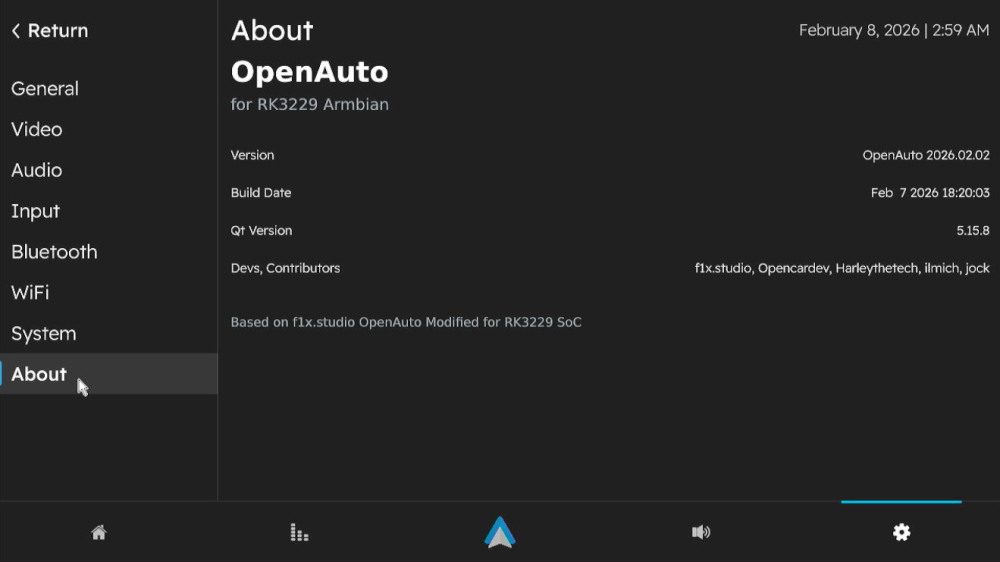
 Version 3.1.0 Has been released! I won't be going into details like last time, this build also includes the fixes for "known issues" from version 3 Alpha build. Bugs Found? Open a ticket in https://github.com/Harleythetech/openauto-rk3229-armbian/issues Download: Github: OpenAuto RK322x - oark322x-3.1.0-beta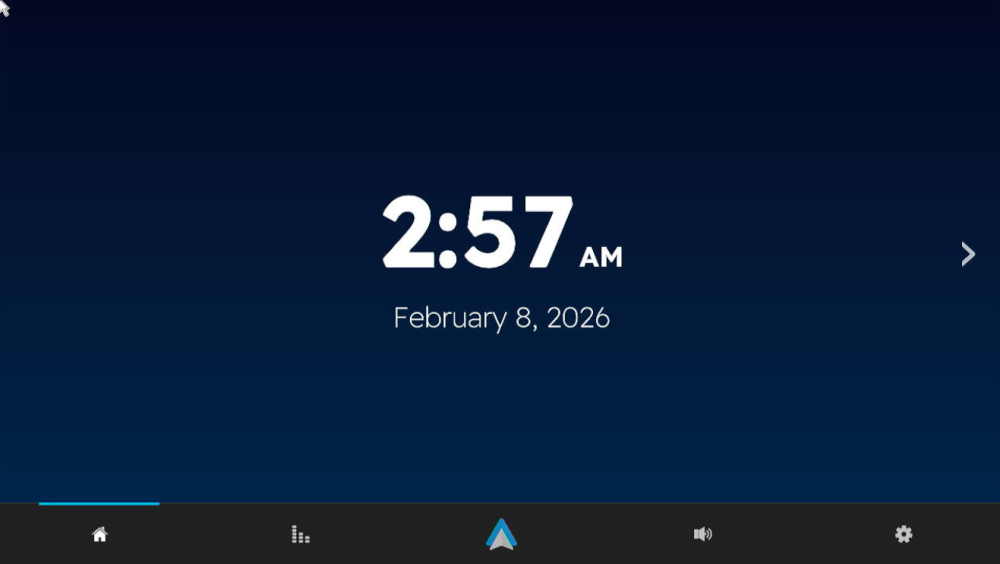
-
@marcosdsdba Can you take a picture or just tell us the Wi-Fi chip you have on your board?
-

Super console cube X3 seems can't boot.
gnutux landia replied to gnutux landia's topic in Amlogic CPU Boxes
I buy a different USB uart Usbuart Maybe I can do what you suggest. I need to wait to the item arrives at my home. When It arrives I post here to the device read uart method. -
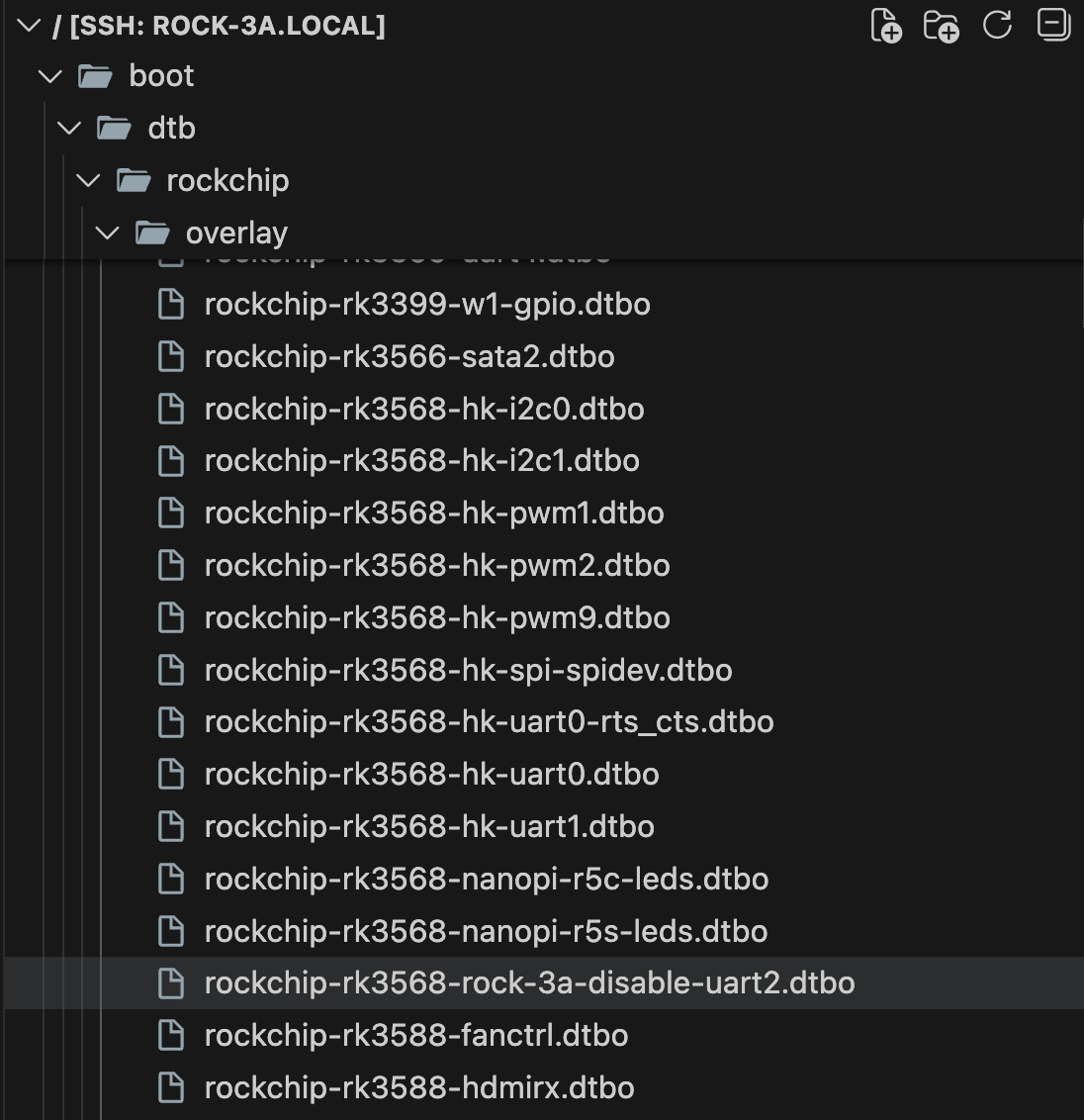
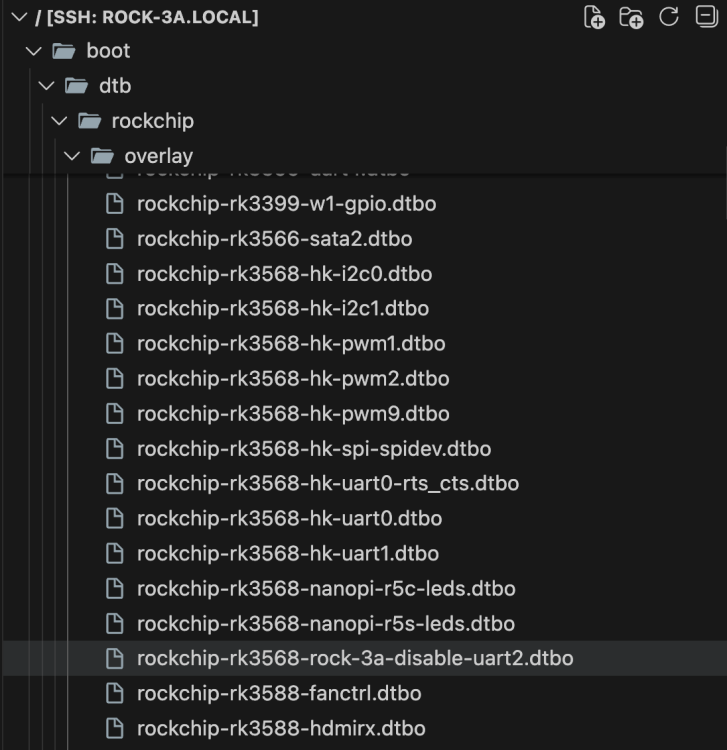
I am trying to setup Raxda Display 8 HD with Radxa ROCK 3A. On official Radxa OS, I used Rsetup tool to setup overlay for `Radxa Display 8 HD' using official guide. How can I do same on Dedicated applications images with Armbian Linux v6.12 ( Home Assistant ) ? I have read Device Tree overlays guide on armbian docs but I can't find overlay for lcd display in files:
-
Thank you! That worked like a charm
-

CSC Armbian for RK3318/RK3328 TV box boards
SuzSinclair replied to jock's topic in Rockchip CPU Boxes
Thanks for the feedback , i have finally downloaded this version and burn into sd card , put in sd card then reconnect power, the system normal boot i cant see armbian screen, the blue light is on, and nothing on screen or dark screen can someone point me please what is happening.
-
I now found a workaround, basically adding the following to the top of /boot/boot.cmd setenv usbstoragequirks "0x2537:0x1066:u,0x2537:0x1068:u" and running mkimage -C none -A arm -T script -d /boot/boot.cmd /boot/boot.scr (as shown at the bottom of /boot/boot.cmd However this is not sustainable, and it would still be preferable if the inclusion of armbianEnv.txt could be fixed, ESPECIALLY considering that the download page https://www.armbian.com/odroid-n2/ gives the following (useless due to this issue) advise: On modern kernels adding “video=HDMI-A-1:1920x1080M@60D” to boot /boot/armbianEnv.txt (extraargs=) should force HDMI to 1080p instead of the 4K native resolution.
-
Probably because nobody had use for those until today. Feel free to send a PR adding whats missing.