Active threads
Showing topics posted in for the last 365 days.
- Past hour
-

Amlogic S905X -- Cannot install Armbian to internal eMMC
chairman replied to pochopsp's topic in Amlogic CPU Boxes
https://forum.armbian.com/topic/55308-amlogic-s905x-cannot-install-armbian-to-internal-emmc/#findComment-226072 This one. The patch from “/build-u-boot/“ directory. That contains mentioned readme.txt. Tried to build u-boot with that patch and newer binaries of u-boot. It failed though. I’m going to try with older version maybe later. As long as Armbian boots from SD card, I’m fine. Just was curious about it, when it failed to flash into emmc. -
@tiobily no worries. you can still interrupt u-boot. In u-boot shell you can try calculating crc32 of memory regions to test memory. memtester tool does not seem to be working.
- Today
-
 moved
moved -
BitNet-style ternary brings LLM inference to ExecuTorch via its Vulkan backend, enabling much smaller, bandwidth-efficient models with portable GPU execution on edge devices. Presented at PyTorch Conference Europe 2026. View the full article
-
But wifi does not work, although armbian-config sees my wifi network and saves password for it. rk322x-config shows Wifi device: unknown - Device ID: 024c:b723. dmesg: r8723bs: module is from the staging directory, the quality is unknown... r8723bs: unknown parameter 'rtw_enusbss' ignored lsmod shows module as unused: r8723bs 405504 0 Could changing led-confs help?
-
 @MMGen First, thanks for a great tutorial! I have a question about gpt. I maintain shrink-backup and I use dd to copy "boot sector" and rsync the rest (VERY easily described) But I do not distinguish any difference between if it's mbr or gpt when using dd, I just copy everything before root partition with dd (and a few MiB extra) then format root, rsync, yadayadayada... (not important) So I got curious why you skip the first 64 512b blocks in the dd for gpt? (for others reading, the 512 is because fdisk ALWAYS returns 512b blocks, even though gpt is actually 4k blocks) dd if=$(echo *.img) of=/dev/sda bs=512 skip=64 seek=64 count=32704 Can you explain why? I tried to find something online referencing the first 64 512b blocks of a gpt partition table, but could not find anything. I would really appreciate you educating me, or some links where I can read up on the reason. Thank you!
 - Yesterday
-

Hardware video acceleration with recent armbian/mainline kernel (Kodi)
Joe K replied to XXXBold's topic in Orange Pi 5
Hi Igor, Thank you for your reply. I build an Image for Mekotronics R58V2, but I leaned today we dont have the R58S2 (yet) our current device is the R58s, with a build provided by Mekotronics and the HW decoding works with QT-Multimedia as playback back-end, This is this build: v26.02 rolling for Mekotronics R58S running Armbian Linux 6.1.84-vendor-rk35xx. This device is not yet supported, at least I could not find it here. I will discuss with Mekotronics to get also at least Standard support from Armbian in future. I do have also Mekototronics R58X and R58HD devices we want to use also in ffuture the have better support level here as well. I could not find any Forums related to Mekotronics devices and seams can not open one or add threads to the Rockchip rk35xx section, there loads of OragePi stuff but I could not see that officially you support any of them, anyway I gave up with them cause they are ...lets say below expectations ;-). Please give me a hint. As Iam new here please excuse if you get sometimes strange question, but Iam working with arm boards already for a while. Using CLI is not an option, we actually install LX-Qt together with the application. Thanks for helping! -
Booting from mtd/nvme should just work. Most common problems: - dirty mtd/emmc. vendor/unmatching boot loader can cause issues. - mixup between m.2 sata and actual nvme. Correct overlay/dt must be used - wrong rootfs uuid in armbianEnv.txt after running armbian-install (after done, do not reboot but mount freshly written nvme to a random folder and check if the uuid is correct)
-
 A friendlier, faster, snap-free desktop install in armbian-configIf you've installed a desktop environment with armbian-config over the last few months, you may have noticed things feel different: there's a tier you can pick, the browser actually works on every arch, uninstall doesn't take half your system with it, and there's no snap pop-up surprising you on Ubuntu builds. That's not by accident — the desktop submodule has been quietly rebuilt from the ground up. Here's what landed, why we did it, and what it means for you. Pick the desktop you want — at install, and afterThree tiers, instead of one all-or-nothing install: minimal — DE + display manager + a terminal. About 500 MB. Perfect for headless boards with an occasional HDMI session, or anyone who'd rather curate apps themselves.mid — adds a WWW browser, file manager, image viewer, media player, calculator, archive tool, torrent client, and the SD-card flasher. About 1 GB. The "everyday desktop" sweet spot.full — adds LibreOffice, GIMP, Inkscape, Audacity, Thunderbird, and VS Code. About 2.5 GB. Workstation-shaped.And — because changing your mind is allowed — you can move between tiers any time without a reinstall. armbian-config --api module_desktops upgrade de=xfce tier=full computes the delta and only adds what's missing. The reverse path, downgrade, only removes packages from the original install manifest, never anything you added on your own. Snap-free Chromium, Firefox, and ThunderbirdOn Ubuntu, the apt names chromium, firefox, and thunderbird are snap-transitional packages — installing them silently pulls in snapd, runs the apps in a snap sandbox, and gives you a slow start, broken hardware acceleration, and a confusing menu of "two Chromiums" if you ever want the real thing. Armbian images don't ship snapd, so we now route those names to real, native .debs hosted on apt.armbian.com. The desktop install path writes an apt pin priority file at /etc/apt/preferences.d/armbian-desktops that forces our packages to win over the snap-shims — even on systems where the snap version is technically newer. The result: apt install chromium gives you a real, native Chromium. No snapd. No surprise pop-ups. On amd64 systems, the browser slot maps to Google Chrome (also from apt.armbian.com); on RISC-V Ubuntu builds you get real Firefox. Debian releases keep using upstream chromium / firefox-esr — those have always been real .debs and need no help. One desktop, every supported distro and archEach DE — XFCE, GNOME, KDE Plasma, KDE Neon, MATE, Cinnamon, i3-wm, xmonad, Enlightenment, Budgie, Deepin — is now a single declarative YAML file in the configng repo. The engine works out which packages exist on which release on which arch, substitutes per-platform replacements where needed, and silently drops broken ones. Same XFCE definition runs on Debian bookworm/trixie/forky and Ubuntu noble/resolute across arm64 / amd64 / armhf / riscv64. Adding a new desktop environment is a YAML edit and a smoke test — no per-distro shell scripts, no codepaths to chase. Clean uninstall, every timeEvery desktop install records a manifest of exactly which packages it added — under /etc/armbian/desktop/<de>.packages. Removal undoes only those. Packages that were already on your system before you installed the desktop stay put. No more "I uninstalled XFCE and lost half my system." The little stuff that's easy to missAuto-login that doesn't trash your config. Enable / disable autologin for gdm3, sddm, or lightdm via in-place sed edits — your WaylandEnable=false and other tweaks survive.Container-aware. Same code path works inside Docker without trying to start a display manager. CI builds and scripted installs work without special-casing.U2F security keys. Plug in your Yubikey and WebAuthn just works — the udev rules ship via libfido2-1 on resolute, libu2f-udev on older releases.Printer panel works. GNOME Settings → Printers no longer says "some settings cannot be unlocked" — cups-pk-helper ships with every desktop install now.VS Code from us, not Microsoft's repo. Installing code no longer prompts you to add Microsoft's apt source — we host the real package, the prompt is suppressed, the pin keeps Microsoft from sneaking in over the top.A weekly self-audit catches driftA scheduled Claude AI supported GitHub Actions workflow scans the YAML matrix against armbian/build's supported releases and the live Debian/Ubuntu archives — flags releases not yet covered, flags packages that no longer exist upstream — then opens a PR with proposed YAML fixes. Dead packages and missing releases stop accumulating silently. Try itOn any modern Armbian install: sudo armbian-config # or scripted: sudo armbian-config --api module_desktops install de=xfce tier=full sudo armbian-config --api module_desktops upgrade de=xfce tier=full sudo armbian-config --api module_desktops downgrade de=xfce tier=mid sudo armbian-config --api module_desktops remove de=xfce Supported desktops today: XFCE, GNOME, KDE Plasma, KDE Neon (Ubuntu noble only), MATE, Cinnamon, i3-wm and xmonad, Enlightenment, Budgie and Deepin experimental. Supported targets: Debian bookworm / trixie / forky and Ubuntu noble / resolute on every Armbian arch. View the full article
 -
 A friendlier, faster, snap-free desktop install in armbian-configIf you've installed a desktop environment with armbian-config over the last few months, you may have noticed things feel different: there's a tier you can pick, the browser actually works on every arch, uninstall doesn't take half your system with it, and there's no snap pop-up surprising you on Ubuntu builds. That's not by accident — the desktop submodule has been quietly rebuilt from the ground up. Here's what landed, why we did it, and what it means for you. Pick the desktop you want — at install, and afterThree tiers, instead of one all-or-nothing install: minimal — DE + display manager + a terminal. About 500 MB. Perfect for headless boards with an occasional HDMI session, or anyone who'd rather curate apps themselves.mid — adds a WWW browser, file manager, image viewer, media player, calculator, archive tool, torrent client, and the SD-card flasher. About 1 GB. The "everyday desktop" sweet spot.full — adds LibreOffice, GIMP, Inkscape, Audacity, Thunderbird, and VS Code. About 2.5 GB. Workstation-shaped.And — because changing your mind is allowed — you can move between tiers any time without a reinstall. armbian-config --api module_desktops upgrade de=xfce tier=full computes the delta and only adds what's missing. The reverse path, downgrade, only removes packages from the original install manifest, never anything you added on your own. Snap-free Chromium, Firefox, and ThunderbirdOn Ubuntu, the apt names chromium, firefox, and thunderbird are snap-transitional packages — installing them silently pulls in snapd, runs the apps in a snap sandbox, and gives you a slow start, broken hardware acceleration, and a confusing menu of "two Chromiums" if you ever want the real thing. Armbian images don't ship snapd, so we now route those names to real, native .debs hosted on apt.armbian.com. The desktop install path writes an apt pin priority file at /etc/apt/preferences.d/armbian-desktops that forces our packages to win over the snap-shims — even on systems where the snap version is technically newer. The result: apt install chromium gives you a real, native Chromium. No snapd. No surprise pop-ups. On amd64 systems, the browser slot maps to Google Chrome (also from apt.armbian.com); on RISC-V Ubuntu builds you get real Firefox. Debian releases keep using upstream chromium / firefox-esr — those have always been real .debs and need no help. One desktop, every supported distro and archEach DE — XFCE, GNOME, KDE Plasma, KDE Neon, MATE, Cinnamon, i3-wm, xmonad, Enlightenment, Budgie, Deepin — is now a single declarative YAML file in the configng repo. The engine works out which packages exist on which release on which arch, substitutes per-platform replacements where needed, and silently drops broken ones. Same XFCE definition runs on Debian bookworm/trixie/forky and Ubuntu noble/resolute across arm64 / amd64 / armhf / riscv64. Adding a new desktop environment is a YAML edit and a smoke test — no per-distro shell scripts, no codepaths to chase. Clean uninstall, every timeEvery desktop install records a manifest of exactly which packages it added — under /etc/armbian/desktop/<de>.packages. Removal undoes only those. Packages that were already on your system before you installed the desktop stay put. No more "I uninstalled XFCE and lost half my system." The little stuff that's easy to missAuto-login that doesn't trash your config. Enable / disable autologin for gdm3, sddm, or lightdm via in-place sed edits — your WaylandEnable=false and other tweaks survive.Container-aware. Same code path works inside Docker without trying to start a display manager. CI builds and scripted installs work without special-casing.U2F security keys. Plug in your Yubikey and WebAuthn just works — the udev rules ship via libfido2-1 on resolute, libu2f-udev on older releases.Printer panel works. GNOME Settings → Printers no longer says "some settings cannot be unlocked" — cups-pk-helper ships with every desktop install now.VS Code from us, not Microsoft's repo. Installing code no longer prompts you to add Microsoft's apt source — we host the real package, the prompt is suppressed, the pin keeps Microsoft from sneaking in over the top.A weekly self-audit catches driftA scheduled Claude AI supported GitHub Actions workflow scans the YAML matrix against armbian/build's supported releases and the live Debian/Ubuntu archives — flags releases not yet covered, flags packages that no longer exist upstream — then opens a PR with proposed YAML fixes. Dead packages and missing releases stop accumulating silently. Try itOn any modern Armbian install: sudo armbian-config # or scripted: sudo armbian-config --api module_desktops install de=xfce tier=full sudo armbian-config --api module_desktops upgrade de=xfce tier=full sudo armbian-config --api module_desktops downgrade de=xfce tier=mid sudo armbian-config --api module_desktops remove de=xfce Supported desktops today: XFCE, GNOME, KDE Plasma, KDE Neon (Ubuntu noble only), MATE, Cinnamon, i3-wm and xmonad, Enlightenment, Budgie and Deepin experimental. Supported targets: Debian bookworm / trixie / forky and Ubuntu noble / resolute on every Armbian arch. View the full article
 -
 Waiting for the delivery of the USB-to-TTL converter. My old USB-serial adapter didn' t work.
 - Last week
-
Can you post logs of both working and not working boards? If they are exactly the same software, it sounds like a hardware issue. If the HardKernel images works as expected, perhaps you've updated all 3, but not rebooted the working one yet?
-

Trying to boot Armbian on LinknLink iSG Box SE
rosic replied to Sancho's topic in Rockchip CPU Boxes
I got into similar situation and Loader mode is not working now. How did you manage to restore the box? Have you found the correct pins to short? Thank you a lot in advance :) -
@ioncube Were you able to use VPU with Jellyfin?
-
 If anybody needs a simple way to check text on the web or extract text from online PDFs on low‑spec SBCs, here is surf.py. It’s a tiny Python‑based terminal browser designed for boards like Orange Pi Zero, so you’re not completely blind internet‑wise even without a full browser. Starts with: ./surf.py domain.com Dependencies outside standard library: requests, PyPDF2. surf.py
 -

H96 Max RK3528 - Cannot boot Armbian from TF/SD card
jock replied to Alexander Polko's topic in Rockchip CPU Boxes
Hello, you can only boot from sdcard with that device if you follow the rockchip boot sequence, ie: you have to pack u-boot and trust.img using loaderimage tool from rockchip rkbin repository. That tools decorates the uboot/trust.img binaries with some signature and checksum, then you have to put on specific positions on your sdcard and the miniloader, residing in the emmc, will boot from sdcard once it validates correctly the binaries you supplied. You may take a look to my multitool github project for some reference. I have you same box and it boots on mine. Unfortunately on this particular box, the manufacturer disabled the sdcard boot at SoC/hardware level: this means that the trick to erase the internal flash to boot from sdcard, which worked fine for older SoCs, does not always work with rk3528-based (and probably other rk35xx) boards -
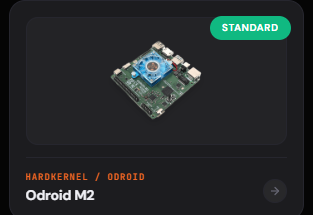
oDroid M2 is now in Standard suuport ! Thanks to the Armbian Team 👍
-
Beginner friendly help to boot linux in Allwinner
Werner replied to Hyper Fox's topic in Allwinner CPU Boxes
moved -
moved to tvboxes
-

Help needed S905 SOC Bricked No sdcard slot
kar 412 replied to Information Tech's topic in Amlogic CPU Boxes
i am working on same box you can contact me for its fix -

Orange Pi 5: No graphics when booting the UEFI arm64 images
eselarm replied to snow's topic in Orange Pi 5
I had similar experience, can't remember exact numbers and versions etc as I already considered it not going to work, so did not take notes. Was on NanoPi-R6C, so same RK3588S at least. I think I already had put 'serial' as console in the EDK2 setup (is in eMMC for NanoPi-R6C), but not the older display option (GOP or so, forgot it). For my trial it was just the kernel, so instead of the a latest edge-rockchip64 that works all fine with EDK2 v1.1 in my setup, it was the generic UEFI-ARM64 kernel. You use a full image, so I think something is missing or not implemented yet. Also, my main assumption was (and is), is that only serial console is working for a CLI image. I have always a serial console cable available/prepared, although you need an extra other computer, but your OPi5 should simply run, just display is not initialized. You can look in dmesg, there might be a lot of HDMI debug/info, might also be the kernel and your HDMI monitor experience miscommunication, timing issue. I rebooted again with 7.0-rc3 rockchip64 and that worked again. Now I did some apt pinning so I can install/use Debian sid kernel (6.19.11 at the moment). That works the same as the armbian build 7.0-rc3 rockchip64. Also Opensuse Tumbleweed with its default 6.19 kernel works fine. -
Since we do not add any Intel drivers this regression may come from upstream. You could test nightly build which have kernel 7.0. Also total random guess: Perhaps more recent kernels expect more recent firmware blobs, perhaps the ones on the board are outdated (or are expected to be on a different place)? No clue though through which package those are shipped though. Seems like the files have been touched last around 7 month ago: https://git.kernel.org/pub/scm/linux/kernel/git/iwlwifi/linux-firmware.git/tree/intel/iwlwifi
-
Perhaps related https://github.com/armbian/firmware/commit/36ec4377c197af9ced4a02aaa660ade54c83f93d
-
moved to tvboxes
-
This week, Collabora is at the YouTube Device Partner Summit in Tokyo showcasing our ongoing work with YouTube, notably on their TV app and the RDK platform, which has resulted in the RDK's integration as a core platform for Cobalt development. View the full article